Cinematic Mountain Road AI Video | Royal Enfield Cinematic Journey | Gemini AI Video Prompt
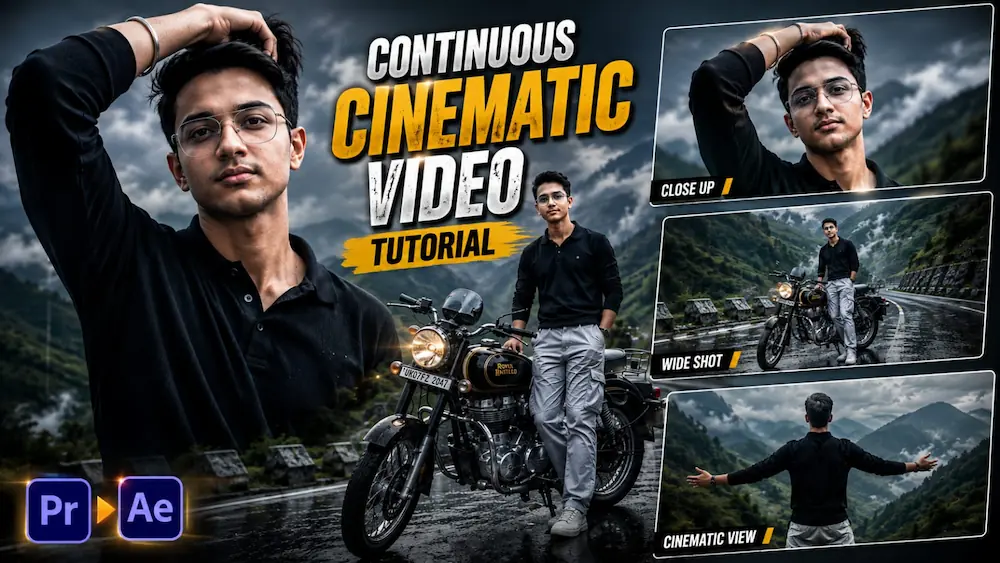
Create a premium ultra-realistic cinematic mountain road video using Gemini AI Video Generator and your uploaded person photo. This vertical 9:16 AI video features a misty mountain road, dramatic cloudy sky, green mountain slopes and a classic black-and-gold Royal Enfield motorcycle.
The same male character remains visually consistent throughout the complete sequence, including his natural facial features, hairstyle, body proportions, black polo sweatshirt, loose light-grey cargo pants and wrist Kada.
The cinematic journey includes a hair-running opening shot, mountain road reveal, detailed motorcycle close-up, wide mountain landscape, emotional valley-view composition and a dramatic final low-angle hero shot.
Featuring muted grey-and-teal colour grading, realistic mountain fog, natural wind, authentic skin and hair texture, realistic clothing physics, cinematic depth of field and professional cinema-camera movement.
Perfect for Gemini AI Video Generator, Mountain Cinematic Videos, Royal Enfield AI Videos, Motorcycle Cinematic Reels, Travel AI Videos, 9:16 Vertical Videos, Instagram Reels and YouTube Shorts.
NOOR EDITING — AI Prompt
✦AI PROMPT
Create a continuous ultra-realistic cinematic 9:16 vertical video on a misty mountain road.
Use the uploaded photo as the visual reference for the male character's overall appearance. Keep his appearance visually consistent throughout the video, including his natural facial features, hairstyle, general body proportions and overall look.
The character wears a black polo sweatshirt, loose light-grey cargo pants and a wrist Kada throughout the sequence.
Create a continuous ultra-realistic cinematic 9:16 vertical video on a misty mountain road.
Use the uploaded photo as the visual reference for the male character's overall appearance. Keep his appearance visually consistent throughout the video, including his natural facial features, hairstyle, general body proportions and overall look.
The character wears a black polo sweatshirt, loose light-grey cargo pants and a wrist Kada throughout the sequence.
SCENE FLOW — ONE CONTINUOUS CINEMATIC SEQUENCE
1. Opening:
Begin with a low-angle cinematic close-up of the man naturally running one hand through his wavy dark hair while standing on the misty mountain road. An overcast dramatic sky fills the background. Natural wind moves his hair and clothing.
2. Mountain Road Reveal:
The camera smoothly pulls back and rises into a wide cinematic aerial-style view, revealing the man standing beside a classic black-and-gold Royal Enfield motorcycle. Foggy green mountain slopes surround the road.
3. Motorcycle Detail:
The camera smoothly moves toward a detailed close-up of the motorcycle's front headlight and handlebars. Misty mountain peaks remain softly visible in the background.
4. Wide Mountain View:
The camera continues smoothly into a wide view of the man standing beside his motorcycle and looking toward the expansive mountain landscape.
5. Valley View:
Move naturally behind the man into an over-the-shoulder composition as he extends his arms outward toward the deep misty valley. Strong natural wind moves his hair and clothes.
6. Final Cinematic Frame:
Finish with a dramatic low-angle cinematic view of the man standing against the cloudy mountain sky, maintaining a confident natural posture.
VISUAL STYLE
Muted grey-and-teal cinematic color grading.
Moody overcast atmosphere.
Natural mountain fog.
Natural wind movement.
Realistic skin and hair texture.
Realistic clothing fabric.
Natural shadows and highlights.
High contrast with controlled cinematic highlights.
Professional cinema-camera appearance.
Natural depth of field.
Realistic atmospheric perspective.
Subtle high-end film grain.
Ultra-detailed 8K-quality visual appearance.
CONSISTENCY
Keep the same character appearance, hairstyle, clothing, accessories, motorcycle and environment visually consistent throughout the sequence.
No random wardrobe changes.
No hairstyle changes.
No sudden appearance changes.
No distorted anatomy.
No unnatural hand movement.
No extra fingers or limbs.
No cartoon, anime or 3D-rendered appearance.
Make the result look like genuine professional cinematic footage.
OUTPUT
Vertical 9:16.
Ultra-realistic live-action.
Cinematic 8K-quality detail.
Smooth camera movement.
Natural motion blur.
Realistic mountain atmosphere.
✓
Prompt copied to clipboard!
NOOR EDITING — AI Prompt
✦AI PROMPT
Create a continuous ultra-realistic cinematic 9:16 vertical video on a misty mountain road.
Use the uploaded photo as the visual reference for the male character's overall appearance. Keep his appearance visually consistent throughout the video, including his natural facial features, hairstyle, general body proportions and overall look.
The character wears a black polo sweatshirt, loose light-grey cargo pants and a wrist Kada throughout the sequence.
Create a continuous ultra-realistic cinematic 9:16 vertical video on a misty mountain road.
Use the uploaded photo as the visual reference for the male character's overall appearance. Keep his appearance visually consistent throughout the video, including his natural facial features, hairstyle, general body proportions and overall look.
The character wears a black polo sweatshirt, loose light-grey cargo pants and a wrist Kada throughout the sequence.
SCENE FLOW — ONE CONTINUOUS CINEMATIC SEQUENCE
1. Opening:
Begin with a low-angle cinematic close-up of the man naturally running one hand through his wavy dark hair while standing on the misty mountain road. An overcast dramatic sky fills the background. Natural wind moves his hair and clothing.
2. Mountain Road Reveal:
The camera smoothly pulls back and rises into a wide cinematic aerial-style view, revealing the man standing beside a classic black-and-gold Royal Enfield motorcycle. Foggy green mountain slopes surround the road.
3. Motorcycle Detail:
The camera smoothly moves toward a detailed close-up of the motorcycle's front headlight and handlebars. Misty mountain peaks remain softly visible in the background.
4. Wide Mountain View:
The camera continues smoothly into a wide view of the man standing beside his motorcycle and looking toward the expansive mountain landscape.
5. Valley View:
Move naturally behind the man into an over-the-shoulder composition as he extends his arms outward toward the deep misty valley. Strong natural wind moves his hair and clothes.
6. Final Cinematic Frame:
Finish with a dramatic low-angle cinematic view of the man standing against the cloudy mountain sky, maintaining a confident natural posture.
VISUAL STYLE
Muted grey-and-teal cinematic color grading.
Moody overcast atmosphere.
Natural mountain fog.
Natural wind movement.
Realistic skin and hair texture.
Realistic clothing fabric.
Natural shadows and highlights.
High contrast with controlled cinematic highlights.
Professional cinema-camera appearance.
Natural depth of field.
Realistic atmospheric perspective.
Subtle high-end film grain.
Ultra-detailed 8K-quality visual appearance.
CONSISTENCY
Keep the same character appearance, hairstyle, clothing, accessories, motorcycle and environment visually consistent throughout the sequence.
No random wardrobe changes.
No hairstyle changes.
No sudden appearance changes.
No distorted anatomy.
No unnatural hand movement.
No extra fingers or limbs.
No cartoon, anime or 3D-rendered appearance.
Make the result look like genuine professional cinematic footage.
OUTPUT
Vertical 9:16.
Ultra-realistic live-action.
Cinematic 8K-quality detail.
Smooth camera movement.
Natural motion blur.
Realistic mountain atmosphere.
✓
Prompt copied to clipboard!
Kaise banaye
1. Sabse pehle Gemini AI Video Generator open karein.
2. Apni clear person photo upload karein.
3. Upar diya gaya Mountain Road Cinematic Video Prompt poora copy karein.
4. Prompt ko Gemini AI Video Generator mein paste karein.
5. Video format 9:16 Vertical select karein.
6. Video generate karein aur smooth cinematic camera movement ke saath final result check karein.
7. Check karein ki uploaded person ka face, hairstyle, body proportions aur overall appearance poore video mein consistent hain.
8. Black polo sweatshirt, loose light-grey cargo pants aur wrist Kada har scene mein same rehna chahiye.
9. Royal Enfield motorcycle ka black-and-gold appearance aur proportions bhi poore sequence mein consistent hone chahiye.
10. Check karein ki misty mountain road, green mountain slopes, fog, cloudy sky aur overall environment mein unnecessary changes na aayein.
Awarapan 2 Viral Story and Luxury Bridal Couple AI Photo Tutorial
AI editing allows you to turn ordinary photos into trending cinematic videos and premium wedding-style portraits. In this combined tutorial, we will learn two different editing techniques: creating an Awarapan 2 viral story video using a CapCut template and transforming an original couple photograph into a luxury cinematic bridal portrait using ChatGPT AI Photo Generator.
Awarapan 2 Viral Story CapCut Editing
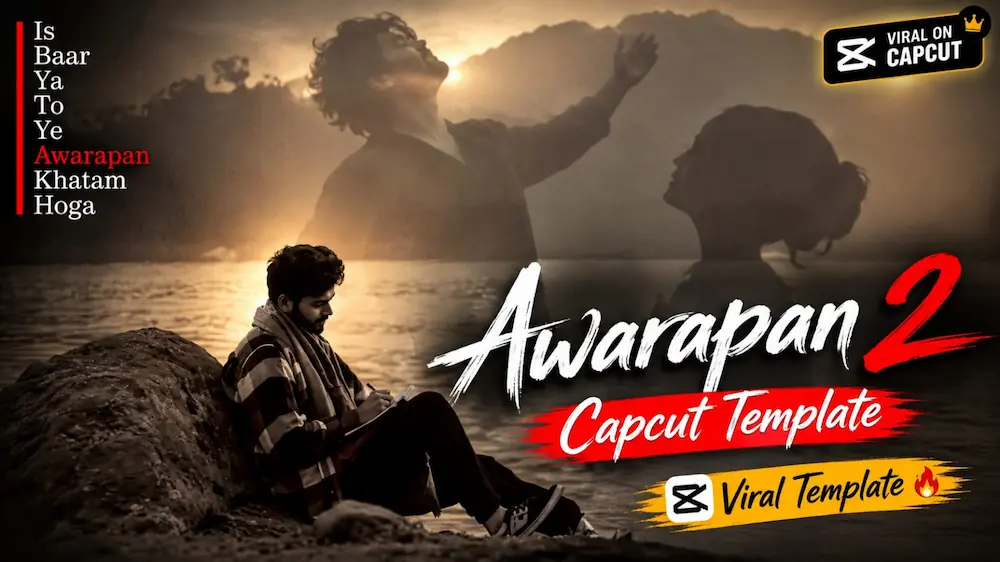
The Awarapan 2 Viral Story edit can be created quickly with a ready-made CapCut template. The template is designed to convert your selected photos into a cinematic viral-style video without requiring complicated manual editing.
First, open the CapCut application on your phone. Open the template link provided on the tutorial page and allow it to load inside CapCut. Once the Awarapan 2 Viral Story template opens, select the photos you want to use. Choose clear and high-quality images so that the final video looks sharp and professional.
After selecting your photos, apply them to the template. CapCut automatically places the images according to the template's existing timing, transitions and effects. Preview the complete video and check whether every photo is positioned correctly. If necessary, replace a photo or adjust its crop before exporting. Finally, generate the video and save it to your device.
This method is useful for creating Bollywood-inspired cinematic edits, viral stories and short-form social media content without manually creating every transition.
Luxury Bridal Couple AI Photo
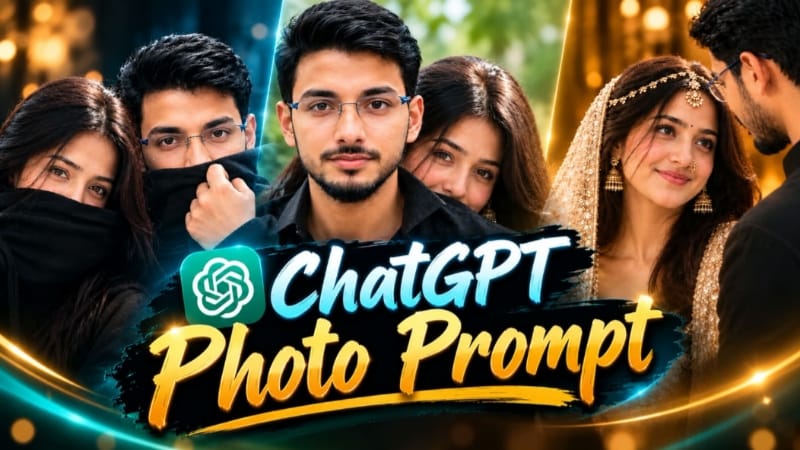
The second technique transforms an original couple photograph into an ultra-realistic luxury bridal portrait using ChatGPT. The prompt is designed to preserve the couple's original faces, body proportions, skin tones and hairstyles while creating an elegant wedding photography style.
Start by opening ChatGPT and uploading a clear, high-quality couple photo. The reference image should have both faces visible and should not be extremely dark, blurry or low-resolution. Then copy and paste the complete bridal couple AI photo prompt.
The generated portrait features the woman in the foreground with a luxurious cream-and-gold bridal outfit, detailed embroidery, an embellished dupatta, matha-patti, jhumka earrings, nose ring and bindi. The man remains close beside or behind her in a simple black outfit. The composition uses a warm, softly blurred brown indoor background with golden ambient lighting.
For a professional photography appearance, the prompt uses an 85mm DSLR-style portrait, extreme shallow depth of field, realistic skin texture, detailed jewelry and fabric, and a 4:5 aspect ratio. The final image should look like an authentic luxury wedding photograph rather than an artificial digital artwork.
Final Result
By combining these two AI editing methods, you can create both a trending Awarapan 2 cinematic story video and a premium bridal couple portrait. For the best results, use sharp reference photos, maintain original identity, check every generated detail carefully, and export the final content in high quality for Instagram, YouTube Shorts, Facebook and other social platforms.