Green Mountain Cinematic AI Video Prompt – Create 8K HDR DSLR Mountain Video Using Google Flow AI
Cinematic AI videos are becoming increasingly popular on Instagram Reels, YouTube Shorts and Facebook. One of the most attractive styles is a realistic mountain photography video featuring beautiful green landscapes, terraced hills, natural daylight and professional DSLR camera movements.
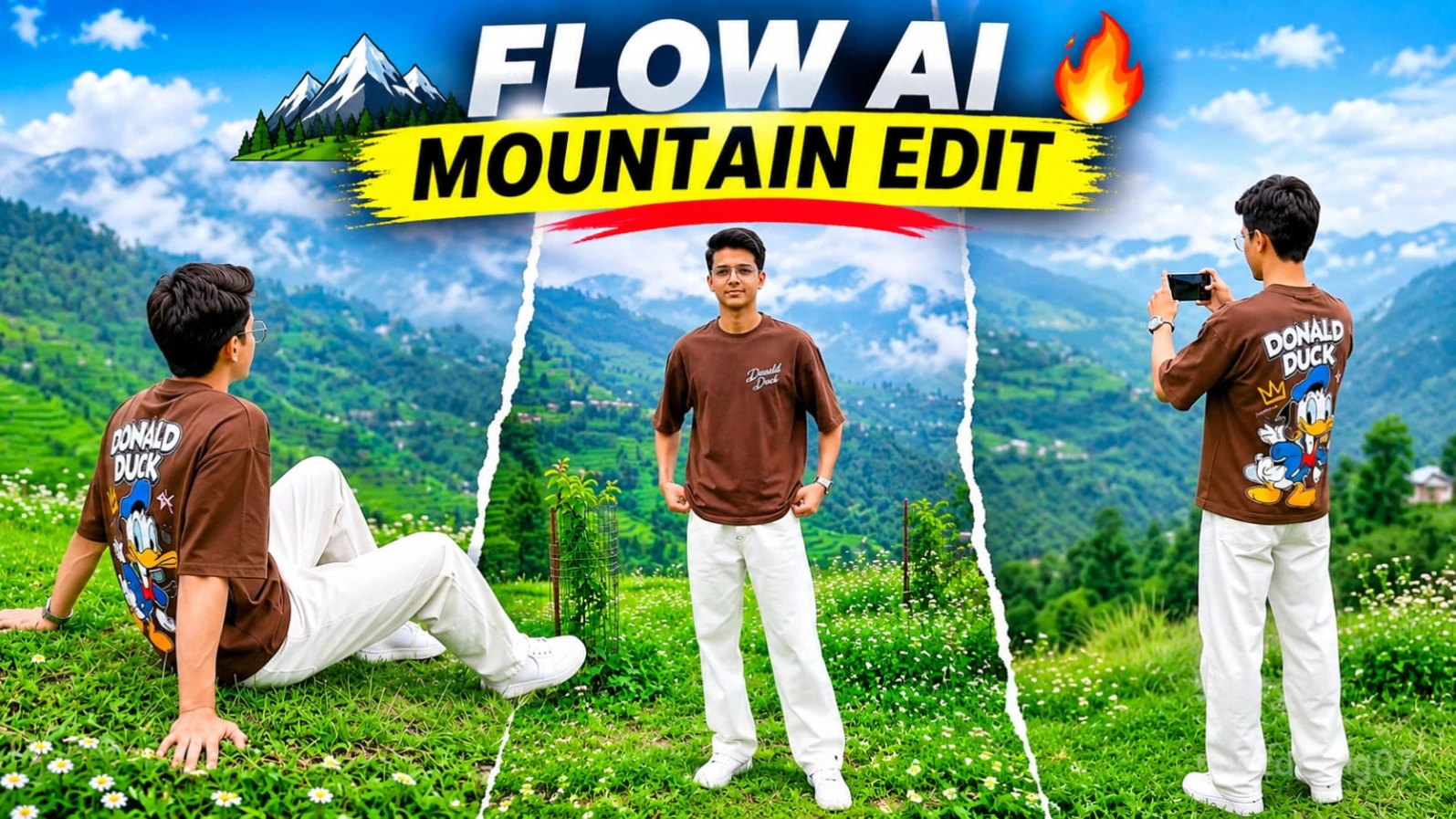
In this tutorial, you will learn how to create a Green Mountain Cinematic AI Video using ChatGPT and Google Flow AI. This concept includes nine different cinematic scenes, realistic character consistency, beautiful mountain backgrounds and smooth vertical whip-pan transitions.
The main purpose of this video is to recreate the feeling of a professional outdoor photoshoot using AI video generation.
1. What Is Green Mountain Cinematic AI Video?
Green Mountain Cinematic AI Video is a realistic AI-generated outdoor video concept featuring a person exploring a beautiful mountain landscape.
The video includes different camera angles, natural poses, walking shots, sitting shots and cinematic mountain views.
The environment features lush green meadows, terraced mountain slopes, small white wildflowers, misty clouds and a beautiful hillside cottage.
The complete concept is designed in horizontal 16:9 format with an 8K HDR DSLR-style visual appearance.
2. Why Create a Character Sheet Using ChatGPT?
Before generating the video, the first important task is creating a Character Sheet using ChatGPT.
A Character Sheet helps establish the visual identity of the person who will appear throughout the video.
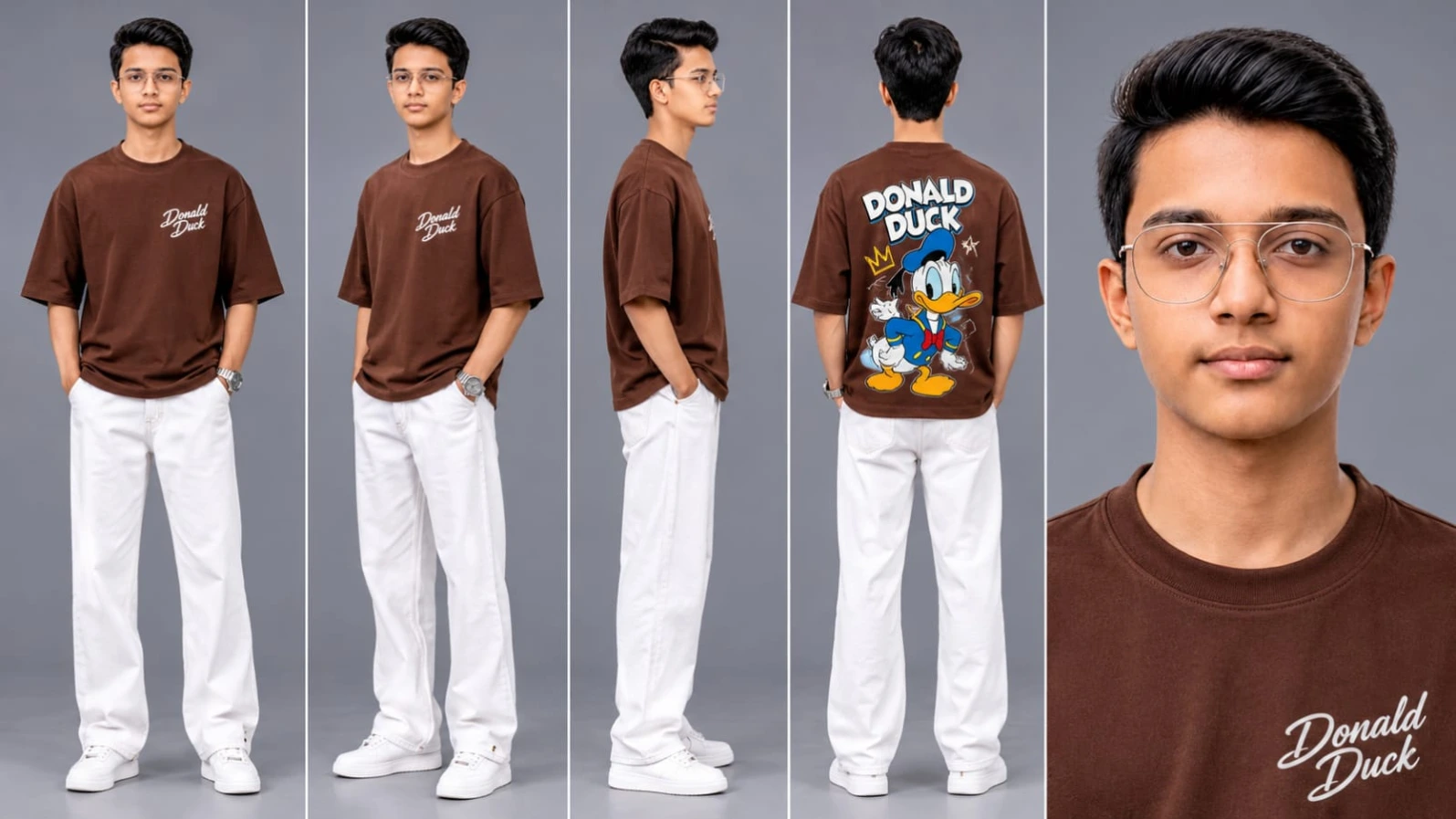
Open ChatGPT and upload your clear reference photograph. Now use a detailed Character Sheet prompt to prepare multiple reference views.
Your Character Sheet should include front view, side view, back view and close-up face reference.
Maintain the same face identity, hairstyle, skin tone and overall appearance in every reference.
Once the Character Sheet is ready, save the generated image because you will need it in Google Flow AI.
3. Importance of Character Consistency
Character consistency is one of the most important aspects of AI video creation.
When generating multiple scenes, the AI tool may sometimes change facial features, clothing or hairstyles.
Using the same Character Sheet as a reference helps communicate the intended appearance across the complete video.
For this mountain video, the outfit includes a brown oversized crewneck T-shirt with minimalist white chest text and a retro Donald Duck graphic on the back.
The outfit also includes relaxed white trousers and white sneakers.
The same outfit should be maintained in all nine scenes.
4. Beautiful Green Mountain Location
The location is designed around a scenic green mountain meadow overlooking terraced valley slopes.
The environment includes small white wildflowers, lush green grass, wire mesh sapling guards and distant mountain ridges.
A small hillside cottage and a red-and-white telecom tower add interesting details to the background.
Soft misty clouds create a peaceful outdoor atmosphere.
Bright overcast daylight keeps the overall environment naturally illuminated without harsh sunlight or excessive dark shadows.
5. Google Flow AI Master Video Prompt
After preparing your Character Sheet in ChatGPT, open Google Flow AI.
Upload your Character Sheet as the character reference using the available reference-image workflow.
Now prepare your Master Video Prompt.
The Master Video Prompt contains all nine scenes, character instructions, outfit details, camera movements, location descriptions and transition effects.
It is important to maintain the same visual instructions throughout the video.
You can generate the scenes separately if the selected generation workflow cannot accurately follow all nine scenes together.
6. Nine Cinematic Video Scenes
The complete concept includes nine different scenes.
Scene 1 shows a back-view smartphone filming shot overlooking the mountain valley.
Scene 2 features a front full-body meadow standing pose.
Scene 3 presents a wide back-view shot of the terraced green hills.
Scene 4 captures a stylish side-profile pose with crossed arms.
Scene 5 shows a relaxed sitting pose on the grassy meadow.
Scene 6 features a back-view walking shot toward a distant hillside house.
Scene 7 presents a thoughtful side-profile standing pose.
Scene 8 captures a wide mountain cliffside view.
Scene 9 finishes with an over-the-shoulder glance toward the beautiful valley.
Vertical whip-pan transitions connect the different scenes and create a smooth cinematic presentation.
7. Camera Movements and Transitions
Different camera angles make this video more visually interesting.
The prompt includes medium-wide shots, full-body shots, side-profile shots, back-view tracking shots and wide landscape shots.
Vertical whip-pan transitions add dynamic movement between scenes.
You can also use smooth tracking movements and natural camera motion to recreate a professional DSLR filming experience.
8. Best Video Settings and Quality
The requested visual style includes 8K HDR quality, 120FPS smooth motion and professional DSLR prime lens optics.
The video uses a bright natural daylight color grade with rich emerald greens and soft misty highlights.
The 16:9 horizontal format is suitable for landscape videos and YouTube uploads.
Actual resolution and frame rate depend on the selected AI video-generation and export options.
9. Final Editing
After generating all nine scenes, open CapCut or VN Video Editor.
Arrange the video clips in the correct order and adjust the transitions.
Add suitable background music and natural outdoor sound effects.
Check the face identity, outfit consistency, landscape details and scene continuity.
Keep the NoorEditing07 watermark subtle and export the final video using your preferred quality settings.
10. Create Your Own Cinematic Mountain Video
This concept is perfect for creators who enjoy cinematic photography, outdoor visuals and AI-generated videos.
By combining ChatGPT Character Sheets with Google Flow AI Master Video Prompts, you can experiment with different locations, outfits and cinematic camera movements.
Visit NoorEditing07.com for more AI photo editing prompts, cinematic video prompts and creative tutorials.
Google par Search karo NoorEditing07 – yahan milenge latest AI Photo & Video Prompts!
Sabse Pehle Character Sheet Photo Banaai ChatGPT Se
✦AI PHOTO PROMPT
Cinematic character turn-around model sheet, ultra-realistic 8K UHD, neutral grey studio backdrop, 16:9 aspect ratio. Strictly lock 100% exact facial geometry, jawline, eyes, hair, and natural skin tone from the uploaded reference photo across all views. Completely bareheaded with natural casual hair styling. Outfit: oversized brown crewneck t-shirt with minimalist white script on front chest and large colorful retro Donald Duck graphic print across the back, relaxed loose-fit white trousers, clean white sneakers. Multi-view composition with front, 3/4 profile, side, back view showing Donald Duck print, and close-up headshot.
Cinematic character turn-around model sheet, ultra-realistic 8K UHD, neutral grey studio backdrop, 16:9 aspect ratio.
[STRICT FACE LOCK & IDENTITY]
Lock 100% exact facial geometry, jawline, eyes, hair, and natural skin tone from the uploaded reference photo across all views. Completely bareheaded (no cap, hat, or hood), with natural casual hair styling. Smooth DSLR skin texture with natural pores, entirely free from morphing or distortion. Face must remain fully lit and distinct in every angle under balanced studio fill lighting.
[OUTFIT & STYLING SPECIFICATIONS]
- Top: Oversized brown crewneck t-shirt featuring minimalist white script on the front chest and a large, colorful retro Donald Duck graphic print across the back.
- Bottom: Relaxed loose-fit white trousers / jeans with natural casual folds and drape.
- Footwear: Clean white sneakers.
- Wardrobe stays 100% identical and consistent across every angle.
[MULTI-VIEW MODEL SHEET COMPOSITION]
Full-body multi-angle character reference sheet arranged side-by-side in a single clean frame:
1. Full Front View: Standing relaxed, arms naturally at sides, direct eye contact with the camera, calm confident posture, displaying the oversized brown t-shirt and loose-fit white trousers.
2. 3/4 Profile Angle: Standing at a 45-degree angle, showing the oversized t-shirt drape, side facial geometry, and relaxed trouser fit.
3. Profile View (90°): Clean side-profile shot displaying clear facial profile, hair length, t-shirt sleeve details, and white sneaker profile.
4. Back View: Direct rear angle displaying the back of the brown oversized t-shirt with the large retro Donald Duck graphic print and the white trousers.
5. High-Detail Close-Up Headshot: Ultra-sharp 4K portrait showing natural eyes, neat beard/jawline, natural hair, and crewneck collar detailing under balanced fill lighting.
[TECHNICAL SPECS & QUALITY]
High-end apparel lookbook catalog, shot on 85mm f/1.4 lens, softbox three-point illumination, hyper-detailed cotton and denim fabric textures, crisp graphic prints, true-to-life colors, 8K resolution.
✓
Prompt copied to clipboard!
✦AI PHOTO PROMPT
Cinematic character turn-around model sheet, ultra-realistic 8K UHD, neutral grey studio backdrop, 16:9 aspect ratio. Strictly lock 100% exact facial geometry, jawline, eyes, hair, and natural skin tone from the uploaded reference photo across all views. Completely bareheaded with natural casual hair styling. Outfit: oversized brown crewneck t-shirt with minimalist white script on front chest and large colorful retro Donald Duck graphic print across the back, relaxed loose-fit white trousers, clean white sneakers. Multi-view composition with front, 3/4 profile, side, back view showing Donald Duck print, and close-up headshot.
Cinematic character turn-around model sheet, ultra-realistic 8K UHD, neutral grey studio backdrop, 16:9 aspect ratio.
[STRICT FACE LOCK & IDENTITY]
Lock 100% exact facial geometry, jawline, eyes, hair, and natural skin tone from the uploaded reference photo across all views. Completely bareheaded (no cap, hat, or hood), with natural casual hair styling. Smooth DSLR skin texture with natural pores, entirely free from morphing or distortion. Face must remain fully lit and distinct in every angle under balanced studio fill lighting.
[OUTFIT & STYLING SPECIFICATIONS]
- Top: Oversized brown crewneck t-shirt featuring minimalist white script on the front chest and a large, colorful retro Donald Duck graphic print across the back.
- Bottom: Relaxed loose-fit white trousers / jeans with natural casual folds and drape.
- Footwear: Clean white sneakers.
- Wardrobe stays 100% identical and consistent across every angle.
[MULTI-VIEW MODEL SHEET COMPOSITION]
Full-body multi-angle character reference sheet arranged side-by-side in a single clean frame:
1. Full Front View: Standing relaxed, arms naturally at sides, direct eye contact with the camera, calm confident posture, displaying the oversized brown t-shirt and loose-fit white trousers.
2. 3/4 Profile Angle: Standing at a 45-degree angle, showing the oversized t-shirt drape, side facial geometry, and relaxed trouser fit.
3. Profile View (90°): Clean side-profile shot displaying clear facial profile, hair length, t-shirt sleeve details, and white sneaker profile.
4. Back View: Direct rear angle displaying the back of the brown oversized t-shirt with the large retro Donald Duck graphic print and the white trousers.
5. High-Detail Close-Up Headshot: Ultra-sharp 4K portrait showing natural eyes, neat beard/jawline, natural hair, and crewneck collar detailing under balanced fill lighting.
[TECHNICAL SPECS & QUALITY]
High-end apparel lookbook catalog, shot on 85mm f/1.4 lens, softbox three-point illumination, hyper-detailed cotton and denim fabric textures, crisp graphic prints, true-to-life colors, 8K resolution.
Cinematic 16:9 horizontal 8K HDR 120fps ultra-realistic DSLR video on a scenic green mountain hilltop overlooking terraced valley slopes under bright overcast daylight. Outfit: brown oversized crewneck t-shirt with minimalist white chest text and large retro Donald Duck graphic print on back, relaxed loose-fit white trousers, white sneakers. Location: lush green mountain meadow cliffside with wildflowers, wire mesh sapling guards, and hillside cottage with telecom tower. 9 exact matched scenes with vertical whip-pan transitions (18.6s). Watermark: NoorEditing07.
Cinematic 16:9 horizontal 8K HDR 120fps ultra-realistic DSLR video on a scenic green mountain hilltop overlooking terraced valley slopes, filmed under bright overcast daylight with zero harsh sun and zero dark shadows.
[STRICT IDENTITY & FACE LOCK]
Use the uploaded image as the exact face reference. Keep the face 100% identical across all scenes with no changes in eyes, nose, lips, jawline, hairstyle, or skin tone. Smooth, natural DSLR skin texture, zero morphing or facial drifting, face evenly illuminated with bright natural daylight whenever turned toward camera.
[SINGLE CONSISTENT OUTFIT]
Exact same outfit across all 9 scenes: brown oversized crewneck t-shirt with minimalist white chest text and large retro Donald Duck graphic print on the back, relaxed loose-fit white trousers, and white sneakers.
[LOCATION]
Lush green mountain meadow cliffside with small white wildflowers, wire mesh sapling guards, terraced green mountain hills, and a small hillside cottage with a red-and-white telecom tower in the distance under soft misty clouds.
[9 EXACT MATCHED SCENES WITH VERTICAL WHIP-PAN TRANSITIONS (18.6s)]
- Scene 1 (0:00-0:02 | Back-View Phone Filming): Medium-wide back shot (starts monochrome 0:00-0:00.5, transitions smoothly into vivid color); stands on green hilltop edge holding smartphone horizontally to film terraced mountains.
- Scene 2 (0:02-0:04 | Front Meadow Stand & Look): Front full-body shot; stands on wildflower grass with hands relaxed near pockets, looking toward camera with clearly lit, sharp face, followed by a fast vertical motion-blur whip transition.
- Scene 3 (0:04-0:06 | Terraced Valley Overlook): Wide back shot; stands beside a cylindrical wire plant guard gazing across lush terraced mountain slopes, followed by vertical whip-pan blur.
- Scene 4 (0:06-0:08 | Side-Profile Arms-Crossed Pose): Medium side profile; stands on cliff edge with arms crossed and head tilted slightly downward, showing clean jawline, followed by vertical whip-pan blur.
- Scene 5 (0:08-0:10 | Grassy Meadow Sit): Wide back-three-quarter shot; sits casually on green wildflower grass leaning back on one hand while looking out at valley hills, followed by vertical whip-pan blur.
- Scene 6 (0:10-0:12 | Back-View Hillside Walk): Wide back shot; walks calmly across green meadow toward a distant red-roofed hillside house and telecom tower, followed by vertical whip-pan blur.
- Scene 7 (0:12-0:14 | Thoughtful Side-Profile Stand): Medium side profile; stands near wire sapling guards looking thoughtfully downward, facial profile sharply lit, followed by vertical whip-pan blur.
- Scene 8 (0:14-0:16.5 | Wide Cliff Edge Stand): Wide back shot; stands between two wire plant guards overlooking misty green mountain ridges.
- Scene 9 (0:16.5-0:18.6 | Medium Over-Shoulder Glance): Medium back-to-side shot; turns head right toward the mountain valley, revealing crisp side facial profile before final vertical motion blur fade.
[COLOR & TECHNICAL]
Bright natural daylight color grading, rich emerald greens, soft misty highlights, open lifted shadows with zero darkness on face, 8K DSLR prime lens optics, 120fps fluid motion, 16:9 widescreen ratio. Subtle static watermark 'NoorEditing07' in bottom corner.
✓
Prompt copied to clipboard!
✦AI VIDEO PROMPT
Cinematic 16:9 horizontal 8K HDR 120fps ultra-realistic DSLR video on a scenic green mountain hilltop overlooking terraced valley slopes under bright overcast daylight. Outfit: brown oversized crewneck t-shirt with minimalist white chest text and large retro Donald Duck graphic print on back, relaxed loose-fit white trousers, white sneakers. Location: lush green mountain meadow cliffside with wildflowers, wire mesh sapling guards, and hillside cottage with telecom tower. 9 exact matched scenes with vertical whip-pan transitions (18.6s). Watermark: NoorEditing07.
Cinematic 16:9 horizontal 8K HDR 120fps ultra-realistic DSLR video on a scenic green mountain hilltop overlooking terraced valley slopes, filmed under bright overcast daylight with zero harsh sun and zero dark shadows.
[STRICT IDENTITY & FACE LOCK]
Use the uploaded image as the exact face reference. Keep the face 100% identical across all scenes with no changes in eyes, nose, lips, jawline, hairstyle, or skin tone. Smooth, natural DSLR skin texture, zero morphing or facial drifting, face evenly illuminated with bright natural daylight whenever turned toward camera.
[SINGLE CONSISTENT OUTFIT]
Exact same outfit across all 9 scenes: brown oversized crewneck t-shirt with minimalist white chest text and large retro Donald Duck graphic print on the back, relaxed loose-fit white trousers, and white sneakers.
[LOCATION]
Lush green mountain meadow cliffside with small white wildflowers, wire mesh sapling guards, terraced green mountain hills, and a small hillside cottage with a red-and-white telecom tower in the distance under soft misty clouds.
[9 EXACT MATCHED SCENES WITH VERTICAL WHIP-PAN TRANSITIONS (18.6s)]
- Scene 1 (0:00-0:02 | Back-View Phone Filming): Medium-wide back shot (starts monochrome 0:00-0:00.5, transitions smoothly into vivid color); stands on green hilltop edge holding smartphone horizontally to film terraced mountains.
- Scene 2 (0:02-0:04 | Front Meadow Stand & Look): Front full-body shot; stands on wildflower grass with hands relaxed near pockets, looking toward camera with clearly lit, sharp face, followed by a fast vertical motion-blur whip transition.
- Scene 3 (0:04-0:06 | Terraced Valley Overlook): Wide back shot; stands beside a cylindrical wire plant guard gazing across lush terraced mountain slopes, followed by vertical whip-pan blur.
- Scene 4 (0:06-0:08 | Side-Profile Arms-Crossed Pose): Medium side profile; stands on cliff edge with arms crossed and head tilted slightly downward, showing clean jawline, followed by vertical whip-pan blur.
- Scene 5 (0:08-0:10 | Grassy Meadow Sit): Wide back-three-quarter shot; sits casually on green wildflower grass leaning back on one hand while looking out at valley hills, followed by vertical whip-pan blur.
- Scene 6 (0:10-0:12 | Back-View Hillside Walk): Wide back shot; walks calmly across green meadow toward a distant red-roofed hillside house and telecom tower, followed by vertical whip-pan blur.
- Scene 7 (0:12-0:14 | Thoughtful Side-Profile Stand): Medium side profile; stands near wire sapling guards looking thoughtfully downward, facial profile sharply lit, followed by vertical whip-pan blur.
- Scene 8 (0:14-0:16.5 | Wide Cliff Edge Stand): Wide back shot; stands between two wire plant guards overlooking misty green mountain ridges.
- Scene 9 (0:16.5-0:18.6 | Medium Over-Shoulder Glance): Medium back-to-side shot; turns head right toward the mountain valley, revealing crisp side facial profile before final vertical motion blur fade.
[COLOR & TECHNICAL]
Bright natural daylight color grading, rich emerald greens, soft misty highlights, open lifted shadows with zero darkness on face, 8K DSLR prime lens optics, 120fps fluid motion, 16:9 widescreen ratio. Subtle static watermark 'NoorEditing07' in bottom corner.
Yahan diya gaya complete Green Mountain Cinematic AI Video Master Prompt copy karein.
Is prompt mein 9 different scenes, camera angles, character movements, location details aur vertical whip-pan transitions ki instructions di gayi hain.
Step 5: Master Video Prompt Paste Karein
Ab Google Flow AI ke video-generation workspace mein copied Master Video Prompt paste karein.
Character Sheet ko reference ke roop mein use karein.
Prompt mein diye gaye face identity lock, same outfit aur location instructions ko maintain karein.
Step 6: Video Settings Select Karein
Ab video ki available settings select karein.
- Aspect Ratio: 16:9 Horizontal
- Video Style: Ultra-Realistic DSLR
- Quality: Highest Available Quality
- Visual Look: HDR Cinematic
- Frame Rate: Available 60FPS or 120FPS option, if supported
- Lighting: Bright Overcast Daylight
- Camera Style: Smooth Cinematic Movements
- Transitions: Vertical Whip-Pan
Actual resolution aur frame rate aapke selected Flow AI workflow par depend karenge.
Step 7: Generate All 9 Scenes
Ab apna video generate karein.
Scene 1 se Scene 9 tak sabhi scenes ko carefully check karein.
Agar ek hi generation mein saare scenes sahi generate nahi hote, toh har scene ko alag-alag generate karein.
Har scene mein same Character Sheet, same outfit aur same mountain location maintain karein.
Step 8: Final Editing Karein
Ab CapCut ya VN Video Editor open karein.
Saare generated clips ko correct sequence mein arrange karein.
Green Mountain AI VideoCinematic Mountain Video PromptGoogle Flow AI Master Prompt8K HDR AI VideoChatGPT Character SheetMountain Walking AI VideoDSLR Look AI Video9 Scenes AI Video PromptRealistic AI Video GenerationGreen Hill Cinematic VideoWhip Pan Transition AI VideoGoogle Flow AI TutorialNoorEditing07
Green Mountain AI VideoCinematic Mountain Video PromptGoogle Flow AI Master Prompt8K HDR AI VideoChatGPT Character SheetMountain Walking AI VideoDSLR Look AI Video9 Scenes AI Video PromptRealistic AI Video GenerationGreen Hill Cinematic VideoWhip Pan Transition AI VideoGoogle Flow AI TutorialNoorEditing07
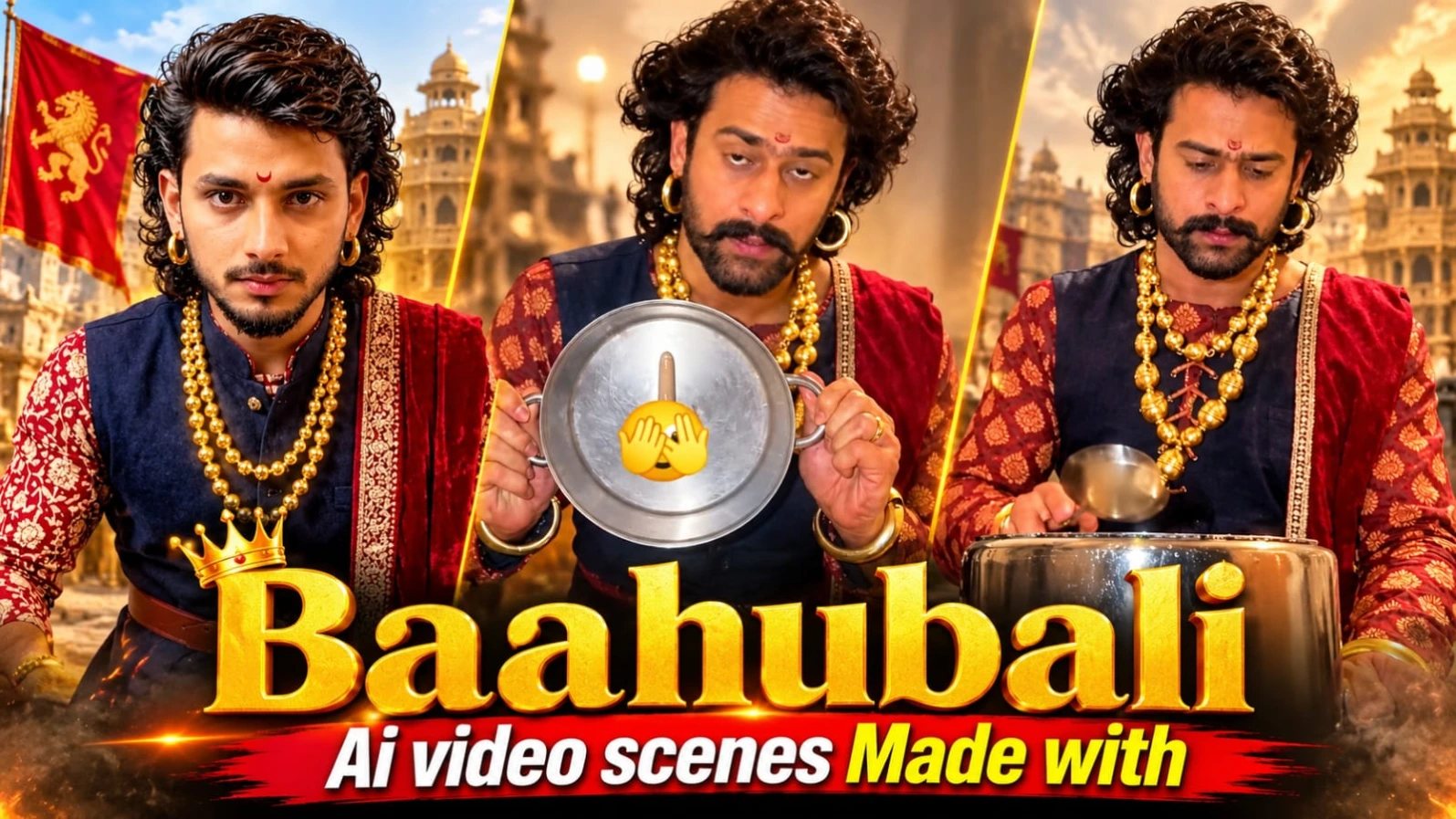
Epic historical kingdom videos aur royal cinematic endings banana aaj kal AI video creators ke beech kaafi popular ho raha hai. Baahubali Ending AI Video Scenes | Google Flow AI Video Prompt un creators ke liye design kiya gaya hai jo Google Flow AI aur ChatGPT ki madad se ek grand Indian historical fantasy video sequence create karna chahte hain. Is creative concept mein grand royal palaces, ancient stone structures, warrior costumes, aur cinematic ending sequence ka ek stunning visual experience milta hai.
Is video prompt mein character ka royal ethnic attire (navy-blue sleeveless waistcoat over maroon-cream kurta, red shawl, layered gold bead necklaces, aur ornate belt) aur modern kitchen ya epic palace setting mein ek unique sequence specify kiya gaya hai. ChatGPT ki madad se strict character sheet aur facial identity lock karke aap ek high-end cinematic historical video generate kar sakte hain. Bottom centre par diya gaya subtle NoorEditing07 watermark aapke original brand work ko protect karta hai.
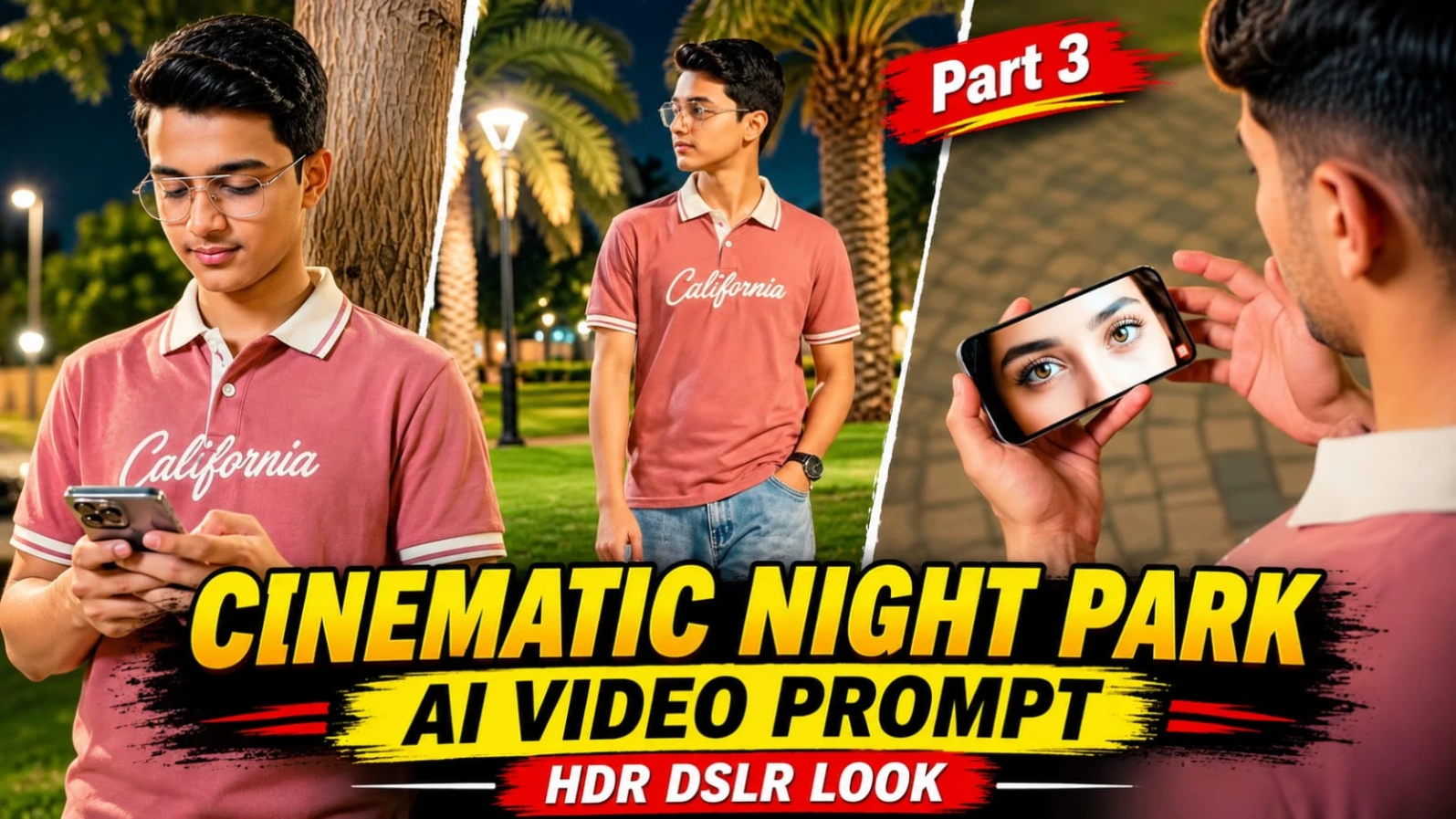
2. Cinematic Night Park AI Video Flow AI Prompt | HDR DSLR Look
Raat ke waqt glowing amber streetlights aur gorgeous bokeh ke beech ek cinematic night park video banana aaj kal social media creators ke beech kaafi trending hai. Cinematic Night Park AI Video Flow AI Prompt | HDR DSLR Look un users ke liye design kiya gaya hai jo Flow AI aur apni reference photo ki madad se ek professional night-time cinematic video create karna chahte hain. Is creative concept mein night park environment, soft glowing lights, aur realistic character movements ka ek stunning visual experience milta hai.
Is video prompt mein character ki stylish night walk, natural expressions, aur high-end HDR DSLR camera look par special focus kiya gaya hai. Widescreen ya vertical format options ke sath aap Instagram Reels aur YouTube Shorts ke liye perfect content generate kar sakte hain. ChatGPT ki madad se strict character sheet aur facial identity lock karke aap ek professional cinematic reel taiyar kar sakte hain. Bottom corner par diya gaya subtle NoorEditing07 watermark aapke original brand work ko protect karta hai.
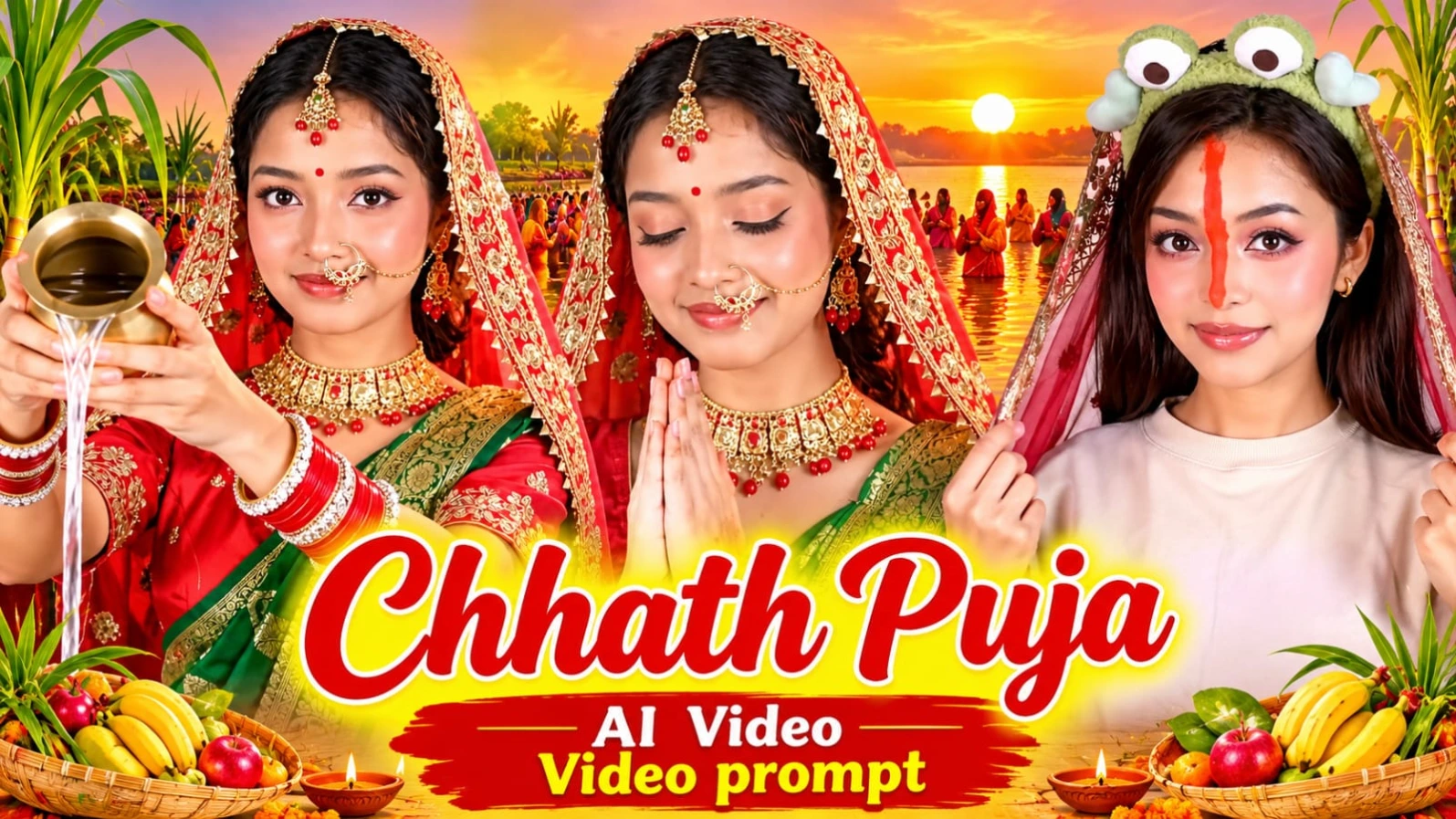
3. Chhath Puja AI Video: Instagram Viral Trend Prompt with Google Flow (Free)
Chhath Puja India ke popular traditional festivals mein se ek hai, jismein devotees Surya Dev aur Chhathi Maiya ki pooja karte hain. Social media par festivals se related AI-generated videos ka trend tezi se popular ho raha hai, aur Chhath Puja AI Video: Instagram Viral Trend Prompt with Google Flow (Free) un creators ke liye design kiya gaya hai jo apni normal photo ko ek traditional bridal look aur devotional cinematic video mein transform karna chahte hain. Is creative concept mein casual look se traditional bridal appearance mein change hone wala ek stunning visual transition diya gaya hai.
Is video prompt mein shuruat mein character beige oversized T-shirt aur green frog headband pehne hue camera ki taraf face karke baithti hai aur sheer veil hold karti hai. Ek bright white-golden flash transition ke baad wahi character traditional red aur green Banarasi saree (gold border ke sath), red blouse, gold choker necklace, maang tikka, nose ring, red-white bangles, aur red dupatta mein nazar aati hai. Video ke final moments mein character small brass pot se camera ki direction mein water pour karti hai, namaste pose mein hands join karti hai, aur dono palms raise karti hai jiske around golden sparkles fall hote hain. Vertical 9:16 format Instagram Reels ke liye bilkul perfect hai, aur bottom corner par diya gaya subtle NoorEditing07 watermark aapke original brand work ko protect karta hai.
4. Jatayu Earth's Centre AI Photo Editing Prompt – ChatGPT Travel Poster
Kerala ke famous tourist spot "Jatayu Earth's Centre" ke giant bird sculpture ke saamne ek cinematic travel photograph banana aaj kal social media par kaafi trending hai. Jatayu Earth's Centre AI Photo Editing Prompt – ChatGPT Travel Poster un users ke liye design kiya gaya hai jo ChatGPT ki madad se apni normal photo ko ek stunning 8K travel-poster style image mein convert karna chahte hain. Is creative concept mein massive brown-pink stone sculpture, golden-hour sunset sky, aur "JATAYU" 3D text overlay ka ek unique combination diya gaya hai.
Is photo prompt mein subject ka giant rock slope par khade hona, cream/off-white boxy chore jacket over black t-shirt, faded charcoal-grey jeans, aur relaxed confident pose specify kiya gaya hai. Background mein world ka largest bird sculpture (Jatayu) apne open curved beak aur wide spread wings ke sath visible hota hai. Golden-hour sunset lighting, pink-peach-orange clouds, aur 8K high-definition details is image ko ek professional travel magazine cover look dete hain. Bottom centre par diya gaya subtle NoorEditing07 watermark aapke original brand work ko protect karta hai.
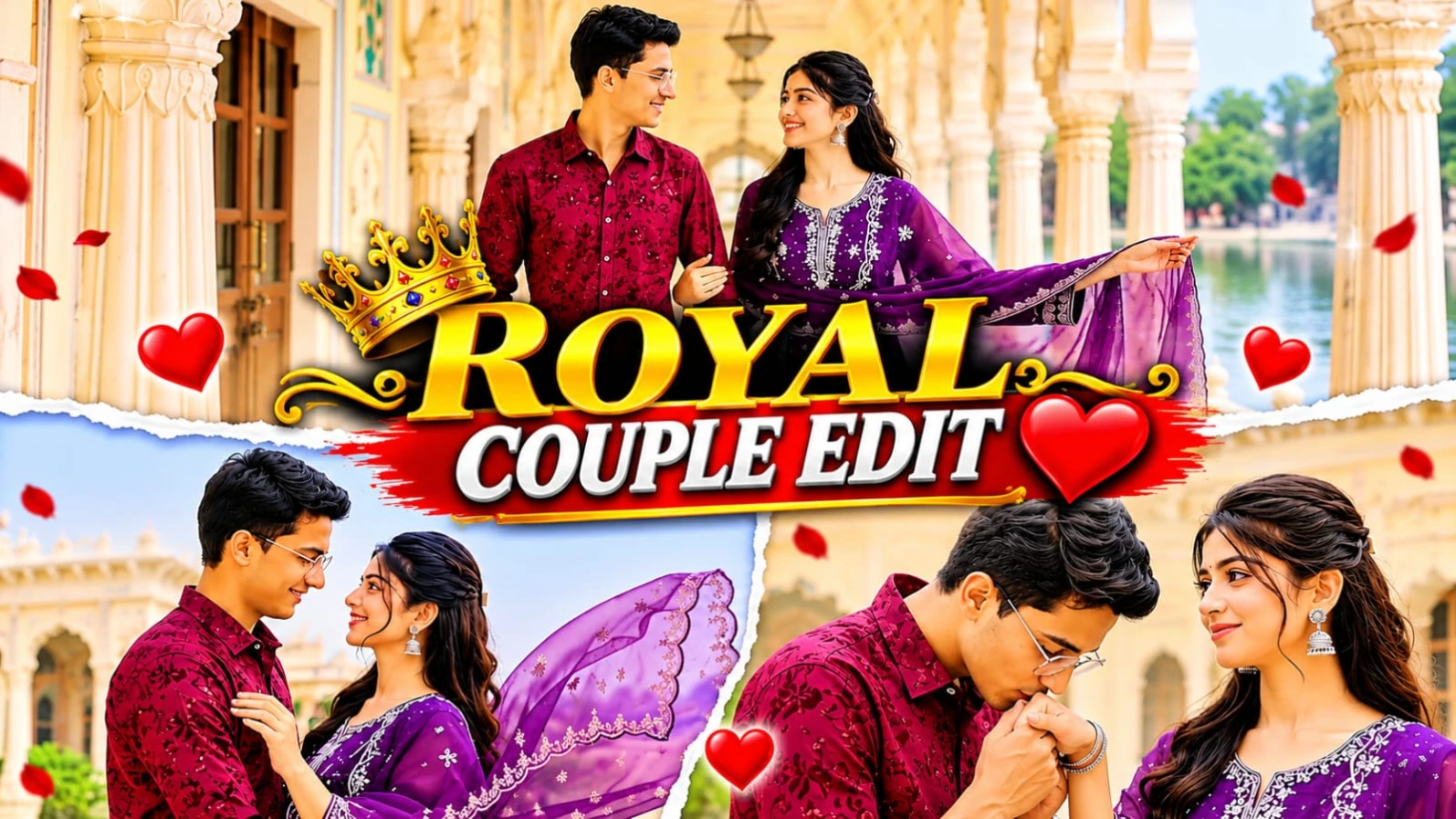
5. Royal Palace Romantic Couple AI Video Prompt | Google Flow Cinematic Video Edit
Grand Rajasthani heritage palaces, white marble pillars, aur lakeside terraces ke beech ek romantic couple cinematic video banana aaj kal social media creators ke beech kaafi popular ho raha hai. Royal Palace Romantic Couple AI Video Prompt | Google Flow Cinematic Video Edit un users ke liye design kiya gaya hai jo Google Flow AI aur apni reference photos ki madad se ek professional 15-scene cinematic couple video create karna chahte hain. Is 16:9 widescreen format video prompt mein pastel fresco arches, white marble colonnades, aur misty lake view ka royal visual experience milta hai.
Is video prompt mein male character ka outfit maroon textured floral-embroidered shirt with white cargo trousers aur female character ka outfit deep purple embroidered straight-cut kurti with sheer scalloped dupatta specify kiya gaya hai. Is 15-scene sequence mein palace courtyard twirls, hand-kissing moments, marble colonnade walks, aur lakeside embraces jaise romantic shots shamil hain. ChatGPT ki madad se couple character sheet aur strict facial identity lock karke aap ek high-end cinematic love story reel generate kar sakte hain. Bottom corner par diya gaya subtle NoorEditing07 watermark aapke original brand work ko protect karta hai.