Beach Couple Cinematic AI Video | Romantic Beach Walk | Gemini AI Video Prompt
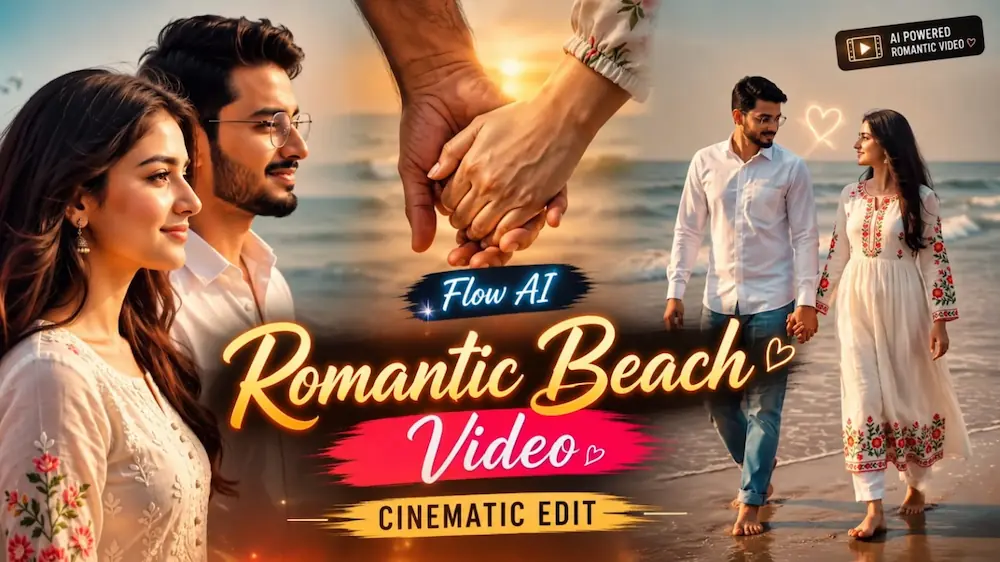
Create a premium ultra-realistic romantic beach couple video using Gemini AI Video Generator and uploaded male and female reference photos. This 10-second 16:9 cinematic video keeps the exact same male and female faces, hairstyles, body proportions, outfits and overall identity throughout the complete sequence.
The couple walks barefoot along a beautiful beach beside the ocean, holding hands and sharing natural romantic moments. The video includes a cinematic beach introduction, romantic hand-in-hand walking, an emotional male profile close-up and a final rear-side coastline walking shot.
Featuring realistic ocean waves, wet-sand reflections, natural sea breeze, realistic clothing and hair movement, authentic skin texture, cinematic depth of field and professional Bollywood-style romantic cinematography.
Perfect for Gemini AI Video Generator, Romantic AI Videos, Couple Cinematic Videos, Beach Couple Reels, Love Story AI Videos, Instagram Reels, YouTube Shorts and cinematic romantic content.
NOOR EDITING — Beach Couple Cinematic Master Video
✦AI PROMPT
FLOW AI — BEACH COUPLE CINEMATIC MASTER VIDEO
Use the uploaded male and female photos as the STRICT PRIMARY IDENTITY REFERENCES.
Preserve the EXACT same faces, facial structure, eyes, nose, lips, skin tone, hairstyle, age, height, body shape and body proportions throughout the entire video.
Do NOT change, regenerate, beautify, slim, enlarge, reshape or replace either person's face or body.
Create ONE seamless, ultra-realistic 10-second 16:9 cinematic romantic beach video.
FLOW AI — BEACH COUPLE CINEMATIC MASTER VIDEO
Use the uploaded male and female photos as the STRICT PRIMARY IDENTITY REFERENCES.
Preserve the EXACT same faces, facial structure, eyes, nose, lips, skin tone, hairstyle, age, height, body shape and body proportions throughout the entire video.
Do NOT change, regenerate, beautify, slim, enlarge, reshape or replace either person's face or body.
Create ONE seamless, ultra-realistic 10-second 16:9 cinematic romantic beach video.
SCENE 1 — 0–2 SEC
Medium cinematic shot of the SAME couple standing barefoot on wet beach sand beside the ocean.
The man wears a crisp white shirt and light-blue jeans.
The woman wears the SAME long white traditional dress with vibrant floral embroidery on the sleeves and hem.
Soft ocean waves move naturally behind them.
Bright natural daylight, gentle sea breeze and realistic reflections on wet sand.
SCENE 2 — 2–5 SEC
Continue smoothly from Scene 1.
The man gently holds the woman's hand while they walk together along the beach.
He looks at her affectionately.
She looks toward him with a soft natural expression.
Keep their EXACT faces and bodies unchanged.
Natural walking and realistic hand movement.
SCENE 3 — 5–8 SEC
Smooth cinematic camera pan into a close-up profile shot of the man while walking.
He gently turns his head and looks back with a subtle expressive glance.
Keep his exact uploaded face.
The woman remains naturally visible nearby.
Soft background blur, ocean waves and realistic beach atmosphere.
SCENE 4 — 8–10 SEC
Continue directly into a smooth tracking shot.
The SAME couple walks hand-in-hand along the coastline.
The camera follows naturally from a slightly rear-side angle.
End with the man walking forward while the beach wall and subtle graffiti remain softly blurred in the background.
Maintain the SAME beach, lighting, outfits and characters.
REALISM & CONTINUITY
Make the video look like genuine professionally filmed live-action Bollywood romantic cinema.
Real human skin texture.
Natural eyes.
Natural blinking.
Natural breathing.
Realistic hands and fingers.
Natural walking.
Realistic hair movement.
Realistic clothing physics.
Realistic ocean waves.
Realistic wet-sand reflections.
Smooth DSLR/cinema-camera movement.
Natural focus pull.
Cinematic depth of field.
Subtle realistic slow motion.
4K HDR.
8K-quality detail.
No dialogue.
No talking.
No lip-sync.
No exaggerated acting.
IDENTITY LOCK
SAME MALE.
SAME FEMALE.
SAME FACES.
SAME BODIES.
SAME HEIGHT.
SAME PROPORTIONS.
SAME HAIRSTYLES.
SAME OUTFITS.
The identity must never drift between frames or scenes.
WATERMARK
Add the exact text “Noorediting07” as a SMALL, subtle watermark in the lower-right corner.
Keep it discreet and consistent throughout the video.
Do not add any other text, logo or watermark.
NEGATIVE
face change, face swap, identity drift, facial morphing, different person, different body, body morphing, height change, age change, hairstyle change, outfit change, outfit colour change, different beach, different ocean, background replacement, duplicate people, extra characters, distorted hands, extra fingers, extra limbs, unnatural walking, frozen face, plastic skin, AI face, cartoon, anime, CGI, 3D render, camera jump, teleportation, flickering, excessive motion blur, blurry face, low quality, large watermark, extra text, extra logo.
✓
Prompt copied to clipboard!
NOOR EDITING — Beach Couple Cinematic Master Video
✦AI PROMPT
FLOW AI — BEACH COUPLE CINEMATIC MASTER VIDEO
Use the uploaded male and female photos as the STRICT PRIMARY IDENTITY REFERENCES.
Preserve the EXACT same faces, facial structure, eyes, nose, lips, skin tone, hairstyle, age, height, body shape and body proportions throughout the entire video.
Do NOT change, regenerate, beautify, slim, enlarge, reshape or replace either person's face or body.
Create ONE seamless, ultra-realistic 10-second 16:9 cinematic romantic beach video.
FLOW AI — BEACH COUPLE CINEMATIC MASTER VIDEO
Use the uploaded male and female photos as the STRICT PRIMARY IDENTITY REFERENCES.
Preserve the EXACT same faces, facial structure, eyes, nose, lips, skin tone, hairstyle, age, height, body shape and body proportions throughout the entire video.
Do NOT change, regenerate, beautify, slim, enlarge, reshape or replace either person's face or body.
Create ONE seamless, ultra-realistic 10-second 16:9 cinematic romantic beach video.
SCENE 1 — 0–2 SEC
Medium cinematic shot of the SAME couple standing barefoot on wet beach sand beside the ocean.
The man wears a crisp white shirt and light-blue jeans.
The woman wears the SAME long white traditional dress with vibrant floral embroidery on the sleeves and hem.
Soft ocean waves move naturally behind them.
Bright natural daylight, gentle sea breeze and realistic reflections on wet sand.
SCENE 2 — 2–5 SEC
Continue smoothly from Scene 1.
The man gently holds the woman's hand while they walk together along the beach.
He looks at her affectionately.
She looks toward him with a soft natural expression.
Keep their EXACT faces and bodies unchanged.
Natural walking and realistic hand movement.
SCENE 3 — 5–8 SEC
Smooth cinematic camera pan into a close-up profile shot of the man while walking.
He gently turns his head and looks back with a subtle expressive glance.
Keep his exact uploaded face.
The woman remains naturally visible nearby.
Soft background blur, ocean waves and realistic beach atmosphere.
SCENE 4 — 8–10 SEC
Continue directly into a smooth tracking shot.
The SAME couple walks hand-in-hand along the coastline.
The camera follows naturally from a slightly rear-side angle.
End with the man walking forward while the beach wall and subtle graffiti remain softly blurred in the background.
Maintain the SAME beach, lighting, outfits and characters.
REALISM & CONTINUITY
Make the video look like genuine professionally filmed live-action Bollywood romantic cinema.
Real human skin texture.
Natural eyes.
Natural blinking.
Natural breathing.
Realistic hands and fingers.
Natural walking.
Realistic hair movement.
Realistic clothing physics.
Realistic ocean waves.
Realistic wet-sand reflections.
Smooth DSLR/cinema-camera movement.
Natural focus pull.
Cinematic depth of field.
Subtle realistic slow motion.
4K HDR.
8K-quality detail.
No dialogue.
No talking.
No lip-sync.
No exaggerated acting.
IDENTITY LOCK
SAME MALE.
SAME FEMALE.
SAME FACES.
SAME BODIES.
SAME HEIGHT.
SAME PROPORTIONS.
SAME HAIRSTYLES.
SAME OUTFITS.
The identity must never drift between frames or scenes.
WATERMARK
Add the exact text “Noorediting07” as a SMALL, subtle watermark in the lower-right corner.
Keep it discreet and consistent throughout the video.
Do not add any other text, logo or watermark.
NEGATIVE
face change, face swap, identity drift, facial morphing, different person, different body, body morphing, height change, age change, hairstyle change, outfit change, outfit colour change, different beach, different ocean, background replacement, duplicate people, extra characters, distorted hands, extra fingers, extra limbs, unnatural walking, frozen face, plastic skin, AI face, cartoon, anime, CGI, 3D render, camera jump, teleportation, flickering, excessive motion blur, blurry face, low quality, large watermark, extra text, extra logo.
✓
Prompt copied to clipboard!
Kaise Banaye
1. Sabse pehle Gemini AI Video Generator open karein.
2. Male ki clear reference photo aur female ki clear reference photo upload karein.
3. Upar diya gaya “FLOW AI — BEACH COUPLE CINEMATIC MASTER VIDEO” prompt poora copy karein.
4. Prompt ko Gemini AI Video Generator mein paste karein.
5. Video format 16:9 Horizontal select karein.
6. Video duration 10 seconds rakhein.
7. Generate Video par click karein.
8. Generate hone ke baad check karein ki male aur female dono ke exact faces, hairstyles, bodies aur proportions poore video mein consistent hain.
9. Check karein ki male ka white shirt + light-blue jeans aur female ka white floral-embroidered traditional dress har scene mein same hai.
10. Scene 1 se Scene 4 tak sequence properly follow hona chahiye:
Beach standing → Hand-holding walk → Male close-up → Final coastline walk.
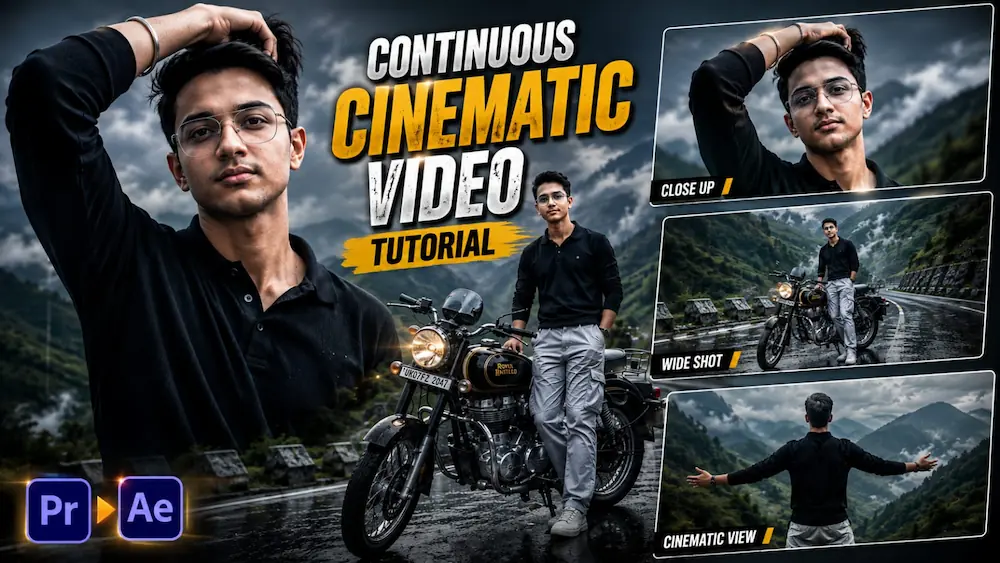
Creating a cinematic mountain video from a single personal photo is now possible with AI video generation. In this tutorial, you can transform your normal photo into a premium mountain-road cinematic sequence using Gemini AI Video Generator. The concept combines a misty mountain environment, a Royal Enfield motorcycle, dramatic camera movements, realistic wind and professional cinematic color grading.
How to Create the Cinematic Mountain Video
First, choose a clear and high-quality photo of yourself. Your face should be clearly visible because the uploaded image will be used as the visual reference for the main character. The AI prompt is designed to maintain the person's natural facial features, hairstyle, general body proportions and overall appearance throughout the complete video.
Open Gemini AI Video Generator and upload your reference photo. Copy the complete Mountain Road Cinematic Video prompt and paste it into the generator. Select a vertical 9:16 format so the final video is suitable for Instagram Reels, YouTube Shorts and other vertical-video platforms.
The character wears a black polo sweatshirt, loose light-grey cargo pants and a wrist Kada throughout the sequence. A classic black-and-gold Royal Enfield motorcycle is also kept consistent across the scenes. The environment features a misty mountain road, green mountain slopes, cloudy skies and natural mountain fog.
Cinematic Scene Sequence
The video begins with a low-angle close-up of the man naturally running one hand through his wavy dark hair while standing on the misty mountain road. Natural wind moves his hair and clothing while the dramatic cloudy sky creates a cinematic atmosphere.
The camera then smoothly pulls back and rises to reveal the man standing beside the black-and-gold Royal Enfield motorcycle, surrounded by foggy green mountain slopes. After this, the camera moves toward a detailed close-up of the motorcycle's headlight and handlebars while the misty mountains remain visible in the background.
The next scene shows a wide cinematic view of the man beside his motorcycle while looking toward the expansive mountain landscape. The camera then moves behind him into an over-the-shoulder composition as he extends his arms toward the deep misty valley. The final shot uses a dramatic low-angle perspective, showing the character against the cloudy mountain sky in a confident natural posture.
Quality and Consistency
For a realistic result, maintain the same character appearance, hairstyle, clothing, accessories, motorcycle and environment throughout the entire sequence. Avoid wardrobe changes, hairstyle changes, distorted anatomy, unnatural hand movements, extra fingers or unrealistic body changes. The prompt also specifies realistic skin and hair texture, natural clothing physics, cinematic depth of field, atmospheric perspective, subtle film grain and an ultra-detailed 8K-quality appearance.
After generating the video, carefully review every scene. Make sure the face, body proportions, outfit, wrist Kada and Royal Enfield remain consistent. Also check the mountain fog, cloudy sky, lighting, wind movement and camera transitions. If everything looks natural, export the final 9:16 cinematic video and use it for Instagram Reels, YouTube Shorts, Facebook Reels or motorcycle and travel content.