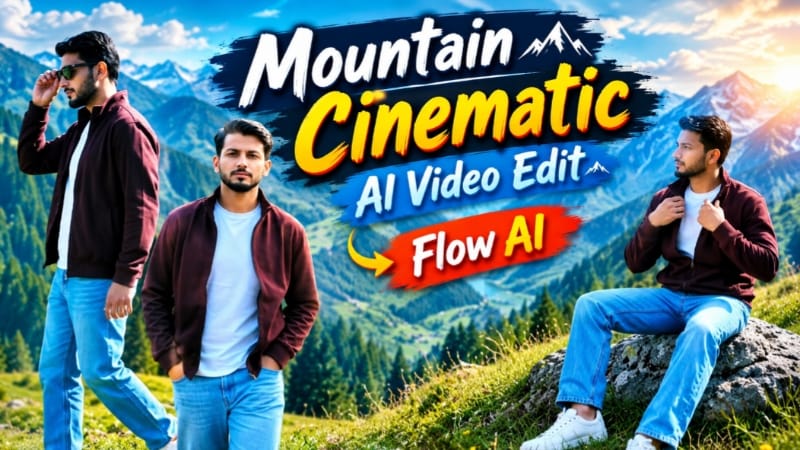
Alpine Meadow AI Video ek cinematic mountain video concept hai jisme ek simple reference photo ko beautiful alpine meadow environment mein ultra-realistic travel-style video mein transform karne ka concept diya gaya hai. Is prompt ka main focus realistic identity preservation, consistent outfit, natural body proportions, scenic mountain locations aur professional cinematic camera movements par hai.
Video ko vertical 9:16 format mein design kiya gaya hai, jo Instagram Reels, YouTube Shorts aur other vertical social media content ke liye suitable hai. Prompt mein 8K-level visual detail, crisp daylight color grading, shallow depth of field aur rich natural landscape colors ko priority di gayi hai.
Is AI video ka sabse important feature strict face and identity lock hai. Uploaded reference photo ko character ke face, hairstyle, skin tone, body build aur height ke primary reference ke roop mein use kiya gaya hai. Prompt mein facial geometry, eyes, nose, lips, jawline aur beard ko consistent rakhne par special focus hai. Iska purpose ye hai ki seven different scenes ke beech character ki identity aur appearance unnecessary way mein change na ho.
Body proportions bhi uploaded reference photo ke according maintain karne ki instruction di gayi hai. Isse character ko generic AI model ki tarah replace hone se avoid karne mein help mil sakti hai. Natural skin texture aur realistic DSLR-style pores ke instructions overall photorealistic appearance ko support karte hain.
Outfit ko bhi complete video ke dauran consistent rakha gaya hai. Character deep maroon zip jacket ke upar white T-shirt, light-blue straight denim jeans, white sneakers aur dark sunglasses pehenta hai. Prompt mein same outfit throughout maintain karne ki instruction hai, jisse different scenes mein clothing continuity bani rahe.
Location is concept ka major visual element hai. Complete video alpine meadows mein set hai, jahan rolling green grass hills, grey rock boulder, high rock outcrop, pine-forested mountain slopes aur vast scenic valley backdrop दिखाई deta hai. Same environmental style ko maintain karne se video ek connected cinematic mountain journey jaisa feel deta hai.
Scene 1 mein low-angle tracking shot se character ko grass hill par camera ki taraf walking karte hue show kiya gaya hai. Hands pockets mein hain aur camera low position se movement capture karta hai. Ye opening shot character aur scenic meadow dono ko introduce karta hai.
Scene 2 mein wide side-tracking shot use hota hai. Character meadow ridge par right direction mein walk karta hai aur background mein pine-covered mountain slopes दिखाई dete hain. Wide composition landscape ko prominent rakhti hai.
Scene 3 mein character ek grey rock boulder par relaxed position mein baitha hai. Medium shot mein character sideways look karta hai aur jacket adjust karta hai. Ye scene walking sequence ke beech ek natural pause create karta hai.
Scene 4 mein character lush green slope par sunglasses pehne stroll karta hai. Side shot mein dense pine forest background mein visible rehta hai, jisse mountain environment aur depth develop hoti hai.
Scene 5 profile tracking walk par focus karta hai. Character walking ke dauran left hand se sunglasses ke rim ko touch karta hai. Ye small hand movement scene ko natural fashion-travel video feel deta hai.
Scene 6 medium hero shot hai jisme character grass ke beech still khada hota hai aur sunglasses right hand mein hold karta hai. Is shot mein character ko scenic environment ke against strong central composition milti hai.
Final Scene 7 low-angle hero shot hai. Character ek high rock par standing position mein hai aur vast scenic valley ki taraf dekhta hai. Camera ka low angle character ko landscape ke saath visually powerful framing deta hai aur video ko cinematic ending provide karta hai.
Color grading ke liye crisp 8K daylight look, rich meadow greens aur deep sky-blue tones use kiye gaye hain. Shallow depth of field subject ko background se visually separate karne mein help karta hai, jabki natural mountain environment overall travel-film appearance maintain karta hai.
Prompt mein NoorEditing07 watermark bhi include kiya gaya hai. Small, subtle white watermark ko bottom corner mein low opacity ke saath throughout video maintain karne ki instruction di gayi hai. Isse final content mein consistent branding add hoti hai.
Overall, Alpine Meadow AI Video Prompt ek scenic mountain travel concept ko identity-preserving AI video generation ke saath combine karta hai. Clear reference photo, consistent outfit, connected alpine environment aur seven different cinematic camera angles is prompt ko social-media-friendly mountain video concept banate hain. Similar mountain-video workflows mein reference image, 9:16 format, identity consistency aur camera movement ko important elements ke roop mein use kiya jata hai.
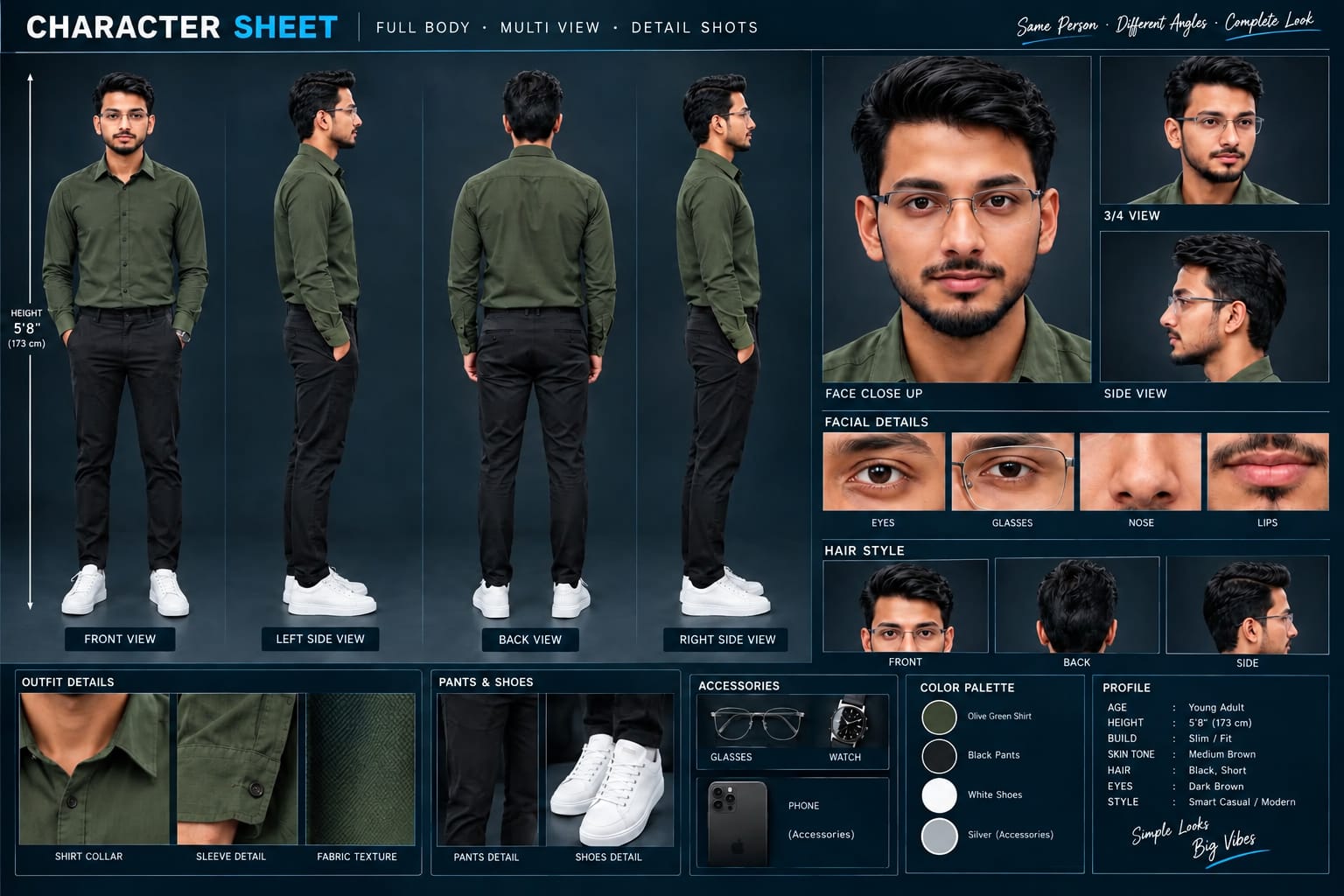
Sabse Pehle Character Sheet Photo Banaai ChatGPT Se
A premium, professional, ultra-photorealistic full-body character reference sheet for the person identified in the uploaded photo. The sheet is presented in a clean professional studio environment with a dark, luxury background. The character's identity, facial features, skin tone, body proportions, hairstyle, and transparent-frame glasses are perfectly consistent with the reference photo. The character is wearing the exact outfit from the reference: a mustard-yellow polo shirt with white piping, black slim-fit pants, and white sneakers. The layout is an elegant grid containing: 1. Full-body front view, 2. Full-body left side view, 3. Full-body back view, 4. Full-body right side view. 5. Large face close-up, 6. 3/4 face view, 7. Side-profile face view. 8. Detailed eye, glasses, nose, and lips reference crops. 9. Hair front, back, and side reference. 10. Shirt collar, sleeve, and fabric texture details. 11. Pants and sneaker detail shots. 12. Accessories reference. All views depict the same person with high-end cinematic lighting, extremely sharp facial details, realistic skin texture, natural hair strands, realistic fabric texture, accurate clothing stitching, and physically accurate lighting with subtle shadows. The full body is completely visible in all turnaround views, including both shoes. The presentation features sophisticated typography, thin clean borders, and balanced spacing. No watermarks, cartoons, or distortions are present.
A premium, professional, ultra-photorealistic full-body character reference sheet for the person identified in the uploaded photo. The sheet is presented in a clean professional studio environment with a dark, luxury background. The character's identity, facial features, skin tone, body proportions, hairstyle, and transparent-frame glasses are perfectly consistent with the reference photo. The character is wearing the exact outfit from the reference: a mustard-yellow polo shirt with white piping, black slim-fit pants, and white sneakers. The layout is an elegant grid containing: 1. Full-body front view, 2. Full-body left side view, 3. Full-body back view, 4. Full-body right side view. 5. Large face close-up, 6. 3/4 face view, 7. Side-profile face view. 8. Detailed eye, glasses, nose, and lips reference crops. 9. Hair front, back, and side reference. 10. Shirt collar, sleeve, and fabric texture details. 11. Pants and sneaker detail shots. 12. Accessories reference. All views depict the same person with high-end cinematic lighting, extremely sharp facial details, realistic skin texture, natural hair strands, realistic fabric texture, accurate clothing stitching, and physically accurate lighting with subtle shadows. The full body is completely visible in all turnaround views, including both shoes. The presentation features sophisticated typography, thin clean borders, and balanced spacing. No watermarks, cartoons, or distortions are present.
✓
Prompt copied to clipboard!
AI Video Prompt
✦AI PHOTO PROMPT
A premium, professional, ultra-photorealistic full-body character reference sheet for the person identified in the uploaded photo. The sheet is presented in a clean professional studio environment with a dark, luxury background. The character's identity, facial features, skin tone, body proportions, hairstyle, and transparent-frame glasses are perfectly consistent with the reference photo. The character is wearing the exact outfit from the reference: a mustard-yellow polo shirt with white piping, black slim-fit pants, and white sneakers. The layout is an elegant grid containing: 1. Full-body front view, 2. Full-body left side view, 3. Full-body back view, 4. Full-body right side view. 5. Large face close-up, 6. 3/4 face view, 7. Side-profile face view. 8. Detailed eye, glasses, nose, and lips reference crops. 9. Hair front, back, and side reference. 10. Shirt collar, sleeve, and fabric texture details. 11. Pants and sneaker detail shots. 12. Accessories reference. All views depict the same person with high-end cinematic lighting, extremely sharp facial details, realistic skin texture, natural hair strands, realistic fabric texture, accurate clothing stitching, and physically accurate lighting with subtle shadows. The full body is completely visible in all turnaround views, including both shoes. The presentation features sophisticated typography, thin clean borders, and balanced spacing. No watermarks, cartoons, or distortions are present.
A premium, professional, ultra-photorealistic full-body character reference sheet for the person identified in the uploaded photo. The sheet is presented in a clean professional studio environment with a dark, luxury background. The character's identity, facial features, skin tone, body proportions, hairstyle, and transparent-frame glasses are perfectly consistent with the reference photo. The character is wearing the exact outfit from the reference: a mustard-yellow polo shirt with white piping, black slim-fit pants, and white sneakers. The layout is an elegant grid containing: 1. Full-body front view, 2. Full-body left side view, 3. Full-body back view, 4. Full-body right side view. 5. Large face close-up, 6. 3/4 face view, 7. Side-profile face view. 8. Detailed eye, glasses, nose, and lips reference crops. 9. Hair front, back, and side reference. 10. Shirt collar, sleeve, and fabric texture details. 11. Pants and sneaker detail shots. 12. Accessories reference. All views depict the same person with high-end cinematic lighting, extremely sharp facial details, realistic skin texture, natural hair strands, realistic fabric texture, accurate clothing stitching, and physically accurate lighting with subtle shadows. The full body is completely visible in all turnaround views, including both shoes. The presentation features sophisticated typography, thin clean borders, and balanced spacing. No watermarks, cartoons, or distortions are present.
Cinematic 9:16 vertical 8K ultra-realistic video in alpine meadows. [STRICT FACE & IDENTITY LOCK] Use the uploaded reference photo for the man's face, hairstyle, skin tone, body build and height. Keep identity exactly same as reference photo — no alteration to face, body, or hairstyle in any scene. 100% exact facial geometry, eyes, nose, lips, jawline, beard, skin tone locked to the uploaded photo. Natural blemish-free skin with real DSLR pores, zero face morphing or beautification filters. [OUTFIT & STYLING] Deep maroon zip jacket over a white tee, light blue straight denim jeans, white sneakers, dark sunglasses. Same outfit throughout, no changes. Location (same throughout, do not change): alpine meadows with rolling green grass hills, a grey rock boulder, a high rock outcrop, pine-forested mountain slopes, and a vast scenic valley backdrop. [EXACT SCENE SEQUENCE] Scene 1: Low-angle tracking shot — walking forward across the grass hill toward the camera, hands in his pockets. Scene 2: Wide side-tracking shot — walking to the right along the meadow ridge with a pine mountain backdrop. Scene 3: Medium shot — sitting relaxed on a grey rock boulder, looking sideways, adjusting his jacket. Scene 4: Side shot — strolling down the lush green slope wearing sunglasses, dense pine forest behind him. Scene 5: Profile tracking walk — touching the rim of his sunglasses with his left hand. Scene 6: Medium hero shot — standing still on the grass, holding his sunglasses down in his right hand. Scene 7: Low-angle shot — standing tall on a high rock, looking across the vast scenic valley. [COLOR & SPECS] Crisp 8K daylight color grading, rich meadow green and deep sky blue tones, shallow depth of field, 9:16 ratio. [WATERMARK] Clean, subtle white text watermark "NoorEditing07" in the bottom corner, low opacity, present throughout the video.
Cinematic 9:16 vertical 8K ultra-realistic video in alpine meadows.
[STRICT FACE & IDENTITY LOCK]
Use the uploaded reference photo for the man's face, hairstyle, skin tone, body build and height. Keep identity exactly same as reference photo — no alteration to face, body, or hairstyle in any scene. 100% exact facial geometry, eyes, nose, lips, jawline, beard, skin tone locked to the uploaded photo. Natural blemish-free skin with real DSLR pores, zero face morphing or beautification filters. This must work accurately for any person of any age or body type who uploads their own reference photo — whether short, tall, slim, or heavy — the generated face and body must always match the uploaded photo exactly, never a generic or different look.
[OUTFIT & STYLING]
Deep maroon zip jacket over a white tee, light blue straight denim jeans, white sneakers, dark sunglasses. Same outfit throughout, no changes.
Location (same throughout, do not change): alpine meadows with rolling green grass hills, a grey rock boulder, a high rock outcrop, pine-forested mountain slopes, and a vast scenic valley backdrop.
[EXACT SCENE SEQUENCE]
Scene 1: Low-angle tracking shot — walking forward across the grass hill toward the camera, hands in his pockets.
Scene 2: Wide side-tracking shot — walking to the right along the meadow ridge with a pine mountain backdrop.
Scene 3: Medium shot — sitting relaxed on a grey rock boulder, looking sideways, adjusting his jacket.
Scene 4: Side shot — strolling down the lush green slope wearing sunglasses, dense pine forest behind him.
Scene 5: Profile tracking walk — touching the rim of his sunglasses with his left hand.
Scene 6: Medium hero shot — standing still on the grass, holding his sunglasses down in his right hand.
Scene 7: Low-angle shot — standing tall on a high rock, looking across the vast scenic valley.
[COLOR & SPECS]
Crisp 8K daylight color grading, rich meadow green and deep sky blue tones, shallow depth of field, 9:16 ratio.
[WATERMARK]
Clean, subtle white text watermark "NoorEditing07" in the bottom corner, low opacity, present throughout the video.
✓
Prompt copied to clipboard!
AI Video Prompt Card
✦AI VIDEO PROMPT
Cinematic 9:16 vertical 8K ultra-realistic video in alpine meadows. [STRICT FACE & IDENTITY LOCK] Use the uploaded reference photo for the man's face, hairstyle, skin tone, body build and height. Keep identity exactly same as reference photo — no alteration to face, body, or hairstyle in any scene. 100% exact facial geometry, eyes, nose, lips, jawline, beard, skin tone locked to the uploaded photo. Natural blemish-free skin with real DSLR pores, zero face morphing or beautification filters. [OUTFIT & STYLING] Deep maroon zip jacket over a white tee, light blue straight denim jeans, white sneakers, dark sunglasses. Same outfit throughout, no changes. Location (same throughout, do not change): alpine meadows with rolling green grass hills, a grey rock boulder, a high rock outcrop, pine-forested mountain slopes, and a vast scenic valley backdrop. [EXACT SCENE SEQUENCE] Scene 1: Low-angle tracking shot — walking forward across the grass hill toward the camera, hands in his pockets. Scene 2: Wide side-tracking shot — walking to the right along the meadow ridge with a pine mountain backdrop. Scene 3: Medium shot — sitting relaxed on a grey rock boulder, looking sideways, adjusting his jacket. Scene 4: Side shot — strolling down the lush green slope wearing sunglasses, dense pine forest behind him. Scene 5: Profile tracking walk — touching the rim of his sunglasses with his left hand. Scene 6: Medium hero shot — standing still on the grass, holding his sunglasses down in his right hand. Scene 7: Low-angle shot — standing tall on a high rock, looking across the vast scenic valley. [COLOR & SPECS] Crisp 8K daylight color grading, rich meadow green and deep sky blue tones, shallow depth of field, 9:16 ratio. [WATERMARK] Clean, subtle white text watermark "NoorEditing07" in the bottom corner, low opacity, present throughout the video.
Cinematic 9:16 vertical 8K ultra-realistic video in alpine meadows.
[STRICT FACE & IDENTITY LOCK]
Use the uploaded reference photo for the man's face, hairstyle, skin tone, body build and height. Keep identity exactly same as reference photo — no alteration to face, body, or hairstyle in any scene. 100% exact facial geometry, eyes, nose, lips, jawline, beard, skin tone locked to the uploaded photo. Natural blemish-free skin with real DSLR pores, zero face morphing or beautification filters. This must work accurately for any person of any age or body type who uploads their own reference photo — whether short, tall, slim, or heavy — the generated face and body must always match the uploaded photo exactly, never a generic or different look.
[OUTFIT & STYLING]
Deep maroon zip jacket over a white tee, light blue straight denim jeans, white sneakers, dark sunglasses. Same outfit throughout, no changes.
Location (same throughout, do not change): alpine meadows with rolling green grass hills, a grey rock boulder, a high rock outcrop, pine-forested mountain slopes, and a vast scenic valley backdrop.
[EXACT SCENE SEQUENCE]
Scene 1: Low-angle tracking shot — walking forward across the grass hill toward the camera, hands in his pockets.
Scene 2: Wide side-tracking shot — walking to the right along the meadow ridge with a pine mountain backdrop.
Scene 3: Medium shot — sitting relaxed on a grey rock boulder, looking sideways, adjusting his jacket.
Scene 4: Side shot — strolling down the lush green slope wearing sunglasses, dense pine forest behind him.
Scene 5: Profile tracking walk — touching the rim of his sunglasses with his left hand.
Scene 6: Medium hero shot — standing still on the grass, holding his sunglasses down in his right hand.
Scene 7: Low-angle shot — standing tall on a high rock, looking across the vast scenic valley.
[COLOR & SPECS]
Crisp 8K daylight color grading, rich meadow green and deep sky blue tones, shallow depth of field, 9:16 ratio.
[WATERMARK]
Clean, subtle white text watermark "NoorEditing07" in the bottom corner, low opacity, present throughout the video.
Sabse pehle ek clear aur high-quality reference photo ready karein. Photo mein face clearly visible hona chahiye, taki AI character ki facial identity, hairstyle, skin tone aur natural body proportions ko better understand kar sake.
Ab Flow AI Video Generator open karein aur image-to-video workflow select karein. Apni reference photo upload karein.
Photo upload karne ke baad complete Alpine Meadow AI Video Prompt copy karein aur Flow AI ke prompt section mein paste karein. Prompt mein identity lock, outfit, location, seven scenes, camera movements, color grading aur watermark ki details already included hain.
Ab video format ke liye 9:16 vertical select karein, agar aapke available settings mein aspect ratio option diya gaya ho. Ye format Instagram Reels aur YouTube Shorts jaise vertical platforms ke liye suitable hai.
Highest available quality setting select karein aur video generate karein. AI reference image aur prompt instructions ke according alpine meadow environment mein cinematic scenes create karega.
Video generate hone ke baad sabse pehle character ki identity check karein. Face, eyes, nose, lips, jawline, hairstyle, skin tone aur overall appearance reference photo ke according consistent dikhni chahiye.
Uske baad body proportions aur outfit check karein. Deep maroon jacket, white T-shirt, light-blue jeans, white sneakers aur dark sunglasses poore video mein same rehne chahiye.
Ab seven scenes ko sequence mein check karein. Pehle grass hill walking shot, phir meadow ridge side walk, grey rock boulder scene, pine forest slope walk, sunglasses adjustment shot, hero shot aur final high-rock valley scene properly generate hue hain ya nahi dekhein.
Mountain environment bhi consistent hona chahiye. Green grass hills, grey rocks, pine forest, mountain slopes aur scenic valley scenes mein natural aur realistic dikhne chahiye.
Camera movements ko bhi carefully check karein. Tracking shots smooth hone chahiye aur character ke walking movements natural dikhne chahiye. Hands, feet, sunglasses aur clothing mein unwanted distortion nahi hona chahiye.
Final scene mein low-angle composition aur scenic valley clearly visible honi chahiye. Lighting aur colors natural daylight ke according consistent rehne chahiye.
Agar kisi scene mein face identity drift, body distortion, outfit change, unnatural movement ya background issue दिखाई de, to prompt ko refine karke us scene ko regenerate karein.
Finally complete video ko preview karein aur NoorEditing07 watermark ki position bhi check karein. Watermark subtle, readable aur bottom corner mein consistently visible hona chahiye.
Sab kuch properly check karne ke baad final 9:16 cinematic Alpine Meadow AI Video export karein. Ye video mountain-themed reels, AI video tutorials, travel-style edits aur cinematic social media content ke liye use kiya ja sakta hai.
Alpine Meadow AI VideoMountain AI VideoMountain Nature AI VideoFlow AI PromptFlow AI VideoCinematic Mountain Video9:16 AI Video8K AI VideoAI Photo To VideoSame Face AI VideoIdentity Lock AI VideoTravel AI VideoScenic Mountain VideoGreen Meadow VideoNoorEditing07
Alpine Meadow AI VideoMountain AI VideoMountain Nature AI VideoFlow AI PromptFlow AI VideoCinematic Mountain Video9:16 AI Video8K AI VideoAI Photo To VideoSame Face AI VideoIdentity Lock AI VideoTravel AI VideoScenic Mountain VideoGreen Meadow VideoNoorEditing07
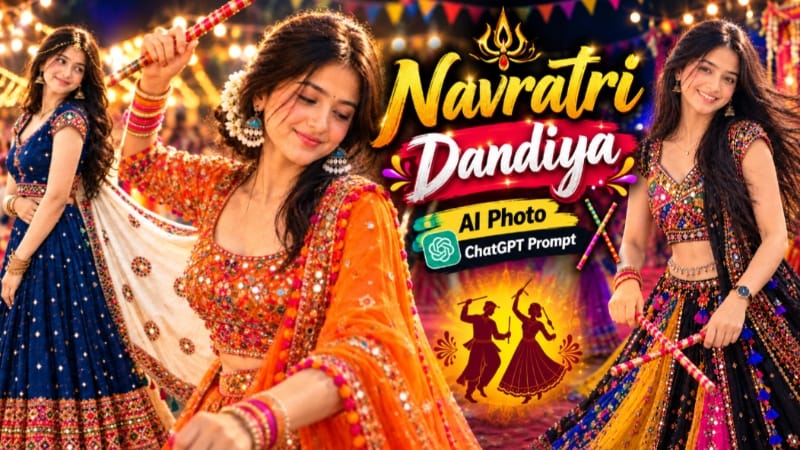
1. Navratri Dandiya AI Photo | Traditional Garba Look | ChatGPT Prompt
Navratri Dandiya AI Photo Prompt ki help se aap apni normal photo ko beautiful traditional Garba look mein transform kar sakte hain. Is concept mein colorful chaniya choli, dandiya sticks, traditional jewellery aur realistic photography ka combination milta hai.
Step 9: Agar koi detail sahi nahi aaye, to prompt mein correction karke image dobara generate karein.
Step 10: Final image save karke Instagram posts ya apne editing content mein use karein.
Is tarah aap traditional Navratri-inspired AI portrait create kar sakte hain. Results reference photo aur AI tool ke according vary kar sakte hain.
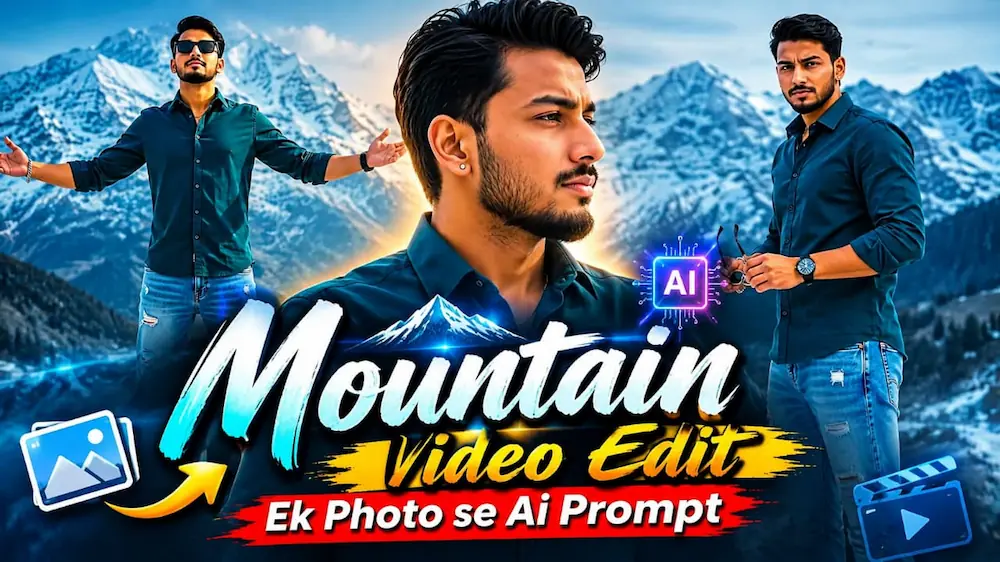
2. Mountain Video Edit – Ek Photo Se Flow AI Prompt
Mountain Video Edit Flow AI Prompt ka use karke ek reference photo se cinematic snowy mountain video banaya ja sakta hai. Is concept mein six scenes, cool color grading aur smooth camera movements ka use hota hai.
Step 9: Paanchve scene mein hair adjust karte hue shot aur final scene mein arms spread karke mountain hero pose create karein.
Step 10: Final video mein face consistency, outfit, transitions aur NoorEditing07 watermark check karein.
Video ready hone ke baad use export karke apne cinematic Reels ya YouTube content ke liye use kar sakte hain.
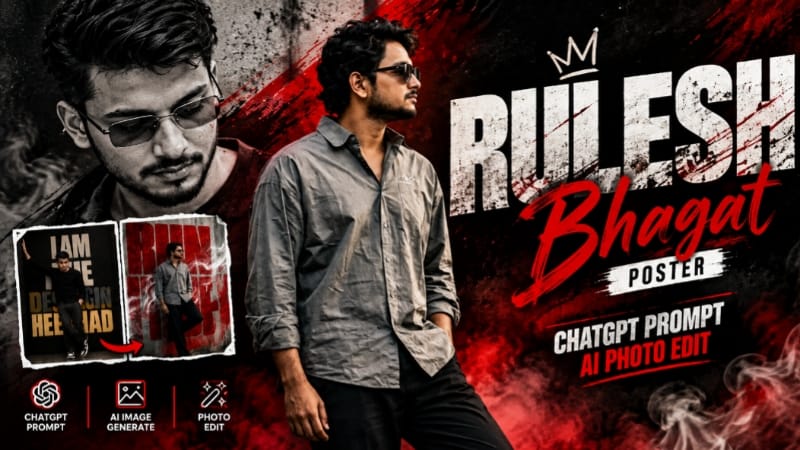
3. Red Black Grunge AI Poster | Urban Attitude Photo Editing
Red Black Grunge AI Poster ek bold urban-style photo editing concept hai. Ismein red-black color combination, dramatic lighting, grunge textures aur powerful portrait composition ka use hota hai.
Step 2: ChatGPT open karein aur photo upload karein.
Step 3: Red Black Grunge AI Poster prompt copy karke ChatGPT mein paste karein.
Step 4: Prompt mein original face, hairstyle, skin tone aur body proportions ko preserve karne ki instructions rakhein.
Step 5: Poster ke liye black hooded jacket, dark trousers aur sunglasses jaise reference design ke outfit details maintain karein.
Step 6: Background mein deep black, cream aur red brushstroke-style graphic elements ka combination use karein.
Step 7: Dramatic shadows aur red rim lighting se portrait ko bold cinematic appearance dein.
Step 8: Grunge textures, scratches aur abstract shapes ko background aur poster edges par rakhein, taaki main subject clearly visible rahe.
Step 9: Poster mein typography aur decorative text elements ko reference design ke according arrange karein.
Step 10: Final image mein face, hands, clothing, text placement aur NoorEditing07 watermark check karein.
Step 11: Agar koi detail unnatural ho, to ChatGPT ko correction instructions dein aur image dobara generate karein.
Is tarah aap ek stylish urban attitude poster bana sakte hain, jo social media posts, profile artwork aur creative designs ke liye useful hai.
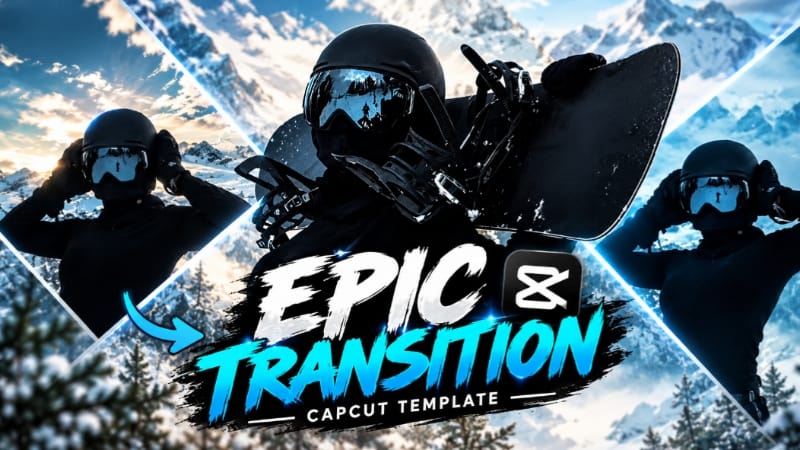
4. Epic Transition CapCut Template | Trending Transition Video Edit
Epic Transition CapCut Template ki help se aap apni photos aur video clips ko stylish transition edit mein convert kar sakte hain. Template mein transitions, timing aur effects pehle se arranged hote hain, isliye manual editing ki zarurat kam hoti hai.
Step 6: Media select karne ke baad Next ya Preview option par click karein.
Step 7: CapCut automatically selected media ko template ke preset timing, transitions aur effects ke according arrange karega.
Step 8: Video preview karke check karein ki har photo ya clip sahi position mein hai aur transitions smoothly work kar rahe hain.
Step 9: Agar koi clip suitable nahi lagti, to available Replace ya Edit option se doosri clip select karein.
Step 10: Final video ko full screen mein check karke Export par click karein.
Step 11: Export complete hone ke baad video gallery mein save karein aur Instagram Reels, YouTube Shorts ya Facebook Reels par share karein.
Note: Template ke available clip slots aur editing options app ke version ke according vary kar sakte hain.
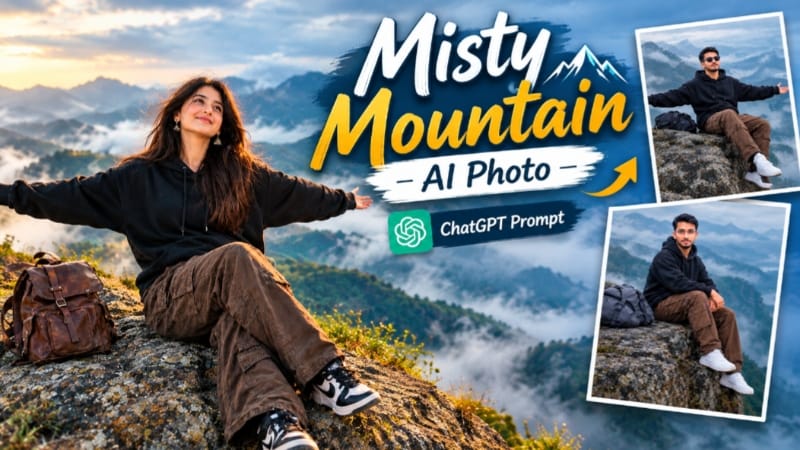
5. Misty Mountain AI Photo | Cinematic Foggy Mountain Look
Misty Mountain AI Photo Prompt se aap apni normal reference photo ko cinematic foggy mountain environment mein transform kar sakte hain. Is concept mein mist-covered mountains, cloudy sky, rocky landscape aur soft lighting ka use hota hai.
Step 4: Prompt mein original face, hairstyle, skin tone aur body proportions ko consistent rakhne ki instructions include karein.
Step 5: Mountain background ke liye foggy hills, rocky cliffs aur cloudy sky jaise details prompt ke according maintain karein.
Step 6: Reference design ke according subject ko mountain cliff par seated pose mein ya arms spread karke landscape enjoy karte hue dikhaya ja sakta hai.
Step 7: Outfit aur accessories ko selected reference prompt ke according preserve karein.
Step 8: Soft, diffused daylight aur blue-grey cinematic color grading se misty atmosphere create karein.
Step 9: Photo generate karne se pehle required aspect ratio select karein. Portrait post ke liye 4:5 aur vertical content ke liye 9:16 use kar sakte hain.
Step 10: Final image mein face, hands, clothing, mountain details aur fog effect carefully check karein.
Step 11: Agar result mein unwanted changes hon, to prompt modify karke image regenerate karein.
Image ready hone ke baad use save karke Instagram posts, cinematic portraits aur nature-themed editing content mein use kar sakte hain.