Snow Mountain Cinematic Journey | Ultra-Realistic AI Video
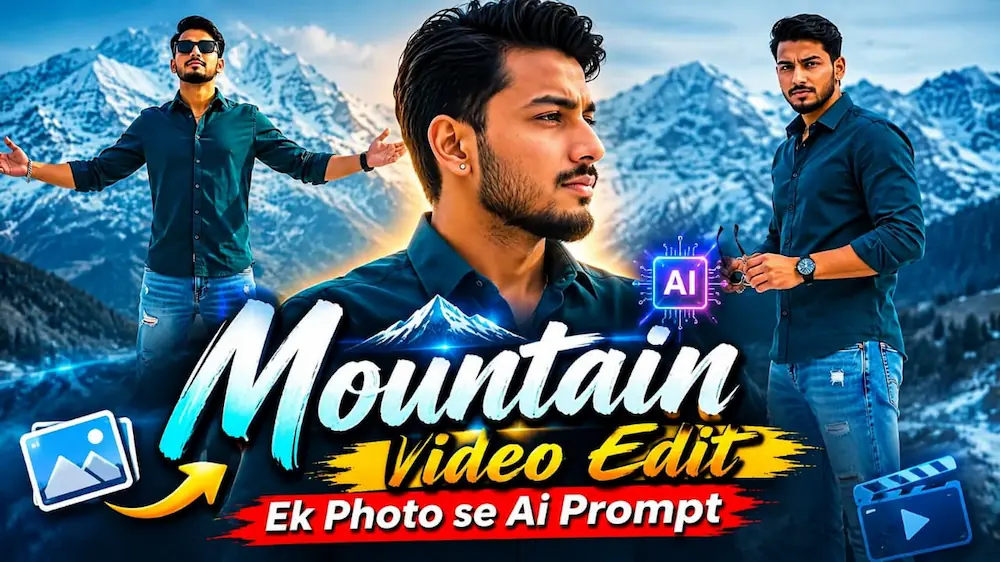
Is cinematic AI video prompt se Flow AI Video Generator mein uploaded reference photo ka use karke ek ultra-realistic 16:9 snow mountain cinematic video create kiya ja sakta hai.
Video mein same person snowy mountain landscape mein six cinematic scenes perform karta hai — ear/hair touch close-up, shirt collar adjustment, sunglasses ke saath confident look, bench par relaxed pose, hair adjustment aur final arms-spread mountain hero shot.
Reference photo ke face, hairstyle, skin tone, body build aur height ko poore video mein consistent rakha gaya hai. Dark teal shirt, light-blue ripped jeans, silver bracelet, black watch, stud earring aur thin gold necklace same outfit continuity ke saath maintain kiye jaate hain.
Cool desaturated cinematic colour grading, overcast mountain daylight, realistic snow, natural skin texture, smooth camera movement, cinematic depth of field aur premium live-action look video ko professional finish dete hain.
Ye prompt Flow AI, cinematic AI video, photo-to-video, snow mountain videos, cinematic reels aur realistic AI video generation ke liye perfect hai.
AI Video Prompt
✦AI VIDEO PROMPT
Use the uploaded reference photo for the man's face, hairstyle, skin tone, body build and height. Keep identity exactly same as reference photo — no alteration to face, body, or hairstyle in any scene. Outfit: dark teal button-up shirt with sleeves rolled up to the forearm, few top buttons open, light-blue ripped denim jeans, silver chain bracelet on one wrist, black watch on the other, small stud earring, thin gold necklace. Location: outdoor snow-covered mountain landscape, dark rocky peaks with patches of snow, overcast cool-toned daylight, cinematic moody atmosphere. Color grade: cool desaturated tone, slightly moody cinematic look, consistent across all scenes. Format: 16:9 landscape, 1080p resolution, cinematic natural pacing with smooth camera movement. Watermark: small semi-transparent text "NoorEdiz07" in the bottom-right corner, visible consistently across all scenes.
SCENES:
1. Close-up shot, man touching his ear/hair with one hand, looking at camera with a calm confident expression, snowy mountains blurred behind.
2. Close-up side profile, man adjusting his shirt collar with both hands, looking to the side with a serious expression.
3. Medium shot, man turning toward camera holding sunglasses in one hand, sharp confident gaze directly at camera, dark mountain ridge in background.
4. Wide shot, man sitting relaxed on a bench, legs crossed, putting on sunglasses, mountain range in far background, cool daylight.
5. Medium shot, man standing, running his hand through his hair, looking to the side, snowy peak visible behind him.
6. Wide shot, man standing with both arms spread open wearing sunglasses, facing camera, full snow mountain range behind him, cinematic hero pose.
Use the uploaded reference photo for the man's face, hairstyle, skin tone, body build and height. Keep identity exactly same as reference photo — no alteration to face, body, or hairstyle in any scene.
OUTFIT:
Dark teal button-up shirt with sleeves rolled up to the forearm, few top buttons open, light-blue ripped denim jeans, silver chain bracelet on one wrist, black watch on the other, small stud earring, thin gold necklace.
LOCATION & ATMOSPHERE:
Outdoor snow-covered mountain landscape, dark rocky peaks with patches of snow, overcast cool-toned daylight, cinematic moody atmosphere. Cool desaturated color grade, consistent across all scenes.
6 CINEMATIC SCENES (in exact order):
Scene 1: Close-up shot, man touching his ear/hair with one hand, looking at camera with a calm confident expression, snowy mountains blurred behind.
Scene 2: Close-up side profile, man adjusting his shirt collar with both hands, looking to the side with a serious expression.
Scene 3: Medium shot, man turning toward camera holding sunglasses in one hand, sharp confident gaze directly at camera, dark mountain ridge in background.
Scene 4: Wide shot, man sitting relaxed on a bench, legs crossed, putting on sunglasses, mountain range in far background, cool daylight.
Scene 5: Medium shot, man standing, running his hand through his hair, looking to the side, snowy peak visible behind him.
Scene 6: Wide shot, man standing with both arms spread open wearing sunglasses, facing camera, full snow mountain range behind him, cinematic hero pose.
FORMAT & SETTINGS:
16:9 landscape, 1080p resolution, cinematic natural pacing with smooth camera movement.
WATERMARK:
Small semi-transparent text "NoorEdiz07" in the bottom-right corner, visible consistently across all 6 scenes.
✓
Prompt copied to clipboard!
AI Video Prompt
✦AI VIDEO PROMPT
Use the uploaded reference photo for the man's face, hairstyle, skin tone, body build and height. Keep identity exactly same as reference photo — no alteration to face, body, or hairstyle in any scene. Outfit: dark teal button-up shirt with sleeves rolled up to the forearm, few top buttons open, light-blue ripped denim jeans, silver chain bracelet on one wrist, black watch on the other, small stud earring, thin gold necklace. Location: outdoor snow-covered mountain landscape, dark rocky peaks with patches of snow, overcast cool-toned daylight, cinematic moody atmosphere. Color grade: cool desaturated tone, slightly moody cinematic look, consistent across all scenes. Format: 16:9 landscape, 1080p resolution, cinematic natural pacing with smooth camera movement. Watermark: small semi-transparent text "NoorEdiz07" in the bottom-right corner, visible consistently across all scenes.
SCENES:
1. Close-up shot, man touching his ear/hair with one hand, looking at camera with a calm confident expression, snowy mountains blurred behind.
2. Close-up side profile, man adjusting his shirt collar with both hands, looking to the side with a serious expression.
3. Medium shot, man turning toward camera holding sunglasses in one hand, sharp confident gaze directly at camera, dark mountain ridge in background.
4. Wide shot, man sitting relaxed on a bench, legs crossed, putting on sunglasses, mountain range in far background, cool daylight.
5. Medium shot, man standing, running his hand through his hair, looking to the side, snowy peak visible behind him.
6. Wide shot, man standing with both arms spread open wearing sunglasses, facing camera, full snow mountain range behind him, cinematic hero pose.
Use the uploaded reference photo for the man's face, hairstyle, skin tone, body build and height. Keep identity exactly same as reference photo — no alteration to face, body, or hairstyle in any scene.
OUTFIT:
Dark teal button-up shirt with sleeves rolled up to the forearm, few top buttons open, light-blue ripped denim jeans, silver chain bracelet on one wrist, black watch on the other, small stud earring, thin gold necklace.
LOCATION & ATMOSPHERE:
Outdoor snow-covered mountain landscape, dark rocky peaks with patches of snow, overcast cool-toned daylight, cinematic moody atmosphere. Cool desaturated color grade, consistent across all scenes.
6 CINEMATIC SCENES (in exact order):
Scene 1: Close-up shot, man touching his ear/hair with one hand, looking at camera with a calm confident expression, snowy mountains blurred behind.
Scene 2: Close-up side profile, man adjusting his shirt collar with both hands, looking to the side with a serious expression.
Scene 3: Medium shot, man turning toward camera holding sunglasses in one hand, sharp confident gaze directly at camera, dark mountain ridge in background.
Scene 4: Wide shot, man sitting relaxed on a bench, legs crossed, putting on sunglasses, mountain range in far background, cool daylight.
Scene 5: Medium shot, man standing, running his hand through his hair, looking to the side, snowy peak visible behind him.
Scene 6: Wide shot, man standing with both arms spread open wearing sunglasses, facing camera, full snow mountain range behind him, cinematic hero pose.
FORMAT & SETTINGS:
16:9 landscape, 1080p resolution, cinematic natural pacing with smooth camera movement.
WATERMARK:
Small semi-transparent text "NoorEdiz07" in the bottom-right corner, visible consistently across all 6 scenes.
Flow AI VideoFlow AI Video GeneratorFlow AI PromptFlow AI Video PromptAI Video GeneratorAI Video PromptCinematic AI VideoPhoto To Video AISnow Mountain AI VideoSnow Mountain Cinematic VideoMountain Cinematic VideoSnow Mountain VideoCinematic Mountain VideoBoy Mountain VideoMale Cinematic VideoCinematic Walking Video
Flow AI VideoFlow AI Video GeneratorFlow AI PromptFlow AI Video PromptAI Video GeneratorAI Video PromptCinematic AI VideoPhoto To Video AISnow Mountain AI VideoSnow Mountain Cinematic VideoMountain Cinematic VideoSnow Mountain VideoCinematic Mountain VideoBoy Mountain VideoMale Cinematic VideoCinematic Walking Video
Snowfall Love Story and Shadow Pencil Cartoon AI Photo Tutorial
AI editing allows you to turn ordinary photos into cinematic videos and creative AI photographs. In this combined tutorial, we will explore two different concepts: creating a romantic Snowfall Love Story video using Flow AI with two reference photos, and creating a viral Shadow Pencil Cartoon effect using ChatGPT AI Photo Generator. Both edits focus on realistic visual details and maintaining the original identity of the person.
Snowfall Love Story with Flow AI
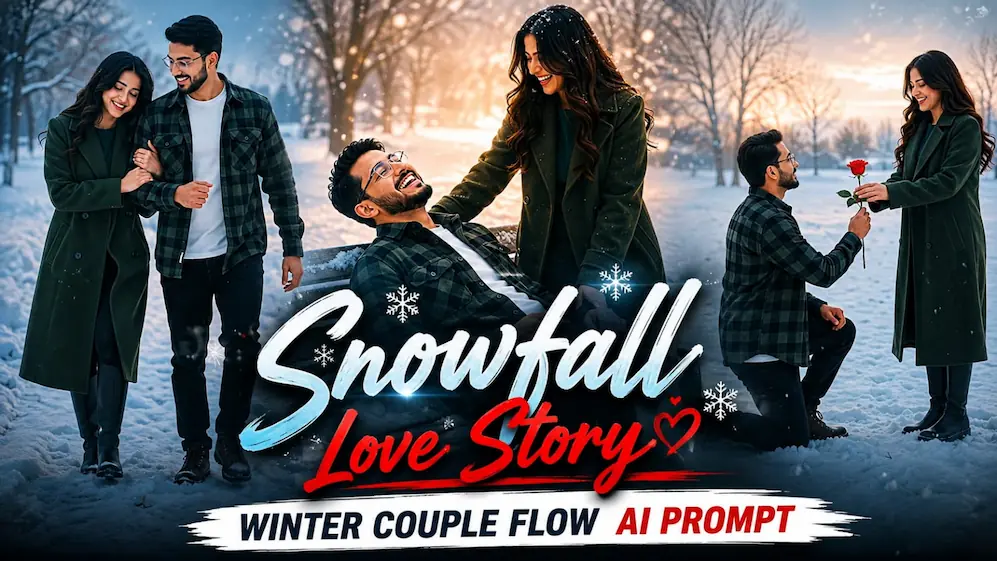
The first concept creates an ultra-realistic romantic winter couple video using two separate reference photos. Photo 1 is used for the male character and Photo 2 for the female character. Flow AI uses both images as strict identity references, keeping their faces, hairstyles, skin tones, body builds and heights consistent throughout the complete video.
To begin, open Flow AI Video Generator and upload clear reference photos of both people. Copy the complete Snowfall Love Story cinematic prompt and paste it into Flow AI. Select a vertical 9:16 format with 1080p resolution. The prompt uses a snowy open field with bare winter trees, light snowfall, overcast daylight and a cool, slightly desaturated cinematic winter colour grade.
The male character wears a dark green-and-black checkered flannel shirt over a white T-shirt, dark pants and boots. The female character wears a long dark green wool coat with black boots and open wavy hair. These outfits remain unchanged throughout all five scenes.
The first scene shows the man kneeling in the snow and offering a red rose to the woman. The second scene features an emotional hug while snowfall continues. The third scene shows the couple walking together through the snowy field, with the woman resting her head on the man's shoulder. The fourth scene creates a playful romantic bench moment, while the final scene shows them standing face-to-face in the snow and looking at each other romantically.
After generation, check that no scene has been skipped and that both characters, outfits, snowfall, winter environment and colour grading remain consistent from beginning to end.
Shadow Pencil Cartoon AI Photo
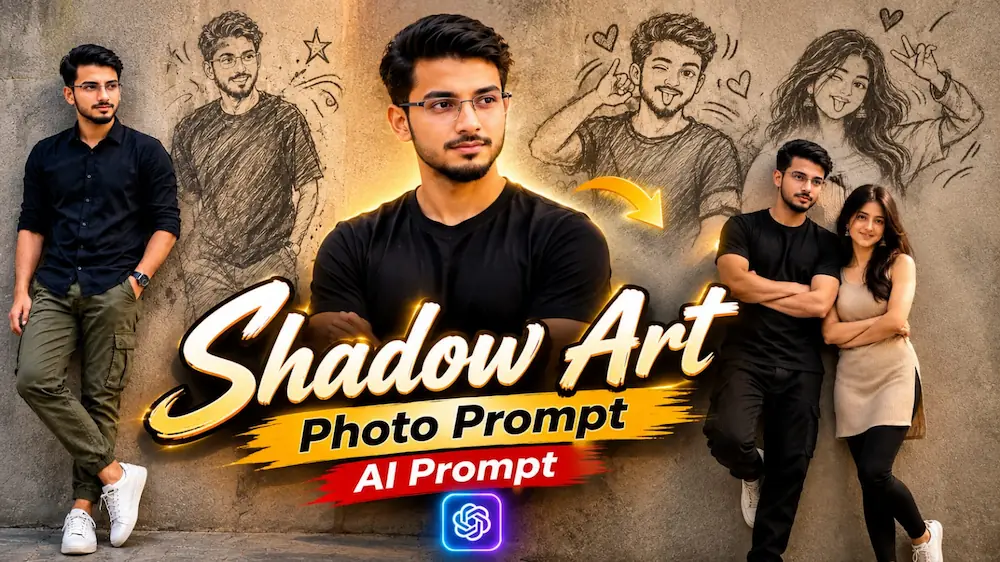
The second concept focuses on the viral Shadow Pencil Cartoon photo effect. This style transforms an ordinary portrait into a creative composition where the person's realistic appearance is combined with a pencil or charcoal-style cartoon shadow.
Start with a clear, high-quality portrait and upload it to ChatGPT. Use the complete Shadow Pencil AI Photo Prompt and instruct the AI to preserve the original person's face, hairstyle, skin tone, body proportions and natural appearance. The main subject should remain photorealistic while the shadow element receives a hand-drawn pencil or charcoal appearance.
For a convincing result, the lighting direction should match the position of the shadow. The pencil illustration should look naturally connected to the person's body and ground rather than appearing as a separate digital sticker. A textured wall or simple background can help make the shadow effect more noticeable while keeping attention on the subject.
After generating the image, carefully check the face, hands, body proportions, shadow shape and pencil texture. If the AI changes the person's identity or creates an unrealistic shadow, regenerate the image with stronger identity and lighting instructions.
Final Result
By combining the Snowfall Love Story Flow AI video with the Shadow Pencil Cartoon AI photo technique, you can create both emotional cinematic content and creative viral-style images from your own photos. Use clear reference images, detailed prompts and strict identity instructions to achieve more realistic and professional results.