Cinematic Beach Walking Video Prompt with Face Consistency | Flow AI
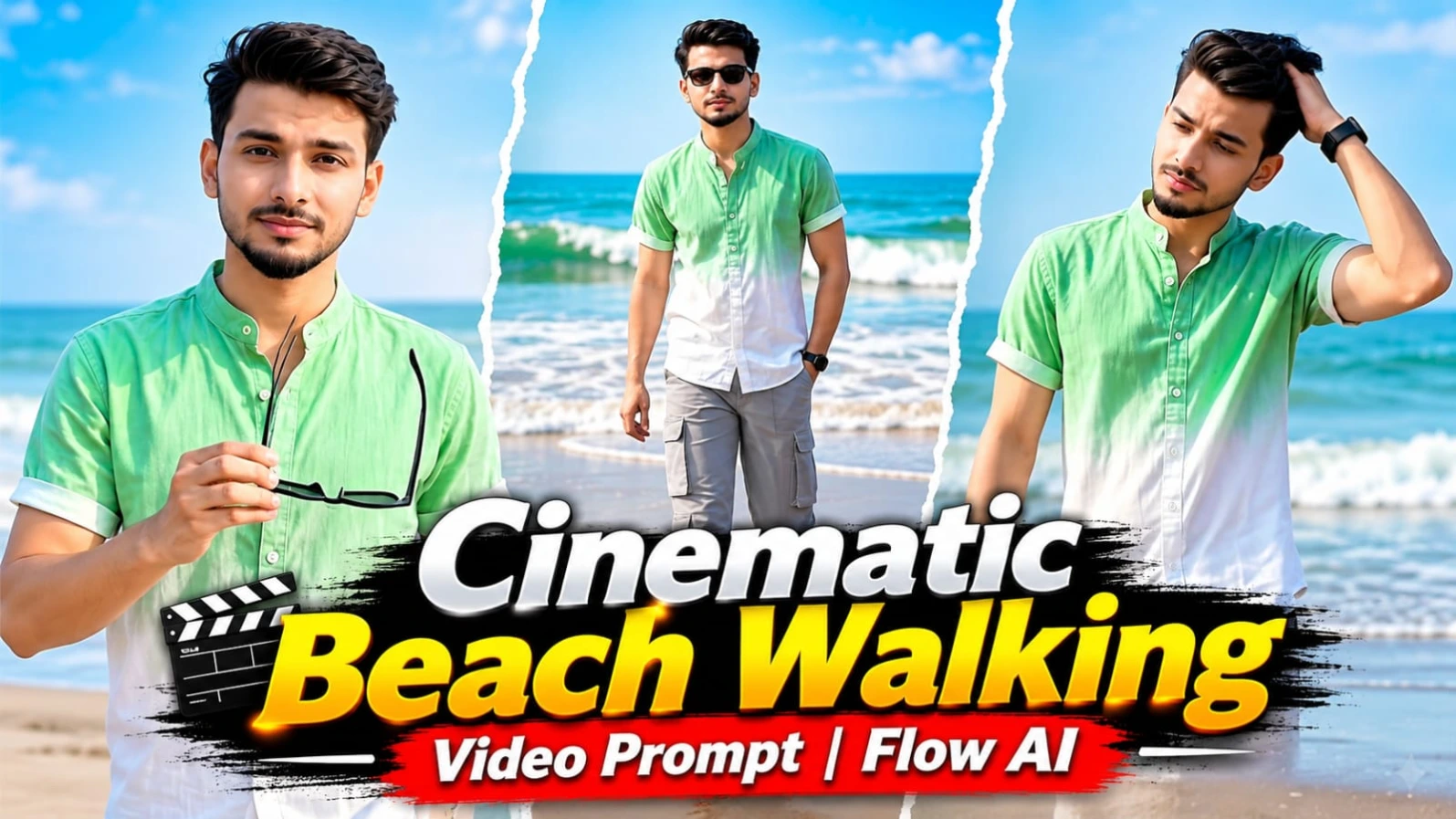
Create a professional cinematic beach walking video using Flow AI with this detailed AI video prompt. This video concept is designed for creators who want to transform their own character sheet and face reference photograph into a realistic beach fashion video featuring stylish walking movements, sunglasses actions, natural expressions and cinematic camera transitions.
The concept features a young man walking barefoot along a beautiful shoreline during warm afternoon sunlight. He wears a mint-green and white dip-dyed shirt, light grey cargo pants, black Wayfarer sunglasses, a thin silver chain with a small pendant and a black wristwatch.
The video follows a carefully planned sequence of seven scenes. Each scene has its own camera angle, subject movement, pose, duration and transition. The main objective is to recreate the reference video's original sequence while replacing the original person with the person from your uploaded character sheet and face photograph.
What Is the Flow AI Cinematic Beach Video Prompt?
A Flow AI cinematic beach video prompt is a detailed set of instructions used to guide an AI video-generation workflow.
Instead of asking an AI tool to generate an ordinary beach walking clip, this prompt describes the complete visual sequence, including camera positions, walking movements, facial expressions, clothing, lighting, background and transitions.
The beach video starts with a top-down point-of-view shot of bare feet walking across wet sand. It then moves through different cinematic compositions, including a low-angle walking shot, a wide beach shot, a medium portrait, stylish walking poses and a final sunglasses-removal sequence.
The detailed timeline helps maintain the intended storytelling and makes it easier to identify missing actions during video review.
Seven Cinematic Scenes Explained
The complete video is designed to last exactly 13.95 seconds, with seven scenes in the following order.
Scene 1: Barefoot Beach POV Opening
The first scene starts with a fade-in from black. The camera looks straight down towards the man's bare feet, cuffed grey cargo pants and the bottom of his mint-white shirt.
One hand holds the open black Wayfarer sunglasses near the upper-left part of the frame. Small waves and white foam appear along the right edge.
As the man walks forward, one foot approaches the water. The foam gradually swirls around his toes, creating a realistic beach POV shot.
The scene ends with a brief dip to black.
Scene 2: Walking and Spreading Arms
The second scene uses a low medium camera angle near the water.
The man walks barefoot along the shoreline while looking down at the sunglasses in his hands. The camera slowly moves backwards as he approaches.
He then releases the sunglasses with one hand and spreads his arms, creating a relaxed and playful walking pose.
The wet sand reflects his body and movements. At the end, a short white overexposed flash transition leads into the next scene.
Scene 3: Wide Beach Walking Shot
The third scene begins after the white flash.
The man appears at a distance on the wet sand with the sea and breaking waves behind him. He wears the black sunglasses and keeps his right hand inside his pocket.
The camera remains static at approximately hip height while he slowly walks towards it.
His left arm swings naturally, and his reflection remains visible on the wet shoreline.
Scene 4: Stylish Hair Adjustment
The fourth scene changes to a medium shot with the camera positioned at chest height.
The man walks towards the camera while holding the sunglasses in his left hand. His right hand rises towards his hair behind the ear.
His head is slightly tilted, and he maintains a calm, confident expression.
The camera moves backwards gently while keeping the face in sharp focus. The scene ends with a short darkening before the next shot.
Scene 5: Stylish Beach Walking Pose
The fifth scene is one of the main fashion moments.
The man wears the black Wayfarer sunglasses, places his right hand on his hip and performs stylish, rhythmic steps on the wet sand.
His left arm swings naturally as he moves sideways. His feet cross during the walking movement, while his body maintains a confident and relaxed posture.
He turns towards the camera with a soft playful half-smile. His reflection remains visible beneath him.
Scene 6: Sunglasses Removal
In the sixth scene, the camera moves slightly closer at chest height.
The man walks slowly towards the camera and raises his right hand to remove the sunglasses.
His head is slightly lowered during the movement. The sunglasses are then held in his right hand near his chest, revealing his eyes.
This action must happen naturally without changing his facial appearance.
Scene 7: Final Face Reveal
The seventh scene continues directly from scene six without any cut.
The man holds his sunglasses near his chest and looks directly at the camera. His left hand remains in his pocket, and his head is slightly tilted.
He slowly walks forward while maintaining eye contact with the camera. He then moves the sunglasses towards his side and gradually lowers them towards his hip.
The camera moves closer and tilts slightly down towards the ending.
The face must remain fully visible and sharply focused throughout this final shot.
Character Sheet and Face Identity Lock
Character consistency is one of the most important parts of this Flow AI video concept.
Use your uploaded character sheet and face reference photograph to guide the AI video generation.
The same person's facial structure must remain consistent throughout the video, including:
- Face shape and jawline.
- Eyes, nose and lips.
- Natural skin tone.
- Hairstyle and hairline.
- Beard and facial details, if present.
- Height and body proportions.
The hair should remain voluminous and swept upwards, matching the person's natural hairstyle.
The prompt requests clean, clear and professionally retouched skin without acne, spots, blemishes or artificial plastic-like smoothing.
Whenever the face appears, it should have sharp eyes, visible eyelashes, detailed eyebrows, clean beard hairs and individual hair strands.
Exact identity preservation depends on the AI tool and reference-image quality, so always review the final footage.
Complete Outfit and Fashion Details
The outfit must remain unchanged in all seven scenes.
The character wears a short-sleeve button-up shirt with a mandarin stand collar. Its colour transitions from mint green at the top to white at the bottom. The upper buttons remain open, and the cuffs are rolled.
The lower outfit consists of light grey cargo pants with large side flap pockets and hems rolled above the ankles.
The man remains barefoot throughout the video. White sneakers are not worn.
Black Wayfarer sunglasses are held in the hand or worn on the face according to the scene instructions.
A thin silver chain with a small pendant and a black wristwatch on the left wrist complete the look.
Beach Location and Background
The setting is a calm sea beach during warm afternoon daylight.
The shoreline features wet reflective sand with parallel curved ripples. Small waves break with white foam, particularly visible along the right side in the opening POV shot.
The distant background includes a pale blue-grey hazy sky, a flat horizon, small red-brown pillars and a few pink and yellow boats.
The location should remain consistent across all seven scenes. The prompt does not request a different beach, additional buildings or extra people.
Only one person should appear in the complete video.
Cinematic Camera Quality and Colour Grading
The requested output is vertical 9:16, ultra-realistic and designed for high-end cinematic beach footage.
The visual instructions include true 8K-quality detail, HDR10+ or Dolby Vision-style dynamic range, 10-bit colour and protected highlights.
The colour grading should maintain warm golden daylight, natural warm skin tones, a pastel blue-grey sea and sky, reflective wet sand and balanced cinematic contrast.
The mint-white shirt should stand out naturally against the beach background.
Camera movement should feel realistic, with subtle handheld micro-movements, natural lens breathing and sharp prime-lens photography.
The prompt also requests crisp facial focus, fast-shutter-style clarity and realistic movement of water, foam, fabric and reflections.
Actual 8K resolution, HDR format and colour depth depend on the video generator and export capabilities. These quality descriptions guide the visual style but do not guarantee native 8K output.
NoorEditing07 Watermark and Sound Design
A small, subtle white watermark reading NoorEditing07 is requested at the bottom centre of the frame, slightly above the bottom edge.
It should remain consistent throughout the video without distracting from the subject.
The sound design includes natural waves, foam, barefoot footsteps in shallow water, a soft sea breeze and upbeat cinematic background music.
Keep the music balanced with the natural beach ambience.
Important Tips for Better Flow AI Results
1. Upload a clear character sheet and face reference photograph.
2. Use the original reference video wherever the workflow supports video references.
3. Keep all seven scene descriptions in their original order.
4. Clearly specify when sunglasses are worn and when they are held.
5. Maintain the same outfit and beach location in every shot.
6. Check that scenes six and seven remain continuous.
7. Review facial consistency after every generated clip.
8. Use a compatible editing tool if separate clips need to be assembled.
9. Add the NoorEditing07 watermark consistently.
10. Check the final duration and audio before exporting.
Common Mistakes to Avoid
The most common mistake is expecting the AI generator to follow every timestamp perfectly in a single generation.
Some tools may skip actions, change the camera angle or introduce unwanted cuts. Generating scenes separately can help improve control.
Another mistake is changing the reference images between scenes, which can affect facial identity.
Incorrect sunglasses placement, outfit changes, extra people, distorted hands and inconsistent reflections can also reduce realism.
Always review the seven scenes individually before completing the final video.
Frequently Asked Questions
1. Which AI tool is used for this video?
Flow AI is the primary tool intended for this cinematic video-generation workflow.
2. How many scenes are included?
The prompt specifies exactly seven scenes in a fixed order.
3. Can I use my own face?
Yes. Upload your character sheet and clear face photograph as references in a compatible workflow.
4. What is the video aspect ratio?
The requested aspect ratio is vertical 9:16.
5. How long is the complete video?
The specified total duration is exactly 13.95 seconds.
6. Do scenes six and seven have a transition?
No. Both scenes form one continuous shot without a cut.
7. Is the NoorEditing07 watermark included?
Yes. The prompt requests a small white watermark at the bottom centre throughout the video.
Final Thoughts
This Flow AI cinematic beach walking video prompt is designed for creators who want a stylish and realistic beach fashion video with detailed camera movements, natural walking actions and consistent character identity.
The combination of a mint-white shirt, grey cargo pants, black Wayfarer sunglasses, golden afternoon sunlight and reflective wet sand creates a distinctive cinematic appearance.
Use your character sheet, face reference photograph and original reference video to guide the generation process. Carefully check all seven scenes, preserve the sunglasses-removal sequence and export the final video in vertical format.
Sabse Pehle Character Sheet Photo Banaai ChatGPT Se
AI Photo Prompt
✦AI PHOTO PROMPT
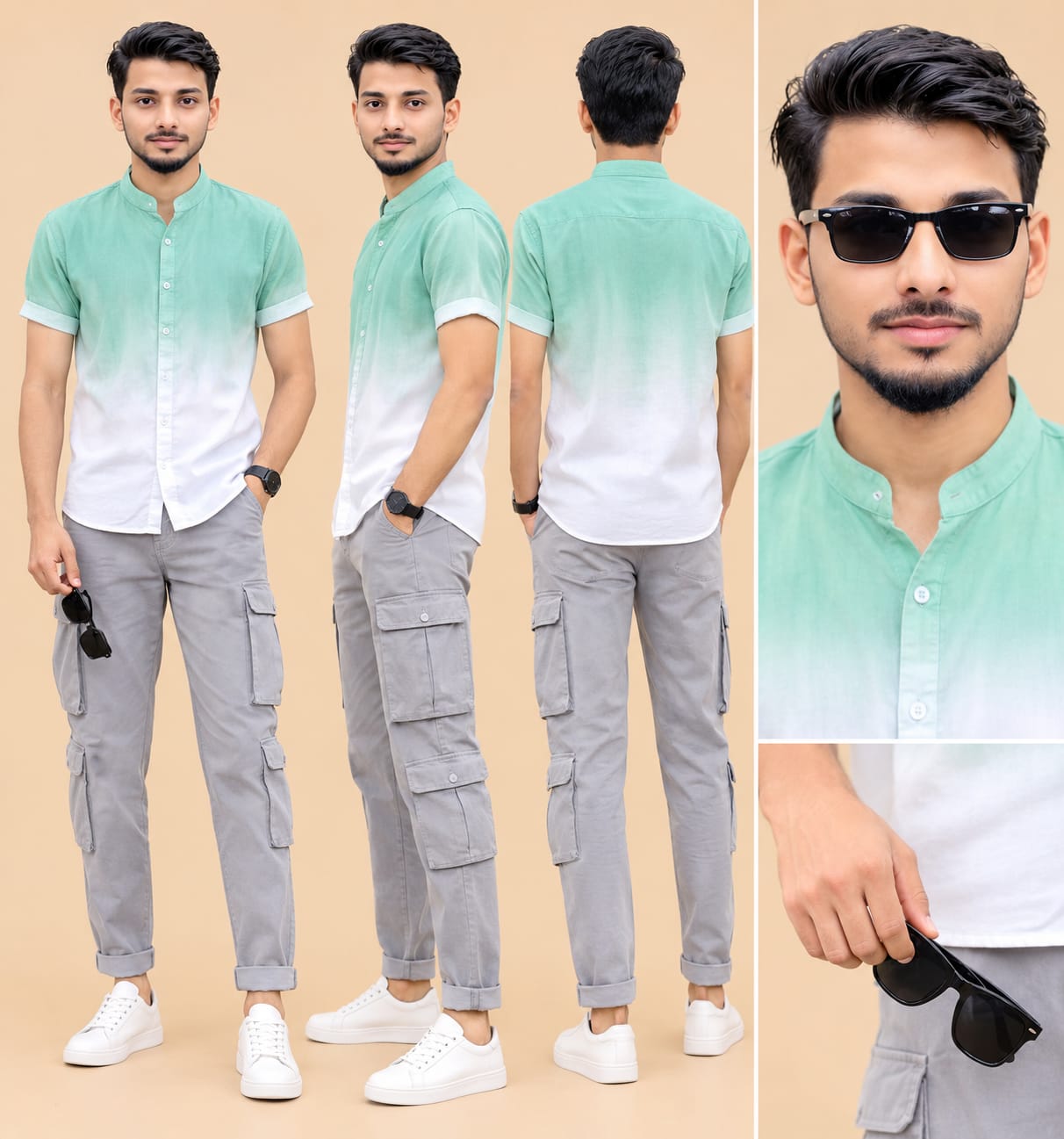
Full character sheet of the exact same young man from the uploaded photo: identical face shape, features, skin tone, hairstyle and body build. Front view, side view, back view full-body standing in a relaxed pose, plus one close-up face portrait on a plain warm beige studio background. Outfit: mint-green to white dip-dyed mandarin collar shirt, light grey cargo pants, white sneakers, and black wayfarer sunglasses. Ultra realistic, 8K, sharp details, soft studio light, no text, no watermark.
Create a full character sheet of the exact same young man from my uploaded photo: identical face shape, features, skin tone, hairstyle and body build, no changes. Show front view, side view and back view full-body, standing in a relaxed pose, plus one close-up face portrait, on a plain warm beige studio background. Skin: clean, clear, smooth, even-toned, no pimples, no acne, no spots, no blemishes, while keeping his exact identity. Outfit exactly as in my second photo: a short-sleeve button-up shirt with a mandarin stand collar and rolled cuffs, dip-dyed from mint green at the top to white at the bottom, light grey cargo pants with large side flap pockets and cuffed hems, clean white leather low-top sneakers, and black wayfarer sunglasses (shown both held in his hand and in a separate close-up on his face). Ultra realistic, 8K, sharp details, soft even studio light, no text, no watermark.
✓
Prompt copied to clipboard!
AI Photo Prompt
✦AI PHOTO PROMPT
Full character sheet of the exact same young man from the uploaded photo: identical face shape, features, skin tone, hairstyle and body build. Front view, side view, back view full-body standing in a relaxed pose, plus one close-up face portrait on a plain warm beige studio background. Outfit: mint-green to white dip-dyed mandarin collar shirt, light grey cargo pants, white sneakers, and black wayfarer sunglasses. Ultra realistic, 8K, sharp details, soft studio light, no text, no watermark.
Create a full character sheet of the exact same young man from my uploaded photo: identical face shape, features, skin tone, hairstyle and body build, no changes. Show front view, side view and back view full-body, standing in a relaxed pose, plus one close-up face portrait, on a plain warm beige studio background. Skin: clean, clear, smooth, even-toned, no pimples, no acne, no spots, no blemishes, while keeping his exact identity. Outfit exactly as in my second photo: a short-sleeve button-up shirt with a mandarin stand collar and rolled cuffs, dip-dyed from mint green at the top to white at the bottom, light grey cargo pants with large side flap pockets and cuffed hems, clean white leather low-top sneakers, and black wayfarer sunglasses (shown both held in his hand and in a separate close-up on his face). Ultra realistic, 8K, sharp details, soft even studio light, no text, no watermark.
Cinematic 9:16 vertical, ultra-sharp true 8K-quality, ultra-high-resolution, ultra-realistic HDR beach video, exactly 13.95 seconds, with exactly 7 scenes. Strict identity lock for the man (mint-green to white dip-dyed mandarin collar shirt, light grey cargo pants, barefoot, black wayfarer sunglasses). Set on a calm sea beach with wet reflective sand and soft warm golden daylight. Watermark: NoorEditing07.
Cinematic 9:16 vertical, ultra-sharp true 8K-quality, ultra-high-resolution, ultra-realistic HDR beach video, exactly 13.95 seconds, with exactly 7 scenes. All 7 scenes must appear, in this exact order, none skipped, merged or changed.
SCENE CHECKLIST (timestamps of the reference video):
SCENE 1 (0.00-2.30s): top-down point-of-view shot of his bare feet and the sunglasses in his hand at the shoreline.
SCENE 2 (2.43-4.83s): low medium shot of him walking barefoot, looking down at the sunglasses, then spreading his arms; it ends with a white flash transition.
SCENE 3 (4.93-7.03s): wide shot of him walking towards the camera with the sunglasses on.
SCENE 4 (7.17-9.33s): medium shot with his hand in his hair and the sunglasses dangling from the other hand.
SCENE 5 (9.33-11.53s): medium-wide shot of stylish, swaggering steps with the sunglasses on and one hand on his hip.
SCENE 6 (11.53-12.10s): he takes the sunglasses off his face.
SCENE 7 (12.10-13.95s): his face fully and properly visible, the sunglasses held at his chest, looking at the camera. Scenes 6 and 7 are one continuous shot with no cut between them.
This is a strict frame-by-frame, second-by-second recreation of the uploaded reference video: every scene, camera size, camera angle, camera move, pose, action, timing and transition below must match the reference exactly, with no scene or beat missed, merged, reordered or changed. The only change from the reference: the man is the man from the uploaded character sheet and face photo, in the outfit written below. The location is exactly the same as in the reference with no changes. Only one person in the whole video. Real footage look: shot on a real high-end camera with a sharp prime lens, a fast shutter so that every frame is crisp, natural handheld micro-movements, natural lens breathing, real-world physics for waves, foam, wet sand, water reflections and fabric.
AVOID LIST (applies to every scene): blurry face, soft focus, AI look, plastic skin, CGI, haze, glow, pimples, acne, extra people, missing glasses, glasses glare. (Haze and glow mean on his face and body; the natural sea haze in the far background is part of the scene. The sunglasses are on his face only in scenes 3 and 5, exactly as in the reference, with no glare.)
FACE AND BODY LOCK: the man is exactly the man from the uploaded character sheet and face photo, with a 100% identical face and the same body in every single frame (same face shape, eyes, nose, lips, jawline, hairstyle, skin tone, height, body build and proportions), from every angle, no face change, no body change, no morphing, no drifting, no age change. His hair is styled voluminous and swept up, as in the reference, matched to his natural hair. Skin: very clean, clear, smooth, even-toned face, like a professional cinema retouch, absolutely no pimples, no acne, no spots, no blemishes, no bumpy texture, not plastic.
FACE QUALITY RULE: whenever his face is in the frame it is rendered in ultra-high-resolution 8K detail and razor-sharp, locked focus, with no motion blur and no softness: crisp, well-defined eyes with sharp catchlights, individual eyelashes and eyebrows, clean beard hairs, individual hair strands, crisp lips, a sharp jawline and natural warm skin tone, high micro-contrast, the face always the sharpest part of the image even in wide shots; only the far sea and sky are softly blurred.
EXPRESSION: confident, cool and playful as in the reference: a calm composed look in scenes 1 to 4, a soft playful half-smile in scene 5, and a calm confident look with a slight head tilt in scenes 6 and 7.
OUTFIT, same in every scene: a short-sleeve button-up shirt with a mandarin stand collar and rolled cuffs, dip-dyed from mint green at the top to white at the bottom, worn open at the top buttons; light grey cargo pants with large side flap pockets and cuffed hems rolled above the ankles; barefoot on the beach (the white sneakers are not worn); black wayfarer sunglasses (held in his hand or on his face as written); a thin silver chain with a small pendant and a black wristwatch on his left wrist.
LOCATION, exactly as in the reference with no changes: a calm sea beach in the warm afternoon, wet reflective sand at the shoreline with parallel curved ripples in the sand, small waves breaking with white foam on the right side in the top-down shot, a pale blue-grey hazy sky, a flat horizon with a row of small red-brown pillars and a few small pink and yellow boats far away. Soft, warm, bright golden daylight, no harsh shadows.
SCENE 1 (0.00-2.30s), top-down point-of-view shot, fade-in from black at 0.0-0.17s. 0.2s: the camera looks straight down from his eye level at his bare feet and the cuffed grey cargo pants on the wet rippled sand, the bottom of his mint-white shirt visible, a hand holding the black sunglasses open at the upper left, white foam of the small waves on the right edge. 1.0s: he walks forward, one foot steps closer to the foam, the camera moving with his steps. 2.0s: his foot reaches the edge of the foam and the water swirls around his toes. 2.3s: the picture dips to black.
SCENE 2 (2.43-4.83s), low medium shot, fade-in from black at 2.37-2.5s, the camera low near the water and slowly moving back. 2.5s: he strolls barefoot along the shoreline, looking down at the sunglasses in his hands, the water softly reflecting him on the wet sand. 3.0s: the framing is from the chin down, his face partly cropped at the top, he lets go of the sunglasses with one hand and spreads his arms, one palm open. 3.5s: he steps forward playfully, his arms out, reflections on the sand. 4.0s: the camera keeps pulling back as he walks towards it with his arms out. 4.8s: he keeps walking, then the frame whites out in a short white overexposed flash transition (4.83-4.93s) with a motion-blurred figure.
SCENE 3 (4.93-7.03s), wide shot, static camera at hip height. 4.93s: out of the flash, he stands small in the distance on the wet sand with the sea and foam behind him, the black sunglasses on his face, the right hand in his pocket. 5.5s: he walks slowly towards the camera, the left arm swinging, his reflection on the wet sand. 6.0s: he is closer, a wave breaking behind him. 7.0s: he is in a medium-wide framing, then the picture dips to black at 7.03-7.17s.
SCENE 4 (7.17-9.33s), medium shot, camera at chest height, slightly moving back. 7.17s: out of the dip, he walks towards the camera with the sunglasses dangling from his left hand, his right hand rising to touch his hair behind the ear, his head tilted, looking at the camera with a soft gaze. 8.0s: he comes closer, his hand still in his hair, the sea and horizon behind him. 9.0s: his right hand rests at the back of his head, his chin slightly raised, his face in full sharp focus. 9.3s: a very brief darkening and a hard cut.
Watermark: A small, subtle white watermark text NoorEditing07 stays at the bottom centre of the frame throughout the entire video, clean and non-distracting, placed above the bottom edge, and the same look continues in every scene. Colour grading and quality: ultra-sharp true 8K-quality detail, HDR10+ / Dolby Vision style high dynamic range with protected highlights, 10-bit colour, exactly the same colour grade as the reference: warm golden daylight, soft pastel blue-grey sky and sea, warm natural skin tones, bright reflective wet sand, rich clean colours with the mint-white shirt popping against the sea, gentle film-like contrast, clean noise-free image, flawless clean skin, natural and not plastic.
SCENE 5 (9.33-11.53s), medium-wide shot from a mid-low angle, the camera slightly pulling back in the first half second and then holding. 9.33s: he is close to the camera with the sunglasses on his face, his right hand on his hip, the left arm swinging forward. 9.6s: the camera has pulled back and he is smaller in the frame; he takes swaggering, rhythmic steps sideways on the wet sand, barefoot, his feet crossing, his body swaying, his reflection under him. 10.3s: he turns his face to the camera with the sunglasses on and a soft playful half-smile, his hand still on his hip, the left arm swinging. 11.0s: he steps with one leg crossing over the other, his weight on one foot, still posing, the sea and the horizon behind him. 11.3s: he holds a stylish pose, one hand on his hip, a leg stretched out. 11.5s: hard cut.
SCENE 6 (11.53-12.10s), medium shot, the camera at chest height, a slight handheld move closer. 11.53s: he walks slowly towards the camera and raises his right hand to his face, taking the sunglasses off his face, his head slightly lowered, the small waves behind him. 11.8s: the sunglasses are off his face, in his right hand at his chest, and his eyes come into view.
SCENE 7 (12.10-13.95s), the same continuous shot, the camera moving closer. 12.1s: he holds the sunglasses at his chest with his right hand and his left hand in his pocket, his head tilted, his face fully and clearly visible and in razor-sharp focus, looking straight at the camera with a calm, confident look. 12.8s: he walks slowly forward, still looking at the camera, the sea and small waves behind him. 13.3s: he moves the sunglasses out to his side, his face still fully visible. 13.55s: the camera tilts slightly down as he lowers the sunglasses towards his hip, his head tilted, and the picture holds to 13.95s.
Keep every scene, camera angle, camera move, pose, action, timing and the order exactly as written, all 7 scenes in the video. Avoid: blurry face, soft focus, AI look, plastic skin, CGI, haze on his face, glow on his face, pimples, acne, extra people, missing glasses, glasses glare, face hidden by a hand in scene 7, outfit change, face change, body change, location change, new scenes, missing scenes. Natural sound of the waves, foam, footsteps in the water, a soft sea breeze and upbeat cinematic music.
✓
Prompt copied to clipboard!
AI Video Prompt
✦AI VIDEO PROMPT
Cinematic 9:16 vertical, ultra-sharp true 8K-quality, ultra-high-resolution, ultra-realistic HDR beach video, exactly 13.95 seconds, with exactly 7 scenes. Strict identity lock for the man (mint-green to white dip-dyed mandarin collar shirt, light grey cargo pants, barefoot, black wayfarer sunglasses). Set on a calm sea beach with wet reflective sand and soft warm golden daylight. Watermark: NoorEditing07.
Cinematic 9:16 vertical, ultra-sharp true 8K-quality, ultra-high-resolution, ultra-realistic HDR beach video, exactly 13.95 seconds, with exactly 7 scenes. All 7 scenes must appear, in this exact order, none skipped, merged or changed.
SCENE CHECKLIST (timestamps of the reference video):
SCENE 1 (0.00-2.30s): top-down point-of-view shot of his bare feet and the sunglasses in his hand at the shoreline.
SCENE 2 (2.43-4.83s): low medium shot of him walking barefoot, looking down at the sunglasses, then spreading his arms; it ends with a white flash transition.
SCENE 3 (4.93-7.03s): wide shot of him walking towards the camera with the sunglasses on.
SCENE 4 (7.17-9.33s): medium shot with his hand in his hair and the sunglasses dangling from the other hand.
SCENE 5 (9.33-11.53s): medium-wide shot of stylish, swaggering steps with the sunglasses on and one hand on his hip.
SCENE 6 (11.53-12.10s): he takes the sunglasses off his face.
SCENE 7 (12.10-13.95s): his face fully and properly visible, the sunglasses held at his chest, looking at the camera. Scenes 6 and 7 are one continuous shot with no cut between them.
This is a strict frame-by-frame, second-by-second recreation of the uploaded reference video: every scene, camera size, camera angle, camera move, pose, action, timing and transition below must match the reference exactly, with no scene or beat missed, merged, reordered or changed. The only change from the reference: the man is the man from the uploaded character sheet and face photo, in the outfit written below. The location is exactly the same as in the reference with no changes. Only one person in the whole video. Real footage look: shot on a real high-end camera with a sharp prime lens, a fast shutter so that every frame is crisp, natural handheld micro-movements, natural lens breathing, real-world physics for waves, foam, wet sand, water reflections and fabric.
AVOID LIST (applies to every scene): blurry face, soft focus, AI look, plastic skin, CGI, haze, glow, pimples, acne, extra people, missing glasses, glasses glare. (Haze and glow mean on his face and body; the natural sea haze in the far background is part of the scene. The sunglasses are on his face only in scenes 3 and 5, exactly as in the reference, with no glare.)
FACE AND BODY LOCK: the man is exactly the man from the uploaded character sheet and face photo, with a 100% identical face and the same body in every single frame (same face shape, eyes, nose, lips, jawline, hairstyle, skin tone, height, body build and proportions), from every angle, no face change, no body change, no morphing, no drifting, no age change. His hair is styled voluminous and swept up, as in the reference, matched to his natural hair. Skin: very clean, clear, smooth, even-toned face, like a professional cinema retouch, absolutely no pimples, no acne, no spots, no blemishes, no bumpy texture, not plastic.
FACE QUALITY RULE: whenever his face is in the frame it is rendered in ultra-high-resolution 8K detail and razor-sharp, locked focus, with no motion blur and no softness: crisp, well-defined eyes with sharp catchlights, individual eyelashes and eyebrows, clean beard hairs, individual hair strands, crisp lips, a sharp jawline and natural warm skin tone, high micro-contrast, the face always the sharpest part of the image even in wide shots; only the far sea and sky are softly blurred.
EXPRESSION: confident, cool and playful as in the reference: a calm composed look in scenes 1 to 4, a soft playful half-smile in scene 5, and a calm confident look with a slight head tilt in scenes 6 and 7.
OUTFIT, same in every scene: a short-sleeve button-up shirt with a mandarin stand collar and rolled cuffs, dip-dyed from mint green at the top to white at the bottom, worn open at the top buttons; light grey cargo pants with large side flap pockets and cuffed hems rolled above the ankles; barefoot on the beach (the white sneakers are not worn); black wayfarer sunglasses (held in his hand or on his face as written); a thin silver chain with a small pendant and a black wristwatch on his left wrist.
LOCATION, exactly as in the reference with no changes: a calm sea beach in the warm afternoon, wet reflective sand at the shoreline with parallel curved ripples in the sand, small waves breaking with white foam on the right side in the top-down shot, a pale blue-grey hazy sky, a flat horizon with a row of small red-brown pillars and a few small pink and yellow boats far away. Soft, warm, bright golden daylight, no harsh shadows.
SCENE 1 (0.00-2.30s), top-down point-of-view shot, fade-in from black at 0.0-0.17s. 0.2s: the camera looks straight down from his eye level at his bare feet and the cuffed grey cargo pants on the wet rippled sand, the bottom of his mint-white shirt visible, a hand holding the black sunglasses open at the upper left, white foam of the small waves on the right edge. 1.0s: he walks forward, one foot steps closer to the foam, the camera moving with his steps. 2.0s: his foot reaches the edge of the foam and the water swirls around his toes. 2.3s: the picture dips to black.
SCENE 2 (2.43-4.83s), low medium shot, fade-in from black at 2.37-2.5s, the camera low near the water and slowly moving back. 2.5s: he strolls barefoot along the shoreline, looking down at the sunglasses in his hands, the water softly reflecting him on the wet sand. 3.0s: the framing is from the chin down, his face partly cropped at the top, he lets go of the sunglasses with one hand and spreads his arms, one palm open. 3.5s: he steps forward playfully, his arms out, reflections on the sand. 4.0s: the camera keeps pulling back as he walks towards it with his arms out. 4.8s: he keeps walking, then the frame whites out in a short white overexposed flash transition (4.83-4.93s) with a motion-blurred figure.
SCENE 3 (4.93-7.03s), wide shot, static camera at hip height. 4.93s: out of the flash, he stands small in the distance on the wet sand with the sea and foam behind him, the black sunglasses on his face, the right hand in his pocket. 5.5s: he walks slowly towards the camera, the left arm swinging, his reflection on the wet sand. 6.0s: he is closer, a wave breaking behind him. 7.0s: he is in a medium-wide framing, then the picture dips to black at 7.03-7.17s.
SCENE 4 (7.17-9.33s), medium shot, camera at chest height, slightly moving back. 7.17s: out of the dip, he walks towards the camera with the sunglasses dangling from his left hand, his right hand rising to touch his hair behind the ear, his head tilted, looking at the camera with a soft gaze. 8.0s: he comes closer, his hand still in his hair, the sea and horizon behind him. 9.0s: his right hand rests at the back of his head, his chin slightly raised, his face in full sharp focus. 9.3s: a very brief darkening and a hard cut.
Watermark: A small, subtle white watermark text NoorEditing07 stays at the bottom centre of the frame throughout the entire video, clean and non-distracting, placed above the bottom edge, and the same look continues in every scene. Colour grading and quality: ultra-sharp true 8K-quality detail, HDR10+ / Dolby Vision style high dynamic range with protected highlights, 10-bit colour, exactly the same colour grade as the reference: warm golden daylight, soft pastel blue-grey sky and sea, warm natural skin tones, bright reflective wet sand, rich clean colours with the mint-white shirt popping against the sea, gentle film-like contrast, clean noise-free image, flawless clean skin, natural and not plastic.
SCENE 5 (9.33-11.53s), medium-wide shot from a mid-low angle, the camera slightly pulling back in the first half second and then holding. 9.33s: he is close to the camera with the sunglasses on his face, his right hand on his hip, the left arm swinging forward. 9.6s: the camera has pulled back and he is smaller in the frame; he takes swaggering, rhythmic steps sideways on the wet sand, barefoot, his feet crossing, his body swaying, his reflection under him. 10.3s: he turns his face to the camera with the sunglasses on and a soft playful half-smile, his hand still on his hip, the left arm swinging. 11.0s: he steps with one leg crossing over the other, his weight on one foot, still posing, the sea and the horizon behind him. 11.3s: he holds a stylish pose, one hand on his hip, a leg stretched out. 11.5s: hard cut.
SCENE 6 (11.53-12.10s), medium shot, the camera at chest height, a slight handheld move closer. 11.53s: he walks slowly towards the camera and raises his right hand to his face, taking the sunglasses off his face, his head slightly lowered, the small waves behind him. 11.8s: the sunglasses are off his face, in his right hand at his chest, and his eyes come into view.
SCENE 7 (12.10-13.95s), the same continuous shot, the camera moving closer. 12.1s: he holds the sunglasses at his chest with his right hand and his left hand in his pocket, his head tilted, his face fully and clearly visible and in razor-sharp focus, looking straight at the camera with a calm, confident look. 12.8s: he walks slowly forward, still looking at the camera, the sea and small waves behind him. 13.3s: he moves the sunglasses out to his side, his face still fully visible. 13.55s: the camera tilts slightly down as he lowers the sunglasses towards his hip, his head tilted, and the picture holds to 13.95s.
Keep every scene, camera angle, camera move, pose, action, timing and the order exactly as written, all 7 scenes in the video. Avoid: blurry face, soft focus, AI look, plastic skin, CGI, haze on his face, glow on his face, pimples, acne, extra people, missing glasses, glasses glare, face hidden by a hand in scene 7, outfit change, face change, body change, location change, new scenes, missing scenes. Natural sound of the waves, foam, footsteps in the water, a soft sea breeze and upbeat cinematic music.
Flow AI Se Cinematic Beach Walking Video Kaise Banaye
Agar aap apni photo aur character sheet ka use karke realistic cinematic beach walking video banana chahte hain, to ye complete beginner-friendly tutorial follow karein. Is process mein aap Flow AI, reference images aur detailed master video prompt ka use karenge.
Step 1: Character Sheet Create Karein
Sabse pehle apne character ki high-quality character sheet ready karein.
Character sheet mein front view, side view, back view aur close-up face portrait hona useful hai.
Dhyan rakhein ki sabhi views mein same face, hairstyle, skin tone aur body proportions hon. Clear character sheet se AI ko character ki appearance samajhne mein madad milti hai.
Heavy filters, excessive shadows aur low-resolution photographs avoid karein.
Character sheet aur face photograph same person ke hone chahiye.
Step 3: Reference Beach Video Ready Karein
Agar aap original reference video ko recreate karna chahte hain, to us video ko ready rakhein.
Is video mein seven scenes ke camera angles, walking movements, poses aur transitions ko follow karna hai.
Reference video ko dekhkar confirm karein ki opening POV shot, white flash, wide walking shot aur final sunglasses-removal shot properly samajh aa rahe hain.
Step 4: Flow AI Open Karein
Ab Flow AI open karein aur apne available video-generation workflow ko select karein.
Platform ke current interface ke according image references, video references aur text instructions add karein.
Available features account aur generation mode ke according different ho sakte hain.
Step 5: Character Reference Upload Karein
Ab character sheet aur face photograph upload karein, agar selected workflow multiple image references support karta hai.
Character sheet ko overall appearance reference ke roop mein use karein aur face photograph ko facial identity reference ke roop mein specify karein.
Agar reference roles specify karne ka option nahi hai, to prompt mein clearly explain karein ki kaunsi image kis purpose ke liye hai.
Step 6: Outfit and Location Instructions Add Karein
Ab outfit aur location details carefully check karein.
Outfit mein mint-green-to-white dip-dyed shirt, light grey cargo pants, black Wayfarer sunglasses, silver pendant chain aur black wristwatch include hain.
Character barefoot rahega.
Location mein calm sea beach, wet reflective sand, small waves, white foam, pale blue-grey sky aur distant pink and yellow boats hone chahiye.
In details ko generation ke dauran consistent rakhein.
Step 7: Master Video Prompt Copy Karein
Is article mein diya gaya complete master video prompt copy karein.
Prompt mein seven scenes, timestamps, camera angles, movements, facial expressions, transitions, sound design aur quality instructions included hain.
Prompt ko Flow AI ke available instruction field mein paste karein.
Agar aapka workflow scene-wise generation support karta hai, to har scene ki instructions separately use karein.
Step 8: Video Generation Settings Select Karein
Generation se pehle available settings check karein.
Recommended specifications:
- Aspect Ratio: 9:16 vertical.
- Duration: Exactly 13.95 seconds, if supported.
- Visual Quality: Highest available.
- Style: Ultra-realistic cinematic footage.
- Lighting: Warm golden afternoon daylight.
- Camera Movement: Natural cinematic movement.
- Scene Count: Seven.
8K, HDR10+ aur 10-bit colour tabhi select karein jab platform actual output mein in formats ko support karta ho.
Step 9: Seven Scenes Generate Karein
Agar Flow AI ka selected generation mode complete timeline follow kar sakta hai, to master prompt ke saath video generate karein.
Agar ek generation mein sabhi seven scenes accurately create nahi hote, to individual scene clips generate karein.
Har scene mein same character reference, outfit, location aur lighting instructions maintain karein.
Scene six aur scene seven ko ek continuous shot ke roop mein generate karein.
Step 10: Generated Video Review Karein
Video generate hone ke baad use beginning se end tak carefully dekhein.
Check karein ki:
1. Scene one mein bare feet aur sunglasses ka top-down shot hai.
2. Scene two mein walking aur arms-spreading action hai.
3. Scene three mein sunglasses pehenkar wide walking shot hai.
4. Scene four mein hair adjustment action hai.
5. Scene five mein stylish walking poses hain.
6. Scene six mein sunglasses remove hote hain.
7. Scene seven mein face clearly visible hai.
Face identity, outfit, hands aur background mein unwanted changes nahi hone chahiye.
Step 11: Video Editing and Watermark
Agar individual clips generate kiye hain, to unhe compatible video editor mein arrange karein.
Original timeline follow karein. Scene two aur three ke beech white flash transition add karein. Required black dips ko bhi maintain karein.
Scene six aur seven ke beech koi cut ya transition add na karein.
Bottom centre mein small white NoorEditing07 watermark add karein. Position aur size sabhi scenes mein consistent rakhein.
Step 12: Sound Effects and Music Add Karein
Final video mein natural beach ambience add karein.
- Sea waves.
- Water foam.
- Barefoot footsteps.
- Soft sea breeze.
- Upbeat cinematic background music.
Music aur natural sounds ka volume balance karein.
Step 13: Final Video Export Karein
Editing complete hone ke baad vertical 9:16 format mein video export karein.
Highest available resolution aur quality select karein.
Export ke baad total duration, seven-scene sequence, watermark, audio sync aur facial clarity check karein.
Final Tip: Best results ke liye clear character references, detailed scene instructions aur consistent outfit descriptions use karein. Agar AI tool exact 13.95-second timeline follow nahi karta, to individual clips generate karke editing software mein precise timing maintain karein.
Flow AI Beach Video PromptCinematic Beach Walking Video PromptFlow AI Cinematic VideoAI Beach Walking VideoRealistic Beach Video PromptAI Character Consistency VideoFace Lock AI Video PromptSeven Scene AI Video PromptBeach Fashion Video AIAI Sunglasses Removal VideoCinematic Walking Video PromptAI Video Reference PromptRealistic AI Video Generation9:16 Beach Video PromptNoorEditing07 Flow AI Prompt
Flow AI Beach Video PromptCinematic Beach Walking Video PromptFlow AI Cinematic VideoAI Beach Walking VideoRealistic Beach Video PromptAI Character Consistency VideoFace Lock AI Video PromptSeven Scene AI Video PromptBeach Fashion Video AIAI Sunglasses Removal VideoCinematic Walking Video PromptAI Video Reference PromptRealistic AI Video Generation9:16 Beach Video PromptNoorEditing07 Flow AI Prompt
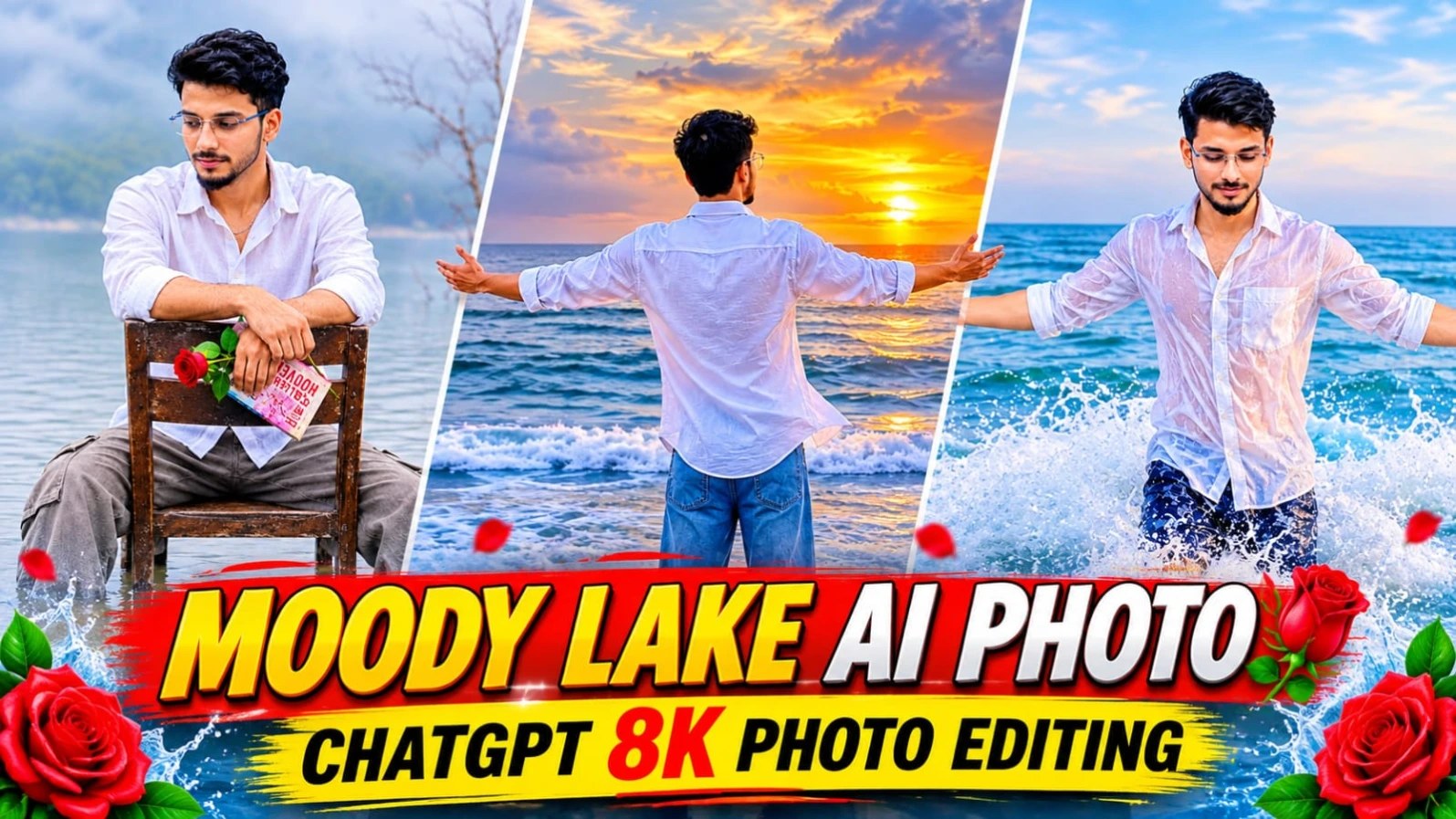
Peaceful lake, thick mountain fog, aur rustic wooden chair ke sath ek emotional aur cinematic portrait banana aaj kal digital creators ke beech kaafi trending hai.ChatGPT Moody Lake AI Photo Editing Prompt 8K Cinematic Portrait un users ke liye design kiya gaya hai jo ChatGPT ki madad se apni normal reference photo ko ek stunning aesthetic lakeside portrait mein convert karna chahte hain. Is creative concept mein ek young Indian man ko shallow lake water mein purani wooden chair par baithe hue aur haath mein single red rose pakde hue dikhaya gaya hai.
Is photo prompt mein loose white cotton button-up shirt, faded grey-beige cargo trousers, aur curly textured hair ki detailed styling milti hai. Background mein cool grey-green tones ke sath misty mountain silhouette aur water ke upar emerging dry branches ek calm aur introspective atmosphere create karte hain. Vertical 4:5 aspect ratio aur 50mm lens look ke sath aap ek professional film-inspired portrait taiyar kar sakte hain. Bottom centre par diya gaya subtle NoorEditing07 watermark aapke brand work ko protect karta hai.
2. Romantic Couple Cinematic AI Video Prompt for Flow AI Video Edit
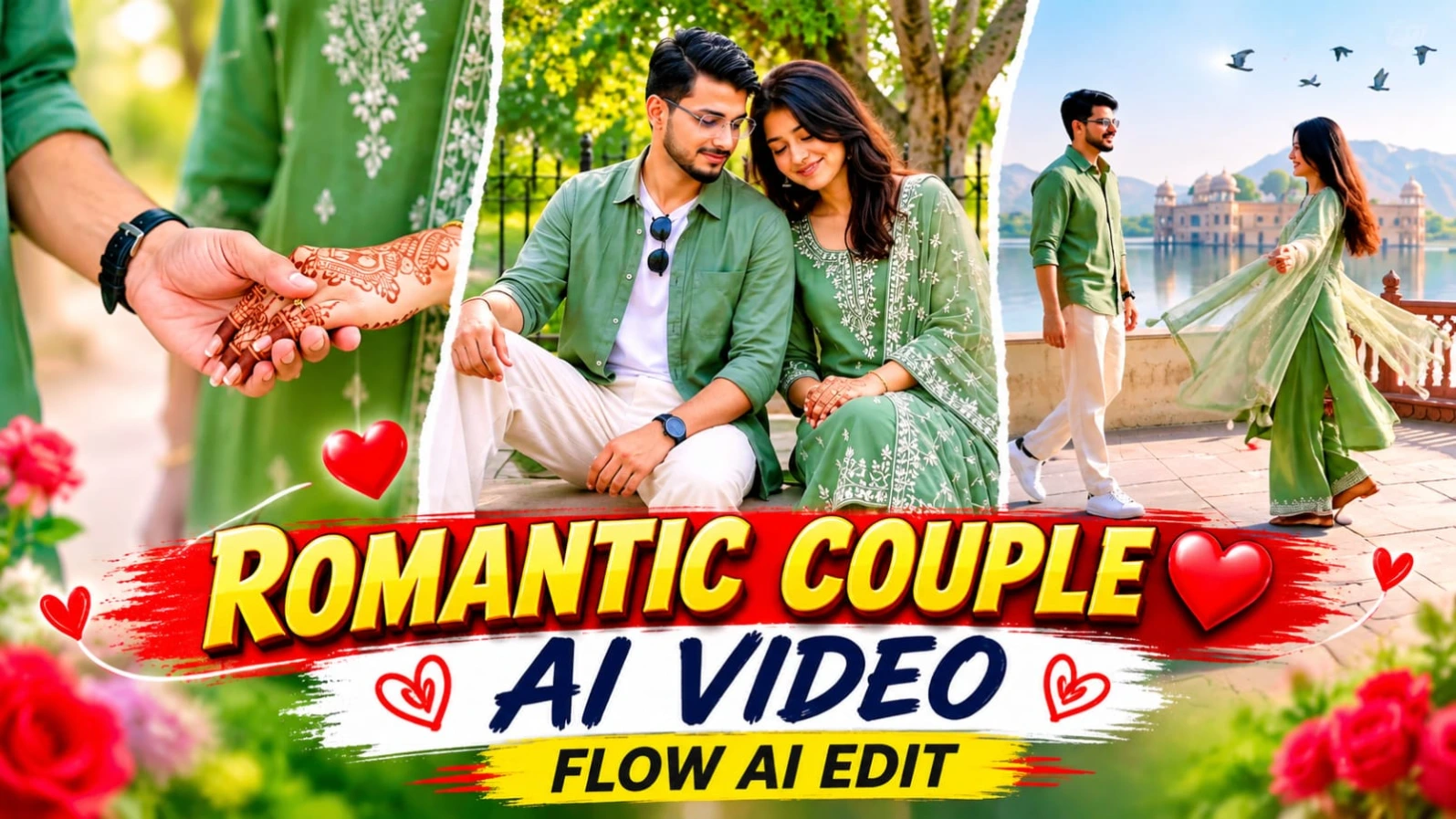
Rajasthani heritage palace gardens, lakeside terraces, aur symmetrical painted corridors ke beech ek emotional love-story video banana romantic content creators ki pehli pasand hota hai.Romantic Couple Cinematic AI Video Prompt for Flow AI Video Edit un creators ke liye design kiya gaya hai jo AI video tools ki madad se ek stunning couple cinematic video create karna chahte hain. Is 15-second aur 15-scene horizontal 16:9 widescreen video prompt mein male aur female characters ki exact facial identity aur outfit lock ke sath ek professional love story sequence diya gaya hai.
Is video concept mein sage-green colour theme ki co-ordinated styling di gaya hai, jisme male character sage-green linen shirt over white tee aur female character embroidered long kurta aur net dupatta pehnti hai. Background mein misty lake, distant palace, carved balustrades, aur warm cinematic daylight video ko ek rich traditional feel dete hain. ChatGPT ki madad se couple character sheet banane ke baad aap Flow AI mein is prompt ka use karke ek masterpiece taiyar kar sakte hain. Bottom corner par diya gaya NoorEditing07 watermark aapke original brand work ko protect کرتا hai.
3. Cinematic AI Video Prompt for Flow AI 16:9 Video Editing
YouTube videos, cinematic presentations, aur landscape video projects ke liye 16:9 widescreen format kaafi important hota hai.Cinematic AI Video Prompt for Flow AI 16:9 Video Editing un creators ke liye design kiya gaya hai jo artificial intelligence ki madad se ek high-quality horizontal cinematic video create karna chahte hain. Is prompt mein teal aur white colour-block windbreaker jacket, black cargo pants, aur chunky sneakers pehne character ka 22.5-second aur 9-scene sequence diya gaya hai.
Is video concept mein tree-lined street, parked cars, soft daylight, aur shallow depth of field ke sath round bokeh ki detailed instructions milti hain. ChatGPT ki madad se strict character sheet aur facial identity lock karke aap Flow AI mein ek professional horizontal cinematic video generate kar sakte hain. Real cinema camera look aur natural motion physics is video ko ek high-end production feel dete hain. Bottom corner par diya gaya NoorEditing07 watermark aapke original brand work ko protect karta hai.
4. Ek Saah Na VN QR Code Template Trending Song Video Editing
Trending songs par bina lamba waqt lagaye professional aur stylish video edits banana aaj kal social media creators ki pehli pasand ban chuka hai.Ek Saah Na VN QR Code Template Trending Song Video Editing article un users ke liye hai jo "Ek Saah Na" trending track ke sath apne personal photos aur video clips ko instantly ek attractive music video mein convert karna chahte hain. VN Video Editor App ke QR code scanner feature ki madad se aap ready-made editing timeline ko directly apne phone mein load kar sakte hain.
Is template-based workflow mein aapko manually beats match karne ki ya alag se transitions set karne ki zaroorat nahi padti. Aapko bas VN app mein QR code scan karna hai, apni best photos aur clips select karni hain, aur app automatically sabhi visual elements ko song ki beats ke mutabiq arrange kar deta hai. Yeh method beginners ke liye aur un creators ke liye behad useful hai jo fast pace par daily trending reels publish karna chahte hain. Clean media selection aur proper preview ke baad aap apni final video ko high quality mein export karke Instagram Reels, YouTube Shorts, aur Facebook Reels par share kar sakte hain, jisme aapke brand ki reach aur engagement tezi se badh sakti hai.
Apni original face photo, fashionable poses, aur ek elegant name design ko combine karke ek premium portrait poster banana aaj kal social media par kafi pasand kiya ja raha hai.Stylish AI Photo Prompt ChatGPT 8K Portrait un creators ke liye design kiya gaya hai jo ChatGPT ki madad se apni normal photo ko ek stunning four-photo portrait collage mein convert karna chahte hain. Is creative concept mein ek large full-body color portrait aur teen stylish black-and-white portraits ko ek single vertical 4:5 layout mein arrange kiya gaya hai.
Is poster ka background warm cream-beige wall, soft golden-hour sunlight, aur natural tree-branch shadows ke sath design kiya gaya hai. Lower-left corner mein rustic grey-beige clay vase aur blooming cherry-blossom branch ek aesthetic lifestyle look deti hain. Wall par raised calligraphy-style text mein "Noor" name display hota hai, jo ek personalized name-poster effect create karta hai. Right side ki teen monochrome portraits mein black wayfarer sunglasses aur different expressive poses diye gaye hain. ChatGPT ki reference-photo identity guidance aur high-end 8K visual style ke sath aap ek professional portrait poster taiyar kar sakte hain. Bottom corner par NoorEditing07 ka signature watermark aapke original brand work ko protect karta hai.