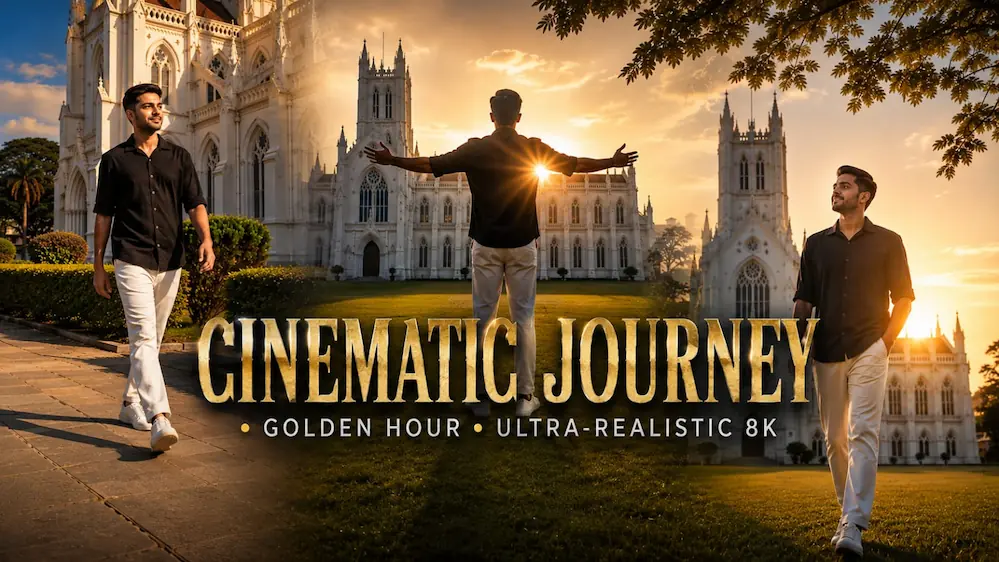
Cinematic Cathedral Journey | Golden Hour | Ultra-Realistic 8K
Is cinematic AI video prompt se ek ultra-realistic 8K cathedral journey video create kiya ja sakta hai. Video mein same young man grand white Gothic cathedral ke beautiful surroundings mein cinematic style mein walk karta hai.
Video mein silhouette walking intro, arms-spread joyful pose, peaceful close-up, golden-hour field walk, cathedral pathway walk, cinematic hero walk aur final sleeve-adjusting shot ko exact sequence mein dikhaya gaya hai.
Same face, same body, same black shirt, white trousers aur white sneakers poore video mein consistent rahte hain. Grand Gothic cathedral, clock tower, green lawn, hedges, natural sunlight, blue sky aur cinematic golden-teal colour grading ko maintain kiya gaya hai.
Natural skin texture, realistic clothing, smooth camera movement, cinematic lens flare, realistic daylight, filmic contrast aur premium 8K visual quality ke saath ye prompt Gemini AI Video Generator aur cinematic AI video creation ke liye perfect hai.
AI Prompt
✦AI PROMPT
Generate a NEW cinematic VIDEO using the uploaded photo only as the character identity reference.
Do NOT edit or modify the uploaded image itself.
Use the uploaded person's exact face, body, hairstyle, skin tone and proportions as the character reference for a new 9:16 live-action video.
Create an 8-second continuous cinematic walking sequence inside a luxurious white heritage palace courtyard.
The same person walks naturally toward the camera throughout the entire video.
Generate a NEW cinematic VIDEO using the uploaded photo only as the character identity reference.
Do NOT edit or modify the uploaded image itself.
Use the uploaded person's exact face, body, hairstyle, skin tone and proportions as the character reference for a new 9:16 live-action video.
Create an 8-second continuous cinematic walking sequence inside a luxurious white heritage palace courtyard.
The same person walks naturally toward the camera throughout the entire video.
During the first 5.4 seconds, only the CLOTHING alternates rapidly between these two fixed looks while walking continues without stopping:
LOOK A:
black/charcoal patterned short-sleeve shirt, black trousers, dark footwear.
LOOK B:
ivory-white traditional dhoti, teal-blue royal shawl, gold jewellery, and one elegant Mor Mukut with a natural peacock feather.
Sequence:
Modern → Royal → Modern → Royal → Modern → Royal → Modern → Royal → Modern → Royal → Modern.
After 5.4 seconds, keep the MODERN outfit permanently until the end.
CRITICAL:
The clothing changes, NOT the person.
Keep the uploaded person's exact original face, body, hairstyle, hairline, skin texture, height and proportions unchanged throughout.
The Mor Mukut is only an accessory; do not replace or redesign the hairstyle underneath it.
Keep the face sharp and recognizable in every frame.
No face morphing, no identity drift, no beauty filter, no body change.
Walking must remain continuous through every outfit switch.
Do not restart steps or body position.
Keep the same palace courtyard, same camera direction and same lighting throughout.
Premium realistic live-action cinematic look, natural daylight, realistic skin pores, individual hair strands, real fabric physics, smooth stabilized tracking camera, 9:16 vertical, Full HD.
No image editing response.
Generate VIDEO output only.
No text, no logo, no watermark.
✓
Prompt copied to clipboard!
AI Prompt
✦AI PROMPT
Generate a NEW cinematic VIDEO using the uploaded photo only as the character identity reference.
Do NOT edit or modify the uploaded image itself.
Use the uploaded person's exact face, body, hairstyle, skin tone and proportions as the character reference for a new 9:16 live-action video.
Create an 8-second continuous cinematic walking sequence inside a luxurious white heritage palace courtyard.
The same person walks naturally toward the camera throughout the entire video.
Generate a NEW cinematic VIDEO using the uploaded photo only as the character identity reference.
Do NOT edit or modify the uploaded image itself.
Use the uploaded person's exact face, body, hairstyle, skin tone and proportions as the character reference for a new 9:16 live-action video.
Create an 8-second continuous cinematic walking sequence inside a luxurious white heritage palace courtyard.
The same person walks naturally toward the camera throughout the entire video.
During the first 5.4 seconds, only the CLOTHING alternates rapidly between these two fixed looks while walking continues without stopping:
LOOK A:
black/charcoal patterned short-sleeve shirt, black trousers, dark footwear.
LOOK B:
ivory-white traditional dhoti, teal-blue royal shawl, gold jewellery, and one elegant Mor Mukut with a natural peacock feather.
Sequence:
Modern → Royal → Modern → Royal → Modern → Royal → Modern → Royal → Modern → Royal → Modern.
After 5.4 seconds, keep the MODERN outfit permanently until the end.
CRITICAL:
The clothing changes, NOT the person.
Keep the uploaded person's exact original face, body, hairstyle, hairline, skin texture, height and proportions unchanged throughout.
The Mor Mukut is only an accessory; do not replace or redesign the hairstyle underneath it.
Keep the face sharp and recognizable in every frame.
No face morphing, no identity drift, no beauty filter, no body change.
Walking must remain continuous through every outfit switch.
Do not restart steps or body position.
Keep the same palace courtyard, same camera direction and same lighting throughout.
Premium realistic live-action cinematic look, natural daylight, realistic skin pores, individual hair strands, real fabric physics, smooth stabilized tracking camera, 9:16 vertical, Full HD.
No image editing response.
Generate VIDEO output only.
No text, no logo, no watermark.
✓
Prompt copied to clipboard!
Kaise Banaye
1. Gemini AI Video Generator open karein.
2. Apni clear person reference photo upload karein.
3. Upar diya gaya Cinematic Cathedral Journey Video Prompt copy karein.
4. Prompt ko Gemini mein paste karein.
5. Video ko 9:16 ya apne required format mein generate karein.
6. Generate Video par click karein.
7. Check karein ki same face, body, hairstyle aur black shirt + white trousers har scene mein consistent hain.
8. Ye bhi check karein ki cathedral location aur lighting continuity maintain ho aur koi scene skip na ho.
9. Final video ko Instagram Reels, YouTube Shorts, Facebook Reels ya cinematic AI video ke liye use kar sakte hain.
Gemini AI VideoGemini AI Video GeneratorGemini Video PromptGemini AI PromptCinematic AI VideoAI Video GeneratorAI Video PromptPhoto To Video AICinematic Cathedral VideoCathedral Cinematic VideoGothic Cathedral VideoGothic Cathedral AI VideoCathedral Journey VideoCinematic Journey
Gemini AI VideoGemini AI Video GeneratorGemini Video PromptGemini AI PromptCinematic AI VideoAI Video GeneratorAI Video PromptPhoto To Video AICinematic Cathedral VideoCathedral Cinematic VideoGothic Cathedral VideoGothic Cathedral AI VideoCathedral Journey VideoCinematic Journey
Beach Couple Cinematic Video and Awarapan 2 Poster AI Edit Tutorial
AI tools make it easy to transform ordinary personal photos into cinematic videos and professional movie-style portraits. In this combined tutorial, we will explore two creative editing techniques: creating a romantic Beach Couple Cinematic Video with Flow AI using two reference photos, and creating an Awarapan 2 Cinema Hall Poster AI Edit using ChatGPT. Both methods focus on realistic identity preservation, cinematic lighting, and high-quality visual results.
Beach Couple Cinematic Video with Flow AI
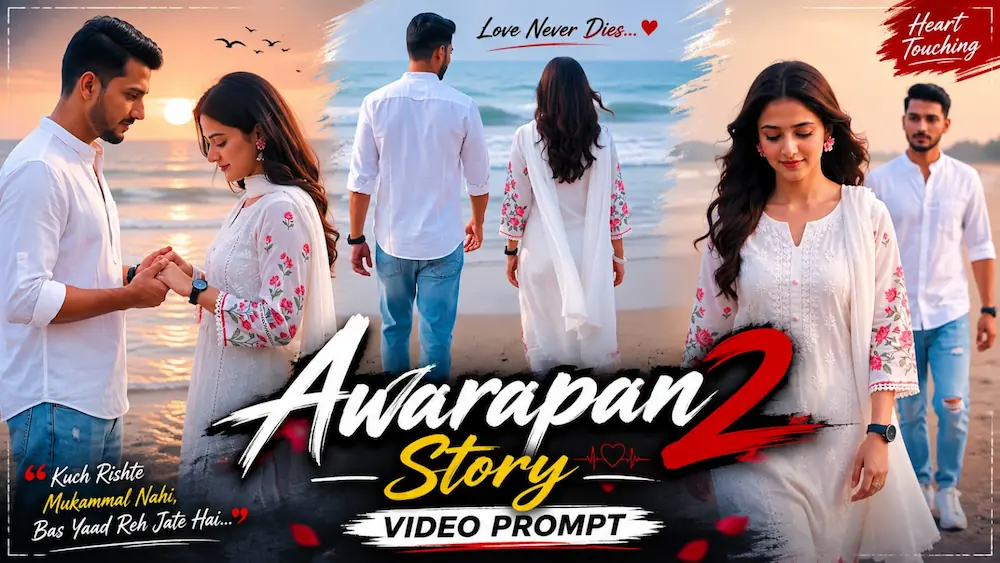
The first concept converts two separate photos into a realistic romantic couple video. Flow AI is used to create five slow-motion cinematic scenes on an open sandy beach. The male and female reference photos are used separately so that the AI can maintain both identities throughout the complete video. The recommended format is vertical 9:16 with 1080p resolution.
To begin, open Flow AI and create a new project. Upload one clear male photo and one clear female photo, then add both images as reference or ingredient images. Select the video-generation option and choose the 9:16 vertical format if available. Copy the complete Beach Couple Cinematic Master Prompt and paste it into the prompt box.
The video uses consistent outfits and surroundings throughout all five scenes. The woman wears a white embroidered kurta with pink floral details, a white dupatta, pink flower earrings, a ring, black watch and white bangles. The man wears a white mandarin-collar shirt, light-blue ripped jeans, white sneakers and a black watch. The setting remains an open sandy beach with ocean waves, soft overcast daylight and a gentle breeze.
The sequence begins with the couple walking toward the sea while the man reaches for the woman's hand. The next scene shows the woman walking toward the camera while the man follows slightly behind. A cinematic side-profile close-up follows, then the couple gently holds hands near a concrete wall and blue barrier. The final shot focuses on the man while the woman remains softly blurred in the background.
Awarapan 2 Poster AI Edit with ChatGPT
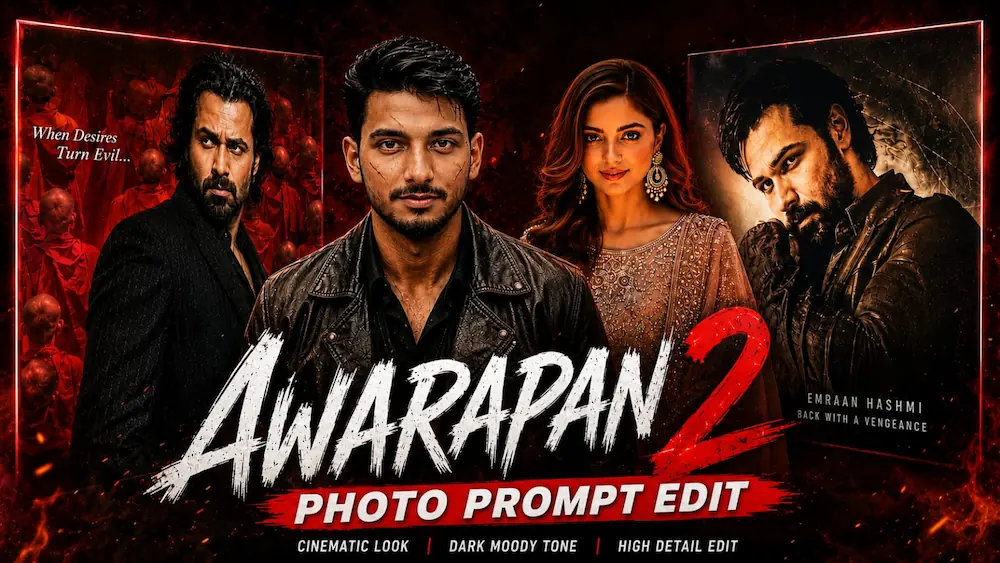
The second concept creates an ultra-realistic cinema-hall portrait using ChatGPT AI Photo Generator. Upload your clear photo as a strict identity reference and use the Awarapan 2 Cinema Hall Master Prompt. The original Awarapan 2 poster featuring Emraan Hashmi remains unchanged while your uploaded person is naturally positioned beside the illuminated poster frame.
The AI is instructed to preserve the original face, hairstyle, beard, expression, skin tone and body proportions without beautification or face replacement. The cinema environment includes realistic wall textures, warm theater lighting, glass reflections, natural shadows and shallow depth of field. The person can stand beside the poster with folded arms and a confident natural expression while looking toward the camera.
For the final image, the tutorial uses a 4:5 vertical composition with 8K Ultra HD, HDR, DSLR realism and cinematic lighting. Another version recreates the dramatic Awarapan 2 poster composition with the subject positioned among the red-robed monks while maintaining the original identity.
Final Result
By combining Flow AI's Beach Couple Cinematic Video with ChatGPT's Awarapan 2 Poster AI Edit, you can create both romantic cinematic video content and professional Bollywood-inspired AI photography. Always use clear reference photos, preserve identity, maintain consistent lighting and carefully check faces, body proportions, hands, clothing and background details before publishing the final result.