Heartbreak Photo Burning AI Video | Flow AI Editing Tutorial
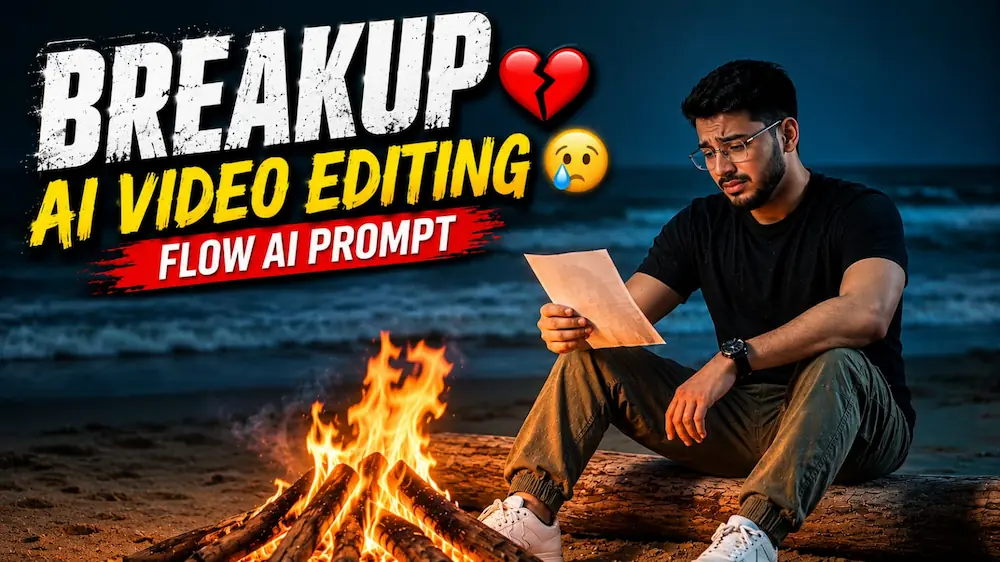
Is cinematic AI video prompt se Flow AI Video Generator mein uploaded reference photos ka use karke ek ultra-realistic emotional heartbreak video create kiya ja sakta hai. Video mein ek man dark night beach par bonfire ke paas baitha hua apni special memory ki printed photograph ko emotional expression ke saath dekhta hai.
Video story mein bonfire ke paas sitting scene, printed photograph ka close-up, emotional face shot, photograph ko fire ki taraf le jaana, photograph ka flames mein burn hona aur final lonely beach scene dikhaya gaya hai.
Main character ka exact face, hairstyle, skin tone, body build, height aur natural proportions poore video mein consistent maintain kiye jaate hain. Black round-neck T-shirt, olive-green cargo pants, white sneakers aur black wristwatch bhi same rakhe jaate hain.
Dark beach, ocean waves, warm bonfire glow, realistic fire, cinematic teal-and-orange colour grading, natural skin texture, realistic hands, slow camera movement, cinematic depth of field aur 8K-quality visuals video ko premium professional live-action look dete hain.
Ye Flow AI Editing Tutorial, Heartbreak AI Video, Emotional AI Video, Photo Burning AI Video, Cinematic AI Video aur AI Video Generator ke liye perfect hai.
AI Video Prompt
✦AI VIDEO PROMPT
Use Photo 1 as reference for the man's face, hairstyle, skin tone, body build and height. Use Photo 2 as reference for the woman's face — her photo will appear as a printed photograph held in the man's hand during the video, not as a live character. Keep the man's identity exactly same as his reference photo — no alteration to face, body, or hairstyle. Outfit: plain black round-neck t-shirt, olive-green cargo pants, white sneakers, a black wristwatch on one wrist. Location (same throughout, do not change): dark night beach, ocean waves visible in the background, a small bonfire burning on the sand in front of him, moody cool-toned lighting with warm firelight glow on his face. Mood: heartbroken, emotional, sad expression throughout, slow and quiet body language. Color grade: cinematic teal-and-orange tone, moody contrast, ultra high-definition 8K quality, sharp cinematic detail. Format: 16:9 landscape, 8K ultra HD resolution, slow cinematic pacing with soft camera movement throughout. Watermark: small semi-transparent text "NoorEdiz07" in the bottom-right corner, visible consistently across all scenes.
SCENES:
1. Medium shot, man sitting near the bonfire on a piece of driftwood, holding a blank/photo paper in his hand, looking at it with a sad expression, ocean waves behind him.
2. Close-up over-the-shoulder shot, showing the printed photograph of the woman (from Photo 2) held in his hand, her photo clearly visible, firelight flickering on his face as he looks at it.
3. Close-up shot, man looking down at the photograph with a heartbroken, emotional expression, eyes slightly watery, firelight glow.
4. Medium shot, man slowly moving the photograph toward the bonfire, close-up of the photo starting to burn in the flames.
5. Close-up shot, the photograph fully burning in the fire, flames consuming it, man's blurred silhouette in the background watching quietly.
6. Wide shot, man sitting alone by the bonfire, eyes closed, head tilted back slightly, sad and reflective expression, ocean waves and night sky in the background.
Use Photo 1 as reference for the man's face, hairstyle, skin tone, body build and height. Use Photo 2 as reference for the woman's face — her photo will appear as a printed photograph held in the man's hand during the video, not as a live character. Keep the man's identity exactly same as his reference photo — no alteration to face, body, or hairstyle.
OUTFIT (consistent throughout all scenes):
Plain black round-neck t-shirt.
Olive-green cargo pants.
White sneakers.
Black wristwatch on one wrist.
LOCATION & ATMOSPHERE (consistent throughout all scenes):
Dark night beach.
Ocean waves visible in the background.
A small bonfire burning on the sand in front of him.
Mood: heartbroken, emotional, sad expression throughout, slow and quiet body language.
Moody cool-toned lighting with warm firelight glow on his face.
COLOR GRADE:
Cinematic teal-and-orange tone.
Moody contrast.
Ultra high-definition 8K quality, sharp cinematic detail.
6 CINEMATIC SCENES (in exact order):
Scene 1: Medium shot, man sitting near the bonfire on a piece of driftwood, holding a blank/photo paper in his hand, looking at it with a sad expression, ocean waves behind him.
Scene 2: Close-up over-the-shoulder shot, showing the printed photograph of the woman (from Photo 2) held in his hand, her photo clearly visible, firelight flickering on his face as he looks at it.
Scene 3: Close-up shot, man looking down at the photograph with a heartbroken, emotional expression, eyes slightly watery, firelight glow.
Scene 4: Medium shot, man slowly moving the photograph toward the bonfire, close-up of the photo starting to burn in the flames.
Scene 5: Close-up shot, the photograph fully burning in the fire, flames consuming it, man's blurred silhouette in the background watching quietly.
Scene 6: Wide shot, man sitting alone by the bonfire, eyes closed, head tilted back slightly, sad and reflective expression, ocean waves and night sky in the background.
FORMAT & PACING:
16:9 landscape.
8K ultra HD resolution.
Slow cinematic pacing with soft camera movement throughout all scenes.
WATERMARK:
Small semi-transparent text "NoorEdiz07" in the bottom-right corner, visible consistently across all 6 scenes.
✓
Prompt copied to clipboard!
AI Video Prompt
✦AI VIDEO PROMPT
Use Photo 1 as reference for the man's face, hairstyle, skin tone, body build and height. Use Photo 2 as reference for the woman's face — her photo will appear as a printed photograph held in the man's hand during the video, not as a live character. Keep the man's identity exactly same as his reference photo — no alteration to face, body, or hairstyle. Outfit: plain black round-neck t-shirt, olive-green cargo pants, white sneakers, a black wristwatch on one wrist. Location (same throughout, do not change): dark night beach, ocean waves visible in the background, a small bonfire burning on the sand in front of him, moody cool-toned lighting with warm firelight glow on his face. Mood: heartbroken, emotional, sad expression throughout, slow and quiet body language. Color grade: cinematic teal-and-orange tone, moody contrast, ultra high-definition 8K quality, sharp cinematic detail. Format: 16:9 landscape, 8K ultra HD resolution, slow cinematic pacing with soft camera movement throughout. Watermark: small semi-transparent text "NoorEdiz07" in the bottom-right corner, visible consistently across all scenes.
SCENES:
1. Medium shot, man sitting near the bonfire on a piece of driftwood, holding a blank/photo paper in his hand, looking at it with a sad expression, ocean waves behind him.
2. Close-up over-the-shoulder shot, showing the printed photograph of the woman (from Photo 2) held in his hand, her photo clearly visible, firelight flickering on his face as he looks at it.
3. Close-up shot, man looking down at the photograph with a heartbroken, emotional expression, eyes slightly watery, firelight glow.
4. Medium shot, man slowly moving the photograph toward the bonfire, close-up of the photo starting to burn in the flames.
5. Close-up shot, the photograph fully burning in the fire, flames consuming it, man's blurred silhouette in the background watching quietly.
6. Wide shot, man sitting alone by the bonfire, eyes closed, head tilted back slightly, sad and reflective expression, ocean waves and night sky in the background.
Use Photo 1 as reference for the man's face, hairstyle, skin tone, body build and height. Use Photo 2 as reference for the woman's face — her photo will appear as a printed photograph held in the man's hand during the video, not as a live character. Keep the man's identity exactly same as his reference photo — no alteration to face, body, or hairstyle.
OUTFIT (consistent throughout all scenes):
Plain black round-neck t-shirt.
Olive-green cargo pants.
White sneakers.
Black wristwatch on one wrist.
LOCATION & ATMOSPHERE (consistent throughout all scenes):
Dark night beach.
Ocean waves visible in the background.
A small bonfire burning on the sand in front of him.
Mood: heartbroken, emotional, sad expression throughout, slow and quiet body language.
Moody cool-toned lighting with warm firelight glow on his face.
COLOR GRADE:
Cinematic teal-and-orange tone.
Moody contrast.
Ultra high-definition 8K quality, sharp cinematic detail.
6 CINEMATIC SCENES (in exact order):
Scene 1: Medium shot, man sitting near the bonfire on a piece of driftwood, holding a blank/photo paper in his hand, looking at it with a sad expression, ocean waves behind him.
Scene 2: Close-up over-the-shoulder shot, showing the printed photograph of the woman (from Photo 2) held in his hand, her photo clearly visible, firelight flickering on his face as he looks at it.
Scene 3: Close-up shot, man looking down at the photograph with a heartbroken, emotional expression, eyes slightly watery, firelight glow.
Scene 4: Medium shot, man slowly moving the photograph toward the bonfire, close-up of the photo starting to burn in the flames.
Scene 5: Close-up shot, the photograph fully burning in the fire, flames consuming it, man's blurred silhouette in the background watching quietly.
Scene 6: Wide shot, man sitting alone by the bonfire, eyes closed, head tilted back slightly, sad and reflective expression, ocean waves and night sky in the background.
FORMAT & PACING:
16:9 landscape.
8K ultra HD resolution.
Slow cinematic pacing with soft camera movement throughout all scenes.
WATERMARK:
Small semi-transparent text "NoorEdiz07" in the bottom-right corner, visible consistently across all 6 scenes.
Flow AI VideoFlow AI Video GeneratorFlow AI PromptFlow AI Video PromptFlow AI EditingFlow AI Editing TutorialHeartbreak AI VideoHeartbreak Photo Burning AI VideoPhoto Burning AI VideoEmotional AI VideoSad AI VideoBroken Heart VideoHeartbreak Cinematic VideoEmotional Cinematic VideoSad Love Story AIPhoto To Video AI
Flow AI VideoFlow AI Video GeneratorFlow AI PromptFlow AI Video PromptFlow AI EditingFlow AI Editing TutorialHeartbreak AI VideoHeartbreak Photo Burning AI VideoPhoto Burning AI VideoEmotional AI VideoSad AI VideoBroken Heart VideoHeartbreak Cinematic VideoEmotional Cinematic VideoSad Love Story AIPhoto To Video AI
Double Role Twin Effect & Luxury Bridal Couple AI Photo Tutorial
AI tools can transform a single reference photo into highly realistic cinematic content while maintaining the original person’s identity. Two powerful examples are the Double Role AI Video created with Flow AI and the Luxury Bridal Couple AI Photo created with ChatGPT. Both techniques focus heavily on identity preservation, realistic details, cinematic lighting, and professional photography or video quality.
1. Create a Double Role / Twin Effect AI Video
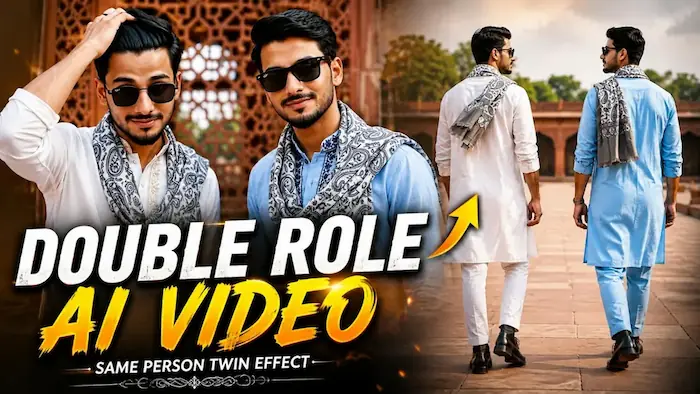
The Double Role video uses one uploaded reference photo to create two identical versions of the same person in a single cinematic frame. Both characters maintain the same face, hairstyle, skin tone, height, body structure, and natural proportions. Only their clothing details are different.
For the example shown on the tutorial page, one character wears a white kurta with light golden-beige embroidery, while the second wears a light-blue kurta with dark navy embroidery. Both wear a grey-and-white paisley muffler, matching jelly-sole boots, and black watches. The mufflers and outfits remain consistent throughout the video.
Open Flow AI and upload a clear reference photo. Copy and paste the complete Double Role AI Video Prompt. The video is designed in a 16:9 landscape format at 1080p with smooth cinematic movement. All eight scenes remain in the same red-sandstone heritage monument courtyard, keeping the architecture, lighting, background, and warm-neutral color grade consistent.
The eight scenes include synchronized walking shots, wristwatch close-ups, a rear courtyard view, confident sunglasses shots, a hair-adjusting close-up, both characters walking toward the camera, a smiling interaction between the two versions, and a final wide hero pose. After generation, carefully check facial identity, hands, fingers, body anatomy, camera movement, lighting, and background consistency.
2. Create a Luxury Bridal Couple AI Photo
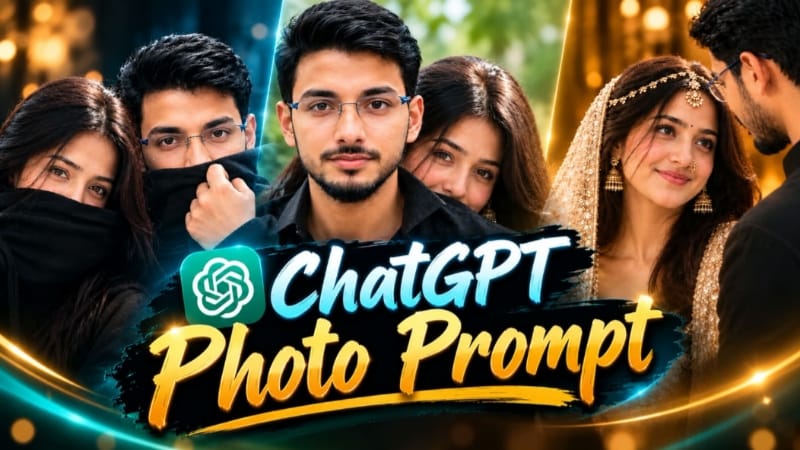
For the bridal portrait, use a clear original couple photograph as the primary reference. The main goal is to preserve both people’s real faces, skin tones, hairstyles, body proportions, and recognizable features rather than redesigning their appearance.
Open ChatGPT’s image-generation feature and upload the couple photo. Paste the complete bridal AI photo prompt. The composition places the woman in the foreground with the man closely behind or beside her. She looks toward him with a soft, loving expression while he looks down toward her naturally.
The bridal styling includes a luxurious cream-and-gold embellished outfit, embroidered dupatta, matha-patti, gold jhumka earrings, nath, bindi, and detailed bridal makeup. The man wears a simple black outfit. The background uses a warm, softly blurred brown indoor environment with golden ambient lighting.
For the premium photographic look, use a 4:5 composition with an 85mm DSLR-style portrait effect and extreme shallow depth of field. Natural pores, hair strands, embroidery, fabric texture, and realistic jewelry reflections should remain visible. Avoid plastic skin, excessive beauty filters, artificial facial changes, or an obvious AI-generated appearance.
Final Result
By combining strong identity-lock instructions with consistent styling, lighting, composition, and camera direction, you can create both a realistic same-person twin video and a premium cinematic wedding portrait. Always inspect the final output closely and regenerate when facial identity, hands, jewelry, anatomy, or background consistency needs improvement.