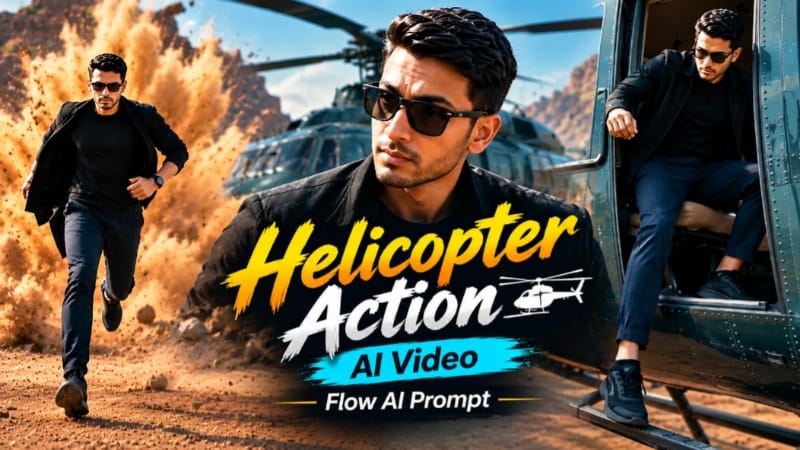
Helicopter Entry Action AI Video | Gangster Style Quarry Walk | Flow AI Prompt ek cinematic action-style AI video concept hai, jisme helicopter entry aur quarry location ko combine karke ek powerful cinematic walking sequence create kiya ja sakta hai.
Flow AI Prompt ki help se aap apni clear reference photo ko use karke character ko helicopter se cinematic entry karte hue aur quarry environment mein stylish walk karte hue show kar sakte hain. Helicopter, rocky quarry, open landscape, dramatic lighting aur smooth camera movement video ko premium action-film style look dete hain.
Is AI video ka main focus confident walking style, cinematic camera angles, realistic environment aur smooth character movement par hai. Helicopter landing ya entry shot ke baad character ko quarry location mein walking sequence ke saath connect kiya ja sakta hai. Wide shots, tracking shots, slow-motion movement aur dramatic lighting overall video ko engaging cinematic appearance dete hain.
Reference photo ka use character ki appearance ko consistent rakhne mein help karta hai. Detailed Flow AI prompt ke through outfit, hairstyle, face appearance, location, camera movement aur lighting jaise elements ko clearly define kiya ja sakta hai.
Ye Helicopter Entry Action AI Video Instagram Reels, YouTube Shorts aur other short-form social media content ke liye suitable hai. Flow AI ke through photo-to-video generation ka use karke aap apni normal reference photo se ek cinematic action-style video create kar sakte hain.
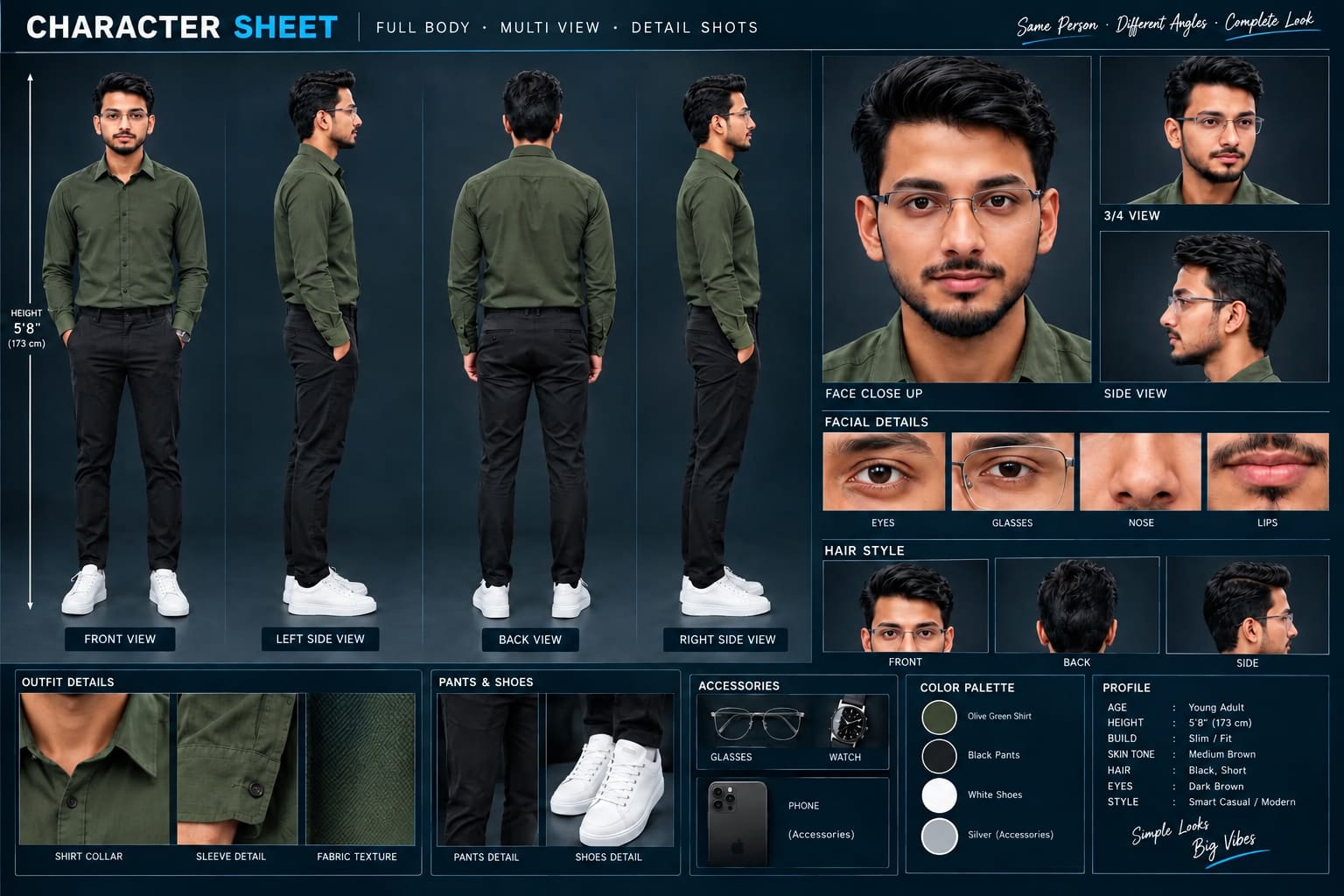
Sabse Pehle Character Sheet Photo Banaai ChatGPT Se
A premium, professional, ultra-photorealistic full-body character reference sheet for the person identified in the uploaded photo. The sheet is presented in a clean professional studio environment with a dark, luxury background. The character's identity, facial features, skin tone, body proportions, hairstyle, and transparent-frame glasses are perfectly consistent with the reference photo. The character is wearing the exact outfit from the reference: a mustard-yellow polo shirt with white piping, black slim-fit pants, and white sneakers. The layout is an elegant grid containing: 1. Full-body front view, 2. Full-body left side view, 3. Full-body back view, 4. Full-body right side view. 5. Large face close-up, 6. 3/4 face view, 7. Side-profile face view. 8. Detailed eye, glasses, nose, and lips reference crops. 9. Hair front, back, and side reference. 10. Shirt collar, sleeve, and fabric texture details. 11. Pants and sneaker detail shots. 12. Accessories reference. All views depict the same person with high-end cinematic lighting, extremely sharp facial details, realistic skin texture, natural hair strands, realistic fabric texture, accurate clothing stitching, and physically accurate lighting with subtle shadows. The full body is completely visible in all turnaround views, including both shoes. The presentation features sophisticated typography, thin clean borders, and balanced spacing. No watermarks, cartoons, or distortions are present.
A premium, professional, ultra-photorealistic full-body character reference sheet for the person identified in the uploaded photo. The sheet is presented in a clean professional studio environment with a dark, luxury background. The character's identity, facial features, skin tone, body proportions, hairstyle, and transparent-frame glasses are perfectly consistent with the reference photo. The character is wearing the exact outfit from the reference: a mustard-yellow polo shirt with white piping, black slim-fit pants, and white sneakers. The layout is an elegant grid containing: 1. Full-body front view, 2. Full-body left side view, 3. Full-body back view, 4. Full-body right side view. 5. Large face close-up, 6. 3/4 face view, 7. Side-profile face view. 8. Detailed eye, glasses, nose, and lips reference crops. 9. Hair front, back, and side reference. 10. Shirt collar, sleeve, and fabric texture details. 11. Pants and sneaker detail shots. 12. Accessories reference. All views depict the same person with high-end cinematic lighting, extremely sharp facial details, realistic skin texture, natural hair strands, realistic fabric texture, accurate clothing stitching, and physically accurate lighting with subtle shadows. The full body is completely visible in all turnaround views, including both shoes. The presentation features sophisticated typography, thin clean borders, and balanced spacing. No watermarks, cartoons, or distortions are present.
✓
Prompt copied to clipboard!
AI Video Prompt
✦AI PHOTO PROMPT
A premium, professional, ultra-photorealistic full-body character reference sheet for the person identified in the uploaded photo. The sheet is presented in a clean professional studio environment with a dark, luxury background. The character's identity, facial features, skin tone, body proportions, hairstyle, and transparent-frame glasses are perfectly consistent with the reference photo. The character is wearing the exact outfit from the reference: a mustard-yellow polo shirt with white piping, black slim-fit pants, and white sneakers. The layout is an elegant grid containing: 1. Full-body front view, 2. Full-body left side view, 3. Full-body back view, 4. Full-body right side view. 5. Large face close-up, 6. 3/4 face view, 7. Side-profile face view. 8. Detailed eye, glasses, nose, and lips reference crops. 9. Hair front, back, and side reference. 10. Shirt collar, sleeve, and fabric texture details. 11. Pants and sneaker detail shots. 12. Accessories reference. All views depict the same person with high-end cinematic lighting, extremely sharp facial details, realistic skin texture, natural hair strands, realistic fabric texture, accurate clothing stitching, and physically accurate lighting with subtle shadows. The full body is completely visible in all turnaround views, including both shoes. The presentation features sophisticated typography, thin clean borders, and balanced spacing. No watermarks, cartoons, or distortions are present.
A premium, professional, ultra-photorealistic full-body character reference sheet for the person identified in the uploaded photo. The sheet is presented in a clean professional studio environment with a dark, luxury background. The character's identity, facial features, skin tone, body proportions, hairstyle, and transparent-frame glasses are perfectly consistent with the reference photo. The character is wearing the exact outfit from the reference: a mustard-yellow polo shirt with white piping, black slim-fit pants, and white sneakers. The layout is an elegant grid containing: 1. Full-body front view, 2. Full-body left side view, 3. Full-body back view, 4. Full-body right side view. 5. Large face close-up, 6. 3/4 face view, 7. Side-profile face view. 8. Detailed eye, glasses, nose, and lips reference crops. 9. Hair front, back, and side reference. 10. Shirt collar, sleeve, and fabric texture details. 11. Pants and sneaker detail shots. 12. Accessories reference. All views depict the same person with high-end cinematic lighting, extremely sharp facial details, realistic skin texture, natural hair strands, realistic fabric texture, accurate clothing stitching, and physically accurate lighting with subtle shadows. The full body is completely visible in all turnaround views, including both shoes. The presentation features sophisticated typography, thin clean borders, and balanced spacing. No watermarks, cartoons, or distortions are present.
✓
Prompt copied to clipboard!
AI Action Video Prompt Card
✦AI VIDEO PROMPT
Use the uploaded reference photo for the man's face, hairstyle, skin tone, body build and height. Keep identity exactly same as reference photo — no alteration to face, body, or hairstyle in any scene. Keep the person's body proportions natural and realistic, matching the exact build shown in the reference photo. Outfit: navy blue trousers and black sneakers during the helicopter exit; a black jacket/top over navy jogger pants, black sneakers, black sunglasses, and a black wristwatch for the middle scenes; by the dust-explosion scene, the jacket has been removed and is held in his hand, revealing a black t-shirt underneath, until it is thrown at the end.
Use the uploaded reference photo for the man's face, hairstyle, skin tone, body build and height. Keep identity exactly same as reference photo — no alteration to face, body, or hairstyle in any scene.
Keep the person's body proportions natural and realistic, matching the exact build shown in the reference photo.
Outfit: navy blue trousers and black sneakers during the helicopter exit; a black jacket/top over navy jogger pants, black sneakers, black sunglasses, and a black wristwatch for the middle scenes; by the dust-explosion scene, the jacket has been removed and is held in his hand, revealing a black t-shirt underneath, until it is thrown at the end.
Location (same throughout, do not change): a dramatic red-earth quarry terrain with layered rust-colored rock formations, a dark green helicopter with a visible tail rotor assembly, an old rustic iron gate with a decorative padlock and chain, a parked jeep with a side mirror and antenna, small eroded dirt-mound rock formations, a convoy of black motorcycles, dust effects in the air, bright natural daylight with a pale sky.
Color grade: cinematic warm-toned action-movie grade, rich reds and earthy browns, high contrast, sharp dramatic detail, consistent across all scenes.
Create exactly 17 cinematic scenes in this precise order:
Scene 1: Extreme close-up of the man's leg and black sneaker stepping down inside the helicopter's open door, navy trousers visible, his foot landing on the metal skid; he then peeks through the narrowly-opened door, gripping the door handle, sunglasses on, looking down and outward.
Scene 2: Close-up shot, the man looking up and to the side with a calm intense expression, black jacket visible, helicopter structure softly blurred behind him.
Scene 3: Wide shot, the man jogging away from the helicopter across the red terrain, the main rotor blade sweeping across the frame, red terraced quarry wall in the background.
Scene 4: Close-up detail shot of the helicopter's tail rotor and antenna assembly in sharp focus, with the man visible as a small blurred silhouette walking far in the deep background on the red terrain.
Scene 5: Close-up low-angle shot of the man's face, sunglasses on, calm expression, the helicopter's tail structure blurred at the top of the frame, open sky behind him.
Scene 6: Full body medium shot, the man walking confidently, touching his collar/beard with one hand, black top and navy joggers, terraced red-rock quarry wall behind him.
Scene 7: Close-up shot, the man adjusting his collar with both hands, looking to the side, the helicopter's rotor blade blurred diagonally behind him.
Scene 8: Close-up shot of an old ornate padlock and chain hanging locked on the iron gate; the same padlock and chain then shown unlocked and lying on the red ground near his feet.
Scene 9: His hand reaching out and pushing the iron gate open, wristwatch clearly visible.
Scene 10: A low, worm's-eye-view shot from ground level looking up at the gate swinging open, his legs and shoes visible in silhouette behind it, red terrain glowing warm in the gap.
Scene 11: Extreme close-up macro shot of the man's face, sunglasses on, calm intense expression, then pulling back slightly to a tighter portrait framing, warm sunlight on his skin.
Scene 12: Wide shot, the man standing in an open area with small eroded dirt-mound rock formations scattered around him, first spreading both arms out wide, then settling into a hands-on-hips confident stance, vast pale sky above him.
Scene 13: Close-up shot, the man looking downward thoughtfully, a parked jeep's side mirror and thin antenna visible and slightly out of focus in the foreground, red terrain blurred behind him.
Scene 14: Dynamic action shot, the man running toward the camera with a large dust explosion bursting in the red terrain behind him, his black jacket already removed and swinging loosely in one hand, black t-shirt and flexed arms visible.
Scene 15: Close-up shot, the man throwing the jacket directly toward the camera with a sharp confident expression, motion blur on the jacket, warm red terrain blurred behind him.
Scene 16: Wide cinematic shot framed with a dark circular vignette, a convoy of black motorcycles with riders performing a wheelie in the foreground, the man running through the center of the convoy, thick dust clouds in the air, red rocky terrain and green hills in the background.
Scene 17: Close-up shot, the man walking confidently through the motorcycle convoy, hands resting near his pockets, calm swagger, motorcycles and riders softly blurred behind him.
Format: 9:16 vertical, 1080p resolution, cinematic action-movie pacing with dynamic camera movement throughout, same location and color grade maintained from Scene 1 to Scene 17.
Watermark: small semi-transparent text "NoorEditing07" in the bottom-right corner, visible consistently across all 17 scenes.
✓
Prompt copied to clipboard!
AI Action Video Prompt Card
✦AI VIDEO PROMPT
Use the uploaded reference photo for the man's face, hairstyle, skin tone, body build and height. Keep identity exactly same as reference photo — no alteration to face, body, or hairstyle in any scene. Keep the person's body proportions natural and realistic, matching the exact build shown in the reference photo. Outfit: navy blue trousers and black sneakers during the helicopter exit; a black jacket/top over navy jogger pants, black sneakers, black sunglasses, and a black wristwatch for the middle scenes; by the dust-explosion scene, the jacket has been removed and is held in his hand, revealing a black t-shirt underneath, until it is thrown at the end.
Use the uploaded reference photo for the man's face, hairstyle, skin tone, body build and height. Keep identity exactly same as reference photo — no alteration to face, body, or hairstyle in any scene.
Keep the person's body proportions natural and realistic, matching the exact build shown in the reference photo.
Outfit: navy blue trousers and black sneakers during the helicopter exit; a black jacket/top over navy jogger pants, black sneakers, black sunglasses, and a black wristwatch for the middle scenes; by the dust-explosion scene, the jacket has been removed and is held in his hand, revealing a black t-shirt underneath, until it is thrown at the end.
Location (same throughout, do not change): a dramatic red-earth quarry terrain with layered rust-colored rock formations, a dark green helicopter with a visible tail rotor assembly, an old rustic iron gate with a decorative padlock and chain, a parked jeep with a side mirror and antenna, small eroded dirt-mound rock formations, a convoy of black motorcycles, dust effects in the air, bright natural daylight with a pale sky.
Color grade: cinematic warm-toned action-movie grade, rich reds and earthy browns, high contrast, sharp dramatic detail, consistent across all scenes.
Create exactly 17 cinematic scenes in this precise order:
Scene 1: Extreme close-up of the man's leg and black sneaker stepping down inside the helicopter's open door, navy trousers visible, his foot landing on the metal skid; he then peeks through the narrowly-opened door, gripping the door handle, sunglasses on, looking down and outward.
Scene 2: Close-up shot, the man looking up and to the side with a calm intense expression, black jacket visible, helicopter structure softly blurred behind him.
Scene 3: Wide shot, the man jogging away from the helicopter across the red terrain, the main rotor blade sweeping across the frame, red terraced quarry wall in the background.
Scene 4: Close-up detail shot of the helicopter's tail rotor and antenna assembly in sharp focus, with the man visible as a small blurred silhouette walking far in the deep background on the red terrain.
Scene 5: Close-up low-angle shot of the man's face, sunglasses on, calm expression, the helicopter's tail structure blurred at the top of the frame, open sky behind him.
Scene 6: Full body medium shot, the man walking confidently, touching his collar/beard with one hand, black top and navy joggers, terraced red-rock quarry wall behind him.
Scene 7: Close-up shot, the man adjusting his collar with both hands, looking to the side, the helicopter's rotor blade blurred diagonally behind him.
Scene 8: Close-up shot of an old ornate padlock and chain hanging locked on the iron gate; the same padlock and chain then shown unlocked and lying on the red ground near his feet.
Scene 9: His hand reaching out and pushing the iron gate open, wristwatch clearly visible.
Scene 10: A low, worm's-eye-view shot from ground level looking up at the gate swinging open, his legs and shoes visible in silhouette behind it, red terrain glowing warm in the gap.
Scene 11: Extreme close-up macro shot of the man's face, sunglasses on, calm intense expression, then pulling back slightly to a tighter portrait framing, warm sunlight on his skin.
Scene 12: Wide shot, the man standing in an open area with small eroded dirt-mound rock formations scattered around him, first spreading both arms out wide, then settling into a hands-on-hips confident stance, vast pale sky above him.
Scene 13: Close-up shot, the man looking downward thoughtfully, a parked jeep's side mirror and thin antenna visible and slightly out of focus in the foreground, red terrain blurred behind him.
Scene 14: Dynamic action shot, the man running toward the camera with a large dust explosion bursting in the red terrain behind him, his black jacket already removed and swinging loosely in one hand, black t-shirt and flexed arms visible.
Scene 15: Close-up shot, the man throwing the jacket directly toward the camera with a sharp confident expression, motion blur on the jacket, warm red terrain blurred behind him.
Scene 16: Wide cinematic shot framed with a dark circular vignette, a convoy of black motorcycles with riders performing a wheelie in the foreground, the man running through the center of the convoy, thick dust clouds in the air, red rocky terrain and green hills in the background.
Scene 17: Close-up shot, the man walking confidently through the motorcycle convoy, hands resting near his pockets, calm swagger, motorcycles and riders softly blurred behind him.
Format: 9:16 vertical, 1080p resolution, cinematic action-movie pacing with dynamic camera movement throughout, same location and color grade maintained from Scene 1 to Scene 17.
Watermark: small semi-transparent text "NoorEditing07" in the bottom-right corner, visible consistently across all 17 scenes.
Sabse pehle ek clear high-quality reference photo select karein. Photo mein face aur overall appearance clearly visible honi chahiye. Ab Flow AI open karein aur supported image-to-video option select karein.
Reference photo upload karein aur Helicopter Entry Action AI Video Prompt ko copy karke prompt section mein paste karein. Prompt mein helicopter entry, quarry location, outfit, walking style, camera movement, lighting aur cinematic atmosphere ki details properly maintain karein.
Character ke face, hairstyle, body proportions aur outfit ko consistent rakhne ke liye reference photo aur identity preservation instructions ka use karein. Helicopter entry ke baad walking sequence ko smooth transition ke saath continue karne ke liye connected scene instructions maintain karein.
Video generate hone ke baad face consistency, outfit, helicopter movement, walking motion, quarry background aur camera movement ko carefully check karein. Agar kisi scene mein unwanted change ya unnatural movement aaye, to prompt ko refine karke video regenerate karein.
Final video ko 9:16 vertical format mein export karein. Iske baad aap ise Instagram Reels, YouTube Shorts aur other social media platforms par use kar sakte hain.
Helicopter Entry Action & Gangster Quarry Walk AI Video - Noor Editing
Helicopter entry action ai videohelicopter entry ai videogangster style quarry walkquarry walk ai videoflow ai promptflow ai action videogangster style ai videohelicopter action ai videocinematic action ai videoai photo to videoflow ai video promptgangster walk ai videocinematic walking videoai video editingtrending ai action video
Helicopter Entry Action & Gangster Quarry Walk AI Video - Noor Editing
Helicopter entry action ai videohelicopter entry ai videogangster style quarry walkquarry walk ai videoflow ai promptflow ai action videogangster style ai videohelicopter action ai videocinematic action ai videoai photo to videoflow ai video promptgangster walk ai videocinematic walking videoai video editingtrending ai action video
Romantic Rose Bike Ride, Moody Rooftop & Kashmir Dreamscape AI Editing Tutorial
AI editing can transform ordinary reference photos into romantic stories, cinematic editorial portraits, and breathtaking travel videos. This combined tutorial explains three creative concepts using Flow AI and ChatGPT, with a focus on realistic identity preservation, cinematic storytelling, and professional visual quality.
1. Romantic Rose Story – Bike Ride Love Story
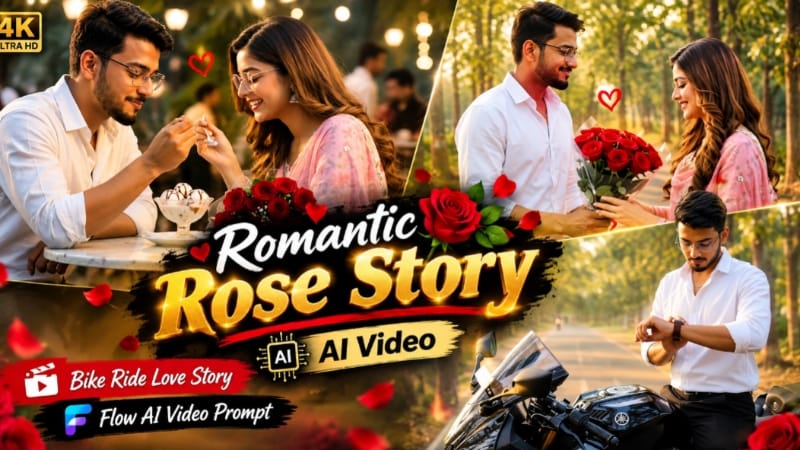
Start by preparing clear reference photos for the male and female characters. For better identity consistency, the page first recommends creating a detailed character-sheet reference in ChatGPT, showing the person's front, side, back, face, hair, clothing, and accessory details. The character styling includes a mustard-yellow polo shirt, black slim-fit pants, white sneakers, and transparent-frame glasses.
Next, open Flow AI and upload the required reference images. Paste the Romantic Rose Story video prompt and generate the connected cinematic sequence. The 13-scene story begins with a man beside a black sports motorcycle during golden hour and a woman walking along a scenic pathway. It continues with a wristwatch moment, a bouquet of red roses, the romantic rose presentation, a motorcycle ride, and a final cafe scene where the couple shares ice cream.
Use realistic movement, smooth camera tracking, natural expressions, HDR detail, and cinematic lighting. Before exporting, check faces, hands, motorcycle movement, roses, outfits, and background continuity. The page recommends arranging the final video in 9:16 for short-form social content.
2. Moody Rooftop Cinematic AI Photo
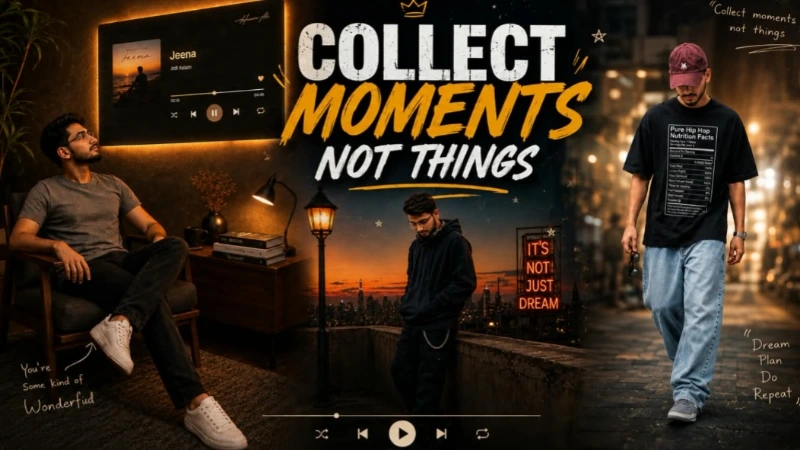
For the Moody Rooftop portrait, open ChatGPT and upload the original photograph as the primary identity reference. The prompt is designed to preserve the person's exact recognizable face, body structure, skin tone, hairstyle, and natural proportions.
The subject stands sideways beside a low rooftop wall during the transition from sunset to night. The styling includes a dark oversized hoodie, loose black cargo joggers with a chain detail, dark sneakers, and headphones around the neck. A city skyline appears in the background beneath a sky transitioning from deep navy to warm orange. A vintage street lamp, distant city lights, red neon accent, music-player interface, handwritten graphics, film grain, and poster-style details create the editorial atmosphere.
Generate the image in a 4:5 vertical composition with DSLR-style photography, realistic skin texture, natural fabric folds, shallow depth of field, and controlled vintage cinematic colour grading.
3. Kashmir Dreamscape Journey – Flow AI
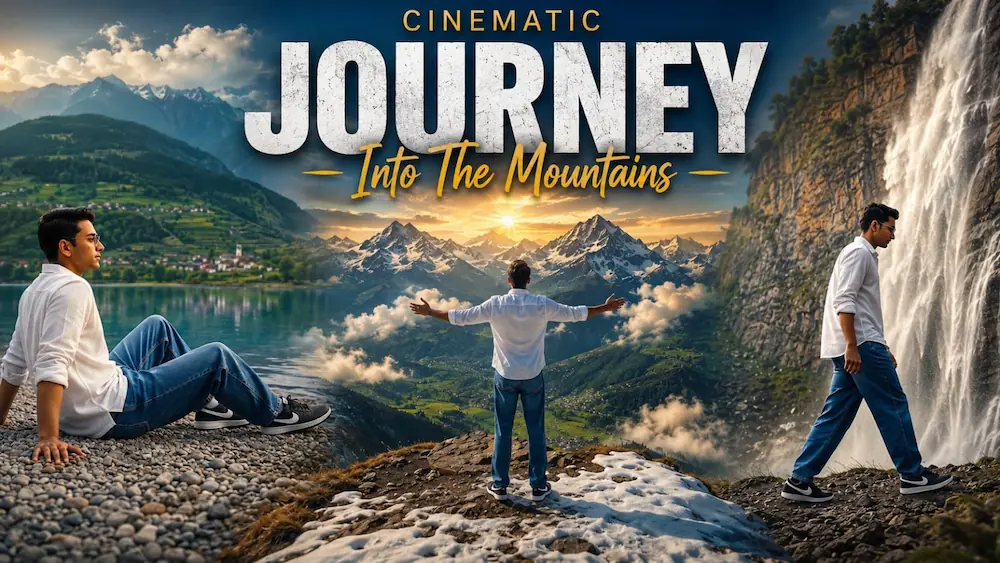
For the Kashmir Dreamscape video, upload one clear reference photo to Flow AI and use it as the exact identity source. The character remains in the same white full-sleeve shirt, baggy denim jeans, and black Nike sneakers throughout the complete journey.
The seven-scene sequence begins beside a turquoise mountain lake, followed by a peaceful seated lakeshore scene. The story then moves into an alpine flower meadow, where the subject opens both arms and touches wildflowers. The next scenes feature a dramatic waterfall viewpoint, a cinematic walk beside the waterfall, and a final aerial reveal at a snow-capped mountain viewpoint.
Select 16:9 landscape format and the highest available quality setting. Maintain the same face, body type, hairstyle, outfit, and natural appearance in every scene. Use dreamy blue-green cinematic grading, soft atmospheric haze, realistic water and mountain details, smooth transitions, and an ultra-realistic 8K travel-film look.
Final Result
These concepts cover romantic storytelling, vintage editorial photography, and cinematic mountain travel videos. For consistent results, always use clear reference photos, preserve exact identity and proportions, follow the required aspect ratio, and carefully inspect every generated scene for face, hands, clothing, movement, lighting, and background continuity.