Kashmir Autumn Chinar Forest and Pink Meadow AI Video Prompt
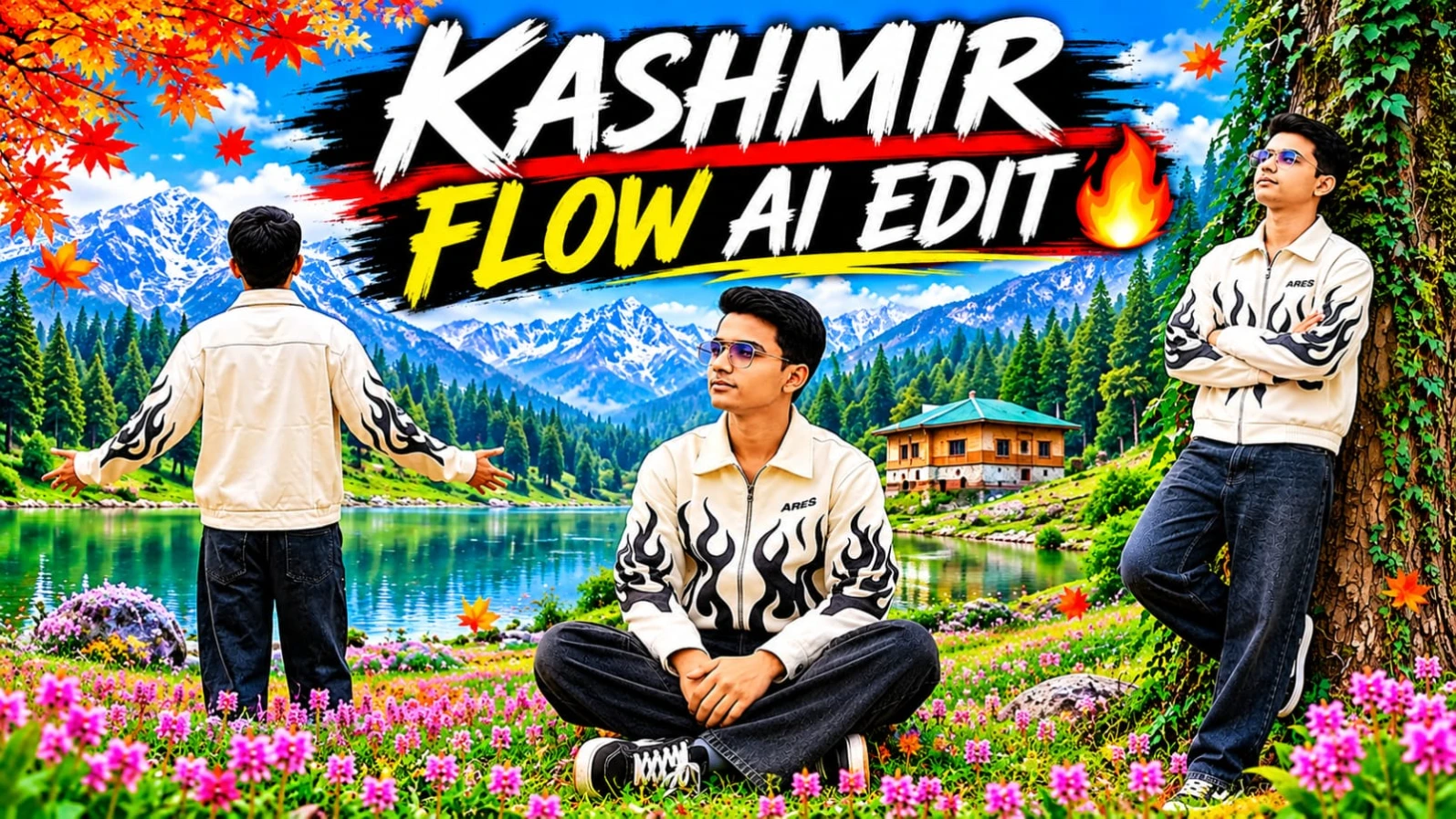
Experience the breathtaking beauty of Kashmir through this cinematic AI video prompt, featuring golden-orange autumn Chinar forests, peaceful woodland trails, vibrant pink alpine wildflowers, and majestic snow-capped Himalayan mountains. This concept is designed to create a realistic character-based travel video with nine carefully planned scenes, smooth camera movements, and beautiful natural landscapes.
The video begins in a stunning autumn forest where ancient Chinar trees create a golden canopy above a trail covered with fallen leaves. The character walks peacefully through the woodland, explores different camera angles, and poses beside a massive Chinar tree. The visual journey then transitions into a beautiful alpine meadow filled with pink wildflowers, green grass, pine-covered slopes, and distant snowy peaks.
The prompt is designed for creators who want to generate cinematic Kashmir travel footage using an uploaded reference photograph. Its most important requirement is maintaining the exact character identity and outfit throughout all nine scenes.
Kashmir Autumn Chinar Forest Environment
The first six scenes take place on a scenic Kashmir autumn forest trail.
The environment features towering ancient Chinar trees, thick tree trunks covered with moss and ivy, golden-orange foliage, and a pathway carpeted with fallen autumn leaves. Soft mist and balanced natural daylight create a peaceful cinematic woodland atmosphere.
The colour grading should highlight rich golden, orange, and warm brown autumn tones while keeping the character's face clearly visible. The lighting should remain soft and diffused without harsh glare, excessive contrast, or dark shadows.
Kashmir Alpine Meadow Environment
The final three scenes move into a completely different natural environment: a vast green alpine meadow.
The landscape features vibrant pink wildflowers, lush emerald-green grass, pine-forested mountain slopes, and majestic snow-capped Himalayan peaks. Soft cloudy skies and diffused daylight create a fresh, natural mountain atmosphere.
The transition from golden autumn woodland to a colourful alpine meadow gives the video visual variety and makes the overall journey feel like a cinematic Kashmir travel experience.
Character Identity and Outfit Lock
Upload a clear reference photograph before generating the video. Use it as the primary character reference.
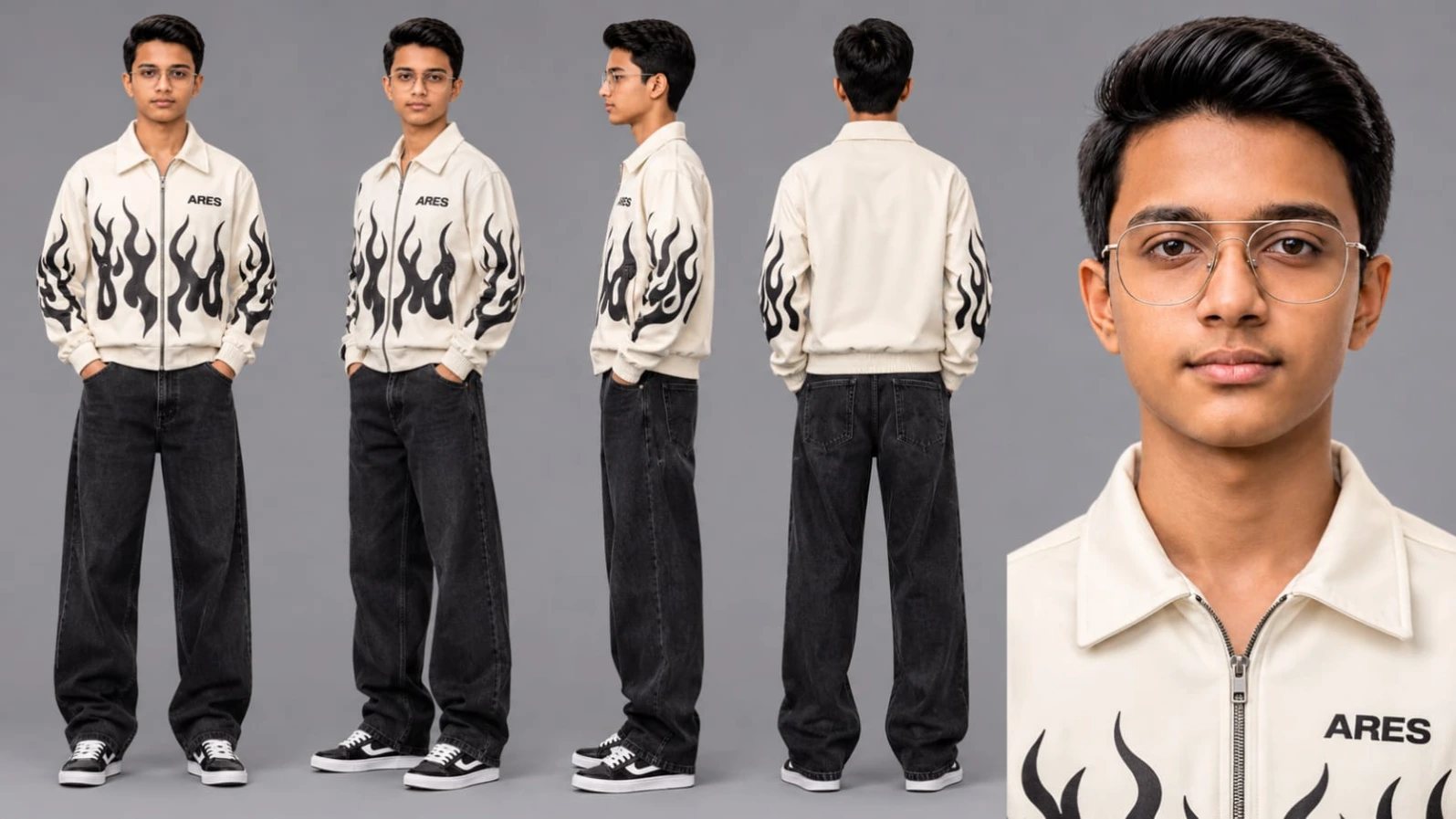
The AI must preserve the exact facial features, jawline, eyes, hairstyle, and natural skin tone across all nine scenes. The character should remain recognisable from every camera angle, including front-facing, side-profile, and back-view shots.
The outfit must remain identical throughout the video:
- Off-white collared zip-up jacket.
- Bold black flame graphics across the chest and sleeves.
- Small "ARES" chest print.
- Dark washed wide-leg baggy black denim jeans.
- Black-and-white skate sneakers with white laces.
Do not change the jacket design, flame graphics, chest print, jeans, or footwear. Avoid unexpected accessories, outfit replacements, facial morphing, and hairstyle changes.
Complete Nine-Scene Cinematic Sequence
The video contains nine scenes with a total requested duration of approximately 23.1 seconds.
Scene 1: Autumn Trail Front Walk (0:00–0:03)
The video opens with a medium-wide front tracking shot. The character walks calmly toward the camera along a forest trail covered with golden-orange fallen leaves. Towering Chinar trees surround the pathway. The character glances slightly sideways while keeping the face naturally illuminated.
Scene 2: Back-View Forest Stroll (0:03–0:04)
A medium back-view shot captures the character walking away along the golden forest trail. The character spreads both arms slightly outward in a relaxed gesture while moving into the soft forest mist.
Scene 3: Side-Profile Forest Crossing (0:05–0:06)
A wide side-tracking shot follows the character walking steadily toward the left. Small green pine shrubs and orange Chinar foliage create a layered natural background. Maintain realistic walking movement and consistent clothing.
Scene 4: Giant Chinar Trunk Lean (0:06–0:10)
The character leans back comfortably against the thick moss-and-ivy-covered trunk of a massive Chinar tree. The character crosses both arms and tilts the head slightly upward. The camera captures a medium full-body composition with clear facial details.
Scene 5: Wide Canopy Walk (0:10–0:12)
A wide low-angle shot shows the character walking forward beside a giant ancient Chinar trunk along the leaf-covered path. The character looks peacefully toward the side as the camera highlights the enormous tree canopy.
Scene 6: Close-Up Forest Approach (0:12–0:14)
A medium close-up tracking shot follows the character walking briskly toward the camera through golden autumn foliage. The character turns the head slightly, revealing the facial features and natural skin texture.
Scene 7: Alpine Slope Recline (0:14–0:17)
The setting transitions to a Kashmir alpine meadow. A wide side-profile shot shows the character sitting on a lush green grassy slope and slowly leaning backward with both hands behind the head. Dense pine forests and snow-capped Himalayan peaks fill the background.
Scene 8: Pink Wildflower Meadow Sit (0:17–0:20)
A low-angle, ground-level wide shot captures the character sitting cross-legged among blooming pink alpine wildflowers. The character looks upward toward soft clouds and distant snowy mountains. The foreground flowers create beautiful natural depth.
Scene 9: Wildflower Valley Walk (0:20–0:23)
The video ends with a back-to-profile medium-wide shot. The character walks peacefully across a meadow covered with pink wildflowers, moving toward pine-covered slopes and snow-capped peaks. The character turns the head slightly to reveal a clean facial profile.
Camera and Cinematic Visual Style
The video uses a vertical 9:16 composition with a cinematic DSLR-inspired appearance. Front tracking, back-view, side-profile, low-angle, and medium close-up shots provide different perspectives of the character and landscape.
The intended technical specifications include:
- Aspect ratio: 9:16 vertical.
- Visual quality target: 8K HDR.
- Motion target: 120fps.
- Camera style: Cinematic DSLR with prime-lens optics.
- Meadow scenes: Natural emerald greens and vibrant pink flowers.
- Shadows: Open and lifted, without black crush.
- Watermark: Static, subtle "NoorEditing07" in the bottom corner.
Actual output resolution and frame rate depend on the generation and export options supported by the selected tools.
Character Consistency and Realism
Maintaining the same character appearance is essential when generating nine separate scenes.
Use the uploaded reference photograph consistently wherever the video generator supports reference reuse. Repeat the identity-lock instructions and complete outfit description when generating individual clips.
Pay particular attention to the back-view and side-profile scenes. Even when the face is not fully visible, the hairstyle, body proportions, jacket, flame graphics, and jeans should remain consistent.
The character's walking, sitting, leaning, and turning movements should look physically natural. Avoid distorted hands, floating feet, artificial facial details, or unrealistic clothing movement.
Tips for Better Results
1. Upload a clear reference photograph with visible facial details.
2. Use the same character reference for all nine scenes.
3. Repeat the complete outfit description for individual scene generation.
4. Preserve the black flame graphics and small ARES chest print.
5. Keep the autumn forest colour palette consistent across Scenes 1–6.
6. Use natural pink flowers and emerald-green grass in Scenes 7–9.
7. Check facial identity in front-facing and side-profile shots.
8. Review the scene transition between the forest and alpine meadow.
9. Keep the watermark subtle and in the same bottom-corner position.
Frequently Asked Questions
How many scenes are included in this Kashmir AI video prompt?
The prompt includes nine scenes, covering a golden autumn Chinar forest and a pink wildflower alpine meadow.
Can I use my own photograph?
Yes. Upload your reference photograph and use it to guide the character's facial identity, hairstyle, skin tone, and appearance.
Which AI tool can generate this video?
Flow AI or another compatible AI video-generation tool can be used, depending on available reference-image and video-generation features.
What is the requested video duration?
The supplied scene sequence specifies approximately 23.1 seconds in total.
Does the outfit change between locations?
No. The same off-white ARES flame-graphic jacket, dark baggy jeans, and black-and-white skate sneakers must remain consistent in all nine scenes.
What watermark is included?
A subtle static watermark reading "NoorEditing07" is specified for the bottom corner.
Final Thoughts
The Kashmir Autumn Chinar Forest and Pink Meadow AI Video Prompt combines two beautiful natural environments into one cinematic travel experience. The golden-orange Chinar woodland provides a warm autumn atmosphere, while the pink wildflower meadow and snow-covered Himalayan peaks create a colourful mountain ending.
With careful reference-image use, consistent clothing instructions, realistic camera movements, and soft natural lighting, creators can build a visually engaging Kashmir-inspired AI travel video for their content platforms.
Sabse Pehle Character Sheet Photo Banaai ChatGPT Se
✦AI PHOTO PROMPT
Cinematic character turn-around model sheet, ultra-realistic 8K UHD, neutral grey studio backdrop, 16:9 aspect ratio. Lock 100% exact facial features, jawline, eyes, hairstyle, and natural skin tone from uploaded reference photo across all views. Outfit: Off-white collared zip-up jacket with bold black flame graphics and "ARES" chest print, dark washed wide-leg baggy black denim jeans, and black-and-white skate sneakers...
Cinematic character turn-around model sheet, ultra-realistic 8K UHD, neutral grey studio backdrop, 16:9 aspect ratio.
[STRICT FACE LOCK & IDENTITY]
Lock 100% exact facial features, jawline, eyes, hairstyle, and natural skin tone from uploaded reference photo across all views. Smooth DSLR skin texture, zero morphing or distortion, face evenly lit and clearly visible in every angle.
[OUTFIT & STYLING]
- Top: Off-white collared zip-up jacket featuring bold black flame graphics across the chest and sleeves, plus a small "ARES" chest print.
- Bottom: Dark washed wide-leg baggy black denim jeans.
- Footwear: Black-and-white skate sneakers with white laces.
- Wardrobe stays 100% identical across all views.
[MULTI-VIEW MODEL SHEET COMPOSITION]
Full-body multi-angle character reference sheet arranged side-by-side in one clean frame:
1. Full Front View: Standing upright, arms at sides, direct eye contact, showing front jacket flame graphics and "ARES" print.
2. 3/4 Profile: 45-degree angle showcasing side jawline, sleeve flame graphics, and baggy denim drape.
3. Profile View (90°): Clean side-profile shot displaying facial contour, sleeve graphic, and skate sneakers.
4. Back View: Direct rear angle displaying the back of the off-white zip-up jacket and wide-leg jeans cut.
5. Close-Up Headshot: Ultra-sharp 4K portrait highlighting natural eyes, skin pores, hairstyle, and jacket collar under balanced studio lighting.
[TECHNICAL SPECS]
Streetwear lookbook photography, 85mm f/1.4 lens, softbox three-point lighting, crisp fabric and print details, 8K resolution.
✓
Prompt copied to clipboard!
✦AI PHOTO PROMPT
Cinematic character turn-around model sheet, ultra-realistic 8K UHD, neutral grey studio backdrop, 16:9 aspect ratio. Lock 100% exact facial features, jawline, eyes, hairstyle, and natural skin tone from uploaded reference photo across all views. Outfit: Off-white collared zip-up jacket with bold black flame graphics and "ARES" chest print, dark washed wide-leg baggy black denim jeans, and black-and-white skate sneakers...
Cinematic character turn-around model sheet, ultra-realistic 8K UHD, neutral grey studio backdrop, 16:9 aspect ratio.
[STRICT FACE LOCK & IDENTITY]
Lock 100% exact facial features, jawline, eyes, hairstyle, and natural skin tone from uploaded reference photo across all views. Smooth DSLR skin texture, zero morphing or distortion, face evenly lit and clearly visible in every angle.
[OUTFIT & STYLING]
- Top: Off-white collared zip-up jacket featuring bold black flame graphics across the chest and sleeves, plus a small "ARES" chest print.
- Bottom: Dark washed wide-leg baggy black denim jeans.
- Footwear: Black-and-white skate sneakers with white laces.
- Wardrobe stays 100% identical across all views.
[MULTI-VIEW MODEL SHEET COMPOSITION]
Full-body multi-angle character reference sheet arranged side-by-side in one clean frame:
1. Full Front View: Standing upright, arms at sides, direct eye contact, showing front jacket flame graphics and "ARES" print.
2. 3/4 Profile: 45-degree angle showcasing side jawline, sleeve flame graphics, and baggy denim drape.
3. Profile View (90°): Clean side-profile shot displaying facial contour, sleeve graphic, and skate sneakers.
4. Back View: Direct rear angle displaying the back of the off-white zip-up jacket and wide-leg jeans cut.
5. Close-Up Headshot: Ultra-sharp 4K portrait highlighting natural eyes, skin pores, hairstyle, and jacket collar under balanced studio lighting.
[TECHNICAL SPECS]
Streetwear lookbook photography, 85mm f/1.4 lens, softbox three-point lighting, crisp fabric and print details, 8K resolution.
Cinematic 9:16 vertical 8K HDR 120fps ultra-realistic DSLR video in Kashmir's golden autumn Chinar woods and alpine wildflower meadows with snow-capped peaks, filmed under soft, balanced, overcast natural daylight. Outfit: off-white collared zip-up jacket with bold black flame graphics and "ARES" print, dark washed wide-leg baggy black denim jeans, and black-and-white skate sneakers[cite: 1]. 9 scenes sequence across golden Chinar trails and pink wildflower meadows. Watermark: NoorEditing07.
Cinematic 9:16 vertical 8K HDR 120fps ultra-realistic DSLR video in Kashmir's golden autumn Chinar woods and alpine wildflower meadows with snow-capped peaks, filmed under soft, balanced, overcast natural daylight with zero harsh glare and zero dark shadows.
[IDENTITY & FACE LOCK]
Strictly lock 100% facial features, jawline, eyes, hairstyle, and natural skin tone from the uploaded user/audience reference photo across all 9 scenes. Ultra-smooth, clear, natural DSLR skin texture, zero morphing, no facial drifting, face evenly lit and clearly visible in every shot.
[SINGLE CONSISTENT OUTFIT (FROM UPLOADED IMAGE)]
Exact same outfit across all 9 scenes: off-white collared zip-up jacket with bold black flame graphics across the chest and sleeves and small "ARES" chest print, dark washed wide-leg baggy black denim jeans, and black-and-white skate sneakers with white laces.
[LOCATIONS]
- Part 1 (Scenes 1–6): Scenic Kashmir autumn Chinar forest trail carpeted with golden-orange fallen leaves, towering ancient Chinar tree trunks, misty golden-hour forest light.
- Part 2 (Scenes 7–9): Vast Kashmir alpine green meadow carpeted with vibrant pink wildflowers, pine-forested slopes, and majestic snow-capped Himalayan peaks under soft diffused cloudy skies.
[ALL 9 EXACT MATCHED SCENES (23.1s)]
- Scene 1 (0:00-0:03 | Autumn Trail Front Walk): Medium-wide front tracking shot; walks calmly forward along the leaf-covered forest trail under towering golden Chinar trees, glancing slightly sideways with a clearly lit face.
- Scene 2 (0:03-0:04 | Back-View Forest Stroll): Back-view medium shot; walks away down the golden leaf trail, spreading arms slightly outward in a relaxed gesture into the soft forest mist.
- Scene 3 (0:05-0:06 | Side-Profile Forest Crossing): Wide side tracking shot; walks steadily left across the autumn leaf ground past small green pine shrubs and orange Chinar foliage.
- Scene 4 (0:06-0:10 | Giant Chinar Trunk Lean): Medium full-body shot; leans back relaxed against the thick moss-and-ivy-covered trunk of a massive Chinar tree with arms crossed, tilting head slightly upward, face crisp and illuminated.
- Scene 5 (0:10-0:12 | Wide Canopy Walk): Wide low-angle shot; walks forward beside a giant ancient Chinar trunk on the leaf-strewn path, looking peacefully toward the side.
- Scene 6 (0:12-0:14 | Close-Up Forest Approach): Medium close-up tracking shot; walks briskly toward camera through golden autumn foliage, turning head slightly to reveal sharp facial features and smooth skin.
- Scene 7 (0:14-0:17 | Alpine Slope Recline): Wide side-profile shot in Kashmir alpine meadow; sits on lush green grass slope, slowly leaning back with hands behind head while gazing out at dense pine forests and snow-capped peaks.
- Scene 8 (0:17-0:20 | Pink Wildflower Meadow Sit): Low-angle ground-level wide shot surrounded by blooming pink alpine wildflowers; sits cross-legged on the grassy meadow looking up toward soft clouds and distant snowy mountains.
- Scene 9 (0:20-0:23 | Wildflower Valley Walk): Back-to-profile medium-wide shot; walks peacefully across the pink-wildflower-covered alpine meadow toward pine-covered slopes and snow-capped peaks, turning head slightly to show clean facial profile.
[COLOR & TECHNICAL]
Soft diffused daylight color grading, rich golden autumn tones in scenes 1–6, vibrant natural emerald greens and pink wildflowers in scenes 7–9, open lifted shadows with zero black crush, 8K DSLR prime lens optics, creamy shallow depth of field, 120fps smooth motion, 9:16 vertical ratio. Static subtle watermark 'NoorEditing07' placed cleanly in the bottom corner.
✓
Prompt copied to clipboard!
✦AI VIDEO PROMPT
Cinematic 9:16 vertical 8K HDR 120fps ultra-realistic DSLR video in Kashmir's golden autumn Chinar woods and alpine wildflower meadows with snow-capped peaks, filmed under soft, balanced, overcast natural daylight. Outfit: off-white collared zip-up jacket with bold black flame graphics and "ARES" print, dark washed wide-leg baggy black denim jeans, and black-and-white skate sneakers[cite: 1]. 9 scenes sequence across golden Chinar trails and pink wildflower meadows. Watermark: NoorEditing07.
Cinematic 9:16 vertical 8K HDR 120fps ultra-realistic DSLR video in Kashmir's golden autumn Chinar woods and alpine wildflower meadows with snow-capped peaks, filmed under soft, balanced, overcast natural daylight with zero harsh glare and zero dark shadows.
[IDENTITY & FACE LOCK]
Strictly lock 100% facial features, jawline, eyes, hairstyle, and natural skin tone from the uploaded user/audience reference photo across all 9 scenes. Ultra-smooth, clear, natural DSLR skin texture, zero morphing, no facial drifting, face evenly lit and clearly visible in every shot.
[SINGLE CONSISTENT OUTFIT (FROM UPLOADED IMAGE)]
Exact same outfit across all 9 scenes: off-white collared zip-up jacket with bold black flame graphics across the chest and sleeves and small "ARES" chest print, dark washed wide-leg baggy black denim jeans, and black-and-white skate sneakers with white laces.
[LOCATIONS]
- Part 1 (Scenes 1–6): Scenic Kashmir autumn Chinar forest trail carpeted with golden-orange fallen leaves, towering ancient Chinar tree trunks, misty golden-hour forest light.
- Part 2 (Scenes 7–9): Vast Kashmir alpine green meadow carpeted with vibrant pink wildflowers, pine-forested slopes, and majestic snow-capped Himalayan peaks under soft diffused cloudy skies.
[ALL 9 EXACT MATCHED SCENES (23.1s)]
- Scene 1 (0:00-0:03 | Autumn Trail Front Walk): Medium-wide front tracking shot; walks calmly forward along the leaf-covered forest trail under towering golden Chinar trees, glancing slightly sideways with a clearly lit face.
- Scene 2 (0:03-0:04 | Back-View Forest Stroll): Back-view medium shot; walks away down the golden leaf trail, spreading arms slightly outward in a relaxed gesture into the soft forest mist.
- Scene 3 (0:05-0:06 | Side-Profile Forest Crossing): Wide side tracking shot; walks steadily left across the autumn leaf ground past small green pine shrubs and orange Chinar foliage.
- Scene 4 (0:06-0:10 | Giant Chinar Trunk Lean): Medium full-body shot; leans back relaxed against the thick moss-and-ivy-covered trunk of a massive Chinar tree with arms crossed, tilting head slightly upward, face crisp and illuminated.
- Scene 5 (0:10-0:12 | Wide Canopy Walk): Wide low-angle shot; walks forward beside a giant ancient Chinar trunk on the leaf-strewn path, looking peacefully toward the side.
- Scene 6 (0:12-0:14 | Close-Up Forest Approach): Medium close-up tracking shot; walks briskly toward camera through golden autumn foliage, turning head slightly to reveal sharp facial features and smooth skin.
- Scene 7 (0:14-0:17 | Alpine Slope Recline): Wide side-profile shot in Kashmir alpine meadow; sits on lush green grass slope, slowly leaning back with hands behind head while gazing out at dense pine forests and snow-capped peaks.
- Scene 8 (0:17-0:20 | Pink Wildflower Meadow Sit): Low-angle ground-level wide shot surrounded by blooming pink alpine wildflowers; sits cross-legged on the grassy meadow looking up toward soft clouds and distant snowy mountains.
- Scene 9 (0:20-0:23 | Wildflower Valley Walk): Back-to-profile medium-wide shot; walks peacefully across the pink-wildflower-covered alpine meadow toward pine-covered slopes and snow-capped peaks, turning head slightly to show clean facial profile.
[COLOR & TECHNICAL]
Soft diffused daylight color grading, rich golden autumn tones in scenes 1–6, vibrant natural emerald greens and pink wildflowers in scenes 7–9, open lifted shadows with zero black crush, 8K DSLR prime lens optics, creamy shallow depth of field, 120fps smooth motion, 9:16 vertical ratio. Static subtle watermark 'NoorEditing07' placed cleanly in the bottom corner.
How to Create a Kashmir Autumn Chinar Forest and Pink Meadow AI Video
Follow these steps to create your nine-scene cinematic Kashmir video using your uploaded reference photograph and the supplied AI video prompt.
Step 1: Prepare Your Reference Photograph
Choose a clear, high-quality photograph of the person who will appear in the video.
The face should be visible, with the eyes, jawline, hairstyle, and natural skin tone easy to recognise. Avoid heavily filtered photographs or images with strong shadows across the face.
This image will act as the primary character reference for all nine scenes.
Step 2: Check the Character's Outfit
Before generating the video, carefully review the outfit shown in your reference photograph.
The required outfit consists of an off-white collared zip-up jacket with bold black flame graphics across the chest and sleeves, a small ARES chest print, dark washed wide-leg baggy black denim jeans, and black-and-white skate sneakers with white laces.
The outfit must remain unchanged in both the autumn forest and alpine meadow locations.
Step 3: Open Flow AI
Open Flow AI and enter the available video-generation workflow.
Choose a generation option that supports text prompts and reference images, if available. The exact interface, model options, and generation controls may differ depending on your account and the current platform version.
Step 4: Upload the Character Reference
Upload the prepared reference photograph.
Add the identity-lock instructions to preserve the exact facial features, jawline, eyes, hairstyle, and skin tone.
Make it clear that the same person must appear in all nine scenes. Avoid relying on a general character description alone when a reference image is available.
Step 5: Set the Video Format
Use the requested creative specifications:
- Aspect ratio: 9:16 vertical.
- Visual target: 8K HDR.
- Motion target: 120fps.
- Camera style: DSLR-inspired cinematic footage.
- Lighting: Soft, balanced natural daylight.
- Shadows: Open and lifted.
- Depth of field: Shallow cinematic focus.
Choose the highest resolution and frame rate actually supported by the generation tool and your final export workflow.
Step 6: Prepare the Autumn Chinar Forest
For Scenes 1–6, establish the first location.
Describe towering ancient Chinar trees, golden-orange foliage, fallen leaves covering the trail, thick mossy trunks, and soft forest mist.
Keep the lighting diffused and balanced. The forest should look bright and detailed rather than dark or heavily contrasted.
Step 7: Generate Scene 1 – Autumn Trail Front Walk
Create the medium-wide front tracking shot.
The character walks calmly toward the camera along the leaf-covered trail. Add towering golden Chinar trees and a subtle sideways glance.
Check the face, outfit, and walking movement before accepting the generated result.
Step 8: Generate Scene 2 – Back-View Forest Stroll
Generate the medium back-view shot.
The character walks away from the camera and spreads both arms slightly outward in a relaxed gesture.
Maintain the same jacket, jeans, and sneakers. The soft mist should add atmosphere without hiding the character.
Step 9: Generate Scene 3 – Side-Profile Forest Crossing
Create the wide side-tracking shot.
The character walks toward the left across the autumn forest trail. Include small green pine shrubs and orange Chinar foliage.
Check the character's side profile and make sure the clothing graphics remain consistent.
Step 10: Generate Scene 4 – Giant Chinar Trunk Lean
Create the medium full-body shot beside a massive Chinar tree.
The character leans back against the moss-and-ivy-covered trunk with arms crossed and head slightly tilted upward.
Ensure that the character's face is clearly illuminated and the full outfit is visible.
Step 11: Generate Scene 5 – Wide Canopy Walk
Generate a wide low-angle shot.
The character walks forward beside a giant ancient Chinar trunk while looking peacefully toward the side.
Use the low camera position to show the scale of the tree and the golden forest canopy.
Step 12: Generate Scene 6 – Close-Up Forest Approach
Create the medium close-up tracking shot.
The character walks briskly toward the camera through golden autumn foliage and turns the head slightly.
Focus on sharp facial features, realistic skin texture, and natural walking movement.
Step 13: Prepare the Alpine Meadow Location
The second part of the video changes from autumn woodland to a wide Kashmir alpine meadow.
The colour grading should become fresh and vibrant while keeping the lighting natural.
Step 14: Generate Scene 7 – Alpine Slope Recline
Create the wide side-profile shot.
The character sits on the green grassy slope and slowly leans back with both hands behind the head.
Keep the pine forests and snow-covered peaks visible in the background. The movement should be relaxed and realistic.
Step 15: Generate Scene 8 – Pink Wildflower Meadow Sit
Generate the low-angle ground-level wide shot.
The character sits cross-legged among pink alpine wildflowers and looks upward toward the clouds and snowy mountains.
Include flowers in the foreground to create natural depth without covering the character.
Step 16: Generate Scene 9 – Wildflower Valley Walk
Create the final back-to-profile medium-wide shot.
The character walks peacefully through the pink-flower-covered meadow toward pine-covered slopes and snow-capped peaks.
Add a slight head turn to reveal the facial profile. The ending should feel calm and cinematic.
Step 17: Check Character Consistency
Review all nine generated scenes together.
Check the following:
- Same face and facial proportions.
- Same hairstyle and skin tone.
- Same off-white ARES jacket.
- Same black flame graphics and chest print.
- Same dark washed wide-leg jeans.
- Same black-and-white skate sneakers.
- Consistent body proportions.
- Natural walking and sitting movements.
Regenerate scenes where the character's identity or outfit changes.
Step 18: Arrange the Two Location Parts
Import all generated clips into your video editor.
Arrange Scenes 1–6 first, followed by Scenes 7–9.
Preserve the supplied scene timings. The sequence includes a one-second gap between Scene 2 and Scene 3, so review the intended pacing carefully when editing.
Use a smooth visual transition when moving from the golden Chinar forest to the pink wildflower meadow.
Step 19: Add Colour Grading and Watermark
Apply a consistent visual treatment:
- Scenes 1–6: Rich golden-orange autumn colours.
- Scenes 7–9: Natural emerald greens and vibrant pink flowers.
- All scenes: Soft diffused daylight and open shadows.
Add the static "NoorEditing07" watermark in the bottom corner. Keep its placement and appearance consistent throughout the video.
Step 20: Final Review and Export
Watch the complete video before exporting.
Check for facial drifting, outfit changes, distorted graphics, unnatural movement, dark shadows, and inconsistent landscape details.
Export in vertical 9:16 format using the highest quality supported by your editing software. Use 120fps only if your source footage and export workflow support it.
Common Mistakes to Avoid
Different faces in different scenes: Reuse the same reference photograph and repeat the identity-lock instructions.
Incorrect jacket graphics: Clearly describe the black flame graphics and ARES chest print.
Dark forest lighting: Reinforce soft, balanced natural daylight and lifted shadows.
Wrong meadow colours: Specify natural green grass and pink wildflowers for the second location.
Unnatural body movement: Describe each action clearly and generate complicated scenes separately when necessary.
Abrupt location transition: Place the autumn forest scenes before the alpine meadow scenes and use a clean transition.
Missing watermark: Check that the NoorEditing07 watermark remains in the bottom corner throughout the video.
Final Result
After completing these steps, you will have a nine-scene cinematic Kashmir travel video that moves from a golden autumn Chinar forest into a vibrant pink wildflower meadow, with snow-capped Himalayan peaks in the background.
The most important factors are consistent character identity, accurate outfit details, natural movement, and a clear visual difference between the two beautiful Kashmir locations.
Kashmir Autumn AI Video PromptChinar Forest AI VideoKashmir Travel Video PromptPink Wildflower Meadow VideoFlow AI Video PromptKashmir Cinematic VideoGolden Autumn Forest AI VideoHimalayan Snow Mountain VideoAI Character Consistency PromptARES Jacket AI Video9:16 Vertical AI Video8K HDR Cinematic PromptRealistic DSLR AI VideoAlpine Meadow AI VideoNoorEditing07
Kashmir Autumn AI Video PromptChinar Forest AI VideoKashmir Travel Video PromptPink Wildflower Meadow VideoFlow AI Video PromptKashmir Cinematic VideoGolden Autumn Forest AI VideoHimalayan Snow Mountain VideoAI Character Consistency PromptARES Jacket AI Video9:16 Vertical AI Video8K HDR Cinematic PromptRealistic DSLR AI VideoAlpine Meadow AI VideoNoorEditing07
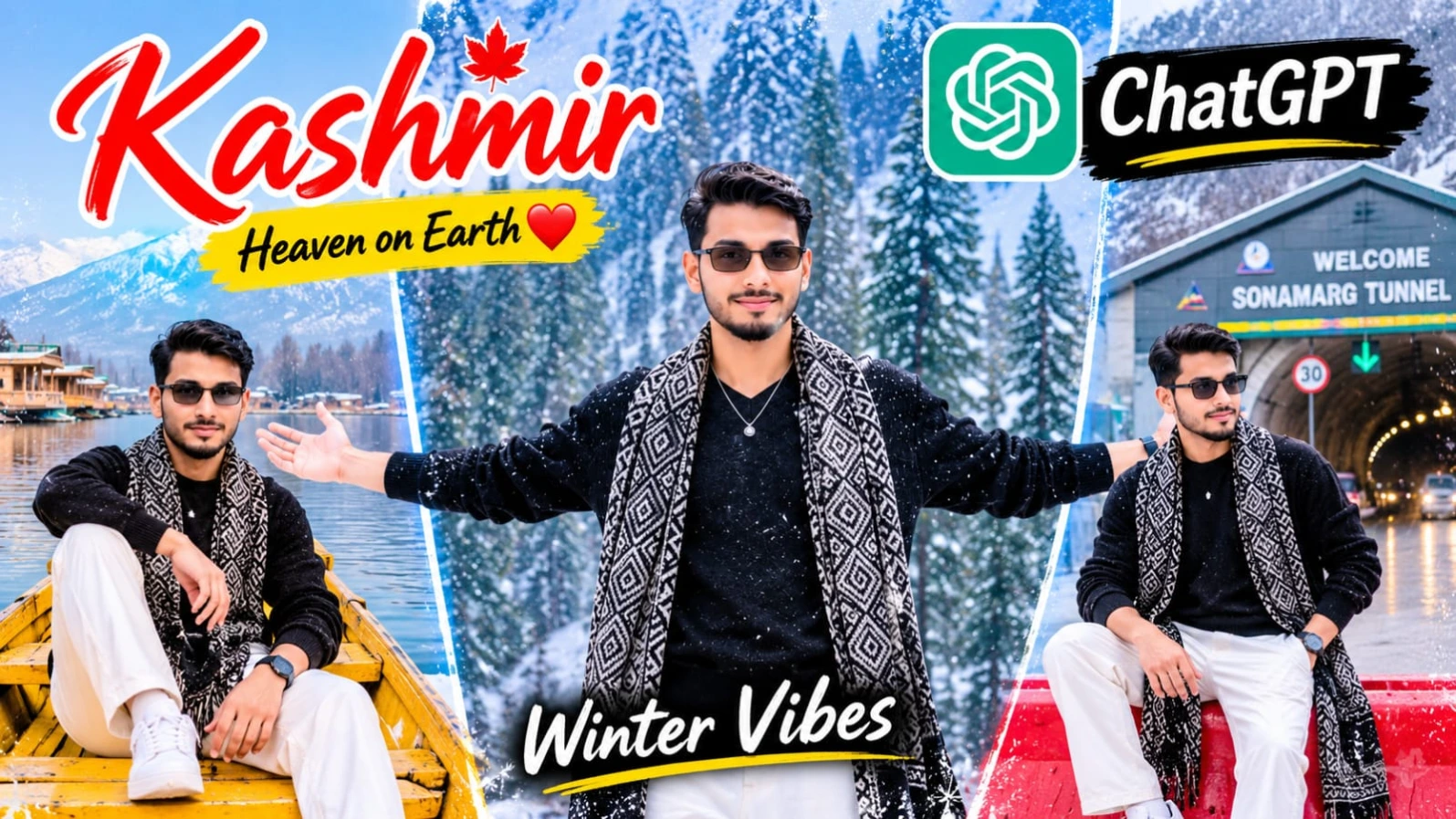
Kashmir ki haseen wadiyon mein barf ke beech apni photo edit karna aaj kal social media par kaafi trending hai.Kashmir Snowfall AI Photo Editing Prompt | ChatGPT 8K HD Winter Look Photo un users ke liye design kiya gaya hai jo ChatGPT ki madad se apni normal face photo ko ek stunning winter travel portrait mein convert karna chahte hain. Is creative concept mein snow-covered ground, beautiful mountains, pine forest, stylish black knitted sweater, aur traditional Kashmiri wool shawl ka gorgeous combination diya gaya hai.
Is photo prompt mein subject ka ek bade dark tree ke sahare khade hona, crossed-leg pose, aur natural warm smile di gayi hai. Top center par elegant white calligraphy font mein "Kashmir" text design is image ko ek premium travel poster look deta hai. 4:5 vertical aspect ratio aur cool bluish-white color grading ke sath aap ek professional winter photography portrait generate kar sakte hain. Bottom centre par diya gaya subtle NoorEditing07 watermark aapke brand work ko protect karta hai.
2. Kashmir Cinematic AI Video Prompt Flow AI | 8K Vertical Reels Prompt
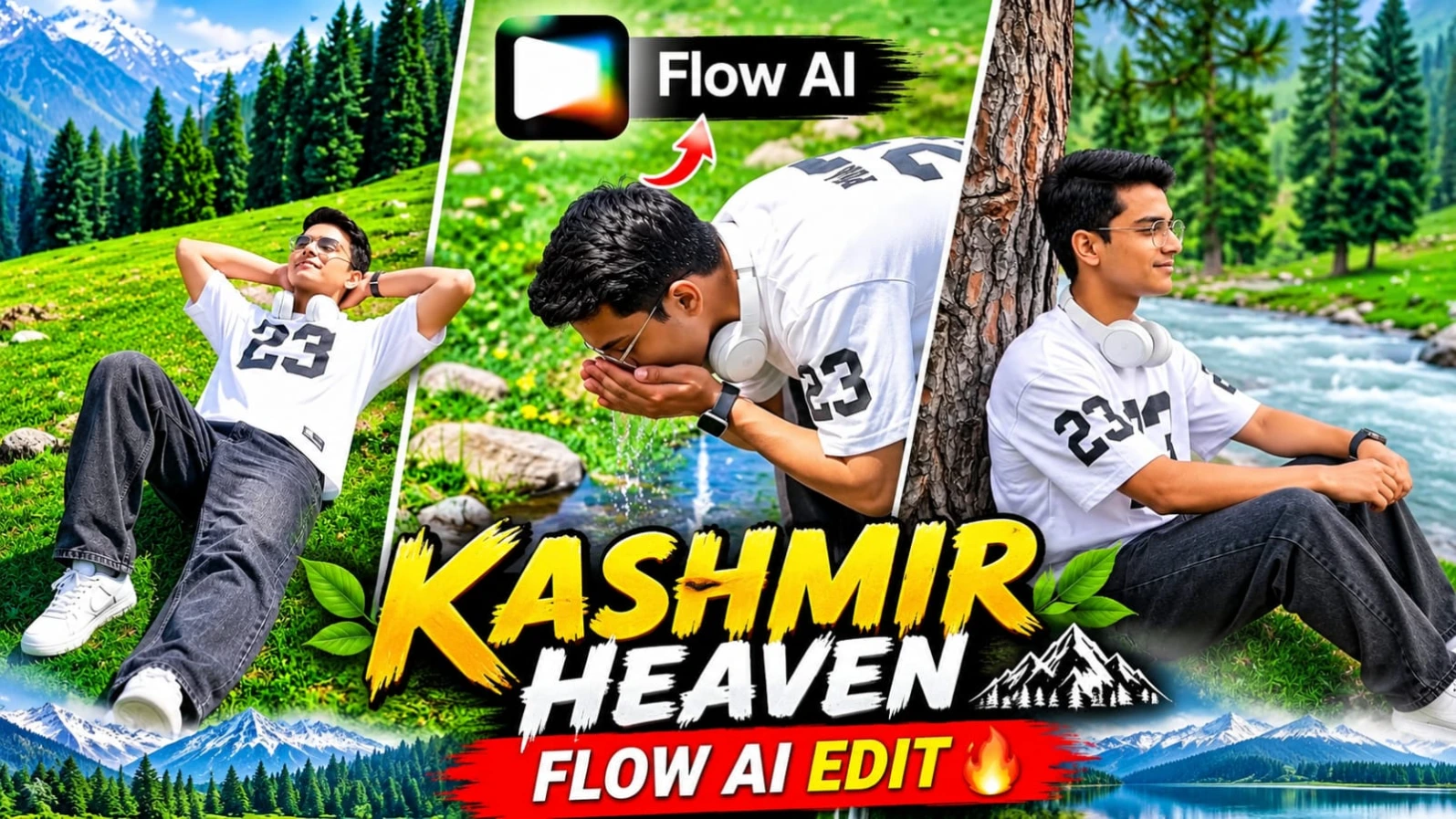
Kashmir ki haseen hari-bhari wadiyan, pine ke ghane jungle, aur barf se dhaki pahaadi chotiyan ke beech ek stunning vertical travel video banana aaj kal creators ki pehli pasand ban chuka hai.Kashmir Cinematic AI Video Prompt Flow AI | 8K Vertical Reels Prompt un users ke liye design kiya gaya hai jo Flow AI aur apni reference photo ki madad se ek professional 8-scene mountain travel video create karna chahte hain. Is vertical 9:16 format video prompt mein lush green meadows, mountain streams, aur snow-covered peaks ka breathtaking visual experience milta hai.
Is video prompt mein character ka outfit white oversized athletic t-shirt (jiske front chest aur sleeves par bold black "23" graphic print hai), washed black baggy denim jeans, white sneakers, aur white over-ear headphones specify kiya gaya hai. Is 8-scene sequence mein meadow lie-back, front meadow run, riverside pine sit, snow-peak ridge sit, mountain spring sip, aur cliff rock look-back jaise dynamic shots shamil hain. ChatGPT ki madad se strict character sheet aur face identity lock karke aap ek high-end cinematic travel vlog generate kar sakte hain. Bottom corner par diya gaya subtle NoorEditing07 watermark aapke original brand work ko protect karta hai.
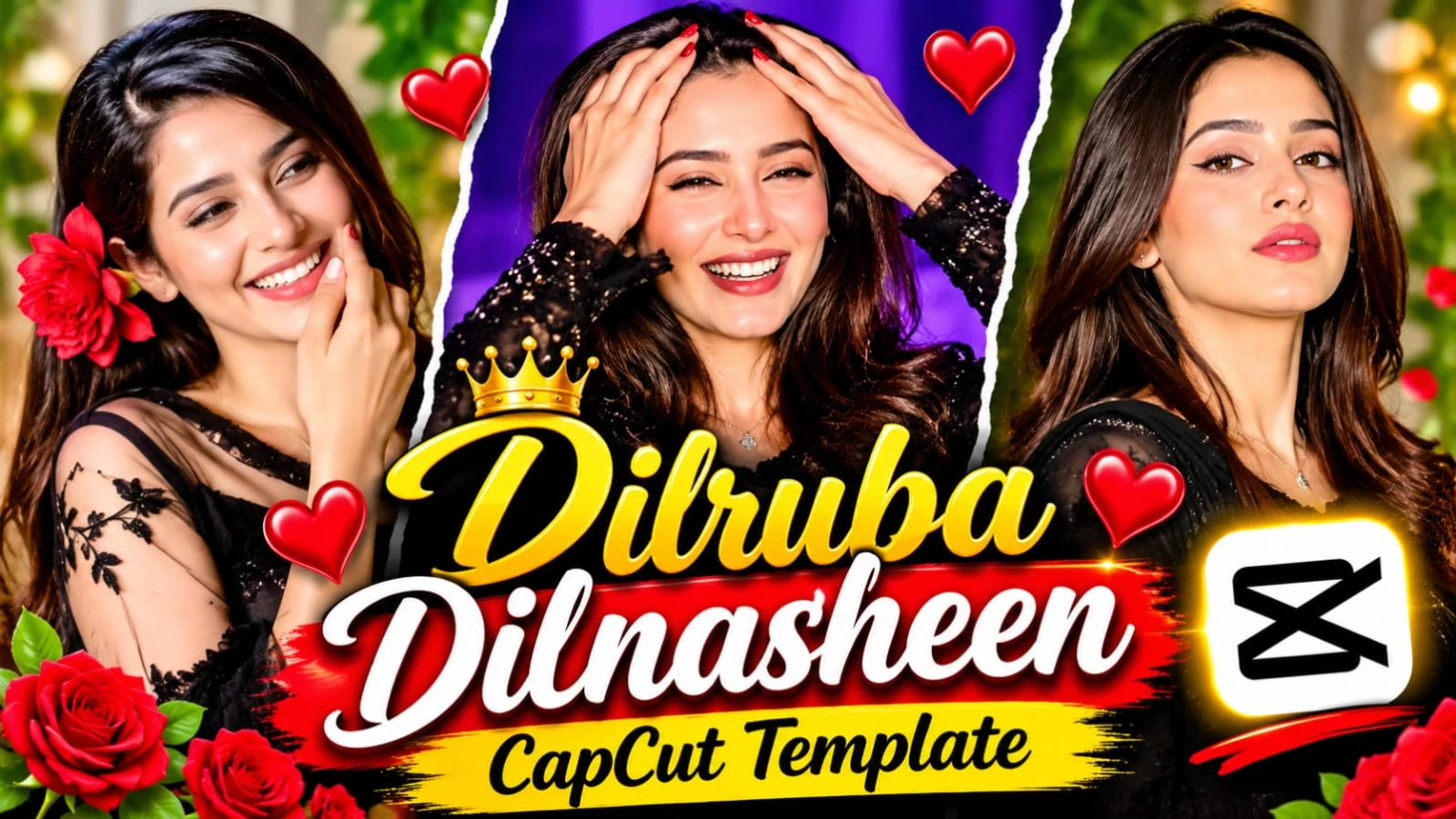
3. Dilruba Dilnasheen CapCut Template | New Trending Instagram Reels Video Editing
Social media ki duniya mein agar aapko jaldi grow karna hai aur apni reels par hazaron views aur likes laane hain, toh hamesha naye aur trending audio beats par video banana zaroori hota hai.Dilruba Dilnasheen CapCut Template | New Trending Instagram Reels Video Editing article un creators ke liye hai jo "Dilruba Dilnasheen" trending song ke sath apni simple photos ko ek cinematic aur emotional reel mein convert karna chahte hain. Is template ka smooth transition, aesthetic color grading, aur beat-sync effect kisi bhi ordinary photo ko masterpiece bana deta hai.
Is template ko use karne ke liye aapko kisi bhi heavy professional video editing software ki zaroorat nahi padti. Aapko bas website par diye gaye direct "Open Viral Template" button par click karna hai, VPN connect karke CapCut app mein apni favourite photos select karni hain, aur kuch hi seconds mein aapka viral video export hone ke liye ready ho jata hai. Beat drops aur photos ka perfect sync dekhne walon ko attract karta hai. Bottom section mein aapko tags aur related articles milte hain, aur is pure creative process mein NoorEditing07 brand ki quality aur trust hamesha barkarar rehta hai.
Luxury billionaire auction comedies aur 3D anthropomorphic white lion "Sheru" ke viral Instagram Reels banana aaj kal content creators ke beech kaafi popular ho raha hai.Sheru Diamond Watch Auction AI Video Prompt un creators ke liye design kiya gaya hai jo ChatGPT aur Google Flow AI ki madad se ek ultra-realistic 15-second aur 15-scene comedy auction video create karna chahte hain. Is concept mein diamond wristwatch, gold thrones, neon-blue lighting, aur Sheru ke sath black panther rival aur guest character ka hilarious interaction dikhaya gaya hai.
Is video prompt mein Roman Hinglish dialogues, fast-paced bidding wars, funny billionaire flexes, aur "SOLD" announcement ka complete 15-scene timeline diya gaya hai. Couple character sheets aur identity locks ki madad se aap apni facial consistency maintain kar sakte hain. CapCut ya VN editor mein voiceovers aur sound effects add karke aap ek viral short-form entertainment reel taiyar kar sakte hain. Bottom corner par diya gaya subtle watermark aapke brand work ko protect karta hai.
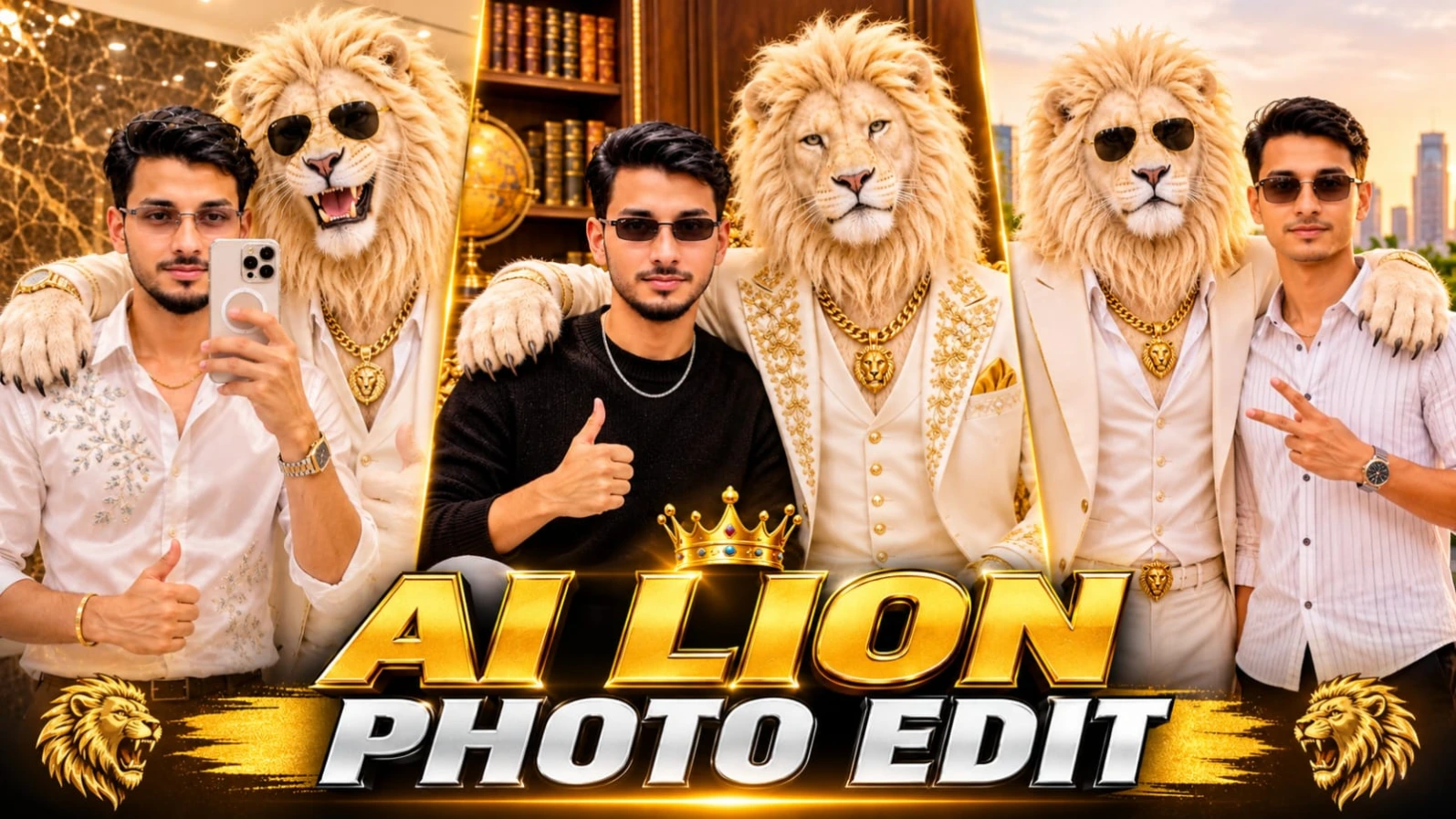
5. ChatGPT Sheru Bhai AI Photo Editing Prompt Luxury Lion With Man 8K
Ek young man aur giant royal white lion ("Sheru Bhai") ko ek sath luxury study room ya rooftop terrace par dikhana aaj kal AI editing ki duniya mein ek bada trend ban chuka hai.ChatGPT Sheru Bhai AI Photo Editing Prompt Luxury Lion With Man 8K un creators ke liye design kiya gaya hai jo ChatGPT ki madad se apni normal photo ko ek premium luxury lifestyle poster mein convert karna chahte hain. Is creative concept mein ivory-white three-piece suit aur golden accessories pehne royal white lion ke sath side-by-side pose diya gaya hai.
Is photo prompt mein realistic fur strands, dark brown wooden wall panels, vintage globe, ornate golden Baroque-style throne, aur warm golden-amber illumination ki detailed instructions milti hain. ChatGPT ki reference-photo identity guidance ki madad se aap apni facial identity maintain karte hue ek stunning 8K vertical portrait generate kar sakte hain. Luxury study room aesthetic aur confident thumbs-up pose is image ko ek high-end celebrity look dete hain. Bottom centre par diya gaya subtle NoorEditing07 watermark aapke original brand work ko protect karta hai.