Kashmir Couple Romantic AI Video Prompt – Google Flow AI 8 Scenes Cinematic Video
Kashmir is famous for its beautiful mountains, green meadows, pine forests and peaceful natural atmosphere. These locations create a perfect background for romantic cinematic videos. With the help of AI video generation, you can create a beautiful Kashmir Couple Romantic AI Video featuring yourself and your partner in a dreamy mountain environment. This concept combines realistic couple photography, natural expressions, cinematic camera movements and beautiful romantic moments.
In this tutorial, we will explore how to create an 8-scene romantic couple video using ChatGPT Character Sheet and Google Flow AI. The complete concept is designed in a cinematic 16:9 widescreen format with bright daylight, green mountain scenery and a professional DSLR-style appearance.
1. What Is Kashmir Couple Romantic AI Video?
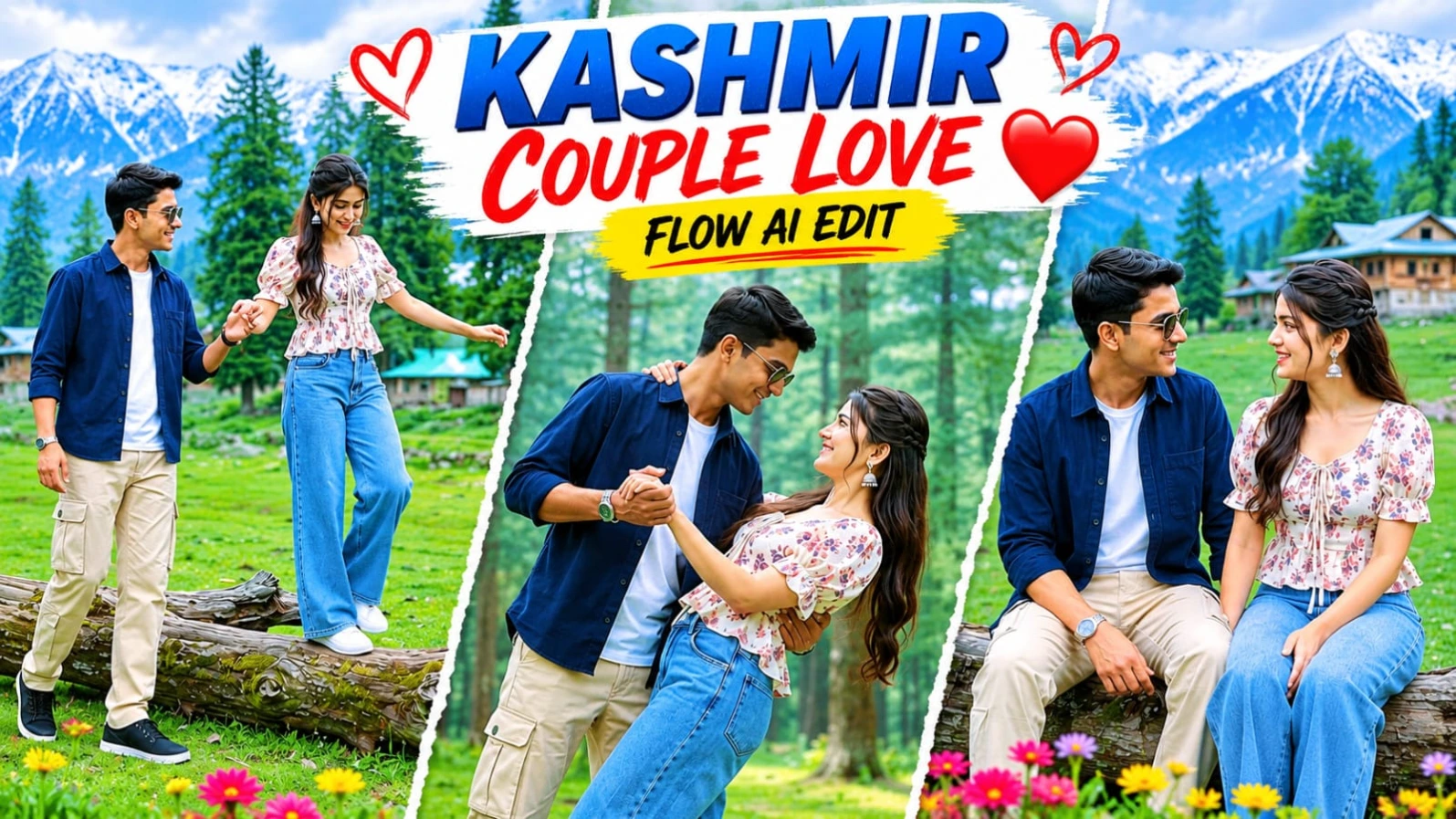
Kashmir Couple Romantic AI Video is a creative AI-generated video concept in which two people are shown enjoying romantic moments in a beautiful mountain meadow. The background includes green hills, pine trees, wooden cottages and a peaceful natural environment.
The video features eight different scenes, each showing a new moment between the couple. These moments include walking together, sitting on a fallen tree, smiling, dancing, twirling and enjoying a gentle embrace. Every scene contributes to a continuous romantic travel-story experience.
2. Create a Character Sheet Using ChatGPT
Before generating the video, the first important step is creating a Character Sheet using ChatGPT. Upload the male and female reference photographs and provide a detailed Character Sheet prompt.
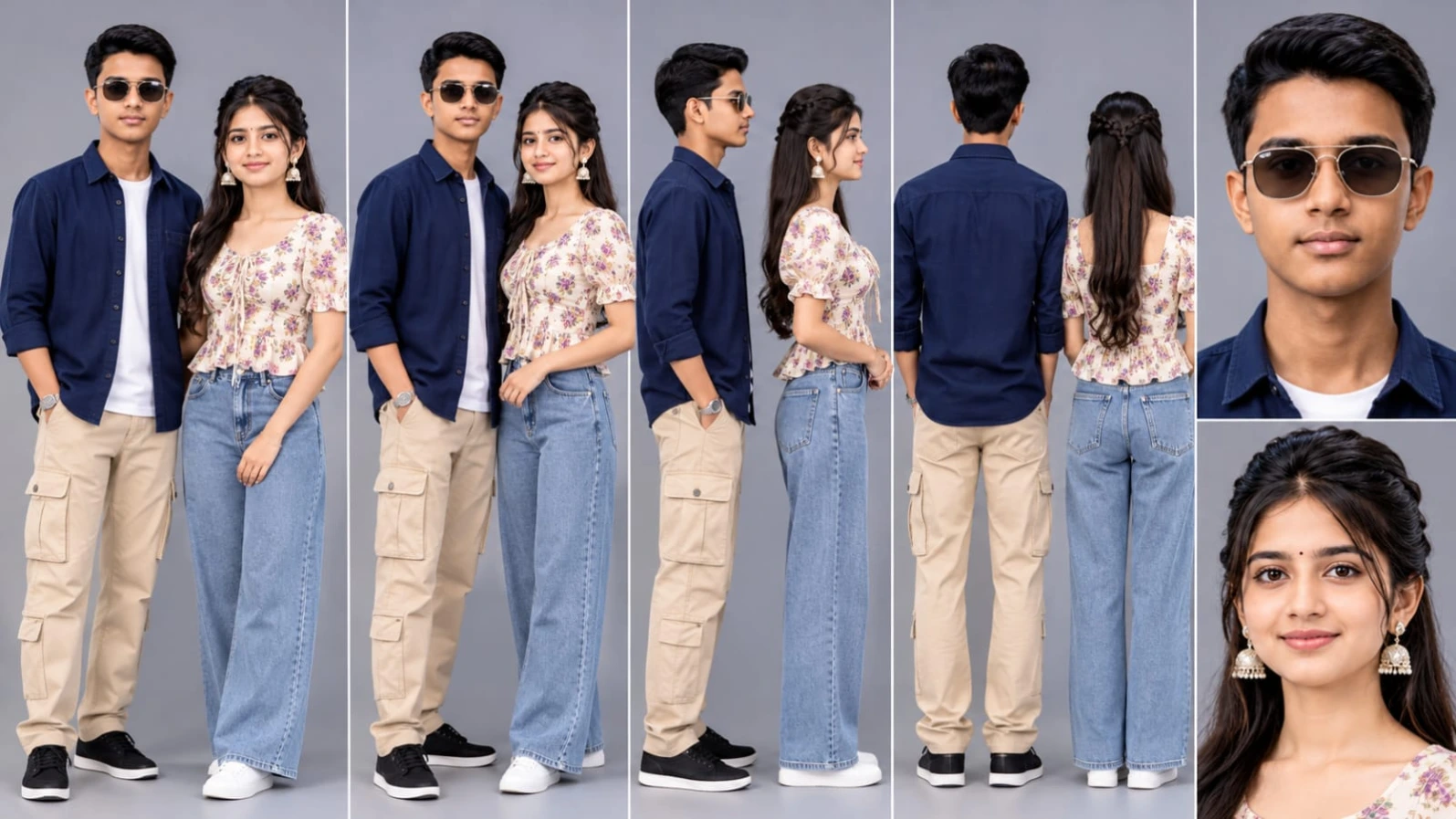
The Character Sheet should include clear facial references for both people. Front view, side view and close-up portraits can help establish consistent facial appearance. Preserve the original facial features, hairstyle, skin tone and natural expressions.
A proper Character Sheet is useful because the same two characters need to appear throughout all eight scenes. It provides a visual reference for Google Flow AI and helps maintain character consistency.
3. Upload Character Sheet in Google Flow AI
After creating the Character Sheet, save it and open Google Flow AI. Start a new video-generation project and upload the Character Sheet using the available character or reference-image option.
Add both character references according to the available interface. Make sure the male and female references are correctly identified. This step helps the video-generation process follow the intended appearance of both characters.
4. Beautiful Kashmir Mountain Environment
The background is one of the most important elements of this video. The entire sequence takes place in a beautiful Kashmir mountain meadow with vivid green grass, tall pine trees and hillside cottages.
A fallen tree trunk provides a natural place for the couple to sit and walk around. The wooden cottage adds a peaceful mountain-travel feeling, while the pine forest creates depth in the cinematic shots.
Bright, diffused overcast daylight keeps the environment evenly illuminated. The faces remain clearly visible, and the scene avoids harsh or distracting dark shadows.
5. Male and Female Outfit Details
The male character wears a navy-blue button-up overshirt, beige cargo trousers, black sneakers and dark sunglasses. The outfit gives him a modern casual travel appearance.
The female character wears a cream-white square-neck puff-sleeve floral peplum top with a front tie, wide-leg light-blue jeans and white sneakers. The combination creates a natural and stylish mountain-outing look.
Keeping these outfits consistent across the scenes makes the complete video feel like one continuous couple photoshoot.
6. Complete 8 Scenes Romantic Sequence
The video contains eight cinematic moments within approximately 15.7 seconds.
The first scene shows the male character guiding the female character by holding her hand as they walk along a fallen tree trunk. In the second scene, the couple sits together on the log and shares a smile.
The third scene shows a gentle bridal carry spin in front of a green mountain cottage. The fourth scene takes place in a pine forest, where the couple shares a romantic dance dip.
In the fifth scene, the female character playfully twirls while holding the male character's raised hand. The sixth scene shows them embracing near the green cottage. The seventh scene features a gentle forward spin, with the female character's hair flowing naturally in the breeze. The final scene returns to the meadow, where the male character lifts the female character in a joyful bridal carry spin.
7. Camera Movement and Cinematic Quality
Different camera shots make the video more engaging. Wide shots establish the beautiful Kashmir environment, while medium shots focus on the couple's expressions and interactions.
Smooth camera movement, natural body motion and realistic clothing movement help create a professional DSLR-style result. The camera should maintain a clear view of both faces whenever possible.
The 120fps cinematic look gives the scenes a smooth and premium appearance when supported by the generation and editing workflow.
8. Bright Daylight and Colour Grading
The colour grade uses vivid meadow greens, natural skin tones and soft daylight. The overcast lighting creates a balanced look without harsh shadows.
Lifted shadows help keep both faces visible. The pine trees, mountain cottages and grassy landscape should remain detailed without making the image look artificial or excessively saturated.
9. Generate the Video with Google Flow AI
Once the Character Sheet is uploaded, paste the complete Master Video Prompt into Google Flow AI. Include the identity lock, outfits, eight-scene sequence, environment, camera shots and technical settings.
Generate the scenes according to the available workflow. If the complete sequence cannot be generated in one attempt, create individual scenes using the same character references and outfit descriptions.
10. Final Editing and Export
After generating the scenes, arrange them in the correct order using CapCut or VN Editor. Keep the transitions smooth and maintain the original scene timing as closely as possible.
Check facial consistency, outfit details, lighting and movement before exporting. Add a small NoorEditing07 watermark in the bottom corner.
The final result will be a beautiful Kashmir romantic couple video with a cinematic mountain atmosphere. For more creative AI photo and video prompts, Google par Search karo NoorEditing07 – yahan milenge latest AI Photo & Video Prompts!
Sabse Pehle Character Sheet Photo Banaai ChatGPT Se
✦AI PHOTO PROMPT
Cinematic couple character turn-around model sheet, ultra-realistic 8K UHD, neutral grey studio backdrop, 16:9 aspect ratio. Strictly lock 100% exact facial geometry, jawline, eyes, hair, and skin tone from the uploaded reference photos for both male and female characters. Male outfit: navy-blue button-up casual overshirt, beige cargo trousers, black sneakers, dark sunglasses. Female outfit: cream-white square-neck floral peplum top with front tie, wide-leg light-blue washed denim jeans, white sneakers. Multi-view composition with front, 3/4 profile, side, back view, and dual headshots.
Cinematic couple character turn-around model sheet, ultra-realistic 8K UHD, neutral grey studio backdrop, 16:9 aspect ratio.
[STRICT IDENTITY & FACE LOCK]
Strictly lock 100% exact facial geometry, jawline, eyes, hair, and natural skin tone from the uploaded male and female reference photos across all views. Smooth, clean, blemish-free DSLR skin texture with natural pores; zero morphing, zero distortion, both faces evenly lit and clearly visible in every angle under balanced softbox studio lighting.
[CONSISTENT OUTFIT & STYLING SPECIFICATIONS]
- Male Outfit: Navy-blue button-up casual overshirt, beige cargo trousers with side utility pockets, clean black sneakers, and sleek dark sunglasses.
- Female Outfit: Cream-white square-neck puff-sleeve floral peplum top with front tie detail, wide-leg light-blue washed denim jeans, and crisp white sneakers.
- Both outfits and accessories stay 100% consistent and identical across every angle.
[MULTI-VIEW COUPLE MODEL SHEET COMPOSITION]
Full-body multi-angle character reference sheet arranged side-by-side in a single clean frame:
1. Full Front View (Couple): Male and female standing side-by-side, relaxed confident posture, direct camera eye contact, warm gentle smiles, clearly displaying the navy overshirt, beige cargo pants, floral peplum top with front tie, and wide-leg light-blue jeans.
2. 3/4 Profile Angle (Couple): Turned at 45 degrees showing side facial contours, dark sunglasses profile, puff-sleeve silhouette, cargo trouser drape, and sneaker details.
3. Profile View (90°): Clean side-profile shot displaying clear facial silhouettes, posture, peplum waist flare, and footwear profiles.
4. Back View (Couple): Direct rear angle displaying the back of the navy-blue overshirt, beige cargo trousers, square back neckline of the floral top, and wide-leg cut of the washed denim jeans.
5. High-Detail Close-Up Headshots (Dual Portrait): Ultra-sharp 4K side-by-side close-up portraits highlighting natural eyes, skin pores, hair styling, dark sunglasses, and collar/neckline details under balanced fill lighting.
[TECHNICAL SPECS & QUALITY]
High-end commercial fashion lookbook catalog, shot on 85mm f/1.4 lens, softbox three-point studio illumination, hyper-detailed cotton twill, floral fabric weave, and washed denim textures, true-to-life colors, 8K resolution.
✓
Prompt copied to clipboard!
✦AI PHOTO PROMPT
Cinematic couple character turn-around model sheet, ultra-realistic 8K UHD, neutral grey studio backdrop, 16:9 aspect ratio. Strictly lock 100% exact facial geometry, jawline, eyes, hair, and skin tone from the uploaded reference photos for both male and female characters. Male outfit: navy-blue button-up casual overshirt, beige cargo trousers, black sneakers, dark sunglasses. Female outfit: cream-white square-neck floral peplum top with front tie, wide-leg light-blue washed denim jeans, white sneakers. Multi-view composition with front, 3/4 profile, side, back view, and dual headshots.
Cinematic couple character turn-around model sheet, ultra-realistic 8K UHD, neutral grey studio backdrop, 16:9 aspect ratio.
[STRICT IDENTITY & FACE LOCK]
Strictly lock 100% exact facial geometry, jawline, eyes, hair, and natural skin tone from the uploaded male and female reference photos across all views. Smooth, clean, blemish-free DSLR skin texture with natural pores; zero morphing, zero distortion, both faces evenly lit and clearly visible in every angle under balanced softbox studio lighting.
[CONSISTENT OUTFIT & STYLING SPECIFICATIONS]
- Male Outfit: Navy-blue button-up casual overshirt, beige cargo trousers with side utility pockets, clean black sneakers, and sleek dark sunglasses.
- Female Outfit: Cream-white square-neck puff-sleeve floral peplum top with front tie detail, wide-leg light-blue washed denim jeans, and crisp white sneakers.
- Both outfits and accessories stay 100% consistent and identical across every angle.
[MULTI-VIEW COUPLE MODEL SHEET COMPOSITION]
Full-body multi-angle character reference sheet arranged side-by-side in a single clean frame:
1. Full Front View (Couple): Male and female standing side-by-side, relaxed confident posture, direct camera eye contact, warm gentle smiles, clearly displaying the navy overshirt, beige cargo pants, floral peplum top with front tie, and wide-leg light-blue jeans.
2. 3/4 Profile Angle (Couple): Turned at 45 degrees showing side facial contours, dark sunglasses profile, puff-sleeve silhouette, cargo trouser drape, and sneaker details.
3. Profile View (90°): Clean side-profile shot displaying clear facial silhouettes, posture, peplum waist flare, and footwear profiles.
4. Back View (Couple): Direct rear angle displaying the back of the navy-blue overshirt, beige cargo trousers, square back neckline of the floral top, and wide-leg cut of the washed denim jeans.
5. High-Detail Close-Up Headshots (Dual Portrait): Ultra-sharp 4K side-by-side close-up portraits highlighting natural eyes, skin pores, hair styling, dark sunglasses, and collar/neckline details under balanced fill lighting.
[TECHNICAL SPECS & QUALITY]
High-end commercial fashion lookbook catalog, shot on 85mm f/1.4 lens, softbox three-point studio illumination, hyper-detailed cotton twill, floral fabric weave, and washed denim textures, true-to-life colors, 8K resolution.
Cinematic 16:9 widescreen 8K HDR 120fps DSLR video of an Indian couple in a Kashmir mountain meadow with pine forest and hillside cottages under bright, diffused overcast daylight with zero dark shadows. Male outfit: navy-blue button-up overshirt, beige cargo trousers, black sneakers, dark sunglasses. Female outfit: cream-white square-neck puff-sleeve floral peplum top with front tie, wide-leg light-blue jeans, white sneakers. 8 precise romantic scenes sequence (15.7s). Watermark: NoorEditing07.
Cinematic 16:9 widescreen 8K HDR 120fps DSLR video of an Indian couple in a Kashmir mountain meadow with pine forest and hillside cottages under bright, diffused overcast daylight with zero dark shadows.
[IDENTITY & FACE LOCK]
100% facial lock from uploaded photos for both male and female across all 8 scenes. Smooth natural DSLR skin, zero morphing, faces clearly lit throughout.
[OUTFITS]
- Male: Navy-blue button-up overshirt, beige cargo trousers, black sneakers, dark sunglasses.
- Female: Cream-white square-neck puff-sleeve floral peplum top with front tie, wide-leg light-blue jeans, white sneakers.
[8 SCENES SEQUENCE (15.7s)]
- Scene 1 (0:00-0:02): Wide shot; male holds female's hand guiding her as she walks along a fallen tree trunk on the meadow.
- Scene 2 (0:02-0:04): Medium shot; couple sits side-by-side on the fallen log, looking at each other and smiling.
- Scene 3 (0:04-0:06): Wide shot; male lifts female in a bridal carry and spins gently before the green mountain cottage.
- Scene 4 (0:06-0:08): Medium shot in pine forest; male holds female around the waist in a romantic dance dip.
- Scene 5 (0:08-0:10): Wide shot among pine trunks; female twirls playfully holding male's raised hand.
- Scene 6 (0:10-0:12): Medium shot on grassy slope; couple embraces closely near the green cottage, smiling warmly.
- Scene 7 (0:12-0:14): Medium shot in pine woods; male gently spins female forward as her hair flows in the breeze.
- Scene 8 (0:14-0:15.7): Wide shot on meadow slope; male lifts female in a joyful bridal carry spin before the wooden cottage.
[COLOR & TECHNICAL]
Bright overcast daylight grade, vivid meadow greens, lifted shadows with zero darkness on faces, 8K DSLR optics, 120fps, 16:9 ratio. Subtle watermark 'NoorEditing07' in bottom corner.
✓
Prompt copied to clipboard!
✦AI VIDEO PROMPT
Cinematic 16:9 widescreen 8K HDR 120fps DSLR video of an Indian couple in a Kashmir mountain meadow with pine forest and hillside cottages under bright, diffused overcast daylight with zero dark shadows. Male outfit: navy-blue button-up overshirt, beige cargo trousers, black sneakers, dark sunglasses. Female outfit: cream-white square-neck puff-sleeve floral peplum top with front tie, wide-leg light-blue jeans, white sneakers. 8 precise romantic scenes sequence (15.7s). Watermark: NoorEditing07.
Cinematic 16:9 widescreen 8K HDR 120fps DSLR video of an Indian couple in a Kashmir mountain meadow with pine forest and hillside cottages under bright, diffused overcast daylight with zero dark shadows.
[IDENTITY & FACE LOCK]
100% facial lock from uploaded photos for both male and female across all 8 scenes. Smooth natural DSLR skin, zero morphing, faces clearly lit throughout.
[OUTFITS]
- Male: Navy-blue button-up overshirt, beige cargo trousers, black sneakers, dark sunglasses.
- Female: Cream-white square-neck puff-sleeve floral peplum top with front tie, wide-leg light-blue jeans, white sneakers.
[8 SCENES SEQUENCE (15.7s)]
- Scene 1 (0:00-0:02): Wide shot; male holds female's hand guiding her as she walks along a fallen tree trunk on the meadow.
- Scene 2 (0:02-0:04): Medium shot; couple sits side-by-side on the fallen log, looking at each other and smiling.
- Scene 3 (0:04-0:06): Wide shot; male lifts female in a bridal carry and spins gently before the green mountain cottage.
- Scene 4 (0:06-0:08): Medium shot in pine forest; male holds female around the waist in a romantic dance dip.
- Scene 5 (0:08-0:10): Wide shot among pine trunks; female twirls playfully holding male's raised hand.
- Scene 6 (0:10-0:12): Medium shot on grassy slope; couple embraces closely near the green cottage, smiling warmly.
- Scene 7 (0:12-0:14): Medium shot in pine woods; male gently spins female forward as her hair flows in the breeze.
- Scene 8 (0:14-0:15.7): Wide shot on meadow slope; male lifts female in a joyful bridal carry spin before the wooden cottage.
[COLOR & TECHNICAL]
Bright overcast daylight grade, vivid meadow greens, lifted shadows with zero darkness on faces, 8K DSLR optics, 120fps, 16:9 ratio. Subtle watermark 'NoorEditing07' in bottom corner.
Is beautiful Kashmir Couple Romantic AI Video ko banane ke liye sabse pehle ChatGPT se male aur female dono ki Character Sheet taiyar karni hogi. Uske baad Google Flow AI mein Character Sheet upload karke Master Video Prompt aur settings ka use karna hai.
Step 1: ChatGPT Se Character Sheet Banayein
Sabse pehle ChatGPT open karein. Ab male aur female dono ki clear reference photos upload karein.
ChatGPT ko Character Sheet banane ka prompt dein. Dono characters ke front view, side view aur close-up face references banwayein. Original face, hairstyle, skin tone aur facial features ko accurately preserve karne ki instruction dein.
Character Sheet generate hone ke baad use save kar lein. Ye dono characters ki identity ko video ke different scenes mein consistent rakhne ke liye reference ka kaam karegi.
Step 2: Google Flow AI Open Karein
Ab Google Flow AI open karein aur new video project start karein. Available interface mein character reference ya image upload ka option select karein.
Step 3: Character Sheet Upload Karein
ChatGPT se banayi hui male aur female Character Sheet Google Flow AI mein upload karein. Dono characters ko sahi reference ke saath identify karein.
Agar tool alag-alag character references support karta hai, to male aur female ke references separately add karein. Isse har scene mein dono characters ki identity maintain karne mein help milegi.
Step 4: Master Video Prompt Paste Karein
Ab is article mein diya gaya Kashmir Couple Romantic AI Video ka complete Master Video Prompt copy karein.
Prompt mein eight scenes ki sequence, male aur female ke outfits, Kashmir mountain meadow, pine forest, green cottage aur face identity lock ki details shamil honi chahiye.
Step 5: Video Settings Select Karein
Ab Google Flow AI mein available settings ke according ye details select karein:
- Aspect Ratio: 16:9 Widescreen
- Video Style: Ultra-Realistic Cinematic
- Quality: Highest Available
- Visual Look: 8K HDR DSLR
- Frame Rate: 120fps Look, if supported
- Lighting: Bright Overcast Daylight
- Environment: Kashmir Mountain Meadow
- Camera: Wide Shot and Medium Shot
- Character Reference: Uploaded Character Sheet
Agar koi setting directly available nahi hai, to prompt mein uski visual requirement mention karein.
Step 6: Eight Scenes Generate Karein
Ab Master Video Prompt ke according video generate karein. Ismein couple ke walking, sitting, bridal carry, romantic dance, twirling aur embracing moments shamil hain.
Agar Google Flow AI ek baar mein poore 15.7-second sequence ko generate nahi karta, to eight scenes ko separately generate karein. Har scene mein same Character Sheet aur outfit details use karein.
Step 7: Final Video Editing Karein
Generated clips ko CapCut ya VN Editor mein import karein. Scene 1 se Scene 8 tak sabhi clips ko correct order mein arrange karein.
Smooth transitions, suitable background music aur natural colour grading add karein. Faces ki visibility, outfits aur character consistency ko check karein.
Step 8: Export Karein
Final video ko 16:9 widescreen format mein highest available quality par export karein. Bottom corner mein subtle NoorEditing07 watermark add karein.
Ab aapka Kashmir Couple Romantic AI Video ready hai. Aise hi latest AI Photo Editing Prompts aur Google Flow AI Master Video Prompts ke liye Google par Search karo NoorEditing07.
Kashmir Couple Romantic AI VideoKashmir Couple Video PromptGoogle Flow AI Master PromptRomantic Couple AI VideoChatGPT Character Sheet8 Scenes AI Video PromptKashmir Mountain Meadow VideoAI Couple Video Editing8K HDR Cinematic AI VideoDSLR Look AI VideoGoogle Flow AI TutorialRomantic Mountain Couple VideoNoorEditing07
Kashmir Couple Romantic AI VideoKashmir Couple Video PromptGoogle Flow AI Master PromptRomantic Couple AI VideoChatGPT Character Sheet8 Scenes AI Video PromptKashmir Mountain Meadow VideoAI Couple Video Editing8K HDR Cinematic AI VideoDSLR Look AI VideoGoogle Flow AI TutorialRomantic Mountain Couple VideoNoorEditing07
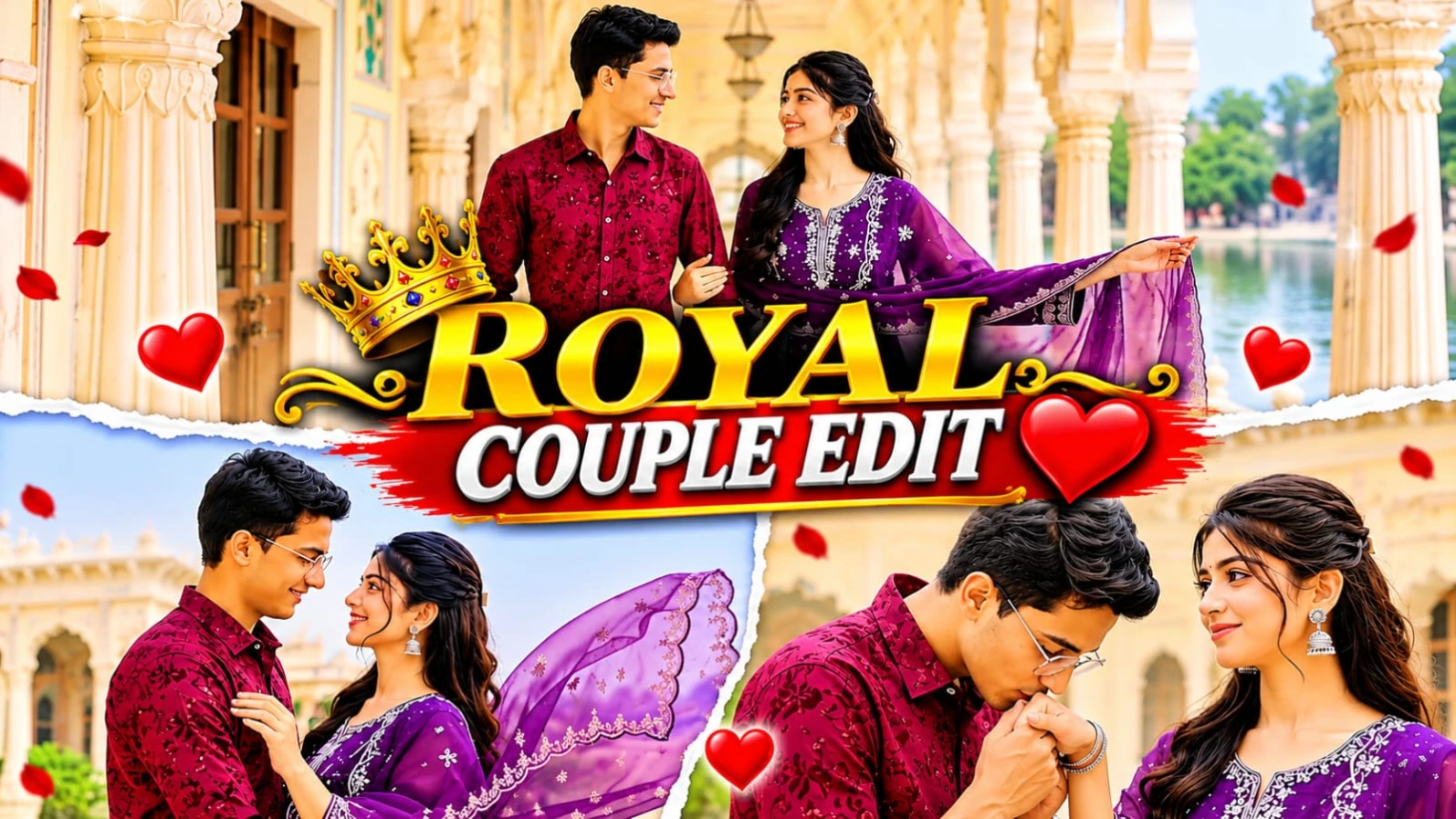
Grand Rajasthani heritage palaces, white marble pillars, aur lakeside terraces ke beech ek romantic couple cinematic video banana aaj kal social media creators ke beech kaafi popular ho raha hai.Royal Palace Romantic Couple AI Video Prompt | Google Flow Cinematic Video Edit un users ke liye design kiya gaya hai jo Google Flow AI aur apni reference photos ki madad se ek professional 15-scene cinematic couple video create karna chahte hain. Is 16:9 widescreen format video prompt mein pastel fresco arches, white marble colonnades, aur misty lake view ka royal visual experience milta hai.
Is video prompt mein male character ka outfit maroon textured floral-embroidered shirt with white cargo trousers aur female character ka outfit deep purple embroidered straight-cut kurti with sheer scalloped dupatta specify kiya gaya hai. Is 15-scene sequence mein palace courtyard twirls, hand-kissing moments, marble colonnade walks, aur lakeside embraces jaise romantic shots shamil hain. ChatGPT ki madad se couple character sheet aur strict facial identity lock karke aap ek high-end cinematic love story reel generate kar sakte hain. Bottom corner par diya gaya subtle NoorEditing07 watermark aapke original brand work ko protect karta hai.
2. Green Mountain Cinematic AI Video Prompt | Google Flow AI DSLR Look
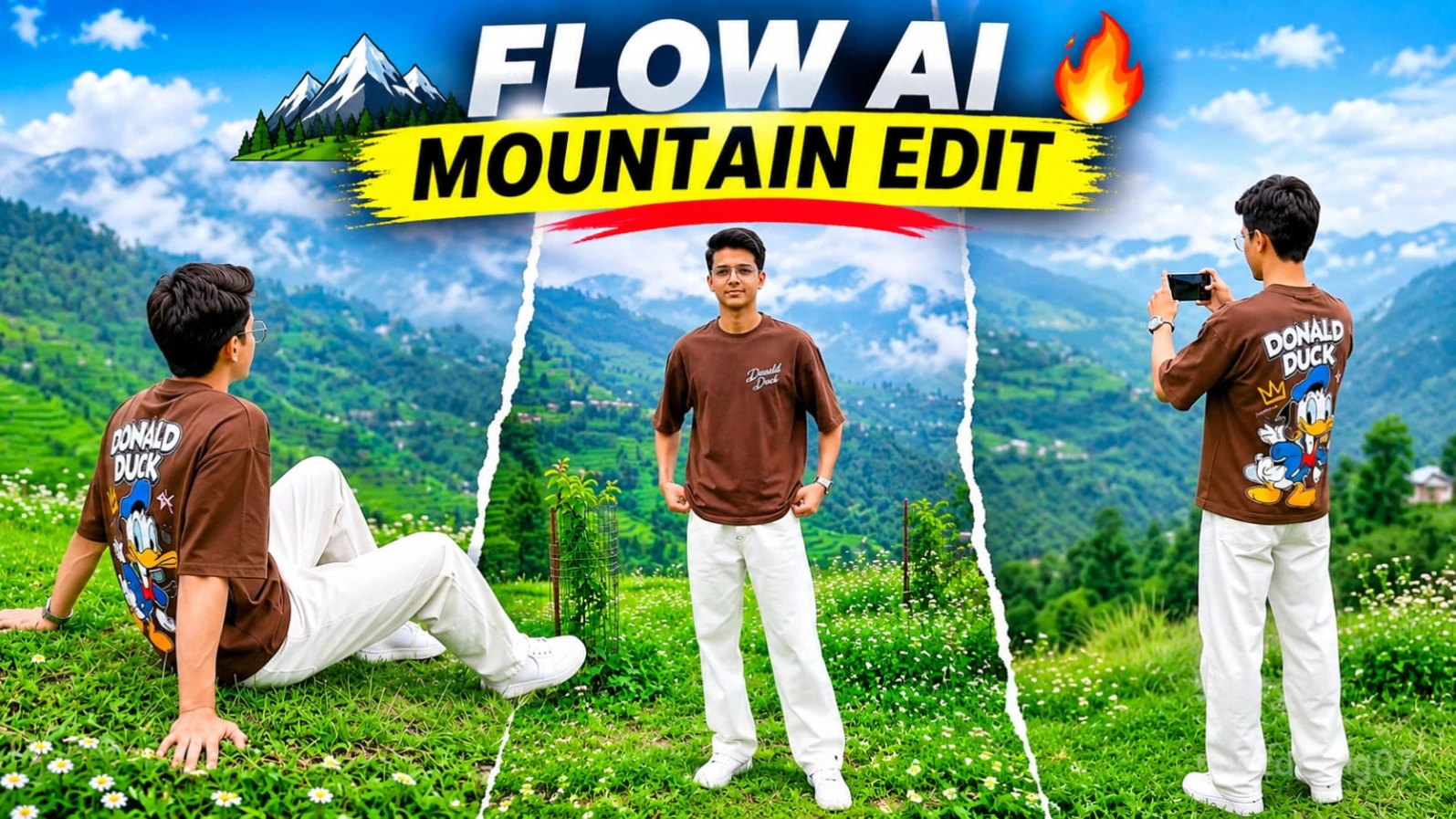
Haseen green mountain landscapes, terraced hills, aur professional DSLR camera movements ke beech ek realistic outdoor AI video banana aaj kal creators ke beech kaafi trending hai.Green Mountain Cinematic AI Video Prompt | Google Flow AI DSLR Look un users ke liye design kiya gaya hai jo ChatGPT aur Google Flow AI ki madad se ek professional 9-scene cinematic mountain video create karna chahte hain. Is 16:9 widescreen format video prompt mein lush green meadows, small white wildflowers, hillside cottages, aur vertical whip-pan transitions ka ek stunning visual experience milta hai.
Is video prompt mein character ka outfit brown oversized crewneck t-shirt (jiske front par minimalist white chest text aur back par large colorful retro Donald Duck graphic print hai), relaxed loose-fit white trousers, aur white sneakers specify kiya gaya hai. Is 9-scene sequence mein back-view phone filming, front meadow stand, terraced valley overlook, aur hillside walks jaise dynamic shots shamil hain. ChatGPT ki madad se strict character sheet aur facial identity lock karke aap ek high-end cinematic outdoor vlog generate kar sakte hain. Bottom corner par diya gaya subtle NoorEditing07 watermark aapke original brand work ko protect karta hai.
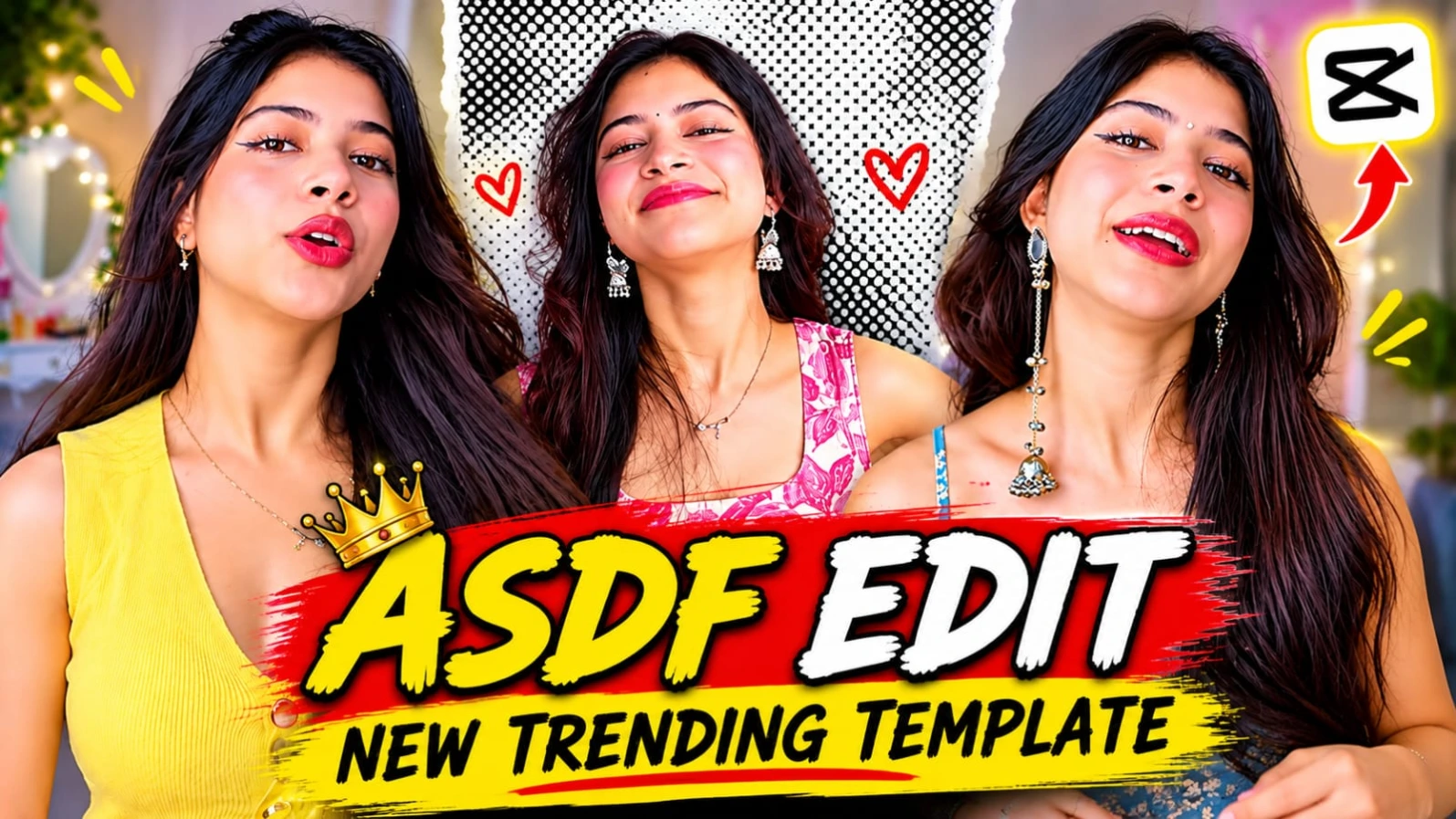
3. ASDF EDIT CapCut Template | New Trending Beat Edit
Social media par trending audio beats aur fast cuts ke sath aesthetic video edits banana aaj kal creators ki pehli pasand ban chuka hai.ASDF EDIT CapCut Template | New Trending Beat Edit un users ke liye hai jo "ASDF" trending track aur fast beat drops ke sath apni simple photos ya video clips ko ek stylish reel mein convert karna chahte hain. Is template ka smooth transition, beat-sync effect, aur modern color grading kisi bhi ordinary video ko ek professional master-level edit bana deta hai.
Is template ko use karne ke liye kisi bhi heavy professional editing software ki zaroorat nahi padti. Aapko bas website par diye gaye direct template link par click karna hai, VPN connect karke CapCut app mein apni favourite media files select karni hain, aur kuch hi seconds mein aapka viral video export hone ke liye ready ho jata hai. Beat sync aur visual pacing dekhne walon ko attract karti hai. Is pure creative process mein NoorEditing07 brand ki quality aur trust hamesha barkarar rehta hai.
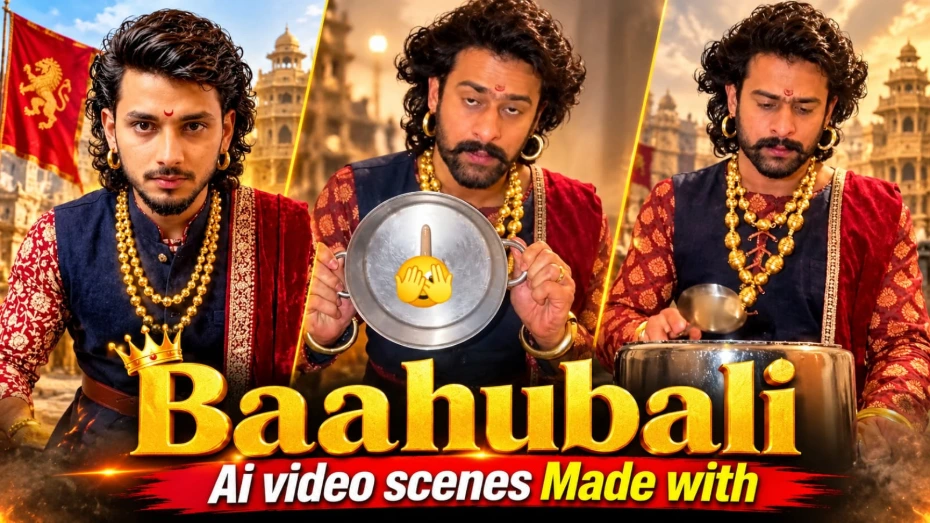
4. Baahubali Ending AI Video Scenes | Google Flow AI Video Prompt
Epic historical kingdom videos aur royal cinematic endings banana aaj kal AI video creators ke beech kaafi popular ho raha hai.Baahubali Ending AI Video Scenes | Google Flow AI Video Prompt un creators ke liye design kiya gaya hai jo Google Flow AI aur ChatGPT ki madad se ek grand Indian historical fantasy video sequence create karna chahte hain. Is creative concept mein grand royal palaces, ancient stone structures, warrior costumes, aur cinematic ending sequence ka ek stunning visual experience milta hai.
Is video prompt mein character ka royal ethnic attire (navy-blue sleeveless waistcoat over maroon-cream kurta, red shawl, layered gold bead necklaces, aur ornate belt) aur modern kitchen ya epic palace setting mein ek unique sequence specify kiya gaya hai. ChatGPT ki madad se strict character sheet aur facial identity lock karke aap ek high-end cinematic historical video generate kar sakte hain. Bottom centre par diya gaya subtle NoorEditing07 watermark aapke original brand work ko protect karta hai.
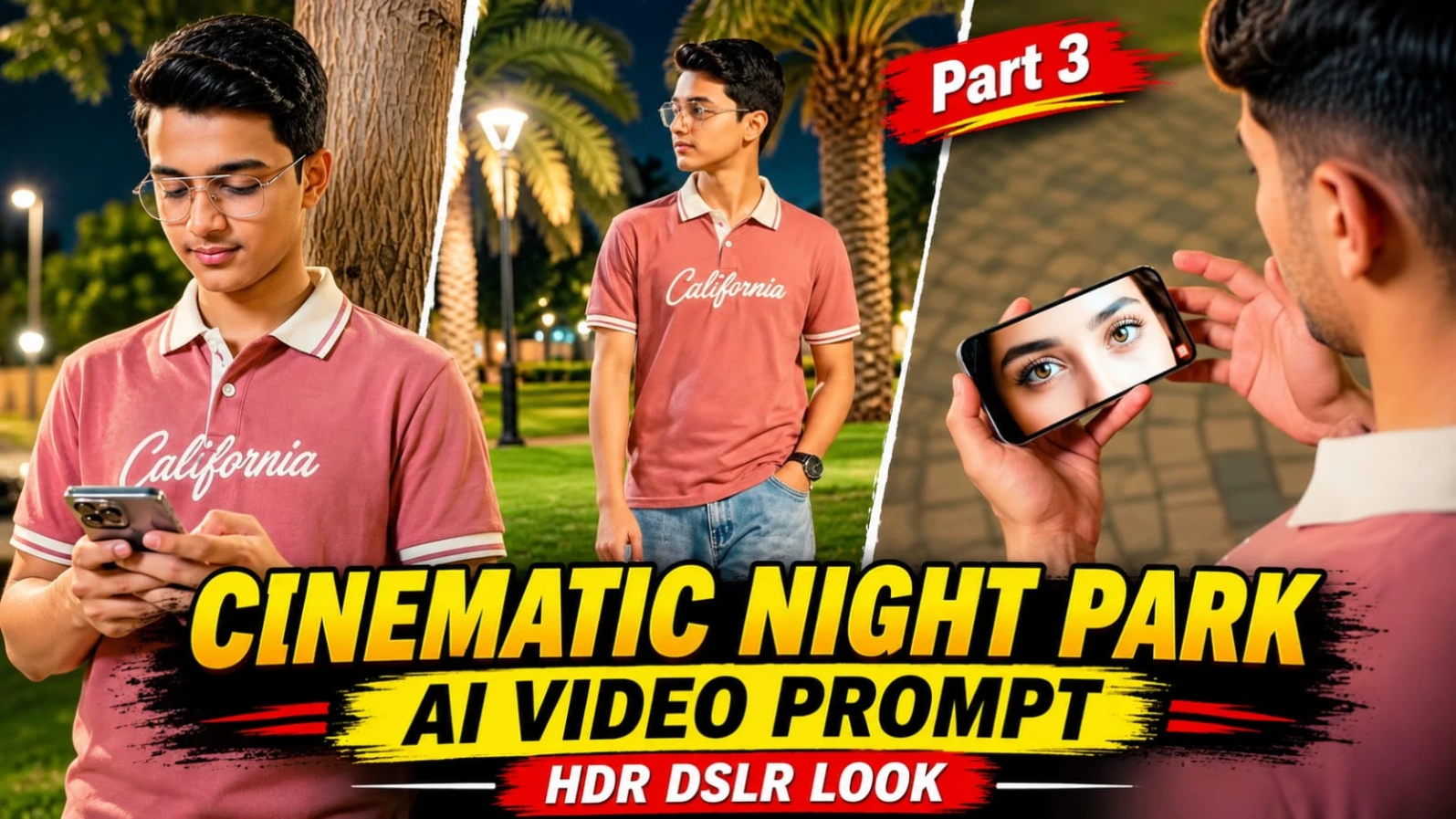
5. Cinematic Night Park AI Video Flow AI Prompt | HDR DSLR Look
Raat ke waqt glowing amber streetlights aur gorgeous bokeh ke beech ek cinematic night park video banana aaj kal social media creators ke beech kaafi trending hai.Cinematic Night Park AI Video Flow AI Prompt | HDR DSLR Look un users ke liye design kiya gaya hai jo Flow AI aur apni reference photo ki madad se ek professional night-time cinematic video create karna chahte hain. Is creative concept mein night park environment, soft glowing lights, aur realistic character movements ka ek stunning visual experience milta hai.
Is video prompt mein character ki stylish night walk, natural expressions, aur high-end HDR DSLR camera look par special focus kiya gaya hai. Widescreen ya vertical format options ke sath aap Instagram Reels aur YouTube Shorts ke liye perfect content generate kar sakte hain. ChatGPT ki madad se strict character sheet aur facial identity lock karke aap ek professional cinematic reel taiyar kar sakte hain. Bottom corner par diya gaya subtle NoorEditing07 watermark aapke original brand work ko protect karta hai.