Meri Jindagi Mera Pyaar Instagram Viral AI Video Edit | Google Flow AI
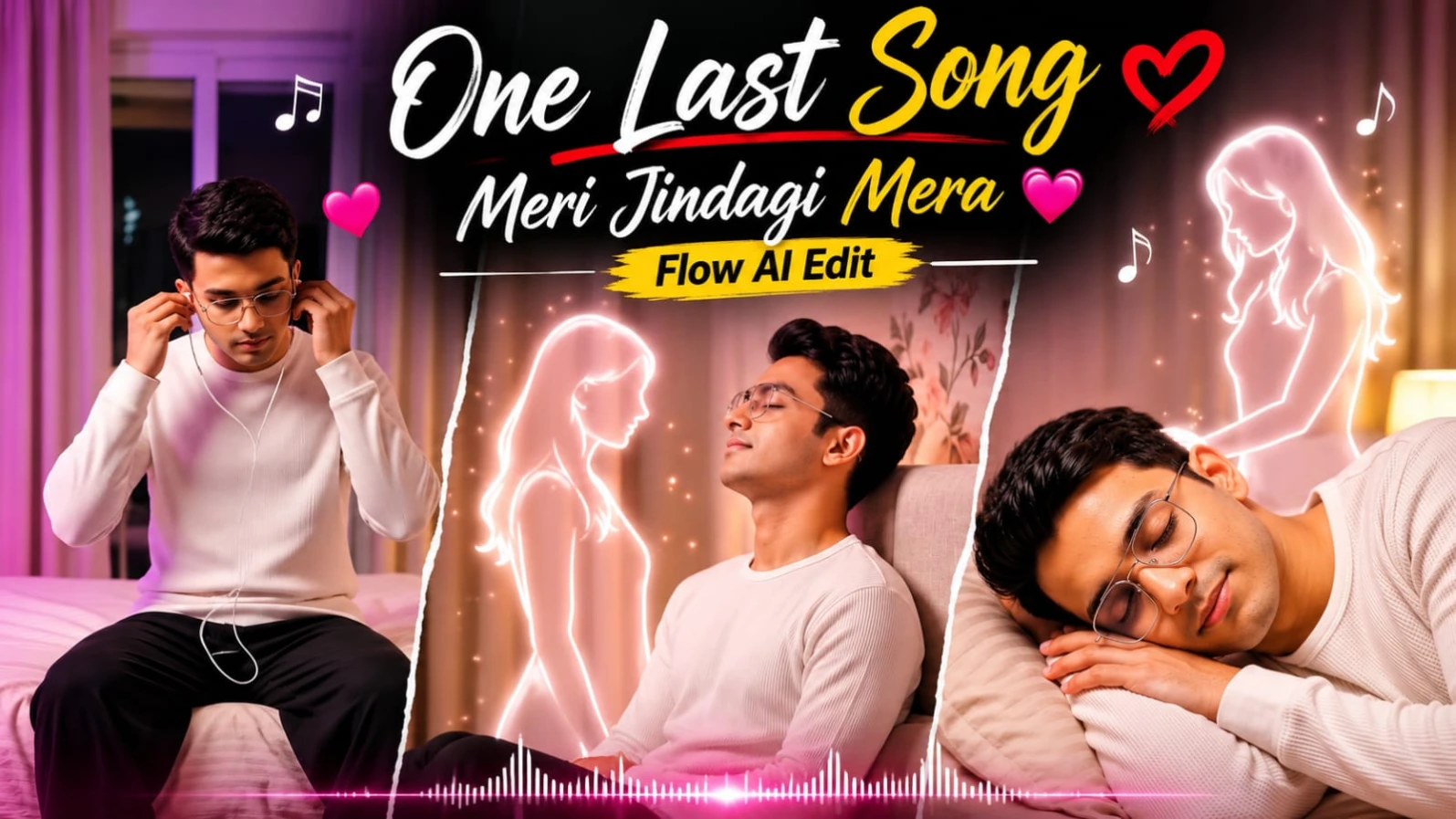
Meri Jindagi Mera Pyaar ek beautiful emotional AI Video trend hai, jisme aap apni normal photo ko ek cinematic night bedroom video mein convert kar sakte hain. Is video ka concept kaafi unique hai, jahan ek person raat ko sone se pehle apne earphones lagakar music sunta hai aur music ke saath ek emotional dream-like imagination create hoti hai. Ismein warm pink-magenta lighting, soft golden highlights, glowing particles aur ethereal female silhouette jaise beautiful visual effects use kiye gaye hain.
Agar aapko emotional cinematic videos aur Instagram viral AI editing trends pasand hain, to ye creative concept aapke liye interesting ho sakta hai. Is video ko 9:16 vertical format mein design kiya gaya hai, jisse ise Instagram Reels aur other vertical video platforms ke liye use kiya ja sakta hai. Ismein 8 cinematic scenes hain, jo milkar ek 20-second emotional storytelling sequence create karte hain.
Video ki shuruaat ek cozy modern bedroom se hoti hai. Pehle scene mein character bed ke edge par baitha hota hai aur white wired earphones apne kaanon mein lagata hai. Background mein beige curtains, floral bedsheet aur warm pink-magenta bedroom lighting dikhai deti hai. Screen par ek POV text overlay bhi aata hai: "POV: One last song before sleeping."
Dusre scene mein camera earphone insertion ka close-up capture karta hai. Character apne right ear mein white wired earphone adjust karta hai. Warm pink aur amber lighting face ke natural details ko highlight karti hai. Teesre scene mein over-the-shoulder camera angle se smartphone screen dikhai deti hai, jahan character music play karta hai aur earphone wires naturally uski T-shirt par nazar aati hain.
Chauthe scene mein ek atmospheric transition aata hai. Character apni aankhein band karta hai aur music ki feeling mein kho jata hai. Iske baad paanchve scene mein ek beautiful ethereal visual effect create hota hai. Character bed ke edge par peacefully baitha hota hai aur uske saamne ek glowing pink-white female silhouette materialize hoti hui nazar aati hai. Floating stardust particles is scene ko dream-like cinematic appearance dete hain.
Chhathe scene mein camera high-angle close-up capture karta hai. Character ka face floral wall ke paas peacefully rest karta hua dikhai deta hai. Ek translucent glowing female hand frame mein aata hai aur forehead aur hair ko gently touch karta hua nazar aata hai. Soft pink-white glow aur floating light particles is shot ko emotional cinematic feel dete hain.
Saatve scene mein character bed par side position mein peacefully soya hua hota hai. Uske peeche glowing female silhouette dheere-dheere dissolve hokar warm stardust mist mein change hoti hai. Aakhri scene mein camera character ke peaceful sleeping face par focus karta hai. Pink-magenta bedroom glow ke saath final sparkles disappear hote hain aur video smoothly fade-out ho jata hai.
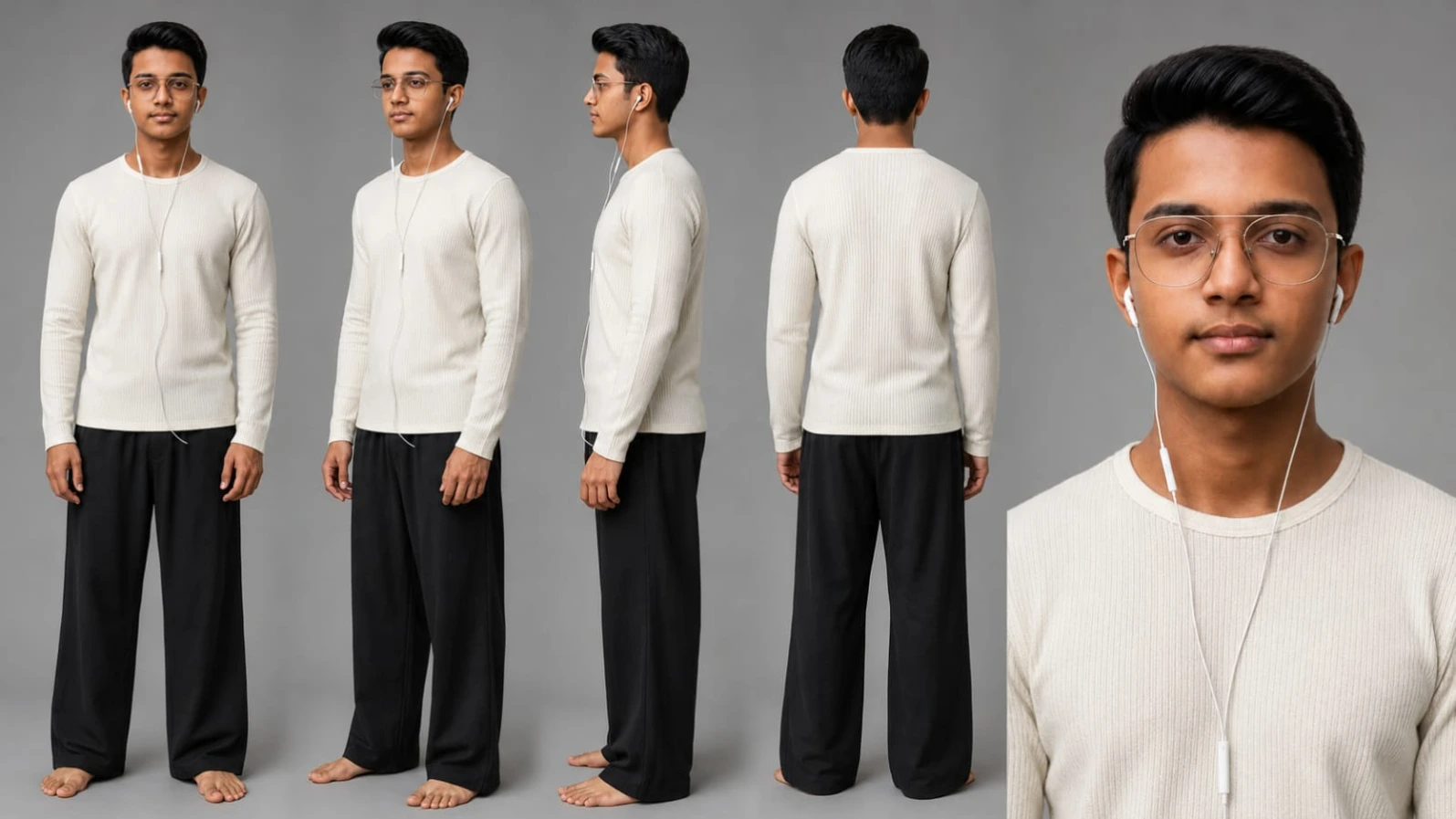
Is video mein character ka outfit bhi sabhi scenes mein same rakha gaya hai. Off-white ribbed long-sleeve thermal T-shirt, relaxed wide-leg black lounge trousers, barefoot look aur white wired earphones ka combination diya gaya hai. Outfit consistency ke saath same face, hairstyle aur natural skin tone maintain karna bhi important hai, taaki video ke sabhi scenes ek continuous cinematic story ka part lagen.
Is AI Video ko create karne ke liye sabse pehle ChatGPT se Character Sheet generate karni hogi. Apni clear reference photo upload karke Character Sheet Prompt ki help se character ka consistent look banayein. Character Sheet ready hone ke baad use Google Flow AI mein upload karein. Uske baad Master Video Prompt paste karke video generation settings select karein.
Google Flow AI mein 9:16 vertical aspect ratio aur prompt ke according 20-second duration select karein, agar ye options available hon. Baaki settings apne account mein available features ke according set karein. Video generate hone ke baad har scene ki face consistency, outfit aur visual effects check karein.
Final video ko CapCut ya VN Editor mein edit karke suitable music, smooth transitions aur timing adjust kar sakte hain. Isse aapka emotional AI Video aur bhi cinematic lagega. Instagram Reels par upload karne se pehle video ka framing, text overlay aur final export quality check karein.
Agar aap bhi apni photo se aisa beautiful Meri Jindagi Mera Pyaar emotional AI Video banana chahte hain, to neeche diye gaye Kaise Banaye steps follow karein. ChatGPT se Character Sheet banayein, Google Flow AI mein upload karein aur Master Video Prompt ki help se apna cinematic video create karein.
Sabse Pehle Character Sheet Photo Banaai ChatGPT Se
✦AI PHOTO PROMPT
Cinematic character turn-around model sheet, ultra-realistic 8K UHD, neutral grey studio backdrop, 16:9 aspect ratio. Lock 100% exact facial geometry, eyes, nose, lips, jawline, hairstyle, beard, and natural skin tone from uploaded reference photo across all views. Outfit: off-white ribbed long-sleeve thermal crew-neck t-shirt, relaxed wide-leg black lounge trousers, barefoot, classic white wired earphones worn in ears with cables draping down over chest. Multi-view composition with full front, 3/4 profile, side profile, back view, and ultra-sharp 4K close-up headshot.
Cinematic character turn-around model sheet, ultra-realistic 8K UHD, neutral grey studio backdrop, 16:9 aspect ratio.
[STRICT FACE LOCK & IDENTITY]
Lock 100% exact facial geometry, eyes, nose, lips, jawline, hairstyle, beard, and natural skin tone from the uploaded reference photo across all views. Completely bareheaded, smooth, clean, blemish-free DSLR skin texture with natural pores; zero morphing, zero distortion, face evenly illuminated with bright, clear studio fill lighting and zero dark shadows in every angle.
[OUTFIT & STYLING SPECIFICATIONS]
- Top: Off-white ribbed long-sleeve thermal crew-neck t-shirt with fine vertical knit texture and natural relaxed drape.
- Bottom: Relaxed wide-leg black lounge trousers with soft fabric folds.
- Footwear: Barefoot (clean natural feet visible).
- Accessories: Classic white wired earphones worn in ears with thin white cables draping neatly down over the front of the thermal t-shirt.
- Wardrobe, wired earphones, and barefoot styling remain 100% consistent and identical across every view.
[MULTI-VIEW MODEL SHEET COMPOSITION]
Full-body multi-angle character reference sheet arranged side-by-side in a single clean frame:
1. Full Front View: Standing relaxed barefoot, arms naturally at sides, direct eye contact with camera, calm serene expression, displaying the off-white ribbed long-sleeve thermal t-shirt, white wired earphones draping over chest, and wide-leg black lounge trousers.
2. 3/4 Profile Angle: Turned at 45 degrees showing side jawline, earphone earpiece fit in ear, ribbed sleeve texture, and relaxed black lounge trouser drape.
3. Profile View (90°): Clean side-profile shot displaying clear facial contour, ear with white wired earphone, long-sleeve ribbed cuff, and barefoot profile.
4. Back View: Direct rear angle displaying the back of the off-white ribbed thermal crew-neck t-shirt, backward shoulders, hair cut, and wide-leg cut of the black lounge trousers.
5. High-Detail Close-Up Headshot: Ultra-sharp 4K portrait highlighting natural eyes, skin pores, neat beard/jawline, hairstyle, white wired earphones seated cleanly in ears, and ribbed crew-neck collar under balanced softbox studio lighting.
[TECHNICAL SPECS & QUALITY]
High-end commercial loungewear lookbook catalog, shot on 85mm f/1.4 lens, softbox three-point studio illumination, hyper-detailed ribbed cotton thermal weave, soft lounge trouser fabric, and matte earphone wire textures, true-to-life colors, 8K resolution.
✓
Prompt copied to clipboard!
✦AI PHOTO PROMPT
Cinematic character turn-around model sheet, ultra-realistic 8K UHD, neutral grey studio backdrop, 16:9 aspect ratio. Lock 100% exact facial geometry, eyes, nose, lips, jawline, hairstyle, beard, and natural skin tone from uploaded reference photo across all views. Outfit: off-white ribbed long-sleeve thermal crew-neck t-shirt, relaxed wide-leg black lounge trousers, barefoot, classic white wired earphones worn in ears with cables draping down over chest. Multi-view composition with full front, 3/4 profile, side profile, back view, and ultra-sharp 4K close-up headshot.
Cinematic character turn-around model sheet, ultra-realistic 8K UHD, neutral grey studio backdrop, 16:9 aspect ratio.
[STRICT FACE LOCK & IDENTITY]
Lock 100% exact facial geometry, eyes, nose, lips, jawline, hairstyle, beard, and natural skin tone from the uploaded reference photo across all views. Completely bareheaded, smooth, clean, blemish-free DSLR skin texture with natural pores; zero morphing, zero distortion, face evenly illuminated with bright, clear studio fill lighting and zero dark shadows in every angle.
[OUTFIT & STYLING SPECIFICATIONS]
- Top: Off-white ribbed long-sleeve thermal crew-neck t-shirt with fine vertical knit texture and natural relaxed drape.
- Bottom: Relaxed wide-leg black lounge trousers with soft fabric folds.
- Footwear: Barefoot (clean natural feet visible).
- Accessories: Classic white wired earphones worn in ears with thin white cables draping neatly down over the front of the thermal t-shirt.
- Wardrobe, wired earphones, and barefoot styling remain 100% consistent and identical across every view.
[MULTI-VIEW MODEL SHEET COMPOSITION]
Full-body multi-angle character reference sheet arranged side-by-side in a single clean frame:
1. Full Front View: Standing relaxed barefoot, arms naturally at sides, direct eye contact with camera, calm serene expression, displaying the off-white ribbed long-sleeve thermal t-shirt, white wired earphones draping over chest, and wide-leg black lounge trousers.
2. 3/4 Profile Angle: Turned at 45 degrees showing side jawline, earphone earpiece fit in ear, ribbed sleeve texture, and relaxed black lounge trouser drape.
3. Profile View (90°): Clean side-profile shot displaying clear facial contour, ear with white wired earphone, long-sleeve ribbed cuff, and barefoot profile.
4. Back View: Direct rear angle displaying the back of the off-white ribbed thermal crew-neck t-shirt, backward shoulders, hair cut, and wide-leg cut of the black lounge trousers.
5. High-Detail Close-Up Headshot: Ultra-sharp 4K portrait highlighting natural eyes, skin pores, neat beard/jawline, hairstyle, white wired earphones seated cleanly in ears, and ribbed crew-neck collar under balanced softbox studio lighting.
[TECHNICAL SPECS & QUALITY]
High-end commercial loungewear lookbook catalog, shot on 85mm f/1.4 lens, softbox three-point studio illumination, hyper-detailed ribbed cotton thermal weave, soft lounge trouser fabric, and matte earphone wire textures, true-to-life colors, 8K resolution.
Cinematic 9:16 vertical 8K HDR 120fps ultra-realistic DSLR emotional night bedroom film ("POV: One last song before sleeping.") in warm magenta-pink and soft amber lighting. Outfit: off-white ribbed long-sleeve thermal crew-neck t-shirt, wide-leg black lounge trousers, barefoot, white wired earphones. 8 exact real-video matched scenes (20.0s) in a cozy night bedroom with glowing ethereal silhouette and stardust particles. Watermark: NoorEditing07.
Cinematic 9:16 vertical 8K HDR 120fps ultra-realistic DSLR emotional night bedroom film ("POV: One last song before sleeping."), bathed in warm magenta-pink and soft amber ambient bedroom lighting with bright, clear facial illumination and zero dark shadows or black crush on the face.
[STRICT IDENTITY & FACE LOCK]
Use the uploaded user/audience photo as the exact face reference. Keep the face 100% identical across all 8 scenes with no changes in eyes, nose, lips, jawline, hairstyle, beard, or natural skin tone. Ultra-smooth, clean, natural DSLR skin texture, zero morphing or facial drifting, face brightly lit and clearly visible throughout every shot.
[SINGLE CONSISTENT OUTFIT (EXACT MATCH FROM VIDEO)]
Exact same outfit across all 8 scenes: off-white ribbed long-sleeve thermal crew-neck t-shirt, relaxed wide-leg black lounge trousers, barefoot, and white wired earphones.
[LOCATION & LIGHTING]
Cozy modern bedroom at night featuring a cushioned bed with floral patterned sheets, beige floor-to-ceiling curtains over a balcony window, subtle floral accent wallpaper, and soft warm pink-magenta and golden ambient room lighting that keeps the subject's face luminous and razor-sharp.
[8 EXACT REAL-VIDEO MATCHED SCENES (20.0s)]
- Scene 1 (0:00-0:01 | Bedroom Bed-Edge Wired Earphones Setup): Wide vertical shot; sits barefoot on the edge of the bed beside beige curtains under warm magenta-pink ambient light, inserting white wired earphones into his ears (clean text overlay: "POV : One last song before sleeping.").
- Scene 2 (0:01-0:02 | Macro Earphone Insertion Close-Up): Tight side-profile close-up; fingers gently press the white wired earphone snugly into his right ear with warm pink-amber rim light illuminating his cheek and jawline.
- Scene 3 (0:02-0:03 | Over-Shoulder Music Player Screen): Over-the-shoulder close-up; holds smartphone in right hand playing a soft blue-sky music track on screen with white earphone wires draping naturally over his thermal shirt.
- Scene 4 (0:03-0:07 | Atmospheric Blackout Fade Transition): Smooth cinematic dark-room transition as he closes his eyes and drifts into the music's memory.
- Scene 5 (0:07-0:11 | Glowing Ethereal Girl Silhouette Materialization): Wide vertical shot; leans back slightly on the edge of the bed holding his phone with eyes peacefully closed as a translucent, glowing pink-white ethereal outline of a young woman with long hair and floating stardust particles materializes standing gently in front of him beside the curtains.
- Scene 6 (0:11-0:15.5 | Top-Down Ethereal Hand Head-Caress): High-angle close-up portrait of his face resting back against the floral wall with eyes closed and serene expression; a translucent glowing pink-white ethereal female hand wearing a delicate bangle reaches gently into frame, softly stroking his forehead and hair amid floating light particles before fading smoothly.
- Scene 7 (0:15.5-0:18.5 | Sleeping on Bed with Dissolving Ethereal Presence): Medium close-up; lies peacefully asleep on his side on the bed with head resting on his folded arm and a soft, calm smile on his brightly lit face, while the glowing translucent female silhouette stands behind his shoulder slowly dissolving upward into warm stardust mist.
- Scene 8 (0:18.5-0:20.0 | Final Peaceful Sleep Fade-Out): Lingers softly on his serene, sleeping face bathed in warm pink-magenta bedroom glow as the final stardust sparkles vanish and the frame fades smoothly to black.
[COLOR & TECHNICAL]
Ready-to-use commercial DSLR night cinema color grading: rich warm pink-magenta and soft golden-peach highlights, luminous natural skin tones, open lifted midtones and shadows with zero darkness on face, 8K prime lens optics, creamy shallow depth of field, glowing ethereal particle VFX, 120fps fluid slow-motion cadence, 9:16 vertical ratio. Subtle static watermark 'NoorEditing07' positioned cleanly in the bottom corner.
✓
Prompt copied to clipboard!
✦AI VIDEO PROMPT
Cinematic 9:16 vertical 8K HDR 120fps ultra-realistic DSLR emotional night bedroom film ("POV: One last song before sleeping.") in warm magenta-pink and soft amber lighting. Outfit: off-white ribbed long-sleeve thermal crew-neck t-shirt, wide-leg black lounge trousers, barefoot, white wired earphones. 8 exact real-video matched scenes (20.0s) in a cozy night bedroom with glowing ethereal silhouette and stardust particles. Watermark: NoorEditing07.
Cinematic 9:16 vertical 8K HDR 120fps ultra-realistic DSLR emotional night bedroom film ("POV: One last song before sleeping."), bathed in warm magenta-pink and soft amber ambient bedroom lighting with bright, clear facial illumination and zero dark shadows or black crush on the face.
[STRICT IDENTITY & FACE LOCK]
Use the uploaded user/audience photo as the exact face reference. Keep the face 100% identical across all 8 scenes with no changes in eyes, nose, lips, jawline, hairstyle, beard, or natural skin tone. Ultra-smooth, clean, natural DSLR skin texture, zero morphing or facial drifting, face brightly lit and clearly visible throughout every shot.
[SINGLE CONSISTENT OUTFIT (EXACT MATCH FROM VIDEO)]
Exact same outfit across all 8 scenes: off-white ribbed long-sleeve thermal crew-neck t-shirt, relaxed wide-leg black lounge trousers, barefoot, and white wired earphones.
[LOCATION & LIGHTING]
Cozy modern bedroom at night featuring a cushioned bed with floral patterned sheets, beige floor-to-ceiling curtains over a balcony window, subtle floral accent wallpaper, and soft warm pink-magenta and golden ambient room lighting that keeps the subject's face luminous and razor-sharp.
[8 EXACT REAL-VIDEO MATCHED SCENES (20.0s)]
- Scene 1 (0:00-0:01 | Bedroom Bed-Edge Wired Earphones Setup): Wide vertical shot; sits barefoot on the edge of the bed beside beige curtains under warm magenta-pink ambient light, inserting white wired earphones into his ears (clean text overlay: "POV : One last song before sleeping.").
- Scene 2 (0:01-0:02 | Macro Earphone Insertion Close-Up): Tight side-profile close-up; fingers gently press the white wired earphone snugly into his right ear with warm pink-amber rim light illuminating his cheek and jawline.
- Scene 3 (0:02-0:03 | Over-Shoulder Music Player Screen): Over-the-shoulder close-up; holds smartphone in right hand playing a soft blue-sky music track on screen with white earphone wires draping naturally over his thermal shirt.
- Scene 4 (0:03-0:07 | Atmospheric Blackout Fade Transition): Smooth cinematic dark-room transition as he closes his eyes and drifts into the music's memory.
- Scene 5 (0:07-0:11 | Glowing Ethereal Girl Silhouette Materialization): Wide vertical shot; leans back slightly on the edge of the bed holding his phone with eyes peacefully closed as a translucent, glowing pink-white ethereal outline of a young woman with long hair and floating stardust particles materializes standing gently in front of him beside the curtains.
- Scene 6 (0:11-0:15.5 | Top-Down Ethereal Hand Head-Caress): High-angle close-up portrait of his face resting back against the floral wall with eyes closed and serene expression; a translucent glowing pink-white ethereal female hand wearing a delicate bangle reaches gently into frame, softly stroking his forehead and hair amid floating light particles before fading smoothly.
- Scene 7 (0:15.5-0:18.5 | Sleeping on Bed with Dissolving Ethereal Presence): Medium close-up; lies peacefully asleep on his side on the bed with head resting on his folded arm and a soft, calm smile on his brightly lit face, while the glowing translucent female silhouette stands behind his shoulder slowly dissolving upward into warm stardust mist.
- Scene 8 (0:18.5-0:20.0 | Final Peaceful Sleep Fade-Out): Lingers softly on his serene, sleeping face bathed in warm pink-magenta bedroom glow as the final stardust sparkles vanish and the frame fades smoothly to black.
[COLOR & TECHNICAL]
Ready-to-use commercial DSLR night cinema color grading: rich warm pink-magenta and soft golden-peach highlights, luminous natural skin tones, open lifted midtones and shadows with zero darkness on face, 8K prime lens optics, creamy shallow depth of field, glowing ethereal particle VFX, 120fps fluid slow-motion cadence, 9:16 vertical ratio. Subtle static watermark 'NoorEditing07' positioned cleanly in the bottom corner.
Is emotional cinematic AI Video ko banane ke liye sabse pehle ChatGPT aur Google Flow AI ki zaroorat hogi. Is process mein pehle ChatGPT se Character Sheet generate karni hai aur uske baad Google Flow AI mein Character Sheet upload karke Master Video Prompt se video banana hai.
Step 1: ChatGPT Open Karein
Sabse pehle ChatGPT open karein. Apni ek clear photo upload karein, jisme aapka face clearly visible ho. Ab Character Sheet banane ke liye apna Character Sheet Prompt paste karein. Prompt mein uploaded photo ko exact identity reference banane aur same face, hairstyle aur natural skin tone maintain karne ki instruction dein.
Step 2: Character Sheet Generate Karein
Ab ChatGPT se apni Character Sheet generate karein. Generate hone ke baad check karein ki character ke face aur overall appearance mein consistency hai. Character Sheet ko apne device mein save kar lein. Ye image Google Flow AI mein reference ke roop mein use hogi.
Step 3: Google Flow AI Open Karein
Ab Google Flow AI open karein aur apne account se access karein. New video generation project start karein. Yahan ChatGPT se banayi hui Character Sheet upload karein. Upload complete hone ke baad confirm karein ki reference image properly add ho gayi hai.
Step 4: Master Video Prompt Paste Karein
Ab Meri Jindagi Mera Pyaar ka Master Video Prompt copy karein aur Google Flow AI ke prompt section mein paste karein. Prompt mein diye gaye 8 scenes ko dhyan se check karein. Ismein bedroom setup, wired earphones, smartphone music player, glowing female silhouette aur peaceful sleeping scenes shamil hain.
Step 5: Video Settings Select Karein
Ab video ki settings set karein. Aspect ratio mein 9:16 vertical select karein. Prompt ke according 20-second duration aur available quality settings choose karein. Agar ek hi generation mein poore 20 seconds available na hon, to scenes ko alag clips mein generate karke baad mein combine kar sakte hain.
Step 6: Video Generate Karein
Ab Character Sheet, Master Video Prompt aur selected settings ko ek baar check karein. Sab kuch sahi hone ke baad Generate button par click karein. Google Flow AI ko video generate karne dein. Generation complete hone ke baad face consistency, outfit aur glowing visual effects check karein.
Step 7: Final Video Editing Karein
Agar video ke scenes alag-alag clips mein generate hue hain, to unhe CapCut ya VN Editor mein correct sequence mein arrange karein. Background music, smooth transitions aur suitable timing add karein. Final video export karne se pehle 9:16 framing aur quality check karein.
Bas is tarah aap ChatGPT Character Sheet aur Google Flow AI ki help se apna Meri Jindagi Mera Pyaar emotional cinematic AI Video create kar sakte hain.
Meri Jindagi Mera Pyaar AI Video Prompt - Noor Editing
Meri Jindagi Mera Pyaar AI VideoMeri Jindagi Mera Pyaar Instagram TrendGoogle Flow AI Video PromptEmotional Night AI Video EditChatGPT Character Sheet TutorialAI Character Sheet PromptGoogle Flow AI Tutorial FreePOV One Last Song Before SleepingDreamy Bedroom Cinematic AI VideoAI Photo to Video Tutorial9:16 Instagram Viral AI VideoEmotional Love Story AI VideoMeri Jindagi Mera Pyaar Video Editing
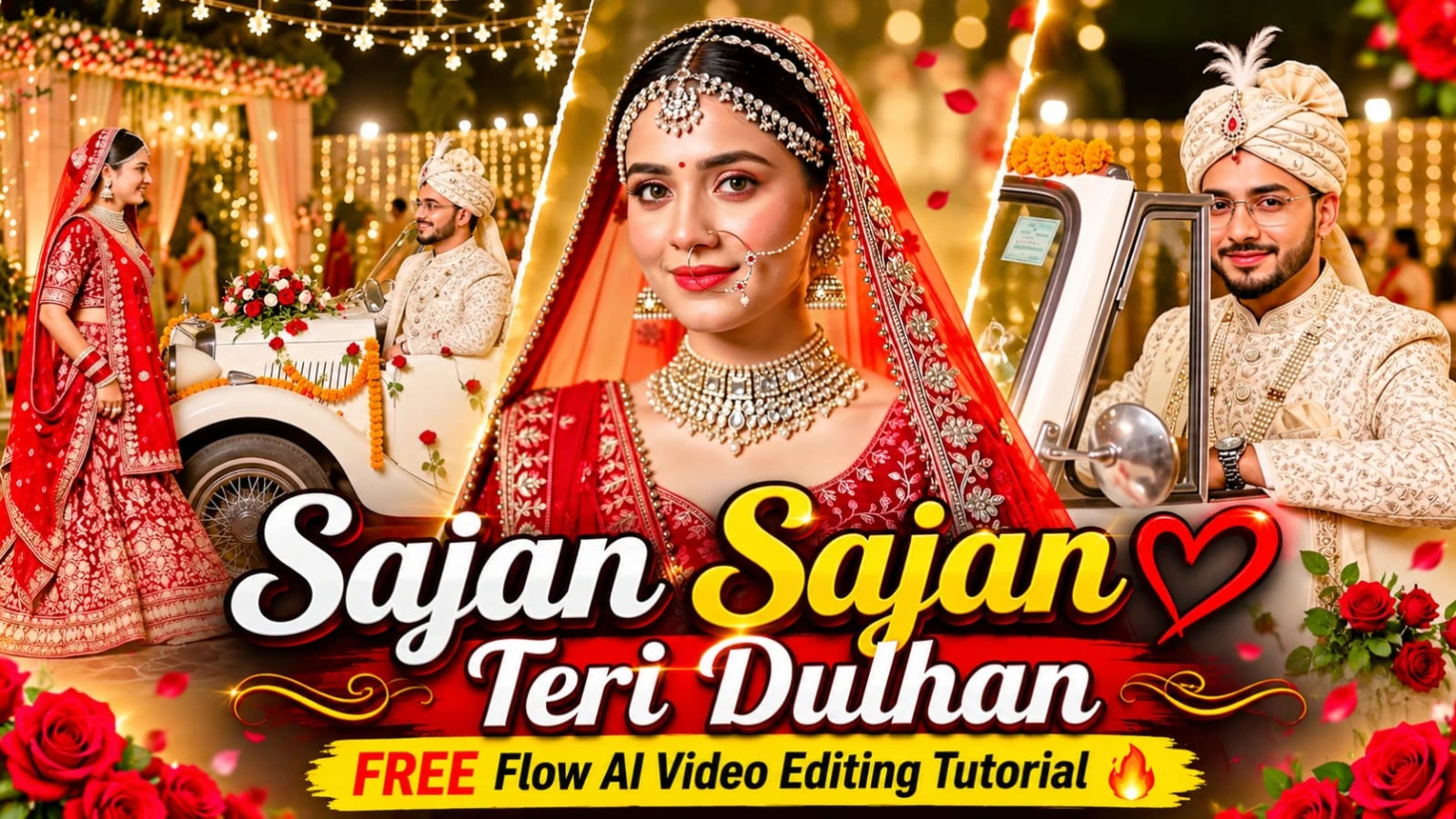
Instagram par grand Indian royal wedding aur couple AI videos ka trend tezi se viral ho raha hai.Sajan Sajan Teri Dulhan | Instagram Viral AI Video Edit | Google Flow AI Tutorial (Free) un creators ke liye design kiya gaya hai jo ChatGPT Character Sheet aur Google Flow AI ki madad se ek 10-second aur 12-scene cinematic wedding video create karna chahte hain. Is 16:9 widescreen format video prompt mein fairy-lit wedding venue, floral-decorated white vintage convertible car, aur warm studio spotlights ke beech bride aur groom ke royal moments dikhaye gaye hain.
Is video prompt mein groom ka outfit ivory-cream heavily embroidered silk sherwani, churidar, cream-and-gold safah turban (jeweled kalgi brooch ke sath), jabki bride ka outfit deep royal crimson-red silver-and-gold zari embroidered bridal lehenga choli, sheer red veil, choker necklace, jhumka earrings, matha patti, bridal nath, aur bangles specify kiya gaya hai. Sheer bridal veil close-ups, vintage car steering aur open-door moments, marigold-framed portraits, aur warm amber diamond-light ending jaise 12 scenes is reel ko ek premium wedding film look dete hain. Strict facial identity lock aur bottom corner par diya gaya subtle NoorEditing07 watermark aapke original brand work ko protect karta hai.
2. Long Drive Vibes | Instagram Viral AI Video Prompt | Google Flow AI Tutorial (Free)
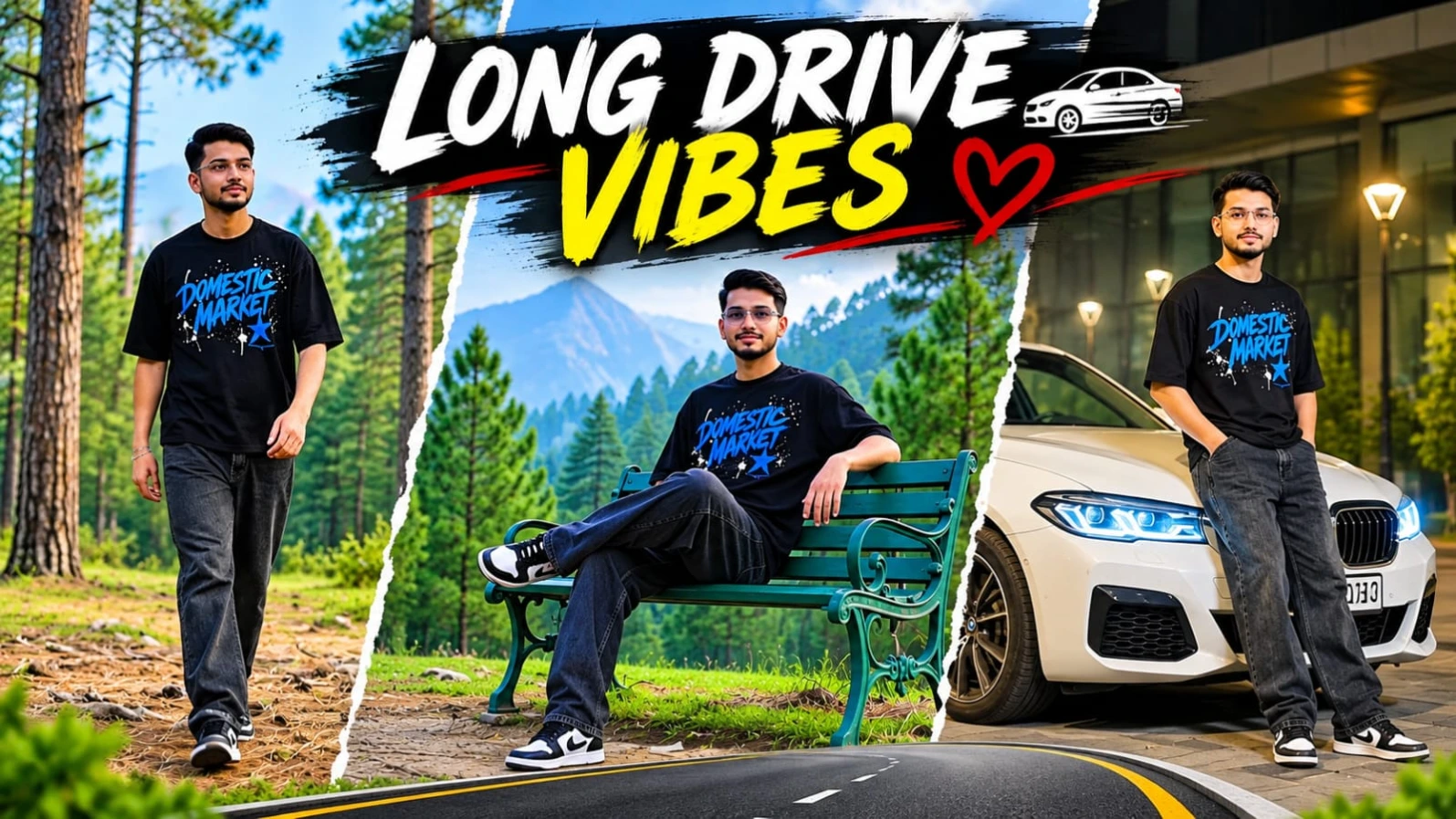
Misty Himalayan pine forests, modern glass architecture, aur night streetlamps ke niche parked ek luxury white BMW sedan ke sath cinematic travel video banana aaj kal Instagram creators ke beech kaafi viral ho raha hai.Long Drive Vibes | Instagram Viral AI Video Prompt | Google Flow AI Tutorial (Free) un users ke liye design kiya gaya hai jo ChatGPT Character Sheet aur Google Flow AI (Omni 1.1 Flash) ki madad se ek 10-second aur 8-scene widescreen cinematic video create karna chahte hain. Is 16:9 widescreen format video prompt mein 8K HDR quality, 120fps smooth motion, aur commercial cinema color grading ka ek stunning visual experience milta hai.
Is video prompt mein character ka outfit black oversized crewneck t-shirt (bold blue "DOMESTIC MARKET" text, white paint-splatter graphic, aur blue star logo ke sath), wide-leg washed charcoal-black baggy denim jeans, aur trendy black-and-white Nike sneakers specify kiya gaya hai. Tree trunk lean, green park bench sit, white BMW sedan night lean, metal exterior stairs turn, BMW door-step collar adjust walk, neon-lit glass overpass stride, aur misty cliff-edge pan jaise 8 directed sequences is reel ko ek high-end travel-film look dete hain. Strict facial identity lock aur bottom corner par diya gaya subtle NoorEditing07 watermark aapke original brand work ko protect karta hai.
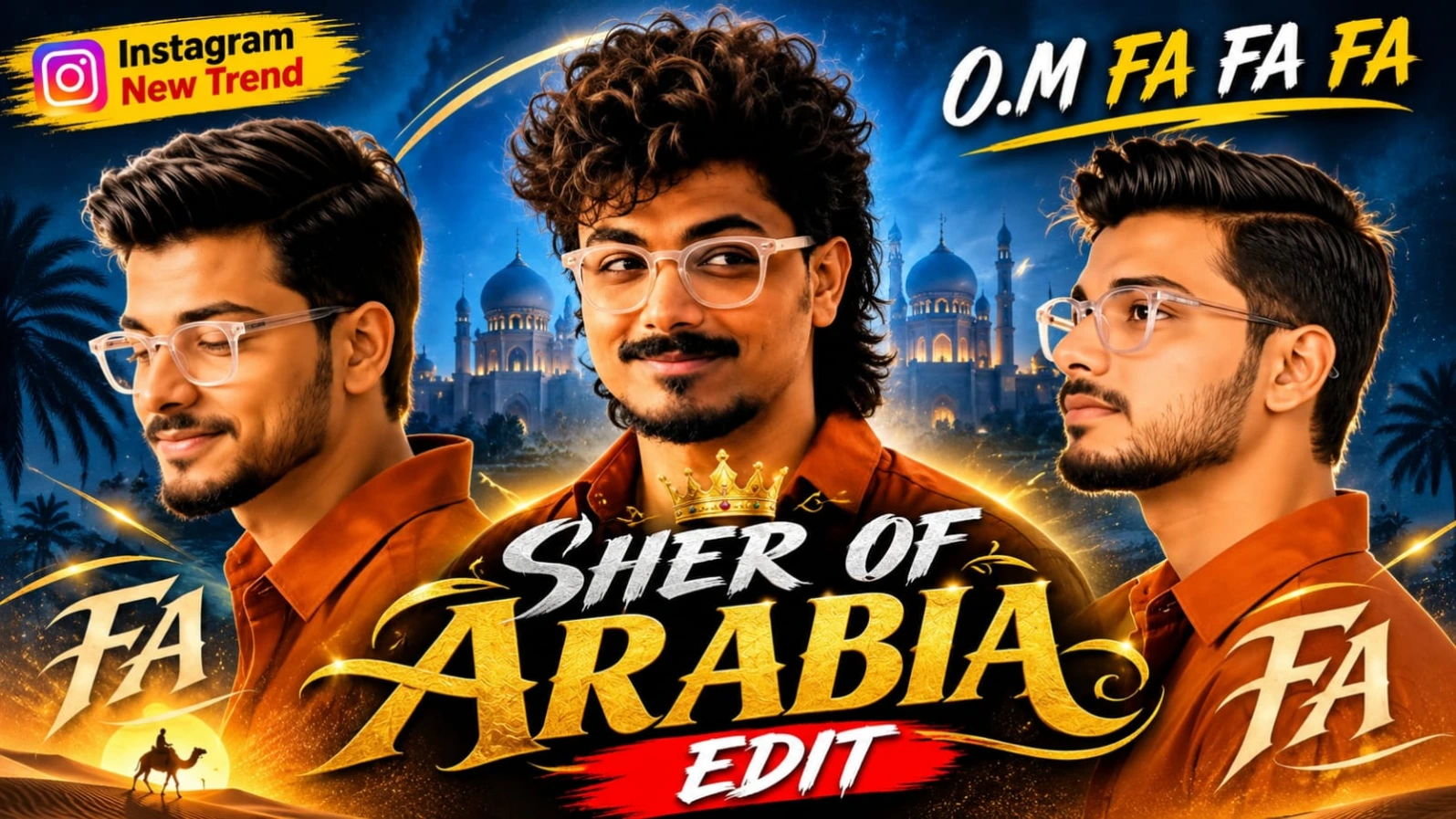
3. O.M FA FA FA Lyrical Edit | Sher of Arabia Trend | Google Flow AI Video Prompt (Free)
Instagram Reels par Arabic Funk beats aur stylish night rooftop lyrical edits ka trend tezi se viral ho raha hai.O.M FA FA FA Lyrical Edit | Sher of Arabia Trend | Google Flow AI Video Prompt (Free) un creators ke liye design kiya gaya hai jo Google Flow AI aur apni reference photo (@ladka) ki madad se ek 8-second aur 10-shot vertical cinematic video create karna chahte hain. Is creative concept mein night rooftop terrace, deep-blue dusk sky, blurred city lights, aur golden floor light strip ke beech cream-gold typography ("FA", "SHER OF", "ARABIA", "FUNK", "SIR") small red diamond accents ke sath beat par slide hoti hai.
Is 9:16 vertical video prompt mein rust-orange button-up shirt (rolled-up sleeves ke sath), black trousers, black shoes, silver wristwatch, aur light clear-frame glasses pehne character ke extreme ear/hair close-ups, confident rooftop walk, side profiles, aur golden-lit floor low-angle shoe shots shamil hain. Ismein Character Sheet ki zaroorat nahi padti; aap direct Reference Video aur apni clear photo ke sath strict face aur hairstyle lock karke ek high-energy Instagram Reel taiyar kar sakte hain, aur NoorEditing07 brand ki quality aur consistency har frame mein bani rehti hai.
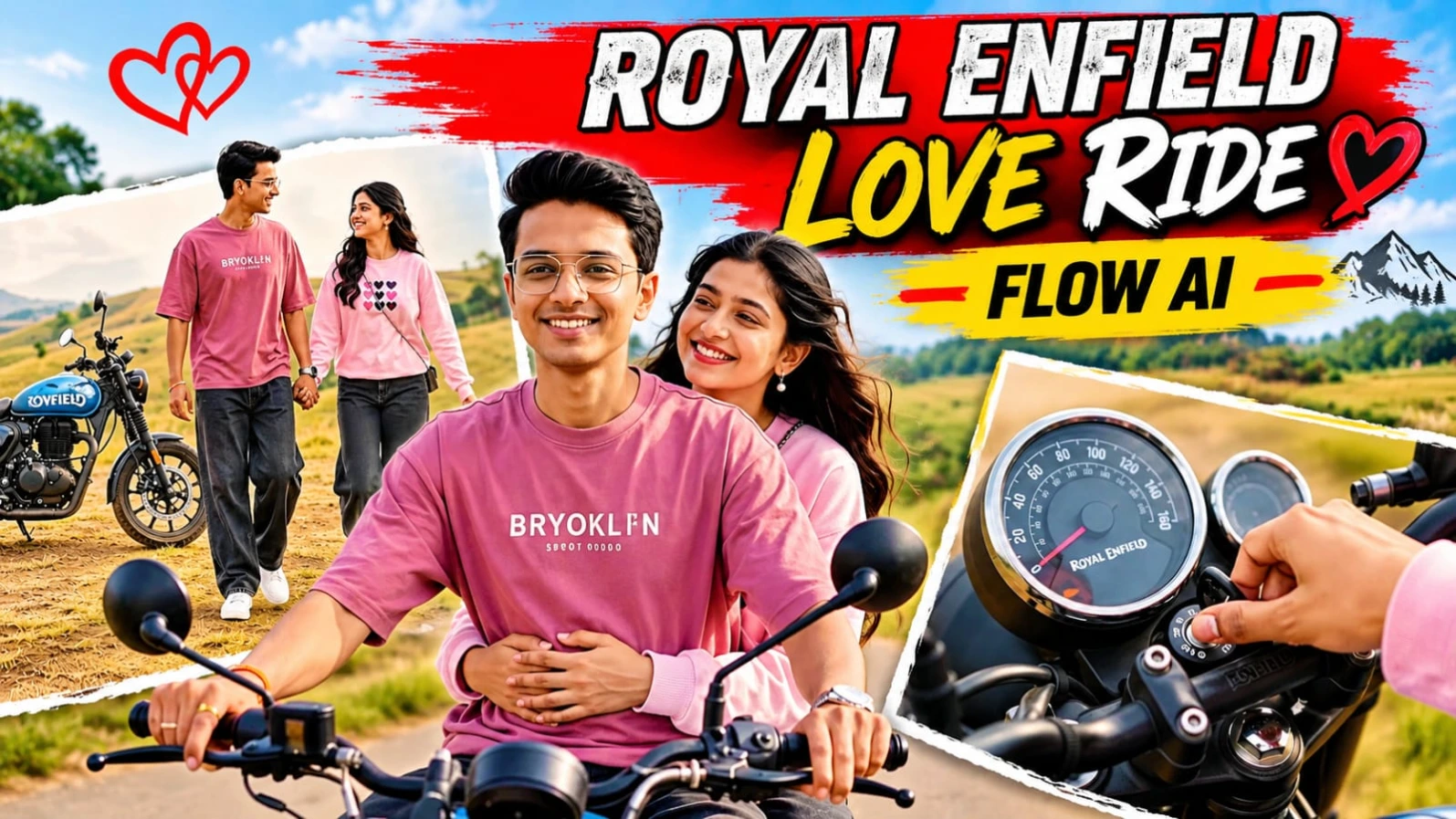
4. Zara Paas Aa Mere | Instagram Viral Couples AI Video Prompt | Google Flow (Free)
Instagram par cinematic pre-wedding road-trip aur romantic couple AI videos ka trend tezi se viral ho raha hai.Zara Paas Aa Mere | Instagram Viral Couples AI Video Prompt | Google Flow (Free) un creators ke liye design kiya gaya hai jo ChatGPT Character Sheet aur Google Flow AI ki madad se ek 18.5-second aur 9-scene cinematic road-trip video create karna chahte hain. Is creative concept mein ek Indian couple ko blue Royal Enfield Hunter 350 motorcycle ke sath golden-brown hills aur scenic mountain roads par romantic moments share karte hue dikhaya gaya hai.
Is 16:9 widescreen video prompt mein keys toss aur catch, ignition key close-up, scenic hillside motorcycle ride, top-down drone shot mein open-arms joyful pose, hand-in-hand walk, aur side-mirror reflection romance jaise 9 cinematic scenes shamil hain. Soft creamy pastel DSLR color grading, 8K HDR quality, aur strict facial identity lock ke sath aap ek professional pre-wedding style reel generate kar sakte hain, aur NoorEditing07 brand ki quality aur consistency har frame mein bani rehti hai.
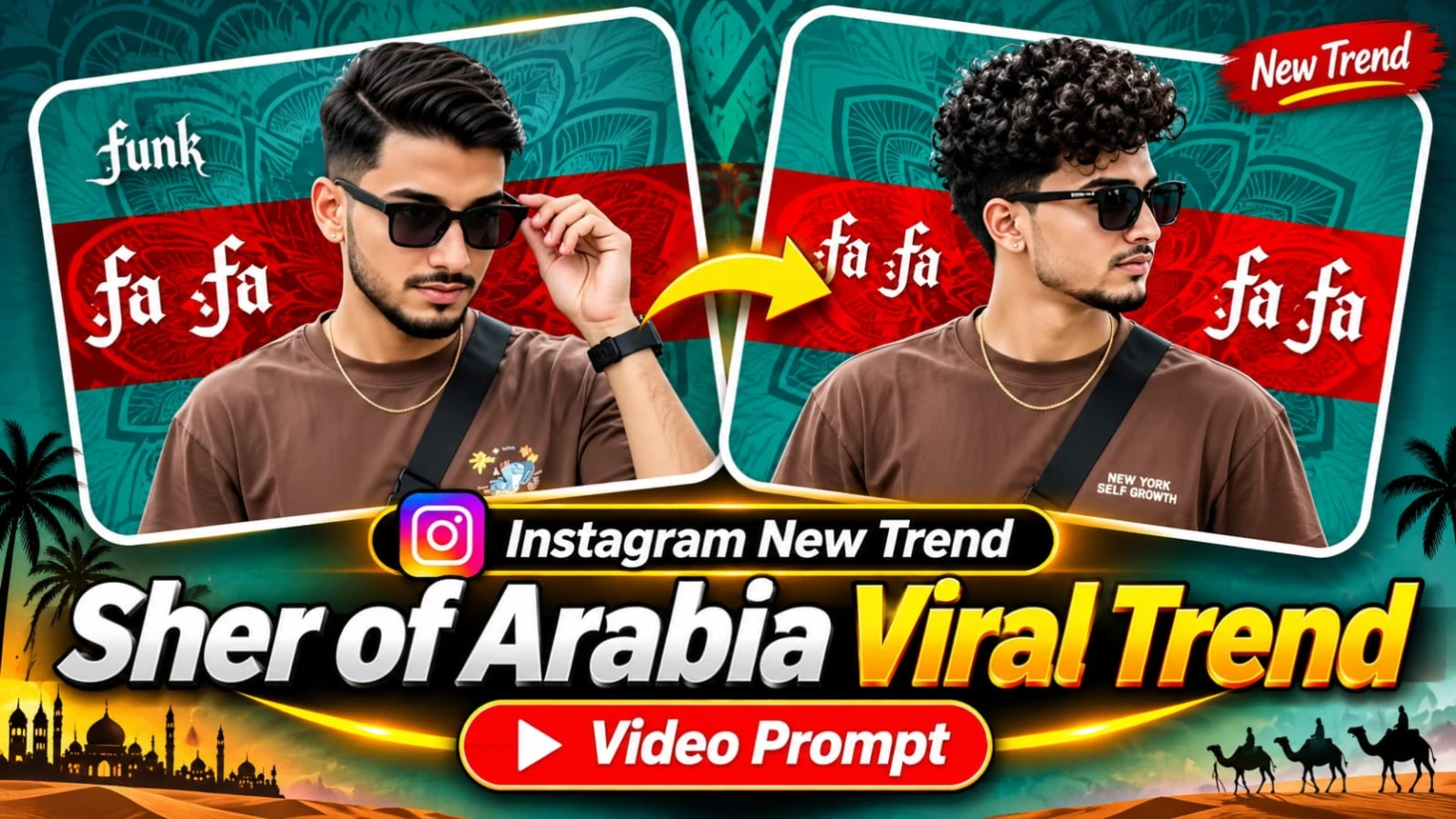
5. O.M FA FA FA Lyrical Edit | Sher of Arabia Trend | Google Flow AI Video Prompt
Aajkal AI Video Editing mein lyrical motion graphics aur beat-synced character edits ka trend tezi se viral ho raha hai.O.M FA FA FA Lyrical Edit | Sher of Arabia Trend | Google Flow AI Video Prompt un creators ke liye design kiya gaya hai jo Google Flow AI aur apni reference photo (@ladka) ki madad se ek 8-second ka stylish motion-graphics video create karna chahte hain. Is creative concept mein teal-green background, large dark mandala pattern, aur centre mein dark red horizontal band ke sath white Arabic-calligraphy style text ("fa", "Sher of Arabia", "fa fa", "funk") music beat ke sath animate hota hai.
Is 16:9 horizontal video prompt mein chest-up framing ke sath dark black sunglasses, brown t-shirt, thin gold chain, black chest strap, aur black wristwatch pehne character ke beat-synced snap movements (left, centre, right) aur sunglasses adjustment poses specify kiye gaye hain. Ismein Character Sheet ki zaroorat nahi padti; aap direct Reference Video aur apni clear face photo ke sath strict face aur hairstyle lock karke ek high-energy Instagram Reel ya YouTube Short generate kar sakte hain, aur NoorEditing07 brand ki quality aur consistency har frame mein bani rehti hai.