Modern To Royal Outfit Change | Cinematic Palace Walking Video
Is cinematic AI video prompt se Gemini AI Video Generator mein uploaded photo ko character identity reference ke roop mein use karke ek ultra-realistic 9:16 palace walking video banaya ja sakta hai.
Video mein same person luxurious white heritage palace courtyard mein camera ki taraf naturally walk karta hai. Walking ke dauran modern black outfit aur royal traditional outfit ke beech cinematic outfit transitions dikhaye jaate hain, jabki face, body, hairstyle, skin tone aur natural proportions completely consistent rakhe jaate hain.
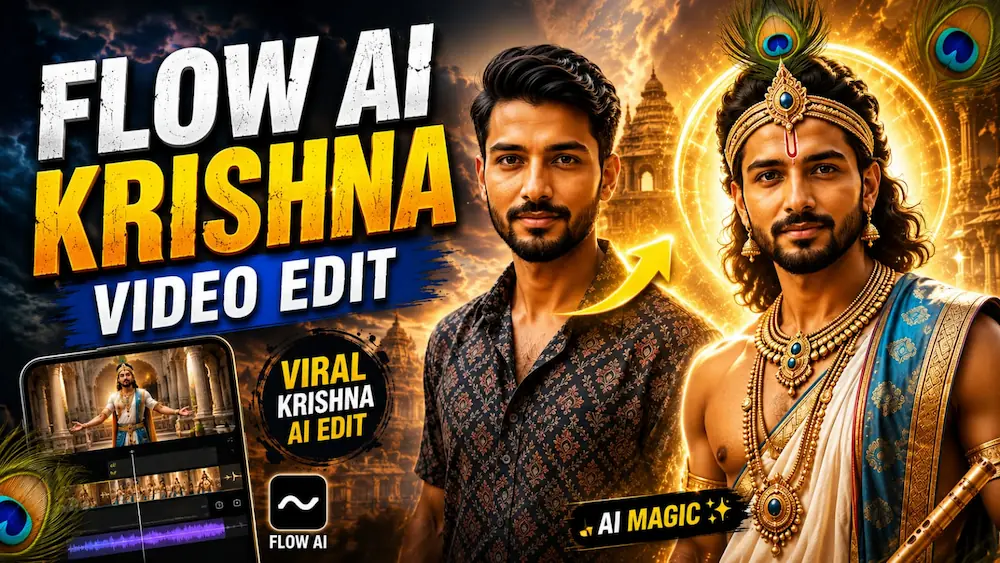
Royal look mein ivory-white dhoti, teal-blue royal shawl, gold jewellery aur elegant Mor Mukut with natural peacock feather diya gaya hai. Modern look mein black patterned shirt, black trousers aur dark footwear maintain kiye jaate hain.
Video mein smooth stabilized camera movement, realistic walking, natural daylight, realistic fabric physics, natural skin texture, cinematic depth of field aur premium live-action quality maintain ki gayi hai.
Ye prompt Gemini AI Video Generator, cinematic AI videos, photo-to-video, outfit transition videos, royal transformation videos aur Instagram Reels ke liye perfect hai.
AI Prompt
✦AI PROMPT
Generate a NEW cinematic VIDEO using the uploaded photo only as the character identity reference.
Do NOT edit or modify the uploaded image itself.
Use the uploaded person's exact face, body, hairstyle, skin tone and proportions as the character reference for a new 9:16 live-action video.
Create an 8-second continuous cinematic walking sequence inside a luxurious white heritage palace courtyard.
The same person walks naturally toward the camera throughout the entire video.
Generate a NEW cinematic VIDEO using the uploaded photo only as the character identity reference.
Do NOT edit or modify the uploaded image itself.
Use the uploaded person's exact face, body, hairstyle, skin tone and proportions as the character reference for a new 9:16 live-action video.
Create an 8-second continuous cinematic walking sequence inside a luxurious white heritage palace courtyard.
The same person walks naturally toward the camera throughout the entire video.
During the first 5.4 seconds, only the CLOTHING alternates rapidly between these two fixed looks while walking continues without stopping:
LOOK A:
black/charcoal patterned short-sleeve shirt, black trousers, dark footwear.
LOOK B:
ivory-white traditional dhoti, teal-blue royal shawl, gold jewellery, and one elegant Mor Mukut with a natural peacock feather.
Sequence:
Modern → Royal → Modern → Royal → Modern → Royal → Modern → Royal → Modern → Royal → Modern.
After 5.4 seconds, keep the MODERN outfit permanently until the end.
CRITICAL:
The clothing changes, NOT the person.
Keep the uploaded person's exact original face, body, hairstyle, hairline, skin texture, height and proportions unchanged throughout.
The Mor Mukut is only an accessory; do not replace or redesign the hairstyle underneath it.
Keep the face sharp and recognizable in every frame.
No face morphing, no identity drift, no beauty filter, no body change.
Walking must remain continuous through every outfit switch.
Do not restart steps or body position.
Keep the same palace courtyard, same camera direction and same lighting throughout.
Premium realistic live-action cinematic look, natural daylight, realistic skin pores, individual hair strands, real fabric physics, smooth stabilized tracking camera, 9:16 vertical, Full HD.
No image editing response.
Generate VIDEO output only.
No text, no logo, no watermark.
✓
Prompt copied to clipboard!
AI Prompt
✦AI PROMPT
Generate a NEW cinematic VIDEO using the uploaded photo only as the character identity reference.
Do NOT edit or modify the uploaded image itself.
Use the uploaded person's exact face, body, hairstyle, skin tone and proportions as the character reference for a new 9:16 live-action video.
Create an 8-second continuous cinematic walking sequence inside a luxurious white heritage palace courtyard.
The same person walks naturally toward the camera throughout the entire video.
Generate a NEW cinematic VIDEO using the uploaded photo only as the character identity reference.
Do NOT edit or modify the uploaded image itself.
Use the uploaded person's exact face, body, hairstyle, skin tone and proportions as the character reference for a new 9:16 live-action video.
Create an 8-second continuous cinematic walking sequence inside a luxurious white heritage palace courtyard.
The same person walks naturally toward the camera throughout the entire video.
During the first 5.4 seconds, only the CLOTHING alternates rapidly between these two fixed looks while walking continues without stopping:
LOOK A:
black/charcoal patterned short-sleeve shirt, black trousers, dark footwear.
LOOK B:
ivory-white traditional dhoti, teal-blue royal shawl, gold jewellery, and one elegant Mor Mukut with a natural peacock feather.
Sequence:
Modern → Royal → Modern → Royal → Modern → Royal → Modern → Royal → Modern → Royal → Modern.
After 5.4 seconds, keep the MODERN outfit permanently until the end.
CRITICAL:
The clothing changes, NOT the person.
Keep the uploaded person's exact original face, body, hairstyle, hairline, skin texture, height and proportions unchanged throughout.
The Mor Mukut is only an accessory; do not replace or redesign the hairstyle underneath it.
Keep the face sharp and recognizable in every frame.
No face morphing, no identity drift, no beauty filter, no body change.
Walking must remain continuous through every outfit switch.
Do not restart steps or body position.
Keep the same palace courtyard, same camera direction and same lighting throughout.
Premium realistic live-action cinematic look, natural daylight, realistic skin pores, individual hair strands, real fabric physics, smooth stabilized tracking camera, 9:16 vertical, Full HD.
No image editing response.
Generate VIDEO output only.
No text, no logo, no watermark.
✓
Prompt copied to clipboard!
Kaise Banaye
1. Sabse pehle Gemini AI Video Generator open karein.
2. Apni clear person photo upload karein.
3. Is page par diya gaya Cinematic Palace Walking Video Prompt copy karein.
4. Prompt ko Gemini AI Video Generator mein paste karein.
5. Video format 9:16 vertical select karein.
6. Video generate karein aur ensure karein ki same person ka face, body aur hairstyle poore video mein consistent rahe.
7. Check karein ki Modern aur Royal outfits ke transitions walking ke dauran smoothly ho rahe hain.
8. 5.4 seconds ke baad Modern outfit final frame tak same rehna chahiye.
9. Video generate hone ke baad ise Instagram Reels, YouTube Shorts, Facebook Reels ya cinematic AI video ke liye use kar sakte hain.
Gemini AI VideoGemini AI Video GeneratorGemini Video PromptGemini AI PromptCinematic AI VideoAI Video GeneratorAI Video PromptPhoto To Video AIAI Outfit ChangeOutfit Transition AI VideoModern To Royal Outfit
Gemini AI VideoGemini AI Video GeneratorGemini Video PromptGemini AI PromptCinematic AI VideoAI Video GeneratorAI Video PromptPhoto To Video AIAI Outfit ChangeOutfit Transition AI VideoModern To Royal Outfit
15 August Namo Ghat Cinematic AI Video & Romantic Couple AI Photo Tutorial
Aaj ke is tutorial mein hum do premium AI editing concepts ko ek saath samjhenge — 15 August Namo Ghat Cinematic AI Video aur Dreamy Romantic Couple AI Photo. Pehle concept mein Flow AI ki help se ek single reference photo ko use karke Varanasi ke Namo Ghat par Independence Day themed cinematic video create kiya jata hai. Dusre concept mein ChatGPT AI Photo Generator ke through couple photo ko dreamy blue-sky and pink-rose romantic portrait mein transform kiya ja sakta hai. Dono edits mein realistic identity, natural skin texture aur professional photography/cinematography ko priority di gayi hai.
15 August Namo Ghat Cinematic AI Video Kaise Banaye?
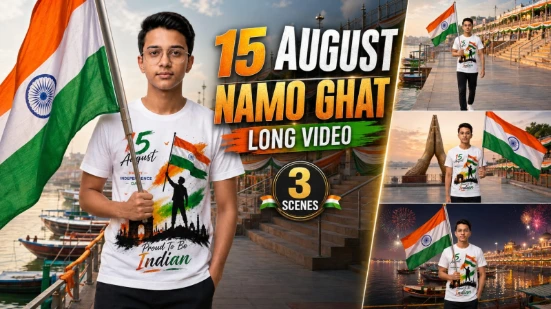
Sabse pehle ek clear reference photo select karein jisme face clearly visible ho. Flow AI mein photo upload karein aur Namo Ghat Cinematic Master Video Prompt paste karein. Uploaded image ko subject ki only and primary identity reference ke roop mein use kiya jata hai. Face shape, eyes, nose, lips, hairstyle, skin tone, height aur body proportions ko poore video mein consistent rakhne ke liye strict identity lock diya gaya hai.
Video approximately 15 seconds aur 9:16 vertical format mein create hota hai. Iska complete story environment sirf Namo Ghat, Varanasi par maintain kiya jata hai. Six connected scenes mein Namo Ghat introduction, patriotic walk, Namaste landmark hero shot, Ganga riverside emotional moment, flag wave with salute aur grand Independence Day finale include hain.
Person ko uploaded photo ke same outfit mein rakha jata hai, jabki patriotic atmosphere Indian flag, tricolor decorations, Ganga reflections, boats aur cinematic lighting se create hota hai. Final scene mein Namo Ghat aur Ganga ke background ke saath realistic fireworks aur premium “15 August Celebration” तथा “Happy Independence Day” typography add hoti hai.
Dreamy Romantic Couple AI Photo Kaise Banaye?
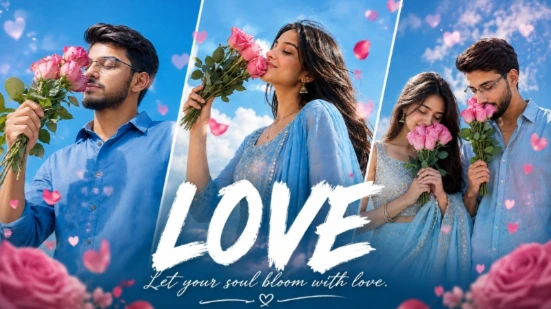
Ab ChatGPT AI Photo Generator open karein aur apni original couple photo upload karein. Couple AI Photo Prompt paste karke image generate karein. Prompt dono partners ke same faces, body shapes, skin tones aur hairstyles preserve karne par focus karta hai.
Concept mein couple bright blue sky aur soft white clouds ke neeche side-by-side khada hota hai. Dono apne-apne fresh pink roses ko gently smell karte hue peaceful romantic expression dete hain. Natural daylight, dreamy pastel colour grading, realistic skin pores, fabric details aur 50mm DSLR photography final image ko genuine romantic photoshoot jaisa look dete hain.
Couple version mein woman powder-blue traditional embroidered outfit aur man light sky-blue linen shirt mein appear karte hain. Top par bold white “LOVE” typography aur subtle romantic text image ko premium social-media poster appearance deta hai.
Final Result
Is combined workflow se aap ek powerful Independence Day cinematic video aur ek beautiful romantic couple portrait create kar sakte hain. Best results ke liye high-quality reference photos use karein aur final output mein face identity, hands, body proportions, clothing, lighting, background aur overall realism ko carefully check karein.