Bridge Walking Cinematic AI Video | Deep Teal Moody Look | Flow AI Video
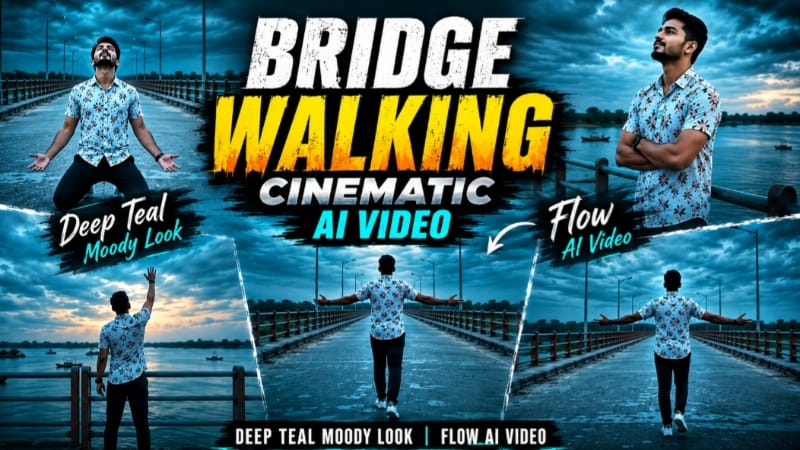
Is cinematic AI video prompt ka use karke Flow AI Video Generator mein uploaded reference photo se ek premium ultra-realistic cinematic bridge video create kiya ja sakta hai. Video ka complete concept ek wide concrete bridge, dramatic overcast dusk sky, deep-teal cinematic colour grading aur emotional solo walking story ke around designed hai.
Uploaded reference photo ko man's exact identity source ke roop mein use kiya gaya hai. Face, facial features, hairstyle, natural skin tone, body build, height aur overall appearance ko reference photo ke according accurately maintain karna hai. Kisi bhi scene mein face change, identity drift, hairstyle alteration ya unnatural body transformation nahi honi chahiye. Person ka natural body type exactly reference photo ke according rehna chahiye. AI ko extra muscle, extra height, unnecessary bulk ya unrealistic body proportions add nahi karne chahiye.
Person ka outfit complete video mein exactly same rehna chahiye: white floral-printed short-sleeve shirt, dark navy pants aur white sneakers. Shirt ka floral pattern, pants ka colour aur footwear Scene 1 se Scene 7 tak consistent maintain hona chahiye. Outfit mein kisi bhi scene ke andar random colour change, pattern change ya clothing replacement nahi hona chahiye.
Video ka location bhi poore sequence mein exactly same rehna chahiye. Ek long concrete bridge wide river ke upar stretch karta hua dikhaya gaya hai. Bridge ke dono sides par teal-and-orange stripes wali metal railing visible hai. Background mein distant green tree line, small islands aur river ke upar boats naturally visible hain. Sky dramatic overcast dusk atmosphere mein hai. Ye evening environment hai, nighttime nahi. Isliye scene mein complete darkness, night sky ya artificial night lighting ka look nahi aana chahiye.
Video ka main visual identity deep-teal cinematic colour grade hai. Sky aur water dono mein dramatic deep-teal tones maintain kiye gaye hain. Overall atmosphere moody, emotional, cinematic aur slightly melancholic feel deta hai. Colour grading Scene 1 se Scene 7 tak consistent rehni chahiye, taaki complete video ek hi continuous cinematic sequence jaisa lage.
Scene 1 mein camera man ke peeche se wide angle mein positioned hai. Man bridge ke center mein camera se door walk karta hai aur dono arms ko wide spread karta hai. Vast teal sky aur wide river ke comparison mein person relatively small दिखाई deta hai, creating a powerful feeling of freedom and openness. Walking movement natural aur steady hona chahiye.
Scene 2 mein camera medium distance par man ko bridge railing ke paas capture karta hai. Man apne arms ko chest ke across fold karke sky ki taraf dekhta hai. Expression calm, reflective aur emotionally thoughtful hona chahiye. Background mein river, distant shoreline aur dramatic evening sky clearly visible rehte hain.
Scene 3 mein wide cinematic shot man ko bridge par distance se walking karte hue dikhata hai. Teal-orange railing bridge ke saath leading lines create karti hai. River ke water par boats naturally visible hain aur distant landscape atmosphere ko depth deta hai. Camera movement smooth aur controlled hona chahiye.
Scene 4 video ka emotional highlight hai. Front-facing wide shot mein man bridge ke center mein drop down karke kneeling position mein aata hai aur head ko upward tilt karta hai. Empty road aur dramatic sky uske emotional pose ko visually powerful banate hain. Movement natural hona chahiye aur kneeling action mein body anatomy realistic rehni chahiye.
Scene 5 mein side-profile wide shot use hota hai. Man railing ke paas se camera ko cross karta hua calmly walk karta hai. Water, horizon aur distant land background mein visible rehte hain. Side profile mein face identity reference photo ke according accurate maintain honi chahiye.
Scene 6 mein camera man ke back view ko capture karta hai. Man bridge ke center mein camera se door walk karta hai. Upar dramatic wide teal sky aur bridge ke along street lamps visible hain. Natural walking motion aur consistent outfit complete scene ko realistic cinematic continuity dete hain.
Scene 7 final emotional finishing shot hai. Man bridge railing ke paas khada hota hai aur ek arm ko sky ki taraf raise karta hai, jaise woh sky ko reach karne ki koshish kar raha ho. Background mein wide river, distant land aur dramatic teal evening sky visible rehte hain. Ye final pose video ko emotional aur cinematic conclusion deta hai.
Complete video 9:16 vertical format aur 1080p resolution ke liye optimized hai. Smooth cinematic camera movement, realistic walking animation, natural hand movement, accurate body mechanics, realistic skin texture, detailed clothing fabric, atmospheric depth, soft environmental lighting aur cinematic depth of field video ko premium live-action footage jaisa appearance dete hain.
AI generation ke dauran sabse important priority identity consistency, body consistency, outfit consistency aur location continuity honi chahiye. Scene 1 se Scene 7 tak bridge ka design, teal-orange railing, river, distant greenery, islands, boats aur evening atmosphere visually connected feel hone chahiye.
Video ko Instagram Reels, Facebook Reels, YouTube Shorts aur other vertical cinematic AI content platforms ke liye use kiya ja sakta hai. Ye concept emotional walking video, cinematic bridge photography, deep-teal colour grading, solo cinematic storytelling aur AI photo-to-video creation ke liye suitable hai.
AI Video Prompt
✦AI VIDEO PROMPT
Use the uploaded reference photo for the man's face, hairstyle, skin tone, body build and height. Keep identity exactly same as reference photo — no alteration to face, body, or hairstyle in any scene. Keep the person's body proportions natural and realistic, matching the exact build shown in the reference photo — do not add extra muscle, height, or bulk. Outfit (same throughout, do not change): white floral-printed short-sleeve shirt, dark navy pants, white sneakers. Location (same throughout all 7 scenes, do not change): a long concrete bridge stretching over a wide river, metal railing painted in teal-and-orange stripes along both sides, distant green tree line, small islands and boats visible on the water, dramatic overcast dusk sky — evening light, not nighttime. Color grade: dramatic cinematic deep-teal color grade covering the entire sky and water, moody atmospheric evening tone, consistent across all scenes. Create 7 cinematic scenes, same outfit and same bridge location throughout: Scene 1 (same bridge location): Wide shot from behind, man walking away from the camera down the center of the bridge, both arms spread out wide to the sides in a free, carefree gesture. Scene 2 (same bridge location): Medium shot, man standing at the railing, arms crossed over his chest, looking up at the sky with a calm reflective expression. Scene 3 (same bridge location): Wide shot, man walking along the bridge at a distance, calm and steady pace, teal-orange railing and water stretching beside him. Scene 4 (same bridge location): Front-facing wide shot, man dropping down and kneeling in the middle of the bridge, head tilted upward, dramatic emotional pose. Scene 5 (same bridge location): Side profile wide shot, man walking past the camera along the railing, calm steady motion, water and horizon in the background. Scene 6 (same bridge location): Back view wide shot, man walking away from the camera down the bridge, natural walking motion, dramatic wide teal sky above him. Scene 7 (same bridge location): Wide shot, man standing at the railing, raising one arm upward as if reaching toward the sky, dramatic emotional finishing pose. Format: 9:16 vertical, 1080p resolution, cinematic pacing with smooth camera movement throughout. Watermark: small semi-transparent text "NoorEditing07" in the bottom-right corner, visible consistently across all 7 scenes.
Use the uploaded reference photo for the man's face, hairstyle, skin tone, body build and height. Keep identity exactly same as reference photo — no alteration to face, body, or hairstyle in any scene.
Keep the person's body proportions natural and realistic, matching the exact build shown in the reference photo — do not add extra muscle, height, or bulk. Any user's own body type should reflect naturally in the movement style.
Outfit (same throughout, do not change): white floral-printed short-sleeve shirt, dark navy pants, white sneakers.
Location (same throughout all 7 scenes, do not change): a long concrete bridge stretching over a wide river, metal railing painted in teal-and-orange stripes along both sides, distant green tree line, small islands and boats visible on the water, dramatic overcast dusk sky — evening light, not nighttime.
Color grade: dramatic cinematic deep-teal color grade covering the entire sky and water, moody atmospheric evening tone, consistent across all scenes.
Create 7 cinematic scenes, same outfit and same bridge location throughout, matching this exact sequence:
Scene 1 (same bridge location): Wide shot from behind, man walking away from the camera down the center of the bridge, both arms spread out wide to the sides in a free, carefree gesture, steady walking pace, small figure against the vast teal sky and water.
Scene 2 (same bridge location): Medium shot, man standing at the railing, arms crossed over his chest, looking up at the sky with a calm reflective expression, water and distant shoreline behind him.
Scene 3 (same bridge location): Wide shot, man walking along the bridge at a distance, calm and steady pace, teal-orange railing and water stretching beside him, boats visible on the water.
Scene 4 (same bridge location): Front-facing wide shot, man dropping down and kneeling in the middle of the bridge, head tilted upward, dramatic emotional pose, empty road stretching behind him.
Scene 5 (same bridge location): Side profile wide shot, man walking past the camera along the railing, calm steady motion, water and horizon in the background.
Scene 6 (same bridge location): Back view wide shot, man walking away from the camera down the bridge, natural walking motion, dramatic wide teal sky above him, street lamps lining the path.
Scene 7 (same bridge location): Wide shot, man standing at the railing, raising one arm upward as if reaching toward the sky, dramatic emotional finishing pose, water and distant land visible behind him.
Format: 9:16 vertical, 1080p resolution, cinematic pacing with smooth camera movement throughout, same location and deep-teal color grade maintained from Scene 1 to Scene 7.
Watermark: small semi-transparent text "NoorEditing07" in the bottom-right corner, visible consistently across all 7 scenes.
✓
Prompt copied to clipboard!
AI Video Prompt
✦AI VIDEO PROMPT
Use the uploaded reference photo for the man's face, hairstyle, skin tone, body build and height. Keep identity exactly same as reference photo — no alteration to face, body, or hairstyle in any scene. Keep the person's body proportions natural and realistic, matching the exact build shown in the reference photo — do not add extra muscle, height, or bulk. Outfit (same throughout, do not change): white floral-printed short-sleeve shirt, dark navy pants, white sneakers. Location (same throughout all 7 scenes, do not change): a long concrete bridge stretching over a wide river, metal railing painted in teal-and-orange stripes along both sides, distant green tree line, small islands and boats visible on the water, dramatic overcast dusk sky — evening light, not nighttime. Color grade: dramatic cinematic deep-teal color grade covering the entire sky and water, moody atmospheric evening tone, consistent across all scenes. Create 7 cinematic scenes, same outfit and same bridge location throughout: Scene 1 (same bridge location): Wide shot from behind, man walking away from the camera down the center of the bridge, both arms spread out wide to the sides in a free, carefree gesture. Scene 2 (same bridge location): Medium shot, man standing at the railing, arms crossed over his chest, looking up at the sky with a calm reflective expression. Scene 3 (same bridge location): Wide shot, man walking along the bridge at a distance, calm and steady pace, teal-orange railing and water stretching beside him. Scene 4 (same bridge location): Front-facing wide shot, man dropping down and kneeling in the middle of the bridge, head tilted upward, dramatic emotional pose. Scene 5 (same bridge location): Side profile wide shot, man walking past the camera along the railing, calm steady motion, water and horizon in the background. Scene 6 (same bridge location): Back view wide shot, man walking away from the camera down the bridge, natural walking motion, dramatic wide teal sky above him. Scene 7 (same bridge location): Wide shot, man standing at the railing, raising one arm upward as if reaching toward the sky, dramatic emotional finishing pose. Format: 9:16 vertical, 1080p resolution, cinematic pacing with smooth camera movement throughout. Watermark: small semi-transparent text "NoorEditing07" in the bottom-right corner, visible consistently across all 7 scenes.
Use the uploaded reference photo for the man's face, hairstyle, skin tone, body build and height. Keep identity exactly same as reference photo — no alteration to face, body, or hairstyle in any scene.
Keep the person's body proportions natural and realistic, matching the exact build shown in the reference photo — do not add extra muscle, height, or bulk. Any user's own body type should reflect naturally in the movement style.
Outfit (same throughout, do not change): white floral-printed short-sleeve shirt, dark navy pants, white sneakers.
Location (same throughout all 7 scenes, do not change): a long concrete bridge stretching over a wide river, metal railing painted in teal-and-orange stripes along both sides, distant green tree line, small islands and boats visible on the water, dramatic overcast dusk sky — evening light, not nighttime.
Color grade: dramatic cinematic deep-teal color grade covering the entire sky and water, moody atmospheric evening tone, consistent across all scenes.
Create 7 cinematic scenes, same outfit and same bridge location throughout, matching this exact sequence:
Scene 1 (same bridge location): Wide shot from behind, man walking away from the camera down the center of the bridge, both arms spread out wide to the sides in a free, carefree gesture, steady walking pace, small figure against the vast teal sky and water.
Scene 2 (same bridge location): Medium shot, man standing at the railing, arms crossed over his chest, looking up at the sky with a calm reflective expression, water and distant shoreline behind him.
Scene 3 (same bridge location): Wide shot, man walking along the bridge at a distance, calm and steady pace, teal-orange railing and water stretching beside him, boats visible on the water.
Scene 4 (same bridge location): Front-facing wide shot, man dropping down and kneeling in the middle of the bridge, head tilted upward, dramatic emotional pose, empty road stretching behind him.
Scene 5 (same bridge location): Side profile wide shot, man walking past the camera along the railing, calm steady motion, water and horizon in the background.
Scene 6 (same bridge location): Back view wide shot, man walking away from the camera down the bridge, natural walking motion, dramatic wide teal sky above him, street lamps lining the path.
Scene 7 (same bridge location): Wide shot, man standing at the railing, raising one arm upward as if reaching toward the sky, dramatic emotional finishing pose, water and distant land visible behind him.
Format: 9:16 vertical, 1080p resolution, cinematic pacing with smooth camera movement throughout, same location and deep-teal color grade maintained from Scene 1 to Scene 7.
Watermark: small semi-transparent text "NoorEditing07" in the bottom-right corner, visible consistently across all 7 scenes.
3. Apni reference photo upload karein aur usse man's exact identity reference ke roop mein use karein.
4. Complete Bridge Walking Cinematic AI Video Prompt ko copy karke Flow AI mein paste karein.
5. Video format 9:16 Vertical select karein.
6. Available highest-quality / 1080p setting select karein.
7. Generate Video par click karein aur complete cinematic sequence generate hone dein.
8. Video generate hone ke baad check karein ki face, hairstyle, skin tone, height, body build aur natural body proportions reference photo ke according same hain.
9. White floral-printed short-sleeve shirt, dark navy pants aur white sneakers poore video mein consistent hone chahiye.
10. Bridge location Scene 1 se Scene 7 tak same rehni chahiye, including teal-orange railing, river, distant greenery, islands, boats aur street lamps.
11. Scene 1 se Scene 7 tak deep-teal cinematic colour grading consistent maintain honi chahiye.
12. Ye ensure karein ki environment evening/dusk ka ho, nighttime ka nahi.
13. Walking, kneeling, arm movement aur sky ki taraf reaching pose natural body mechanics ke saath generate hone chahiye.
14. Hands, fingers, face, legs aur body anatomy ko carefully check karein.
15. Face distortion, identity drift, outfit change, flickering, background distortion ya unrealistic movement ho to affected scene ko regenerate karein.
16. Final video mein smooth cinematic camera movement aur continuous visual flow maintain karein.
Bridge Cinematic AI VideoFlow AI VideoFlow AI Video GeneratorCinematic AI VideoAI Video PromptPhoto To Video AIDeep Teal Cinematic VideoMoody Cinematic AI VideoBridge Walking AI VideoSolo Cinematic VideoUltra Realistic AI Video9:16 AI VideoAI Cinematic EditingAiEditing007
Bridge Cinematic AI VideoFlow AI VideoFlow AI Video GeneratorCinematic AI VideoAI Video PromptPhoto To Video AIDeep Teal Cinematic VideoMoody Cinematic AI VideoBridge Walking AI VideoSolo Cinematic VideoUltra Realistic AI Video9:16 AI VideoAI Cinematic EditingAiEditing007
✦
✦
div style=" max-width:900px; margin:18px auto 30px; text-align:center; font-family:Arial,sans-serif;">
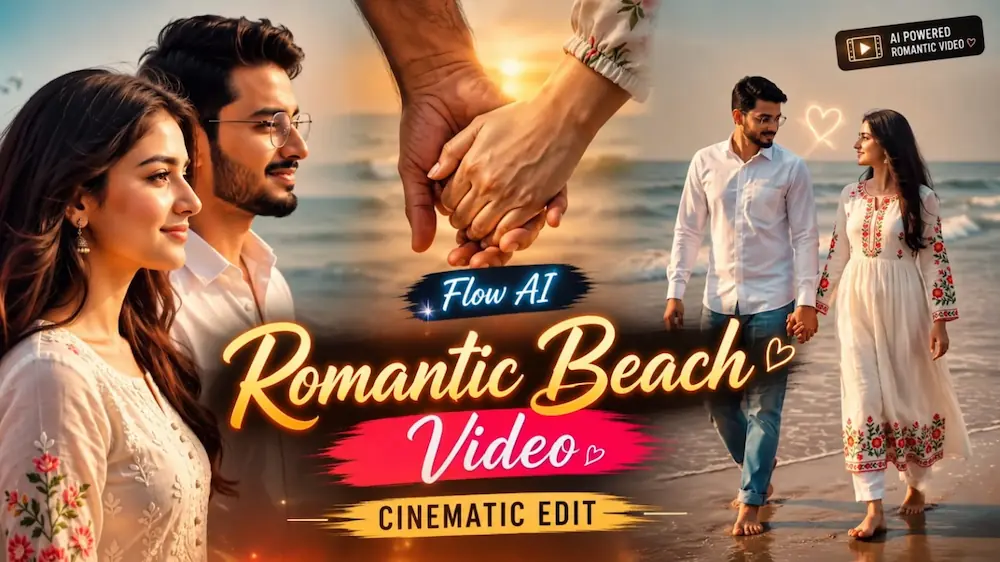
Kashmir Dreamscape & Romantic Beach Couple AI Video Tutorial
AI video generation can transform personal reference photos into cinematic travel journeys and romantic couple stories. This tutorial combines the Kashmir Dreamscape Journey, Beach Couple Cinematic Video, and 2 Photos Romantic Beach Video concepts. Each technique uses reference images, identity-lock instructions, realistic environments, cinematic camera movement, and carefully controlled continuity to create professional AI video content.
1. Create a Kashmir Dreamscape Cinematic Video
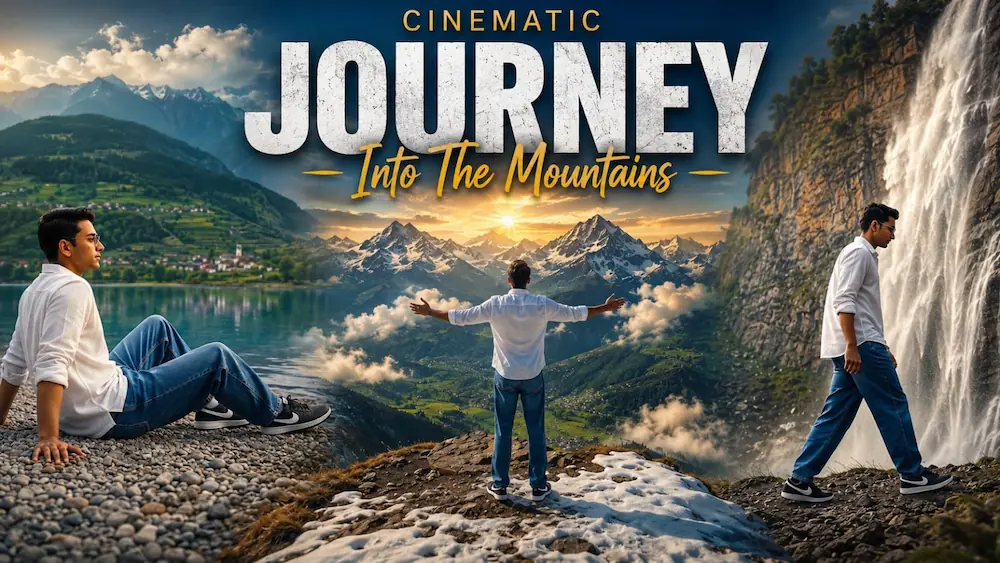
Start by opening Flow AI Video Generator and uploading a clear reference photo. The uploaded image acts as the exact identity source, keeping the same face, facial features, skin tone, body type, hairstyle, and natural appearance throughout all seven scenes. The outfit also remains unchanged: a white full-sleeve shirt, baggy denim jeans, and black Nike sneakers.
Select 16:9 landscape and the highest available quality or 8K setting. The cinematic journey moves through four major locations: a turquoise mountain lake, an alpine flower meadow, a waterfall cliffside, and a snow-covered mountain viewpoint. The seven scenes include a lakeshore walk, a peaceful seated lake shot, an open-arms meadow reveal, touching wildflowers, a waterfall hero shot, a cinematic waterfall walk, and a final aerial snow-mountain ending.
Use dreamy blue-green colour grading, soft natural daylight, mountain mist, realistic water, flowers, waterfall spray, snow, and atmospheric depth. After generation, check the face, hairstyle, outfit, body proportions, hands, scene order, and camera transitions to ensure the complete travel story remains consistent.
2. Create a Beach Couple Cinematic Video
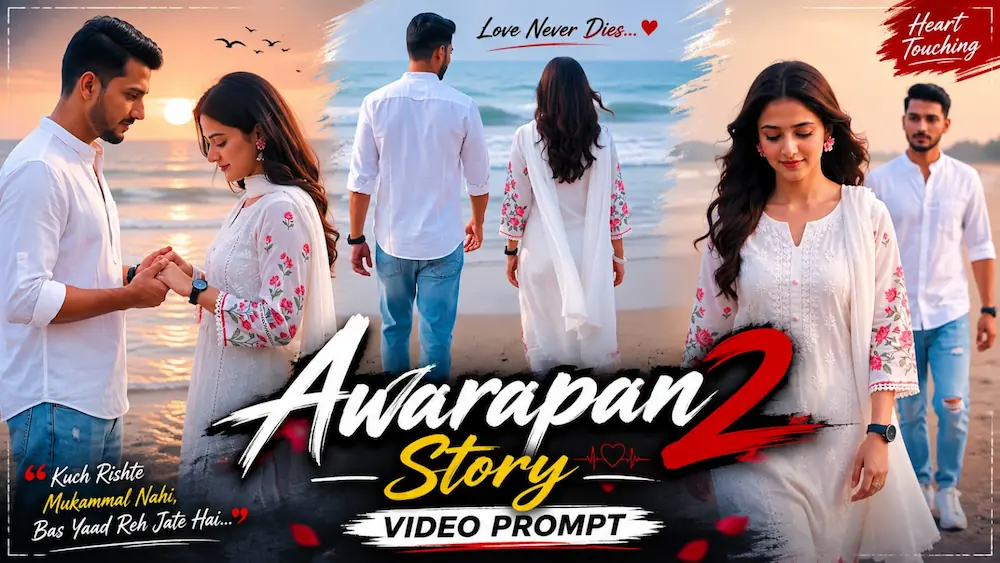
For the Beach Couple concept, upload two reference photos: one for the man and one for the woman. Both identities should remain exactly the same throughout the video, including their faces, hairstyles, skin tones, body builds, heights, and proportions. The man wears a white mandarin-collar shirt, light-blue ripped jeans, white sneakers, and a black watch. The woman wears a white embroidered kurta with pink floral details, a white dupatta, pink flower earrings, bangles, and open wavy hair.
Create the video in 9:16 vertical format at 1080p. The five-scene sequence takes place on the same sandy beach with ocean waves, soft overcast daylight, gentle sea breeze, and a warm-neutral slightly desaturated cinematic grade. The scenes include walking toward the sea, the woman walking toward the camera, a male side-profile close-up, the couple holding hands, and a final close-up of the man with the woman softly blurred behind him.
3. Create a 2-Photo Romantic Beach Video
The second beach concept uses the same basic idea but creates a shorter 10-second, 16:9 cinematic video. Upload the male and female reference photos and use them as strict primary identity references. The sequence begins with the couple standing barefoot beside the ocean, followed by a hand-holding walk, an emotional male profile close-up, and a final rear-side coastline walk.
For realism, maintain natural skin texture, blinking, breathing, hand movement, hair movement, clothing physics, ocean waves, wet-sand reflections, and smooth cinema-camera movement. Keep the same beach, lighting, outfits, and characters from beginning to end.
Final Result
These three techniques offer both cinematic travel storytelling and romantic beach content. The Kashmir project creates a large-scale mountain journey, while the two beach concepts create emotional couple videos from reference photos. Strong identity locking, consistent outfits and locations, realistic movement, natural lighting, and careful final checking are the keys to achieving a premium AI video result.