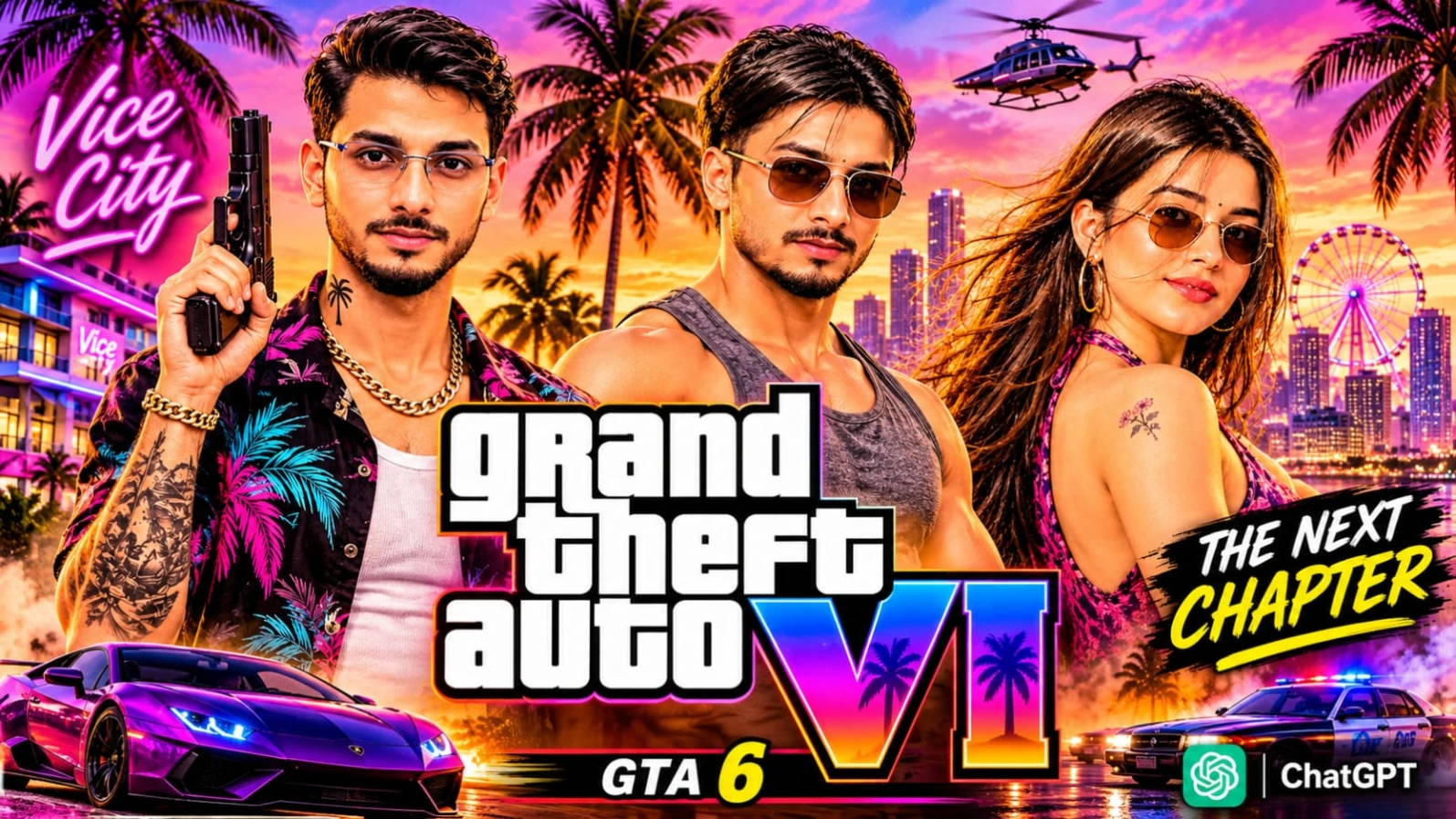
Want to transform your photograph into a cinematic Vice City-inspired poster? These GTA 6 Vice City AI Photo Prompts are designed to help you create stylish, colourful and detailed AI images using ChatGPT. Upload your own photograph as a face reference, copy a suitable prompt and generate a personalised poster featuring a retro tropical city, neon lights, classic cars, palm trees and dramatic sunset backgrounds.
This prompt collection focuses on the visual atmosphere of the Grand Theft Auto VI universe, particularly the colourful Vice City-inspired aesthetic. It combines 1980s-inspired tropical architecture, glowing neon signs, wet reflective streets, sunset skies and premium video-game-style digital artwork.
You can create different poster concepts with your own character while maintaining your original facial identity.
What Can You Create with These GTA 6 AI Photo Prompts?
This collection includes multiple creative concepts for different styles of Vice City-inspired artwork.
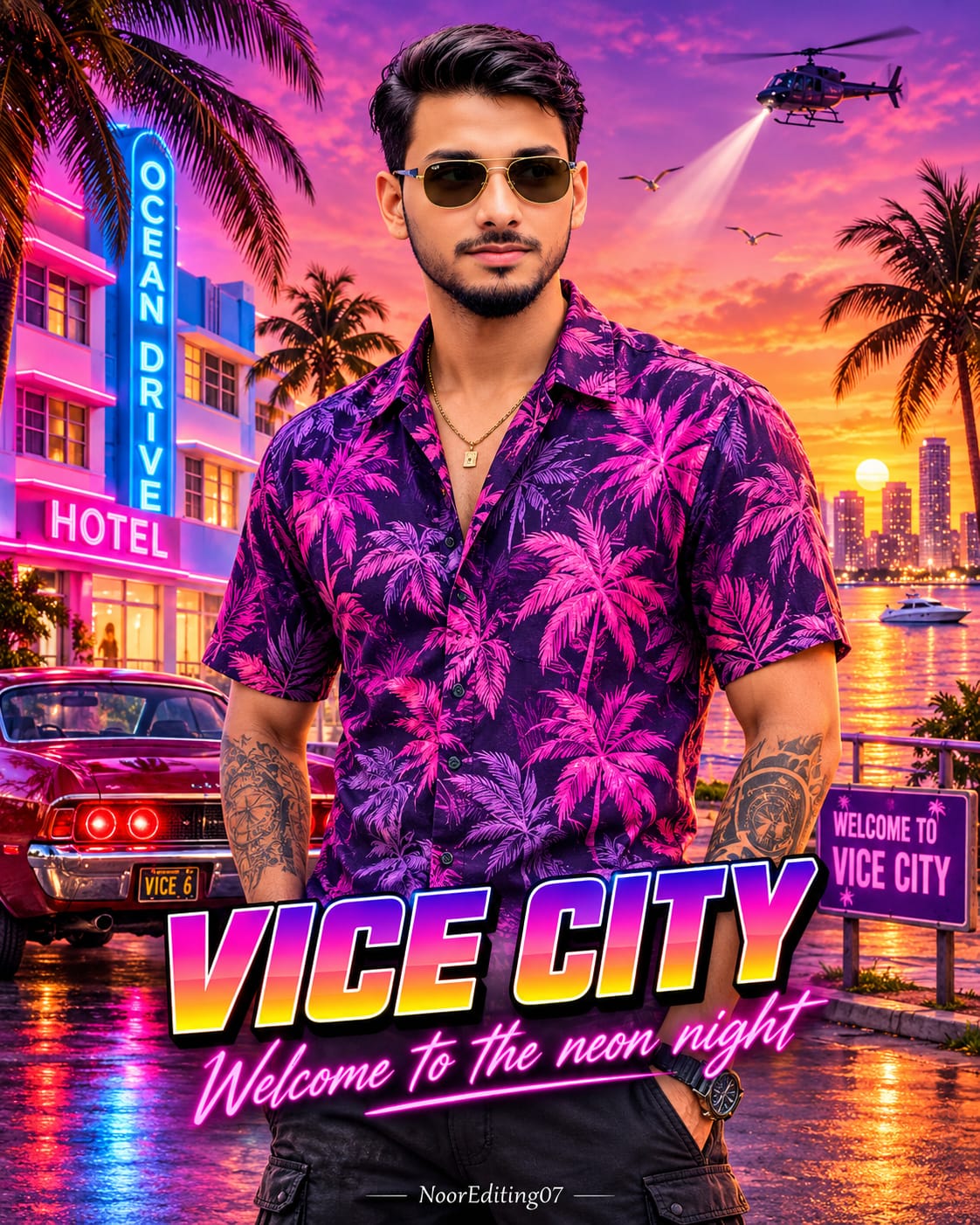
1. Solo Character Vice City Poster
Create a powerful individual character poster featuring yourself standing confidently in the centre of a neon tropical city. The design includes a colourful Hawaiian shirt, sunglasses, forearm tattoos, retro muscle cars, palm trees and glowing Ocean Drive hotel signs.
The background features a dramatic purple, pink and orange sunset, a helicopter, a waterfront skyline and wet asphalt reflecting neon lights. Large retro typography reading "VICE CITY" completes the composition.
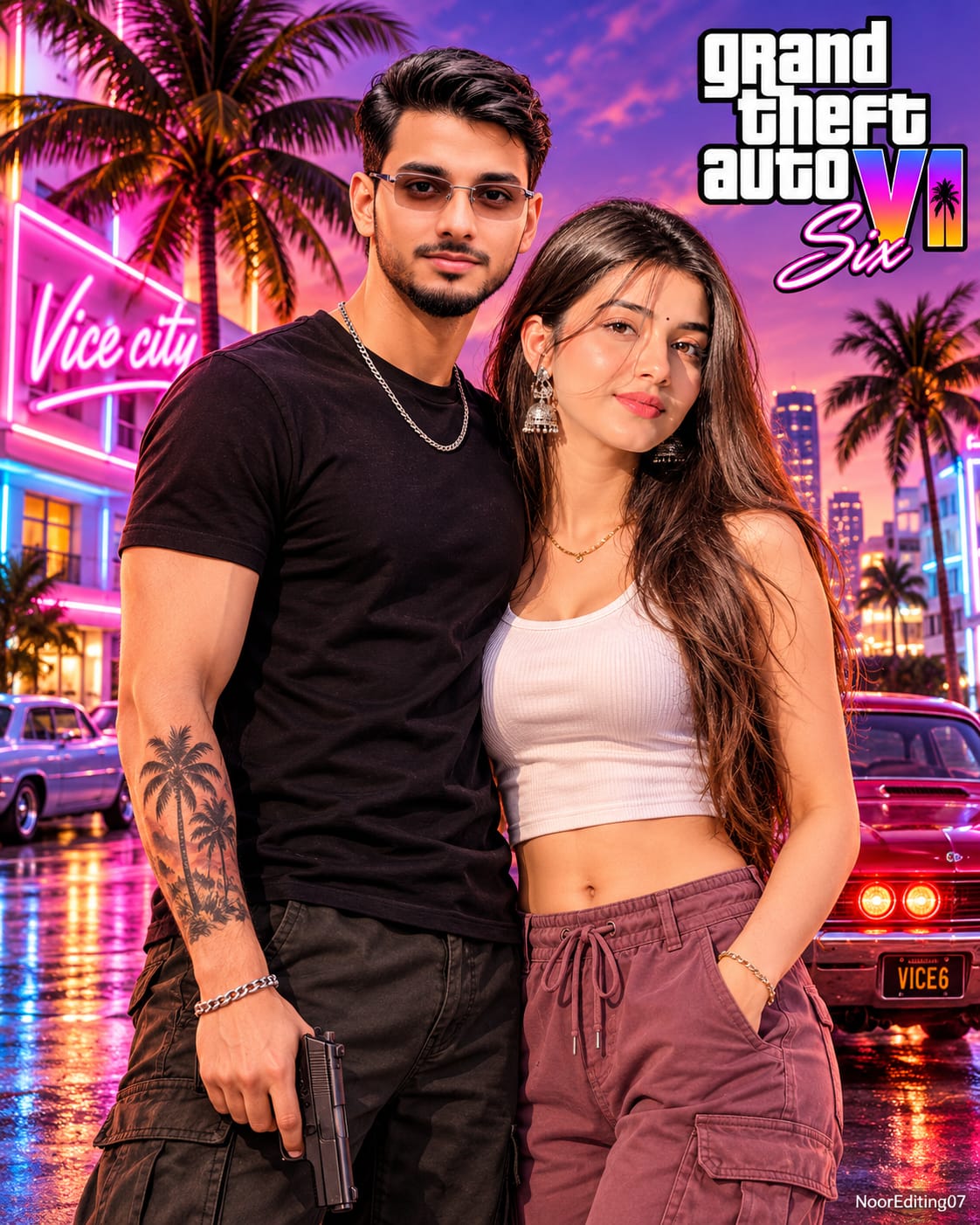
2. Couple Vice City Poster
Create a cinematic portrait featuring two people standing closely together against a neon-lit Vice City street. The composition combines retro fashion, tropical palm trees, Art Deco buildings and classic cars.
The male and female subjects can use separate uploaded photographs as identity references. The goal is to preserve both faces while integrating the subjects naturally into the illustrated environment.
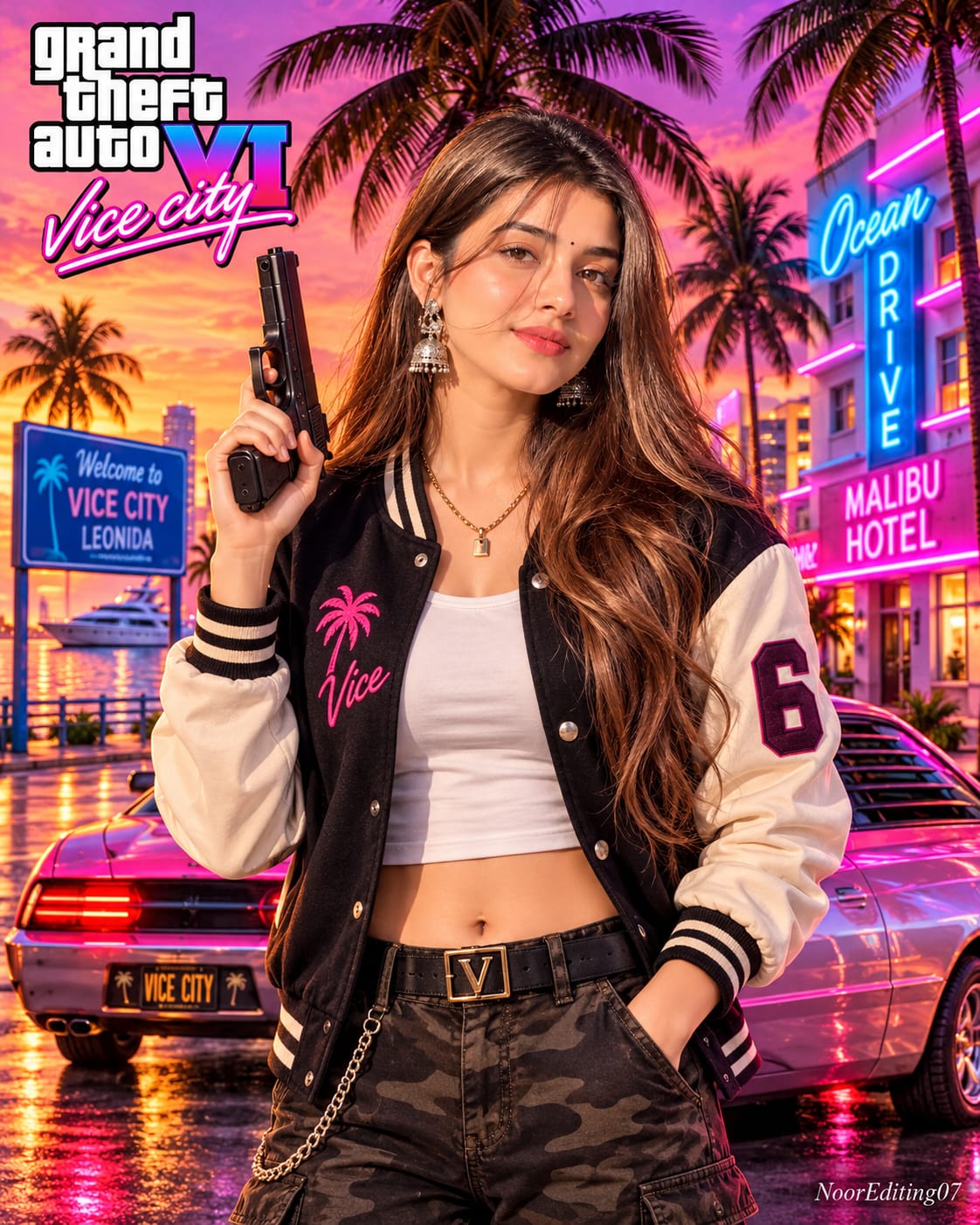
3. Individual Character Street Poster
Another concept features a confident character standing on a Vice City street in a stylish varsity jacket, cargo trousers and retro-inspired clothing. The background includes colourful Ocean Drive buildings, neon hotel signs, palm trees and a classic sports car.
This design is suitable for a personalised gaming-style character poster with dramatic lighting and detailed clothing.
4. Comic-Book Collage Poster
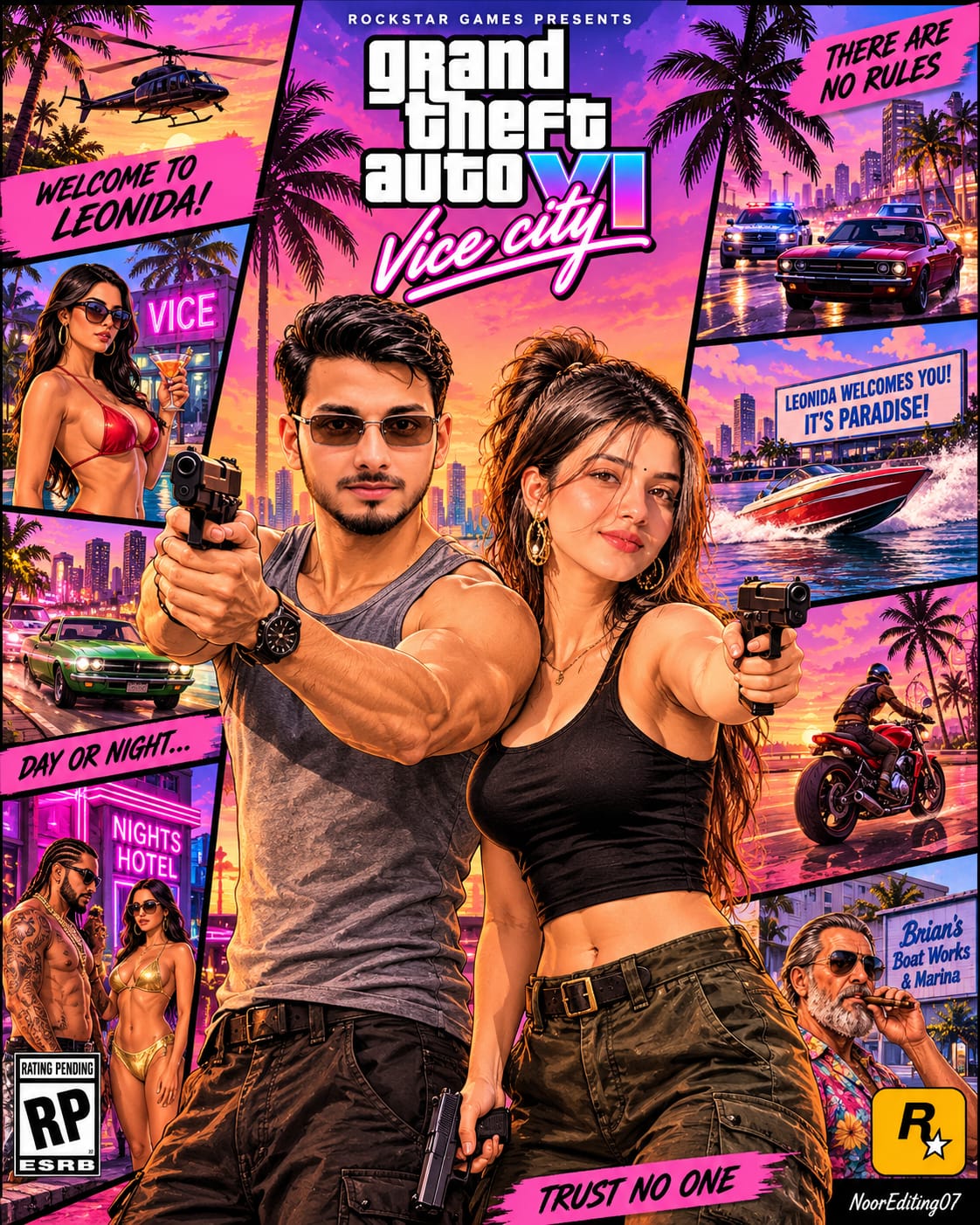
Create a detailed multi-panel poster inspired by the visual language of open-world action games. The central composition features two main characters, while surrounding panels show a helicopter, police chase, speedboat, motorcycle, waterfront locations and colourful nightlife scenes.
This concept is useful when you want a poster with several cinematic moments arranged into one composition.
5. Vice City Convertible Car Poster
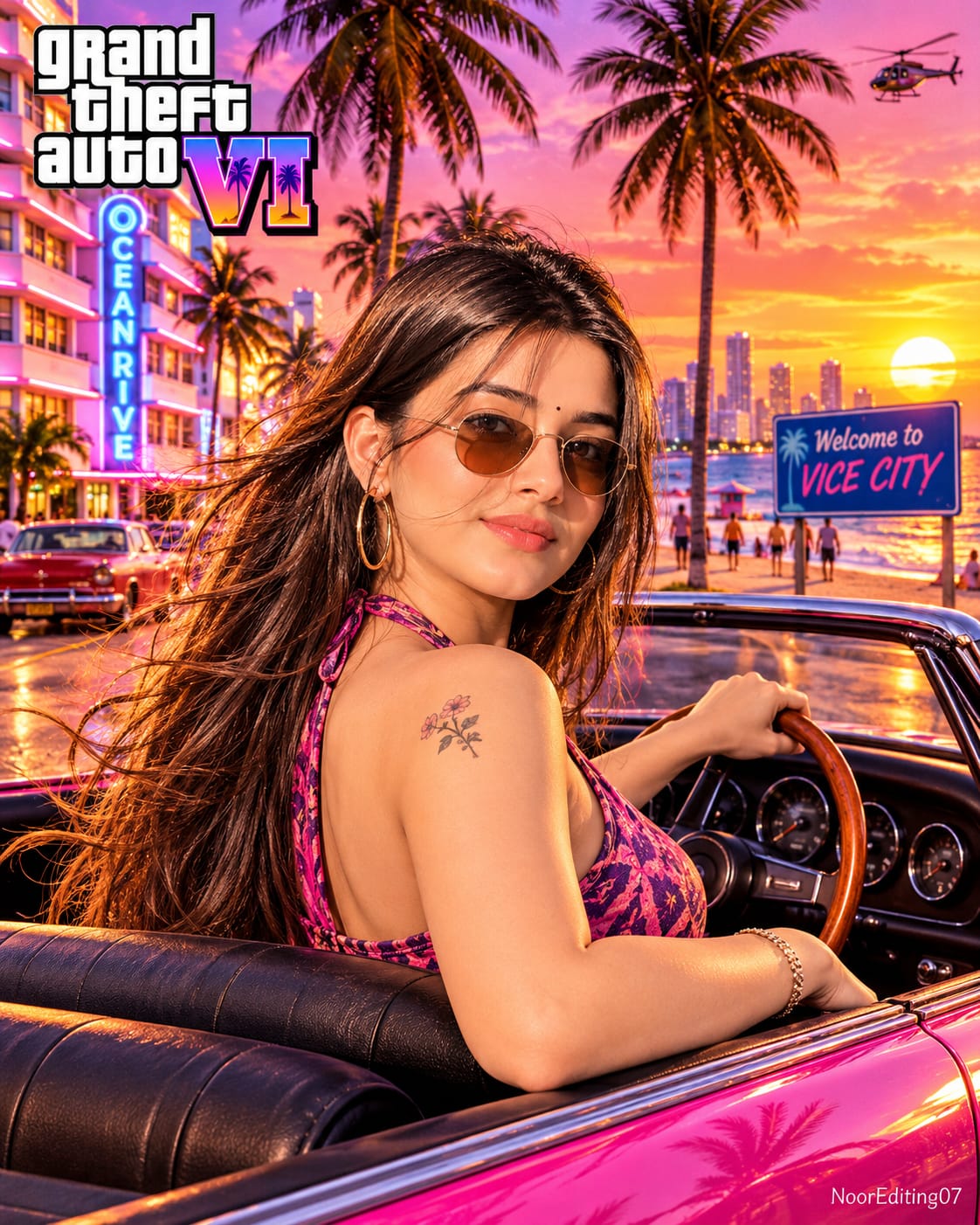
Create a stylish retro automotive portrait featuring a person sitting in a metallic pink vintage convertible. The character turns back toward the camera while driving along a coastal boulevard.
The background includes Ocean Drive hotels, palm trees, ocean waves, beach scenery, sunset reflections and a colourful city skyline.
6. Vice City Sunset Street Portrait
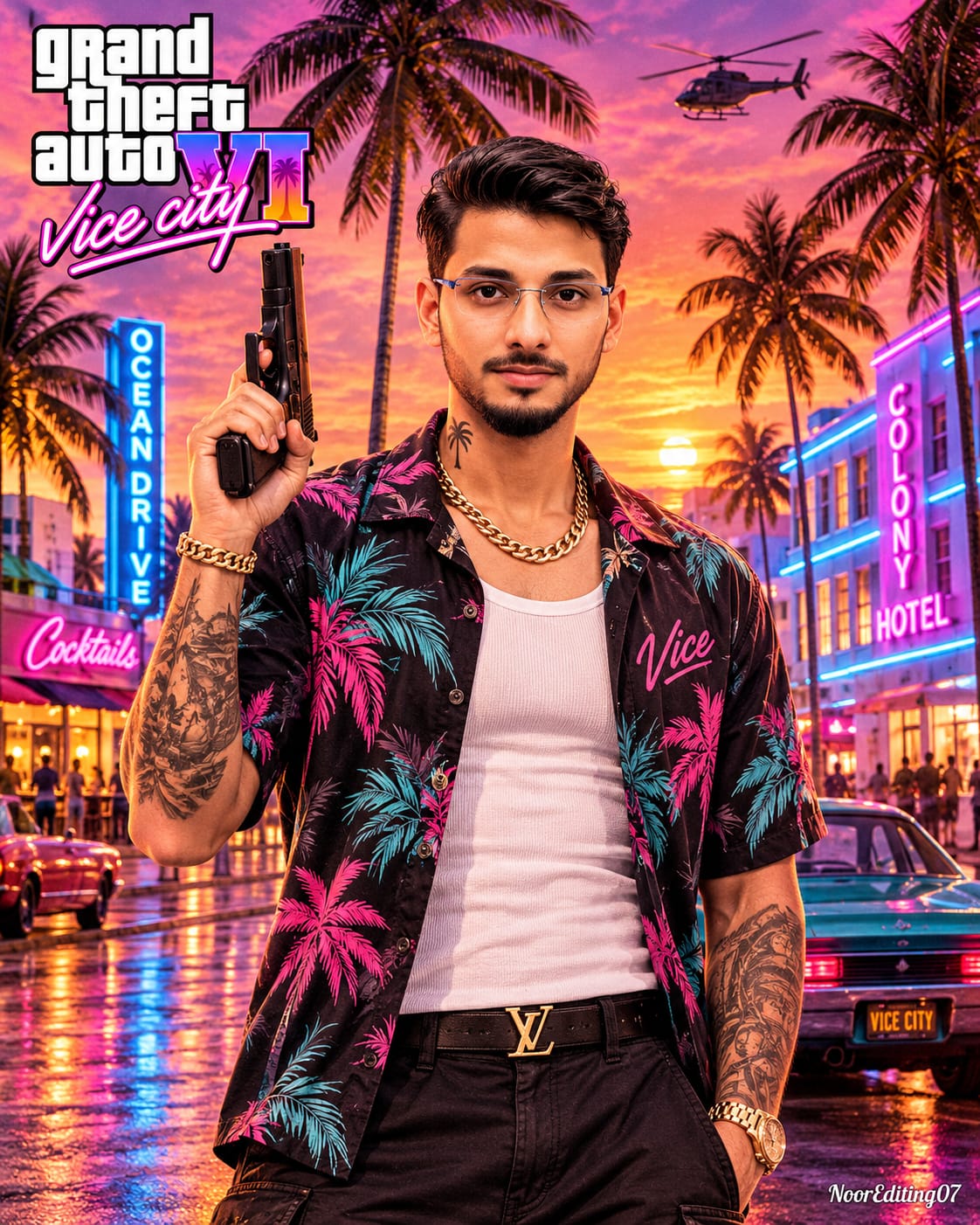
This concept places the character on a neon-lit street at sunset, surrounded by retro sports cars, tropical buildings and glowing hotel signs. The combination of warm sunset lighting and cool neon reflections creates a dramatic cinematic atmosphere.
Face Identity Preservation
One of the most important parts of personalised AI poster creation is maintaining the original face.
Before generating an image, upload a clear photograph of yourself to ChatGPT. Use the uploaded photograph as the face and identity reference in your prompt.
Include clear instructions to preserve your original facial features, including:
- Eyes, nose and lips
- Face shape and jawline
- Original skin tone
- Natural facial proportions
- Recognisable facial identity
If you are creating a couple poster, upload both reference photographs and clearly identify which photograph belongs to each subject.
Remember that AI image generation may not reproduce every facial detail perfectly in every attempt. Review the result and regenerate or refine the prompt if the face does not match your reference closely enough.
Premium Vice City Visual Style
The main attraction of these prompts is the colourful retro tropical atmosphere.
Use a dramatic sunset gradient with deep purple, magenta, pink and orange tones. Add cyan-blue and pink neon lighting to the buildings, vehicles and wet streets.
Important visual elements include:
- Tall silhouetted palm trees
- Art Deco hotels and neon signs
- Classic 1970s and 1980s-inspired cars
- Pink and purple sunset skies
- Coastal roads and waterfront skylines
- Helicopters, boats and distant city lights
- Reflective wet asphalt
- Detailed clothing, accessories and natural skin texture
The intended style combines semi-realistic digital illustration, cinematic poster artwork and natural-looking facial details.
Recommended Image Settings
For these poster concepts, use a vertical 4:5 aspect ratio. This composition provides enough space for the character, background scenery and poster typography.
The prompts request ultra-HD and 8K-style detail, but the actual resolution depends on ChatGPT's available image-generation and export capabilities.
Use a clear reference photograph, describe the intended pose, specify the lighting direction and explain the background elements carefully. This makes the creative direction easier to understand.
Complete Prompt Collection
The prompts in this collection are intended for ChatGPT image generation. Choose the concept you want, upload the relevant reference photograph and paste the corresponding full prompt.
You can customise clothing, hairstyles, poses, vehicles and background details while retaining the overall Vice City-inspired visual theme.
For personal posters, replace generic subject descriptions with your own appearance and use your uploaded photograph as the identity reference. For couple artwork, use two separate photographs. For collage artwork, describe the central characters and each surrounding panel individually.
Keep text instructions precise. If your design includes signs such as "OCEAN DRIVE", "WELCOME TO VICE CITY" or "VICE CITY", specify the exact spelling and placement. AI-generated typography can sometimes contain spelling errors, so inspect all text before using the final image.
Important Note About GTA 6 Inspired Artwork
These are fan-made, GTA 6 and Vice City-inspired creative image prompts for personal AI artwork. They are not official Rockstar Games promotional images or official game assets. Use original poster layouts and avoid presenting generated artwork as an official game release or endorsement.
Final Thoughts
These GTA 6 Vice City AI Photo Prompts make it possible to explore several retro gaming-inspired poster concepts using your own photographs. From individual character portraits and couple posters to convertible car scenes and comic-book collages, each concept offers a different way to create personalised digital artwork.
Use ChatGPT, upload your reference photograph, choose your favourite prompt and experiment with the neon colours, cinematic lighting and tropical city atmosphere to create your own Vice City-inspired poster.
✦AI PHOTO PROMPT
Ultra-detailed 8K HD cinematic digital-painting key-art poster in 4:5 aspect ratio (vertical) of a young man in a retro 1980s neon-soaked sunset beachfront city. Outfit: open-collar Hawaiian shirt with purple/magenta/pink palm-tree print on a dark violet base, gold chain, forearm tattoos, dark aviator sunglasses, chunky dark steel watch, charcoal-black cargo trousers. Scene: art-deco "OCEAN DRIVE HOTEL" neon signs, burgundy 1970s muscle car ("VICE 6"), helicopter searchlight, "WELCOME TO VICE CITY" sign, and "VICE CITY / Welcome to the neon night" title overlay. Watermark: NoorEditing07.
Use the uploaded photo of me as the face and identity reference. Create an ultra-detailed 8K HD cinematic digital-painting key-art poster (semi-realistic, premium video-game-poster style) in 4:5 aspect ratio (vertical), exactly as described below. Keep my face, facial features, skin tone and identity 100% accurate to the uploaded photo.
FRAME (VERY IMPORTANT):
The poster must fill the ENTIRE 4:5 vertical frame edge to edge. No green screen, no bars, no borders, no letterboxing.
SUBJECT & POSE:
A rugged, confident man standing in the center of the frame, three-quarter shot from the head to the mid-thighs, filling most of the poster's height. His body faces the camera, slightly turned, and both hands are tucked into the front pockets of his trousers, with his elbows slightly out. His head is turned slightly to the viewer's right, with his chin slightly raised, with a serious, cool, confident, intense expression and closed lips.
FACE & HAIR:
My face from the uploaded photo. Short, thick, dark hair swept back and slightly messy on top, with a rugged, short, dark stubble beard and moustache, with warm tanned skin. Dark aviator sunglasses with thin gold-toned frames and dark-green tinted lenses, reflecting the sunset.
OUTFIT & DETAILS:
A short-sleeve, loose-fit, open-collar button-up Hawaiian shirt with a purple, magenta and pink tropical palm-tree and leaf pattern on a dark violet base. A thin gold chain necklace with a small pendant. Tattoos on both forearms (dark, detailed, tribal and illustrative designs). A chunky dark steel wristwatch on his wrist (on the viewer's right). Dark charcoal-black cargo trousers with side pockets.
LOCATION & BACKGROUND:
A neon-soaked, retro, tropical beachfront city at sunset (Miami-style Ocean Drive), in the 1980s Vice-City-style mood.
- On the left: a pastel art-deco hotel with a tall vertical neon sign in glowing blue-white letters reading "OCEAN DRIVE", and a pink neon sign reading "HOTEL" below it, with glowing windows. Tall palm trees in black silhouette frame the left side of the poster.
- Lower left: a classic burgundy-maroon 1970s American muscle car, parked at the curb, with glowing red round taillights, chrome bumper, and a license plate reading "VICE 6".
- Top right: a dark helicopter flying in the sky, with a bright white searchlight beam shining down toward the right. A few seagulls flying in the sky.
- On the right: tall palm trees in black silhouette, a calm sunset bay with glowing reflections on the water, a white speedboat on the water, and a glittering city skyline of skyscrapers with lights in the distance.
- Lower right: a purple street/billboard sign on two posts, reading "WELCOME TO VICE CITY".
- The ground in the foreground is wet asphalt with reflections of the neon pink and blue lights.
SKY:
A dramatic, vibrant, saturated sunset sky with a smooth gradient from deep purple at the top, to magenta, hot pink and orange near the horizon, with soft, glowing cirrus and cumulus clouds in pink and gold.
TITLE TEXT (custom, original):
Across the center-lower part of the poster, over the man's torso, a large title lockup: the words "VICE CITY" in a big, bold, rounded, retro-futuristic font with a thick white outline and a black drop shadow, filled with a vivid pink-to-purple-to-orange neon sunset gradient. Below it, a smaller line in glowing pink neon handwritten script: "Welcome to the neon night". The text must be spelled exactly as given, with no other logos.
WATERMARK:
A small, subtle "NoorEditing07" watermark at the very bottom of the poster. (No other logos or icons.)
CAMERA:
Eye-level to very slightly low angle, a heroic portrait framing (about 50-70mm look), vertical 4:5, with the man large in the center and the scene wrapping around him. Deep depth of field, with the man tack-sharp and the background richly detailed.
LIGHTING & COLOR GRADE:
Warm sunset rim light from the right on his face, shoulders and arms, mixed with pink, magenta and purple neon glow from the left, strong cinematic contrast, glowing highlights, a vibrant synthwave / retro-sunset color grade with magenta, pink, violet, orange and cyan-blue neon accents. The same lighting direction, warmth and glow must fall on the man, the car, the hotel, the palm trees and the sky.
FACE-BODY BLENDING (VERY IMPORTANT):
Face, neck, jawline and body must blend seamlessly, with no pasted or cut-and-paste look, no visible seam, edge or mismatch. Skin tone must match naturally across face, neck, arms and hands. The painted style, lighting and texture must be consistent on the whole poster, including the face, with no difference in sharpness.
QUALITY:
8K, ultra-high resolution, razor-sharp details (shirt print and fabric folds, beard hairs, skin pores, tattoos, neon glow, car chrome, palm leaves, water reflections). It must stay sharp and clear when zoomed in, with no pixelation, blur, artifacts, distortion or extra/missing fingers. Text must be spelled exactly as given. Aspect ratio 4:5.
✓
Prompt copied to clipboard!
✦AI PHOTO PROMPT
Ultra-detailed 8K HD cinematic digital-painting key-art poster in 4:5 aspect ratio (vertical) of a young man in a retro 1980s neon-soaked sunset beachfront city. Outfit: open-collar Hawaiian shirt with purple/magenta/pink palm-tree print on a dark violet base, gold chain, forearm tattoos, dark aviator sunglasses, chunky dark steel watch, charcoal-black cargo trousers. Scene: art-deco "OCEAN DRIVE HOTEL" neon signs, burgundy 1970s muscle car ("VICE 6"), helicopter searchlight, "WELCOME TO VICE CITY" sign, and "VICE CITY / Welcome to the neon night" title overlay. Watermark: NoorEditing07.
Use the uploaded photo of me as the face and identity reference. Create an ultra-detailed 8K HD cinematic digital-painting key-art poster (semi-realistic, premium video-game-poster style) in 4:5 aspect ratio (vertical), exactly as described below. Keep my face, facial features, skin tone and identity 100% accurate to the uploaded photo.
FRAME (VERY IMPORTANT):
The poster must fill the ENTIRE 4:5 vertical frame edge to edge. No green screen, no bars, no borders, no letterboxing.
SUBJECT & POSE:
A rugged, confident man standing in the center of the frame, three-quarter shot from the head to the mid-thighs, filling most of the poster's height. His body faces the camera, slightly turned, and both hands are tucked into the front pockets of his trousers, with his elbows slightly out. His head is turned slightly to the viewer's right, with his chin slightly raised, with a serious, cool, confident, intense expression and closed lips.
FACE & HAIR:
My face from the uploaded photo. Short, thick, dark hair swept back and slightly messy on top, with a rugged, short, dark stubble beard and moustache, with warm tanned skin. Dark aviator sunglasses with thin gold-toned frames and dark-green tinted lenses, reflecting the sunset.
OUTFIT & DETAILS:
A short-sleeve, loose-fit, open-collar button-up Hawaiian shirt with a purple, magenta and pink tropical palm-tree and leaf pattern on a dark violet base. A thin gold chain necklace with a small pendant. Tattoos on both forearms (dark, detailed, tribal and illustrative designs). A chunky dark steel wristwatch on his wrist (on the viewer's right). Dark charcoal-black cargo trousers with side pockets.
LOCATION & BACKGROUND:
A neon-soaked, retro, tropical beachfront city at sunset (Miami-style Ocean Drive), in the 1980s Vice-City-style mood.
- On the left: a pastel art-deco hotel with a tall vertical neon sign in glowing blue-white letters reading "OCEAN DRIVE", and a pink neon sign reading "HOTEL" below it, with glowing windows. Tall palm trees in black silhouette frame the left side of the poster.
- Lower left: a classic burgundy-maroon 1970s American muscle car, parked at the curb, with glowing red round taillights, chrome bumper, and a license plate reading "VICE 6".
- Top right: a dark helicopter flying in the sky, with a bright white searchlight beam shining down toward the right. A few seagulls flying in the sky.
- On the right: tall palm trees in black silhouette, a calm sunset bay with glowing reflections on the water, a white speedboat on the water, and a glittering city skyline of skyscrapers with lights in the distance.
- Lower right: a purple street/billboard sign on two posts, reading "WELCOME TO VICE CITY".
- The ground in the foreground is wet asphalt with reflections of the neon pink and blue lights.
SKY:
A dramatic, vibrant, saturated sunset sky with a smooth gradient from deep purple at the top, to magenta, hot pink and orange near the horizon, with soft, glowing cirrus and cumulus clouds in pink and gold.
TITLE TEXT (custom, original):
Across the center-lower part of the poster, over the man's torso, a large title lockup: the words "VICE CITY" in a big, bold, rounded, retro-futuristic font with a thick white outline and a black drop shadow, filled with a vivid pink-to-purple-to-orange neon sunset gradient. Below it, a smaller line in glowing pink neon handwritten script: "Welcome to the neon night". The text must be spelled exactly as given, with no other logos.
WATERMARK:
A small, subtle "NoorEditing07" watermark at the very bottom of the poster. (No other logos or icons.)
CAMERA:
Eye-level to very slightly low angle, a heroic portrait framing (about 50-70mm look), vertical 4:5, with the man large in the center and the scene wrapping around him. Deep depth of field, with the man tack-sharp and the background richly detailed.
LIGHTING & COLOR GRADE:
Warm sunset rim light from the right on his face, shoulders and arms, mixed with pink, magenta and purple neon glow from the left, strong cinematic contrast, glowing highlights, a vibrant synthwave / retro-sunset color grade with magenta, pink, violet, orange and cyan-blue neon accents. The same lighting direction, warmth and glow must fall on the man, the car, the hotel, the palm trees and the sky.
FACE-BODY BLENDING (VERY IMPORTANT):
Face, neck, jawline and body must blend seamlessly, with no pasted or cut-and-paste look, no visible seam, edge or mismatch. Skin tone must match naturally across face, neck, arms and hands. The painted style, lighting and texture must be consistent on the whole poster, including the face, with no difference in sharpness.
QUALITY:
8K, ultra-high resolution, razor-sharp details (shirt print and fabric folds, beard hairs, skin pores, tattoos, neon glow, car chrome, palm leaves, water reflections). It must stay sharp and clear when zoomed in, with no pixelation, blur, artifacts, distortion or extra/missing fingers. Text must be spelled exactly as given. Aspect ratio 4:5.
✓
Prompt copied to clipboard!
✦AI PHOTO PROMPT
4:5 vertical low-angle medium portrait of a young man and woman standing closely side-by-side in a Vice City night street scene with GTA 6 Vice City cover art semi-realistic digital illustration style and exact face preservation. Male (left): black crew-neck t-shirt, olive/charcoal cargo pants, palm-tree forearm tattoo, silver chain & bracelet, holding a black pistol pointing downward. Female (right): white ribbed sleeveless crop top, gold necklace, mauve cargo joggers. Background: wet neon-reflective asphalt, Art Deco buildings, "Vice city" pink neon sign, palm trees, retro cars with "VICE6" plate. Watermark: NoorEditing07.
Use the uploaded image(s) as the exact face reference. Keep the face(s) 100% identical with no changes in eyes, nose, lips, skin, or expression. Do not beautify, stylize, or generate a new face. Maintain natural, ultra-realistic DSLR look combined with GTA 6 Vice City cover art semi-realistic digital illustration style. Only integrate the subject(s) seamlessly into the exact scene, never alter the face.
A 4:5 vertical low-angle medium portrait of a young man and woman standing closely side-by-side in the exact same pose and camera angle as the reference image, adaptable for any age audience while keeping exact uploaded facial features.
Male Subject (Left): Standing slightly forward, angled right, head tilted slightly up with a confident smirk. Messy, textured dark brown/black hair, wearing a fitted plain black crew-neck t-shirt, thin silver chain necklace, silver chain bracelet on right wrist, and dark olive/charcoal cargo pants. Prominent black palm tree silhouette tattoo on his muscular right forearm. Right hand hanging down holding a black semi-automatic pistol pointing downward.
Female Subject (Right): Leaning closely against his left side, head tilted slightly toward him with a subtle confident smile. Long, wavy, voluminous dark brown hair parted in the middle. Wearing a fitted white ribbed sleeveless crop top showing toned midriff, thin gold necklace, and high-waisted mauve/dusty-pink drawstring cargo joggers.
Seamless Blending & Lighting: Faces, necks, jawlines, and bodies are 100% seamlessly blended with zero cut-paste edges or mismatched skin tones. Consistent warm golden-pink rim lighting on faces and glossy skin highlights across arms and midriff, balanced with cool cyan and magenta night neon reflections. Consistent ultra-sharp skin pores and textures across both subjects.
Background & Elements: Vice City night street scene with wet, neon-reflective asphalt roads. Tall palm trees and glowing Art Deco buildings in the background. A bright pink neon cursive sign reading "Vice city" on the left buildings. Parked behind them on the right is a classic retro car with glowing red taillights and a rear license plate reading "VICE6", and another vintage car on the far left.
Typography & Watermark: In the top-right corner, the exact "grand theft auto VI" logo with "Six" script overlay in white, black outline, and sunset pink-orange-purple gradients. In the bottom-right corner, a small, clean, subtle watermark text reading "NoorEditing07".
Quality: 8K resolution, ultra-HD, sharp details, rich color grading, zero pixelation or blur when zoomed in, 4:5 aspect ratio.
✓
Prompt copied to clipboard!
✦AI PHOTO PROMPT
4:5 vertical low-angle medium portrait of a young man and woman standing closely side-by-side in a Vice City night street scene with GTA 6 Vice City cover art semi-realistic digital illustration style and exact face preservation. Male (left): black crew-neck t-shirt, olive/charcoal cargo pants, palm-tree forearm tattoo, silver chain & bracelet, holding a black pistol pointing downward. Female (right): white ribbed sleeveless crop top, gold necklace, mauve cargo joggers. Background: wet neon-reflective asphalt, Art Deco buildings, "Vice city" pink neon sign, palm trees, retro cars with "VICE6" plate. Watermark: NoorEditing07.
Use the uploaded image(s) as the exact face reference. Keep the face(s) 100% identical with no changes in eyes, nose, lips, skin, or expression. Do not beautify, stylize, or generate a new face. Maintain natural, ultra-realistic DSLR look combined with GTA 6 Vice City cover art semi-realistic digital illustration style. Only integrate the subject(s) seamlessly into the exact scene, never alter the face.
A 4:5 vertical low-angle medium portrait of a young man and woman standing closely side-by-side in the exact same pose and camera angle as the reference image, adaptable for any age audience while keeping exact uploaded facial features.
Male Subject (Left): Standing slightly forward, angled right, head tilted slightly up with a confident smirk. Messy, textured dark brown/black hair, wearing a fitted plain black crew-neck t-shirt, thin silver chain necklace, silver chain bracelet on right wrist, and dark olive/charcoal cargo pants. Prominent black palm tree silhouette tattoo on his muscular right forearm. Right hand hanging down holding a black semi-automatic pistol pointing downward.
Female Subject (Right): Leaning closely against his left side, head tilted slightly toward him with a subtle confident smile. Long, wavy, voluminous dark brown hair parted in the middle. Wearing a fitted white ribbed sleeveless crop top showing toned midriff, thin gold necklace, and high-waisted mauve/dusty-pink drawstring cargo joggers.
Seamless Blending & Lighting: Faces, necks, jawlines, and bodies are 100% seamlessly blended with zero cut-paste edges or mismatched skin tones. Consistent warm golden-pink rim lighting on faces and glossy skin highlights across arms and midriff, balanced with cool cyan and magenta night neon reflections. Consistent ultra-sharp skin pores and textures across both subjects.
Background & Elements: Vice City night street scene with wet, neon-reflective asphalt roads. Tall palm trees and glowing Art Deco buildings in the background. A bright pink neon cursive sign reading "Vice city" on the left buildings. Parked behind them on the right is a classic retro car with glowing red taillights and a rear license plate reading "VICE6", and another vintage car on the far left.
Typography & Watermark: In the top-right corner, the exact "grand theft auto VI" logo with "Six" script overlay in white, black outline, and sunset pink-orange-purple gradients. In the bottom-right corner, a small, clean, subtle watermark text reading "NoorEditing07".
Quality: 8K resolution, ultra-HD, sharp details, rich color grading, zero pixelation or blur when zoomed in, 4:5 aspect ratio.
✓
Prompt copied to clipboard!
✦AI PHOTO PROMPT
4:5 vertical medium-wide portrait in GTA 6 Vice City cover art semi-realistic digital illustration style with exact face preservation. Outfit: open black and cream varsity bomber jacket with "Vice" palm patch and "6" sleeve patch, fitted white cropped t-shirt, dark camo cargo pants, "V" buckle belt, silver wallet chain, gold necklace, hoop earrings. Pose: right hand raised holding a black pistol upward, left hand in pocket. Background: Ocean Drive sunset/twilight, "Ocean DRIVE" and "MALIBU HOTEL" neon signs, "Welcome to VICE CITY LEONIDA" sign, pink-and-silver retro sports car on wet asphalt. Watermark: NoorEditing07.
Use the uploaded image as the exact face reference. Keep the face 100% identical with no changes in eyes, nose, lips, skin, or expression. Do not beautify, stylize, or generate a new face. Maintain natural, ultra-realistic DSLR look combined with GTA 6 Vice City cover art semi-realistic digital illustration style. Only integrate the subject seamlessly into the exact scene, never alter the face.
A 4:5 vertical medium-wide portrait of the subject (adaptable for any age or gender while keeping the exact uploaded face structure) standing confidently in the exact same pose and camera angle as the reference image. Right hand raised near shoulder holding a black semi-automatic pistol pointing upward, left hand tucked casually into the front pocket of dark camouflage cargo pants.
Outfit & Styling: Open black and cream varsity bomber jacket with striped ribbed cuffs, an embroidered pink neon palm tree with "Vice" text on the left chest, and a large dark purple/maroon number "6" patch on the left sleeve. Underneath, a fitted white cropped t-shirt showing toned midriff, paired with dark camo cargo pants, a black leather belt with a square gold buckle featuring a "V" emblem, and a silver wallet chain hanging on the right hip. Gold chain necklace with a small pendant and small hoop earrings. Wavy, voluminous golden-blonde hair parted in the middle, cascading over the shoulders (or matching the subject's hair texture seamlessly).
Seamless Blending & Lighting: Face, neck, jawline, and body are 100% seamlessly blended with zero cut-paste edges or mismatched skin tones. Consistent warm sunset golden-hour rim light from the left and vibrant pink/cyan neon reflections on the right across the face, neck, clothes, and background. Consistent ultra-sharp skin pores and textures across the entire body.
Background & Elements: Exact Vice City Ocean Drive street at sunset/twilight. Tall palm trees silhouetted against a purple, pink, and golden-orange sky. Behind the subject on the right, Art Deco buildings glowing with pink and blue neon signs reading "Ocean DRIVE" and "MALIBU HOTEL". On the left, a coastal waterfront skyline with a blue sign reading "Welcome to VICE CITY LEONIDA". Parked directly behind the subject on a wet, reflective asphalt road is a sleek pink-and-silver 1980s retro sports car with a "VICE CITY" rear license plate.
Typography & Watermark: In the top-left corner, the exact "grand theft auto VI" logo with "Vice city" script overlay in white, black outline, and pink-purple neon gradient. In the bottom-right corner, a small, clean, subtle watermark text reading "NoorEditing07".
Quality: 8K resolution, ultra-HD, crisp line art, rich cel-shaded highlights, deep contrast, zero pixelation or blur when zoomed in, 4:5 aspect ratio.
✓
Prompt copied to clipboard!
✦AI PHOTO PROMPT
4:5 vertical medium-wide portrait in GTA 6 Vice City cover art semi-realistic digital illustration style with exact face preservation. Outfit: open black and cream varsity bomber jacket with "Vice" palm patch and "6" sleeve patch, fitted white cropped t-shirt, dark camo cargo pants, "V" buckle belt, silver wallet chain, gold necklace, hoop earrings. Pose: right hand raised holding a black pistol upward, left hand in pocket. Background: Ocean Drive sunset/twilight, "Ocean DRIVE" and "MALIBU HOTEL" neon signs, "Welcome to VICE CITY LEONIDA" sign, pink-and-silver retro sports car on wet asphalt. Watermark: NoorEditing07.
Use the uploaded image as the exact face reference. Keep the face 100% identical with no changes in eyes, nose, lips, skin, or expression. Do not beautify, stylize, or generate a new face. Maintain natural, ultra-realistic DSLR look combined with GTA 6 Vice City cover art semi-realistic digital illustration style. Only integrate the subject seamlessly into the exact scene, never alter the face.
A 4:5 vertical medium-wide portrait of the subject (adaptable for any age or gender while keeping the exact uploaded face structure) standing confidently in the exact same pose and camera angle as the reference image. Right hand raised near shoulder holding a black semi-automatic pistol pointing upward, left hand tucked casually into the front pocket of dark camouflage cargo pants.
Outfit & Styling: Open black and cream varsity bomber jacket with striped ribbed cuffs, an embroidered pink neon palm tree with "Vice" text on the left chest, and a large dark purple/maroon number "6" patch on the left sleeve. Underneath, a fitted white cropped t-shirt showing toned midriff, paired with dark camo cargo pants, a black leather belt with a square gold buckle featuring a "V" emblem, and a silver wallet chain hanging on the right hip. Gold chain necklace with a small pendant and small hoop earrings. Wavy, voluminous golden-blonde hair parted in the middle, cascading over the shoulders (or matching the subject's hair texture seamlessly).
Seamless Blending & Lighting: Face, neck, jawline, and body are 100% seamlessly blended with zero cut-paste edges or mismatched skin tones. Consistent warm sunset golden-hour rim light from the left and vibrant pink/cyan neon reflections on the right across the face, neck, clothes, and background. Consistent ultra-sharp skin pores and textures across the entire body.
Background & Elements: Exact Vice City Ocean Drive street at sunset/twilight. Tall palm trees silhouetted against a purple, pink, and golden-orange sky. Behind the subject on the right, Art Deco buildings glowing with pink and blue neon signs reading "Ocean DRIVE" and "MALIBU HOTEL". On the left, a coastal waterfront skyline with a blue sign reading "Welcome to VICE CITY LEONIDA". Parked directly behind the subject on a wet, reflective asphalt road is a sleek pink-and-silver 1980s retro sports car with a "VICE CITY" rear license plate.
Typography & Watermark: In the top-left corner, the exact "grand theft auto VI" logo with "Vice city" script overlay in white, black outline, and pink-purple neon gradient. In the bottom-right corner, a small, clean, subtle watermark text reading "NoorEditing07".
Quality: 8K resolution, ultra-HD, crisp line art, rich cel-shaded highlights, deep contrast, zero pixelation or blur when zoomed in, 4:5 aspect ratio.
✓
Prompt copied to clipboard!
✦AI PHOTO PROMPT
4:5 vertical framed comic-book collage poster in official GTA 6 Vice City cover art digital illustration style with exact face preservation. Center pose: muscular man (left) in grey tank top and woman (right) in black tank top aiming black pistols against sunset Vice City skyline. Surrounding comic panels: helicopter with "WELCOME TO LEONIDA!", police chase with "THERE ARE NO RULES", muscle car with "DAY OR NIGHT...", speedboat, biker, "TRUST NO ONE" banner, and "NoorEditing07" watermark.
Use the uploaded image(s) as the exact face reference for the central man and woman. Keep the face(s) 100% identical with no changes in eyes, nose, lips, skin, or expression. Do not beautify, stylize, or generate a new face. Maintain natural, ultra-realistic DSLR facial accuracy seamlessly integrated into official GTA 6 Vice City cover art digital illustration style.
A 4:5 vertical framed comic-book collage poster adapted for any age audience while keeping the exact uploaded facial features.
Center Hero Pose: A muscular man (left) in a sweat-stained grey tank top, black wristwatch, short dark hair, and stubble aiming a black pistol forward-left with both hands. Beside him, an athletic woman (right) in a black tank top, gold hoop earrings, and messy high bun/curly ponytail aiming a black pistol forward-right with her left hand while holding a second pistol down in her right hand. Behind them, a pink-and-orange sunset Vice City waterfront skyline.
Seamless Blending & Lighting: Faces, necks, jawlines, and bodies are 100% seamlessly blended with zero cut-paste edges. Consistent warm sunset directional lighting, dramatic comic-style ink shadows, and matching skin texture across face and arms.
Surrounding Comic Panels & Banners:
- Top-left: Black helicopter flying over palm trees at sunset; pink banner "WELCOME TO LEONIDA!".
- Middle-left: Sunglasses woman holding a cocktail by a pool with neon "VICE" sign.
- Lower-left: Green classic muscle car driving fast; pink banner "DAY OR NIGHT...".
- Bottom-left: Tattooed man with cornrows and woman in gold bikini outside "NIGHTS HOTEL", plus "RATING PENDING RP ESRB" badges.
- Top-right: Police cruiser with flashing lights chasing a black sedan; pink banner "THERE ARE NO RULES".
- Middle-right: Red-and-white speedboat speeding past "LEONIDA WELCOMES YOU! IT'S PARADISE!" sign.
- Lower-right: Biker riding a red motorcycle at dusk.
- Bottom-right: Older bearded man in sunglasses and floral shirt smoking a cigar by "Brian's Boat Works & Marina", plus yellow Rockstar "R*" logo.
- Center-bottom pink banner: "TRUST NO ONE".
Typography & Watermark: Top-center "ROCKSTAR GAMES PRESENTS" above the large white-and-black "grand theft auto VI" logo with pink-purple neon "Vice city" script overlay. Bottom-right small clean watermark "NoorEditing07".
Quality: 8K resolution, ultra-HD, sharp ink lines, vibrant sunset-neon color grading, zero blur when zoomed in, 4:5 aspect ratio.
✓
Prompt copied to clipboard!
✦AI PHOTO PROMPT
4:5 vertical framed comic-book collage poster in official GTA 6 Vice City cover art digital illustration style with exact face preservation. Center pose: muscular man (left) in grey tank top and woman (right) in black tank top aiming black pistols against sunset Vice City skyline. Surrounding comic panels: helicopter with "WELCOME TO LEONIDA!", police chase with "THERE ARE NO RULES", muscle car with "DAY OR NIGHT...", speedboat, biker, "TRUST NO ONE" banner, and "NoorEditing07" watermark.
Use the uploaded image(s) as the exact face reference for the central man and woman. Keep the face(s) 100% identical with no changes in eyes, nose, lips, skin, or expression. Do not beautify, stylize, or generate a new face. Maintain natural, ultra-realistic DSLR facial accuracy seamlessly integrated into official GTA 6 Vice City cover art digital illustration style.
A 4:5 vertical framed comic-book collage poster adapted for any age audience while keeping the exact uploaded facial features.
Center Hero Pose: A muscular man (left) in a sweat-stained grey tank top, black wristwatch, short dark hair, and stubble aiming a black pistol forward-left with both hands. Beside him, an athletic woman (right) in a black tank top, gold hoop earrings, and messy high bun/curly ponytail aiming a black pistol forward-right with her left hand while holding a second pistol down in her right hand. Behind them, a pink-and-orange sunset Vice City waterfront skyline.
Seamless Blending & Lighting: Faces, necks, jawlines, and bodies are 100% seamlessly blended with zero cut-paste edges. Consistent warm sunset directional lighting, dramatic comic-style ink shadows, and matching skin texture across face and arms.
Surrounding Comic Panels & Banners:
- Top-left: Black helicopter flying over palm trees at sunset; pink banner "WELCOME TO LEONIDA!".
- Middle-left: Sunglasses woman holding a cocktail by a pool with neon "VICE" sign.
- Lower-left: Green classic muscle car driving fast; pink banner "DAY OR NIGHT...".
- Bottom-left: Tattooed man with cornrows and woman in gold bikini outside "NIGHTS HOTEL", plus "RATING PENDING RP ESRB" badges.
- Top-right: Police cruiser with flashing lights chasing a black sedan; pink banner "THERE ARE NO RULES".
- Middle-right: Red-and-white speedboat speeding past "LEONIDA WELCOMES YOU! IT'S PARADISE!" sign.
- Lower-right: Biker riding a red motorcycle at dusk.
- Bottom-right: Older bearded man in sunglasses and floral shirt smoking a cigar by "Brian's Boat Works & Marina", plus yellow Rockstar "R*" logo.
- Center-bottom pink banner: "TRUST NO ONE".
Typography & Watermark: Top-center "ROCKSTAR GAMES PRESENTS" above the large white-and-black "grand theft auto VI" logo with pink-purple neon "Vice city" script overlay. Bottom-right small clean watermark "NoorEditing07".
Quality: 8K resolution, ultra-HD, sharp ink lines, vibrant sunset-neon color grading, zero blur when zoomed in, 4:5 aspect ratio.
✓
Prompt copied to clipboard!
✦AI PHOTO PROMPT
4:5 vertical rear-three-quarter elevated shot in GTA 6 Vice City cover art semi-realistic digital illustration style with exact face preservation. Subject driving a glossy metallic hot-pink vintage convertible, looking back over left shoulder toward camera. Outfit: brown-tinted aviator sunglasses, large thin gold hoop earrings, pink-and-purple patterned halter-neck top, floral upper right shoulder tattoo. Background: Ocean Drive sunset boulevard, "OCEAN DRIVE" neon sign, "Welcome to VICE CITY" sign, beach, ocean, palm trees. Watermark: NoorEditing07.
Use the uploaded image as the exact face reference. Keep the face 100% identical with no changes in eyes, nose, lips, skin, or expression. Do not beautify, stylize, or generate a new face. Maintain natural, ultra-realistic DSLR look combined with GTA 6 Vice City cover art semi-realistic digital illustration style. Only integrate the subject seamlessly into the exact scene, never alter the face.
A 4:5 vertical rear-three-quarter elevated shot of the subject (adaptable for any age or gender while keeping exact uploaded facial features) sitting in the driver's seat of a glossy metallic hot-pink vintage convertible car, turning their head back over their left shoulder to look directly at the camera. Right hand gripping the wooden steering wheel, left arm resting along the top of the black leather seat.
Outfit & Styling: Wearing brown-tinted aviator sunglasses, large thin gold hoop earrings, a pink-and-purple patterned halter-neck top, and a small floral tattoo on the upper right shoulder. Long, wavy dark-brown windblown hair streaming backward in the breeze (or seamlessly adapting the subject's hair).
Seamless Blending & Lighting: Face, neck, jawline, shoulder, and back are 100% seamlessly blended with zero cut-paste edges or mismatched skin tones. Consistent warm golden-orange sunset directional light from the right, casting soft highlights across the face, shoulder, and metallic pink car body, with consistent skin pores and sharp texture across the entire body.
Background & Elements: Driving along Vice City's Ocean Drive coastal boulevard at sunset. Left side features Art Deco hotels with a vertical pink-and-blue neon sign reading "OCEAN DRIVE", palm trees, and a classic red car. Right side features a sandy beach, turquoise ocean waves, pedestrians, a distant city skyline under a glowing sunset sun, and a blue roadside sign reading "Welcome to VICE CITY". Vibrant pink, orange, and purple sunset sky with tall palm silhouettes.
Typography & Watermark: Top-left corner features the exact white-and-black "grand theft auto VI" logo with a pink-purple palm-tree gradient inside the "VI". Bottom-right corner features a small, clean, subtle watermark reading "NoorEditing07".
Quality: 8K resolution, ultra-HD, sharp details, rich sunset-neon color grading, zero pixelation or blur when zoomed in, 4:5 aspect ratio.
✓
Prompt copied to clipboard!
✦AI PHOTO PROMPT
4:5 vertical rear-three-quarter elevated shot in GTA 6 Vice City cover art semi-realistic digital illustration style with exact face preservation. Subject driving a glossy metallic hot-pink vintage convertible, looking back over left shoulder toward camera. Outfit: brown-tinted aviator sunglasses, large thin gold hoop earrings, pink-and-purple patterned halter-neck top, floral upper right shoulder tattoo. Background: Ocean Drive sunset boulevard, "OCEAN DRIVE" neon sign, "Welcome to VICE CITY" sign, beach, ocean, palm trees. Watermark: NoorEditing07.
Use the uploaded image as the exact face reference. Keep the face 100% identical with no changes in eyes, nose, lips, skin, or expression. Do not beautify, stylize, or generate a new face. Maintain natural, ultra-realistic DSLR look combined with GTA 6 Vice City cover art semi-realistic digital illustration style. Only integrate the subject seamlessly into the exact scene, never alter the face.
A 4:5 vertical rear-three-quarter elevated shot of the subject (adaptable for any age or gender while keeping exact uploaded facial features) sitting in the driver's seat of a glossy metallic hot-pink vintage convertible car, turning their head back over their left shoulder to look directly at the camera. Right hand gripping the wooden steering wheel, left arm resting along the top of the black leather seat.
Outfit & Styling: Wearing brown-tinted aviator sunglasses, large thin gold hoop earrings, a pink-and-purple patterned halter-neck top, and a small floral tattoo on the upper right shoulder. Long, wavy dark-brown windblown hair streaming backward in the breeze (or seamlessly adapting the subject's hair).
Seamless Blending & Lighting: Face, neck, jawline, shoulder, and back are 100% seamlessly blended with zero cut-paste edges or mismatched skin tones. Consistent warm golden-orange sunset directional light from the right, casting soft highlights across the face, shoulder, and metallic pink car body, with consistent skin pores and sharp texture across the entire body.
Background & Elements: Driving along Vice City's Ocean Drive coastal boulevard at sunset. Left side features Art Deco hotels with a vertical pink-and-blue neon sign reading "OCEAN DRIVE", palm trees, and a classic red car. Right side features a sandy beach, turquoise ocean waves, pedestrians, a distant city skyline under a glowing sunset sun, and a blue roadside sign reading "Welcome to VICE CITY". Vibrant pink, orange, and purple sunset sky with tall palm silhouettes.
Typography & Watermark: Top-left corner features the exact white-and-black "grand theft auto VI" logo with a pink-purple palm-tree gradient inside the "VI". Bottom-right corner features a small, clean, subtle watermark reading "NoorEditing07".
Quality: 8K resolution, ultra-HD, sharp details, rich sunset-neon color grading, zero pixelation or blur when zoomed in, 4:5 aspect ratio.
✓
Prompt copied to clipboard!
✦AI PHOTO PROMPT
4:5 vertical medium-wide low-angle portrait in GTA 6 Vice City cover art digital illustration style with exact face preservation. Outfit: open black short-sleeve Hawaiian shirt with pink and teal palm prints and "Vice" script over fitted white ribbed tank top, dark pants, gold "LV" buckle belt, gold Cuban chain, gold watch and bracelet, palm neck tattoo, forearm sleeve tattoos. Pose: right hand raised holding a black pistol upward, subtle confident smile. Background: Ocean Drive sunset street, "OCEAN DRIVE" and "COLONY HOTEL" neon signs, turquoise retro sports car. Watermark: NoorEditing07.
Use the uploaded image as the exact face reference. Keep the face 100% identical with no changes in eyes, nose, lips, skin, or expression. Do not beautify, stylize, or generate a new face. Maintain natural, ultra-realistic DSLR facial accuracy seamlessly integrated into GTA 6 Vice City cover art digital illustration style.
A 4:5 vertical medium-wide low-angle portrait of the subject (adaptable for any age audience while keeping exact uploaded facial features) standing confidently on a Vice City street at sunset, head tilted slightly back with a subtle confident smile. Right hand raised near shoulder holding a black semi-automatic pistol pointing upward, left arm relaxed down.
Outfit & Styling: Open black short-sleeve Hawaiian shirt with pink and teal palm leaf prints and "Vice" cursive script on the left chest, layered over a fitted white ribbed tank top, dark pants, and a black leather belt with a gold "LV" buckle. Chunky gold Cuban link chain necklace, gold link bracelet on right wrist, gold wristwatch on left wrist, small palm tree tattoo on the left side of the neck, and detailed sleeve tattoos on both forearms. Neat, voluminous swept-back black hair (or matching the subject's hair).
Seamless Blending & Lighting: Face, neck, jawline, and arms are 100% seamlessly blended with zero cut-paste edges or mismatched skin tones. Consistent warm golden-pink sunset lighting from the left and cool purple-blue neon reflections on the right across the face, neck, clothes, and background, with uniform skin texture and sharpness.
Background & Elements: Wet, neon-reflective Ocean Drive asphalt street under a vibrant purple, pink, and orange sunset sky with tall palm trees. Left side features glowing cyan-blue neon signs reading "OCEAN DRIVE" and a "Cocktails" awning. Right side features an Art Deco building glowing with purple-blue neon "COLONY HOTEL" signage and a parked turquoise retro sports car with a "VICE CITY" rear license plate.
Typography & Watermark: Top-left corner features the white-and-black "grand theft auto VI" logo with pink neon "Vice city" script overlay. Bottom-right corner features a small, clean watermark reading "NoorEditing07".
Quality: 8K resolution, ultra-HD, sharp details, rich sunset-neon color grading, zero pixelation or blur when zoomed in, 4:5 aspect ratio.
✓
Prompt copied to clipboard!
✦AI PHOTO PROMPT
4:5 vertical medium-wide low-angle portrait in GTA 6 Vice City cover art digital illustration style with exact face preservation. Outfit: open black short-sleeve Hawaiian shirt with pink and teal palm prints and "Vice" script over fitted white ribbed tank top, dark pants, gold "LV" buckle belt, gold Cuban chain, gold watch and bracelet, palm neck tattoo, forearm sleeve tattoos. Pose: right hand raised holding a black pistol upward, subtle confident smile. Background: Ocean Drive sunset street, "OCEAN DRIVE" and "COLONY HOTEL" neon signs, turquoise retro sports car. Watermark: NoorEditing07.
Use the uploaded image as the exact face reference. Keep the face 100% identical with no changes in eyes, nose, lips, skin, or expression. Do not beautify, stylize, or generate a new face. Maintain natural, ultra-realistic DSLR facial accuracy seamlessly integrated into GTA 6 Vice City cover art digital illustration style.
A 4:5 vertical medium-wide low-angle portrait of the subject (adaptable for any age audience while keeping exact uploaded facial features) standing confidently on a Vice City street at sunset, head tilted slightly back with a subtle confident smile. Right hand raised near shoulder holding a black semi-automatic pistol pointing upward, left arm relaxed down.
Outfit & Styling: Open black short-sleeve Hawaiian shirt with pink and teal palm leaf prints and "Vice" cursive script on the left chest, layered over a fitted white ribbed tank top, dark pants, and a black leather belt with a gold "LV" buckle. Chunky gold Cuban link chain necklace, gold link bracelet on right wrist, gold wristwatch on left wrist, small palm tree tattoo on the left side of the neck, and detailed sleeve tattoos on both forearms. Neat, voluminous swept-back black hair (or matching the subject's hair).
Seamless Blending & Lighting: Face, neck, jawline, and arms are 100% seamlessly blended with zero cut-paste edges or mismatched skin tones. Consistent warm golden-pink sunset lighting from the left and cool purple-blue neon reflections on the right across the face, neck, clothes, and background, with uniform skin texture and sharpness.
Background & Elements: Wet, neon-reflective Ocean Drive asphalt street under a vibrant purple, pink, and orange sunset sky with tall palm trees. Left side features glowing cyan-blue neon signs reading "OCEAN DRIVE" and a "Cocktails" awning. Right side features an Art Deco building glowing with purple-blue neon "COLONY HOTEL" signage and a parked turquoise retro sports car with a "VICE CITY" rear license plate.
Typography & Watermark: Top-left corner features the white-and-black "grand theft auto VI" logo with pink neon "Vice city" script overlay. Bottom-right corner features a small, clean watermark reading "NoorEditing07".
Quality: 8K resolution, ultra-HD, sharp details, rich sunset-neon color grading, zero pixelation or blur when zoomed in, 4:5 aspect ratio.
How to Create GTA 6 Vice City AI Photos Using ChatGPT
You can create personalised GTA 6 Vice City-inspired posters using ChatGPT image generation. You do not need professional graphic-design skills. You only need a suitable reference photograph and a detailed image prompt.
Follow these beginner-friendly steps.
Step 1: Open ChatGPT
Open ChatGPT on your mobile phone or computer. Start a new conversation and make sure image generation is available.
You can use the ChatGPT image-generation feature to create cinematic poster artwork from written instructions and uploaded reference photographs.
Step 2: Select Your Best Photograph
Choose a clear photograph of yourself. A front-facing or slightly angled portrait with good lighting is recommended.
Make sure your face is visible and not hidden by heavy filters, shadows or objects. A clear photograph gives the image generator a better identity reference.
Step 3: Upload Your Photograph
Click the attachment option in ChatGPT and upload your photograph.
If you want to create a couple poster, upload both photographs separately. Clearly explain which person should appear on the left and which should appear on the right.
For a multi-character poster, provide a separate reference for each main character whenever possible.
### Step 4: Choose Your Favourite Vice City Concept
Select one of the poster concepts from this collection:
1. Solo character neon Vice City poster.
2. Couple Vice City street poster.
3. Individual varsity jacket character poster.
4. Multi-panel comic-book collage.
5. Pink convertible car poster.
6. Neon sunset street portrait.
Choose the concept that matches the type of image you want to create.
Step 5: Copy the Full Image Prompt
Copy the complete prompt for your selected concept and paste it into ChatGPT.
Do not remove important instructions about the face, pose, outfit, lighting or background. These details help explain the desired composition.
If you want to use your own appearance, make sure the prompt clearly identifies your uploaded photograph as the face reference.
Step 6: Add Face Identity Instructions
For a personalised result, include instructions such as:
"Use my uploaded photograph as the exact face and identity reference. Preserve my original facial features, skin tone, face shape and natural appearance. Do not generate a different person."
For couple artwork, repeat the identity instructions separately for each subject.
Although these instructions guide the generation, always check the final result because exact facial matching is not guaranteed.
Step 7: Set the 4:5 Aspect Ratio
These poster concepts are designed for a vertical 4:5 composition.
Make sure the image fills the complete frame. The prompt should specify that there must be no black bars, green-screen areas, borders or unwanted empty spaces.
Keep the main character large and clearly visible.
Step 8: Describe the Background
The Vice City atmosphere depends on its background elements. Include the details relevant to your selected design.
Examples include:
- Neon-lit Ocean Drive hotels
- Tropical palm trees
- Retro muscle cars and sports cars
- Pink, purple and orange sunset skies
- Waterfront roads and city skylines
- Helicopters and speedboats
- Wet streets reflecting neon lights
Be specific about where each element should appear. For example, you can place the hotel on the left, the car in the lower-left area and the waterfront on the right.
Step 9: Specify Clothing and Pose
Describe the clothing and body position carefully.
You can choose a tropical Hawaiian shirt, varsity jacket, casual streetwear or another outfit specified in your selected prompt.
Explain the character's pose, hand position, head direction and expression. If you want the exact pose from a reference image, mention that clearly.
Step 10: Generate Your AI Photo
Submit the prompt and allow ChatGPT to generate the image.
Once the result is ready, inspect the complete poster. Check the character's face, clothing, hands, background, vehicles and typography.
If the result does not match the prompt, provide a focused correction instead of changing the entire description.
Step 11: Fix Incorrect Details
You can ask ChatGPT to correct individual elements.
Examples:
- Keep my face identical to the uploaded photograph.
- Correct the spelling of the Ocean Drive sign.
- Make the neon lighting more vibrant.
- Keep the same outfit and pose.
- Improve the car's details.
- Remove unwanted objects from the background.
- Make the poster fill the complete 4:5 frame.
Try to make one or two specific corrections at a time.
Step 12: Check the Final Poster
Before saving your image, check the following:
1. Does the face resemble your uploaded photograph?
2. Is the outfit consistent with the prompt?
3. Are the background elements in the correct positions?
4. Are the neon signs spelled correctly?
5. Are the hands and fingers natural?
6. Is the lighting consistent across the character and background?
7. Is the NoorEditing07 watermark correctly placed if requested?
8. Does the image fill the complete vertical 4:5 frame?
Step 13: Save and Share
When you are satisfied with the final image, save it in the highest available quality.
You can use your personalised poster as a social media post, profile artwork, creative wallpaper or digital portfolio image.
Common Mistakes to Avoid
1. Uploading a blurry or unclear face photograph.
2. Using a short prompt without describing the background.
3. Forgetting to specify the 4:5 aspect ratio.
4. Giving conflicting outfit or hairstyle instructions.
5. Expecting perfect AI-generated text on neon signs.
6. Forgetting to check the face and hands after generation.
7. Presenting fan-made GTA-inspired artwork as official game artwork.
Following these steps will help you create personalised Vice City-inspired posters with ChatGPT using your own reference photographs.
GTA 6 AI Photo PromptGTA 6 Vice City AI Photo PromptsChatGPT GTA 6 Photo PromptVice City Poster PromptGTA 6 Character PosterGTA Style AI Photo EditingChatGPT Image Generation PromptVice City Sunset PosterGTA 6 Couple Photo PromptRetro Neon City AI ArtGTA 6 Cinematic PosterVice City Car Photo Prompt4:5 AI Poster PromptPersonalised Gaming PosterNoorEditing07
GTA 6 AI Photo PromptGTA 6 Vice City AI Photo PromptsChatGPT GTA 6 Photo PromptVice City Poster PromptGTA 6 Character PosterGTA Style AI Photo EditingChatGPT Image Generation PromptVice City Sunset PosterGTA 6 Couple Photo PromptRetro Neon City AI ArtGTA 6 Cinematic PosterVice City Car Photo Prompt4:5 AI Poster PromptPersonalised Gaming PosterNoorEditing07
Instagram par cinematic song-based AI videos aur day-to-night transitions ka trend tezi se popular ho raha hai. Kabhi To Pass Mere Aao Instagram Trend AI Video Prompt | Google Flow AI un creators ke liye design kiya gaya hai jo ChatGPT Character Sheet aur Google Flow AI ki madad se ek 13.6-second aur 10-scene romantic video create karna chahte hain. Is creative concept mein lush green park location, banyan tree roots, pine trees, aur illuminated night streetlamps ke beech ek emotional visual journey dikhai gayi hai.
Is video prompt mein character ka outfit black long-sleeve crewneck sweater layered over a crisp white collared shirt, wide-leg washed charcoal-black baggy denim jeans, aur black sneakers specify kiya gaya hai. Starting ke 3 scenes bright soft daylight mein aur Scenes 4 se 10 glowing white streetlamps aur silver metal bridge railings ke sath warm night lighting mein shoot kiye gaye hain. 85mm portrait lens look, creamy bokeh, aur strict facial identity lock ke sath aap ek high-end DSLR cinematic reel taiyar kar sakte hain. Bottom corner par diya gaya subtle NoorEditing07 watermark aapke original brand work ko protect karta hai.
2. Guzarishon Pe Viral Trend Video Prompt | Instagram AI Video
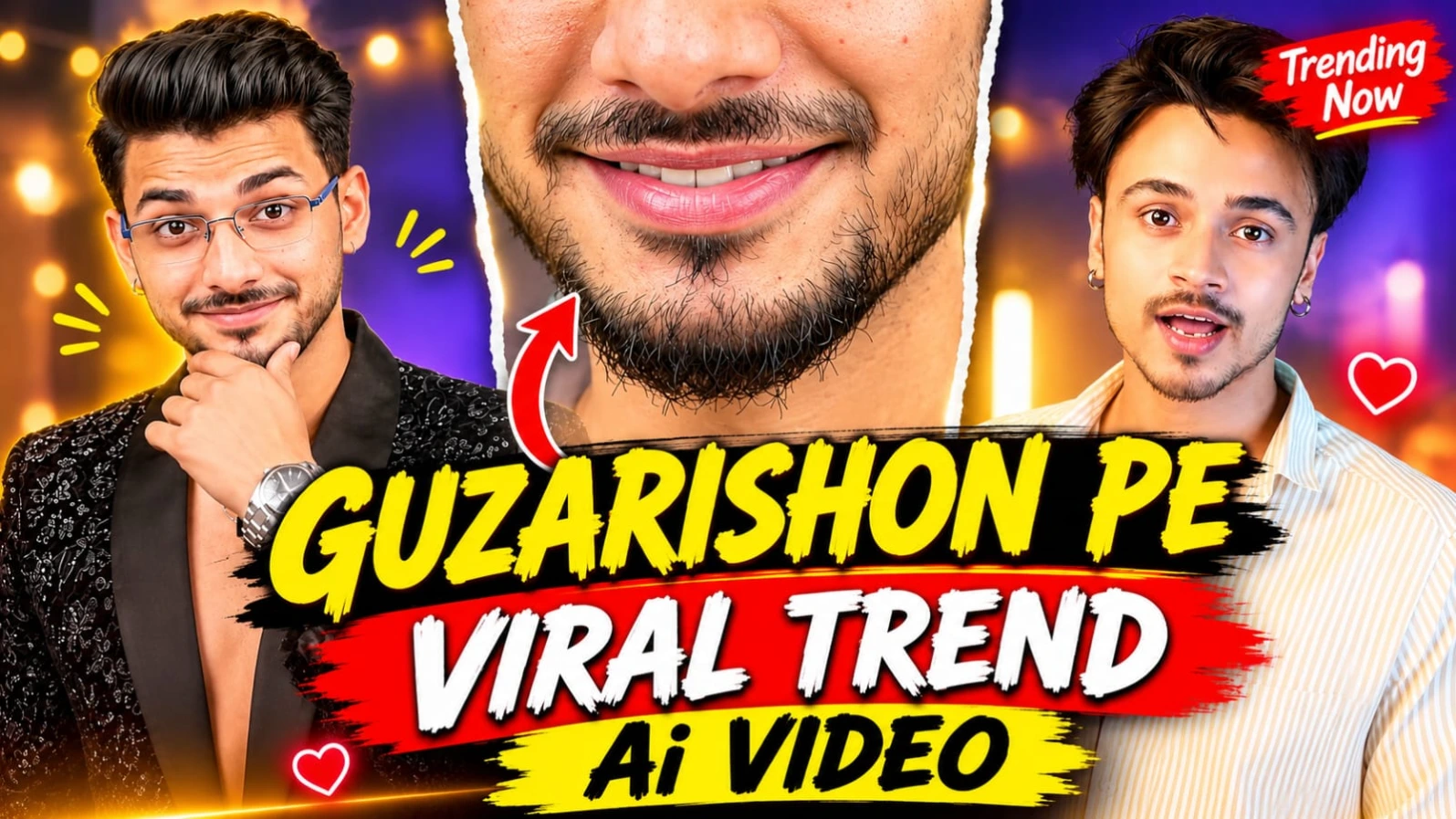
Instagram par cinematic face-replacement aur stylish outfit-transition videos ka trend tezi se viral ho raha hai. Guzarishon Pe Viral Trend Video Prompt | Instagram AI Video un creators ke liye design kiya gaya hai jo ChatGPT Character Sheet aur Google Flow AI ki madad se ek 15-second aur 12-scene cinematic video create karna chahte hain. Is creative concept mein character camera ke saamne open book ke sath expressions deta hai, eyes aur lips ke extreme close-ups aate hain, aur ek smooth book-sweep transition ke baad outfit completely change ho jata hai.
Is video prompt mein do alag-alag looks specify kiye gaye hain: LOOK A (Scenes 1–5) mein light-yellow vertical-striped cotton shirt aur dark teal diary-style book dikhai gayi hai, jabki LOOK B (Scenes 6–12) mein black floral sequin-and-thread embroidered blazer, silver chain, aur wristwatch ke sath royal studio poses shamil hain. Cosy home studio background mein charcoal-grey wall, warm fairy string lights, vertical light bar, aur fireplace ke sath 85mm prime lens DSLR look video ko ek high-end production feel deta hai. ChatGPT ki madad se strict facial identity lock karke aap ek viral Instagram Reel generate kar sakte hain, aur bottom corner par diya gaya subtle NoorEditing07 watermark aapke original brand work ko protect karta hai.
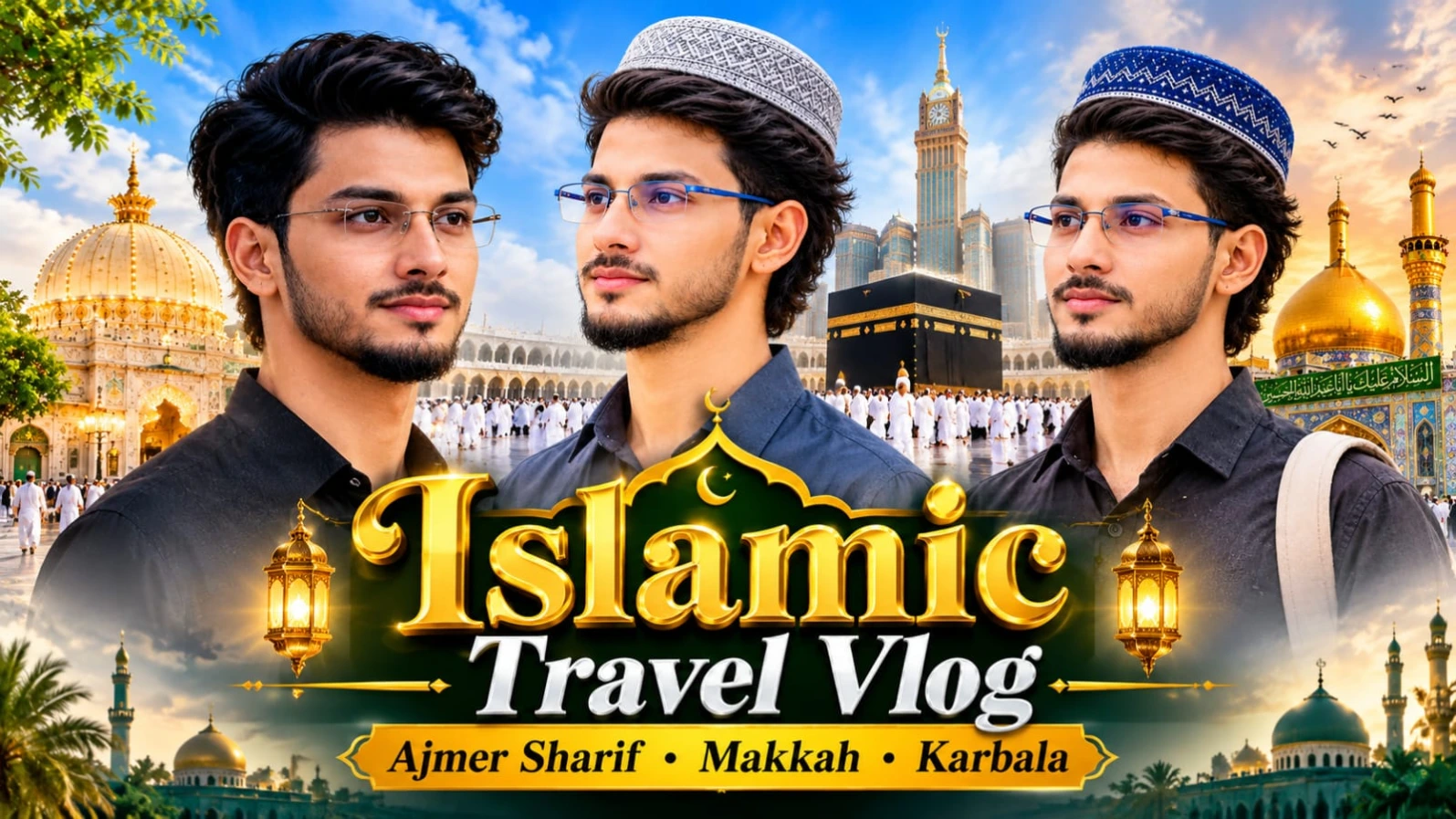
3. Madina Sharif Double Exposure AI Photo Prompt | Cinematic Travel Poster
Madina Sharif ki ruhaniiyat aur Prophet's Mosque ke sukoon bhare mahol ko ek emotional travel poster mein dikhana aaj kal social media creators ke beech kaafi trending hai. Madina Sharif Double Exposure AI Photo Prompt | Cinematic Travel Poster un users ke liye design kiya gaya hai jo ChatGPT ki madad se apni normal portrait photo ko Madina Sharif ke sunset view ke sath double-exposure style mein blend karna chahte hain. Is creative concept mein young man ke side-profile portrait ke andar Prophet's Mosque, green dome, minarets, aur golden sunset ka ek artistic visual effect milta hai.
Is photo prompt mein royal-blue knitted kufi cap, black collared shirt, aur travel backpack strap ke sath emotional travel look specify kiya gaya hai. Warm cream background, watercolor ink splatters, aur neeche "JOURNEY TO MADINA SHARIF – THE JOURNEY THAT PURIFIES YOU" jaisi typography is poster ko ek premium spiritual feel deti hai. Vertical 4:5 aspect ratio aur clear face identity preservation ke sath aap ek meaningful poster generate kar sakte hain, aur bottom par diya gaya subtle NoorEditing07 watermark aapke brand work ko protect karta hai.
4. Kashmir Couple Romantic AI Video | Google Flow AI Master Prompt | 8K DSLR Look
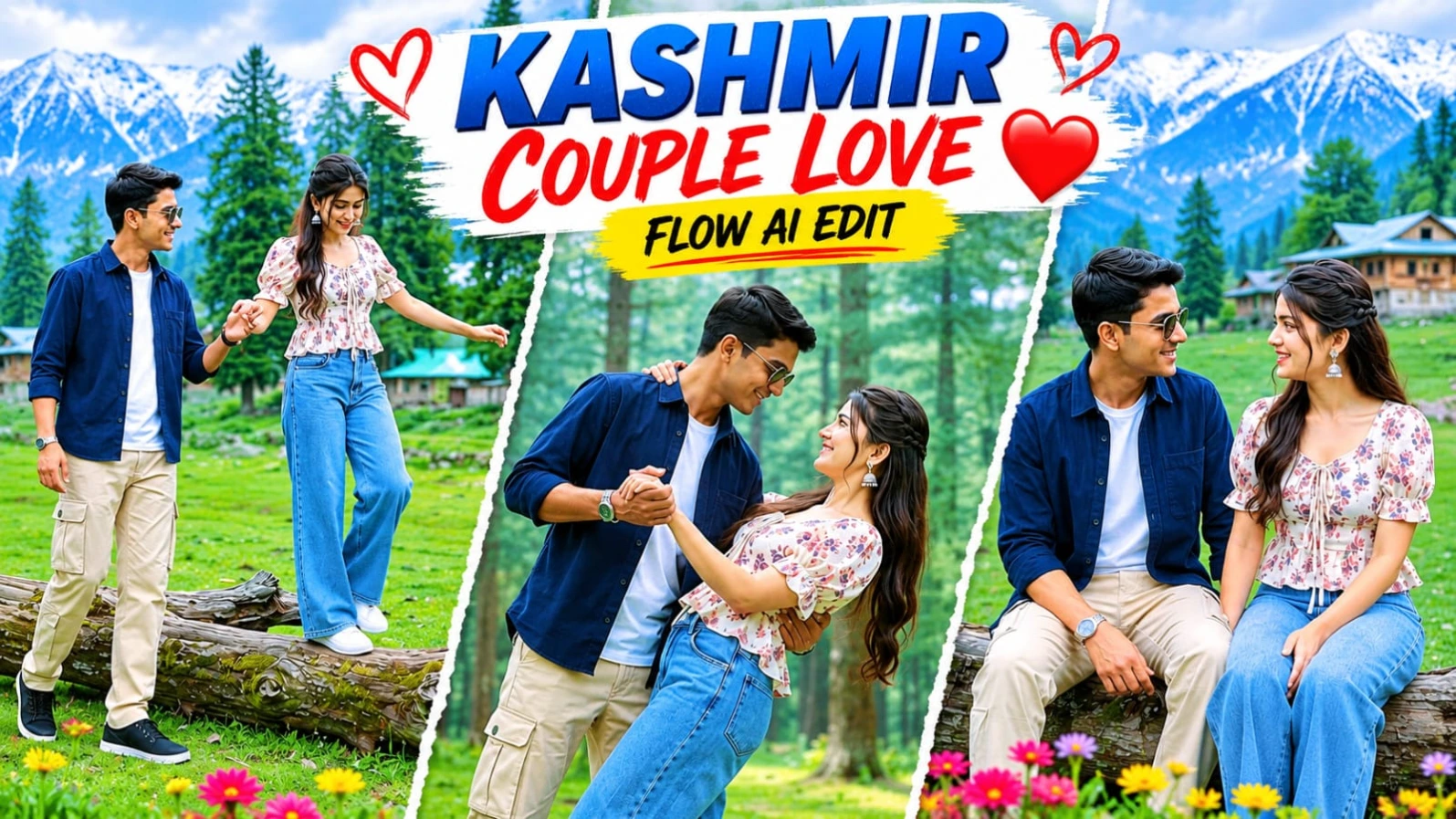
Kashmir ke haseen green meadows, pine forests, aur wooden hillside cottages ke beech ek romantic couple video banana aaj kal social media par kaafi popular ho raha hai. Kashmir Couple Romantic AI Video | Google Flow AI Master Prompt | 8K DSLR Look un creators ke liye design kiya gaya hai jo ChatGPT character sheet aur Google Flow AI ki madad se ek 8-scene aur 15.7-second couple video create karna chahte hain. Is 16:9 widescreen format video prompt mein bright overcast daylight aur DSLR camera look ke sath couple ke pyaare moments dikhaye gaye hain.
Is video prompt mein male character ke liye navy-blue button-up overshirt, beige cargo trousers, black sneakers, aur dark sunglasses jabki female character ke liye cream-white square-neck floral peplum top, wide-leg light-blue jeans, aur white sneakers specify kiya gaya hai. Fallen tree trunk walk, romantic dance dip, twirling, aur joyful bridal carry spins jaise 8 scenes is reel ko ek complete love story banate hain. Strict facial identity lock aur NoorEditing07 bottom-corner watermark aapke original brand work ko protect karta hai.
5. Royal Palace Romantic Couple AI Video Prompt | Google Flow Cinematic Video Edit
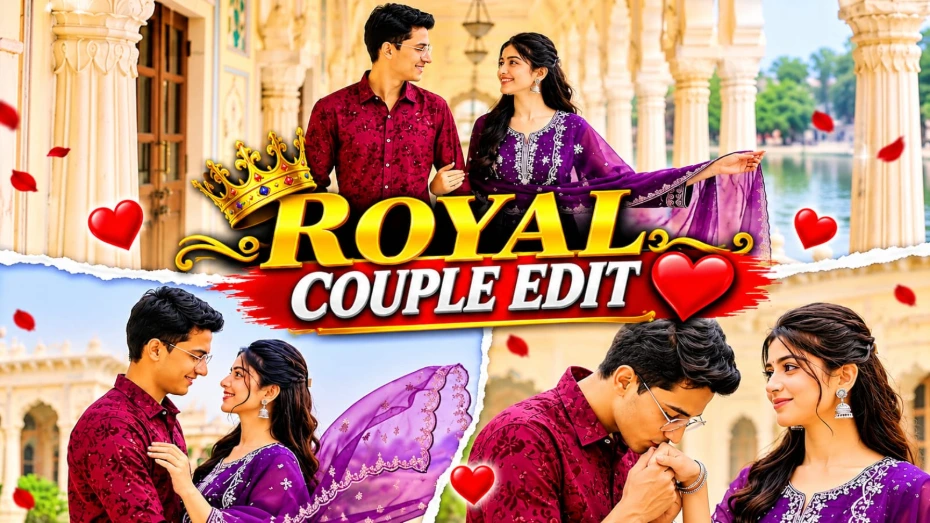
Grand Rajasthani heritage palaces, white marble pillars, aur lakeside terraces ke beech ek romantic couple cinematic video banana aaj kal social media creators ke beech kaafi popular ho raha hai. Royal Palace Romantic Couple AI Video Prompt | Google Flow Cinematic Video Edit un users ke liye design kiya gaya hai jo Google Flow AI aur apni reference photos ki madad se ek professional 15-scene cinematic couple video create karna chahte hain. Is 16:9 widescreen format video prompt mein pastel fresco arches, white marble colonnades, aur misty lake view ka royal visual experience milta hai.
Is video prompt mein male character ka outfit maroon textured floral-embroidered shirt with white cargo trousers aur female character ka outfit deep purple embroidered straight-cut kurti with sheer scalloped dupatta specify kiya gaya hai. Is 15-scene sequence mein palace courtyard twirls, hand-kissing moments, marble colonnade walks, aur lakeside embraces jaise romantic shots shamil hain. ChatGPT ki madad se couple character sheet aur strict facial identity lock karke aap ek high-end cinematic love story reel generate kar sakte hain. Bottom corner par diya gaya subtle NoorEditing07 watermark aapke original brand work ko protect karta hai.