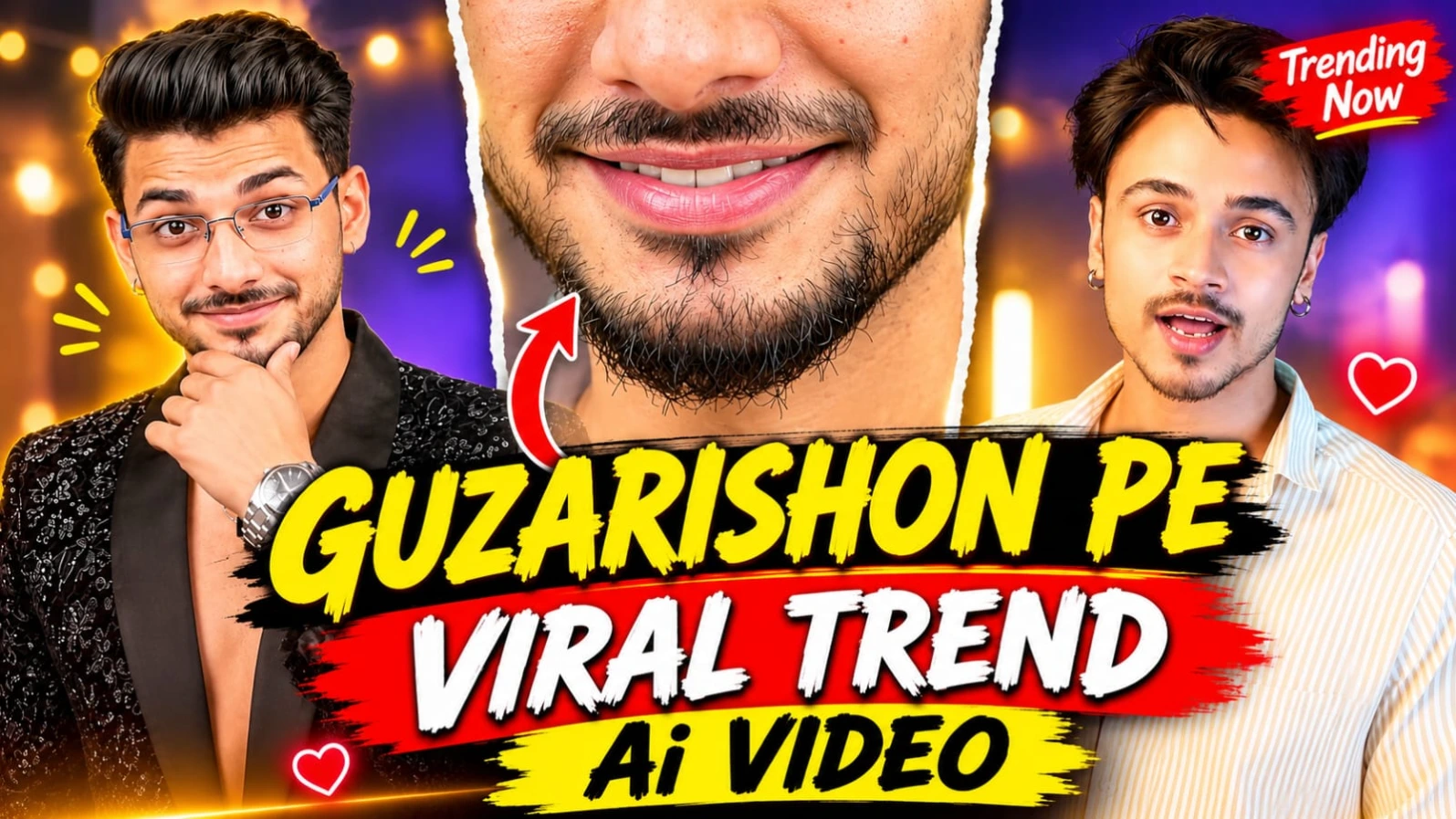
Guzarishon Pe Viral Trend Video Prompt – Make This Instagram Trend with Your Face
Instagram par cinematic face-replacement aur outfit-transition videos ka trend kaafi popular hai. Guzarishon Pe Viral Trend bhi isi tarah ka ek creative video concept hai, jisme ek person camera ke saamne book ke saath expressions deta hai, extreme close-up shots aate hain aur phir ek stylish outfit transition ke baad video ka look completely change ho jata hai.
Ab aap bhi apni photo aur Character Sheet ka use karke is trend jaisa cinematic AI video create kar sakte hain. Is tutorial mein hum ChatGPT aur Google Flow AI ki help se ek 15-second ka 12-scene video banane ka process samjhenge. Ismein same face, two different outfits, camera angles, expressions aur smooth scene transitions ko maintain karne par focus rahega.
1. Guzarishon Pe Viral Trend Kya Hai?
Guzarishon Pe Viral Trend ek cinematic Instagram video concept hai jisme ek young man camera ke saamne confident aur playful expressions ke saath appear hota hai. Video ki starting mein character ek open book pakadkar camera se baat karta hai. Uske baad eyes aur lips ke extreme close-up shots dikhaye jaate hain.
Video ke middle mein book camera ke saamne move karti hai aur isi movement ke through outfit transition hota hai. Iske baad character black embroidered blazer look mein appear hota hai. White paper, different facial expressions aur stylish poses video ko ek premium cinematic feel dete hain.
2. Sabse Pehle ChatGPT Se Character Sheet Banayein
Video generate karne se pehle ChatGPT se apni Character Sheet banani zaroori hai. Apni clear face photo upload karein aur Character Sheet generate karne ke liye prompt dein.
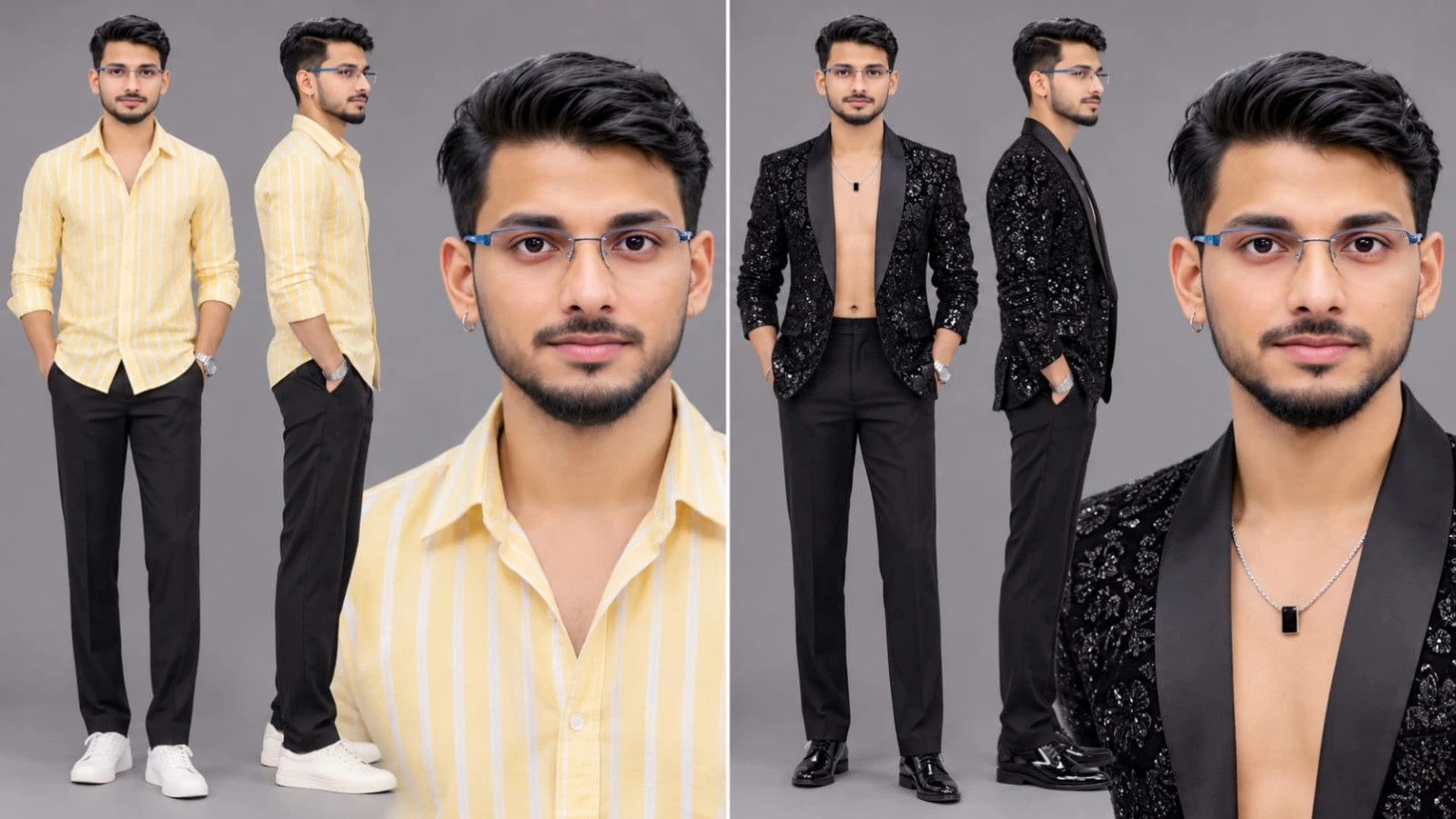
Character Sheet mein front view, side view, close-up face aur body reference shamil kar sakte hain. Face shape, eyes, nose, lips, beard, hairstyle aur natural skin tone ko original photo ke according preserve karne ki instruction dein.
Is video mein same person ko LOOK A aur LOOK B dono outfits mein dikhaya jayega. Isliye Character Sheet mein face aur body identity ko consistent rakhna important hai.
3. Google Flow AI Mein Character Sheet Upload Karein
Character Sheet ready hone ke baad Google Flow AI open karein. New video project start karein aur available character reference ya image upload option mein apni Character Sheet add karein.
Agar tool multiple reference images support karta hai, to clear face reference aur Character Sheet dono use karein. Isse video ke alag-alag shots mein same character appearance maintain karne mein help mil sakti hai.
4. LOOK A – Yellow Striped Shirt
Video ke first five scenes mein character light-yellow vertical-striped cotton shirt pehnega. Shirt ka collar open rahega aur top buttons undone honge. Scene 5 mein sleeves forearm tak rolled hongi.
Character ke haath mein dark teal cover wali diary-style book hogi. Starting scenes mein woh book ko chest height par hold karega, camera se baat karega aur kuch moments mein book ko lens ke paas lekar aayega.
5. LOOK B – Black Embroidered Blazer
Scene 6 se video mein second outfit start hoga. Character black blazer pehnega, jisme dense black floral sequin-and-thread embroidery aur satin shawl lapels honge.
Is look ke saath thin silver chain, small black rectangular pendant, silver chain-link wristwatch aur silver cuff bracelet bhi visible honge. White crumpled paper sirf scene 6 mein use hoga.
Dono outfits ke beech clear separation maintain karna zaroori hai. LOOK A scenes 1 se 5 tak aur LOOK B scenes 6 se 12 tak hi rehna chahiye.
6. Complete 12 Scenes Video Sequence
Is Master Video Prompt mein total 12 scenes hain aur video ki duration exactly 15 seconds rakhi gayi hai.
Scene 1 mein character open book ke saath camera se baat karta hai. Scene 2 mein eyes ka extreme close-up aata hai. Scene 3 mein book frame ke left side par hoti hai aur character camera se baat karta hai. Scene 4 mein lips, moustache aur beard ka close-up dikhaya jata hai.
Scene 5 mein book camera ke saamne sweep karti hai aur outfit transition hota hai. Scene 6 mein character white paper dekhta hai. Scene 7 mein head tilted pose hota hai. Scene 8 mein character apna haath chest ki taraf le jata hai. Scene 9 mein woh left side dekhta hai. Scene 10 mein camera ki taraf seedha face karta hai. Scene 11 mein chin par hand aur visible watch ke saath pose deta hai. Scene 12 mein hand neck ke peeche aur head tilted position mein final pose hota hai.
7. Camera Angles and Close-Up Details
Video mein medium shots, medium close-ups aur extreme close-ups ka combination use hota hai. Eyes aur lips ke close-up shots mein facial details clear honi chahiye. Background softly blurred reh sakta hai, lekin face razor-sharp aur natural dikhna chahiye.
85mm prime lens look, shallow depth of field aur slight natural push-ins video ko professional DSLR recording jaisa appearance dete hain.
8. Studio Background and Lighting
Video ka location ek cosy home studio room hai. Background mein charcoal-grey wall, warm fairy string lights, left side par vertical light bar aur bottom-right mein fireplace dikhaya gaya hai.
LOOK A ke scenes mein light bar warm white rahega. LOOK B ke scenes mein vivid orange-amber light panel visible hoga. Face par soft warm key light aur natural rim light maintain karna hai.
9. Hindi Dialogue and Background Music
Scene 1 aur Scene 3 mein character camera se natural Hindi voice mein baat karega. Dono scenes ke liye apni Hindi dialogue lines Master Video Prompt mein add karein.
Scene 4 se character speaking band karega. Starting mein soft warm instrumental music rahega aur Scene 5 ke outfit transition par rhythmic modern beat start hoga, jo video ke end tak continue karega.
10. Final Editing and Video Quality
Google Flow AI se clips generate karne ke baad unhe CapCut ya VN Editor mein arrange karein. Scene order, timing, outfit transition aur background music ko carefully check karein.
Final video ko 16:9 horizontal format mein export karein. Highest available quality select karein aur bottom centre mein subtle NoorEditing07 watermark add karein.
Agar aap bhi apne face ke saath Guzarishon Pe Viral Trend video banana chahte hain, to is article ka complete Master Video Prompt follow karein. Google par Search karo NoorEditing07 – yahan milenge latest AI Photo & Video Prompts!
Sabse Pehle Character Sheet Photo Banaai ChatGPT Se
✦AI PHOTO PROMPT
Create ONE wide character sheet image of the exact same young man from my uploaded photo on a plain warm grey studio background showing two looks side by side. LOOK A (left half): light-yellow vertical-striped cotton shirt, dark trousers, silver hoop earring (front, side, and close-up views). LOOK B (right half): black blazer with dense black floral sequin-and-thread embroidery worn open with nothing underneath, silver chain with black pendant, silver watch and cuff bracelet, black trousers (front, side, and close-up views). Ultra realistic, 8K, sharp details, no text, no watermark.
Create ONE wide character sheet image of the exact same young man from my uploaded photo: identical face shape, features, skin tone, hairstyle and body build, no changes. On a plain warm grey studio background show two looks side by side.
[COMPOSITION & LAYOUT]
- LOOK A (left half): full-body front view and side view, plus one close-up face portrait.
- LOOK B (right half): full-body front view and side view, plus one close-up face portrait.
- The face is identical in both looks.
[SKIN & HAIR]
Skin: clean, clear, smooth, even-toned, no pimples, no acne, no spots, no blemishes, while keeping his exact identity. Hair styled in a voluminous black quiff swept up and back.
[LOOK A OUTFIT]
A light-yellow vertical-striped cotton shirt with an open collar and the top buttons undone, dark trousers, a small silver hoop earring in the left ear.
[LOOK B OUTFIT]
A black blazer with dense black floral sequin-and-thread embroidery and black satin shawl lapels, worn open with nothing underneath, a thin silver chain with a small black rectangular pendant, a silver steel chain-link wristwatch, a silver cuff bracelet, a small silver hoop earring in the left ear, black trousers.
[TECHNICAL SPECS & QUALITY]
Ultra realistic, 8K, sharp details, soft even studio light, no text, no watermark.
✓
Prompt copied to clipboard!
✦AI PHOTO PROMPT
Create ONE wide character sheet image of the exact same young man from my uploaded photo on a plain warm grey studio background showing two looks side by side. LOOK A (left half): light-yellow vertical-striped cotton shirt, dark trousers, silver hoop earring (front, side, and close-up views). LOOK B (right half): black blazer with dense black floral sequin-and-thread embroidery worn open with nothing underneath, silver chain with black pendant, silver watch and cuff bracelet, black trousers (front, side, and close-up views). Ultra realistic, 8K, sharp details, no text, no watermark.
Create ONE wide character sheet image of the exact same young man from my uploaded photo: identical face shape, features, skin tone, hairstyle and body build, no changes. On a plain warm grey studio background show two looks side by side.
[COMPOSITION & LAYOUT]
- LOOK A (left half): full-body front view and side view, plus one close-up face portrait.
- LOOK B (right half): full-body front view and side view, plus one close-up face portrait.
- The face is identical in both looks.
[SKIN & HAIR]
Skin: clean, clear, smooth, even-toned, no pimples, no acne, no spots, no blemishes, while keeping his exact identity. Hair styled in a voluminous black quiff swept up and back.
[LOOK A OUTFIT]
A light-yellow vertical-striped cotton shirt with an open collar and the top buttons undone, dark trousers, a small silver hoop earring in the left ear.
[LOOK B OUTFIT]
A black blazer with dense black floral sequin-and-thread embroidery and black satin shawl lapels, worn open with nothing underneath, a thin silver chain with a small black rectangular pendant, a silver steel chain-link wristwatch, a silver cuff bracelet, a small silver hoop earring in the left ear, black trousers.
[TECHNICAL SPECS & QUALITY]
Ultra realistic, 8K, sharp details, soft even studio light, no text, no watermark.
Create a cinematic 16:9 horizontal, ultra-sharp true 8K-quality, ultra-realistic HDR video, exactly 15.0 seconds, 12 scenes in exact order. LOOK A (scenes 1-5): light-yellow vertical-striped cotton shirt, holding a thick dark teal diary-style book. Outfit transition via book-sweep across lens. LOOK B (scenes 6-12): black blazer with dense black floral sequin-and-thread embroidery, silver chain with black pendant, silver wristwatch and cuff bracelet, reading a white crumpled sheet of paper in a cozy home studio with fireplace TV and warm fairy lights. Watermark: NoorEditing07.
Create a cinematic 16:9 horizontal, ultra-sharp true 8K-quality, ultra-realistic HDR video, exactly 15.0 seconds, exactly 12 scenes in this exact order. It is a strict frame-by-frame recreation of the uploaded reference video (23.4 seconds), compressed to 15 seconds in proportion: every scene appears in the same order with the same camera size, camera angle, camera move, pose, action and relative duration, and every beat is tagged with its source second in the reference, with no scene or beat missed, merged, reordered or changed. The only change from the reference: the man is the man from the uploaded character sheet and face photo, wearing LOOK A in scenes 1 to 5 and LOOK B in scenes 6 to 12. It is the same man and the same face in both looks. Only one person in the whole video. Real footage look: shot on a real camera with an 85mm prime lens at a wide aperture, creamy shallow depth of field, a locked-off tripod frame with slight natural push-ins, natural lens breathing, natural skin with subtle texture, real-world physics for hair, cloth and paper, no plastic skin, no CGI look.
SCENE CHECKLIST (output time, source time):
SCENE 1 (0.00-4.31s; src 0-6.73s): LOOK A, he talks to the camera holding an open book, then lifts the book towards the lens.
SCENE 2 (4.31-5.29s; src 6.73-8.27s): extreme close-up of his eyes.
SCENE 3 (5.29-6.34s; src 8.27-9.90s): medium shot, book held up at the left, he talks to the camera.
SCENE 4 (6.34-7.58s; src 9.90-11.83s): extreme close-up of his lips and beard.
SCENE 5 (7.58-8.58s; src 11.83-13.40s): he sweeps the book across the camera (outfit-change transition).
SCENE 6 (8.58-9.62s; src 13.40-15.03s): LOOK B, he looks at a white crumpled paper in his hand.
SCENE 7 (9.62-10.45s; src 15.03-16.33s): head tilted, looking at the camera.
SCENE 8 (10.45-11.35s; src 16.33-17.73s): closer framing, eyes lowered, hand moving to his chest.
SCENE 9 (11.35-12.18s; src 17.73-19.03s): looking to the left, hand on his chest.
SCENE 10 (12.18-13.08s; src 19.03-20.43s): facing the camera straight.
SCENE 11 (13.08-13.85s; src 20.43-21.63s): hand on his chin, watch visible.
SCENE 12 (13.85-15.00s; src 21.63-23.43s): hand behind his neck, head tilted.
AVOID LIST (every scene): blurry face, soft focus, AI look, plastic skin, CGI, haze, glow, pimples, acne, extra people, missing glasses, glasses glare, readable text or logos on the book and paper, outfit mix-ups between the two looks, face change, location change, new scenes, missing scenes. (Haze and glow mean on his face and body. The smile, smirk and teeth are NOT in this list because the reference shows a constant playful smirk.)
FACE AND BODY LOCK: the man is exactly the man from the uploaded character sheet and face photo, with a 100% identical face and the same body in every frame, from every angle, no face change, no morphing, no drifting. Skin: very clean, clear, smooth, even-toned, no pimples, no acne, not plastic. FACE QUALITY: whenever his face is in the frame, even in the extreme close-ups of scenes 2 and 4, it is razor-sharp, in ultra-high-resolution 8K-level detail: crisp eyes with catchlights, individual lashes and eyebrows, a crisp light stubble, moustache and goatee, individual hair strands, crisp lips; only the far background is softly blurred. His hair is a voluminous black quiff swept up and back, with a small silver hoop earring in the left ear.
EXPRESSION: confident, playful and charming as in the reference: lively eyebrows while talking in scenes 1 and 3, a soft playful smirk in scenes 4 to 12, a calm stare into the lens, and one raised eyebrow in scene 11.
LOOK A (scenes 1 to 5): a light-yellow vertical-striped cotton shirt with an open collar and the top buttons undone, the sleeves down (in scene 5 rolled to the forearm). LOOK B (scenes 6 to 12): a black blazer with dense black floral sequin-and-thread embroidery and black satin shawl lapels, worn open with nothing underneath, a thin silver chain with a small black rectangular pendant, a silver steel chain-link wristwatch on the left wrist, a silver cuff bracelet. Props: a thick diary-style book with a dark teal cover (scenes 1 to 5) and a white crumpled sheet of paper (scene 6 only).
LOCATION AND LIGHT, as in the reference with no changes: a cosy home studio room, a charcoal-grey wall with warm fairy string lights across the top, a black vertical light bar stand on the left (warm white in scenes 1 to 5, a vivid orange-amber glowing panel in scenes 6 to 12), a TV screen showing a glowing fireplace at the bottom right, a soft purple-blue glow on the wall behind him, and a smooth beige-grey wall at the left. Soft warm key light on his face with a warm rim light.
SCENE 1 (0.00-4.31s). 0.0s (src 0s): he stands left of centre in the medium shot, holding an open book in his left hand at chest height, talking to the camera with lively eyebrows. 0.6s (src 1s): he keeps talking, his head tilting slightly. 1.0-1.3s (src 1.5-2s): he looks down at the book as if reading, his head tilted. 1.9s (src 3s): he lowers the book out of the frame to his left and looks at the camera. 2.2-3.2s (src 3.5-5s): he talks to the camera with his hands out of the frame, his shoulders moving. 3.5s (src 5.5s): his hand raises the book towards the camera. 3.8s (src 6s): the book is close to the lens at the left of the frame while he talks. 4.31s: hard cut.
SCENE 2 (4.31-5.29s). 4.31s (src 6.73s): an extreme close-up of his eyes and eyebrows, from forehead to nose, a bright orange blurred background at the left, the edge of the dark book sweeping across half of his face. 4.8s (src 7.5s): the book has cleared and his eyes look straight into the lens, razor-sharp. 5.2s (src 8.0s): the book edge passes across his face again. 5.29s: hard cut.
SCENE 3 (5.29-6.34s). 5.29s (src 8.27s): a medium shot, he holds the book up at the left side of the frame with his left hand and looks at the camera. 5.8s (src 9.0s): he speaks with a lively expression, his mouth shaping words. 6.34s: hard cut.
A small, subtle white watermark text NoorEditing07 stays at the bottom centre of the frame throughout the entire video, clean and non-distracting, placed above the bottom edge, and the same look continues in every scene.
SCENE 4 (6.34-7.58s). 6.34s (src 9.90s): an extreme close-up of his lips, moustache and goatee, a bright orange blur at the left, a soft playful smirk. 6.9s (src 10.5s): his lips move slightly, the camera drifting slowly. 7.4s (src 11.5s): the smirk widens slightly. 7.58s: hard cut.
SCENE 5 (7.58-8.58s). 7.58s (src 11.83s): a medium shot, he holds the book at the left of the frame, looking at the camera with a smirk. 8.1s (src 12.5s): he swings his arm across to the right, sweeping the book in front of the lens so that it covers the right of the frame. 8.5s (src 13.0s): the book fills the right edge of the frame. 8.58s: hard cut, hiding the outfit change to LOOK B.
SCENE 6 (8.58-9.62s). 8.58s (src 13.40s): LOOK B, a medium close-up with the orange light panel glowing at the left, he holds a white crumpled sheet of paper in his right hand and reads it with a smirk. 9.1s (src 14.0s): he looks down at the paper with a smirk. 9.4s (src 14.5s): his eyes stay on the paper. 9.62s: hard cut.
SCENE 7 (9.62-10.45s). 9.62s (src 15.03s): the paper is gone, a medium close-up, he looks at the camera with his head tilted. 10.0s (src 15.5s): a soft smirk, his chin slightly down. 10.3s (src 16.0s): his chin lifts slightly. 10.45s: hard cut.
SCENE 8 (10.45-11.35s). 10.45s (src 16.33s): a closer framing, his head tilted to the right, looking at the camera. 10.9s (src 17.0s): he lowers his eyes and head. 11.2s (src 17.5s): his right hand moves to his chest. 11.35s: hard cut.
SCENE 9 (11.35-12.18s). 11.35s (src 17.73s): a medium shot, he looks to the left in a three-quarter view with his hand on his chest. 11.8s (src 18.5s): he holds the pose, his eyes to the left. 12.18s: hard cut.
SCENE 10 (12.18-13.08s). 12.18s (src 19.03s): a medium shot, he faces the camera straight with his hands down, the black pendant visible, the fireplace flames at the bottom right. 12.6s (src 19.5s): a calm confident smirk. 13.08s: hard cut.
SCENE 11 (13.08-13.85s). 13.08s (src 20.43s): he rests his hand on his chin, the silver watch visible on his wrist, looking at the camera. 13.4s (src 20.5s): he raises one eyebrow. 13.85s: hard cut.
SCENE 12 (13.85-15.00s). 13.85s (src 21.63s): his right hand goes behind his neck with the elbow up, his head tilted, the cuff bracelet visible. 14.4s (src 22.5s): he looks at the camera with a smirk. 15.0s: the final hold on the pose and the video ends.
VOICE AND MUSIC: in scene 1 (0.0-3.5s) and scene 3 (5.3-6.3s) he speaks to the camera in a natural, confident, playful young male Hindi voice, with perfect Hindi lip-sync and no delay. SCENE 1 LINE: "[YAHAN HINDI LINE LIKHO]". SCENE 3 LINE: "[YAHAN HINDI LINE LIKHO]". From scene 4 he does not speak. Background music: a soft warm instrumental at the start, and from scene 5 a rhythmic modern beat with deep bass that gets louder at the outfit change and continues to the end.
Colour grading and quality: ultra-sharp true 8K-quality detail, HDR10+ / Dolby Vision style high dynamic range with protected highlights, 10-bit colour, the same warm moody cinematic grade as the reference: warm amber-orange glow against a cool charcoal wall, warm natural skin tones, deep rich blacks on the blazer with the sequin embroidery glittering softly, a clean noise-free image, flawless clean skin.
Keep every scene, camera angle, camera move, pose, action, timing, the order and the outfit of each scene exactly as written, all 12 scenes in the video. Avoid: blurry face, soft focus, AI look, plastic skin, CGI, haze on his face, glow on his face, pimples, acne, extra people, missing glasses, glasses glare, readable text on the book, outfit mix-ups, face change, location change, new scenes, missing scenes.
✓
Prompt copied to clipboard!
✦AI VIDEO PROMPT
Create a cinematic 16:9 horizontal, ultra-sharp true 8K-quality, ultra-realistic HDR video, exactly 15.0 seconds, 12 scenes in exact order. LOOK A (scenes 1-5): light-yellow vertical-striped cotton shirt, holding a thick dark teal diary-style book. Outfit transition via book-sweep across lens. LOOK B (scenes 6-12): black blazer with dense black floral sequin-and-thread embroidery, silver chain with black pendant, silver wristwatch and cuff bracelet, reading a white crumpled sheet of paper in a cozy home studio with fireplace TV and warm fairy lights. Watermark: NoorEditing07.
Create a cinematic 16:9 horizontal, ultra-sharp true 8K-quality, ultra-realistic HDR video, exactly 15.0 seconds, exactly 12 scenes in this exact order. It is a strict frame-by-frame recreation of the uploaded reference video (23.4 seconds), compressed to 15 seconds in proportion: every scene appears in the same order with the same camera size, camera angle, camera move, pose, action and relative duration, and every beat is tagged with its source second in the reference, with no scene or beat missed, merged, reordered or changed. The only change from the reference: the man is the man from the uploaded character sheet and face photo, wearing LOOK A in scenes 1 to 5 and LOOK B in scenes 6 to 12. It is the same man and the same face in both looks. Only one person in the whole video. Real footage look: shot on a real camera with an 85mm prime lens at a wide aperture, creamy shallow depth of field, a locked-off tripod frame with slight natural push-ins, natural lens breathing, natural skin with subtle texture, real-world physics for hair, cloth and paper, no plastic skin, no CGI look.
SCENE CHECKLIST (output time, source time):
SCENE 1 (0.00-4.31s; src 0-6.73s): LOOK A, he talks to the camera holding an open book, then lifts the book towards the lens.
SCENE 2 (4.31-5.29s; src 6.73-8.27s): extreme close-up of his eyes.
SCENE 3 (5.29-6.34s; src 8.27-9.90s): medium shot, book held up at the left, he talks to the camera.
SCENE 4 (6.34-7.58s; src 9.90-11.83s): extreme close-up of his lips and beard.
SCENE 5 (7.58-8.58s; src 11.83-13.40s): he sweeps the book across the camera (outfit-change transition).
SCENE 6 (8.58-9.62s; src 13.40-15.03s): LOOK B, he looks at a white crumpled paper in his hand.
SCENE 7 (9.62-10.45s; src 15.03-16.33s): head tilted, looking at the camera.
SCENE 8 (10.45-11.35s; src 16.33-17.73s): closer framing, eyes lowered, hand moving to his chest.
SCENE 9 (11.35-12.18s; src 17.73-19.03s): looking to the left, hand on his chest.
SCENE 10 (12.18-13.08s; src 19.03-20.43s): facing the camera straight.
SCENE 11 (13.08-13.85s; src 20.43-21.63s): hand on his chin, watch visible.
SCENE 12 (13.85-15.00s; src 21.63-23.43s): hand behind his neck, head tilted.
AVOID LIST (every scene): blurry face, soft focus, AI look, plastic skin, CGI, haze, glow, pimples, acne, extra people, missing glasses, glasses glare, readable text or logos on the book and paper, outfit mix-ups between the two looks, face change, location change, new scenes, missing scenes. (Haze and glow mean on his face and body. The smile, smirk and teeth are NOT in this list because the reference shows a constant playful smirk.)
FACE AND BODY LOCK: the man is exactly the man from the uploaded character sheet and face photo, with a 100% identical face and the same body in every frame, from every angle, no face change, no morphing, no drifting. Skin: very clean, clear, smooth, even-toned, no pimples, no acne, not plastic. FACE QUALITY: whenever his face is in the frame, even in the extreme close-ups of scenes 2 and 4, it is razor-sharp, in ultra-high-resolution 8K-level detail: crisp eyes with catchlights, individual lashes and eyebrows, a crisp light stubble, moustache and goatee, individual hair strands, crisp lips; only the far background is softly blurred. His hair is a voluminous black quiff swept up and back, with a small silver hoop earring in the left ear.
EXPRESSION: confident, playful and charming as in the reference: lively eyebrows while talking in scenes 1 and 3, a soft playful smirk in scenes 4 to 12, a calm stare into the lens, and one raised eyebrow in scene 11.
LOOK A (scenes 1 to 5): a light-yellow vertical-striped cotton shirt with an open collar and the top buttons undone, the sleeves down (in scene 5 rolled to the forearm). LOOK B (scenes 6 to 12): a black blazer with dense black floral sequin-and-thread embroidery and black satin shawl lapels, worn open with nothing underneath, a thin silver chain with a small black rectangular pendant, a silver steel chain-link wristwatch on the left wrist, a silver cuff bracelet. Props: a thick diary-style book with a dark teal cover (scenes 1 to 5) and a white crumpled sheet of paper (scene 6 only).
LOCATION AND LIGHT, as in the reference with no changes: a cosy home studio room, a charcoal-grey wall with warm fairy string lights across the top, a black vertical light bar stand on the left (warm white in scenes 1 to 5, a vivid orange-amber glowing panel in scenes 6 to 12), a TV screen showing a glowing fireplace at the bottom right, a soft purple-blue glow on the wall behind him, and a smooth beige-grey wall at the left. Soft warm key light on his face with a warm rim light.
SCENE 1 (0.00-4.31s). 0.0s (src 0s): he stands left of centre in the medium shot, holding an open book in his left hand at chest height, talking to the camera with lively eyebrows. 0.6s (src 1s): he keeps talking, his head tilting slightly. 1.0-1.3s (src 1.5-2s): he looks down at the book as if reading, his head tilted. 1.9s (src 3s): he lowers the book out of the frame to his left and looks at the camera. 2.2-3.2s (src 3.5-5s): he talks to the camera with his hands out of the frame, his shoulders moving. 3.5s (src 5.5s): his hand raises the book towards the camera. 3.8s (src 6s): the book is close to the lens at the left of the frame while he talks. 4.31s: hard cut.
SCENE 2 (4.31-5.29s). 4.31s (src 6.73s): an extreme close-up of his eyes and eyebrows, from forehead to nose, a bright orange blurred background at the left, the edge of the dark book sweeping across half of his face. 4.8s (src 7.5s): the book has cleared and his eyes look straight into the lens, razor-sharp. 5.2s (src 8.0s): the book edge passes across his face again. 5.29s: hard cut.
SCENE 3 (5.29-6.34s). 5.29s (src 8.27s): a medium shot, he holds the book up at the left side of the frame with his left hand and looks at the camera. 5.8s (src 9.0s): he speaks with a lively expression, his mouth shaping words. 6.34s: hard cut.
A small, subtle white watermark text NoorEditing07 stays at the bottom centre of the frame throughout the entire video, clean and non-distracting, placed above the bottom edge, and the same look continues in every scene.
SCENE 4 (6.34-7.58s). 6.34s (src 9.90s): an extreme close-up of his lips, moustache and goatee, a bright orange blur at the left, a soft playful smirk. 6.9s (src 10.5s): his lips move slightly, the camera drifting slowly. 7.4s (src 11.5s): the smirk widens slightly. 7.58s: hard cut.
SCENE 5 (7.58-8.58s). 7.58s (src 11.83s): a medium shot, he holds the book at the left of the frame, looking at the camera with a smirk. 8.1s (src 12.5s): he swings his arm across to the right, sweeping the book in front of the lens so that it covers the right of the frame. 8.5s (src 13.0s): the book fills the right edge of the frame. 8.58s: hard cut, hiding the outfit change to LOOK B.
SCENE 6 (8.58-9.62s). 8.58s (src 13.40s): LOOK B, a medium close-up with the orange light panel glowing at the left, he holds a white crumpled sheet of paper in his right hand and reads it with a smirk. 9.1s (src 14.0s): he looks down at the paper with a smirk. 9.4s (src 14.5s): his eyes stay on the paper. 9.62s: hard cut.
SCENE 7 (9.62-10.45s). 9.62s (src 15.03s): the paper is gone, a medium close-up, he looks at the camera with his head tilted. 10.0s (src 15.5s): a soft smirk, his chin slightly down. 10.3s (src 16.0s): his chin lifts slightly. 10.45s: hard cut.
SCENE 8 (10.45-11.35s). 10.45s (src 16.33s): a closer framing, his head tilted to the right, looking at the camera. 10.9s (src 17.0s): he lowers his eyes and head. 11.2s (src 17.5s): his right hand moves to his chest. 11.35s: hard cut.
SCENE 9 (11.35-12.18s). 11.35s (src 17.73s): a medium shot, he looks to the left in a three-quarter view with his hand on his chest. 11.8s (src 18.5s): he holds the pose, his eyes to the left. 12.18s: hard cut.
SCENE 10 (12.18-13.08s). 12.18s (src 19.03s): a medium shot, he faces the camera straight with his hands down, the black pendant visible, the fireplace flames at the bottom right. 12.6s (src 19.5s): a calm confident smirk. 13.08s: hard cut.
SCENE 11 (13.08-13.85s). 13.08s (src 20.43s): he rests his hand on his chin, the silver watch visible on his wrist, looking at the camera. 13.4s (src 20.5s): he raises one eyebrow. 13.85s: hard cut.
SCENE 12 (13.85-15.00s). 13.85s (src 21.63s): his right hand goes behind his neck with the elbow up, his head tilted, the cuff bracelet visible. 14.4s (src 22.5s): he looks at the camera with a smirk. 15.0s: the final hold on the pose and the video ends.
VOICE AND MUSIC: in scene 1 (0.0-3.5s) and scene 3 (5.3-6.3s) he speaks to the camera in a natural, confident, playful young male Hindi voice, with perfect Hindi lip-sync and no delay. SCENE 1 LINE: "[YAHAN HINDI LINE LIKHO]". SCENE 3 LINE: "[YAHAN HINDI LINE LIKHO]". From scene 4 he does not speak. Background music: a soft warm instrumental at the start, and from scene 5 a rhythmic modern beat with deep bass that gets louder at the outfit change and continues to the end.
Colour grading and quality: ultra-sharp true 8K-quality detail, HDR10+ / Dolby Vision style high dynamic range with protected highlights, 10-bit colour, the same warm moody cinematic grade as the reference: warm amber-orange glow against a cool charcoal wall, warm natural skin tones, deep rich blacks on the blazer with the sequin embroidery glittering softly, a clean noise-free image, flawless clean skin.
Keep every scene, camera angle, camera move, pose, action, timing, the order and the outfit of each scene exactly as written, all 12 scenes in the video. Avoid: blurry face, soft focus, AI look, plastic skin, CGI, haze on his face, glow on his face, pimples, acne, extra people, missing glasses, glasses glare, readable text on the book, outfit mix-ups, face change, location change, new scenes, missing scenes.
Is viral Instagram trend video ko apne face ke saath create karne ke liye sabse pehle ChatGPT se Character Sheet banani hai. Uske baad Google Flow AI mein Character Sheet upload karke 12 scenes ka Master Video Prompt use karna hai.
Step 1: ChatGPT Se Character Sheet Banayein
Sabse pehle ChatGPT open karein aur apni ek clear face photo upload karein. Ab Character Sheet generate karne ke liye prompt dein.
Character Sheet mein front view, side view, close-up face aur body reference banwayein. Face shape, eyes, nose, lips, hairstyle, skin tone aur body appearance ko original photo ke according preserve karne ki instruction dein.
Character Sheet generate hone ke baad use save kar lein. Ye aapke character ki identity reference hogi.
Step 2: Google Flow AI Open Karein
Ab Google Flow AI open karein aur ek new video project start karein. Available interface mein character reference ya image upload ka option select karein.
Step 3: Character Sheet Upload Karein
ChatGPT se banayi hui Character Sheet Google Flow AI mein upload karein. Agar separate face reference upload karne ka option available ho, to apni original face photo bhi add karein.
Character reference ko video ke sabhi scenes mein consistently use karein, taaki same person ka face aur body appearance maintain rahe.
Step 4: Master Video Prompt Paste Karein
Ab is article mein diya gaya complete Guzarishon Pe Viral Trend Master Video Prompt copy karein.
Prompt mein 12 scenes ki exact sequence, source timing, camera angles, facial expressions, location, lighting aur outfit details already describe ki gayi hain.
LOOK A scenes 1 se 5 tak rahega aur LOOK B scenes 6 se 12 tak. Book aur white paper ke props ko bhi unke specified scenes mein hi use karein.
Step 5: Google Flow AI Settings Select Karein
Ab available video settings ko is tarah select karein:
- Aspect Ratio: 16:9 Horizontal
- Duration: 15 Seconds
- Scenes: 12
- Video Quality: Highest Available
- Visual Style: Ultra-Realistic DSLR
- Camera Look: 85mm Prime Lens
- Frame Rate: 120fps Look, if supported
- Lighting: Warm Cinematic Studio
- Character Reference: Uploaded Character Sheet
Agar exact duration ya frame rate ka option available nahi hai, to supported settings select karein aur timing instructions prompt mein clearly mention karein.
Step 6: Hindi Dialogue Add Karein
Scene 1 aur Scene 3 ke liye apni Hindi dialogue lines add karein. Prompt mein diye gaye placeholders ko apni selected lines se replace karein.
Natural young male voice, confident delivery aur accurate Hindi lip-sync ki instruction rakhein. Scene 4 se dialogue band rahega.
Step 7: 12 Scenes Generate Karein
Ab Master Video Prompt ke according video generate karein. Agar Flow AI poore 15-second sequence ko ek saath generate nahi karta, to scenes ko individual clips mein create karein.
Har clip mein same Character Sheet, outfit details, background aur lighting references maintain karein. Generated clips ko exact order mein arrange karein.
Step 8: CapCut Mein Final Editing Karein
Sabhi clips CapCut ya VN Editor mein import karein. Scene 1 se Scene 12 tak correct sequence set karein. Book sweep transition ko outfit change ke saath match karein.
Starting mein soft instrumental music aur Scene 5 se modern rhythmic beat add karein. Dialogue scenes mein voice aur lip-sync check karein.
Step 9: Export Video
Final video ko 16:9 horizontal format mein highest available quality par export karein. Bottom centre mein small NoorEditing07 watermark add karein.
Ab aapka Guzarishon Pe Viral Trend Instagram video ready hai. Aise hi latest AI Video Prompts aur editing tutorials ke liye Google par Search karo NoorEditing07.
Guzarishon Pe Viral Trend Video Prompt - Noor Editing
Guzarishon Pe Viral TrendGuzarishon Pe Video PromptInstagram Viral AI VideoMake Video With Your FaceGoogle Flow AI Video Prompt12 Scenes AI Video PromptChatGPT Character SheetAI Outfit Change VideoCinematic Instagram Trend85mm DSLR AI VideoGoogle Flow AI Tutorial15 Second Viral Video PromptNoorEditing07
Guzarishon Pe Viral Trend Video Prompt - Noor Editing
Guzarishon Pe Viral TrendGuzarishon Pe Video PromptInstagram Viral AI VideoMake Video With Your FaceGoogle Flow AI Video Prompt12 Scenes AI Video PromptChatGPT Character SheetAI Outfit Change VideoCinematic Instagram Trend85mm DSLR AI VideoGoogle Flow AI Tutorial15 Second Viral Video PromptNoorEditing07
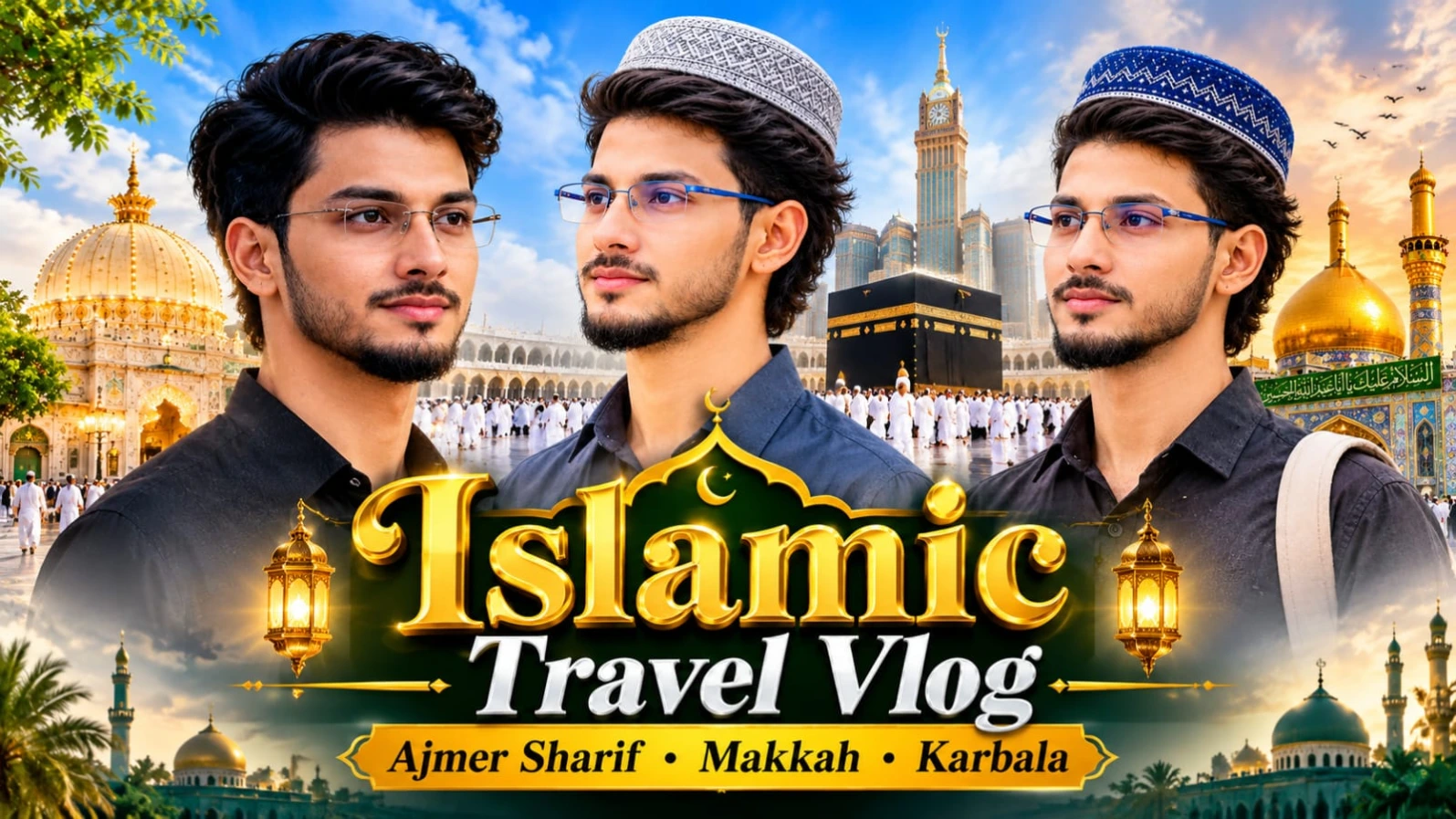
Madina Sharif ki ruhaniiyat aur Prophet's Mosque ke sukoon bhare mahol ko ek emotional travel poster mein dikhana aaj kal social media creators ke beech kaafi trending hai.Madina Sharif Double Exposure AI Photo Prompt | Cinematic Travel Poster un users ke liye design kiya gaya hai jo ChatGPT ki madad se apni normal portrait photo ko Madina Sharif ke sunset view ke sath double-exposure style mein blend karna chahte hain. Is creative concept mein young man ke side-profile portrait ke andar Prophet's Mosque, green dome, minarets, aur golden sunset ka ek artistic visual effect milta hai.
Is photo prompt mein royal-blue knitted kufi cap, black collared shirt, aur travel backpack strap ke sath emotional travel look specify kiya gaya hai. Warm cream background, watercolor ink splatters, aur neeche "JOURNEY TO MADINA SHARIF – THE JOURNEY THAT PURIFIES YOU" jaisi typography is poster ko ek premium spiritual feel deti hai. Vertical 4:5 aspect ratio aur clear face identity preservation ke sath aap ek meaningful poster generate kar sakte hain, aur bottom par diya gaya subtle NoorEditing07 watermark aapke brand work ko protect karta hai.
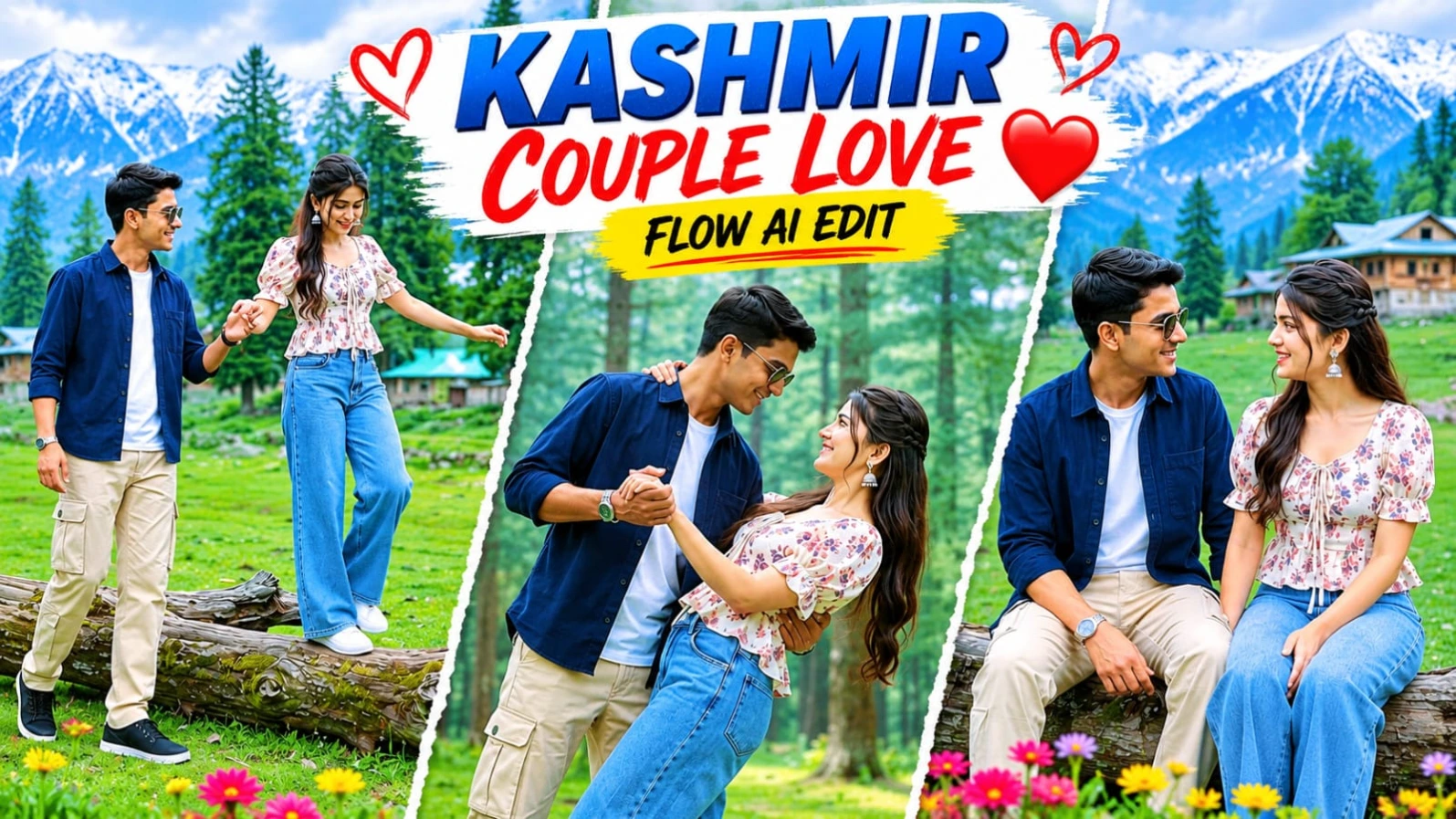
2. Kashmir Couple Romantic AI Video | Google Flow AI Master Prompt | 8K DSLR Look
Kashmir ke haseen green meadows, pine forests, aur wooden hillside cottages ke beech ek romantic couple video banana aaj kal social media par kaafi popular ho raha hai.Kashmir Couple Romantic AI Video | Google Flow AI Master Prompt | 8K DSLR Look un creators ke liye design kiya gaya hai jo ChatGPT character sheet aur Google Flow AI ki madad se ek 8-scene aur 15.7-second couple video create karna chahte hain. Is 16:9 widescreen format video prompt mein bright overcast daylight aur DSLR camera look ke sath couple ke pyaare moments dikhaye gaye hain.
Is video prompt mein male character ke liye navy-blue button-up overshirt, beige cargo trousers, black sneakers, aur dark sunglasses jabki female character ke liye cream-white square-neck floral peplum top, wide-leg light-blue jeans, aur white sneakers specify kiya gaya hai. Fallen tree trunk walk, romantic dance dip, twirling, aur joyful bridal carry spins jaise 8 scenes is reel ko ek complete love story banate hain. Strict facial identity lock aur NoorEditing07 bottom-corner watermark aapke original brand work ko protect karta hai.
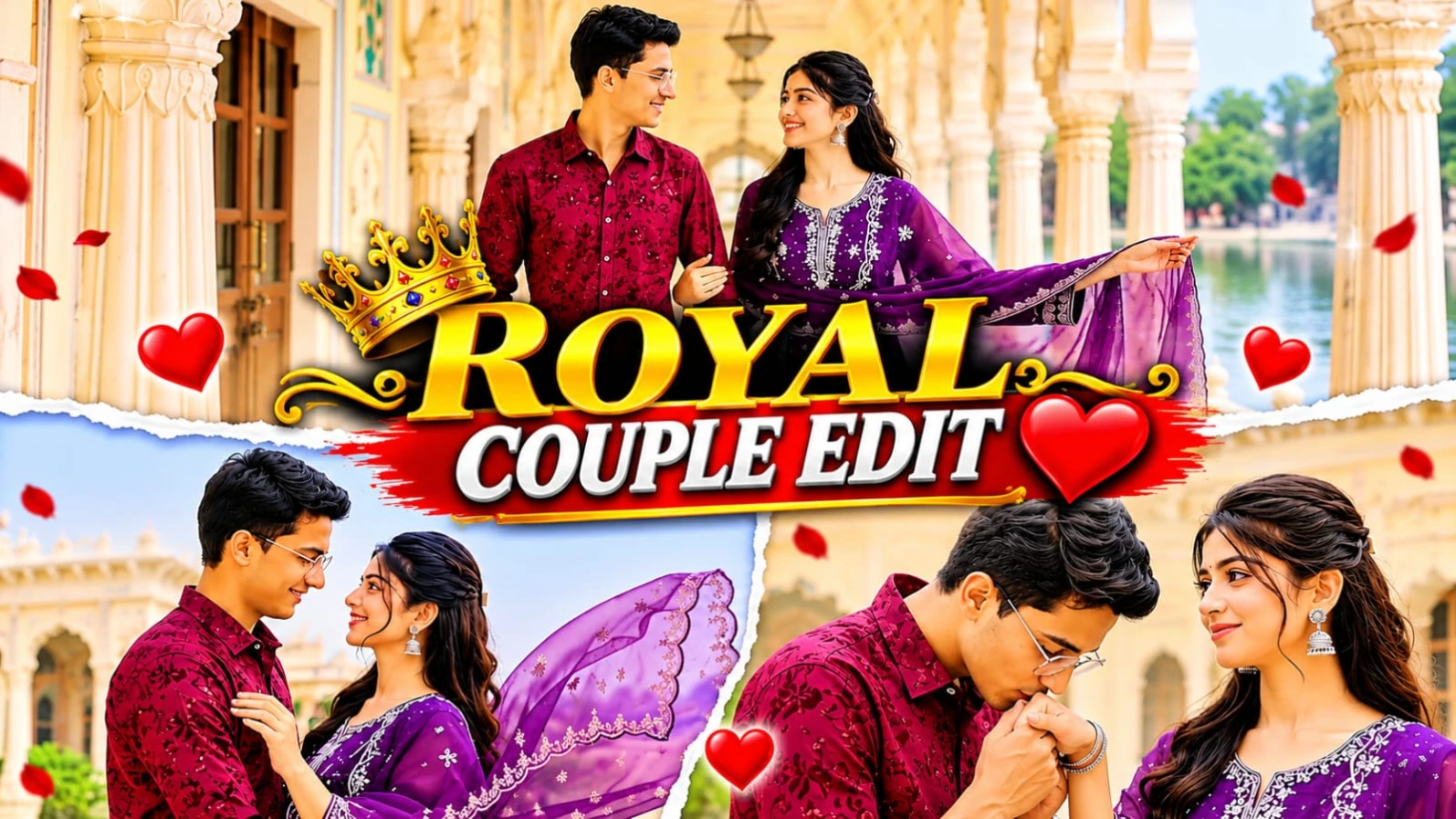
3. Royal Palace Romantic Couple AI Video Prompt | Google Flow Cinematic Video Edit
Grand Rajasthani heritage palaces, white marble pillars, aur lakeside terraces ke beech ek romantic couple cinematic video banana aaj kal social media creators ke beech kaafi popular ho raha hai.Royal Palace Romantic Couple AI Video Prompt | Google Flow Cinematic Video Edit un users ke liye design kiya gaya hai jo Google Flow AI aur apni reference photos ki madad se ek professional 15-scene cinematic couple video create karna chahte hain. Is 16:9 widescreen format video prompt mein pastel fresco arches, white marble colonnades, aur misty lake view ka royal visual experience milta hai.
Is video prompt mein male character ka outfit maroon textured floral-embroidered shirt with white cargo trousers aur female character ka outfit deep purple embroidered straight-cut kurti with sheer scalloped dupatta specify kiya gaya hai. Is 15-scene sequence mein palace courtyard twirls, hand-kissing moments, marble colonnade walks, aur lakeside embraces jaise romantic shots shamil hain. ChatGPT ki madad se couple character sheet aur strict facial identity lock karke aap ek high-end cinematic love story reel generate kar sakte hain. Bottom corner par diya gaya subtle NoorEditing07 watermark aapke original brand work ko protect karta hai.
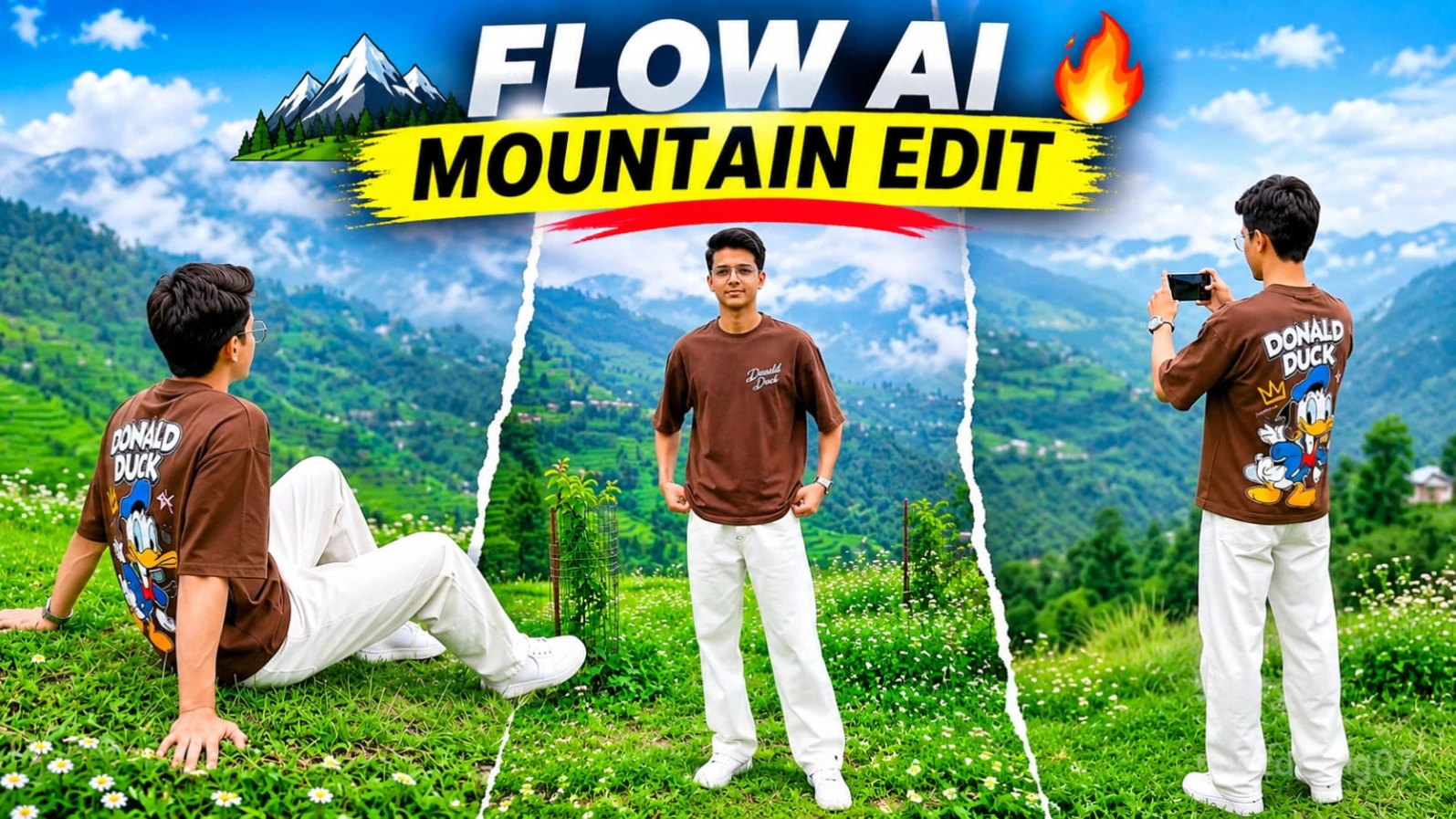
4. Green Mountain Cinematic AI Video Prompt | Google Flow AI DSLR Look
Haseen green mountain landscapes, terraced hills, aur professional DSLR camera movements ke beech ek realistic outdoor AI video banana aaj kal creators ke beech kaafi trending hai.Green Mountain Cinematic AI Video Prompt | Google Flow AI DSLR Look un users ke liye design kiya gaya hai jo ChatGPT aur Google Flow AI ki madad se ek professional 9-scene cinematic mountain video create karna chahte hain. Is 16:9 widescreen format video prompt mein lush green meadows, small white wildflowers, hillside cottages, aur vertical whip-pan transitions ka ek stunning visual experience milta hai.
Is video prompt mein character ka outfit brown oversized crewneck t-shirt (jiske front par minimalist white chest text aur back par large colorful retro Donald Duck graphic print hai), relaxed loose-fit white trousers, aur white sneakers specify kiya gaya hai. Is 9-scene sequence mein back-view phone filming, front meadow stand, terraced valley overlook, aur hillside walks jaise dynamic shots shamil hain. ChatGPT ki madad se strict character sheet aur facial identity lock karke aap ek high-end cinematic outdoor vlog generate kar sakte hain. Bottom corner par diya gaya subtle NoorEditing07 watermark aapke original brand work ko protect karta hai.
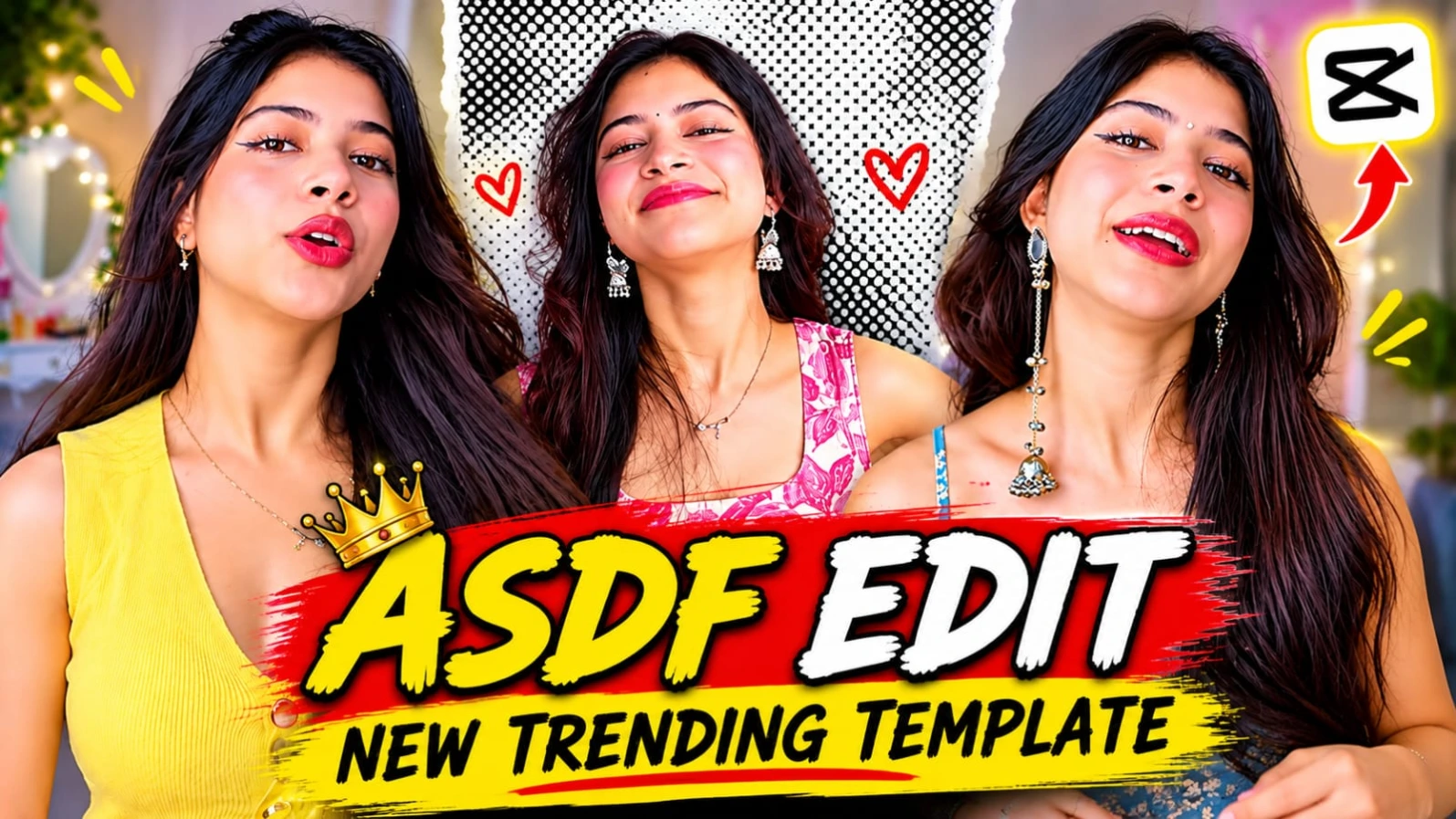
5. ASDF EDIT CapCut Template | New Trending Beat Edit
Social media par trending audio beats aur fast cuts ke sath aesthetic video edits banana aaj kal creators ki pehli pasand ban chuka hai.ASDF EDIT CapCut Template | New Trending Beat Edit un users ke liye hai jo "ASDF" trending track aur fast beat drops ke sath apni simple photos ya video clips ko ek stylish reel mein convert karna chahte hain. Is template ka smooth transition, beat-sync effect, aur modern color grading kisi bhi ordinary video ko ek professional master-level edit bana deta hai.
Is template ko use karne ke liye kisi bhi heavy professional editing software ki zaroorat nahi padti. Aapko bas website par diye gaye direct template link par click karna hai, VPN connect karke CapCut app mein apni favourite media files select karni hain, aur kuch hi seconds mein aapka viral video export hone ke liye ready ho jata hai. Beat sync aur visual pacing dekhne walon ko attract karti hai. Is pure creative process mein NoorEditing07 brand ki quality aur trust hamesha barkarar rehta hai.