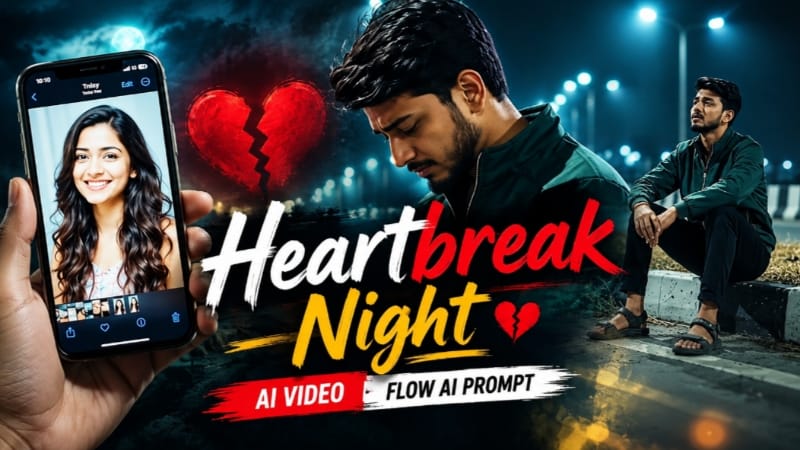
Heartbreak Night Highway AI Video ek emotional cinematic AI video concept hai, jisme heartbreak story ko night highway ke beautiful cinematic environment ke saath present kiya jata hai. Is concept mein dark night atmosphere, highway lights, moving vehicles, realistic road reflections aur emotional character moments ko combine karke ek cinematic storytelling video create kiya ja sakta hai. Flow AI Video Prompt ki help se is type ke scene ko AI-generated video mein transform karna easy ho jata hai.
Is AI video ka main focus ek emotional night journey ko visually present karna hai. Highway par chalti vehicles ki headlights, street lights aur dark surroundings video ko cinematic atmosphere dete hain. Character ko highway ke paas ya road par cinematic environment mein show kiya ja sakta hai. Slow camera movement aur natural character actions ke saath scene ko ek realistic movie sequence jaisa look diya ja sakta hai.
Heartbreak Night Highway concept mein reference photo ka important role hota hai. Aap apni clear photo ko reference ke roop mein use karke Flow AI mein character-based video create kar sakte hain. Prompt mein face, hairstyle, skin tone, body proportions aur overall appearance ko reference image ke according maintain karne ki instructions di ja sakti hain. Isse generated character ko original reference ke closer rakhne mein help milti hai.
Video ka aspect ratio 16:9 rakha gaya hai, jo cinematic landscape videos ke liye suitable format hai. Is ratio mein highway ka wide environment, road lights aur background scenery ko properly frame kiya ja sakta hai. Wide cinematic shots ke liye 16:9 format ka use karne se scene ka overall environment clearly visible hota hai.
Night highway environment ko realistic banane ke liye lighting details important hoti hain. Street lights, vehicle headlights, distant city lights aur road reflections scene mein natural depth create kar sakte hain. Cinematic lighting ke saath dark background aur controlled highlights video ko dramatic visual appearance de sakte hain. Flow AI prompt mein lighting aur environment details clearly mention karne se desired look generate karne mein help mil sakti hai.
Character movement ko natural rakhna bhi important hai. Heartbreak theme ko represent karne ke liye character ko slowly walk karte hue, highway ki taraf dekhte hue ya vehicle ke paas standing pose mein show kiya ja sakta hai. Simple aur realistic movements cinematic storytelling ko support karte hain. Overly fast movements ke bajay smooth motion video ko more natural appearance de sakta hai.
Camera movement ke through story ko aur cinematic banaya ja sakta hai. Wide establishing shot mein complete highway environment show kiya ja sakta hai. Medium shot character aur surroundings ko capture kar sakta hai, jabki close-up shot emotional expression ko highlight kar sakta hai. Slow tracking camera, smooth push-in aur controlled cinematic movement jaise techniques AI video ko visually engaging bana sakti hain.
Prompt mein scene continuity ka bhi dhyan rakha ja sakta hai. Agar video mein multiple scenes ya shots generate kiye ja rahe hain, to character ka outfit, hairstyle, appearance aur overall visual style consistent rakhne ki instructions add karna useful hota hai. Isse different generated clips ko combine karte waqt story ka flow maintain karna easier hota hai.
Highway environment mein road markings, moving cars, headlights, street lamps aur distant lights jaise details add karne se scene more realistic ban sakta hai. Background mein soft bokeh lights aur realistic reflections cinematic photography feel create kar sakte hain. Prompt ko detailed rakhne se AI ko environment aur camera composition ko understand karne mein better guidance milti hai.
Heartbreak Night Highway AI Video ko social media content ke liye bhi use kiya ja sakta hai. 16:9 landscape format YouTube videos, cinematic presentations aur other horizontal video platforms ke liye suitable hai. Video ko final editing ke baad background music, text aur simple transitions ke saath aur customize kiya ja sakta hai.
AI-generated video ko final use se pehle preview karna important hai. Face consistency, character movement, lighting, background, vehicle movement aur camera motion ko check karein. Agar result mein unwanted changes दिखाई दें, to prompt ko modify karke video ko dobara generate kiya ja sakta hai.
Flow AI Video Prompt ka advantage ye hai ki aap text instructions ke through character, environment, lighting, camera movement aur visual style ko define kar sakte hain. Clear reference photo aur detailed prompt ke combination se creative cinematic scenes generate kiye ja sakte hain. AI generation mein har result exactly same nahi hota, isliye prompt ko result ke according refine karna normal process hai.
Heartbreak Night Highway AI Video ek creative way hai emotional storytelling ko cinematic visuals ke saath combine karne ka. Night highway, realistic lighting, smooth camera movement, natural character actions aur 16:9 cinematic composition milkar ek engaging AI video concept create karte hain. Aap is basic concept ko apni creativity ke according customize karke different scenes aur stories ke liye bhi use kar sakte hain.
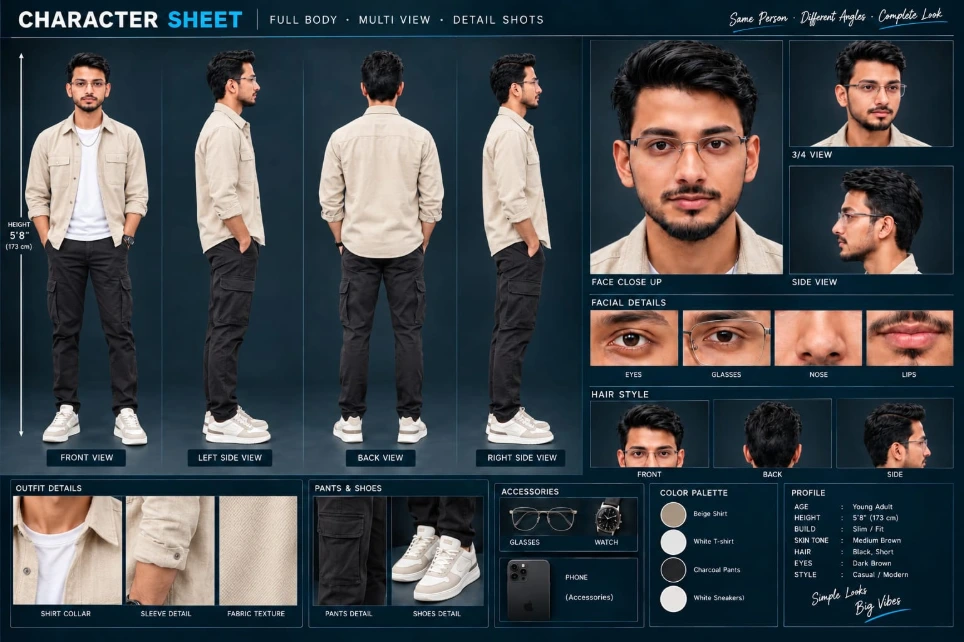
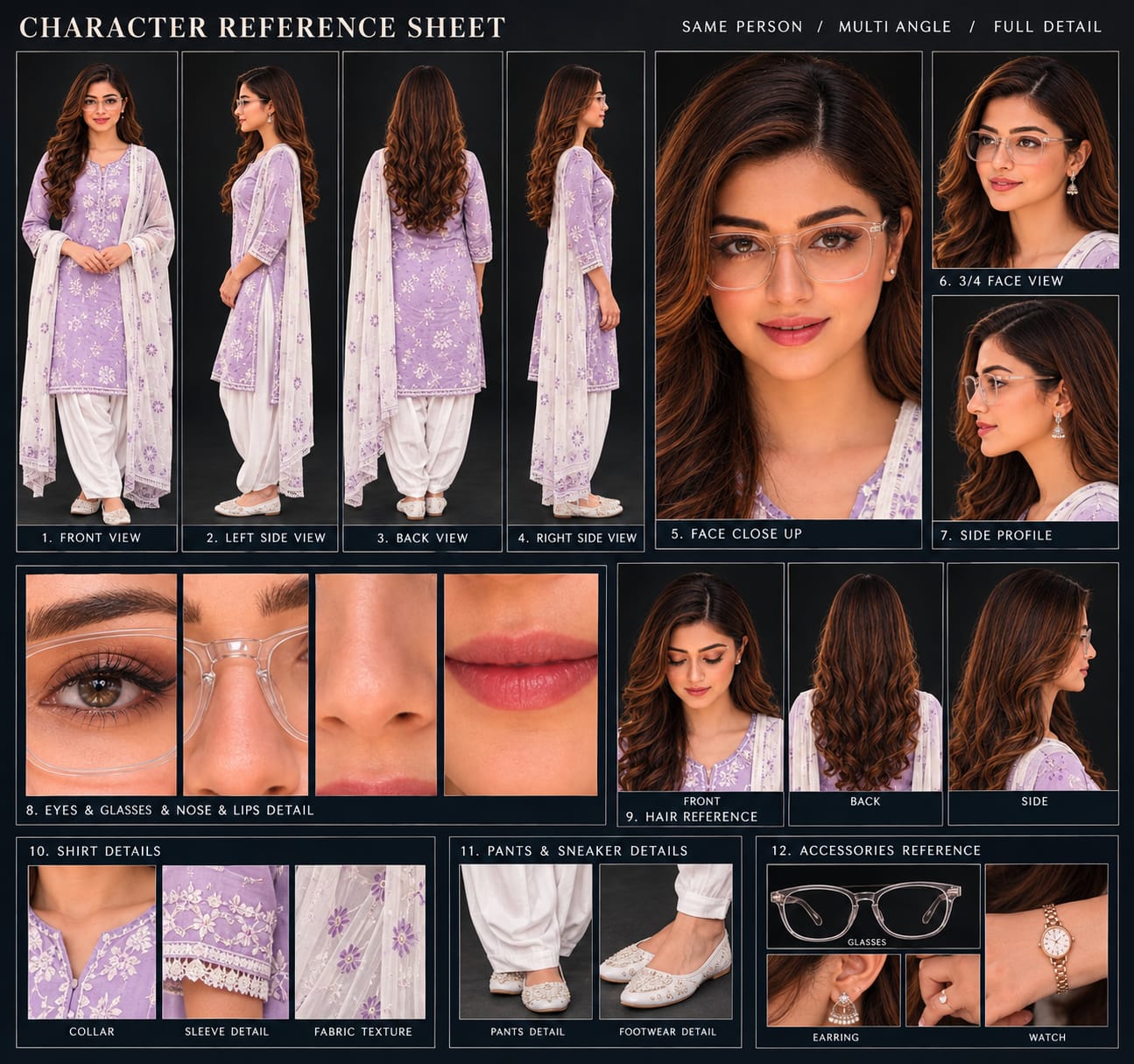
Sabse Pehle Character Sheet Photo Banaai ChatGPT Se
A premium, professional, ultra-photorealistic full-body character reference sheet for the person identified in the uploaded photo. The sheet is presented in a clean professional studio environment with a dark, luxury background. The character's identity, facial features, skin tone, body proportions, hairstyle, and transparent-frame glasses are perfectly consistent with the reference photo. The character is wearing the exact outfit from the reference: a mustard-yellow polo shirt with white piping, black slim-fit pants, and white sneakers. The layout is an elegant grid containing: 1. Full-body front view, 2. Full-body left side view, 3. Full-body back view, 4. Full-body right side view. 5. Large face close-up, 6. 3/4 face view, 7. Side-profile face view. 8. Detailed eye, glasses, nose, and lips reference crops. 9. Hair front, back, and side reference. 10. Shirt collar, sleeve, and fabric texture details. 11. Pants and sneaker detail shots. 12. Accessories reference. All views depict the same person with high-end cinematic lighting, extremely sharp facial details, realistic skin texture, natural hair strands, realistic fabric texture, accurate clothing stitching, and physically accurate lighting with subtle shadows. The full body is completely visible in all turnaround views, including both shoes. The presentation features sophisticated typography, thin clean borders, and balanced spacing. No watermarks, cartoons, or distortions are present.
A premium, professional, ultra-photorealistic full-body character reference sheet for the person identified in the uploaded photo. The sheet is presented in a clean professional studio environment with a dark, luxury background. The character's identity, facial features, skin tone, body proportions, hairstyle, and transparent-frame glasses are perfectly consistent with the reference photo. The character is wearing the exact outfit from the reference: a mustard-yellow polo shirt with white piping, black slim-fit pants, and white sneakers. The layout is an elegant grid containing: 1. Full-body front view, 2. Full-body left side view, 3. Full-body back view, 4. Full-body right side view. 5. Large face close-up, 6. 3/4 face view, 7. Side-profile face view. 8. Detailed eye, glasses, nose, and lips reference crops. 9. Hair front, back, and side reference. 10. Shirt collar, sleeve, and fabric texture details. 11. Pants and sneaker detail shots. 12. Accessories reference. All views depict the same person with high-end cinematic lighting, extremely sharp facial details, realistic skin texture, natural hair strands, realistic fabric texture, accurate clothing stitching, and physically accurate lighting with subtle shadows. The full body is completely visible in all turnaround views, including both shoes. The presentation features sophisticated typography, thin clean borders, and balanced spacing. No watermarks, cartoons, or distortions are present.
✓
Prompt copied to clipboard!
AI Video Prompt
✦AI PHOTO PROMPT
A premium, professional, ultra-photorealistic full-body character reference sheet for the person identified in the uploaded photo. The sheet is presented in a clean professional studio environment with a dark, luxury background. The character's identity, facial features, skin tone, body proportions, hairstyle, and transparent-frame glasses are perfectly consistent with the reference photo. The character is wearing the exact outfit from the reference: a mustard-yellow polo shirt with white piping, black slim-fit pants, and white sneakers. The layout is an elegant grid containing: 1. Full-body front view, 2. Full-body left side view, 3. Full-body back view, 4. Full-body right side view. 5. Large face close-up, 6. 3/4 face view, 7. Side-profile face view. 8. Detailed eye, glasses, nose, and lips reference crops. 9. Hair front, back, and side reference. 10. Shirt collar, sleeve, and fabric texture details. 11. Pants and sneaker detail shots. 12. Accessories reference. All views depict the same person with high-end cinematic lighting, extremely sharp facial details, realistic skin texture, natural hair strands, realistic fabric texture, accurate clothing stitching, and physically accurate lighting with subtle shadows. The full body is completely visible in all turnaround views, including both shoes. The presentation features sophisticated typography, thin clean borders, and balanced spacing. No watermarks, cartoons, or distortions are present.
A premium, professional, ultra-photorealistic full-body character reference sheet for the person identified in the uploaded photo. The sheet is presented in a clean professional studio environment with a dark, luxury background. The character's identity, facial features, skin tone, body proportions, hairstyle, and transparent-frame glasses are perfectly consistent with the reference photo. The character is wearing the exact outfit from the reference: a mustard-yellow polo shirt with white piping, black slim-fit pants, and white sneakers. The layout is an elegant grid containing: 1. Full-body front view, 2. Full-body left side view, 3. Full-body back view, 4. Full-body right side view. 5. Large face close-up, 6. 3/4 face view, 7. Side-profile face view. 8. Detailed eye, glasses, nose, and lips reference crops. 9. Hair front, back, and side reference. 10. Shirt collar, sleeve, and fabric texture details. 11. Pants and sneaker detail shots. 12. Accessories reference. All views depict the same person with high-end cinematic lighting, extremely sharp facial details, realistic skin texture, natural hair strands, realistic fabric texture, accurate clothing stitching, and physically accurate lighting with subtle shadows. The full body is completely visible in all turnaround views, including both shoes. The presentation features sophisticated typography, thin clean borders, and balanced spacing. No watermarks, cartoons, or distortions are present.
✓
Prompt copied to clipboard!
AI Video Prompt Card
✦AI VIDEO PROMPT
Use Photo 1 as reference for the man's face, hairstyle, skin tone, body build and height. Use Photo 2 as reference for the woman — her photo appears only as an image displayed on a phone screen, not as a live character. Keep the man's identity exactly same as his reference photo — no alteration to face, body, or hairstyle. Keep the person's body proportions natural and realistic, matching the exact build shown in the reference photo. Outfit (same throughout, do not change): dark green zip-up jacket, black pants, sandals.
Use Photo 1 as reference for the man's face, hairstyle, skin tone, body build and height. Use Photo 2 as reference for the woman — her photo appears only as an image displayed on a phone screen, not as a live character. Keep the man's identity exactly same as his reference photo — no alteration to face, body, or hairstyle.
Keep the person's body proportions natural and realistic, matching the exact build shown in the reference photo.
Outfit (same throughout, do not change): dark green zip-up jacket, black pants, sandals.
Location (same throughout all 7 scenes, do not change): an empty night-time highway/bridge, glowing teal-green streetlights lining the road, black-and-white striped concrete road dividers, dry grass median, a foggy dark sky, occasional distant vehicle headlights, moody nighttime atmosphere.
Mood: heartbroken, quiet, reflective, sad expression throughout, slow melancholic body language.
Color grade: cinematic cool teal-and-dark tone, moody night contrast, cinematic film-grain look.
Create 7 cinematic scenes, same outfit and same night highway location throughout:
Scene 1: Close-up shot, a hand holding up a phone displaying a photo of the woman (from Photo 2), the empty night highway and streetlights blurred softly in the background, quiet emotional moment.
Scene 2: Wide shot, the man standing alone in the middle of the empty highway, head down, streetlights glowing around him, sad and lost expression.
Scene 3: Medium shot, the man slowly walking along the road, looking down, hands relaxed, streetlights and road markings stretching into the distance.
Scene 4: Medium shot, the man sitting on the road's concrete divider, elbows resting on his knees, head down, dry grass around him, streetlight glowing behind him.
Scene 5: Medium shot, the man still sitting on the divider, now leaning back and looking up at the dark sky, a moment of quiet emotional release.
Scene 6: Medium shot, the man standing and leaning against the road barrier, head bowed, hands clasped in front of him, dim shadowy lighting.
Scene 7: Wide shot, the man standing on the road median with arms crossed, facing the camera, distant vehicle headlights approaching on the road behind him, calm but melancholic expression.
Format: 16:9 landscape, 1080p resolution, slow cinematic pacing throughout, same location and color grade maintained from Scene 1 to Scene 7.
Watermark: small semi-transparent text "NoorEditing07" in the bottom-right corner, visible consistently across all 7 scenes.
✓
Prompt copied to clipboard!
AI Video Prompt Card
✦AI VIDEO PROMPT
Use Photo 1 as reference for the man's face, hairstyle, skin tone, body build and height. Use Photo 2 as reference for the woman — her photo appears only as an image displayed on a phone screen, not as a live character. Keep the man's identity exactly same as his reference photo — no alteration to face, body, or hairstyle. Keep the person's body proportions natural and realistic, matching the exact build shown in the reference photo. Outfit (same throughout, do not change): dark green zip-up jacket, black pants, sandals.
Use Photo 1 as reference for the man's face, hairstyle, skin tone, body build and height. Use Photo 2 as reference for the woman — her photo appears only as an image displayed on a phone screen, not as a live character. Keep the man's identity exactly same as his reference photo — no alteration to face, body, or hairstyle.
Keep the person's body proportions natural and realistic, matching the exact build shown in the reference photo.
Outfit (same throughout, do not change): dark green zip-up jacket, black pants, sandals.
Location (same throughout all 7 scenes, do not change): an empty night-time highway/bridge, glowing teal-green streetlights lining the road, black-and-white striped concrete road dividers, dry grass median, a foggy dark sky, occasional distant vehicle headlights, moody nighttime atmosphere.
Mood: heartbroken, quiet, reflective, sad expression throughout, slow melancholic body language.
Color grade: cinematic cool teal-and-dark tone, moody night contrast, cinematic film-grain look.
Create 7 cinematic scenes, same outfit and same night highway location throughout:
Scene 1: Close-up shot, a hand holding up a phone displaying a photo of the woman (from Photo 2), the empty night highway and streetlights blurred softly in the background, quiet emotional moment.
Scene 2: Wide shot, the man standing alone in the middle of the empty highway, head down, streetlights glowing around him, sad and lost expression.
Scene 3: Medium shot, the man slowly walking along the road, looking down, hands relaxed, streetlights and road markings stretching into the distance.
Scene 4: Medium shot, the man sitting on the road's concrete divider, elbows resting on his knees, head down, dry grass around him, streetlight glowing behind him.
Scene 5: Medium shot, the man still sitting on the divider, now leaning back and looking up at the dark sky, a moment of quiet emotional release.
Scene 6: Medium shot, the man standing and leaning against the road barrier, head bowed, hands clasped in front of him, dim shadowy lighting.
Scene 7: Wide shot, the man standing on the road median with arms crossed, facing the camera, distant vehicle headlights approaching on the road behind him, calm but melancholic expression.
Format: 16:9 landscape, 1080p resolution, slow cinematic pacing throughout, same location and color grade maintained from Scene 1 to Scene 7.
Watermark: small semi-transparent text "NoorEditing07" in the bottom-right corner, visible consistently across all 7 scenes.
Sabse pehle apni ek clear reference photo ready karein. Photo mein face clearly visible hona chahiye, taaki Flow AI character ko reference ke according generate kar sake.
Ab Flow AI open karein aur apni reference photo upload karein. Photo upload karne ke baad Heartbreak Night Highway AI Video Prompt ko copy karke Flow AI mein paste karein.
Prompt mein character appearance, night highway environment, cinematic lighting, road lights, vehicles, camera movement aur emotional storytelling ki details already define ki ja sakti hain. Reference photo ko character identity ke liye use karein aur prompt mein diye gaye scene instructions ko follow karein.
Ab Image to Video option select karein. Video settings mein 16:9 aspect ratio choose karein, kyunki ye video landscape cinematic format mein banaya ja raha hai. Available quality aur other settings ko apni requirement ke according select karein.
Ab Generate option par click karein aur video generate hone ka wait karein. Generation complete hone ke baad video ka complete preview check karein.
Preview mein sabse pehle character ka face aur overall appearance check karein. Uske baad highway background, night lighting, vehicle movement, road reflections aur camera movement ko dekhein. Character ki body movement natural hai ya nahi, ye bhi check karein.
Agar generated video mein face, outfit, background ya movement mein unwanted change aaye, to prompt ko thoda modify karein. Required details ko aur clearly mention karke video ko dobara generate kar sakte hain. Different generations mein result change ho sakta hai, isliye suitable result milne tak prompt ko refine karna useful ho sakta hai.
Final video ready hone ke baad export ya save option ka use karke video ko save karein. Agar aap video ko YouTube ya other social media platforms par upload karna chahte hain, to final editing ke liye kisi suitable video editor ka use kar sakte hain.
Aap video mein suitable background music, simple text, cinematic transitions aur other editing elements add kar sakte hain. Final export se pehle video ka aspect ratio, quality aur complete framing ek baar zaroor check karein.
Is tarah aap apni reference photo aur Flow AI Video Prompt ki help se 16:9 format mein Heartbreak Night Highway AI Video create kar sakte hain.
Heartbreak Night Highway AI VideoSad Cinematic StoryFlow AI Video PromptHeartbreak AI VideoNight Highway AI VideoSad Story AI VideoCinematic AI VideoFlow AI Prompt16:9 AI VideoNight Cinematic VideoEmotional AI VideoAI Video EditingCinematic Story VideoTrending AI VideoAI Video Prompt
Heartbreak Night Highway AI VideoSad Cinematic StoryFlow AI Video PromptHeartbreak AI VideoNight Highway AI VideoSad Story AI VideoCinematic AI VideoFlow AI Prompt16:9 AI VideoNight Cinematic VideoEmotional AI VideoAI Video EditingCinematic Story VideoTrending AI VideoAI Video Prompt
AI editing allows creators to turn simple photos and video clips into cinematic slow-motion edits, romantic stories, emotional portraits, and luxury wedding photography. This combined tutorial covers five creative concepts using CapCut, Flow AI, and ChatGPT, with an emphasis on smooth editing, realistic visuals, and consistent character appearance.
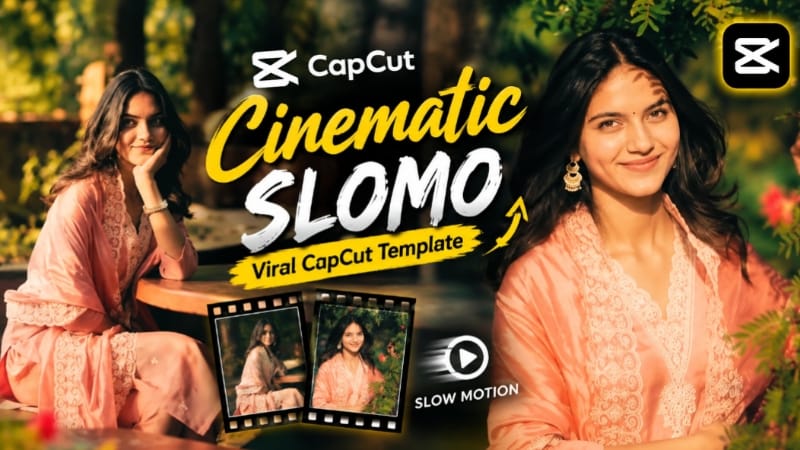
1. Cinematic Slomo CapCut Template
Start by opening the Cinematic Slomo CapCut Template through the provided template link. The page recommends connecting a VPN before opening the template, after which it can be opened directly in the CapCut app. Tap Use Template and select the required photos or video clips from your gallery. CapCut automatically arranges the selected media according to the preset timing, transitions, and slow-motion effects.
Preview the complete video and replace any clip that does not fit properly. Once the timing and visuals look correct, export the video in a suitable quality. This template is designed for cinematic slow-motion content suitable for Reels, Shorts, and status videos.
2. Romantic Rose Story – Bike Ride Love Story
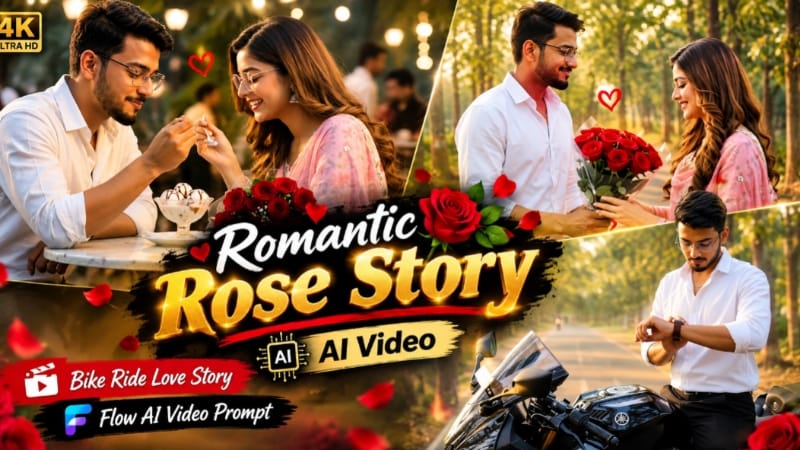
For the Romantic Rose Story, prepare clear reference photos for the characters. The page recommends creating a detailed character reference sheet in ChatGPT first, showing front, side, back, face, hair, clothing, and accessory details. This helps Flow AI maintain consistent identity throughout the video.
Upload the reference images to Flow AI and paste the complete video prompt. The 13-scene story includes a man beside a black sports motorcycle, a woman walking along a scenic path, a wristwatch moment, a bouquet of red roses, the romantic rose presentation, a motorcycle ride, and a final cafe scene. Use smooth camera movement, realistic body motion, cinematic golden-hour lighting, and detailed environments.
After generation, check the faces, hands, rose bouquet, motorcycle movement, clothing, expressions, and background continuity. The final video can be exported in 9:16 for short-form platforms.
3. Heartbreak Riverside Cinematic Video
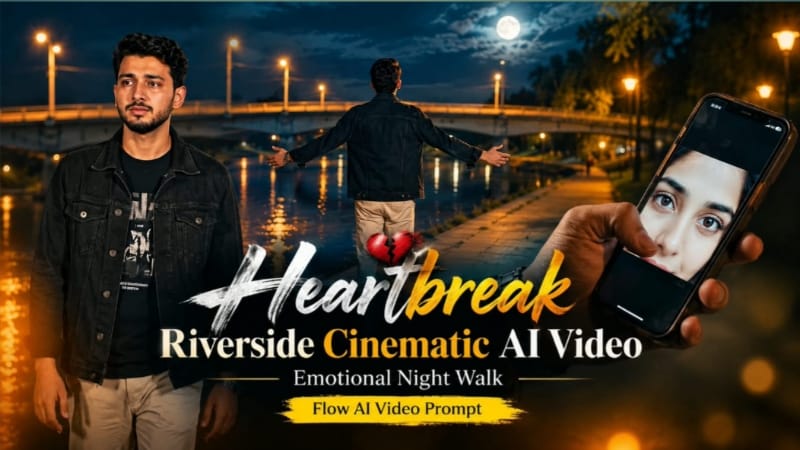
For the heartbreak story, upload a clear reference image to Flow AI and use it as the identity reference. The character wears a black denim jacket, black graphic T-shirt, light beige trousers, and a silver wristwatch. The story remains at the same riverside location at night, featuring a concrete bridge, trees, dry riverbank, warm amber lights, and a deep blue-black sky.
The seven-scene sequence begins with a close-up of a smartphone showing a woman's eyes, followed by a lonely walk, emotional approach, arms-open release, grief beneath a tree, a single tear, and a final pendant-to-heart moment. Maintain realistic anatomy, subtle expressions, smooth camera movement, and rich nighttime colour grading.
4. Emotional Ocean Cinematic AI Photo
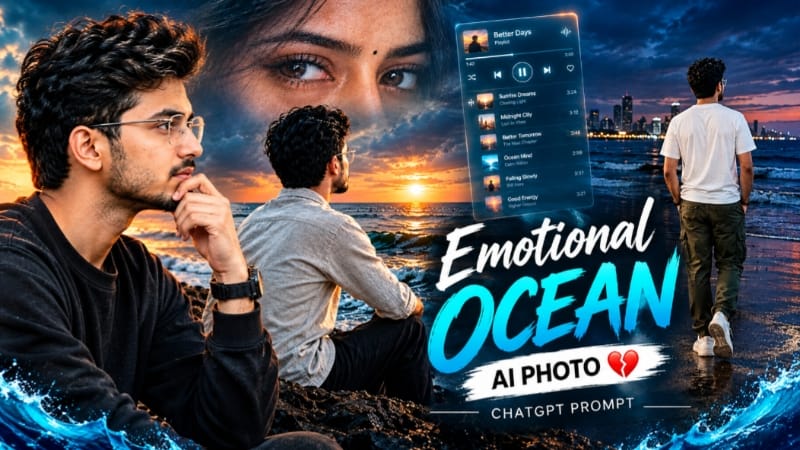
For the Emotional Ocean concept, open ChatGPT and upload a clear reference photo. The page provides ocean-inspired cinematic photo concepts combining emotional storytelling with music-player interface elements and dramatic seaside environments. The different variations use realistic lighting, atmospheric backgrounds, ocean scenery, and cinematic compositions.
Keep the person's facial identity, skin texture, hairstyle, body proportions, and natural appearance consistent with the reference. Use realistic depth of field, detailed textures, cinematic lighting, and professional colour grading to make the final image look like a professionally photographed scene rather than a simple filter.
5. Bridal Couple Luxury Wedding Portrait
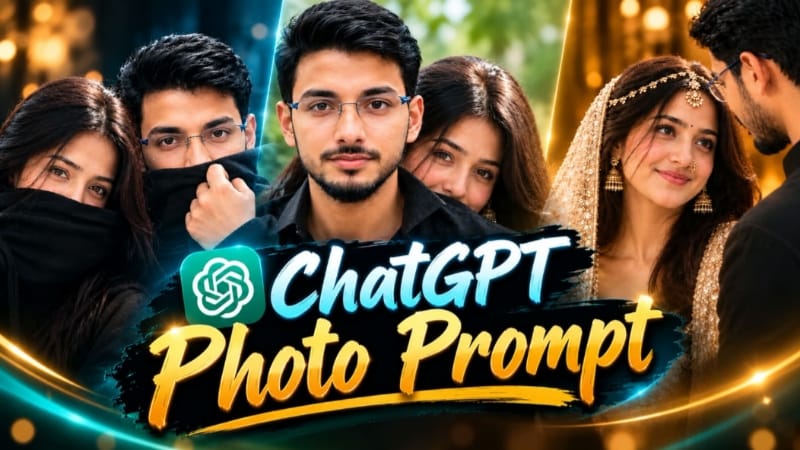
For the bridal portrait, upload the original couple photograph to ChatGPT and use it as the primary identity reference. The prompt is designed to preserve both people's facial features, skin tones, hairstyles, body proportions, and recognizable identities.
The composition creates an intimate close-up wedding portrait, with the bride positioned in the foreground and the groom close behind her. The bride wears a cream-and-gold embellished bridal outfit with traditional jewelry, while the groom wears black. Warm ambient lighting, a softly blurred brown background, realistic skin texture, detailed fabric and jewelry, shallow depth of field, and an 85mm DSLR-style look create the luxury wedding atmosphere.
Final Result
These five techniques cover ready-made slow-motion editing, romantic AI storytelling, emotional cinematic videos, ocean-inspired AI photography, and luxury wedding portraits. For the best results, always use clear reference images, maintain identity and visual consistency, follow the recommended aspect ratio, and carefully check faces, hands, clothing, lighting, movement, and background details before exporting or publishing.