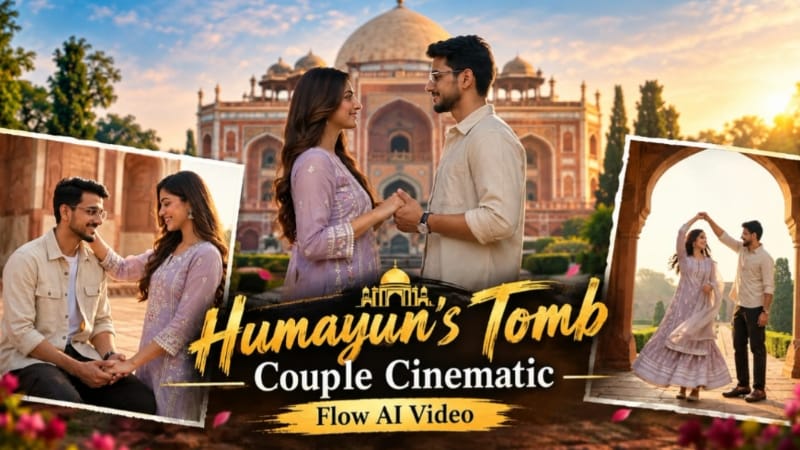
Humayun's Tomb Couple Cinematic | Flow AI Video Prompt ek beautiful AI cinematic video concept hai, jisme aap apni couple photos ko use karke Flow AI mein ek realistic travel-style cinematic video bana sakte hain. Is concept mein couple ko Delhi ke famous Mughal heritage monument Humayun's Tomb ke beautiful environment mein explore karte hue dikhaya gaya hai.
Is AI video ka main focus realistic couple interaction, beautiful Mughal architecture, green gardens, red sandstone pathways aur warm golden-hour lighting par hai. Flow AI mein uploaded photos ko reference ke roop mein use karke couple ki identity aur overall appearance ko consistent rakhne ki koshish ki ja sakti hai.
Video mein couple Humayun's Tomb ke heritage complex mein hand-in-hand walk karta hai, beautiful Mughal archways ke andar romantic moments share karta hai aur monument ke gardens aur historical architecture ko explore karta hai. Is tarah simple photos ko ek cinematic travel story ke form mein present kiya ja sakta hai.
Is concept ki ek important feature Identity Preservation hai. Uploaded reference photos ke face, hairstyle, skin tone aur overall appearance ko consistent rakhne ke liye detailed instructions ka use kiya jata hai. Isse AI video mein characters ko ek hi couple ke roop mein maintain karne mein help mil sakti hai.
Female character ke traditional black/charcoal ethnic outfit, embroidery, dupatta, silver jewellery aur hairstyle ko reference appearance ke according maintain kiya gaya hai. Male character ke striped Cuban-collar shirt, white trousers, white sneakers aur black wristwatch ko bhi consistent look ke liye maintain kiya gaya hai.
Cinematic video mein different camera angles aur movements ka use kiya ja sakta hai. Starting mein couple ke hands ka close-up shot, phir garden pathway par walking shot, Mughal archway ke andar romantic twirl, monument ki taraf grand approach aur historic corridors ke through walking jaise scenes video ko ek complete cinematic story ka feel dete hain.
Ek romantic scene mein couple Mughal architecture ke ornate arch ke neeche ek dusre ke saath close moment share karta hai. Dusre scene mein terrace par natural affectionate interaction dikhaya jata hai. Final scene mein couple historic stone balustrade ke paas walk karta hai aur background mein Humayun's Tomb ke beautiful domes ke saath camera ki taraf smile karta hai.
Lighting ke liye warm golden-hour morning sunlight ka cinematic look use kiya gaya hai. Red sandstone architecture aur green gardens ke combination se video mein rich visual contrast create hota hai. Shallow depth of field, smooth camera movement aur realistic fabric motion video ko premium cinematic appearance dene mein help karte hain.
Ye concept Instagram Reels, YouTube Shorts, Facebook Reels aur AI editing tutorials ke liye useful ho sakta hai. Agar aap couple travel photos ko ek cinematic heritage-location video mein convert karna chahte hain, to Flow AI ke through is type ka video create kiya ja sakta hai.
Best result ke liye clear, high-quality couple photos upload karein jisme dono faces clearly visible hon. Reference photos jitni clear aur detailed hongi, AI ko characters ki appearance samajhne mein utni help mil sakti hai.
Overall, Humayun's Tomb Couple Cinematic ek realistic AI travel-video concept hai jo couple photography, Mughal heritage architecture aur cinematic storytelling ko combine karta hai. Flow AI ke through photos ko creative cinematic scenes mein transform karke ek unique couple travel video banaya ja sakta hai.
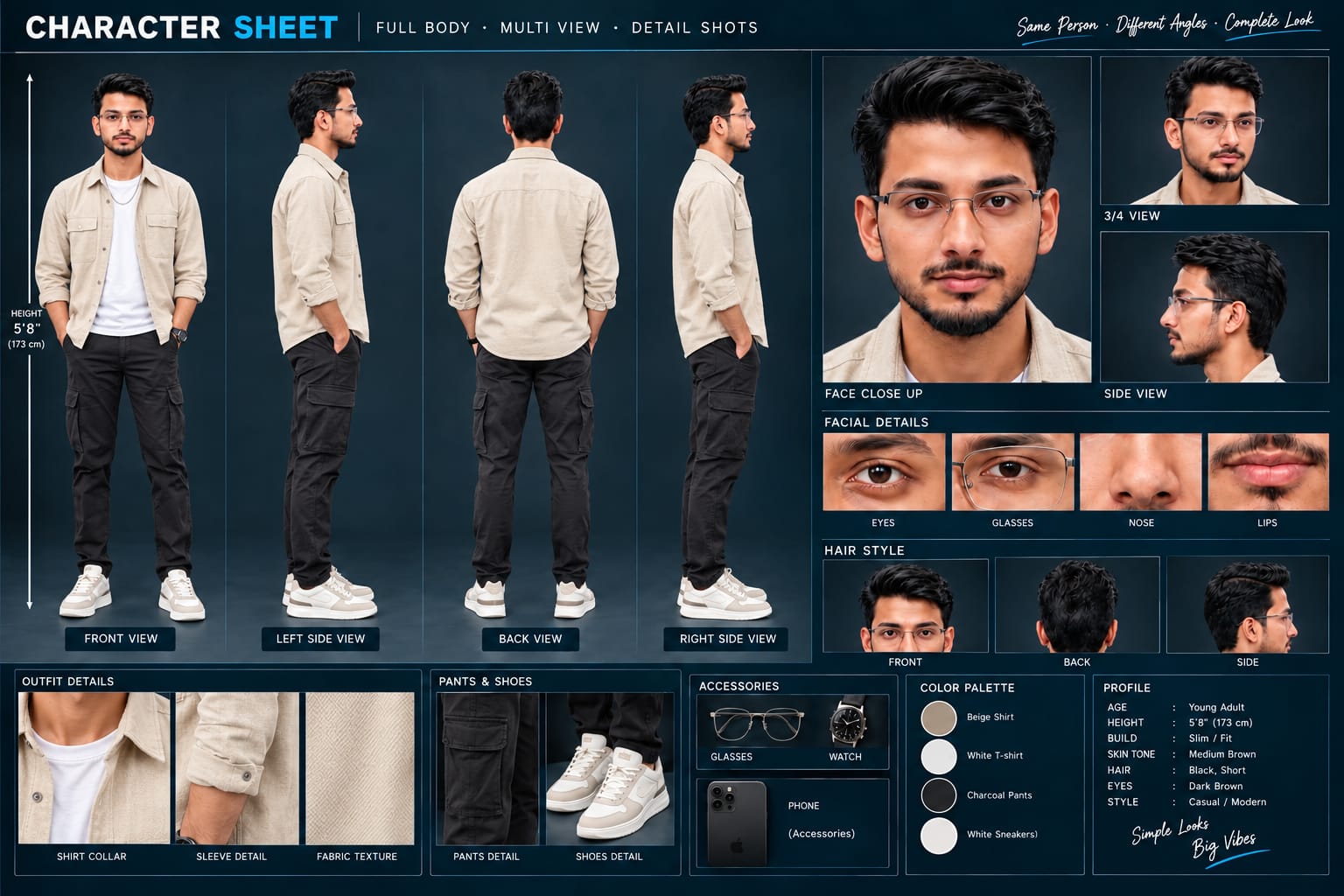
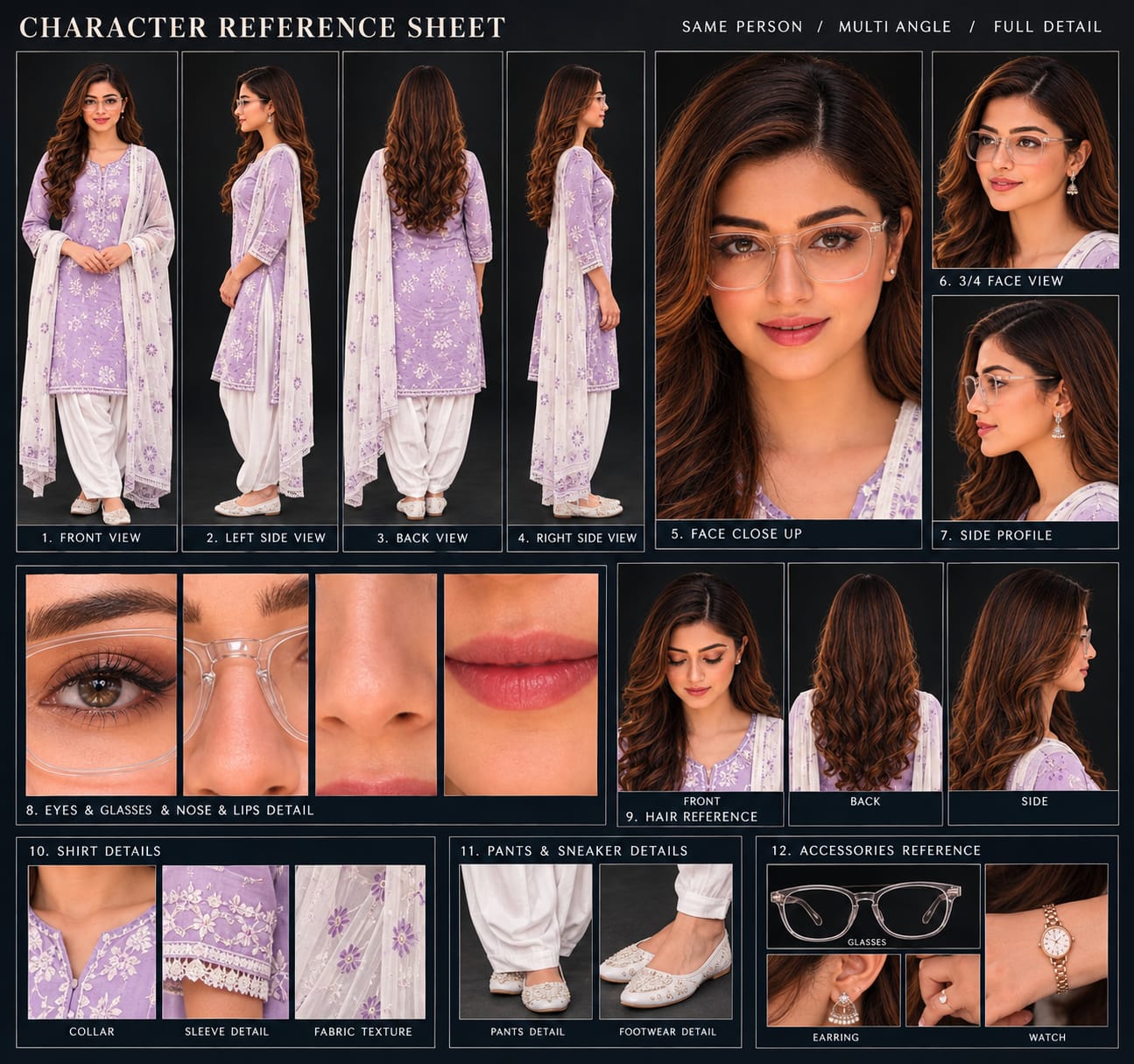
Sabse Pehle Character Sheet Photo Banaai ChatGPT Se
A premium, professional, ultra-photorealistic full-body character reference sheet for the person identified in the uploaded photo. The sheet is presented in a clean professional studio environment with a dark, luxury background. The character's identity, facial features, skin tone, body proportions, hairstyle, and transparent-frame glasses are perfectly consistent with the reference photo. The character is wearing the exact outfit from the reference: a mustard-yellow polo shirt with white piping, black slim-fit pants, and white sneakers. The layout is an elegant grid containing: 1. Full-body front view, 2. Full-body left side view, 3. Full-body back view, 4. Full-body right side view. 5. Large face close-up, 6. 3/4 face view, 7. Side-profile face view. 8. Detailed eye, glasses, nose, and lips reference crops. 9. Hair front, back, and side reference. 10. Shirt collar, sleeve, and fabric texture details. 11. Pants and sneaker detail shots. 12. Accessories reference. All views depict the same person with high-end cinematic lighting, extremely sharp facial details, realistic skin texture, natural hair strands, realistic fabric texture, accurate clothing stitching, and physically accurate lighting with subtle shadows. The full body is completely visible in all turnaround views, including both shoes. The presentation features sophisticated typography, thin clean borders, and balanced spacing. No watermarks, cartoons, or distortions are present.
A premium, professional, ultra-photorealistic full-body character reference sheet for the person identified in the uploaded photo. The sheet is presented in a clean professional studio environment with a dark, luxury background. The character's identity, facial features, skin tone, body proportions, hairstyle, and transparent-frame glasses are perfectly consistent with the reference photo. The character is wearing the exact outfit from the reference: a mustard-yellow polo shirt with white piping, black slim-fit pants, and white sneakers. The layout is an elegant grid containing: 1. Full-body front view, 2. Full-body left side view, 3. Full-body back view, 4. Full-body right side view. 5. Large face close-up, 6. 3/4 face view, 7. Side-profile face view. 8. Detailed eye, glasses, nose, and lips reference crops. 9. Hair front, back, and side reference. 10. Shirt collar, sleeve, and fabric texture details. 11. Pants and sneaker detail shots. 12. Accessories reference. All views depict the same person with high-end cinematic lighting, extremely sharp facial details, realistic skin texture, natural hair strands, realistic fabric texture, accurate clothing stitching, and physically accurate lighting with subtle shadows. The full body is completely visible in all turnaround views, including both shoes. The presentation features sophisticated typography, thin clean borders, and balanced spacing. No watermarks, cartoons, or distortions are present.
✓
Prompt copied to clipboard!
AI Video Prompt
✦AI PHOTO PROMPT
A premium, professional, ultra-photorealistic full-body character reference sheet for the person identified in the uploaded photo. The sheet is presented in a clean professional studio environment with a dark, luxury background. The character's identity, facial features, skin tone, body proportions, hairstyle, and transparent-frame glasses are perfectly consistent with the reference photo. The character is wearing the exact outfit from the reference: a mustard-yellow polo shirt with white piping, black slim-fit pants, and white sneakers. The layout is an elegant grid containing: 1. Full-body front view, 2. Full-body left side view, 3. Full-body back view, 4. Full-body right side view. 5. Large face close-up, 6. 3/4 face view, 7. Side-profile face view. 8. Detailed eye, glasses, nose, and lips reference crops. 9. Hair front, back, and side reference. 10. Shirt collar, sleeve, and fabric texture details. 11. Pants and sneaker detail shots. 12. Accessories reference. All views depict the same person with high-end cinematic lighting, extremely sharp facial details, realistic skin texture, natural hair strands, realistic fabric texture, accurate clothing stitching, and physically accurate lighting with subtle shadows. The full body is completely visible in all turnaround views, including both shoes. The presentation features sophisticated typography, thin clean borders, and balanced spacing. No watermarks, cartoons, or distortions are present.
A premium, professional, ultra-photorealistic full-body character reference sheet for the person identified in the uploaded photo. The sheet is presented in a clean professional studio environment with a dark, luxury background. The character's identity, facial features, skin tone, body proportions, hairstyle, and transparent-frame glasses are perfectly consistent with the reference photo. The character is wearing the exact outfit from the reference: a mustard-yellow polo shirt with white piping, black slim-fit pants, and white sneakers. The layout is an elegant grid containing: 1. Full-body front view, 2. Full-body left side view, 3. Full-body back view, 4. Full-body right side view. 5. Large face close-up, 6. 3/4 face view, 7. Side-profile face view. 8. Detailed eye, glasses, nose, and lips reference crops. 9. Hair front, back, and side reference. 10. Shirt collar, sleeve, and fabric texture details. 11. Pants and sneaker detail shots. 12. Accessories reference. All views depict the same person with high-end cinematic lighting, extremely sharp facial details, realistic skin texture, natural hair strands, realistic fabric texture, accurate clothing stitching, and physically accurate lighting with subtle shadows. The full body is completely visible in all turnaround views, including both shoes. The presentation features sophisticated typography, thin clean borders, and balanced spacing. No watermarks, cartoons, or distortions are present.
✓
Prompt copied to clipboard!
AI Fashion Film Prompt Card
✦AI VIDEO PROMPT
Cinematic 16:9 ultra-realistic 8K narrative fashion film of an Indian couple exploring the majestic Humayun's Tomb Mughal heritage complex during golden hour morning light. [EXACT OUTFIT REPLICATION FROM UPLOADED REFERENCE PHOTOS - ZERO ALTERATION] - WOMAN'S EXACT OUTFIT (as shown in reference photo 12667.jpg): * Top: Sleeveless deep-black/charcoal ethnic long kurti/tunic with a clean neckline, featuring intricate traditional folk geometric and floral silver/cream thread embroidery and ethnic block-print motifs covering the bodice and border.
Cinematic 16:9 ultra-realistic 8K narrative fashion film of an Indian couple exploring the majestic Humayun's Tomb Mughal heritage complex during golden hour morning light.
[EXACT OUTFIT REPLICATION FROM UPLOADED REFERENCE PHOTOS - ZERO ALTERATION]
- WOMAN'S EXACT OUTFIT (as shown in reference photo 12667.jpg):
* Top: Sleeveless deep-black/charcoal ethnic long kurti/tunic with a clean neckline, featuring intricate traditional folk geometric and floral silver/cream thread embroidery and ethnic block-print motifs covering the bodice and border.
* Bottom: Matching long voluminous flared black palazzo trousers/tiered maxi skirt that flows and flutters naturally with movement, adorned with matching embroidered border trim at the hem.
* Drapes & Accessories: Lightweight sheer black dupatta flowing naturally. Traditional oxidized antique silver jhumka drop earrings, silver metallic bangles/bracelets stacked on the left wrist. Long dark wavy hair styled in an elegant half-up cascading hairstyle.
* Fit: Perfectly tailored to her natural frame and height, exactly matching the reference photo.
- MAN'S EXACT OUTFIT (as shown in reference photo 12663.jpg):
* Shirt: Casual Cuban-collar short-sleeved resort shirt with bold, sharp vertical alternating stripes in cream/beige and deep black/charcoal, relaxed tailored fit with short sleeves ending above the elbow.
* Trousers: Clean crisp pure-white relaxed-fit straight-leg trousers/chinos with neat drape falling gracefully over the shoes.
* Shoes: Minimalist clean white low-top leather sneakers.
* Accessories: Modern sporty black-dial wristwatch with matte black strap on the left wrist. Neatly styled textured pompadour hair and well-groomed jawline.
* Fit: Natural athletic/casual build perfectly proportioned to his body in the reference photo.
[IDENTITY & SKIN PRESERVATION]
- 100% exact facial identity, eyes, nose, lips, facial hair, and expressions strictly locked from both uploaded reference photos throughout all 8 scenes with zero identity drift or morphing.
- Ultra-clean, clear, smooth natural skin texture with zero pimples, spots, or blemishes, retaining authentic DSLR pore realism without artificial plastic or airbrushed look.
[8 DETAILED CINEMATIC SCENES (MATCHING THE REFERENCE VIDEO MOMENTS)]
- Scene 1 (Intimate Handhold): Macro low-angle tracking close-up of their hands tightly interlocked at waist height as they walk forward in sync; morning golden mist and the grand domed tomb softly blurred in the background.
- Scene 2 (Garden Promenade Walk): Wide tracking shot from behind as the couple walks hand-in-hand down the heritage red-stone garden pathway toward the towering octagonal domed tomb, flanked by manicured green lawns and palm trees.
- Scene 3 (Mughal Archway Twirl): Medium architectural framing through a grand carved sandstone archway; the man gently twirls the woman under his raised arm, her black flared skirt and dupatta sweeping through the air with realistic cloth physics as they laugh together.
- Scene 4 (Lawn Grand Approach): Cinematic low-angle wide shot tracking them from behind as they walk across the lush green garden lawn toward the grand monumental facade, morning sunlight creating subtle golden lens flares.
- Scene 5 (Vaulted Corridor Walkthrough): Steady eye-level tracking shot behind them walking through the deep vaulted red-sandstone corridors, warm morning light and cool architectural shadows dancing across their outfits.
- Scene 6 (Framed Romantic Connection): Medium shot under an ornate arched alcove; the couple stands close facing each other, gently holding both hands, smiling softly into each other's eyes against the backdrop of the white dome.
- Scene 7 (Affectionate Gesture on Terrace): Intimate medium shot on the monument stone terrace; the man sits comfortably while the woman standing beside him gently reaches down to caress and fix his hair with a warm, tender smile.
- Scene 8 (Horizon Gaze & Finale): Medium tracking shot standing side-by-side against the ancient stone balustrade, gazing toward the historic domes and horizon, then turning together to smile warmly toward the camera; smooth slow cinematic pull-back.
[COLOR GRADING, LIGHTING & CAMERA]
Rich 8K cinematic filmic color grade, warm golden-hour morning sunlight, vivid contrast between Mughal red sandstone and lush green lawns, authentic fabric texture physics, 50mm shallow depth of field, stabilized gimbal camera motion, widescreen 16:9 aspect ratio.
[WATERMARK]
A subtle, clean, semi-transparent white text watermark reading "Noorediting07" fixed in the bottom corner with low opacity throughout the entire video.
✓
Prompt copied to clipboard!
AI Fashion Film Prompt Card
✦AI VIDEO PROMPT
Cinematic 16:9 ultra-realistic 8K narrative fashion film of an Indian couple exploring the majestic Humayun's Tomb Mughal heritage complex during golden hour morning light. [EXACT OUTFIT REPLICATION FROM UPLOADED REFERENCE PHOTOS - ZERO ALTERATION] - WOMAN'S EXACT OUTFIT (as shown in reference photo 12667.jpg): * Top: Sleeveless deep-black/charcoal ethnic long kurti/tunic with a clean neckline, featuring intricate traditional folk geometric and floral silver/cream thread embroidery and ethnic block-print motifs covering the bodice and border.
Cinematic 16:9 ultra-realistic 8K narrative fashion film of an Indian couple exploring the majestic Humayun's Tomb Mughal heritage complex during golden hour morning light.
[EXACT OUTFIT REPLICATION FROM UPLOADED REFERENCE PHOTOS - ZERO ALTERATION]
- WOMAN'S EXACT OUTFIT (as shown in reference photo 12667.jpg):
* Top: Sleeveless deep-black/charcoal ethnic long kurti/tunic with a clean neckline, featuring intricate traditional folk geometric and floral silver/cream thread embroidery and ethnic block-print motifs covering the bodice and border.
* Bottom: Matching long voluminous flared black palazzo trousers/tiered maxi skirt that flows and flutters naturally with movement, adorned with matching embroidered border trim at the hem.
* Drapes & Accessories: Lightweight sheer black dupatta flowing naturally. Traditional oxidized antique silver jhumka drop earrings, silver metallic bangles/bracelets stacked on the left wrist. Long dark wavy hair styled in an elegant half-up cascading hairstyle.
* Fit: Perfectly tailored to her natural frame and height, exactly matching the reference photo.
- MAN'S EXACT OUTFIT (as shown in reference photo 12663.jpg):
* Shirt: Casual Cuban-collar short-sleeved resort shirt with bold, sharp vertical alternating stripes in cream/beige and deep black/charcoal, relaxed tailored fit with short sleeves ending above the elbow.
* Trousers: Clean crisp pure-white relaxed-fit straight-leg trousers/chinos with neat drape falling gracefully over the shoes.
* Shoes: Minimalist clean white low-top leather sneakers.
* Accessories: Modern sporty black-dial wristwatch with matte black strap on the left wrist. Neatly styled textured pompadour hair and well-groomed jawline.
* Fit: Natural athletic/casual build perfectly proportioned to his body in the reference photo.
[IDENTITY & SKIN PRESERVATION]
- 100% exact facial identity, eyes, nose, lips, facial hair, and expressions strictly locked from both uploaded reference photos throughout all 8 scenes with zero identity drift or morphing.
- Ultra-clean, clear, smooth natural skin texture with zero pimples, spots, or blemishes, retaining authentic DSLR pore realism without artificial plastic or airbrushed look.
[8 DETAILED CINEMATIC SCENES (MATCHING THE REFERENCE VIDEO MOMENTS)]
- Scene 1 (Intimate Handhold): Macro low-angle tracking close-up of their hands tightly interlocked at waist height as they walk forward in sync; morning golden mist and the grand domed tomb softly blurred in the background.
- Scene 2 (Garden Promenade Walk): Wide tracking shot from behind as the couple walks hand-in-hand down the heritage red-stone garden pathway toward the towering octagonal domed tomb, flanked by manicured green lawns and palm trees.
- Scene 3 (Mughal Archway Twirl): Medium architectural framing through a grand carved sandstone archway; the man gently twirls the woman under his raised arm, her black flared skirt and dupatta sweeping through the air with realistic cloth physics as they laugh together.
- Scene 4 (Lawn Grand Approach): Cinematic low-angle wide shot tracking them from behind as they walk across the lush green garden lawn toward the grand monumental facade, morning sunlight creating subtle golden lens flares.
- Scene 5 (Vaulted Corridor Walkthrough): Steady eye-level tracking shot behind them walking through the deep vaulted red-sandstone corridors, warm morning light and cool architectural shadows dancing across their outfits.
- Scene 6 (Framed Romantic Connection): Medium shot under an ornate arched alcove; the couple stands close facing each other, gently holding both hands, smiling softly into each other's eyes against the backdrop of the white dome.
- Scene 7 (Affectionate Gesture on Terrace): Intimate medium shot on the monument stone terrace; the man sits comfortably while the woman standing beside him gently reaches down to caress and fix his hair with a warm, tender smile.
- Scene 8 (Horizon Gaze & Finale): Medium tracking shot standing side-by-side against the ancient stone balustrade, gazing toward the historic domes and horizon, then turning together to smile warmly toward the camera; smooth slow cinematic pull-back.
[COLOR GRADING, LIGHTING & CAMERA]
Rich 8K cinematic filmic color grade, warm golden-hour morning sunlight, vivid contrast between Mughal red sandstone and lush green lawns, authentic fabric texture physics, 50mm shallow depth of field, stabilized gimbal camera motion, widescreen 16:9 aspect ratio.
[WATERMARK]
A subtle, clean, semi-transparent white text watermark reading "Noorediting07" fixed in the bottom corner with low opacity throughout the entire video.
Step 1: Sabse pehle Flow AI open karein aur Video Creation ka option select karein.
Step 2: Ab apni couple ki clear aur high-quality photos upload karein. Dono persons ke face photos mein clearly visible hone chahiye.
Step 3: Uploaded photos ko reference images ke roop mein select karein. Isse Flow AI ko couple ke face, hairstyle, outfit aur overall appearance ko understand karne mein help milegi.
Step 4: Ab is video concept ke according apna Flow AI Prompt add karein. Prompt mein couple ki identity, outfit, location, camera movement, lighting aur scenes ki details honi chahiye.
Step 5: Video ke liye Humayun's Tomb ko main heritage location ke roop mein define karein. Red sandstone architecture, green gardens, Mughal arches aur golden-hour lighting jaise elements add karein.
Step 6: Couple ke different cinematic scenes create karein. Jaise hand-in-hand walking, garden promenade, Mughal archway twirl, monument approach, corridor walk aur romantic couple moments.
Step 7: Camera movement ko cinematic rakhein. Close-up, wide shot, low-angle, tracking shot aur slow pull-back jaise camera movements use karne se video mein travel-film jaisa look aa sakta hai.
Step 8: Generate button par click karke AI video create karein. Generation complete hone ke baad video ko properly check karein.
Step 9: Check karein ki couple ke faces aur outfits scenes ke throughout consistent hain ya nahi. Agar kisi scene mein unwanted changes aayein, to reference photos aur instructions ko improve karke video dobara generate kar sakte hain.
Step 10: Final video ready hone ke baad aap ise Instagram Reels, YouTube Shorts, Facebook Reels ya apne AI editing tutorial ke liye use kar sakte hain.
Is tarah aap simple couple photos ko Flow AI ki help se ek Humayun's Tomb Couple Cinematic AI Video mein convert kar sakte hain. Clear reference photos aur detailed instructions use karna better consistency ke liye important hai.
Humayun's Tomb Couple CinematicFlow AI Video PromptHumayun's Tomb AI VideoFlow AI Couple VideoAI Couple Cinematic VideoHumayun's Tomb Cinematic VideoFlow AI PromptAI Travel Video PromptCouple Travel AI VideoCinematic Couple VideoAI Video Generator PromptFlow AI Photo to VideoAI Cinematic Travel VideoRealistic Couple AI VideoHumayun's Tomb Couple Video
Humayun's Tomb Couple CinematicFlow AI Video PromptHumayun's Tomb AI VideoFlow AI Couple VideoAI Couple Cinematic VideoHumayun's Tomb Cinematic VideoFlow AI PromptAI Travel Video PromptCouple Travel AI VideoCinematic Couple VideoAI Video Generator PromptFlow AI Photo to VideoAI Cinematic Travel VideoRealistic Couple AI VideoHumayun's Tomb Couple Video
Couple Heart Shape AI Photo, VN QR Template, Cinematic Slomo, Grim Reaper & Night City Rose Editing Tutorial
AI photo and video editing allows creators to transform ordinary photos and clips into cinematic couple photographs, ready-made VN edits, smooth slow-motion videos, dramatic horror portraits, and emotional night-city photography. This combined tutorial covers five creative editing concepts using ChatGPT, VN Video Editor, CapCut, and AI photo editing, with a focus on realistic visuals, cinematic styling, and easy editing workflows.
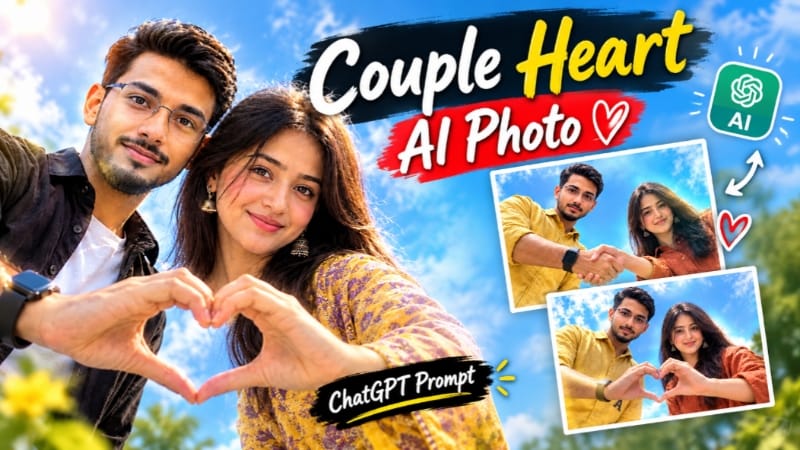
1. Couple Heart Shape Sky View AI Photo
Start with two clear couple reference photos where both faces are clearly visible. Upload the images to ChatGPT and use the Couple Heart Shape AI Photo Prompt. The concept creates a cinematic sky-view composition where the couple looks toward the camera while forming a heart shape with their hands.
The main visual style uses a low-angle or overhead-looking perspective, bright blue skies, soft white clouds, natural daylight, realistic shadows, and sharp focus on the faces and hands. Different variations can include a handshake-to-heart transition, a direct heart-hand pose, or a 9:16 version with a smartphone-style screen overlay.
For realistic results, keep the couple's facial features, hairstyles, skin tones, clothing, body proportions, and expressions consistent with the reference photos. After generation, carefully check the hands, pose, faces, clothing, camera angle, and background before creating the final version.
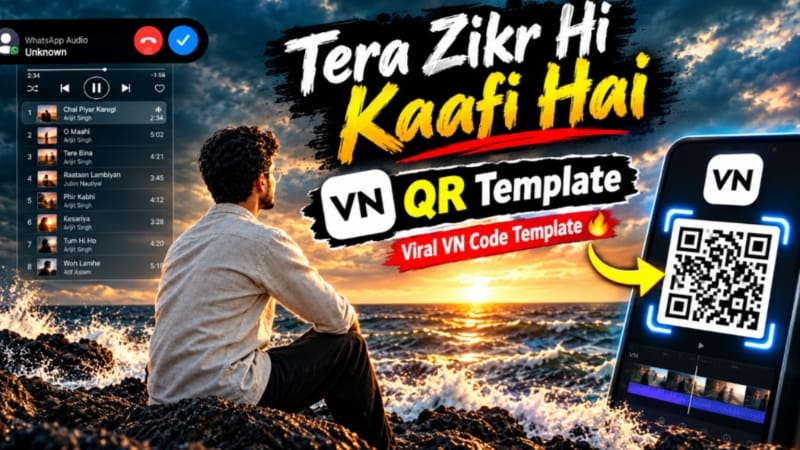
2. Tera Zikr Hi Kaafi Hai VN QR Template
The Tera Zikr Hi Kaafi Hai VN QR Template provides a quick way to create a ready-made cinematic video edit without manually setting every transition and effect. Open VN Video Editor and use the QR Code Scanner to scan the provided VN template code.
Once the template opens, select the required photos or video clips from your gallery. The preset timing, transitions, effects, and editing structure can automatically arrange your media according to the template.
Preview the complete edit after adding your photos or clips. If necessary, replace individual media files or make basic adjustments. Once everything looks correct, export the finished video in your preferred quality and share it on platforms such as Instagram Reels, YouTube Shorts, WhatsApp Status, or Facebook Reels.
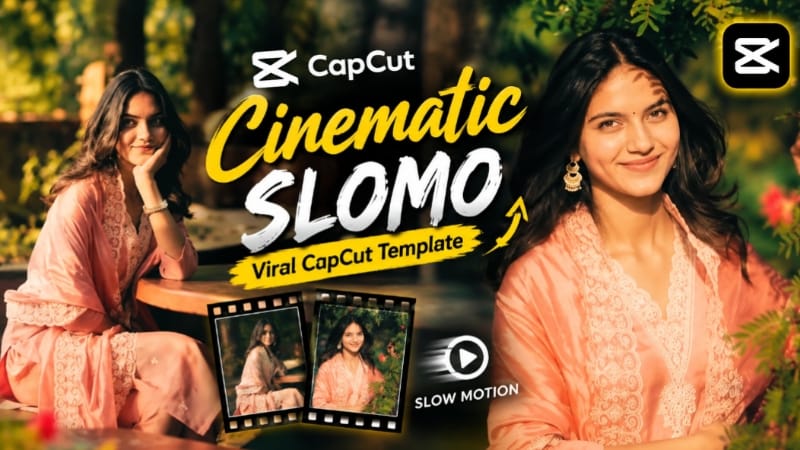
3. Cinematic Slomo CapCut Template
For a smooth Cinematic Slow Motion Video Edit, use the provided CapCut template. This ready-made template includes preset effects, transitions, timing, and a cinematic slow-motion structure, making it easier to create a stylish short video from your own photos or clips.
Open the template through the provided CapCut Template Link and select Use Template. Choose the required photos or video clips from your gallery and let CapCut arrange them according to the template.
After the automatic edit is created, preview the complete video and replace any clips that do not fit the sequence. Once satisfied with the result, export the video and use it for Instagram Reels, YouTube Shorts, WhatsApp Status, or other short-form content.
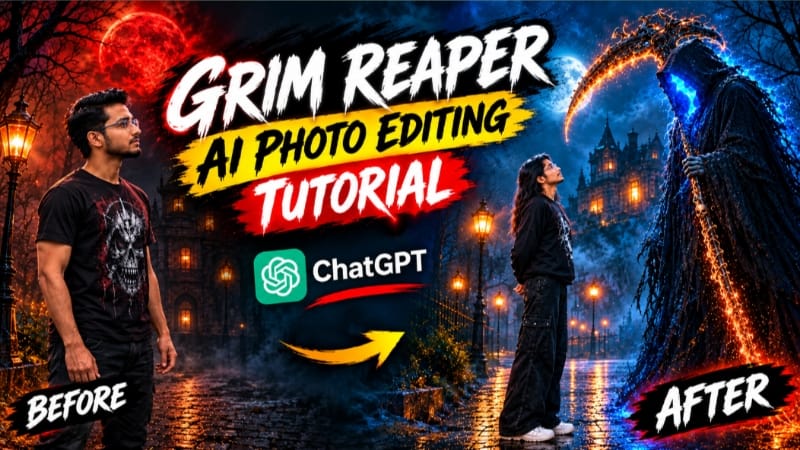
4. Grim Reaper Horror Cinematic AI Photo
Create a dramatic Grim Reaper AI Photo using ChatGPT and a clear original reference photo. Upload the photo and use the Grim Reaper cinematic prompt to transform the ordinary portrait into a dark fantasy or horror-inspired movie scene while keeping the person's recognizable identity consistent.
The concept places the subject in a dark nighttime environment surrounded by atmospheric fog, cool moonlight, deep shadows, cinematic depth, and a mysterious Grim Reaper figure. The Reaper can appear with a flowing dark robe and cinematic fantasy elements while remaining secondary to the main subject.
The visual style focuses on realistic photography rather than a cartoon or artificial horror filter. Use natural skin texture, realistic anatomy, professional DSLR or cinema-camera depth of field, subtle atmospheric effects, controlled contrast, and premium cinematic color grading. The generated image can be composed in 4:5 for a cinematic social-media portrait.
Before using the final image, carefully check the subject's face, body proportions, clothing, hands, lighting, and supernatural elements to make sure the result remains visually consistent and photorealistic.
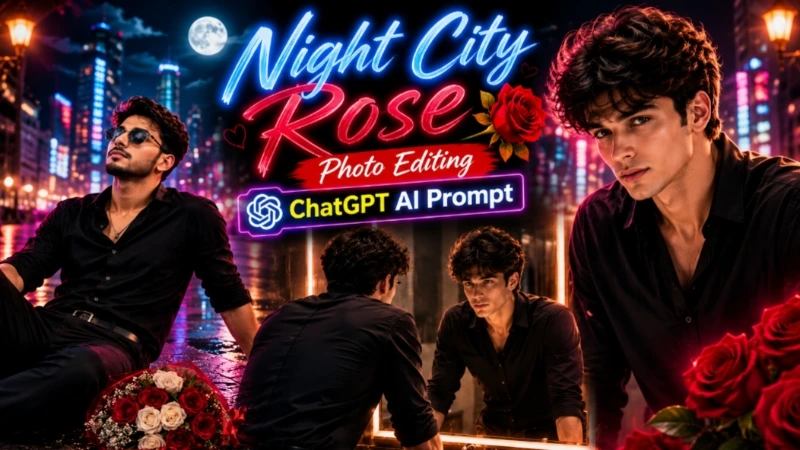
5. Night City Rose Cinematic AI Photo
For the Night City Rose AI Photo, upload a clear reference photo to ChatGPT and use the cinematic night portrait prompt. The concept places the subject in an atmospheric city street at night with a bouquet of red and white roses.
The scene combines cool blue ambient lighting with warm golden car-light bokeh, glowing street lamps, distant blue neon lights, cinematic shadows, and a softly blurred urban background. The subject remains the main focus while the roses and city lights create an emotional storytelling atmosphere.
The prompt emphasizes maintaining the same face, body shape, skin tone, hairstyle, clothing details, and natural proportions from the original photo. An 85mm DSLR-style look, shallow depth of field, realistic skin texture, detailed clothing, cinematic contrast, and 8K-style detail help create a professional photographic appearance.
The concept is designed around a 4:5 format and can be adapted for emotional portraits, social-media posts, cinematic AI edits, and creative photography content.
Final Result
These five techniques cover Couple Heart Shape AI Photography, Tera Zikr Hi Kaafi Hai VN QR Template, Cinematic Slomo CapCut Editing, Grim Reaper Horror AI Photography, and Night City Rose Cinematic Editing.
For AI-generated images, always start with clear reference photos and carefully maintain identity, facial details, body proportions, clothing, lighting, and composition. For VN and CapCut templates, select good-quality photos or clips, preview the complete sequence, make necessary replacements, and export the final video in a suitable quality.
These editing concepts can be used for Instagram Reels, YouTube Shorts, WhatsApp Status, Facebook Reels, cinematic AI photography, ChatGPT AI prompts, VN templates, CapCut templates, horror photo editing, couple photo editing, and creative social-media content.