Jatayu Edit: Instagram Viral Trend AI Video Prompt with Google Flow (Free)
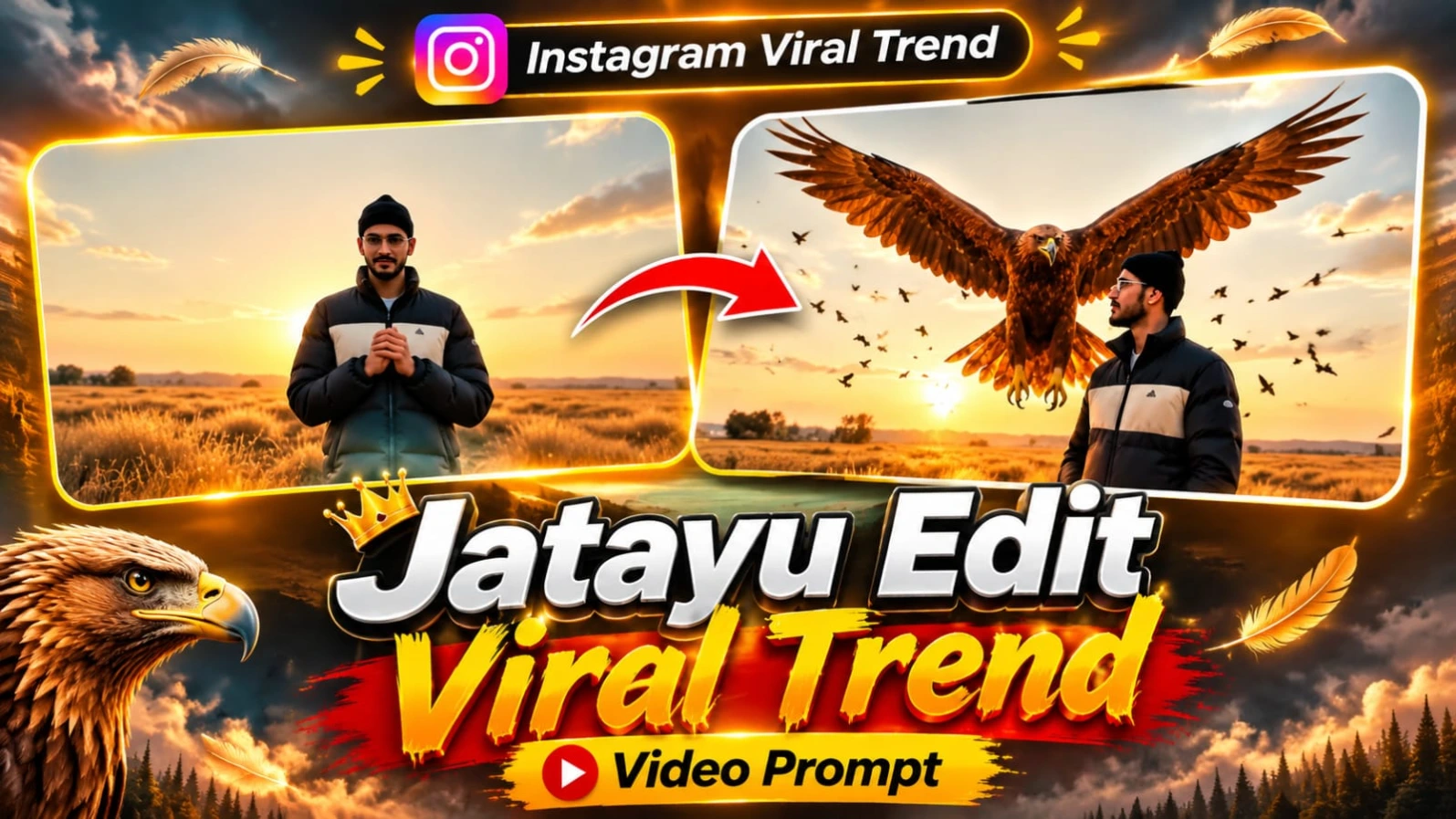
Instagram par AI-generated cinematic videos ka trend tezi se popular ho raha hai. Creators apni normal photos ko use karke realistic AI videos bana rahe hain, jinmein cinematic backgrounds, amazing visual effects aur creative character movements dekhne ko milte hain. Aisa hi ek interesting trend hai Jatayu Eagle AI Video Edit, jismein ek person ke peeche sunset ke golden field mein ek huge golden eagle apne bade wings spread karke hawa mein hover karta hua dikhai deta hai.
Agar aap bhi apni photo ke saath aisa cinematic AI video banana chahte hain, toh Google Flow ki help se is video prompt ko try kar sakte hain. Is article mein aapko Jatayu Edit ka complete concept, video prompt aur Google Flow se video banane ka tarika milega.
Jatayu Eagle AI Video Edit Kya Hai?
Jatayu Edit ek creative AI video concept hai, jismein ek person ko golden field mein sunset ke samay khada dikhaya jata hai. Video ki shuruaat low-angle cinematic camera shot se hoti hai. Main character apne dono haath chest ke saamne jodkar khada hota hai aur dheere se apna head left side ki taraf turn karta hai.
Usi waqt aasman mein chhote birds scatter hote hue nazar aate hain. Kuch hi pal baad ek huge golden eagle person ke peeche fly karke aata hai. Eagle apne bade wings ko wide spread karta hai aur hawa mein hover karta hua dikhai deta hai. Golden sunset lighting aur realistic environment is video ko cinematic appearance dete hain.
Google Flow AI Video Generation
Google Flow ek creative AI video generation tool hai, jiska use text prompts aur supported reference images ke saath video scenes banane ke liye kiya ja sakta hai.
Is Jatayu trend mein @image1 ko main character ki identity reference ke roop mein use kiya gaya hai. Prompt mein exact face, beard aur body appearance ko har frame mein maintain karne ki instruction di gayi hai.
Aapki reference photo chahe indoor desk par baithe hue person ki ho, generated scene ko prompt ke according dry golden field aur sunset environment mein create kiya ja sakta hai. Reference image ka purpose character ki identity ko guide karna hai, jabki final background prompt se define hota hai.
Main Character Ka Look
Is video mein main person black beanie aur black puffer jacket pehenta hai. Jacket ke chest area par cream-colored panel hota hai. Character ke face, beard aur body ko uploaded reference image ke according maintain karne ki instruction di gayi hai.
Person golden field mein khada hota hai aur apne hands chest ke saamne together rakhta hai. Iske baad woh apna head left side ki taraf turn karta hai. Character ki movement natural aur realistic honi chahiye.
Golden Eagle Ki Entry
Jatayu video ka sabse attractive moment giant golden eagle ki entry hai. Jab main character apna head left side turn karta hai, tab background mein small birds scatter hote hue dikhai dete hain.
Uske baad ek huge golden eagle person ke peeche fly karke aata hai. Eagle apne wide wings spread karta hai aur hawa mein hover karta hua nazar aata hai. Eagle ke feathers, wings aur flying movement realistic hone chahiye.
Cinematic Golden Field Background
Video ka background dry golden field hai, jahan sunset ki warm golden lighting poore environment ko cinematic look deti hai. Low-angle camera shot person ko foreground mein prominent rakhta hai aur giant eagle ko background mein clearly show karta hai.
Golden grass, sunset sky aur natural shadows video ke visual atmosphere ko enhance karte hain. Is concept mein 16:9 aspect ratio aur 10-second duration specify ki gayi hai.
Complete Jatayu AI Video Prompt
Neeche diya gaya complete prompt copy karke Google Flow mein use karein. Apni reference image upload karke @image1 ko main character ke roop mein select karein, agar aapke selected workflow mein reference image support available hai.
Video Prompt
Is prompt mein character identity, outfit, camera angle, sunset background, birds aur golden eagle ki movement ki details di gayi hain.
Man sitting at desk indoors is the main person. Use @image1's exact face, beard and body in every frame. Low-angle shot in a dry golden field at sunset. @image1 stands with hands together in front of his chest, turns his head to the left, small birds scatter, then a huge golden eagle flies in behind him with wings spread wide and hovers. Wearing black beanie and black puffer jacket with cream chest panel. Cinematic, realistic, 16:9, 10 sec, no text.
Man sitting at desk indoors is the main person. Use @image1's exact face, beard and body in every frame. Low-angle shot in a dry golden field at sunset. @image1 stands with hands together in front of his chest, turns his head to the left, small birds scatter, then a huge golden eagle flies in behind him with wings spread wide and hovers. Wearing black beanie and black puffer jacket with cream chest panel. Cinematic, realistic, 16:9, 10 sec, no text.
✓
Prompt copied to clipboard!
✦AI VIDEO PROMPT
Man sitting at desk indoors is the main person. Use @image1's exact face, beard and body in every frame. Low-angle shot in a dry golden field at sunset. @image1 stands with hands together in front of his chest, turns his head to the left, small birds scatter, then a huge golden eagle flies in behind him with wings spread wide and hovers. Wearing black beanie and black puffer jacket with cream chest panel. Cinematic, realistic, 16:9, 10 sec, no text.
Man sitting at desk indoors is the main person. Use @image1's exact face, beard and body in every frame. Low-angle shot in a dry golden field at sunset. @image1 stands with hands together in front of his chest, turns his head to the left, small birds scatter, then a huge golden eagle flies in behind him with wings spread wide and hovers. Wearing black beanie and black puffer jacket with cream chest panel. Cinematic, realistic, 16:9, 10 sec, no text.
Agar aap bhi apni photo se Instagram wala Jatayu Eagle AI Video banana chahte hain, toh neeche diye gaye steps follow karein.
Step 1: Google Flow Open Karein
Sabse pehle apne mobile ya computer mein Google Flow open karein. Apne Google account se sign in karein. Flow mein available video generation option ko select karein.
Step 2: Apni Clear Photo Select Karein
Ab apni ek clear photo select karein, jismein aapka face aur beard clearly visible ho. Is prompt mein @image1 ko main character ki identity reference ke liye use kiya gaya hai. Isliye aisi photo upload karein jismein aapka face achhe se visible ho.
Step 3: Reference Image Upload Karein
Google Flow ke available reference image ya ingredient option mein apni photo upload karein. Agar aapke selected workflow mein image reference supported hai, toh uploaded photo ko @image1 ke roop mein use karein. Isse AI ko main character ki appearance samajhne mein help mil sakti hai.
Step 4: Jatayu Video Prompt Copy Karein
Ab is article mein diya gaya complete Jatayu Eagle AI Video Prompt copy karein. Prompt mein face identity, beard, body, black beanie, black puffer jacket aur cream chest panel ki details di gayi hain.
Step 5: Prompt Paste Karein
Copied prompt ko Google Flow ke prompt box mein paste karein. Check karein ki @image1 reference sahi tarah select hua hai. Prompt mein golden field, sunset, low-angle camera shot aur giant golden eagle ki entry ka description diya gaya hai.
Step 6: Video Settings Select Karein
Ab available settings mein aspect ratio 16:9 select karein. Prompt mein 10 seconds ki video duration specify ki gayi hai. Agar duration ka option available ho, toh uske according setting select karein. Quality ke liye available high-quality option choose kar sakte hain.
Step 7: Generate Video Par Click Karein
Ab Generate button par click karein. Google Flow aapke reference image aur prompt ke according video generate karega. Generation complete hone tak wait karein.
Step 8: Video Check Karein
Video ready hone ke baad use play karke carefully dekhein. Check karein ki face aur beard reference photo ke according hain ya nahi. Black beanie, black puffer jacket aur cream chest panel bhi sahi dikhne chahiye.
Step 9: Eagle Entry Check Karein
Ab video mein dekhein ki person golden field mein hands together karke khada hai, head left side turn karta hai aur small birds scatter hote hain. Uske baad giant golden eagle person ke peeche wings spread karke hover karta hua dikhna chahiye.
Step 10: Video Download Karein
Jab aapko final video pasand aa jaye, toh available Download ya Export option par click karke video save kar lein. Ab aap ise Instagram Reels ya doosre social media platforms par upload kar sakte hain.
Important Tip: Best result ke liye clear reference photo use karein aur generated video mein face, outfit aur eagle movement zaroor check karein. AI generation mein har detail exact aane ki guarantee nahi hoti.
Jatayu Edit AI VideoJatayu Eagle Video PromptGoogle Flow AI VideoInstagram Viral AI Video TrendGolden Eagle AI VideoJatayu Editing TutorialGoogle Flow Video PromptAI Eagle Flying VideoCinematic Sunset AI Video10 Second AI Video PromptAI Video Editing TutorialGolden Field Eagle VideoNoorEditing07
Jatayu Edit AI VideoJatayu Eagle Video PromptGoogle Flow AI VideoInstagram Viral AI Video TrendGolden Eagle AI VideoJatayu Editing TutorialGoogle Flow Video PromptAI Eagle Flying VideoCinematic Sunset AI Video10 Second AI Video PromptAI Video Editing TutorialGolden Field Eagle VideoNoorEditing07
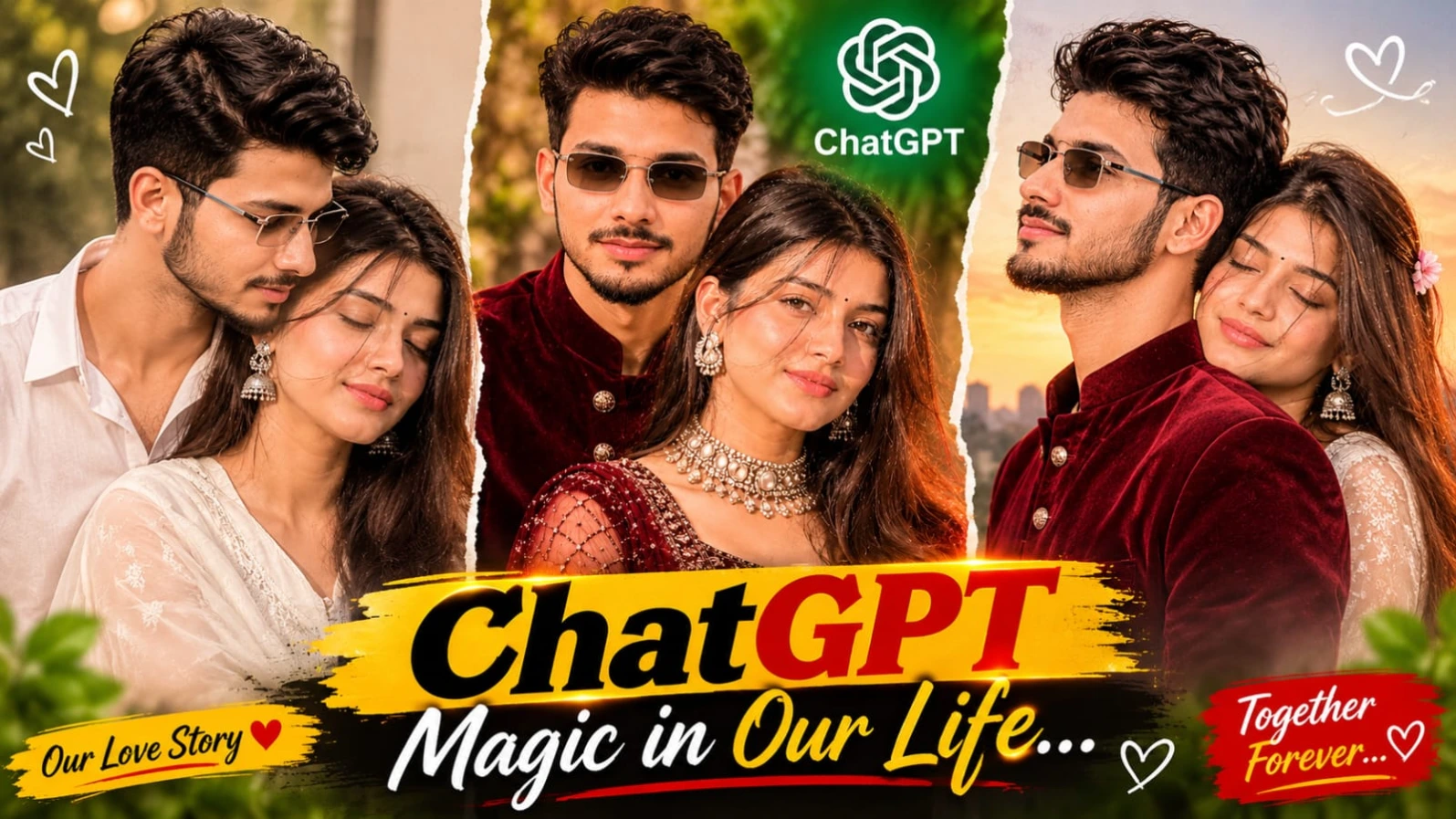
Social media par romantic couple photo editing ka trend kaafi popular ho raha hai, jisme log apni normal photos ko creative aur professional poster-style images mein convert karna pasand karte hain.ChatGPT Romantic Couple Photo Editing Prompt | Vintage Black & White Love Poster 8K un creators ke liye design kiya gaya hai jo ChatGPT ki madad se apni aur apne partner ki photos ko ek stunning vintage black-and-white couple collage poster mein convert karna chahte hain. Is editing ka sabse khaas feature iska vintage film-strip aur polaroid layout hai.
Is poster mein couple ki do badi portrait photos ko upar side-by-side arrange kiya jata hai aur neeche do chhoti polaroid-style photos overlap hoti hain. Dark charcoal-black textured background, warm sepia effect, film scratches, handwritten text aur elegant romantic typography milkar image ko ek cinematic poster jaisa appearance dete hain. Prompt mein male character ke liye black full-sleeve shirt aur female character ke liye white chikankari-style anarkali kurta specify kiya gaya hai. ChatGPT ki reference-photo identity guidance ki madad se aap dono characters ke exact facial features preserve kar sakte hain. Vertical 4:5 aspect ratio Instagram portrait posts ke liye bilkul suitable hai, aur bottom par diya gaya NoorEditing07 watermark aapke original brand work ko protect karta hai.
2. Kashmir Autumn Chinar Forest & Pink Meadow AI Video Prompt
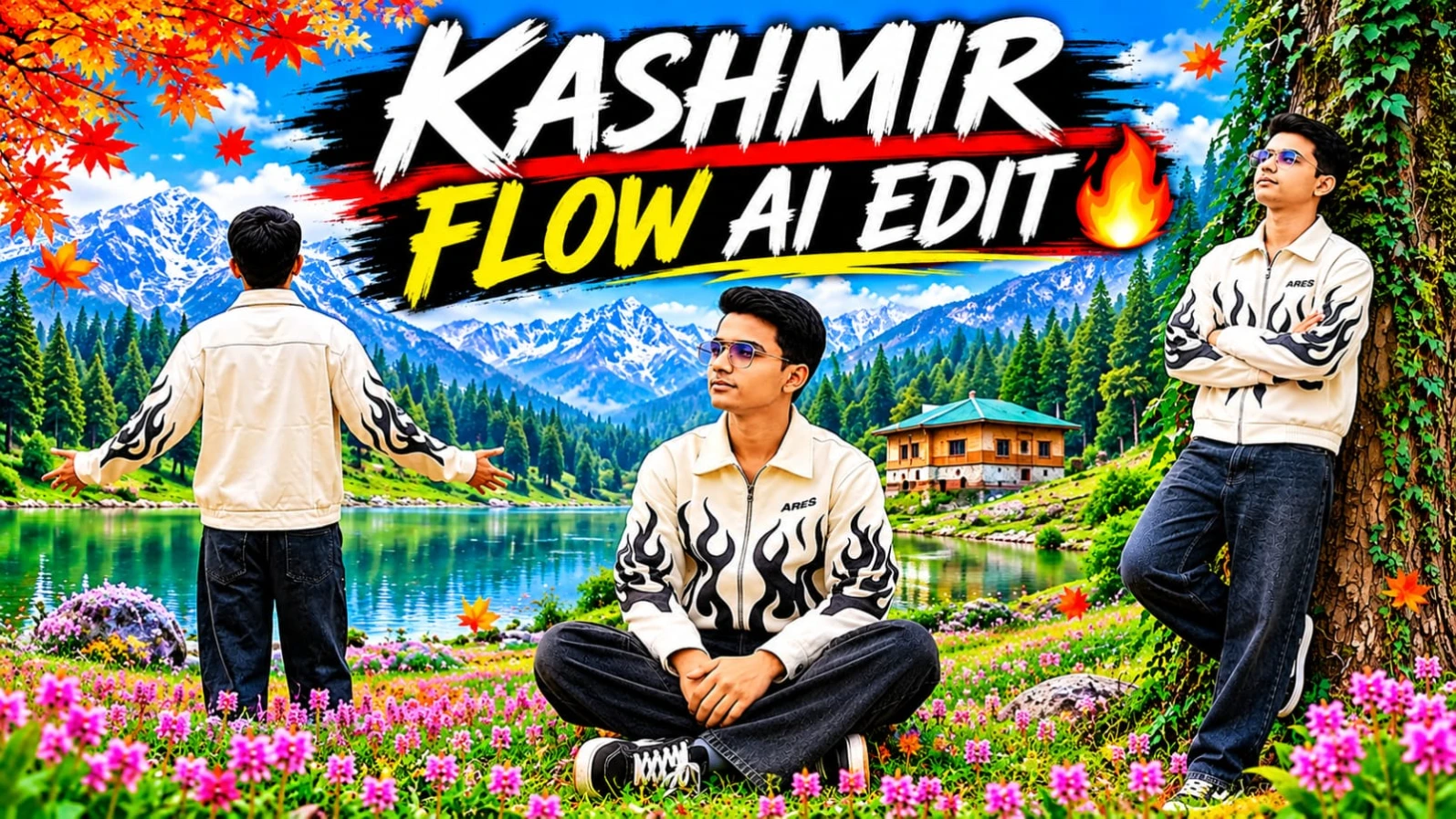
Kashmir ki sunehri autumn Chinar forests, peaceful woodland trails, aur vibrant pink alpine wildflowers ke beech ek breathtaking travel video banana aaj kal creators ki pehli pasand ban chuka hai.Kashmir Autumn Chinar Forest & Pink Meadow AI Video Prompt un users ke liye design kiya gaya hai jo Flow AI aur apni reference photo ki madad se ek professional 9-scene cinematic travel video create karna chahte hain. Is vertical 9:16 format video prompt mein golden-orange autumn foliage aur majestic snow-capped Himalayan mountains ka ek stunning visual combination milta hai.
Is video prompt mein character ka outfit off-white collared zip-up jacket (jiske chest aur sleeves par bold black flame graphics aur "ARES" chest print hai), dark washed wide-leg baggy black denim jeans, aur black-and-white skate sneakers specify kiya gaya hai. Is 9-scene sequence ke shuruat ke 6 scenes golden autumn Chinar forest trail par aur baaki 3 scenes pink wildflower alpine meadow par based hain. Meadow lie-back, giant Chinar trunk lean, aur alpine slope recline jaise dynamic shots is video ko ek high-end travel vlog look dete hain. ChatGPT ki madad se strict character sheet aur face identity lock karke aap ek professional cinematic reel generate kar sakte hain. Bottom corner par diya gaya subtle NoorEditing07 watermark aapke original brand work ko protect karta hai.
3. Kashmir Snowfall AI Photo Editing Prompt | ChatGPT 8K HD Winter Look Photo
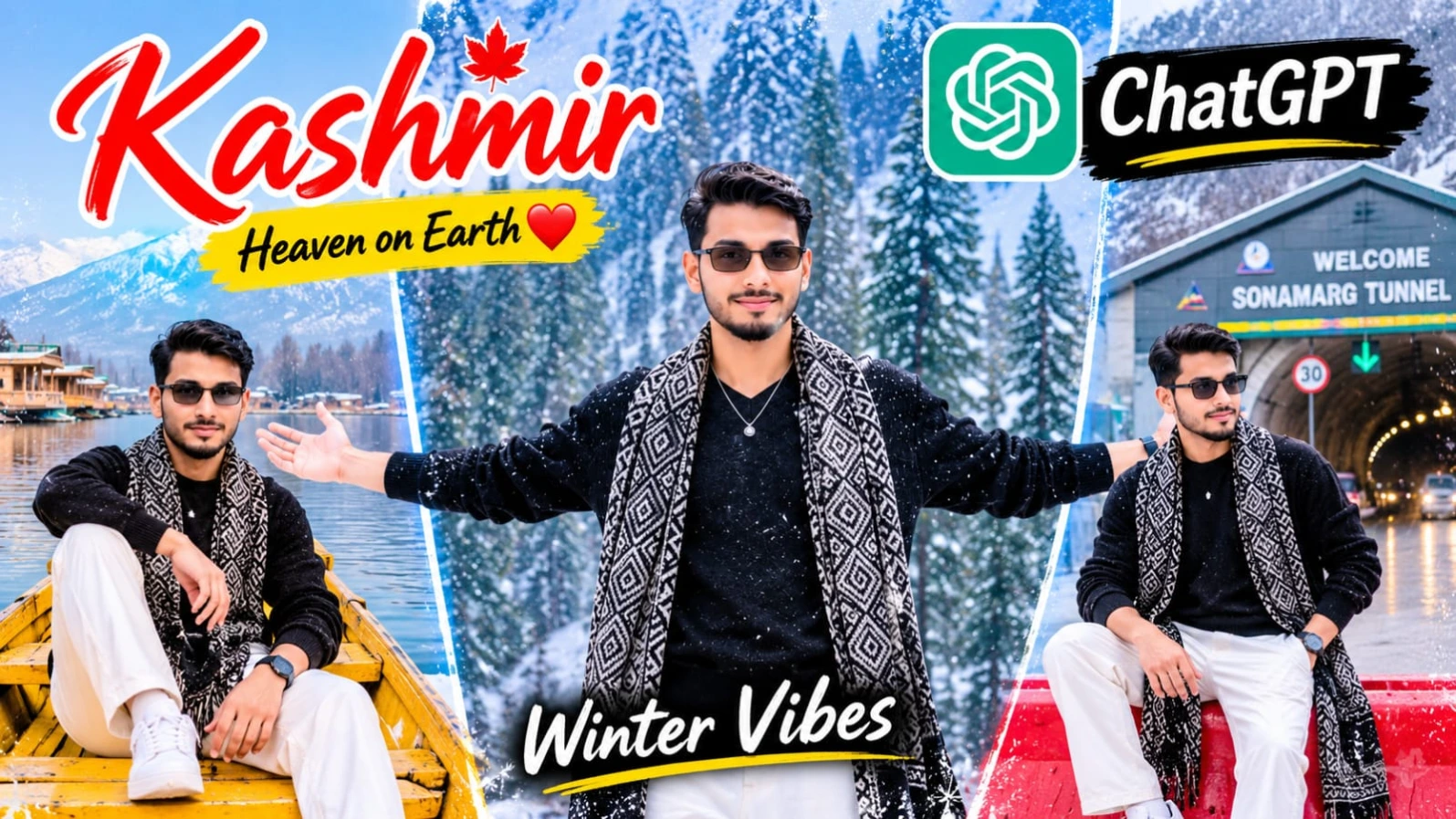
Kashmir ki haseen wadiyon mein barf ke beech apni photo edit karna aaj kal social media par kaafi trending hai.Kashmir Snowfall AI Photo Editing Prompt | ChatGPT 8K HD Winter Look Photo un users ke liye design kiya gaya hai jo ChatGPT ki madad se apni normal face photo ko ek stunning winter travel portrait mein convert karna chahte hain. Is creative concept mein snow-covered ground, beautiful mountains, pine forest, stylish black knitted sweater, aur traditional Kashmiri wool shawl ka gorgeous combination diya gaya hai.
Is photo prompt mein subject ka ek bade dark tree ke sahare khade hona, crossed-leg pose, aur natural warm smile di gayi hai. Top center par elegant white calligraphy font mein "Kashmir" text design is image ko ek premium travel poster look deta hai. 4:5 vertical aspect ratio aur cool bluish-white color grading ke sath aap ek professional winter photography portrait generate kar sakte hain. Bottom centre par diya gaya subtle NoorEditing07 watermark aapke brand work ko protect karta hai.
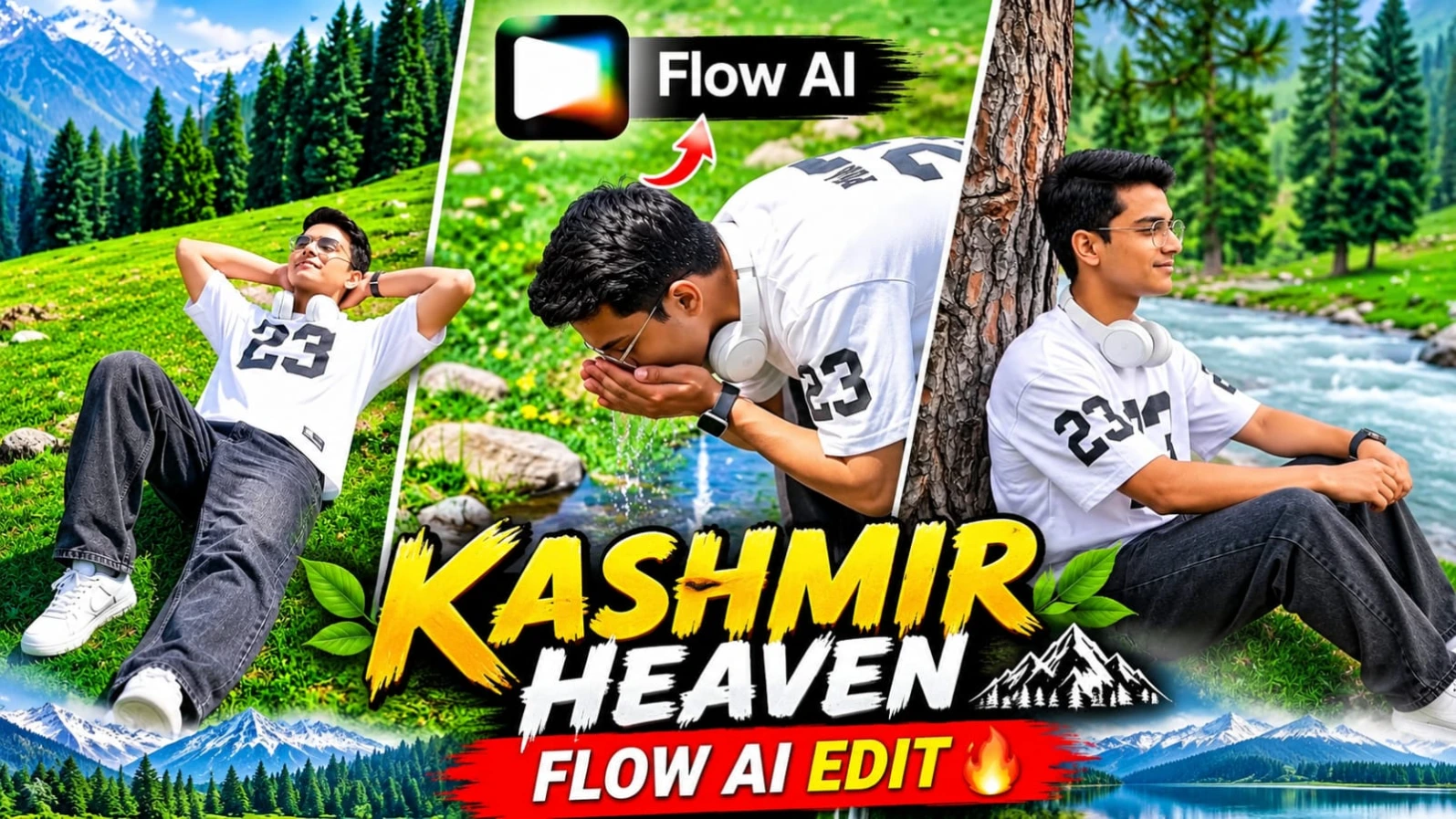
4. Kashmir Cinematic AI Video Prompt Flow AI | 8K Vertical Reels Prompt
Kashmir ki haseen hari-bhari wadiyan, pine ke ghane jungle, aur barf se dhaki pahaadi chotiyan ke beech ek stunning vertical travel video banana aaj kal creators ki pehli pasand ban chuka hai.Kashmir Cinematic AI Video Prompt Flow AI | 8K Vertical Reels Prompt un users ke liye design kiya gaya hai jo Flow AI aur apni reference photo ki madad se ek professional 8-scene mountain travel video create karna chahte hain. Is vertical 9:16 format video prompt mein lush green meadows, mountain streams, aur snow-covered peaks ka breathtaking visual experience milta hai.
Is video prompt mein character ka outfit white oversized athletic t-shirt (jiske front chest aur sleeves par bold black "23" graphic print hai), washed black baggy denim jeans, white sneakers, aur white over-ear headphones specify kiya gaya hai. Is 8-scene sequence mein meadow lie-back, front meadow run, riverside pine sit, snow-peak ridge sit, mountain spring sip, aur cliff rock look-back jaise dynamic shots shamil hain. ChatGPT ki madad se strict character sheet aur face identity lock karke aap ek high-end cinematic travel vlog generate kar sakte hain. Bottom corner par diya gaya subtle NoorEditing07 watermark aapke original brand work ko protect karta hai.
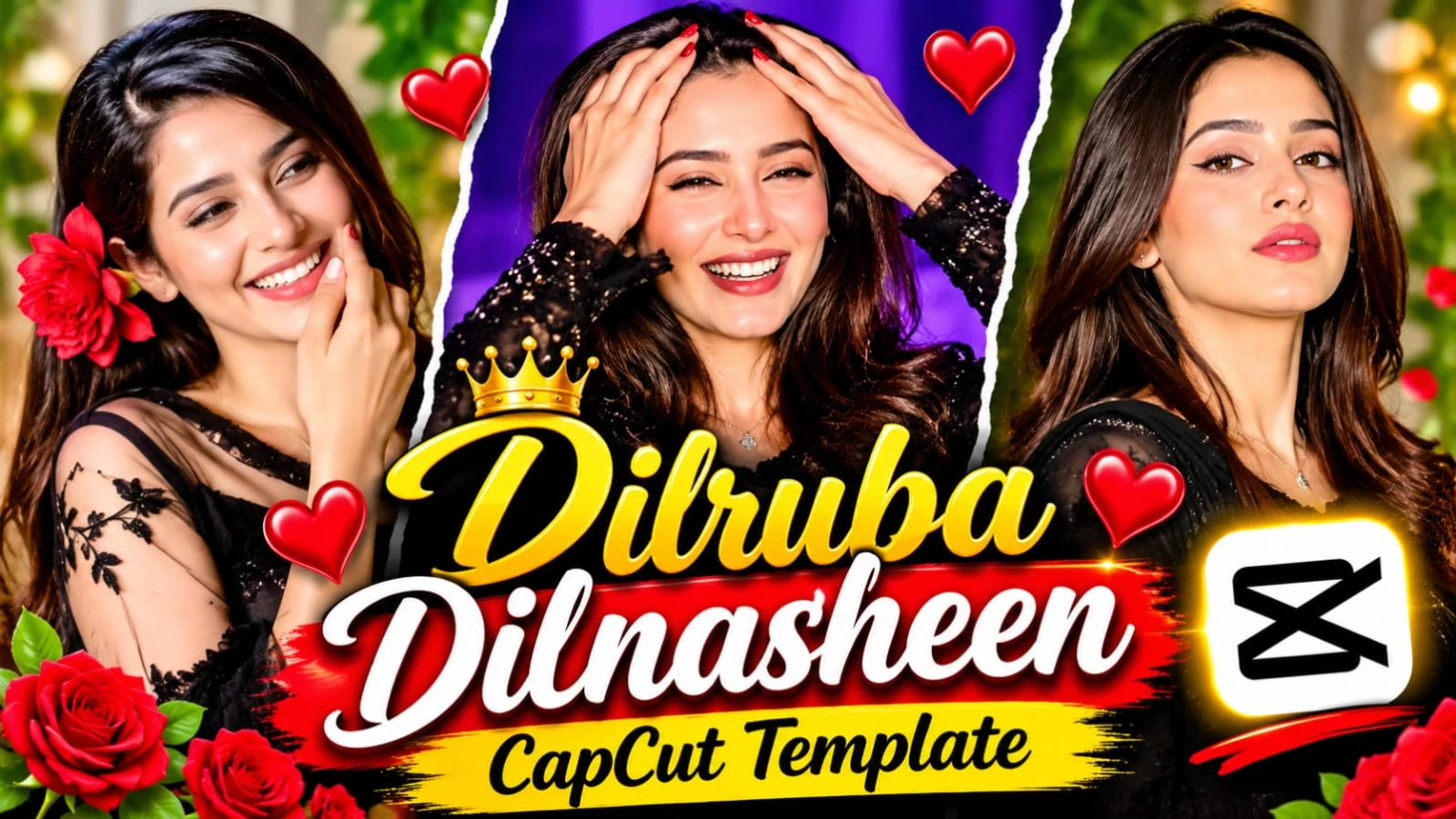
5. Dilruba Dilnasheen CapCut Template | New Trending Instagram Reels Video Editing
Social media ki duniya mein agar aapko jaldi grow karna hai aur apni reels par hazaron views aur likes laane hain, toh hamesha naye aur trending audio beats par video banana zaroori hota hai.Dilruba Dilnasheen CapCut Template | New Trending Instagram Reels Video Editing article un creators ke liye hai jo "Dilruba Dilnasheen" trending song ke sath apni simple photos ko ek cinematic aur emotional reel mein convert karna chahte hain. Is template ka smooth transition, aesthetic color grading, aur beat-sync effect kisi bhi ordinary photo ko masterpiece bana deta hai.
Is template ko use karne ke liye aapko kisi bhi heavy professional video editing software ki zaroorat nahi padti. Aapko bas website par diye gaye direct "Open Viral Template" button par click karna hai, VPN connect karke CapCut app mein apni favourite photos select karni hain, aur kuch hi seconds mein aapka viral video export hone ke liye ready ho jata hai. Beat drops aur photos ka perfect sync dekhne walon ko attract karta hai. Bottom section mein aapko tags aur related articles milte hain, aur is pure creative process mein NoorEditing07 brand ki quality aur trust hamesha barkarar rehta hai.