Kashmir Mountain Valley Flow AI Video Prompt – Create an 8K Cinematic Travel Video
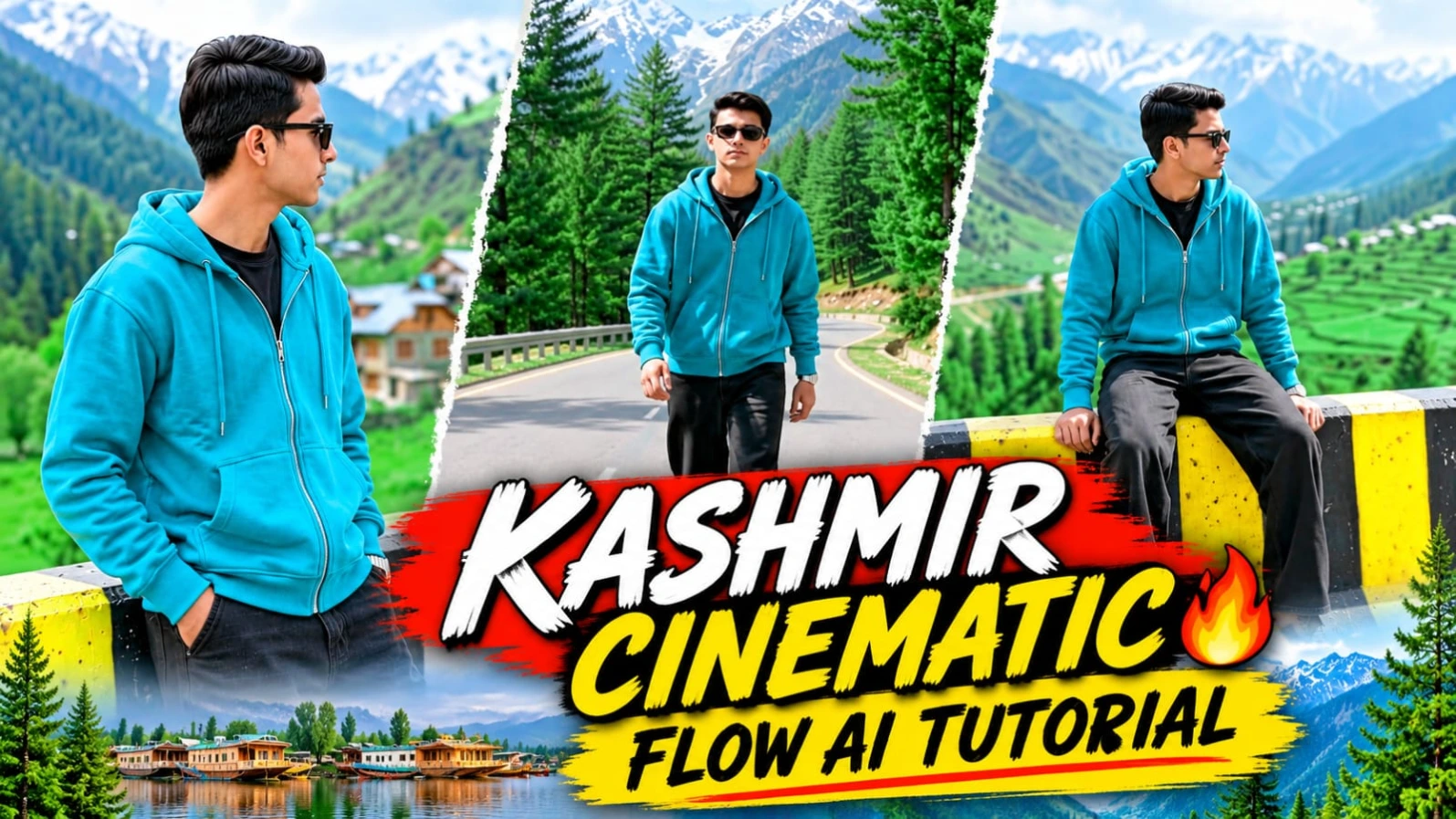
Have you ever wanted to create a cinematic travel video featuring yourself in the beautiful mountains of Kashmir? With the Kashmir Mountain Valley Flow AI Video Prompt, you can turn a single reference photo into an impressive AI-generated cinematic video. This creative video concept combines majestic snow-covered peaks, green pine forests, winding mountain roads, and natural daylight with stylish cinematic shots.
Using Flow AI, you can create a sequence of eight different scenes featuring your character in a beautiful mountain environment. The video is designed in a vertical 9:16 format, making it suitable for Instagram Reels, YouTube Shorts, and other vertical video platforms. You can use your own photo as the identity reference and let the AI generate a cinematic mountain travel experience.
What Is the Kashmir Mountain Valley AI Video Prompt?
The Kashmir Mountain Valley AI Video Prompt is a detailed cinematic video-generation prompt designed to create a realistic mountain travel sequence. It includes eight carefully described scenes, each showing a different camera angle, pose, or movement. The setting features snow-capped mountain peaks, pine-covered slopes, a curved highway, yellow-and-black striped concrete barriers, and a high mountain overlook.
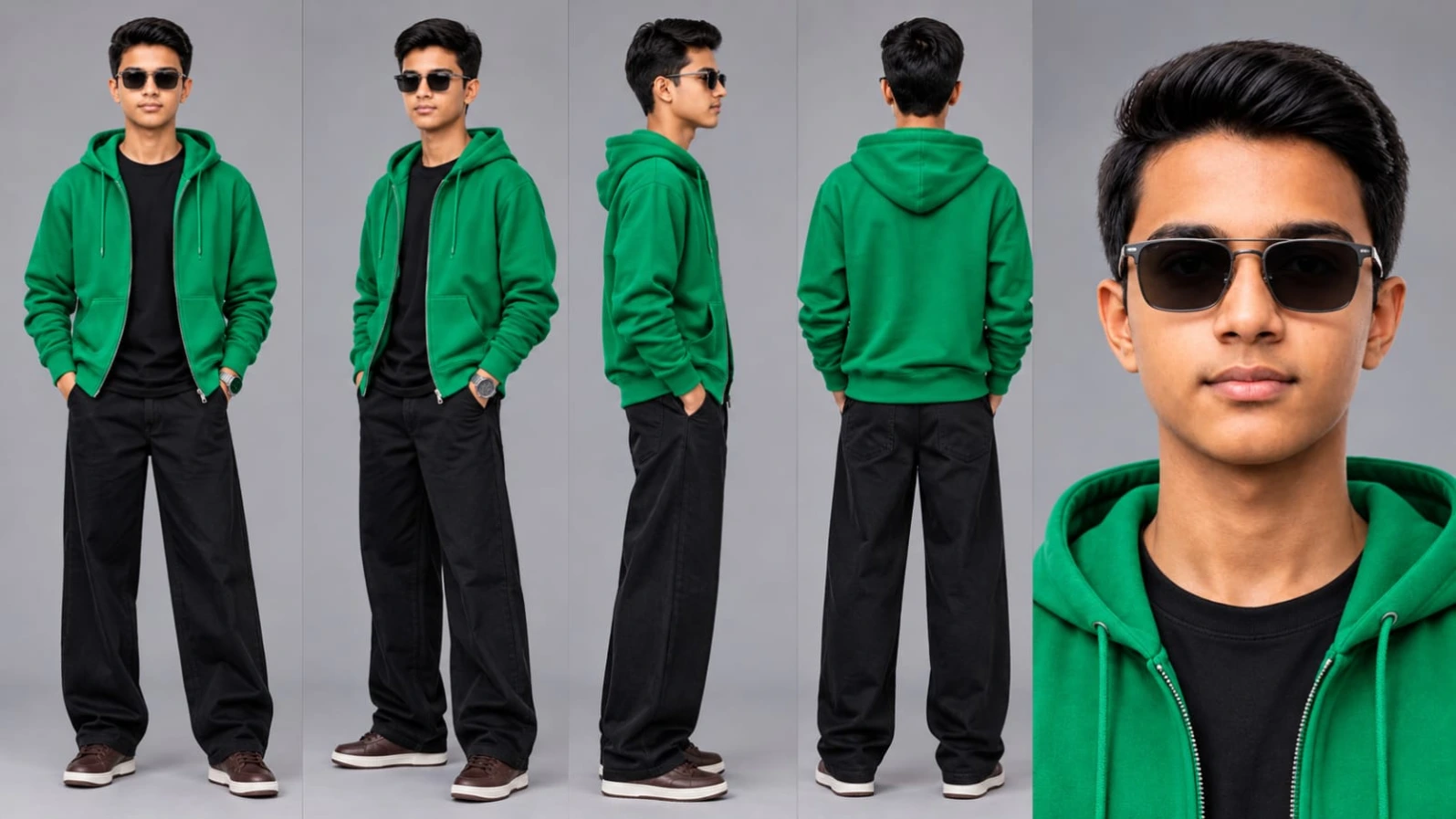
The main character wears an emerald-green zip-up hoodie, a black inner T-shirt, wide-leg black trousers, and brown sneakers. Dark sunglasses complete the stylish outdoor look. The detailed outfit and location descriptions help maintain a consistent visual theme throughout the video.
Create a Video Using Your Own Photo
One of the main features of this concept is the reference-photo identity workflow. You can upload your own clear photograph to Flow AI and use it as the character reference. The prompt asks the AI to preserve important facial characteristics, including the face shape, jawline, hairstyle, and skin tone across all eight scenes.
A consistent reference is important because the character appears in different camera angles and locations. The prompt describes the subject's appearance in detail so that the generated scenes follow the same visual identity as closely as the AI model allows. Results can still vary depending on the quality of the reference image and the video-generation model.
Explore Eight Cinematic Mountain Scenes
The video follows a sequence of eight different cinematic moments. It begins with a low-angle full shot of the character standing on a stone ledge with a huge snow-covered mountain in the background. The second scene shows the character casually leaning against a yellow-and-black striped road divider while looking toward the valley cottages.
In the third scene, the camera tracks the character walking beside the road divider with a dense pine mountain backdrop. The fourth scene features a medium portrait with the character resting on the barrier as the mountain breeze gently moves the hair.
The fifth scene changes to a front tracking shot, showing the character walking toward the camera along an empty curved mountain highway. The sixth scene captures a wider composition of the character sitting on the concrete barrier with the mountain hills in the background.
The seventh scene uses a low-angle camera view as the character stands on a stone wall and looks toward a towering snowy peak. Finally, the eighth scene shows a side or rear view of the character standing on a high mountain ridge and overlooking a vast pine forest valley.
Why Use This Flow AI Video Prompt?
Creating eight different cinematic shots manually can require camera planning, location access, recording equipment, and video editing skills. An AI video-generation workflow gives creators an opportunity to explore a similar visual concept using a reference photo and a detailed prompt.
The scene-by-scene structure helps communicate the intended camera angles, poses, surroundings, and visual progression. Instead of describing only a general mountain location, the prompt gives the AI a more specific sequence to follow.
The vertical 9:16 composition is especially useful for creators who publish short-form content. The bright natural daylight, vibrant mountain colors, open shadows, and crisp alpine contrast are intended to create a clear and visually appealing travel-video aesthetic.
Tips for Better AI Video Results
Start with a clear reference photograph where the face is visible and well-lit. Avoid using a heavily blurred or very dark image. A front-facing reference with visible facial features can help the AI understand the character's appearance.
Read the complete prompt before generating the video. Make sure the character outfit, eight scene descriptions, camera movements, aspect ratio, and visual style are included. If your selected Flow AI settings offer a 9:16 vertical option, choose it for a portrait-style result.
AI video models may interpret some scene details differently, so the final output might not match every instruction perfectly. Review the generated video and create another version if an important scene or visual detail needs improvement.
Create More AI Videos with NoorEditing07
The Kashmir Mountain Valley Flow AI Video Prompt is a creative way to experiment with cinematic AI travel videos using your own reference photo. From snowy mountain backgrounds to pine forest valleys and stylish road-side portraits, the eight-scene concept offers a complete visual journey.
If you enjoy creating AI photo edits, cinematic video prompts, trending reels, and creative editing tutorials, explore more content on NoorEditing07. Search NoorEditing07 on Google to discover the latest AI photo and video prompts, detailed tutorials, and creative ideas for your next project.
Sabse Pehle Character Sheet Photo Banaai ChatGPT Se
AI Photo Prompt
✦AI PHOTO PROMPT
Cinematic character turn-around model sheet, ultra-realistic 8K UHD, neutral grey studio backdrop, 16:9 aspect ratio. Strict face and identity lock from reference photo with dark black sunglasses. Outfit: bright emerald-green zip-up hoodie over a solid plain black crewneck t-shirt, wide-leg baggy black trousers, and dark brown casual sneakers. Multi-view composition: Full Front View, 3/4 Profile Angle, Profile View (90°), Back View, High-Detail Close-Up Headshot. Watermark: NoorEditing07.
Cinematic character turn-around model sheet, ultra-realistic 8K UHD, neutral grey studio backdrop, 16:9 aspect ratio.
[STRICT FACE LOCK & IDENTITY]
Lock 100% exact facial geometry, jawline, hair, and skin tone from uploaded reference photo across all views. Flawless, smooth, blemish-free skin with real DSLR pore texture; completely avoid face morphing, heavy shadow crush, or distortion. Head features dark black sunglasses. Face must remain fully lit and distinct in every angle.
[OUTFIT & STYLING SPECIFICATIONS]
- Outer Top: Bright emerald-green zip-up hoodie (worn open or partially zipped).
- Inner Top: Solid plain black crewneck t-shirt visible underneath.
- Bottom: Wide-leg baggy black trousers with relaxed folds.
- Footwear: Dark brown casual sneakers.
- Accessories: Stylish dark black sunglasses.
- Wardrobe and styling remain 100% consistent across every view.
[MULTI-VIEW MODEL SHEET COMPOSITION]
Full-body multi-angle character reference sheet arranged side-by-side in a single clean frame:
1. Full Front View: Standing relaxed, arms naturally at sides, wearing dark sunglasses, direct eye contact with camera, calm confident posture.
2. 3/4 Profile Angle: Standing at a 45-degree angle, showing hoodie drape, t-shirt layering, side facial geometry, and loose baggy pants fit.
3. Profile View (90°): Clean side-profile shot displaying clear facial profile, dark sunglasses contour, hoodie hood on shoulders, and sneaker details.
4. Back View: Direct rear angle displaying the back of the bright emerald-green hoodie, backward shoulders, and wide-leg cut of the baggy black trousers.
5. High-Detail Close-Up Headshot: Ultra-sharp 4K portrait showing natural skin texture, jawline, stylish hair, dark sunglasses, and hoodie collar detailing under balanced fill lighting.
[TECHNICAL SPECS & QUALITY]
High-end commercial streetwear lookbook catalog, shot on 85mm f/1.4 lens, softbox three-point illumination, hyper-detailed cotton fleece, synthetic zip, and trouser fabric textures, true-to-life colors, 8K resolution.
Watermark: A small, subtle watermark text "NoorEditing07" in the bottom corner, semi-transparent, elegant font, not blocking the subject.
✓
Prompt copied to clipboard!
AI Photo Prompt
✦AI PHOTO PROMPT
Cinematic character turn-around model sheet, ultra-realistic 8K UHD, neutral grey studio backdrop, 16:9 aspect ratio. Strict face and identity lock from reference photo with dark black sunglasses. Outfit: bright emerald-green zip-up hoodie over a solid plain black crewneck t-shirt, wide-leg baggy black trousers, and dark brown casual sneakers. Multi-view composition: Full Front View, 3/4 Profile Angle, Profile View (90°), Back View, High-Detail Close-Up Headshot. Watermark: NoorEditing07.
Cinematic character turn-around model sheet, ultra-realistic 8K UHD, neutral grey studio backdrop, 16:9 aspect ratio.
[STRICT FACE LOCK & IDENTITY]
Lock 100% exact facial geometry, jawline, hair, and skin tone from uploaded reference photo across all views. Flawless, smooth, blemish-free skin with real DSLR pore texture; completely avoid face morphing, heavy shadow crush, or distortion. Head features dark black sunglasses. Face must remain fully lit and distinct in every angle.
[OUTFIT & STYLING SPECIFICATIONS]
- Outer Top: Bright emerald-green zip-up hoodie (worn open or partially zipped).
- Inner Top: Solid plain black crewneck t-shirt visible underneath.
- Bottom: Wide-leg baggy black trousers with relaxed folds.
- Footwear: Dark brown casual sneakers.
- Accessories: Stylish dark black sunglasses.
- Wardrobe and styling remain 100% consistent across every view.
[MULTI-VIEW MODEL SHEET COMPOSITION]
Full-body multi-angle character reference sheet arranged side-by-side in a single clean frame:
1. Full Front View: Standing relaxed, arms naturally at sides, wearing dark sunglasses, direct eye contact with camera, calm confident posture.
2. 3/4 Profile Angle: Standing at a 45-degree angle, showing hoodie drape, t-shirt layering, side facial geometry, and loose baggy pants fit.
3. Profile View (90°): Clean side-profile shot displaying clear facial profile, dark sunglasses contour, hoodie hood on shoulders, and sneaker details.
4. Back View: Direct rear angle displaying the back of the bright emerald-green hoodie, backward shoulders, and wide-leg cut of the baggy black trousers.
5. High-Detail Close-Up Headshot: Ultra-sharp 4K portrait showing natural skin texture, jawline, stylish hair, dark sunglasses, and hoodie collar detailing under balanced fill lighting.
[TECHNICAL SPECS & QUALITY]
High-end commercial streetwear lookbook catalog, shot on 85mm f/1.4 lens, softbox three-point illumination, hyper-detailed cotton fleece, synthetic zip, and trouser fabric textures, true-to-life colors, 8K resolution.
Watermark: A small, subtle watermark text "NoorEditing07" in the bottom corner, semi-transparent, elegant font, not blocking the subject.
Cinematic 9:16 vertical 8K 120fps video in a Kashmir mountain valley under bright, balanced natural daylight. Strict face and identity lock from reference photo with dark black sunglasses. Outfit: bright emerald-green zip-up hoodie over black inner tee, wide-leg baggy black trousers, and brown sneakers. Background features majestic snow-capped peaks, pine-covered mountain slopes, and a highway barrier. 8-scene sequence featuring stone ledge posing, road divider leaning, highway walking, and cliff ridge overlooking. Watermark: NoorEditing07.
Cinematic 9:16 vertical 8K 120fps video in a Kashmir mountain valley under bright, balanced natural daylight.
[IDENTITY & FACE LOCK]
100% facial features, jawline, hair, and skin tone locked to uploaded photo across all 8 scenes. Ultra-smooth DSLR skin texture, zero morphing, clearly lit face with dark sunglasses.
[OUTFIT & LOCATION]
Bright emerald-green zip-up hoodie, black inner tee, wide-leg baggy black trousers, brown sneakers. Majestic snow-capped peaks, pine-covered mountain slopes, highway with yellow-and-black striped concrete barrier, high ridge overlook.
[8 EXACT MATCHED SCENES]
- Scene 1 (0:00-0:02): Low-angle full shot standing on a stone ledge, hands in pockets, massive snow-peaked mountain behind.
- Scene 2 (0:03-0:04): Medium shot leaning back casually against a yellow-and-black striped road divider, looking sideways toward valley cottages.
- Scene 3 (0:05-0:06): Side tracking shot walking right along the road divider against dense pine mountain backdrop.
- Scene 4 (0:07-0:09): Medium portrait resting on the barrier, face turned sideways in sunglasses, hair blowing softly in mountain breeze.
- Scene 5 (0:10-0:12): Front tracking shot walking steadily forward down an empty curved mountain highway toward camera.
- Scene 6 (0:13-0:14): Wide shot sitting atop the yellow-and-black concrete barrier, legs dangling, looking sideways at mountain hills.
- Scene 7 (0:15-0:16): Low-angle shot standing on stone wall looking up toward towering snowy peak and blue sky.
- Scene 8 (0:17-0:20): Side/rear-view shot standing on a high mountain cliff ridge, overlooking a vast pine forest valley.
[COLOR & TECHNICAL]
Vibrant daylight color grading, crisp alpine contrast, open shadows, zero dark crush, 8K DSLR optics, 120fps smooth motion, 9:16 vertical ratio.
Watermark: A small, subtle watermark text "NoorEditing07" in the bottom corner, semi-transparent, elegant font, not blocking the subject.
✓
Prompt copied to clipboard!
AI Video Prompt
✦AI VIDEO PROMPT
Cinematic 9:16 vertical 8K 120fps video in a Kashmir mountain valley under bright, balanced natural daylight. Strict face and identity lock from reference photo with dark black sunglasses. Outfit: bright emerald-green zip-up hoodie over black inner tee, wide-leg baggy black trousers, and brown sneakers. Background features majestic snow-capped peaks, pine-covered mountain slopes, and a highway barrier. 8-scene sequence featuring stone ledge posing, road divider leaning, highway walking, and cliff ridge overlooking. Watermark: NoorEditing07.
Cinematic 9:16 vertical 8K 120fps video in a Kashmir mountain valley under bright, balanced natural daylight.
[IDENTITY & FACE LOCK]
100% facial features, jawline, hair, and skin tone locked to uploaded photo across all 8 scenes. Ultra-smooth DSLR skin texture, zero morphing, clearly lit face with dark sunglasses.
[OUTFIT & LOCATION]
Bright emerald-green zip-up hoodie, black inner tee, wide-leg baggy black trousers, brown sneakers. Majestic snow-capped peaks, pine-covered mountain slopes, highway with yellow-and-black striped concrete barrier, high ridge overlook.
[8 EXACT MATCHED SCENES]
- Scene 1 (0:00-0:02): Low-angle full shot standing on a stone ledge, hands in pockets, massive snow-peaked mountain behind.
- Scene 2 (0:03-0:04): Medium shot leaning back casually against a yellow-and-black striped road divider, looking sideways toward valley cottages.
- Scene 3 (0:05-0:06): Side tracking shot walking right along the road divider against dense pine mountain backdrop.
- Scene 4 (0:07-0:09): Medium portrait resting on the barrier, face turned sideways in sunglasses, hair blowing softly in mountain breeze.
- Scene 5 (0:10-0:12): Front tracking shot walking steadily forward down an empty curved mountain highway toward camera.
- Scene 6 (0:13-0:14): Wide shot sitting atop the yellow-and-black concrete barrier, legs dangling, looking sideways at mountain hills.
- Scene 7 (0:15-0:16): Low-angle shot standing on stone wall looking up toward towering snowy peak and blue sky.
- Scene 8 (0:17-0:20): Side/rear-view shot standing on a high mountain cliff ridge, overlooking a vast pine forest valley.
[COLOR & TECHNICAL]
Vibrant daylight color grading, crisp alpine contrast, open shadows, zero dark crush, 8K DSLR optics, 120fps smooth motion, 9:16 vertical ratio.
Watermark: A small, subtle watermark text "NoorEditing07" in the bottom corner, semi-transparent, elegant font, not blocking the subject.
Kashmir Mountain Valley Cinematic AI Video banane ke liye aapko ChatGPT aur Flow AI ki zarurat padegi. Is process mein aap apni photo ka use karke 8 alag-alag cinematic scenes wali mountain valley video generate kar sakte hain. Bas neeche diye gaye steps follow karein.
Step 1: Apni Clear Photo Ready Karein
Sabse pehle apne phone mein apni ek clear photo select karein. Photo mein aapka face clearly visible hona chahiye, taaki AI aapki facial identity ko reference ke roop mein samajh sake. Koshish karein ki photo achhi lighting mein ho aur face blur na ho.
Step 2: ChatGPT Open Karein
Ab ChatGPT open karein aur apni selected photo upload karein. Agar aapke paas Kashmir Mountain Valley video ke liye Characteristic Prompt hai, to uska use karke apni character reference photo generate karein. Character photo mein wahi face identity aur outfit rakhein jo aap video mein chahte hain.
Step 3: Character Photo Save Karein
ChatGPT se character photo generate hone ke baad use apne phone ki gallery mein save kar lein. Ye photo aage Flow AI mein upload karne ke kaam aayegi. Photo save karte waqt check karein ki face clearly visible hai aur image ki quality achhi hai.
Step 4: Video Prompt Copy Karein
Ab Kashmir Mountain Valley ke complete Flow AI Video Prompt ko copy karein. Is prompt mein 8 alag-alag scenes diye gaye hain, jaise snow-covered mountain ke saamne khade hona, road divider ke paas pose dena, mountain highway par walk karna aur pine forest valley ko dekhna.
Step 5: Flow AI Open Karein
Ab apne browser mein Flow AI open karein. Flow AI open hone ke baad video generation ka option select karein. Yahan aapko apni character photo upload karne aur video prompt add karne ka option milega.
Step 6: Character Photo Upload Karein
Ab ChatGPT se save ki hui character reference photo Flow AI mein upload karein. Dhyan rakhein ki aap wahi photo upload karein jise aap video mein apne character ke roop mein use karna chahte hain. Reference image upload karne ke baad next step par jaayein.
Step 7: Video Prompt Paste Karein
Ab copy kiya hua complete Kashmir Mountain Valley Video Prompt Flow AI ke prompt box mein paste karein. Prompt mein diye gaye outfit, location, camera angles aur sabhi 8 scenes ko check kar lein. Isse Flow AI ko aapki video ka visual concept samajhne mein madad milegi.
Step 8: Video Settings Select Karein
Ab video generation settings mein jaakar 9:16 vertical aspect ratio select karein. Agar aapke selected Flow AI model mein resolution, duration ya motion settings ke options available hain, to apni requirement ke according unhe select karein. Prompt mein 8 scenes aur cinematic mountain look diya gaya hai.
Step 9: Generate Button Par Click Karein
Ab Generate button par click karein aur video generation complete hone ka wait karein. Flow AI aapke reference photo aur video prompt ke according Kashmir mountain valley cinematic video generate karega. Generation mein kuch samay lag sakta hai.
Step 10: Video Preview Aur Save Karein
Video ready hone ke baad use poora preview karein. Check karein ki aapka face, outfit, mountain background aur 8 scenes sahi tarah generate hue hain ya nahi. Agar result pasand aaye, to video ko save ya export kar lein.
Bas! Is tarah aap apni ek photo ki help se Flow AI mein Kashmir Mountain Valley style ki cinematic AI video bana sakte hain. Aisi hi latest AI photo aur video editing tutorials ke liye NoorEditing07 par aur prompts explore karein.
Kashmir AI Video PromptFlow AI Video PromptMountain Valley VideoKashmir Cinematic EditAI Travel VideoSnow Mountain AI Video8K AI VideoVertical AI VideoFlow AI Character PromptCinematic Reel PromptAI Video EditingNoorEditing07
Kashmir AI Video PromptFlow AI Video PromptMountain Valley VideoKashmir Cinematic EditAI Travel VideoSnow Mountain AI Video8K AI VideoVertical AI VideoFlow AI Character PromptCinematic Reel PromptAI Video EditingNoorEditing07
Jogiyo Ke Pichhe Jaise Jog Lag Jaata Hai VN QR Template ek ready-made music video editing template hai. Iski madad se aap apni photos aur video clips ko VN Video Editor mein add karke trending song par attractive video bana sakte hain. Ismein manually transitions aur timing set karne ki zarurat kam ho jaati hai.
VN QR Template Se Video Kaise Banaye
Step 1: Apne smartphone mein VN Video Editor app open karein.
Step 2: VN app mein QR Scanner option search karke open karein. Camera permission maange to allow karein.
Step 3: Jogiyo Ke Pichhe Jaise Jog Lag Jaata Hai VN QR Code scan karein. QR code poora aur clearly visible hona chahiye.
Step 4: Template load hone ke baad apni phone gallery se photos ya video clips select karein.
Step 5: Template mein jitne media slots available hain, unke according apni files add karein.
Step 6: Next button par click karein aur VN ko media process karne dein.
Step 7: Complete video preview karein. Sabhi photos aur clips ki placement check karein.
Step 8: Export option par click karke video save karein.
Ab aap apna music video Instagram Reels, YouTube Shorts aur Facebook Reels par share kar sakte hain.
2. Jogiyo Ke Pichhe Jaise Jog Lag Jaata Hai – Flow AI Cinematic Video Prompt
Jogiyo Ke Pichhe Jaise Jog Lag Jaata Hai Flow AI Video Prompt ek Bollywood-inspired cinematic video concept hai. Ismein aap apni reference photo ko ek stylish character mein convert karke river, bridge aur green park ke different scenes create kar sakte hain. Video mein 9 shots aur approximately 17.7 seconds ki duration hai.
Flow AI Se Cinematic Video Kaise Banaye
Step 1: ChatGPT open karein aur apni clear face photo upload karein.
Step 2: Website se character sheet prompt copy karein. Front, side, back aur face close-up views generate karein.
Step 3: Outfit black short kurta with white geometric embroidery, cream lace-bordered dupatta, off-white wide-leg trousers, white sneakers aur black wristwatch rakhein.
Step 4: Character sheet save karein aur Flow AI open karein.
Step 5: Website se complete 17.7-second video prompt copy karke Flow AI mein paste karein.
Step 6: 16:9 horizontal format select karein aur reference image upload karein, agar supported ho.
Step 7: Nine shots generate karein. Inmein riverbank walking, shallow water splashes, bridge crossing aur green park walking shamil hain.
Step 8: Final scenes mein character wooden bench par baithkar vintage brown book kholta hai, pages turn karta hai aur glasses adjust karke book read karta hai.
Step 9: Face, outfit, water movement aur scene sequence check karke final clips export karein.
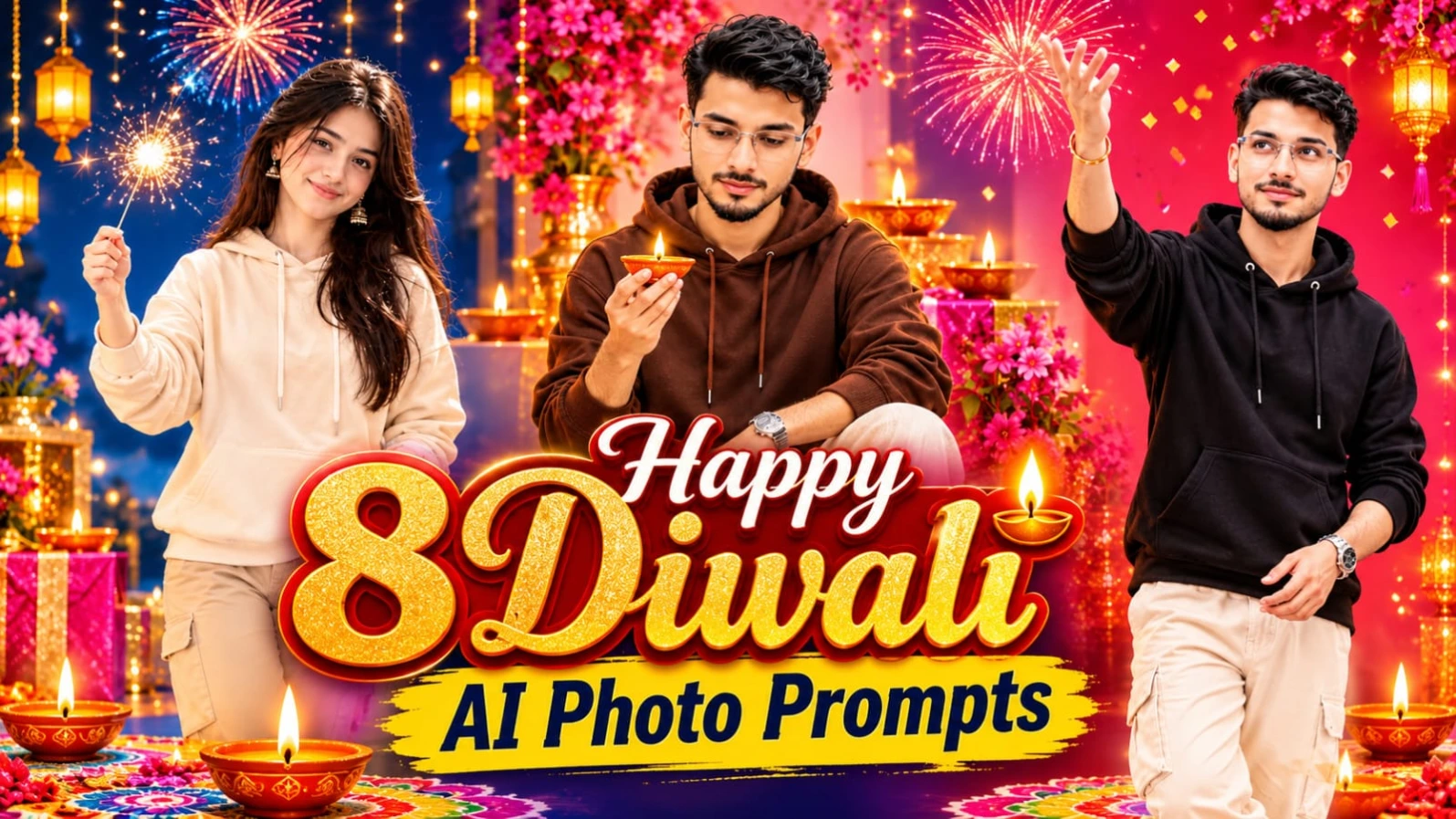
3. 8 Happy Diwali AI Photo Prompts for Boys – Create Premium Festive Posters
8 Happy Diwali AI Photo Prompts collection mein boys ke liye 8 different festive poster designs hain. Inmein colourful studio backgrounds, traditional diyas, decorative lanterns, flower rangoli, marigold petals aur fireworks ka combination diya gaya hai. Sabhi concepts vertical 4:5 poster format ke liye hain.
8 Diwali AI Photos Kaise Banaye
Step 1: Apni clear face reference photo select karein.
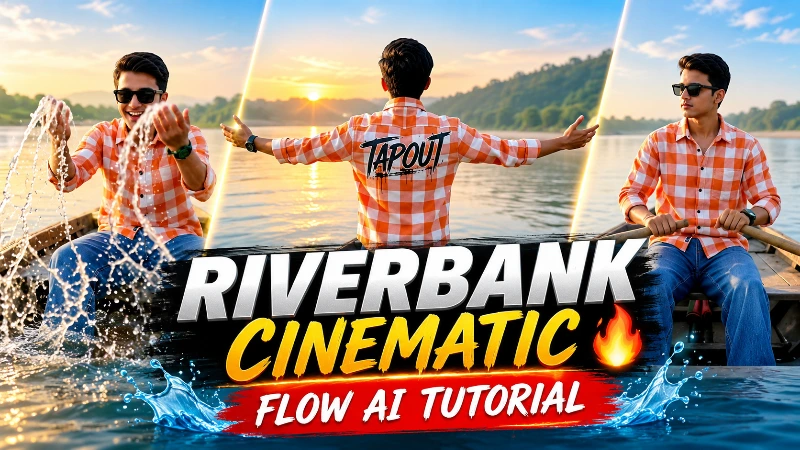
Riverbank Cinematic AI Video Prompt se aap apni reference photo ko peaceful riverside cinematic video mein convert kar sakte hain. Is concept mein wooden boats, green hills, sandy shoreline aur warm golden-hour lighting ke saath 14 different scenes hain. Video ka requested format 16:9 widescreen hai.
Flow AI Se Riverbank Video Kaise Banaye
Step 1: ChatGPT open karein aur apni clear face photo upload karein.
Step 2: Website se character sheet prompt copy karein aur front, profile, back aur close-up views generate karein.
Step 3: Outfit orange-white checkered TAPOUT shirt, baggy flared blue denim jeans, white sneakers aur black sunglasses rakhein.
Step 4: Character sheet save karke Flow AI open karein.
Step 5: Website se complete 14-scene video prompt copy karein aur Flow AI mein paste karein.
Step 6: 16:9 landscape format select karein aur reference image upload karein, agar supported ho.
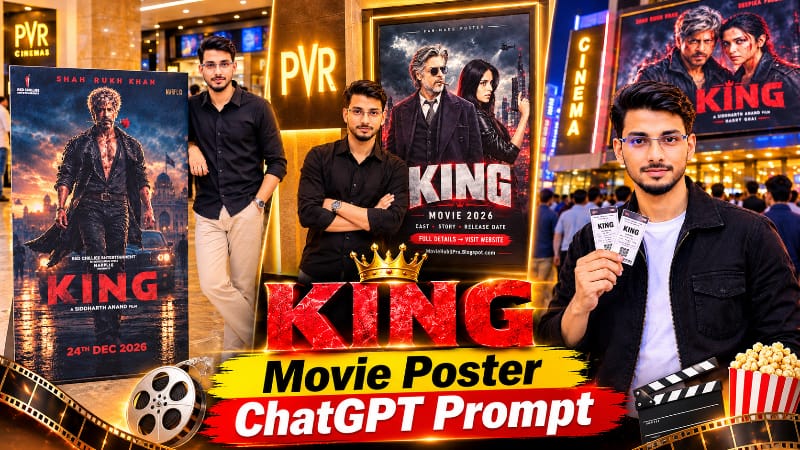
ChatGPT KING Movie Poster AI Photo Editing Prompt se aap apni photo ko ek realistic cinema lobby mein life-size movie standee ke saath create kar sakte hain. Is concept mein apni face photo aur favourite movie poster ko reference images ke roop mein upload karna hota hai. Background mein popcorn counter, glowing movie screens, warm spotlights aur softly blurred crowd diya gaya hai.
ChatGPT Se Cinema Lobby Photo Kaise Banaye
Step 1: ChatGPT open karein aur image generation ke liye new chat start karein.
Step 2: Apni clear face photo ko Image 1 ke roop mein upload karein.
Step 3: Favourite movie poster ko Image 2 ke roop mein upload karein.
Step 4: NoorEditing07 website se complete AI photo prompt copy karke ChatGPT mein paste karein.
Step 5: Prompt mein MAN ya WOMAN aur OUTFIT placeholders ko apni requirement ke according replace karein.
Step 6: Is concept mein black oversized hoodie, loose black trousers aur white slides ka outfit diya gaya hai.
Step 7: 4:5 vertical portrait format mein image generate karein.
Agar AI original poster ke text ya artwork ko change kar de, to exact poster image ko photo editor mein manually standee par place kar sakte hain. Is tarah aap ek personalised cinema-style photo create kar sakte hain.