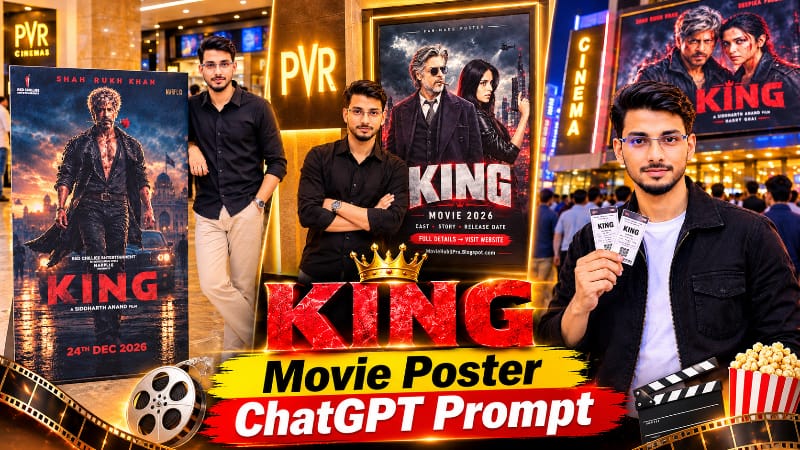
ChatGPT Movie Poster AI Photo Editing Prompt: Create a Realistic Cinema Lobby Photo
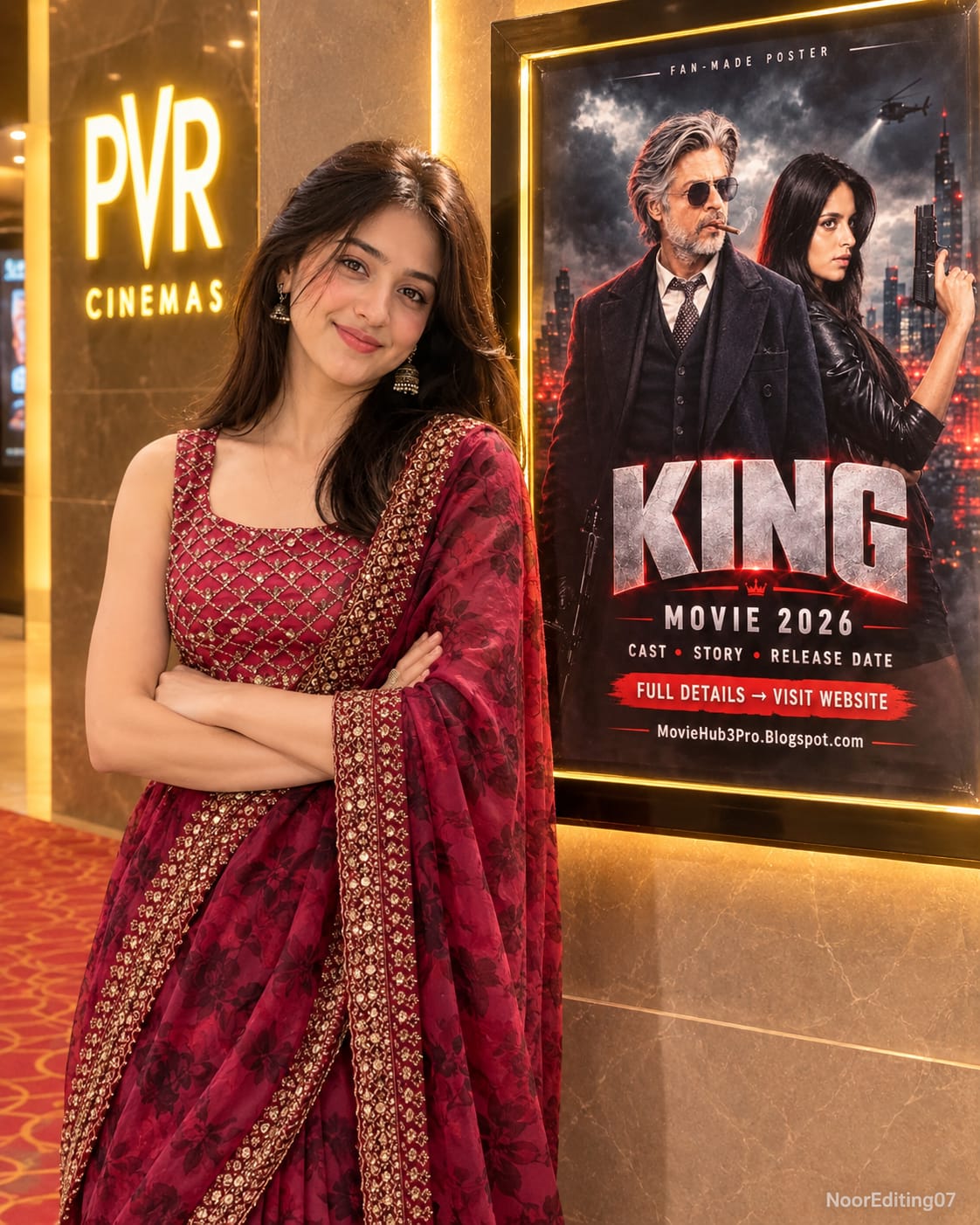
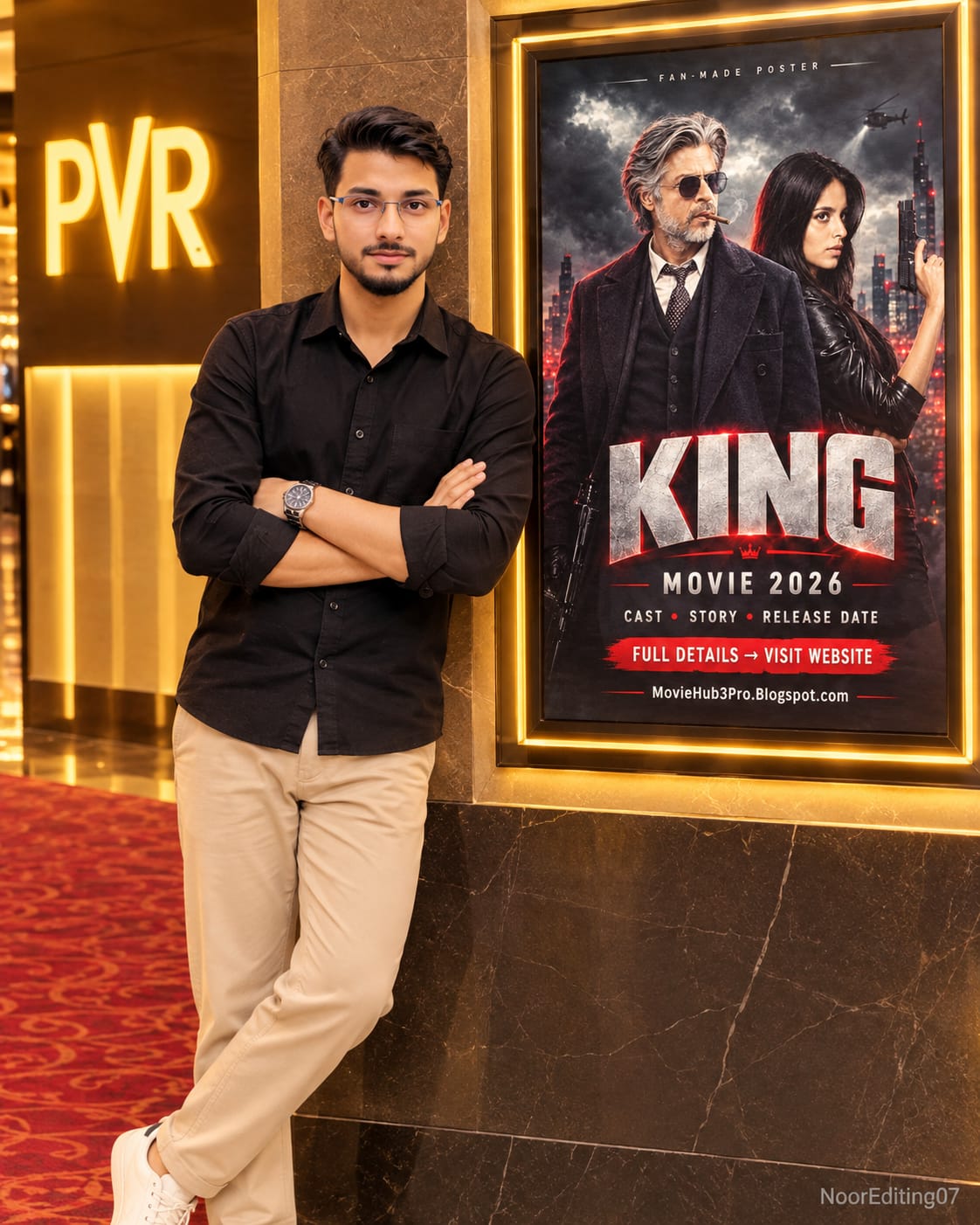
Have you ever wanted to see yourself standing next to your favourite movie poster inside a cinema hall? With ChatGPT AI photo editing, you can explore this creative idea using your own face photo and a movie poster as references. This ChatGPT Movie Poster AI Photo Editing Prompt is designed to create a realistic cinema lobby photograph featuring you beside a life-size movie standee.
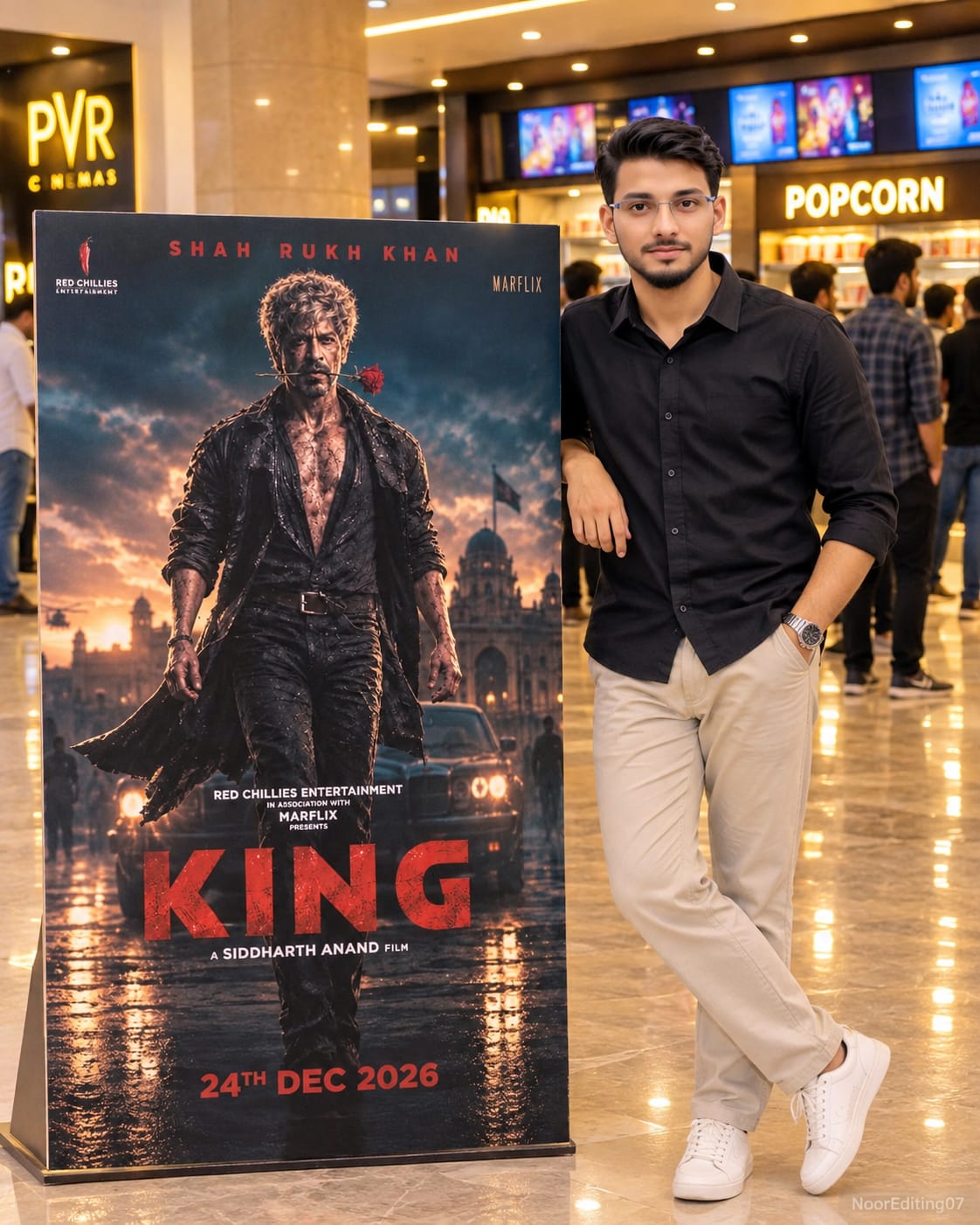
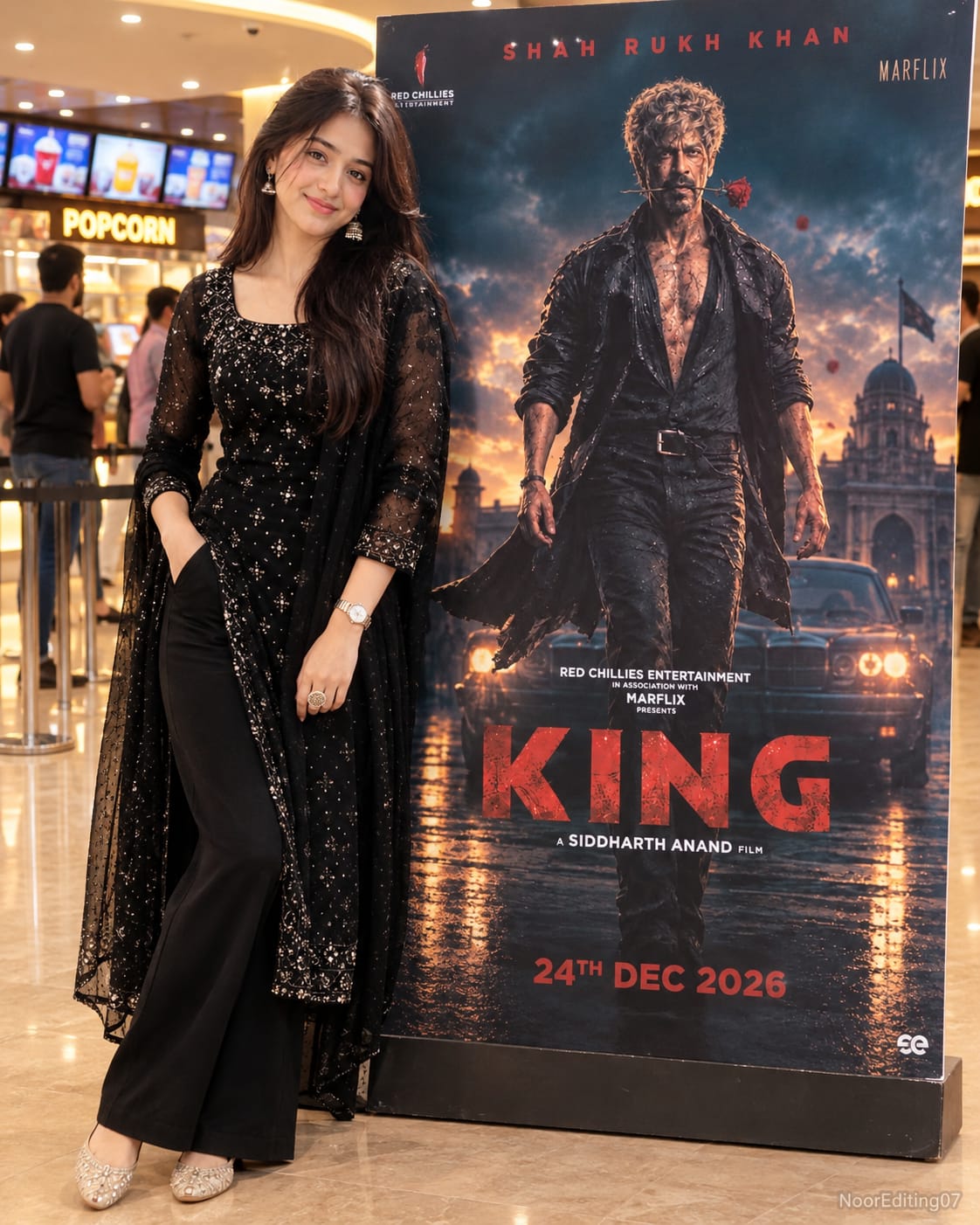
The concept combines your personal portrait with the artwork of a movie poster. Instead of simply placing a small poster beside your photo, the prompt describes a full-size standee displayed inside a modern cinema lobby. The final composition aims to look like a real photograph taken during a movie visit.
What Is the ChatGPT Movie Poster Photo Editing Prompt?
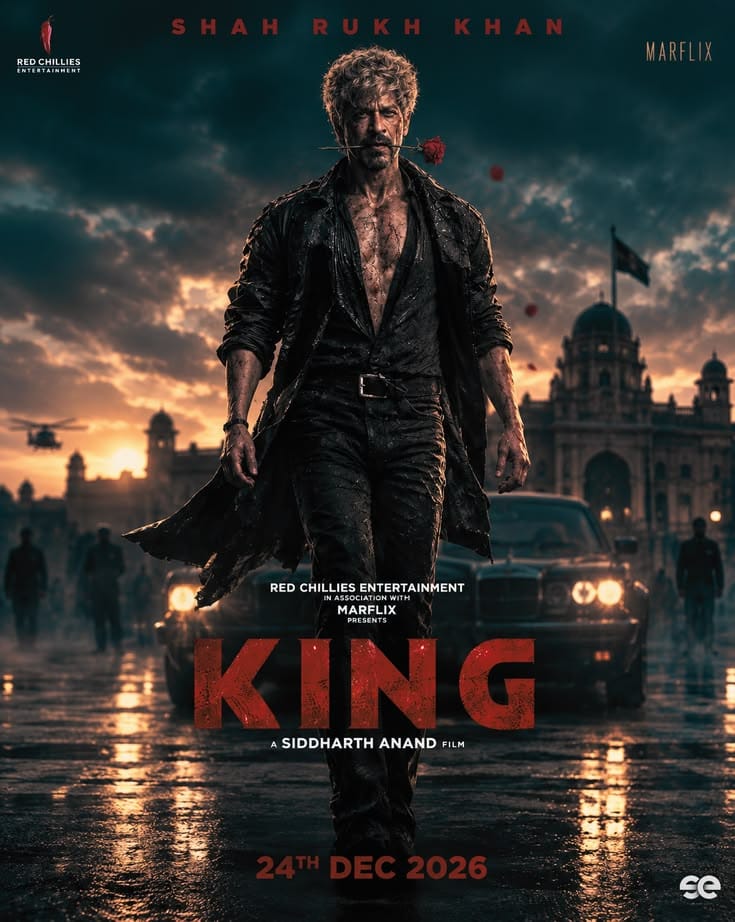
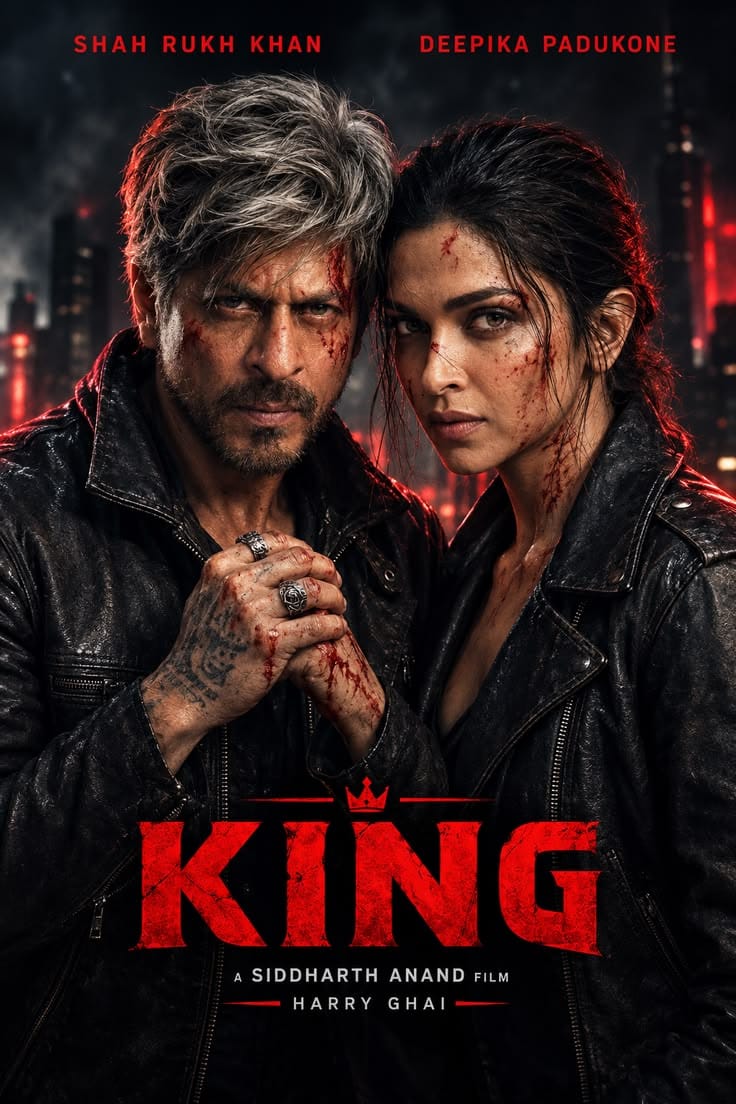
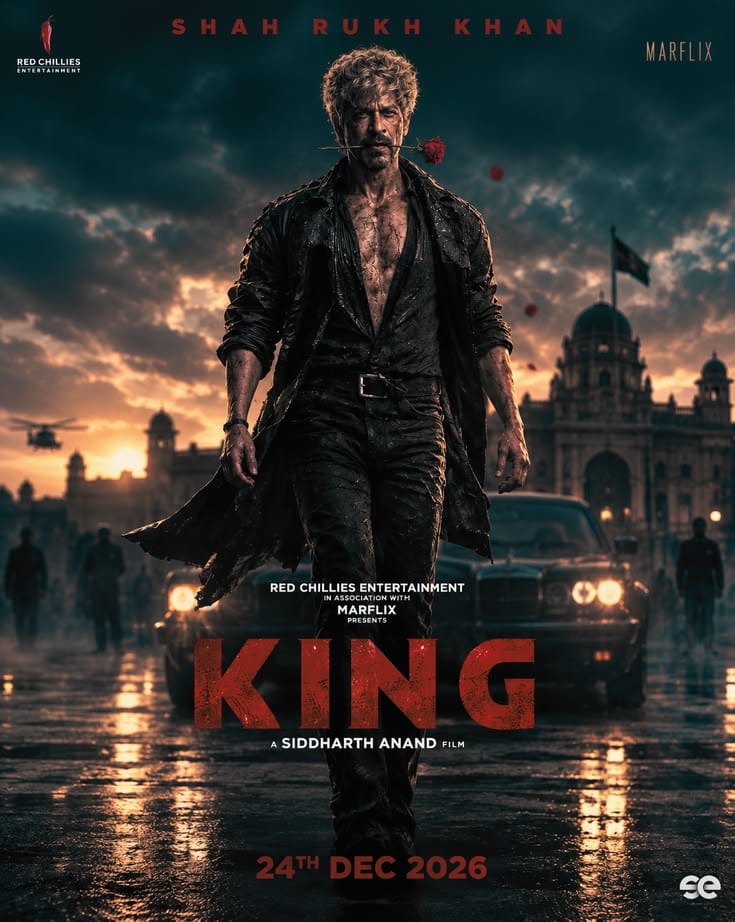
This is a detailed AI image-generation prompt that uses two reference images. Image 1 is your face photo, which guides the appearance of the main person. Image 2 is the movie poster, which serves as the visual reference for the standee artwork.
The generated scene features you standing beside the life-size movie standee in a stylish pose. One hand is placed inside your pocket, while a slight smile gives the photograph a natural and confident appearance. You can customise the gender and outfit instructions according to your preferred look.
The main objective is to create a convincing composition in which the person and the movie standee appear to belong to the same cinema environment. The prompt also describes matching lighting, realistic shadows and seamless blending to improve the overall result.
Important Features of This AI Photo Concept
One of the most important features is the use of your own face photo as the identity reference. The prompt instructs the AI tool to preserve your facial appearance rather than creating an unrelated character. A clear reference image can help the generator understand your facial features, hairstyle and skin tone. However, exact identity preservation cannot be guaranteed in every generation.
Another important feature is the movie standee. The second uploaded image provides the artwork reference for the standee. The prompt asks the AI to keep the poster artwork as close to the supplied image as possible, without changing its overall design. Since image generators may reinterpret text, logos and fine artwork details, always inspect the final poster carefully. For an exact original poster appearance, placing the original poster artwork onto a standee using an image editor may provide better control.
Modern Cinema Lobby Background
The background plays an important role in making the photograph look realistic. The prompt describes a modern cinema lobby with a popcorn counter, glowing movie screens, warm spotlights and a softly blurred crowd. These details create the atmosphere of a real movie theatre without distracting attention from the main subject.
The person and standee should receive consistent lighting. A soft shadow beneath the subject and standee helps connect both elements to the floor. Matching brightness, colour temperature and perspective can also make the composition look more natural.
Customise Your Outfit and Appearance
The prompt includes editable placeholders for gender and outfit. Replace the MAN or WOMAN option with your preferred selection. Similarly, replace OUTFIT with a clear clothing description, such as a stylish casual outfit, a formal jacket or a smart shirt and trousers.
You can experiment with different outfit colours and styles while keeping the cinema lobby composition consistent. A simple, well-described outfit can help the AI generator produce a cleaner and more coordinated result.
Why Choose the 4:5 Aspect Ratio?
The 4:5 aspect ratio is suitable for portrait-style social media posts. It provides enough vertical space to show the person and the full-height movie standee together. It also helps maintain a balanced composition for Instagram feed posts and other portrait-format designs.
The prompt requests an ultra-realistic, high-detail image with cinematic lighting and a subtle NoorEditing07 watermark at the bottom right. Image quality depends on the selected AI model and its available generation settings, so the final output may vary.
How to Create Your Movie Poster AI Photo with ChatGPT
Open ChatGPT and start an image-generation conversation. Upload your clear face photo as Image 1 and your chosen movie poster as Image 2. Copy the complete prompt from this article and paste it into the chat. Before generating, replace the MAN or WOMAN and OUTFIT placeholders with your preferred details.
Ask ChatGPT to create the image in a 4:5 portrait aspect ratio. Once the image is generated, review your face, outfit, poster artwork, standee position and cinema lobby background. If any details need improvement, provide a specific correction and generate an updated version.
Create Your Own Cinema Lobby Photo
This ChatGPT Movie Poster AI Photo Editing Prompt is a creative option for movie fans, AI photo editors and social media content creators. You can use your favourite poster as a reference and create a personalised cinema-style photograph with your own appearance.
For more ChatGPT photo editing prompts, viral AI photo ideas, cinematic video prompts and editing tutorials, search NoorEditing07 on Google and explore the latest articles.
AI Photo Prompt
✦AI PHOTO PROMPT
Ultra-realistic 8K HD photo, aspect ratio 4:5 vertical. Uses Image 1 for exact face and identity with zero alteration. The user stands inside a modern cinema lobby next to a life-size movie standee showing the exact artwork of Image 2. Standing in a stylish pose with one hand in the pocket and a slight smile, wearing a black oversized hoodie, loose black trousers, and clean white slides. Background features a popcorn counter, glowing screens, warm spotlights, and a soft blurred crowd. Watermark: NoorEditing07.
Image 1 is my face photo. Image 2 is the movie poster. Both are attached. Generate a realistic photo of me, a man, standing inside a cinema lobby next to a life-size movie standee. The standee shows exactly the artwork of Image 2, not redrawn or changed. I stand beside it in a stylish pose, with one hand in the pocket and a slight smile, wearing a black oversized hoodie, loose black trousers, and clean white slides. Background: a modern cinema lobby with a popcorn counter, glowing screens, warm spotlights and a soft blurred crowd. Keep my face exactly identical to Image 1, do not beautify or alter it. Same lighting on me and the standee, a soft shadow on the floor, and a seamless blend. Aspect ratio 4:5, ultra-realistic 8K HD. Small watermark at the bottom right in light grey: "NoorEditing07". No extra text, no distortion, no extra fingers.
✓
Prompt copied to clipboard!
AI Photo Prompt
✦AI PHOTO PROMPT
Ultra-realistic 8K HD photo, aspect ratio 4:5 vertical. Uses Image 1 for exact face and identity with zero alteration. The user stands inside a modern cinema lobby next to a life-size movie standee showing the exact artwork of Image 2. Standing in a stylish pose with one hand in the pocket and a slight smile, wearing a black oversized hoodie, loose black trousers, and clean white slides. Background features a popcorn counter, glowing screens, warm spotlights, and a soft blurred crowd. Watermark: NoorEditing07.
Image 1 is my face photo. Image 2 is the movie poster. Both are attached. Generate a realistic photo of me, a man, standing inside a cinema lobby next to a life-size movie standee. The standee shows exactly the artwork of Image 2, not redrawn or changed. I stand beside it in a stylish pose, with one hand in the pocket and a slight smile, wearing a black oversized hoodie, loose black trousers, and clean white slides. Background: a modern cinema lobby with a popcorn counter, glowing screens, warm spotlights and a soft blurred crowd. Keep my face exactly identical to Image 1, do not beautify or alter it. Same lighting on me and the standee, a soft shadow on the floor, and a seamless blend. Aspect ratio 4:5, ultra-realistic 8K HD. Small watermark at the bottom right in light grey: "NoorEditing07". No extra text, no distortion, no extra fingers.
✓
Prompt copied to clipboard!
AI Photo Prompt
✦AI PHOTO PROMPT
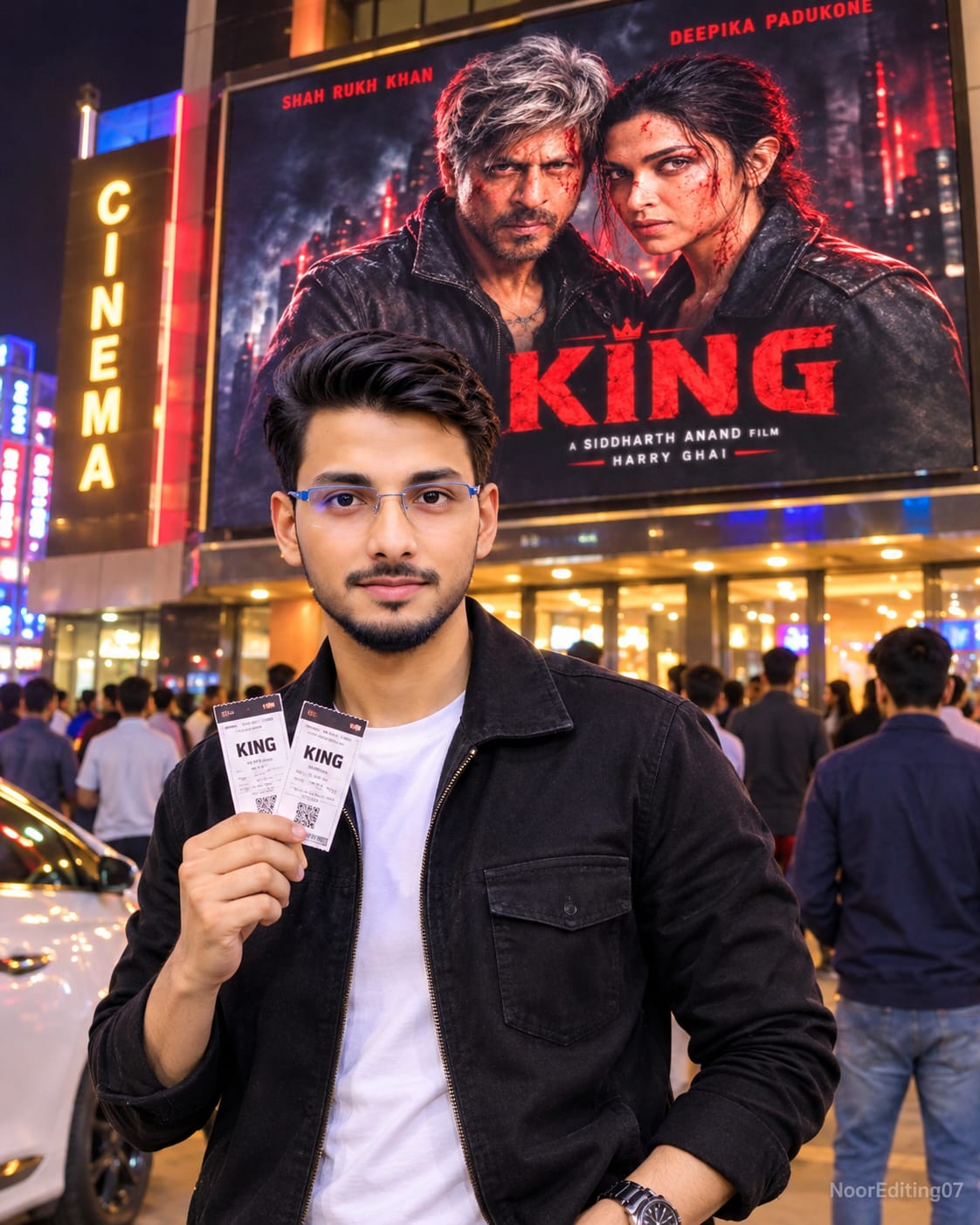
Ultra-realistic 8K HD night photo, aspect ratio 4:5 vertical. Uses Image 1 for exact face and identity with zero alteration. The user stands outside a cinema building under a giant glowing billboard displaying the exact poster from Image 2. Holding two movie tickets with a confident smile, wearing a black oversized hoodie, loose black trousers, and clean white slides. Background features a busy night street with neon lights, bokeh, and a lit cinema entrance. Watermark: NoorEditing07.
Image 1 is my face photo. Image 2 is the movie poster. Both are attached in this message. Generate a realistic night photo of me, a man, standing outside a cinema building under a giant glowing billboard. The billboard shows exactly the poster from Image 2, not redrawn or changed. I hold two movie tickets in one hand and pose with a confident smile, wearing a black oversized hoodie, loose black trousers, and clean white slides. Background: a busy street at night with neon lights, light bokeh, and a lit cinema entrance. Keep my face exactly identical to Image 1, do not beautify or alter it. The same colorful light and shadow fall on me and the background, a seamless blend. Aspect ratio 4:5, ultra-realistic 8K HD. Small watermark at the bottom right in light grey: "NoorEditing07". No extra text, no distortion, no extra fingers.
✓
Prompt copied to clipboard!
AI Photo Prompt
✦AI PHOTO PROMPT
Ultra-realistic 8K HD night photo, aspect ratio 4:5 vertical. Uses Image 1 for exact face and identity with zero alteration. The user stands outside a cinema building under a giant glowing billboard displaying the exact poster from Image 2. Holding two movie tickets with a confident smile, wearing a black oversized hoodie, loose black trousers, and clean white slides. Background features a busy night street with neon lights, bokeh, and a lit cinema entrance. Watermark: NoorEditing07.
Image 1 is my face photo. Image 2 is the movie poster. Both are attached in this message. Generate a realistic night photo of me, a man, standing outside a cinema building under a giant glowing billboard. The billboard shows exactly the poster from Image 2, not redrawn or changed. I hold two movie tickets in one hand and pose with a confident smile, wearing a black oversized hoodie, loose black trousers, and clean white slides. Background: a busy street at night with neon lights, light bokeh, and a lit cinema entrance. Keep my face exactly identical to Image 1, do not beautify or alter it. The same colorful light and shadow fall on me and the background, a seamless blend. Aspect ratio 4:5, ultra-realistic 8K HD. Small watermark at the bottom right in light grey: "NoorEditing07". No extra text, no distortion, no extra fingers.
✓
Prompt copied to clipboard!
AI Photo Prompt
✦AI PHOTO PROMPT
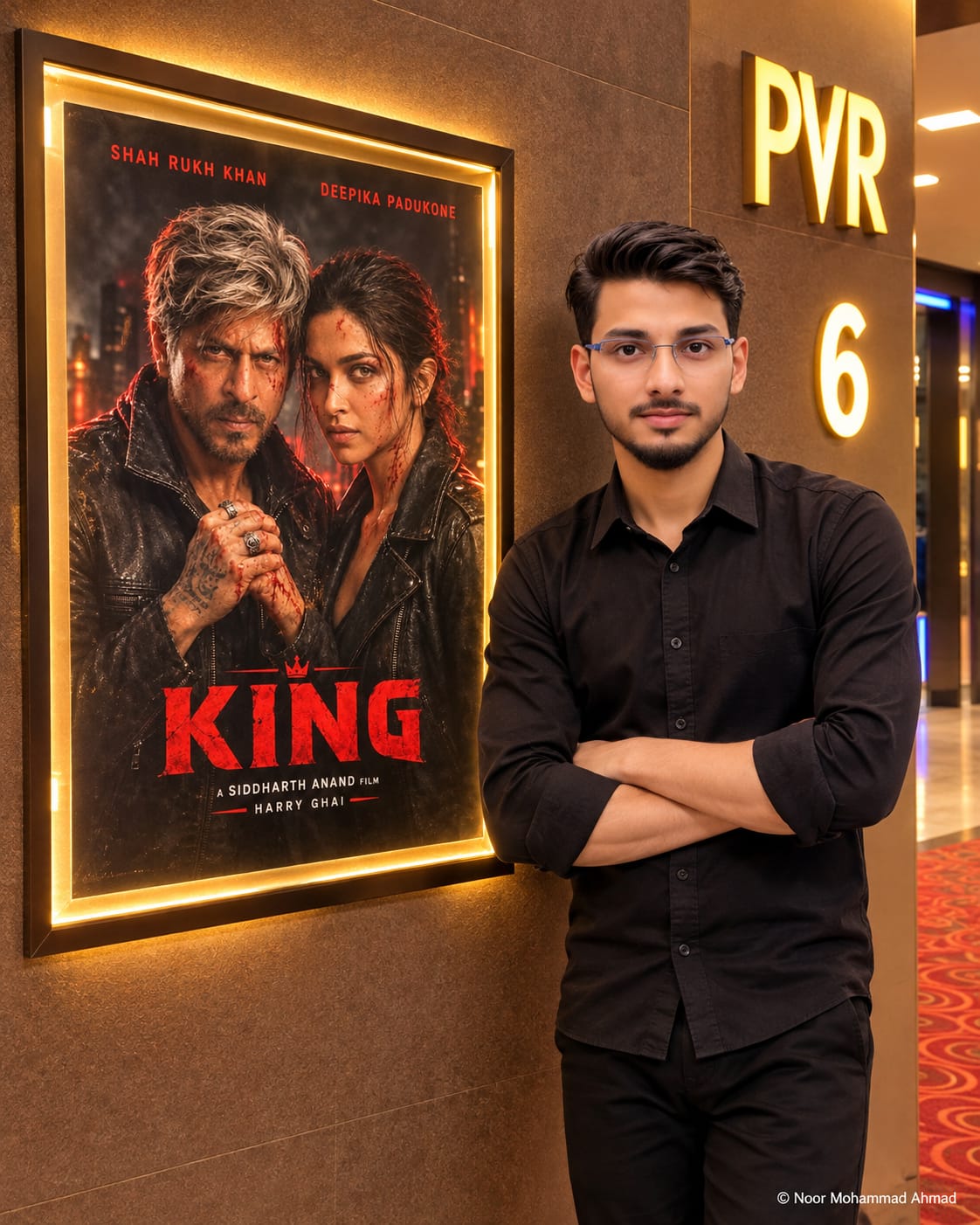
Ultra-realistic 8K HD photo, aspect ratio 4:5 vertical. Recreates Image 1 exactly, changing ONLY the poster inside the lit wall frame by replacing the "Awarapan 2" poster with the full poster from Image 2. The young man, cinema lobby environment, lighting, and camera angle remain 100% identical. The new poster fits seamlessly with warm golden frame backlighting and soft glass reflection. Watermark: NoorEditing07.
Image 1 is the base photo. Image 2 is the new movie poster. Recreate Image 1 exactly as it is, and change ONLY the poster inside the lit wall frame: remove the "Awarapan 2" poster completely and put the poster from Image 2 in its place. Aspect ratio 4:5 (vertical, same as Image 1), ultra-realistic 8K HD quality, tack-sharp even when zoomed in.
DO NOT CHANGE (keep 100% identical to Image 1):
- The young man standing on the right: same face, same short dark hair, same trimmed beard and mustache, same black full-sleeve shirt with rolled sleeves, same black trousers, same pose leaning on the wall with both arms crossed, same calm expression. Do not beautify or alter his face.
- The cinema lobby: the brown textured wall, the "PVR" sign, the glowing number "6", the blue light, the red patterned carpet, same camera angle, same distance, same depth of field and same color grading.
- The black metal frame with the glowing warm golden backlight around the poster, same size, same position and same perspective.
- The small watermark at the bottom right, exactly as in Image 1, same text, size and position.
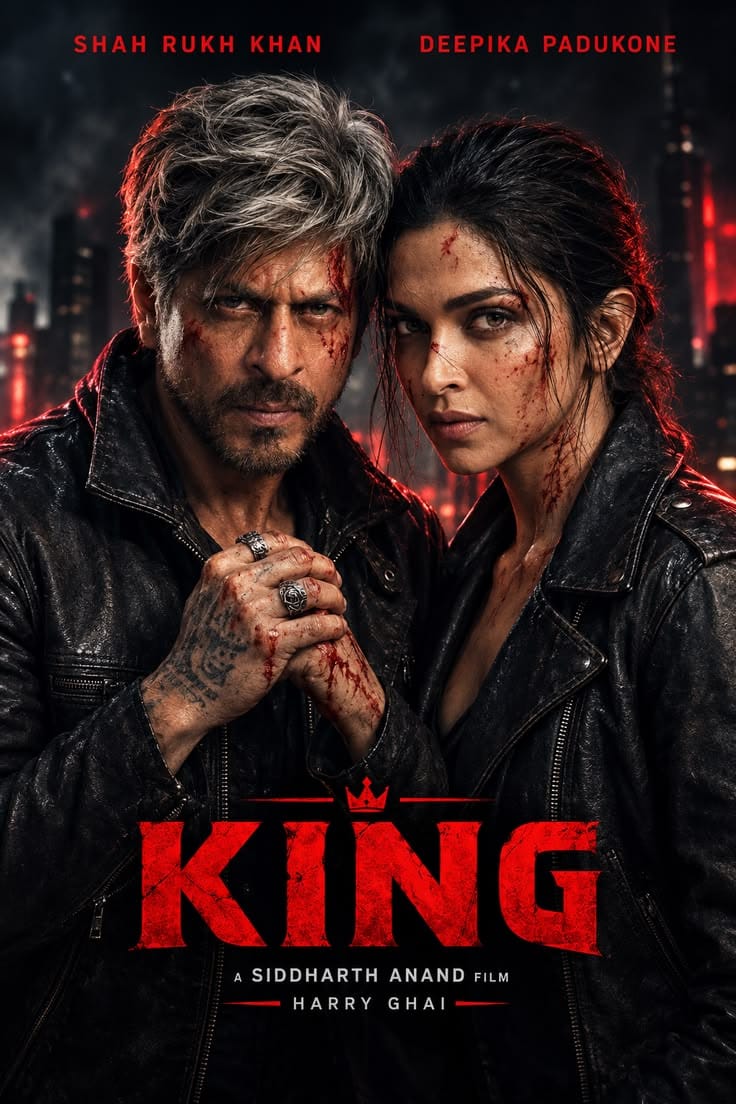
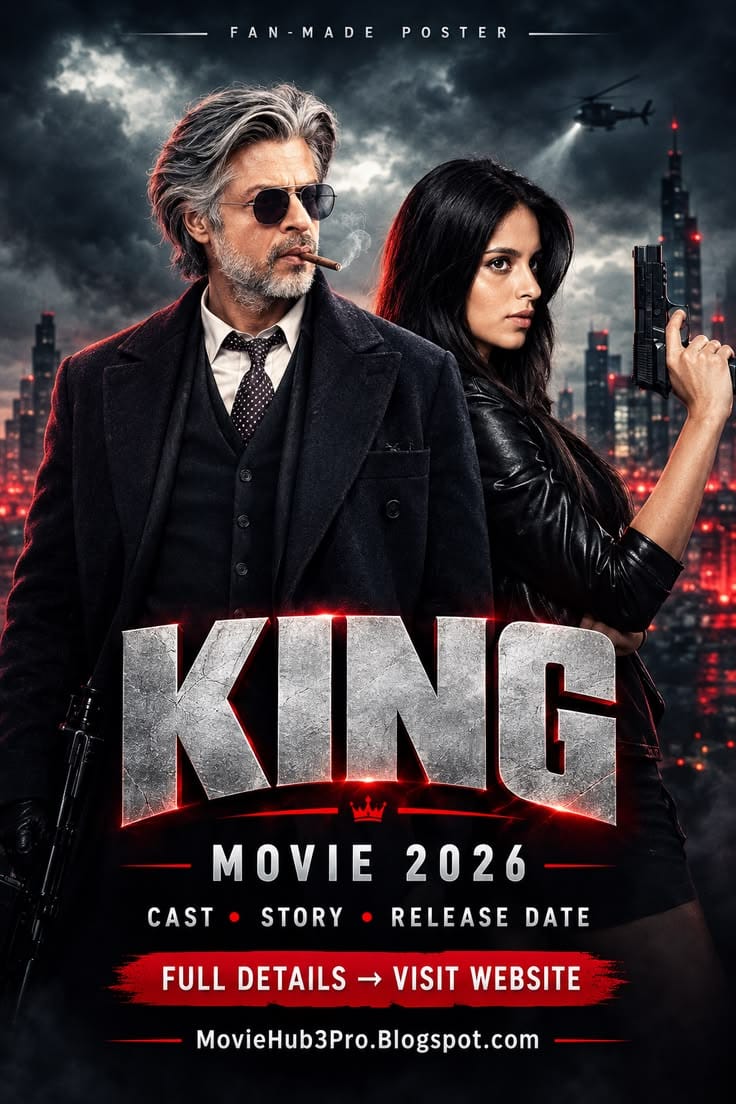
NEW POSTER (inside the frame): Place the full poster from Image 2 inside the lit frame, exactly as it is in Image 2, with the same layout, same characters, same colors, same red title "KING", same text and same credits. Do not redraw, change, crop the faces, or re-design the poster. Fit it to the frame size with a vertical portrait ratio, and keep the full poster visible with no stretching. The poster looks like a real printed cinema poster behind glass, with the same warm golden light from the frame glowing on its edges, a very soft glass reflection, and the same perspective and shadow as the old poster. All poster text must be sharp, clean and readable.
LIGHTING AND COLOR: The same warm cinema lighting as Image 1. The golden frame light falls naturally on the poster, the wall and slightly on the man. The same light direction, warmth and shadow on the man, the wall and the poster. Same color grading as Image 1. No extra filters, no HDR look.
BLENDING: The new poster blends seamlessly into the frame, with no pasted look, no visible edge or mismatch, and natural brightness and glass reflection. The man and the poster look like they were photographed together in one real shot.
STRICT RULES: Do not change the man, the pose, the clothes, the location, the background, the watermark or the camera angle. No leftover parts of the old "Awarapan 2" poster, no extra text, no extra people, no distortion, no extra fingers.
Watermark: Small watermark at the bottom right in light grey: "NoorEditing07".
✓
Prompt copied to clipboard!
AI Photo Prompt
✦AI PHOTO PROMPT
Ultra-realistic 8K HD photo, aspect ratio 4:5 vertical. Recreates Image 1 exactly, changing ONLY the poster inside the lit wall frame by replacing the "Awarapan 2" poster with the full poster from Image 2. The young man, cinema lobby environment, lighting, and camera angle remain 100% identical. The new poster fits seamlessly with warm golden frame backlighting and soft glass reflection. Watermark: NoorEditing07.
Image 1 is the base photo. Image 2 is the new movie poster. Recreate Image 1 exactly as it is, and change ONLY the poster inside the lit wall frame: remove the "Awarapan 2" poster completely and put the poster from Image 2 in its place. Aspect ratio 4:5 (vertical, same as Image 1), ultra-realistic 8K HD quality, tack-sharp even when zoomed in.
DO NOT CHANGE (keep 100% identical to Image 1):
- The young man standing on the right: same face, same short dark hair, same trimmed beard and mustache, same black full-sleeve shirt with rolled sleeves, same black trousers, same pose leaning on the wall with both arms crossed, same calm expression. Do not beautify or alter his face.
- The cinema lobby: the brown textured wall, the "PVR" sign, the glowing number "6", the blue light, the red patterned carpet, same camera angle, same distance, same depth of field and same color grading.
- The black metal frame with the glowing warm golden backlight around the poster, same size, same position and same perspective.
- The small watermark at the bottom right, exactly as in Image 1, same text, size and position.
NEW POSTER (inside the frame): Place the full poster from Image 2 inside the lit frame, exactly as it is in Image 2, with the same layout, same characters, same colors, same red title "KING", same text and same credits. Do not redraw, change, crop the faces, or re-design the poster. Fit it to the frame size with a vertical portrait ratio, and keep the full poster visible with no stretching. The poster looks like a real printed cinema poster behind glass, with the same warm golden light from the frame glowing on its edges, a very soft glass reflection, and the same perspective and shadow as the old poster. All poster text must be sharp, clean and readable.
LIGHTING AND COLOR: The same warm cinema lighting as Image 1. The golden frame light falls naturally on the poster, the wall and slightly on the man. The same light direction, warmth and shadow on the man, the wall and the poster. Same color grading as Image 1. No extra filters, no HDR look.
BLENDING: The new poster blends seamlessly into the frame, with no pasted look, no visible edge or mismatch, and natural brightness and glass reflection. The man and the poster look like they were photographed together in one real shot.
STRICT RULES: Do not change the man, the pose, the clothes, the location, the background, the watermark or the camera angle. No leftover parts of the old "Awarapan 2" poster, no extra text, no extra people, no distortion, no extra fingers.
Watermark: Small watermark at the bottom right in light grey: "NoorEditing07".
✓
Prompt copied to clipboard!
AI Photo Prompt
✦AI PHOTO PROMPT
Ultra-realistic 8K HD photo, aspect ratio 4:5 vertical. Uses Image 1 for exact face and identity with zero alteration. The user stands outside a cinema hall entrance next to a lit wall poster frame featuring Image 2 with a warm golden backlight. Leaning casually on the wall with arms crossed, calm confident look. Background features a cinema lobby wall with a glowing "PVR"-style sign and red patterned carpet. Watermark: NoorEditing07.
Use Image 1 for the exact face and identity, and Image 2 for the movie poster. Generate a realistic photo of me, a man, standing outside a cinema hall entrance next to a lit wall poster frame with a warm golden backlight. The poster inside the frame is exactly Image 2, not redrawn or changed. I lean casually on the wall with my arms crossed, a calm confident look, wearing a black oversized hoodie, loose black trousers, and clean white slides. Background: a cinema lobby wall with a glowing "PVR"-style sign and a red patterned carpet. Keep my face exactly identical to Image 1, do not beautify or alter it. Same light direction and warmth on me, the wall and the poster. Face, neck and body blend seamlessly, no pasted look. Aspect ratio 4:5, ultra-realistic 8K HD, tack-sharp when zoomed in. Small watermark at the bottom right in light grey: "NoorEditing07". No extra people, no extra text, no distortion, no extra fingers.
✓
Prompt copied to clipboard!
AI Photo Prompt
✦AI PHOTO PROMPT
Ultra-realistic 8K HD photo, aspect ratio 4:5 vertical. Uses Image 1 for exact face and identity with zero alteration. The user stands outside a cinema hall entrance next to a lit wall poster frame featuring Image 2 with a warm golden backlight. Leaning casually on the wall with arms crossed, calm confident look. Background features a cinema lobby wall with a glowing "PVR"-style sign and red patterned carpet. Watermark: NoorEditing07.
Use Image 1 for the exact face and identity, and Image 2 for the movie poster. Generate a realistic photo of me, a man, standing outside a cinema hall entrance next to a lit wall poster frame with a warm golden backlight. The poster inside the frame is exactly Image 2, not redrawn or changed. I lean casually on the wall with my arms crossed, a calm confident look, wearing a black oversized hoodie, loose black trousers, and clean white slides. Background: a cinema lobby wall with a glowing "PVR"-style sign and a red patterned carpet. Keep my face exactly identical to Image 1, do not beautify or alter it. Same light direction and warmth on me, the wall and the poster. Face, neck and body blend seamlessly, no pasted look. Aspect ratio 4:5, ultra-realistic 8K HD, tack-sharp when zoomed in. Small watermark at the bottom right in light grey: "NoorEditing07". No extra people, no extra text, no distortion, no extra fingers.
✓
Prompt copied to clipboard!
AI Photo Prompt
✦AI PHOTO PROMPT
Ultra-realistic 8K HD photo, aspect ratio 4:5 vertical. Uses Image 1 for exact face and identity with zero alteration. The user stands inside a modern cinema lobby next to a life-size movie standee showing the exact artwork of Image 2. Standing in a stylish pose with one hand in the pocket and a slight smile, wearing a black oversized hoodie, loose black trousers, and clean white slides. Background features a popcorn counter, glowing screens, warm spotlights, and a soft blurred crowd. Watermark: NoorEditing07.
Use Image 1 for the exact face and identity, and Image 2 for the movie poster artwork. Generate a realistic photo of me, a man, standing inside a cinema lobby next to a life-size movie standee. The standee shows exactly the artwork of Image 2, not redrawn or changed. I stand beside it in a stylish pose, with one hand in the pocket and a slight smile, wearing a black oversized hoodie, loose black trousers, and clean white slides. Background: a modern cinema lobby with a popcorn counter, glowing screens, warm spotlights and a soft blurred crowd. Keep my face exactly identical to Image 1, do not beautify or alter it. Same lighting on me and the standee, a soft shadow on the floor, and a seamless blend. Aspect ratio 4:5, ultra-realistic 8K HD. Small watermark at the bottom right in light grey: "NoorEditing07". No extra text, no distortion, no extra fingers.
✓
Prompt copied to clipboard!
AI Photo Prompt
✦AI PHOTO PROMPT
Ultra-realistic 8K HD photo, aspect ratio 4:5 vertical. Uses Image 1 for exact face and identity with zero alteration. The user stands inside a modern cinema lobby next to a life-size movie standee showing the exact artwork of Image 2. Standing in a stylish pose with one hand in the pocket and a slight smile, wearing a black oversized hoodie, loose black trousers, and clean white slides. Background features a popcorn counter, glowing screens, warm spotlights, and a soft blurred crowd. Watermark: NoorEditing07.
Use Image 1 for the exact face and identity, and Image 2 for the movie poster artwork. Generate a realistic photo of me, a man, standing inside a cinema lobby next to a life-size movie standee. The standee shows exactly the artwork of Image 2, not redrawn or changed. I stand beside it in a stylish pose, with one hand in the pocket and a slight smile, wearing a black oversized hoodie, loose black trousers, and clean white slides. Background: a modern cinema lobby with a popcorn counter, glowing screens, warm spotlights and a soft blurred crowd. Keep my face exactly identical to Image 1, do not beautify or alter it. Same lighting on me and the standee, a soft shadow on the floor, and a seamless blend. Aspect ratio 4:5, ultra-realistic 8K HD. Small watermark at the bottom right in light grey: "NoorEditing07". No extra text, no distortion, no extra fingers.
✓
Prompt copied to clipboard!
AI Photo Prompt
✦AI PHOTO PROMPT
Ultra-realistic 8K HD photo, aspect ratio 4:5 vertical. Uses Image 1 for exact face and identity with zero alteration. The user stands outside a cinema hall entrance next to a lit wall poster frame featuring Image 2 with a warm golden backlight. Leaning casually on the wall with arms crossed, calm confident look. Background features a cinema lobby wall with a glowing "PVR"-style sign and red patterned carpet. Watermark: NoorEditing07.
Use Image 1 for the exact face and identity, and Image 2 for the movie poster. Generate a realistic photo of me, a man, standing outside a cinema hall entrance next to a lit wall poster frame with a warm golden backlight. The poster inside the frame is exactly Image 2, not redrawn or changed. I lean casually on the wall with my arms crossed, a calm confident look, wearing a black oversized hoodie, loose black trousers, and clean white slides. Background: a cinema lobby wall with a glowing "PVR"-style sign and a red patterned carpet. Keep my face exactly identical to Image 1, do not beautify or alter it. Same light direction and warmth on me, the wall and the poster. Face, neck and body blend seamlessly, no pasted look. Aspect ratio 4:5, ultra-realistic 8K HD, tack-sharp when zoomed in. Small watermark at the bottom right in light grey: "NoorEditing07". No extra people, no extra text, no distortion, no extra fingers.
✓
Prompt copied to clipboard!
AI Photo Prompt
✦AI PHOTO PROMPT
Ultra-realistic 8K HD photo, aspect ratio 4:5 vertical. Uses Image 1 for exact face and identity with zero alteration. The user stands outside a cinema hall entrance next to a lit wall poster frame featuring Image 2 with a warm golden backlight. Leaning casually on the wall with arms crossed, calm confident look. Background features a cinema lobby wall with a glowing "PVR"-style sign and red patterned carpet. Watermark: NoorEditing07.
Use Image 1 for the exact face and identity, and Image 2 for the movie poster. Generate a realistic photo of me, a man, standing outside a cinema hall entrance next to a lit wall poster frame with a warm golden backlight. The poster inside the frame is exactly Image 2, not redrawn or changed. I lean casually on the wall with my arms crossed, a calm confident look, wearing a black oversized hoodie, loose black trousers, and clean white slides. Background: a cinema lobby wall with a glowing "PVR"-style sign and a red patterned carpet. Keep my face exactly identical to Image 1, do not beautify or alter it. Same light direction and warmth on me, the wall and the poster. Face, neck and body blend seamlessly, no pasted look. Aspect ratio 4:5, ultra-realistic 8K HD, tack-sharp when zoomed in. Small watermark at the bottom right in light grey: "NoorEditing07". No extra people, no extra text, no distortion, no extra fingers.
Step 1: Sabse pehle ChatGPT app ya website open karein.
Step 2: ChatGPT mein image generation ke liye naya chat open karein.
Step 3: Apni clear face photo upload karein. Ye Image 1 hogi, jise AI aapke face reference ke roop mein use karega.
Step 4: Ab apna favourite movie poster upload karein. Ye Image 2 hogi, jiska artwork cinema lobby ke life-size standee par dikhana hai.
Step 5: Is article mein diya gaya complete ChatGPT Movie Poster AI Photo Editing Prompt copy karein aur chat box mein paste karein.
Step 6: Prompt mein [MAN / WOMAN] ki jagah apni choice select karein. [OUTFIT] ki jagah apne kapdon ki details likhein, jaise stylish black shirt, jeans aur sneakers.
Step 7: Generate karne se pehle check karein ki dono reference images upload hain aur prompt mein Image 1 aur Image 2 ka use sahi explain kiya gaya hai.
Step 8: Ab Generate button par click karein. ChatGPT aapki face photo aur movie poster ko reference banakar cinema lobby scene create karega.
Step 9: Image ready hone ke baad check karein ki aapka face, outfit, pose aur movie standee sahi dikh rahe hain. Poster artwork aur uske text ko bhi carefully verify karein.
Step 10: Agar poster artwork ya kisi detail mein change aa gaya hai, to ChatGPT ko specific correction instruction dein. Exact original poster artwork chahiye to original poster ko image editor mein standee par manually place kar sakte hain.
Step 11: Final image ko 4:5 portrait format mein check karein. Zarurat ho to framing adjust karne ke liye dobara instruction dein.
Step 12: Jab image final ho jaye, use high quality mein save kar lein. Ab aapki cinematic movie poster ke saath AI photo ready hai.
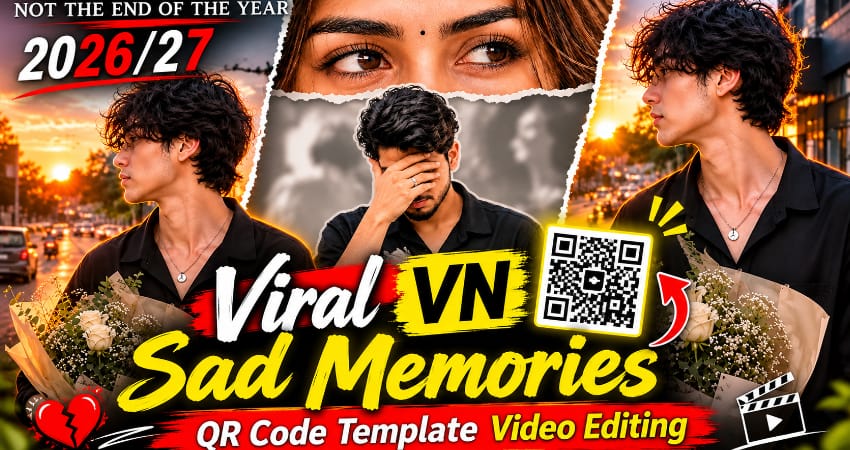
VN Sad Memories QR Code Template ki help se aap apni favourite photos aur video clips ka emotional memories video bana sakte hain. Is template mein “The End of Memories” text theme, warm cinematic colours aur approximately 17-second video duration di gayi hai. Ye sad edits, friendship memories aur emotional Instagram Reels ke liye useful hai.
VN Sad Memories QR Code Template Kaise Use Karein
Step 1: Sabse pehle article mein diya gaya VN Sad Memories QR Code image apne phone ki Gallery mein save karein.
Step 2: Ab apne smartphone mein VN Video Editor application open karein.
Step 3: VN app mein QR Scanner option search karein aur scanner open karein.
Step 4: Gallery ya Photos option select karke saved QR code image choose karein.
Step 5: QR code scan hone ke baad template open hoga. Available Use Template ya editing option par tap karein.
Step 6: Apni favourite photos ya video clips select karein. Template mein jitne media slots available hon, unke according media add karein.
Step 7: Next par tap karke video prepare hone dein.
Step 8: Complete preview check karein. Photos ki position, emotional text, transitions aur timing sahi honi chahiye.
Step 9: Zarurat ke according crop aur positioning adjust karein.
Step 10: Export par tap karein aur preferred video quality select karke save karein.
Aapka 17-second Sad Memories video Instagram Reels, YouTube Shorts aur WhatsApp Status par share karne ke liye ready hai. QR scanning options app version ke according different ho sakte hain.
King Movie Cinematic AI Video Editing Prompt – Flow AI Tutorial
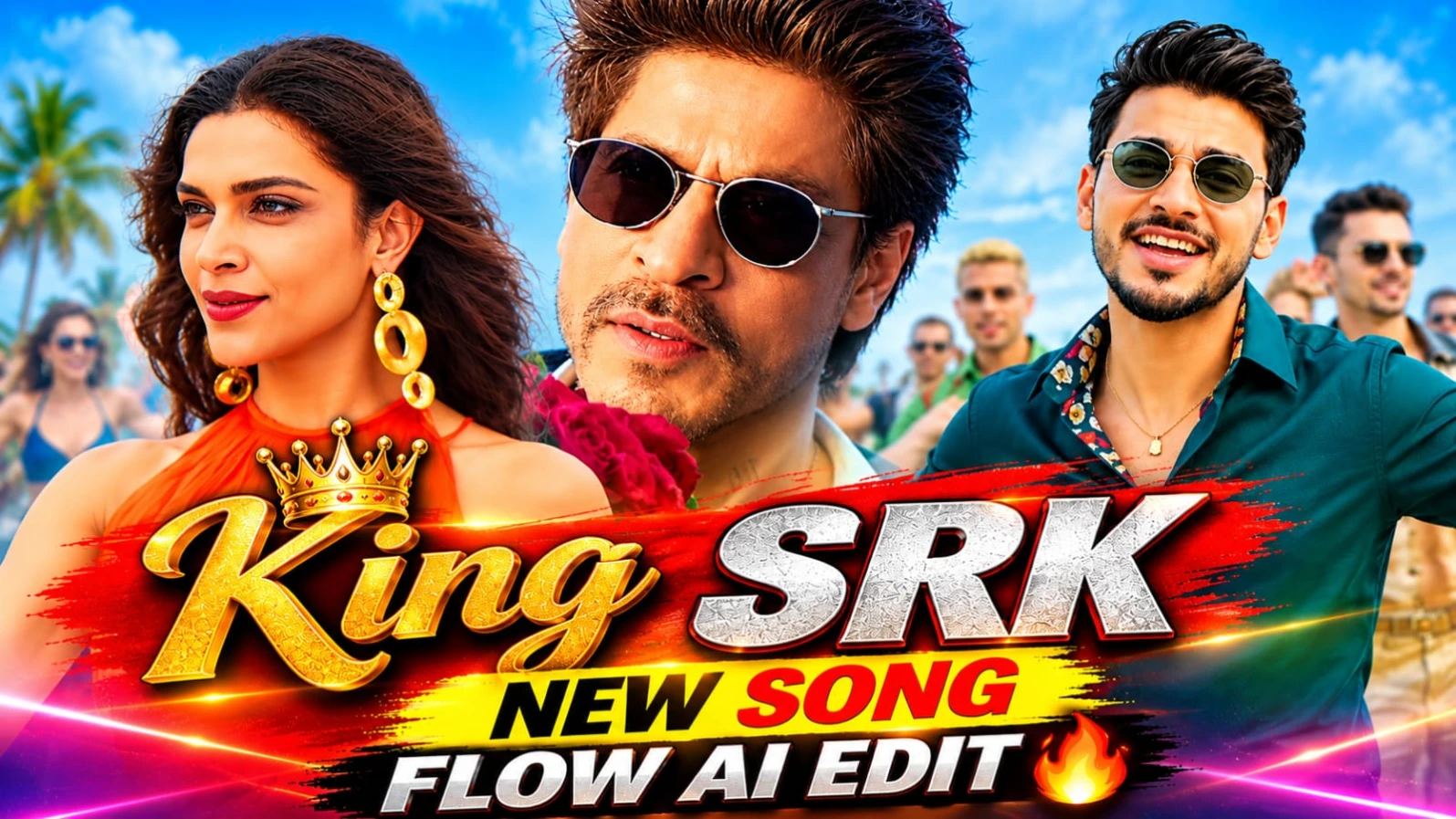
King Movie Cinematic AI Video Editing Prompt se aap apni reference photo ko movie-style cinematic video mein convert kar sakte hain. Is concept mein deep teal-green outfit, gold chains, sunglasses aur dramatic rooftop dance scenes hain. Video mein modern white building, sea, mountain backdrop, dancers, Marshall amplifiers aur drum kit ka environment diya gaya hai.
King Movie Flow AI Video Kaise Banaye
Step 1: Sabse pehle ChatGPT mein apni clear face photo upload karke character sheet banayein. Front, side, back aur close-up views include karein.
Step 2: Character ka outfit deep teal-green silk-look button-up shirt, colourful floral inner collar, matching trousers, thin gold chains, bracelets aur round metal-frame sunglasses rakhein.
Step 3: Flow AI open karein aur character sheet upload karein. Reference video ko bhi use karein, agar selected workflow support karta hai.
Step 4: Original 17-second video prompt copy karein. Ismein reference video ke lead male character ko apne character sheet wale person se replace karna hai.
Step 5: Woman in orange fringe halter top, baaki dancers, costumes, rooftop terrace, sea, mountain, Marshall amplifiers aur drum kit ko reference ke according same rakhein.
Step 6: Opening mein hilltop aur city skyline shot, phir face close-up aur rooftop dance sequence generate karein.
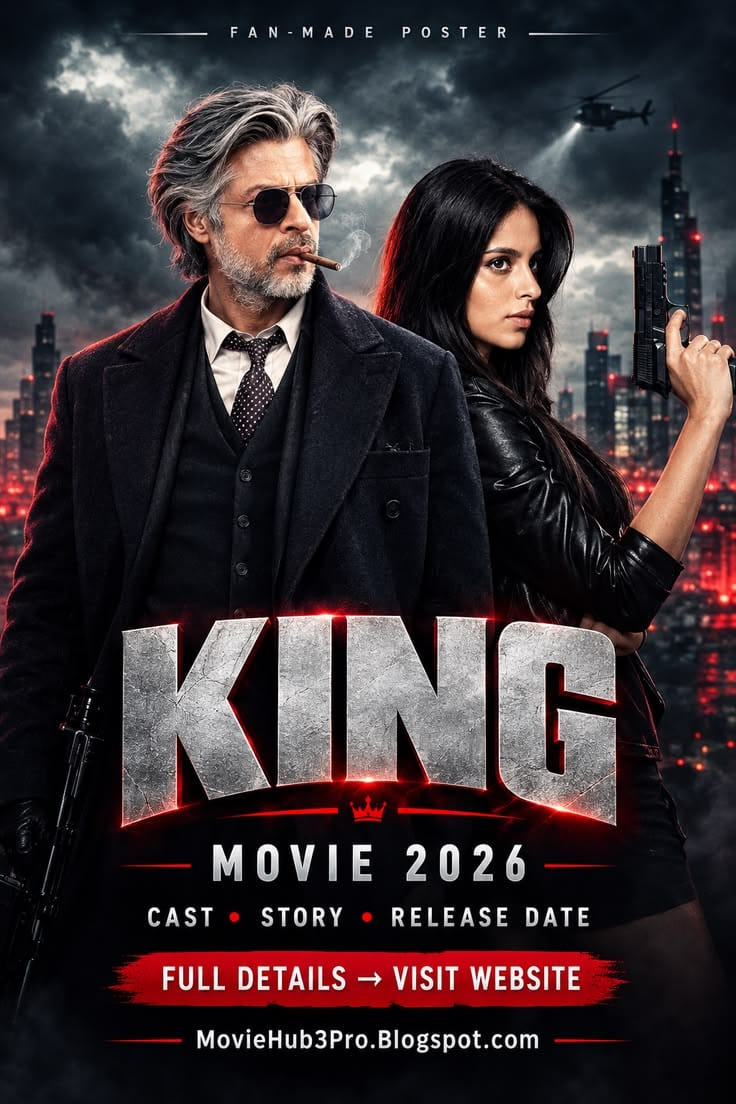
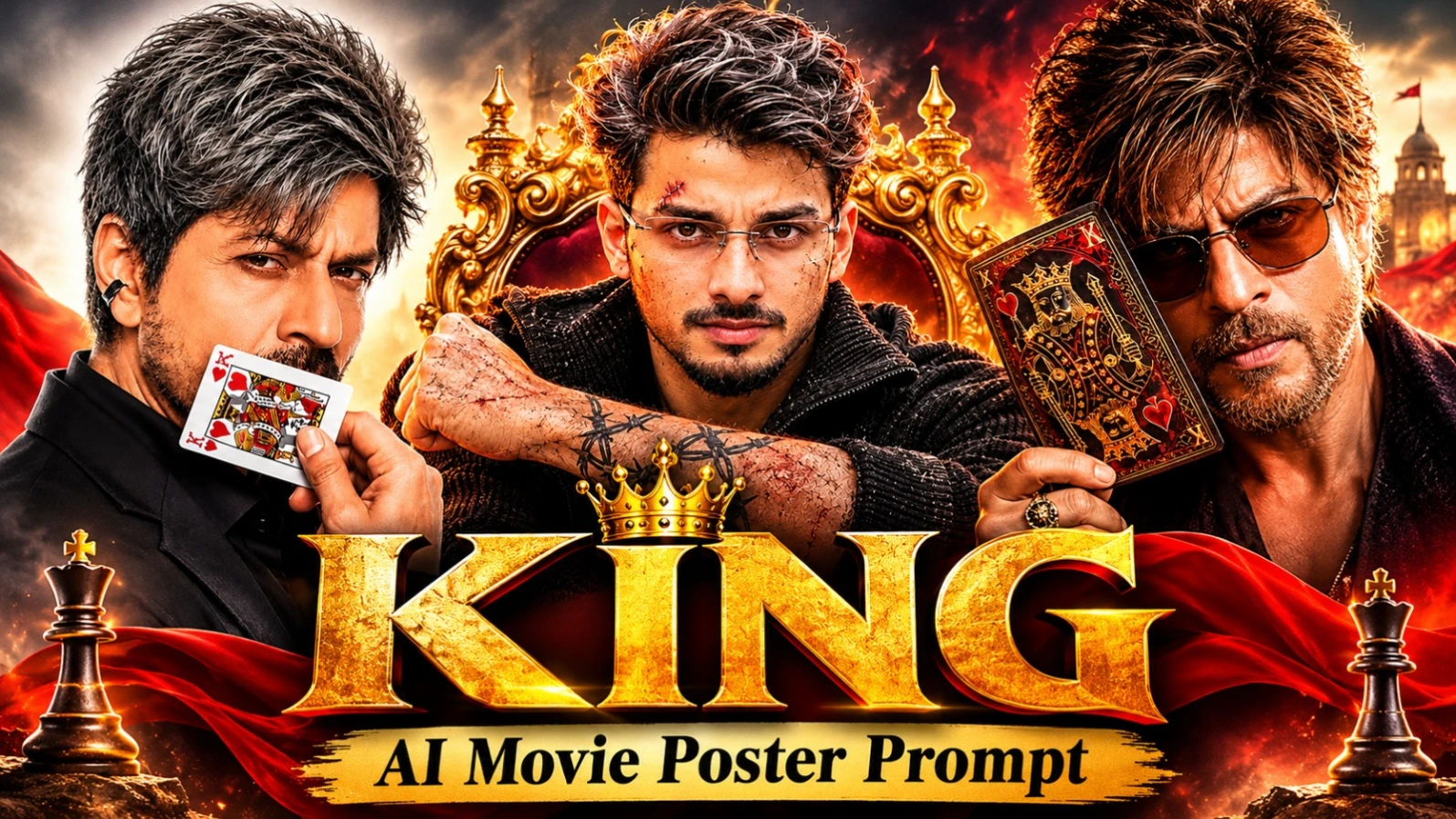
KING AI Movie Poster collection mein 3 different cinematic poster designs hain. Aap apni reference photo se King of Hearts studio poster, dark action-thriller poster aur royal golden sunset poster create kar sakte hain. Har design mein KING title, different outfit, background aur lighting style diya gaya hai.
KING AI Movie Poster Kaise Banaye
Step 1: Apni ek clear face reference photo select karein. Face aur facial details clearly visible honi chahiye.
Step 2: First poster choose karein. Ismein black blazer, King of Hearts playing card, light-grey studio background aur distressed deep-red KING title hai.
Step 3: Second poster mein black textured sweater, silver-grey hair, barbed-wire tattoos, shotgun foreground, red-orange smoke aur white KING title diya gaya hai.
Step 4: Third poster royal style mein hai. Ismein maroon-black jacket, amber aviator sunglasses, ornate King of Hearts card, gold lion-head ring aur palace sunset background hai.
Step 5: Selected prompt copy karke AI image generator mein paste karein. Apni reference photo upload karke face identity preserve karne ki instruction dein.
Step 6: Poster ke placeholder text jaise YOUR NAME, DIRECTOR NAME aur YOUR HANDLE ko apne details se replace karein.
Step 8: Final poster mein face blending, hands, card design aur text spelling inspect karein. Agar AI text galat generate kare, to photo-editing app mein manually correct karein.
8K quality desired specification hai; actual output generator par depend karta hai. NoorEditing07 watermark bhi check karein.
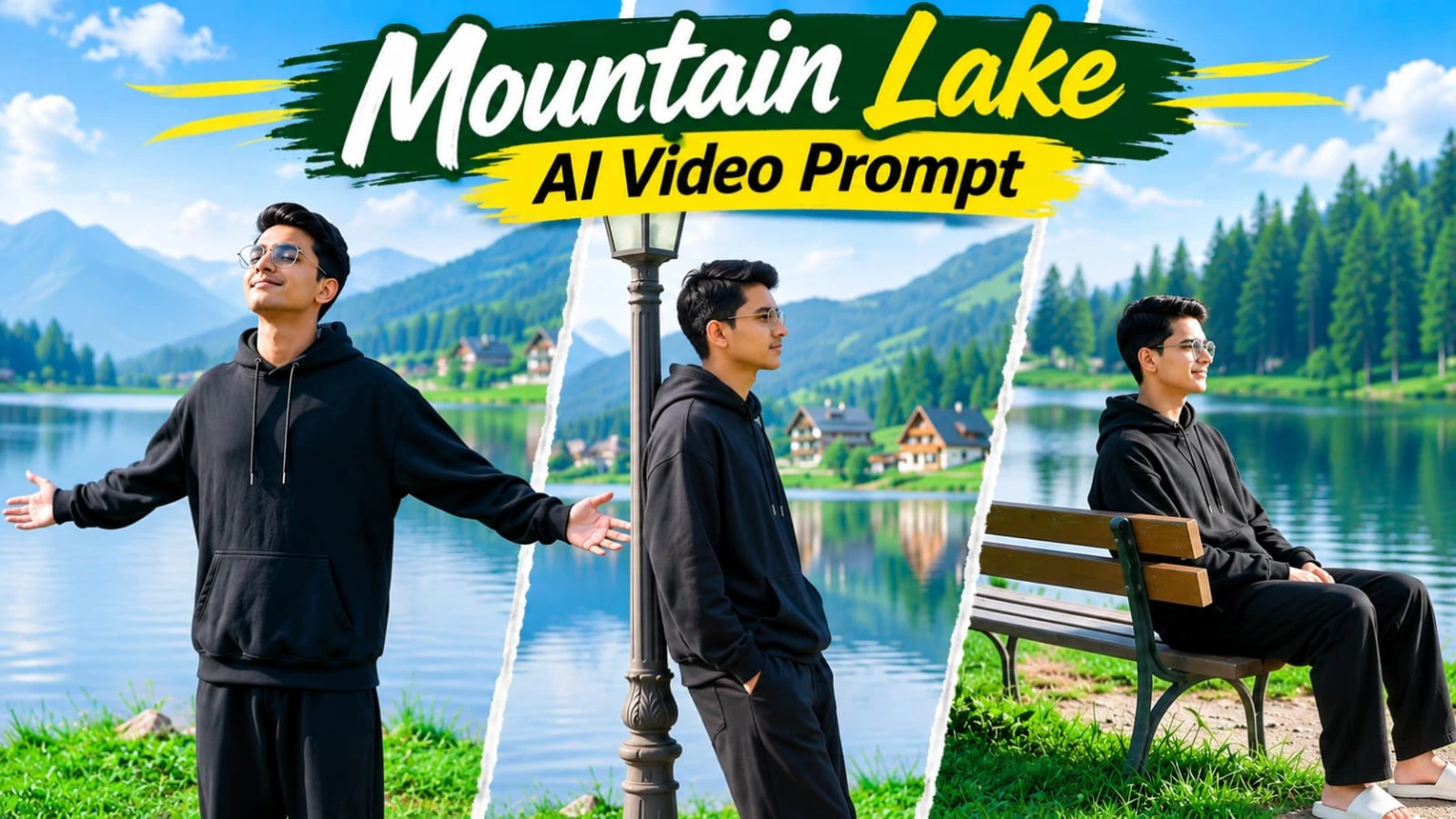
Mountain Lake AI Video Prompt – 8 Cinematic Scenes Flow AI Edit
Mountain Lake AI Video Prompt se aap ek peaceful lakeside cinematic video create kar sakte hain. Is concept mein calm lake, green grassy bank, pine forests, mountain cottages, vintage wooden bench aur old-fashioned street lamp ka beautiful environment hai. Character black oversized hoodie, loose black trousers aur white slides pehenta hai.
Mountain Lake Flow AI Video Kaise Banaye
Step 1: Apni clear reference photo select karke character sheet banayein. Face, hairstyle aur outfit har view mein same rakhein.
Step 2: Flow AI open karein aur available reference-image feature se character sheet upload karein.
Step 3: Original 8-scene video prompt copy karein. Location mein calm lake, pine forests, mountain cottages aur grassy lakeside bank rakhein.
Step 4: Scene 1 mein character wooden bench par baithkar lake dekhta hai. Scene 2 mein grassy bank par right side walk karta hai.
Step 5: Scene 3 mein bench par relax karke sky ki taraf dekhta hai. Scene 4 mein back-view ke saath mountain cottages ki taraf walk karta hai.
Step 6: Scene 5 mein vintage street lamp ke paas lean karta hai. Scene 6 mein dono arms spread karke upar dekhta hai.
Step 7: Scene 7 mein bench par wapas baithta hai aur Scene 8 mein low-angle tracking shot ke saath aage walk karta hai.
Step 8: Bright daylight, natural green colours aur soft lake reflections maintain karein.
Step 9: Video ko 16:9 widescreen format mein generate karein. Face, outfit aur scene order check karein.
8K aur 120fps target specifications hain; actual output Flow AI ki supported settings par depend karta hai.
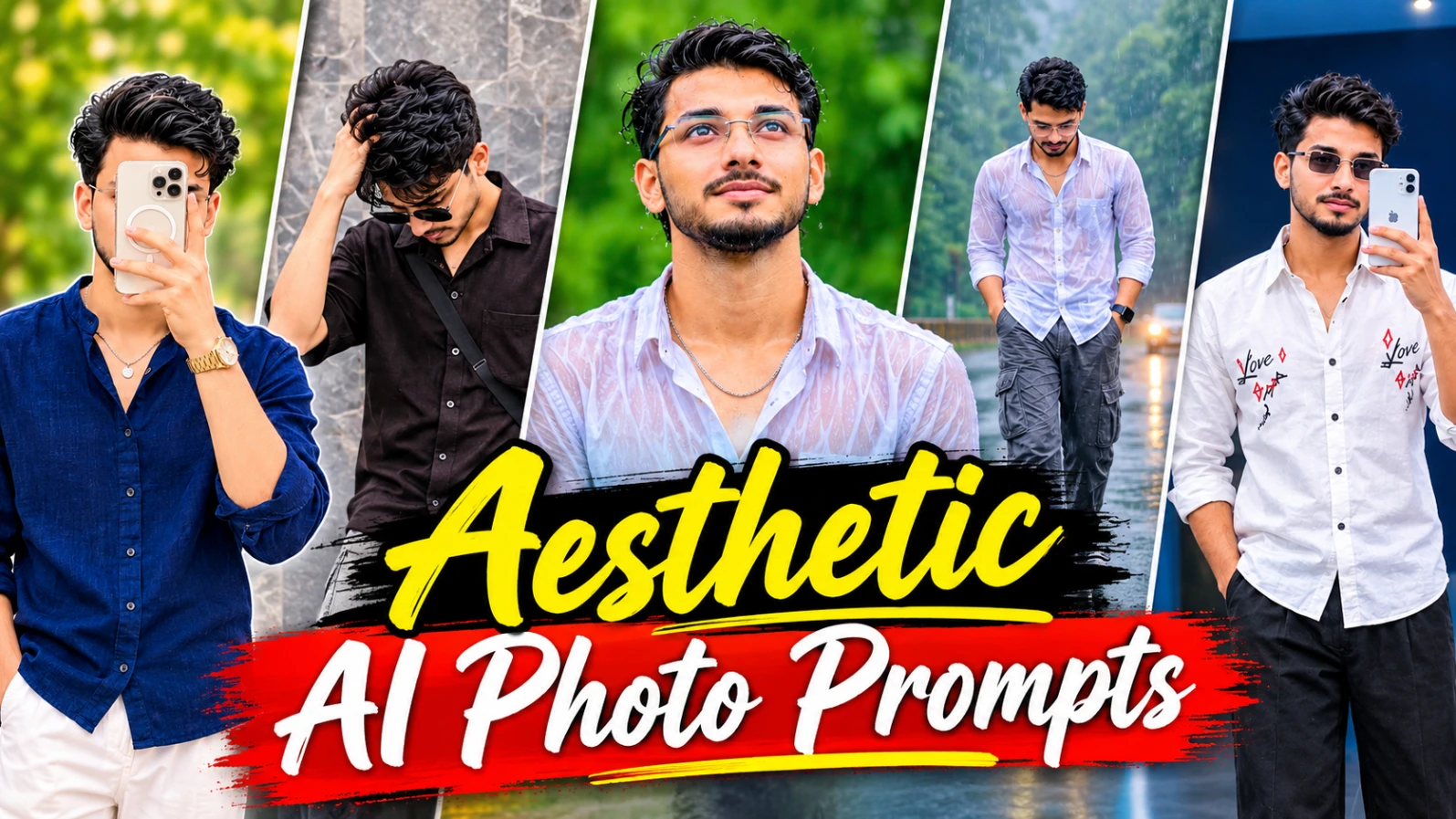
5 Aesthetic AI Photo Prompts for Instagram – Cinematic Portraits
Is collection mein Instagram ke liye 5 different aesthetic AI photo concepts diye gaye hain. Inmein Spring Vibes collage, Eyes Speak editorial poster, romantic couple collage, rainy forest lifestyle collage aur blue LED mirror selfie shamil hain. Sabhi concepts 4:5 vertical composition ke liye design kiye gaye hain.
5 Aesthetic AI Photos Kaise Banaye
Step 1: Apni clear reference photo select karein aur AI image generator mein upload karein. Face consistency ke liye same reference use karein.
Step 2: Spring Vibes concept mein deep olive-green background, navy-blue oversized shirt, white trousers aur right side par three Polaroid photos ka collage banayein.
Step 3: Eyes Speak poster ke liye greige paper-textured background, torn-paper opening mein woman's eyes aur black oversized shirt wale male cut-out ka use karein.
Step 4: Romantic couple concept mein three horizontal panels rakhein: white Rajasthani haveli courtyard, black-and-white close-up aur sunset sandstone fort rooftop.
Step 5: Rainy forest collage mein three panels use karein. White shirt mein rainy close-up, wet road par walking aur black sports motorcycle ke paas sitting pose include karein.
Step 6: Blue LED mirror selfie concept mein powder-blue room, organic-shaped mirror, electric-blue LED border, white embroidered shirt aur black wide-leg trousers rakhein.
Step 7: Har concept mein outfit, background, camera composition aur lighting details original prompt ke according maintain karein.
Step 8: Final image ko 4:5 vertical format mein generate karein. Face, hands, mirror reflection, collage panels aur text spelling check karein.
8K quality desired specification hai. Exact typography aur face consistency generator ki capabilities par depend karti hai. Zarurat par final text manually add karein.