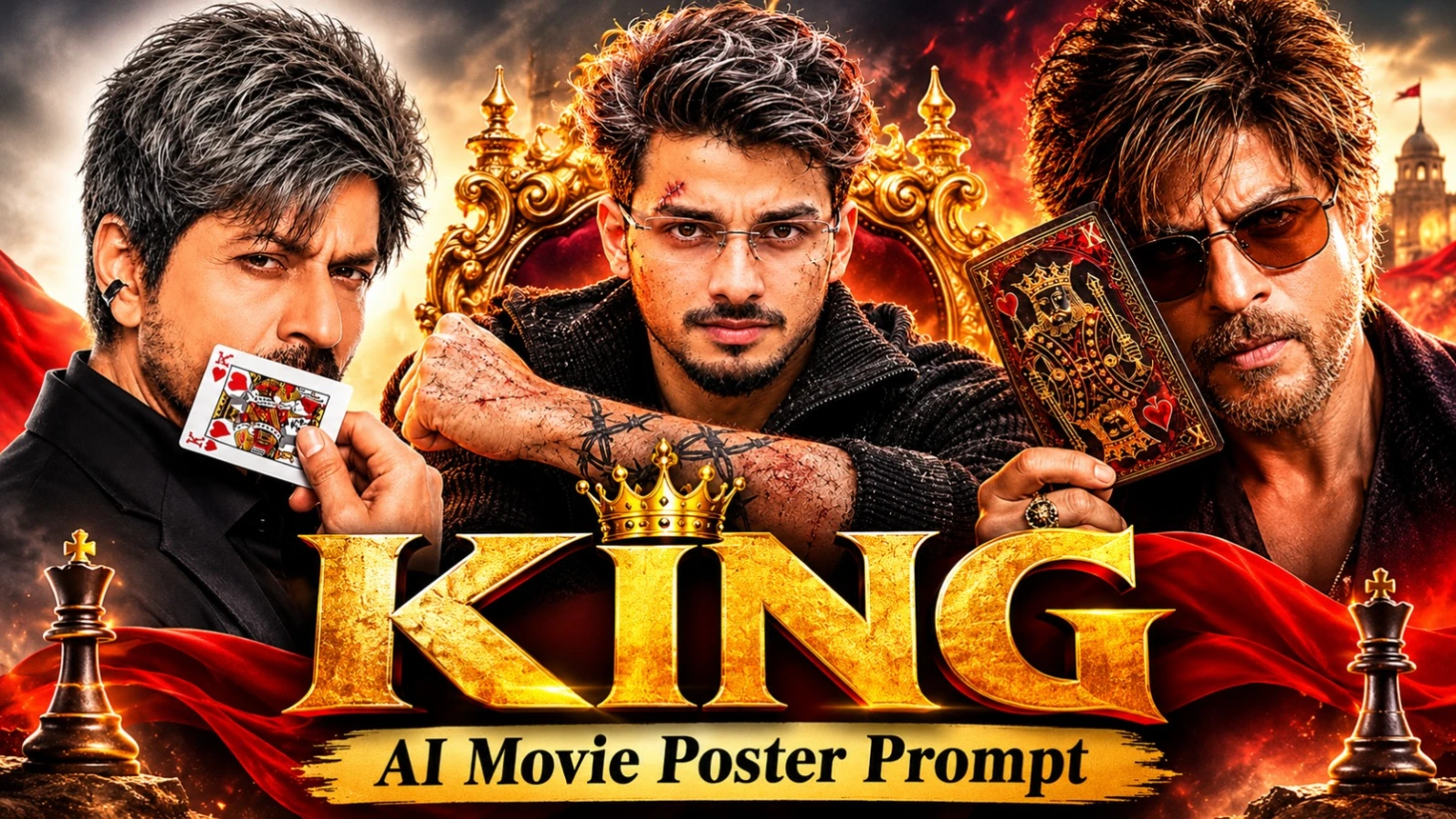
KING AI Movie Poster Prompt – Create 3 Cinematic Posters Using Your Own Photo
Want to transform your ordinary photograph into a powerful KING-themed cinematic movie poster? AI photo editing tools make it possible to create dramatic movie-poster designs with realistic facial details, premium typography, cinematic lighting, and professional-looking compositions.
In this article, you will discover three different KING AI Movie Poster Prompts designed around a single theme. Each prompt has a unique visual identity, background, outfit, pose, and title design. You can use your own reference photo to create a personalized movie-poster-style portrait.
These three designs include a stylish King of Hearts studio poster, an intense dark action-thriller poster, and a royal golden sunset poster. All three use the word KING as the main title, but each presents it with a different cinematic atmosphere.
Why Choose a KING Cinematic AI Poster?
Movie posters are known for their dramatic portraits, bold typography, powerful expressions, and carefully designed lighting. The KING concept combines these elements to create a strong visual identity.
Instead of creating a simple portrait with a plain background, these prompts describe complete movie-poster compositions. They include the subject's appearance, clothing, camera angle, hand position, background details, lighting direction, color grading, and exact text placement.
The reference photo acts as the identity guide. The prompt instructs the AI tool to preserve the original person's facial appearance while creating a new cinematic environment around them.
Actual face consistency depends on the image-generation platform, its reference-image features, and the quality of the uploaded photograph.
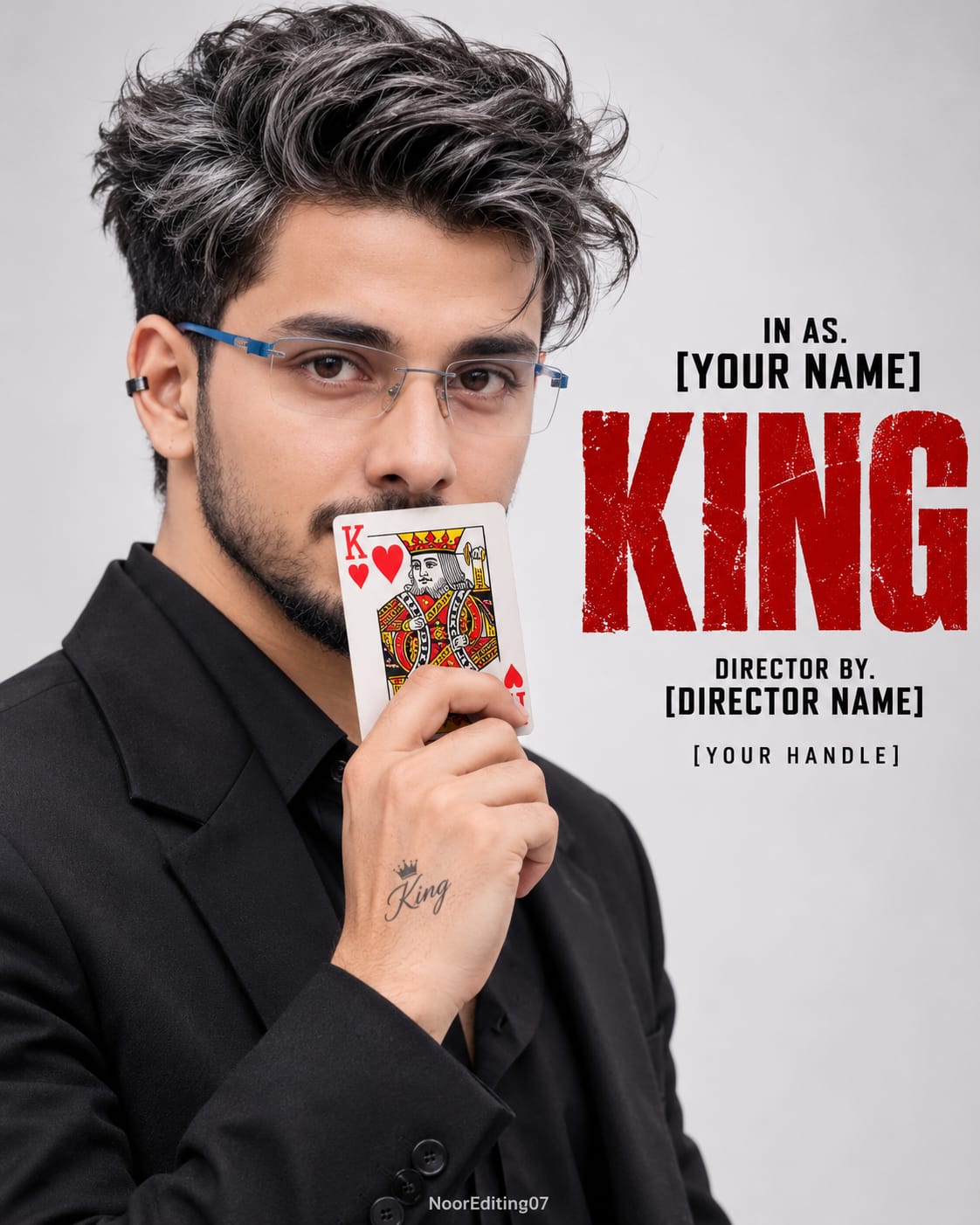
Poster 1: King of Hearts – Minimal Studio Movie Poster
The first design features a man wearing a black blazer with a black collared shirt underneath. His body is turned toward the left in a side-profile position, while his face looks directly toward the camera with an intense and serious expression.
His messy, voluminous salt-and-pepper grey hair gives the portrait a distinctive cinematic appearance. A small black metal ear cuff adds another subtle detail.
The most important visual element is the King of Hearts playing card. The man holds the card against his lower face, covering his mouth and chin. His fingers grip the card from below, creating a mysterious and dramatic composition.
The background is intentionally simple, featuring a soft light-grey or off-white studio gradient. This clean background allows the subject and typography to stand out.
On the right side, large distressed deep-red letters display the main title KING. Smaller black text elements appear above and below the title, following the requested poster layout.
This design is suitable for creators who prefer a clean, premium, editorial movie-poster appearance with a strong playing-card theme.
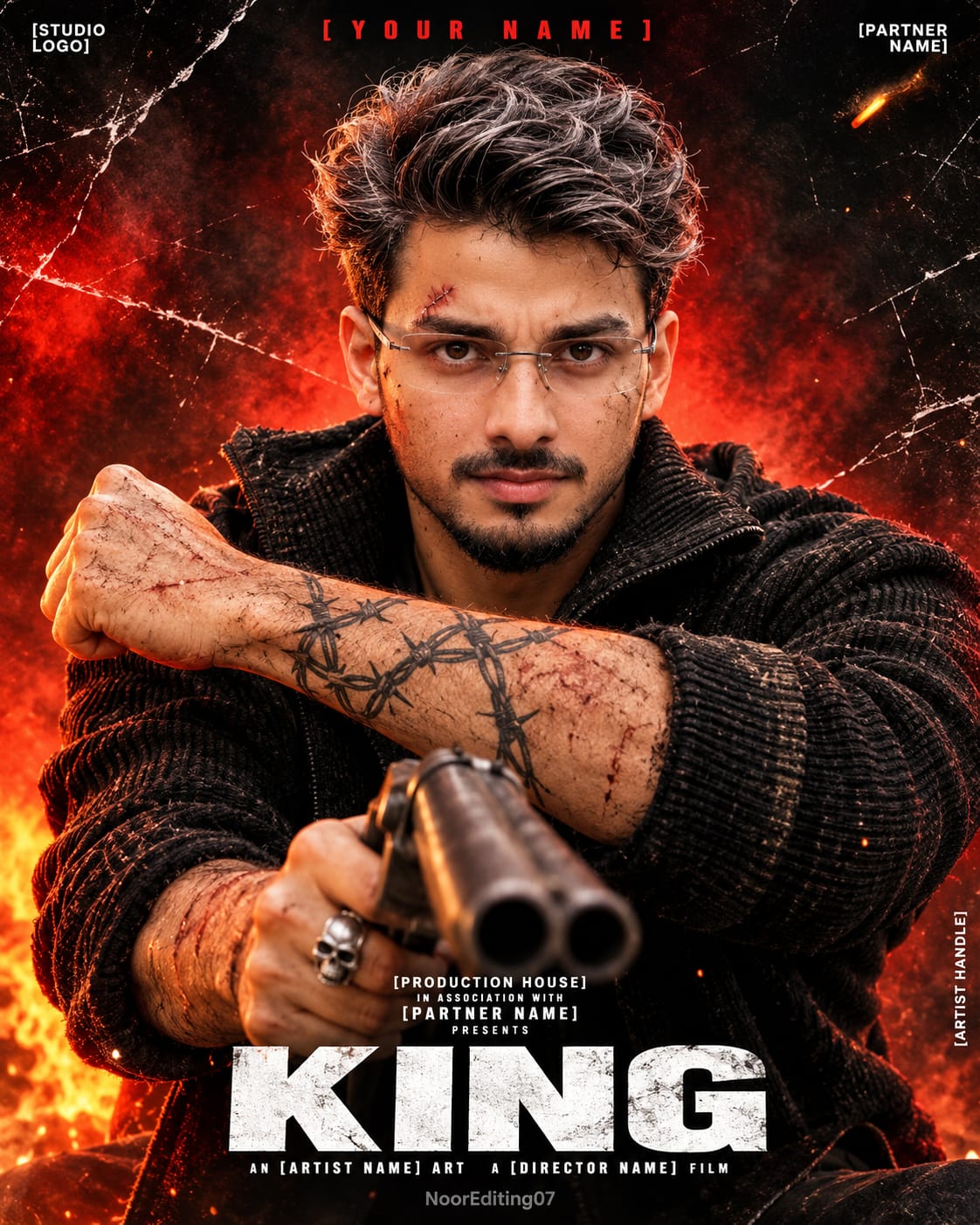
Poster 2: Dark Action-Thriller KING Poster
The second design takes a completely different direction. It creates a rugged action-movie atmosphere with dramatic lighting, fiery red and orange tones, and a smoky background.
The man has messy silver-grey and white hair, a rough salt-and-pepper beard, intense eyes, and a serious expression. A small scar and stitch mark above one eyebrow add to the action-thriller appearance.
He wears a black textured knit jacket or sweater. One forearm is raised horizontally across the composition, showing barbed-wire and thorn-style tattoos, veins, bruises, and scratches.
A double-barrel shotgun appears in the foreground, pointing toward the viewer. The other hand includes a silver skull-style ring.
The background features red smoke, glowing embers, fiery light, cracked-glass scratch details, and a gritty cinematic texture. These elements create the atmosphere of a dramatic action-film poster.
The main title KING appears in large white block letters near the bottom center. Additional production credits and placeholder text complete the movie-poster layout.
This design is intended for creators who want a powerful action-thriller aesthetic rather than a clean studio portrait.
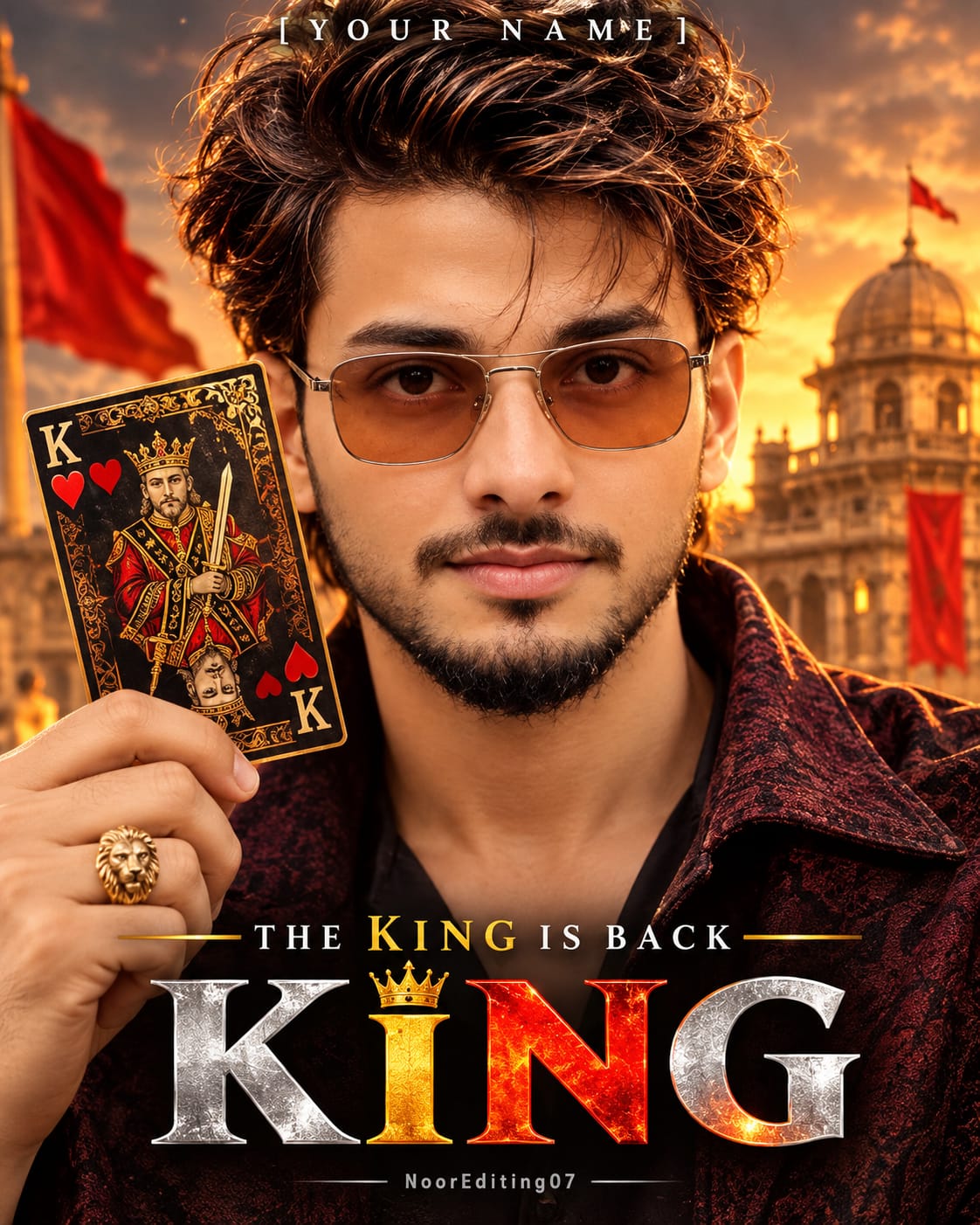
Poster 3: Royal KING Poster – Golden Sunset and Palace Background
The third design combines royal styling with a dramatic sunset atmosphere.
The subject has voluminous warm-brown hair with golden-caramel highlights, salt-and-pepper facial hair, and tinted aviator-style sunglasses with amber-brown lenses.
He wears a dark maroon-black textured jacket over a dark shirt. His face fills most of the composition, creating an extreme close-up cinematic portrait.
On the left side, he holds an ornate King of Hearts playing card near his face. The card features black and deep-red colors, intricate gold filigree, a crowned king illustration, red hearts, and gold corner markings.
A gold lion-head ring adds another premium detail to the hand holding the card.
The background presents a golden-orange sunset sky with dark clouds and a historic dome-topped palace or building tower on the right. Red banners and flags create a royal atmosphere, while the blurred lights and smoky environment add depth.
The title KING uses a metallic visual treatment, combining silver-white, gold, and fiery red-orange colors. A small golden crown above the letter I completes the royal theme.
The phrase THE KING IS BACK appears above the main title, with KING highlighted in gold.
This poster is ideal for creators who want a royal, dramatic, and premium action-drama appearance.
Importance of Face Identity and Seamless Blending
All three prompts place special emphasis on using the uploaded reference photo for the subject's identity.
The instructions request consistent facial appearance, natural skin texture, and seamless blending between the face, neck, and body. This is important because a movie-poster design can look unrealistic if the face appears pasted onto a different body.
The prompts also describe natural pores, realistic hands, correct fingers, and believable fabric folds.
For better results, upload a clear photograph with a visible face and sufficient detail. A front-facing or slightly angled photograph can help, depending on the intended poster composition.
Remember that instructions such as 100% face lock and 8K quality describe the desired result. Actual identity preservation and image resolution depend on the selected AI platform and its available features.
How Typography Makes the KING Poster Stand Out
Typography is one of the most important elements in these designs.
Each poster uses a different title treatment:
Poster 1: Large distressed deep-red KING lettering.
Poster 2: Large bold white KING lettering.
Poster 3: Premium metallic silver, gold, and fiery red-orange KING lettering.
The additional text elements help the design resemble a professionally structured movie poster. They include director credits, artist names, production information, partner names, and social media handles.
The square-bracket placeholders, such as YOUR NAME, DIRECTOR NAME, and STUDIO LOGO, are intended to be replaced with the creator's own details before generating the final design.
AI image generators may sometimes produce spelling errors or imperfect lettering. If exact typography is important, you can generate the poster artwork first and add the final text manually in a photo-editing application.
Lighting and Color Grading
Each poster uses a different lighting setup.
The first design uses bright, high-key studio lighting with gentle shadows and a light-grey background.
The second design uses harsh cinematic lighting with strong orange-red rim light, deep blacks, smoky shadows, and gritty film texture.
The third design uses warm golden sunset lighting, rich crimson tones, metallic highlights, and dramatic shadows.
These lighting differences help each poster develop its own identity while maintaining the common KING movie-poster theme.
Final Thoughts
These three KING AI Movie Poster Prompts offer different ways to transform a reference photograph into a cinematic poster design.
Choose the King of Hearts studio style for a mysterious portrait, the dark action-thriller style for an aggressive movie look, or the golden sunset royal style for a premium KING-themed poster.
Use the appropriate prompt with your reference photo, customize the placeholder names and handles, and generate your preferred design. The final result can be used as a creative social media poster, profile artwork, or personalized movie-poster concept.
AI Photo Prompt
✦AI PHOTO PROMPT
Ultra-realistic 8K cinematic movie poster, aspect ratio 4:5 vertical. Close-up portrait of a man with messy salt-and-pepper grey hair swept up, holding a King of Hearts playing card against his mouth and chin. Wearing a black blazer over a black shirt with a small ear cuff. Clean light-grey studio background with right-side text layout featuring distressed grunge red title "KING". Watermark: NoorEditing07.
Use the attached reference photo for the face and identity. Keep the face 100% the same as the reference photo.
Create an ultra-realistic, ultra-detailed 8K quality cinematic movie poster (aspect ratio 4:5, vertical, razor-sharp, no blur or artifacts, holds up perfectly when zoomed in) of a man in a dramatic close-up portrait.
SUBJECT: Messy, voluminous, textured salt-and-pepper grey hair swept up and slightly forward with loose strands falling over the forehead. Intense, serious, slightly squinting eyes with a sharp brooding gaze, thick dark eyebrows, medium stubble beard and moustache. A small black metal ear cuff clipped on the ear. Wearing a black blazer with a black collared shirt underneath, slightly open at the collar.
POSE & CAMERA: Close-up, chest-up portrait. His body is turned to the left in a side profile, while his face turns toward the camera with an intense stare. He holds a King of Hearts playing card in his right hand, pressed against his lower face so it covers his mouth and chin, fingers gripping the card from below. A small faint text tattoo on the back of his hand. Eye-level, studio portrait framing, face on the left half of the frame, 85mm lens look, shallow depth of field.
BACKGROUND: Clean, plain, soft light-grey / off-white seamless studio background with a subtle gradient. Nothing else in the background.
POSTER TEXT LAYOUT (right side of the frame, exact placement):
- Small bold black uppercase text: "IN AS."
- Below it, bold black uppercase text: "[YOUR NAME]"
- Very large, heavy, distressed grunge-textured deep red block letters: "KING" (the main title, spanning the right half)
- Below it, small bold black uppercase text: "DIRECTOR BY."
- Below it, bold black uppercase text: "[DIRECTOR NAME]"
- Small thin black text: "[YOUR HANDLE]"
All text sharp, clean, perfectly spelled, evenly aligned.
LIGHTING & COLOR GRADING: Soft, bright, high-key studio lighting from the front-left, gentle shadows on the right side of the face, same light direction, warmth and shadow on face, hand, clothes and background. Natural warm skin tones, high contrast, deep rich blacks on the blazer, crisp detail in the grey hair, premium cinematic movie-poster grade with a slightly desaturated look except the red title and the red card.
SEAMLESS BLENDING: Face and body must blend perfectly, with no pasted or cut-paste look. Neck, jawline and skin tone match naturally across the whole body, no visible seam, edge or mismatch. Consistent skin texture and sharpness everywhere, natural pores, realistic hand with correct fingers, natural fabric folds on the blazer.
Watermark: Very small, subtle semi-transparent white text "NoorEditing07" at the bottom center.
Do not change anything in the outfit, hairstyle, pose, card, background, text layout, camera angle or color grading. Exact replica of the reference poster.
✓
Prompt copied to clipboard!
AI Photo Prompt
✦AI PHOTO PROMPT
Ultra-realistic 8K cinematic movie poster, aspect ratio 4:5 vertical. Close-up portrait of a man with messy salt-and-pepper grey hair swept up, holding a King of Hearts playing card against his mouth and chin. Wearing a black blazer over a black shirt with a small ear cuff. Clean light-grey studio background with right-side text layout featuring distressed grunge red title "KING". Watermark: NoorEditing07.
Use the attached reference photo for the face and identity. Keep the face 100% the same as the reference photo.
Create an ultra-realistic, ultra-detailed 8K quality cinematic movie poster (aspect ratio 4:5, vertical, razor-sharp, no blur or artifacts, holds up perfectly when zoomed in) of a man in a dramatic close-up portrait.
SUBJECT: Messy, voluminous, textured salt-and-pepper grey hair swept up and slightly forward with loose strands falling over the forehead. Intense, serious, slightly squinting eyes with a sharp brooding gaze, thick dark eyebrows, medium stubble beard and moustache. A small black metal ear cuff clipped on the ear. Wearing a black blazer with a black collared shirt underneath, slightly open at the collar.
POSE & CAMERA: Close-up, chest-up portrait. His body is turned to the left in a side profile, while his face turns toward the camera with an intense stare. He holds a King of Hearts playing card in his right hand, pressed against his lower face so it covers his mouth and chin, fingers gripping the card from below. A small faint text tattoo on the back of his hand. Eye-level, studio portrait framing, face on the left half of the frame, 85mm lens look, shallow depth of field.
BACKGROUND: Clean, plain, soft light-grey / off-white seamless studio background with a subtle gradient. Nothing else in the background.
POSTER TEXT LAYOUT (right side of the frame, exact placement):
- Small bold black uppercase text: "IN AS."
- Below it, bold black uppercase text: "[YOUR NAME]"
- Very large, heavy, distressed grunge-textured deep red block letters: "KING" (the main title, spanning the right half)
- Below it, small bold black uppercase text: "DIRECTOR BY."
- Below it, bold black uppercase text: "[DIRECTOR NAME]"
- Small thin black text: "[YOUR HANDLE]"
All text sharp, clean, perfectly spelled, evenly aligned.
LIGHTING & COLOR GRADING: Soft, bright, high-key studio lighting from the front-left, gentle shadows on the right side of the face, same light direction, warmth and shadow on face, hand, clothes and background. Natural warm skin tones, high contrast, deep rich blacks on the blazer, crisp detail in the grey hair, premium cinematic movie-poster grade with a slightly desaturated look except the red title and the red card.
SEAMLESS BLENDING: Face and body must blend perfectly, with no pasted or cut-paste look. Neck, jawline and skin tone match naturally across the whole body, no visible seam, edge or mismatch. Consistent skin texture and sharpness everywhere, natural pores, realistic hand with correct fingers, natural fabric folds on the blazer.
Watermark: Very small, subtle semi-transparent white text "NoorEditing07" at the bottom center.
Do not change anything in the outfit, hairstyle, pose, card, background, text layout, camera angle or color grading. Exact replica of the reference poster.
✓
Prompt copied to clipboard!
AI Photo Prompt
✦AI PHOTO PROMPT
Ultra-realistic 8K cinematic action movie poster, aspect ratio 4:5 vertical. Intense close-up of a rugged man with messy silver-grey hair, angry expression, scar above eyebrow, and weathered skin with sweat and dirt. Wearing a heavy ribbed knit black sweater. Raised forearm showing barbed-wire tattoos and bruises, with a double-barrel shotgun pointed forward in the foreground. Fiery red-orange smoke and grunge background. Action-thriller title "KING". Watermark: NoorEditing07.
Use the attached reference photo for the face and identity. Keep the face 100% the same as the reference photo.
Create an ultra-realistic, ultra-detailed 8K quality cinematic action movie poster (aspect ratio 4:5, vertical, razor-sharp, no blur or artifacts, holds up perfectly when zoomed in) of a rugged man in an intense, aggressive close-up.
SUBJECT: Messy, textured, silver-grey and white hair, rough and tousled, swept back with loose strands on the forehead. Fierce, angry, brooding expression with a deep scowl, intense glaring eyes, heavy furrowed brows, a fresh scar/cut with a small stitch mark above one eyebrow, grey-salt-and-pepper stubble and moustache, weathered rugged skin with dirt, sweat and small scratches. Wearing a black heavy-textured ribbed knit jacket/sweater with a rugged, worn look.
POSE & CAMERA: Chest-up, dynamic low-to-eye-level action pose. His body is leaning forward toward the camera, one muscular forearm raised horizontally across the frame with the fist clenched on the left side, showing dark barbed-wire and thorn-style tattoos, veins, bruises, dirt and scratches on the forearm. His face is tilted down slightly, glaring at the camera with a menacing stare. In the foreground at the bottom center, a double-barrel shotgun is pointed toward the viewer, slightly out of focus, held by his other hand wearing a silver skull-style ring. Wide-angle 35mm dramatic lens look, shallow depth of field on the foreground gun.
BACKGROUND: Dark, smoky, dramatic background with glowing fiery red and orange light behind his head, red smoke and splatters, white cracked-glass / torn-paper scratch lines streaking across the frame, floating embers and sparks, a blurred burning flame in the bottom-left corner and a small flying ember in the top-right. Gritty grunge texture overlay, vignette on the edges.
POSTER TEXT LAYOUT (exact placement):
- Top center, small red wide-spaced bold uppercase text: "[YOUR NAME]"
- Top-left corner: small studio logo placeholder "[STUDIO LOGO]"
- Top-right corner: small text "[PARTNER NAME]"
- Bottom center, small white bold uppercase text: "[PRODUCTION HOUSE]", below it tiny text "IN ASSOCIATION WITH", then "[PARTNER NAME]", then "PRESENTS"
- Very large, bold, clean white block letters: "KING" (main title, bottom center)
- Below the title, small white text: "AN [ARTIST NAME] ART" and "A [DIRECTOR NAME] FILM"
- Tiny vertical text on the right edge: "[ARTIST HANDLE]"
All text sharp, clean, perfectly spelled, evenly aligned.
LIGHTING & COLOR GRADING: Harsh dramatic cinematic lighting. Strong warm orange-red rim light and glow from behind and the left, hitting the face, arm and jacket edges. Same light direction, warmth and shadow on face, arm, clothes and background. Deep crushed blacks, rich red and orange tones, golden-brown skin highlights, gritty high-contrast, slightly desaturated except the reds, heavy film grain, premium action-thriller movie poster grade.
SEAMLESS BLENDING: Face and body must blend perfectly, with no pasted or cut-paste look. Neck, jawline and skin tone match naturally across the whole body, no visible seam, edge or mismatch. Consistent skin texture and sharpness everywhere, natural pores, realistic hands and tattoos with correct fingers, natural fabric folds and knit texture on the jacket.
Watermark: Very small, subtle semi-transparent white text "NoorEditing07" at the bottom center.
Do not change anything in the outfit, hairstyle, pose, gun, tattoos, background, text layout, camera angle or color grading. Exact replica of the reference poster.
✓
Prompt copied to clipboard!
AI Photo Prompt
✦AI PHOTO PROMPT
Ultra-realistic 8K cinematic action movie poster, aspect ratio 4:5 vertical. Intense close-up of a rugged man with messy silver-grey hair, angry expression, scar above eyebrow, and weathered skin with sweat and dirt. Wearing a heavy ribbed knit black sweater. Raised forearm showing barbed-wire tattoos and bruises, with a double-barrel shotgun pointed forward in the foreground. Fiery red-orange smoke and grunge background. Action-thriller title "KING". Watermark: NoorEditing07.
Use the attached reference photo for the face and identity. Keep the face 100% the same as the reference photo.
Create an ultra-realistic, ultra-detailed 8K quality cinematic action movie poster (aspect ratio 4:5, vertical, razor-sharp, no blur or artifacts, holds up perfectly when zoomed in) of a rugged man in an intense, aggressive close-up.
SUBJECT: Messy, textured, silver-grey and white hair, rough and tousled, swept back with loose strands on the forehead. Fierce, angry, brooding expression with a deep scowl, intense glaring eyes, heavy furrowed brows, a fresh scar/cut with a small stitch mark above one eyebrow, grey-salt-and-pepper stubble and moustache, weathered rugged skin with dirt, sweat and small scratches. Wearing a black heavy-textured ribbed knit jacket/sweater with a rugged, worn look.
POSE & CAMERA: Chest-up, dynamic low-to-eye-level action pose. His body is leaning forward toward the camera, one muscular forearm raised horizontally across the frame with the fist clenched on the left side, showing dark barbed-wire and thorn-style tattoos, veins, bruises, dirt and scratches on the forearm. His face is tilted down slightly, glaring at the camera with a menacing stare. In the foreground at the bottom center, a double-barrel shotgun is pointed toward the viewer, slightly out of focus, held by his other hand wearing a silver skull-style ring. Wide-angle 35mm dramatic lens look, shallow depth of field on the foreground gun.
BACKGROUND: Dark, smoky, dramatic background with glowing fiery red and orange light behind his head, red smoke and splatters, white cracked-glass / torn-paper scratch lines streaking across the frame, floating embers and sparks, a blurred burning flame in the bottom-left corner and a small flying ember in the top-right. Gritty grunge texture overlay, vignette on the edges.
POSTER TEXT LAYOUT (exact placement):
- Top center, small red wide-spaced bold uppercase text: "[YOUR NAME]"
- Top-left corner: small studio logo placeholder "[STUDIO LOGO]"
- Top-right corner: small text "[PARTNER NAME]"
- Bottom center, small white bold uppercase text: "[PRODUCTION HOUSE]", below it tiny text "IN ASSOCIATION WITH", then "[PARTNER NAME]", then "PRESENTS"
- Very large, bold, clean white block letters: "KING" (main title, bottom center)
- Below the title, small white text: "AN [ARTIST NAME] ART" and "A [DIRECTOR NAME] FILM"
- Tiny vertical text on the right edge: "[ARTIST HANDLE]"
All text sharp, clean, perfectly spelled, evenly aligned.
LIGHTING & COLOR GRADING: Harsh dramatic cinematic lighting. Strong warm orange-red rim light and glow from behind and the left, hitting the face, arm and jacket edges. Same light direction, warmth and shadow on face, arm, clothes and background. Deep crushed blacks, rich red and orange tones, golden-brown skin highlights, gritty high-contrast, slightly desaturated except the reds, heavy film grain, premium action-thriller movie poster grade.
SEAMLESS BLENDING: Face and body must blend perfectly, with no pasted or cut-paste look. Neck, jawline and skin tone match naturally across the whole body, no visible seam, edge or mismatch. Consistent skin texture and sharpness everywhere, natural pores, realistic hands and tattoos with correct fingers, natural fabric folds and knit texture on the jacket.
Watermark: Very small, subtle semi-transparent white text "NoorEditing07" at the bottom center.
Do not change anything in the outfit, hairstyle, pose, gun, tattoos, background, text layout, camera angle or color grading. Exact replica of the reference poster.
✓
Prompt copied to clipboard!
AI Photo Prompt
✦AI PHOTO PROMPT
Ultra-realistic 8K cinematic movie poster, aspect ratio 4:5 vertical. Intense extreme close-up portrait of a man with layered warm brown hair and golden-caramel highlights, tinted aviator sunglasses, and a salt-and-pepper stubble beard. He holds up a large ornate King of Hearts playing card with gold filigree and a lion-head ring on his finger. Dramatic golden-orange sunset backdrop with historic palace towers and banners. Premium movie poster typography with title "KING". Watermark: NoorEditing07.
Use the attached reference photo for the face and identity. Keep the face 100% the same as the reference.
Create an ultra-realistic, ultra-detailed 8K quality cinematic movie poster (aspect ratio 4:5, vertical, razor-sharp, no blur or artifacts, holds up perfectly when zoomed in) of a man in an intense, dramatic extreme close-up portrait.
SUBJECT: Messy, voluminous, shoulder-grazing layered hair in warm brown with golden-caramel highlights, tousled and swept forward with loose strands falling over the forehead. Intense, serious, brooding expression, thick dark eyebrows, a strong stare through the glasses, medium salt-and-pepper stubble beard and moustache. Wearing tinted aviator-style sunglasses with thin metal frames and warm amber-brown lenses. Wearing a dark maroon-black textured jacket with the collar open over a dark shirt, partially visible at the right edge of the frame.
POSE & CAMERA: Extreme close-up, face fills most of the frame. Face slightly tilted, looking straight into the camera. On the left side, he holds up a large ornate King of Hearts playing card close to his face, tilted at an angle and partly cropped by the frame edge. The card is dark black-and-deep-red with intricate gold filigree borders, a crowned king with a sword/scepter in the center, small red hearts, and gold "K" corner marks. His hand holds the card from the bottom-left corner, wearing a gold lion-head ring on the finger. Eye-level, 85mm lens look, shallow depth of field.
BACKGROUND: Dramatic, blurred epic cinematic backdrop: a golden-orange sunset sky with dark clouds, a grand old historic dome-topped palace/building tower on the right with a flag on top, red banners and flags waving on the left and right, warm glowing lights, smoky atmosphere. Everything softly out of focus with strong bokeh.
POSTER TEXT LAYOUT (exact placement):
- Top center, small wide-spaced white serif uppercase text: "[YOUR NAME]"
- Lower middle, centered, small uppercase text: "THE KING IS BACK" with "KING" highlighted in gold, flanked by thin gold lines on each side
- Bottom center, very large, bold title "KING": the "K" and the "N" in shiny silver-white metallic, the "I" in gold with a small gold crown above it, the "N" and "G" in fiery red-orange gradient, with a smaller gold crown icon beside the main crown
All text sharp, clean, perfectly spelled, evenly aligned, with a premium metallic finish.
LIGHTING & COLOR GRADING: Warm golden-orange rim light from the right and behind (sunset glow) hitting the hair, cheek and jaw, with soft deep shadows on the left side of the face. Same light direction, warmth and shadow on face, hand, card, clothes and background. Rich golden highlights, deep crimson reds, crushed dark blacks at the bottom, warm skin tones, high contrast, glossy premium cinematic action-drama movie-poster grade, subtle film grain, soft vignette.
SEAMLESS BLENDING: Face and body must blend perfectly, with no pasted or cut-paste look. Neck, jawline and skin tone match naturally across the whole body, no visible seam, edge or mismatch. Consistent skin texture and sharpness everywhere, natural pores, realistic hand with correct fingers, natural fabric folds on the jacket.
Watermark: Very small, subtle semi-transparent white text "NoorEditing07" at the bottom center.
Do not change anything in the outfit, hairstyle, sunglasses, pose, card, background, text layout, camera angle or color grading. Exact replica of the reference poster.
✓
Prompt copied to clipboard!
AI Photo Prompt
✦AI PHOTO PROMPT
Ultra-realistic 8K cinematic movie poster, aspect ratio 4:5 vertical. Intense extreme close-up portrait of a man with layered warm brown hair and golden-caramel highlights, tinted aviator sunglasses, and a salt-and-pepper stubble beard. He holds up a large ornate King of Hearts playing card with gold filigree and a lion-head ring on his finger. Dramatic golden-orange sunset backdrop with historic palace towers and banners. Premium movie poster typography with title "KING". Watermark: NoorEditing07.
Use the attached reference photo for the face and identity. Keep the face 100% the same as the reference.
Create an ultra-realistic, ultra-detailed 8K quality cinematic movie poster (aspect ratio 4:5, vertical, razor-sharp, no blur or artifacts, holds up perfectly when zoomed in) of a man in an intense, dramatic extreme close-up portrait.
SUBJECT: Messy, voluminous, shoulder-grazing layered hair in warm brown with golden-caramel highlights, tousled and swept forward with loose strands falling over the forehead. Intense, serious, brooding expression, thick dark eyebrows, a strong stare through the glasses, medium salt-and-pepper stubble beard and moustache. Wearing tinted aviator-style sunglasses with thin metal frames and warm amber-brown lenses. Wearing a dark maroon-black textured jacket with the collar open over a dark shirt, partially visible at the right edge of the frame.
POSE & CAMERA: Extreme close-up, face fills most of the frame. Face slightly tilted, looking straight into the camera. On the left side, he holds up a large ornate King of Hearts playing card close to his face, tilted at an angle and partly cropped by the frame edge. The card is dark black-and-deep-red with intricate gold filigree borders, a crowned king with a sword/scepter in the center, small red hearts, and gold "K" corner marks. His hand holds the card from the bottom-left corner, wearing a gold lion-head ring on the finger. Eye-level, 85mm lens look, shallow depth of field.
BACKGROUND: Dramatic, blurred epic cinematic backdrop: a golden-orange sunset sky with dark clouds, a grand old historic dome-topped palace/building tower on the right with a flag on top, red banners and flags waving on the left and right, warm glowing lights, smoky atmosphere. Everything softly out of focus with strong bokeh.
POSTER TEXT LAYOUT (exact placement):
- Top center, small wide-spaced white serif uppercase text: "[YOUR NAME]"
- Lower middle, centered, small uppercase text: "THE KING IS BACK" with "KING" highlighted in gold, flanked by thin gold lines on each side
- Bottom center, very large, bold title "KING": the "K" and the "N" in shiny silver-white metallic, the "I" in gold with a small gold crown above it, the "N" and "G" in fiery red-orange gradient, with a smaller gold crown icon beside the main crown
All text sharp, clean, perfectly spelled, evenly aligned, with a premium metallic finish.
LIGHTING & COLOR GRADING: Warm golden-orange rim light from the right and behind (sunset glow) hitting the hair, cheek and jaw, with soft deep shadows on the left side of the face. Same light direction, warmth and shadow on face, hand, card, clothes and background. Rich golden highlights, deep crimson reds, crushed dark blacks at the bottom, warm skin tones, high contrast, glossy premium cinematic action-drama movie-poster grade, subtle film grain, soft vignette.
SEAMLESS BLENDING: Face and body must blend perfectly, with no pasted or cut-paste look. Neck, jawline and skin tone match naturally across the whole body, no visible seam, edge or mismatch. Consistent skin texture and sharpness everywhere, natural pores, realistic hand with correct fingers, natural fabric folds on the jacket.
Watermark: Very small, subtle semi-transparent white text "NoorEditing07" at the bottom center.
Do not change anything in the outfit, hairstyle, sunglasses, pose, card, background, text layout, camera angle or color grading. Exact replica of the reference poster.
How to Create a KING AI Movie Poster Using Your Own Photo
You can create a cinematic KING movie poster using an AI image generator and your own reference photograph. This tutorial explains how to prepare your image, choose one of the three poster styles, customize the text, and generate your final design.
Step 1: Select Your Reference Photo
First, choose a clear photograph of yourself. Your face should be visible, sharp, and properly illuminated.
For better results, use a photograph with:
Clear facial details.
Natural skin texture.
Good lighting.
Minimal motion blur.
A visible face and hairstyle.
The AI tool will use this image as a reference for the subject's identity.
Step 2: Open an AI Image Generator
Open your preferred AI image-generation platform. Select an image-generation feature that supports reference photo uploads, if available.
Upload your photograph and check that the correct image is selected as the identity reference.
Step 3: Choose Your KING Poster Style
There are three different poster designs in this article.
Style 1 – King of Hearts Studio Poster
Choose this design if you want:
Black blazer and black shirt.
Salt-and-pepper grey hairstyle.
King of Hearts playing card.
Light-grey studio background.
Large distressed red KING title.
Style 2 – Dark Action-Thriller Poster
Choose this design if you want:
Rugged silver-grey hairstyle.
Black textured knit jacket.
Forearm tattoos and dramatic action pose.
Shotgun in the foreground.
Fiery red and orange background.
Large white KING title.
Style 3 – Royal Golden Sunset Poster
Choose this design if you want:
Brown hair with golden highlights.
Amber-tinted aviator sunglasses.
Ornate King of Hearts card.
Golden sunset and historic palace.
Metallic KING typography with a crown.
Step 4: Copy Your Selected Master Image Prompt
Choose one of the three complete prompts provided in the article's prompt collection.
Copy the entire selected prompt and paste it into the AI image generator.
Do not combine all three prompts into one generation. Each prompt describes a different outfit, hairstyle, pose, background, and lighting setup.
Step 5: Customize the Poster Text
Before generating, replace the placeholders with your own details.
Examples include:
YOUR NAME: Your preferred poster name.
DIRECTOR NAME: Your chosen director credit.
YOUR HANDLE: Your social media username.
STUDIO LOGO: Your studio or brand name.
PARTNER NAME: Your chosen partner credit.
PRODUCTION HOUSE: Your production name.
ARTIST NAME: Your artist credit.
Only replace the placeholders relevant to your selected poster design. Keep the original title KING unchanged.
Step 6: Check the Image Settings
Select the available settings that match your desired poster.
Recommended settings:
Aspect ratio: 4:5 vertical.
Image style: Photorealistic cinematic.
Composition: Movie poster.
Detail: High, where supported.
Reference image: Your uploaded photo.
Text: Use the requested poster layout.
The prompts request an ultra-detailed 8K-style appearance, but actual output resolution depends on the AI generator. You can use an available upscaling feature if you need a larger final image.
Step 7: Generate Your KING Poster
Start the image-generation process.
Wait for the platform to complete your poster. Review the result carefully.
Check these important details:
Does the face resemble your reference photo?
Is the hairstyle close to the selected design?
Is the outfit correct?
Is the playing card positioned correctly?
Does the background match the selected poster?
Is the KING title visible and correctly spelled?
Are the hands and fingers naturally formed?
Are the lighting and shadows consistent?
If any detail is incorrect, refine the prompt and generate another version.
Step 8: Fix Text and Small Details if Needed
AI-generated text can sometimes contain spelling errors, distorted letters, or incorrect alignment.
If the poster looks good but the typography is incorrect, you can edit the text separately using a photo-editing application.
For the best finish, maintain the original title position, font style, color, and spacing described in the prompt.
Step 9: Save and Share Your Poster
Once you are satisfied with the result, export your image using the available quality settings.
You can use your KING poster for:
Instagram posts.
Facebook posts.
WhatsApp status.
YouTube community posts.
Personal profile artwork.
Creative movie-poster designs.
Final Tip
For the most consistent result, use one reference photograph and one selected poster prompt at a time. Do not mix the three different styles, because each one has its own specific visual direction. Review the generated face, hands, playing card, and typography before publishing.
KING AI Movie Poster PromptKING Movie Poster EditingAI King Poster PromptKing of Hearts AI PosterCinematic AI Photo EditingAction Movie Poster AI PromptRoyal King AI PosterAI Movie Poster With Own FaceKing Photo Editing Prompt4:5 AI Poster PromptDark Action Thriller PosterGolden Sunset King PosterAI Reference Photo EditingNoorEditing07 AI PromptCinematic King Photo Prompt
KING AI Movie Poster PromptKING Movie Poster EditingAI King Poster PromptKing of Hearts AI PosterCinematic AI Photo EditingAction Movie Poster AI PromptRoyal King AI PosterAI Movie Poster With Own FaceKing Photo Editing Prompt4:5 AI Poster PromptDark Action Thriller PosterGolden Sunset King PosterAI Reference Photo EditingNoorEditing07 AI PromptCinematic King Photo Prompt
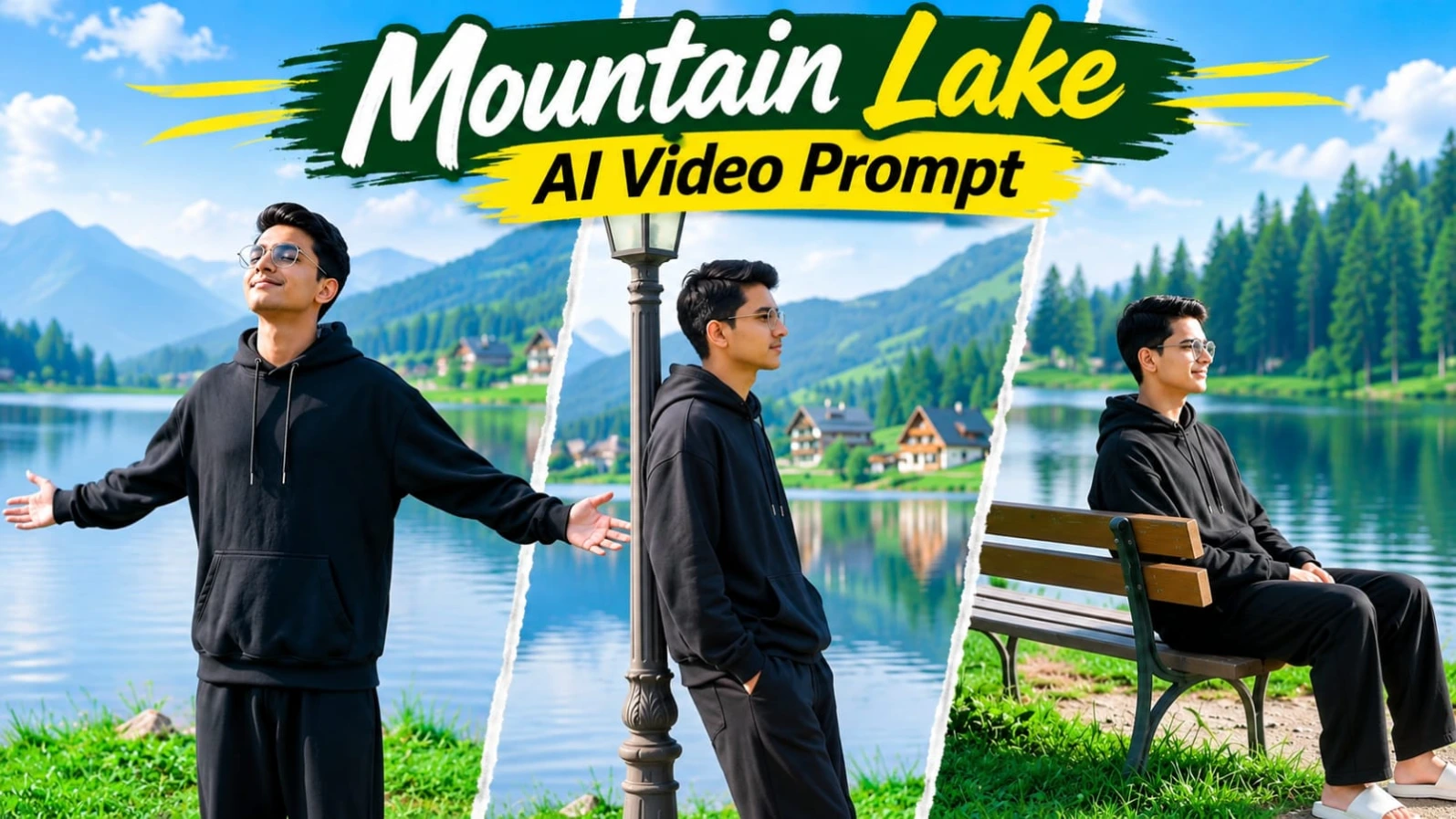
Mountain Lake AI Video Prompt se aap ek peaceful lakeside cinematic video create kar sakte hain. Ismein beautiful mountain lake, green grassy bank, tall pine trees, distant mountain cottages aur calm water reflections dikhai dete hain. Character black oversized hoodie, loose black trousers aur white slides pehenta hai. Video mein total 8 cinematic scenes hain.
Mountain Lake Video Kaise Banaye
Step 1: ChatGPT mein apni clear photo upload karke character reference image banayein. Face, beard aur skin tone consistent rakhein.
Step 2: Flow AI open karein aur character reference image upload karein.
Step 3: Background mein mountain lake, lush pine forest, wooden park bench aur vintage street lamp rakhein. Bright daylight aur natural green colour grading use karein.
Step 4: Pehle scene mein character ko lake ke paas wooden bench par baithkar paani dekhte hue dikhayein.
Step 5: Agle scenes mein grassy bank par walking, bench par relax karna, mountain cottages ki taraf back-view walking aur street lamp ke paas standing pose create karein.
Step 6: Chhathe scene mein character dono arms spread karke sky ki taraf dekhe. Saatve scene mein bench par relax kare aur aakhri scene mein low-angle walking shot banayein.
Step 7: Sabhi 8 scenes ko 16:9 widescreen format mein combine karein. 8K aur 120fps desired specifications hain; actual output tool par depend karega.
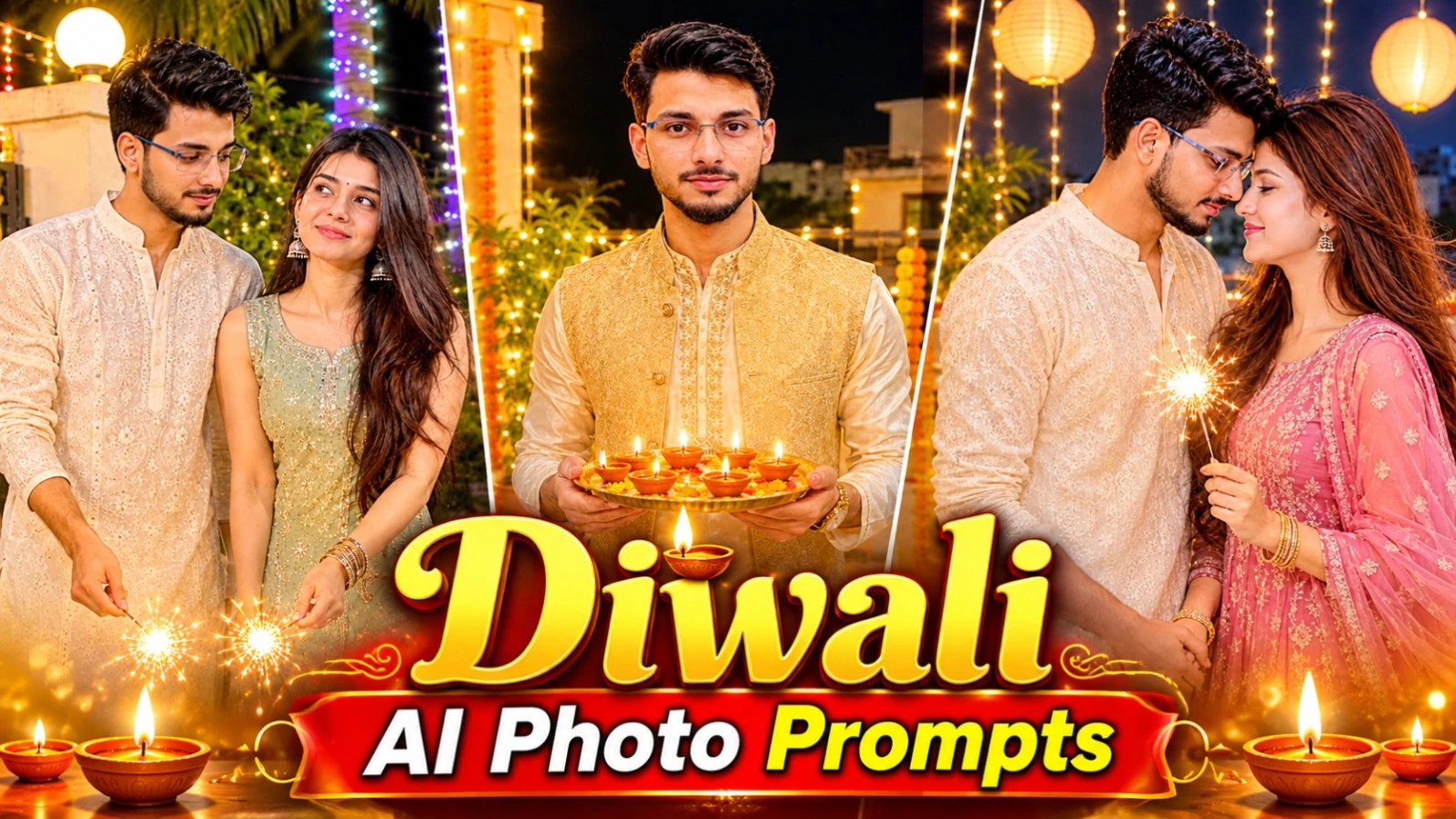
2. 6 Diwali AI Photo Prompts | Couple, Solo & Festive Portraits
Diwali ke festival par apni photos ko traditional aur beautiful festive portraits mein convert karne ke liye ye 6 AI photo concepts use kar sakte hain. Is collection mein solo portraits, romantic couple photography aur diya-sparkler themed compositions hain. Warm fairy lights, marigold garlands aur traditional Indian outfits in designs ko festive look dete hain.
6 Diwali AI Photos Kaise Banaye
Step 1: Apni clear reference photo select karein. Couple design ke liye dono persons ki photos upload karein.
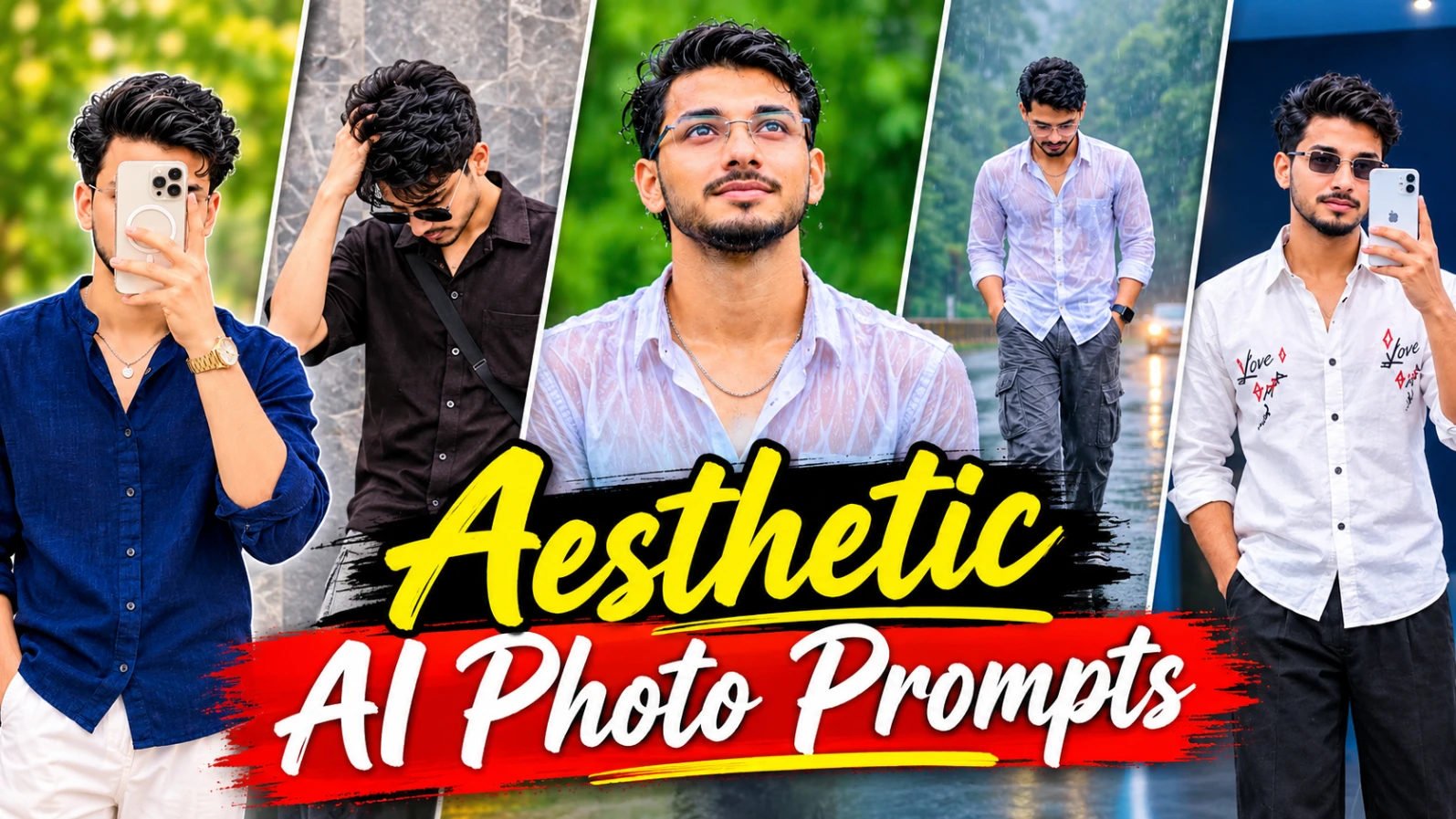
Instagram ke liye ye 5 aesthetic AI photo concepts creative posters, collage designs aur stylish portraits banane mein madad karte hain. Is collection mein Spring Vibes poster, Eyes Speak design, romantic couple collage, rainy-day lifestyle collage aur blue LED mirror selfie shamil hain. Sabhi concepts vertical 4:5 composition ke liye hain.
5 Aesthetic AI Photos Kaise Banaye
Step 1: ChatGPT ya AI image generator open karein aur apni reference photo upload karein.
Step 2: Spring Vibes design mein olive-green background, navy-blue oversized shirt, white trousers aur right side par three tilted Polaroid photos rakhein.
Step 3: Eyes Speak poster mein greige paper background, torn-paper opening aur woman's eyes ka close-up create karein. Neeche black oversized shirt wale character ka sticker-style portrait rakhein.
Step 4: Romantic couple collage mein three horizontal panels banayein. Haveli courtyard, black-and-white close-up aur sunset fort rooftop ke scenes use karein.
Step 5: Rainy-day collage mein misty forest road, wet asphalt, white shirt portrait aur black sports motorcycle ke paas seated pose rakhein.
Step 6: Blue LED mirror selfie mein powder-blue room, organic-shaped mirror aur electric-blue LED lighting use karein.
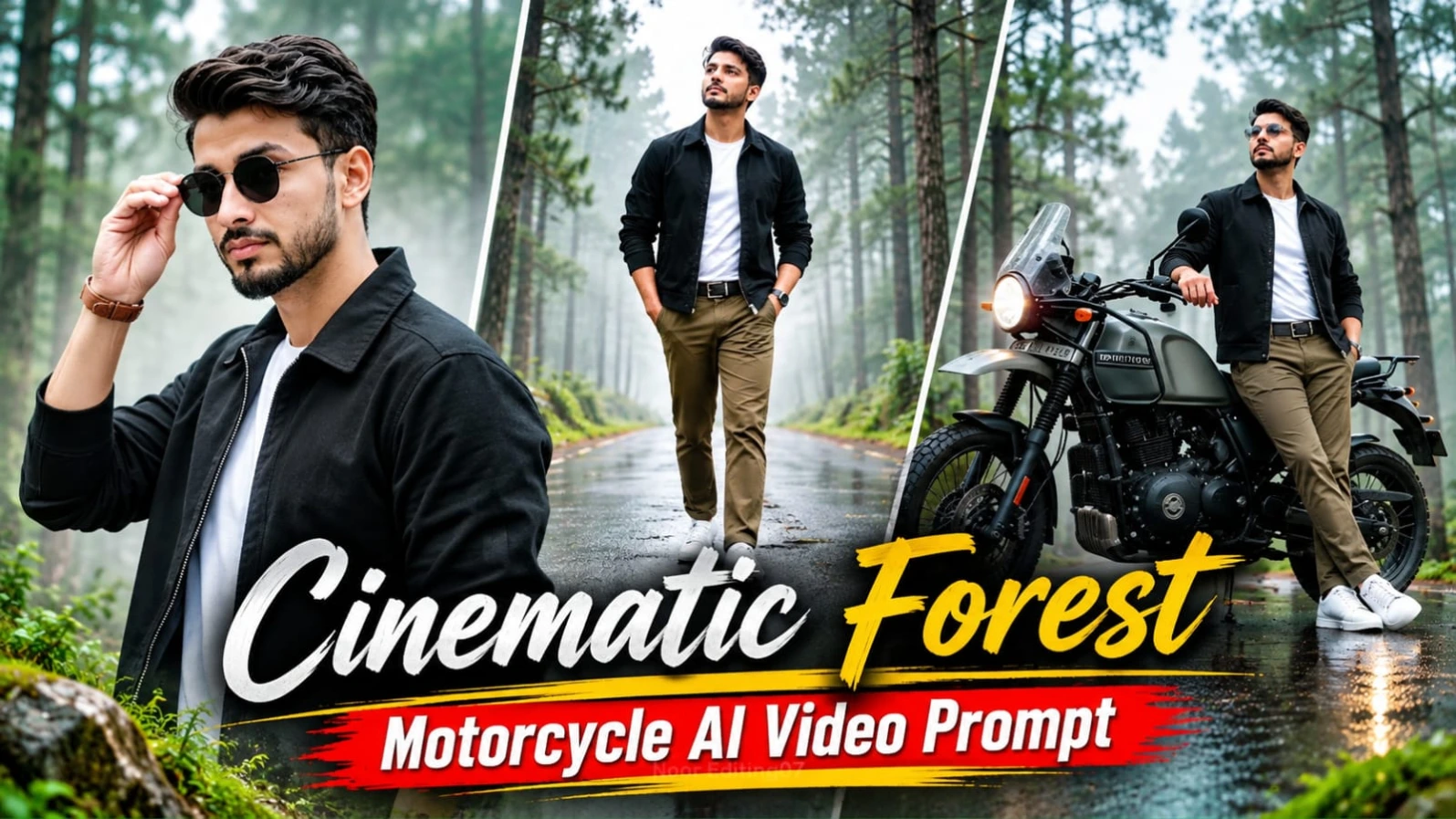
Cinematic Forest Motorcycle AI Video ek adventure-film style editing concept hai. Ismein misty pine forest, wet reflective road aur olive-grey adventure motorcycle ka beautiful combination hai. Character black zip-up jacket, white T-shirt, olive-brown chinos, white sneakers aur black round sunglasses pehenta hai. Video mein 12 cinematic scenes aur approximately 25 seconds ka sequence hai.
Forest Motorcycle Video Kaise Banaye
Step 1: ChatGPT mein apni photo upload karke character reference sheet banayein. Face, hairstyle, beard aur skin tone consistent rakhein.
Step 2: Flow AI mein reference image upload karein aur same outfit details maintain karein.
Step 3: Background mein tall pine trees, mossy trunks, drifting fog aur wet asphalt rakhein. Colour palette olive, grey aur beige honi chahiye.
Step 4: Olive-grey motorcycle mein round headlight, mirrors, handlebar aur black seat ki details preserve karein. Motorcycle parked hi rehni chahiye.
Step 5: 12 scenes mein motorcycle ke paas opening shot, face close-up, walking, sneakers tracking, tree tilt, motorcycle details aur character ke different camera angles generate karein.
Step 6: Camera arc, push-in, tracking aur pull-back movements use karein.
Step 7: Sabhi clips ko 16:9 widescreen format mein combine karein. Face aur motorcycle consistency check karke NoorEditing07 watermark add karein.
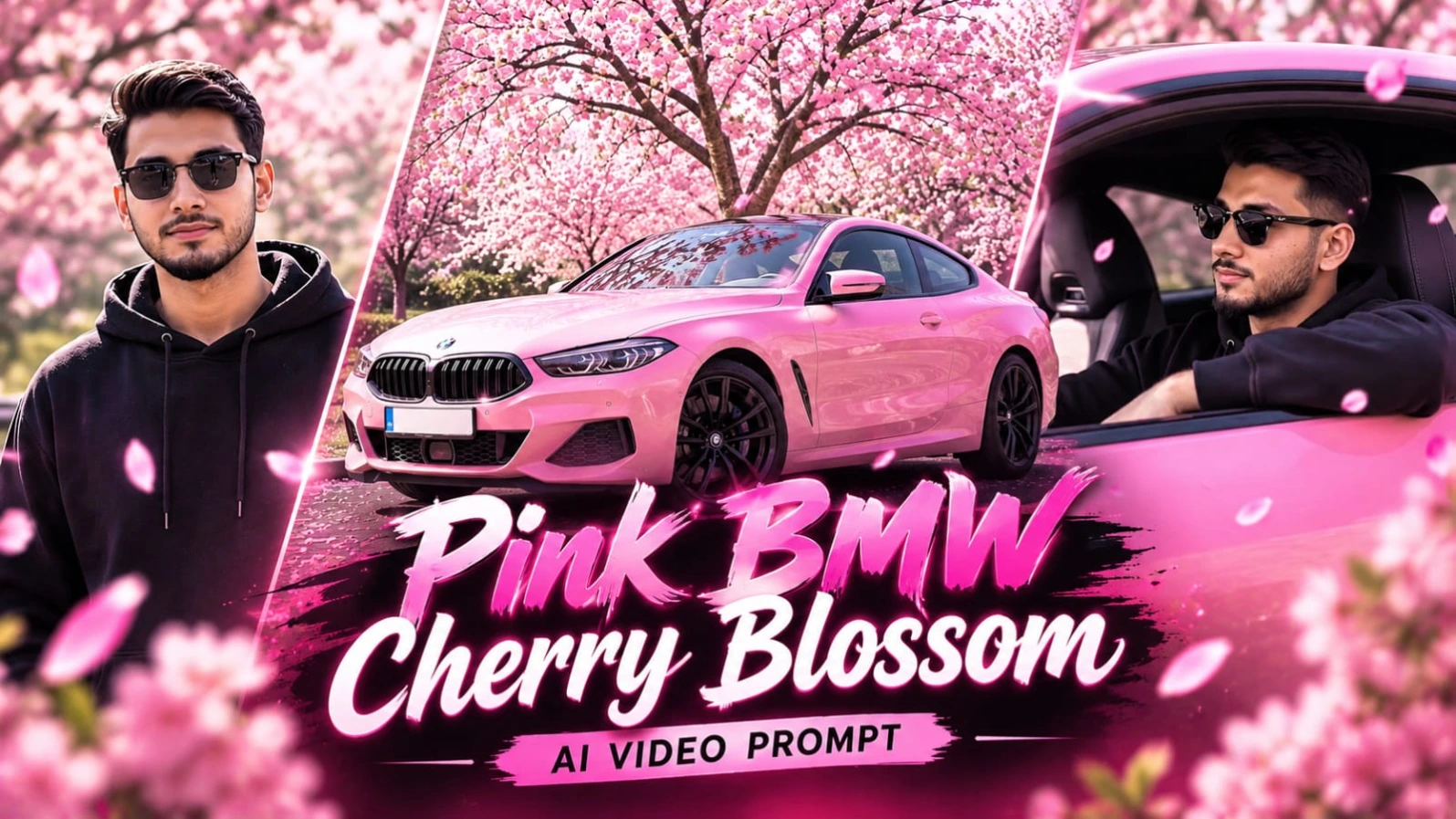
5. Pink BMW Cherry Blossom AI Video Prompt | Flow AI
Pink BMW Cherry Blossom AI Video ek luxury automotive cinematic concept hai. Ismein glossy pink BMW blooming cherry blossom trees ke neeche parked hoti hai. Bright daylight, falling pink petals aur car ke polished body reflections video ko premium commercial jaisa look dete hain. Is concept mein total 8 cinematic scenes hain.
Pink BMW Video Kaise Banaye
Step 1: Apni clear photo upload karke character reference image banayein. Character ka outfit black oversized hoodie aur dark sunglasses rakhein.
Step 2: Flow AI open karein aur character reference image upload karein. Pink BMW ke body shape, headlights, wheels aur glossy finish consistent rakhein.
Step 3: Pehle scene mein front headlight aur wet hood ka macro close-up banayein.
Step 4: Doosre scene mein cherry blossom tree ke neeche BMW ka wide hero shot create karein.
Step 5: Agle scenes mein driver POV, car interior driving shot aur open window se character portrait generate karein.
Step 6: Chhathe scene mein character ko BMW ke paas standing pose mein rakhein. Saatve scene mein rear three-quarter low-angle car shot aur aakhri scene mein cherry blossom canopy ke neeche front tracking shot banayein.
Step 7: Sabhi 8 scenes ko 16:9 format mein combine karein. Falling petals, car reflections aur character consistency check karein. 8K aur 120fps target specifications hain; actual output AI tool par depend karega.