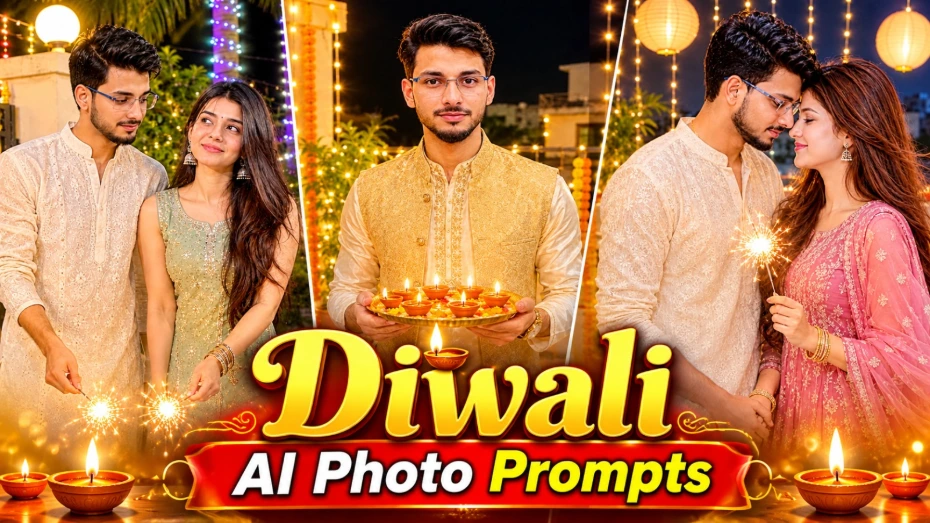
6 Diwali AI Photo Prompts: Create Beautiful Festive Portraits with Your Own Face
Diwali is a festival of lights, happiness, family gatherings, traditional clothing, and unforgettable moments. From decorating homes with clay diyas to celebrating with sparklers and sharing special moments with loved ones, every part of the festival offers beautiful photography opportunities.
With AI image-generation tools, you can create festive portraits inspired by professional Indian photography without arranging an actual photoshoot. By using a detailed prompt and a suitable reference photograph, you can experiment with traditional outfits, decorative backgrounds, warm lighting, and different poses.
This collection of Diwali AI Photo Prompts includes six creative concepts for women, men, and couples. The ideas cover a festive terrace portrait, a couple celebrating outside a residential society gate, traditional solo portraits, a luxury editorial-style couple photograph, and a romantic rooftop moment.
1. Diwali Girl Portrait with a Four-Panel Photo Collage
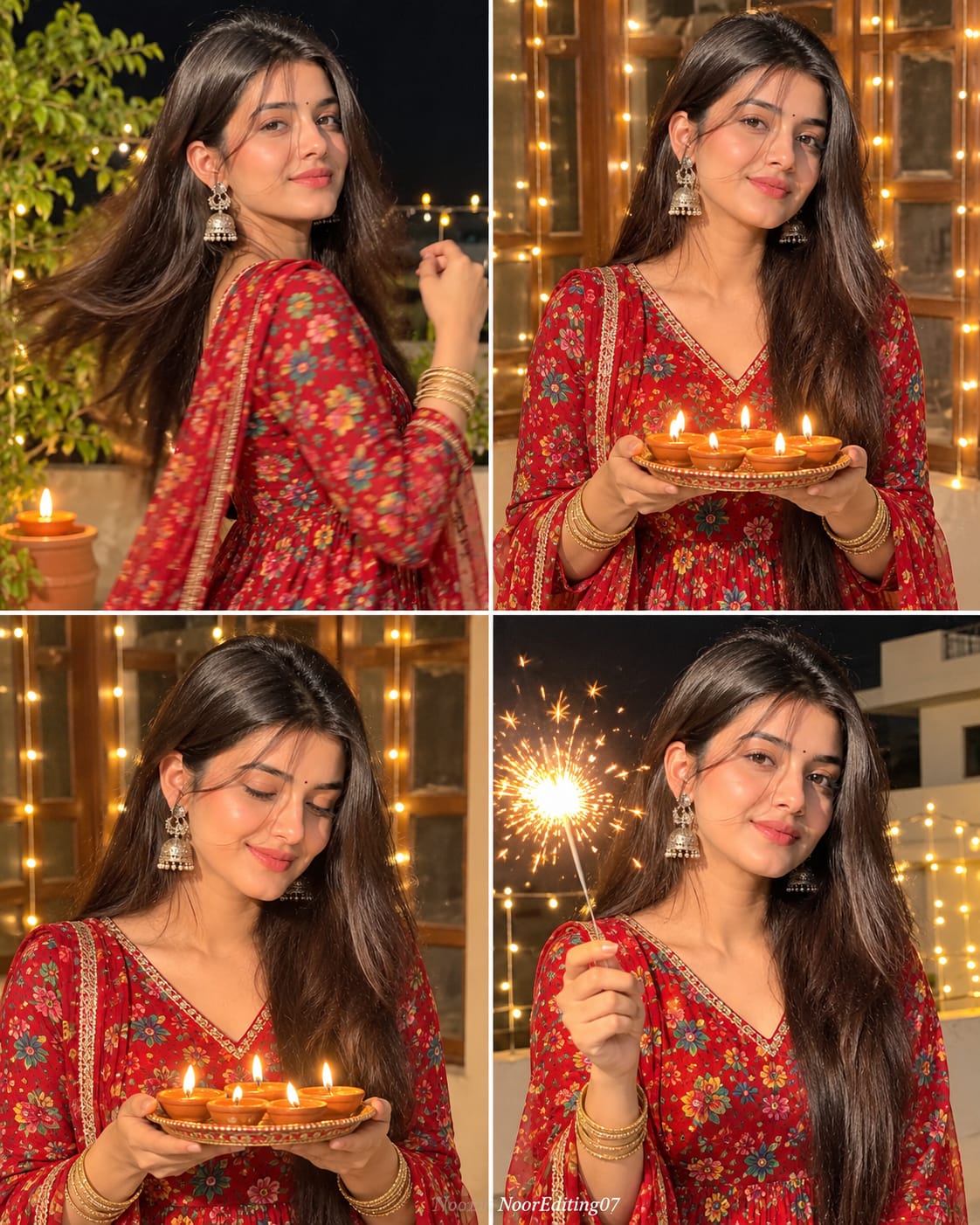
The first concept features a young Indian woman celebrating Diwali on a decorated home terrace or balcony. It uses a 2x2 collage layout with four separate photographic moments in one composition.
The woman wears a red floral block-print Anarkali suit with a matching dupatta. Her long, straight black hair is left open with a center parting. A small red bindi, gold jhumka earrings with pearl drops, and gold bangles complete her festive appearance.
Each panel captures a different moment:
- The first panel shows her turning over her shoulder with a joyful smile and a graceful dance-like hand gesture.
- The second panel features her holding a decorative thali with five to six lit diyas.
- The third panel captures a closer view as she looks down at the glowing diyas.
- The fourth panel shows her smiling while holding a bright sparkler.
Warm fairy lights, a wooden-framed window, terrace decorations, and a dark night sky create a festive atmosphere. The collage format is useful when you want several expressions and poses in one image.
2. Romantic Diwali Couple Portrait Outside a Society Gate
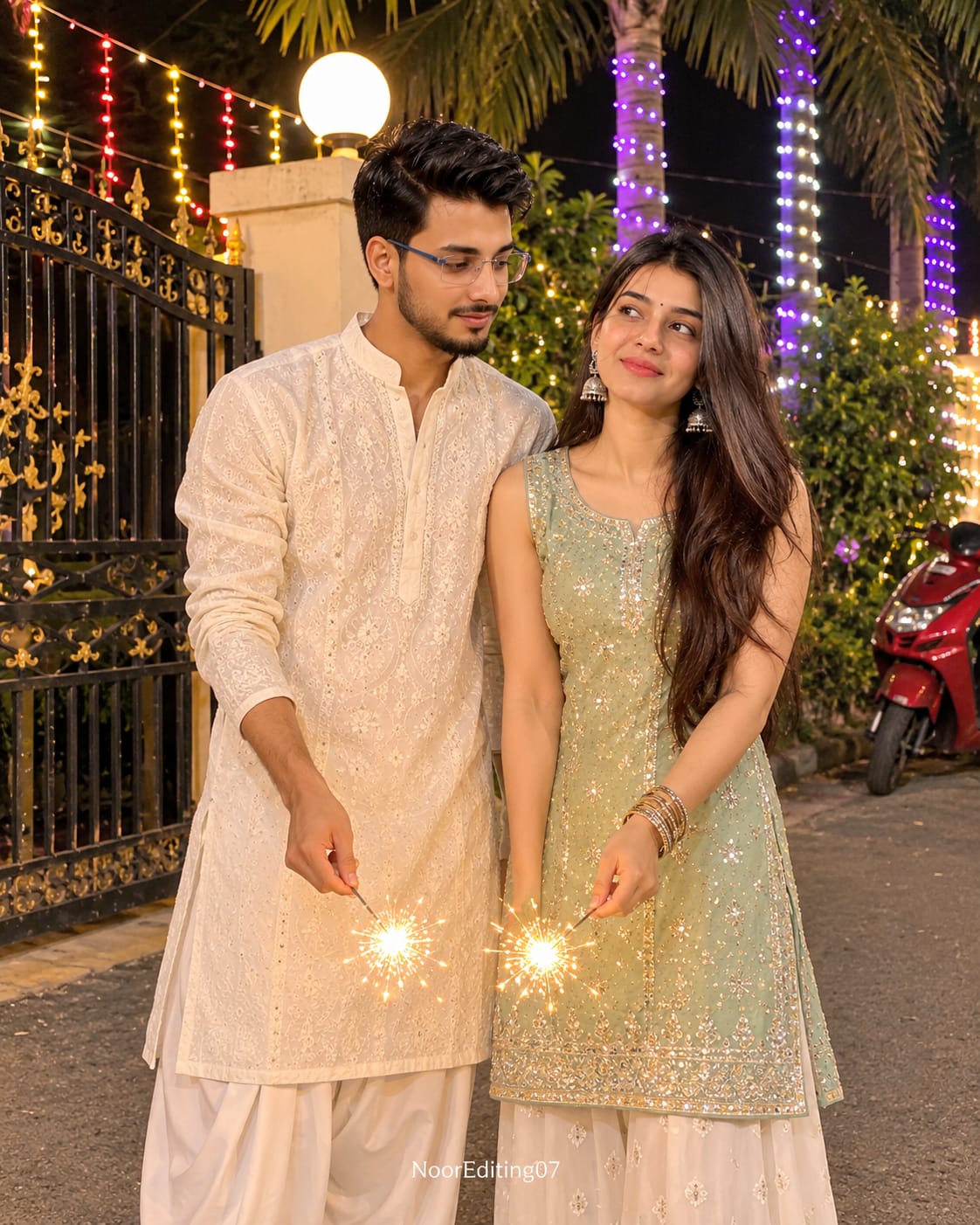
The second concept is a full-length portrait of a young Indian couple celebrating Diwali outside a decorated residential society gate.
The man wears a cream or off-white chikankari kurta with a matching dhoti-style salwar and thin-framed glasses. The woman wears a pastel mint embroidered kurta with matching palazzo trousers, gold earrings, and bangles.
They stand close together, looking at each other with gentle smiles. Both hold lit sparklers in their lowered hands, creating a beautiful golden glow between them.
The background includes a cream-colored gate pillar with a white globe lamp, an ornate black iron gate, illuminated palm trees, colorful fairy lights, green plants, and a red scooter.
This idea is suitable for anyone who wants a natural-looking festive couple portrait with a realistic mobile-photography appearance.
3. Traditional Men's Diwali Portrait with a Diya Thali
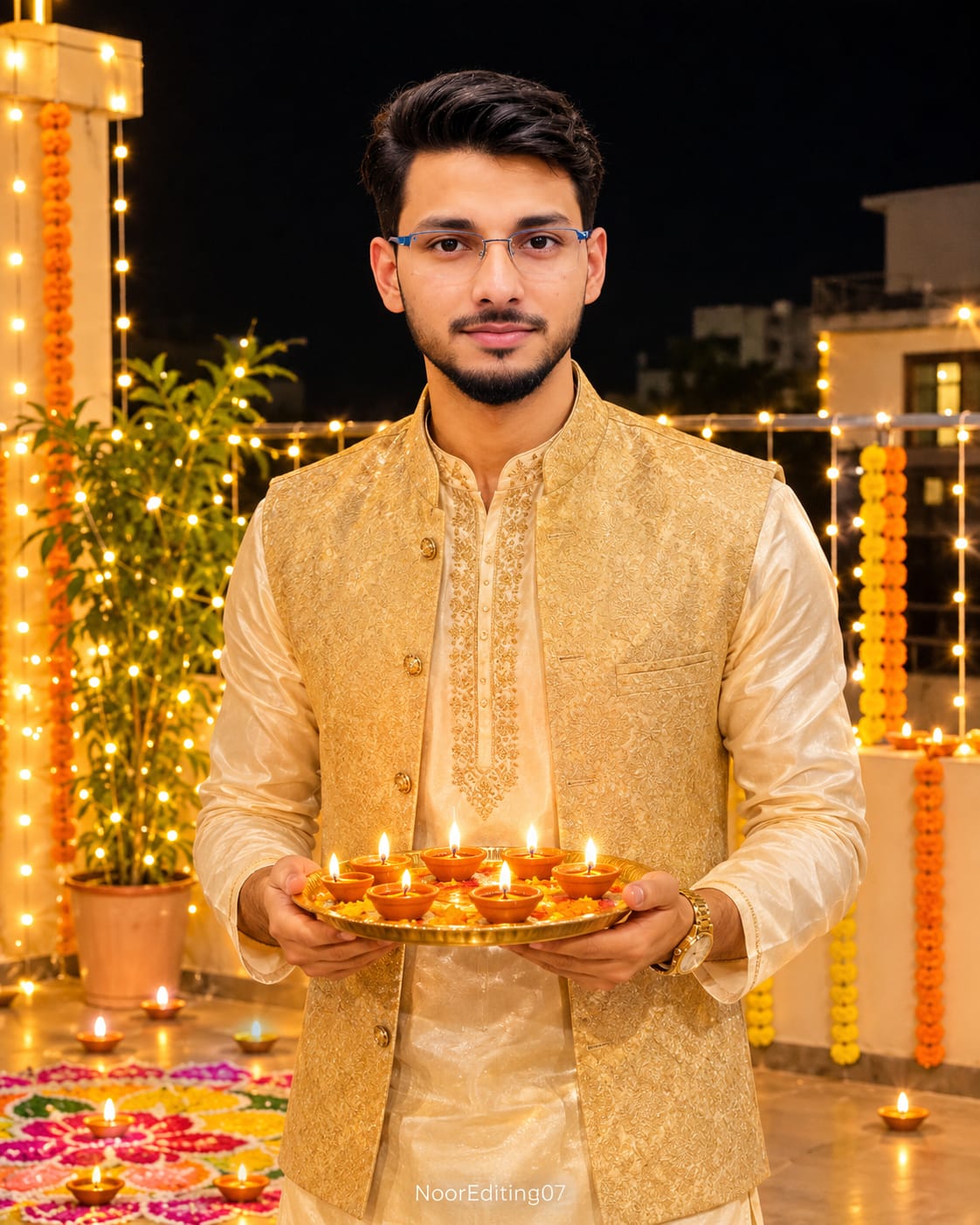
The third concept focuses on a single young Indian man standing on a decorated home terrace.
He wears a cream silk kurta with a gold-embroidered neckline, an ivory churidar, and a subtle gold-toned Nehru jacket. A small gold watch completes the traditional outfit.
The man stands at eye level, smiling gently at the camera while holding a brass thali containing five to six lit clay diyas at chest level.
Warm white fairy lights, marigold garlands, terrace decorations, and rangoli create a traditional Diwali setting. The golden-orange diya light illuminates his face softly from below.
This portrait is a good choice for a festive profile picture, social media post, or traditional celebration photograph.
4. Solo Men's Diwali Sparkler Portrait
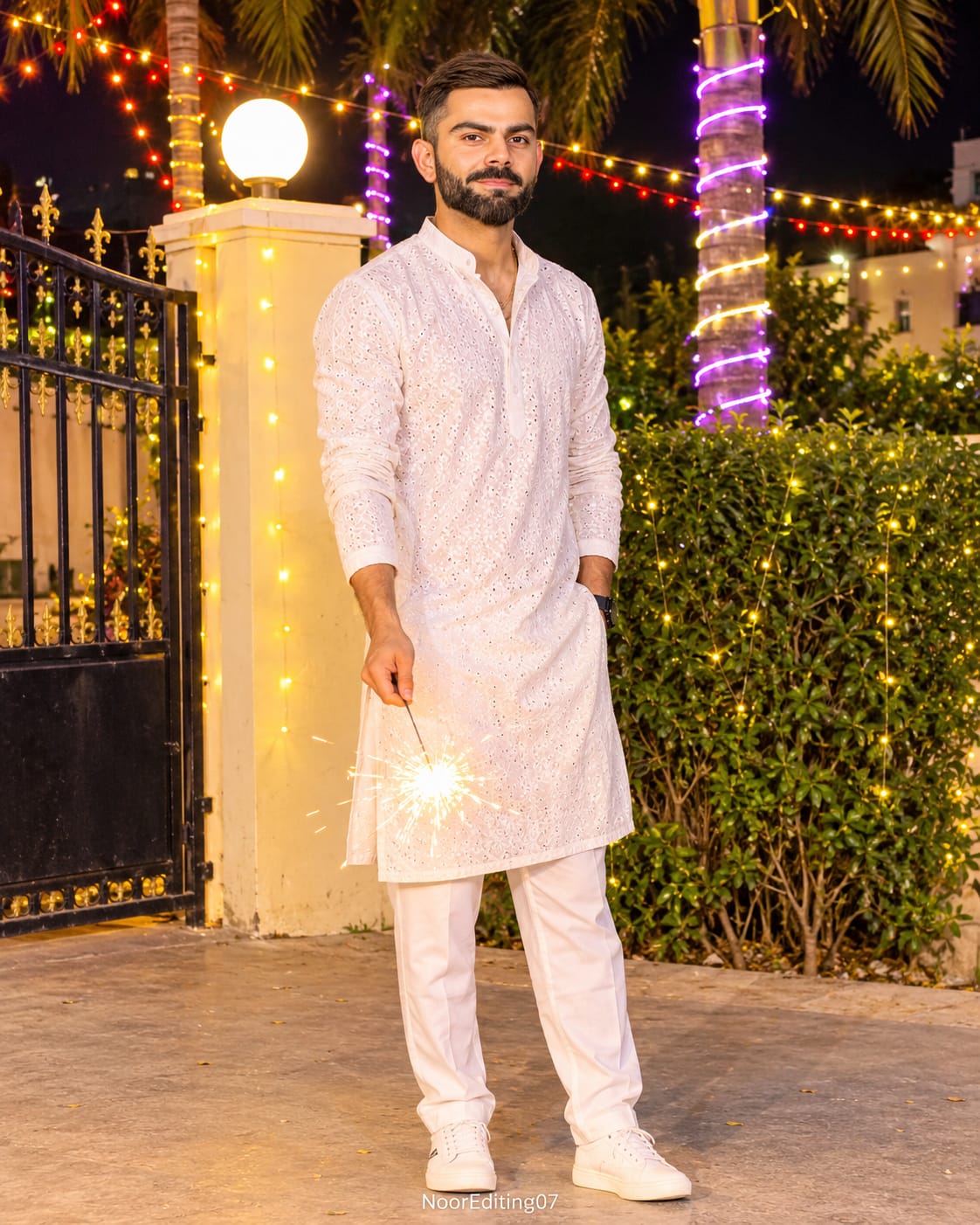
The fourth idea creates a full-length portrait of a stylish young Indian man celebrating Diwali outside a residential society gate.
He wears a white chikankari kurta with matching white pants and a thin gold chain. His short, slightly wavy hair and light stubble create a neat, natural appearance.
He stands slightly tilted, looking towards the camera with a confident smile while holding a lit sparkler in one lowered hand.
The background includes a cream-colored gate pillar, a white globe lamp, black wrought-iron fencing, palm trees wrapped in white and purple LED lights, colorful hanging fairy lights, and green bushes.
The warm sparkler glow adds a festive highlight to the white outfit, while the colorful background lights create natural bokeh.
5. Luxury Diwali Couple Portrait with Floral Rangoli
The fifth concept is designed like a premium festive magazine photograph.
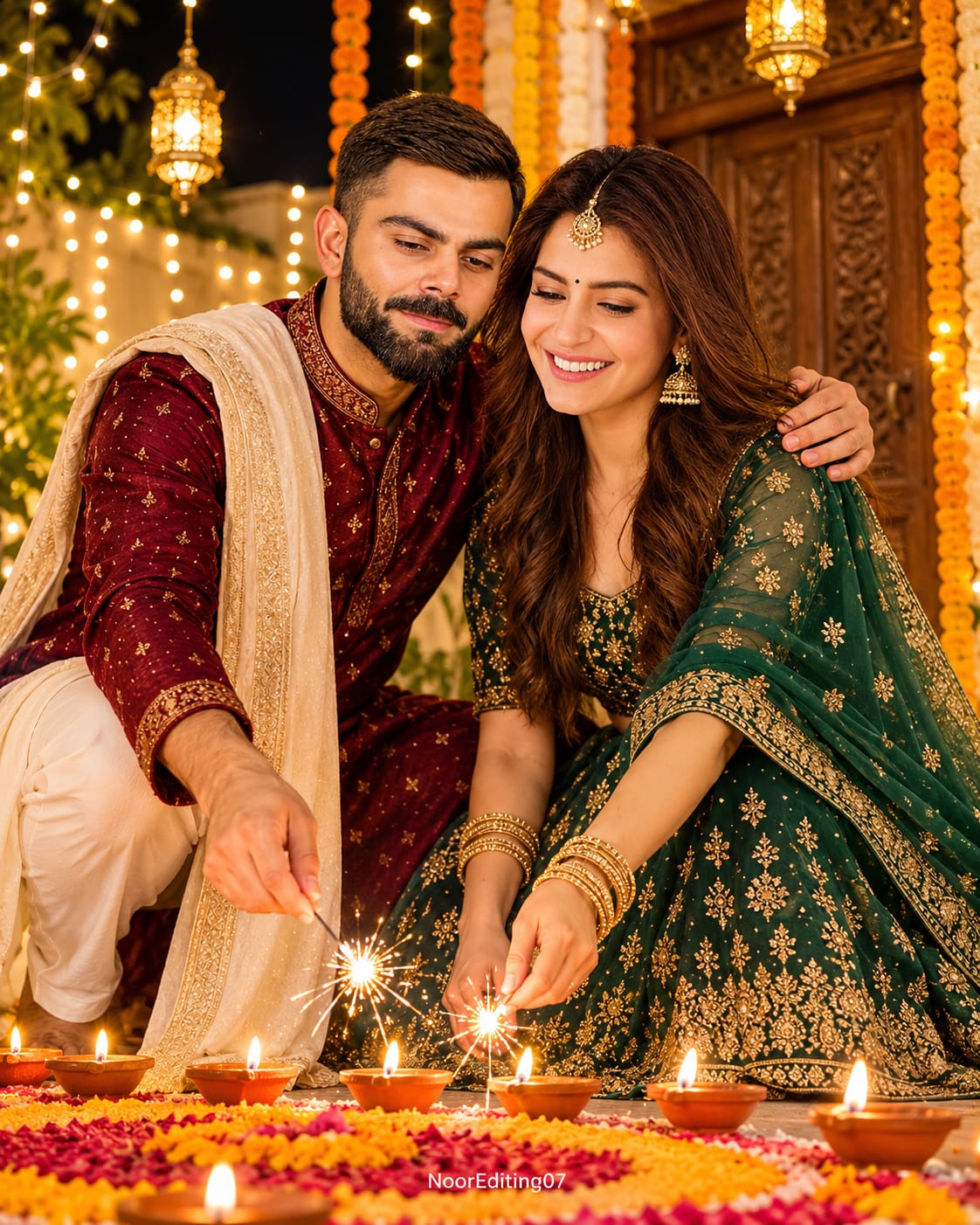
The man wears a deep maroon raw-silk sherwani-style kurta with subtle gold embroidery and a cream stole over one shoulder. The woman wears an emerald-green and gold embroidered lehenga with a matching net dupatta, gold jewellery, a small bindi, and a delicate maang tikka.
The couple crouches together beside a large floral rangoli. They gently light a row of clay diyas using a sparkler. The man's arm rests around the woman's shoulder, and both look towards the glowing diyas with happy expressions.
A carved wooden door, marigold garlands, hanging brass lanterns, and warm fairy lights complete the courtyard background.
The low-angle camera position makes the composition feel like a professional festive editorial shoot. Rich maroon, emerald, and golden tones give the photograph an elegant appearance.
6. Romantic Diwali Couple Moment on a Rooftop
The sixth concept captures a softer and more romantic celebration on a rooftop terrace.
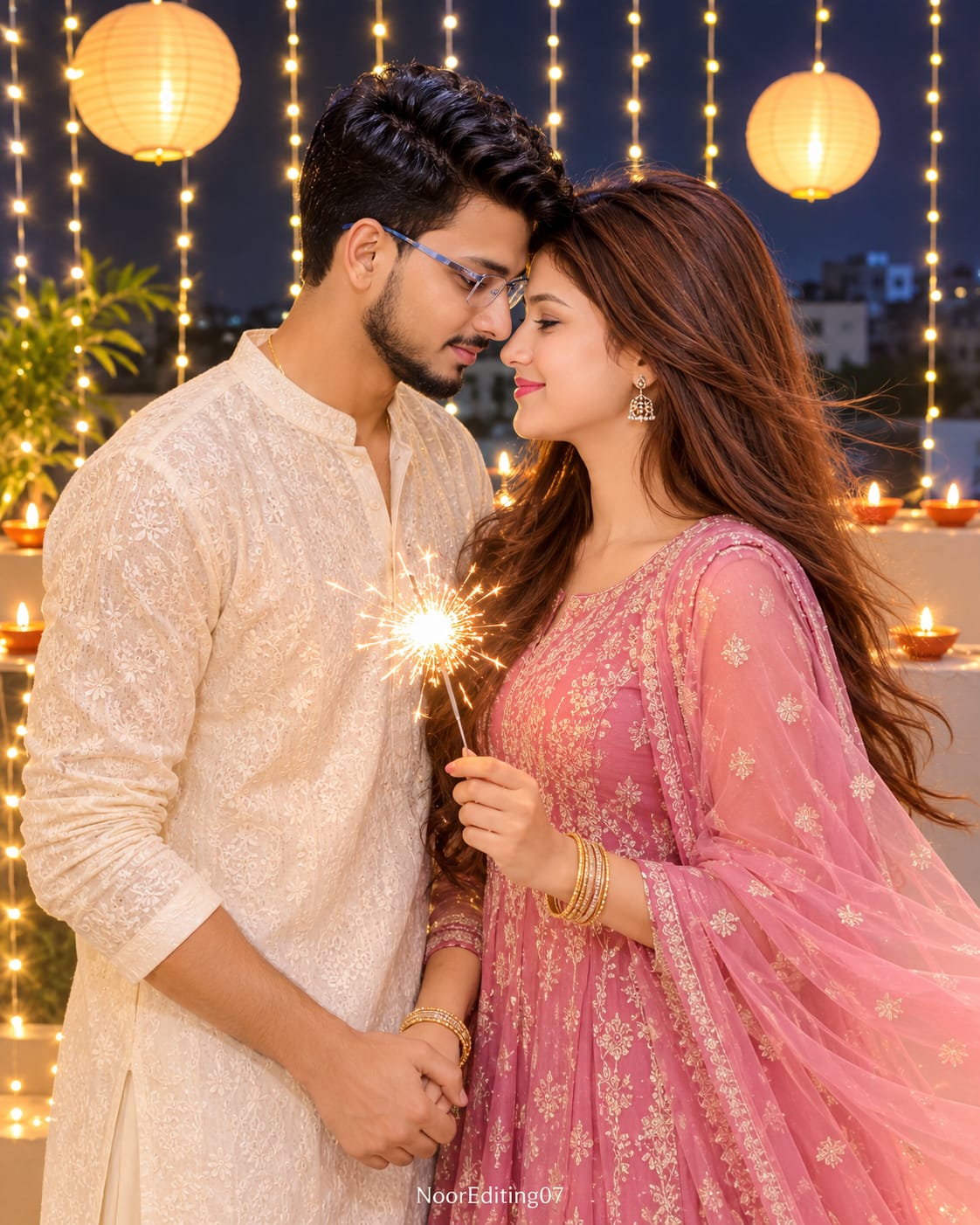
The man wears an ivory chikankari kurta with matching trousers and a thin gold chain. The woman wears a dusty rose-pink embroidered Anarkali suit with a sheer matching dupatta, gold drop earrings, and gold bangles.
They stand face to face in a side-profile composition, with their foreheads almost touching. The woman holds a bright sparkler while the man holds her other hand. Their gentle smiles and natural expressions create an affectionate festive moment.
Long curtains of warm white fairy lights, hanging paper lanterns, a row of diyas along the railing, distant city lights, and a dark blue sky create the background.
The combination of warm sparkler light and cool blue night shadows gives the image a premium cinematic appearance.
How Reference Photos Help Create Personalized Diwali Images
One useful feature of these concepts is the option to provide reference photographs.
If your AI image generator supports image references, upload a clear photograph of the person whose appearance you want to use. For a couple portrait, provide separate reference photographs for both people and clearly specify which person should appear on the left and which should appear on the right.
Describe the desired hairstyle, clothing, pose, and environment separately. This gives the generator more specific visual instructions.
Reference images can help guide facial appearance, but exact identity preservation is not guaranteed. Results depend on the image generator and its reference-image capabilities.
Why Lighting Matters in Diwali Photography
Lighting is one of the most important elements in these prompts. Diyas and sparklers produce warm golden-orange light, while fairy lights create colorful background highlights.
A dark night background makes the warm lights more noticeable. Soft illumination on the face helps preserve facial details, while natural shadows add depth to the photograph.
For the rooftop and society-gate scenes, warm highlights and cool night shadows create an attractive festive contrast.
Choosing the Right Aspect Ratio and Composition
Most of these portrait ideas use a vertical 4:5 composition. This is suitable for social media posts and portrait-style photographs.
The first concept uses a four-panel collage, where all four panels should have consistent styling and the same subject appearance. The remaining concepts use individual portraits with specific camera angles and framing.
Always check the image generator's actual aspect-ratio and output-size settings. A prompt may request 8K quality, but the final resolution depends on the platform's supported output options.
Final Thoughts
These six Diwali AI Photo Prompts offer different ways to create festive portraits with traditional Indian clothing, glowing diyas, sparklers, fairy lights, and beautiful night settings.
Whether you want a solo portrait, a romantic couple photograph, a four-panel collage, or a luxury festive editorial image, each concept provides detailed visual instructions to guide your AI creation.
Choose the concept you like, add suitable reference photographs if supported, and generate your own festive image. The most important details to review are facial appearance, natural hands, outfit consistency, lighting, and the overall festive atmosphere.
AI Photo Prompt
✦AI PHOTO PROMPT
Ultra-realistic 2x2 vertical photo collage (4 panels, thin clean dividers, aspect ratio 4:5, ultra-detailed 8K quality) of a young Indian woman celebrating Diwali at night on a home terrace. Wearing a red floral block-print anarkali suit, gold jhumkas, and a bindi. Panel 1 features a candid motion shot looking back over her shoulder; Panel 2 shows her holding a thali with lit diyas in front of a fairy-lit window; Panel 3 is a close mid-shot looking down at the diyas; Panel 4 shows her smiling with a bright sparkler. Warm golden diya and sparkler lighting. Watermark: NoorEditing07.
Use the attached reference photo for the person's face and identity. Keep the face exactly the same as the reference.
Create a 2x2 vertical photo collage (4 panels, thin clean dividers, aspect ratio 4:5, ultra-detailed 8K quality, razor-sharp, no blur or artifacts even on zoom) of a young Indian woman celebrating Diwali at night on a home terrace/balcony.
SUBJECT (same in all 4 panels): Long, straight, jet-black silky hair with a center parting, flowing loose. Small red bindi. Gold jhumka earrings with pearl drops. Gold bangles on the wrist. Wearing a red floral block-print anarkali suit with a V-neck, full sleeves, flared skirt, green/blue/pink/yellow floral motifs, gold-trimmed border, and a matching red floral dupatta draped over the shoulder.
PANEL 1 (top-left): Candid motion shot, she turns her head sideways looking back over her shoulder with a bright, joyful smile, hair swaying in motion, one hand lifted in a graceful dance-like gesture. Background: green tree, dark night sky, fairy lights, a lit clay diya on a plant pot in the bottom left. Slight motion blur in the dress and hair.
PANEL 2 (top-right): Front-facing, standing in front of a brown wooden-framed glass window covered with warm white fairy lights. She smiles at the camera, holding a decorative plate (thali) with 5 to 6 lit diyas in both hands at chest level. Warm golden glow lights her face.
PANEL 3 (bottom-left): Close mid-shot, she looks down at the thali of lit diyas with a soft, happy smile, hair falling forward, wooden window with fairy lights behind her. The diya flames light her face from below.
PANEL 4 (bottom-right): She holds a bright sparkler (phuljhadi) in one hand, sparks glowing near her face, smiling. Background: a white building and terrace railing draped in warm string fairy lights.
CAMERA & STYLE: Same camera angles, framing and poses as described. Realistic mobile-phone night photography style, shallow depth of field, natural bokeh from fairy lights.
LIGHTING & COLOR GRADING: Warm golden-orange diya and sparkler light as the main source, soft glow on the face, same direction, warmth and shadow on face, body and background. Rich saturated reds, warm amber highlights, deep cool-dark night shadows, festive cinematic Diwali tone.
SEAMLESS BLENDING: Face and body must blend perfectly, with no pasted or cut-paste look. Neck, jawline and skin tone match naturally across the whole body, no visible seam, edge or mismatch. Consistent skin texture and sharpness everywhere, natural pores, realistic hands with correct fingers.
Watermark: Small, subtle text "NoorEditing07" at the bottom center/right, semi-transparent white.
Do not change anything in outfit, hairstyle, pose, location, background or color grading.
✓
Prompt copied to clipboard!
AI Photo Prompt
✦AI PHOTO PROMPT
Ultra-realistic 2x2 vertical photo collage (4 panels, thin clean dividers, aspect ratio 4:5, ultra-detailed 8K quality) of a young Indian woman celebrating Diwali at night on a home terrace. Wearing a red floral block-print anarkali suit, gold jhumkas, and a bindi. Panel 1 features a candid motion shot looking back over her shoulder; Panel 2 shows her holding a thali with lit diyas in front of a fairy-lit window; Panel 3 is a close mid-shot looking down at the diyas; Panel 4 shows her smiling with a bright sparkler. Warm golden diya and sparkler lighting. Watermark: NoorEditing07.
Use the attached reference photo for the person's face and identity. Keep the face exactly the same as the reference.
Create a 2x2 vertical photo collage (4 panels, thin clean dividers, aspect ratio 4:5, ultra-detailed 8K quality, razor-sharp, no blur or artifacts even on zoom) of a young Indian woman celebrating Diwali at night on a home terrace/balcony.
SUBJECT (same in all 4 panels): Long, straight, jet-black silky hair with a center parting, flowing loose. Small red bindi. Gold jhumka earrings with pearl drops. Gold bangles on the wrist. Wearing a red floral block-print anarkali suit with a V-neck, full sleeves, flared skirt, green/blue/pink/yellow floral motifs, gold-trimmed border, and a matching red floral dupatta draped over the shoulder.
PANEL 1 (top-left): Candid motion shot, she turns her head sideways looking back over her shoulder with a bright, joyful smile, hair swaying in motion, one hand lifted in a graceful dance-like gesture. Background: green tree, dark night sky, fairy lights, a lit clay diya on a plant pot in the bottom left. Slight motion blur in the dress and hair.
PANEL 2 (top-right): Front-facing, standing in front of a brown wooden-framed glass window covered with warm white fairy lights. She smiles at the camera, holding a decorative plate (thali) with 5 to 6 lit diyas in both hands at chest level. Warm golden glow lights her face.
PANEL 3 (bottom-left): Close mid-shot, she looks down at the thali of lit diyas with a soft, happy smile, hair falling forward, wooden window with fairy lights behind her. The diya flames light her face from below.
PANEL 4 (bottom-right): She holds a bright sparkler (phuljhadi) in one hand, sparks glowing near her face, smiling. Background: a white building and terrace railing draped in warm string fairy lights.
CAMERA & STYLE: Same camera angles, framing and poses as described. Realistic mobile-phone night photography style, shallow depth of field, natural bokeh from fairy lights.
LIGHTING & COLOR GRADING: Warm golden-orange diya and sparkler light as the main source, soft glow on the face, same direction, warmth and shadow on face, body and background. Rich saturated reds, warm amber highlights, deep cool-dark night shadows, festive cinematic Diwali tone.
SEAMLESS BLENDING: Face and body must blend perfectly, with no pasted or cut-paste look. Neck, jawline and skin tone match naturally across the whole body, no visible seam, edge or mismatch. Consistent skin texture and sharpness everywhere, natural pores, realistic hands with correct fingers.
Watermark: Small, subtle text "NoorEditing07" at the bottom center/right, semi-transparent white.
Do not change anything in outfit, hairstyle, pose, location, background or color grading.
✓
Prompt copied to clipboard!
AI Photo Prompt
✦AI PHOTO PROMPT
Ultra-realistic, ultra-detailed 8K quality photograph, aspect ratio 4:5 vertical. Full-length vertical portrait of a young Indian couple celebrating Diwali at night outside a residential society gate. Young man wears a cream chikankari kurta with thin-framed glasses; young woman wears a pale sage-green embroidered sequin kurta with a pastel-white palazzo. Holding lit sparklers together with soft smiles. Warm golden sparkler glow lighting with colorful festive bokeh and a parked red scooter. Watermark: NoorEditing07.
Use the attached reference photo(s) for the faces and identities of the two people: Person 1 (first photo) is the boy, Person 2 (second photo) is the girl. Keep both faces exactly the same as the references.
Create an ultra-realistic, ultra-detailed 8K quality photograph (aspect ratio 4:5, vertical, razor-sharp, no blur, no artifacts, holds up perfectly when zoomed in) of a young Indian couple celebrating Diwali at night on a street outside a residential society gate.
SUBJECTS:
Left, young man: Short, dark, slightly wavy messy hair, thin-framed glasses. Wearing a cream/off-white chikankari kurta with full sleeves and a matching white dhoti-style salwar. He stands tilted slightly toward her, looking at her with a soft smile, holding a lit sparkler in his lowered right hand.
Right, young woman: Long, dark brown, wavy open hair falling over her shoulders with a soft side flow. Gold drop earrings, gold-toned bangles on her wrist. Wearing a sleeveless pale sage-green/pastel mint embroidered sequin kurta with a silver-gold embroidered hem and a matching pastel-white palazzo. She faces slightly toward him, looking up at him with a gentle, shy smile, holding a lit sparkler in her lowered hand so that the two sparklers glow together in the center between them.
POSE & CAMERA: Same framing and pose as the reference. Full-length vertical portrait, shot at eye level, couple standing side by side in the lower-center of the frame, close together, looking at each other. Realistic mobile-phone night photography style, slight depth of field.
LOCATION & BACKGROUND (exactly as reference): A cream-colored gate pillar with a large white globe lamp on top, black ornate wrought-iron gate and fence on the left, tall palm trees with white and purple LED string lights wrapped around the trunks, red, yellow and white fairy-light strings hanging overhead and on the left, green bushes and plants behind the woman, a red scooter parked on the right, grey paved street ground, dark night sky.
LIGHTING & COLOR GRADING: Warm golden-orange glow from the sparklers lighting both outfits and faces softly from below, plus colorful festive bokeh from the string lights (red, purple, yellow, white). Same light direction, same warmth, same shadows on faces, bodies and background. Rich, vibrant night tones with deep dark shadows, creamy highlights on the white outfits, festive Diwali mood.
SEAMLESS BLENDING: Faces and bodies must blend perfectly, with no pasted or cut-paste look. Neck, jawline and skin tone match naturally across the whole body, no visible seam, edge or mismatch. Consistent skin texture and sharpness everywhere, natural pores, realistic hands with correct fingers, natural fabric folds.
Watermark: A small, subtle semi-transparent white text "NoorEditing07" at the bottom center.
Do not change anything in outfits, hairstyles, pose, location, background, camera angle or color grading. Exact replica of the reference photo.
✓
Prompt copied to clipboard!
AI Photo Prompt
✦AI PHOTO PROMPT
Ultra-realistic, ultra-detailed 8K quality photograph, aspect ratio 4:5 vertical. Full-length vertical portrait of a young Indian couple celebrating Diwali at night outside a residential society gate. Young man wears a cream chikankari kurta with thin-framed glasses; young woman wears a pale sage-green embroidered sequin kurta with a pastel-white palazzo. Holding lit sparklers together with soft smiles. Warm golden sparkler glow lighting with colorful festive bokeh and a parked red scooter. Watermark: NoorEditing07.
Use the attached reference photo(s) for the faces and identities of the two people: Person 1 (first photo) is the boy, Person 2 (second photo) is the girl. Keep both faces exactly the same as the references.
Create an ultra-realistic, ultra-detailed 8K quality photograph (aspect ratio 4:5, vertical, razor-sharp, no blur, no artifacts, holds up perfectly when zoomed in) of a young Indian couple celebrating Diwali at night on a street outside a residential society gate.
SUBJECTS:
Left, young man: Short, dark, slightly wavy messy hair, thin-framed glasses. Wearing a cream/off-white chikankari kurta with full sleeves and a matching white dhoti-style salwar. He stands tilted slightly toward her, looking at her with a soft smile, holding a lit sparkler in his lowered right hand.
Right, young woman: Long, dark brown, wavy open hair falling over her shoulders with a soft side flow. Gold drop earrings, gold-toned bangles on her wrist. Wearing a sleeveless pale sage-green/pastel mint embroidered sequin kurta with a silver-gold embroidered hem and a matching pastel-white palazzo. She faces slightly toward him, looking up at him with a gentle, shy smile, holding a lit sparkler in her lowered hand so that the two sparklers glow together in the center between them.
POSE & CAMERA: Same framing and pose as the reference. Full-length vertical portrait, shot at eye level, couple standing side by side in the lower-center of the frame, close together, looking at each other. Realistic mobile-phone night photography style, slight depth of field.
LOCATION & BACKGROUND (exactly as reference): A cream-colored gate pillar with a large white globe lamp on top, black ornate wrought-iron gate and fence on the left, tall palm trees with white and purple LED string lights wrapped around the trunks, red, yellow and white fairy-light strings hanging overhead and on the left, green bushes and plants behind the woman, a red scooter parked on the right, grey paved street ground, dark night sky.
LIGHTING & COLOR GRADING: Warm golden-orange glow from the sparklers lighting both outfits and faces softly from below, plus colorful festive bokeh from the string lights (red, purple, yellow, white). Same light direction, same warmth, same shadows on faces, bodies and background. Rich, vibrant night tones with deep dark shadows, creamy highlights on the white outfits, festive Diwali mood.
SEAMLESS BLENDING: Faces and bodies must blend perfectly, with no pasted or cut-paste look. Neck, jawline and skin tone match naturally across the whole body, no visible seam, edge or mismatch. Consistent skin texture and sharpness everywhere, natural pores, realistic hands with correct fingers, natural fabric folds.
Watermark: A small, subtle semi-transparent white text "NoorEditing07" at the bottom center.
Do not change anything in outfits, hairstyles, pose, location, background, camera angle or color grading. Exact replica of the reference photo.
✓
Prompt copied to clipboard!
AI Photo Prompt
✦AI PHOTO PROMPT
Ultra-realistic, ultra-detailed 8K quality photograph, aspect ratio 4:5 vertical. Mid-length vertical portrait of a handsome young man celebrating Diwali at night on a decorated home terrace. Wearing a cream silk kurta with gold-embroidered neckline, ivory churidar, and gold-toned Nehru jacket. Holding a brass thali with lit clay diyas at chest level with a soft smile. Warm golden-orange diya glow lighting. Watermark: NoorEditing07.
Use the attached reference photo for the face and identity. Keep the face exactly the same as the reference.
Create an ultra-realistic, ultra-detailed 8K quality photograph (aspect ratio 4:5, vertical, razor-sharp, no blur or artifacts, holds up perfectly when zoomed in) of a handsome young Indian man celebrating Diwali at night on a decorated home terrace.
OUTFIT & LOOK: Neat short black hair with a clean side style, light stubble. Wearing a cream silk kurta with a gold-embroidered neckline and full sleeves, a fitted ivory churidar, and a subtle gold-toned Nehru jacket. Small gold watch on the wrist.
POSE & CAMERA: Mid-length vertical portrait at eye level, standing relaxed and smiling softly at the camera, holding a brass thali with 5 to 6 lit clay diyas at chest level. Realistic mobile-phone night photography style, shallow depth of field.
BACKGROUND: Terrace railing and walls draped in warm white and golden fairy lights, marigold garlands, rangoli on the floor with scattered diyas, dark night sky.
LIGHTING & COLOR GRADING: Warm golden-orange diya glow lights the face softly from below. Same light direction, warmth and shadows on face, body and background. Rich amber highlights, deep dark night shadows, festive cinematic Diwali tone.
SEAMLESS BLENDING: Face and body blend perfectly, with no pasted look. Neck, jawline and skin tone match naturally, no visible seam. Consistent skin texture and sharpness, natural pores, realistic hands with correct fingers, natural fabric folds.
Watermark: A small, subtle semi-transparent white text "NoorEditing07" at the bottom center.
✓
Prompt copied to clipboard!
AI Photo Prompt
✦AI PHOTO PROMPT
Ultra-realistic, ultra-detailed 8K quality photograph, aspect ratio 4:5 vertical. Mid-length vertical portrait of a handsome young man celebrating Diwali at night on a decorated home terrace. Wearing a cream silk kurta with gold-embroidered neckline, ivory churidar, and gold-toned Nehru jacket. Holding a brass thali with lit clay diyas at chest level with a soft smile. Warm golden-orange diya glow lighting. Watermark: NoorEditing07.
Use the attached reference photo for the face and identity. Keep the face exactly the same as the reference.
Create an ultra-realistic, ultra-detailed 8K quality photograph (aspect ratio 4:5, vertical, razor-sharp, no blur or artifacts, holds up perfectly when zoomed in) of a handsome young Indian man celebrating Diwali at night on a decorated home terrace.
OUTFIT & LOOK: Neat short black hair with a clean side style, light stubble. Wearing a cream silk kurta with a gold-embroidered neckline and full sleeves, a fitted ivory churidar, and a subtle gold-toned Nehru jacket. Small gold watch on the wrist.
POSE & CAMERA: Mid-length vertical portrait at eye level, standing relaxed and smiling softly at the camera, holding a brass thali with 5 to 6 lit clay diyas at chest level. Realistic mobile-phone night photography style, shallow depth of field.
BACKGROUND: Terrace railing and walls draped in warm white and golden fairy lights, marigold garlands, rangoli on the floor with scattered diyas, dark night sky.
LIGHTING & COLOR GRADING: Warm golden-orange diya glow lights the face softly from below. Same light direction, warmth and shadows on face, body and background. Rich amber highlights, deep dark night shadows, festive cinematic Diwali tone.
SEAMLESS BLENDING: Face and body blend perfectly, with no pasted look. Neck, jawline and skin tone match naturally, no visible seam. Consistent skin texture and sharpness, natural pores, realistic hands with correct fingers, natural fabric folds.
Watermark: A small, subtle semi-transparent white text "NoorEditing07" at the bottom center.
✓
Prompt copied to clipboard!
AI Photo Prompt
✦AI PHOTO PROMPT
Ultra-realistic, ultra-detailed 8K quality photograph, aspect ratio 4:5 vertical. Full-length vertical portrait of a stylish young man celebrating Diwali at night outside a residential society gate. Wearing a white chikankari kurta and pants with a thin gold chain. Holding a bright lit sparkler in his lowered hand with a confident smile. Warm golden-orange sparkler glow lighting with colorful festive bokeh. Watermark: NoorEditing07.
Use the attached reference photo for the face and identity. Keep the face exactly the same as the reference.
Create an ultra-realistic, ultra-detailed 8K quality photograph (aspect ratio 4:5, vertical, razor-sharp, no blur or artifacts, holds up perfectly when zoomed in) of a stylish young man celebrating Diwali at night outside a residential society gate.
OUTFIT & LOOK: Short dark slightly wavy hair, light stubble. Wearing a white chikankari kurta with full sleeves and matching white pants, with a thin gold chain visible at the neck.
POSE & CAMERA: Full-length vertical portrait at eye level, standing slightly tilted, looking at the camera with a confident smile, holding a bright lit sparkler in his lowered hand. Realistic mobile-phone night photography style.
BACKGROUND: Cream-colored gate pillar with a white globe lamp, black wrought-iron gate, tall palm trees wrapped in white and purple LED lights, red and yellow fairy-light strings overhead, green bushes, dark night sky.
LIGHTING & COLOR GRADING: Warm golden-orange sparkler glow lights the face and white kurta softly, with colorful festive bokeh (red, purple, yellow, white). Same light direction, warmth and shadows on face, body and background. Rich night tones, creamy highlights on the white outfit.
SEAMLESS BLENDING: Face and body blend perfectly, with no cut-paste look. Neck, jawline and skin tone match naturally, no visible seam. Consistent skin texture and sharpness, natural pores, realistic hands with correct fingers.
Watermark: A small, subtle semi-transparent white text "NoorEditing07" at the bottom center.
✓
Prompt copied to clipboard!
AI Photo Prompt
✦AI PHOTO PROMPT
Ultra-realistic, ultra-detailed 8K quality photograph, aspect ratio 4:5 vertical. Full-length vertical portrait of a stylish young man celebrating Diwali at night outside a residential society gate. Wearing a white chikankari kurta and pants with a thin gold chain. Holding a bright lit sparkler in his lowered hand with a confident smile. Warm golden-orange sparkler glow lighting with colorful festive bokeh. Watermark: NoorEditing07.
Use the attached reference photo for the face and identity. Keep the face exactly the same as the reference.
Create an ultra-realistic, ultra-detailed 8K quality photograph (aspect ratio 4:5, vertical, razor-sharp, no blur or artifacts, holds up perfectly when zoomed in) of a stylish young man celebrating Diwali at night outside a residential society gate.
OUTFIT & LOOK: Short dark slightly wavy hair, light stubble. Wearing a white chikankari kurta with full sleeves and matching white pants, with a thin gold chain visible at the neck.
POSE & CAMERA: Full-length vertical portrait at eye level, standing slightly tilted, looking at the camera with a confident smile, holding a bright lit sparkler in his lowered hand. Realistic mobile-phone night photography style.
BACKGROUND: Cream-colored gate pillar with a white globe lamp, black wrought-iron gate, tall palm trees wrapped in white and purple LED lights, red and yellow fairy-light strings overhead, green bushes, dark night sky.
LIGHTING & COLOR GRADING: Warm golden-orange sparkler glow lights the face and white kurta softly, with colorful festive bokeh (red, purple, yellow, white). Same light direction, warmth and shadows on face, body and background. Rich night tones, creamy highlights on the white outfit.
SEAMLESS BLENDING: Face and body blend perfectly, with no cut-paste look. Neck, jawline and skin tone match naturally, no visible seam. Consistent skin texture and sharpness, natural pores, realistic hands with correct fingers.
Watermark: A small, subtle semi-transparent white text "NoorEditing07" at the bottom center.
✓
Prompt copied to clipboard!
AI Photo Prompt
✦AI PHOTO PROMPT
Ultra-realistic, ultra-detailed 8K premium editorial photograph, aspect ratio 4:5 vertical. Low-angle shot of a young Indian couple celebrating Diwali at night, styled like a luxury festive magazine shoot. Boy wears a deep maroon raw-silk sherwani kurta with a cream stole; girl wears an emerald green and gold embroidered lehenga. Crouched together beside a floral rangoli lighting clay diyas with a sparkler. Warm golden diya glow lighting faces from below against an ornate courtyard background. Watermark: NoorEditing07.
Use the attached reference photos for the faces and identities: Person 1 (first photo) is the boy, Person 2 (second photo) is the girl. Keep both faces exactly the same as the references.
Create an ultra-realistic, ultra-detailed 8K premium editorial photograph (aspect ratio 4:5, vertical, razor-sharp, no blur or artifacts, holds up perfectly when zoomed in) of a young Indian couple celebrating Diwali at night, styled like a luxury festive magazine shoot.
BOY: Neat short black hair, light stubble. Wearing a deep maroon raw-silk sherwani-style kurta with subtle gold zari embroidery and a cream stole over one shoulder.
GIRL: Long, soft wavy open hair, small bindi, gold jhumkas, a delicate gold maang tikka, gold bangles. Wearing an emerald green and gold embroidered lehenga with a matching net dupatta.
POSE & CAMERA: Low-angle shot from near ground level looking slightly up. The couple crouches together beside a large floral rangoli, both gently lighting a row of clay diyas with a single sparkler. His arm is around her shoulder, their faces close, both looking at the glowing diyas with soft, happy smiles. Realistic cinematic night photography, 35mm lens look, shallow depth of field.
BACKGROUND: Ornate courtyard with a carved wooden door, marigold garlands, hanging brass lanterns, warm golden fairy lights softly blurred into creamy bokeh.
LIGHTING & COLOR GRADING: The warm golden-orange glow of the diyas is the main light, lighting both faces softly from below. Same light direction, warmth and shadows on faces, bodies and background. Rich maroon and emerald tones, golden highlights, deep dark night shadows, premium cinematic Diwali grade.
SEAMLESS BLENDING: Faces and bodies blend perfectly, with no pasted or cut-paste look. Neck, jawline and skin tone match naturally, no visible seam or mismatch. Consistent skin texture and sharpness everywhere, natural pores, realistic hands with correct fingers, natural fabric folds and zari detail.
Watermark: A small, subtle semi-transparent white text "NoorEditing07" at the bottom center.
✓
Prompt copied to clipboard!
AI Photo Prompt
✦AI PHOTO PROMPT
Ultra-realistic, ultra-detailed 8K premium editorial photograph, aspect ratio 4:5 vertical. Low-angle shot of a young Indian couple celebrating Diwali at night, styled like a luxury festive magazine shoot. Boy wears a deep maroon raw-silk sherwani kurta with a cream stole; girl wears an emerald green and gold embroidered lehenga. Crouched together beside a floral rangoli lighting clay diyas with a sparkler. Warm golden diya glow lighting faces from below against an ornate courtyard background. Watermark: NoorEditing07.
Use the attached reference photos for the faces and identities: Person 1 (first photo) is the boy, Person 2 (second photo) is the girl. Keep both faces exactly the same as the references.
Create an ultra-realistic, ultra-detailed 8K premium editorial photograph (aspect ratio 4:5, vertical, razor-sharp, no blur or artifacts, holds up perfectly when zoomed in) of a young Indian couple celebrating Diwali at night, styled like a luxury festive magazine shoot.
BOY: Neat short black hair, light stubble. Wearing a deep maroon raw-silk sherwani-style kurta with subtle gold zari embroidery and a cream stole over one shoulder.
GIRL: Long, soft wavy open hair, small bindi, gold jhumkas, a delicate gold maang tikka, gold bangles. Wearing an emerald green and gold embroidered lehenga with a matching net dupatta.
POSE & CAMERA: Low-angle shot from near ground level looking slightly up. The couple crouches together beside a large floral rangoli, both gently lighting a row of clay diyas with a single sparkler. His arm is around her shoulder, their faces close, both looking at the glowing diyas with soft, happy smiles. Realistic cinematic night photography, 35mm lens look, shallow depth of field.
BACKGROUND: Ornate courtyard with a carved wooden door, marigold garlands, hanging brass lanterns, warm golden fairy lights softly blurred into creamy bokeh.
LIGHTING & COLOR GRADING: The warm golden-orange glow of the diyas is the main light, lighting both faces softly from below. Same light direction, warmth and shadows on faces, bodies and background. Rich maroon and emerald tones, golden highlights, deep dark night shadows, premium cinematic Diwali grade.
SEAMLESS BLENDING: Faces and bodies blend perfectly, with no pasted or cut-paste look. Neck, jawline and skin tone match naturally, no visible seam or mismatch. Consistent skin texture and sharpness everywhere, natural pores, realistic hands with correct fingers, natural fabric folds and zari detail.
Watermark: A small, subtle semi-transparent white text "NoorEditing07" at the bottom center.
✓
Prompt copied to clipboard!
AI Photo Prompt
✦AI PHOTO PROMPT
Ultra-realistic, ultra-detailed 8K premium lifestyle photograph, aspect ratio 4:5 vertical. Side-profile candid shot of a young Indian couple sharing a romantic Diwali moment on a rooftop terrace at night. Boy wears an ivory chikankari kurta; girl wears a dusty rose pink anarkali suit with a flowing dupatta. Holding a bright sparkler, laughing softly, warm golden sparkler glow lighting with cool blue night shadows. Background features fairy lights, lanterns, and diyas. Watermark: NoorEditing07.
Use the attached reference photos for the faces and identities: Person 1 (first photo) is the boy, Person 2 (second photo) is the girl. Keep both faces exactly the same as the references.
Create an ultra-realistic, ultra-detailed 8K premium lifestyle photograph (aspect ratio 4:5, vertical, razor-sharp, no blur or artifacts, holds up perfectly when zoomed in) of a young Indian couple sharing a romantic Diwali moment on a rooftop terrace at night.
BOY: Short dark textured hair, light stubble. Wearing an ivory chikankari kurta with full sleeves, matching ivory pants, and a thin gold chain.
GIRL: Long, soft open waves, gold drop earrings, gold bangles. Wearing a dusty rose pink embroidered anarkali suit with a sheer matching dupatta flowing softly in the breeze.
POSE & CAMERA: Side-profile candid shot from slightly above eye level, shot at a gentle 3/4 angle. They stand face to face, foreheads almost touching, she holds a bright sparkler in one hand and he holds her other hand, both smiling and laughing softly. Her dupatta and hair in gentle motion. Realistic mobile-phone night photography style with a soft cinematic feel, shallow depth of field.
BACKGROUND: Terrace with long curtains of warm white fairy lights, hanging paper lanterns, a row of lit diyas along the railing, softly blurred city lights in the distance, dark blue night sky.
LIGHTING & COLOR GRADING: Warm golden sparkler glow lighting both faces from the side, with cool blue night tones in the shadows for a premium warm-cool contrast. Same light direction, warmth and shadows on faces, bodies and background. Creamy highlights on the ivory outfit, soft pink tones, festive cinematic Diwali look.
SEAMLESS BLENDING: Faces and bodies blend perfectly, with no pasted or cut-paste look. Neck, jawline and skin tone match naturally, no visible seam or mismatch. Consistent skin texture and sharpness everywhere, natural pores, realistic hands with correct fingers, natural fabric folds.
Watermark: A small, subtle semi-transparent white text "NoorEditing07" at the bottom center.
✓
Prompt copied to clipboard!
AI Photo Prompt
✦AI PHOTO PROMPT
Ultra-realistic, ultra-detailed 8K premium lifestyle photograph, aspect ratio 4:5 vertical. Side-profile candid shot of a young Indian couple sharing a romantic Diwali moment on a rooftop terrace at night. Boy wears an ivory chikankari kurta; girl wears a dusty rose pink anarkali suit with a flowing dupatta. Holding a bright sparkler, laughing softly, warm golden sparkler glow lighting with cool blue night shadows. Background features fairy lights, lanterns, and diyas. Watermark: NoorEditing07.
Use the attached reference photos for the faces and identities: Person 1 (first photo) is the boy, Person 2 (second photo) is the girl. Keep both faces exactly the same as the references.
Create an ultra-realistic, ultra-detailed 8K premium lifestyle photograph (aspect ratio 4:5, vertical, razor-sharp, no blur or artifacts, holds up perfectly when zoomed in) of a young Indian couple sharing a romantic Diwali moment on a rooftop terrace at night.
BOY: Short dark textured hair, light stubble. Wearing an ivory chikankari kurta with full sleeves, matching ivory pants, and a thin gold chain.
GIRL: Long, soft open waves, gold drop earrings, gold bangles. Wearing a dusty rose pink embroidered anarkali suit with a sheer matching dupatta flowing softly in the breeze.
POSE & CAMERA: Side-profile candid shot from slightly above eye level, shot at a gentle 3/4 angle. They stand face to face, foreheads almost touching, she holds a bright sparkler in one hand and he holds her other hand, both smiling and laughing softly. Her dupatta and hair in gentle motion. Realistic mobile-phone night photography style with a soft cinematic feel, shallow depth of field.
BACKGROUND: Terrace with long curtains of warm white fairy lights, hanging paper lanterns, a row of lit diyas along the railing, softly blurred city lights in the distance, dark blue night sky.
LIGHTING & COLOR GRADING: Warm golden sparkler glow lighting both faces from the side, with cool blue night tones in the shadows for a premium warm-cool contrast. Same light direction, warmth and shadows on faces, bodies and background. Creamy highlights on the ivory outfit, soft pink tones, festive cinematic Diwali look.
SEAMLESS BLENDING: Faces and bodies blend perfectly, with no pasted or cut-paste look. Neck, jawline and skin tone match naturally, no visible seam or mismatch. Consistent skin texture and sharpness everywhere, natural pores, realistic hands with correct fingers, natural fabric folds.
Watermark: A small, subtle semi-transparent white text "NoorEditing07" at the bottom center.
How to Create Diwali AI Photos Using Your Own Face – Step-by-Step Guide
You can create beautiful Diwali portraits using an AI image generator and the prompts provided in this article. These concepts include solo portraits, couple photographs, traditional outfits, diya thalis, sparklers, and decorated terrace backgrounds.
Follow this simple process to create your festive images.
Step 1: Open an AI Image Generator
Open your preferred AI image-generation platform. Choose a tool that supports detailed text prompts and, if you want to use your own face, reference-image uploads.
The available features may vary depending on the platform and your account.
Step 2: Select Your Favourite Diwali Concept
Choose one of the six concepts from this article:
- Red floral Anarkali girl collage.
- Romantic couple outside a society gate.
- Traditional man holding a diya thali.
- Solo man with a Diwali sparkler.
- Luxury couple portrait beside floral rangoli.
- Romantic couple celebrating on a rooftop.
Each concept has its own outfit, pose, background, and lighting instructions.
Step 3: Upload Your Reference Photo
If your chosen generator supports reference images, upload a clear photograph of the person whose face you want to use.
For a solo portrait, upload the relevant person's photograph.
For a couple portrait, upload both reference photographs if multiple references are supported. Clearly identify which reference belongs to the man and which belongs to the woman.
Choose photographs with visible facial features and good lighting. Reference images can guide the generated appearance, but exact face matching is not guaranteed.
Step 4: Copy the Complete Prompt
Copy the prompt for your selected concept from the article.
Make sure you include the important details:
- Subject appearance and hairstyle.
- Traditional outfit and jewellery.
- Facial expression and body pose.
- Camera angle and framing.
- Background decorations.
- Diya or sparkler lighting.
- Color grading and photography style.
- Watermark instructions, if required.
Avoid removing details that are important to the scene.
Step 5: Create the Girl's Diwali Collage
For the first concept, select a generator that supports a single image with multiple panels.
Use the 2x2 collage instructions to create four moments: a joyful over-the-shoulder pose, holding a diya thali, looking at the diyas, and celebrating with a sparkler.
Keep the same hairstyle, red floral Anarkali suit, jewellery, and facial appearance in all four panels.
If the generator produces inconsistent panels, try generating the individual portraits separately and arranging them into a collage using an image editor.
Step 6: Generate the Couple Portrait
For the society-gate couple concept, use both reference photographs if supported.
Keep the man on the left and the woman on the right. Follow the specified clothing, poses, and background details.
For the luxury rangoli concept, preserve the maroon and cream outfit for the man and the emerald-green lehenga for the woman.
For the rooftop concept, retain the ivory kurta, dusty rose Anarkali, and face-to-face romantic pose.
Step 7: Generate the Solo Men's Portraits
For the diya-thali concept, use the cream silk kurta, ivory churidar, Nehru jacket, and brass thali.
For the sparkler concept, use the white chikankari kurta, matching pants, and decorated society-gate background.
Check that the subject's hands hold the thali or sparkler naturally.
Step 8: Select the Correct Aspect Ratio
Choose 4:5 for the vertical portrait concepts if the generator provides that option.
For the collage, use the requested 4:5 overall composition. Make sure the four panels have clean dividers and balanced spacing.
The final output dimensions depend on the platform's available settings.
Step 9: Review Face, Hands, and Clothing
Before accepting the generated image, inspect the following details:
- Facial appearance should follow the provided reference.
- Hair and hairstyle should match the selected concept.
- Outfits should retain their specified colors and designs.
- Hands should have natural proportions and correct fingers.
- Diyas and sparklers should look realistic.
- Jewellery should not appear distorted.
- The background should match the selected location.
If something looks incorrect, revise the prompt or generate another version.
Step 10: Check the Festive Lighting
Look for warm golden-orange light from diyas and sparklers. Fairy lights should create natural background bokeh.
The face should remain clearly visible, with realistic shadows and skin texture. For the rooftop romantic scene, preserve the contrast between warm sparkler highlights and cool blue night shadows.
Step 11: Add the NoorEditing07 Watermark
The prompts request a small, subtle, semi-transparent white NoorEditing07 watermark.
If the image generator cannot reproduce the text accurately, add the watermark afterward using an image-editing tool. Keep it small and avoid covering the subjects.
Step 12: Save Your Final Diwali Image
Once the image looks correct, export it using the available image-quality settings.
You can use your final creation as a social media post, festive profile picture, family portrait, or Diwali greeting design.
Conclusion
These six concepts make it possible to experiment with different Diwali photography styles using AI. Choose a prompt, upload suitable reference photographs when supported, and carefully review the generated faces, outfits, hands, lighting, and background before using the final image.
Diwali AI Photo PromptsDiwali Couple Photo PromptDiwali Girl AI PhotoDiwali Boy AI PhotoAI Diwali PortraitDiwali Traditional Outfit PromptDiya Thali AI PhotoSparkler Photography PromptDiwali Couple PortraitAI Festival Photo EditingDiwali Rooftop PhotographyIndian Festive AI PortraitDiwali 2x2 Photo CollageFlow AI Photo Promptprompt07ai
Diwali AI Photo PromptsDiwali Couple Photo PromptDiwali Girl AI PhotoDiwali Boy AI PhotoAI Diwali PortraitDiwali Traditional Outfit PromptDiya Thali AI PhotoSparkler Photography PromptDiwali Couple PortraitAI Festival Photo EditingDiwali Rooftop PhotographyIndian Festive AI PortraitDiwali 2x2 Photo CollageFlow AI Photo Promptprompt07ai
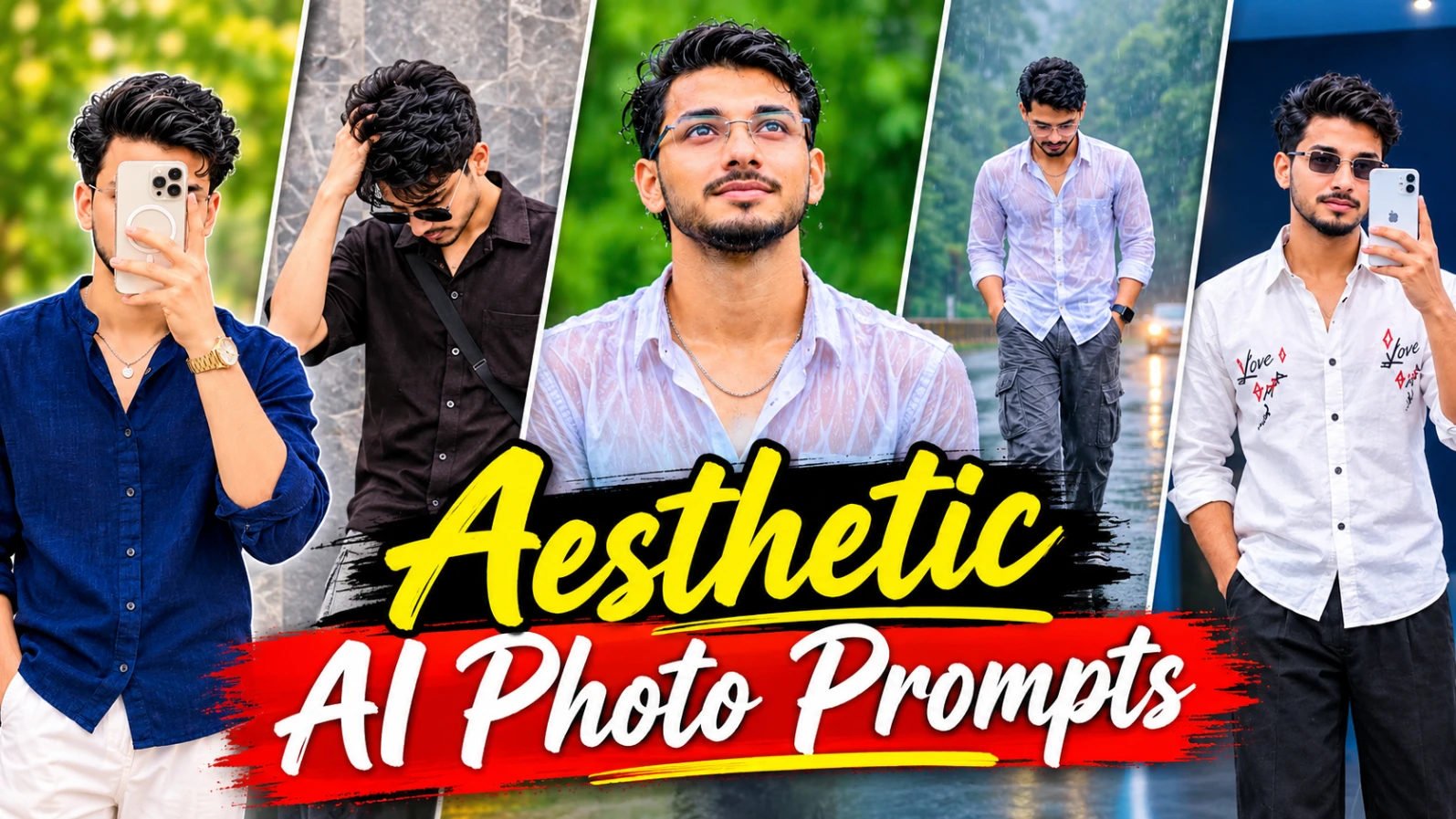
Instagram par stylish aur creative photos share karne ke liye AI photo prompts ka use kar sakte hain. Is article mein 5 alag aesthetic concepts diye gaye hain, jinmein collage poster, romantic couple photography, rainy-day portraits aur blue LED mirror selfie shamil hain. Sabhi designs vertical 4:5 composition ke liye hain.
5 Aesthetic AI Photo Designs Kaise Banaye
Step 1: Reference Photo Select Karein
Sabse pehle apni clear photo select karein. Agar AI tool reference image support karta hai, to apni photo upload karke face aur appearance guide karne ke liye use karein.
Step 2: Spring Vibes Collage Banayein
Deep olive-green background par ek bada mirror selfie aur right side mein teen tilted Polaroid-style photos create karein. Navy-blue shirt, white trousers aur Noorediting07 typography is design ka hissa hain.
Step 3: Eyes Speak Poster Create Karein
Greige paper background par torn-paper opening aur woman's eyes ka extreme close-up rakhein. Neeche black oversized shirt aur grey cargo jeans wale character ka sticker-style portrait add karein.
Step 4: Romantic Couple Collage Banayein
Three horizontal panels mein couple ke alag moments create karein. Ivory outfits, Rajasthani haveli courtyard aur sunset rooftop ka use karein.
Step 5: Rainy-Day Aur LED Portrait Banayein
Rainy forest road par three-panel collage aur doosre design mein blue LED mirror selfie create karein.
Step 6: Final Check Karein
Faces, hands, clothing, text spelling aur panel arrangement check karein. Zarurat par typography editing app mein correct karein.
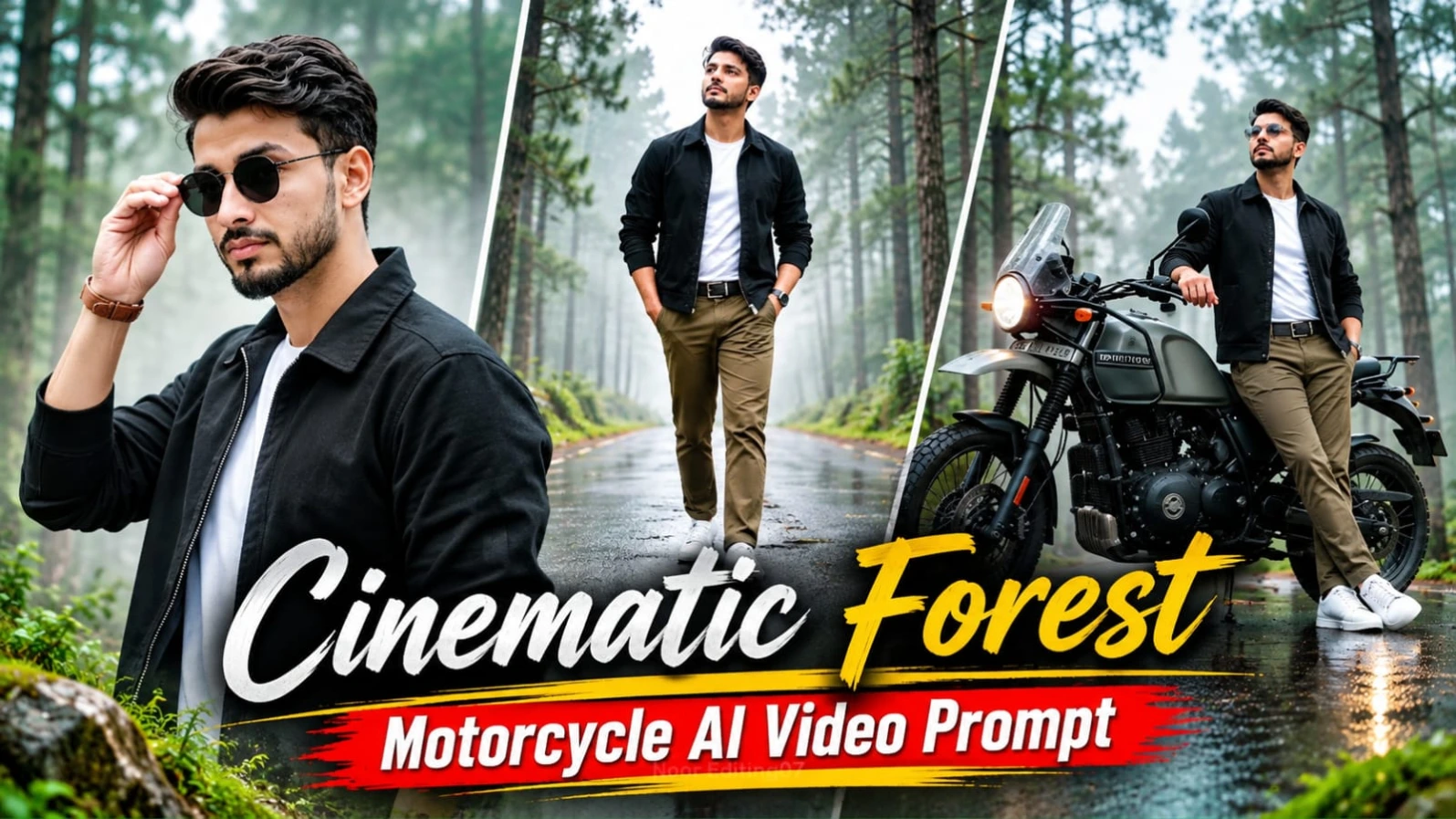
2. Cinematic Forest Motorcycle AI Video Prompt | Flow AI Edit
Cinematic Forest Motorcycle AI Video ek premium adventure-film style editing concept hai. Ismein misty pine forest, wet reflective road aur olive-grey adventure motorcycle ka cinematic environment create hota hai. Character black work jacket, white T-shirt, olive-brown chinos, white sneakers aur black round sunglasses pehenta hai.
Video approximately 25 seconds ka hai aur ismein 12 scenes hain. Motorcycle poore video mein parked aur stationary rehti hai. Camera movement aur forest ki natural fog video ko cinematic appearance dete hain.
Forest Motorcycle Video Kaise Banaye
Step 1: Character Reference Sheet Banayein
ChatGPT mein apni photo upload karke character reference sheet prepare karein. Face, hairstyle, beard, skin tone aur body appearance consistent rakhein.
Step 2: Flow AI Open Karein
Flow AI mein character reference upload karein. Motorcycle ke liye olive-grey body, round headlight, mirrors, handlebar aur black seat ki details dein.
Wide motorcycle shot, side-profile close-up, walking shot, sneakers tracking shot, tree tilt, motorcycle details aur character close-ups ko diye gaye sequence mein generate karein.
Step 5: Camera Movement Maintain Karein
Slow camera arc, push-in, tracking aur pull-back movements use karein. Motorcycle ko parked hi rakhein; use ride ya drive karte hue na dikhayein.
Step 6: Final Editing Karein
Sabhi 12 clips ko 16:9 widescreen sequence mein combine karein. Face consistency, motorcycle details aur fog movement check karein. Actual 8K aur HDR output selected tool ki settings par depend karega.
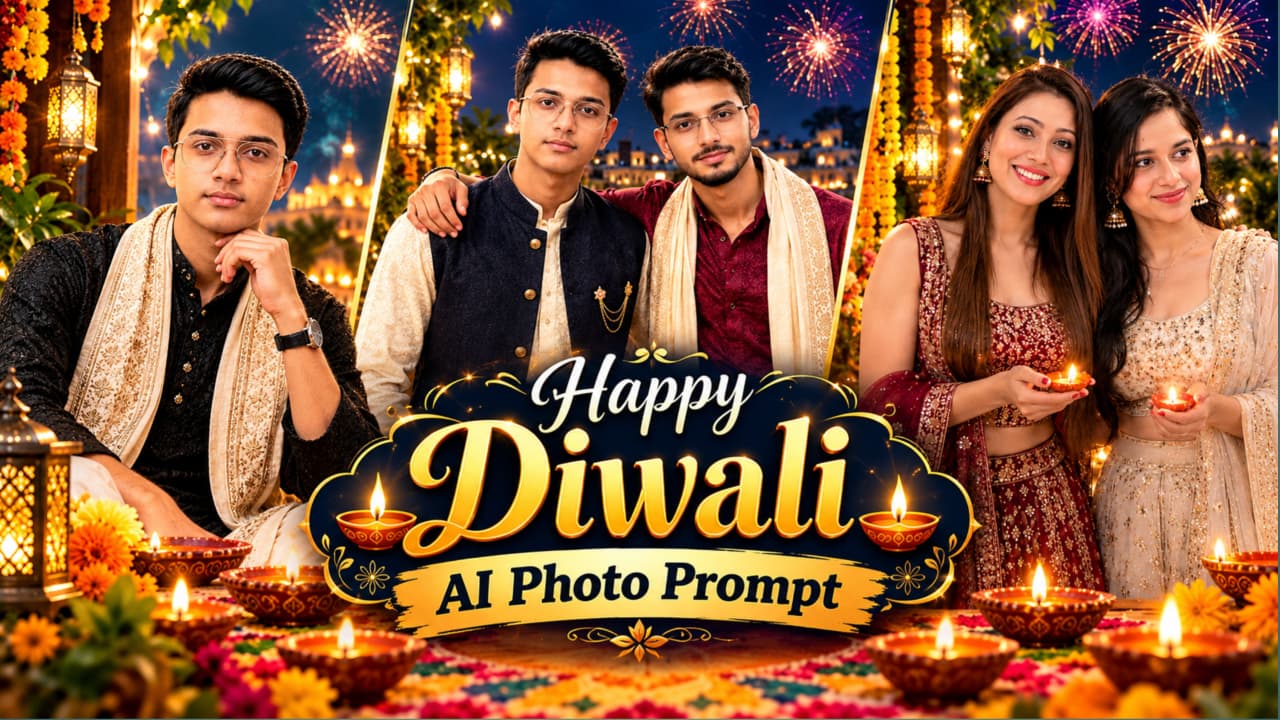
3. Happy Diwali AI Photo Prompt 8K | Create a Festive Portrait
Happy Diwali AI Photo Prompt se aap traditional Indian festival theme par beautiful greeting poster create kar sakte hain. Article mein golden Happy Diwali typography, marigold garlands, glowing diyas, fireworks aur decorated Indian terrace jaise festive elements describe kiye gaye hain.
Page par alag-alag portrait variations bhi diye gaye hain, jinmein two friends ke portraits, traditional outfits mein individual portraits aur temple-river ghat background wala seated portrait shamil hai. Black kurta, ivory embroidered shawl aur golden decorations wala design bhi explain kiya gaya hai.
Happy Diwali AI Photo Kaise Banaye
Step 1: Reference Images Select Karein
Apni clear face photo aur desired poster reference select karein. AI tool mein reference-image upload option available ho to dono images upload karein.
Step 2: 4:5 Composition Set Karein
Vertical 4:5 layout choose karein. Character ko left ya centre mein rakhein aur upper-right area mein Happy Diwali greeting ke liye space chhodein.
Step 3: Traditional Outfit Add Karein
Design ke according black textured kurta, ivory embroidered shawl, cream trousers aur wristwatch add karein. Alternative versions mein lehenga, saree aur ivory-maroon kurta combinations bhi hain.
Step 4: Festive Background Create Karein
Indian palace terrace, temple, river ghat, marigold flowers, fairy lights, fireworks aur floating diyas jaise elements use karein.
Step 5: Golden Typography Add Karein
Happy Diwali ko glossy golden calligraphy mein rakhein. Greeting message aur decorative lotus flourish bhi add karein.
Step 6: Final Image Check Karein
Face, hands, outfit embroidery aur text spelling inspect karein. 8K actual resolution generator ki export settings par depend karegi. Zarurat par text editing app mein correct karein.
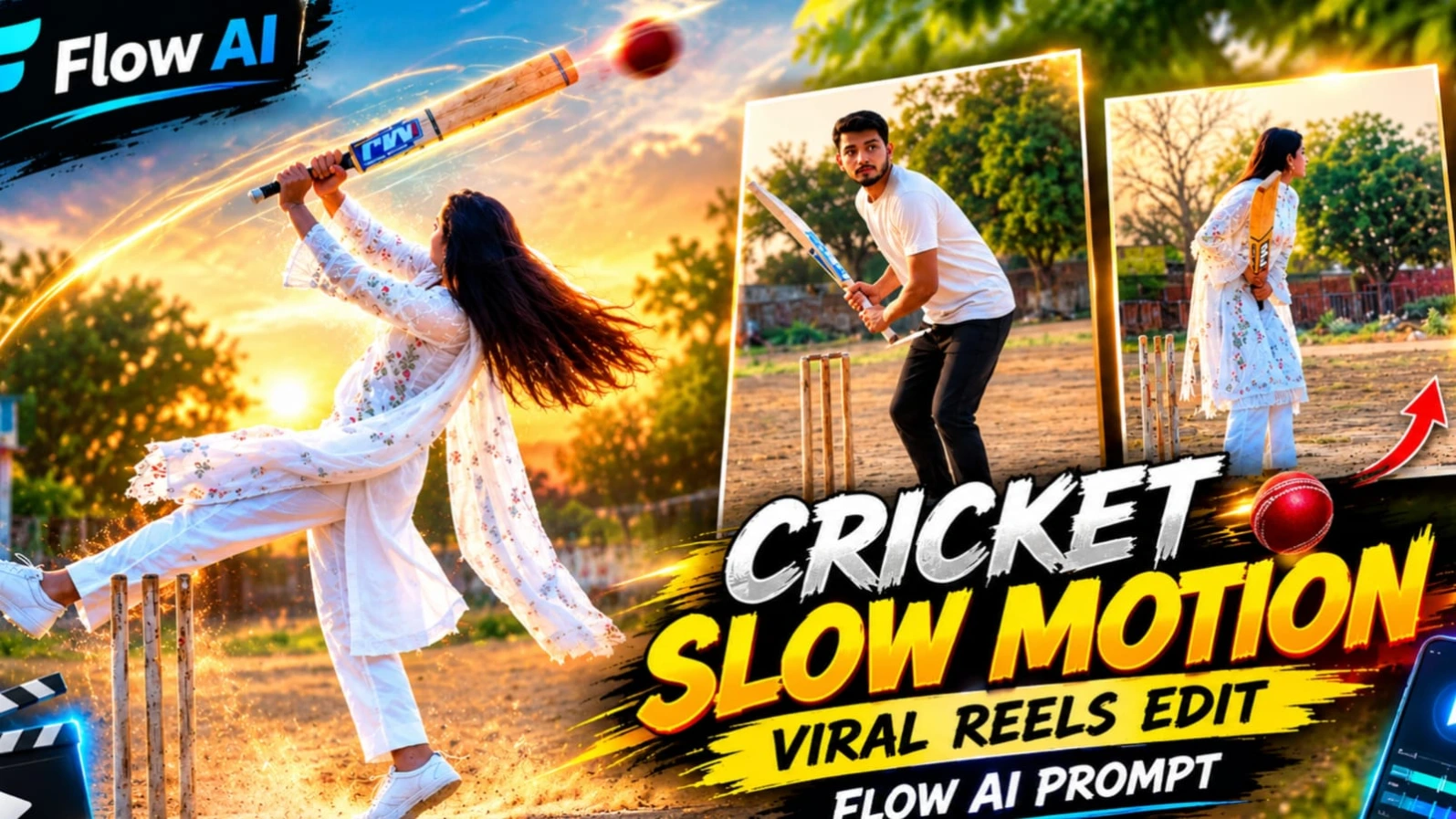
4. Village Cricket Cinematic Video Edit | Flow AI Prompt
Village Cricket Cinematic Video ek 11.5-second vertical AI video concept hai. Ismein ek woman traditional white chikankari outfit pehne dusty village cricket ground par wooden cricket bat ke saath different movements karti hai. Background mein sandy ground, concrete playing strip, wooden stumps, trees aur ek small blue-and-white building dikhai deti hai.
Video ka camera tripod par fixed rehta hai. Character ka outfit white embroidered kurta, white straight pants, sheer dupatta aur white sneakers hai. Golden-hour lighting aur slow-motion movements is concept ko cinematic look dete hain.
Village Cricket Video Kaise Banaye
Step 1: Character Reference Photo Upload Karein
Apni clear reference photo select karein. Face, hairstyle, skin tone aur body appearance ko consistent rakhne ki instruction dein.
Step 2: Flow AI Open Karein
Flow AI mein reference image upload karein. White chikankari kurta, straight pants, long sheer dupatta aur white sneakers ka outfit describe karein.
Step 3: Cricket Ground Create Karein
Dusty village ground, grey concrete strip, three wooden stumps, small blue-and-white building aur green trees background mein rakhein.
Step 4: Camera Set Karein
Slightly low full-body wide shot use karein. Camera tripod par locked rahe; pan, zoom ya camera movement na ho.
Step 5: Cricket Actions Generate Karein
Character bat raise kare, forward bend ho, ground par bat tap kare, jump kare, turn le aur bat ko overhead raise kare.
Step 6: Slow Motion Add Karein
Approximately 5.3 se 10.2 seconds tak smooth slow-motion movement rakhein. Hair, dupatta aur bat ki movement natural honi chahiye.
Step 7: Final Export Karein
Total duration 11.5 seconds aur vertical 9:16 format rakhein. Bottom centre par NoorEditing07 watermark add karein. Video silent hai, isliye music ya speech add na karein.
ChatGPT AI Birthday Poster page par SHWETA name poster ka detailed design explain kiya gaya hai. Is concept mein ek realistic female portrait, giant cream-white 3D letters, pink flowers, green vines aur cute chibi cartoon characters ka combination hai. Background cream-peach room, golden sunlight aur decorative props ke saath create hota hai.
Poster ke main design mein SHWETA naam vertical 3D letters mein dikhaya gaya hai. Woman cream-white embroidered Anarkali outfit aur blush-pink dupatta pehenti hai. Chhote cartoon characters reading, painting, laptop use aur dancing jaise activities karte hain.
Prompt mein uploaded face ko closely preserve karne ki instruction dein. Face features, skin tone aur natural appearance ko unnecessarily change na karein.
Step 3: 3D Name Letters Create Karein
Poster ke left-center mein vertical cream-white 3D letters se SHWETA likhein. Letters ke edges par thin golden border, pink flowers aur green vines add karein.
Letters ke aas-paas six cute 3D cartoon girls rakhein. Unhe book reading, painting, laptop use, dancing aur travelling jaise activities mein dikhayein.
Step 6: Final Poster Check Karein
Name spelling, face, cartoon positions aur decorative text inspect karein. Page ke prompt card mein ek alag dark-gold male collage prompt bhi dikh raha hai, jo SHWETA poster description se match nahi karta. Isliye SHWETA design ke liye main article ki details use karein. Zarurat par text graphics editor mein correct karein.