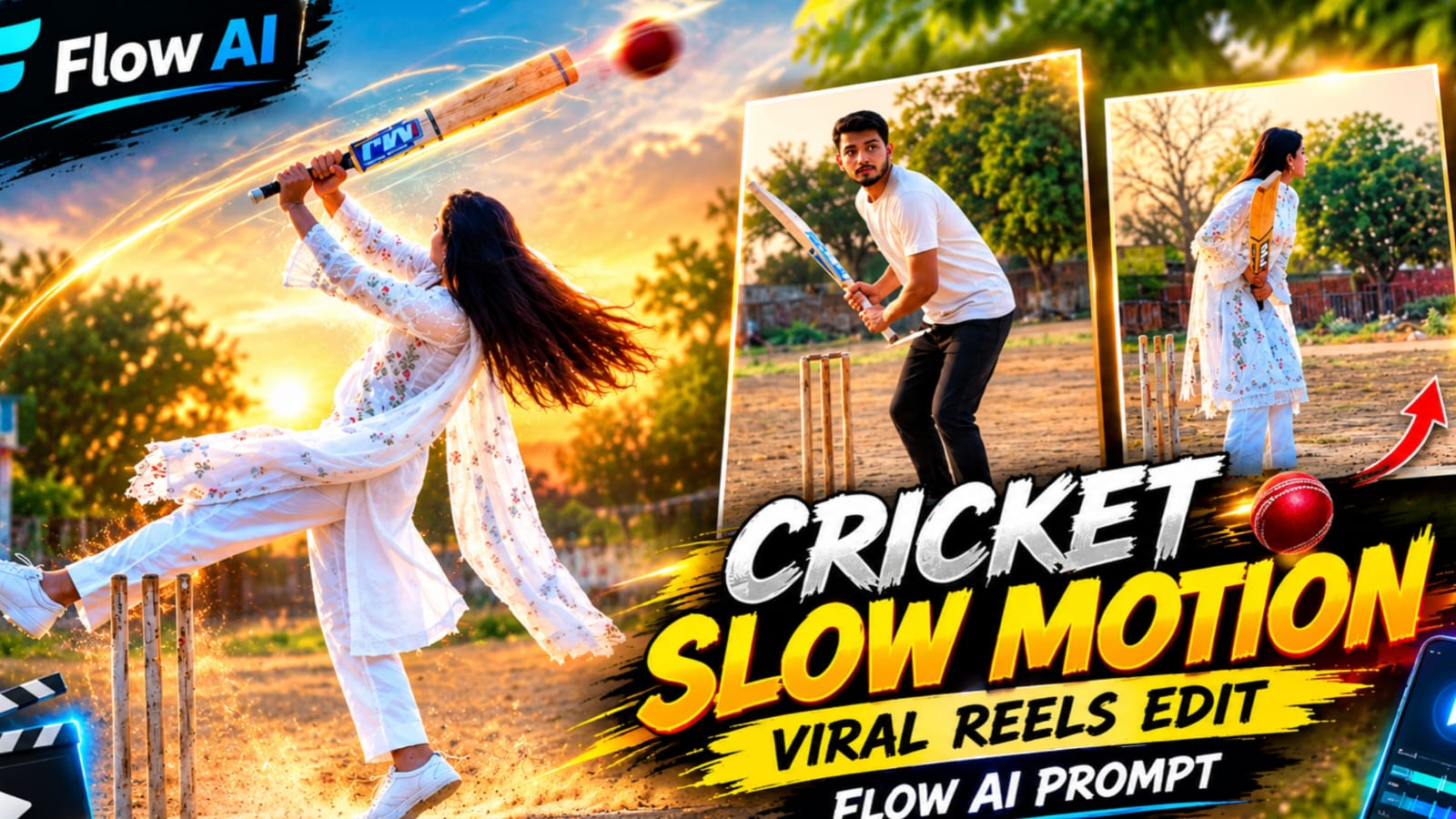
Create a cinematic village cricket video with Flow AI using this detailed AI video prompt. This concept features a woman in a traditional white outfit holding a cricket bat on a dusty village cricket ground during golden hour. The video combines realistic movement, dramatic slow motion, warm cinematic lighting and a fixed camera angle to create a professional vertical video for social media.
This Flow AI Village Cricket Cinematic Video Prompt is designed for a 9:16 vertical video with an exact target duration of 11.5 seconds. The scene includes a village cricket ground, wooden stumps, a concrete playing strip, trees and a small building in the background. The woman performs a sequence of cricket-inspired movements, including lifting the bat, bending forward, jumping, turning and walking away.
Realistic Character Appearance
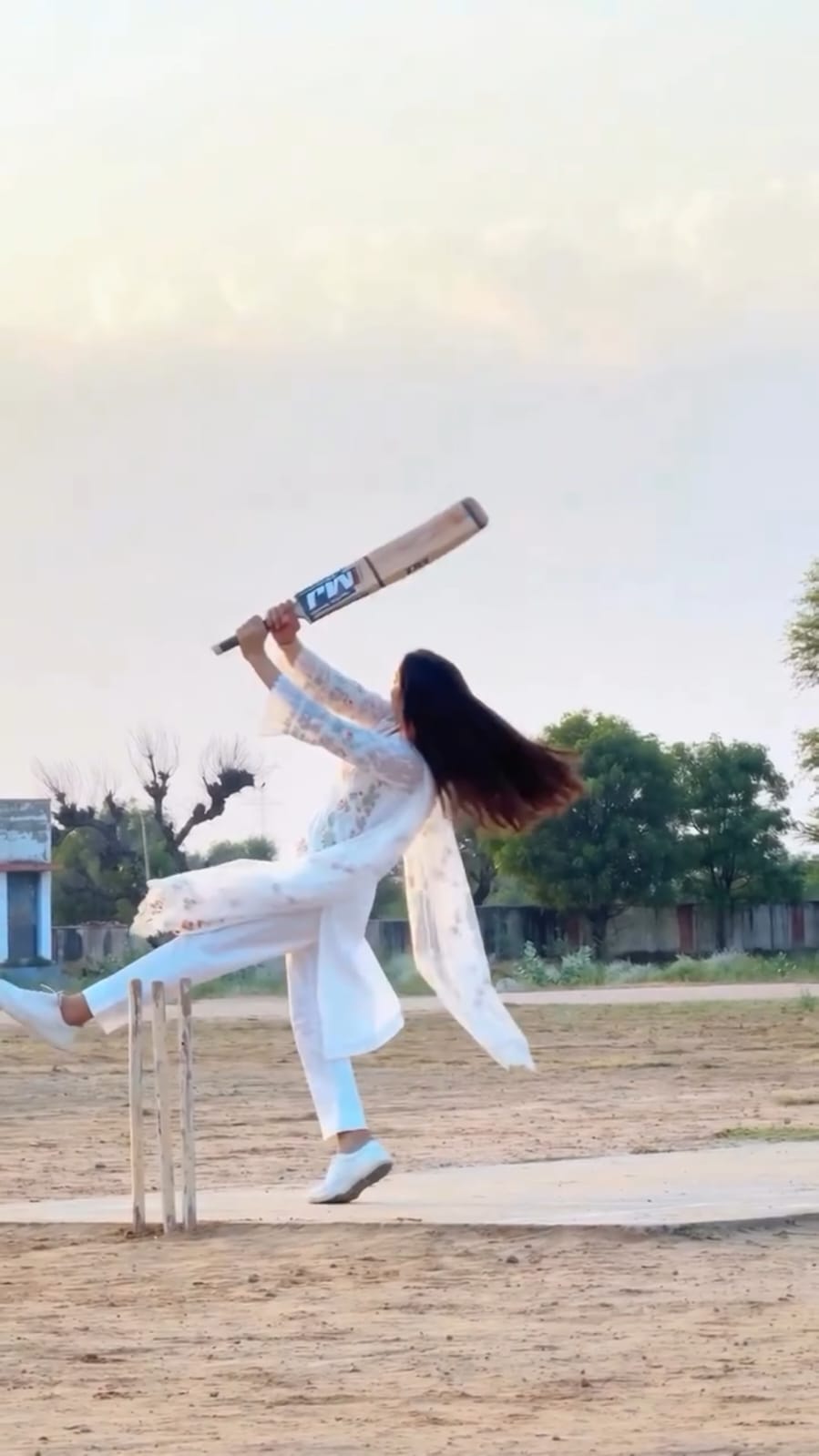
The main subject should closely match the uploaded reference image. The prompt specifies consistent facial features, hairstyle, skin tone, age and body appearance throughout the video. The woman wears a white chikankari embroidered knee-length kurta with three-quarter sleeves, white straight pants, a long sheer white dupatta and white sneakers. Her long, straight black hair remains consistent throughout the scene.
She holds a light-wood cricket bat featuring a blue-and-white sticker. The face should remain clear and naturally lit whenever it is visible. No additional people should appear in the scene. The video should maintain consistent clothing, natural fabric movement and believable body proportions.
Village Cricket Ground Background
The setting is a dusty village cricket ground with brown sandy soil and a grey concrete strip. Three wooden stumps stand on the left side of the frame. A small blue-and-white building appears in the far-left background, while a bare tree and green trees add depth to the landscape.
The sky uses soft cream and grey pastel tones. Golden-hour sunlight creates warm highlights and detailed shadows across the ground and white clothing. The environment should look like realistic outdoor footage rather than a digital illustration.
Static Camera and Vertical Composition
The camera remains locked on a tripod in a slightly low, wide full-body position. The woman stays in the same general area and remains visible from head to feet during the main take. The camera does not pan, zoom or move.
The video uses a continuous take from 0 to 10.2 seconds, followed by a hard cut to a second segment lasting from 10.2 to 11.5 seconds. The second segment returns to brighter, warmer colours. This change creates a clear cinematic transition while maintaining the same overall setting.
Cinematic Slow-Motion Effects
The prompt specifies normal-speed action during the opening section, followed by smooth slow motion from approximately 5.3 seconds to 10.2 seconds. Hair, the dupatta and the cricket bat should move naturally with believable momentum.
The slow-motion section emphasizes the jump, turning movement, raised bat and floating fabric. The motion should remain smooth and stable, without flickering, warped limbs or unnatural changes in the subject's appearance.
Action Sequence and Timing
The opening shows the woman standing side-on beside the stumps, raising the bat and lowering it beside her hip. She then performs a high back-lift, bends forward and taps the bat blade on the ground.
Next, she crouches and springs upward while bringing the bat upright. During the slow-motion section, she turns with her back briefly facing the camera, kicks one leg outward and raises the bat overhead. Her hair and dupatta flow naturally as she lands and turns toward the camera.
She then raises the bat with one hand while placing the other hand on her chest. Later, she holds the bat upright in front of her face and slowly tilts it diagonally. At the hard cut, the warm lighting returns. She lowers the bat, steps toward the right side of the frame, turns to profile and finally walks away from the camera.
Lighting and Colour Grading
The opening uses bright, warm golden-hour tones with crisp white clothing. From approximately 7.5 seconds to 10.2 seconds, the image becomes slightly darker and cooler, with subtle greenish-grey tones. The final cut restores the warm, bright appearance.
The desired finish includes clean highlights, detailed shadows, natural skin texture and a realistic HDR-style image. The prompt avoids haze and excessive artificial filters. Actual colour rendering depends on the video generator and its settings.
Watermark and Final Quality
A small, subtle white watermark reading NoorEditing07 should appear at the bottom centre throughout the video. No additional text or logos should be introduced.
The target output is photorealistic, vertical 9:16, 8K-style detail and 24 fps, with no music or speech. Because AI video generators can interpret duration, timing and complex movements differently, check the generated result carefully. Face consistency, exact timing, continuous visibility and perfect motion cannot be guaranteed in every generation.
Who Can Use This Prompt?
This prompt is suitable for creators who want to experiment with cinematic village cricket scenes, traditional outfit videos, realistic AI motion and dramatic slow-motion effects. It can be used as a starting point for Instagram Reels, YouTube Shorts and other vertical video projects.
For more AI photo prompts, Flow AI video prompts and editing tutorials, search NoorEditing07 on Google and visit NoorEditing07.com. Copy the prompt, use a suitable reference image and review the generated video before publishing.
AI Video Generation Prompt Card
✦AI VIDEO PROMPT
Cinematic 9:16 vertical video, exactly 11.5 seconds, photorealistic, 8K, true HDR, 24 fps. Silent video, no music, no speech. CAMERA: a locked-off tripod camera, static full-body wide shot at slightly low eye level. It never moves, zooms or pans. She stays in the same spot, always fully visible head to feet. Two shots from the same position: one continuous take (0-10.2s), then a hard cut (10.2-11.5s).
Cinematic 9:16 vertical video, exactly 11.5 seconds, photorealistic, 8K, true HDR, 24 fps. Silent video, no music, no speech.
CAMERA: a locked-off tripod camera, static full-body wide shot at slightly low eye level. It never moves, zooms or pans. She stays in the same spot, always fully visible head to feet. Two shots from the same position: one continuous take (0-10.2s), then a hard cut (10.2-11.5s).
WOMAN: she looks exactly like the uploaded image in every frame: same face, hair, skin tone, age and body, never morphing. Outfit: white chikankari embroidered knee-length kurta with 3/4 sleeves, white straight pants, long sheer white dupatta, white sneakers, long straight black open hair. She holds a light-wood cricket bat with a blue-and-white sticker. No other people. Her face is sharp and clear whenever visible, no blur, evenly lit.
PLACE: a dusty village cricket ground at golden hour, brown sandy ground with a grey concrete strip, three wooden stumps at the left, a small blue-and-white building on the far left, a bare tree and green trees behind, a soft cream-and-grey pastel sky.
COLOUR: 0-7.5s warm bright golden-hour tones, crisp white clothes. From 7.5s to 10.2s the frame turns slightly darker, cooler and greenish-grey. At the cut at 10.2s the warm bright tones return and stay. Bright clean highlights, detailed shadows, 10-bit HDR, no haze.
SLOW MOTION: from 5.3s to 10.2s smooth slow motion (about 40 percent speed) with hair, dupatta and bat floating. The rest is real time.
ACTION, in this order:
0-2.3s: she stands side-on facing frame-right beside the stumps, bent slightly forward, raises the bat upright in front of her, then lowers it to hang by her hip, head down.
2.3-3.8s: she slowly lifts the bat into a high back-lift behind her shoulder, leaning back, then leans forward and drops the bat down.
3.8-4.8s: she taps the bat blade on the ground at her feet, bends forward with her hair falling forward, then lifts the bat again into a high back-lift.
4.8-5.6s: she crouches with the bat high, turns toward the camera, and springs up with the bat upright in front of her face, her feet leaving the ground.
5.6-7.0s: airborne with her back to the camera and her hair flung upward, then she twists with one leg kicked out to the left, both hands holding the bat up overhead, her hair flying to the right and the dupatta floating wide.
7.0-7.8s: she lands slowly, one leg still out to the side, the bat diagonal above her head, turning toward the camera.
7.8-9.0s: she faces the camera three-quarter, the bat raised high in her right hand, her left hand on her chest, the dupatta floating.
9.0-10.2s: she holds the bat upright in front of her face with both hands so the blade covers her face, then slowly tilts it diagonally.
10.2-11.5s (hard cut): she lowers the bat to her right side with her face visible, steps toward frame-right, turns to profile with the bat hanging behind her, then turns her back to the camera and walks away, her long hair swaying.
Smooth stable motion, no warping or flicker, correct hands. A small subtle white text "NoorEditing07" sits at the bottom centre of every frame, no other text or logos.
✓
Prompt copied to clipboard!
AI Video Generation Prompt Card
✦AI VIDEO PROMPT
Cinematic 9:16 vertical video, exactly 11.5 seconds, photorealistic, 8K, true HDR, 24 fps. Silent video, no music, no speech. CAMERA: a locked-off tripod camera, static full-body wide shot at slightly low eye level. It never moves, zooms or pans. She stays in the same spot, always fully visible head to feet. Two shots from the same position: one continuous take (0-10.2s), then a hard cut (10.2-11.5s).
Cinematic 9:16 vertical video, exactly 11.5 seconds, photorealistic, 8K, true HDR, 24 fps. Silent video, no music, no speech.
CAMERA: a locked-off tripod camera, static full-body wide shot at slightly low eye level. It never moves, zooms or pans. She stays in the same spot, always fully visible head to feet. Two shots from the same position: one continuous take (0-10.2s), then a hard cut (10.2-11.5s).
WOMAN: she looks exactly like the uploaded image in every frame: same face, hair, skin tone, age and body, never morphing. Outfit: white chikankari embroidered knee-length kurta with 3/4 sleeves, white straight pants, long sheer white dupatta, white sneakers, long straight black open hair. She holds a light-wood cricket bat with a blue-and-white sticker. No other people. Her face is sharp and clear whenever visible, no blur, evenly lit.
PLACE: a dusty village cricket ground at golden hour, brown sandy ground with a grey concrete strip, three wooden stumps at the left, a small blue-and-white building on the far left, a bare tree and green trees behind, a soft cream-and-grey pastel sky.
COLOUR: 0-7.5s warm bright golden-hour tones, crisp white clothes. From 7.5s to 10.2s the frame turns slightly darker, cooler and greenish-grey. At the cut at 10.2s the warm bright tones return and stay. Bright clean highlights, detailed shadows, 10-bit HDR, no haze.
SLOW MOTION: from 5.3s to 10.2s smooth slow motion (about 40 percent speed) with hair, dupatta and bat floating. The rest is real time.
ACTION, in this order:
0-2.3s: she stands side-on facing frame-right beside the stumps, bent slightly forward, raises the bat upright in front of her, then lowers it to hang by her hip, head down.
2.3-3.8s: she slowly lifts the bat into a high back-lift behind her shoulder, leaning back, then leans forward and drops the bat down.
3.8-4.8s: she taps the bat blade on the ground at her feet, bends forward with her hair falling forward, then lifts the bat again into a high back-lift.
4.8-5.6s: she crouches with the bat high, turns toward the camera, and springs up with the bat upright in front of her face, her feet leaving the ground.
5.6-7.0s: airborne with her back to the camera and her hair flung upward, then she twists with one leg kicked out to the left, both hands holding the bat up overhead, her hair flying to the right and the dupatta floating wide.
7.0-7.8s: she lands slowly, one leg still out to the side, the bat diagonal above her head, turning toward the camera.
7.8-9.0s: she faces the camera three-quarter, the bat raised high in her right hand, her left hand on her chest, the dupatta floating.
9.0-10.2s: she holds the bat upright in front of her face with both hands so the blade covers her face, then slowly tilts it diagonally.
10.2-11.5s (hard cut): she lowers the bat to her right side with her face visible, steps toward frame-right, turns to profile with the bat hanging behind her, then turns her back to the camera and walks away, her long hair swaying.
Smooth stable motion, no warping or flicker, correct hands. A small subtle white text "NoorEditing07" sits at the bottom centre of every frame, no other text or logos.
✓
Prompt copied to clipboard!
AI Video Generation Prompt Card
✦AI VIDEO PROMPT
Cinematic 9:16 vertical video, exactly 11.5 seconds, photorealistic, 8K, true HDR, 24 fps. Silent video, no music, no speech. CAMERA AND FRAMING (must not change): a locked-off tripod camera at chest height, looking straight ahead, perfectly horizontal, a pure side view of the pitch. The camera is square-on to the pitch, not behind the stumps, not behind the bowler, not at an angle. It never moves, zooms, pans or tilts. Wide shot: the top 45 percent of the frame is soft sky, the tree line sits about two thirds down the frame, and the man fills only about one third of the frame height, always fully visible head to feet.
Cinematic 9:16 vertical video, exactly 11.5 seconds, photorealistic, 8K, true HDR, 24 fps. Silent video, no music, no speech.
CAMERA AND FRAMING (must not change): a locked-off tripod camera at chest height, looking straight ahead, perfectly horizontal, a pure side view of the pitch. The camera is square-on to the pitch, not behind the stumps, not behind the bowler, not at an angle. It never moves, zooms, pans or tilts. Wide shot: the top 45 percent of the frame is soft sky, the tree line sits about two thirds down the frame, and the man fills only about one third of the frame height, always fully visible head to feet. He stands left of centre, at about 40 percent of the frame width, and stays in that spot until the final walk.
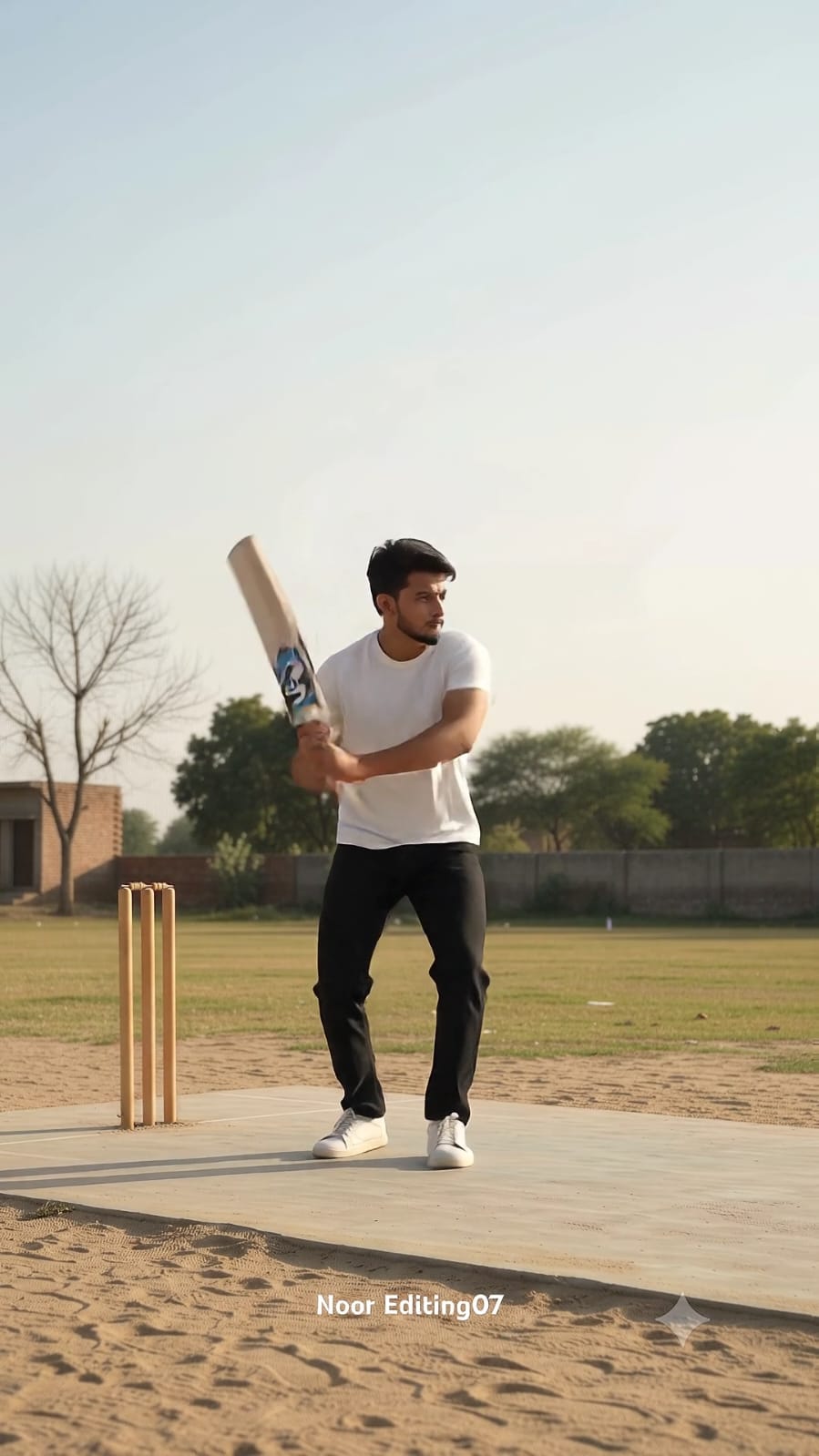
GROUND LAYOUT (must not be reversed or rotated): a grey concrete strip runs horizontally across the lower part of the frame, from the left edge to the right edge, with brown sandy ground in front of it at the bottom. Only one set of three wooden stumps stands at the left end of the strip, at about 28 percent of the frame width, directly behind the man. He stands in front of the stumps in a side-on batting stance, facing frame-right, towards the open pitch. A small blue-and-white building stands at the far left edge, a bare leafless tree is behind it, and green trees and a low wall run along the horizon on the right. No other stumps, no vertical pitch, no second batter.
MAN: he looks exactly like the uploaded photo in every frame. Outfit: plain white t-shirt, black pants, white sneakers. He holds a light-wood cricket bat with a blue-and-white sticker. No other people. His face is sharp and clear whenever visible, no blur, evenly lit.
COLOUR: 0-7.5s warm bright golden-hour tones, soft cream-and-grey pastel sky, crisp white t-shirt. From 7.5s to 10.2s the frame turns slightly darker, cooler and greenish-grey. At the cut at 10.2s the warm bright tones return and stay. Bright clean highlights, detailed shadows, 10-bit HDR, no haze.
SPEED (very important): everything from 0s to 5.9s is in normal real-time speed, including the batting shot, which is fast and powerful, NOT slow motion. Only from 5.9s to 8.9s (exactly 3 seconds) it is smooth slow motion (about 40 percent speed) with hair, t-shirt and bat floating. From 8.9s to 11.5s it is normal real-time speed again.
ACTION, in this order:
0-2.3s: he stands side-on facing frame-right in front of the stumps, bent slightly forward, raises the bat upright in front of him, then lowers it to hang by his hip, head down.
2.3-3.8s: he slowly lifts the bat into a high back-lift behind his shoulder, leaning back, then leans forward and drops the bat down.
3.8-4.8s: he taps the bat blade on the ground at his feet, bends forward with his hair falling forward, then lifts the bat again into a high back-lift.
4.8-5.2s: he holds the high back-lift with his knees slightly bent.
5.2-5.9s (THE SHOT, real-time, fast): he springs off the ground with the bat upright in front of him, spins his body so his back is to the camera, whips the bat around in a fast arc and up overhead, his hair flung upward, ending with one leg kicked out to the left and both hands holding the bat overhead.
5.9-7.0s (slow motion): he hangs in the air with one leg out to the left, the bat held up overhead, his hair flying to the right and the t-shirt floating.
7.0-7.8s (slow motion): he lands slowly, one leg still out to the side, the bat diagonal above his head, turning toward the camera.
7.8-8.9s (slow motion): he faces the camera three-quarter, the bat raised high in his right hand, his left hand on his chest, the t-shirt floating.
8.9-10.2s (real-time): he holds the bat upright in front of his face with both hands so the blade covers his face, then tilts it diagonally.
10.2-11.5s (hard cut, same camera position): he lowers the bat to his right side with his face visible, steps toward frame-right along the strip, turns to profile with the bat hanging behind him, then turns his back to the camera and walks away, his hair and t-shirt swaying.
Smooth stable motion, no warping or flicker, correct hands. A small subtle white text "NoorEditing07" sits at the bottom centre of every frame, no other text or logos.
✓
Prompt copied to clipboard!
AI Video Generation Prompt Card
✦AI VIDEO PROMPT
Cinematic 9:16 vertical video, exactly 11.5 seconds, photorealistic, 8K, true HDR, 24 fps. Silent video, no music, no speech. CAMERA AND FRAMING (must not change): a locked-off tripod camera at chest height, looking straight ahead, perfectly horizontal, a pure side view of the pitch. The camera is square-on to the pitch, not behind the stumps, not behind the bowler, not at an angle. It never moves, zooms, pans or tilts. Wide shot: the top 45 percent of the frame is soft sky, the tree line sits about two thirds down the frame, and the man fills only about one third of the frame height, always fully visible head to feet.
Cinematic 9:16 vertical video, exactly 11.5 seconds, photorealistic, 8K, true HDR, 24 fps. Silent video, no music, no speech.
CAMERA AND FRAMING (must not change): a locked-off tripod camera at chest height, looking straight ahead, perfectly horizontal, a pure side view of the pitch. The camera is square-on to the pitch, not behind the stumps, not behind the bowler, not at an angle. It never moves, zooms, pans or tilts. Wide shot: the top 45 percent of the frame is soft sky, the tree line sits about two thirds down the frame, and the man fills only about one third of the frame height, always fully visible head to feet. He stands left of centre, at about 40 percent of the frame width, and stays in that spot until the final walk.
GROUND LAYOUT (must not be reversed or rotated): a grey concrete strip runs horizontally across the lower part of the frame, from the left edge to the right edge, with brown sandy ground in front of it at the bottom. Only one set of three wooden stumps stands at the left end of the strip, at about 28 percent of the frame width, directly behind the man. He stands in front of the stumps in a side-on batting stance, facing frame-right, towards the open pitch. A small blue-and-white building stands at the far left edge, a bare leafless tree is behind it, and green trees and a low wall run along the horizon on the right. No other stumps, no vertical pitch, no second batter.
MAN: he looks exactly like the uploaded photo in every frame. Outfit: plain white t-shirt, black pants, white sneakers. He holds a light-wood cricket bat with a blue-and-white sticker. No other people. His face is sharp and clear whenever visible, no blur, evenly lit.
COLOUR: 0-7.5s warm bright golden-hour tones, soft cream-and-grey pastel sky, crisp white t-shirt. From 7.5s to 10.2s the frame turns slightly darker, cooler and greenish-grey. At the cut at 10.2s the warm bright tones return and stay. Bright clean highlights, detailed shadows, 10-bit HDR, no haze.
SPEED (very important): everything from 0s to 5.9s is in normal real-time speed, including the batting shot, which is fast and powerful, NOT slow motion. Only from 5.9s to 8.9s (exactly 3 seconds) it is smooth slow motion (about 40 percent speed) with hair, t-shirt and bat floating. From 8.9s to 11.5s it is normal real-time speed again.
ACTION, in this order:
0-2.3s: he stands side-on facing frame-right in front of the stumps, bent slightly forward, raises the bat upright in front of him, then lowers it to hang by his hip, head down.
2.3-3.8s: he slowly lifts the bat into a high back-lift behind his shoulder, leaning back, then leans forward and drops the bat down.
3.8-4.8s: he taps the bat blade on the ground at his feet, bends forward with his hair falling forward, then lifts the bat again into a high back-lift.
4.8-5.2s: he holds the high back-lift with his knees slightly bent.
5.2-5.9s (THE SHOT, real-time, fast): he springs off the ground with the bat upright in front of him, spins his body so his back is to the camera, whips the bat around in a fast arc and up overhead, his hair flung upward, ending with one leg kicked out to the left and both hands holding the bat overhead.
5.9-7.0s (slow motion): he hangs in the air with one leg out to the left, the bat held up overhead, his hair flying to the right and the t-shirt floating.
7.0-7.8s (slow motion): he lands slowly, one leg still out to the side, the bat diagonal above his head, turning toward the camera.
7.8-8.9s (slow motion): he faces the camera three-quarter, the bat raised high in his right hand, his left hand on his chest, the t-shirt floating.
8.9-10.2s (real-time): he holds the bat upright in front of his face with both hands so the blade covers his face, then tilts it diagonally.
10.2-11.5s (hard cut, same camera position): he lowers the bat to his right side with his face visible, steps toward frame-right along the strip, turns to profile with the bat hanging behind him, then turns his back to the camera and walks away, his hair and t-shirt swaying.
Smooth stable motion, no warping or flicker, correct hands. A small subtle white text "NoorEditing07" sits at the bottom centre of every frame, no other text or logos.
Sabse pehle Flow AI open karein aur video generation ka option select karein.
Step 2: Reference Photo Upload Karein
Apni clear face photo upload karein. Photo mein face aur hairstyle clearly visible hone chahiye, taaki AI character ki appearance ko consistent rakhne ki koshish kar sake.
Step 3: Video Prompt Paste Karein
Cinematic Village Cricket Video Prompt ko prompt box mein paste karein. Ismein character ka outfit, cricket bat, village ground, camera angle, slow motion aur lighting ki details di gayi hain.
Step 4: Video Settings Select Karein
Available settings mein 9:16 vertical aspect ratio select karein. Agar duration aur frame rate ke options available hon, to 11.5 seconds aur 24 fps select karein.
Step 5: Generate Par Click Karein
Sabhi details check karne ke baad Generate par click karein aur video ready hone tak wait karein.
Step 6: Video Check Karein
Generated video mein face consistency, cricket bat movement, jump, slow motion, outfit aur background check karein. Agar koi distortion ho, to prompt mein zaroori changes karke dobara generate karein.
Step 7: Video Save Karein
Video ready hone ke baad Download ya Export option se save kar lein. Agar video ki duration 11.5 seconds se alag ho, to video editor mein trim kar sakte hain.
Best Results Ke Liye Tips
Clear reference photo use karein aur character ki appearance consistent rakhne ke liye prompt mein clear instructions dein. Agar complex movements sahi generate na hon, to action ko chhote clips mein banakar editing app mein combine kar sakte hain.
Flow AI Village Cricket Video Prompt - Noor Editing
Flow AI Village Cricket Video PromptVillage Cricket Cinematic VideoFlow AI Video PromptAI Cricket VideoSlow Motion Cricket Video9:16 Cinematic Video PromptTraditional White Outfit VideoAI Video EditingVillage Ground VideoPhotorealistic AI VideoCricket Bat Cinematic SceneNoorEditing07
Flow AI Village Cricket Video Prompt - Noor Editing
Flow AI Village Cricket Video PromptVillage Cricket Cinematic VideoFlow AI Video PromptAI Cricket VideoSlow Motion Cricket Video9:16 Cinematic Video PromptTraditional White Outfit VideoAI Video EditingVillage Ground VideoPhotorealistic AI VideoCricket Bat Cinematic SceneNoorEditing07
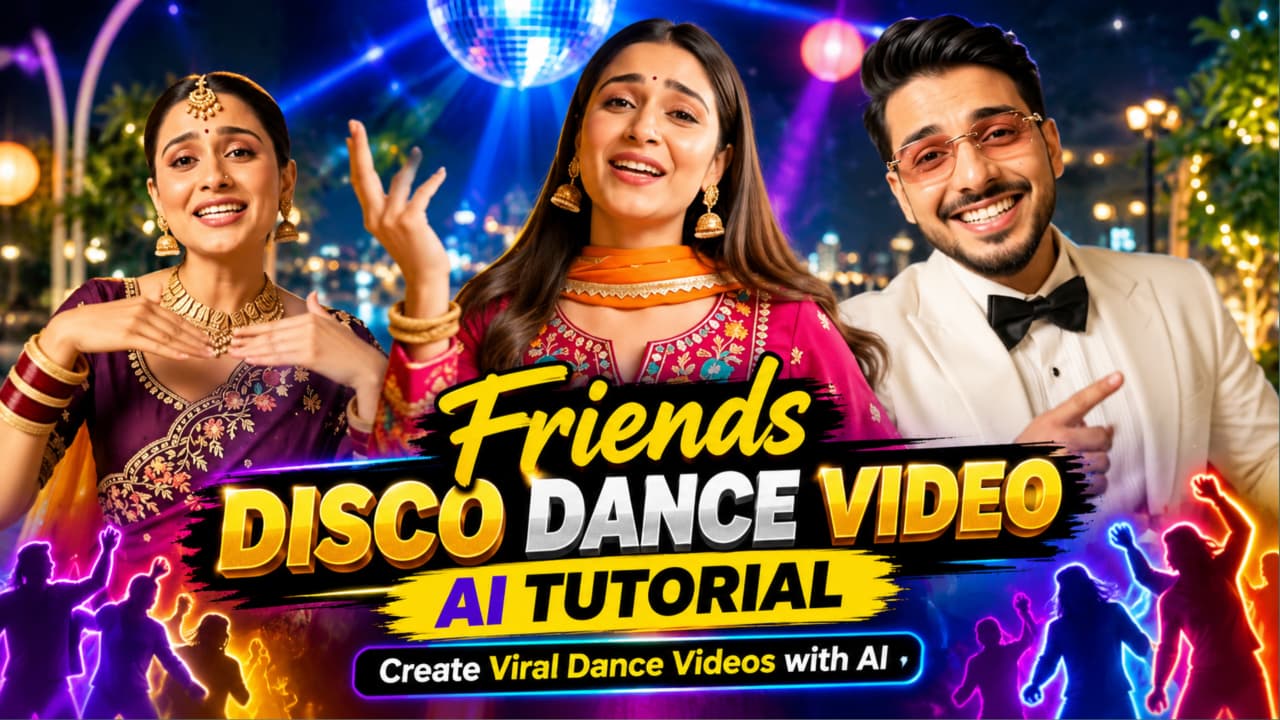
Friends Disco Dance Video AI Tutorial ek creative AI video-editing concept hai jisme friends ke group ko colourful disco party mein dance karte hue dikhaya jata hai. Is concept mein energetic dance movements, stylish party outfits, glowing disco lights aur cinematic camera angles ka combination use hota hai. Isse aap social media ke liye entertaining dance video create karne ka idea explore kar sakte hain.
Original video prompt mein 16:9 landscape format aur 10-second duration ke saath four shots plan kiye gaye hain. Teen characters ki reference photos use hoti hain: ek man aur do women. Video mein group selfie, man ka singing-style close-up, first woman ka dance aur second woman ka hair-whip dance shamil hain. Background mein luxury rooftop terrace, city skyline aur colourful party lighting dikhayi gayi hai.
Friends Disco Dance Video Kaise Banaye
Step 1: Man aur dono women ki clear reference photos ready karein.
Step 2: Flow AI open karein aur video-generation option select karein.
Step 3: Reference photos upload karein aur characters ke faces aur outfits consistent rakhne ki instruction dein.
Step 4: NoorEditing07 ke original article se complete video prompt copy karein.
Step 5: Prompt paste karke video generate karein.
Step 6: Four shots, dance movements, face consistency aur lighting check karein.
Step 7: Zarurat ke according video editor mein music add karein aur final clip export karein.
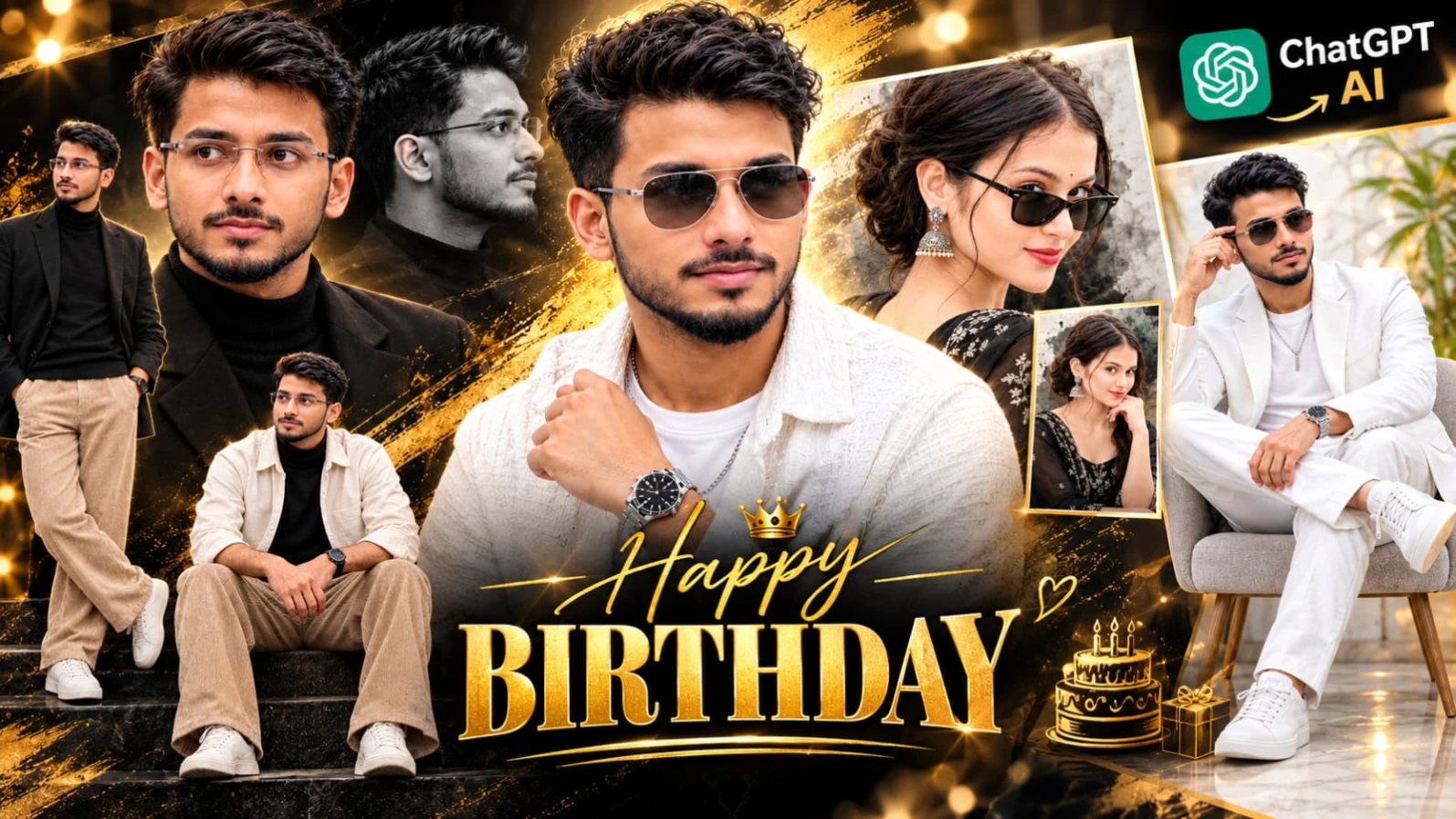
ChatGPT AI Birthday Poster Prompt ek luxury-style birthday photo-editing concept hai jisme realistic portrait, white outfit aur elegant marble background ko combine kiya gaya hai. Poster ka design white, silver aur soft golden tones par based hai. Silver brush-stroke effects, golden bokeh lights aur reflective floor composition ko premium birthday-poster appearance dete hain.
Is concept mein ek young man ka large close-up portrait aur ek seated full-body portrait use kiya gaya hai. Character white blazer, white T-shirt, white trousers aur white sneakers pehenta hai. Silver aviator sunglasses, wristwatch aur chain accessories look ko complete karte hain. Poster mein birthday date, “Happy Birthday” heading aur motivational birthday messages bhi shamil hain.
Birthday Poster Kaise Banaye
Step 1: Apni clear face photo aur birthday poster ki reference image select karein.
Step 2: ChatGPT open karein aur dono images upload karein.
Step 3: NoorEditing07 ke original article se Birthday Poster Prompt copy karein.
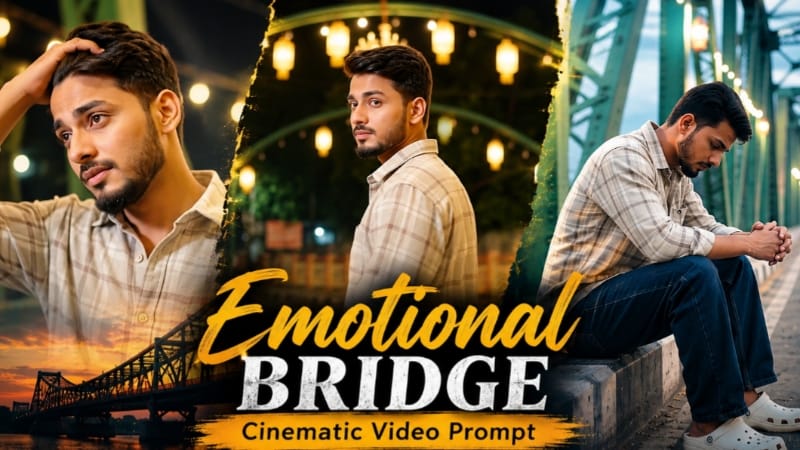
Emotional Bridge Cinematic Video Prompt ek AI video concept hai jo emotional storytelling ko illuminated steel-truss bridge ke colourful environment ke saath combine karta hai. Bridge par warm golden festival lights, green-yellow steel structures aur geometric rangoli-style pavement artwork dikhaya gaya hai. Ye visual elements character ke thoughtful expressions aur slow movements ke saath cinematic contrast create karte hain.
Is concept mein eight scenes ka sequence hai. Video ki shuruaat bridge ke cinematic reveal se hoti hai, uske baad character concrete edge par baithta hai, bridge par walk karta hai, shoulder ke upar se dekhta hai aur ek scene mein dono arms spread karta hai. Aage slow profile walk, wide bridge view aur final emotional close-up shamil hain.
Emotional Bridge Video Kaise Banaye
Step 1: Apni clear reference photo select karein.
Step 2: Flow AI open karke available video-generation feature choose karein.
Step 3: Reference photo upload karein aur face, hairstyle aur beard ko consistent rakhne ki instruction dein.
Step 4: NoorEditing07 ke original article se Emotional Bridge Video Prompt copy karein.
Step 5: Prompt paste karke eight-scene video generate karein.
ChatGPT SHWETA Name Poster Prompt ek personalized AI poster concept hai jisme giant 3D name letters, realistic portrait, cute cartoon characters aur pastel decorations ka combination hai. Poster mein glossy cream-white letters par gold edges, pink flowers aur green vines ki decoration hoti hai. Six chibi-style cartoon girls reading, painting, laptop use, dancing aur travelling jaisi activities karte hue design ko playful look deti hain.
Poster ke right side par ek young woman ka full-body portrait hai. Outfit mein cream-white Anarkali-style kurta, pink floral embroidery aur blush-pink dupatta shamil hain. Background mein warm cream-peach room, golden sunlight, pink roses aur decorative shelf design ko complete karte hain. Personalized text aur motivational phrases bhi poster ka hissa hain.
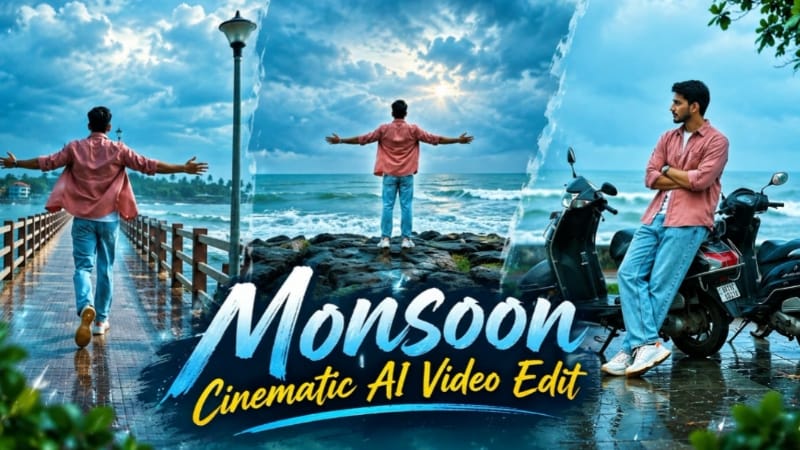
Monsoon Cinematic AI Video ek photo-to-video concept hai jo Indian coastal town ke rainy-season atmosphere ko cinematic style mein present karta hai. Ismein grey-blue clouds, wet reflective ground, green vegetation aur rough grey-green sea waves ka combination hai. Cool teal-blue colour grading aur natural camera movement video ko dramatic monsoon appearance dete hain.
Original concept 16:9 landscape format mein 18 seconds ke liye plan kiya gaya hai, jisme six shots shamil hain. Character dusty rose-pink cotton shirt, white T-shirt, light-blue jeans, white sneakers aur silver wristwatch pehenta hai. Scenes seaside pier, wet plaza, parked scooters, rocky coastal viewpoint, coconut-palm walkway aur sea ke paas final back-view shot ko cover karte hain.
Monsoon Cinematic Video Kaise Banaye
Step 1: Apni clear reference photo select karein.
Step 2: Flow AI open karein aur video-generation option choose karein.