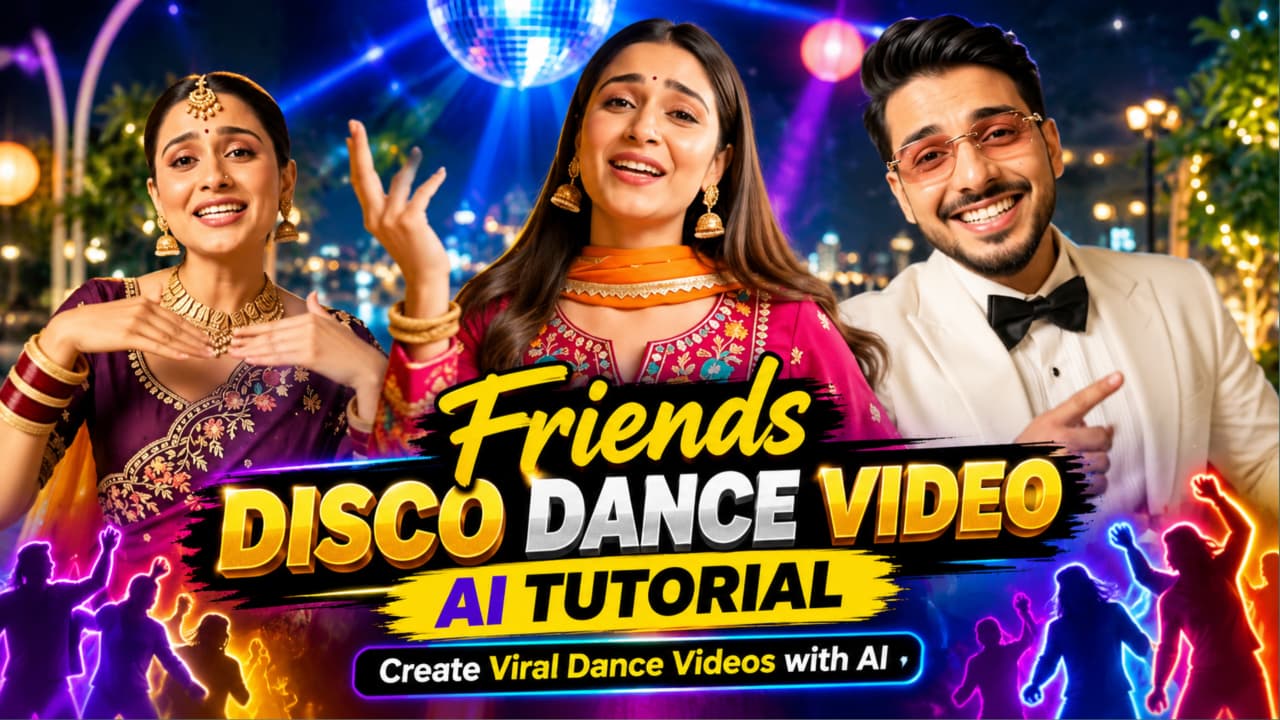
Friends Disco Dance Video AI Tutorial – Create Viral Dance Videos with AI
Creating entertaining dance videos with friends is a popular way to share creativity, music-inspired moments, and fun group performances on social media. However, recording a proper dance video can require several people, a suitable location, good lighting, a camera, and multiple takes to get the right result. AI video generation offers another way to explore this style of content. With the right prompt, creators can generate a disco-inspired dance scene featuring a group of friends, colorful lighting, synchronized movements, and an energetic party atmosphere.
This Friends Disco Dance Video AI Tutorial explains how to plan and create a group dance video using AI tools such as Flow AI. Whether you want to experiment with a retro disco scene, create a modern party atmosphere, or produce a short dance clip for social media, a carefully written prompt can help guide the generation process.
What Is a Friends Disco Dance Video AI Tutorial?
A friends disco dance video AI tutorial is a practical guide to creating a group dance video with the help of artificial intelligence. Instead of filming every movement with a physical camera, you describe the scene, characters, environment, lighting, and dance actions in a text prompt. An AI video tool then uses your instructions to generate a visual result.
The idea is to combine the fun of a friends' dance performance with the atmosphere of a disco party. The scene might include several friends dancing together on a colorful dance floor, moving to an imagined beat, reacting naturally to each other, and enjoying the party environment.
Depending on the tool and its available features, you may be able to provide reference images, adjust the aspect ratio, generate different clips, or refine the result through additional prompts. These options can be useful when you want a particular visual style or a more consistent group appearance.
AI video generation does not guarantee a viral result. However, it can make it easier to experiment with creative concepts and produce distinctive short-form videos.
Why Create Disco Dance Videos with AI?
One of the main advantages of AI video generation is flexibility. You can explore different dance environments without physically visiting a nightclub, renting lighting equipment, or organizing a large group of performers.
For example, you could describe a retro disco with glowing floor tiles, colorful spotlights, reflective decorations, and fashionable party outfits. Alternatively, you could create a modern dance-club scene with moving beams of light, a subtle haze effect, and a lively crowd in the background.
AI can also help creators test multiple creative directions. You might generate a version with coordinated group movements, another with individual dance moments, and a third featuring a cinematic camera movement. Comparing these results helps you decide which style best suits your project.
Another benefit is that beginners can start with a simple text description. You do not necessarily need professional editing experience to experiment with AI-generated video. Understanding how to describe movement, camera framing, lighting, and scene continuity can make the process more effective.
Important Elements of a Good Friends Disco Dance Video
A successful prompt should explain more than just the words “friends dancing.” It should describe the visual details that make the scene understandable.
1. Group Appearance
Describe how many friends should appear, their general appearance, their clothing, and how they are positioned. If the tool supports reference images, you may be able to use them to guide character appearance. Results can still vary, so inspect the generated video carefully.
2. Dance Movements
Use clear descriptions of movement. For example, the group could perform simple side steps, shoulder movements, hand gestures, turns, and coordinated dance actions. Avoid describing too many complicated movements in a very short clip because the model may struggle to represent them consistently.
3. Disco Environment
The setting gives the video its identity. You can describe a colorful dance floor, glowing lights, a mirrored disco ball, reflective surfaces, and a festive indoor party atmosphere. These details help establish the intended style.
4. Lighting and Visual Style
Disco scenes often use colored lighting, moving spotlights, reflections, and high-contrast highlights. You can request a cinematic appearance while keeping faces visible and the overall image clear.
5. Camera Movement
A camera description helps establish how the audience sees the performance. A wide shot can introduce the entire group, while a gentle camera push-in can emphasize the dancers. Smooth tracking can make the clip feel more dynamic, provided the selected tool can follow the instruction.
Creating a Friends Disco Dance Video with Flow AI
Flow AI can be used to explore text-based video generation, depending on the features available to your account and current workflow. Begin by writing a clear prompt that describes the entire scene. Include the number of friends, the disco setting, the clothing, the dance actions, the lighting, and the camera movement.
Keep the action manageable. A short clip featuring a few coordinated movements may be easier to generate successfully than a long performance containing many rapid changes. Once the first result is ready, watch it from beginning to end.
Look for common issues such as distorted hands, inconsistent faces, changing clothing, unnatural body movements, or people appearing and disappearing. If the result does not match your idea, simplify the prompt or generate another version. When supported, reference images can help guide appearance, and separate clips can be created for different moments of the performance.
For a complete walkthrough, follow the Flow AI instructions in the next section.
Friends Disco Dance Video AI Prompt
You can use the following example as a starting point. Adapt it to your own creative idea and to the controls available in your video-generation tool.
AI Video Prompt:
Create a lively, cinematic disco dance video featuring a group of friends dancing together at a colorful indoor disco party. The friends wear stylish party outfits and perform energetic but natural dance movements, including coordinated side steps, shoulder movements, hand gestures, and simple turns. A glowing disco ball hangs overhead, colorful spotlights move across the dance floor, and reflections create a vibrant party atmosphere. Show the group clearly with realistic body proportions, natural expressions, believable movement, and consistent clothing throughout the clip. Use smooth camera movement, balanced framing, detailed lighting, and polished cinematic visuals. Keep the dance actions clear and easy to follow. Avoid unnecessary scene changes, distorted faces, extra limbs, unnatural hands, flickering bodies, and sudden changes in character appearance. Generate a visually engaging short video suitable for social media editing.
This prompt is a starting point, not a guarantee that every detail will appear perfectly. You can change the outfits, colors, number of friends, setting, and dance style to create a more personalized result.
## Tips for Better AI Dance Videos
First, keep your prompt organized. Describe the setting, people, movement, lighting, and camera work in a logical order. Clear instructions are easier to refine than a long collection of unrelated visual ideas.
Second, focus on believable movements. Simple group choreography often works better than asking every person to perform a different complicated routine simultaneously.
Third, pay attention to consistency. If the same friends need to appear across several shots, repeat the important details in each prompt. If reference-image features are available, use them where appropriate.
Fourth, choose a suitable aspect ratio for your destination. A vertical format is often useful for short-form mobile content, while a landscape format can work better for widescreen presentations. Select the format supported by your tool and intended platform.
Finally, review the result before publishing. AI-generated videos can contain visual errors, and music or sound may need to be added separately. Check the entire clip, use suitable editing software if needed, and ensure that any music, images, or other assets you include are authorized for your intended use.
Editing and Publishing Your AI Disco Dance Video
After generating the video, you can polish it using a video editor. Trim unwanted frames, adjust the pacing, add suitable music, and synchronize the visual rhythm with the soundtrack. If the AI tool produces silent footage, you can add audio during editing.
You may also add a simple title or opening text, provided it does not cover important parts of the dance. Keep transitions clean and avoid excessive effects that make the movement difficult to see. For social media, a strong opening moment can help communicate the concept quickly, but audience engagement will depend on many factors beyond the video itself.
Before posting, check the platform's current video specifications and review its rules regarding AI-generated content, music, and disclosure. If the video uses recognizable people or reference photographs, make sure you have appropriate permission to use them.
Final Thoughts
A Friends Disco Dance Video AI Tutorial gives creators a practical starting point for experimenting with AI-powered group dance content. By combining a clear prompt with a suitable disco environment, manageable choreography, thoughtful lighting, and careful editing, you can create an entertaining video concept without arranging a full physical shoot.
Flow AI can be part of this process when its video-generation features are available to you. Start with a simple scene, review the result, and refine the instructions based on what needs improvement. With practice, you can explore different disco themes, dance styles, camera angles, and visual treatments to develop a style that fits your creative goals.
AI Video Generation Prompt Card
✦AI VIDEO PROMPT
Cinematic 16:9 landscape video, exactly 10 seconds, photorealistic, 8K quality, true HDR, natural real-time speed (it will be slowed down later in editing). Handheld smartphone-style night party video, ultra sharp and clean. No audio: silent video, no music and no speech (the music will be added later in editing). SHOT COUNT LOCK (most important): this video has exactly 4 different shots, joined by hard cuts and one quick whip-pan. All 4 shots must appear, in the given order, each for its given time.
Cinematic 16:9 landscape video, exactly 10 seconds, photorealistic, 8K quality, true HDR, natural real-time speed (it will be slowed down later in editing). Handheld smartphone-style night party video, ultra sharp and clean. No audio: silent video, no music and no speech (the music will be added later in editing).
SHOT COUNT LOCK (most important): this video has exactly 4 different shots, joined by hard cuts and one quick whip-pan. All 4 shots must appear, in the given order, each for its given time. Never skip a shot, never merge two shots, never repeat a shot, never add a 5th shot.
THREE-PERSON LOCK (most important): image 1 is THE MAN, image 2 is THE FIRST WOMAN, image 3 is THE SECOND WOMAN. Each person must look exactly like their uploaded photo in every frame: identical face, facial features, hair, skin tone, age and body shape. Do not beautify, do not change any face, do not morph or swap faces between cuts. No other people anywhere.
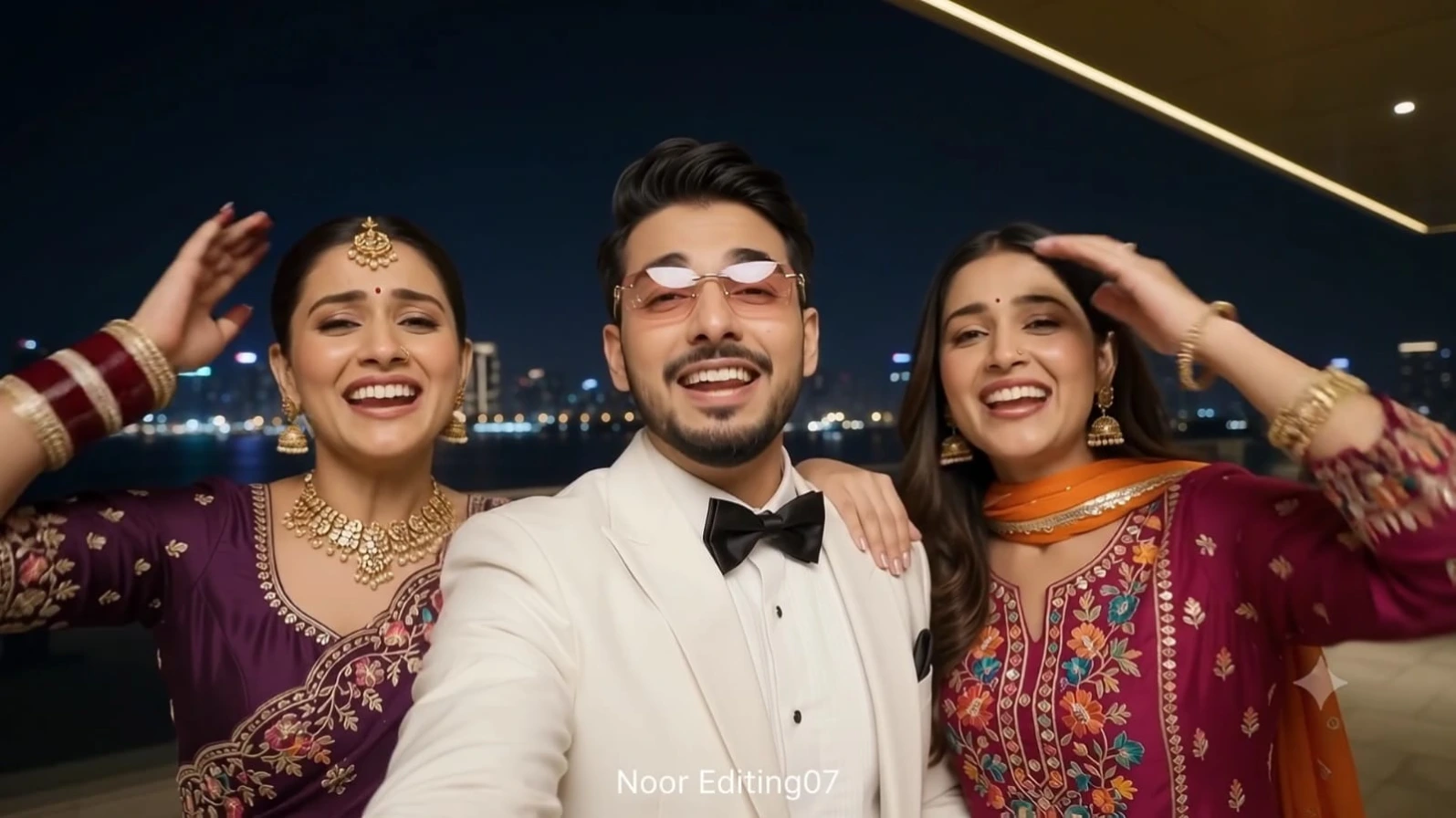
THE MAN: white dinner jacket with a black satin bow tie and a white shirt, black trousers, pink-tinted rimless glasses with gold temples.
THE FIRST WOMAN: deep purple embroidered saree with gold embroidery, matching blouse, gold maang tikka, hair in a neat bun, heavy gold necklace, gold earrings, maroon and gold bangles.
THE SECOND WOMAN: magenta embroidered kurta set with colourful floral embroidery, orange embroidered dupatta, long open hair, gold jhumka earrings, gold bangles.
Same outfits in every shot. Never change anyone's outfit or accessories.
PERFORMANCE: in every shot the people look straight into the camera and sing along to a lively Hindi party song with clearly moving lips, wide open expressive mouths, bright smiles, rhythmic head tilts, shoulder moves and hand gestures, full of energy.
EYES: both eyes fully open, symmetrical, natural and sharp, natural eyelids and eyelashes, soft catchlights, natural gaze to the camera, no cross-eye, no uneven eyes, no squinting, no warped eyes, no hair or shadow covering the eyes.
FACE SHARPNESS AND LIGHT: in every shot every face is in razor-sharp focus, ultra-detailed and crystal clear, with visible natural skin texture. No blur, no soft focus, no beauty-filter smoothing. Faces are evenly and brightly lit by a soft frontal light (like a phone light or ring light), natural skin tone, no overexposed highlights, no dark shadow on any face.
ONE STRONG COLOUR GRADE FOR ALL SHOTS: a rich, clearly visible cinematic night grade, identical in every shot. Vivid punchy HDR, deep blue-black night sky, glittering warm city lights, rich saturated purple, magenta and orange fabrics, shiny gold jewellery, crisp white jacket, warm natural skin tones, bright clean highlights without clipping, detailed shadows without crushing, 10-bit colour, wide dynamic range. No haze, no washed-out look, no heavy film grain.
CLEAN MOTION: smooth, stable and consistent from frame to frame, no warping, no tearing, no flicker, no jumps inside a shot. In every shot a small, subtle white sans-serif text "NoorEditing07" sits at the bottom centre of the frame, same size and position in all shots, spelled exactly N-o-o-r-E-d-i-t-i-n-g-0-7. No other text or logos anywhere.
LOCATION: a modern luxury rooftop terrace and plaza at night with a glittering city skyline across the water.
THE 4 SHOTS, in this exact order:
SHOT 1 of 4 (0-1.5s), group selfie: handheld close shot, all three people crowded together as if filming a selfie video. The man is in the centre, the first woman on the left with one hand raised near her head and bangles showing, the second woman on the right leaning on his shoulder with a hand near her forehead. All three laugh, sing and strike playful poses, looking at the camera. A dark night skyline behind them and a gold diagonal architectural edge in the top right.
SHOT 2 of 4 (1.5-4.5s), the man: handheld selfie-style close-up of the man alone, centred. He sings to the camera, tilts his head, raises his eyebrows, then breaks into a big smile. Behind him a terrace with a cone-shaped tree covered in warm glowing lights, lamp bollards and the night skyline. The shot ends with a quick whip-pan blur.
SHOT 3 of 4 (4.5-8.2s), the first woman: waist-up shot of the first woman dancing alone in front of tall white steel arches with glowing orange lantern spheres, lamp bollards, trees and the night skyline. She sings to the camera, moves her hands gracefully near her face and shoulders, tilts her head and sways her saree.
SHOT 4 of 4 (8.2-10s), the second woman: a quick swish-pan reveals the second woman from behind as her long hair whips across the frame, then she spins to face the camera and dances, singing, with her hair flying and her hands raised. Behind her a sandstone-coloured modern building with large glass doors and warm uplighting, stone-tiled ground.
CHECKLIST: group selfie, man singing, first woman dancing, second woman hair-whip dance. All four must be visible.
✓
Prompt copied to clipboard!
AI Video Generation Prompt Card
✦AI VIDEO PROMPT
Cinematic 16:9 landscape video, exactly 10 seconds, photorealistic, 8K quality, true HDR, natural real-time speed (it will be slowed down later in editing). Handheld smartphone-style night party video, ultra sharp and clean. No audio: silent video, no music and no speech (the music will be added later in editing). SHOT COUNT LOCK (most important): this video has exactly 4 different shots, joined by hard cuts and one quick whip-pan. All 4 shots must appear, in the given order, each for its given time.
Cinematic 16:9 landscape video, exactly 10 seconds, photorealistic, 8K quality, true HDR, natural real-time speed (it will be slowed down later in editing). Handheld smartphone-style night party video, ultra sharp and clean. No audio: silent video, no music and no speech (the music will be added later in editing).
SHOT COUNT LOCK (most important): this video has exactly 4 different shots, joined by hard cuts and one quick whip-pan. All 4 shots must appear, in the given order, each for its given time. Never skip a shot, never merge two shots, never repeat a shot, never add a 5th shot.
THREE-PERSON LOCK (most important): image 1 is THE MAN, image 2 is THE FIRST WOMAN, image 3 is THE SECOND WOMAN. Each person must look exactly like their uploaded photo in every frame: identical face, facial features, hair, skin tone, age and body shape. Do not beautify, do not change any face, do not morph or swap faces between cuts. No other people anywhere.
THE MAN: white dinner jacket with a black satin bow tie and a white shirt, black trousers, pink-tinted rimless glasses with gold temples.
THE FIRST WOMAN: deep purple embroidered saree with gold embroidery, matching blouse, gold maang tikka, hair in a neat bun, heavy gold necklace, gold earrings, maroon and gold bangles.
THE SECOND WOMAN: magenta embroidered kurta set with colourful floral embroidery, orange embroidered dupatta, long open hair, gold jhumka earrings, gold bangles.
Same outfits in every shot. Never change anyone's outfit or accessories.
PERFORMANCE: in every shot the people look straight into the camera and sing along to a lively Hindi party song with clearly moving lips, wide open expressive mouths, bright smiles, rhythmic head tilts, shoulder moves and hand gestures, full of energy.
EYES: both eyes fully open, symmetrical, natural and sharp, natural eyelids and eyelashes, soft catchlights, natural gaze to the camera, no cross-eye, no uneven eyes, no squinting, no warped eyes, no hair or shadow covering the eyes.
FACE SHARPNESS AND LIGHT: in every shot every face is in razor-sharp focus, ultra-detailed and crystal clear, with visible natural skin texture. No blur, no soft focus, no beauty-filter smoothing. Faces are evenly and brightly lit by a soft frontal light (like a phone light or ring light), natural skin tone, no overexposed highlights, no dark shadow on any face.
ONE STRONG COLOUR GRADE FOR ALL SHOTS: a rich, clearly visible cinematic night grade, identical in every shot. Vivid punchy HDR, deep blue-black night sky, glittering warm city lights, rich saturated purple, magenta and orange fabrics, shiny gold jewellery, crisp white jacket, warm natural skin tones, bright clean highlights without clipping, detailed shadows without crushing, 10-bit colour, wide dynamic range. No haze, no washed-out look, no heavy film grain.
CLEAN MOTION: smooth, stable and consistent from frame to frame, no warping, no tearing, no flicker, no jumps inside a shot. In every shot a small, subtle white sans-serif text "NoorEditing07" sits at the bottom centre of the frame, same size and position in all shots, spelled exactly N-o-o-r-E-d-i-t-i-n-g-0-7. No other text or logos anywhere.
LOCATION: a modern luxury rooftop terrace and plaza at night with a glittering city skyline across the water.
THE 4 SHOTS, in this exact order:
SHOT 1 of 4 (0-1.5s), group selfie: handheld close shot, all three people crowded together as if filming a selfie video. The man is in the centre, the first woman on the left with one hand raised near her head and bangles showing, the second woman on the right leaning on his shoulder with a hand near her forehead. All three laugh, sing and strike playful poses, looking at the camera. A dark night skyline behind them and a gold diagonal architectural edge in the top right.
SHOT 2 of 4 (1.5-4.5s), the man: handheld selfie-style close-up of the man alone, centred. He sings to the camera, tilts his head, raises his eyebrows, then breaks into a big smile. Behind him a terrace with a cone-shaped tree covered in warm glowing lights, lamp bollards and the night skyline. The shot ends with a quick whip-pan blur.
SHOT 3 of 4 (4.5-8.2s), the first woman: waist-up shot of the first woman dancing alone in front of tall white steel arches with glowing orange lantern spheres, lamp bollards, trees and the night skyline. She sings to the camera, moves her hands gracefully near her face and shoulders, tilts her head and sways her saree.
SHOT 4 of 4 (8.2-10s), the second woman: a quick swish-pan reveals the second woman from behind as her long hair whips across the frame, then she spins to face the camera and dances, singing, with her hair flying and her hands raised. Behind her a sandstone-coloured modern building with large glass doors and warm uplighting, stone-tiled ground.
CHECKLIST: group selfie, man singing, first woman dancing, second woman hair-whip dance. All four must be visible.
Friends Disco Dance Video Kaise Banaye with Flow AI
Agar aap apne friends ke saath ek energetic disco dance video banana chahte hain, to AI video generation ki madad se aap is concept ko digital form mein create kar sakte hain. Flow AI mein available video-generation features ka use karke aap disco lighting, group dance movements, stylish outfits aur cinematic camera shots jaise visual elements ko prompt ke through describe kar sakte hain.
Is tutorial mein hum step by step samjhenge ki Friends Disco Dance Video AI Tutorial ke liye prompt kaise prepare karein, video kaise generate karein aur final result ko social media par publish karne se pehle kaise improve karein.
Step 1: Apna Disco Dance Concept Decide Karein
Sabse pehle decide karein ki aap kis tarah ka disco dance video banana chahte hain. Aap retro disco party, colorful nightclub, friends celebration ya modern dance-floor theme select kar sakte hain.
Agar aap beginners hain, to ek simple concept choose karein. Example ke liye, chaar ya paanch friends ek indoor disco floor par dance kar rahe hain, overhead disco ball ghoom raha hai aur colorful lights background ko illuminate kar rahi hain.
Video ka concept clear hone se prompt likhna aur generated result ko evaluate karna aasan ho jata hai.
Step 2: Flow AI Open Karein
Apne browser mein Flow AI open karein aur apne account se sign in karein, agar sign-in required ho. Interface mein available video-generation workflow select karein.
Features aur interface account, region ya product updates ke hisaab se alag ho sakte hain. Isliye apne account mein jo options available hain, unhi ka use karein. Agar text-to-video option available hai, to aap direct text prompt se shuru kar sakte hain.
Step 3: Detailed AI Video Prompt Likhein
Prompt aapke video ka main instruction hota hai. Ismein scene, friends ki appearance, clothing, dance movements, lighting aur camera style describe karein.
Example prompt:
Create a cinematic disco dance video featuring a group of friends dancing together on a colorful indoor dance floor. The friends wear stylish party outfits and perform coordinated side steps, shoulder movements, hand gestures, and simple turns. A glowing disco ball hangs overhead while colorful spotlights move across the room. Show natural expressions, realistic body proportions, consistent clothing, smooth camera movement, and clear group choreography. Keep the scene visually coherent, energetic, and suitable for a short social media video. Avoid distorted faces, extra limbs, flickering bodies, and sudden appearance changes.
Prompt ko apne idea ke hisaab se customize karein. Agar aapko slow dance, retro disco ya high-energy party look chahiye, to us style ko clearly mention karein.
Step 4: Reference Images Use Karein, Agar Available Hon
Agar Flow AI ke current workflow mein reference-image feature available hai, to aap suitable reference images use kar sakte hain. Images se aap character appearance, outfit inspiration ya visual style guide karne ki koshish kar sakte hain.
Reference images use karte waqt ensure karein ki aapke paas unhe use karne ki permission ho. Prompt mein bhi important details repeat karein, jaise clothing colors, hairstyles aur group arrangement. Reference image consistency mein help kar sakti hai, lekin exact identity ya appearance ki guarantee nahi deti.
Step 5: Video Settings Select Karein
Generation se pehle available settings check karein. Agar aspect ratio select karne ka option ho, to apne target platform ke hisaab se format choose karein.
Vertical video short-form mobile content ke liye useful ho sakta hai, jabki landscape format widescreen viewing ke liye suitable hai. Agar duration control available hai, to ek short clip se shuru karein. Chhote clip mein limited dance movements describe karna aksar zyada practical hota hai.
Har setting har account mein available nahi hoti, isliye wahi options select karein jo aapke interface mein dikh rahe hain.
Step 6: Video Generate Karein
Prompt aur settings check karne ke baad generation start karein. Processing complete hone tak wait karein. Result ready hone par video ko dhyan se dekhein.
Check karein ki friends ki body movements natural hain ya nahi, faces stable hain ya nahi, clothing consistent hai ya nahi aur disco lighting scene ke saath match kar rahi hai ya nahi. Agar koi issue nazar aaye, to prompt ko simplify karke dobara generate karein.
For example, agar hands distorted hain, to prompt mein natural hand movements aur simple choreography par focus karein. Agar scene bahut crowded lag raha hai, to dancers ki number ya background activity ko reduce karein.
Step 7: Prompt Improve Karke Better Version Banayein
Pehle result ko final maan lene ke bajaye usse improve karne ki koshish karein. Har generation mein ek ya do important changes karein, jaise lighting, camera angle, dance movement ya background details.
Agar aap bahut saare instructions ek saath change karte hain, to yeh samajhna mushkil ho sakta hai ki kis change se improvement hui. Simple iterations se aapko apne preferred visual style ko identify karne mein help mil sakti hai.
Step 8: Video Edit Karein aur Music Add Karein
Generated video ko export ya download karein, agar yeh option available ho. Phir kisi suitable video editor mein clip open karein. Unwanted frames trim karein, pacing adjust karein aur dance movements ke saath music synchronize karein.
Agar AI-generated clip silent hai, to editing ke dauran music add kar sakte hain. Sirf aisa music use karein jiske liye aapke paas appropriate permission ya platform license ho. Zarurat ho to simple title aur clean transitions add karein.
Step 9: Final Video Check Karke Publish Karein
Publish karne se pehle poori video dekhein. Visual glitches, sudden transitions, distorted body parts aur audio synchronization issues check karein. Ensure karein ki selected aspect ratio aur video quality target platform ke liye suitable hai.
Apne caption mein video ka concept clearly explain karein. AI-generated content ke liye platform ki current disclosure policies bhi check karein. Viral hona guaranteed nahi hai, lekin clear concept, appealing visuals aur careful editing aapke content ko zyada polished bana sakte hain.
In steps ko follow karke aap Flow AI ke available features ke saath apna Friends Disco Dance Video experiment kar sakte hain. Prompt ko simple rakhein, results review karein aur har version se seekh kar apni next creation ko improve karein.
Friends Disco Dance Video AI Tutorial - Noor Editing
Friends Disco Dance Video AI TutorialAI dance video generatorFlow AI video tutorialfriends dance video AIdisco dance AI promptAI group dance videocreate dance videos with AIdisco party video promptAI video creation tutorialviral dance video ideascinematic disco dancegroup dance video promptAI party videosocial media dance videoprompt07ai.com
Friends Disco Dance Video AI Tutorial - Noor Editing
Friends Disco Dance Video AI TutorialAI dance video generatorFlow AI video tutorialfriends dance video AIdisco dance AI promptAI group dance videocreate dance videos with AIdisco party video promptAI video creation tutorialviral dance video ideascinematic disco dancegroup dance video promptAI party videosocial media dance videoprompt07ai.com
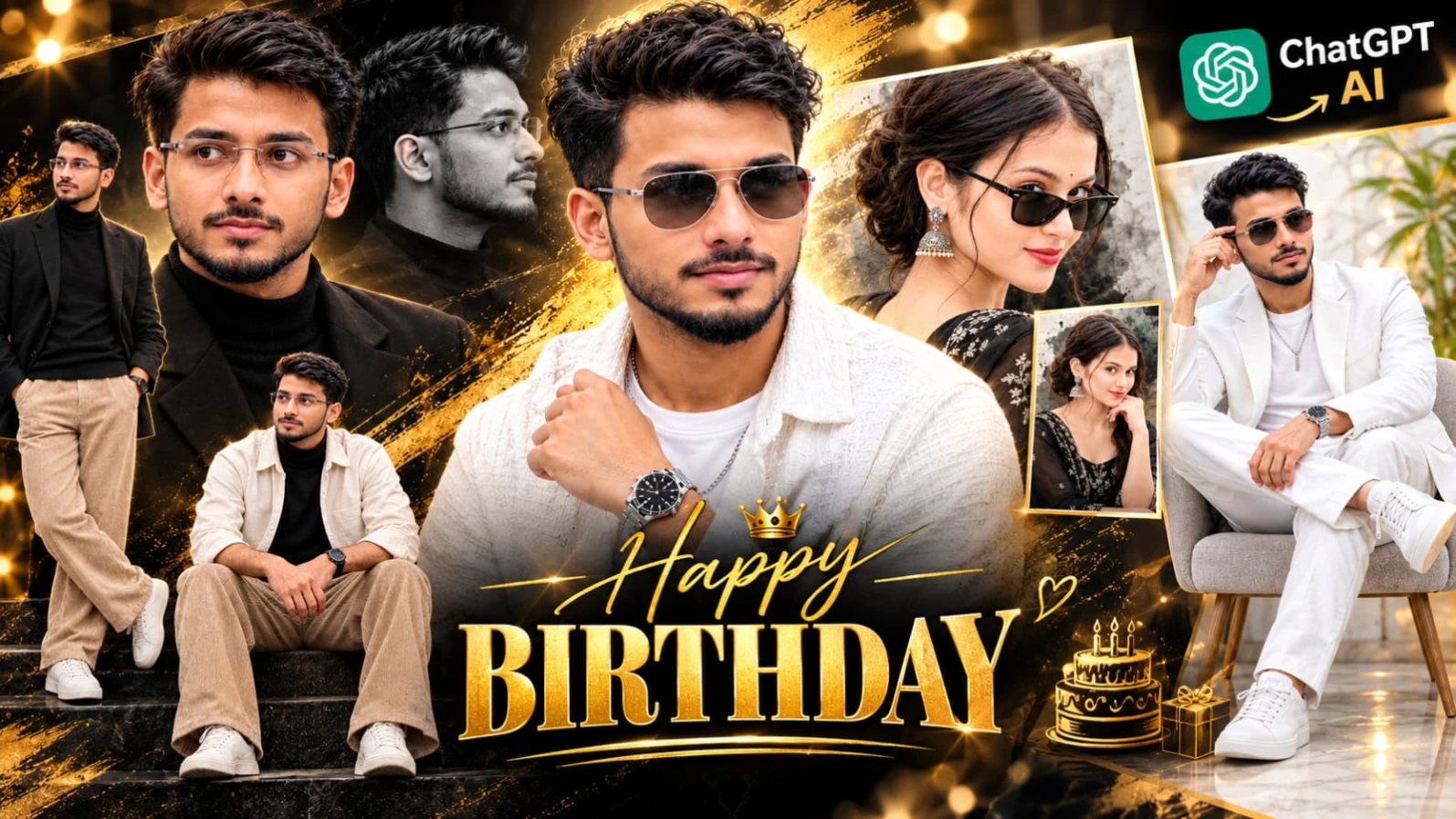
ChatGPT AI Birthday Poster Prompt ek creative photo-editing concept hai jiska use personalized birthday poster design karne ke liye kiya ja sakta hai. AI ki help se aap apni photo ko birthday-themed design mein transform kar sakte hain aur apne social media posts ke liye attractive birthday artwork bana sakte hain.
Is tarah ka poster banate waqt birthday name, age, greeting text aur overall design ko apni requirement ke according customize karna important hai. Aap prompt mein luxury-style appearance, decorative typography, background lighting aur portrait placement jaise elements describe kar sakte hain. Agar aap apna original face preserve karna chahte hain, to clear reference photo upload karein aur facial features aur skin tone ko natural rakhne ki instruction dein.
Birthday Poster Kaise Banaye
Step 1: Apni clear photo select karein.
Step 2: ChatGPT ya compatible AI image-generation tool open karein.
Step 3: NoorEditing07 ke original article se birthday poster prompt copy karein.
Step 4: Prompt paste karein aur required name, age ya birthday message ko customize karein.
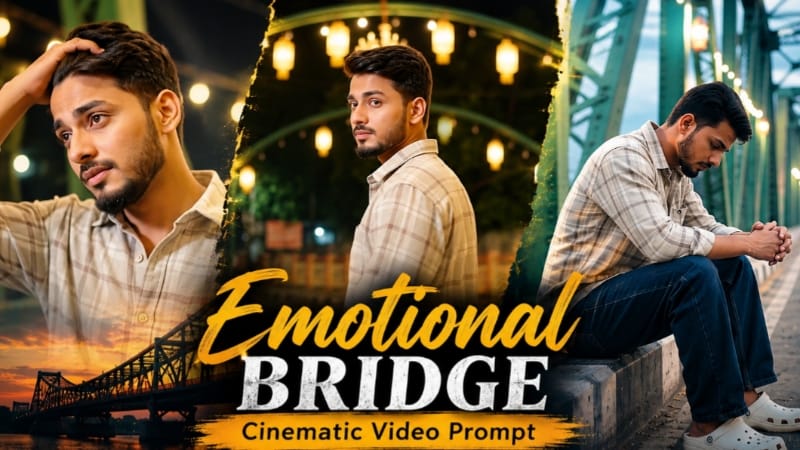
Emotional Bridge Cinematic Video Prompt ek cinematic AI video concept hai jo emotional storytelling ko colourful bridge scenery ke saath combine karta hai. Is video mein ek young man illuminated steel-truss bridge par different poses aur walking movements ke through apni emotional feelings express karta hai. Bridge par warm golden festival lights, green-yellow steel structures aur colourful geometric rangoli-style pavement artwork dikhaya gaya hai.
Is concept mein eight cinematic scenes hain, jinmein bridge ka opening view, concrete edge par baithna, back-view walking, shoulder ke upar se dekhna, dono arms spread karna, slow profile walking, wide bridge shot aur final emotional close-up shamil hain. Character ki identity aur outfit ko poore sequence mein consistent rakhna important hai.
Emotional Bridge Video Kaise Banaye
Step 1: Apni clear reference photo select karein.
Step 2: Flow AI open karein aur available video-generation option choose karein.
Step 3: Reference photo upload karein aur character ki identity consistent rakhne ki instruction dein.
Step 4: NoorEditing07 ke original article se complete Emotional Bridge Video Prompt copy karein.
ChatGPT SHWETA Name Poster Prompt ek personalized AI poster-editing concept hai jisme decorative name typography aur portrait-style design ko combine kiya gaya hai. Is design ka main focus SHWETA naam ko attractive lettering ke saath highlight karna hai. Ismein cream-white letters, golden edges, pink floral decorations aur green vines jaise visual elements use kiye gaye hain.
Poster mein ek young woman ka portrait aur multiple chibi-style cartoon characters bhi dikhaye gaye hain. Cartoon characters reading, painting, laptop use, dancing aur travelling jaisi activities karte hue design ko playful appearance dete hain. Warm pastel background aur decorative flowers overall composition ko complete karte hain.
SHWETA Name Poster Kaise Banaye
Step 1: Apni clear portrait photo select karein, agar aap poster mein apna face use karna chahte hain.
Step 2: ChatGPT ya compatible AI image-generation tool open karein.
Step 3: NoorEditing07 ke original article se SHWETA Name Poster Prompt copy karein.
Step 4: Reference image upload karein aur face aur poster design ke liye instructions clearly mention karein.
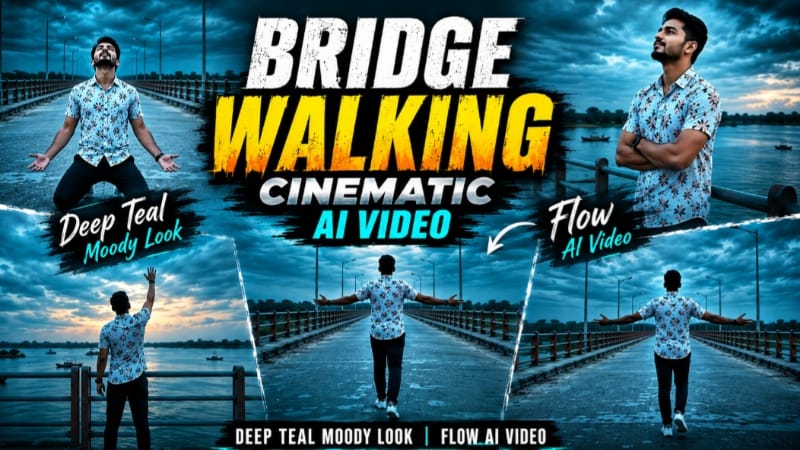
Bridge Walking Cinematic AI Video ek emotional photo-to-video concept hai jo wide concrete bridge, river scenery aur deep-teal cinematic colour grading par based hai. Ismein dramatic overcast evening sky, teal-and-orange bridge railings, distant green trees, small islands aur water par boats ka background dikhaya gaya hai. Overall atmosphere moody, reflective aur cinematic hai.
Video ka planned format 9:16 vertical hai, jisme seven different scenes shamil hain. Character white floral-print short-sleeve shirt, dark navy pants aur white sneakers pehenta hai. Scenes mein bridge par arms spread karke walking, railing ke paas sky ki taraf dekhna, distant walking shot, emotional kneeling pose, side-profile walking, back-view walking aur final raised-arm pose shamil hain.
Bridge Walking Video Kaise Banaye
Step 1: Apni clear reference photo select karein.
Step 2: Flow AI open karke available video-generation feature choose karein.
Step 3: Reference photo upload karein aur face, hairstyle aur body proportions consistent rakhne ki instruction dein.
Step 4: NoorEditing07 ke article se Bridge Walking Video Prompt copy karein.
Step 5: Prompt paste karein aur 9:16 vertical format select karein, agar available ho.
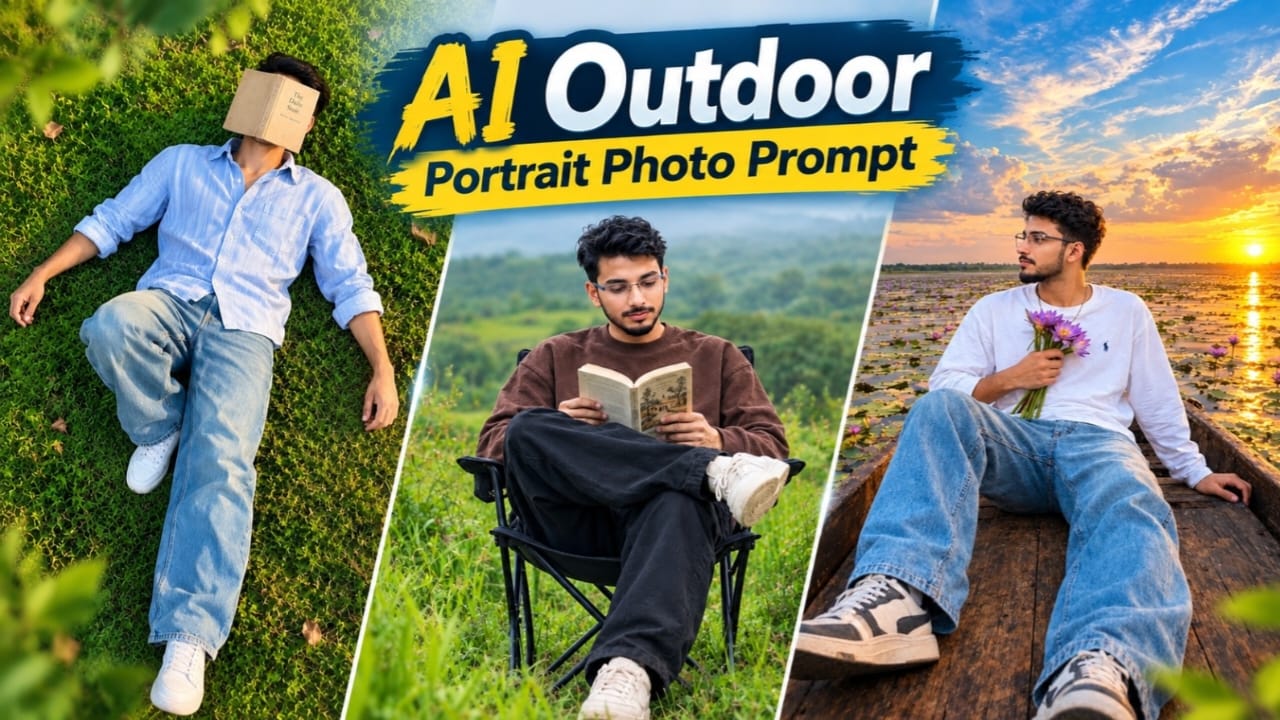
AI Outdoor Portrait Photo Prompt ek nature-inspired photography concept hai jisme ek young Indian man green meadow mein black foldable camping chair par baithkar open book read karta hai. Background mein tall green grass, distant rolling hills, trees aur soft overcast sky dikhaya gaya hai. Natural greenery aur softly blurred background portrait ko peaceful outdoor lifestyle appearance dete hain.
Character oversized chocolate-brown sweatshirt, loose black trousers aur cream-coloured chunky sneakers pehenta hai. Woh chair par relaxed position mein baitha hai, book ko dono haathon se pakadta hai aur ek leg ko doosre knee par cross karta hai. Image ka planned format 4:5 vertical hai, jisme subject lower-centre mein aur uske upar open space rakha gaya hai.
Outdoor Portrait Photo Kaise Banaye
Step 1: Apni clear reference photo select karein.
Step 2: ChatGPT ya compatible AI image-editing tool open karein.
Step 3: Reference image upload karein, agar aap apna face preserve karna chahte hain.
Step 4: NoorEditing07 ke original article se Outdoor Portrait Photo Prompt copy karein.
Step 5: Prompt paste karke green meadow, camping chair, open book aur outfit ki details maintain karein.