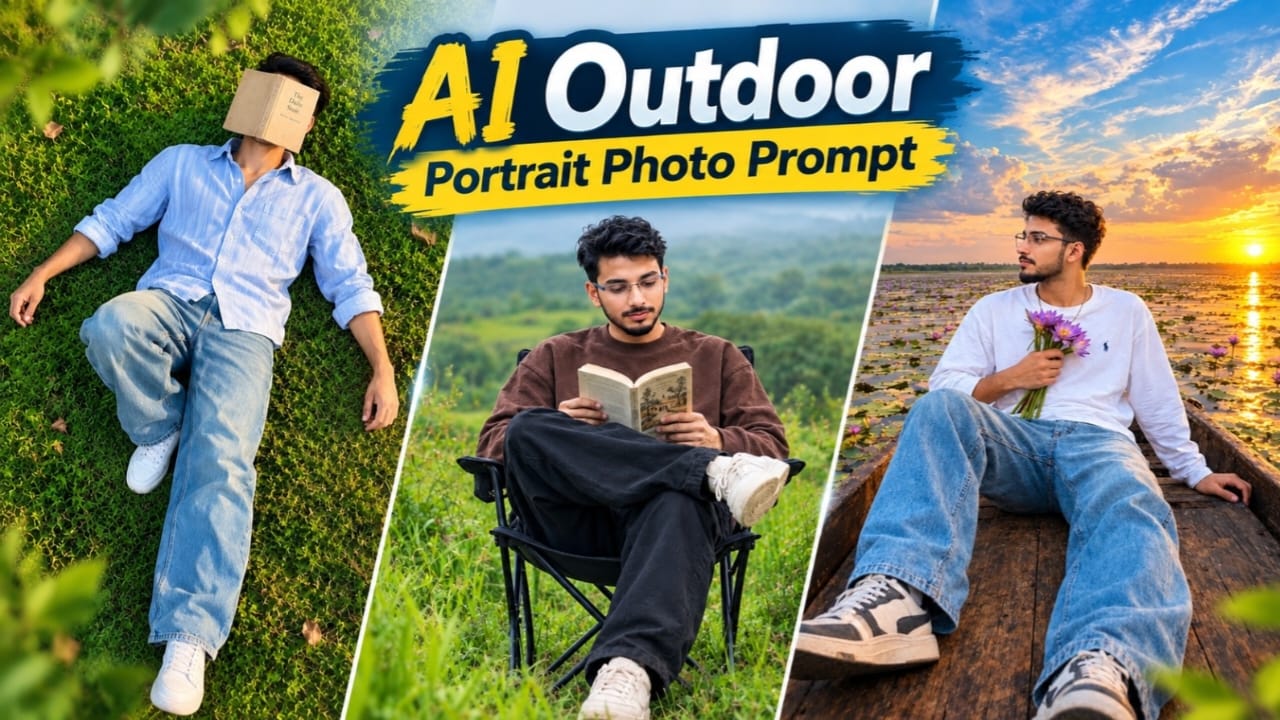
AI Outdoor Portrait Photo Prompt: Young Indian Man Reading a Book in a Green Meadow
Introduction
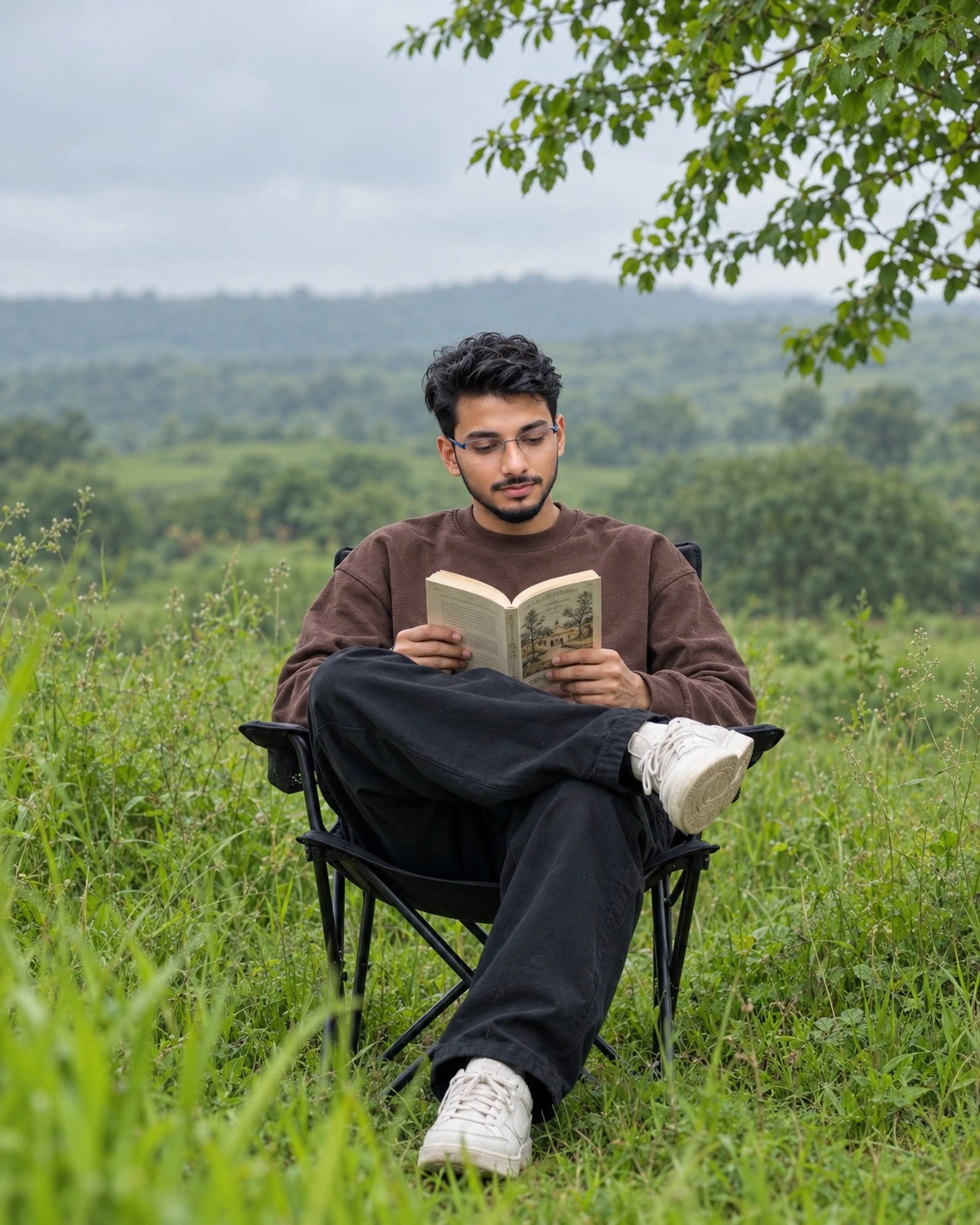
Creating a realistic outdoor lifestyle portrait with artificial intelligence is a creative way to achieve professional-looking photography without arranging a complete outdoor photoshoot. This AI Outdoor Portrait Photo Prompt is designed to recreate a peaceful countryside scene featuring a young Indian man sitting on a black foldable camping chair in a green meadow while reading an open book.
The image combines relaxed fashion, natural scenery, soft overcast daylight, and cinematic depth of field. The subject wears an oversized chocolate-brown sweatshirt, loose black trousers, and chunky cream-colored sneakers. Tall grass, distant green hills, leafy branches, and a hazy sky complete the countryside atmosphere.
This guide explains the main elements of the prompt, how to use reference images, how to preserve the intended composition, and how to improve the final AI-generated photograph.
What Is an AI Outdoor Portrait Photo Prompt?
An AI Outdoor Portrait Photo Prompt is a detailed text instruction used to guide an image-generation tool. It describes the subject, clothing, pose, location, camera angle, lighting, color grading, and desired image quality.
Instead of generating a random outdoor portrait, the prompt communicates a specific photographic concept. It tells the AI to create a seated person reading a book, surrounded by natural greenery, with the subject in sharp focus and the environment softly blurred.
The more clearly you describe the important visual elements, the easier it is for the AI to understand your intended result. However, the output depends on the selected tool, reference-image quality, and supported generation settings.
Main Features of the Green Meadow Portrait
Natural Reading Pose
The subject is a young Indian man sitting comfortably on a black foldable camping chair in the middle of a green field. His body leans back slightly, his head tilts down, and his eyes focus on the open book in his hands.
Both hands hold the book at chest level. One hand supports the left page, while the other holds the right page. His right leg crosses over his left knee, with the raised sneaker pointing toward the camera. The other foot rests on the grass near the bottom-left area of the image.
These details create a relaxed lifestyle-photography appearance. When generating the image, pay attention to the position of the arms, book, crossed leg, and feet. Small errors in these areas can make the pose look unnatural.
Chocolate-Brown Sweatshirt and Black Trousers
The outfit consists of an oversized, relaxed-fit chocolate-brown crewneck sweatshirt and loose black baggy trousers. The sweatshirt should have soft, natural folds around the sleeves and body.
The trousers feature realistic creases rather than an artificially smooth or stiff appearance. The brown fabric contrasts with the green grass, while the black trousers complement the camping chair.
Keeping these colors consistent is important. If the AI changes the sweatshirt to a bright color or replaces the trousers with fitted jeans, the generated image will no longer match the intended styling.
Cream Chunky Sneakers
Off-white or cream-colored chunky low-top sneakers complete the outfit. The raised shoe is particularly noticeable because its front points toward the camera.
The prompt requests visible footwear and a full seated-body composition. Make sure both shoes remain inside the frame and have natural proportions.
AI-generated footwear can sometimes contain unusual soles, distorted laces, or inconsistent shapes. Inspect the shoes carefully before saving the final image.
Open Paperback Book
The subject holds an open paperback book with cream-colored pages and a small vintage-style illustration on the right page.
The book creates a clear storytelling element. It makes the portrait feel like a quiet moment of reading rather than a conventional fashion pose.
The hands should hold the book naturally, with the pages positioned at chest level. AI tools may generate unclear lettering or imperfect illustrations, so focus on the overall book shape, page color, and placement rather than expecting perfectly readable text.
Understanding the Green Meadow Background
The location is an open countryside meadow after rain. Tall wild grass and weeds surround the chair, while softly blurred rolling green hills and distant trees appear behind the subject.
A large tree branch with fresh green leaves hangs from the upper-right corner. A hazy light-gray overcast sky occupies the upper-left area.
Bright green grass blades appear out of focus along the bottom and left edges. This foreground blur adds depth and makes the subject stand out against the landscape.
To recreate the intended scene, avoid adding unnecessary buildings, crowds, colorful flowers, or other distracting objects. The background should feel natural, quiet, and slightly misty.
Camera Angle and Composition
The prompt specifies an eye-level, straight-on medium-long shot taken from a slight distance. It describes an 85mm lens at f/2.0 to communicate a professional portrait-photography appearance.
The subject sits in the lower-center of the vertical frame, with the full seated body visible from head to feet. Generous open space remains above him.
The lens and aperture descriptions guide the visual style; they do not guarantee that a physical 85mm lens or f/2.0 aperture was used. The actual appearance depends on the AI model.
Keep the chair, book, crossed leg, and both shoes within the frame. If the subject fills too much of the image, regenerate or adjust the composition to restore the open space above him.
Lighting and Cinematic Color Grading
Soft, diffused overcast daylight creates even illumination across the face, hands, sweatshirt, book, and grass. The scene should not contain harsh shadows or strong artificial highlights.
The color grading combines rich natural greens, earthy chocolate-brown clothing, black trousers, and cool-neutral highlights. Gentle contrast gives the photograph a cinematic editorial mood.
Avoid excessive saturation, extreme HDR effects, or heavy skin smoothing. These adjustments can make the image appear artificial and reduce the natural texture of the grass and clothing.
Reference Images and Face Preservation
If you want to create the portrait using your own face, select a clear reference photograph with natural lighting and visible facial features.
Upload the reference image to an AI tool that supports image-to-image generation or reference-based editing. Explain which visual elements should follow the reference and which should follow the written prompt.
The hairstyle described here is short, thick, dark brown-black, wavy, and curly, with messy volume on top and shorter sides. The facial hair includes light stubble, a thin mustache, and a small goatee.
If your reference photograph has different hair or facial hair, the AI may not reproduce both your reference appearance and every hairstyle instruction exactly. Decide which details matter most and refine the prompt accordingly.
A reference image can help maintain facial resemblance, but perfect identity preservation is not guaranteed. Always review the generated face, skin tone, jawline, and lighting before using the image.
Recommended Aspect Ratio and Resolution
The requested aspect ratio is vertical 4:5. This format works well for portrait-oriented social media posts and editorial-style images.
Select 4:5 in the generation settings when available. If the tool does not support this ratio, choose a suitable portrait format and crop the final image without cutting off the subject's feet or chair.
The prompt requests ultra-realistic 8K quality, but this phrase does not guarantee a native 8K file. Actual resolution depends on the AI service and its export settings. If an upscaling feature is available, you may use it to increase the image dimensions after generation.
Complete AI Outdoor Portrait Photo Prompt
Copy the following prompt into a compatible AI image-generation or image-editing tool.
Ultra-realistic 8K professional outdoor lifestyle portrait photograph, aspect ratio 4:5 vertical. Exact recreation of the reference photo, nothing changed.
CAMERA ANGLE: Eye-level, straight-on medium-long shot from a slight distance, shot with an 85mm lens at f/2.0. Subject placed in the lower-center of the frame, seated, full seated body visible from head to feet. Vertical portrait composition with generous open space above him.
SUBJECT & POSE: A young Indian man sitting on a black foldable camping
AI Photo Prompt
✦AI PHOTO PROMPT
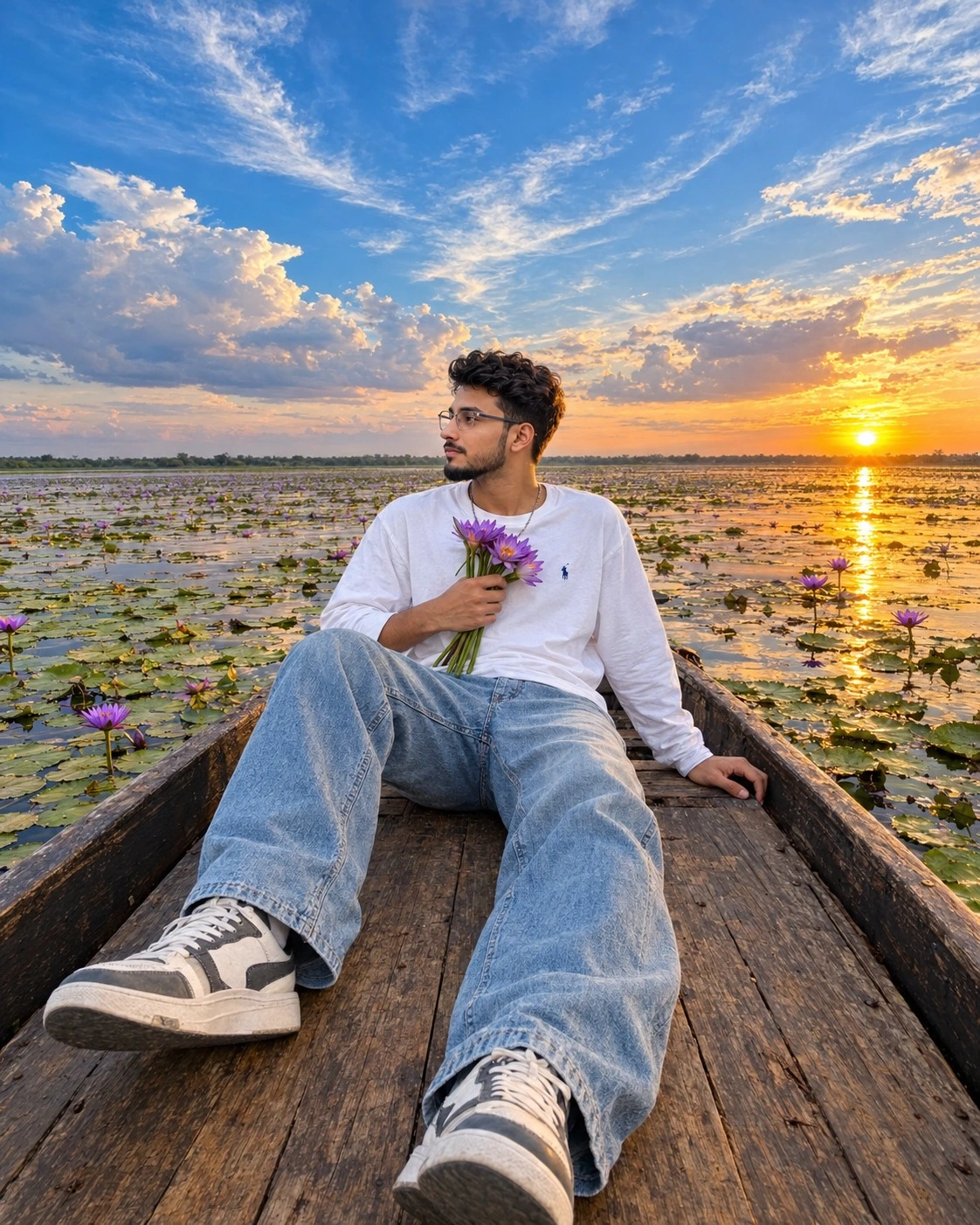
Ultra-realistic 8K professional travel lifestyle photograph, aspect ratio 4:5 vertical. Exact recreation of the reference photo, nothing changed. Wide-angle (14-16mm) shot from a slightly elevated, close viewpoint at the front of a wooden boat looking down the length toward the subject. Subject sits in the center holding a small bouquet of purple water lilies against his chest, face in side profile gazing across the water. Outfit: oversized white long-sleeve crew-neck t-shirt, light-wash baggy wide-leg faded blue jeans, chunky white/grey/black low-top sneakers. Location: vast shallow lake full of green lily pads and blooming purple water lilies, mirror-like water reflecting sky and setting sun. Warm golden-hour sunlight from the right, dramatic deep-blue sky with fluffy white clouds and orange sunset glow. Highly vibrant saturated HDR travel look, cinematic editorial style. Watermark: NoorEditing07.
Ultra-realistic 8K professional travel lifestyle photograph, aspect ratio 4:5 vertical. Exact recreation of the reference photo, nothing changed.
CAMERA ANGLE: Wide-angle (14-16mm) shot from a slightly elevated, close viewpoint, camera positioned at the front of a wooden boat looking down the length of the boat toward the subject. Strong perspective: the boat deck and the subject's legs stretch toward the camera at the bottom of the frame, the subject sits in the center of the frame, the horizon sits at about 50% height, and a huge dramatic sky fills the entire upper half. Slight natural wide-angle distortion, deep depth of field with everything sharp.
SUBJECT & POSE: A young man sitting on the wooden deck of a boat, body angled toward the camera, face turned in side profile to the left, gazing quietly across the water. His left hand holds a small bouquet of purple water lilies with long green stems against his chest, and his right hand rests on the boat deck beside his hip. His legs are stretched out toward the camera with knees slightly bent, feet pointing outward, one foot on the left and one foot at the bottom center of the frame. Calm, dreamy, peaceful mood.
HAIRSTYLE & FACE: Short dark black curly textured hair with volume on top, a clean low taper fade on the sides, light stubble on the jawline, a thin chain visible on the neck. Natural skin tone, clean healthy skin with real texture, perfectly consistent across the face, neck, jawline and hands.
OUTFIT: Oversized white long-sleeve crew-neck t-shirt with a small dark navy logo on the left chest, relaxed fit with natural fabric folds on the sleeves. Light-wash baggy wide-leg faded blue jeans with natural creases and whiskering. Chunky white, grey and black low-top sneakers.
LOCATION & BACKGROUND: A vast shallow lake full of green lily pads and blooming purple water lilies, calm mirror-like water reflecting the sky and golden sun. Old, weathered dark-brown wooden boat with rustic plank deck and dark side rails running diagonally on both sides of the frame. A distant flat horizon with a thin green tree line. Bright setting sun on the right side of the horizon creating a golden sun glitter path on the water.
SKY: Dramatic deep-blue sky with large fluffy white cumulus clouds and thin wispy cirrus streaks, warm orange and golden glow on the clouds near the sun at the right horizon, vivid and cinematic.
LIGHTING: Warm golden-hour sunlight coming from the right side, same direction, warmth and soft shadow softness on the face, white t-shirt, jeans, wooden deck, lily pads and water. Gentle warm rim light on the hair and right side of the body. Face lighting, body lighting and background lighting perfectly consistent.
COLOR GRADING: Highly vibrant saturated HDR travel look, rich deep blue sky, warm golden-orange sunset glow, lush green lily pads, purple flowers popping, warm brown wood tones, bright clean white t-shirt, crisp contrast, aesthetic cinematic editorial style.
QUALITY: 8K ultra HD, hyper-detailed, tack-sharp focus across the whole frame, visible wood grain on the boat deck, lily pad veins, flower petal detail, cloud detail, fabric weave of the t-shirt, denim texture, sneaker stitching, hair strand detail. Consistent skin texture and sharpness across face, neck, hands. Seamless blend of face, neck, jawline and body, no pasted or cut-paste look, no visible seam, edge or skin tone mismatch. Photorealistic, true-to-life, holds up when zoomed in without blur, noise or pixelation.
Watermark: A small, subtle watermark text "NoorEditing07" in the bottom corner, semi-transparent, elegant font, not blocking the subject.
✓
Prompt copied to clipboard!
AI Photo Prompt
✦AI PHOTO PROMPT
Ultra-realistic 8K professional travel lifestyle photograph, aspect ratio 4:5 vertical. Exact recreation of the reference photo, nothing changed. Wide-angle (14-16mm) shot from a slightly elevated, close viewpoint at the front of a wooden boat looking down the length toward the subject. Subject sits in the center holding a small bouquet of purple water lilies against his chest, face in side profile gazing across the water. Outfit: oversized white long-sleeve crew-neck t-shirt, light-wash baggy wide-leg faded blue jeans, chunky white/grey/black low-top sneakers. Location: vast shallow lake full of green lily pads and blooming purple water lilies, mirror-like water reflecting sky and setting sun. Warm golden-hour sunlight from the right, dramatic deep-blue sky with fluffy white clouds and orange sunset glow. Highly vibrant saturated HDR travel look, cinematic editorial style. Watermark: NoorEditing07.
Ultra-realistic 8K professional travel lifestyle photograph, aspect ratio 4:5 vertical. Exact recreation of the reference photo, nothing changed.
CAMERA ANGLE: Wide-angle (14-16mm) shot from a slightly elevated, close viewpoint, camera positioned at the front of a wooden boat looking down the length of the boat toward the subject. Strong perspective: the boat deck and the subject's legs stretch toward the camera at the bottom of the frame, the subject sits in the center of the frame, the horizon sits at about 50% height, and a huge dramatic sky fills the entire upper half. Slight natural wide-angle distortion, deep depth of field with everything sharp.
SUBJECT & POSE: A young man sitting on the wooden deck of a boat, body angled toward the camera, face turned in side profile to the left, gazing quietly across the water. His left hand holds a small bouquet of purple water lilies with long green stems against his chest, and his right hand rests on the boat deck beside his hip. His legs are stretched out toward the camera with knees slightly bent, feet pointing outward, one foot on the left and one foot at the bottom center of the frame. Calm, dreamy, peaceful mood.
HAIRSTYLE & FACE: Short dark black curly textured hair with volume on top, a clean low taper fade on the sides, light stubble on the jawline, a thin chain visible on the neck. Natural skin tone, clean healthy skin with real texture, perfectly consistent across the face, neck, jawline and hands.
OUTFIT: Oversized white long-sleeve crew-neck t-shirt with a small dark navy logo on the left chest, relaxed fit with natural fabric folds on the sleeves. Light-wash baggy wide-leg faded blue jeans with natural creases and whiskering. Chunky white, grey and black low-top sneakers.
LOCATION & BACKGROUND: A vast shallow lake full of green lily pads and blooming purple water lilies, calm mirror-like water reflecting the sky and golden sun. Old, weathered dark-brown wooden boat with rustic plank deck and dark side rails running diagonally on both sides of the frame. A distant flat horizon with a thin green tree line. Bright setting sun on the right side of the horizon creating a golden sun glitter path on the water.
SKY: Dramatic deep-blue sky with large fluffy white cumulus clouds and thin wispy cirrus streaks, warm orange and golden glow on the clouds near the sun at the right horizon, vivid and cinematic.
LIGHTING: Warm golden-hour sunlight coming from the right side, same direction, warmth and soft shadow softness on the face, white t-shirt, jeans, wooden deck, lily pads and water. Gentle warm rim light on the hair and right side of the body. Face lighting, body lighting and background lighting perfectly consistent.
COLOR GRADING: Highly vibrant saturated HDR travel look, rich deep blue sky, warm golden-orange sunset glow, lush green lily pads, purple flowers popping, warm brown wood tones, bright clean white t-shirt, crisp contrast, aesthetic cinematic editorial style.
QUALITY: 8K ultra HD, hyper-detailed, tack-sharp focus across the whole frame, visible wood grain on the boat deck, lily pad veins, flower petal detail, cloud detail, fabric weave of the t-shirt, denim texture, sneaker stitching, hair strand detail. Consistent skin texture and sharpness across face, neck, hands. Seamless blend of face, neck, jawline and body, no pasted or cut-paste look, no visible seam, edge or skin tone mismatch. Photorealistic, true-to-life, holds up when zoomed in without blur, noise or pixelation.
Watermark: A small, subtle watermark text "NoorEditing07" in the bottom corner, semi-transparent, elegant font, not blocking the subject.
✓
Prompt copied to clipboard!
AI Photo Prompt
✦AI PHOTO PROMPT
Ultra-realistic 8K professional outdoor lifestyle portrait photograph, aspect ratio 4:5 vertical. Exact recreation of the reference photo, nothing changed. Eye-level, straight-on medium-long shot with 85mm lens at f/2.0. Subject seated on a black foldable camping chair in a green field, leaning back comfortably, reading an open book. Hairstyle: short thick dark wavy/curly textured hair, light stubble beard and mustache. Outfit: oversized chocolate brown crewneck sweatshirt, loose black baggy trousers, off-white chunky low-top sneakers. Location: open green meadow with tall grass, tree branch with fresh green leaves in top right corner, rolling green hills background, soft overcast daylight. Rich natural green tones, muted film-like look, earthy contrast. Watermark: NoorEditing07.
Ultra-realistic 8K professional outdoor lifestyle portrait photograph, aspect ratio 4:5 vertical. Exact recreation of the reference photo, nothing changed.
CAMERA ANGLE: Eye-level, straight-on medium-long shot from a slight distance, shot with an 85mm lens at f/2.0. Subject placed in the lower-center of the frame, seated, full seated body visible from head to feet. Vertical portrait composition with generous open space above him.
SUBJECT & POSE: A young Indian man sitting on a black foldable camping chair in the middle of a green field. He is leaning back comfortably, his head tilted slightly down, eyes looking down at an open book in his hands, calm, focused, peaceful expression. He holds the open book with both hands at chest level, one hand supporting the left page and the other holding the right page. His right leg is crossed over his left knee, the white sneaker of the crossed leg pointing toward the camera, and the other foot resting on the grass at the bottom left of the frame.
HAIRSTYLE & FACE: Short, thick, dark brown-black wavy and curly textured hair, messy volume on top, natural fall on the forehead, shorter on the sides. Light stubble beard and thin mustache with a small goatee. Natural skin tone, clean healthy skin with real skin texture, matching perfectly across the face, neck, jawline and hands.
OUTFIT: Oversized relaxed-fit chocolate brown crewneck sweatshirt with visible soft fabric folds on the sleeves. Loose black baggy trousers with natural creases. Off-white/cream chunky low-top sneakers.
PROP: Open paperback book with cream-colored pages and a small illustrated vintage-style page on the right side.
LOCATION & BACKGROUND: Open green meadow in the countryside after rain, tall wild grass and weeds all around him, a large tree branch with fresh green leaves hanging from the top right corner of the frame, soft blurred rolling green hills and trees in the background, hazy light-gray overcast sky at the top left. Strong foreground blur: out-of-focus bright green grass blades at the bottom of the frame and left edge, creating a natural depth-of-field layered look.
LIGHTING: Soft, diffused natural overcast daylight, no harsh shadows, gentle even light falling on the face, sweatshirt, book and grass from the same direction with the same cool-neutral warmth and same soft shadow. Face lighting, body lighting and background lighting perfectly consistent.
COLOR GRADING: Rich natural green tones, slightly muted film-like look, earthy chocolate-brown and black contrast, soft cool-neutral highlights, gentle contrast, cinematic aesthetic editorial mood.
QUALITY: 8K ultra HD, hyper-detailed, subject tack-sharp, creamy natural bokeh in the background and foreground. Visible fabric texture on the sweatshirt, grass blade detail, stubble and hair strand detail, consistent skin texture and sharpness across face, neck, hands. Seamless blend of face, neck, jawline and body, no pasted or cut-paste look, no visible seam, edge or skin tone mismatch. Photorealistic, true-to-life, holds up when zoomed in without blur, noise or pixelation.
Watermark: A small, subtle watermark text "NoorEditing07" in the bottom corner, semi-transparent, elegant font, not blocking the subject.
✓
Prompt copied to clipboard!
AI Photo Prompt
✦AI PHOTO PROMPT
Ultra-realistic 8K professional outdoor lifestyle portrait photograph, aspect ratio 4:5 vertical. Exact recreation of the reference photo, nothing changed. Eye-level, straight-on medium-long shot with 85mm lens at f/2.0. Subject seated on a black foldable camping chair in a green field, leaning back comfortably, reading an open book. Hairstyle: short thick dark wavy/curly textured hair, light stubble beard and mustache. Outfit: oversized chocolate brown crewneck sweatshirt, loose black baggy trousers, off-white chunky low-top sneakers. Location: open green meadow with tall grass, tree branch with fresh green leaves in top right corner, rolling green hills background, soft overcast daylight. Rich natural green tones, muted film-like look, earthy contrast. Watermark: NoorEditing07.
Ultra-realistic 8K professional outdoor lifestyle portrait photograph, aspect ratio 4:5 vertical. Exact recreation of the reference photo, nothing changed.
CAMERA ANGLE: Eye-level, straight-on medium-long shot from a slight distance, shot with an 85mm lens at f/2.0. Subject placed in the lower-center of the frame, seated, full seated body visible from head to feet. Vertical portrait composition with generous open space above him.
SUBJECT & POSE: A young Indian man sitting on a black foldable camping chair in the middle of a green field. He is leaning back comfortably, his head tilted slightly down, eyes looking down at an open book in his hands, calm, focused, peaceful expression. He holds the open book with both hands at chest level, one hand supporting the left page and the other holding the right page. His right leg is crossed over his left knee, the white sneaker of the crossed leg pointing toward the camera, and the other foot resting on the grass at the bottom left of the frame.
HAIRSTYLE & FACE: Short, thick, dark brown-black wavy and curly textured hair, messy volume on top, natural fall on the forehead, shorter on the sides. Light stubble beard and thin mustache with a small goatee. Natural skin tone, clean healthy skin with real skin texture, matching perfectly across the face, neck, jawline and hands.
OUTFIT: Oversized relaxed-fit chocolate brown crewneck sweatshirt with visible soft fabric folds on the sleeves. Loose black baggy trousers with natural creases. Off-white/cream chunky low-top sneakers.
PROP: Open paperback book with cream-colored pages and a small illustrated vintage-style page on the right side.
LOCATION & BACKGROUND: Open green meadow in the countryside after rain, tall wild grass and weeds all around him, a large tree branch with fresh green leaves hanging from the top right corner of the frame, soft blurred rolling green hills and trees in the background, hazy light-gray overcast sky at the top left. Strong foreground blur: out-of-focus bright green grass blades at the bottom of the frame and left edge, creating a natural depth-of-field layered look.
LIGHTING: Soft, diffused natural overcast daylight, no harsh shadows, gentle even light falling on the face, sweatshirt, book and grass from the same direction with the same cool-neutral warmth and same soft shadow. Face lighting, body lighting and background lighting perfectly consistent.
COLOR GRADING: Rich natural green tones, slightly muted film-like look, earthy chocolate-brown and black contrast, soft cool-neutral highlights, gentle contrast, cinematic aesthetic editorial mood.
QUALITY: 8K ultra HD, hyper-detailed, subject tack-sharp, creamy natural bokeh in the background and foreground. Visible fabric texture on the sweatshirt, grass blade detail, stubble and hair strand detail, consistent skin texture and sharpness across face, neck, hands. Seamless blend of face, neck, jawline and body, no pasted or cut-paste look, no visible seam, edge or skin tone mismatch. Photorealistic, true-to-life, holds up when zoomed in without blur, noise or pixelation.
Watermark: A small, subtle watermark text "NoorEditing07" in the bottom corner, semi-transparent, elegant font, not blocking the subject.
✓
Prompt copied to clipboard!
AI Photo Prompt
✦AI PHOTO PROMPT
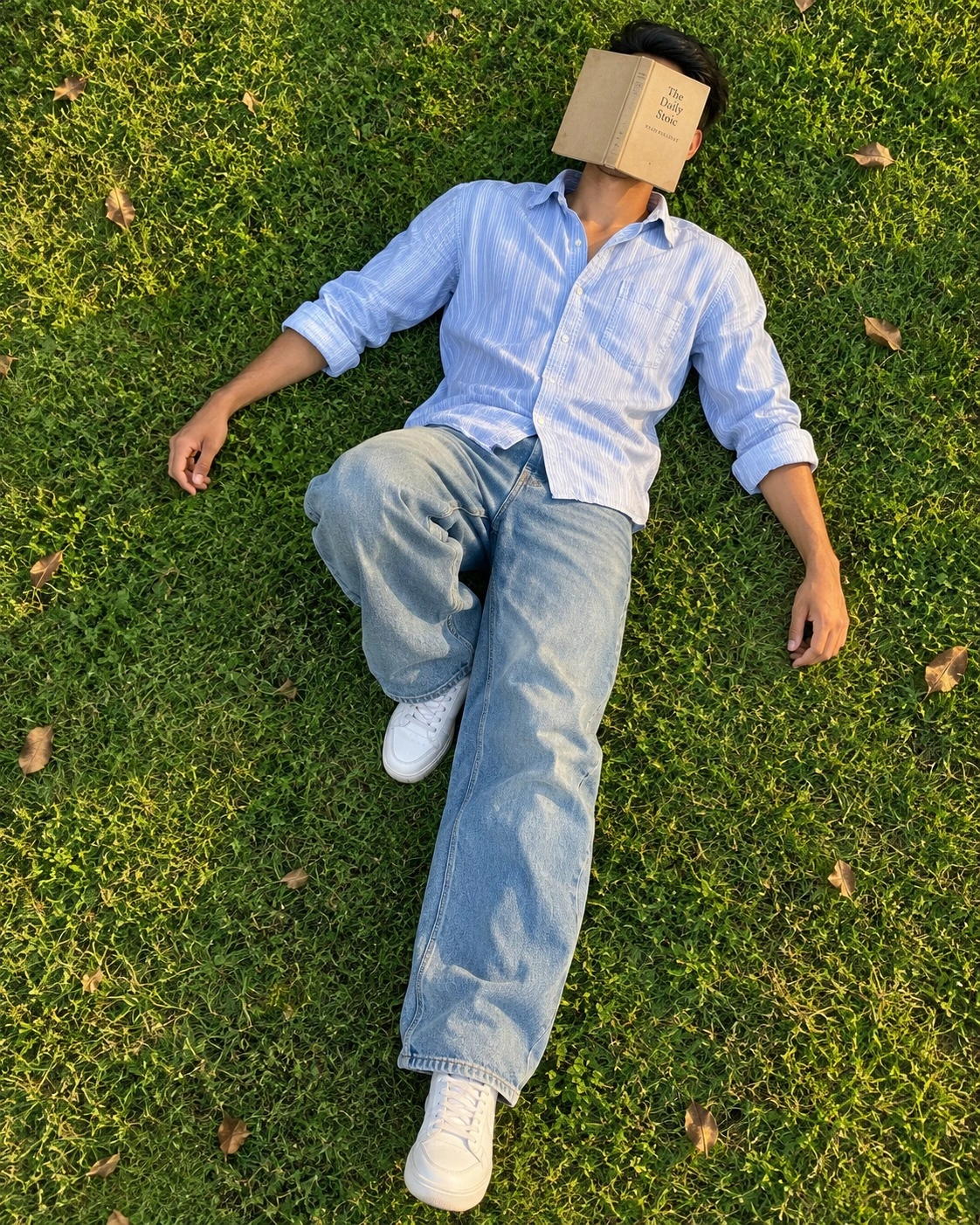
Ultra-realistic 8K professional lifestyle photograph, aspect ratio 4:5 vertical portrait. Exact recreation of the reference photo, nothing changed. High-angle top-down shot, camera directly above the subject pointing downward, slightly tilted diagonal, full body visible from head to white sneakers. A young man lying flat on his back on lush green grass with a beige vintage hardcover book completely covering his face. Outfit: light blue and white vertical-striped oxford button-up shirt, relaxed fit, top button open, sleeves rolled up to forearms; light-wash faded blue baggy wide-leg jeans; clean white low-top leather sneakers. Location: open park lawn with fresh green grass and scattered dry brown leaves. Warm natural golden sunlight from the side, soft gentle shadows. Warm natural film-like tones, vibrant green grass, soft blue shirt and denim, aesthetic editorial look. Watermark: NoorEditing07.
Ultra-realistic 8K professional lifestyle photograph, aspect ratio 4:5 vertical portrait. Exact recreation of the reference photo, nothing changed.
CAMERA ANGLE: High-angle top-down shot, camera directly above the subject pointing downward, slightly tilted diagonal, full body visible from head (top right of frame) to white sneakers (bottom center of frame).
SUBJECT & POSE: A young man lying flat on his back on lush green grass. A beige/tan vintage hardcover book with small printed title text on the cover rests on his face, completely covering his face. Short, black, slightly messy hair visible around the book. His left leg is bent with the knee raised up, the other leg extended straight down toward the bottom of the frame. Both arms relaxed and spread loosely on the grass, hands open and natural. Calm, lazy, dreamy mood.
OUTFIT: Light blue and white vertical-striped oxford button-up shirt, relaxed fit, top button open, collar open, sleeves casually rolled up to the forearms. Light-wash faded blue baggy wide-leg jeans with natural creases and folds. Clean white low-top leather sneakers.
LOCATION & BACKGROUND: Open park lawn, thick fresh green grass with fine blades and clover texture filling the entire frame. A few dry brown fallen leaves scattered naturally on the grass. No other objects or people.
LIGHTING: Warm natural golden sunlight from the side, soft gentle shadows falling on the grass, same light direction, same warmth, and same shadow softness on the subject, the clothes, the book and the grass.
COLOR GRADING: Warm natural film-like tones, rich vibrant green grass, soft blue shirt and denim, slightly lifted shadows, gentle contrast, aesthetic editorial look.
QUALITY: 8K ultra HD, hyper-detailed, tack-sharp focus across the whole frame, visible grass blades, fabric weave of the shirt, denim stitching and sneaker texture, natural skin texture on neck, hands and forearms with consistent sharpness. Seamless blend between neck, skin tone and body, no pasted or cut-paste look, no visible edges or mismatch. Photorealistic, true-to-life, holds up when zoomed in without blur, noise or pixelation.
Watermark: A small, subtle watermark text "NoorEditing07" in the bottom corner, semi-transparent, elegant font, not blocking the subject.
✓
Prompt copied to clipboard!
AI Photo Prompt
✦AI PHOTO PROMPT
Ultra-realistic 8K professional lifestyle photograph, aspect ratio 4:5 vertical portrait. Exact recreation of the reference photo, nothing changed. High-angle top-down shot, camera directly above the subject pointing downward, slightly tilted diagonal, full body visible from head to white sneakers. A young man lying flat on his back on lush green grass with a beige vintage hardcover book completely covering his face. Outfit: light blue and white vertical-striped oxford button-up shirt, relaxed fit, top button open, sleeves rolled up to forearms; light-wash faded blue baggy wide-leg jeans; clean white low-top leather sneakers. Location: open park lawn with fresh green grass and scattered dry brown leaves. Warm natural golden sunlight from the side, soft gentle shadows. Warm natural film-like tones, vibrant green grass, soft blue shirt and denim, aesthetic editorial look. Watermark: NoorEditing07.
Ultra-realistic 8K professional lifestyle photograph, aspect ratio 4:5 vertical portrait. Exact recreation of the reference photo, nothing changed.
CAMERA ANGLE: High-angle top-down shot, camera directly above the subject pointing downward, slightly tilted diagonal, full body visible from head (top right of frame) to white sneakers (bottom center of frame).
SUBJECT & POSE: A young man lying flat on his back on lush green grass. A beige/tan vintage hardcover book with small printed title text on the cover rests on his face, completely covering his face. Short, black, slightly messy hair visible around the book. His left leg is bent with the knee raised up, the other leg extended straight down toward the bottom of the frame. Both arms relaxed and spread loosely on the grass, hands open and natural. Calm, lazy, dreamy mood.
OUTFIT: Light blue and white vertical-striped oxford button-up shirt, relaxed fit, top button open, collar open, sleeves casually rolled up to the forearms. Light-wash faded blue baggy wide-leg jeans with natural creases and folds. Clean white low-top leather sneakers.
LOCATION & BACKGROUND: Open park lawn, thick fresh green grass with fine blades and clover texture filling the entire frame. A few dry brown fallen leaves scattered naturally on the grass. No other objects or people.
LIGHTING: Warm natural golden sunlight from the side, soft gentle shadows falling on the grass, same light direction, same warmth, and same shadow softness on the subject, the clothes, the book and the grass.
COLOR GRADING: Warm natural film-like tones, rich vibrant green grass, soft blue shirt and denim, slightly lifted shadows, gentle contrast, aesthetic editorial look.
QUALITY: 8K ultra HD, hyper-detailed, tack-sharp focus across the whole frame, visible grass blades, fabric weave of the shirt, denim stitching and sneaker texture, natural skin texture on neck, hands and forearms with consistent sharpness. Seamless blend between neck, skin tone and body, no pasted or cut-paste look, no visible edges or mismatch. Photorealistic, true-to-life, holds up when zoomed in without blur, noise or pixelation.
Watermark: A small, subtle watermark text "NoorEditing07" in the bottom corner, semi-transparent, elegant font, not blocking the subject.
Agar aap ek realistic outdoor portrait banana chahte hain jisme ek young Indian man camping chair par baithkar book read kar raha ho, to neeche diye gaye steps follow karein. Is tutorial mein brown sweatshirt, black baggy trousers, cream sneakers aur green meadow ke natural background ko recreate karne ka process samjhaya gaya hai.
Step 1: AI Image Generator Select Karein
Sabse pehle aisa AI image-generation ya photo-editing tool open karein jo detailed text prompts aur reference images support karta ho.
Agar aap apne face ke saath portrait banana chahte hain, to tool mein image upload ya image-to-image editing ka option hona chahiye. Har AI service ke features alag ho sakte hain, isliye available controls ko check karein.
Aisi image choose karein jisme subject ka full seated body frame mein ho. Isse AI ko pose aur composition samajhne mein madad mil sakti hai.
Agar aapke paas original scene ki reference image nahi hai, to written prompt ke basis par similar composition generate kar sakte hain.
Step 3: Apni Face Photo Ready Karein
Agar aap portrait mein apna chehra use karna chahte hain, to ek clear face photograph select karein. Natural lighting wali image use karein jisme facial features clearly visible hon.
Bahut zyada blur, heavy filters aur extreme angles wali photos se bachna behtar hai. Agar kisi aur ki photo use kar rahe hain, to unki permission lein.
Step 4: Reference Images Upload Karein
AI tool ke upload option se apni reference images add karein.
Agar tool multiple images support karta hai, to scene reference aur face reference ko unke intended roles ke according use karein. Agar separate roles set karne ka option nahi hai, to prompt mein clearly explain karein ki face image kis purpose ke liye hai.
Image upload complete hone ke baad check karein ki correct photographs select hui hain.
Step 5: Complete Prompt Copy Karein
Is article ke Discussion section mein diya gaya complete AI Outdoor Portrait Photo Prompt copy karein.
Prompt box mein paste karein. Ismein camera angle, subject pose, hairstyle, outfit, book, location, lighting, color grading aur quality ki details di gayi hain.
Important details ko bina zarurat remove na karein. Agar aapko same visual concept chahiye, to camping chair, crossed leg, open book aur cream sneakers jaise elements ko preserve karein.
Step 6: Aspect Ratio Aur Quality Set Karein
Image settings mein 4:5 vertical aspect ratio select karein, agar available ho.
High-quality generation setting choose karein, jab tool yeh option deta ho. Prompt mein 8K ultra HD likhne se actual output automatically 8K nahi hota. Final resolution selected service par depend karti hai.
Agar 4:5 available nahi hai, to suitable portrait ratio choose karein aur cropping ke waqt head, feet aur chair ko frame ke andar rakhein.
Step 7: Image Generate Karein
Prompt aur references ko review karne ke baad Generate, Create ya Edit jaise available option par click karein.
Processing complete hone tak wait karein. Image ko dekhkar check karein ki subject naturally baitha hai, book hold kar raha hai aur outfit ke colors correct hain.
Agar first result mein errors hain, to identify karein ki problem pose, face, hands, clothing ya background mein hai.
Step 8: Face, Hands Aur Book Check Karein
Generated image mein face reference ke saath facial resemblance check karein. Jawline, skin tone aur lighting natural lagni chahiye.
Dono hands book ko naturally hold kar rahe hon. Fingers, book pages aur right page par vintage-style illustration ko inspect karein.
Agar hands distorted hain, to dobara generate karein ya supported editing feature use karein. Exact identity match aur perfect hands ki guarantee nahi hoti.
Step 9: Background Aur Lighting Improve Karein
Green meadow, tall wild grass, distant rolling hills aur upper-right corner mein leafy branch ko check karein.
Agar background bahut sharp hai, to natural depth of field aur creamy bokeh ki instruction ko refine karein. Agar grass artificial lagti hai, to natural green tones aur realistic grass texture par focus karein.
Step 10: Final Image Save Karein
Jab result satisfactory ho jaye, to tool ke available Download, Save ya Export option ka use karein.
Suitable resolution aur file format choose karein, agar options available hon. Image save karne se pehle zoom karke face, hair, sweatshirt texture, hands, book aur sneakers inspect karein.
Agar image social media ke liye hai, to ensure karein ki final crop mein subject aur important props properly visible hain.
Common Problems Aur Solutions
Agar shoes crop ho rahe hain, to full seated-body framing ko explicitly request karein.
Agar outfit ka color badal raha hai, to chocolate-brown sweatshirt, black trousers aur cream sneakers ko clearly specify karein.
Agar face unnatural lagta hai, to clearer reference photo use karein aur identity instructions ko refine karein.
Agar background mein unnecessary objects hain, to minimal countryside meadow aur no extra people jaise instructions add karein.
Final Tips
Is portrait mein sabse important details hain natural sitting pose, open book, brown sweatshirt, cream sneakers, green meadow aur soft overcast lighting.
Ek samay par ek ya do specific issues ko improve karein, taaki changes ka effect samajhna aasaan ho. Final image ko use karne se pehle quality aur composition check karein.
In steps ko follow karke aap apne desired outdoor lifestyle portrait ke kareeb result create kar sakte hain. Final quality AI tool, reference images aur available editing controls par depend karegi.
AI Outdoor Portrait Photo PromptGreen Meadow AI Photo PromptYoung Indian Man Photo PromptMan Reading Book AI PromptOutdoor Lifestyle Portrait PromptRealistic AI Portrait PromptBrown Sweatshirt Photo PromptBlack Baggy Trouser AI PhotoCream Sneakers Portrait PromptCountryside Photoshoot AI PromptCinematic Outdoor Portrait4:5 AI Photo PromptNatural Bokeh Photo PromptFace Reference AI Photo PromptChatGPT Outdoor Photo Prompt
AI Outdoor Portrait Photo PromptGreen Meadow AI Photo PromptYoung Indian Man Photo PromptMan Reading Book AI PromptOutdoor Lifestyle Portrait PromptRealistic AI Portrait PromptBrown Sweatshirt Photo PromptBlack Baggy Trouser AI PhotoCream Sneakers Portrait PromptCountryside Photoshoot AI PromptCinematic Outdoor Portrait4:5 AI Photo PromptNatural Bokeh Photo PromptFace Reference AI Photo PromptChatGPT Outdoor Photo Prompt
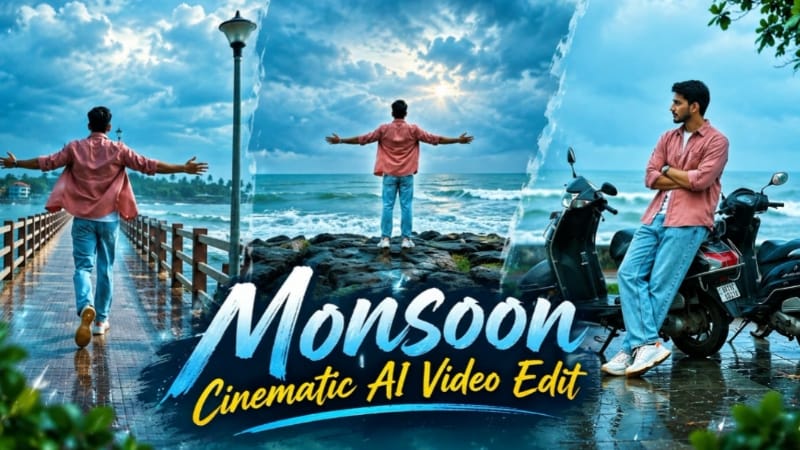
1. Monsoon Cinematic AI Video | Flow AI Viral Video Prompt
AI video generation makes it possible to transform a simple reference photo into a beautiful monsoon-themed cinematic video. The Monsoon Cinematic AI Video concept is designed for creators who want realistic rainy-weather scenes, dramatic outdoor visuals, natural expressions, and professional-looking cinematic shots using Flow AI. This editing style is suitable for Instagram Reels, YouTube Shorts, WhatsApp Status, and other social media platforms.
1. Prepare Your Reference Photo
Start by selecting a clear, high-quality photo of the person you want to feature in the video. Make sure the face is visible and the image has sufficient detail. The reference photo will guide the AI in maintaining the person's recognizable appearance throughout the generated scenes.
2. Open Flow AI
Open Flow AI and access the available video-generation workflow. Upload your reference photo if the selected workflow supports image references. Choose the appropriate generation settings according to your intended video format.
3. Use the Monsoon Cinematic Prompt
Copy the Monsoon Cinematic AI Video Prompt from the tutorial page and paste it into the prompt field. Describe the rainy atmosphere, camera movements, environmental details, lighting, and the subject's actions.
A cinematic monsoon concept can include gentle rainfall, wet roads, water droplets, reflections, cloudy skies, lush green surroundings, and natural movement. Depending on the prompt, the scenes can feature the subject walking through the rain, looking toward the sky, standing beside a road, or enjoying the atmosphere.
4. Maintain the Same Identity
Instruct the AI to preserve the reference person's facial features, hairstyle, skin tone, body proportions, and recognizable appearance. Avoid unnecessary changes to the original clothing or character design if continuity is important.
Keep the subject's movements natural. Rain should interact realistically with the surroundings, while reflections, clothing folds, and water droplets should match the lighting and environment.
5. Create Cinematic Lighting and Camera Movement
Use soft overcast daylight, dramatic clouds, realistic shadows, and reflections on wet surfaces to create a polished monsoon look. Slow tracking shots, close-up details, wide environmental shots, and smooth camera movements can make the video more engaging.
For a vertical social media reel, use a 9:16 composition. A 16:9 landscape composition is suitable for widescreen videos. Select the format before generation and check the available output settings.
6. Review and Export the Video
After generation, review the face, hands, clothing, rain effects, background, and camera movement. If a scene contains visual inconsistencies, refine the prompt or generate that scene again.
Once satisfied, export the video using the available quality settings. You can make final adjustments in a video editor by refining the contrast, highlights, sound effects, and background music.
Final Result
The Monsoon Cinematic AI Video technique helps creators develop a dramatic rainy-weather video with realistic environmental details and cinematic presentation. A clear reference photo, detailed prompts, consistent character instructions, and careful review can help produce a more professional result. Actual output quality and identity consistency depend on the AI tool and its generation settings.
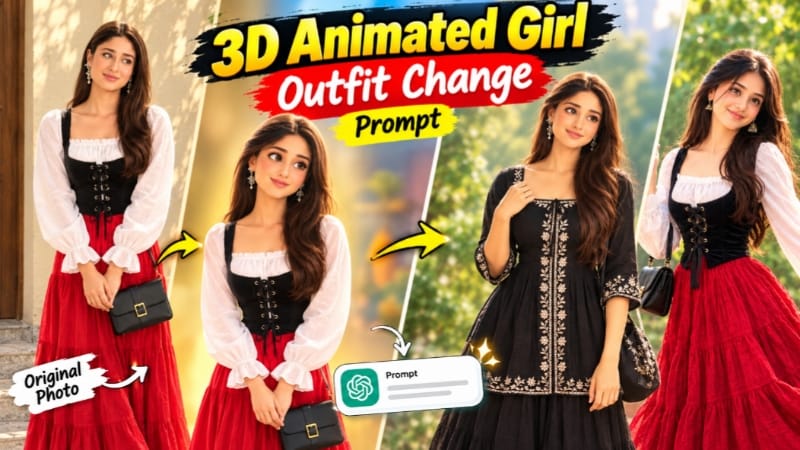
2. 3D Animated Girl Outfit Change Prompt for ChatGPT AI Photo Editing
AI photo editing allows creators to experiment with different fashion styles without recreating an entire character from scratch. The 3D Animated Girl Outfit Change Prompt is designed for people who want to change a character's clothing while retaining the original face, hairstyle, pose, background, camera angle, and animated appearance. Using ChatGPT's image editing capabilities, you can combine a character reference with a separate outfit reference to create a new fashion look.
1. Prepare Two Reference Images
First, select the original 3D animated girl image that you want to edit. This will be Image 1, the main character reference. Next, select Image 2, which should clearly show the new outfit you want the character to wear.
The first image guides the character's appearance, pose, composition, and background. The second image provides the clothing design and accessories.
2. Open ChatGPT and Upload the Images
Open ChatGPT and use the available image generation or editing feature. Upload both reference images and clearly identify their purposes. Make sure the original character is visible and the outfit reference contains enough detail to understand the clothing design.
3. Copy the Complete Outfit Change Prompt
Visit the tutorial page and copy the complete 3D Animated Girl Outfit Change Prompt. The featured design includes a white ruffle blouse, a black corset-style vest, a bright red tiered maxi skirt, a black handbag, and black Mary Jane shoes.
The prompt instructs the AI to preserve the original character and replace only the outfit. It also describes clothing textures, garment construction, folds, accessories, and proportions to help guide the editing process.
4. Preserve the Original Character
The most important instruction is to retain the same character from the base image. Keep the original facial features, hair, expression, pose, body proportions, background, lighting, and camera angle consistent.
The goal is not to create a different animated girl but to modify the existing character's fashion appearance. A clear instruction such as “change only the outfit and preserve everything else” helps communicate the intended edit.
5. Generate the New Outfit
Submit the prompt and allow the image-generation process to finish. Review whether the blouse, vest, skirt, handbag, and shoes match the intended design. Check the clothing layers, colours, fabric folds, and accessory placement.
If the AI changes the background or facial features, provide a focused follow-up instruction asking it to restore the original composition while retaining the new outfit.
6. Check the Final Image
Inspect the character's face, hands, hairstyle, pose, clothing boundaries, and shoes. Ensure that the new clothes fit naturally and that the lighting matches the original scene. If necessary, make additional corrections to individual details.
Final Result
The 3D Animated Girl Outfit Change Prompt offers a structured way to explore character fashion, digital art, animated portraits, and creative social media content. Using separate character and outfit references makes the editing instructions easier to understand and helps maintain a consistent visual style. The final result may vary depending on the references and the image-editing tool.
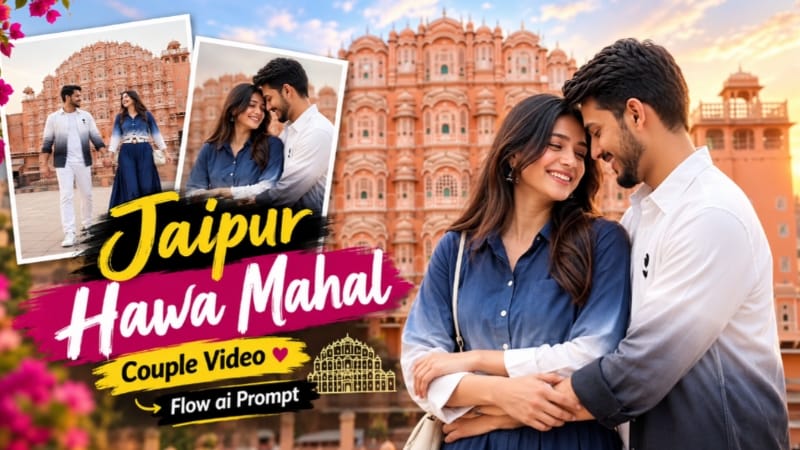
3. Jaipur Hawa Mahal Couple Video Edit | Flow AI Romantic Travel Reel
AI video generation allows creators to build romantic travel reels featuring famous destinations, coordinated outfits, cinematic camera movements, and expressive couple interactions. The Jaipur Hawa Mahal Couple Video Edit is designed to create a romantic travel-style video using Flow AI and two character reference photos. The concept combines Jaipur's architectural beauty with a stylish couple presentation suitable for Instagram Reels, YouTube Shorts, and other social media platforms.
1. Prepare Two Character Photos
Select a clear reference photo of the male character and another clear reference photo of the female character. Use images with visible facial features and sufficient detail to guide the AI.
The first reference represents the man, while the second represents the woman. These images help establish the characters' identities and guide their appearance throughout the video.
2. Open Flow AI
Open Flow AI and select an appropriate image-to-video or reference-based video workflow. Upload both reference images if supported by the selected workflow. Choose the required video aspect ratio and generation settings.
3. Copy the Jaipur Hawa Mahal Prompt
Visit the tutorial page and copy the complete Jaipur Hawa Mahal Couple Video Edit prompt. Paste it into the prompt field and check that the instructions clearly describe the location, outfits, character actions, shot sequence, and cinematic style.
The concept uses the Hawa Mahal setting to create a romantic Jaipur travel atmosphere, combining heritage architecture with fashion-focused couple shots.
4. Maintain Character and Outfit Consistency
The male character's featured outfit includes a white-to-black ombre shirt with small black floral embroidery, a white T-shirt, white trousers, and white sneakers. The female character wears a navy-to-white ombre shirt tied at the front, a long navy tiered skirt, a white woven belt with a round wooden buckle, cream sandals, and a small cream crossbody bag.
Use the prompt's outfit descriptions to maintain the same clothing across the generated scenes. Instruct the AI to preserve the characters' recognizable facial features, hairstyles, skin tones, and body proportions.
5. Generate Romantic Travel Scenes
The video can combine wide architectural views, walking shots, medium couple compositions, close-up expressions, and natural interactions. Smooth tracking movements and carefully framed shots help create the feeling of a professionally filmed travel reel.
Keep Hawa Mahal visually recognizable and maintain consistent daylight, colours, and environmental details. Avoid unnecessary changes to the couple's clothing or appearance between shots.
6. Refine the Video
After generation, check whether both characters remain consistent and whether their movements look natural. Review facial details, hands, clothing, architectural structures, and scene transitions.
If a particular shot looks inconsistent, regenerate it with more specific instructions. You can also arrange the generated clips in a video editor, trim unnecessary frames, and add suitable romantic music.
7. Export for Social Media
Choose a vertical 9:16 composition for Reels and Shorts, or use a landscape format if required by the project. Review the complete sequence before exporting and ensure that the important details remain visible.
Final Result
The Jaipur Hawa Mahal Couple AI Video Edit combines romantic storytelling, Indian heritage architecture, coordinated fashion, and cinematic camera work. With clear reference photos, detailed prompts, and consistent scene instructions, creators can build a travel-inspired couple reel without filming every shot at the actual location. Results may vary depending on the video-generation workflow.
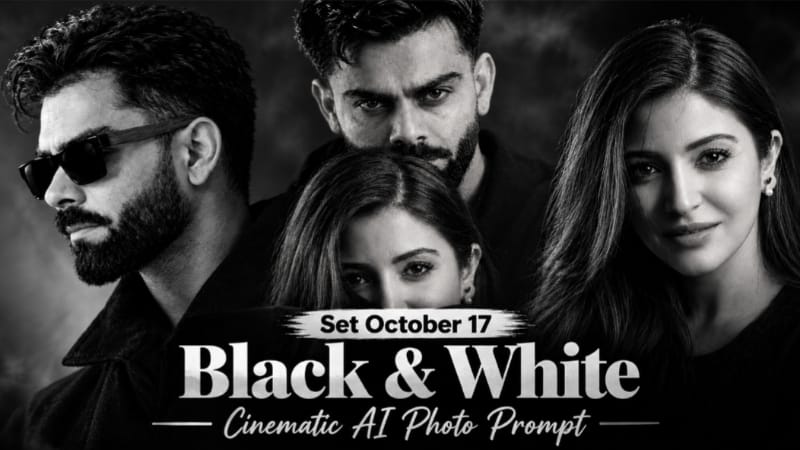
4. Black and White Cinematic AI Photo Editing Prompt with Face Reference
Black and white cinematic portraits create a dramatic, timeless appearance through deep shadows, monochrome tones, carefully controlled lighting, and expressive facial details. With ChatGPT's image editing capabilities, creators can use a reference composition and a separate face photo to develop a personalised cinematic portrait while preserving the intended style.
1. Prepare Your Reference Images
Choose two images for the editing process. Image 1 should contain the desired cinematic composition, pose, lighting, and styling. Image 2 should be a clear photo of the person whose face will be used in the final result.
The purpose of Image 1 is to guide the overall design, while Image 2 serves as the facial identity reference. Use a well-lit, sharp face photo for better visual guidance.
2. Open ChatGPT
Open ChatGPT and access the available image generation or editing feature. Upload both images and explain their roles clearly. Make sure the prompt identifies which facial features must remain unchanged and which elements should follow the reference composition.
3. Copy the Complete Cinematic Prompt
Open the Black and White Cinematic AI Photo Editing tutorial and copy the desired prompt variation. The featured concepts include dark monochrome portraits, dramatic close-up compositions, strong contrast, black backgrounds, and a lock-screen-style date and clock overlay.
Some variations also feature black sunglasses with golden-yellow lenses as the only coloured element. Choose the variation that matches the style you want to recreate.
4. Preserve Facial Identity
Instruct the AI to use the face from Image 2 while retaining the intended composition and visual style from Image 1. Avoid unnecessary changes to facial structure, skin texture, hairstyle, or other identifying details.
For a couple portrait, clearly specify which person's face should be replaced and which person's appearance must remain unchanged. This helps prevent accidental edits to the wrong subject.
5. Create the Monochrome Look
The cinematic style uses deep blacks, dramatic shadows, controlled highlights, and high-contrast grayscale tones. Soft rim lighting can outline the face and hair against a dark background, while subtle film grain adds an editorial appearance.
If the selected prompt includes a lock-screen overlay, check the date, time, and text placement after generation. AI-generated text may require correction, so inspect the result carefully.
6. Generate and Review the Image
Submit the prompt and wait for the image to be generated. Review the facial resemblance, eye details, shadows, skin texture, background, and composition. Ensure that the monochrome effect is consistent and that unintended colours have not appeared.
If the face looks different from the reference, request a targeted correction rather than changing the entire image again.
7. Final Touches
Use a suitable image editor if you need to adjust contrast, crop the image, refine the text overlay, or sharpen selected details. A vertical 9:16 composition is suitable for phone wallpapers, status posts, and short-form social media content.
Final Result
The Black and White Cinematic AI Photo Editing Prompt provides a practical approach to creating moody monochrome portraits with a personalised face reference. Clear image roles, precise identity instructions, controlled lighting, and careful review help achieve a more coherent cinematic result. The final output depends on the reference images and the capabilities of the editing tool.
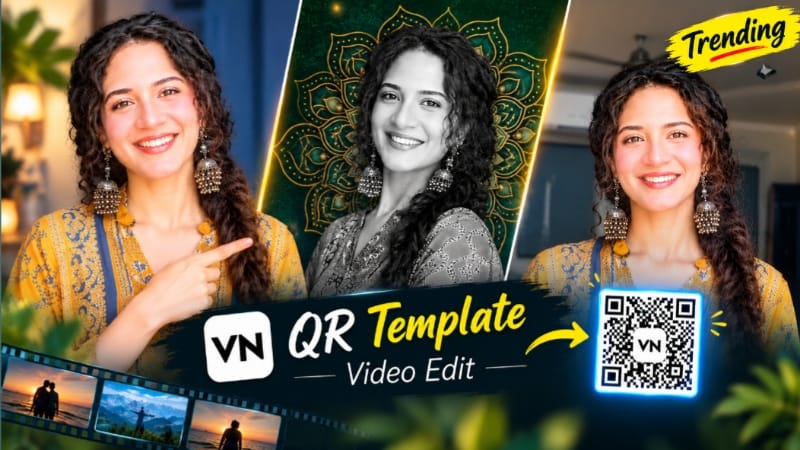
5. VN QR Code Template | Trending VN Video Editing Template
VN QR Code Templates provide a convenient way to create stylish short-form videos using preset editing arrangements. Instead of manually building every transition and effect, creators can use a compatible template to apply a prepared visual style to their photos and video clips. This method is useful for Instagram Reels, YouTube Shorts, WhatsApp Status, and other social media platforms.
1. Install and Open VN Video Editor
Start by installing VN Video Editor from an official app store if it is not already available on your device. Open the application and make sure it has the necessary access to the photos and video clips you want to use.
2. Open the VN QR Code Template Page
Visit the VN QR Code Template section on NoorEditing07.com and choose the template that matches your preferred editing style. The available collection includes different concepts, such as emotional music edits, romantic videos, and trending visual transitions.
Read the instructions associated with your selected template before proceeding.
3. Find the Correct QR Code or Template Link
Locate the QR code or template link provided for the specific edit. Use the supported opening or scanning method described on the page. Make sure the template is compatible with your installed VN application and version.
If a QR code is unavailable or no longer works, check whether the page provides an alternative template link or updated instructions.
4. Import Your Photos and Video Clips
After opening the compatible template, follow the application's instructions to select the required photos or clips. Choose clear images that fit the timing and style of the edit.
For a romantic video, you might use couple portraits. For an emotional music edit, choose images that match the mood of the song. Follow any media-count or clip-length requirements displayed by the template.
5. Apply the Template
Allow VN to load the template and arrange the selected media according to its preset structure. Depending on the template, the project may include transitions, effects, timing, visual adjustments, and music synchronisation.
Preview the result and replace any image that does not fit the composition. Some templates may require small manual adjustments to achieve the intended result.
6. Adjust the Edit
Review the timing of every clip, the transitions, and the placement of photos. Make minor changes if needed, while retaining the original template's visual style.
If the template contains music, confirm that the audio is suitable for your intended platform and that you have permission to use it where required. You can also adjust the audio level or use a permitted alternative.
7. Export the Final Video
Once the edit looks correct, open VN's export options. Choose a suitable resolution and frame rate supported by the application and your device. Preview the exported video to make sure it plays smoothly and that the visuals and audio remain synchronised.
You can then share the finished edit on Instagram Reels, YouTube Shorts, WhatsApp Status, or other compatible platforms.
Final Result
VN QR Code Templates make it easier to experiment with trending editing styles without manually recreating every effect. Choosing a suitable template, importing appropriate media, checking compatibility, and reviewing the final export can help you create a polished short video efficiently. Available templates, features, and export settings may vary by application version and the individual template.