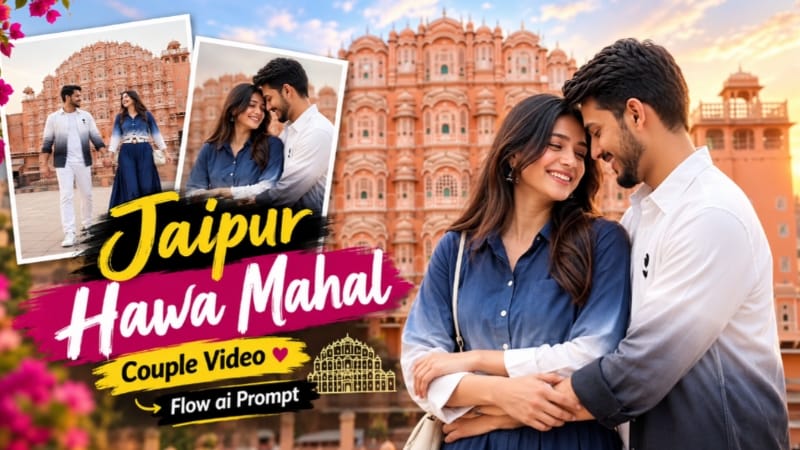
Jaipur Pink City Couple Cinematic Video Prompt Using Flow AI
Jaipur Pink City is famous for its beautiful pink architecture, historic buildings, traditional sandstone details and romantic photography locations. These features make Jaipur an excellent setting for creating cinematic couple videos with AI. By using a detailed Flow AI video prompt and two reference images, creators can plan a romantic video featuring a couple walking hand in hand, dancing, sharing a warm embrace and exploring the architectural beauty of Jaipur.
The Jaipur Pink City Couple Cinematic Video Prompt is designed for a 10-second landscape video with nine carefully planned shots. The visual sequence includes rooftop views, pink sandstone corridors, carved archways, traditional jharokha windows and scenes inspired by the area around Hawa Mahal.
If you want to create a romantic travel-style video for Instagram, YouTube or another social media platform, this guide explains the prompt's main features and how to use it with Flow AI.
What Is the Jaipur Pink City Couple Cinematic Video Prompt?
This is a detailed AI video prompt that describes the appearance of two people, their clothing, the locations, their movements, the lighting and the camera angles. Instead of asking an AI video generator to create a general romantic scene, the prompt specifies a sequence of nine shots that form a short visual story.
The video begins with an establishing view of Hawa Mahal. The couple then walks together, holds hands, dances, embraces and shares relaxed moments in different Jaipur-inspired locations. The final shot returns to a rooftop terrace, creating a visual connection with the opening scene.
The target duration is exactly 10 seconds, with a 16:9 landscape composition. Actual duration, shot timing and scene consistency may vary depending on the selected generation workflow and available Flow AI features.
Main Features of This Flow AI Video Prompt
1. Jaipur Pink City Background
The prompt focuses on Jaipur's distinctive pink and terracotta architectural style. Hawa Mahal appears in selected shots, while the other scenes use pink sandstone corridors, carved balconies, arched passageways and quiet city lanes.
The location changes help the video feel like a short cinematic travel sequence rather than a single scene repeated several times.
2. Two Reference Images for Identity Consistency
Image 1 represents the man, and Image 2 represents the woman. The prompt instructs the video generator to maintain their recognizable facial features, hairstyles, skin tones, body proportions and outfits throughout every shot.
This is particularly important in multi-shot AI videos because faces and clothing can sometimes change between cuts. A clearly written identity-lock instruction helps communicate the intended consistency, although perfect identity preservation cannot be guaranteed.
For better results, use clear reference images with visible facial features and consistent lighting whenever possible.
3. Matching Outfits in Every Shot
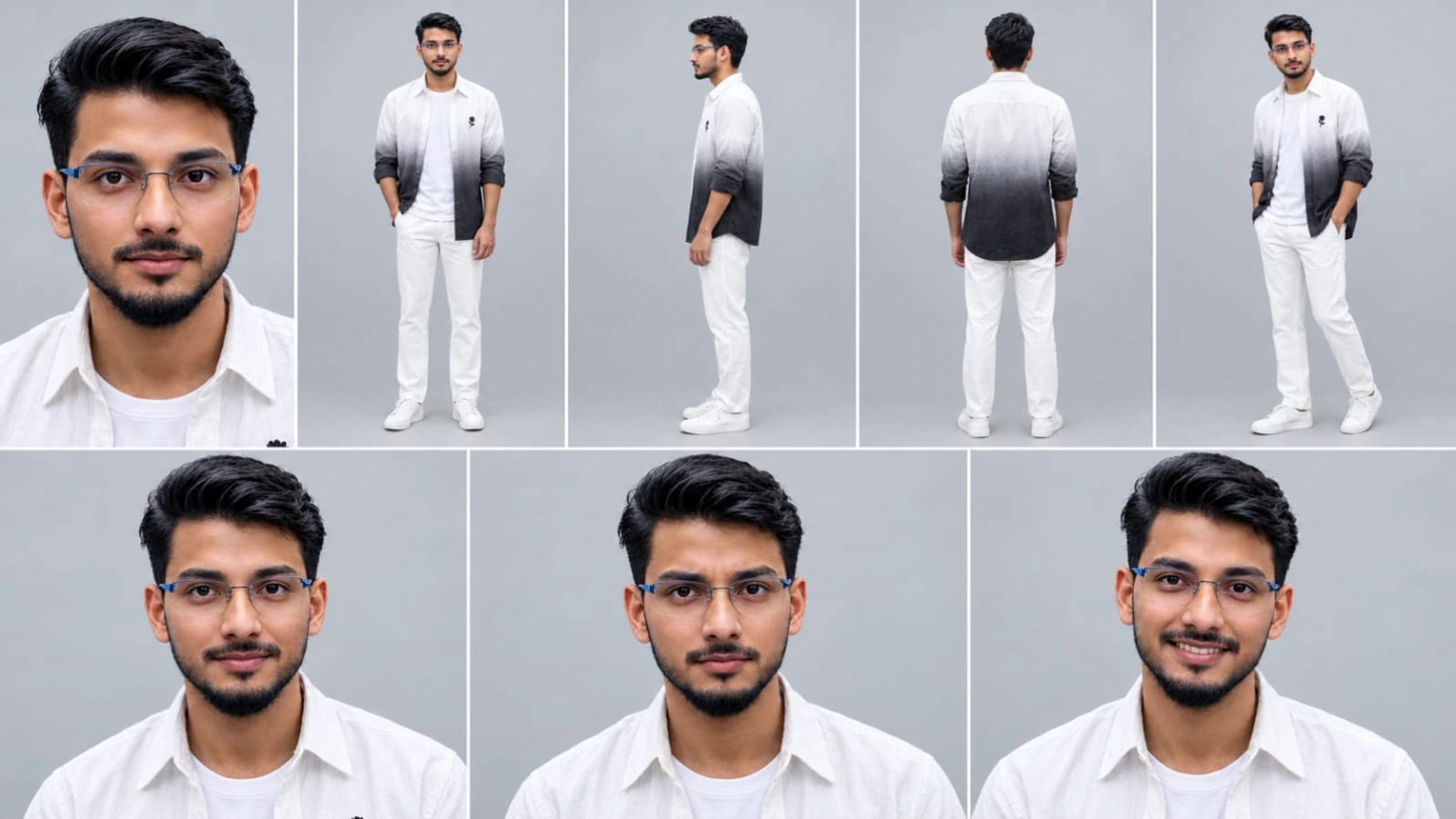
The man's outfit consists of a white-to-black ombre shirt with a small black flower embroidery, a white T-shirt, white trousers and white sneakers.
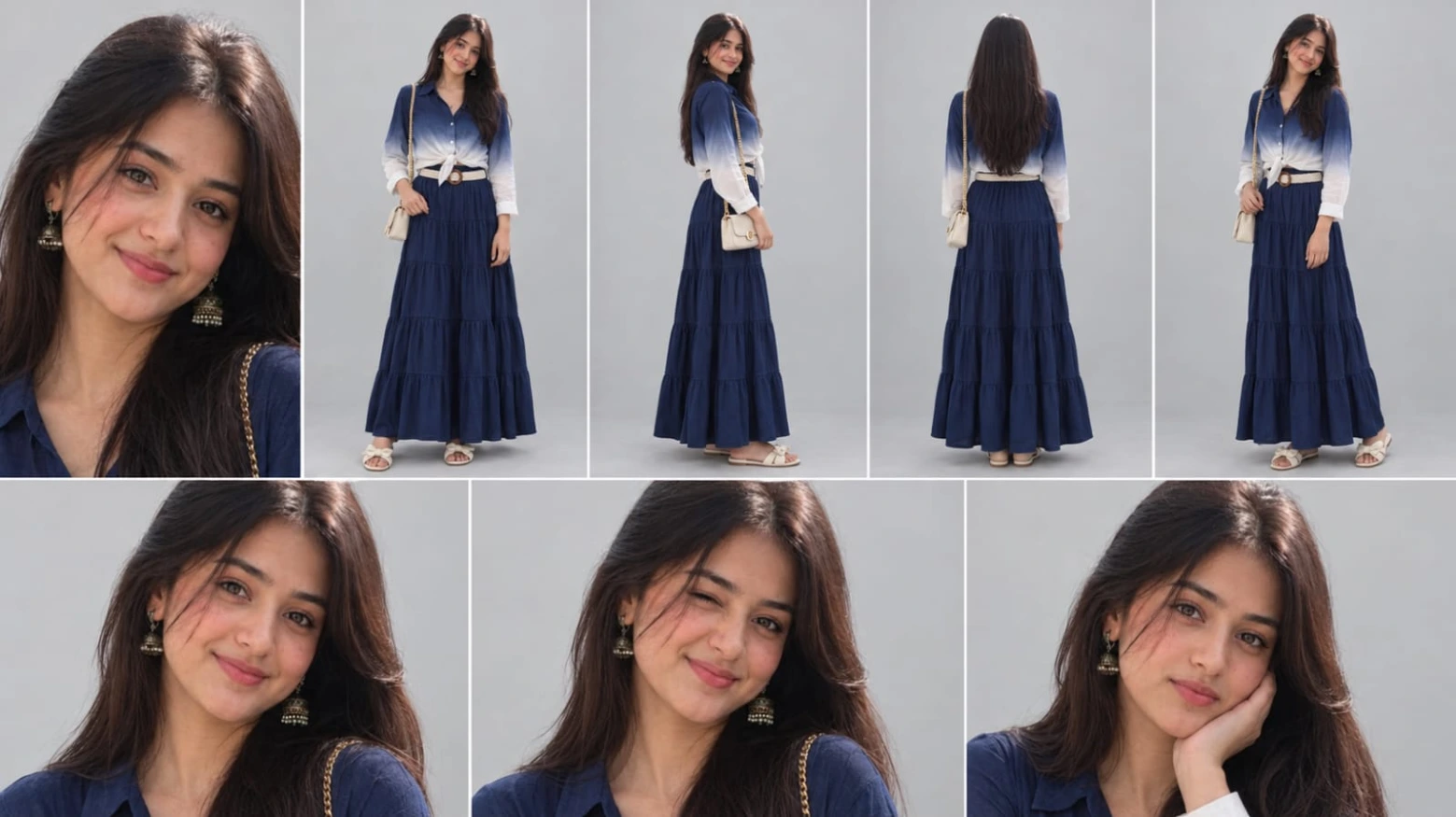
The woman's outfit includes a navy-to-white ombre shirt tied at the front, a long navy tiered skirt, a white woven belt with a round wooden buckle, cream bow sandals and a small cream crossbody bag with a gold chain.
Keeping these details in the prompt helps establish a consistent visual appearance across the video. It also reduces ambiguity when the camera changes from wide shots to close-ups.
4. Romantic Couple Movements
The planned actions include walking hand in hand, smiling at one another, dancing in an open plaza, turning beneath a sandstone archway, hugging and resting one's head on a partner's shoulder.
These movements give the video a natural romantic narrative. The aim is to create candid-looking moments instead of making every shot appear like a posed photograph.
For realistic motion, the actions should remain simple and easy to understand. Complicated movements performed in very short shots may be interpreted differently by the generator.
5. Nine Cinematic Shots in Ten Seconds
The prompt specifies nine shots with separate timings and camera instructions. It opens with a rooftop establishing shot, transitions into walking and hand-detail shots, and then moves through dancing, close-up interactions and architectural views.
The sequence finishes with a romantic close-up on the rooftop terrace.
Because the entire video lasts only 10 seconds, each shot needs a clear visual purpose. Hard cuts separate the scenes and help communicate the intended fast-paced cinematic edit.
6. Soft Daylight and Pastel Colours
The lighting instructions call for soft overcast daylight, pastel peach-pink tones, a light blue-grey sky, natural skin tones and gentle shadows.
This palette complements the pink architecture without creating overly dark or artificial-looking scenes. The prompt also requests clean highlights, detailed textures and a shallow depth of field in close-ups.
Using consistent lighting instructions throughout the prompt helps the scenes feel visually connected, even when the locations change.
7. Landscape 16:9 Composition
The requested 16:9 aspect ratio is suitable for YouTube videos, landscape travel edits and widescreen cinematic presentations. It gives the generator room to show both the couple and Jaipur's architecture.
Wide shots can establish the location, while medium and close-up shots emphasize facial expressions, hand movements and emotional moments.
8. NoorEditing07 Watermark
The prompt requests a small, subtle white “NoorEditing07” watermark at the bottom centre of every shot. This is intended to identify the creator's video.
AI video generators may omit, distort or inconsistently reproduce text. If the watermark is not accurate, add it during editing with a video editor to maintain the same position and appearance throughout the video.
Why Use a Detailed Flow AI Prompt?
A detailed prompt gives the video generator more information about what should appear in each scene. It can specify who is present, where the action takes place, what the camera does and which visual details should remain consistent.
This is especially useful for videos that contain multiple locations and changing camera angles. A short general prompt may leave important decisions to the generator, whereas a shot-by-shot prompt communicates the intended structure more clearly.
However, writing a detailed prompt does not guarantee that every scene will match the timing exactly. Video generation systems can interpret motion, transitions and text differently from the instructions.
Tips for Better AI Video Results
Start with clear reference images of both people. Check that their faces and clothing are visible and that the images do not contain filters that obscure important features.
Keep the identity instructions consistent throughout the prompt. Describe the man's and woman's outfits clearly and avoid introducing alternative clothing descriptions in later shots.
Review the generated video for face changes, clothing inconsistencies, awkward hand movements, missing architectural details and incorrect text. If one shot does not work well, consider generating that scene separately and assembling the clips in a video editor.
If the generator cannot produce the exact 10-second sequence in one attempt, create shorter clips and edit them into the intended order. This can provide more control over shot duration, transitions, music and the watermark.
Who Can Use This Prompt?
This prompt is useful for AI video creators, travel-content makers, couple-editing enthusiasts and social media editors who want to experiment with romantic cinematic scenes. It can also be used as a starting point for a Jaipur-inspired visual story or a short architectural travel montage.
Creators should check the generated footage before publishing and avoid presenting AI-generated scenes as genuine footage of a real visit. If the people shown are identifiable, use their images with appropriate permission.
Final Thoughts
The Jaipur Pink City Couple Cinematic Video Prompt combines romantic storytelling with the distinctive architecture of Jaipur. Its nine-shot sequence, two-person identity instructions, coordinated outfits, soft pastel colour grading and 16:9 landscape framing provide a structured starting point for Flow AI video generation.
Copy the complete prompt, upload the appropriate reference images and generate the video using the available Flow AI workflow. Review the final result carefully, make any necessary corrections and add the watermark or adjust the timing during editing if needed.
For more AI photo prompts, cinematic video tutorials and creative editing ideas, explore NoorEditing07.com
Sabse Pehle Character Sheet Photo Banaai ChatGPT Se
AI Character Reference Sheet Prompt Card
✦AI PHOTO PROMPT
Use the FIRST uploaded photo as the ONLY face and body reference. Create a character reference sheet of this EXACT same real person, not a similar or new person. Keep the identical face, facial features, skin tone, skin texture, hair, hairline, beard or lack of it, age and body shape. Do not beautify, do not smooth the skin, do not change anything about the face. Layout, 16:9, thin white dividers: top row 5 panels (close-up face, full body front, full body side, full body back, full body three-quarter), bottom row 3 close-up face panels with natural expressions. Plain light grey studio background, soft even daylight, realistic photo, sharp details, natural skin texture, 4K. It must look like a real photograph, not AI art.
Use the FIRST uploaded photo as the ONLY face and body reference. Create a character reference sheet of this EXACT same real person, not a similar or new person. Keep the identical face, facial features, skin tone, skin texture, hair, hairline, beard or lack of it, age and body shape. Do not beautify, do not smooth the skin, do not change anything about the face.
Layout, 16:9, thin white dividers: top row 5 panels (close-up face, full body front, full body side, full body back, full body three-quarter), bottom row 3 close-up face panels with natural expressions. Plain light grey studio background, soft even daylight, realistic photo, sharp details, natural skin texture, 4K. It must look like a real photograph, not AI art.
Outfit in every panel, identical, copied from the SECOND uploaded image: white-to-black ombre full-sleeve shirt worn open with cuffed sleeves and a small black flower embroidery on the chest, plain white t-shirt underneath, white trousers, white sneakers. Ignore any price text or labels in the outfit image.
✓
Prompt copied to clipboard!
AI Character Reference Sheet Prompt Card
✦AI PHOTO PROMPT
Use the FIRST uploaded photo as the ONLY face and body reference. Create a character reference sheet of this EXACT same real person, not a similar or new person. Keep the identical face, facial features, skin tone, skin texture, hair, hairline, beard or lack of it, age and body shape. Do not beautify, do not smooth the skin, do not change anything about the face. Layout, 16:9, thin white dividers: top row 5 panels (close-up face, full body front, full body side, full body back, full body three-quarter), bottom row 3 close-up face panels with natural expressions. Plain light grey studio background, soft even daylight, realistic photo, sharp details, natural skin texture, 4K. It must look like a real photograph, not AI art.
Use the FIRST uploaded photo as the ONLY face and body reference. Create a character reference sheet of this EXACT same real person, not a similar or new person. Keep the identical face, facial features, skin tone, skin texture, hair, hairline, beard or lack of it, age and body shape. Do not beautify, do not smooth the skin, do not change anything about the face.
Layout, 16:9, thin white dividers: top row 5 panels (close-up face, full body front, full body side, full body back, full body three-quarter), bottom row 3 close-up face panels with natural expressions. Plain light grey studio background, soft even daylight, realistic photo, sharp details, natural skin texture, 4K. It must look like a real photograph, not AI art.
Outfit in every panel, identical, copied from the SECOND uploaded image: white-to-black ombre full-sleeve shirt worn open with cuffed sleeves and a small black flower embroidery on the chest, plain white t-shirt underneath, white trousers, white sneakers. Ignore any price text or labels in the outfit image.
✓
Prompt copied to clipboard!
AI Character Reference Sheet Prompt Card
✦AI PHOTO PROMPT
Use the FIRST uploaded photo as the ONLY face and body reference. Create a character reference sheet of this EXACT same real person, not a similar or new person. Keep the identical face, facial features, skin tone, skin texture, hair, hairline, age and body shape. Do not beautify, do not smooth the skin, do not change anything about the face. Layout, 16:9, thin white dividers: top row 5 panels (close-up face, full body front, full body side, full body back showing hair, full body three-quarter), bottom row 3 close-up face panels with natural expressions. Plain light grey studio background, soft even daylight, realistic photo, sharp details, natural skin texture, 4K. It must look like a real photograph, not AI art.
Use the FIRST uploaded photo as the ONLY face and body reference. Create a character reference sheet of this EXACT same real person, not a similar or new person. Keep the identical face, facial features, skin tone, skin texture, hair, hairline, age and body shape. Do not beautify, do not smooth the skin, do not change anything about the face.
Layout, 16:9, thin white dividers: top row 5 panels (close-up face, full body front, full body side, full body back showing hair, full body three-quarter), bottom row 3 close-up face panels with natural expressions. Plain light grey studio background, soft even daylight, realistic photo, sharp details, natural skin texture, 4K. It must look like a real photograph, not AI art.
Outfit in every panel, identical, copied from the SECOND uploaded image: navy-blue-to-white ombre long-sleeve button-up shirt tied in a knot at the front, long navy tiered maxi skirt, white woven belt with a round wooden buckle, cream bow-strap flat sandals, small cream crossbody handbag with a gold chain strap.
✓
Prompt copied to clipboard!
AI Character Reference Sheet Prompt Card
✦AI PHOTO PROMPT
Use the FIRST uploaded photo as the ONLY face and body reference. Create a character reference sheet of this EXACT same real person, not a similar or new person. Keep the identical face, facial features, skin tone, skin texture, hair, hairline, age and body shape. Do not beautify, do not smooth the skin, do not change anything about the face. Layout, 16:9, thin white dividers: top row 5 panels (close-up face, full body front, full body side, full body back showing hair, full body three-quarter), bottom row 3 close-up face panels with natural expressions. Plain light grey studio background, soft even daylight, realistic photo, sharp details, natural skin texture, 4K. It must look like a real photograph, not AI art.
Use the FIRST uploaded photo as the ONLY face and body reference. Create a character reference sheet of this EXACT same real person, not a similar or new person. Keep the identical face, facial features, skin tone, skin texture, hair, hairline, age and body shape. Do not beautify, do not smooth the skin, do not change anything about the face.
Layout, 16:9, thin white dividers: top row 5 panels (close-up face, full body front, full body side, full body back showing hair, full body three-quarter), bottom row 3 close-up face panels with natural expressions. Plain light grey studio background, soft even daylight, realistic photo, sharp details, natural skin texture, 4K. It must look like a real photograph, not AI art.
Outfit in every panel, identical, copied from the SECOND uploaded image: navy-blue-to-white ombre long-sleeve button-up shirt tied in a knot at the front, long navy tiered maxi skirt, white woven belt with a round wooden buckle, cream bow-strap flat sandals, small cream crossbody handbag with a gold chain strap.
Cinematic 16:9 landscape video, exactly 10 seconds, photorealistic, 8K quality, HDR, natural real-time speed (it will be slowed down later in editing). IDENTITY LOCK: Image 1 is THE MAN and Image 2 is THE WOMAN. They must look exactly like these two images in every frame: identical face, facial features, skin tone, hair, body shape, height, outfit and accessories. Every cut shows the SAME two people. Never generate a new or different face at any cut. Faces must not morph, age or flicker. No new people, no crowd, no tourists. Do not add, remove or change any clothing or accessory. No text, logos or price tags anywhere except the watermark below. OUTFITS (same in every shot): Man: white-to-black ombre full-sleeve shirt worn open with cuffed sleeves and a small black flower embroidery on the chest, plain white t-shirt, white trousers, white sneakers. Woman: navy-to-white ombre long-sleeve button-up shirt tied in a knot at the front, long navy tiered maxi skirt, white woven belt with a round wooden buckle, cream bow sandals, small cream crossbody bag with gold chain. CITY & LOCATIONS: the pink city of Jaipur, India, all in one continuous walk of the couple. Every shot is in a DIFFERENT real Jaipur spot, with pink and terracotta sandstone architecture. The Hawa Mahal is visible in the background or foreground in shots 1, 2, 4, 6 and 9. COLOUR & LIGHT (same in all shots, same time of day): soft overcast daylight, pastel peach-pink tones, light blue-grey sky, terracotta-pink buildings, natural skin tones, low contrast, soft lifted shadows, no heavy black shadows, no dark vignette, clean highlights, HDR with high dynamic range, 10-bit colour, sharp fine detail, creamy shallow depth of field in close-ups. Exactly 9 shots in this order, hard cuts, no extra scenes: 1 (0-0.7s): static low-angle wide shot of the Hawa Mahal from a rooftop terrace, pink domes in the left foreground, tree with magenta flowers on the right, nobody in frame. 2 (0.7-1.4s): same rooftop terrace, wide framing, the couple walks toward the camera holding hands, side by side, smiling at each other. 3 (1.4-2.4s): they keep walking hand in hand along a long pink sandstone arched corridor, low close-up of the man's hand clasping the woman's hand, pink arches blurred behind, slow gentle camera push-in. 4 (2.4-3.4s): static wide shot in an open stone plaza with the Hawa Mahal facade behind them, the couple dances holding hands, the man steps sideways while the woman twirls and walks around him, laughing. 5 (3.4-4.5s): handheld medium close-up under a carved pink sandstone archway with latticed windows, they hold hands facing each other, she turns, he pulls her into a hug, faces close, smiling. 6 (4.5-5.3s): static wide shot on wide stone steps opposite the Hawa Mahal, the man sits on a step, the woman sits behind him on a pink dome ledge, both relaxed and smiling. 7 (5.3-7.5s): medium shot with a slow camera push-in, in front of a carved pink sandstone window balcony (jharokha), they stand facing each other, she looks at him smiling and touches his hand, he adjusts his cuff, then she hugs his arm and rests her head on his shoulder while he smiles looking upward. 8 (7.5-8.5s): wide low-angle shot on a quiet pink-walled Jaipur lane, they walk toward the camera holding hands, she looks at him smiling. 9 (8.5-10s): handheld medium close-up back on the rooftop terrace with the Hawa Mahal softly blurred behind, the woman spins with her hair flying and smiles at the man, then a close two-shot embrace, her arms around his arm, foreheads almost touching, both laughing softly. Small subtle white text watermark "NoorEditing07" at the bottom centre in every shot.
Cinematic 16:9 landscape video, exactly 10 seconds, photorealistic, 8K quality, HDR, natural real-time speed (it will be slowed down later in editing).
IDENTITY LOCK: Image 1 is THE MAN and Image 2 is THE WOMAN. They must look exactly like these two images in every frame: identical face, facial features, skin tone, hair, body shape, height, outfit and accessories. Every cut shows the SAME two people. Never generate a new or different face at any cut. Faces must not morph, age or flicker. No new people, no crowd, no tourists. Do not add, remove or change any clothing or accessory. No text, logos or price tags anywhere except the watermark below.
OUTFITS (same in every shot):
Man: white-to-black ombre full-sleeve shirt worn open with cuffed sleeves and a small black flower embroidery on the chest, plain white t-shirt, white trousers, white sneakers.
Woman: navy-to-white ombre long-sleeve button-up shirt tied in a knot at the front, long navy tiered maxi skirt, white woven belt with a round wooden buckle, cream bow sandals, small cream crossbody bag with gold chain.
CITY & LOCATIONS: the pink city of Jaipur, India, all in one continuous walk of the couple. Every shot is in a DIFFERENT real Jaipur spot, with pink and terracotta sandstone architecture. The Hawa Mahal is visible in the background or foreground in shots 1, 2, 4, 6 and 9.
COLOUR & LIGHT (same in all shots, same time of day): soft overcast daylight, pastel peach-pink tones, light blue-grey sky, terracotta-pink buildings, natural skin tones, low contrast, soft lifted shadows, no heavy black shadows, no dark vignette, clean highlights, HDR with high dynamic range, 10-bit colour, sharp fine detail, creamy shallow depth of field in close-ups.
Exactly 9 shots in this order, hard cuts, no extra scenes:
1 (0-0.7s): static low-angle wide shot of the Hawa Mahal from a rooftop terrace, pink domes in the left foreground, tree with magenta flowers on the right, nobody in frame.
2 (0.7-1.4s): same rooftop terrace, wide framing, the couple walks toward the camera holding hands, side by side, smiling at each other.
3 (1.4-2.4s): they keep walking hand in hand along a long pink sandstone arched corridor, low close-up of the man's hand clasping the woman's hand, pink arches blurred behind, slow gentle camera push-in.
4 (2.4-3.4s): static wide shot in an open stone plaza with the Hawa Mahal facade behind them, the couple dances holding hands, the man steps sideways while the woman twirls and walks around him, laughing.
5 (3.4-4.5s): handheld medium close-up under a carved pink sandstone archway with latticed windows, they hold hands facing each other, she turns, he pulls her into a hug, faces close, smiling.
6 (4.5-5.3s): static wide shot on wide stone steps opposite the Hawa Mahal, the man sits on a step, the woman sits behind him on a pink dome ledge, both relaxed and smiling.
7 (5.3-7.5s): medium shot with a slow camera push-in, in front of a carved pink sandstone window balcony (jharokha), they stand facing each other, she looks at him smiling and touches his hand, he adjusts his cuff, then she hugs his arm and rests her head on his shoulder while he smiles looking upward.
8 (7.5-8.5s): wide low-angle shot on a quiet pink-walled Jaipur lane, they walk toward the camera holding hands, she looks at him smiling.
9 (8.5-10s): handheld medium close-up back on the rooftop terrace with the Hawa Mahal softly blurred behind, the woman spins with her hair flying and smiles at the man, then a close two-shot embrace, her arms around his arm, foreheads almost touching, both laughing softly.
Small subtle white text watermark "NoorEditing07" at the bottom centre in every shot.
✓
Prompt copied to clipboard!
AI Video Generation Prompt Card
✦AI VIDEO PROMPT
Cinematic 16:9 landscape video, exactly 10 seconds, photorealistic, 8K quality, HDR, natural real-time speed (it will be slowed down later in editing). IDENTITY LOCK: Image 1 is THE MAN and Image 2 is THE WOMAN. They must look exactly like these two images in every frame: identical face, facial features, skin tone, hair, body shape, height, outfit and accessories. Every cut shows the SAME two people. Never generate a new or different face at any cut. Faces must not morph, age or flicker. No new people, no crowd, no tourists. Do not add, remove or change any clothing or accessory. No text, logos or price tags anywhere except the watermark below. OUTFITS (same in every shot): Man: white-to-black ombre full-sleeve shirt worn open with cuffed sleeves and a small black flower embroidery on the chest, plain white t-shirt, white trousers, white sneakers. Woman: navy-to-white ombre long-sleeve button-up shirt tied in a knot at the front, long navy tiered maxi skirt, white woven belt with a round wooden buckle, cream bow sandals, small cream crossbody bag with gold chain. CITY & LOCATIONS: the pink city of Jaipur, India, all in one continuous walk of the couple. Every shot is in a DIFFERENT real Jaipur spot, with pink and terracotta sandstone architecture. The Hawa Mahal is visible in the background or foreground in shots 1, 2, 4, 6 and 9. COLOUR & LIGHT (same in all shots, same time of day): soft overcast daylight, pastel peach-pink tones, light blue-grey sky, terracotta-pink buildings, natural skin tones, low contrast, soft lifted shadows, no heavy black shadows, no dark vignette, clean highlights, HDR with high dynamic range, 10-bit colour, sharp fine detail, creamy shallow depth of field in close-ups. Exactly 9 shots in this order, hard cuts, no extra scenes: 1 (0-0.7s): static low-angle wide shot of the Hawa Mahal from a rooftop terrace, pink domes in the left foreground, tree with magenta flowers on the right, nobody in frame. 2 (0.7-1.4s): same rooftop terrace, wide framing, the couple walks toward the camera holding hands, side by side, smiling at each other. 3 (1.4-2.4s): they keep walking hand in hand along a long pink sandstone arched corridor, low close-up of the man's hand clasping the woman's hand, pink arches blurred behind, slow gentle camera push-in. 4 (2.4-3.4s): static wide shot in an open stone plaza with the Hawa Mahal facade behind them, the couple dances holding hands, the man steps sideways while the woman twirls and walks around him, laughing. 5 (3.4-4.5s): handheld medium close-up under a carved pink sandstone archway with latticed windows, they hold hands facing each other, she turns, he pulls her into a hug, faces close, smiling. 6 (4.5-5.3s): static wide shot on wide stone steps opposite the Hawa Mahal, the man sits on a step, the woman sits behind him on a pink dome ledge, both relaxed and smiling. 7 (5.3-7.5s): medium shot with a slow camera push-in, in front of a carved pink sandstone window balcony (jharokha), they stand facing each other, she looks at him smiling and touches his hand, he adjusts his cuff, then she hugs his arm and rests her head on his shoulder while he smiles looking upward. 8 (7.5-8.5s): wide low-angle shot on a quiet pink-walled Jaipur lane, they walk toward the camera holding hands, she looks at him smiling. 9 (8.5-10s): handheld medium close-up back on the rooftop terrace with the Hawa Mahal softly blurred behind, the woman spins with her hair flying and smiles at the man, then a close two-shot embrace, her arms around his arm, foreheads almost touching, both laughing softly. Small subtle white text watermark "NoorEditing07" at the bottom centre in every shot.
Cinematic 16:9 landscape video, exactly 10 seconds, photorealistic, 8K quality, HDR, natural real-time speed (it will be slowed down later in editing).
IDENTITY LOCK: Image 1 is THE MAN and Image 2 is THE WOMAN. They must look exactly like these two images in every frame: identical face, facial features, skin tone, hair, body shape, height, outfit and accessories. Every cut shows the SAME two people. Never generate a new or different face at any cut. Faces must not morph, age or flicker. No new people, no crowd, no tourists. Do not add, remove or change any clothing or accessory. No text, logos or price tags anywhere except the watermark below.
OUTFITS (same in every shot):
Man: white-to-black ombre full-sleeve shirt worn open with cuffed sleeves and a small black flower embroidery on the chest, plain white t-shirt, white trousers, white sneakers.
Woman: navy-to-white ombre long-sleeve button-up shirt tied in a knot at the front, long navy tiered maxi skirt, white woven belt with a round wooden buckle, cream bow sandals, small cream crossbody bag with gold chain.
CITY & LOCATIONS: the pink city of Jaipur, India, all in one continuous walk of the couple. Every shot is in a DIFFERENT real Jaipur spot, with pink and terracotta sandstone architecture. The Hawa Mahal is visible in the background or foreground in shots 1, 2, 4, 6 and 9.
COLOUR & LIGHT (same in all shots, same time of day): soft overcast daylight, pastel peach-pink tones, light blue-grey sky, terracotta-pink buildings, natural skin tones, low contrast, soft lifted shadows, no heavy black shadows, no dark vignette, clean highlights, HDR with high dynamic range, 10-bit colour, sharp fine detail, creamy shallow depth of field in close-ups.
Exactly 9 shots in this order, hard cuts, no extra scenes:
1 (0-0.7s): static low-angle wide shot of the Hawa Mahal from a rooftop terrace, pink domes in the left foreground, tree with magenta flowers on the right, nobody in frame.
2 (0.7-1.4s): same rooftop terrace, wide framing, the couple walks toward the camera holding hands, side by side, smiling at each other.
3 (1.4-2.4s): they keep walking hand in hand along a long pink sandstone arched corridor, low close-up of the man's hand clasping the woman's hand, pink arches blurred behind, slow gentle camera push-in.
4 (2.4-3.4s): static wide shot in an open stone plaza with the Hawa Mahal facade behind them, the couple dances holding hands, the man steps sideways while the woman twirls and walks around him, laughing.
5 (3.4-4.5s): handheld medium close-up under a carved pink sandstone archway with latticed windows, they hold hands facing each other, she turns, he pulls her into a hug, faces close, smiling.
6 (4.5-5.3s): static wide shot on wide stone steps opposite the Hawa Mahal, the man sits on a step, the woman sits behind him on a pink dome ledge, both relaxed and smiling.
7 (5.3-7.5s): medium shot with a slow camera push-in, in front of a carved pink sandstone window balcony (jharokha), they stand facing each other, she looks at him smiling and touches his hand, he adjusts his cuff, then she hugs his arm and rests her head on his shoulder while he smiles looking upward.
8 (7.5-8.5s): wide low-angle shot on a quiet pink-walled Jaipur lane, they walk toward the camera holding hands, she looks at him smiling.
9 (8.5-10s): handheld medium close-up back on the rooftop terrace with the Hawa Mahal softly blurred behind, the woman spins with her hair flying and smiles at the man, then a close two-shot embrace, her arms around his arm, foreheads almost touching, both laughing softly.
Small subtle white text watermark "NoorEditing07" at the bottom centre in every shot.
Jaipur Pink City Couple Video Flow AI Se Kaise Banaye
Agar aap Jaipur Pink City, Hawa Mahal aur romantic couple moments wala cinematic AI video banana chahte hain, toh neeche diye gaye steps follow karein.
Step 1: Google Chrome Open Karein
Apne mobile ya computer par Google Chrome open karein. Google par NoorEditing07 search karein aur website open karein. Website par Jaipur Pink City Couple Cinematic Video Prompt wala article dhoondhein.
Step 2: Complete Video Prompt Copy Karein
Article mein diya gaya complete Flow AI video prompt copy karein. Ismein 10-second duration, 16:9 landscape format, nine-shot sequence, Jaipur locations, camera movements, outfits aur identity-lock instructions shamil hain.
Prompt ko poora copy karein, taaki important scene details miss na hon.
Step 3: Flow AI Open Karein
Flow AI ko uske available official interface par open karein. Apne account mein sign in karein, agar zaroori ho, aur available video generation workflow select karein. Feature names aur options interface ke version ke hisaab se alag ho sakte hain.
Step 4: Dono Reference Images Upload Karein
Image 1 mein man ki reference photo aur Image 2 mein woman ki reference photo upload karein, agar selected workflow multiple reference images support karta hai.
Prompt mein clearly mention karein ki Image 1 man ki identity ke liye hai aur Image 2 woman ki identity ke liye hai. Dono ke facial features aur outfits ko har shot mein consistent rakhne ki instructions dein.
Step 5: Prompt Paste Karein
Copied prompt ko video generation prompt field mein paste karein. Generate karne se pehle check karein ki Jaipur locations, Hawa Mahal ke selected shots, nine-shot order aur bottom-centre NoorEditing07 watermark ki instructions included hain.
Step 6: Video Settings Select Karein
Agar settings available hain, toh 16:9 landscape aspect ratio aur 10-second target duration select karein. Quality aur resolution ke liye apne workflow mein available options choose karein.
Dhyan rahe ki generator har baar exact shot timings, transitions aur text placement ko follow kare, yeh guaranteed nahi hai.
Step 7: Video Generate Karein
Prompt aur reference images check karne ke baad Generate par click karein. Generation complete hone par video preview karein.
Dekhein ki couple ki appearance, outfits, movements aur Jaipur-style architecture prompt ke kareeb hain ya nahi.
Step 8: Final Video Edit Karein
Agar koi shot miss ho gaya ho, face change ho raha ho ya watermark galat ho, toh available editing options use karein ya affected clips ko separately generate karein.
Video editor mein clips ko correct order mein arrange karein, duration adjust karein aur zaroorat ke hisaab se music ya watermark add karein.
Step 9: Export Aur Save Karein
Final preview dekhne ke baad video ko supported quality mein export karein. Agar video YouTube ke liye hai, toh landscape 16:9 format maintain karein. Social media par upload karne se pehle faces, text aur transitions ko ek baar phir check karein.
Pro Tip: Clear reference photos, consistent outfit descriptions aur simple natural movements se better results mil sakte hain. AI video generation mein identity, timing aur text ko manually review karna important hai.
Jaipur Pink City Couple Cinematic Video - Noor Editing
Jaipur Pink City Couple Cinematic Video PromptFlow AI Video PromptJaipur Couple AI VideoHawa Mahal Cinematic VideoPink City Romantic VideoAI Couple Video GeneratorFlow AI Couple VideoJaipur Travel Video PromptRomantic Cinematic AI Video10 Second AI Video Prompt16:9 Landscape AI VideoAI Identity Lock PromptPink Sandstone Architecture VideoAI Video Editing TutorialNoorEditing07
Jaipur Pink City Couple Cinematic Video - Noor Editing
Jaipur Pink City Couple Cinematic Video PromptFlow AI Video PromptJaipur Couple AI VideoHawa Mahal Cinematic VideoPink City Romantic VideoAI Couple Video GeneratorFlow AI Couple VideoJaipur Travel Video PromptRomantic Cinematic AI Video10 Second AI Video Prompt16:9 Landscape AI VideoAI Identity Lock PromptPink Sandstone Architecture VideoAI Video Editing TutorialNoorEditing07
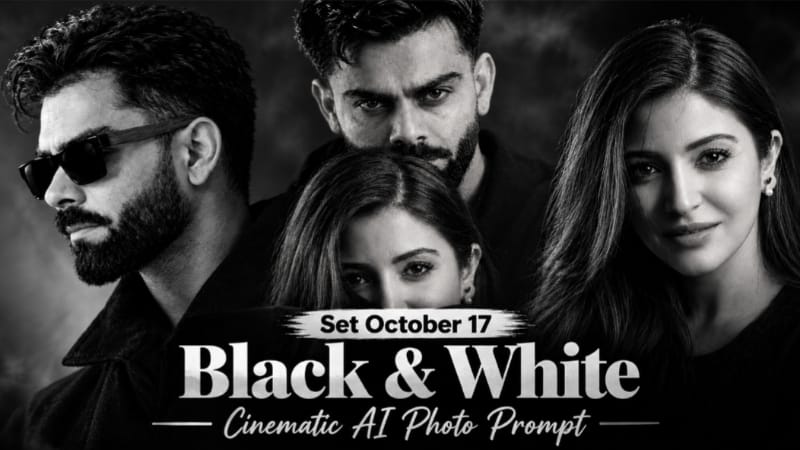
1. Black and White Cinematic AI Photo Editing Prompt with Face Reference
Black and White Cinematic AI Photo Editing Prompt ki help se aap apni photo ko dark, dramatic aur professional monochrome portrait style mein create kar sakte hain. Is concept mein deep blacks, cinematic shadows, sunglasses aur lock-screen style date-clock text ka use hota hai. Original Article
Step 1: Dono Reference Photos Ready Karein
Image 1 ko pose, background, lighting aur outfit reference ke liye use karein. Image 2 mein apni clear face photo rakhein.
Step 2: ChatGPT Open Karein
ChatGPT mein image generation feature open karein aur dono reference images upload karein. Prompt mein clearly batayein ki pehli image composition ke liye aur doosri face reference ke liye hai.
Step 3: AI Prompt Copy Karein
NoorEditing07.com se complete Black and White Cinematic AI Photo Prompt copy karein. Ismein monochrome style, dramatic shadows, facial details aur text overlay ki instructions shamil hain.
Step 4: Prompt Paste Karein
Prompt paste karke image generate karein. Vertical 9:16 ratio aur 1080 × 1920 target resolution select karein, agar available ho.
Step 5: Final Image Check Karein
Face, hairstyle, sunglasses, outfit, shadows aur background inspect karein. Date aur clock text bhi verify karein, kyunki AI text ko galat generate kar sakta hai.
Step 6: Save Karein
Result satisfactory ho to image save karein. Zarurat padne par text aur cropping ko image editor mein correct karein.
2. Riverbank Sunset Cinematic Video Edit | Flow AI
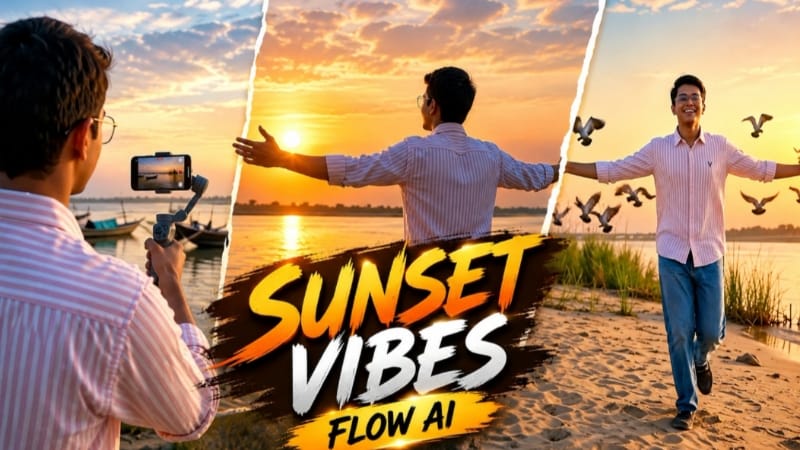
Riverbank Sunset Cinematic Video Edit ek emotional cinematic video concept hai, jisme sandy riverbank, golden sunset, flowing water aur natural reflections ka use hota hai. Is article ke video prompt mein 10 scenes, 16:9 widescreen composition aur NoorEditing07 watermark ki instructions hain. Original Article
Step 1: Character Reference Photo Banayein
Apni clear photo ko reference ke liye ready karein. Character ke look mein light pink aur white striped shirt, blue jeans aur dark casual shoes shamil hain.
Step 2: Google Flow Open Karein
Google Flow mein available video-generation feature open karein. Reference image upload karein, agar aapka selected workflow ise support karta hai.
Step 3: Video Prompt Copy Karein
Website se Riverbank Sunset AI Video Prompt copy karein. Ismein sunset lighting, water reflections aur cinematic camera movement ki details hain.
Step 4: Prompt Paste Karein
Prompt paste karke 16:9 landscape format select karein, agar available ho.
Step 5: Ten Scenes Generate Karein
Sequence mein riverbank par running, sunset dekhna, arms spread karna, selfie gimbal se boats frame karna, paani mein ripples banana aur horizon ki taraf walking jaise scenes shamil hain.
Step 6: Video Review Karein
Face consistency, outfit, water reflections aur camera movement check karein. Unnatural frames ko refine karein.
Step 7: Export Karein
Final video preview karke available download option se save karein. Zarurat par clips ko video editor mein combine karein.
3. VN QR Code Template | Trending VN Video Editing Template
VN QR Code Template ek ready-made editing project ko VN Video Editor mein open karne ka convenient method hai. Isse compatible template ki help se photos aur video clips arrange karke social media content banaya ja sakta hai. Effects aur transitions selected template par depend karte hain. Original Article
Step 1: QR Code Save Karein
NoorEditing07.com par VN QR Code Template page open karein aur available QR code ki clear image apne phone ki Gallery mein save karein.
Step 2: VN Video Editor Open Karein
Apne mobile mein VN app open karein aur home screen par Scan icon dekhein.
Step 3: QR Code Scan Karein
Scan option par tap karein. Gallery se saved QR image select karein, agar aapke app version mein ye option available ho.
Step 4: Template Open Karein
QR code open hone ke baad template preview check karein. Download ya Use Template ka option available ho to select karein.
Step 5: Photos Aur Clips Add Karein
Template ke media slots mein apni photos ya video clips add karein. Clip order aur cropping ko carefully adjust karein.
Step 6: Preview Karein
Video ko poora play karke timing, transitions aur text placement check karein.
Step 7: Export Karein
Suitable resolution select karke final video export karein. Use Instagram Reels, YouTube Shorts ya WhatsApp Status par share kar sakte hain.
Note: QR code aur template options VN app version ke according different ho sakte hain.
4. Forest Couple AI Video Edit | Emotional Flow AI Prompt
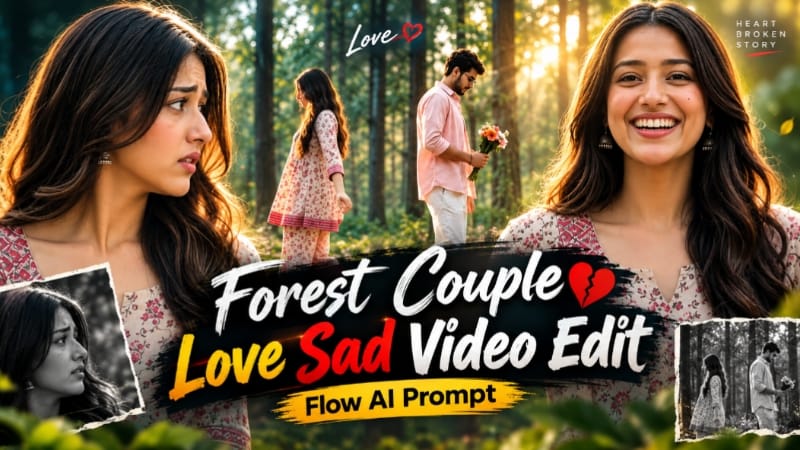
Forest Couple AI Video Edit ek emotional cinematic concept hai, jisme green forest, golden-hour sunlight, autumn leaves aur colourful flower bouquet ka use hota hai. Is concept mein eight shots hain aur central scene mein couple ke beech semi-transparent ghost-style transition dikhaya gaya hai. Original Article
Step 1: Reference Photos Ready Karein
Male aur female characters ki clear reference photos select karein. Prompt mein Image 1 male aur Image 2 female character ke liye use hoti hai.
Step 2: Flow AI Open Karein
Flow AI ka video-generation feature open karein aur available reference-image option se dono photos add karein.
Step 3: Prompt Copy Karein
NoorEditing07.com se Forest Couple AI Video Prompt copy karein. Is concept ka target format 16:9 landscape aur duration 10 seconds hai.
Step 4: Outfit Details Maintain Karein
Male character pastel-pink open shirt, white T-shirt aur white pleated trousers mein hai. Female character cream-beige floral kurti, matching palazzo aur tan Kolhapuri sandals pehenti hai.
Step 5: Eight Shots Generate Karein
Woman ke close-up, bouquet ke saath man, arms-open gesture aur medium shots ko sequence mein rakhein.
Step 6: Special Transition Create Karein
Central wide shot mein dono characters ek-doosre ki taraf aate hain aur semi-transparent effect ke saath opposite sides cross karte hain.
Step 7: Final Review Karein
Faces, outfits, bouquet aur transition consistency check karein. Zarurat par clips separately generate karke combine karein aur final video export karein.
5. Mirror Selfie Photo Prompt | Black Kurta Embroidery Shawl
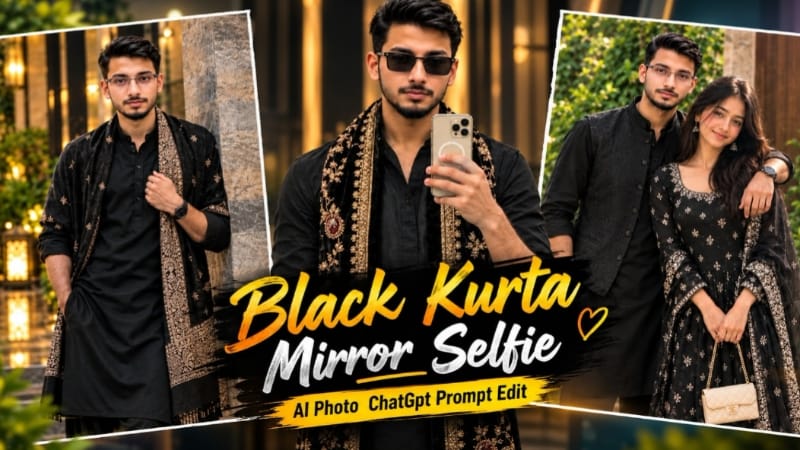
Mirror Selfie Photo Prompt ek traditional fashion portrait concept hai, jisme black kurta, embroidered black velvet shawl aur mirror-selfie composition ka use hota hai. Warm natural lighting aur carefully arranged outfit details photo ko cinematic fashion-photography look dene mein madad karte hain. Original Article
Step 1: Reference Photo Select Karein
Apni desired mirror-selfie style ki reference image ready karein. Agar face reference alag hai, to ek clear face photo bhi select karein.
Step 2: AI Image Tool Open Karein
ChatGPT ya kisi compatible image-generation tool ko open karein jo reference images upload karne ki facility deta ho.
Step 3: Reference Images Upload Karein
Scene reference aur face reference upload karein. Prompt mein batayein ki composition aur outfit reference image ke according rahen, jabki face photo identity guide kare.
Step 4: Photo Prompt Copy Karein
NoorEditing07.com se complete Mirror Selfie AI Photo Prompt copy karein aur image-generation prompt box mein paste karein.
Step 5: Outfit Aur Composition Maintain Karein
Black kurta aur cream-gold embroidered velvet shawl ki details consistent rakhein. Mirror, smartphone aur background composition ko reference ke according guide karein.
Step 6: Image Generate Karein
Available settings mein 4:5 portrait ratio select karein, agar article ke prompt aur selected tool mein supported ho. Image generate hone ke baad face, hands, phone aur embroidery inspect karein.
Step 7: Final Image Save Karein
Agar result mein unwanted changes hon, to prompt refine karke dobara generate karein. Final image satisfactory hone par save karein aur social media post ya profile content mein use karein.
Tip: Reference photo aur generated image mein face consistency ki guarantee nahi hoti, isliye final result ko publish karne se pehle carefully check karein.