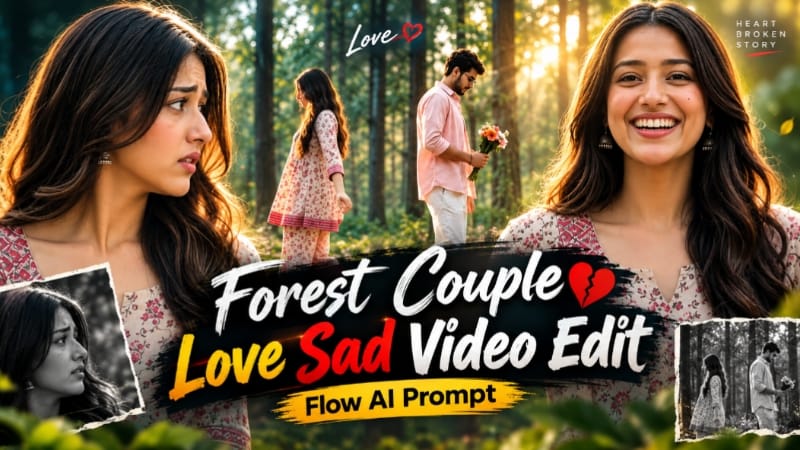
Forest Couple AI Video | Emotional Golden Hour Flow AI Prompt
Forest Couple AI Video is a cinematic video concept featuring two characters in a beautiful green forest during golden hour. The scene combines warm sunlight, soft background bokeh, autumn leaves, a small flower bouquet, and emotional expressions to create a dramatic visual story. This concept is suitable for AI video creators who want to experiment with character consistency, cinematic framing, and creative double-exposure effects.
What Is Forest Couple AI Video?
Forest Couple AI Video is an AI-generated cinematic sequence set in a green forest with sunlight filtering through the trees. The video features a man wearing a pastel pink shirt and white trousers and a woman wearing a cream-beige floral kurti with matching palazzo pants.
The man holds a small bouquet of orange, pink, and white flowers. The woman appears in several close-up and medium shots, showing changing expressions throughout the sequence. The video moves from gentle smiles to a more emotional atmosphere, with a distinctive ghost-like transparency effect in the central wide shot.
Using detailed image references and a well-structured prompt can help the video-generation tool understand the intended appearance, outfits, environment, and actions.
Character Outfits and Appearance
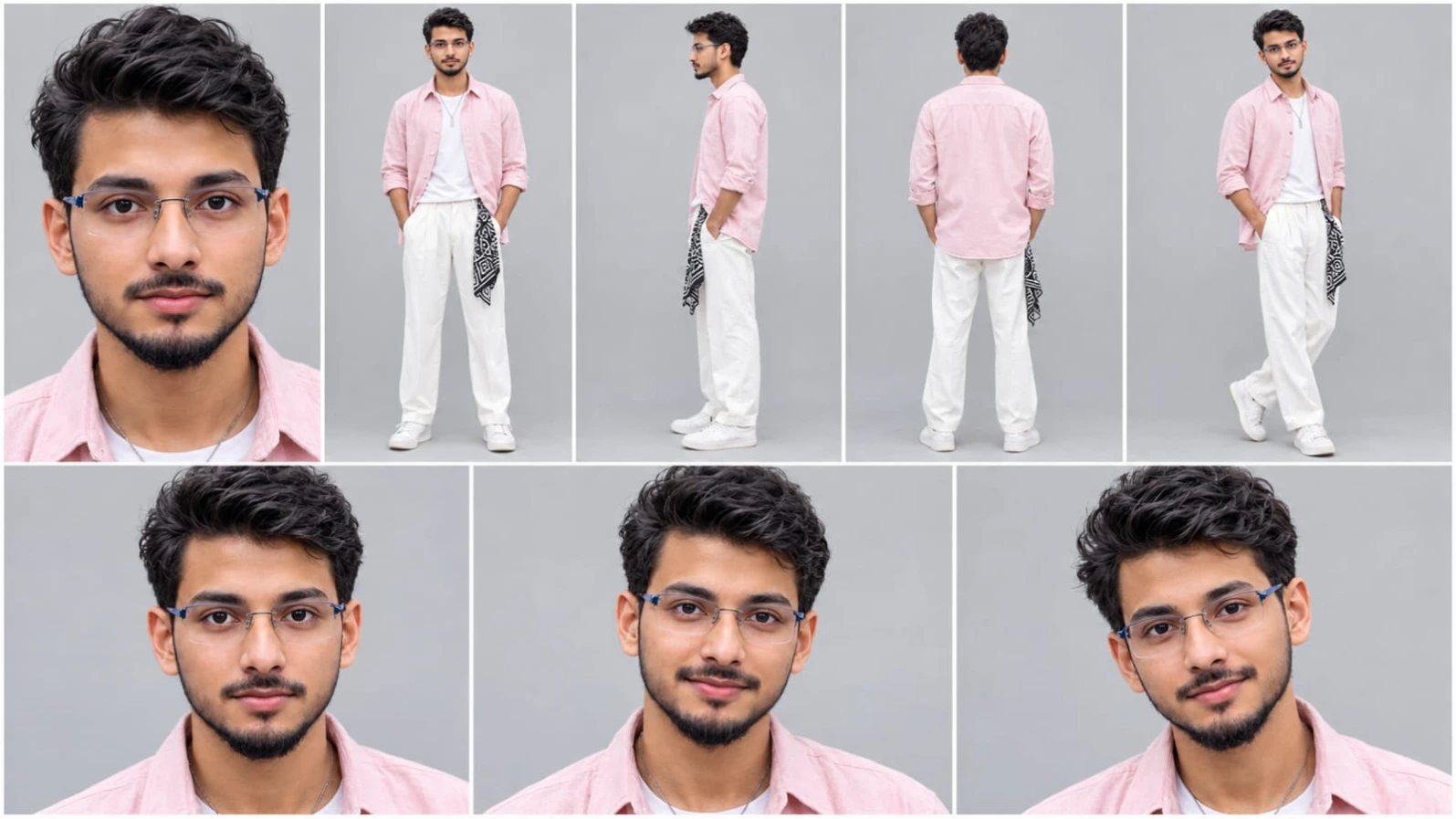
The male character wears a light pastel pink cotton shirt with rolled-up sleeves, a white T-shirt underneath, and white pleated trousers. A thin silver pendant chain completes the outfit. His curly dark-brown hair is an important visual feature that should remain consistent throughout the video.
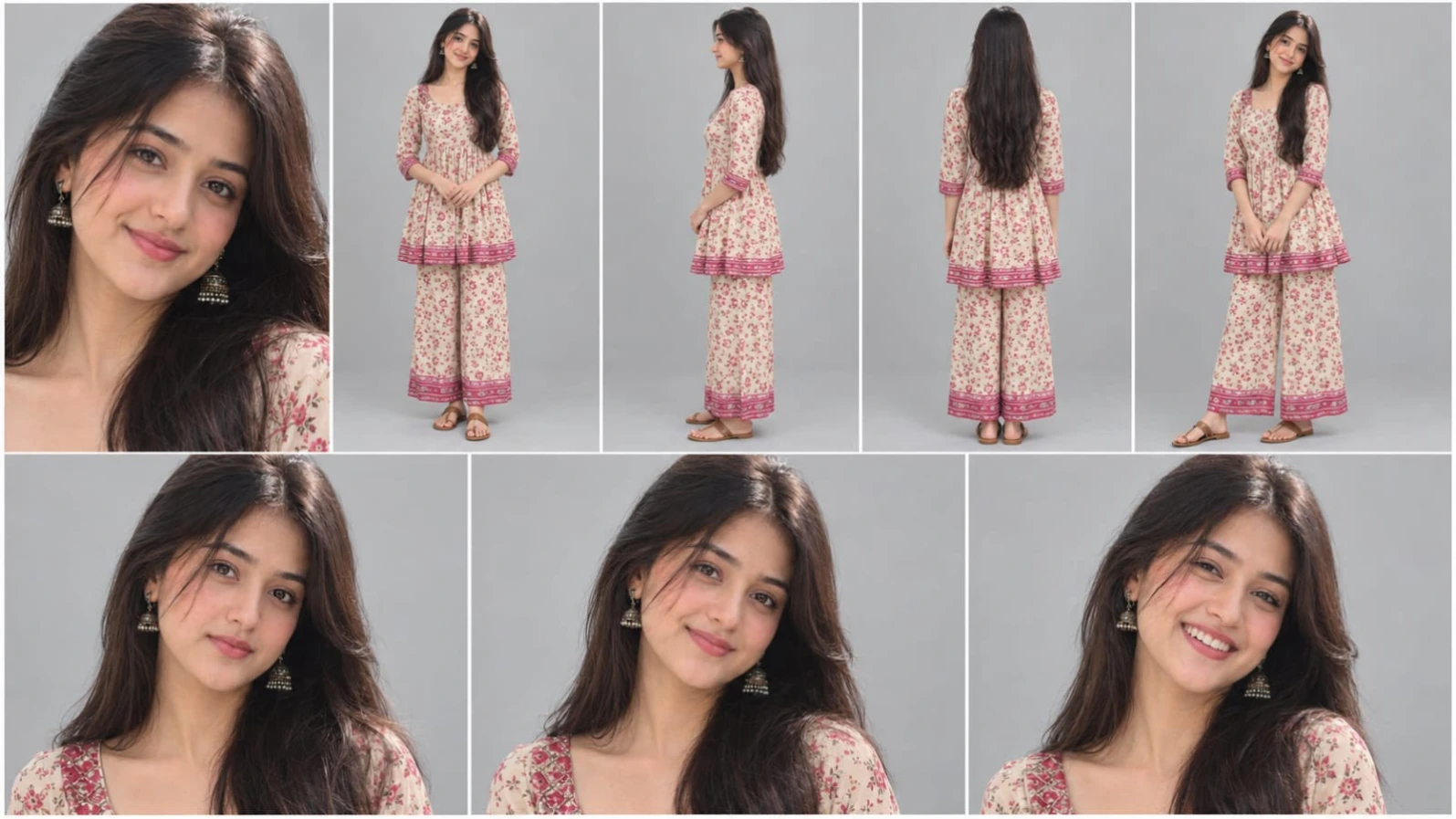
The female character wears a cream-beige floral-print peplum kurti with a notch neckline and three-quarter sleeves. Matching palazzo pants and tan Kolhapuri sandals complete her traditional outfit. Her long, wavy dark-brown hair frames her face in the close-up shots.
The prompt uses Image 1 as the male character reference and Image 2 as the female character reference. These images guide the characters' appearance across the different shots. Consistent reference images and repeated outfit descriptions can help reduce unwanted changes, although perfect identity preservation is not guaranteed.
Golden-Hour Forest Background
The environment features a lush green forest during golden hour. Soft sunlight comes from behind the characters, creating a gentle sun flare and warm highlights around their hair and clothing.
The background uses creamy bokeh and a subtle atmospheric haze to create depth. In the wide shot, dry orange autumn leaves cover parts of the ground, adding a seasonal detail to the composition.
The overall color grading combines warm green and golden tones. The scene should feel photorealistic, with natural skin texture, realistic fabric folds, and soft shadows rather than exaggerated filters or artificial HDR effects.
The Flower Bouquet Detail
The small bouquet is an important prop in the story. It contains orange, pink, and white flowers and remains in the man's hands throughout the relevant shots.
In the second shot, he looks down at the bouquet before raising his head toward the camera. During the wide shot, he continues walking while looking at the flowers. In later close-ups, the bouquet remains low in the frame, helping maintain continuity between the shots.
Keeping the bouquet's size, flower colors, and position consistent helps the sequence feel connected.
Eight Cinematic Shots
The video contains exactly eight shots within a ten-second timeline.
The opening shot is a static close-up of the woman standing straight, with her hands down and a slight smile as sunlight glows behind her. The second shot shows the man looking down at the bouquet before lifting his head toward the camera.
In the third shot, the woman brings her hands to her chest, reaches forward, and opens both arms with a big smile. The fourth shot features the man in a static medium composition, his head slightly tilted and the bouquet held low.
The fifth shot is a continuous side-view wide shot. The man walks from left to right while the woman enters from the opposite side. They approach each other and come face to face near the middle of the frame. Both briefly become semi-transparent, creating a ghost-like double-exposure effect as they pass through each other's positions and swap sides. They then become solid again and continue in opposite directions.
The sixth shot focuses on the woman in the foreground. She looks down, lowers her hands, then turns her attention toward the man standing blurred behind her. The seventh shot features a close-up of the man with a serious expression as he briefly looks sideways and then back toward the camera. The final shot returns to the woman, who looks toward the camera before lowering her gaze while the man remains blurred in the distance.
Ghost-Style Double-Exposure Effect
The central transition is the most distinctive visual element. As the characters approach each other, their bodies become semi-transparent, producing a cinematic double-exposure appearance.
They pass through one another's positions and swap sides before becoming fully visible again. This is a visual effect rather than a realistic physical interaction.
To improve the result, the prompt should clearly state that the camera remains static throughout this wide shot. The characters' directions, transparency effect, and final positions should be described in sequence to reduce confusion.
Why Use Flow AI?
Flow AI supports video creation from detailed text prompts and visual references. Its reference and frame features can help guide character appearance, composition, and scene continuity. Available controls depend on the selected model and interface.
For this concept, specify the character references, outfits, lighting, bouquet, shot timing, and camera behavior. Review the result carefully, especially the transition shot, because multiple movements within a short duration can be difficult for generative video tools to reproduce exactly.
Final Thoughts
Forest Couple AI Video combines golden-hour forest cinematography, traditional fashion, a colorful flower bouquet, emotional expressions, and a ghost-style transition. The eight-shot structure creates a compact visual story suitable for cinematic AI editing projects and social media videos.
Use clear character references, describe the actions in chronological order, and review each shot for identity, outfit, lighting, and movement consistency before exporting the final video.
Sabse Pehle Character Sheet Photo Banaai ChatGPT Se
AI Character Reference Sheet Prompt Card
✦AI PHOTO PROMPT
Create a professional character reference sheet of the SAME handsome young Indian man in one image, 16:9 landscape, plain light grey studio background, soft even lighting, photorealistic, sharp face, natural skin texture, 4K. Layout (grid with thin white dividers): Top row, 5 panels: (1) large close-up face portrait, (2) full body front view, (3) full body side view, (4) full body back view, (5) full body three-quarter view. Bottom row, 3 panels: close-up face portraits with different natural expressions (neutral, soft smile, slight smirk). Character: medium-length dark brown curly wavy hair, light stubble, wheatish skin, slim build.
Create a professional character reference sheet of the SAME handsome young Indian man in one image, 16:9 landscape, plain light grey studio background, soft even lighting, photorealistic, sharp face, natural skin texture, 4K.
Layout (grid with thin white dividers):
Top row, 5 panels: (1) large close-up face portrait, (2) full body front view, (3) full body side view, (4) full body back view, (5) full body three-quarter view.
Bottom row, 3 panels: close-up face portraits with different natural expressions (neutral, soft smile, slight smirk).
Character: medium-length dark brown curly wavy hair, light stubble, wheatish skin, slim build.
Outfit (identical in every panel): light pastel pink cotton full-sleeve shirt worn open with wooden buttons and sleeves rolled up, plain white t-shirt underneath, white pleated trousers, thin silver pendant chain, a black-and-white geometric print cloth hanging from the waist, white sneakers.
Face, hair, outfit and proportions must stay perfectly consistent across all panels. No text, no logos.
✓
Prompt copied to clipboard!
AI Character Reference Sheet Prompt Card
✦AI PHOTO PROMPT
Create a professional character reference sheet of the SAME handsome young Indian man in one image, 16:9 landscape, plain light grey studio background, soft even lighting, photorealistic, sharp face, natural skin texture, 4K. Layout (grid with thin white dividers): Top row, 5 panels: (1) large close-up face portrait, (2) full body front view, (3) full body side view, (4) full body back view, (5) full body three-quarter view. Bottom row, 3 panels: close-up face portraits with different natural expressions (neutral, soft smile, slight smirk). Character: medium-length dark brown curly wavy hair, light stubble, wheatish skin, slim build.
Create a professional character reference sheet of the SAME handsome young Indian man in one image, 16:9 landscape, plain light grey studio background, soft even lighting, photorealistic, sharp face, natural skin texture, 4K.
Layout (grid with thin white dividers):
Top row, 5 panels: (1) large close-up face portrait, (2) full body front view, (3) full body side view, (4) full body back view, (5) full body three-quarter view.
Bottom row, 3 panels: close-up face portraits with different natural expressions (neutral, soft smile, slight smirk).
Character: medium-length dark brown curly wavy hair, light stubble, wheatish skin, slim build.
Outfit (identical in every panel): light pastel pink cotton full-sleeve shirt worn open with wooden buttons and sleeves rolled up, plain white t-shirt underneath, white pleated trousers, thin silver pendant chain, a black-and-white geometric print cloth hanging from the waist, white sneakers.
Face, hair, outfit and proportions must stay perfectly consistent across all panels. No text, no logos.
✓
Prompt copied to clipboard!
AI Character Reference Sheet Prompt Card
✦AI PHOTO PROMPT
Create a professional character reference sheet of the SAME beautiful young Indian woman in one image, 16:9 landscape, plain light grey studio background, soft even lighting, photorealistic, sharp face, natural skin texture, 4K. Layout (grid with thin white dividers): Top row, 5 panels: (1) large close-up face portrait, (2) full body front view, (3) full body side view, (4) full body back view showing long hair, (5) full body three-quarter view. Bottom row, 3 panels: close-up face portraits with different natural expressions (neutral, soft smile, happy laugh). Character: long wavy dark brown hair, fair skin, slim build, natural soft makeup.
Create a professional character reference sheet of the SAME beautiful young Indian woman in one image, 16:9 landscape, plain light grey studio background, soft even lighting, photorealistic, sharp face, natural skin texture, 4K.
Layout (grid with thin white dividers):
Top row, 5 panels: (1) large close-up face portrait, (2) full body front view, (3) full body side view, (4) full body back view showing long hair, (5) full body three-quarter view.
Bottom row, 3 panels: close-up face portraits with different natural expressions (neutral, soft smile, happy laugh).
Character: long wavy dark brown hair, fair skin, slim build, natural soft makeup.
Outfit (identical in every panel): cream beige cotton co-ord set with pink, red and brown wildflower print. Peplum-style knee-length kurti with a notch neckline, 3/4 sleeves, gathered waist, and a deep pink striped printed border at the hem. Matching wide-leg palazzo pants with the same floral print border. Brown tan kolhapuri-style flat sandals.
Face, hair, outfit and proportions must stay perfectly consistent across all panels. No text, no logos.
✓
Prompt copied to clipboard!
AI Character Reference Sheet Prompt Card
✦AI PHOTO PROMPT
Create a professional character reference sheet of the SAME beautiful young Indian woman in one image, 16:9 landscape, plain light grey studio background, soft even lighting, photorealistic, sharp face, natural skin texture, 4K. Layout (grid with thin white dividers): Top row, 5 panels: (1) large close-up face portrait, (2) full body front view, (3) full body side view, (4) full body back view showing long hair, (5) full body three-quarter view. Bottom row, 3 panels: close-up face portraits with different natural expressions (neutral, soft smile, happy laugh). Character: long wavy dark brown hair, fair skin, slim build, natural soft makeup.
Create a professional character reference sheet of the SAME beautiful young Indian woman in one image, 16:9 landscape, plain light grey studio background, soft even lighting, photorealistic, sharp face, natural skin texture, 4K.
Layout (grid with thin white dividers):
Top row, 5 panels: (1) large close-up face portrait, (2) full body front view, (3) full body side view, (4) full body back view showing long hair, (5) full body three-quarter view.
Bottom row, 3 panels: close-up face portraits with different natural expressions (neutral, soft smile, happy laugh).
Character: long wavy dark brown hair, fair skin, slim build, natural soft makeup.
Outfit (identical in every panel): cream beige cotton co-ord set with pink, red and brown wildflower print. Peplum-style knee-length kurti with a notch neckline, 3/4 sleeves, gathered waist, and a deep pink striped printed border at the hem. Matching wide-leg palazzo pants with the same floral print border. Brown tan kolhapuri-style flat sandals.
Face, hair, outfit and proportions must stay perfectly consistent across all panels. No text, no logos.
Cinematic 16:9 landscape video, exactly 10 seconds, photorealistic, 8K quality, natural real-time speed (it will be slowed down later in editing). IDENTITY LOCK: Image 1 is THE MAN and image 2 is THE WOMAN. They must look exactly like these two images in every frame: identical face, facial features, skin tone, hair, body shape, height, outfit and accessories. Every cut shows the SAME two people. Never generate a new or different face at any cut. Faces must not morph, age or flicker. No new people. Do not add, remove or change any clothing or accessory. No text or logos anywhere.
Cinematic 16:9 landscape video, exactly 10 seconds, photorealistic, 8K quality, natural real-time speed (it will be slowed down later in editing).
IDENTITY LOCK: Image 1 is THE MAN and image 2 is THE WOMAN. They must look exactly like these two images in every frame: identical face, facial features, skin tone, hair, body shape, height, outfit and accessories. Every cut shows the SAME two people. Never generate a new or different face at any cut. Faces must not morph, age or flicker. No new people. Do not add, remove or change any clothing or accessory. No text or logos anywhere.
OUTFITS (same in every shot):
Man: light pastel pink cotton full-sleeve shirt worn open with rolled-up sleeves, white t-shirt underneath, white pleated trousers, thin silver pendant chain, curly dark brown hair.
Woman: cream beige floral-print peplum kurti with notch neckline and 3/4 sleeves, matching palazzo pants, tan kolhapuri sandals, long wavy dark brown hair.
LOOK (same in all shots): green forest at golden hour, soft sun backlight with sun flare, creamy bokeh, dry orange autumn leaves on the ground in the wide shot, warm green-gold colour grading, soft haze. The man holds a small bouquet of orange, pink and white flowers.
Exactly 8 shots in this order, hard cuts, no extra scenes:
1 (0-0.8s): static close-up of the woman standing straight, hands down, sun glowing behind her, soft slight smile at the camera.
2 (0.8-1.7s): static medium close-up of the man, he looks down at the bouquet at his waist, then raises his head and looks at the camera with a slight smirk.
3 (1.7-2.4s): the woman brings her hands to her chest, reaches toward the camera, then opens both arms wide with a big smile.
4 (2.4-3s): static medium shot of the man looking at the camera, head slightly tilted, bouquet low, leaning slightly toward the camera.
5 (3-6s): ONE continuous static side-view wide shot, the camera never moves or cuts. The man walks from left to right holding the bouquet, looking down. The woman enters from the right edge and walks toward the left, toward him, looking at him. They come very close, face to face, in the middle of the frame. Then both turn semi-transparent like ghosts (double exposure) and they pass through each other's bodies, swapping sides: the woman glides to the left with one arm slightly open behind her, the man continues to the right. Both become solid again. The woman then stands still on the left with her head bowed, while the man keeps walking to the right looking down at the bouquet.
6 (6-7.3s): static close-up of the woman in the foreground with both hands pressed on her stomach, looking down. She lowers her hands, lifts her head, looks to the side with a sad worried face, then turns her head toward the man. The man stands blurred right behind her, close, back to the camera, curly hair, bouquet at his side.
7 (7.3-8.7s): static close-up of the man centered, hands down, bouquet low at the bottom right. He looks at the camera seriously, slowly turns his head slightly to one side, eyes shift sideways, then he looks back at the camera with lips slightly parted as if about to speak.
8 (8.7-10s): close-up of the woman looking at the camera with sad eyes, then looking down, hair falling on both sides, the man a small blurred figure far behind her.
Small subtle white text watermark "NoorEditing07" at the bottom centre in every shot.
Shallow depth of field, smooth cinematic motion, realistic skin texture, sharp face detail.
✓
Prompt copied to clipboard!
AI Video Prompt Card
✦AI VIDEO PROMPT
Cinematic 16:9 landscape video, exactly 10 seconds, photorealistic, 8K quality, natural real-time speed (it will be slowed down later in editing). IDENTITY LOCK: Image 1 is THE MAN and image 2 is THE WOMAN. They must look exactly like these two images in every frame: identical face, facial features, skin tone, hair, body shape, height, outfit and accessories. Every cut shows the SAME two people. Never generate a new or different face at any cut. Faces must not morph, age or flicker. No new people. Do not add, remove or change any clothing or accessory. No text or logos anywhere.
Cinematic 16:9 landscape video, exactly 10 seconds, photorealistic, 8K quality, natural real-time speed (it will be slowed down later in editing).
IDENTITY LOCK: Image 1 is THE MAN and image 2 is THE WOMAN. They must look exactly like these two images in every frame: identical face, facial features, skin tone, hair, body shape, height, outfit and accessories. Every cut shows the SAME two people. Never generate a new or different face at any cut. Faces must not morph, age or flicker. No new people. Do not add, remove or change any clothing or accessory. No text or logos anywhere.
OUTFITS (same in every shot):
Man: light pastel pink cotton full-sleeve shirt worn open with rolled-up sleeves, white t-shirt underneath, white pleated trousers, thin silver pendant chain, curly dark brown hair.
Woman: cream beige floral-print peplum kurti with notch neckline and 3/4 sleeves, matching palazzo pants, tan kolhapuri sandals, long wavy dark brown hair.
LOOK (same in all shots): green forest at golden hour, soft sun backlight with sun flare, creamy bokeh, dry orange autumn leaves on the ground in the wide shot, warm green-gold colour grading, soft haze. The man holds a small bouquet of orange, pink and white flowers.
Exactly 8 shots in this order, hard cuts, no extra scenes:
1 (0-0.8s): static close-up of the woman standing straight, hands down, sun glowing behind her, soft slight smile at the camera.
2 (0.8-1.7s): static medium close-up of the man, he looks down at the bouquet at his waist, then raises his head and looks at the camera with a slight smirk.
3 (1.7-2.4s): the woman brings her hands to her chest, reaches toward the camera, then opens both arms wide with a big smile.
4 (2.4-3s): static medium shot of the man looking at the camera, head slightly tilted, bouquet low, leaning slightly toward the camera.
5 (3-6s): ONE continuous static side-view wide shot, the camera never moves or cuts. The man walks from left to right holding the bouquet, looking down. The woman enters from the right edge and walks toward the left, toward him, looking at him. They come very close, face to face, in the middle of the frame. Then both turn semi-transparent like ghosts (double exposure) and they pass through each other's bodies, swapping sides: the woman glides to the left with one arm slightly open behind her, the man continues to the right. Both become solid again. The woman then stands still on the left with her head bowed, while the man keeps walking to the right looking down at the bouquet.
6 (6-7.3s): static close-up of the woman in the foreground with both hands pressed on her stomach, looking down. She lowers her hands, lifts her head, looks to the side with a sad worried face, then turns her head toward the man. The man stands blurred right behind her, close, back to the camera, curly hair, bouquet at his side.
7 (7.3-8.7s): static close-up of the man centered, hands down, bouquet low at the bottom right. He looks at the camera seriously, slowly turns his head slightly to one side, eyes shift sideways, then he looks back at the camera with lips slightly parted as if about to speak.
8 (8.7-10s): close-up of the woman looking at the camera with sad eyes, then looking down, hair falling on both sides, the man a small blurred figure far behind her.
Small subtle white text watermark "NoorEditing07" at the bottom centre in every shot.
Shallow depth of field, smooth cinematic motion, realistic skin texture, sharp face detail.
Agar aap pastel pink shirt wale boy aur cream floral kurti wali girl ki cinematic forest AI video banana chahte hain, to ye steps follow karein.
Step 1: Dono Reference Images Ready Karein
Sabse pehle do clear reference images select karein.
- Image 1: Male character ki reference photo.
- Image 2: Female character ki reference photo.
Dono images mein face aur hairstyle clearly visible hone chahiye. In images ka use poori video mein characters ki appearance consistent rakhne ke liye karein.
Step 2: Flow AI Open Karein
Flow AI open karein aur video-generation feature select karein. Apne account mein sign in karein, agar zaroori ho.
Step 3: Reference Images Upload Karein
Dono images ko visual references ya character ingredients ke roop mein add karein, agar ye feature available ho. Prompt mein clearly mention karein ki Image 1 man hai aur Image 2 woman hai.
Step 4: Complete Prompt Paste Karein
Forest Couple AI Video ka detailed prompt copy karke prompt box mein paste karein. Ismein dono characters ke outfits, golden-hour forest, flower bouquet, autumn leaves, cinematic lighting aur eight shots ki timing include karein.
Step 5: Video Settings Select Karein
Landscape video ke liye 16:9 aspect ratio select karein, agar available ho. Prompt mein exact ten-second duration aur natural real-time motion specify karein. Actual duration aur resolution selected model ki supported settings par depend karenge.
Step 6: Eight Shots Generate Karein
Prompt mein diye gaye order ko follow karein: woman close-up, man with bouquet, woman's open-arm gesture, man medium shot, continuous side-view transparency transition, woman foreground close-up, man close-up, aur final woman close-up.
Agar tool ek generation mein saare shots sahi tarah create nahi karta, to shots ko separately generate karke editing software mein arrange kar sakte hain.
Step 7: Character Consistency Check Karein
Generated video mein face, hairstyle, outfit, pendant chain, sandals aur bouquet ko check karein. Special attention fifth shot par dein, kyunki ismein camera static rehna chahiye aur transparency effect ke baad characters ko opposite sides par dikhna chahiye.
Step 8: Final Edit Aur Export Karein
Generated clips ko kisi video editor mein arrange karein. Hard cuts ko original timing ke according set karein aur zaroorat ke hisaab se slow motion apply karein. Agar NoorEditing07 watermark add karna hai, to editing ke waqt bottom centre mein subtle white text overlay lagayein.
Final video ko preview karein aur phir supported resolution mein export karein.
Forest Couple AI VideoFlow AI PromptGolden Hour AI VideoEmotional Couple VideoGhost Transition EffectDouble Exposure AI VideoCinematic Forest VideoAI Love Story VideoFlower Bouquet ScenePastel Pink Shirt LookFloral Kurti AI PromptCharacter ConsistencyAI Video EditingCinematic Couple PromptNoorEditing07
Forest Couple AI VideoFlow AI PromptGolden Hour AI VideoEmotional Couple VideoGhost Transition EffectDouble Exposure AI VideoCinematic Forest VideoAI Love Story VideoFlower Bouquet ScenePastel Pink Shirt LookFloral Kurti AI PromptCharacter ConsistencyAI Video EditingCinematic Couple PromptNoorEditing07
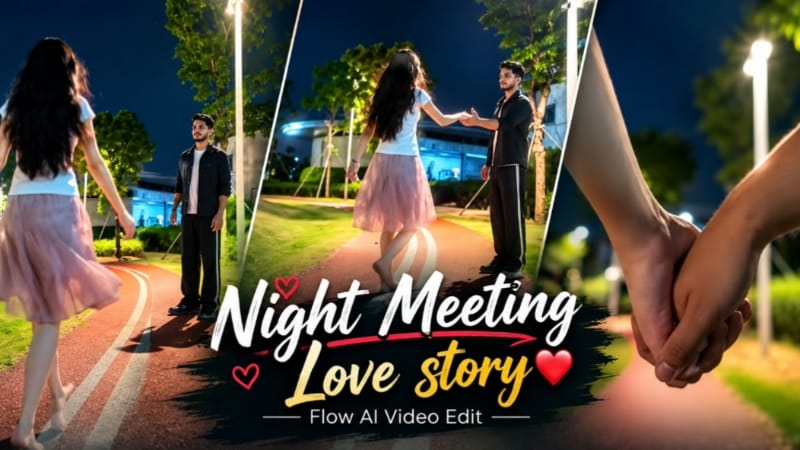
1. Night Park Couple AI Video Edit | Romantic Meeting Flow AI Prompt
Night Park Couple AI Video ek romantic cinematic concept hai, jisme raat ke waqt illuminated park pathway par boy aur girl ki meeting dikhayi jaati hai. Curved red running track, green grass, streetlights aur deep-blue night sky is video ko realistic cinematic atmosphere dete hain. Source
Step 1: Character Photos Ready Karein
Boy aur girl ki clear reference photos select karein. Dono characters ke faces clearly visible hone chahiye.
Step 2: Flow AI Open Karein
Flow AI mein video-generation feature open karein aur available option ke according reference photos upload karein.
Step 3: Prompt Paste Karein
Night Park Couple AI Video Prompt copy karke paste karein. Instagram Reels ke liye 9:16 vertical format select karein, agar available ho.
Step 4: Outfits Maintain Karein
Boy ke liye plain black T-shirt, loose grey trousers aur dark shoes rakhein. Girl ke liye white short-sleeved top, light-pink skirt aur long dark hair maintain karein.
Step 5: Scene Sequence Banayein
Opening mein couple ke joined hands ka close-up rakhein. Uske baad curved pathway par boy ka wide shot, girl ka uski taraf walk karna aur final meeting moment mein dono ka ek-doosre ki taraf haath badhana dikhayein.
Step 6: Background Aur Lighting Check Karein
Red curved track, white lines, green grass, trees aur tall streetlights consistent rakhein.
Step 7: Export Karein
Faces, hand movements aur outfit colours check karein. Zarurat par clips regenerate karke final video export karein.
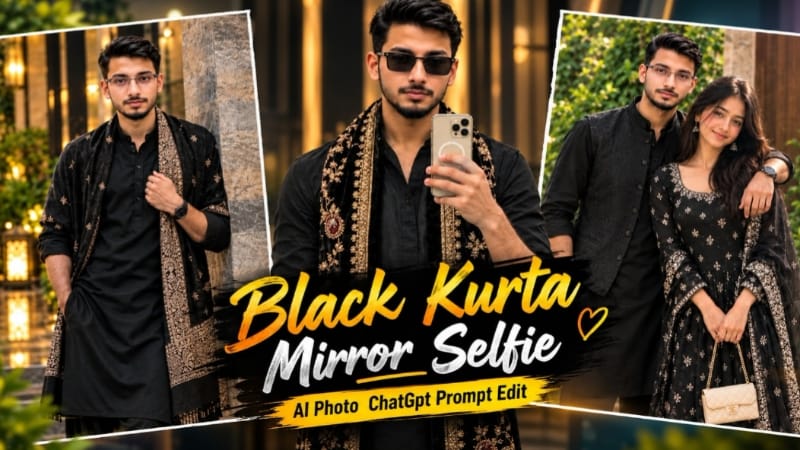
2. Mirror Selfie AI Photo Prompt | Black Kurta with Golden Embroidery Shawl
Mirror Selfie AI Photo Prompt traditional menswear aur realistic indoor photography ka combination hai. Black kurta, embroidered velvet shawl, rectangular sunglasses aur warm sunlight ke saath stylish portrait create kiya ja sakta hai. Is concept mein scene reference aur face reference ke liye do images use hoti hain. Source
Step 1: Do Reference Images Select Karein
Image 1 ko pose, outfit aur background ke liye use karein. Image 2 mein apni clear face photo rakhein.
Step 2: ChatGPT Open Karein
ChatGPT mein dono reference images upload karein aur har image ka purpose clearly mention karein.
Step 3: Prompt Paste Karein
Complete Mirror Selfie AI Photo Prompt copy karke paste karein. 4:5 vertical aspect ratio select karein.
Step 4: Outfit Details Maintain Karein
Black V-neck kurta, rolled sleeves aur dark trousers rakhein. Shoulders par cream-gold floral embroidery aur maroon medallion motifs wala black velvet shawl ho.
Step 5: Accessories Aur Pose
Black rectangular sunglasses aur cream-gold smartphone maintain karein. Subject large round mirror ke saamne khada ho, phone right hand mein aur left arm naturally side mein ho.
Step 6: Background Aur Lighting
Grey-beige wall, thin black mirror frame aur left side se aati warm natural sunlight ka look preserve karein.
Step 7: Final Image Save Karein
Face, hands, phone, shawl embroidery aur mirror reflection inspect karein. AI errors ko correct karke high-quality image save karein.
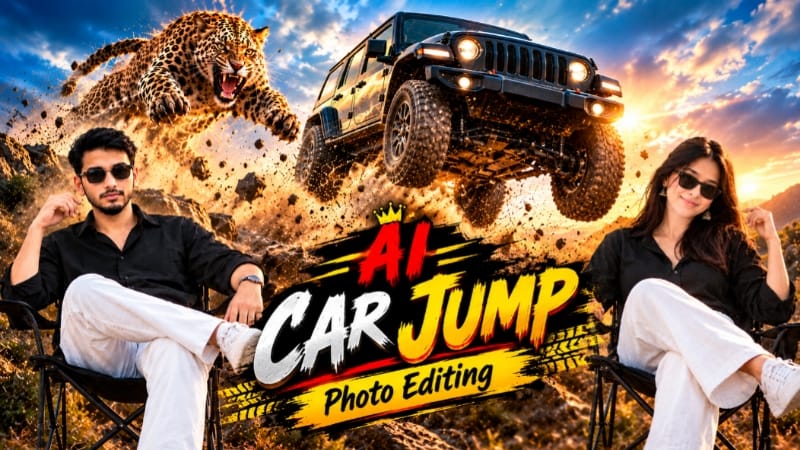
3. Car Cheetah Jump AI Photo Editing | ChatGPT Prompt
Car Cheetah Jump AI Photo Editing ek dramatic automotive-style visual concept hai. Is type ke edit mein reference photo, vehicle composition aur action-inspired background ko combine karke eye-catching image create ki ja sakti hai.
Step 1: Reference Photo Ready Karein
Apni clear photo select karein. Agar specific car ya cheetah design follow karna hai, to uski reference image bhi ready rakhein.
Step 2: ChatGPT Open Karein
ChatGPT mein required images upload karein. Agar multiple references supported hain, to har image ka purpose clearly explain karein.
Step 3: Prompt Paste Karein
Car Cheetah Jump AI Photo Editing Prompt copy karke paste karein. Subject, car aur action composition ki instructions ko unchanged rakhein.
Step 4: Composition Set Karein
Prompt ke mutabik person, vehicle aur cheetah-related action ko frame mein arrange karein. Car ki body shape aur subject ki pose ko consistent rakhne ki instruction dein.
Step 5: Lighting Aur Background
Dramatic lighting, natural shadows aur realistic vehicle details par focus karein. Background ke elements ko subject aur car ke perspective ke saath match karein.
Step 6: Image Generate Karein
Generate option par click karein aur result ka wait karein. Output quality selected AI tool aur settings par depend karegi.
Flow AI mein video-generation option open karein aur reference photo upload karein.
Step 3: Prompt Paste Karein
Kashful Highway Cinematic AI Video Prompt copy karke paste karein. 16:9 widescreen format select karein, agar available ho.
Step 4: Outfit Maintain Karein
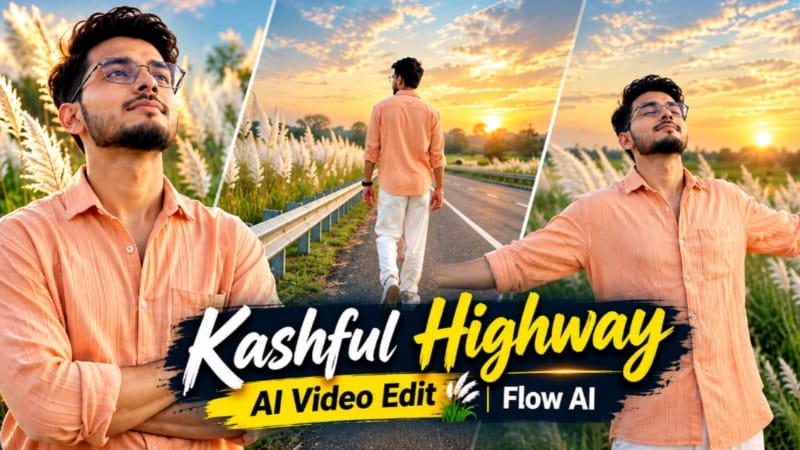
Peach-orange button-down shirt, loose straight white trousers aur white casual sneakers ka look maintain karein.
Step 5: First Three Scenes
Roadside railing ke paas back-view walking shot banayein. Doosre shot mein character metal barrier ke against arms crossed karke khada ho. Teesre mein highway railing ke paas wide side-profile shot rakhein.
Step 6: Remaining Scenes
Fourth scene mein road ki white line par arms spread karke walking, fifth mein eyes closed karke sky ki taraf dekhna aur sixth mein horizon ki taraf running shot rakhein.
Step 7: Consistency Check Karein
White Kashful grass, empty road aur evening sky ko consistent rakhein. Har scene mein face aur outfit inspect karein.
Step 8: Export Karein
Agar scenes ek saath sahi generate nahi hote, to alag clips banakar editor mein combine karein. Bottom corner mein subtle NoorEditing07 watermark add karke export karein.
5. Mountain Thar AI Photo | Cinematic SUV Mountain Look | ChatGPT Prompt
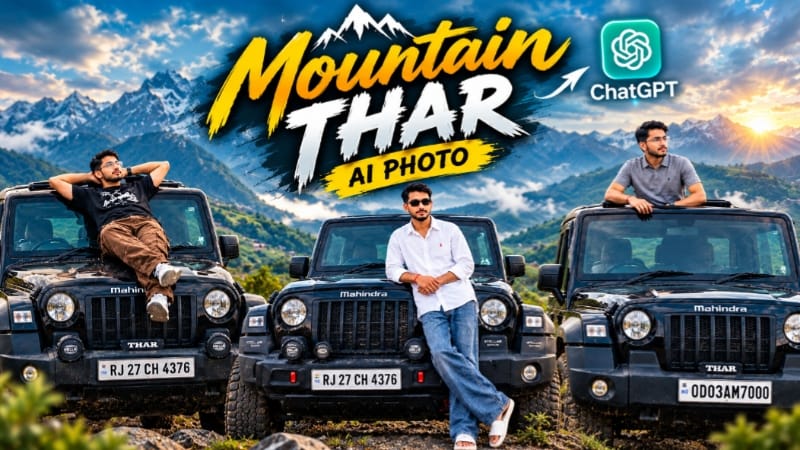
Mountain Thar AI Photo ek cinematic automotive photography concept hai, jisme black Mahindra Thar SUV aur green mountain landscape ko realistic outdoor portrait ke roop mein combine kiya jata hai. Cloudy sky, natural daylight aur detailed vehicle styling is composition ki main highlights hain. Source
ChatGPT mein reference image upload karein aur Mountain Thar AI Photo Prompt paste karein.
Step 3: Aspect Ratio Set Karein
Social media portrait ke liye 4:5 aspect ratio select karein, agar supported ho.
Step 4: SUV Aur Pose Maintain Karein
Prompt ke selected version ke according black Mahindra Thar ke bonnet ke paas khade hone ya open sunroof se upper body bahar nikalne wala pose rakhein. Reference ke saath pose ko match karein.
Step 5: Outfit Details
Selected reference prompt ke according grey polo shirt aur dark pants, ya alternate version mein white oversized shirt, blue baggy jeans aur white slides maintain karein.
Step 6: Mountain Background Create Karein
Rolling green hills, distant mountain layers aur dramatic cloudy sky rakhein. Soft natural daylight aur realistic shadows use karein.
Step 7: Vehicle Details Check Karein
SUV ka body shape, tyres, bumper, badges aur number plate verify karein. AI-generated text aur vehicle details mein errors ho sakte hain.
Step 8: Final Image Export Karein
Face, outfit, pose aur background inspect karein. Bottom-right corner mein clean NoorEditing07 watermark add karke final image save karein.