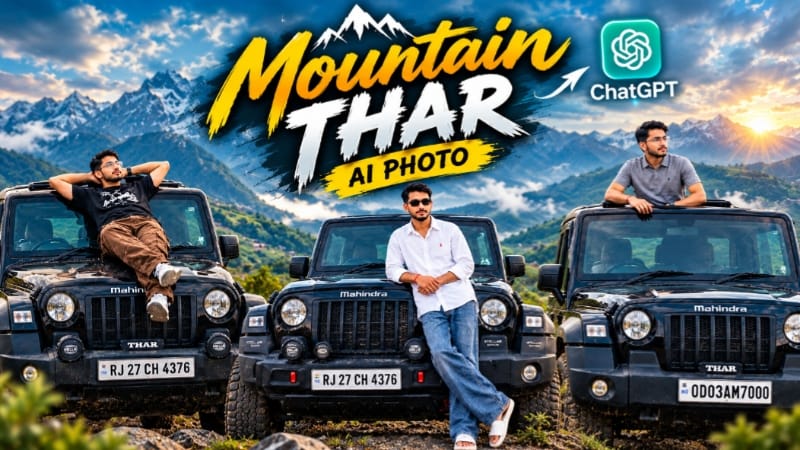
Mountain Thar AI Photo ek cinematic automotive photography concept hai jisme reference image ki help se ek realistic SUV aur mountain environment ko detailed cinematic style mein recreate kiya ja sakta hai. Is type ke AI photo prompt mein subject, vehicle, background, lighting, composition aur overall mood ko closely define kiya jata hai, jisse final image ek professional outdoor photoshoot jaisa appearance de sakti hai.
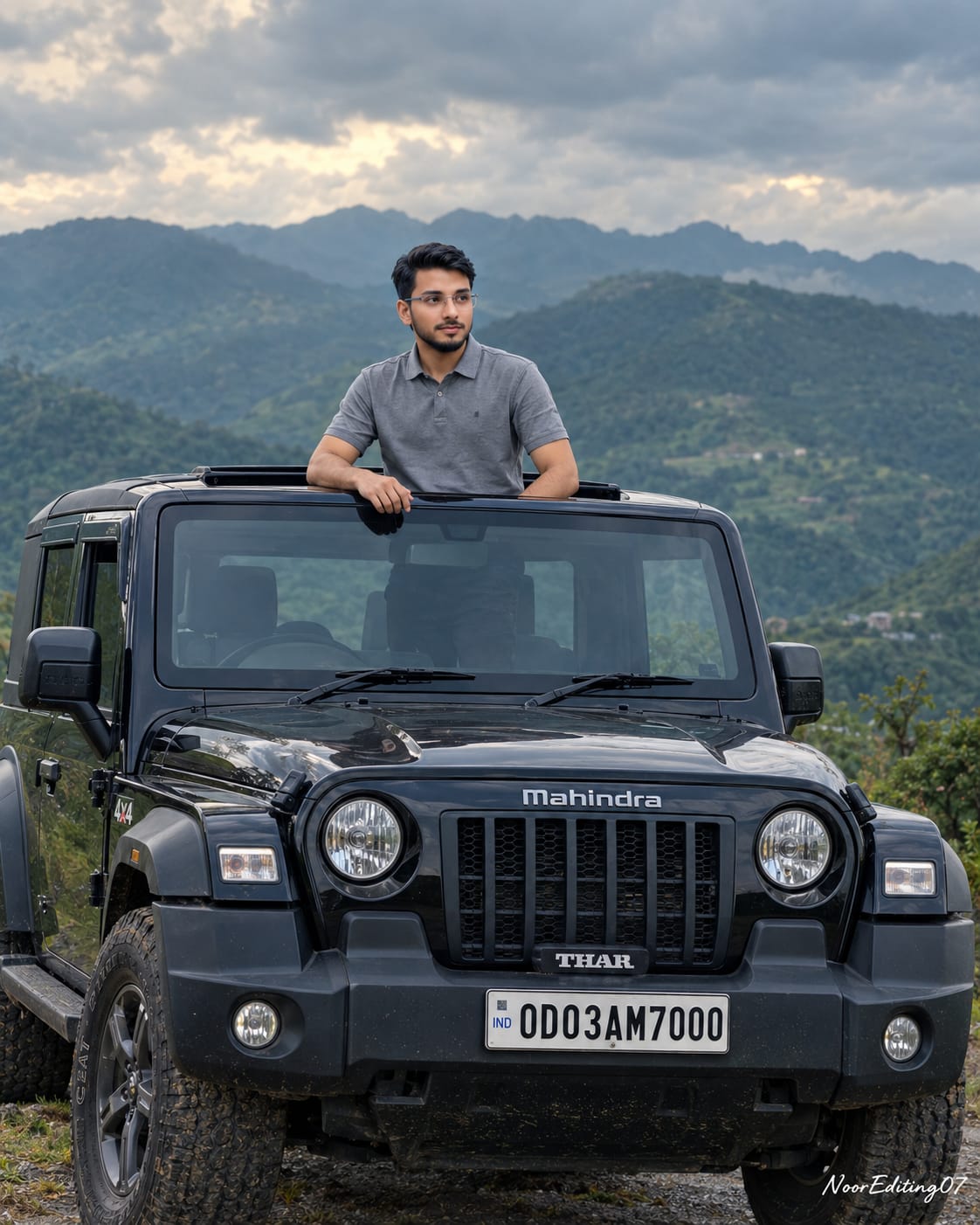
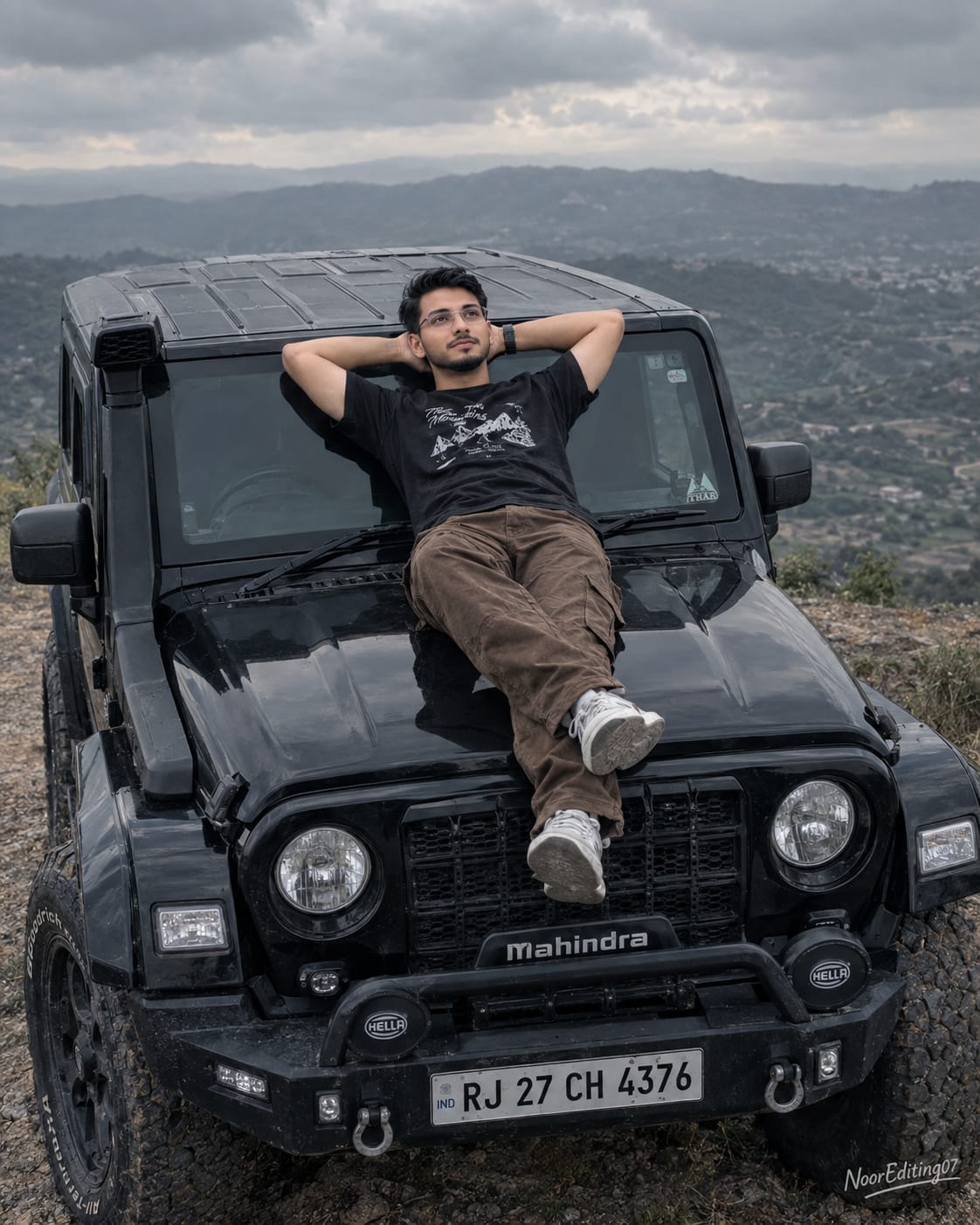
Is concept ki main highlight ek black Mahindra Thar SUV hai jo beautiful green mountain landscape ke saamne placed hai. Image mein subject SUV ke open sunroof se upper body ke saath standing pose mein दिखाई deta hai. Background mein rolling green mountains aur dramatic cloudy sky scene ko natural outdoor cinematic atmosphere dete hain.
ChatGPT Prompt ka use karke aap apni reference image ke according similar composition create karne ke liye detailed instructions de sakte hain. Reference image mein subject ki facial appearance, hairstyle, clothing, body build aur pose ko consistent rakhne ke liye prompt mein specific identity-preservation instructions add ki ja sakti hain.
AI photo generation mein reference image ka quality important hota hai. Clear aur high-resolution reference image use karne se subject ke facial features, hairstyle, outfit aur overall appearance ko better understand karne mein AI ko help mil sakti hai. Agar reference image blurry ya heavily edited hai, to final result mein unwanted changes aa sakte hain.
Is prompt ka ek important element vehicle detailing hai. SUV ke exterior design, black body, tyres, bumper, badges aur other visible features ko detailed instructions ke through describe kiya ja sakta hai. Agar vehicle ke kisi specific detail ko reference image ke according maintain karna hai, to prompt mein us detail ko clearly mention karna useful hota hai.
Mountain background image ko cinematic depth provide karta hai. Rolling green hills, distant mountain layers, cloudy sky aur soft natural daylight ko combine karke realistic outdoor environment create kiya ja sakta hai. Background ko sharp aur natural rakhne ke saath subject aur SUV ko primary focus mein maintain kiya ja sakta hai.
Lighting bhi final image ke cinematic appearance mein important role play karti hai. Soft natural daylight aur cloudy weather mountain landscape ke colours ko realistic look de sakte hain. Dramatic clouds ke saath diffused light subject aur vehicle par balanced illumination create kar sakti hai.
Image composition ke liye 4:5 aspect ratio social media photography ke liye useful hai. Is framing mein subject aur SUV ko foreground mein properly place karke background mountains ko bhi enough space diya ja sakta hai. Isse image Instagram-style portrait composition ke liye suitable ban sakti hai.
Prompt mein camera quality aur visual details ko bhi define kiya ja sakta hai. Professional cinematic photography, ultra-detailed textures, realistic skin texture, sharp vehicle details, natural shadows aur high-resolution quality jaise instructions final image ko detailed appearance dene mein help kar sakte hain.
AI-generated image ko final use se pehle carefully review karna important hai. Subject ka face, hairstyle, outfit, hands, body proportions aur pose ko reference image ke saath compare karein. Vehicle ke logo, badges, number plate, tyres aur bumper details ko bhi check karein. AI image generation mein small details kabhi-kabhi change ho sakti hain, isliye final result ko verify karna useful hai.
Agar first generation mein desired result nahi milta, to prompt ko refine karke image dobara generate ki ja sakti hai. Aap camera angle, lighting, mountain background, vehicle position aur subject pose ko aur clearly describe kar sakte hain. Reference image ke important visual elements ko prompt mein priority dena better consistency ke liye useful hota hai.
NoorEditing07 branding ke liye prompt mein clean watermark instruction bhi include ki ja sakti hai. Watermark ko image ke bottom-right corner mein small, professional aur readable style mein place karne ka instruction diya ja sakta hai. Isse final creative image mein branding maintain ki ja sakti hai.
Mountain Thar AI Photo ko Instagram posts, Facebook posts, YouTube thumbnails, automotive edits, travel-themed content aur creative AI photography projects ke liye use kiya ja sakta hai. Mountain landscape aur SUV combination ek strong outdoor cinematic visual concept create karta hai.
Is type ke detailed ChatGPT Prompt ka main purpose reference image ke important elements ko preserve karte hue ek cinematic mountain SUV photograph create karna hai. Proper reference image, detailed prompt aur final quality check ke saath aap ek realistic automotive photography-style AI image create kar sakte hain.
AI Photograph Prompt Card
✦AI PHOTO PROMPT
An ultra-realistic, hyper-detailed cinematic composite photograph with a 4:5 aspect ratio, perfectly replicating the scene, subject, and mood of image_0.png. The image captures the same young South Asian man, strictly maintaining his exact facial features, age, hairstyle, and build from image_0.png, standing up through the open sunroof of the identical black Mahindra Thar SUV. His pose is identical: standing with his upper body emerging, looking towards the left side with a contemplative expression.
An ultra-realistic, hyper-detailed cinematic composite photograph with a 4:5 aspect ratio, perfectly replicating the scene, subject, and mood of image_0.png. The image captures the same young South Asian man, strictly maintaining his exact facial features, age, hairstyle, and build from image_0.png, standing up through the open sunroof of the identical black Mahindra Thar SUV. His pose is identical: standing with his upper body emerging, looking towards the left side with a contemplative expression.
He is wearing the identical grey polo shirt and dark pants. The black Mahindra Thar is precisely reproduced, including the exact "OD03AM7001" license plate, the "Mahindra" logo, the "4x4" badge, the specific tyre tread, and the front bumper details.
The background consists of the same vast, rolling green mountain range under a dramatic, cloudy sky with soft, natural daylight, creating the same color grading and depth. The focus is sharp on the subject and the Jeep.
Professional cinematic 8k quality, zero AI distortion, with a clean and professional watermark text "NoorEditing07" neatly placed at the bottom right corner of the final image.
✓
Prompt copied to clipboard!
AI Photograph Prompt Card
✦AI PHOTO PROMPT
An ultra-realistic, hyper-detailed cinematic composite photograph with a 4:5 aspect ratio, perfectly replicating the scene, subject, and mood of image_0.png. The image captures the same young South Asian man, strictly maintaining his exact facial features, age, hairstyle, and build from image_0.png, standing up through the open sunroof of the identical black Mahindra Thar SUV. His pose is identical: standing with his upper body emerging, looking towards the left side with a contemplative expression.
An ultra-realistic, hyper-detailed cinematic composite photograph with a 4:5 aspect ratio, perfectly replicating the scene, subject, and mood of image_0.png. The image captures the same young South Asian man, strictly maintaining his exact facial features, age, hairstyle, and build from image_0.png, standing up through the open sunroof of the identical black Mahindra Thar SUV. His pose is identical: standing with his upper body emerging, looking towards the left side with a contemplative expression.
He is wearing the identical grey polo shirt and dark pants. The black Mahindra Thar is precisely reproduced, including the exact "OD03AM7001" license plate, the "Mahindra" logo, the "4x4" badge, the specific tyre tread, and the front bumper details.
The background consists of the same vast, rolling green mountain range under a dramatic, cloudy sky with soft, natural daylight, creating the same color grading and depth. The focus is sharp on the subject and the Jeep.
Professional cinematic 8k quality, zero AI distortion, with a clean and professional watermark text "NoorEditing07" neatly placed at the bottom right corner of the final image.
✓
Prompt copied to clipboard!
AI Photograph Prompt Card
✦AI PHOTO PROMPT
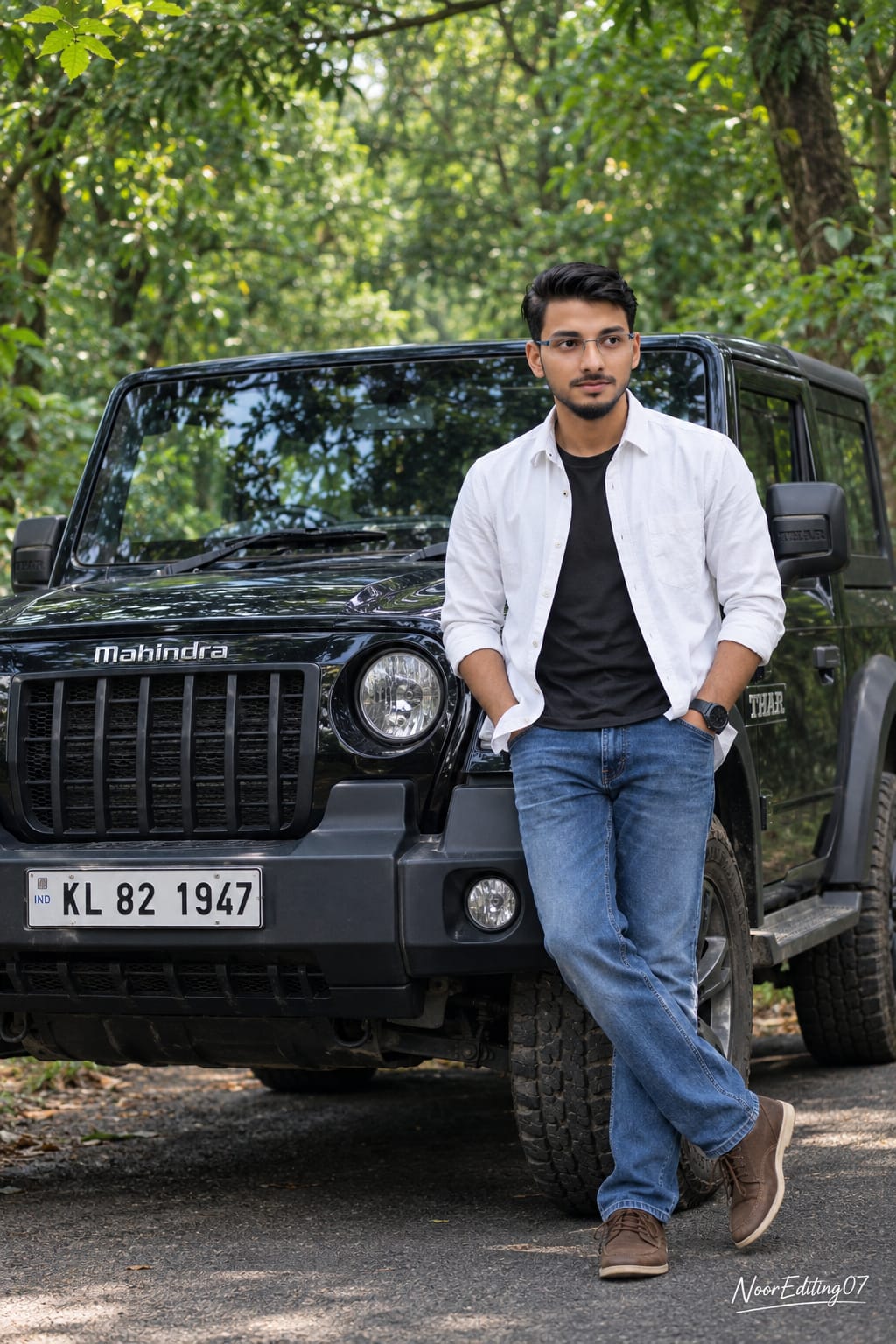
An ultra-realistic, hyper-detailed cinematic composite photograph, perfectly replicating the scene, subject, and mood of image_0.png. The image captures the same young South Asian man, strictly maintaining his exact facial features, age, and hairstyle from image_0.png, standing beside the identical black Mahindra Thar SUV. His pose is identical: standing with hands in pockets, looking to the side.
An ultra-realistic, hyper-detailed cinematic composite photograph, perfectly replicating the scene, subject, and mood of image_0.png. The image captures the same young South Asian man, strictly maintaining his exact facial features, age, and hairstyle from image_0.png, standing beside the identical black Mahindra Thar SUV. His pose is identical: standing with hands in pockets, looking to the side.
He is wearing the identical white unbuttoned shirt over a dark t-shirt, blue jeans, and brown shoes. The black Mahindra Thar is precisely reproduced, including the exact "KL 82 1999" license plate, the "Mahindra" logo, the specific tyre tread, and the front bumper details.
The background is a lush, dense green forest with trees overhanging the narrow asphalt road, creating the same natural daylight, soft shadows, and color grading. The focus is sharp on the subject and the Jeep.
Professional cinematic 8k quality, zero AI distortion, with a clean and professional watermark text "NoorEditing07" neatly placed at the bottom right corner of the final image.
✓
Prompt copied to clipboard!
AI Photograph Prompt Card
✦AI PHOTO PROMPT
An ultra-realistic, hyper-detailed cinematic composite photograph, perfectly replicating the scene, subject, and mood of image_0.png. The image captures the same young South Asian man, strictly maintaining his exact facial features, age, and hairstyle from image_0.png, standing beside the identical black Mahindra Thar SUV. His pose is identical: standing with hands in pockets, looking to the side.
An ultra-realistic, hyper-detailed cinematic composite photograph, perfectly replicating the scene, subject, and mood of image_0.png. The image captures the same young South Asian man, strictly maintaining his exact facial features, age, and hairstyle from image_0.png, standing beside the identical black Mahindra Thar SUV. His pose is identical: standing with hands in pockets, looking to the side.
He is wearing the identical white unbuttoned shirt over a dark t-shirt, blue jeans, and brown shoes. The black Mahindra Thar is precisely reproduced, including the exact "KL 82 1999" license plate, the "Mahindra" logo, the specific tyre tread, and the front bumper details.
The background is a lush, dense green forest with trees overhanging the narrow asphalt road, creating the same natural daylight, soft shadows, and color grading. The focus is sharp on the subject and the Jeep.
Professional cinematic 8k quality, zero AI distortion, with a clean and professional watermark text "NoorEditing07" neatly placed at the bottom right corner of the final image.
✓
Prompt copied to clipboard!
AI Photograph Prompt Card
✦AI PHOTO PROMPT
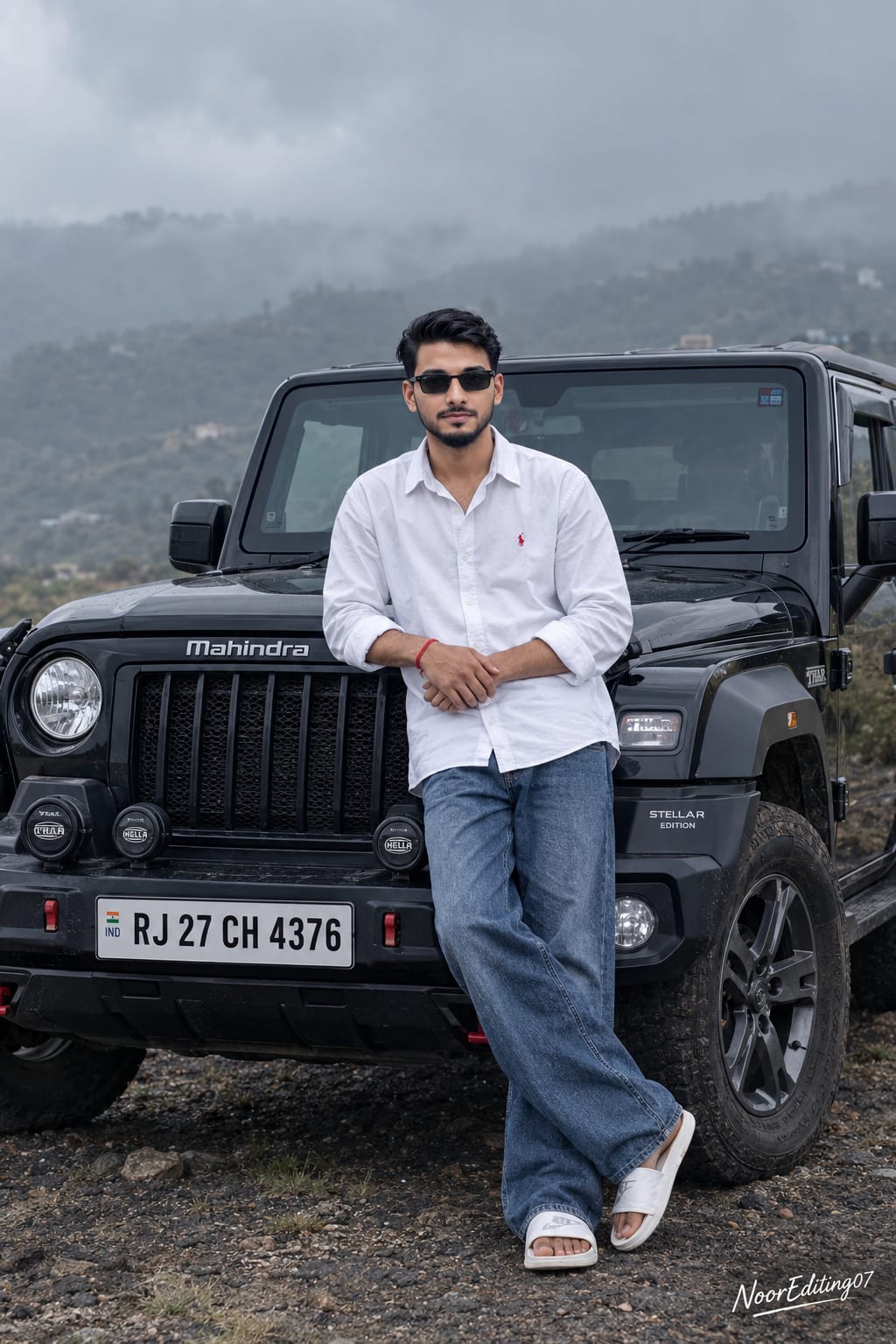
An ultra-realistic, hyper-detailed cinematic photograph, perfectly replicating the scene, subject, and mood of image_0.png. The image captures the same young South Asian man, strictly maintaining his exact facial features, age, curly hairstyle, beard, and black sunglasses from image_0.png, standing and leaning against the bonnet of the identical black Mahindra Thar SUV. His pose is identical: standing with legs crossed, arms clasped, looking towards the camera.
An ultra-realistic, hyper-detailed cinematic photograph, perfectly replicating the scene, subject, and mood of image_0.png. The image captures the same young South Asian man, strictly maintaining his exact facial features, age, curly hairstyle, beard, and black sunglasses from image_0.png, standing and leaning against the bonnet of the identical black Mahindra Thar SUV. His pose is identical: standing with legs crossed, arms clasped, looking towards the camera.
He is wearing the identical white oversized shirt with the red logo detail, blue baggy jeans, and white slides, with the red wristband visible. The black Mahindra Thar is precisely reproduced, including the exact "RJ 27 CH 4309" license plate, the "Mahindra" logo, the specific Stellar edition badges, and the auxiliary lights on the bumper.
The background hills and overcast, foggy sky are maintained with the same desaturated, moody color grading and soft, diffused lighting. The focus is sharp on the subject and the Jeep.
Professional cinematic 8k quality, zero AI distortion, with a clean and professional watermark text "NoorEditing07" neatly placed at the bottom right corner of the final image.
✓
Prompt copied to clipboard!
AI Photograph Prompt Card
✦AI PHOTO PROMPT
An ultra-realistic, hyper-detailed cinematic photograph, perfectly replicating the scene, subject, and mood of image_0.png. The image captures the same young South Asian man, strictly maintaining his exact facial features, age, curly hairstyle, beard, and black sunglasses from image_0.png, standing and leaning against the bonnet of the identical black Mahindra Thar SUV. His pose is identical: standing with legs crossed, arms clasped, looking towards the camera.
An ultra-realistic, hyper-detailed cinematic photograph, perfectly replicating the scene, subject, and mood of image_0.png. The image captures the same young South Asian man, strictly maintaining his exact facial features, age, curly hairstyle, beard, and black sunglasses from image_0.png, standing and leaning against the bonnet of the identical black Mahindra Thar SUV. His pose is identical: standing with legs crossed, arms clasped, looking towards the camera.
He is wearing the identical white oversized shirt with the red logo detail, blue baggy jeans, and white slides, with the red wristband visible. The black Mahindra Thar is precisely reproduced, including the exact "RJ 27 CH 4309" license plate, the "Mahindra" logo, the specific Stellar edition badges, and the auxiliary lights on the bumper.
The background hills and overcast, foggy sky are maintained with the same desaturated, moody color grading and soft, diffused lighting. The focus is sharp on the subject and the Jeep.
Professional cinematic 8k quality, zero AI distortion, with a clean and professional watermark text "NoorEditing07" neatly placed at the bottom right corner of the final image.
✓
Prompt copied to clipboard!
AI Photograph Prompt Card
✦AI PHOTO PROMPT
An ultra-realistic, hyper-detailed cinematic composite photograph, perfectly replicating the scene, subject, and mood of image_0.png. The image captures the same young South Asian man, strictly maintaining his exact facial features, age, and hairstyle from image_0.png, lying on the bonnet of the identical black Mahindra Thar SUV in the identical outdoor location. His pose is identical: lying on his back, looking up at the sky with hands clasped behind his head.
An ultra-realistic, hyper-detailed cinematic composite photograph, perfectly replicating the scene, subject, and mood of image_0.png. The image captures the same young South Asian man, strictly maintaining his exact facial features, age, and hairstyle from image_0.png, lying on the bonnet of the identical black Mahindra Thar SUV in the identical outdoor location. His pose is identical: lying on his back, looking up at the sky with hands clasped behind his head.
He is wearing the identical black printed t-shirt, brown pants, and shoes, with the wristwatch clearly visible. The black Mahindra Thar is precisely reproduced, including the exact "RJ 27 CH 4300" license plate, the "Mahindra" logo, the specific tyre tread, and the auxiliary lights.
The background hills and overcast sky are maintained with the same desaturated, moody color grading and soft, diffused lighting. The focus is sharp on the subject and the Jeep.
Professional cinematic 8k quality, zero AI distortion, with a clean and professional watermark text "NoorEditing07" neatly placed at the bottom right corner of the final image.
✓
Prompt copied to clipboard!
AI Photograph Prompt Card
✦AI PHOTO PROMPT
An ultra-realistic, hyper-detailed cinematic composite photograph, perfectly replicating the scene, subject, and mood of image_0.png. The image captures the same young South Asian man, strictly maintaining his exact facial features, age, and hairstyle from image_0.png, lying on the bonnet of the identical black Mahindra Thar SUV in the identical outdoor location. His pose is identical: lying on his back, looking up at the sky with hands clasped behind his head.
An ultra-realistic, hyper-detailed cinematic composite photograph, perfectly replicating the scene, subject, and mood of image_0.png. The image captures the same young South Asian man, strictly maintaining his exact facial features, age, and hairstyle from image_0.png, lying on the bonnet of the identical black Mahindra Thar SUV in the identical outdoor location. His pose is identical: lying on his back, looking up at the sky with hands clasped behind his head.
He is wearing the identical black printed t-shirt, brown pants, and shoes, with the wristwatch clearly visible. The black Mahindra Thar is precisely reproduced, including the exact "RJ 27 CH 4300" license plate, the "Mahindra" logo, the specific tyre tread, and the auxiliary lights.
The background hills and overcast sky are maintained with the same desaturated, moody color grading and soft, diffused lighting. The focus is sharp on the subject and the Jeep.
Professional cinematic 8k quality, zero AI distortion, with a clean and professional watermark text "NoorEditing07" neatly placed at the bottom right corner of the final image.
Sabse pehle apne phone mein ek clear aur high-quality reference photo ready karein. Reference photo mein subject, SUV aur background clearly visible hona chahiye. Jitni clear reference image hogi, AI ko important visual details understand karne mein utni hi help milegi.
Ab ChatGPT open karein aur apni reference image upload karein. Image upload karne ke baad Mountain Thar AI Photo Prompt ko copy karke ChatGPT mein paste karein.
Prompt mein reference image ke according subject ki facial appearance, hairstyle, age, outfit, body build aur pose ko maintain karne ki instructions di gayi hain. Agar aap same overall composition recreate karna chahte hain, to reference image ke important elements ko prompt mein clearly describe karein.
Ab image ka aspect ratio 4:5 select karein. Ye portrait-style cinematic photography aur social media posts ke liye suitable format hai.
Prompt mein black SUV, open sunroof, mountain background, green landscape, cloudy sky aur natural daylight jaise visual elements clearly mention karein. Vehicle ke visible details ko bhi reference image ke according maintain karne ki instructions include karein.
Ab image generate karein. Generation complete hone ke baad final result ko carefully check karein.
Sabse pehle subject ka face, hairstyle, outfit aur pose check karein. Dekhein ki reference image ke according appearance consistent hai ya nahi. Uske baad SUV ka overall shape, colour, tyres, bumper, badges aur other visible details check karein.
Background mein green mountains, cloudy sky, lighting aur overall composition ko bhi review karein. Image mein subject aur SUV primary focus mein hone chahiye aur mountain background natural depth provide karna chahiye.
Agar AI-generated image mein face, vehicle details ya composition mein unwanted changes aa rahe hain, to prompt ko refine karke image ko dobara generate karein. Aap specific details ko aur clearly describe kar sakte hain.
Final image satisfactory hone ke baad watermark placement bhi check karein. NoorEditing07 watermark ko bottom-right corner mein clean aur professional style mein maintain kiya ja sakta hai.
Image ko final save karne se pehle resolution aur overall quality check karein. Agar aap social media par upload kar rahe hain, to image ko platform ke required format ke according use karein.
Is tarah ChatGPT Prompt ki help se aap apni reference image ko use karke ek cinematic Mountain Thar AI Photo create kar sakte hain, jisme realistic SUV, mountain landscape aur professional photography-style composition maintain ki ja sakti hai.
Mountain Thar AI PhotoThar AI PhotoMahindra Thar AI PhotoMountain SUV PhotoCinematic TharThar Photo EditingChatGPT PromptAI Photo PromptSUV AI PhotoMountain AI PhotoCinematic Car PhotoMahindra Thar EditAI Car EditingMountain Car PhotographyTrending AI Photo
Mountain Thar AI PhotoThar AI PhotoMahindra Thar AI PhotoMountain SUV PhotoCinematic TharThar Photo EditingChatGPT PromptAI Photo PromptSUV AI PhotoMountain AI PhotoCinematic Car PhotoMahindra Thar EditAI Car EditingMountain Car PhotographyTrending AI Photo
Mountain Nature, Misty Mountain, Ajmer Sharif, Snap Finger Truck & BMW M5 AI Editing Tutorial
AI photo aur video editing ki help se normal reference photos ko cinematic mountain scenes, foggy nature portraits, spiritual dargah-inspired photographs, creative truck-reveal videos aur luxury automotive commercials mein transform kiya ja sakta hai. Is combined tutorial mein ChatGPT aur Flow AI ke through five different AI editing concepts cover kiye gaye hain, jisme identity consistency, realistic environments, cinematic lighting, camera composition aur professional output quality par focus kiya gaya hai.
1. Mountain Nature AI Video | Cinematic Music Video | Flow AI Prompt
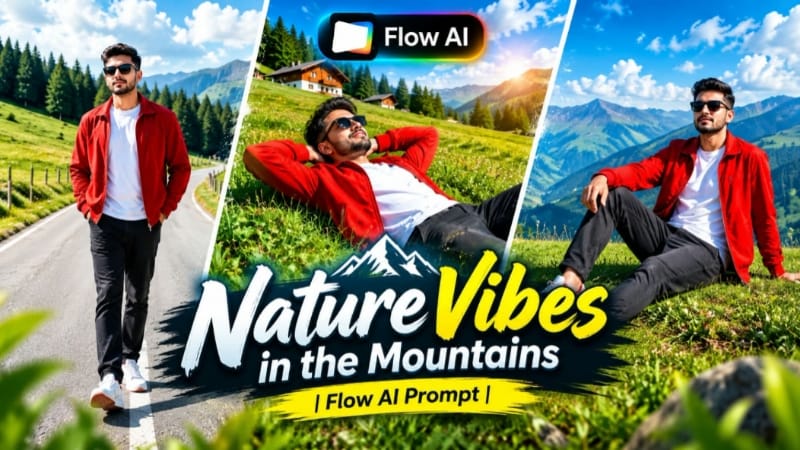
Mountain Nature AI Video ek cinematic nature-based video concept hai jisme reference photo ko scenic green mountain environment ke saath combine kiya jata hai. Green hills, pine trees, valleys, clear blue sky, mountain roads aur natural daylight video ko depth aur cinematic scale dete hain.
Flow AI ke detailed prompt ke through character identity, outfit, mountain environment, lighting aur camera movement ko connected scenes mein maintain kiya ja sakta hai. Tutorial mein character reference sheet ko ChatGPT se prepare karke Flow AI mein video generation ke liye use karne ka workflow diya gaya hai.
Step-by-Step Workflow
Sabse pehle ek clear, high-quality reference photo select karein jisme face clearly visible ho.
ChatGPT mein reference photo upload karke character sheet prompt use karein.
Character sheet mein front, side, back aur 3/4 views ke saath face references generate karein.
Generated character reference ko identity consistency ke liye ready rakhein.
Flow AI open karke image-to-video workflow select karein.
Reference image upload karein.
Mountain Nature AI Video ka complete prompt Flow AI mein paste karein.
Mountain environment, outfit, lighting aur cinematic camera instructions ko unchanged rakhein.
Instagram Reels/YouTube Shorts ke liye 9:16 format select karein, ya widescreen content ke liye 16:9 choose karein.
Video generate karein aur connected mountain scenes ko review karein.
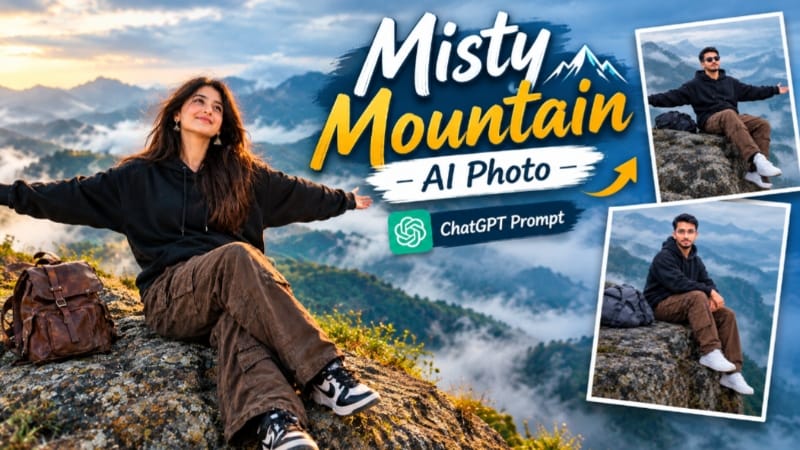
Misty Mountain AI Photo concept normal reference photo ko fog-covered mountain environment mein transform karta hai. Soft mist, layered mountains, cloudy sky, rocky landscape aur diffused natural lighting image ko atmospheric cinematic appearance dete hain.
ChatGPT ke through detailed prompt prepare karke 4:5 Instagram post, 9:16 vertical content ya 16:9 landscape composition create ki ja sakti hai. Main focus reference identity ko recognizable rakhte hue environment aur visual atmosphere ko transform karna hai.
Step-by-Step Workflow
Ek clear, high-quality reference photo choose karein.
Agar fog bahut heavy ho ya background details unnatural lagen, prompt mein specific correction dein.
Refined version regenerate karein.
Final image satisfactory hone ke baad save/export karein.
3. Ajmer Sharif AI Photo | Spiritual Dargah Look | ChatGPT AI Prompt
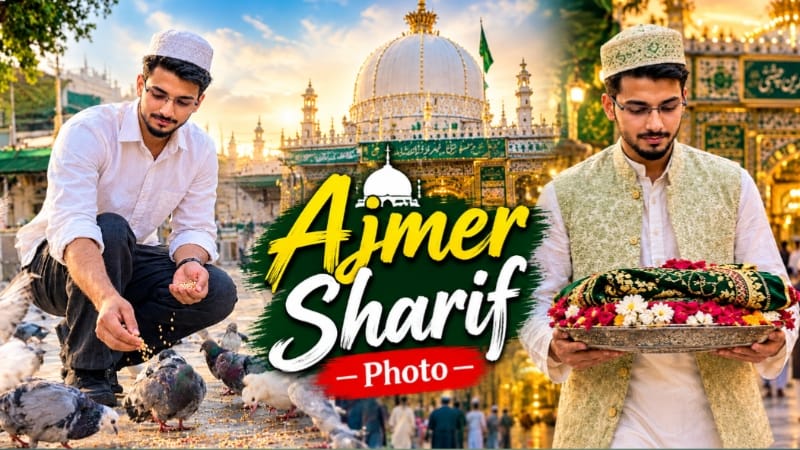
Ajmer Sharif AI Photo concept ek peaceful aur respectful spiritual portrait create karne ke liye designed hai. Reference photo ko primary identity source ke roop mein use karke dargah-inspired architecture, traditional arches, golden dome, marble courtyard aur soft warm lighting ko realistic photographic composition mein combine kiya ja sakta hai.
Tutorial mein multiple variations include hain—shrine ki taraf respectfully sitting pose, dargah entrance ki taraf walking composition aur courtyard mein pigeons ko grain feed karne wala candid scene. Recommended composition 4:5 portrait format mein hai.
Step-by-Step Workflow
Ek clear reference photo select karein jisme face properly visible ho.
ChatGPT mein photo upload karein.
Ajmer Sharif AI Photo prompt paste karein.
Reference photo ko primary identity reference ke roop mein maintain karein.
Apni desired variation select karein:
Shrine ki taraf respectful sitting/prayer composition
Dargah entrance ki taraf walking scene
Courtyard mein pigeons ke saath candid scene
Traditional clothing, respectful pose aur dargah-inspired architectural details specify karein.
Kisi detail mein distortion ho to ChatGPT ko specific correction instruction dein.
Final image mein realistic photography aur respectful presentation maintain karein.
High-quality final image save/export karein.
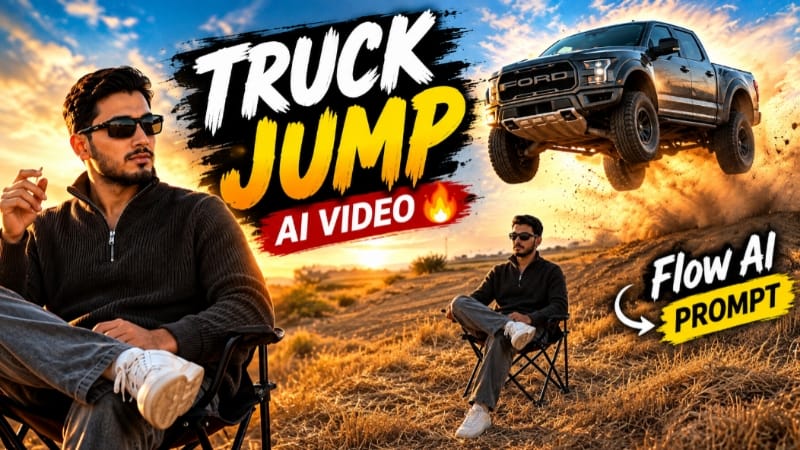
4. Snap Finger Truck Reveal AI Video | Ford Raptor Cinematic Effect | Flow AI Prompt
Snap Finger Truck Reveal AI Video ek creative cinematic transformation concept hai jisme simple finger-snap gesture ko visual transition ke trigger ke roop mein use kiya jata hai. Golden-hour outdoor environment se sequence start hota hai aur snap ke moment par cinematic automotive reveal create hota hai.
Flow AI prompt mein character reference, finger-snap timing, vehicle reveal, dust atmosphere, camera movement aur lighting ko clearly define kiya jata hai. Is concept ka focus real-world stunt karna nahi, balki AI-generated cinematic visual effect create karna hai.
Step-by-Step Workflow
Ek clear reference photo select karein jisme face aur overall appearance clearly visible ho.
Zarurat ho to ChatGPT mein character reference sheet prepare karein.
Flow AI open karke reference image upload karein.
Snap Finger Truck Reveal AI Video prompt copy karke Flow AI mein paste karein.
Identity consistency aur outfit instructions ko intact rakhein.
Finger-snap action aur transition timing ko prompt ke according maintain karein.
9:16 format short-form content ke liye ya 16:9 landscape format ke liye select karein.
High-quality video generation setting choose karein.
Transition smooth hai ya nahi, ye preview mein check karein.
Unwanted AI distortion hone par affected scene ko stronger reference instructions ke saath regenerate karein.
Final clips ko arrange karke timing aur transitions refine karein.
Subtle NoorEditing07 branding add karke high-quality video export karein.
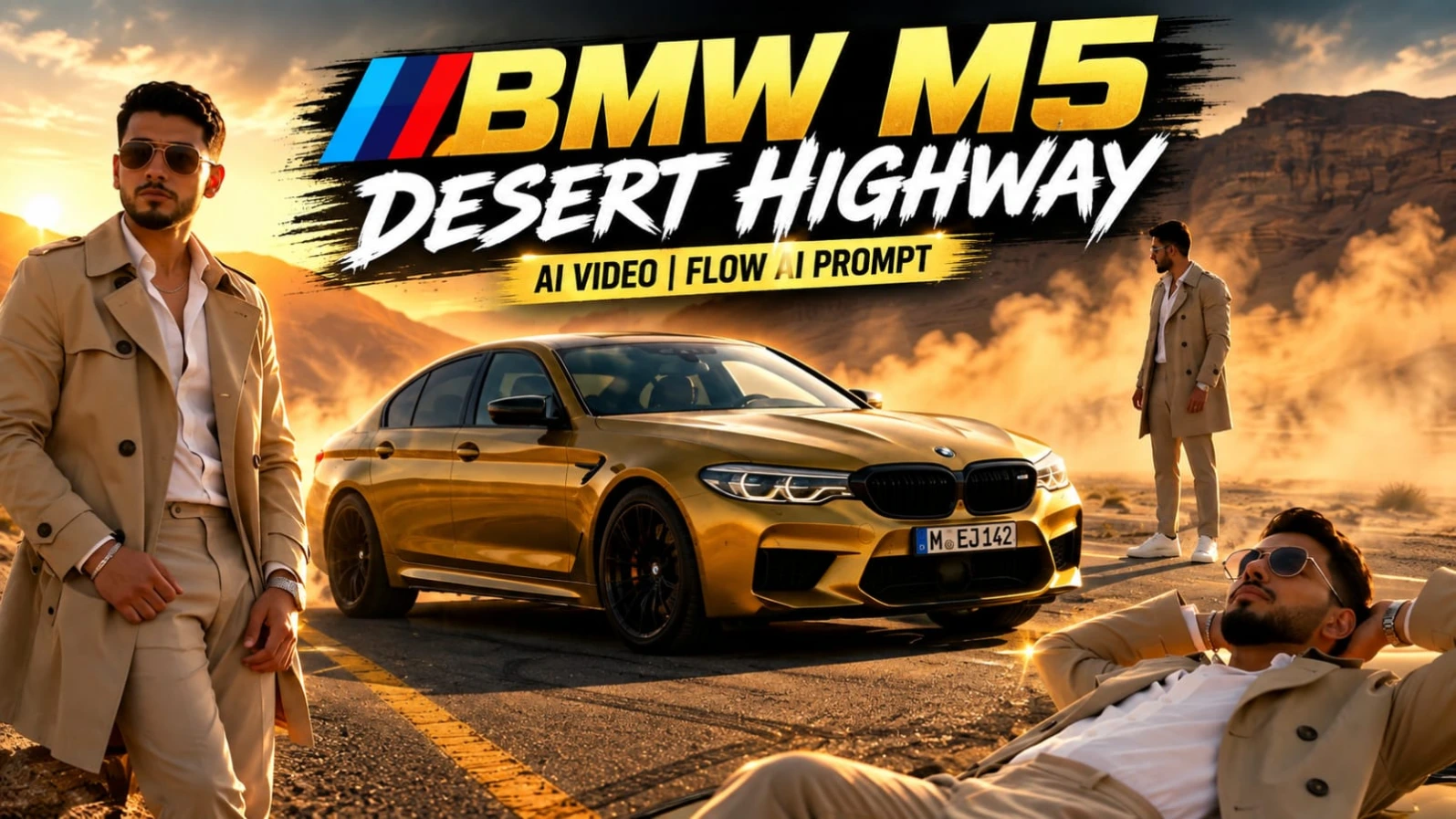
5. BMW M5 Desert Highway AI Video | Cinematic Car Shoot | Flow AI Video Prompt
BMW M5 Desert Highway AI Video ek luxury automotive commercial-style concept hai jisme metallic mustard-yellow BMW M5, empty desert highway, canyon mountains, golden-hour sunlight aur cinematic dust atmosphere ko combine kiya gaya hai.
Reference photo ki identity ko complete video mein consistent rakhte hue luxury fashion styling aur professional automotive camera compositions use kiye ja sakte hain. Video mein eight cinematic scenes hain, including low-angle car composition, top-down drone-style shot, close-up portrait, automotive action, car-roof composition, headlight macro shot, open-door portrait aur rapid commercial-style ending.
Step-by-Step Workflow
Sabse pehle ek clear, high-quality reference photo ready karein.
Face clearly visible ho aur reference image consistent ho.
Optional character reference sheet ChatGPT se prepare karein.
Flow AI open karke reference photo upload karein.
BMW M5 Desert Highway AI Video Prompt paste karein.
Identity-lock instructions ko remove na karein.
16:9 landscape format select karein.
Available highest-quality/4K setting choose karein.
Har scene mein face, hairstyle, outfit aur natural proportions check karein.
BMW details, reflections, dust, lighting aur desert background inspect karein.
Camera movement aur scene-to-scene continuity review karein.
Identity drift ya AI distortion wale scenes ko regenerate karein.
Warm golden-hour color grade aur subtle NoorEditing07 watermark maintain karein.
Final 4K-quality video export karein.
Final Result
In five AI editing concepts ke through creators mountain nature music videos, foggy cinematic mountain photos, respectful spiritual portraits, creative automotive reveal effects aur luxury BMW M5 commercial-style videos create kar sakte hain.
Best results ke liye clear reference images use karein aur generation ke dauran important elements ko consistent rakhein—identity, hairstyle, natural proportions, outfit, location, lighting, camera movement, objects aur overall visual style.
Final export se pehle faces, hands, movement, clothing, environment, vehicle details, background continuity aur overall composition ko carefully review karein. ChatGPT aur Flow AI ke detailed prompts ke saath ye concepts Instagram Reels, YouTube Shorts, social media posts, thumbnails aur cinematic AI showcases ke liye customize kiye ja sakte hain.