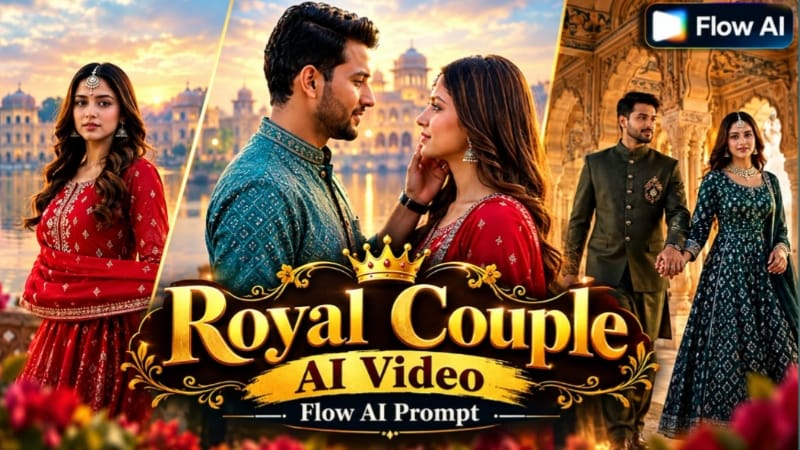
Royal Couple Pre-Wedding AI Video ek cinematic wedding concept hai jisme couple reference photos ko use karke ek grand palace-style pre-wedding video create kiya ja sakta hai. Is concept mein royal architecture, elegant outfits, cinematic lighting, beautiful locations aur smooth camera movement ko combine karke ek premium pre-wedding visual style create kiya jata hai.
Flow AI ki help se aap apni reference photos ko use karke couple ko different cinematic palace environments mein place kar sakte hain. Agar aap bride aur groom ki appearance ko consistent rakhna chahte hain, to dono ki clear aur high-quality reference photos use karna important hai. Prompt mein facial features, hairstyle, outfit, body proportions aur overall appearance ko reference images ke according maintain karne ke instructions add kiye ja sakte hain.
Royal palace environment is concept ka main visual element hota hai. Grand entrance, heritage architecture, palace corridor, large courtyard, decorated walls, elegant stairs aur scenic outdoor areas jaise locations video ko royal pre-wedding appearance de sakte hain. Different locations ko connected scenes ke form mein use karke video ko more cinematic storytelling style diya ja sakta hai.
Pre-wedding video mein couple ki positioning aur movement bhi important hoti hai. Couple palace courtyard mein walking shot, staircase shot, side-by-side cinematic pose ya scenic background ke saamne standing shot ke through different scenes create kar sakta hai. Prompt mein natural body movement aur realistic interaction mention karna useful hota hai.
Lighting video ke overall mood ko strongly affect karti hai. Soft golden-hour lighting, warm palace lights, subtle highlights aur natural shadows royal environment ke saath cinematic appearance create kar sakte hain. Daylight palace scene ke saath evening golden-hour scene combine karke video mein visual variety bhi create ki ja sakti hai.
Camera movement ko bhi prompt mein clearly define kiya ja sakta hai. Slow tracking shot, wide establishing shot, smooth cinematic push-in aur gentle camera movement jaise instructions palace environment aur couple dono ko properly showcase karne mein help kar sakte hain.
Royal Couple Pre-Wedding AI Video ko Instagram Reels, YouTube Shorts aur other social media platforms ke liye create kiya ja sakta hai. Reels aur Shorts ke liye 9:16 vertical format useful rahega, jabki cinematic widescreen presentation ke liye 16:9 format choose kiya ja sakta hai.
AI-generated video mein consistency maintain karna important hai. Agar multiple scenes generate kiye ja rahe hain, to bride aur groom ke outfits, hairstyle, facial appearance aur overall styling ko consistent rakhne ke instructions prompt mein repeat kiye ja sakte hain. Isse different scenes ke beech visual continuity maintain karne mein help milti hai.
Reference photos select karte waqt clear face visibility aur good lighting wali images use karein. Agar reference photo bahut dark, blurry ya heavily filtered hai, to AI ko facial details understand karne mein difficulty ho sakti hai. High-quality source images generally better reference provide karti hain.
Video generate hone ke baad final result ko carefully review karein. Couple ke faces, outfits, hands, body proportions, background architecture, camera movement aur lighting ko check karein. Agar kisi scene mein unwanted visual changes hain, to prompt ko refine karke us scene ko regenerate kiya ja sakta hai.
Is concept ko traditional royal wedding styling ke saath bhi customize kiya ja sakta hai. Bride ke elegant traditional outfit aur groom ke royal ethnic outfit ko palace environment ke saath combine karke classic pre-wedding appearance create ki ja sakti hai. Modern luxury styling ke liye designer-inspired formal outfits aur contemporary palace photography look use kiya ja sakta hai.
Royal Couple Pre-Wedding AI Video ka main purpose ek cinematic wedding atmosphere create karna hai jisme couple aur grand palace environment dono visual focus mein rahein. Flow AI ke detailed prompt aur suitable reference photos ki help se creative pre-wedding scenes generate kiye ja sakte hain.
NoorEditing07 par aapko AI photo prompts, Flow AI video prompts, cinematic editing tutorials, VN QR Code Templates aur trending AI editing ideas mil sakte hain. Royal Couple Pre-Wedding AI Video prompt ka use karke aap couple reference photos ko ek beautiful cinematic palace shoot style video mein transform kar sakte hain.
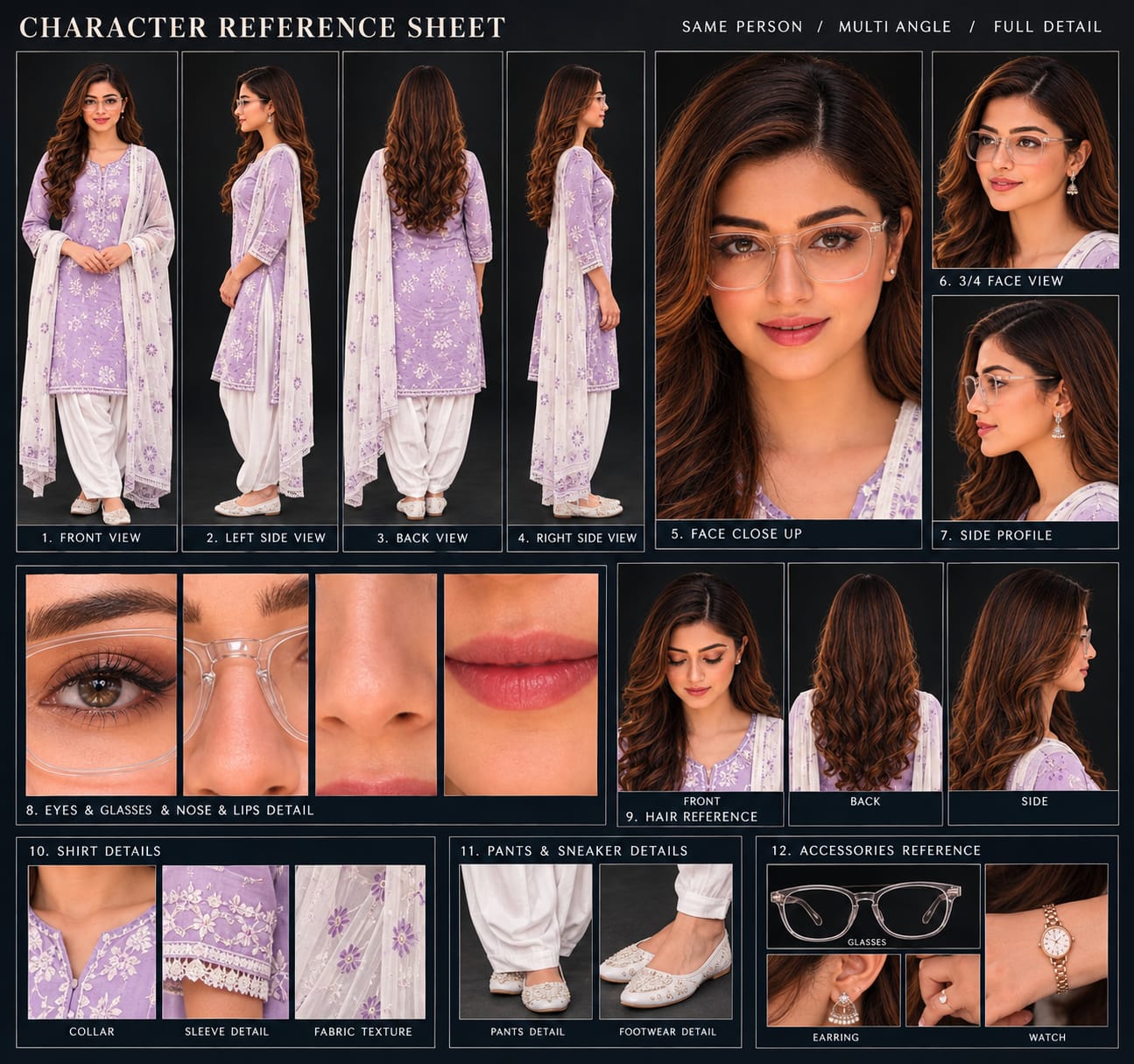
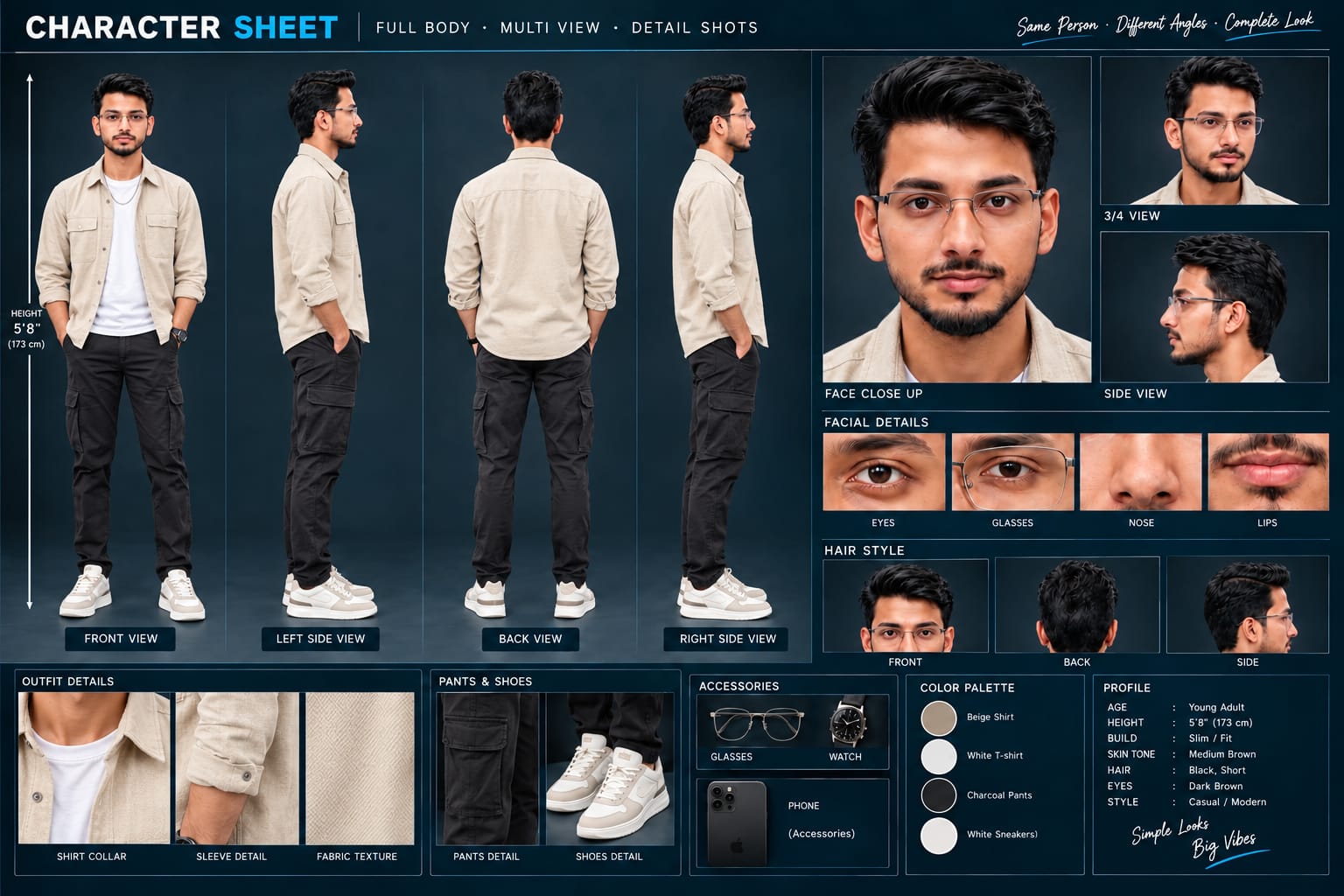
Sabse Pehle Character Sheet Photo Banaai ChatGPT Se
A premium, professional, ultra-photorealistic full-body character reference sheet for the person identified in the uploaded photo. The sheet is presented in a clean professional studio environment with a dark, luxury background. The character's identity, facial features, skin tone, body proportions, hairstyle, and transparent-frame glasses are perfectly consistent with the reference photo. The character is wearing the exact outfit from the reference: a mustard-yellow polo shirt with white piping, black slim-fit pants, and white sneakers. The layout is an elegant grid containing: 1. Full-body front view, 2. Full-body left side view, 3. Full-body back view, 4. Full-body right side view. 5. Large face close-up, 6. 3/4 face view, 7. Side-profile face view. 8. Detailed eye, glasses, nose, and lips reference crops. 9. Hair front, back, and side reference. 10. Shirt collar, sleeve, and fabric texture details. 11. Pants and sneaker detail shots. 12. Accessories reference. All views depict the same person with high-end cinematic lighting, extremely sharp facial details, realistic skin texture, natural hair strands, realistic fabric texture, accurate clothing stitching, and physically accurate lighting with subtle shadows. The full body is completely visible in all turnaround views, including both shoes. The presentation features sophisticated typography, thin clean borders, and balanced spacing. No watermarks, cartoons, or distortions are present.
A premium, professional, ultra-photorealistic full-body character reference sheet for the person identified in the uploaded photo. The sheet is presented in a clean professional studio environment with a dark, luxury background. The character's identity, facial features, skin tone, body proportions, hairstyle, and transparent-frame glasses are perfectly consistent with the reference photo. The character is wearing the exact outfit from the reference: a mustard-yellow polo shirt with white piping, black slim-fit pants, and white sneakers. The layout is an elegant grid containing: 1. Full-body front view, 2. Full-body left side view, 3. Full-body back view, 4. Full-body right side view. 5. Large face close-up, 6. 3/4 face view, 7. Side-profile face view. 8. Detailed eye, glasses, nose, and lips reference crops. 9. Hair front, back, and side reference. 10. Shirt collar, sleeve, and fabric texture details. 11. Pants and sneaker detail shots. 12. Accessories reference. All views depict the same person with high-end cinematic lighting, extremely sharp facial details, realistic skin texture, natural hair strands, realistic fabric texture, accurate clothing stitching, and physically accurate lighting with subtle shadows. The full body is completely visible in all turnaround views, including both shoes. The presentation features sophisticated typography, thin clean borders, and balanced spacing. No watermarks, cartoons, or distortions are present.
✓
Prompt copied to clipboard!
AI Video Prompt
✦AI PHOTO PROMPT
A premium, professional, ultra-photorealistic full-body character reference sheet for the person identified in the uploaded photo. The sheet is presented in a clean professional studio environment with a dark, luxury background. The character's identity, facial features, skin tone, body proportions, hairstyle, and transparent-frame glasses are perfectly consistent with the reference photo. The character is wearing the exact outfit from the reference: a mustard-yellow polo shirt with white piping, black slim-fit pants, and white sneakers. The layout is an elegant grid containing: 1. Full-body front view, 2. Full-body left side view, 3. Full-body back view, 4. Full-body right side view. 5. Large face close-up, 6. 3/4 face view, 7. Side-profile face view. 8. Detailed eye, glasses, nose, and lips reference crops. 9. Hair front, back, and side reference. 10. Shirt collar, sleeve, and fabric texture details. 11. Pants and sneaker detail shots. 12. Accessories reference. All views depict the same person with high-end cinematic lighting, extremely sharp facial details, realistic skin texture, natural hair strands, realistic fabric texture, accurate clothing stitching, and physically accurate lighting with subtle shadows. The full body is completely visible in all turnaround views, including both shoes. The presentation features sophisticated typography, thin clean borders, and balanced spacing. No watermarks, cartoons, or distortions are present.
A premium, professional, ultra-photorealistic full-body character reference sheet for the person identified in the uploaded photo. The sheet is presented in a clean professional studio environment with a dark, luxury background. The character's identity, facial features, skin tone, body proportions, hairstyle, and transparent-frame glasses are perfectly consistent with the reference photo. The character is wearing the exact outfit from the reference: a mustard-yellow polo shirt with white piping, black slim-fit pants, and white sneakers. The layout is an elegant grid containing: 1. Full-body front view, 2. Full-body left side view, 3. Full-body back view, 4. Full-body right side view. 5. Large face close-up, 6. 3/4 face view, 7. Side-profile face view. 8. Detailed eye, glasses, nose, and lips reference crops. 9. Hair front, back, and side reference. 10. Shirt collar, sleeve, and fabric texture details. 11. Pants and sneaker detail shots. 12. Accessories reference. All views depict the same person with high-end cinematic lighting, extremely sharp facial details, realistic skin texture, natural hair strands, realistic fabric texture, accurate clothing stitching, and physically accurate lighting with subtle shadows. The full body is completely visible in all turnaround views, including both shoes. The presentation features sophisticated typography, thin clean borders, and balanced spacing. No watermarks, cartoons, or distortions are present.
Cinematic 16:9 8K ultra-realistic Indian couple pre-wedding film featuring seamless fast-cut transitions and traditional royal aesthetics across misty lakeside and heritage palace settings. [IDENTITY & SKIN PRESERVATION] Lock 100% exact facial structure, features, eye gaze, and body proportions from the uploaded reference photos of both the man and woman. Ultra-clean, smooth, blemish-free skin with natural DSLR clarity and pore realism, without looking fake or airbrushed.
Cinematic 16:9 8K ultra-realistic Indian couple pre-wedding film featuring seamless fast-cut transitions and traditional royal aesthetics across misty lakeside and heritage palace settings.
[IDENTITY & SKIN PRESERVATION]
Lock 100% exact facial structure, features, eye gaze, and body proportions from the uploaded reference photos of both the man and woman. Ultra-clean, smooth, blemish-free skin with natural DSLR clarity and pore realism, without looking fake or airbrushed.
[OUTFIT & STYLING SETS]
- Look 1 (Lakeside): Woman in embroidered crimson-red kurti with sheer dupatta, traditional maang tikka, and pearl jhumkas. Man in textured teal-green embroidered kurta.
- Look 2 (Palace Courtyard): Woman in dark emerald-green patterned Anarkali suit with heavy kundan jewelry. Man in dark olive-green structured bandhgala Jodhpuri jacket with floral pocket embroidery and black trousers.
- Look 3 (Royal Monument): Woman in ivory lehenga with pastel pink blouse. Man in beige kurta-pajama with a deep maroon/wine Nehru jacket.
[10 FAST-PACED SCENE SEQUENCE]
- Scene 1: Medium low-angle shot by the misty lake; woman rests her hand on the man's shoulder while looking romantically into his eyes.
- Scene 2: Extreme romantic close-up; the couple smiles tenderly at each other, noses almost touching, soft morning light.
- Scene 3: Side-profile medium shot; man gently touches her cheek by the red stone railing as the misty water palace reflects behind.
- Scene 4: Quick-cut to palace courtyard; wide establishing shot of the couple holding hands under painted royal arches and stone elephant statues.
- Scene 5: Solitary medium shot; woman in crimson dress turns slowly looking into the camera against the fog-covered lake.
- Scene 6: Symmetrical wide tracking shot; the couple sits together on the red stone balustrade over the calm water with mirror reflections.
- Scene 7: Close-up beauty portrait; woman in green suit laughs softly, blushing while gazing at the man.
- Scene 8: Medium tracking shot; woman walks gracefully forward, turning back with an inviting smile across painted palace corridors.
- Scene 9: Low-angle tracking shot; man leads the woman forward holding her hand near ornate heritage pillars.
- Scene 10: Dynamic wide low-angle twirl shot; in white/maroon royal attire, holding hands against grand white heritage domes and bright sky.
[COLOR & CAMERA]
Soft pastel cinematic grade, dreamy mist reflections, rich regal color saturation, rapid beat-matched jump cuts, 16:9 widescreen. Subtle clean watermark 'NoorEditing07' fixed in the bottom corner.
✓
Prompt copied to clipboard!
AI Video Prompt Card
✦AI VIDEO PROMPT
Cinematic 16:9 8K ultra-realistic Indian couple pre-wedding film featuring seamless fast-cut transitions and traditional royal aesthetics across misty lakeside and heritage palace settings. [IDENTITY & SKIN PRESERVATION] Lock 100% exact facial structure, features, eye gaze, and body proportions from the uploaded reference photos of both the man and woman. Ultra-clean, smooth, blemish-free skin with natural DSLR clarity and pore realism, without looking fake or airbrushed.
Cinematic 16:9 8K ultra-realistic Indian couple pre-wedding film featuring seamless fast-cut transitions and traditional royal aesthetics across misty lakeside and heritage palace settings.
[IDENTITY & SKIN PRESERVATION]
Lock 100% exact facial structure, features, eye gaze, and body proportions from the uploaded reference photos of both the man and woman. Ultra-clean, smooth, blemish-free skin with natural DSLR clarity and pore realism, without looking fake or airbrushed.
[OUTFIT & STYLING SETS]
- Look 1 (Lakeside): Woman in embroidered crimson-red kurti with sheer dupatta, traditional maang tikka, and pearl jhumkas. Man in textured teal-green embroidered kurta.
- Look 2 (Palace Courtyard): Woman in dark emerald-green patterned Anarkali suit with heavy kundan jewelry. Man in dark olive-green structured bandhgala Jodhpuri jacket with floral pocket embroidery and black trousers.
- Look 3 (Royal Monument): Woman in ivory lehenga with pastel pink blouse. Man in beige kurta-pajama with a deep maroon/wine Nehru jacket.
[10 FAST-PACED SCENE SEQUENCE]
- Scene 1: Medium low-angle shot by the misty lake; woman rests her hand on the man's shoulder while looking romantically into his eyes.
- Scene 2: Extreme romantic close-up; the couple smiles tenderly at each other, noses almost touching, soft morning light.
- Scene 3: Side-profile medium shot; man gently touches her cheek by the red stone railing as the misty water palace reflects behind.
- Scene 4: Quick-cut to palace courtyard; wide establishing shot of the couple holding hands under painted royal arches and stone elephant statues.
- Scene 5: Solitary medium shot; woman in crimson dress turns slowly looking into the camera against the fog-covered lake.
- Scene 6: Symmetrical wide tracking shot; the couple sits together on the red stone balustrade over the calm water with mirror reflections.
- Scene 7: Close-up beauty portrait; woman in green suit laughs softly, blushing while gazing at the man.
- Scene 8: Medium tracking shot; woman walks gracefully forward, turning back with an inviting smile across painted palace corridors.
- Scene 9: Low-angle tracking shot; man leads the woman forward holding her hand near ornate heritage pillars.
- Scene 10: Dynamic wide low-angle twirl shot; in white/maroon royal attire, holding hands against grand white heritage domes and bright sky.
[COLOR & CAMERA]
Soft pastel cinematic grade, dreamy mist reflections, rich regal color saturation, rapid beat-matched jump cuts, 16:9 widescreen. Subtle clean watermark 'NoorEditing07' fixed in the bottom corner.
Sabse pehle bride aur groom ki clear aur high-quality reference photos ready karein. Dono photos mein face clearly visible hona chahiye, taki Flow AI couple ki appearance ko properly understand kar sake.
Ab Flow AI open karein aur image-to-video option select karein. Bride aur groom ki reference photos upload karein. Photos upload karne ke baad Royal Couple Pre-Wedding AI Video prompt ko copy karein aur Flow AI ke prompt box mein paste karein.
Prompt mein bride aur groom ke facial features, hairstyle, outfit aur overall appearance ko reference photos ke according consistent rakhne ki instructions include karein. Saath hi royal palace environment, cinematic lighting, camera movement aur couple positioning ki details clearly mention karein.
Ab video ka aspect ratio select karein. Instagram Reels aur YouTube Shorts ke liye 9:16 vertical format choose karein. Agar aap widescreen cinematic pre-wedding video banana chahte hain, to 16:9 format select kar sakte hain.
Ab Generate option par click karein. Flow AI reference photos aur prompt ke according royal palace environment mein cinematic couple video generate karega.
Video generate hone ke baad preview ko carefully check karein. Sabse pehle bride aur groom ke faces ko check karein. Dekhein ki facial appearance reference photos ke according consistent hai ya nahi. Uske baad hairstyle, outfits aur body proportions ko check karein.
Ab palace background aur overall environment check karein. Architecture, stairs, courtyard, lighting aur background details natural aur realistic dikh rahe hain ya nahi, ye dekhein.
Camera movement bhi check karein. Couple ki walking, posing aur movement natural dikhni chahiye. Agar kisi scene mein unwanted changes aa rahe hain, to prompt ko refine karke video ko dobara generate karein.
Multiple scenes banate waqt same outfit, hairstyle, facial appearance aur overall styling maintain karne ki instructions repeat karein. Isse complete pre-wedding video mein better visual consistency maintain ki ja sakti hai.
Final video satisfactory hone ke baad Export ya Save option ka use karein. Social media par upload karne se pehle video quality aur aspect ratio check karein.
Is tarah Flow AI ki help se aap bride aur groom ki reference photos ko use karke ek Royal Couple Pre-Wedding Cinematic Palace Video create kar sakte hain.
Royal Couple Pre-Wedding AI VideoPre-Wedding AI VideoRoyal Couple AI VideoCinematic Palace ShootFlow AI PromptPre-Wedding VideoRoyal Wedding AI VideoCouple AI VideoCinematic Couple VideoAI Wedding VideoPalace Cinematic VideoFlow AI VideoAI Photo To VideoPre-Wedding CinematicRoyal Couple Video
Royal Couple Pre-Wedding AI VideoPre-Wedding AI VideoRoyal Couple AI VideoCinematic Palace ShootFlow AI PromptPre-Wedding VideoRoyal Wedding AI VideoCouple AI VideoCinematic Couple VideoAI Wedding VideoPalace Cinematic VideoFlow AI VideoAI Photo To VideoPre-Wedding CinematicRoyal Couple Video
Mountain Nature, Heartbreak Riverside, Bridge Walking, Double Role & Kashmir Dreamscape AI Video Tutorial
AI video editing makes it possible to transform a single reference photo into cinematic mountain music videos, emotional riverside stories, deep-teal bridge walks, same-person twin effects, and premium Kashmir-style travel films. This combined tutorial covers five Flow AI concepts with a focus on identity consistency, outfit continuity, realistic movement, cinematic camera work, location continuity, and professional-quality output.
1. Mountain Nature AI Video | Cinematic Music Video
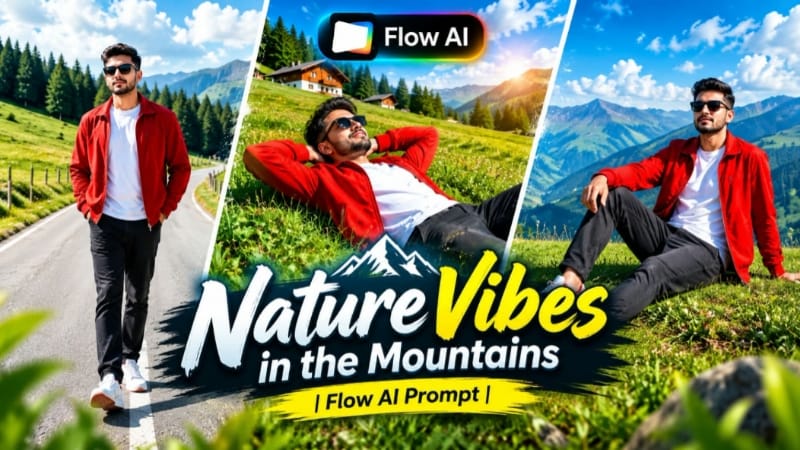
The Mountain Nature AI Video concept transforms a reference photo into a scenic cinematic music video set among green mountain hills, pine forests, open skies, valleys, and beautiful natural landscapes. The featured concept uses a 9:16 vertical 8K-style cinematic format, making it suitable for Reels and Shorts, while 16:9 can also be selected for widescreen presentations.
The seven-scene sequence includes walking through a grassy meadow, relaxing on a hillside, running across an elevated ridge, looking toward distant mountains, walking along a curved mountain road, descending a green hill, and finishing with a low-angle hero shot. The character styling includes a red open jacket over a white T-shirt, dark relaxed-fit jeans, white sneakers with red accents, and black sunglasses.
Step-by-Step Workflow
Prepare a clear, high-quality reference photo with the face clearly visible.
Create a character sheet in ChatGPT if you want additional front, side, back, and 3/4 reference views.
Open Flow AI Video Generator and select the image-to-video workflow.
Upload the reference photo or character reference.
Copy the complete Mountain Nature AI Video prompt.
Paste the prompt into Flow AI.
Maintain the identity, hairstyle, natural proportions, outfit, and styling instructions.
Select 9:16 vertical for Reels/Shorts or 16:9 for widescreen content.
Choose the highest available quality.
Generate the seven-scene sequence.
Check the meadow walking and open-arms scene.
Review the hillside resting and running scenes.
Check the mountain-road walking shots and final hero pose.
Make sure the green hills, pine trees, sky, valleys, and distant landscapes remain visually consistent.
Check face identity, hands, walking/running movement, clothing, sunglasses, and body proportions.
Review camera movement and ensure it remains smooth and natural.
Regenerate any scene containing identity drift or visual distortion.
Export the final cinematic mountain music video.
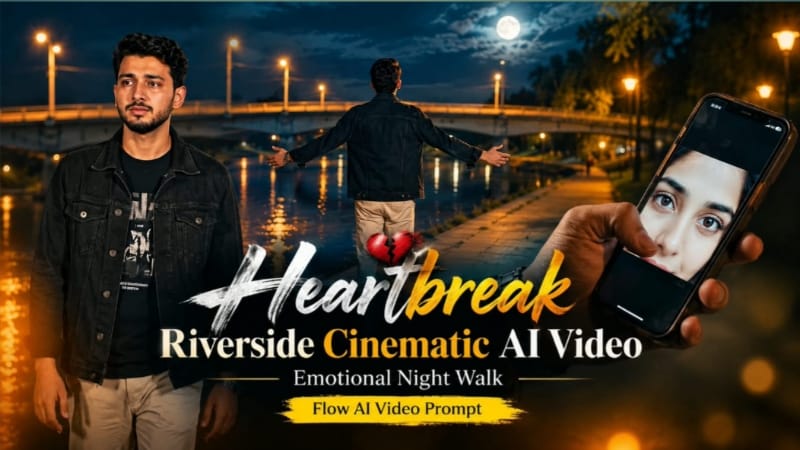
2. Heartbreak Riverside Cinematic AI Video | Emotional Night Walk
The Heartbreak Riverside Cinematic AI Video creates a seven-scene emotional story beside a riverside at night. The environment includes a concrete bridge, dry riverbank, large trees, warm amber streetlights, and a deep blue-black sky. The overall visual style uses rich full-color cinematic grading rather than black-and-white or heavily desaturated imagery.
The character wears a black denim jacket over a black graphic T-shirt with light beige trousers and a silver wristwatch. The story moves from a smartphone memory to a lonely riverside walk, emotional release, quiet grief beneath a tree, a single tear, and a final pendant-to-heart moment. The page specifies 16:9 widescreen and premium 4K/8K quality.
Step-by-Step Workflow
Prepare a clear reference photo of the main character.
If required, create the character reference sheet in ChatGPT before generating the video.
Open Flow AI Video Generator.
Upload the reference image as the identity reference.
Copy the complete Heartbreak Riverside AI Video prompt.
Paste it into Flow AI.
Select 16:9 widescreen.
Choose 4K or the highest available quality.
Confirm that the sequence contains exactly seven scenes.
Check Scene 1: only the hand and smartphone should appear, with the woman's eyes visible on the phone screen.
Review Scene 2's rear walking shot beside the riverside.
Check Scene 3's slow front-facing walk and subtle facial expression.
Review Scene 4's arms-open emotional release beside the bridge.
Check Scene 5 beneath the large tree.
Review Scene 6's walking shot with the single realistic tear.
Check Scene 7's final pendant-to-chest close-up and slow zoom-in.
Maintain the same face, hairstyle, clothing, watch, riverside, bridge, trees, and lighting throughout.
Check hands and fingers carefully, especially the phone and pendant interactions.
Make sure the warm amber lights contrast naturally with the blue-black sky.
Keep the video in rich natural color rather than unnecessary monochrome.
Check that camera movement is smooth and controlled.
Verify that only one subtle NoorEditing07 watermark remains fixed in the same corner.
Perform a complete seven-scene continuity check and export the final video.
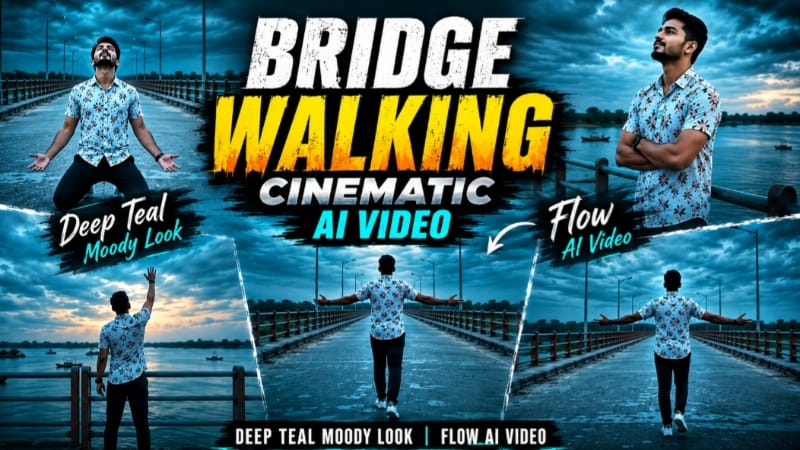
3. Bridge Walking Cinematic AI Video | Deep Teal Moody Look
The Bridge Walking Cinematic AI Video creates a seven-scene solo cinematic story on a long concrete bridge above a wide river. The bridge features teal-and-orange railings, distant greenery, small islands, boats, and a dramatic overcast dusk sky. The defining visual style is a consistent deep-teal cinematic grade, with an evening atmosphere rather than a nighttime setting.
The character wears a white floral-print short-sleeve shirt, dark navy pants, and white sneakers throughout the sequence. The page specifies 9:16 vertical format and 1080p resolution.
Step-by-Step Workflow
Prepare a clear reference photo with the face clearly visible.
Open Flow AI Video Generator.
Upload the reference photo.
Copy and paste the complete Bridge Walking AI Video prompt.
Keep the identity-lock instructions intact.
Select 9:16 vertical.
Choose 1080p or the highest available quality.
Generate all seven scenes.
Check the opening rear wide shot with both arms spread.
Review the railing scene where the character looks toward the sky.
Check the distant walking shot with the river and boats.
Review the front-facing kneeling scene and ensure natural body mechanics.
Check the side-profile walking scene.
Review the rear walking scene with the teal sky and bridge lamps.
Check the final railing pose with one arm raised.
Maintain the same floral shirt, navy pants, sneakers, face, hairstyle, and natural proportions.
Keep the bridge, railing, river, greenery, boats, and dusk atmosphere consistent.
Ensure the scene does not accidentally become a dark nighttime environment.
Check walking movement, hands, body mechanics, and camera motion.
Regenerate any distorted scene.
Export the finished vertical cinematic video.
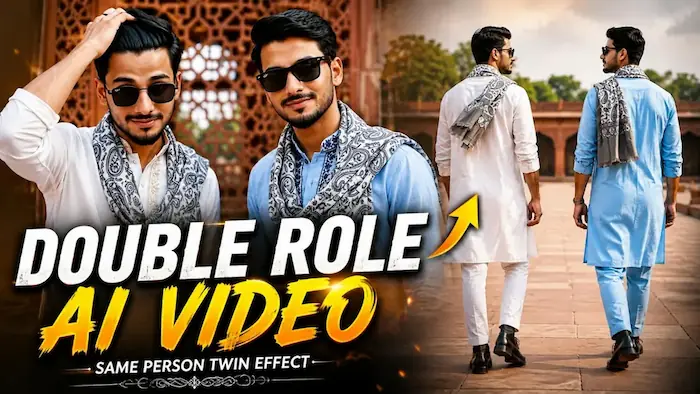
4. Double Role AI Video | Same Person Twin Effect
The Double Role AI Video creates a cinematic twin effect by placing two versions of the same person together in the same frame. Both figures retain the same face, hairstyle, skin tone, natural proportions, and overall identity, while their outfits differ in embroidery color.
The first figure wears a white kurta with light golden-beige embroidery, while the second wears a light-blue kurta with dark navy-blue embroidery. Both wear grey-and-white paisley mufflers, matching boots, and black watches. All eight scenes take place in the same red-sandstone heritage monument courtyard with carved jaali walls, green trees, and soft natural daylight. The specified format is 16:9 at 1080p.
Step-by-Step Workflow
Prepare one clear, high-quality reference photo.
Open Flow AI Video Generator.
Upload the reference photo as the identity source.
Copy the complete Double Role / Twin Effect prompt.
Paste the prompt into Flow AI.
Instruct the system to generate two versions of the same person.
Keep the facial identity, hairstyle, skin tone, and natural proportions identical for both figures.
Maintain the two different kurta embroidery designs.
Keep the paisley mufflers, boots, and watches consistent.
Set the single red-sandstone heritage courtyard as the locked location.
Select 16:9 landscape and 1080p.
Generate the eight scenes.
Check the synchronized walking-feet shot.
Review the wristwatch close-up.
Check the rear courtyard composition.
Review the sunglasses scene.
Check the close-up where one figure adjusts his hair.
Review the full-body walking shot toward the camera.
Check the scene where both versions look at each other and smile.
Finish with the wide two-character hero shot.
Make sure both versions remain the same person throughout.
Check for face morphing, duplicated objects, mismatched movement, distorted hands, or background changes.
Confirm that the monument courtyard and lighting remain consistent.
Check that the single NoorEdiz07 watermark remains fixed in the bottom-right corner as specified on the page.
Perform the final eight-scene continuity check and export.
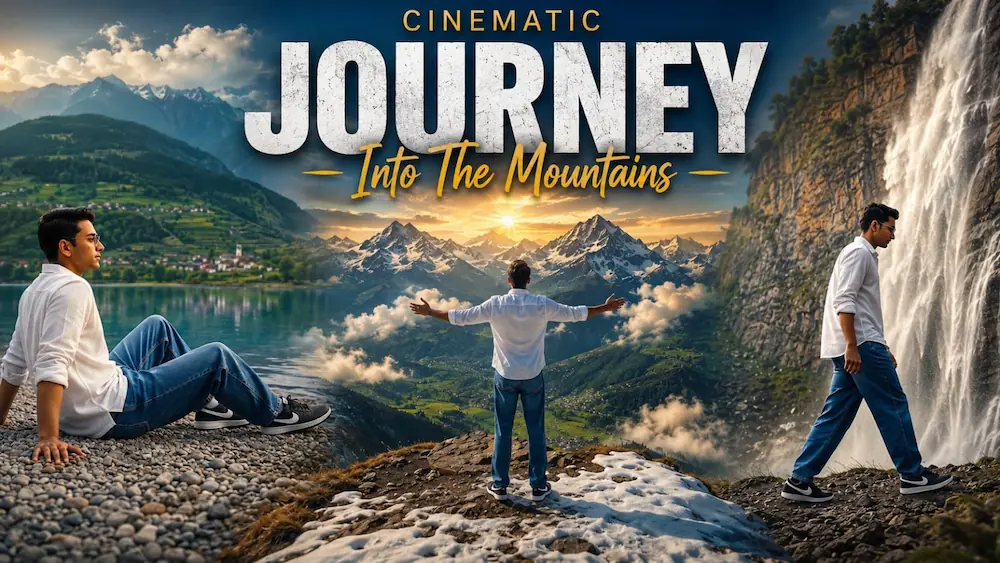
5. Kashmir Dreamscape Journey | Turquoise Lake to Snow Peaks
The Kashmir Dreamscape Journey creates a premium travel-film-style sequence across four cinematic mountain environments: a turquoise lake, an alpine flower meadow, a waterfall cliffside, and a snow-capped mountain viewpoint. The video uses a single reference photo as the identity source and maintains the same character throughout all seven scenes.
The character wears a white full-sleeve shirt, baggy denim jeans, and black Nike sneakers throughout. The sequence progresses from lakeshore walking and a peaceful seated lake scene to an open-arms alpine meadow moment, touching wildflowers, a waterfall hero shot, a waterfall-side walk, and a final aerial snow-mountain ending. The page specifies 16:9 widescreen and premium 8K quality, with dreamy blue-green grading and natural atmospheric depth.
Step-by-Step Workflow
Prepare a clear person reference photo.
Open Flow AI Video Generator.
Upload the reference photo as the exact identity source.
Copy the complete Kashmir Dreamscape Journey prompt.
Paste the prompt into Flow AI.
Select 16:9 landscape.
Choose the highest available or 8K-quality setting.
Generate the seven-scene sequence.
Check Scene 1: slow walking beside the turquoise mountain lake.
Review Scene 2: seated lakeshore composition.
Check Scene 3: aerial-style reveal of the alpine flower meadow with the open-arms pose.
Review Scene 4: kneeling and gently touching the wildflowers.
Check Scene 5: low-angle waterfall hero shot.
Review Scene 6: side-tracking walk near the waterfall.
Finish with Scene 7's aerial snow-capped mountain viewpoint.
Verify the same face, hairstyle, skin tone, natural proportions, and outfit throughout.
Check the transition between the lake, meadow, waterfall, and snow-mountain locations.
Maintain the dreamy blue-green color grade, natural daylight, mist, water, flowers, and snow details.
Check camera movement and make sure every transition feels smooth.
Verify that the seated lake scene, open-arms meadow pose, and final aerial pose are clearly visible.
Regenerate any scene with identity drift, distorted anatomy, or inconsistent clothing.
Perform the final quality check and export the completed 8K-style cinematic travel video.
Final Result
These five concepts cover mountain nature music videos, emotional riverside storytelling, deep-teal bridge cinematography, same-person twin effects, and Kashmir-style cinematic travel films.
For consistent AI video results, use a clear reference image and carefully lock the important elements: face identity, hairstyle, natural proportions, outfit, location, lighting, objects, camera movement, and color grading.
Before publishing, review every scene for facial consistency, hands, body movement, clothing, background continuity, lighting, camera motion, and unwanted AI distortions. These workflows can be adapted for Instagram Reels, YouTube Shorts, Facebook Reels, cinematic AI showcases, travel videos, and NoorEditing07 website tutorials.