Mountain Nature AI Video ek beautiful cinematic AI video concept hai jisme natural mountain landscapes, green hills, clear sky aur cinematic camera movements ko combine karke ek realistic music video create kiya ja sakta hai. Flow AI ki help se aap apni reference photo ko use karke character ko scenic mountain environment mein place kar sakte hain aur ek visually attractive nature-based video generate kar sakte hain.
Mountain locations naturally cinematic look provide karti hain. Tall mountains, green hills, open sky, trees, valleys aur distant landscapes video ko depth aur scale dete hain. AI video generation ke through in elements ko ek connected cinematic scene mein create kiya ja sakta hai. Agar aap music video, Instagram Reel ya YouTube Short ke liye creative content banana chahte hain, to ye concept useful ho sakta hai.
Is type ke AI video mein reference photo ka role important hota hai. Agar aap apne character ko video mein include karna chahte hain, to ek clear aur high-quality photo use karein. Face clearly visible hona chahiye aur image mein excessive blur ya heavy filters avoid karna better rahega. Prompt ke through character ke outfit, appearance aur overall styling ko consistent rakhne ke instructions diye ja sakte hain.
Mountain Nature AI Video ko cinematic banane ke liye camera movement bhi important hai. Slow tracking shot, wide landscape shot, smooth camera movement aur gentle cinematic motion jaise instructions video ko more natural presentation de sakte hain. Camera ko character ke around smoothly move karte hue mountain background reveal karne ka concept bhi use kiya ja sakta hai.
Natural lighting video ke overall appearance ko strongly affect karti hai. Morning light, golden-hour sunlight, soft daylight ya cloudy weather ke according aap apna desired atmosphere create kar sakte hain. Bright natural lighting mountain landscape ke colors ko highlight kar sakti hai, jabki soft overcast lighting ek calm cinematic mood create kar sakti hai.
Aap is concept ko music video style mein create kar sakte hain jahan character mountain road, green hillside, valley ya scenic viewpoint par walk karta hua दिखाई de. Different shots ko connected rakhne ke liye prompt mein location, outfit aur character consistency ko clearly describe karna useful hai.
Flow AI mein detailed prompt dene se AI ko desired environment aur visual direction samajhne mein help mil sakti hai. Prompt mein character, location, weather, lighting, camera movement, visual quality aur aspect ratio jaise important elements ko clearly define karein. Bahut zyada conflicting instructions dene ke bajay important details ko organized way mein describe karna better hota hai.
Agar aap Instagram Reels ya YouTube Shorts ke liye video bana rahe hain, to 9:16 vertical format suitable rahega. Is format mein character aur mountain landscape dono ko properly frame kiya ja sakta hai. Widescreen cinematic presentation ke liye 16:9 format choose kiya ja sakta hai.
AI-generated video create hone ke baad final result ko carefully review karna important hai. Face consistency, outfit, hands, body movement, background, mountain details aur camera motion ko check karein. Agar kisi scene mein unwanted changes aa rahe hain, to prompt ko refine karke video ko regenerate kiya ja sakta hai.
Mountain Nature AI Video ko travel content, cinematic music videos, nature reels, lifestyle edits aur creative AI projects ke liye use kiya ja sakta hai. Aap different mountain environments, seasons, weather conditions aur lighting styles ke saath multiple variations create kar sakte hain.
NoorEditing07 par aapko Flow AI prompts, cinematic AI video ideas, AI photo prompts, VN QR Code Templates aur trending editing tutorials mil sakte hain. Flow AI ki help se aap apni normal reference photo ko beautiful mountain environment mein transform karke ek cinematic nature music video create kar sakte hain.
Sabse Pehle Character Sheet Photo Banaai ChatGPT Se
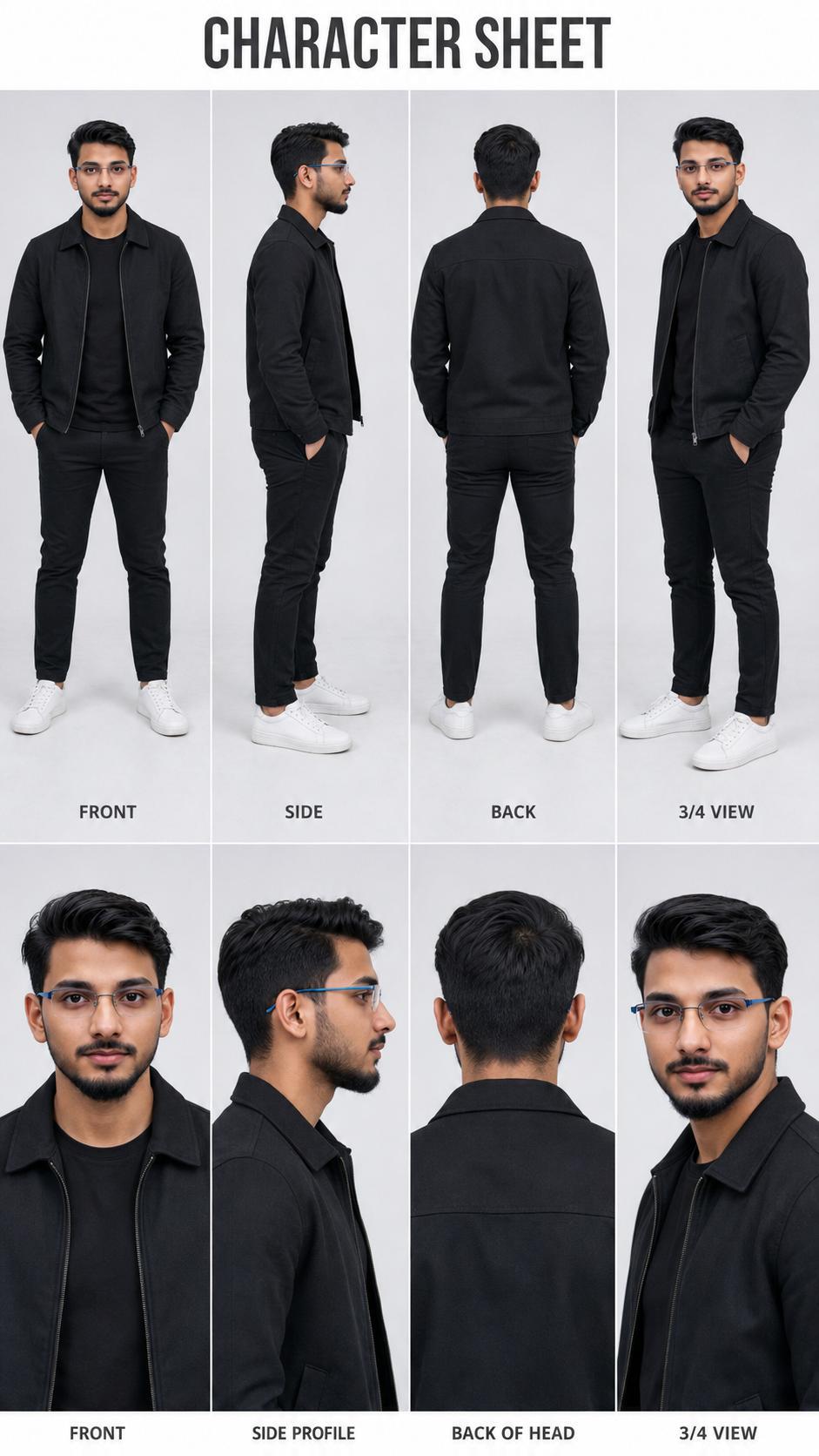
Use the uploaded image as the exact identity and face reference and generate a professional character sheet of the same person in a 9:16 ratio. Critical Identity Rules ( Strict ):The face must be 100% identical, preserving exact facial structure, skin tone, hairstyle, and proportions, with no stylization, cartoon, illustration, or CGI ; the output must look like a real photoshoot. Character Sheet Layout : Create a clean, minimal studio-style sheet with a top section showing full body views ( front relaxed pose, side left profile, back, and 3/4 angle ) and a bottom section with close-ups ( front neutral, side profile, back of head, and 3/4 ).
Use the uploaded image as the exact face reference and generate a professional character sheet of the same person in a 9:16 ratio.
Critical Identity Rules (Strict):
The face must be 100% identical, preserving exact facial structure, skin tone, hairstyle, and proportions, with no stylization, cartoon, illustration, or CGI; the output must look like a real photoshoot.
Character Sheet Layout:
Create a clean, minimal studio-style sheet with a top section showing full body views (Front View, Side View, Back View, and 3/4 Angle) and a bottom section with close-ups (Front Neutral, Side Profile, Back of Head, and 3/4 Close-up). Top title: "CHARACTER SHEET".
Style & Visual Look:
Fully photorealistic (not 3D or digital art), with soft diffused studio lighting, a clean neutral background (light grey/white gradient), natural skin texture with visible pores, and realistic shadows and depth.
Outfit:
Modern professional casual (black jacket, plain t-shirt, fitted pants, white sneakers), same across all views with realistic fabric texture.
Composition & Design:
Structured grid layout with even spacing, minimal clean design, labeled views, and an optional small info section with height, build, eye color, hair, and style notes.
Camera & Quality:
DSLR/mirrorless look, 50-85mm lens feel, sharp focus, high resolution, balanced exposure, natural colors.
Negative Instructions:
No cartoon/anime style, no 3D/CGI, no face modification, no exaggerated features, no artificial skin.
Watermark:
A small subtle watermark text "NoorEditing07" neatly placed at the bottom right corner.
✓
Prompt copied to clipboard!
AI Character Sheet Prompt Card
✦AI PHOTO PROMPT
Use the uploaded image as the exact identity and face reference and generate a professional character sheet of the same person in a 9:16 ratio. Critical Identity Rules ( Strict ):The face must be 100% identical, preserving exact facial structure, skin tone, hairstyle, and proportions, with no stylization, cartoon, illustration, or CGI ; the output must look like a real photoshoot. Character Sheet Layout : Create a clean, minimal studio-style sheet with a top section showing full body views ( front relaxed pose, side left profile, back, and 3/4 angle ) and a bottom section with close-ups ( front neutral, side profile, back of head, and 3/4 ).
Use the uploaded image as the exact face reference and generate a professional character sheet of the same person in a 9:16 ratio.
Critical Identity Rules (Strict):
The face must be 100% identical, preserving exact facial structure, skin tone, hairstyle, and proportions, with no stylization, cartoon, illustration, or CGI; the output must look like a real photoshoot.
Character Sheet Layout:
Create a clean, minimal studio-style sheet with a top section showing full body views (Front View, Side View, Back View, and 3/4 Angle) and a bottom section with close-ups (Front Neutral, Side Profile, Back of Head, and 3/4 Close-up). Top title: "CHARACTER SHEET".
Style & Visual Look:
Fully photorealistic (not 3D or digital art), with soft diffused studio lighting, a clean neutral background (light grey/white gradient), natural skin texture with visible pores, and realistic shadows and depth.
Outfit:
Modern professional casual (black jacket, plain t-shirt, fitted pants, white sneakers), same across all views with realistic fabric texture.
Composition & Design:
Structured grid layout with even spacing, minimal clean design, labeled views, and an optional small info section with height, build, eye color, hair, and style notes.
Camera & Quality:
DSLR/mirrorless look, 50-85mm lens feel, sharp focus, high resolution, balanced exposure, natural colors.
Negative Instructions:
No cartoon/anime style, no 3D/CGI, no face modification, no exaggerated features, no artificial skin.
Watermark:
A small subtle watermark text "NoorEditing07" neatly placed at the bottom right corner.
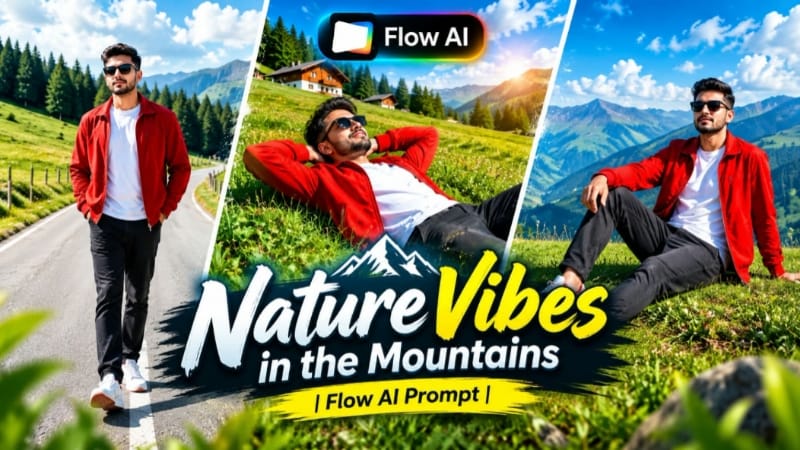
Cinematic 9:16 vertical 8K ultra-realistic music video sequence of a stylish young man enjoying nature on scenic green mountain hills under clear blue skies. [IDENTITY & FACE LOCK] Use uploaded reference photo for 100% exact facial identity, eyes, nose, lips, facial hair, and natural body proportions across all scenes. Skin is ultra-clean, smooth, blemish-free with zero pimples or acne, keeping lifelike DSLR texture. [OUTFIT & STYLING] Bright red zip-up jacket worn open over a crisp plain white t-shirt, dark charcoal relaxed-fit jeans, white sneakers with red accents, and dark black sunglasses.
Cinematic 9:16 vertical 8K ultra-realistic music video sequence of a stylish young man enjoying nature on scenic green mountain hills under clear blue skies.
[IDENTITY & FACE LOCK]
Use uploaded reference photo for 100% exact facial identity, eyes, nose, lips, facial hair, and natural body proportions across all scenes. Skin is ultra-clean, smooth, blemish-free with zero pimples or acne, keeping lifelike DSLR texture.
[OUTFIT & STYLING]
Bright red zip-up jacket worn open over a crisp plain white t-shirt, dark charcoal relaxed-fit jeans, white sneakers with red accents, and dark black sunglasses.
[7 EXACT SCENE BREAKDOWN]
- Scene 1: Side-angle medium shot; the man walks cheerfully across a lush green grassy meadow, opening both arms wide embracing the fresh breeze with dense pine forests behind.
- Scene 2: Low-angle tracking shot; he lies relaxed on the grassy slope with hands resting comfortably behind his head, gazing at the blue sky above with distant alpine cottages.
- Scene 3: Dynamic medium shot; he playfully jogs and runs forward across the elevated grass ridge with pine hills in the background.
- Scene 4: Standing profile shot; he stands still on the hill edge, looking thoughtfully toward the horizon with dense green trees framing the background.
- Scene 5: Eye-level frontal tracking shot; walking forward along an empty curved mountain asphalt road with hands casually tucked in pockets.
- Scene 6: Medium profile shot; walking down the green hill, glancing sideways with sunglasses on, looking relaxed and confident.
- Scene 7: Low-angle hero shot; sitting casually on a raised grassy mound, leaning back on one hand, gazing sideways toward distant mountains under scattered white clouds.
[COLOR & WATERMARK]
Vibrant natural daylight color grade, rich deep sky blues and saturated alpine greens, smooth gimbal camera motion, 9:16 aspect ratio. Clean semi-transparent white watermark 'NoorEditing07' fixed steadily in the bottom corner.
✓
Prompt copied to clipboard!
AI Video Prompt Card
✦AI VIDEO PROMPT
Cinematic 9:16 vertical 8K ultra-realistic music video sequence of a stylish young man enjoying nature on scenic green mountain hills under clear blue skies. [IDENTITY & FACE LOCK] Use uploaded reference photo for 100% exact facial identity, eyes, nose, lips, facial hair, and natural body proportions across all scenes. Skin is ultra-clean, smooth, blemish-free with zero pimples or acne, keeping lifelike DSLR texture. [OUTFIT & STYLING] Bright red zip-up jacket worn open over a crisp plain white t-shirt, dark charcoal relaxed-fit jeans, white sneakers with red accents, and dark black sunglasses.
Cinematic 9:16 vertical 8K ultra-realistic music video sequence of a stylish young man enjoying nature on scenic green mountain hills under clear blue skies.
[IDENTITY & FACE LOCK]
Use uploaded reference photo for 100% exact facial identity, eyes, nose, lips, facial hair, and natural body proportions across all scenes. Skin is ultra-clean, smooth, blemish-free with zero pimples or acne, keeping lifelike DSLR texture.
[OUTFIT & STYLING]
Bright red zip-up jacket worn open over a crisp plain white t-shirt, dark charcoal relaxed-fit jeans, white sneakers with red accents, and dark black sunglasses.
[7 EXACT SCENE BREAKDOWN]
- Scene 1: Side-angle medium shot; the man walks cheerfully across a lush green grassy meadow, opening both arms wide embracing the fresh breeze with dense pine forests behind.
- Scene 2: Low-angle tracking shot; he lies relaxed on the grassy slope with hands resting comfortably behind his head, gazing at the blue sky above with distant alpine cottages.
- Scene 3: Dynamic medium shot; he playfully jogs and runs forward across the elevated grass ridge with pine hills in the background.
- Scene 4: Standing profile shot; he stands still on the hill edge, looking thoughtfully toward the horizon with dense green trees framing the background.
- Scene 5: Eye-level frontal tracking shot; walking forward along an empty curved mountain asphalt road with hands casually tucked in pockets.
- Scene 6: Medium profile shot; walking down the green hill, glancing sideways with sunglasses on, looking relaxed and confident.
- Scene 7: Low-angle hero shot; sitting casually on a raised grassy mound, leaning back on one hand, gazing sideways toward distant mountains under scattered white clouds.
[COLOR & WATERMARK]
Vibrant natural daylight color grade, rich deep sky blues and saturated alpine greens, smooth gimbal camera motion, 9:16 aspect ratio. Clean semi-transparent white watermark 'NoorEditing07' fixed steadily in the bottom corner.
Sabse pehle apne phone mein ek clear aur high-quality reference photo ready karein. Photo mein face clearly visible hona chahiye, taki Flow AI character ko properly understand kar sake.
Ab Flow AI open karein aur image-to-video option select karein. Apni reference photo upload karein. Photo upload hone ke baad Mountain Nature AI Video ka prompt copy karein aur Flow AI ke prompt box mein paste karein.
Prompt mein mountain environment, green hills, scenic valley, natural lighting, character appearance aur cinematic camera movement ki details clearly mention karein. Agar aap apne outfit ko same rakhna chahte hain, to prompt mein outfit details bhi add karein.
Ab video ka aspect ratio select karein. Instagram Reels aur YouTube Shorts ke liye 9:16 vertical format choose karein. Agar aap widescreen cinematic music video banana chahte hain, to 16:9 format select kar sakte hain.
Ab Generate option par click karein. Flow AI aapki reference photo aur prompt ke according mountain environment mein cinematic video generate karega.
Generation complete hone ke baad video ka preview carefully check karein. Character ka face, hairstyle, outfit aur overall appearance consistent hai ya nahi, ye zaroor dekhein. Saath hi mountain background, trees, sky, lighting aur camera movement ko bhi check karein.
Agar video mein face ya character appearance mein unwanted changes aa rahe hain, to prompt ko refine karke dobara generate karein. Aap identity consistency, outfit consistency aur natural movement ko aur clearly mention kar sakte hain.
Better cinematic result ke liye natural lighting aur realistic camera movement use karein. Wide mountain shots ke saath character-focused shots combine karne se video mein visual variety aa sakti hai.
Final video satisfactory hone ke baad Export ya Save option ka use karein. Video ko social media par upload karne se pehle resolution aur aspect ratio check karna na bhoolen.
Is tarah aap Flow AI ki help se apni reference photo ko use karke ek realistic Mountain Nature Cinematic Music Video create kar sakte hain.
Mountain Nature AI VideoMountain AI VideoCinematic Nature VideoFlow AI PromptCinematic Music VideoMountain CinematicNature AI VideoFlow AI VideoAI Video PromptAI Photo To VideoMountain LandscapeCinematic AI EditingFlow AI TutorialNature Cinematic EditTrending AI Video
Mountain Nature AI VideoMountain AI VideoCinematic Nature VideoFlow AI PromptCinematic Music VideoMountain CinematicNature AI VideoFlow AI VideoAI Video PromptAI Photo To VideoMountain LandscapeCinematic AI EditingFlow AI TutorialNature Cinematic EditTrending AI Video
BMW M5, Humayun's Tomb, Bridge Walking, Lake City & Double Role AI Video Tutorial
AI video editing makes it possible to transform reference photos into cinematic luxury car commercials, heritage-location couple films, emotional bridge-walking stories, scenic lake-city videos, and creative same-person twin-effect videos. This combined tutorial covers five Flow AI concepts with a strong focus on identity consistency, outfit continuity, realistic movement, cinematic camera work, location consistency, and professional visual quality.
1. BMW M5 Desert Highway AI Video | Cinematic Car Shoot
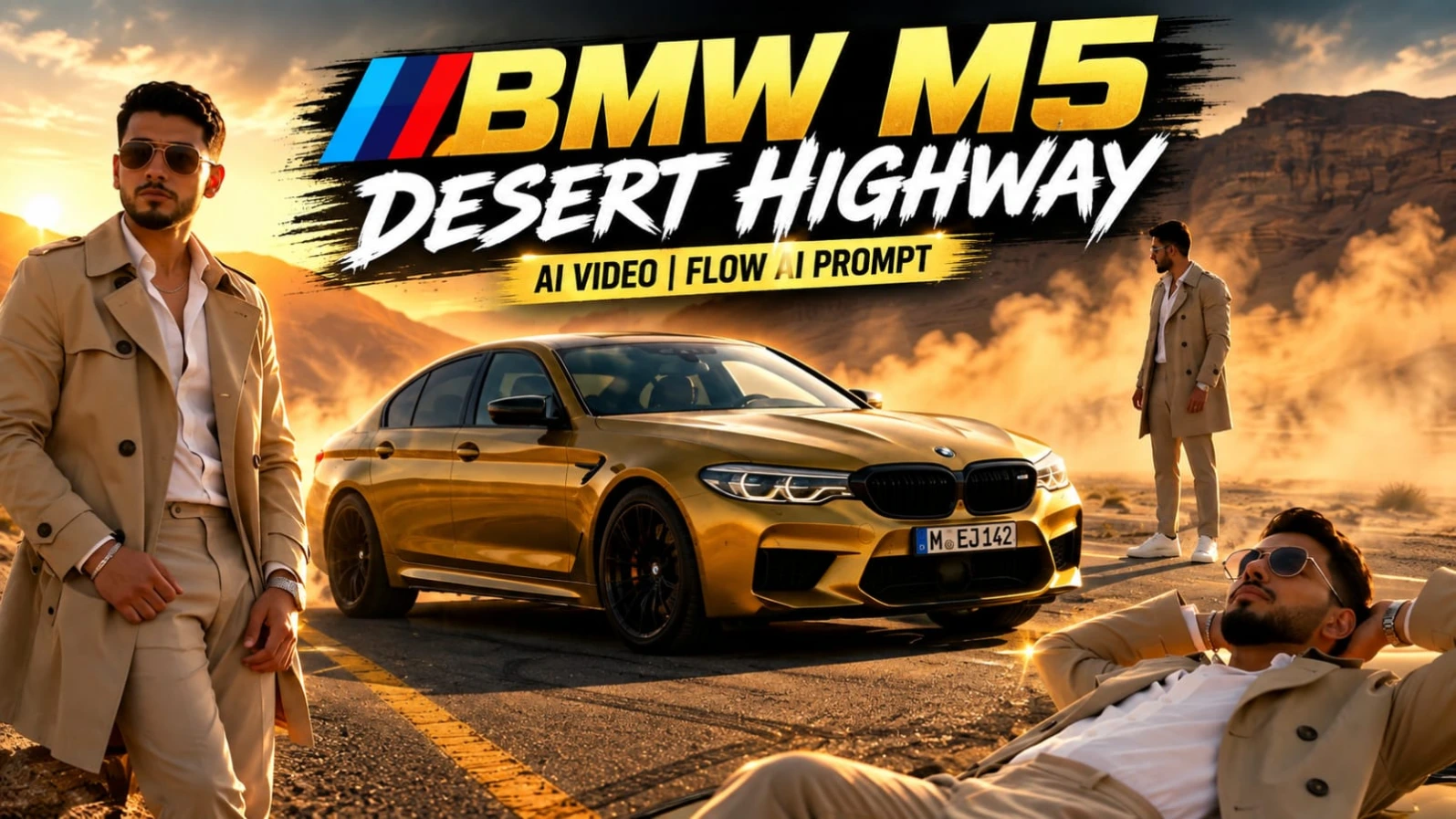
The BMW M5 Desert Highway AI Video transforms a single reference photo into a luxury automotive commercial-style cinematic video. The concept combines a metallic mustard-yellow BMW M5, empty desert highway, canyon mountains, golden-hour sunlight, drifting dust, and a premium fashion look.
The character wears a beige trench coat, open-collar white shirt, beige trousers, white sneakers, metallic wristwatch, silver chain, and aviator sunglasses. The video contains eight cinematic scenes, including low-angle car shots, a top-down drone view, close-up portrait, dynamic automotive action, car-roof composition, macro headlight shot, open-door portrait, and rapid commercial-style cuts. The recommended format is 16:9 with ultra-realistic 4K quality.
Step-by-Step Workflow
Prepare a clear, high-quality reference photo with the face and body clearly visible.
Create the character reference sheet in ChatGPT if you want additional identity references from multiple angles.
Open Flow AI and select the video creation workflow.
Upload the reference photo or prepared character reference as the identity source.
Copy the complete BMW M5 AI Video Prompt.
Paste the prompt into Flow AI without removing the identity-lock instructions.
Select 16:9 landscape format.
Choose the highest available quality or 4K option.
Generate the eight scenes in sequence.
Check Scene 1's low-angle front-fender composition.
Review the top-down drone shot, close-up portrait, and BMW burnout scene.
Check the car-roof composition and the extreme headlight/grille macro shot.
Review the open-door portrait and final rapid-cut commercial sequence.
Make sure the same face, hairstyle, outfit, body proportions, BMW appearance, desert highway, and golden-hour lighting remain consistent.
Check dust, reflections, vehicle details, hands, and camera movement for AI distortions.
Regenerate any scene with noticeable identity drift or visual inconsistencies.
Apply the warm golden-hour cinematic grade and subtle NoorEditing07 watermark.
Export the finished video in high quality.
2. Humayun's Tomb Couple Cinematic | Flow AI Video
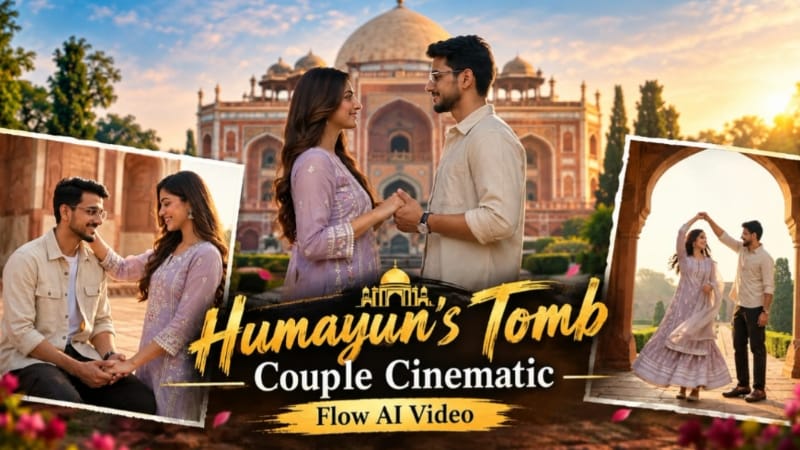
The Humayun's Tomb Couple Cinematic concept turns couple reference photos into a cinematic heritage-location travel video. The setting combines Mughal architecture, red sandstone pathways, green gardens, historic arches, and warm golden-hour morning light.
The detailed prompt uses eight cinematic scenes and a 16:9 ultra-realistic 8K fashion-film style. The sequence includes an intimate hand close-up, garden promenade, Mughal archway twirl, grand monument approach, vaulted corridor walk, an architectural couple scene, a terrace interaction, and a final balustrade shot.
Step-by-Step Workflow
Prepare clear, high-quality photos of both people.
Make sure both faces are clearly visible.
Open Flow AI and select Video Creation.
Upload both reference photos.
Use the uploaded photos as character references.
Add the Humayun's Tomb cinematic video prompt.
Keep the identity and outfit-preservation instructions.
Set Humayun's Tomb as the consistent heritage location.
Maintain the red sandstone architecture, green gardens, Mughal arches, and golden-hour lighting.
Generate the eight scenes in sequence.
Check the opening hand-holding close-up.
Review the garden pathway and Mughal archway twirl.
Check the grand approach and vaulted corridor sequence.
Review the architectural couple scene, terrace interaction, and final balustrade shot.
Verify both faces, hairstyles, clothing, accessories, and natural proportions throughout.
Check fabric movement, hands, camera motion, architecture, lighting, and background continuity.
Regenerate any scene with identity drift or unnatural movement.
Preview the complete video and export the final cinematic version.
3. Bridge Walking Cinematic AI Video | Deep Teal Moody Look
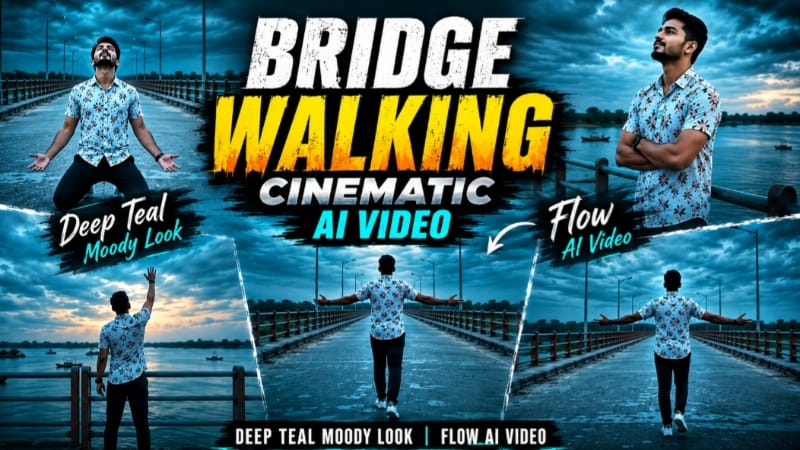
The Bridge Walking Cinematic AI Video creates an emotional solo cinematic story using one uploaded reference photo. The environment is a long concrete bridge stretching over a wide river, with teal-and-orange railings, distant greenery, small islands, boats, and a dramatic overcast dusk sky.
The character wears a white floral-print short-sleeve shirt, dark navy pants, and white sneakers throughout the seven-scene sequence. The defining visual style is a consistent deep-teal cinematic color grade, with evening light rather than a completely dark nighttime environment. The recommended format is 9:16 vertical at 1080p.
Step-by-Step Workflow
Prepare a clear reference photo with the person's face clearly visible.
Open Flow AI Video Generator.
Upload the reference photo.
Copy the complete Bridge Walking AI Video Prompt.
Paste the prompt into Flow AI.
Keep the identity-lock instructions intact.
Select 9:16 vertical format.
Choose 1080p or the highest available quality.
Generate the seven connected scenes.
Check Scene 1's rear wide shot with both arms spread.
Review the railing scene where the subject looks toward the sky.
Check the distant walking shot with the river and boats.
Review the front-facing kneeling scene and make sure the movement remains anatomically natural.
Check the side-profile walking shot.
Review the rear walking scene with the teal sky and bridge lamps.
Finish with the final railing pose and raised arm.
Ensure the same shirt, pants, sneakers, bridge, railing, river, sky, and deep-teal grade remain consistent.
Check face identity, hands, walking motion, body proportions, and background continuity.
Regenerate any scene with unwanted identity drift or visual distortion.
Export the final vertical cinematic video.
4. Lake City Cinematic AI Video | Same Face & Outfit
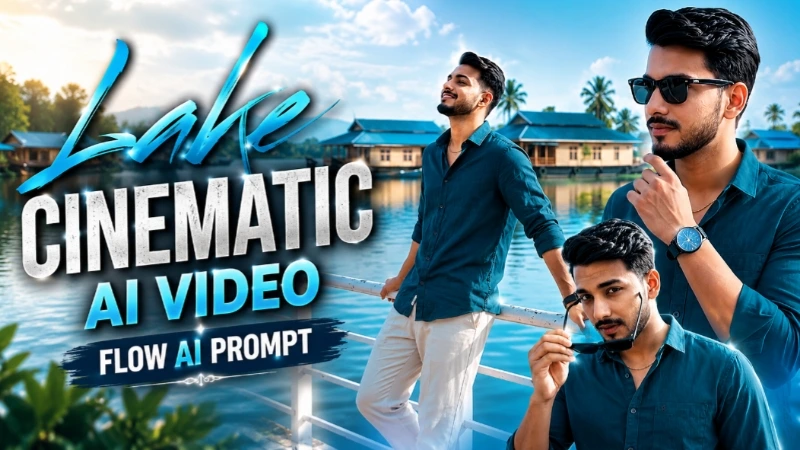
The Lake City Cinematic AI Video uses one clear full-body reference photo to create a scenic lakeside cinematic sequence. The location remains consistent throughout the video, featuring a calm lake, white metal railing, traditional blue-roofed houseboats, clear blue sky, soft clouds, and bright natural daylight.
The character maintains the same dark teal button-up shirt, light beige or cream pants, white sneakers, black watch, thin gold chain, and black sunglasses. The video contains eight connected scenes and is optimized for 9:16 vertical at 1080p.
Step-by-Step Workflow
Open Flow AI Video Generator.
Prepare a clear full-body reference photo.
Upload the reference photo.
Copy the complete Lake City Cinematic AI Video Prompt.
Paste the prompt into Flow AI.
Select 9:16 vertical format.
Choose 1080p or a higher available quality.
Generate the eight connected scenes.
Check the opening railing pose and slight smile.
Review the wide shot looking toward the sky.
Check the full-body lakeside walking scene.
Review the close-up sunglasses shot.
Check the sunglasses-wearing scene.
Review the thoughtful lakeside pose and the final hero shot.
Make sure the same face, hairstyle, skin tone, natural proportions, outfit, accessories, lake, railing, houseboats, sky, and lighting remain consistent.
Check walking motion, hands, sunglasses, camera movement, and background continuity.
Inspect the final framing and watermark placement.
Regenerate any scene containing identity drift or unnatural movement.
Export the completed cinematic lake-city video.
5. Double Role AI Video | Same Person Twin Effect
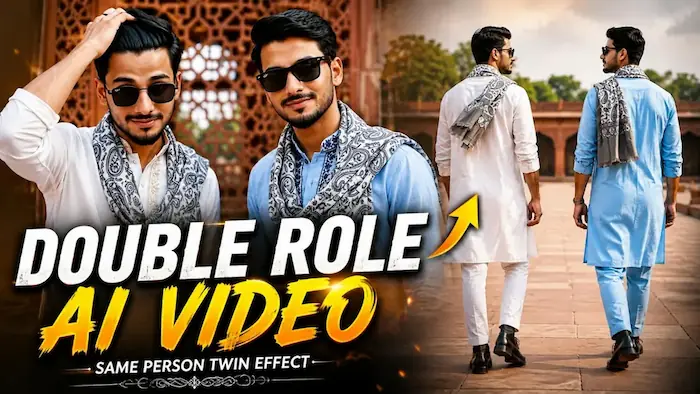
The Double Role AI Video creates a cinematic twin effect by placing two visually identical versions of the same person together in one frame. Both characters use the same facial identity, hairstyle, skin tone, body proportions, and natural appearance, while their outfits use different embroidery colors.
The two characters wear different kurta styles: one white with light golden-beige embroidery and the other light blue with dark navy-blue embroidery. Both have matching boots, black watches, and grey-and-white paisley mufflers. The entire eight-scene sequence takes place in the same red sandstone heritage monument courtyard with carved jaali walls, green trees, and soft natural daylight.
Step-by-Step Workflow
Prepare one clear, high-quality reference photo.
Open Flow AI Video Generator.
Upload the reference photo as the identity source.
Copy the Double Role / Twin Effect AI Video Prompt.
Paste the prompt into Flow AI.
Keep the instruction to generate two versions of the same person.
Make sure both figures use the same facial identity and natural proportions.
Maintain the two specified kurta designs and colors.
Keep both paisley mufflers, watches, and boots consistent.
Set the same heritage courtyard as the location for every scene.
Select 16:9 landscape format and 1080p resolution.
Generate the eight scenes.
Check the synchronized walking-feet shot.
Review the wristwatch close-up and rear courtyard composition.
Check the sunglasses scene and close-up hair-adjustment scene.
Review the full-body walking shot toward the camera.
Check the scene where both versions look toward each other.
Finish with the wide two-character hero shot.
Make sure both versions maintain the same face, hairstyle, skin tone, body proportions, and natural movement.
Check that the heritage architecture, lighting, courtyard, mufflers, watches, and clothing remain consistent.
Look for unwanted face morphing, duplicated objects, distorted hands, mismatched movements, or background changes.
Regenerate problematic scenes and perform a final continuity check.
Add the subtle NoorEditing07 watermark and export the final twin-effect video.
Final Result
These five concepts cover luxury BMW M5 cinematography, Humayun's Tomb couple travel videos, deep-teal bridge storytelling, scenic lake-city AI videos, and same-person double-role/twin effects.
For the best results, use clear reference images and keep the important elements locked throughout generation: face identity, hairstyle, natural proportions, clothing, location, lighting, objects, camera movement, and color grading.
Before exporting, carefully review faces, hands, body movement, clothing, vehicles, architecture, backgrounds, reflections, and scene-to-scene continuity. With detailed Flow AI prompts and strong reference images, these concepts can be adapted for Instagram Reels, YouTube Shorts, Facebook Reels, cinematic AI showcases, and NoorEditing07 website tutorials.