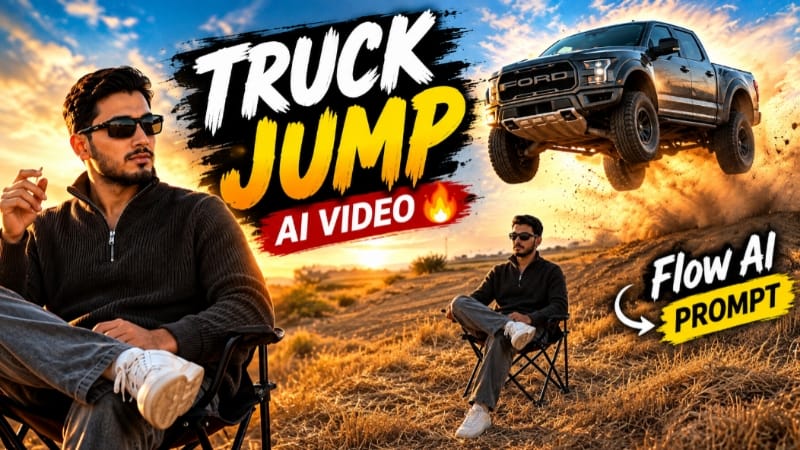
Snap Finger Truck Jump AI Video is a creative AI video concept that combines a simple finger-snap action with a dramatic Ford Raptor truck transition. The idea is designed for creators who want to turn a normal reference photo into an eye-catching cinematic video using Flow AI.
The main visual effect begins with the person standing in a cinematic outdoor environment. The subject performs a simple finger-snap gesture, and the scene then transitions into a powerful truck-focused sequence. A Ford Raptor-style pickup truck becomes the main visual element, creating the feeling of a transformation or cinematic reveal.
The reference photo can be used to maintain the subject's appearance throughout the video. For better consistency, use a clear and high-quality image where the face and overall appearance are easily visible. The AI prompt should clearly instruct the model to maintain the same person, hairstyle, outfit and overall visual identity throughout the connected scenes.
The opening scene can use a medium or wide shot of the subject standing confidently in the environment. The camera can slowly move toward the subject while natural environmental movement adds realism. When the finger-snap action happens, the video can transition into the truck reveal using a quick cinematic camera movement.
The Ford Raptor sequence can use low-angle automotive shots, front three-quarter views, side tracking shots and wide environmental compositions. These camera angles help make the truck appear visually prominent while keeping the transition connected to the opening scene.
The truck can be shown moving through a suitable off-road or open outdoor environment with dust and atmospheric effects. The background can include a rugged landscape, open road or cinematic outdoor setting. Realistic lighting and environmental details can make the generated sequence feel more like a professionally filmed automotive commercial.
The snap transition is the key creative element of this concept. Instead of using a conventional editing transition, the finger movement becomes the trigger for the visual change. This can create a satisfying before-and-after effect that works particularly well for short-form social media content.
Flow AI can be used to generate the different video scenes from the reference image and detailed prompt. The prompt should describe the character, finger-snap action, truck appearance, camera movement, environment, lighting and transition timing clearly. Detailed instructions can help the generated scenes feel more connected.
Cinematic lighting can include warm sunlight, dramatic highlights and controlled shadows. Dust particles and subtle motion effects can add depth to the truck sequence. However, environmental effects should remain realistic so that the subject and vehicle stay clearly visible.
The video can be generated in 9:16 vertical format for Instagram Reels and YouTube Shorts. A 16:9 version can also be created for landscape video content. Before publishing, creators should check the complete sequence for face consistency, hand details, finger movement, vehicle proportions and transition quality.
This concept can also be customized with different outfits, backgrounds, camera movements and truck reveal styles. The basic finger-snap transition can remain the central idea while the surrounding environment and cinematic treatment can be changed according to the creator's preference.
A small NoorEditing07 watermark can be placed in the bottom corner for branding. Keeping the watermark subtle allows the main truck transformation and cinematic effect to remain the focus.
Overall, Snap Finger Truck Jump AI Video combines a simple hand gesture with an automotive cinematic reveal. Using a clear reference photo and a detailed Flow AI prompt, creators can experiment with a visually engaging truck transition suitable for short-form AI video content.
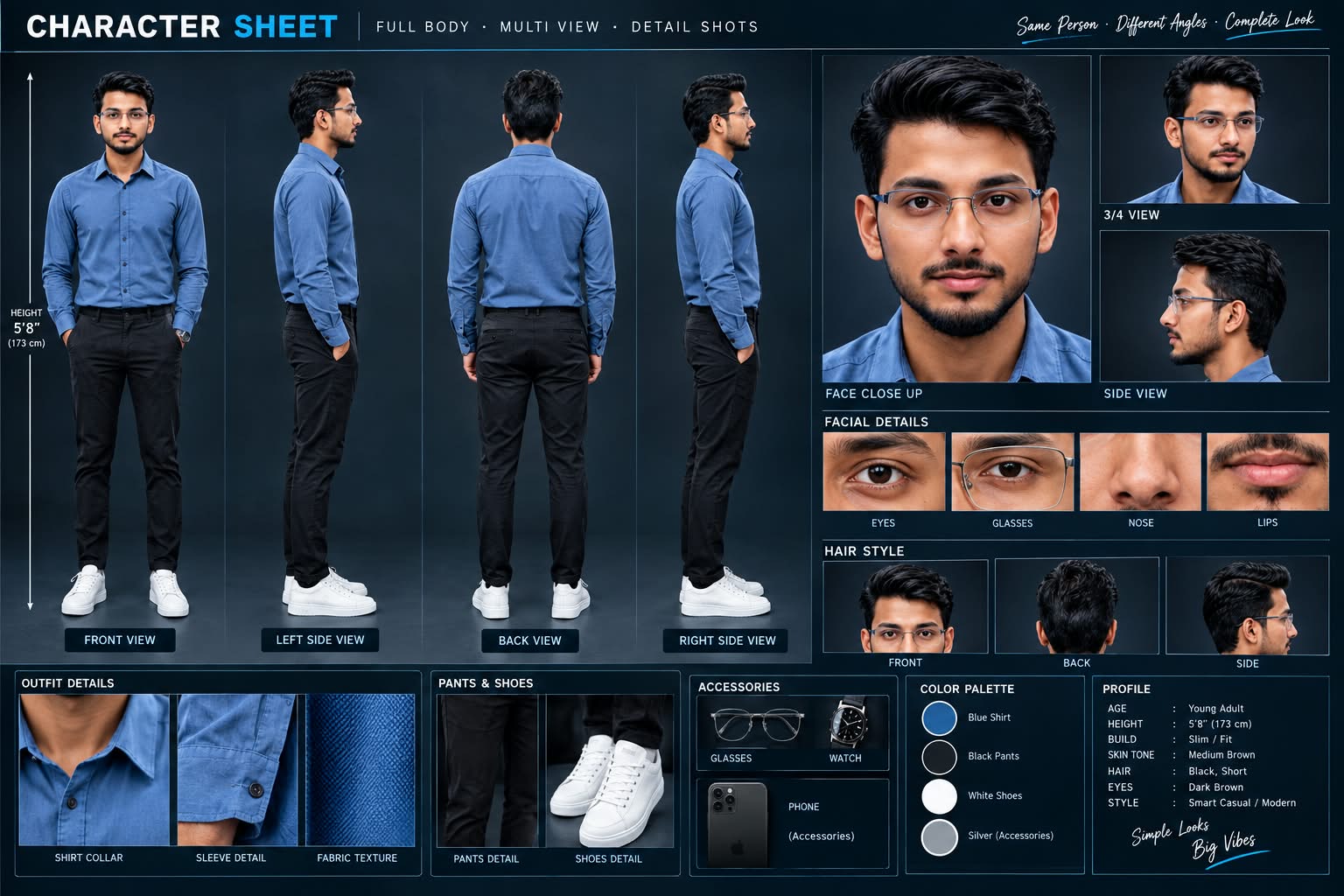
Sabse Pehle Character Sheet Photo Banaai ChatGPT Se
A premium, professional, ultra-photorealistic full-body character reference sheet for the person identified in the uploaded photo. The sheet is presented in a clean professional studio environment with a dark, luxury background. The character's identity, facial features, skin tone, body proportions, hairstyle, and transparent-frame glasses are perfectly consistent with the reference photo. The character is wearing the exact outfit from the reference: a mustard-yellow polo shirt with white piping, black slim-fit pants, and white sneakers. The layout is an elegant grid containing: 1. Full-body front view, 2. Full-body left side view, 3. Full-body back view, 4. Full-body right side view. 5. Large face close-up, 6. 3/4 face view, 7. Side-profile face view. 8. Detailed eye, glasses, nose, and lips reference crops. 9. Hair front, back, and side reference. 10. Shirt collar, sleeve, and fabric texture details. 11. Pants and sneaker detail shots. 12. Accessories reference. All views depict the same person with high-end cinematic lighting, extremely sharp facial details, realistic skin texture, natural hair strands, realistic fabric texture, accurate clothing stitching, and physically accurate lighting with subtle shadows. The full body is completely visible in all turnaround views, including both shoes. The presentation features sophisticated typography, thin clean borders, and balanced spacing. No watermarks, cartoons, or distortions are present.
A premium, professional, ultra-photorealistic full-body character reference sheet for the person identified in the uploaded photo. The sheet is presented in a clean professional studio environment with a dark, luxury background. The character's identity, facial features, skin tone, body proportions, hairstyle, and transparent-frame glasses are perfectly consistent with the reference photo. The character is wearing the exact outfit from the reference: a mustard-yellow polo shirt with white piping, black slim-fit pants, and white sneakers. The layout is an elegant grid containing: 1. Full-body front view, 2. Full-body left side view, 3. Full-body back view, 4. Full-body right side view. 5. Large face close-up, 6. 3/4 face view, 7. Side-profile face view. 8. Detailed eye, glasses, nose, and lips reference crops. 9. Hair front, back, and side reference. 10. Shirt collar, sleeve, and fabric texture details. 11. Pants and sneaker detail shots. 12. Accessories reference. All views depict the same person with high-end cinematic lighting, extremely sharp facial details, realistic skin texture, natural hair strands, realistic fabric texture, accurate clothing stitching, and physically accurate lighting with subtle shadows. The full body is completely visible in all turnaround views, including both shoes. The presentation features sophisticated typography, thin clean borders, and balanced spacing. No watermarks, cartoons, or distortions are present.
✓
Prompt copied to clipboard!
AI Video Prompt
✦AI PHOTO PROMPT
A premium, professional, ultra-photorealistic full-body character reference sheet for the person identified in the uploaded photo. The sheet is presented in a clean professional studio environment with a dark, luxury background. The character's identity, facial features, skin tone, body proportions, hairstyle, and transparent-frame glasses are perfectly consistent with the reference photo. The character is wearing the exact outfit from the reference: a mustard-yellow polo shirt with white piping, black slim-fit pants, and white sneakers. The layout is an elegant grid containing: 1. Full-body front view, 2. Full-body left side view, 3. Full-body back view, 4. Full-body right side view. 5. Large face close-up, 6. 3/4 face view, 7. Side-profile face view. 8. Detailed eye, glasses, nose, and lips reference crops. 9. Hair front, back, and side reference. 10. Shirt collar, sleeve, and fabric texture details. 11. Pants and sneaker detail shots. 12. Accessories reference. All views depict the same person with high-end cinematic lighting, extremely sharp facial details, realistic skin texture, natural hair strands, realistic fabric texture, accurate clothing stitching, and physically accurate lighting with subtle shadows. The full body is completely visible in all turnaround views, including both shoes. The presentation features sophisticated typography, thin clean borders, and balanced spacing. No watermarks, cartoons, or distortions are present.
A premium, professional, ultra-photorealistic full-body character reference sheet for the person identified in the uploaded photo. The sheet is presented in a clean professional studio environment with a dark, luxury background. The character's identity, facial features, skin tone, body proportions, hairstyle, and transparent-frame glasses are perfectly consistent with the reference photo. The character is wearing the exact outfit from the reference: a mustard-yellow polo shirt with white piping, black slim-fit pants, and white sneakers. The layout is an elegant grid containing: 1. Full-body front view, 2. Full-body left side view, 3. Full-body back view, 4. Full-body right side view. 5. Large face close-up, 6. 3/4 face view, 7. Side-profile face view. 8. Detailed eye, glasses, nose, and lips reference crops. 9. Hair front, back, and side reference. 10. Shirt collar, sleeve, and fabric texture details. 11. Pants and sneaker detail shots. 12. Accessories reference. All views depict the same person with high-end cinematic lighting, extremely sharp facial details, realistic skin texture, natural hair strands, realistic fabric texture, accurate clothing stitching, and physically accurate lighting with subtle shadows. The full body is completely visible in all turnaround views, including both shoes. The presentation features sophisticated typography, thin clean borders, and balanced spacing. No watermarks, cartoons, or distortions are present.
Cinematic 9:16 vertical ultra-realistic 4K video of a man sitting in an open dry field during golden hour sunset. [IDENTITY & SKIN] Lock 100% exact facial identity, features, and natural body proportions from the uploaded reference photo without alteration. Smooth, clean, blemish-free skin with natural DSLR texture. [OUTFIT & STYLING] Dark brown/charcoal knit zip sweater, grey relaxed-fit trousers, white sneakers, and black sports sunglasses. Sitting cross-legged on a black folding camp chair in a dry harvested field with golden hay stubble.
Cinematic 9:16 vertical ultra-realistic 4K video of a man sitting in an open dry field during golden hour sunset.
[IDENTITY & SKIN]
Lock 100% exact facial identity, features, and natural body proportions from the uploaded reference photo without alteration. Smooth, clean, blemish-free skin with natural DSLR texture. Fits accurately for any uploaded user image.
[OUTFIT & STYLING]
Dark brown/charcoal knit zip sweater, grey relaxed-fit trousers, white sneakers, and black sports sunglasses. Sitting cross-legged on a black folding camp chair in a dry harvested field with golden hay stubble.
[ACTION & SEQUENCE]
- Scene 1: The man sits calmly on the folding chair facing slightly sideways, looking cool and composed.
- Scene 2: He raises his right hand and snaps his fingers in slow motion.
- Scene 3: Instantly on the snap, a massive grey Ford F-150 Raptor truck leaps high into the air from a dirt ridge directly behind him, flying over the hill with a massive explosion of brown dust.
- Scene 4: The truck lands heavily behind him kicking up a huge dust cloud while the man remains completely calm and unbothered, looking toward the camera.
[LIGHTING & WATERMARK]
Warm golden-hour sunlight, cinematic dust physics, rich natural contrast, 4K quality, 9:16 vertical ratio. A clean, subtle, low-opacity white watermark 'NoorEditing07' fixed steadily in the bottom corner.
✓
Prompt copied to clipboard!
AI Video Prompt Card
✦AI VIDEO PROMPT
Cinematic 9:16 vertical ultra-realistic 4K video of a man sitting in an open dry field during golden hour sunset. [IDENTITY & SKIN] Lock 100% exact facial identity, features, and natural body proportions from the uploaded reference photo without alteration. Smooth, clean, blemish-free skin with natural DSLR texture. [OUTFIT & STYLING] Dark brown/charcoal knit zip sweater, grey relaxed-fit trousers, white sneakers, and black sports sunglasses. Sitting cross-legged on a black folding camp chair in a dry harvested field with golden hay stubble.
Cinematic 9:16 vertical ultra-realistic 4K video of a man sitting in an open dry field during golden hour sunset.
[IDENTITY & SKIN]
Lock 100% exact facial identity, features, and natural body proportions from the uploaded reference photo without alteration. Smooth, clean, blemish-free skin with natural DSLR texture. Fits accurately for any uploaded user image.
[OUTFIT & STYLING]
Dark brown/charcoal knit zip sweater, grey relaxed-fit trousers, white sneakers, and black sports sunglasses. Sitting cross-legged on a black folding camp chair in a dry harvested field with golden hay stubble.
[ACTION & SEQUENCE]
- Scene 1: The man sits calmly on the folding chair facing slightly sideways, looking cool and composed.
- Scene 2: He raises his right hand and snaps his fingers in slow motion.
- Scene 3: Instantly on the snap, a massive grey Ford F-150 Raptor truck leaps high into the air from a dirt ridge directly behind him, flying over the hill with a massive explosion of brown dust.
- Scene 4: The truck lands heavily behind him kicking up a huge dust cloud while the man remains completely calm and unbothered, looking toward the camera.
[LIGHTING & WATERMARK]
Warm golden-hour sunlight, cinematic dust physics, rich natural contrast, 4K quality, 9:16 vertical ratio. A clean, subtle, low-opacity white watermark 'NoorEditing07' fixed steadily in the bottom corner.
Sabse pehle ek clear reference photo select karein jisme person's face aur body clearly visible ho. High-quality reference image use karna better rahega taaki Flow AI character ko accurately understand kar sake.
Ab Flow AI open karein aur reference photo upload karein. Photo ko character reference ke roop mein use karein. Iske baad Snap Finger Truck Jump AI Video ka complete prompt copy karke Flow AI mein paste karein.
Prompt mein identity consistency, finger-snap action, Ford Raptor-style truck, outdoor environment, camera movements, lighting aur cinematic transition ki details maintain karein.
Ab required video format select karein. Instagram Reels aur YouTube Shorts ke liye 9:16 format suitable hai. Landscape video ke liye 16:9 format select kiya ja sakta hai. Available high-quality settings ko choose karein.
Video generate karte waqt opening scene mein subject ko naturally standing position mein rakhein. Camera subject ki taraf smoothly move kare aur finger-snap gesture ke moment par cinematic transition create ho. Snap ke baad truck reveal ko low-angle aur wide automotive shots ke saath continue karein.
Truck sequence mein vehicle movement, dust, road environment aur cinematic lighting ko realistic rakhein. Camera ko front, side aur low-angle positions se use kiya ja sakta hai taaki truck ka detailed cinematic appearance aaye.
Generation complete hone ke baad video ko carefully check karein. Face, hairstyle, outfit, hands aur finger-snap movement consistent hain ya nahi, ye zaroor dekhein. Truck ke shape, wheels aur proportions bhi check karein.
Agar kisi scene mein unwanted changes दिखाई दें, to us scene ko stronger reference aur specific instructions ke saath regenerate karein.
Final video mein smooth transitions, realistic motion, cinematic lighting aur balanced color grading maintain karein. Zarurat ho to editing app mein generated clips ko arrange karke final timing adjust karein.
Last mein small low-opacity "NoorEditing07" watermark add karein aur video ko high quality mein export karein.
Snap Finger Truck Jump AI VideoFord Raptor AI VideoFord Raptor Cinematic EffectTruck Jump AI VideoTruck Reveal AI VideoFlow AI PromptFlow AI VideoFinger Snap AI VideoAutomotive AI VideoCinematic Truck VideoAI Photo To VideoTruck TransitionCinematic AI VideoAI Video EditingNoorEditing07
Snap Finger Truck Jump AI VideoFord Raptor AI VideoFord Raptor Cinematic EffectTruck Jump AI VideoTruck Reveal AI VideoFlow AI PromptFlow AI VideoFinger Snap AI VideoAutomotive AI VideoCinematic Truck VideoAI Photo To VideoTruck TransitionCinematic AI VideoAI Video EditingNoorEditing07
Royal Enfield Misty Lake, Gym to Dream Girl, Lake City, Rose Couple & 1 Photo Bollywood AI Video Tutorial
AI video editing makes it possible to transform ordinary reference photos into cinematic mountain motorcycle rides, gym-to-dream storytelling, scenic lake-city videos, romantic rose couple stories, and Bollywood-style beach videos. This combined tutorial covers five creative AI video concepts using Flow AI, with a strong focus on realistic identity preservation, consistent outfits, smooth camera movement, cinematic environments, and high-quality output.
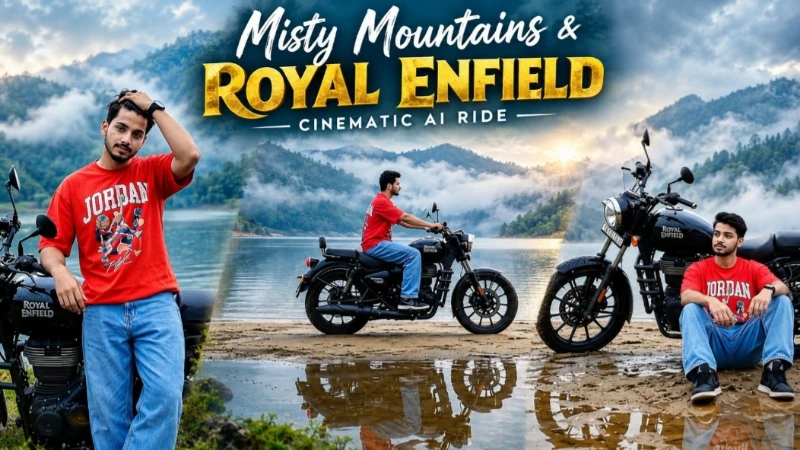
1. Royal Enfield Misty Lake Mountain Ride AI Video
Create a premium Royal Enfield Misty Lake Cinematic AI Video using one clear reference photo and Flow AI. The concept places the subject beside a black Royal Enfield cruiser at a peaceful misty lakeside surrounded by foggy mountains, calm water, wet ground, and atmospheric fog.
The seven-scene sequence includes motorcycle-side poses, a cinematic double-exposure transition, a lakeside walk, a close-up hair-adjusting shot, a motorcycle ride across a narrow sandbar, and a final relaxed composition beside the lake. The same person, outfit, motorcycle, environment, and lighting remain consistent throughout the sequence. The page specifies 16:9 widescreen and 4K-quality cinematic presentation.
Step-by-Step Workflow
Step 1: Prepare a clear, high-quality reference photo.
Step 2: Open the Flow AI Video Generator.
Step 3: Upload the reference photo as the exact identity reference.
Step 4: Copy the complete Royal Enfield Misty Lake Cinematic AI Video Prompt from the tutorial.
Step 5: Paste the prompt into Flow AI.
Step 6: Select 16:9 Landscape format.
Step 7: Select the highest available quality, preferably 4K where supported.
Step 8: Generate the complete seven-scene cinematic sequence.
Step 9: Check the face, hairstyle, skin tone, height, body proportions, outfit and motorcycle for consistency.
Step 10: Check the misty lake, foggy mountains, wet ground, sandbar and reflections for location continuity.
Step 11: Carefully review the double-exposure scene and motorcycle-riding scene for unnatural movement or distortion.
Step 12: Export the final video after checking the complete sequence.
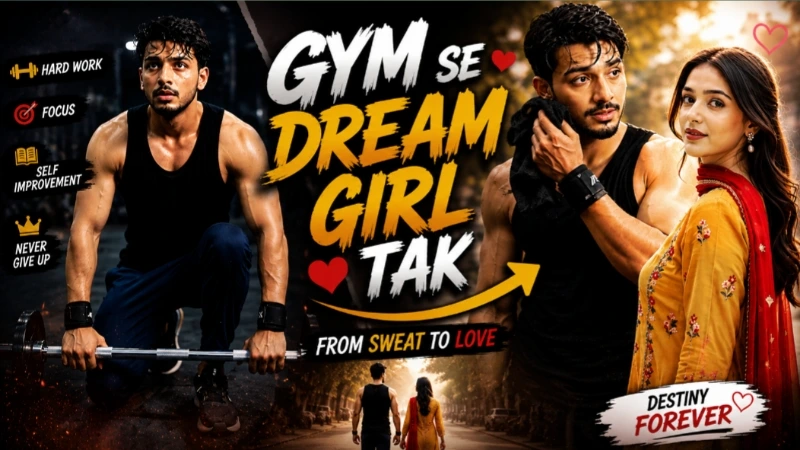
2. Gym Se Dream Girl Tak Cinematic AI Video
The Gym Se Dream Girl Tak AI Video combines realistic gym footage with dreamy imagination sequences. Two reference photos are used: Photo 1 for the man and Photo 2 for the woman. The gym scenes use a dark industrial environment with gritty cinematic lighting, while the dream scenes use bright daylight, pastel tones, soft glow, and a slightly hazy appearance.
The seven-scene sequence alternates between the man's workout and his imagination of the woman. The man's black tank top, navy joggers and wrist wraps remain consistent, while the woman's mustard-yellow traditional outfit, red dupatta and accessories remain consistent throughout her dream scenes.
Step-by-Step Workflow
Step 1: Prepare two clear, high-quality reference photos.
Step 2: Open Flow AI Video Generator.
Step 3: Upload Photo 1 as the man's identity reference.
Step 4: Upload Photo 2 as the woman's identity reference.
Step 5: Copy the complete Gym to Dream Girl Cinematic AI Video Prompt.
Step 6: Paste the prompt into Flow AI.
Step 7: Select 9:16 Vertical format.
Step 8: Select the available 1080p/highest-quality setting.
Step 9: Generate the cinematic sequence.
Step 10: Check both faces, hairstyles, skin tones, heights and body proportions against the reference photos.
Step 11: Check that the gym scenes retain their dark industrial appearance and the dream scenes retain their soft pastel visual style.
Step 12: Review hands, body movement, background, clothing and transitions for AI distortions.
Step 13: Export the final video after confirming the reality-to-dream visual contrast is consistent.
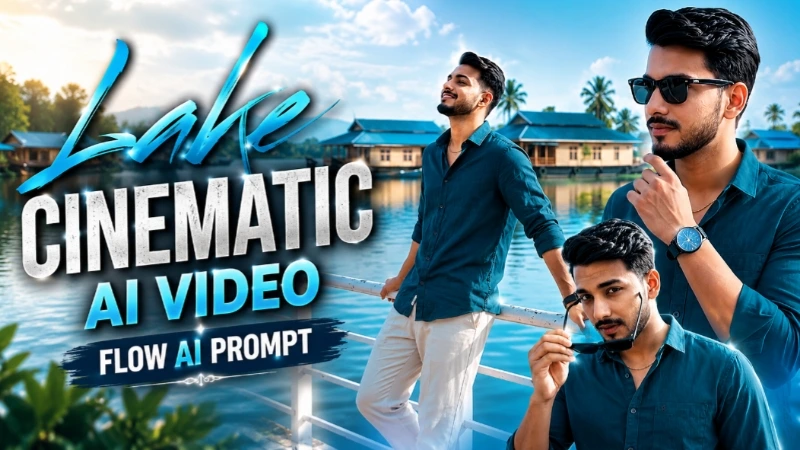
3. Lake City Cinematic AI Video
The Lake City Cinematic AI Video uses one full-body reference photo to create an eight-scene cinematic lakeside sequence. The same face, hairstyle, skin tone, body build, height, outfit and natural proportions are maintained throughout.
The environment features a calm lake, white railing, traditional blue-roofed houseboats, clear blue sky and soft clouds. The sequence includes railing poses, looking toward the sky, lakeside walking, sunglasses interactions and a final cinematic hero shot. The tutorial specifies 9:16 vertical format and 1080p.
Step-by-Step Workflow
Step 1: Open Flow AI Video Generator.
Step 2: Upload a clear full-body reference photo.
Step 3: Copy the complete Lake City Cinematic AI Video Prompt.
Step 4: Paste the prompt into Flow AI.
Step 5: Select 9:16 Vertical format.
Step 6: Select the available 1080p or higher-quality option.
Step 7: Generate the eight connected scenes.
Step 8: Check that the same face, hairstyle, skin tone, height and body proportions remain consistent.
Step 9: Confirm that the dark teal shirt, light beige pants, white sneakers, watch, chain and sunglasses remain unchanged.
Step 10: Check that the lake, white railing, houseboats, sky and lighting remain consistent across all scenes.
Step 11: Review walking animation, hands, sunglasses and camera movement.
Step 12: Export the final cinematic video after checking the complete sequence.
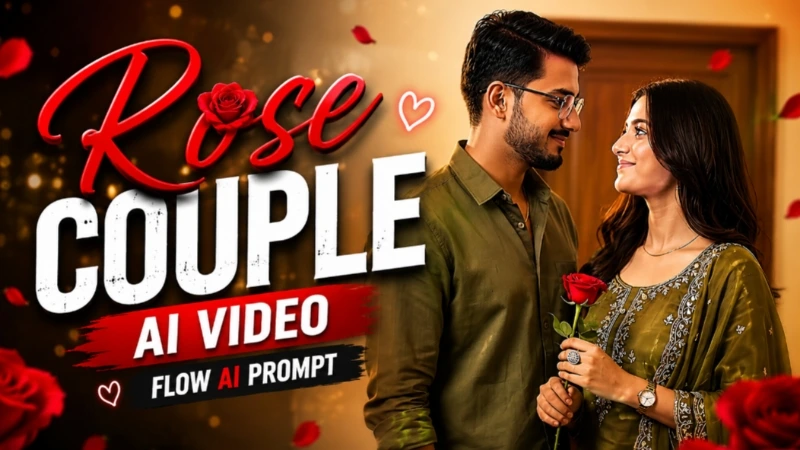
4. Rose Couple Romantic AI Video
The Rose Couple AI Video creates an eight-scene romantic love story using two reference photos. Photo 1 is used for the man and Photo 2 for the woman. Both identities, facial features, hairstyles, skin tones and body proportions are kept consistent throughout the video.
The couple remains in the same elegant indoor environment with cream-coloured walls, a wooden door and warm ambient lighting. The story includes walking, eye contact, a red-rose exchange, close-up emotional shots and a final couple composition. The recommended output is 9:16 vertical at 1080p.
Step-by-Step Workflow
Step 1: Open Flow AI.
Step 2: Upload the male reference photo as Photo 1.
Step 3: Upload the female reference photo as Photo 2.
Step 4: Copy the complete Rose Couple AI Video Prompt.
Step 5: Paste the prompt into Flow AI.
Step 6: Select 9:16 Vertical format.
Step 7: Select 1080p resolution.
Step 8: Generate the eight-scene cinematic couple video.
Step 9: Check both faces, hairstyles, skin tones, body builds and proportions.
Step 10: Confirm that both outfits remain consistent throughout the scenes.
Step 11: Check that the cream wall, wooden door, warm lighting and indoor environment remain unchanged.
Step 12: Review the rose exchange, hands, expressions and camera movement carefully.
Step 13: Export the final video after reviewing all eight scenes.
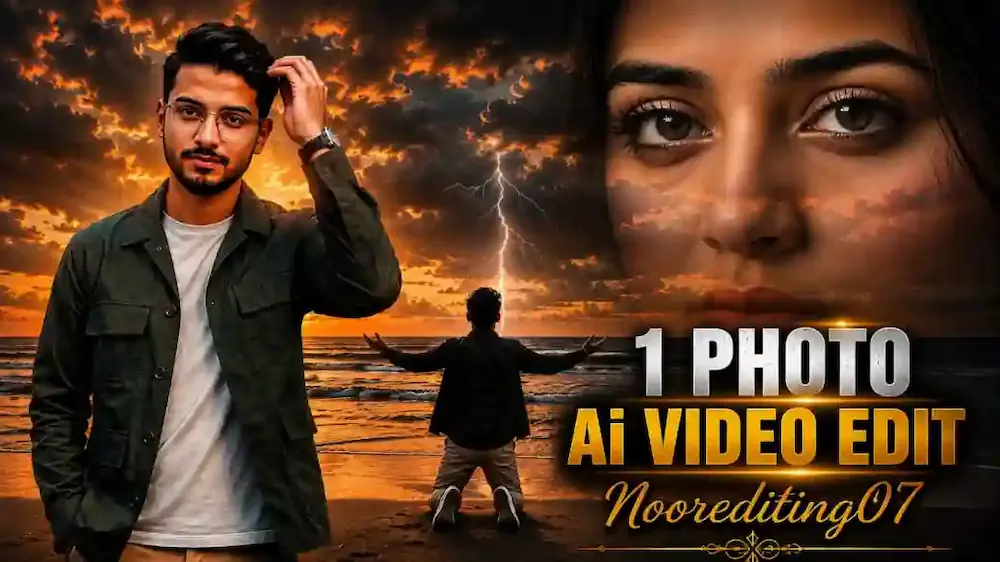
5. 1 Photo Se Bollywood Cinematic AI Video
The 1 Photo Se Bollywood Cinematic AI Video demonstrates how a single reference photo can be transformed into a cinematic beach sequence. The concept uses one uploaded photo as the identity source and maintains the same face, body, hairstyle, clothing and overall appearance throughout the video.
The sequence begins with the subject standing on a beach and adjusting his hair, followed by a smooth 180-degree turn toward the ocean. He then opens both arms and moves into an emotional Bollywood-style kneeling pose. The final section adds dark clouds, ocean waves, sunset reflections and cinematic lightning. The tutorial specifies 9:16 vertical format and high-quality cinematic output.
Step-by-Step Workflow
Step 1: Open Flow AI.
Step 2: Upload one clear reference photo.
Step 3: Copy the complete 1 Photo Bollywood Cinematic AI Video Prompt.
Step 4: Paste the prompt into Flow AI.
Step 5: Select 9:16 Vertical format.
Step 6: Set the requested video duration according to the prompt.
Step 7: Generate the cinematic beach sequence.
Step 8: Check that the face, hairstyle, clothing, body proportions and identity remain consistent with the uploaded photo.
Step 9: Check that the 180-degree rotation is smooth and continuous without jumps or morphing.
Step 10: Review the arms-open and kneeling sequence for natural body and hand movement.
Step 11: Check the ocean, dark clouds, sunset, wind and lightning effects.
Step 12: Review the complete video for face changes, body distortion, extra characters, flickering or background inconsistencies.
Step 13: Export the final Bollywood-style cinematic video after completing the quality check.
Final Result
These five techniques cover Royal Enfield Misty Lake Mountain Ride, Gym Se Dream Girl Tak, Lake City Cinematic Video, Rose Couple Romantic Video, and 1 Photo Bollywood Cinematic Video.
For the best results, always use clear reference photos, lock the subject's identity, maintain consistent outfits and environments, select the correct aspect ratio, and follow the scene order carefully.
Before publishing, review faces, hands, body proportions, hairstyles, clothing, motorcycles, backgrounds, lighting, reflections, camera movement and scene continuity. If any generated scene contains noticeable identity drift or visual distortion, refine the prompt and regenerate that particular scene.
These AI editing concepts can be used for Instagram Reels, YouTube Shorts, Facebook Reels, cinematic photo-to-video projects, couple videos, motorcycle edits, travel-style videos, Bollywood-inspired edits and creative AI content.