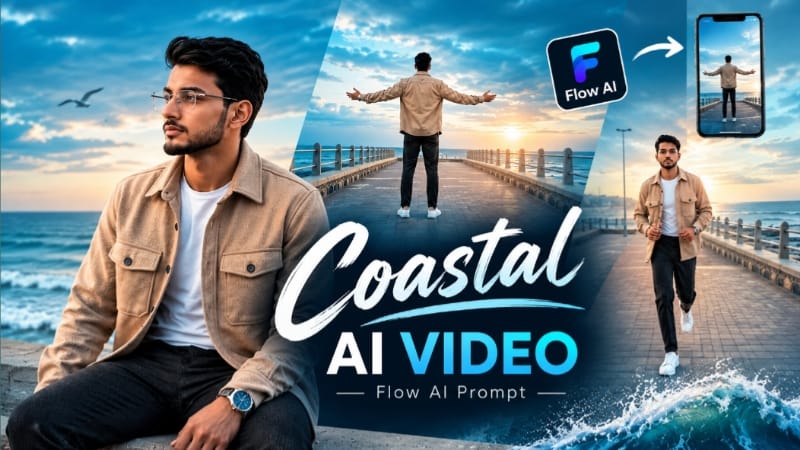
Coastal Ocean Cinematic AI Video is a cinematic photo-to-video concept designed for creators who want to turn a reference photo into a stylish walking sequence near the ocean. The concept combines a beautiful coastal environment, open sea, cinematic sky, natural walking movement, stylish fashion and professional camera movements to create a realistic AI-generated video.
The main focus of this Flow AI prompt is to maintain the person's identity from the uploaded reference photo while changing the environment into a cinematic coastal location. A clear reference image should be used so that the face, hairstyle, skin tone, body proportions and overall appearance can remain consistent throughout the generated video.
The video can begin with a wide establishing shot showing the person walking along a coastal promenade with the ocean visible in the background. The open sea, moving clouds and natural atmospheric light create depth and make the scene feel like a professionally filmed outdoor fashion sequence.
As the video continues, the camera can gradually move closer to the subject. Medium shots can capture the walking movement while keeping the ocean and coastal environment visible behind the person. Close-up shots can focus on the face and upper body, allowing the cinematic lighting and natural expressions to become more noticeable.
A stylish walking sequence works particularly well for social-media content because it combines simple body movement with visually attractive scenery. The subject can walk naturally while the camera follows from different angles. Side tracking shots, front-facing shots and low-angle cinematic shots can be combined to create a dynamic visual sequence.
The coastal atmosphere can include soft wind, natural hair movement, subtle clothing movement and realistic environmental details. These small elements can make an AI-generated video feel more natural. The ocean waves and clouds should also move realistically rather than appearing frozen in the background.
For the fashion styling, creators can use a modern casual or premium outfit according to their preferred look. The same outfit should remain consistent throughout the connected scenes. Accessories and hairstyle should also remain unchanged unless the prompt specifically requires a transition.
Lighting is another important part of the cinematic appearance. Golden-hour sunlight can create warm highlights across the subject and ocean, while a cloudy coastal sky can produce a softer and more dramatic atmosphere. A balanced cinematic color grade can then be used to give the video a polished commercial look.
Flow AI can generate multiple connected scenes using a reference image and detailed prompt. When creating the video, it is useful to describe the subject, location, camera movement, lighting, outfit and environmental motion clearly. Detailed instructions can help maintain visual consistency between scenes.
The final video can be created in 9:16 vertical format for Instagram Reels, YouTube Shorts and other mobile-first platforms. A 16:9 version can also be used for YouTube videos or cinematic website content.
Before exporting the final video, check every scene for identity consistency, natural walking movement, realistic hands, clothing continuity, facial details and background quality. If one scene looks different from the others, regenerate that section with stronger reference and consistency instructions.
A subtle NoorEditing07 watermark can be added to the bottom corner for creator branding. The watermark should remain small and low-opacity so it does not distract from the main cinematic composition.
Overall, Coastal Ocean Cinematic AI Video combines ocean scenery, stylish walking, AI identity consistency and cinematic camera movements into a simple photo-to-video workflow. With a clear reference photo and a detailed Flow AI prompt, creators can turn an ordinary portrait into a professional-looking coastal cinematic video.
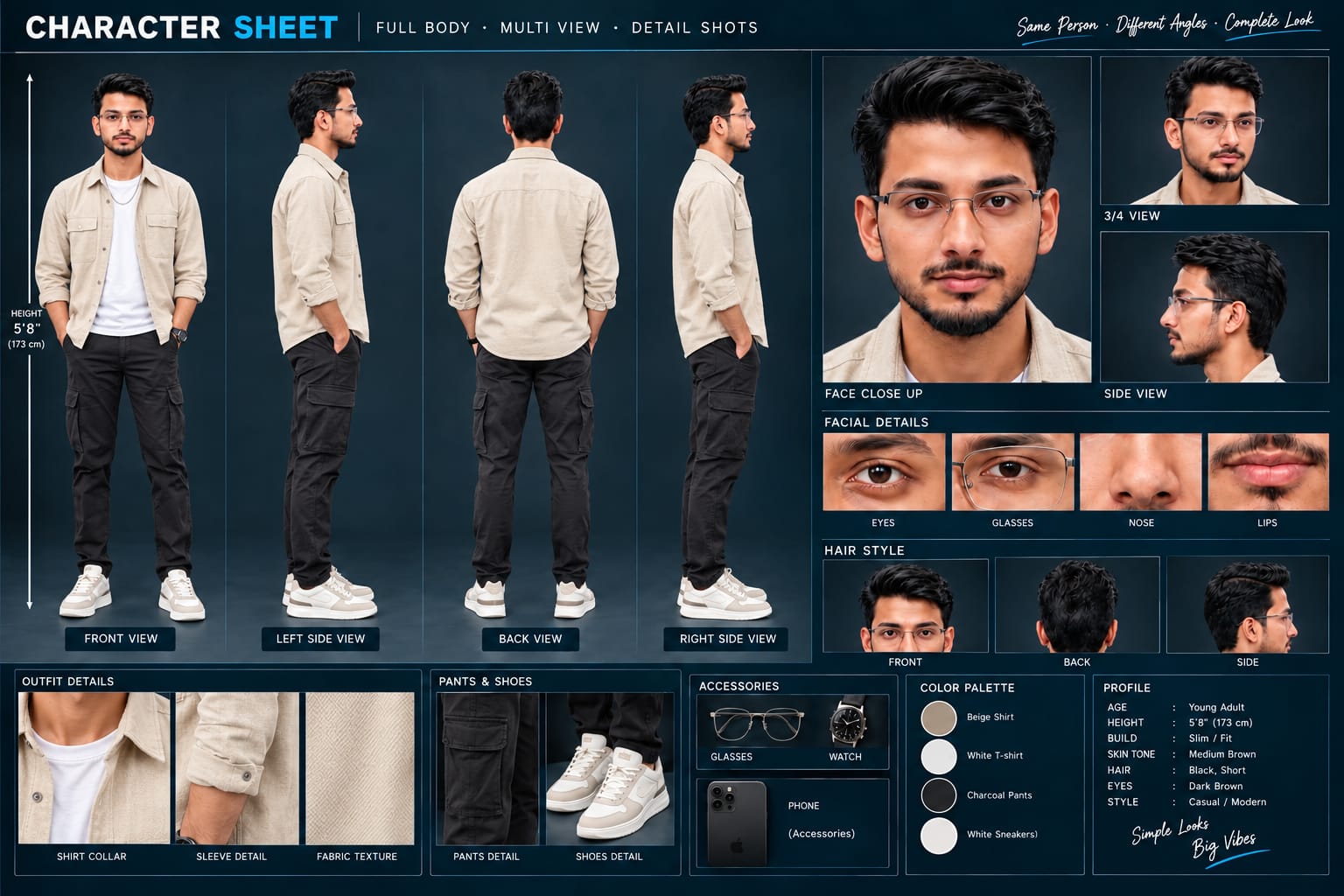
Sabse Pehle Character Sheet Photo Banaai ChatGPT Se
A premium, professional, ultra-photorealistic full-body character reference sheet for the person identified in the uploaded photo. The sheet is presented in a clean professional studio environment with a dark, luxury background. The character's identity, facial features, skin tone, body proportions, hairstyle, and transparent-frame glasses are perfectly consistent with the reference photo. The character is wearing the exact outfit from the reference: a mustard-yellow polo shirt with white piping, black slim-fit pants, and white sneakers. The layout is an elegant grid containing: 1. Full-body front view, 2. Full-body left side view, 3. Full-body back view, 4. Full-body right side view. 5. Large face close-up, 6. 3/4 face view, 7. Side-profile face view. 8. Detailed eye, glasses, nose, and lips reference crops. 9. Hair front, back, and side reference. 10. Shirt collar, sleeve, and fabric texture details. 11. Pants and sneaker detail shots. 12. Accessories reference. All views depict the same person with high-end cinematic lighting, extremely sharp facial details, realistic skin texture, natural hair strands, realistic fabric texture, accurate clothing stitching, and physically accurate lighting with subtle shadows. The full body is completely visible in all turnaround views, including both shoes. The presentation features sophisticated typography, thin clean borders, and balanced spacing. No watermarks, cartoons, or distortions are present.
A premium, professional, ultra-photorealistic full-body character reference sheet for the person identified in the uploaded photo. The sheet is presented in a clean professional studio environment with a dark, luxury background. The character's identity, facial features, skin tone, body proportions, hairstyle, and transparent-frame glasses are perfectly consistent with the reference photo. The character is wearing the exact outfit from the reference: a mustard-yellow polo shirt with white piping, black slim-fit pants, and white sneakers. The layout is an elegant grid containing: 1. Full-body front view, 2. Full-body left side view, 3. Full-body back view, 4. Full-body right side view. 5. Large face close-up, 6. 3/4 face view, 7. Side-profile face view. 8. Detailed eye, glasses, nose, and lips reference crops. 9. Hair front, back, and side reference. 10. Shirt collar, sleeve, and fabric texture details. 11. Pants and sneaker detail shots. 12. Accessories reference. All views depict the same person with high-end cinematic lighting, extremely sharp facial details, realistic skin texture, natural hair strands, realistic fabric texture, accurate clothing stitching, and physically accurate lighting with subtle shadows. The full body is completely visible in all turnaround views, including both shoes. The presentation features sophisticated typography, thin clean borders, and balanced spacing. No watermarks, cartoons, or distortions are present.
✓
Prompt copied to clipboard!
AI Video Prompt
✦AI PHOTO PROMPT
A premium, professional, ultra-photorealistic full-body character reference sheet for the person identified in the uploaded photo. The sheet is presented in a clean professional studio environment with a dark, luxury background. The character's identity, facial features, skin tone, body proportions, hairstyle, and transparent-frame glasses are perfectly consistent with the reference photo. The character is wearing the exact outfit from the reference: a mustard-yellow polo shirt with white piping, black slim-fit pants, and white sneakers. The layout is an elegant grid containing: 1. Full-body front view, 2. Full-body left side view, 3. Full-body back view, 4. Full-body right side view. 5. Large face close-up, 6. 3/4 face view, 7. Side-profile face view. 8. Detailed eye, glasses, nose, and lips reference crops. 9. Hair front, back, and side reference. 10. Shirt collar, sleeve, and fabric texture details. 11. Pants and sneaker detail shots. 12. Accessories reference. All views depict the same person with high-end cinematic lighting, extremely sharp facial details, realistic skin texture, natural hair strands, realistic fabric texture, accurate clothing stitching, and physically accurate lighting with subtle shadows. The full body is completely visible in all turnaround views, including both shoes. The presentation features sophisticated typography, thin clean borders, and balanced spacing. No watermarks, cartoons, or distortions are present.
A premium, professional, ultra-photorealistic full-body character reference sheet for the person identified in the uploaded photo. The sheet is presented in a clean professional studio environment with a dark, luxury background. The character's identity, facial features, skin tone, body proportions, hairstyle, and transparent-frame glasses are perfectly consistent with the reference photo. The character is wearing the exact outfit from the reference: a mustard-yellow polo shirt with white piping, black slim-fit pants, and white sneakers. The layout is an elegant grid containing: 1. Full-body front view, 2. Full-body left side view, 3. Full-body back view, 4. Full-body right side view. 5. Large face close-up, 6. 3/4 face view, 7. Side-profile face view. 8. Detailed eye, glasses, nose, and lips reference crops. 9. Hair front, back, and side reference. 10. Shirt collar, sleeve, and fabric texture details. 11. Pants and sneaker detail shots. 12. Accessories reference. All views depict the same person with high-end cinematic lighting, extremely sharp facial details, realistic skin texture, natural hair strands, realistic fabric texture, accurate clothing stitching, and physically accurate lighting with subtle shadows. The full body is completely visible in all turnaround views, including both shoes. The presentation features sophisticated typography, thin clean borders, and balanced spacing. No watermarks, cartoons, or distortions are present.
Ultra-realistic 4K 16:9 cinematic video of a young man along a coastal promenade under an electric cyan cloudy sky and open sea. [IDENTITY & SKIN] Use the uploaded reference photo for the man's face, hairstyle, skin tone, body build and height. Keep identity exactly same as reference photo — no alteration to face, body, or hairstyle in any scene. Keep skin clean, smooth, and natural without acne or pimples, matched exactly to the reference photo's tone — no artificial smoothing, no plastic look.
Ultra-realistic 4K 16:9 cinematic video of a young man along a coastal promenade under an electric cyan cloudy sky and open sea.
[IDENTITY & SKIN]
Use the uploaded reference photo for the man's face, hairstyle, skin tone, body build and height. Keep identity exactly same as reference photo — no alteration to face, body, or hairstyle in any scene. Keep skin clean, smooth, and natural without acne or pimples, matched exactly to the reference photo's tone — no artificial smoothing, no plastic look. Keep body proportions natural and realistic, matching the exact build shown in the reference photo — this must work accurately for any person of any age or body type who uploads their own reference photo, whether short, tall, slim, or heavy.
[AESTHETIC PROFESSIONAL OUTFIT]
Beige/camel structured overshirt over a fitted white t-shirt, dark charcoal tailored trousers, white leather sneakers, a silver watch. Same outfit throughout, no changes.
[SCENE SEQUENCE & MOVEMENTS]
Location (same throughout, do not change): a long brick coastal promenade beside the open sea, a raised concrete ledge and stone boundary railing running alongside the water, an electric cyan cloudy sky overhead.
Scene 1: Top-down wide shot — the man runs steadily forward along the long brick promenade path.
Scene 2: Low-angle side view — he stands on the raised concrete ledge overlooking the open water.
Scene 3: Eye-level frontal tracking shot — he walks forward with confidence, looking into the camera.
Scene 4: Symmetrical back-angle wide shot — he spreads both arms wide toward the sea.
Scene 5: Over-the-shoulder medium shot — he gazes down toward the moving tide.
Scene 6: Low-angle side tracking shot — he steps steadily along the raised boundary railing.
Scene 7: Medium shot — sitting calmly on the stone boundary ledge, hands resting beside his knees, gazing at the distant ocean horizon.
[LIGHTING & WATERMARK]
Moody teal-and-orange grading, rich cyan skies, soft morning contrast, smooth camera motion, 16:9 ratio. Minimal transparent watermark "NoorEditing07" fixed in the bottom corner.
✓
Prompt copied to clipboard!
AI Video Prompt Card
✦AI VIDEO PROMPT
Ultra-realistic 4K 16:9 cinematic video of a young man along a coastal promenade under an electric cyan cloudy sky and open sea. [IDENTITY & SKIN] Use the uploaded reference photo for the man's face, hairstyle, skin tone, body build and height. Keep identity exactly same as reference photo — no alteration to face, body, or hairstyle in any scene. Keep skin clean, smooth, and natural without acne or pimples, matched exactly to the reference photo's tone — no artificial smoothing, no plastic look.
Ultra-realistic 4K 16:9 cinematic video of a young man along a coastal promenade under an electric cyan cloudy sky and open sea.
[IDENTITY & SKIN]
Use the uploaded reference photo for the man's face, hairstyle, skin tone, body build and height. Keep identity exactly same as reference photo — no alteration to face, body, or hairstyle in any scene. Keep skin clean, smooth, and natural without acne or pimples, matched exactly to the reference photo's tone — no artificial smoothing, no plastic look. Keep body proportions natural and realistic, matching the exact build shown in the reference photo — this must work accurately for any person of any age or body type who uploads their own reference photo, whether short, tall, slim, or heavy.
[AESTHETIC PROFESSIONAL OUTFIT]
Beige/camel structured overshirt over a fitted white t-shirt, dark charcoal tailored trousers, white leather sneakers, a silver watch. Same outfit throughout, no changes.
[SCENE SEQUENCE & MOVEMENTS]
Location (same throughout, do not change): a long brick coastal promenade beside the open sea, a raised concrete ledge and stone boundary railing running alongside the water, an electric cyan cloudy sky overhead.
Scene 1: Top-down wide shot — the man runs steadily forward along the long brick promenade path.
Scene 2: Low-angle side view — he stands on the raised concrete ledge overlooking the open water.
Scene 3: Eye-level frontal tracking shot — he walks forward with confidence, looking into the camera.
Scene 4: Symmetrical back-angle wide shot — he spreads both arms wide toward the sea.
Scene 5: Over-the-shoulder medium shot — he gazes down toward the moving tide.
Scene 6: Low-angle side tracking shot — he steps steadily along the raised boundary railing.
Scene 7: Medium shot — sitting calmly on the stone boundary ledge, hands resting beside his knees, gazing at the distant ocean horizon.
[LIGHTING & WATERMARK]
Moody teal-and-orange grading, rich cyan skies, soft morning contrast, smooth camera motion, 16:9 ratio. Minimal transparent watermark "NoorEditing07" fixed in the bottom corner.
Sabse pehle ek clear reference photo select karein jisme face clearly visible ho. High-quality photo use karein taaki Flow AI ko person's appearance samajhne mein better reference mile.
Ab Flow AI open karein aur reference photo upload karein. Photo ko character reference ke roop mein use karein. Iske baad Coastal Ocean Cinematic AI Video ka complete prompt copy karke Flow AI mein paste karein.
Prompt mein identity consistency, coastal location, ocean, outfit, walking movement, camera angles, lighting aur cinematic style ki instructions di gayi hain. In instructions ko maintain karein taaki video ke different scenes mein character ka appearance consistent rahe.
Ab video ka required aspect ratio select karein. Instagram Reels aur YouTube Shorts ke liye 9:16 format use karein. Agar landscape cinematic video banana hai to 16:9 format select kar sakte hain. Available high-quality settings ko choose karein.
Ab video generate karein. Walking sequence mein natural body movement, moving hair, subtle clothing movement aur realistic ocean waves maintain karne ki instructions rakhein. Camera ko front, side, tracking aur wide cinematic angles mein use kiya ja sakta hai.
Generation complete hone ke baad har scene ko carefully check karein. Face, hairstyle, skin tone, outfit, hands aur body proportions reference photo ke according consistent hain ya nahi, ye zaroor dekhein.
Agar kisi scene mein face ya body noticeably change ho, to us scene ko stronger reference instructions ke saath regenerate karein. Background mein ocean, sky aur coastal environment ki continuity bhi check karein.
Final video mein cinematic lighting, natural colors, realistic movement aur smooth camera transitions maintain karein. Zarurat ho to editing app mein generated clips ko sequence mein arrange karein.
Last mein small low-opacity "NoorEditing07" watermark add karein aur video ko high quality mein export karein. Final video ko Instagram Reels, YouTube Shorts ya other social-media platforms par use kiya ja sakta hai.
Coastal Ocean AI VideoCoastal Cinematic AI VideoOcean Cinematic VideoStylish Walking VideoFlow AI PromptFlow AI VideoAI Photo To VideoOcean AI VideoCoastal Walking VideoCinematic Walking AIAI Fashion VideoCinematic AI VideoAI Video Prompt9:16 AI VideoNoorEditing07
Coastal Ocean AI VideoCoastal Cinematic AI VideoOcean Cinematic VideoStylish Walking VideoFlow AI PromptFlow AI VideoAI Photo To VideoOcean AI VideoCoastal Walking VideoCinematic Walking AIAI Fashion VideoCinematic AI VideoAI Video Prompt9:16 AI VideoNoorEditing07
Gangster Mall Walk, Royal Enfield Night Ride, Snowfall Love Story, Beach Couple & Cinematic Parking AI Editing Tutorial
AI photo and video editing can transform ordinary reference photos into cinematic mall-walk videos, premium motorcycle night scenes, romantic snowfall stories, emotional beach couple videos, and realistic cinematic parking portraits. This combined tutorial covers five creative AI editing concepts using Flow AI, Gemini AI Video Generator, and AI photo-to-video workflows, with a strong focus on identity consistency, realistic movement, cinematic lighting, and professional visual quality.
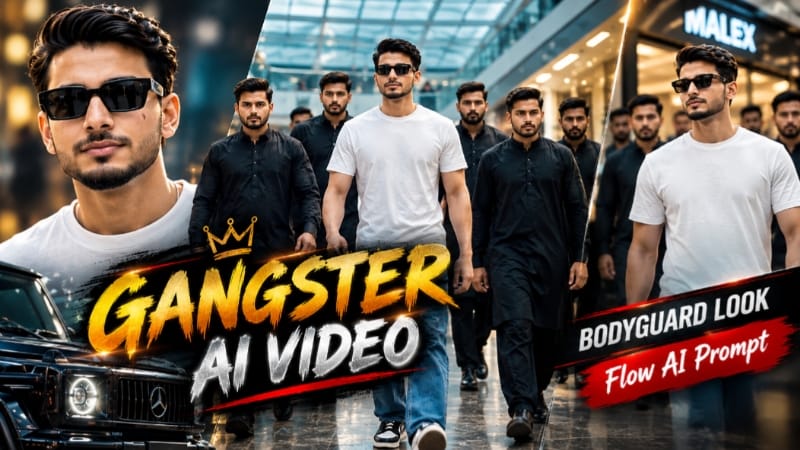
1. Gangster Style Mall Walk AI Video | Bodyguard Look
The Gangster Style Mall Walk AI Video transforms a normal reference photo into a powerful cinematic mall-walk sequence. The concept uses a premium shopping mall environment with glowing signage, curved walkways, glass railings, atrium staircases, reflective floors, and a group of six black-clad entourage members. The page also uses a character-reference-sheet approach before generating the video.
Step-by-Step Workflow
Step 1: Start with a clear, high-quality reference photo where the face and full body are clearly visible.
Step 2: Use ChatGPT to create a detailed character reference sheet from the uploaded photo. The reference sheet helps establish the character's face, hairstyle, body proportions, clothing, accessories, and different viewing angles.
Step 3: Open Flow AI and select the image-to-video workflow.
Step 4: Upload the character reference image and paste the complete Gangster Style Mall Walk AI Video Prompt.
Step 5: Keep the same character identity, outfit, entourage, mall environment, and cinematic colour grade throughout the seven connected scenes.
Step 6: Generate the video in 9:16 vertical format and 1080p.
Step 7: Review the generated scenes for face consistency, outfit continuity, body proportions, walking animation, camera movement, and background consistency.
Step 8: If any scene has identity drift or movement problems, refine the prompt and regenerate the affected scene.
The final sequence moves through different mall perspectives including curved walkways, corridors, staircases, atrium areas, and a final front-tracking shot.
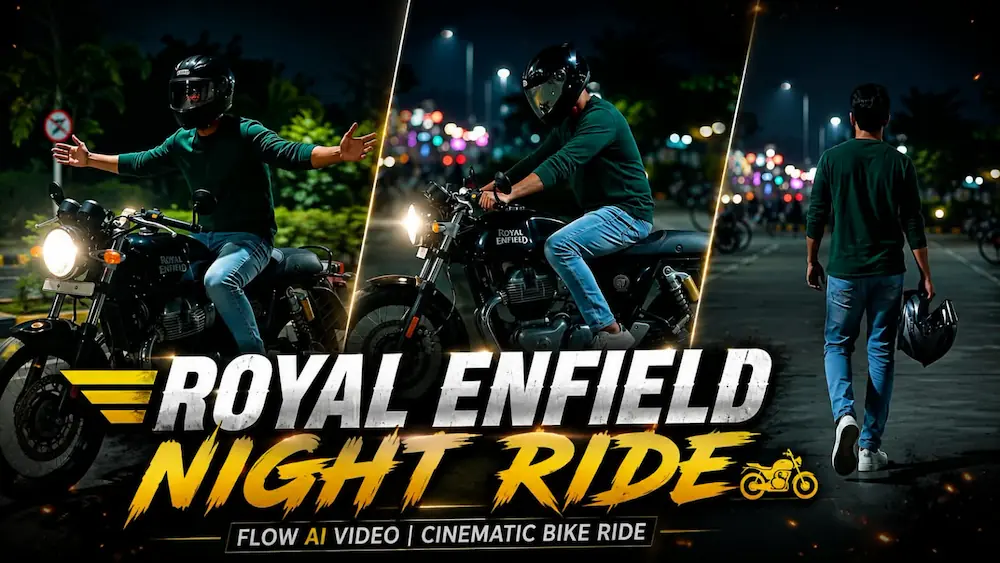
2. Royal Enfield Night Ride Cinematic AI Video
The Royal Enfield Night Ride AI Video creates an ultra-realistic cinematic motorcycle-themed sequence using a clear reference photo. The concept maintains the rider's identity, clothing, motorcycle appearance, night environment, headlights, road reflections, and cinematic lighting across seven connected scenes. The page specifies 16:9 widescreen and ultra-realistic 4K quality.
Step-by-Step Workflow
Step 1: Open the Flow AI Video Generator.
Step 2: Upload a clear person reference photo with the face and overall appearance visible.
Step 3: Copy the Royal Enfield Night Ride Cinematic AI Video Prompt and paste it into Flow AI.
Step 4: Select the video format and quality according to the prompt, using 16:9 widescreen and 4K-quality output where available.
Step 5: Generate the cinematic sequence with the same rider identity, outfit, motorcycle and nighttime environment maintained throughout.
Step 6: Review the generated scenes for identity consistency, motorcycle appearance, lighting, road reflections, hands, body proportions, and natural visual continuity.
Step 7: Check the camera movement and ensure there are no unwanted flickers, sudden transitions, or visual distortions.
Step 8: Export the finished cinematic video after reviewing the complete sequence.
The seven-scene concept moves from a nighttime parking environment into motorcycle-focused cinematic shots and a final night-road sequence with dramatic lighting and motion.
3. Snowfall Love Story | Winter Couple AI Video
The Snowfall Love Story uses two separate reference photos to create a romantic winter couple video in Flow AI. Photo 1 represents the male character and Photo 2 represents the female character. The concept contains five connected scenes in a snowy field with soft snowfall, winter trees, cool cinematic grading, and realistic movement.
Step-by-Step Workflow
Step 1: Prepare two clear reference photos—one for the male character and one for the female character.
Step 2: Open Flow AI Video Generator.
Step 3: Upload Photo 1 as the male identity reference and Photo 2 as the female identity reference.
Step 4: Copy the Snowfall Love Story Master Prompt and paste it into Flow AI.
Step 5: Select 9:16 vertical format and 1080p resolution.
Step 6: Generate the five connected scenes while maintaining both identities, outfits, hairstyles, body proportions, snowy location, and colour grade.
Step 7: Review the sequence to make sure all five scenes appear in the correct order and both characters remain visually consistent.
Step 8: Check the snowfall, snow interaction, winter background, facial expressions, hands, clothing, and overall cinematic appearance.
The story progresses through a snowy proposal with a red rose, an emotional hug, a winter walk, a playful bench moment, and a final face-to-face romantic composition.
4. Beach Couple Cinematic Video Editing
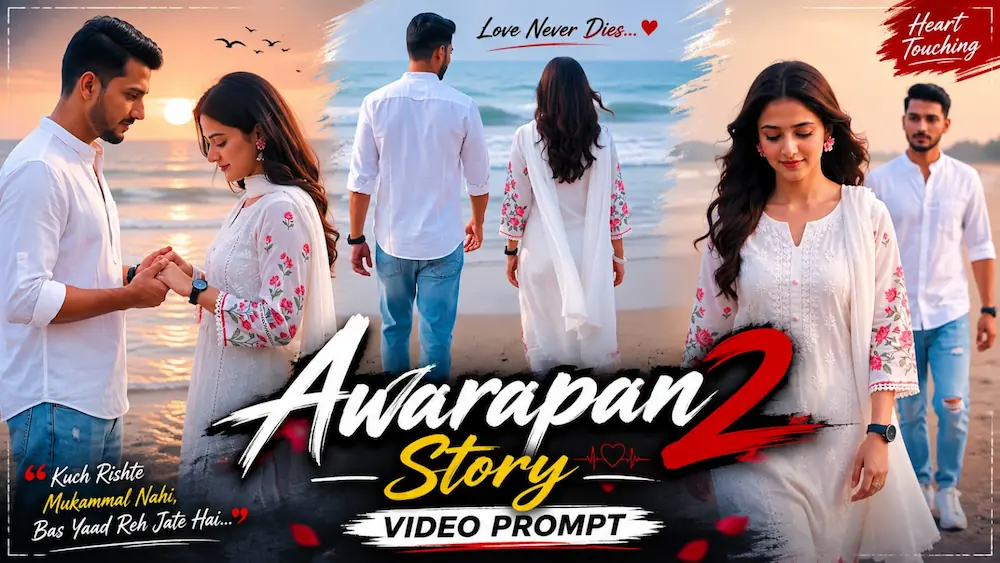
The Beach Couple Cinematic Video converts two reference photos into a realistic romantic beach video using Flow AI. The concept uses a sandy beach, ocean waves, soft overcast daylight, gentle wind, natural hair and clothing movement, and a warm-neutral cinematic colour grade. The recommended format is 9:16 vertical and 1080p.
Step-by-Step Workflow
Step 1: Open Flow AI and log in.
Step 2: Create a new project.
Step 3: Upload the male and female reference photos.
Step 4: Add both photos as reference or ingredient images.
Step 5: Select the video-generation workflow and choose 9:16 vertical format, if available.
Step 6: Copy the Beach Couple Cinematic Master Prompt and paste it into the prompt box.
Step 7: Generate the five-scene cinematic sequence with both identities locked to their respective reference photos.
Step 8: Review the generated video for face consistency, clothing, hair movement, body proportions, beach environment, and camera movement.
Step 9: If a face or movement does not look correct, refine the prompt while keeping the same reference photos and regenerate.
Step 10: Arrange the generated clips into the final cinematic sequence and export the completed video.
The five scenes include walking toward the sea, individual close-ups, an emotional side-profile composition, a hand-holding scene, and a final cinematic portrait.
5. Cinematic Parking Look | Realistic AI Video
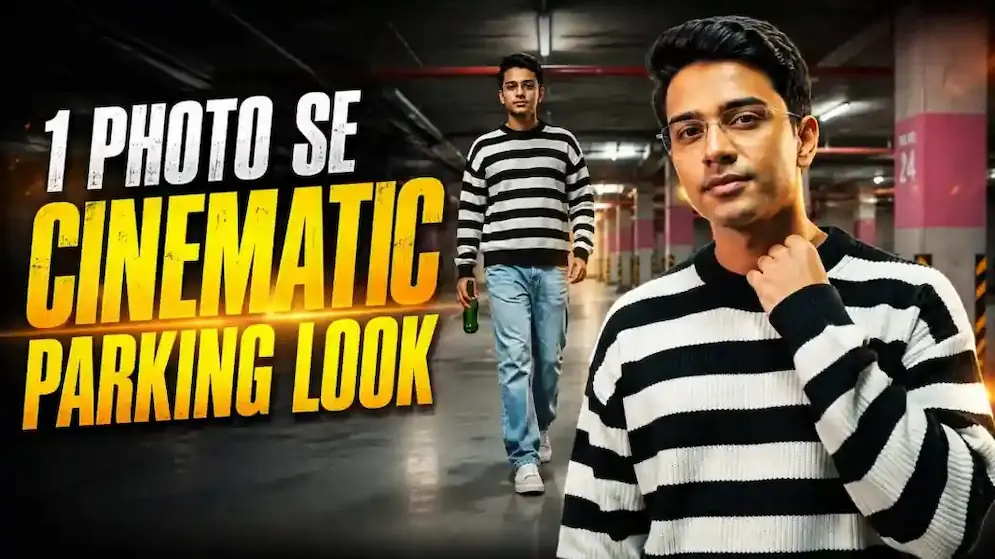
The Cinematic Parking Look creates a realistic short cinematic video from a single reference photo. The concept uses a basement parking environment with warm practical lighting, concrete pillars, a black-and-white striped sweater, loose light-blue jeans, sneakers, and a green glass bottle. The original page specifies a 10-second, 16:9 horizontal video with ultra-realistic visual quality.
Step-by-Step Workflow
Step 1: Open the Gemini AI Video Generator.
Step 2: Upload a clear person reference photo.
Step 3: Copy the Cinematic Parking AI Video Prompt and paste it into Gemini.
Step 4: Set the video to 10 seconds and 16:9 horizontal format.
Step 5: Generate the video while maintaining the same face, hairstyle, body proportions, outfit, bottle, parking environment, and cinematic colour grade.
Step 6: Review all six scenes in their correct order.
Step 7: Check the face, body proportions, clothing, bottle, lighting, parking background, walking movement, and camera motion.
Step 8: Make sure there are no missing scenes, unnecessary camera shakes, identity changes, distorted hands, or unwanted background changes.
Step 9: Once the complete sequence looks consistent, export the final cinematic video.
The six-scene sequence moves from a low-angle walking introduction to continued walking, a full-body hero shot, an emotional face/neck gesture, slow forward movement, and a final cinematic hero shot.
Final Result
These five techniques cover Gangster Style Mall Walk AI Video, Royal Enfield Night Ride Cinematic Video, Snowfall Love Story, Beach Couple Cinematic Video, and Cinematic Parking AI Video.
For the best AI editing results, always begin with clear, high-quality reference photos. Use the correct reference image for each character, maintain consistent identity and appearance, select the appropriate aspect ratio, and follow the prompt's scene order carefully.
Before publishing, review faces, hands, body proportions, hairstyles, outfits, background continuity, lighting, camera movement, objects, and overall realism. If an individual scene contains noticeable identity or motion errors, refine the prompt and regenerate that scene before creating the final edit.
These concepts can be adapted for Instagram Reels, YouTube Shorts, Facebook Reels, cinematic AI videos, photo-to-video editing, romantic couple content, fashion-style edits, travel concepts, and creative social-media videos.