Emotional Rose Heartbreak Cinematic AI Video | Day to Night Transition | Flow AI
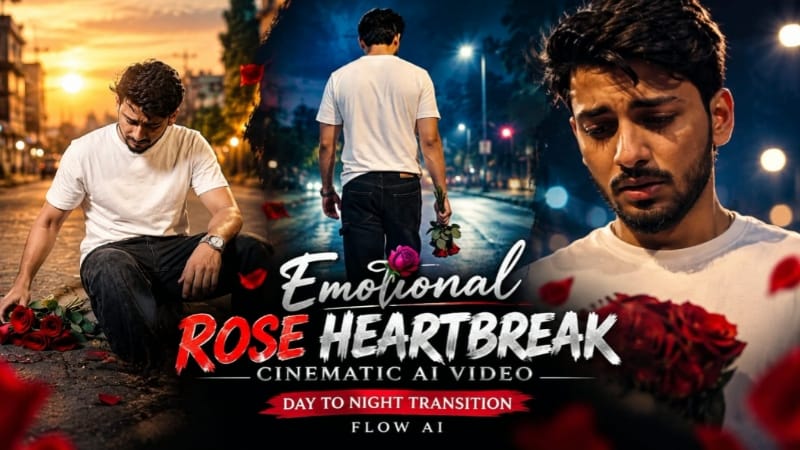
Create a deeply emotional and cinematic AI video using this Flow AI Video Generator prompt. This concept presents a powerful heartbreak story that begins during warm daylight and gradually transforms into a lonely nighttime sequence. The central visual element is a bunch of red roses, representing love, memories and emotional attachment. The story follows a young man as he collects scattered roses from the pavement, watches the environment transform from day to night, and eventually sits alone with the roses beside him.
The video is designed with a premium ultra-realistic cinematic appearance, rich full-color grading, realistic environmental details and natural human movement. The opening uses warm daylight tones around a petrol station, roadside market and parked auto-rickshaws. As the emotional story develops, the visual atmosphere shifts into deep blue and amber nighttime tones. The transition from day to night is an important storytelling moment and should happen exactly when the character becomes fully upright in Scene 2.
The uploaded reference photo should be used as the primary identity reference for the main character. His recognizable facial appearance, facial structure, natural skin, body proportions and overall physical characteristics should remain consistent throughout the complete video. The character should continue to look like the same person through different camera angles and lighting conditions.
The character wears a plain white T-shirt, black baggy denim jeans, red Nike slide sandals and a silver wristwatch. This complete outfit should remain consistent throughout all six scenes. No random wardrobe changes should occur. The silver wristwatch should remain naturally positioned whenever it is visible.
Scene 1 begins with a low close-up shot focused only on the character's hands and wristwatch. His face must remain outside the frame. Several red roses are scattered across cracked pavement near a roadside environment. He carefully picks up the roses one by one, placing each collected rose into the growing bunch held in his other hand. Every rose should be picked individually with realistic hand and finger movement. This action continues throughout the first three seconds. The petrol station, parked auto-rickshaws and small roadside shops remain softly blurred in the background.
The opening daylight should feel warm, natural and realistic. The pavement should have believable texture, while the roses should have detailed petals and natural shape. The hands must remain anatomically correct, with no extra fingers or distorted movements. The wristwatch should have realistic metallic reflections from the daylight.
Scene 2 creates the major visual transition of the entire story. After collecting all the roses, the character slowly rises from the pavement and stands completely upright while holding the full bunch of roses. His face becomes visible for the first time during this scene. The camera remains steady at approximately eye level. His head stays lowered and his body language communicates quiet sadness.
Exactly at the moment he becomes fully upright, the daylight should instantly transform into night. The warm sunlit street changes into a dim amber-lit empty street, while the bright sky becomes a deep blue night sky. A streetlight begins glowing above him, creating a dramatic cinematic contrast between the character and the surrounding darkness.
This day-to-night transition should feel intentional and synchronized with his movement. It should not happen randomly before he stands up or several seconds after he becomes upright. The visual transformation is part of the emotional storytelling and should happen precisely at the specified moment.
Scene 3 moves into a slow close-up push-in. The camera gradually moves closer to his face as he looks down at the roses in his hands. His eyes appear heavy with sadness while the soft streetlight creates natural shadows across his face. The emotional performance should remain subtle and realistic. There should be no exaggerated crying or artificial facial expressions.
The night environment should remain full-color rather than becoming black and white or heavily desaturated. Warm amber streetlight illumination should interact naturally with the deep blue night atmosphere. His white T-shirt should remain visible while the black denim jeans and red slides maintain their original appearance.
Scene 4 changes to a wide tracking shot from behind. The camera slowly follows him as he walks along the empty nighttime street. His shoulders are slightly slumped and the roses hang loosely from one hand. Closed shop shutters, distant streetlights and the quiet road create a strong feeling of isolation.
The walking movement should be physically realistic. His arms, shoulders, legs and clothing should move naturally with each step. The roses should respond subtly to his movement instead of remaining completely rigid. The environment should continue to look like the same street introduced during the daytime.
Scene 5 uses a low-angle close shot. The character stops and gently presses the roses against his chest with both hands. His eyes close as if he is holding onto a painful memory. The warm streetlight illuminates his face while the surrounding background remains dark.
This scene should be emotionally powerful without becoming overly dramatic. The roses should remain clearly recognizable, with realistic petals and natural volume. His hands should interact naturally with the flowers and his shirt. The camera angle should emphasize the emotional weight of the moment while maintaining realistic perspective.
Scene 6 provides the final emotional conclusion. From a slightly elevated high-angle perspective, the character slowly sits down on the edge of the pavement. The roses are placed beside him while his head remains bowed. A dim streetlight above casts a soft pool of illumination over the otherwise empty street. The camera slowly zooms out, gradually making the character appear smaller within the environment.
The final zoom-out should create a sense of loneliness and emotional distance. The street should remain quiet, with subtle environmental movement and realistic nighttime lighting. The scene should end naturally without adding another shot or changing the location.
The color treatment is an essential part of this concept. The daylight scenes should contain warm natural tones with realistic sunlight and vibrant environmental colors. After the transition, the footage should contain rich amber streetlight highlights combined with deep blue nighttime tones. The color should remain full and cinematic throughout the video. Avoid faded colors, black-and-white treatment, excessive desaturation or an artificial color filter.
The same physical location should be maintained throughout the story. The petrol station, roadside market, parked auto-rickshaws, pavement and surrounding street should feel like one continuous real-world environment. After the transition to night, these elements should remain believable rather than randomly changing.
The character's identity and appearance should remain consistent even though the lighting changes dramatically. His face should not become a different person when the scene moves from daylight into nighttime. Skin should remain natural and realistic, without an artificial plastic appearance or excessive smoothing.
The video should use distinct cinematic camera angles for every scene. Scene 1 should be a low hand-focused close-up, Scene 2 an eye-level standing composition, Scene 3 a slow facial push-in, Scene 4 a rear tracking shot, Scene 5 a low-angle emotional close shot and Scene 6 a high-angle slow zoom-out. These different perspectives should create a continuous visual story while avoiding repetitive framing.
Realistic anatomy is important throughout the entire generation. Hands, fingers, wrists, arms, shoulders, legs and walking movements should remain physically accurate. The rose-picking action should be especially carefully generated because the first scene contains repeated hand interaction with multiple objects.
This concept can be used for emotional Instagram Reels, YouTube Shorts, Facebook Reels, heartbreak edits, cinematic AI videos, sad story videos, romantic memory edits, Flow AI video tutorials and premium AI-generated music-video concepts.
The final output should look like a professionally filmed emotional short scene rather than a collection of unrelated AI clips. The story should move naturally from love represented by the roses, to the changing environment, to loneliness and finally quiet acceptance.
A single small NoorEditing07 watermark should remain fixed in the same bottom corner throughout the complete video. It should use a clean white or light-colored font with low opacity. Only one watermark should be visible at any moment. It must never duplicate, move around the screen, disappear unexpectedly or transform into another logo or text.
The complete video should contain exactly six scenes. No scene should be skipped, merged, repeated or replaced, and no additional scene should be added. The final result should maintain premium ultra-realistic 4K/8K quality, realistic textures, natural movement, cinematic depth, rich full-color grading and a continuous emotional heartbreak story from the first rose to the final lonely zoom-out.
Sabse Pehle Character Sheet Photo Banaai ChatGPT Se
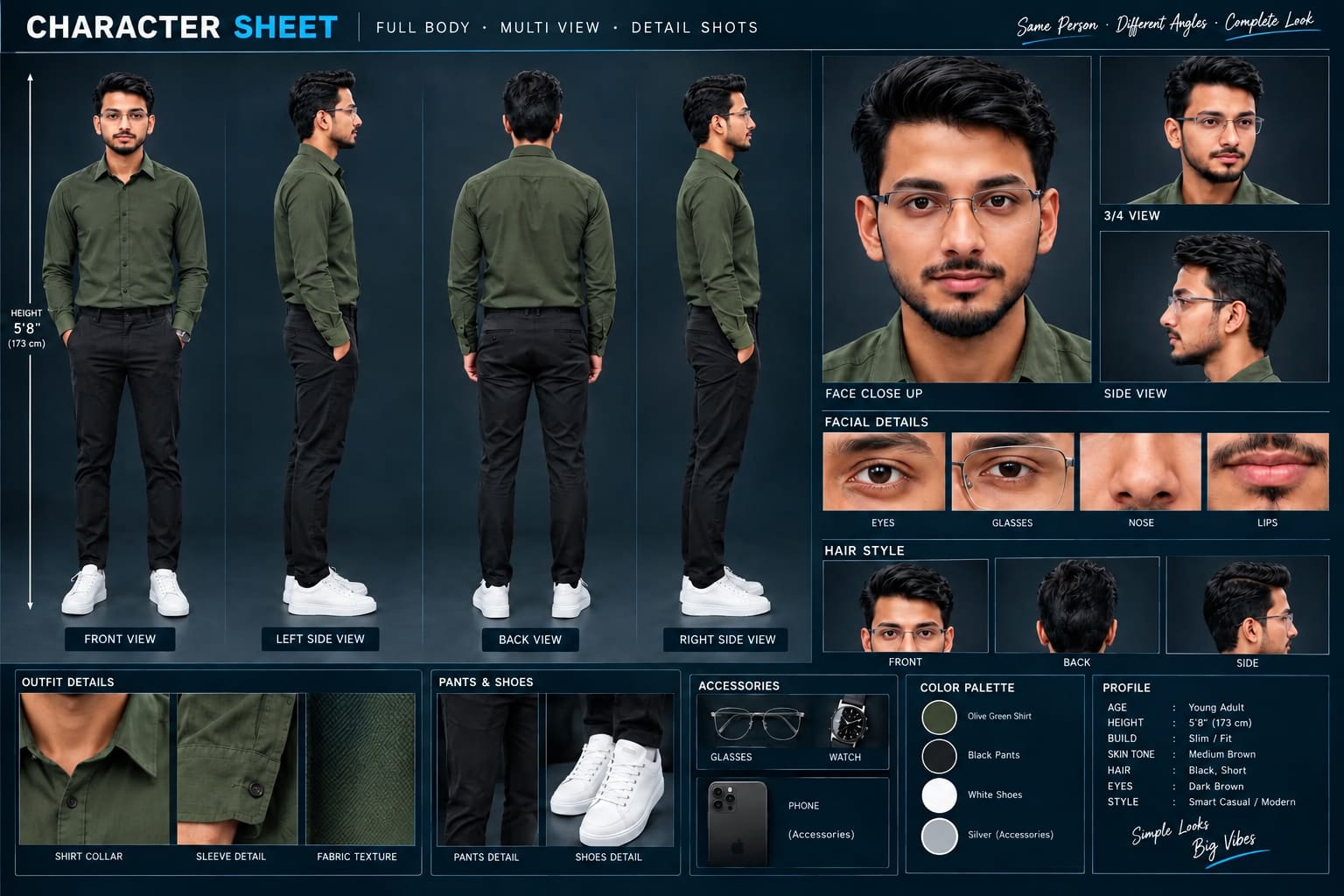
A premium, professional, ultra-photorealistic full-body character reference sheet for the person identified in the uploaded photo. The sheet is presented in a clean professional studio environment with a dark, luxury background. The character's identity, facial features, skin tone, body proportions, hairstyle, and transparent-frame glasses are perfectly consistent with the reference photo. The character is wearing the exact outfit from the reference: a mustard-yellow polo shirt with white piping, black slim-fit pants, and white sneakers. The layout is an elegant grid containing: 1. Full-body front view, 2. Full-body left side view, 3. Full-body back view, 4. Full-body right side view. 5. Large face close-up, 6. 3/4 face view, 7. Side-profile face view. 8. Detailed eye, glasses, nose, and lips reference crops. 9. Hair front, back, and side reference. 10. Shirt collar, sleeve, and fabric texture details. 11. Pants and sneaker detail shots. 12. Accessories reference. All views depict the same person with high-end cinematic lighting, extremely sharp facial details, realistic skin texture, natural hair strands, realistic fabric texture, accurate clothing stitching, and physically accurate lighting with subtle shadows. The full body is completely visible in all turnaround views, including both shoes. The presentation features sophisticated typography, thin clean borders, and balanced spacing. No watermarks, cartoons, or distortions are present.
A premium, professional, ultra-photorealistic full-body character reference sheet for the person identified in the uploaded photo. The sheet is presented in a clean professional studio environment with a dark, luxury background. The character's identity, facial features, skin tone, body proportions, hairstyle, and transparent-frame glasses are perfectly consistent with the reference photo. The character is wearing the exact outfit from the reference: a mustard-yellow polo shirt with white piping, black slim-fit pants, and white sneakers. The layout is an elegant grid containing: 1. Full-body front view, 2. Full-body left side view, 3. Full-body back view, 4. Full-body right side view. 5. Large face close-up, 6. 3/4 face view, 7. Side-profile face view. 8. Detailed eye, glasses, nose, and lips reference crops. 9. Hair front, back, and side reference. 10. Shirt collar, sleeve, and fabric texture details. 11. Pants and sneaker detail shots. 12. Accessories reference. All views depict the same person with high-end cinematic lighting, extremely sharp facial details, realistic skin texture, natural hair strands, realistic fabric texture, accurate clothing stitching, and physically accurate lighting with subtle shadows. The full body is completely visible in all turnaround views, including both shoes. The presentation features sophisticated typography, thin clean borders, and balanced spacing. No watermarks, cartoons, or distortions are present.
✓
Prompt copied to clipboard!
AI Video Prompt
✦AI PHOTO PROMPT
A premium, professional, ultra-photorealistic full-body character reference sheet for the person identified in the uploaded photo. The sheet is presented in a clean professional studio environment with a dark, luxury background. The character's identity, facial features, skin tone, body proportions, hairstyle, and transparent-frame glasses are perfectly consistent with the reference photo. The character is wearing the exact outfit from the reference: a mustard-yellow polo shirt with white piping, black slim-fit pants, and white sneakers. The layout is an elegant grid containing: 1. Full-body front view, 2. Full-body left side view, 3. Full-body back view, 4. Full-body right side view. 5. Large face close-up, 6. 3/4 face view, 7. Side-profile face view. 8. Detailed eye, glasses, nose, and lips reference crops. 9. Hair front, back, and side reference. 10. Shirt collar, sleeve, and fabric texture details. 11. Pants and sneaker detail shots. 12. Accessories reference. All views depict the same person with high-end cinematic lighting, extremely sharp facial details, realistic skin texture, natural hair strands, realistic fabric texture, accurate clothing stitching, and physically accurate lighting with subtle shadows. The full body is completely visible in all turnaround views, including both shoes. The presentation features sophisticated typography, thin clean borders, and balanced spacing. No watermarks, cartoons, or distortions are present.
A premium, professional, ultra-photorealistic full-body character reference sheet for the person identified in the uploaded photo. The sheet is presented in a clean professional studio environment with a dark, luxury background. The character's identity, facial features, skin tone, body proportions, hairstyle, and transparent-frame glasses are perfectly consistent with the reference photo. The character is wearing the exact outfit from the reference: a mustard-yellow polo shirt with white piping, black slim-fit pants, and white sneakers. The layout is an elegant grid containing: 1. Full-body front view, 2. Full-body left side view, 3. Full-body back view, 4. Full-body right side view. 5. Large face close-up, 6. 3/4 face view, 7. Side-profile face view. 8. Detailed eye, glasses, nose, and lips reference crops. 9. Hair front, back, and side reference. 10. Shirt collar, sleeve, and fabric texture details. 11. Pants and sneaker detail shots. 12. Accessories reference. All views depict the same person with high-end cinematic lighting, extremely sharp facial details, realistic skin texture, natural hair strands, realistic fabric texture, accurate clothing stitching, and physically accurate lighting with subtle shadows. The full body is completely visible in all turnaround views, including both shoes. The presentation features sophisticated typography, thin clean borders, and balanced spacing. No watermarks, cartoons, or distortions are present.
✓
Prompt copied to clipboard!
AI Video Prompt Card
✦AI VIDEO PROMPT
A cinematic ultra-realistic 4K/8K video (16:9) of a young man wearing a plain white t-shirt, black baggy denim jeans, red Nike slide sandals, and a silver wristwatch, starting on a sunlit street near a petrol station with parked auto-rickshaws and a small roadside market, then transitioning into night as the emotional mood deepens, rich full vibrant cinematic color grading built directly into the footage — realistic natural colors, warm daylight tones shifting into moody blue-amber night tones, cinematic contrast, never faded, never black and white, never desaturated.
A cinematic ultra-realistic 4K/8K video (16:9) of a young man wearing a plain white t-shirt, black baggy denim jeans, red Nike slide sandals, and a silver wristwatch, starting on a sunlit street near a petrol station with parked auto-rickshaws and a small roadside market, then transitioning into night as the emotional mood deepens, rich full vibrant cinematic color grading built directly into the footage — realistic natural colors, warm daylight tones shifting into moody blue-amber night tones, cinematic contrast, never faded, never black and white, never desaturated. A small, subtle watermark reading 'NoorEditing07' stays fixed in the bottom corner throughout the entire video, minimal white or light-colored font, low opacity, appearing only once at all times.
CRITICAL: use the uploaded reference photo as the exact identity source — same face, same exact facial features, same clean, clear, completely natural realistic skin with no artificial smoothing or plastic look, and the exact same body type and build as shown in the uploaded photo, maintained precisely and identically in every single scene with zero facial drift or identity change. This must work accurately for any person of any age or body type who uploads their own reference photo — the generated face, skin, and body must always match the uploaded photo exactly, never a generic or different look.
Scene 1 (0-3 seconds): Low close-up shot — his face not visible, only his hands and wristwatch in frame — he picks up scattered red roses one by one from the cracked pavement, each rose picked up individually and gathered into the growing bunch in his other hand, this one-by-one picking motion continues for exactly the first 3 seconds until all the roses have been collected into one complete bunch, warm daylight, petrol station and roadside shops softly blurred in the background.
Scene 2 (Transition — Day to Night): He slowly rises and stands up straight with the now-complete bunch of roses held in his hand — his face becomes visible for the first time in this scene as he straightens up. Exactly at the moment he becomes fully upright, the daylight instantly transforms into night — the warm sunlit street shifts into a dim, amber-lit empty night street, deep blue night sky replacing the bright sky, streetlight glowing above him, head lowered in quiet sorrow, camera held still at eye level.
Scene 3 (Night, slow close-up push-in): Camera slowly pushes in on his face as he looks down at the roses in his hands, eyes heavy with sadness, soft streetlight casting shadows across his face, a lonely emotional stillness in the night air.
Scene 4 (Night, wide tracking shot from behind): Camera follows slowly from behind as he walks heavily along the empty night street, shoulders slumped, roses held loosely in one hand, distant shop shutters closed and streetlights glowing along the road.
Scene 5 (Night, low-angle close shot): Camera positioned low looking slightly upward as he stops and presses the roses gently to his chest with both hands, eyes closing as if holding onto a painful memory, warm streetlight glow illuminating his face against the dark night.
Scene 6 (Night, high-angle slow zoom-out): Camera looks down from a slightly elevated angle as he sits slowly on the edge of the pavement, roses resting beside him, head bowed in quiet grief, the dim streetlight above casting a soft glow over the empty night street, cinematic slow zoom-out to a somber emotional finish.
Overall style: same face, same identity, same clean natural skin, same exact body type as the uploaded reference photo, same white t-shirt, black baggy jeans, red Nike slides, and silver wristwatch outfit consistent in every single scene, no outfit change, no identity or body change, same real street location throughout transitioning naturally from day to night exactly as he stands up in Scene 2, natural realistic movement with deeply emotional sad poses and genuinely distinct camera angles in every scene, realistic skin and fabric texture, rich full cinematic color grading shifting from warm daylight to moody amber-blue night tones baked directly into the footage — full natural color throughout, no additional grading needed, never faded or desaturated — filmic depth and contrast, evocative melancholic mood, smooth cinematic transitions between poses, ultra-realistic premium 4K/8K quality, 16:9 widescreen format, continuous emotional heartbreak story flow from start to end, no scene skipped, only 6 scenes total exactly as described.
Watermark (final instruction): keep a single small, subtle, clean text watermark reading 'NoorEditing07' fixed in the same bottom corner position throughout the entire video, minimal white or light-colored font, low opacity, non-intrusive, appearing only once on screen at any given time.
✓
Prompt copied to clipboard!
AI Video Prompt Card
✦AI VIDEO PROMPT
A cinematic ultra-realistic 4K/8K video (16:9) of a young man wearing a plain white t-shirt, black baggy denim jeans, red Nike slide sandals, and a silver wristwatch, starting on a sunlit street near a petrol station with parked auto-rickshaws and a small roadside market, then transitioning into night as the emotional mood deepens, rich full vibrant cinematic color grading built directly into the footage — realistic natural colors, warm daylight tones shifting into moody blue-amber night tones, cinematic contrast, never faded, never black and white, never desaturated.
A cinematic ultra-realistic 4K/8K video (16:9) of a young man wearing a plain white t-shirt, black baggy denim jeans, red Nike slide sandals, and a silver wristwatch, starting on a sunlit street near a petrol station with parked auto-rickshaws and a small roadside market, then transitioning into night as the emotional mood deepens, rich full vibrant cinematic color grading built directly into the footage — realistic natural colors, warm daylight tones shifting into moody blue-amber night tones, cinematic contrast, never faded, never black and white, never desaturated. A small, subtle watermark reading 'NoorEditing07' stays fixed in the bottom corner throughout the entire video, minimal white or light-colored font, low opacity, appearing only once at all times.
CRITICAL: use the uploaded reference photo as the exact identity source — same face, same exact facial features, same clean, clear, completely natural realistic skin with no artificial smoothing or plastic look, and the exact same body type and build as shown in the uploaded photo, maintained precisely and identically in every single scene with zero facial drift or identity change. This must work accurately for any person of any age or body type who uploads their own reference photo — the generated face, skin, and body must always match the uploaded photo exactly, never a generic or different look.
Scene 1 (0-3 seconds): Low close-up shot — his face not visible, only his hands and wristwatch in frame — he picks up scattered red roses one by one from the cracked pavement, each rose picked up individually and gathered into the growing bunch in his other hand, this one-by-one picking motion continues for exactly the first 3 seconds until all the roses have been collected into one complete bunch, warm daylight, petrol station and roadside shops softly blurred in the background.
Scene 2 (Transition — Day to Night): He slowly rises and stands up straight with the now-complete bunch of roses held in his hand — his face becomes visible for the first time in this scene as he straightens up. Exactly at the moment he becomes fully upright, the daylight instantly transforms into night — the warm sunlit street shifts into a dim, amber-lit empty night street, deep blue night sky replacing the bright sky, streetlight glowing above him, head lowered in quiet sorrow, camera held still at eye level.
Scene 3 (Night, slow close-up push-in): Camera slowly pushes in on his face as he looks down at the roses in his hands, eyes heavy with sadness, soft streetlight casting shadows across his face, a lonely emotional stillness in the night air.
Scene 4 (Night, wide tracking shot from behind): Camera follows slowly from behind as he walks heavily along the empty night street, shoulders slumped, roses held loosely in one hand, distant shop shutters closed and streetlights glowing along the road.
Scene 5 (Night, low-angle close shot): Camera positioned low looking slightly upward as he stops and presses the roses gently to his chest with both hands, eyes closing as if holding onto a painful memory, warm streetlight glow illuminating his face against the dark night.
Scene 6 (Night, high-angle slow zoom-out): Camera looks down from a slightly elevated angle as he sits slowly on the edge of the pavement, roses resting beside him, head bowed in quiet grief, the dim streetlight above casting a soft glow over the empty night street, cinematic slow zoom-out to a somber emotional finish.
Overall style: same face, same identity, same clean natural skin, same exact body type as the uploaded reference photo, same white t-shirt, black baggy jeans, red Nike slides, and silver wristwatch outfit consistent in every single scene, no outfit change, no identity or body change, same real street location throughout transitioning naturally from day to night exactly as he stands up in Scene 2, natural realistic movement with deeply emotional sad poses and genuinely distinct camera angles in every scene, realistic skin and fabric texture, rich full cinematic color grading shifting from warm daylight to moody amber-blue night tones baked directly into the footage — full natural color throughout, no additional grading needed, never faded or desaturated — filmic depth and contrast, evocative melancholic mood, smooth cinematic transitions between poses, ultra-realistic premium 4K/8K quality, 16:9 widescreen format, continuous emotional heartbreak story flow from start to end, no scene skipped, only 6 scenes total exactly as described.
Watermark (final instruction): keep a single small, subtle, clean text watermark reading 'NoorEditing07' fixed in the same bottom corner position throughout the entire video, minimal white or light-colored font, low opacity, non-intrusive, appearing only once on screen at any given time.
Emotional Rose AI VideoHeartbreak Cinematic AI VideoFlow AI Video PromptDay To Night AI VideoSad Rose VideoEmotional AI Video EditingCinematic Heartbreak VideoRose Story AI VideoFlow AI EditingUltra Realistic 4K AI Video8K Cinematic AI VideoSad Story VideoNight Cinematic AI VideoEmotional Reel VideoNoorEditing07
Emotional Rose AI VideoHeartbreak Cinematic AI VideoFlow AI Video PromptDay To Night AI VideoSad Rose VideoEmotional AI Video EditingCinematic Heartbreak VideoRose Story AI VideoFlow AI EditingUltra Realistic 4K AI Video8K Cinematic AI VideoSad Story VideoNight Cinematic AI VideoEmotional Reel VideoNoorEditing07
Royal Enfield Night Ride, Double Role, Emotional Ocean & Heartbreak AI Editing Tutorial
AI tools can turn a simple reference photo into cinematic videos, creative photo compositions, twin-character effects, and emotional storytelling scenes. This combined tutorial explains five different editing concepts using Flow AI and ChatGPT while focusing on realistic identity preservation and cinematic presentation.
1. Royal Enfield Night Ride AI Video
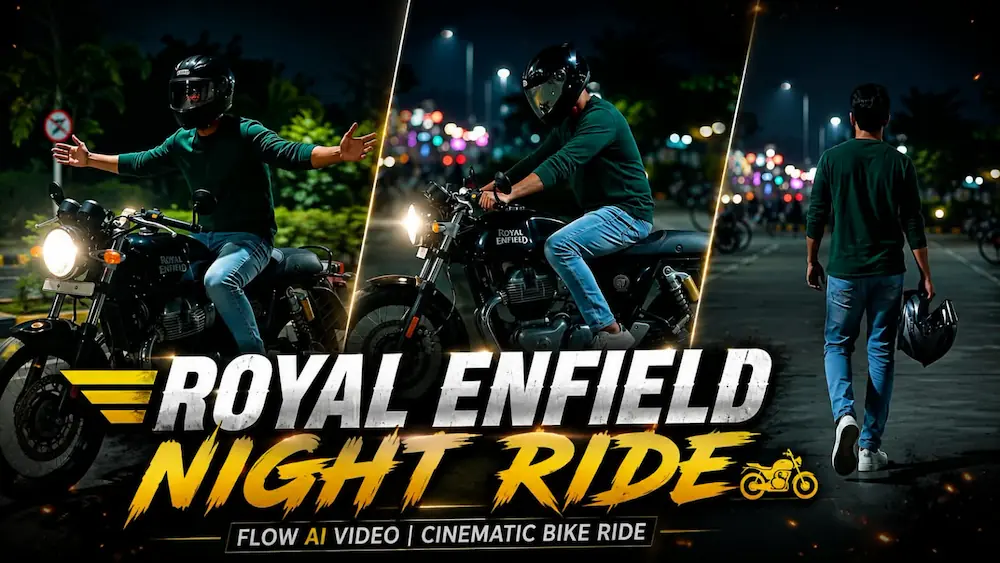
Start by opening Flow AI and upload a clear reference photo of the person. Use the Royal Enfield Night Ride cinematic prompt and keep the uploaded person as the exact identity reference. The prompt maintains the same face, hairstyle, skin tone, body proportions, clothing, and overall appearance throughout the video.
The rider wears a dark green full-sleeve shirt, light-blue jeans, white sneakers, and a full-face helmet while using the same black Royal Enfield Continental GT 650. The seven-scene sequence begins in a dark parking area, moves to motorcycle close-ups and riding shots, and ends with a dynamic low-angle night-road sequence. The video uses 16:9 widescreen, ultra-realistic 4K quality, cool blue-green tones, warm highlights, headlights, reflections, and cinematic camera movement.
2. Double Role AI Video
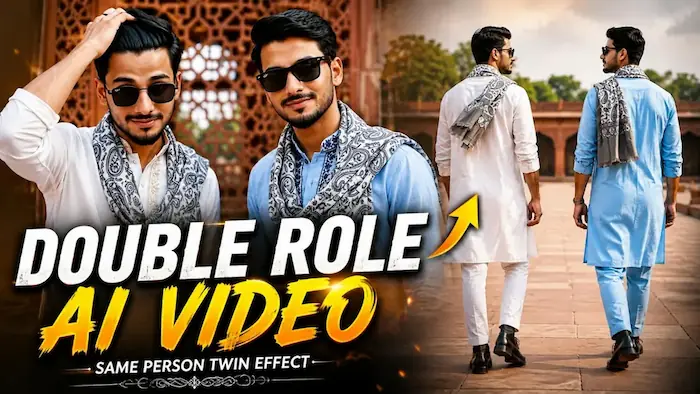
For the Twin Effect, upload one clear reference photo to Flow AI. The prompt creates two versions of the same person in the same frame while preserving the original face, hairstyle, skin tone, height, body build, and proportions. Only the clothing embroidery and colour are different between the two characters.
Both characters appear in a red-sandstone heritage monument courtyard. One wears a white embroidered kurta and the other wears a light-blue embroidered kurta, with matching mufflers, boots, and watches. The eight scenes include synchronized walking, wrist close-ups, rear views, sunglasses, hair adjustment, walking toward the camera, smiling at each other, and a final wide pose. Use 16:9 and 1080p with consistent lighting and background.
3. Emotional Ocean Music Player Photo
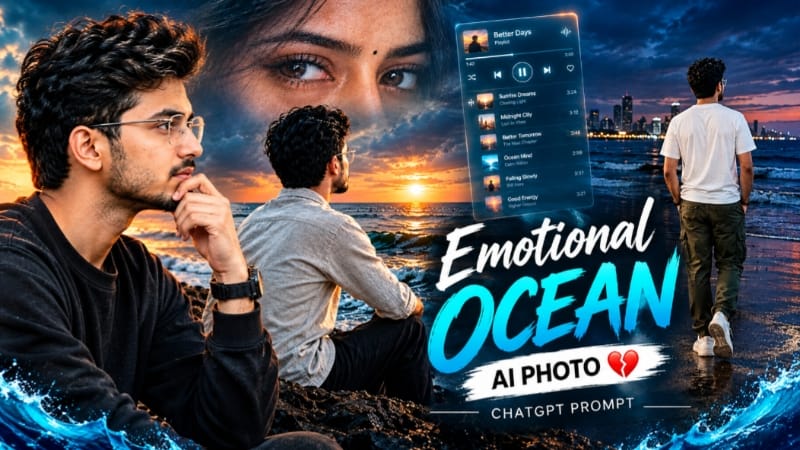
Open ChatGPT and upload a clear reference photo. The Emotional Ocean concept combines a dark beach, ocean waves, cinematic lighting, and a glowing digital music-player interface. One version places the person walking on a nighttime beach with a distant city skyline and translucent music-player graphics.
Use a 4:5 composition with realistic skin, sharp details, cinematic lighting, and a controlled dark atmosphere. The page also includes other creative variations, allowing the concept to be adapted into different emotional storytelling compositions.
4. Heartbreak Night Highway AI Video
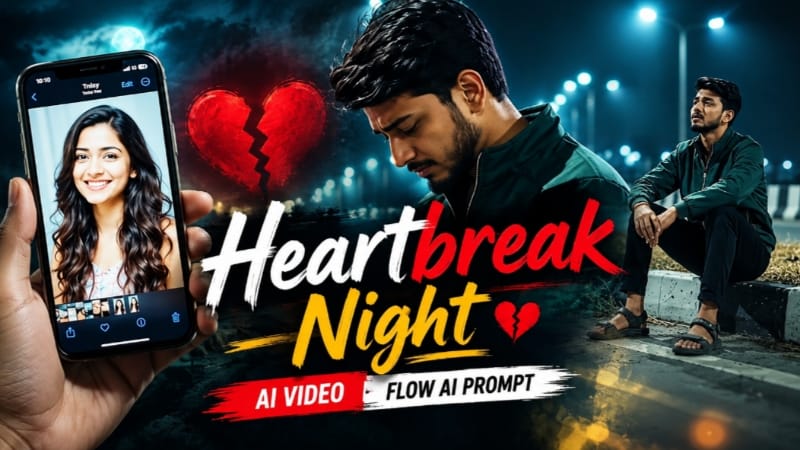
Upload the required reference photo to Flow AI and use the Heartbreak Night Highway prompt. The concept creates a lonely nighttime highway story with the person maintaining the same identity, clothing, and appearance throughout the sequence. The phone-screen storytelling element can show a woman's photo while the main character remains alone in the environment.
The cinematic sequence focuses on slow walking, sitting beside the road divider, looking toward the sky, leaning against the barrier, and wide emotional shots. Dark surroundings, teal-green streetlights, fog, road reflections, and slow cinematic movement create the intended heartbreak atmosphere.
5. Heartbreak Riverside AI Video
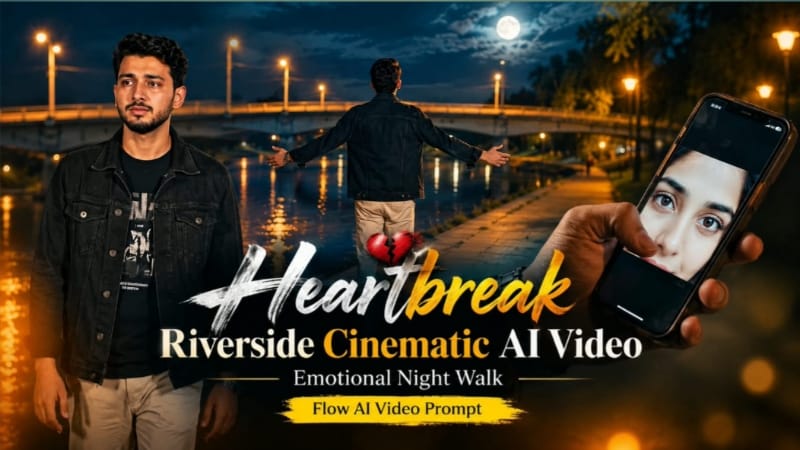
For the riverside version, use a clear reference image in Flow AI and maintain the same character throughout the story. The scene takes place at night beside a riverside bridge with concrete structures, warm lights, trees, and a deep blue-black sky. The character wears a black denim jacket, black graphic T-shirt, beige trousers, and a silver watch.
The story uses emotional walking, phone-based memories, reflective poses, arms-open moments, and quiet heartbreak expressions. Keep the camera movement smooth, preserve the character's identity, and maintain the same nighttime environment and cinematic colour grade across the sequence.
Final Result
These five techniques cover motorcycle cinematography, twin-character AI effects, emotional ocean photo editing, highway heartbreak storytelling, and riverside cinematic videos. For the most realistic output, always begin with a clear reference photo, use strong identity-lock instructions, maintain consistent clothing and locations, and carefully review faces, hands, body proportions, lighting, backgrounds, camera movement, and scene continuity before exporting the final content.