Night Park Couple Meeting AI Video | Flow AI Prompt
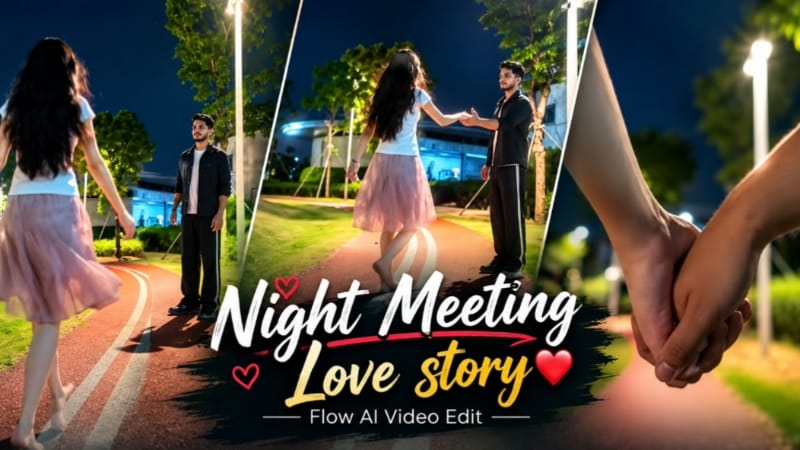
Night Park Couple Meeting AI Video is a cinematic AI video concept inspired by a nighttime park scene featuring a young man and a young woman meeting on a curved outdoor pathway. The video combines a black T-shirt, grey trousers, a white top, a light pink skirt, glowing streetlights, green grass, and a beautiful night sky.
This AI video concept is suitable for creators who want to make realistic cinematic couple videos using reference images and AI video-generation tools such as Flow AI. The main focus is on the characters' natural movements, the nighttime environment, the meeting moment, and the hand-holding scene.
What Is Night Park Couple AI Video?
Night Park Couple AI Video is a cinematic scene set on an illuminated park pathway at night. The video begins with a close, low-angle view of two people holding hands, with the curved pathway and surrounding park visible in the background.
The scene then reveals a young man standing on the pathway. He wears a plain black T-shirt, loose grey trousers, and dark footwear. A young woman wearing a white short-sleeved top and a light pink skirt approaches him from the opposite direction.
The video progresses from the initial hand-holding view to a wider shot of the park, followed by the girl approaching the boy. The final moment focuses on their interaction as they extend their hands toward each other.
Night Park Background and Lighting
The background is an important part of this video concept. A curved reddish running track with two white lines leads through the park. Green grass covers both sides of the pathway, while trees, supported young plants, and a large building are visible in the distance.
Tall streetlights illuminate the pathway and grass, creating a contrast between the bright foreground and the deep blue nighttime sky. The lighting produces a cinematic atmosphere while keeping the characters visible.
To recreate the same visual style, the prompt should preserve the curved track, streetlight positions, trees, building, grass, and nighttime color palette. Avoid adding unrelated locations or changing the scene into a different environment.
Male Character Appearance
The male character wears a simple black T-shirt with loose grey trousers and dark shoes. His outfit contrasts with the illuminated pathway and surrounding greenery.
The character stands on the track and faces the approaching girl. His posture is relaxed and natural, with his attention directed toward her. The prompt should keep his clothing, hairstyle, facial features, and body proportions consistent across the generated shots when a reference image is provided.
Female Character Appearance
The female character wears a white short-sleeved top paired with a light pink skirt. Her long, dark hair falls naturally down her back, and her skirt moves gently as she walks along the pathway.
She approaches the boy from a distance, with her arms moving naturally during the walk. The white top and pink skirt stand out against the dark sky and green surroundings.
The prompt should preserve her outfit colors, hairstyle, and overall appearance across the scene. Natural walking movement and realistic fabric motion can help the generated video look more believable.
Hand-Holding and Couple Meeting Scene
The opening shot focuses on the couple's joined hands, creating a close-up introduction before revealing the wider setting. The video then shows the boy standing alone on the curved pathway.
As the sequence progresses, the girl walks toward him. The camera captures the distance between the characters gradually becoming smaller. In the final part, the boy and girl extend their hands toward one another, creating the central meeting moment.
The actions should follow this order rather than appearing randomly. Smooth movement, stable character positions, and consistent clothing can help maintain continuity between shots.
Cinematic Camera Movement
The video uses a low, wide perspective to show the pathway and the characters within the nighttime park. The opening hand close-up provides a different perspective from the wider shots that follow.
A stable camera and natural movement help preserve the composition. The prompt should describe the characters' actions clearly, including the boy standing on the track, the girl approaching, and their hands moving toward each other.
How to Create This Video With Flow AI
To create a similar video, prepare clear reference images for the characters and use a detailed prompt that describes the scene and movement. Specify the black T-shirt, grey trousers, white top, pink skirt, curved running track, streetlights, grass, and nighttime sky.
If the tool supports image references, assign the correct reference image to each character. Review the generated result for facial consistency, clothing colors, hand movements, and background details.
AI-generated results can vary, so exact duplication of every frame is not guaranteed. If a particular action or scene looks incorrect, refine the prompt and generate the clip again.
Final Thoughts
Night Park Couple Meeting AI Video is a useful concept for cinematic AI editing tutorials and social media videos. The combination of a curved running track, illuminated park, black and grey menswear, a white top, a pink skirt, and a hand-holding meeting scene gives the video its distinctive look.
Use a clear prompt, preserve the order of actions, and review the generated footage before exporting it for your creative project.
Sabse Pehle Character Sheet Photo Banaai ChatGPT Se
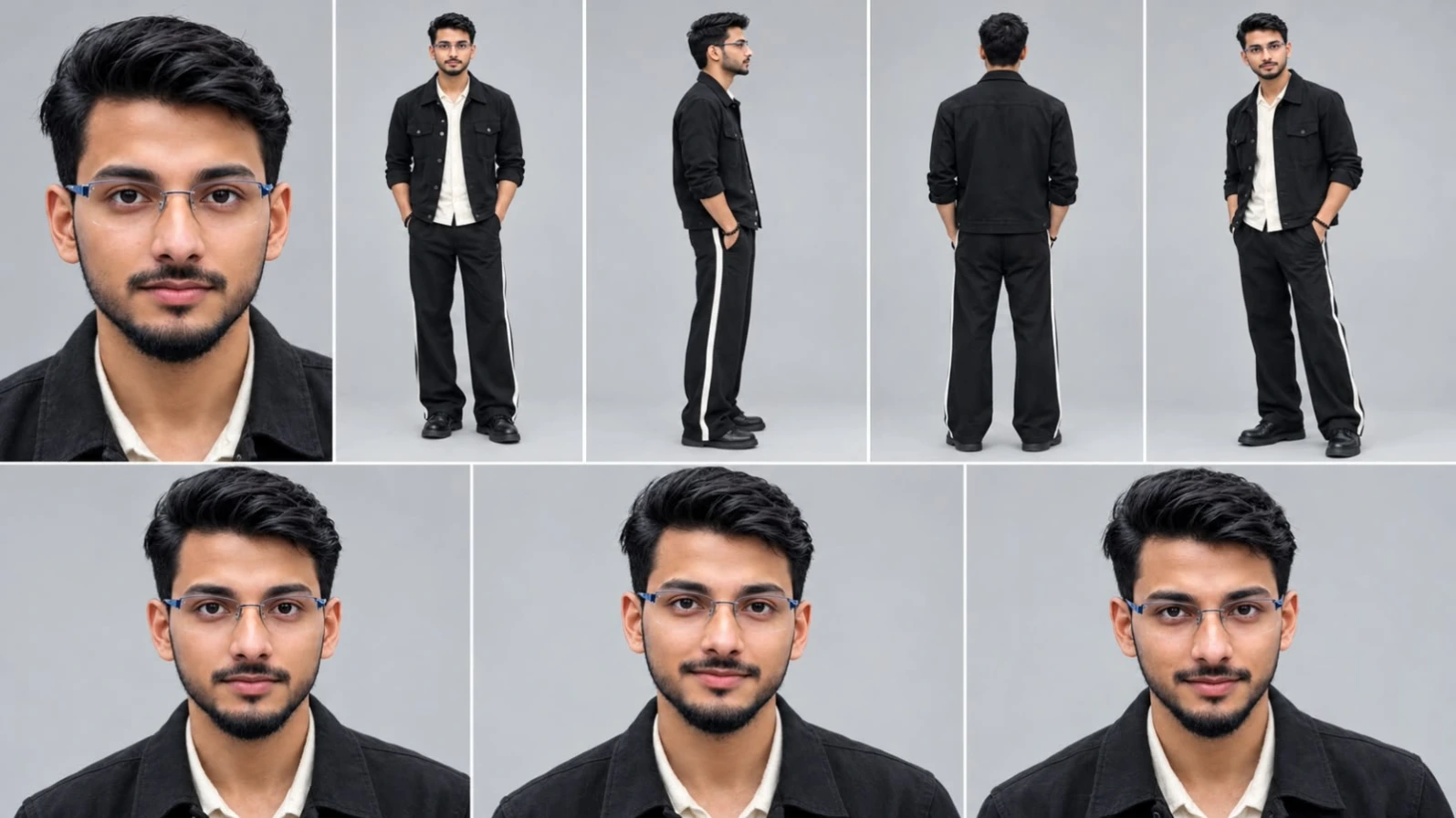
Create a professional character reference sheet of the SAME handsome young Indian man in one image, 16:9 landscape, plain light grey studio background, soft even lighting, photorealistic, sharp face, natural skin texture, 4K. Layout (grid with thin white dividers): Top row, 5 panels: (1) large close-up face portrait, (2) full body front view standing, hands relaxed, (3) full body side view, (4) full body back view, (5) full body three-quarter view. Bottom row, 3 panels: three close-up face portraits, front facing, with slightly different natural expressions (neutral, soft smile, slight smirk). Character: short black textured hair, light stubble beard, clean fair-wheatish skin tone, athletic slim build. Outfit (identical in every panel): black buttoned jacket with sleeves folded, cream white shirt underneath, black wide-leg trousers with a white side stripe, black bead bracelet on wrist, black shoes. Face, hair, outfit and proportions must stay perfectly consistent across all panels.
Create a professional character reference sheet of the SAME handsome young Indian man in one image, 16:9 landscape, plain light grey studio background, soft even lighting, photorealistic, sharp face, natural skin texture, 4K.
Layout (grid with thin white dividers):
Top row, 5 panels: (1) large close-up face portrait, (2) full body front view standing, hands relaxed, (3) full body side view, (4) full body back view, (5) full body three-quarter view.
Bottom row, 3 panels: three close-up face portraits, front facing, with slightly different natural expressions (neutral, soft smile, slight smirk).
Character: short black textured hair, light stubble beard, clean fair-wheatish skin tone, athletic slim build.
Outfit (identical in every panel): black buttoned jacket with sleeves folded, cream white shirt underneath, black wide-leg trousers with a white side stripe, black bead bracelet on wrist, black shoes.
Face, hair, outfit and proportions must stay perfectly consistent across all panels.
✓
Prompt copied to clipboard!
AI Character Reference Sheet Prompt Card
✦AI PHOTO PROMPT
Create a professional character reference sheet of the SAME handsome young Indian man in one image, 16:9 landscape, plain light grey studio background, soft even lighting, photorealistic, sharp face, natural skin texture, 4K. Layout (grid with thin white dividers): Top row, 5 panels: (1) large close-up face portrait, (2) full body front view standing, hands relaxed, (3) full body side view, (4) full body back view, (5) full body three-quarter view. Bottom row, 3 panels: three close-up face portraits, front facing, with slightly different natural expressions (neutral, soft smile, slight smirk). Character: short black textured hair, light stubble beard, clean fair-wheatish skin tone, athletic slim build. Outfit (identical in every panel): black buttoned jacket with sleeves folded, cream white shirt underneath, black wide-leg trousers with a white side stripe, black bead bracelet on wrist, black shoes. Face, hair, outfit and proportions must stay perfectly consistent across all panels.
Create a professional character reference sheet of the SAME handsome young Indian man in one image, 16:9 landscape, plain light grey studio background, soft even lighting, photorealistic, sharp face, natural skin texture, 4K.
Layout (grid with thin white dividers):
Top row, 5 panels: (1) large close-up face portrait, (2) full body front view standing, hands relaxed, (3) full body side view, (4) full body back view, (5) full body three-quarter view.
Bottom row, 3 panels: three close-up face portraits, front facing, with slightly different natural expressions (neutral, soft smile, slight smirk).
Character: short black textured hair, light stubble beard, clean fair-wheatish skin tone, athletic slim build.
Outfit (identical in every panel): black buttoned jacket with sleeves folded, cream white shirt underneath, black wide-leg trousers with a white side stripe, black bead bracelet on wrist, black shoes.
Face, hair, outfit and proportions must stay perfectly consistent across all panels.
Create a highly realistic 16:9 vertical video. A precise frame-by-frame recreation of the exact motion, performance, and subtle camera movements (dolly, pan, zoom) from the REFERENCE VIDEO, transferring them onto the person shown in the TARGET IMAGE. The final output must be photorealistic, maintaining the target person's facial identity, clothing, and physical characteristics perfectly, while performing the exact actions, gestures, expressions, and head/body rotations seen in the reference. The scene background should also be recreated as in the reference, but adapted for the 16:9 vertical aspect ratio, preserving correct spatial relationships and lighting. Seamless blending of identity and motion, high fidelity, 8K resolution.
Create a highly realistic 16:9 vertical video. A precise frame-by-frame recreation of the exact motion, performance, and subtle camera movements (dolly, pan, zoom) from the REFERENCE VIDEO, transferring them onto the person shown in the TARGET IMAGE. The final output must be photorealistic, maintaining the target person's facial identity, clothing, and physical characteristics perfectly, while performing the exact actions, gestures, expressions, and head/body rotations seen in the reference. The scene background should also be recreated as in the reference, but adapted for the 16:9 vertical aspect ratio, preserving correct spatial relationships and lighting. Seamless blending of identity and motion, high fidelity, 8K resolution.
✓
Prompt copied to clipboard!
AI Video Prompt Card
✦AI VIDEO PROMPT
Create a highly realistic 16:9 vertical video. A precise frame-by-frame recreation of the exact motion, performance, and subtle camera movements (dolly, pan, zoom) from the REFERENCE VIDEO, transferring them onto the person shown in the TARGET IMAGE. The final output must be photorealistic, maintaining the target person's facial identity, clothing, and physical characteristics perfectly, while performing the exact actions, gestures, expressions, and head/body rotations seen in the reference. The scene background should also be recreated as in the reference, but adapted for the 16:9 vertical aspect ratio, preserving correct spatial relationships and lighting. Seamless blending of identity and motion, high fidelity, 8K resolution.
Create a highly realistic 16:9 vertical video. A precise frame-by-frame recreation of the exact motion, performance, and subtle camera movements (dolly, pan, zoom) from the REFERENCE VIDEO, transferring them onto the person shown in the TARGET IMAGE. The final output must be photorealistic, maintaining the target person's facial identity, clothing, and physical characteristics perfectly, while performing the exact actions, gestures, expressions, and head/body rotations seen in the reference. The scene background should also be recreated as in the reference, but adapted for the 16:9 vertical aspect ratio, preserving correct spatial relationships and lighting. Seamless blending of identity and motion, high fidelity, 8K resolution.
Agar aap apni reference photos se video mein dikhaye gaye night park couple meeting scene jaisi AI video banana chahte hain, to ye steps follow karein.
Step 1: Reference Photos Ready Karein
Sabse pehle boy aur girl ki clear reference photos select karein. Dono characters ke faces clearly visible hone chahiye, taaki AI tool ko unki appearance samajhne mein madad mile.
Step 2: Flow AI Open Karein
Apne browser mein Flow AI open karein aur available video-generation feature par jaayein. Zaroorat padne par apne account mein sign in karein.
Step 3: Character Images Upload Karein
Boy aur girl ki reference photos upload karein. Agar tool alag character references support karta hai, to har image ko sahi character ke saath assign karein.
Step 4: Complete Video Prompt Paste Karein
Apna detailed Night Park Couple AI Video prompt copy karke prompt box mein paste karein.
Prompt mein black T-shirt aur grey trousers pehne boy, white top aur pink skirt pehni girl, curved red running track, green grass, trees, streetlights aur nighttime sky ka description zaroor rakhein.
Step 5: Scene Actions Set Karein
Video ke actions ko isi order mein describe karein:
- Opening close-up mein couple ke joined hands dikhayein.
- Wide shot mein boy ko curved pathway par khada dikhayein.
- Girl ko door se boy ki taraf walk karte hue dikhayein.
- Final scene mein dono ko ek doosre ki taraf haath badhate hue dikhayein.
Agar tool separate clips generate kar sakta hai, to har shot ko alag generate karke baad mein arrange kar sakte hain.
Step 6: Video Settings Select Karein
Agar video Instagram Reels ya YouTube Shorts ke liye hai, to 9:16 vertical aspect ratio select karein, agar available ho. Apne project ke hisaab se supported duration aur quality settings choose karein.
Step 7: Generate Aur Review Karein
Generate option par click karein aur video ready hone ka wait karein. Result mein characters ke faces, outfits, hand movements, walking actions aur background ko check karein.
Agar kapdon ke colors badal rahe hon ya characters ki movement unnatural ho, to prompt ko refine karke dobara generate karein.
Step 8: Export Karein
Final video satisfactory hone par available download ya export option ka use karein. Zaroorat ke mutabik VN ya kisi doosre editor mein clips arrange karke transitions aur music add kar sakte hain.
Is tarah aap reference photos ki madad se night park couple meeting AI video create kar sakte hain.
Night Park CoupleCouple Meeting AI VideoFlow AI PromptNight Park AI VideoHand Holding SceneBlack T Shirt BoyPink Skirt GirlCinematic Couple VideoAI Video EditingNighttime Couple SceneCouple Walking VideoRealistic AI VideoAI Reels PromptPark Meeting SceneNoorEditing07
Night Park CoupleCouple Meeting AI VideoFlow AI PromptNight Park AI VideoHand Holding SceneBlack T Shirt BoyPink Skirt GirlCinematic Couple VideoAI Video EditingNighttime Couple SceneCouple Walking VideoRealistic AI VideoAI Reels PromptPark Meeting SceneNoorEditing07
1. Mirror Selfie AI Photo Prompt | Black Kurta with Golden Embroidery Shawl
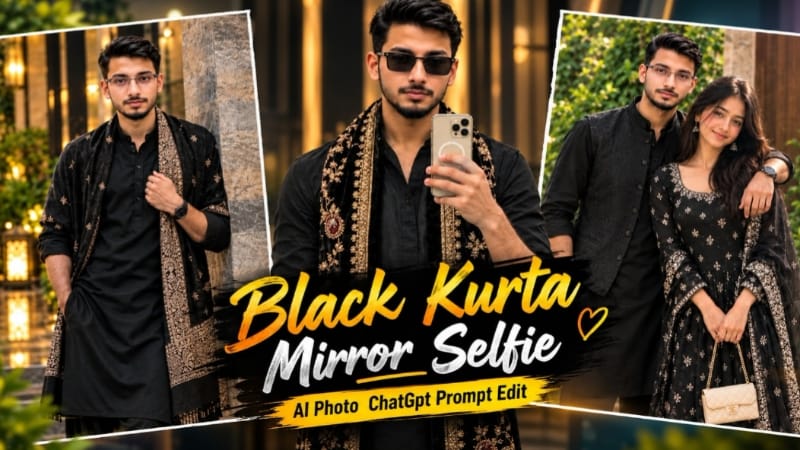
Mirror Selfie AI Photo Prompt ek traditional fashion portrait concept hai, jisme black kurta, embroidered velvet shawl aur warm natural sunlight ke saath realistic indoor mirror selfie create ki jaati hai. Is concept mein two reference images use hoti hain: ek scene ke liye aur doosri face reference ke liye. Source
Step 1: Reference Images Ready Karein
Image 1 mein desired mirror selfie aur outfit ho. Image 2 mein aapki clear face photo honi chahiye.
Step 2: AI Image Tool Open Karein
ChatGPT ya compatible image-generation tool open karein jo multiple reference images support karta ho.
Step 3: Images Upload Karein
Pehli image ko pose, background aur composition ke liye aur doosri image ko face identity reference ke liye use karein.
Step 4: Prompt Paste Karein
Complete Mirror Selfie AI Photo Prompt copy karke paste karein. 4:5 vertical ratio select karein.
Step 5: Outfit Aur Pose Maintain Karein
Black V-neck kurta, rolled sleeves, dark trousers aur cream-gold floral embroidery aur maroon medallion motifs wala black velvet shawl rakhein. Black rectangular sunglasses aur cream-gold smartphone bhi reference ke mutabik maintain karein.
Step 6: Lighting Set Karein
Large round mirror, grey-beige wall aur left side se aati warm sunlight ka look preserve karein.
Step 7: Final Image Check Karein
Face, hands, phone, shawl embroidery aur mirror reflection inspect karein. Image ko high quality mein save karein.
2. Sad Riverbank Love Story AI Video | Cinematic Couple Video | Flow AI Prompt
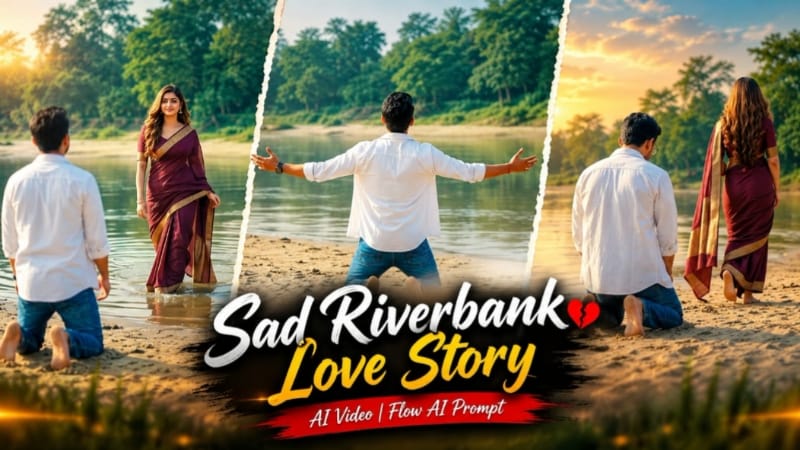
Sad Riverbank Love Story AI Video ek emotional cinematic concept hai, jisme sandy riverbank, calm water, green trees aur couple ke dramatic moments ke through love-story sequence create hota hai. Is prompt mein three main scenes aur natural body movements par focus hai. Source
Step 1: Reference Photos Ready Karein
Man aur woman ki clear photos select karein, jisse AI ko dono ki appearance ka reference mil sake.
Step 2: Flow AI Open Karein
Flow AI mein image-to-video option open karein aur reference images upload karein.
Step 3: Prompt Paste Karein
Sad Riverbank Love Story AI Video Prompt copy karke paste karein. Concept ke liye 16:9 landscape format use karein.
Step 4: Outfit Maintain Karein
Man ke liye open white shirt, white T-shirt aur blue jeans rakhein. Woman ke liye deep maroon saree with gold border aur long open hair maintain karein.
Step 5: First Scene Generate Karein
Wide shot mein man sandy riverbank par kneel hokar arms open karta hai. Woman shallow water se uski taraf aati hai.
Step 6: Second Scene Create Karein
Man kneeling position mein woman ko dekhta hai, jabki woman riverbank par trees ki taraf walk away karti hai.
Step 7: Final Scene Complete Karein
Man sad expression ke saath camera ki taraf walk karta hai. Background mein woman saree pallu ko arms wide karke hold karti aur spin karti hai.
Step 8: Review Aur Export
Face, outfits, scene continuity aur movement check karein. Zarurat par clips regenerate karke final video export karein.
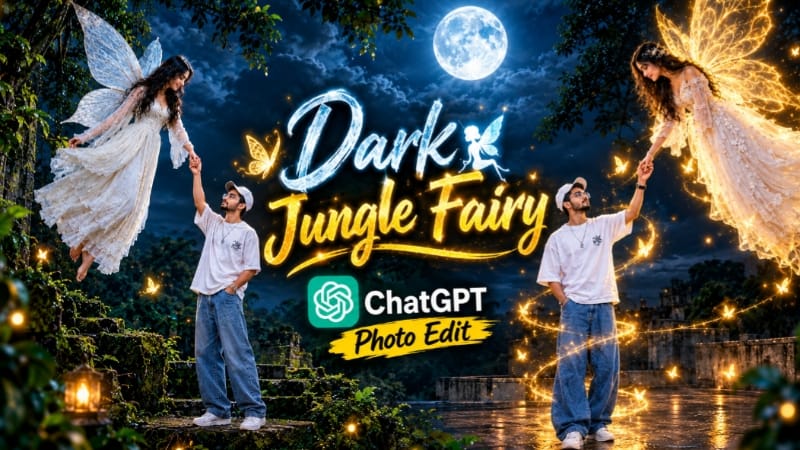
3. Dark Jungle Fairy AI Photo | Cinematic Moonlight Fantasy | ChatGPT Prompt
Dark Jungle Fairy AI Photo ek fantasy photo-editing concept hai, jisme rooftop platform, ancient jungle, full moon aur fairy ko ek cinematic composition mein combine kiya jata hai. Is concept ka ek version glowing effects ke bina dark, realistic moonlight atmosphere par focus karta hai. Source
Step 1: Reference Photo Select Karein
Ek clear photo ready karein jisme subject ka face, hairstyle, beard aur outfit visible ho.
Step 2: ChatGPT Open Karein
ChatGPT mein reference image upload karein aur Dark Jungle Fairy AI Photo Prompt paste karein.
Step 3: Subject Ki Appearance Maintain Karein
Reference ke mutabik white oversized T-shirt, white cap aur loose blue jeans ko consistent rakhein. Face aur body proportions mein unnecessary changes avoid karein.
Step 4: Fairy Aur Pose Add Karein
Subject ko rooftop par khada aur floating fairy ka haath pakde hue dikhayein. Fairy ke long dark hair, white ethereal dress aur wings ko prompt ke mutabik maintain karein.
Step 5: Jungle Background Create Karein
Rooftop ke around ancient trees, mossy vines aur dense tropical foliage add karein. Background mein cloudy night sky aur prominent full moon rakhein.
Step 6: Lighting Adjust Karein
Dark, natural moonlight look use karein. Non-glowing version ke liye golden light trails, luminous butterflies aur extra glowing effects remove karne ki instruction dein.
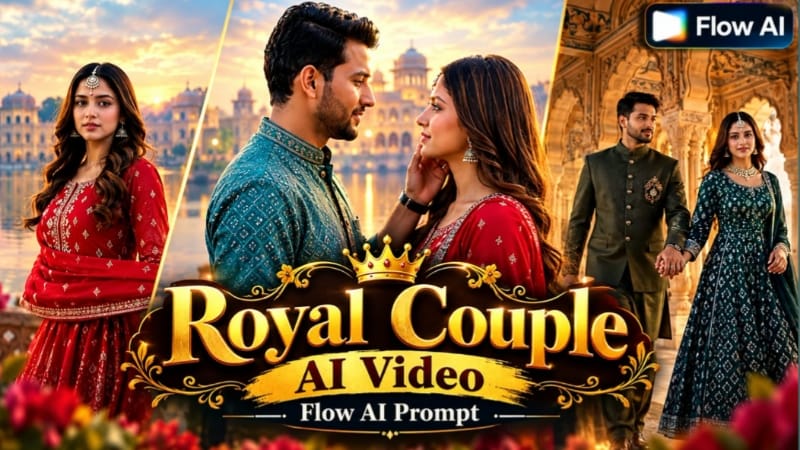
4. Royal Couple Pre-Wedding AI Video | Cinematic Palace Shoot | Flow AI Prompt
Royal Couple Pre-Wedding AI Video ek cinematic wedding concept hai, jisme couple reference photos ko royal palace architecture, misty lakeside views aur traditional outfits ke saath combine kiya jata hai. Is prompt mein ten fast-paced scenes aur 16:9 widescreen presentation ka use hota hai. Source
Step 1: Couple Photos Ready Karein
Bride aur groom ki clear reference photos select karein. Dono ke faces achhe se visible hone chahiye.
Step 2: Character Sheet Banayein
Zarurat ho to ChatGPT se character reference sheet banayein, jisse different shots mein outfit aur appearance consistent rakhne mein help mile.
Step 3: Flow AI Open Karein
Flow AI mein image-to-video workflow open karke required reference photos upload karein.
Step 4: Prompt Paste Karein
Royal Couple Pre-Wedding AI Video Prompt paste karein. Cinematic widescreen ke liye 16:9 format select karein.
Step 5: Outfits Maintain Karein
Prompt mein crimson-red, emerald-green aur ivory/maroon royal outfit looks diye gaye hain. Har scene mein specified styling follow karein.
Step 6: Ten Scenes Generate Karein
Sequence mein misty lakeside romantic shots, palace courtyard, painted corridors, royal arches, red-stone balustrade aur heritage domes ke saamne couple poses shamil hain.
Unnatural movement ya distorted details wale scenes regenerate karein. Bottom corner mein subtle NoorEditing07 watermark ke saath video export karein.
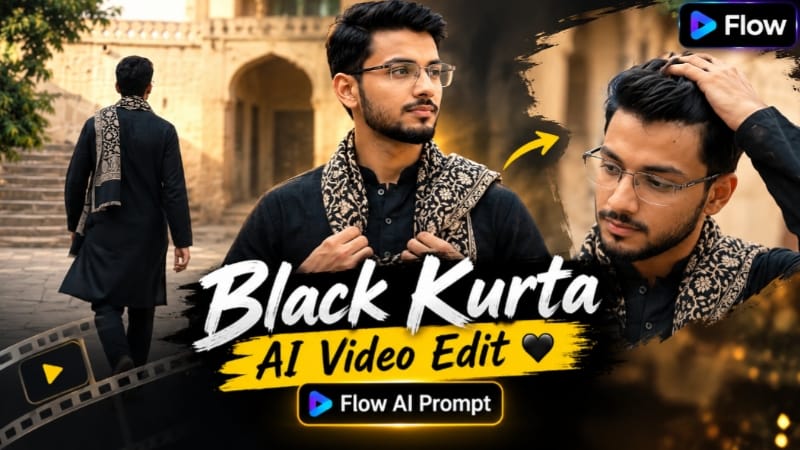
5. Black Kurta AI Video | Cinematic Indian Courtyard Look | Flow AI Prompt
Black Kurta AI Video ek traditional Indian fashion concept hai, jisme historic courtyard, sandstone architecture aur natural daylight ke saath ek short cinematic video create kiya jata hai. Is prompt mein four shots, 10-second duration, 16:9 landscape aur normal 30fps speed specify ki gayi hai. Source