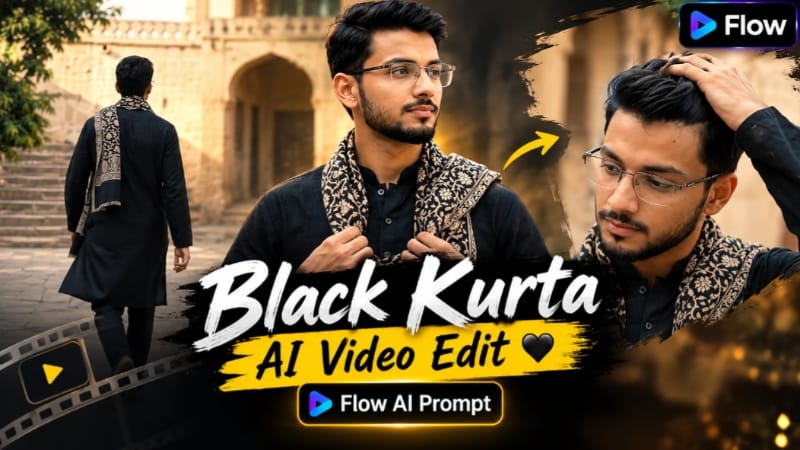
Black Kurta AI Video is a cinematic AI video concept designed to create a realistic traditional Indian fashion video using a reference photo. The main focus of this prompt is exact character identity preservation, traditional black kurta styling, a historic Indian courtyard and natural cinematic movements. The final video is designed in 16:9 landscape format with 30fps and normal real-time speed.
This Flow AI Prompt uses the uploaded reference photo as the strict character identity reference. The character's facial identity is required to remain consistent throughout every shot. Important facial characteristics such as face shape, eyes, nose, lips, jawline and skin tone are preserved from the reference image. The prompt specifically avoids face swapping, artificial beautification and generic AI-generated faces.
Another important part of this concept is maintaining the same body build and overall appearance shown in the reference photo. This helps create continuity between the reference image and the generated video. If sunglasses are present in the reference photo, the same sunglasses should remain throughout the video rather than being replaced with a different style.
The outfit gives the video a traditional and sophisticated appearance. The character wears a black traditional long kurta with black trousers. A black-and-beige patterned scarf is draped naturally around the neck and shoulders. The dark outfit works well against the lighter sandstone architecture and green trees in the background.
The setting is a historic Indian courtyard featuring pale sandstone walls, traditional arched doorways, stone paving and green trees. Warm daylight provides natural illumination and creates a realistic live-action appearance. The environment is designed to feel like a genuine historic location rather than an artificial studio background.
The complete video is exactly 10 seconds long and is divided into four different shots. Each shot has a specific duration and action, while direct cuts are used to move from one scene to another.
The first scene runs from 0.00 to 2.17 seconds. It uses a medium-long frontal shot of the character standing calmly in the courtyard. His arms remain relaxed while he faces the camera. This opening shot establishes the traditional outfit, character identity and historic environment.
The second scene runs from 2.17 to 4.67 seconds and changes to a close-up of the face and shoulders. The character looks down-left while using one hand to adjust his hair. Because this is a close-up shot, facial identity and realistic skin details become especially important.
The third scene runs from 4.67 to 7.17 seconds. It uses a medium shot with the character facing slightly toward the right. One hand naturally adjusts the patterned scarf on his chest. This moment highlights the traditional styling while keeping the movement simple and realistic.
The final scene runs from 7.17 to 10.00 seconds. The camera shows the character from a rear three-quarter angle as he walks away toward a stone staircase. The scarf should move naturally with his walking motion, creating a realistic ending to the short cinematic sequence.
The camera direction is intentionally simple. Each scene uses a static camera, with direct cuts between shots. There should be no unnecessary camera movement, zooming or artificial cinematic effects. The video should remain at normal 1x real-time speed without slow motion.
The technical specifications are also clearly defined. The video should be exactly 10 seconds, 16:9 landscape, 30fps and ultra-photorealistic. It should look like cinematic live-action footage rather than an obvious AI-generated video.
The prompt also specifies that the video should remain silent with no music. This makes the visual styling, facial consistency, outfit and natural movements the main focus of the final output.
For branding, a small and subtle "NoorEditing07" watermark is placed in the bottom-right corner with low opacity. This keeps the branding visible without distracting from the cinematic composition.
Overall, this Black Kurta AI Video Prompt combines traditional Indian fashion, historic architecture, realistic character identity and simple cinematic storytelling. It is suitable for creators who want to transform a reference photo into a professional-looking traditional fashion video while keeping the character's appearance consistent across multiple shots.
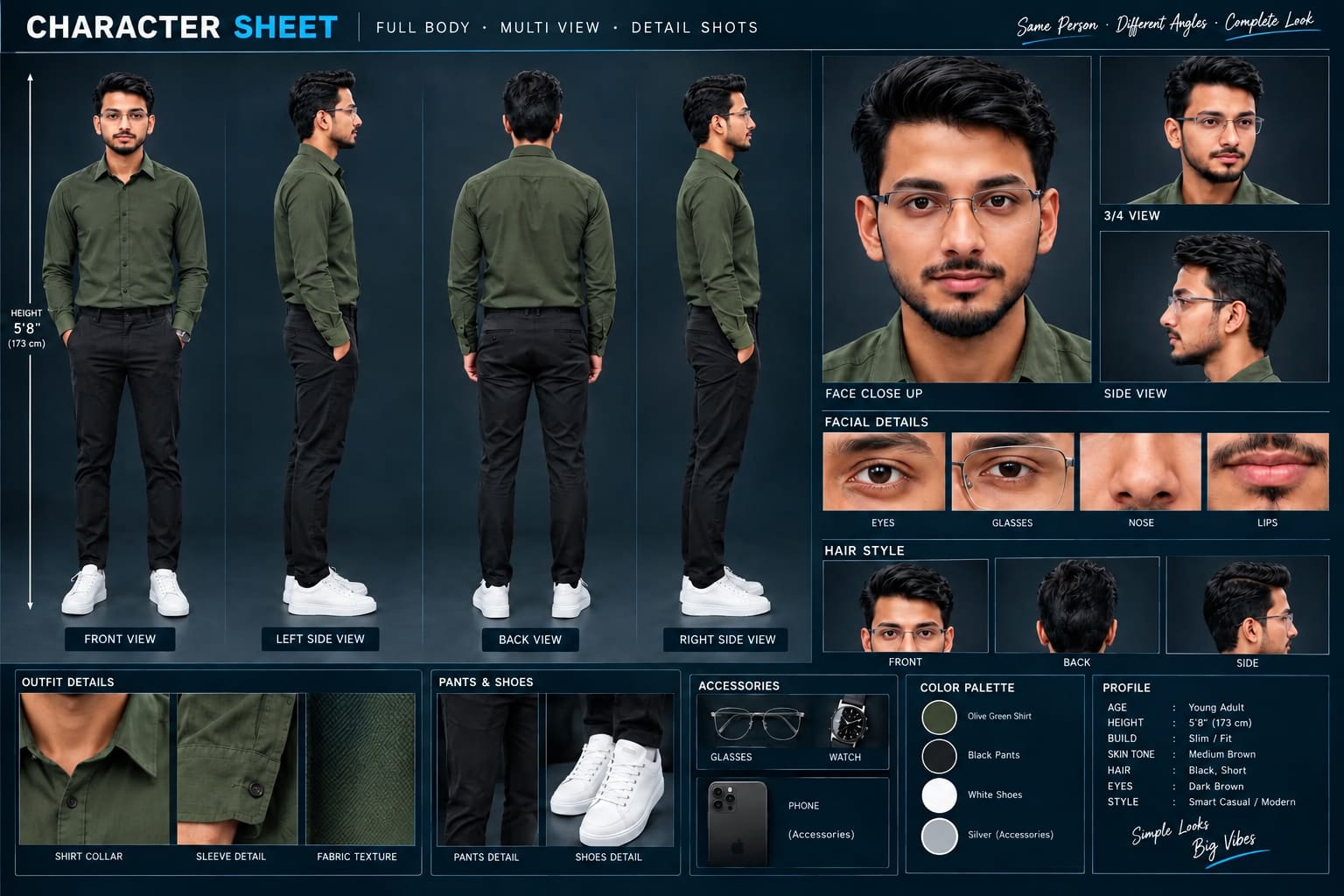
Sabse Pehle Character Sheet Photo Banaai ChatGPT Se
A premium, professional, ultra-photorealistic full-body character reference sheet for the person identified in the uploaded photo. The sheet is presented in a clean professional studio environment with a dark, luxury background. The character's identity, facial features, skin tone, body proportions, hairstyle, and transparent-frame glasses are perfectly consistent with the reference photo. The character is wearing the exact outfit from the reference: a mustard-yellow polo shirt with white piping, black slim-fit pants, and white sneakers. The layout is an elegant grid containing: 1. Full-body front view, 2. Full-body left side view, 3. Full-body back view, 4. Full-body right side view. 5. Large face close-up, 6. 3/4 face view, 7. Side-profile face view. 8. Detailed eye, glasses, nose, and lips reference crops. 9. Hair front, back, and side reference. 10. Shirt collar, sleeve, and fabric texture details. 11. Pants and sneaker detail shots. 12. Accessories reference. All views depict the same person with high-end cinematic lighting, extremely sharp facial details, realistic skin texture, natural hair strands, realistic fabric texture, accurate clothing stitching, and physically accurate lighting with subtle shadows. The full body is completely visible in all turnaround views, including both shoes. The presentation features sophisticated typography, thin clean borders, and balanced spacing. No watermarks, cartoons, or distortions are present.
A premium, professional, ultra-photorealistic full-body character reference sheet for the person identified in the uploaded photo. The sheet is presented in a clean professional studio environment with a dark, luxury background. The character's identity, facial features, skin tone, body proportions, hairstyle, and transparent-frame glasses are perfectly consistent with the reference photo. The character is wearing the exact outfit from the reference: a mustard-yellow polo shirt with white piping, black slim-fit pants, and white sneakers. The layout is an elegant grid containing: 1. Full-body front view, 2. Full-body left side view, 3. Full-body back view, 4. Full-body right side view. 5. Large face close-up, 6. 3/4 face view, 7. Side-profile face view. 8. Detailed eye, glasses, nose, and lips reference crops. 9. Hair front, back, and side reference. 10. Shirt collar, sleeve, and fabric texture details. 11. Pants and sneaker detail shots. 12. Accessories reference. All views depict the same person with high-end cinematic lighting, extremely sharp facial details, realistic skin texture, natural hair strands, realistic fabric texture, accurate clothing stitching, and physically accurate lighting with subtle shadows. The full body is completely visible in all turnaround views, including both shoes. The presentation features sophisticated typography, thin clean borders, and balanced spacing. No watermarks, cartoons, or distortions are present.
✓
Prompt copied to clipboard!
AI Video Prompt
✦AI PHOTO PROMPT
A premium, professional, ultra-photorealistic full-body character reference sheet for the person identified in the uploaded photo. The sheet is presented in a clean professional studio environment with a dark, luxury background. The character's identity, facial features, skin tone, body proportions, hairstyle, and transparent-frame glasses are perfectly consistent with the reference photo. The character is wearing the exact outfit from the reference: a mustard-yellow polo shirt with white piping, black slim-fit pants, and white sneakers. The layout is an elegant grid containing: 1. Full-body front view, 2. Full-body left side view, 3. Full-body back view, 4. Full-body right side view. 5. Large face close-up, 6. 3/4 face view, 7. Side-profile face view. 8. Detailed eye, glasses, nose, and lips reference crops. 9. Hair front, back, and side reference. 10. Shirt collar, sleeve, and fabric texture details. 11. Pants and sneaker detail shots. 12. Accessories reference. All views depict the same person with high-end cinematic lighting, extremely sharp facial details, realistic skin texture, natural hair strands, realistic fabric texture, accurate clothing stitching, and physically accurate lighting with subtle shadows. The full body is completely visible in all turnaround views, including both shoes. The presentation features sophisticated typography, thin clean borders, and balanced spacing. No watermarks, cartoons, or distortions are present.
A premium, professional, ultra-photorealistic full-body character reference sheet for the person identified in the uploaded photo. The sheet is presented in a clean professional studio environment with a dark, luxury background. The character's identity, facial features, skin tone, body proportions, hairstyle, and transparent-frame glasses are perfectly consistent with the reference photo. The character is wearing the exact outfit from the reference: a mustard-yellow polo shirt with white piping, black slim-fit pants, and white sneakers. The layout is an elegant grid containing: 1. Full-body front view, 2. Full-body left side view, 3. Full-body back view, 4. Full-body right side view. 5. Large face close-up, 6. 3/4 face view, 7. Side-profile face view. 8. Detailed eye, glasses, nose, and lips reference crops. 9. Hair front, back, and side reference. 10. Shirt collar, sleeve, and fabric texture details. 11. Pants and sneaker detail shots. 12. Accessories reference. All views depict the same person with high-end cinematic lighting, extremely sharp facial details, realistic skin texture, natural hair strands, realistic fabric texture, accurate clothing stitching, and physically accurate lighting with subtle shadows. The full body is completely visible in all turnaround views, including both shoes. The presentation features sophisticated typography, thin clean borders, and balanced spacing. No watermarks, cartoons, or distortions are present.
Create an exact 10-second, 16:9 landscape, 30fps, normal real-time-speed, ultra-photorealistic cinematic live-action video using the uploaded reference photo as the strict character identity reference. Preserve the exact facial identity from the reference photo — face shape, eyes, nose, lips, jawline, skin tone — with zero identity drift. No face swap, no beautification, no generic AI face.
Create an exact 10-second, 16:9 landscape, 30fps, normal real-time-speed, ultra-photorealistic cinematic live-action video using the uploaded reference photo as the strict character identity reference. Preserve the exact facial identity from the reference photo — face shape, eyes, nose, lips, jawline, skin tone — with zero identity drift. No face swap, no beautification, no generic AI face.
CRITICAL: Copy his exact face and body build precisely as shown in the reference photo in every single shot. If he is wearing sunglasses in the reference photo, keep the exact same sunglasses throughout. Do not change his face, hairstyle, body build, clothing, accessories, or overall appearance.
He wears a black traditional long kurta, black trousers, and a black-and-beige patterned scarf draped around his neck and shoulders. Setting: a historic Indian courtyard with pale sandstone walls, arched doorways, stone paving, green trees, warm daylight.
[TIMED SHOT BREAKDOWN]
- 0.00–2.17s: Medium-long frontal shot, standing calmly in the courtyard, arms relaxed, facing the camera.
- 2.17–4.67s: Close-up of his face and shoulders, looking down-left, one hand adjusting his hair.
- 4.67–7.17s: Medium shot, facing slightly right, one hand adjusting the scarf on his chest.
- 7.17–10.00s: Rear three-quarter shot, walking AWAY toward a stone staircase at a noticeably FAST WALKING PACE while maintaining natural, realistic human movement. His walking should be clearly faster than a normal casual walk, but still realistic and controlled — NOT running, NOT jogging, and NOT slow motion. The scarf should swing naturally with his faster walking movement.
Static camera for each shot, direct cuts between them, no extra camera movement. Normal 1x speed, no slow motion. Silent, no music.
IMPORTANT: The FAST WALKING ACTION applies ONLY to the final 7.17–10.00s shot. Do not change or modify any other scene, timing, camera angle, character appearance, clothing, environment, or action. All other scenes must remain exactly as specified above.
Watermark: small, subtle "NoorEditing07" text in the bottom-right corner, low opacity.
✓
Prompt copied to clipboard!
AI Video Prompt Card
✦AI VIDEO PROMPT
Create an exact 10-second, 16:9 landscape, 30fps, normal real-time-speed, ultra-photorealistic cinematic live-action video using the uploaded reference photo as the strict character identity reference. Preserve the exact facial identity from the reference photo — face shape, eyes, nose, lips, jawline, skin tone — with zero identity drift. No face swap, no beautification, no generic AI face.
Create an exact 10-second, 16:9 landscape, 30fps, normal real-time-speed, ultra-photorealistic cinematic live-action video using the uploaded reference photo as the strict character identity reference. Preserve the exact facial identity from the reference photo — face shape, eyes, nose, lips, jawline, skin tone — with zero identity drift. No face swap, no beautification, no generic AI face.
CRITICAL: Copy his exact face and body build precisely as shown in the reference photo in every single shot. If he is wearing sunglasses in the reference photo, keep the exact same sunglasses throughout. Do not change his face, hairstyle, body build, clothing, accessories, or overall appearance.
He wears a black traditional long kurta, black trousers, and a black-and-beige patterned scarf draped around his neck and shoulders. Setting: a historic Indian courtyard with pale sandstone walls, arched doorways, stone paving, green trees, warm daylight.
[TIMED SHOT BREAKDOWN]
- 0.00–2.17s: Medium-long frontal shot, standing calmly in the courtyard, arms relaxed, facing the camera.
- 2.17–4.67s: Close-up of his face and shoulders, looking down-left, one hand adjusting his hair.
- 4.67–7.17s: Medium shot, facing slightly right, one hand adjusting the scarf on his chest.
- 7.17–10.00s: Rear three-quarter shot, walking AWAY toward a stone staircase at a noticeably FAST WALKING PACE while maintaining natural, realistic human movement. His walking should be clearly faster than a normal casual walk, but still realistic and controlled — NOT running, NOT jogging, and NOT slow motion. The scarf should swing naturally with his faster walking movement.
Static camera for each shot, direct cuts between them, no extra camera movement. Normal 1x speed, no slow motion. Silent, no music.
IMPORTANT: The FAST WALKING ACTION applies ONLY to the final 7.17–10.00s shot. Do not change or modify any other scene, timing, camera angle, character appearance, clothing, environment, or action. All other scenes must remain exactly as specified above.
Watermark: small, subtle "NoorEditing07" text in the bottom-right corner, low opacity.
Black Kurta AI Video banane ke liye sabse pehle ek clear reference photo ready karein. Reference photo mein face clearly visible hona chahiye, kyunki isi image ko character identity ke liye use kiya jayega. Agar reference photo mein sunglasses hain, to prompt ke according wahi sunglasses video ke har shot mein maintain kiye jayenge.
Sabse pehle Flow AI open karein aur apni reference photo upload karein. Photo upload hone ke baad diye gaye complete Black Kurta AI Video Prompt ko copy karke Flow AI mein paste karein.
Prompt mein character identity ko strict rakhne ke liye face shape, eyes, nose, lips, jawline, skin tone aur body build ko reference photo ke according preserve karne ki instruction di gayi hai. Isliye clear aur high-quality reference image use karna important hai.
Ab video settings mein 16:9 landscape format select karein aur agar available ho to 30fps setting choose karein. Video duration exactly 10 seconds rakhein aur normal 1x real-time speed use karein. Slow motion enable na karein.
Video generation ke baad prompt ke according four different shots create honge. Pehle shot mein character historic Indian courtyard mein camera ki taraf face karke calmly khada hoga. Is scene mein black traditional long kurta, black trousers aur black-and-beige patterned scarf clearly visible honge.
Second shot mein close-up face aur shoulders par focus karega. Character down-left dekhega aur ek hand se apne hair ko adjust karega. Is shot mein face identity ko carefully check karein.
Third shot mein character slightly right ki taraf face karega aur scarf ko chest par adjust karega. Movement natural aur realistic hona chahiye.
Last shot mein rear three-quarter view se character stone staircase ki taraf walk karega. Walking ke waqt scarf naturally move hona chahiye. Camera static rahega aur scene direct cut ke through change honge.
Generated video ko check karte waqt facial identity sabse pehle verify karein. Face shape, eyes, nose, lips aur skin tone reference photo ke close hone chahiye. Body build, outfit, sunglasses aur scarf bhi consistent rehne chahiye.
Background mein pale sandstone walls, arched doorways, stone paving aur green trees natural दिखाई dene chahiye. Lighting warm daylight jaisi honi chahiye aur overall output ultra-photorealistic live-action style mein hona chahiye.
Agar kisi shot mein face, outfit, hands ya movement properly generate nahi hua hai, to prompt ko refine karke video dobara generate karein. Camera movement, slow motion aur unnecessary effects avoid karein.
Final video silent rakhein aur music add na karein agar aap original prompt ki same style maintain karna chahte hain. Export se pehle bottom-right corner mein subtle "NoorEditing07" watermark properly visible hai ya nahi, ye bhi check karein.
Is tarah aap ek 10-second cinematic Black Kurta AI Video create kar sakte hain jo traditional Indian fashion, historic courtyard environment aur realistic character identity ko combine karta hai.
Black Kurta AI VideoBlack Kurta AI PromptTraditional Kurta VideoIndian Fashion AI VideoFlow AI PromptFlow AI VideoCinematic AI VideoAI Video From PhotoTraditional Indian LookIndian Courtyard VideoPhotorealistic AI Video16:9 AI VideoAI Fashion EditingCinematic Kurta LookNoorEditing07
Black Kurta AI VideoBlack Kurta AI PromptTraditional Kurta VideoIndian Fashion AI VideoFlow AI PromptFlow AI VideoCinematic AI VideoAI Video From PhotoTraditional Indian LookIndian Courtyard VideoPhotorealistic AI Video16:9 AI VideoAI Fashion EditingCinematic Kurta LookNoorEditing07
Sad Riverbank, Mountain Nature, Pari Angel, Coastal Ocean & BMW M5 AI Video Editing Tutorial
AI photo aur video editing ke through reference photos ko cinematic emotional stories, scenic mountain music videos, fantasy love-story visuals, coastal walking sequences aur luxury automotive commercials mein transform kiya ja sakta hai. Is combined tutorial mein Flow AI ke five creative concepts cover kiye gaye hain, jisme identity consistency, realistic movement, cinematic camera angles, environment continuity, lighting aur final video quality par focus kiya gaya hai.
1. Sad Riverbank Love Story AI Video | Cinematic Couple Video | Flow AI Prompt
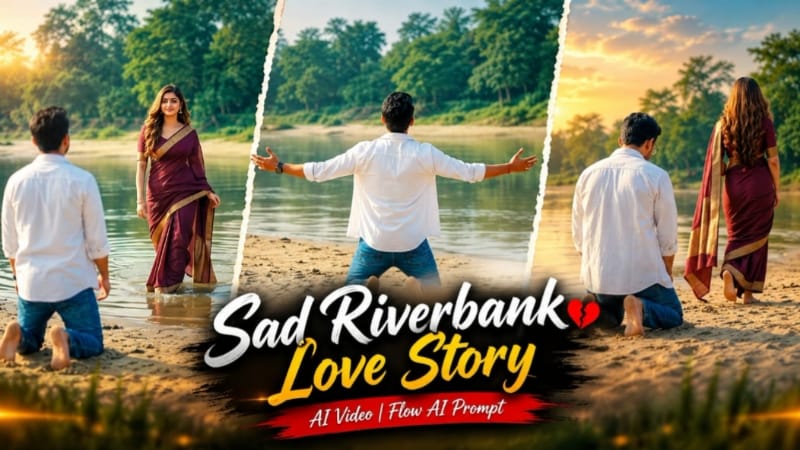
Sad Riverbank Love Story ek emotional cinematic couple-video concept hai jo sandy riverbank, calm water, green trees aur soft daylight ko ek connected storytelling sequence mein combine karta hai. Video ka main focus characters ke expressions, camera movement aur carefully timed scene transitions par hai.
Is concept ka important moment first scene mein aata hai: man riverbank par kneel karke dono arms wide open karta hai, aur arms fully open hone ke 1–2 seconds baad woman distant background se shallow water ke through frame mein enter karti hai. Ye controlled timing scene ko cinematic anticipation deti hai.
Step-by-Step Workflow
Man aur woman ki clear, high-quality reference photos ready karein.
Better consistency ke liye ChatGPT mein character reference sheet prepare ki ja sakti hai.
Flow AI open karke image-to-video workflow select karein.
Dono reference images upload karein.
Sad Riverbank Love Story AI Video prompt copy karke Flow AI mein paste karein.
Man ka white open shirt, white T-shirt aur blue jeans consistent rakhein.
Woman ka deep maroon saree with gold border aur long open hair throughout the sequence maintain karein.
Video ke liye 16:9 widescreen format select karein.
Scene 1 mein empty sandy riverbank se man ko back-camera wide shot mein walk karte hue show karein.
Man ko kneel karne aur dono arms fully open karne ka action generate karein.
Arms fully open hone ke 1–2 seconds baad woman ko distant shallow water se slowly enter karte hue verify karein.
Scene 2 mein low-angle long shot mein woman ko riverbank ke along walk away karte hue check karein.
Scene 3 mein man ka frontal medium walking shot aur sad expression verify karein.
Background mein woman ke saree pallu ko arms wide karke spin karne ka movement check karein.
Faces, hairstyles, outfits, hands aur natural proportions ko reference photos se compare karein.
River water, sand, trees aur daylight ki continuity check karein.
Walking, kneeling, arm movement, water movement aur spinning action natural hai ya nahi, review karein.
Problematic scene ho to prompt refine karke sirf affected scene regenerate karein.
Final video mein subtle white NoorEditing07 watermark bottom corner mein maintain karein.
Complete preview ke baad 16:9 video export karein.
2. Mountain Nature AI Video | Cinematic Music Video | Flow AI Prompt
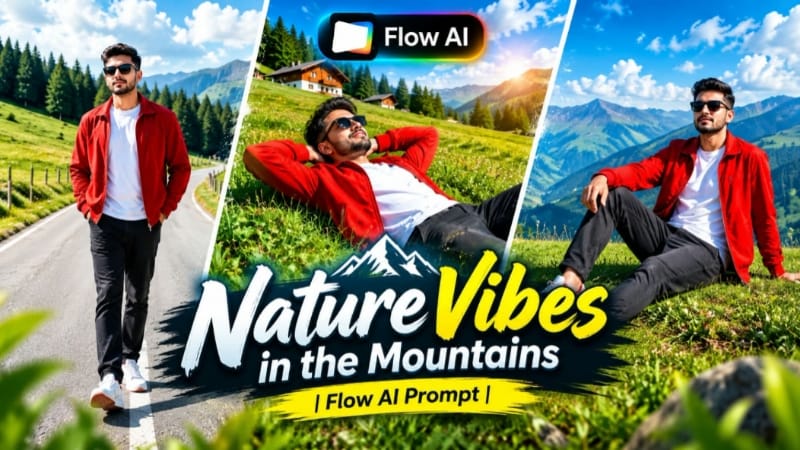
Mountain Nature AI Video ek scenic cinematic music-video concept hai jisme green mountain hills, valleys, pine trees, clear blue sky aur natural daylight ko stylish character shots ke saath combine kiya gaya hai.
The page's video prompt contains 7 connected scenes, including meadow walking, grassy hillside, running across a ridge, mountain-road walking and a final elevated mountain composition. Smooth gimbal-style movement aur vibrant natural colors overall video ko cinematic travel-music-video appearance dete hain.
Step-by-Step Workflow
Ek clear, high-quality reference photo select karein.
Face clearly visible hona chahiye.
Flow AI open karke image-to-video option select karein.
Reference photo upload karein.
Mountain Nature AI Video prompt Flow AI mein paste karein.
Character identity, hairstyle, outfit aur natural proportions ko reference ke according consistent rakhein.
Prompt ke outfit details ko maintain karein: red open jacket, white T-shirt, dark charcoal jeans, white sneakers with red accents aur sunglasses.
Instagram Reels/YouTube Shorts ke liye 9:16 select karein; widescreen presentation ke liye 16:9 use kiya ja sakta hai.
Generate karein.
Scene 1 mein green meadow aur pine-forest background ke saath walking shot check karein.
Scene 2 mein grassy slope aur sky-facing composition verify karein.
Scene 3 mein elevated grass ridge par running movement check karein.
Scene 5 mein curved mountain road par frontal tracking shot check karein.
Scene 6 mein green hill par profile walking sequence verify karein.
Scene 7 mein raised grassy area aur distant mountains ke saath final hero composition check karein.
Face, hairstyle, outfit, hands aur movement mein consistency inspect karein.
Mountains, pine trees, sky, lighting aur camera movement check karein.
Unwanted identity changes ya movement problems par prompt refine karke regenerate karein.
Final resolution, aspect ratio aur subtle NoorEditing07 watermark verify karein.
Final cinematic music video export karein.
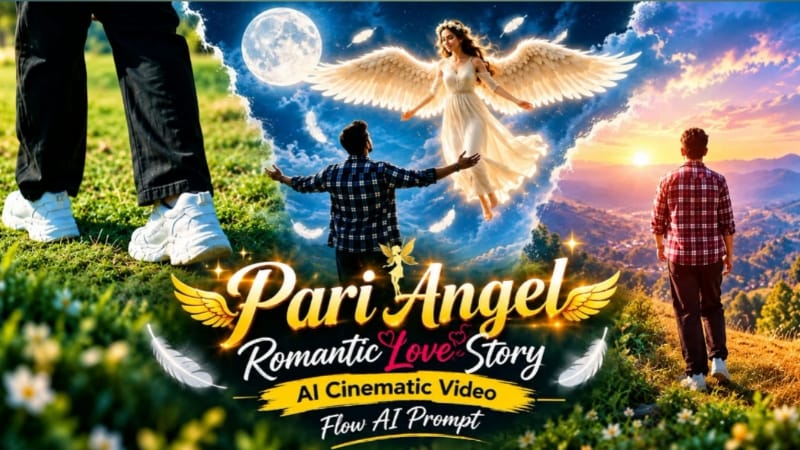
3. Pari Angel Romantic Love Story | AI Cinematic Video | Flow AI Prompt
Pari Angel Romantic Love Story ek fantasy-inspired cinematic video concept hai jisme angel-inspired character, magical environment, soft light, fantasy wings aur emotional storytelling ko realistic AI-generated movement ke saath combine kiya gaya hai.
Concept mein fantasy environment se story establish hoti hai, phir camera characters ke closer move karta hai. Wide establishing shots, medium walking scenes aur close-up expressions ko combine karke connected movie-style sequence create kiya ja sakta hai. Angel wings ko character ke saath naturally integrated rakhna important hai, taaki woh separate graphic element ki tarah appear na hon.
Step-by-Step Workflow
Main characters ki clear reference photos prepare karein.
Golden-hour lighting aur controlled fantasy glow maintain karein.
Wings, hairstyle, clothing aur character identity scene-to-scene consistent rakhein.
Background elements ko unnecessary change hone se prevent karein.
Walking, turning aur other movements ko natural check karein.
Face ya body appearance mein unwanted changes ho to prompt refine karke affected scene regenerate karein.
Lighting, shadows, depth of field aur camera transitions review karein.
Final sequence ko complete preview karke high-quality export karein.
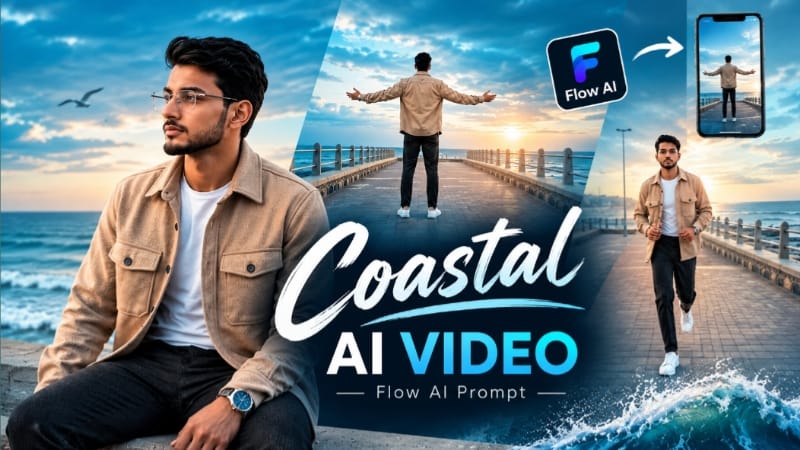
4. Coastal Ocean Cinematic AI Video | Stylish Walking Video | Flow AI Prompt
Coastal Ocean Cinematic AI Video ek stylish photo-to-video concept hai jisme reference photo ko cinematic coastal environment mein transform kiya jata hai. Open ocean, moving clouds, coastal promenade, natural wind aur stylish walking movement ko professional camera angles ke saath combine kiya jata hai.
Concept ka main focus reference identity ko maintain karna hai while environment ko ocean-side cinematic location mein transform karna. Wide establishing shot se sequence start karke medium walking shots aur close-up portraits tak camera gradually move kar sakta hai.
Step-by-Step Workflow
Ek clear, high-quality reference photo select karein.
Face clearly visible ho aur heavy blur/filter avoid karein.
Flow AI open karke image-to-video workflow select karein.
Reference photo upload karein.
Coastal Ocean AI Video prompt paste karein.
Face, hairstyle, skin tone, natural proportions aur overall identity ko reference ke according consistent rakhein.
Coastal promenade aur open ocean ko primary environment ke roop mein define karein.
9:16 format Reels/Shorts ke liye select karein; landscape cinematic video ke liye 16:9 choose karein.
Wide establishing walking shot se video start karein.
Medium front-facing aur side-tracking shots add karein.
Low-angle cinematic walking shot se visual variety create karein.
Ocean waves aur moving clouds ko realistic motion dein.
Hair aur clothing mein subtle natural wind movement check karein.
Outfit aur accessories ko connected scenes mein unchanged rakhein.
Golden-hour ya soft cloudy coastal lighting ko consistent rakhein.
Face, hairstyle, outfit, hands aur movement reference ke according check karein.
Face/body drift hone par stronger reference instructions ke saath affected scene regenerate karein.
Generated clips ko zarurat ke according sequence mein arrange karein.
Small low-opacity NoorEditing07 watermark add karein.
Final video ko high quality mein export karein.
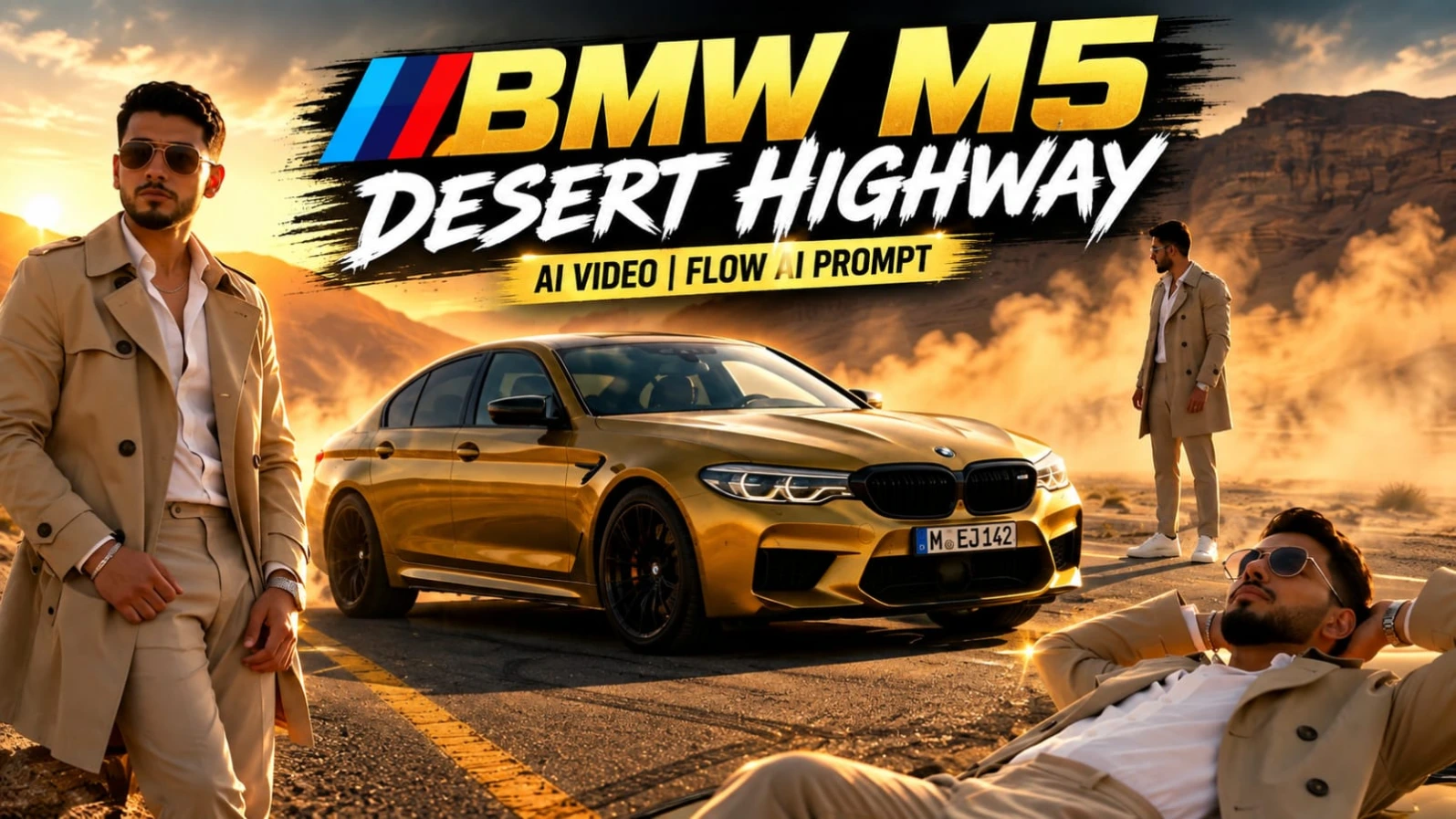
5. BMW M5 Desert Highway AI Video | Cinematic Car Shoot | Flow AI Video Prompt
BMW M5 Desert Highway AI Video ek luxury automotive commercial-style concept hai jisme metallic mustard-yellow BMW M5, empty desert highway, canyon mountains, golden-hour sunlight aur cinematic dust atmosphere ko combine kiya jata hai.
Previously verified page details ke according video mein 8 cinematic scenes hain: low-angle car shot, top-down drone-style view, close-up portrait, dynamic automotive sequence, car-roof composition, headlight macro shot, open-door portrait aur rapid commercial-style ending. Character styling mein beige trench coat, open-collar white shirt, beige trousers, white sneakers, metallic watch, silver chain aur aviator sunglasses include hain.
Step-by-Step Workflow
Ek clear, high-quality reference photo ready karein.
Face clearly visible ho taaki identity reference accurate rahe.
Zarurat ho to ChatGPT mein additional character reference sheet prepare karein.
Flow AI open karein aur image-to-video workflow select karein.
Reference photo upload karein.
BMW M5 Desert Highway AI Video prompt paste karein.
Distorted vehicle details ya identity changes wale scenes regenerate karein.
Final cinematic grade aur subtle NoorEditing07 branding check karein.
Complete preview ke baad high-quality video export karein.
Final Result
Ye five concepts AI video editing ke different creative styles ko cover karte hain—emotional riverbank storytelling, scenic mountain music video, fantasy angel cinematic story, stylish coastal walking video aur luxury BMW M5 automotive cinematography.
Best results ke liye clear reference photos use karein aur generation ke baad face identity, hairstyle, clothing, hands, natural proportions, environment, lighting, camera movement aur scene continuity carefully review karein.
Flow AI mein detailed prompts ke saath camera angle, character movement, timing, environment aur lighting clearly define karne se connected cinematic sequences ko more consistent banaya ja sakta hai. Final export se pehle har scene ko individually check karna aur problematic scenes ko refine/regenerate karna professional result ke liye important hai.