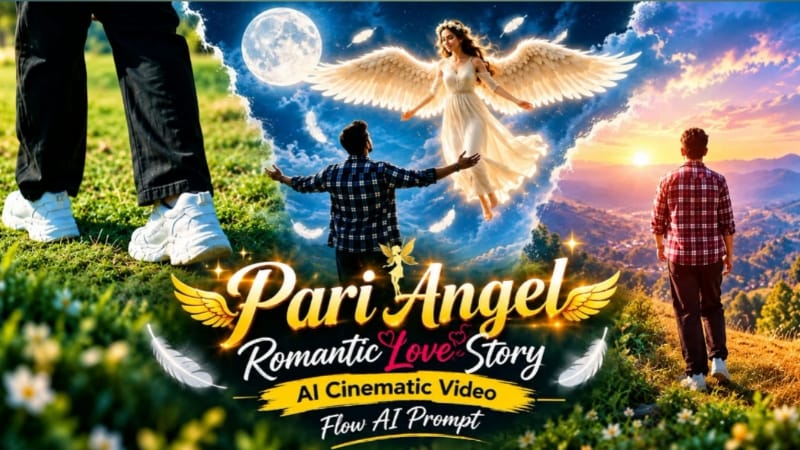
Pari Angel Romantic Love Story AI Video is a fantasy-inspired cinematic concept designed for creators who want to create a magical storytelling video using Flow AI. The concept combines an angel-inspired character, romantic cinematic moments, dreamy environments, soft glowing light and realistic AI-generated movement to create the atmosphere of a fantasy movie.
The main idea is to transform clear reference photos into a connected cinematic story while keeping the characters visually consistent. Reference images can be used to guide the appearance of the main characters, including facial features, hairstyle, skin tone, clothing and overall visual identity. Maintaining consistency between scenes helps the final video feel like one continuous story.
The angel character can be presented with elegant fantasy styling, subtle glowing wings and a soft magical atmosphere. The wings should look naturally integrated with the character rather than appearing like a separate graphic element. Soft light around the wings can create a cinematic fantasy effect while keeping the overall appearance realistic.
The story can begin with a wide cinematic shot of a beautiful fantasy environment. A glowing sky, flowers, soft clouds, mist or a peaceful landscape can establish the magical setting. The camera can then gradually move toward the characters and introduce the romantic storyline through natural expressions and gentle movements.
Different scenes can show the characters walking together, looking at each other, sharing a peaceful moment or exploring the magical environment. Smooth camera movements, realistic body motion and natural expressions can help create a movie-like appearance.
Lighting plays an important role in this concept. Warm golden-hour light can create a soft romantic mood, while subtle fantasy glow can emphasize the angelic elements. Controlled highlights, realistic shadows and cinematic depth of field can make the generated scenes look more polished.
The video can use multiple camera angles, including wide establishing shots, medium shots and close-up portraits. Wide shots can show the fantasy environment, while close-ups can focus on facial expressions and emotional storytelling. Slow camera movements can make the scenes feel more cinematic and connected.
Flow AI can be used to generate the individual scenes from reference images and a detailed prompt. The prompt should clearly describe the characters, environment, clothing, fantasy elements, camera movement, lighting and scene continuity. Detailed instructions can help reduce unwanted changes between scenes.
For a realistic result, the angel wings, clothing and character appearance should remain consistent throughout the story. The AI should avoid unnecessary changes to facial features or body proportions. Background elements should also transition naturally from one scene to another.
The final video can be created in 9:16 format for Instagram Reels and YouTube Shorts. A 16:9 version can also be used for YouTube videos or cinematic presentations. The format can be selected according to the platform where the final video will be published.
Before exporting, review every scene carefully. Check facial consistency, hands, body proportions, wings, clothing, lighting and background continuity. AI-generated videos can sometimes introduce unexpected changes, so reviewing the complete sequence is an important part of the workflow.
A small NoorEditing07 watermark can be placed in the bottom corner for creator branding. Keeping it subtle allows the fantasy visuals and characters to remain the main focus.
Overall, Pari Angel Romantic Love Story combines fantasy visuals, cinematic storytelling and AI video generation into a creative Flow AI concept. With clear reference photos and a detailed prompt, creators can experiment with a magical cinematic love-story format suitable for short-form social media content.
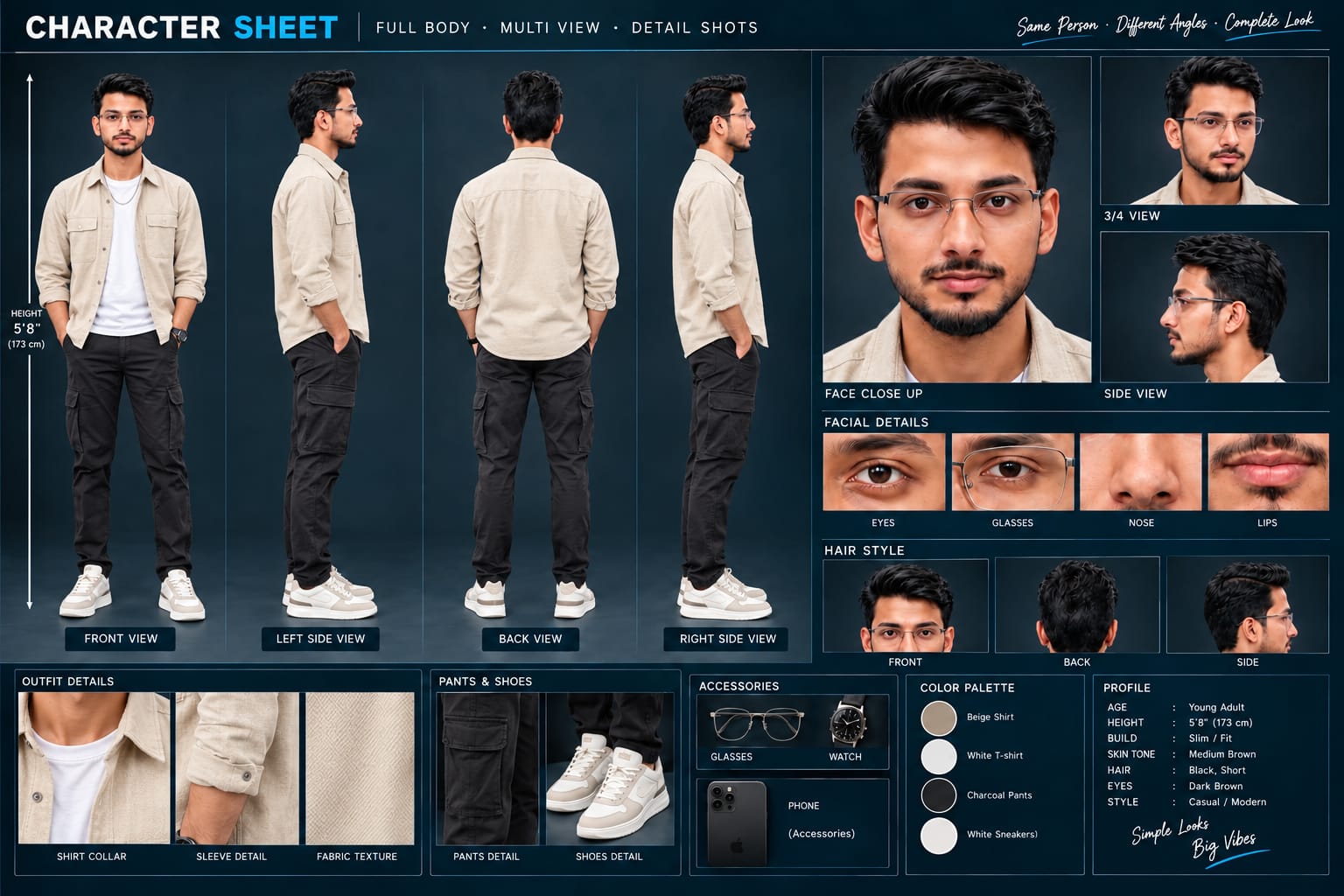
Sabse Pehle Character Sheet Photo Banaai ChatGPT Se
A premium, professional, ultra-photorealistic full-body character reference sheet for the person identified in the uploaded photo. The sheet is presented in a clean professional studio environment with a dark, luxury background. The character's identity, facial features, skin tone, body proportions, hairstyle, and transparent-frame glasses are perfectly consistent with the reference photo. The character is wearing the exact outfit from the reference: a mustard-yellow polo shirt with white piping, black slim-fit pants, and white sneakers. The layout is an elegant grid containing: 1. Full-body front view, 2. Full-body left side view, 3. Full-body back view, 4. Full-body right side view. 5. Large face close-up, 6. 3/4 face view, 7. Side-profile face view. 8. Detailed eye, glasses, nose, and lips reference crops. 9. Hair front, back, and side reference. 10. Shirt collar, sleeve, and fabric texture details. 11. Pants and sneaker detail shots. 12. Accessories reference. All views depict the same person with high-end cinematic lighting, extremely sharp facial details, realistic skin texture, natural hair strands, realistic fabric texture, accurate clothing stitching, and physically accurate lighting with subtle shadows. The full body is completely visible in all turnaround views, including both shoes. The presentation features sophisticated typography, thin clean borders, and balanced spacing. No watermarks, cartoons, or distortions are present.
A premium, professional, ultra-photorealistic full-body character reference sheet for the person identified in the uploaded photo. The sheet is presented in a clean professional studio environment with a dark, luxury background. The character's identity, facial features, skin tone, body proportions, hairstyle, and transparent-frame glasses are perfectly consistent with the reference photo. The character is wearing the exact outfit from the reference: a mustard-yellow polo shirt with white piping, black slim-fit pants, and white sneakers. The layout is an elegant grid containing: 1. Full-body front view, 2. Full-body left side view, 3. Full-body back view, 4. Full-body right side view. 5. Large face close-up, 6. 3/4 face view, 7. Side-profile face view. 8. Detailed eye, glasses, nose, and lips reference crops. 9. Hair front, back, and side reference. 10. Shirt collar, sleeve, and fabric texture details. 11. Pants and sneaker detail shots. 12. Accessories reference. All views depict the same person with high-end cinematic lighting, extremely sharp facial details, realistic skin texture, natural hair strands, realistic fabric texture, accurate clothing stitching, and physically accurate lighting with subtle shadows. The full body is completely visible in all turnaround views, including both shoes. The presentation features sophisticated typography, thin clean borders, and balanced spacing. No watermarks, cartoons, or distortions are present.
✓
Prompt copied to clipboard!
AI Video Prompt
✦AI PHOTO PROMPT
A premium, professional, ultra-photorealistic full-body character reference sheet for the person identified in the uploaded photo. The sheet is presented in a clean professional studio environment with a dark, luxury background. The character's identity, facial features, skin tone, body proportions, hairstyle, and transparent-frame glasses are perfectly consistent with the reference photo. The character is wearing the exact outfit from the reference: a mustard-yellow polo shirt with white piping, black slim-fit pants, and white sneakers. The layout is an elegant grid containing: 1. Full-body front view, 2. Full-body left side view, 3. Full-body back view, 4. Full-body right side view. 5. Large face close-up, 6. 3/4 face view, 7. Side-profile face view. 8. Detailed eye, glasses, nose, and lips reference crops. 9. Hair front, back, and side reference. 10. Shirt collar, sleeve, and fabric texture details. 11. Pants and sneaker detail shots. 12. Accessories reference. All views depict the same person with high-end cinematic lighting, extremely sharp facial details, realistic skin texture, natural hair strands, realistic fabric texture, accurate clothing stitching, and physically accurate lighting with subtle shadows. The full body is completely visible in all turnaround views, including both shoes. The presentation features sophisticated typography, thin clean borders, and balanced spacing. No watermarks, cartoons, or distortions are present.
A premium, professional, ultra-photorealistic full-body character reference sheet for the person identified in the uploaded photo. The sheet is presented in a clean professional studio environment with a dark, luxury background. The character's identity, facial features, skin tone, body proportions, hairstyle, and transparent-frame glasses are perfectly consistent with the reference photo. The character is wearing the exact outfit from the reference: a mustard-yellow polo shirt with white piping, black slim-fit pants, and white sneakers. The layout is an elegant grid containing: 1. Full-body front view, 2. Full-body left side view, 3. Full-body back view, 4. Full-body right side view. 5. Large face close-up, 6. 3/4 face view, 7. Side-profile face view. 8. Detailed eye, glasses, nose, and lips reference crops. 9. Hair front, back, and side reference. 10. Shirt collar, sleeve, and fabric texture details. 11. Pants and sneaker detail shots. 12. Accessories reference. All views depict the same person with high-end cinematic lighting, extremely sharp facial details, realistic skin texture, natural hair strands, realistic fabric texture, accurate clothing stitching, and physically accurate lighting with subtle shadows. The full body is completely visible in all turnaround views, including both shoes. The presentation features sophisticated typography, thin clean borders, and balanced spacing. No watermarks, cartoons, or distortions are present.
Cinematic ultra-realistic 16:9 video, 4K quality, real natural textures, rich built-in color grading, no scene cuts, continuous flow. Shots 1-3 are bright sunny daylight; during the 2-second pause in Shot 4 the sky slowly turns into a magical starry night. From Shot 5 onward everything moves in graceful SLOW MOTION. IDENTITY LOCK: the main person must be exactly the person in the uploaded reference photo: same face, same skin tone, same hairstyle, same body type, identical in every shot with no facial drift. Clean, smooth natural skin with no pimples or spots, but realistic pores and texture (not plastic).
Cinematic ultra-realistic 16:9 video, 4K quality, real natural textures, rich built-in color grading, no scene cuts, continuous flow. Shots 1-3 are bright sunny daylight; during the 2-second pause in Shot 4 the sky slowly turns into a magical starry night. From Shot 5 onward everything moves in graceful SLOW MOTION.
IDENTITY LOCK: the main person must be exactly the person in the uploaded reference photo: same face, same skin tone, same hairstyle, same body type, identical in every shot with no facial drift. Clean, smooth natural skin with no pimples or spots, but realistic pores and texture (not plastic).
Outfit (identical in every shot, day and night): purple-navy and white checkered flannel shirt over a plain white t-shirt, loose black pants, white chunky sneakers.
Location: a green grassy hilltop with rolling forested hills, tiny village houses and mountains in the distance.
Shot 1 (day): Ground-level close-up of white sneakers and black pant legs walking on dry grass, shallow depth of field. Camera: low tracking shot moving with his steps.
Shot 2 (day): Camera tilts up slowly from legs to torso as he keeps walking, checkered shirt visible from behind.
Shot 3 (day): Wide shot from behind, he walks toward the edge of the hill facing the mountains and sky.
Shot 4 (day to night): He stops and strikes the classic Bollywood romantic open-arms pose: chest lifted, both arms stretched wide out to the sides at shoulder height with elbows slightly bent and palms open, one foot slightly forward, head tilted slightly back and to the side with a soft romantic expression, as if waiting to embrace someone. The opening of the arms is slow, graceful and dramatic. He then holds this pose completely still for exactly 2 seconds. During these 2 seconds a soft pink-gold light flare passes and the sky slowly changes from daylight to golden sunset, twilight and a full starry night with a glowing moon; fireflies and golden sparkles begin floating around him. Camera: wide shot from behind, slightly to the side, so the full open-arms pose is clearly visible.
Shot 5 (night, SLOW MOTION): After the 2-second pause, high in the night sky in front of him a glowing pari (fairy angel) appears. She floats slowly toward him through the air with both arms stretched out toward him, feet off the ground, never landing. She is a beautiful woman with long wavy light-brown hair, a small flower crown, a long flowing white glowing gown and large white feathered wings spread wide, bare feet, soft golden light around her, white feathers and golden sparkles drifting in the air. He keeps his arms wide open in the same romantic pose, waiting for her.
Shot 6 (night, SLOW MOTION): She glides closer and closer, their hands meet, and she gently hugs him in a warm emotional embrace while still floating in the air, wings and gown flowing softly, golden sparkles and feathers swirling around them, moonlit hills behind. Camera: wide shot from behind him at a slightly low angle, then a very slow push-in on the embrace.
Small subtle watermark "NoorEditing07" fixed in the bottom corner, minimal white font, low opacity, appearing only once, throughout the entire video.
✓
Prompt copied to clipboard!
AI Video Prompt Card
✦AI VIDEO PROMPT
Cinematic ultra-realistic 16:9 video, 4K quality, real natural textures, rich built-in color grading, no scene cuts, continuous flow. Shots 1-3 are bright sunny daylight; during the 2-second pause in Shot 4 the sky slowly turns into a magical starry night. From Shot 5 onward everything moves in graceful SLOW MOTION. IDENTITY LOCK: the main person must be exactly the person in the uploaded reference photo: same face, same skin tone, same hairstyle, same body type, identical in every shot with no facial drift. Clean, smooth natural skin with no pimples or spots, but realistic pores and texture (not plastic).
Cinematic ultra-realistic 16:9 video, 4K quality, real natural textures, rich built-in color grading, no scene cuts, continuous flow. Shots 1-3 are bright sunny daylight; during the 2-second pause in Shot 4 the sky slowly turns into a magical starry night. From Shot 5 onward everything moves in graceful SLOW MOTION.
IDENTITY LOCK: the main person must be exactly the person in the uploaded reference photo: same face, same skin tone, same hairstyle, same body type, identical in every shot with no facial drift. Clean, smooth natural skin with no pimples or spots, but realistic pores and texture (not plastic).
Outfit (identical in every shot, day and night): purple-navy and white checkered flannel shirt over a plain white t-shirt, loose black pants, white chunky sneakers.
Location: a green grassy hilltop with rolling forested hills, tiny village houses and mountains in the distance.
Shot 1 (day): Ground-level close-up of white sneakers and black pant legs walking on dry grass, shallow depth of field. Camera: low tracking shot moving with his steps.
Shot 2 (day): Camera tilts up slowly from legs to torso as he keeps walking, checkered shirt visible from behind.
Shot 3 (day): Wide shot from behind, he walks toward the edge of the hill facing the mountains and sky.
Shot 4 (day to night): He stops and strikes the classic Bollywood romantic open-arms pose: chest lifted, both arms stretched wide out to the sides at shoulder height with elbows slightly bent and palms open, one foot slightly forward, head tilted slightly back and to the side with a soft romantic expression, as if waiting to embrace someone. The opening of the arms is slow, graceful and dramatic. He then holds this pose completely still for exactly 2 seconds. During these 2 seconds a soft pink-gold light flare passes and the sky slowly changes from daylight to golden sunset, twilight and a full starry night with a glowing moon; fireflies and golden sparkles begin floating around him. Camera: wide shot from behind, slightly to the side, so the full open-arms pose is clearly visible.
Shot 5 (night, SLOW MOTION): After the 2-second pause, high in the night sky in front of him a glowing pari (fairy angel) appears. She floats slowly toward him through the air with both arms stretched out toward him, feet off the ground, never landing. She is a beautiful woman with long wavy light-brown hair, a small flower crown, a long flowing white glowing gown and large white feathered wings spread wide, bare feet, soft golden light around her, white feathers and golden sparkles drifting in the air. He keeps his arms wide open in the same romantic pose, waiting for her.
Shot 6 (night, SLOW MOTION): She glides closer and closer, their hands meet, and she gently hugs him in a warm emotional embrace while still floating in the air, wings and gown flowing softly, golden sparkles and feathers swirling around them, moonlit hills behind. Camera: wide shot from behind him at a slightly low angle, then a very slow push-in on the embrace.
Small subtle watermark "NoorEditing07" fixed in the bottom corner, minimal white font, low opacity, appearing only once, throughout the entire video.
Sabse pehle main characters ki clear reference photos ready karein. Face clearly visible ho aur photo high quality ki ho, taaki Flow AI ko character appearance samajhne mein better reference mile.
Ab Flow AI open karein aur reference photo ya photos upload karein. Character references ko properly select karein. Iske baad Pari Angel Romantic Love Story ka complete AI prompt copy karke Flow AI mein paste karein.
Prompt mein character identity, angel-inspired appearance, wings, outfit, fantasy environment, romantic storytelling, camera movement aur cinematic lighting ki details maintain karein. Same characters ko har connected scene mein consistent rakhne ki instructions zaroor include karein.
Ab required video format select karein. Instagram Reels aur YouTube Shorts ke liye 9:16 format use karein. Landscape cinematic video ke liye 16:9 format select kiya ja sakta hai. Available high-quality settings ko choose karein.
Video ko multiple connected scenes mein generate karein. Pehle fantasy environment ka wide shot rakhein. Uske baad characters ke walking shots, medium shots aur close-up moments create karein. Angel wings aur magical lighting ko naturally integrated rakhein.
Har scene mein face, hairstyle, outfit, wings aur overall character appearance consistent hai ya nahi, check karein. Agar kisi scene mein identity noticeably change ho, to us scene ko stronger reference instructions ke saath regenerate karein.
Generated clips ko sequence mein arrange karein aur transitions smooth rakhein. Background, lighting aur character movement mein continuity maintain karein. Final video mein cinematic color grading aur realistic movement add karein.
Last mein small low-opacity "NoorEditing07" watermark add karein. Final video ko high quality mein export karke Instagram Reels, YouTube Shorts ya other social-media platforms par use kiya ja sakta hai.
Pari Angel AI VideoAngel Love StoryRomantic AI VideoFantasy AI VideoPari Love StoryFlow AI PromptFlow AI VideoAngel Wings AI VideoCinematic Love StoryAI Photo To VideoFantasy Love StoryRomantic Fantasy VideoCinematic AI VideoAI Video PromptNoorEditing07
Pari Angel AI VideoAngel Love StoryRomantic AI VideoFantasy AI VideoPari Love StoryFlow AI PromptFlow AI VideoAngel Wings AI VideoCinematic Love StoryAI Photo To VideoFantasy Love StoryRomantic Fantasy VideoCinematic AI VideoAI Video PromptNoorEditing07
Casa Tupka, Cinematic Slomo, Tera Zikr, Emotional Ocean & Couple Heart Shape AI Editing Tutorial
AI editing makes it easy to transform ordinary photos and video clips into trending CapCut edits, cinematic slow-motion videos, VN QR template edits, emotional AI photography, and creative couple compositions. This combined tutorial covers five different editing concepts using CapCut, VN Video Editor, and ChatGPT, with simple workflows designed for beginners and short-form content creators.
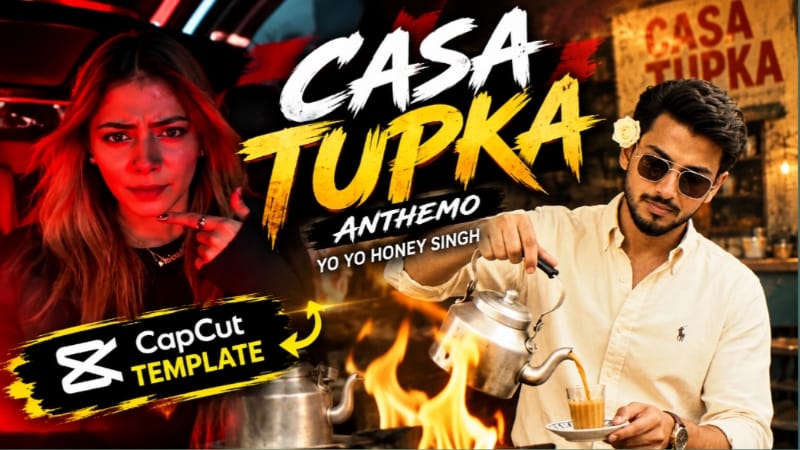
1. Casa Tupka Anthemo CapCut Template | Yo Yo Honey Singh Viral Photo Editing
The Casa Tupka Anthemo CapCut Template is a ready-made CapCut editing concept connected with Yo Yo Honey Singh-style viral photo-editing content. The template is designed to let creators use their own photos within a prepared editing structure instead of creating every transition and effect manually.
Step-by-Step Workflow
Prepare the photos you want to use in the Casa Tupka Anthemo edit.
Open the Casa Tupka Anthemo CapCut Template through the template page.
Open the template in CapCut.
Tap Use Template when the option appears.
Select the required photos from your gallery.
Continue to the template preview.
Check how each photo fits into the preset timing and composition.
Replace any photo that does not fit the template properly.
Preview the complete video from beginning to end.
Check transitions, photo framing, timing, and overall visual flow.
Export the completed edit in a suitable quality.
The finished photo edit can then be prepared for platforms such as Instagram Reels, YouTube Shorts, or WhatsApp Status.
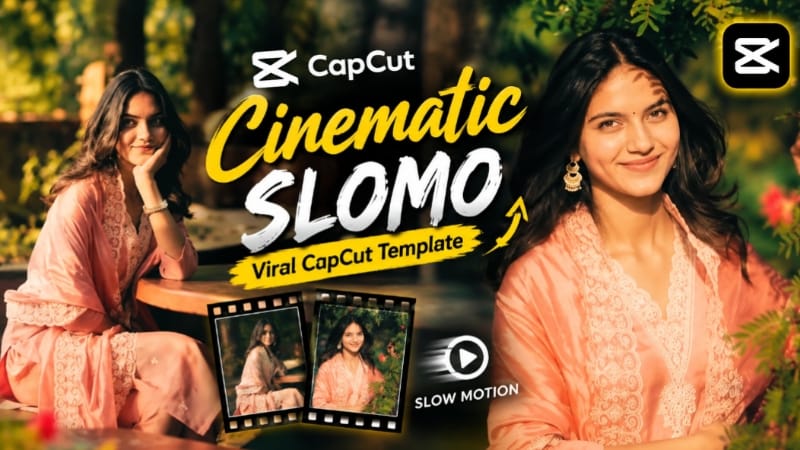
2. Cinematic Slomo CapCut Template | Slow Motion Video Edit
The Cinematic Slomo CapCut Template provides a ready-made slow-motion editing style for photos and video clips. Preset effects, transitions, and timing are already arranged, allowing creators to produce a cinematic slow-motion video without manually building every effect. The page specifically presents it for Reels, Shorts, and WhatsApp Status content.
Step-by-Step Workflow
Prepare the photos or video clips you want to use.
Open the Cinematic Slomo CapCut Template.
Open the template in the CapCut app.
Tap Use Template.
Select the required photos or video clips from your gallery.
Tap Next and allow CapCut to arrange the selected media according to the template.
Preview the automatically generated video.
Replace individual photos or clips if the framing does not look right.
Check the slow-motion timing and preset transitions.
Review the complete video for smooth movement and correct clip placement.
Tap Export and select a suitable output quality.
Save the final cinematic slow-motion video and prepare it for your preferred social-media platform.
The original page also notes that a VPN connection is used before opening the CapCut template link; because CapCut availability and regional access can change, users should follow the app and service rules applicable to their location.
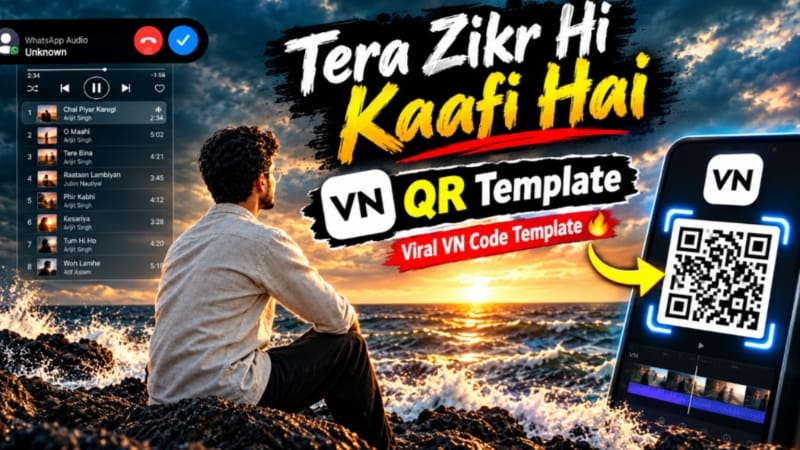
3. Tera Zikr Hi Kaafi Hai VN QR Template
The Tera Zikr Hi Kaafi Hai VN QR Template is a ready-made VN Video Editor template designed to quickly transform photos and video clips into a preset cinematic-style edit. The template provides preset timing, transitions, effects, and an editing structure, reducing the amount of manual editing required.
Step-by-Step Workflow
Install and open the VN Video Editor app.
Prepare the required photos or video clips in your phone gallery.
Open the Tera Zikr Hi Kaafi Hai VN QR Template QR code.
In VN, open the QR Code Scanner.
Scan the template QR code.
After successful scanning, allow the template to open in VN.
Tap Use or Apply Template if that option is displayed.
Select the required number of photos or video clips.
Tap Next and allow VN to apply the preset timing, transitions, and effects.
Preview the complete video.
Replace or adjust individual media clips if necessary.
Make basic changes to text, music, or other available elements when required.
Check all transitions and timing before exporting.
Select a suitable export quality and save the finished video.
The final VN edit can be shared on Instagram Reels, YouTube Shorts, WhatsApp Status, Facebook Reels, or other supported platforms.
If the QR code does not scan correctly, use a clear version of the QR image and try scanning it again through VN's QR scanner.
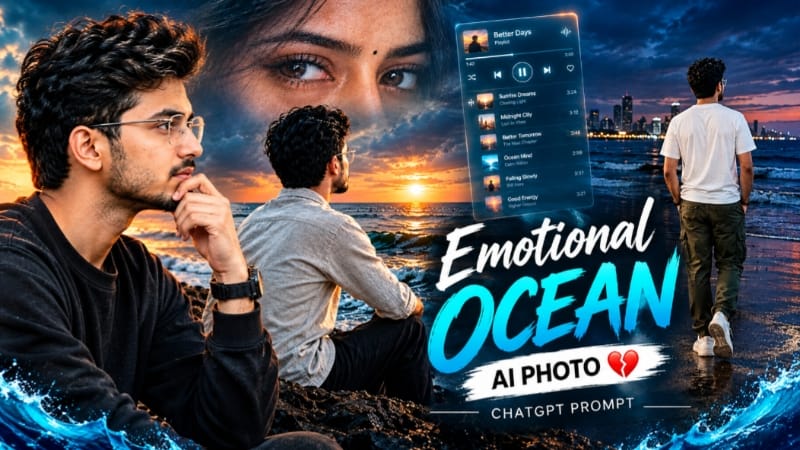
4. Emotional Ocean AI Photo | Music Player Cinematic Photo Editing
The Emotional Ocean AI Photo concept uses ChatGPT to transform a normal reference photo into an emotional cinematic ocean-themed composition. The visual style combines dark ocean waves, nighttime or twilight surroundings, cinematic lighting, and a translucent digital music-player interface.
Different prompt variations on the page include a back-view beach composition, a digital music-player portrait, and a dramatic black-and-white ocean collage. The concepts generally use a 4:5 composition, photorealistic details, cinematic depth, crisp focus, and a discreet NoorEditing07 watermark.
Step-by-Step Workflow
Select a clear, high-quality reference photo.
Open ChatGPT and upload the reference image.
Copy the Emotional Ocean AI Photo Prompt.
Paste the prompt into ChatGPT.
Keep the reference-identity instructions so the subject remains consistent with the original photo.
Define the desired ocean environment, character position, lighting, and composition.
Include the translucent music-player interface when using that variation.
Generate the AI image.
Check the subject's face, hairstyle, skin tone, clothing, pose, and natural proportions.
Inspect the ocean waves, skyline, lighting, shadows, and atmospheric depth.
Check the position and readability of the digital music-player interface.
If something looks incorrect, give ChatGPT specific correction instructions and refine the image.
Review the final image at full resolution for unwanted AI distortion.
Maintain the appropriate 4:5 composition when using the page's main photo concepts.
Save the final high-resolution image and prepare it for Instagram posts, covers, profile creatives, or other social-media content.
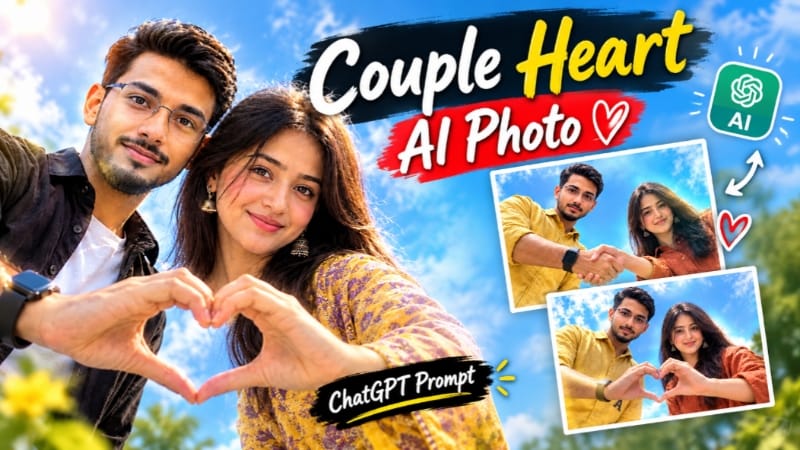
The Couple Heart Shape AI Photo concept creates a cinematic couple photograph from a top-down or low-angle sky-view perspective. The main visual element is the couple forming a precise heart shape with their hands while looking toward the camera. Bright blue skies, soft clouds, natural daylight, and realistic cinematic lighting create a clean photographic appearance.
The page includes several variations, including a 4:5 composite with two different hand poses, a low-angle couple portrait with a heart-shaped hand gesture, and a 9:16 smartphone-style composition. Reference photos can be used to maintain the couple's recognizable faces, hairstyles, clothing, and overall appearance.
Step-by-Step Workflow
Prepare clear reference photos of the couple.
Make sure both faces are clearly visible in the reference images.
Open ChatGPT and upload the couple reference photos.
Copy and paste the Couple Heart Shape AI Photo Prompt.
Keep the identity-preservation instructions from the prompt.
Specify the desired overhead or low-angle sky-view camera perspective.
Position the couple so their hands form a clear and precise heart shape.
Set a bright blue sky with soft white clouds as the background.
Use natural daylight and realistic shadows for a photographic appearance.
Generate the image.
Compare both faces with the original reference photos.
Check hairstyles, clothing, hands, body proportions, expressions, and heart-shape formation.
If any detail changes incorrectly, give ChatGPT a specific correction and regenerate the image.
Check the overall composition, lighting, sky, and camera angle.
Resize or crop the final image according to the intended platform.
Save the completed Couple Heart Shape AI Photo and prepare it for Instagram, Facebook, WhatsApp, thumbnails, or other creative uses.
Final Result
These five editing concepts cover viral CapCut photo templates, cinematic slow-motion videos, VN QR-code editing, emotional ocean AI photography, and creative couple heart-shape compositions.
For the best results, start with clear photos or high-quality video clips, use the correct template or AI prompt, and always preview the final result before exporting. For AI-generated images, carefully check face identity, hands, natural proportions, clothing, lighting, background, camera angle, and overall composition. For CapCut and VN templates, focus on selecting media that fits the preset timing and framing.
These techniques can be adapted for Instagram Reels, YouTube Shorts, WhatsApp Status, Facebook Reels, AI photo editing, cinematic social-media content, ChatGPT photo prompts, CapCut templates, and VN QR-code templates.