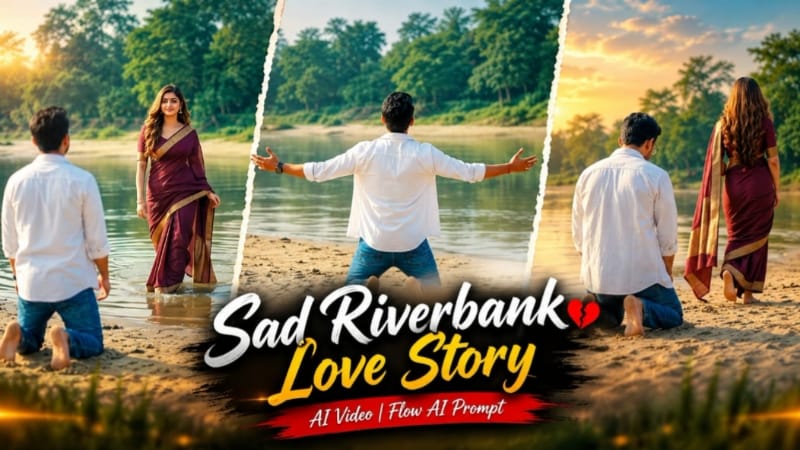
Sad Riverbank Love Story AI Video ek cinematic couple storytelling concept hai jisme natural riverbank location, emotional expressions aur carefully planned scene sequence ko combine karke ek realistic film-style video create kiya ja sakta hai. Is concept mein sandy riverbank, calm river water, green trees aur soft daylight ke saath ek emotional visual story present ki jati hai.
Is Flow AI video prompt ki main highlight iska detailed scene sequence hai. Video ko multiple connected scenes mein design kiya gaya hai, jisse story ek continuous cinematic sequence ki tarah feel hoti hai. Har scene mein characters ki position, camera angle, movement aur background action ko clearly define kiya gaya hai.
Video ke first scene mein riverbank completely empty dikhai deta hai. Distant wide shot mein man camera se back ki taraf walk karta hua aata hai. Woh sandy riverbank par kneel karta hai, kuch moment pause karta hai aur dono arms wide open karta hai. Iske baad carefully timed entry mein woman distant background se shallow water ke through slowly walk karte hue frame mein appear hoti hai.
Scene timing is concept ka important part hai. Man ke arms fully open hone ke baad woman ki entry immediately nahi hoti, balki short delay ke baad hoti hai. Is timing se scene mein cinematic anticipation create hoti hai aur viewer ko next visual moment ke liye attention maintain karne mein help milti hai.
Second scene mein low-angle long shot ka use kiya gaya hai. Man kneeling position mein back camera ki taraf rakhta hai aur woman ko distance mein walk away karte hue dekhta hai. Woman sandy riverbank ke along distant trees ki direction mein move karti hai. Low-angle framing environment aur characters ke beech cinematic scale create karti hai.
Third scene mein camera frontal medium shot mein shift hota hai. Man camera ki taraf walk karta hai aur uske face par sad expression visible hota hai. Background mein woman apni saree pallu ko arms wide karke hold karti hai aur continuously place par spin karti hai. Ye background movement scene ko visually dynamic banata hai.
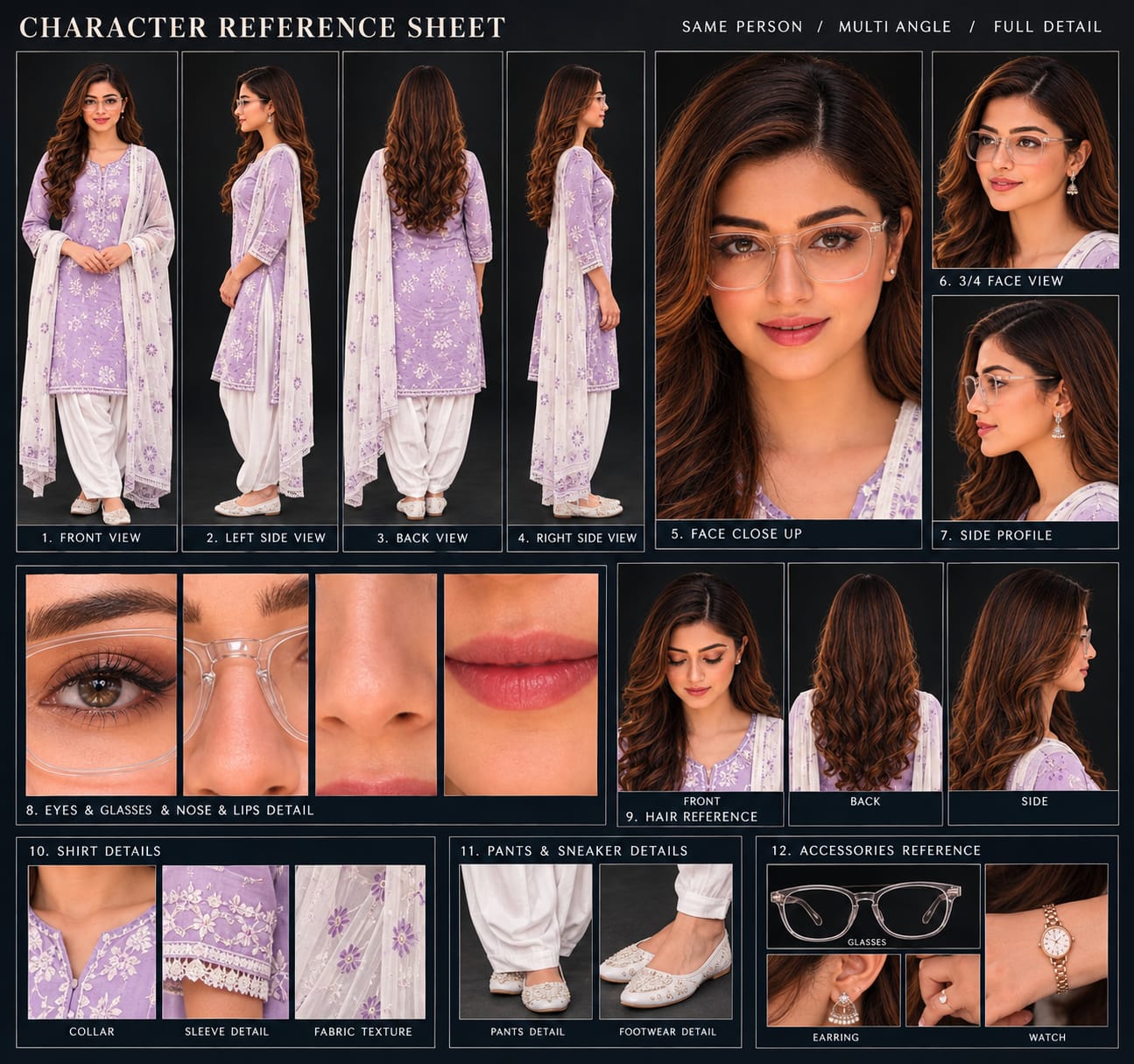
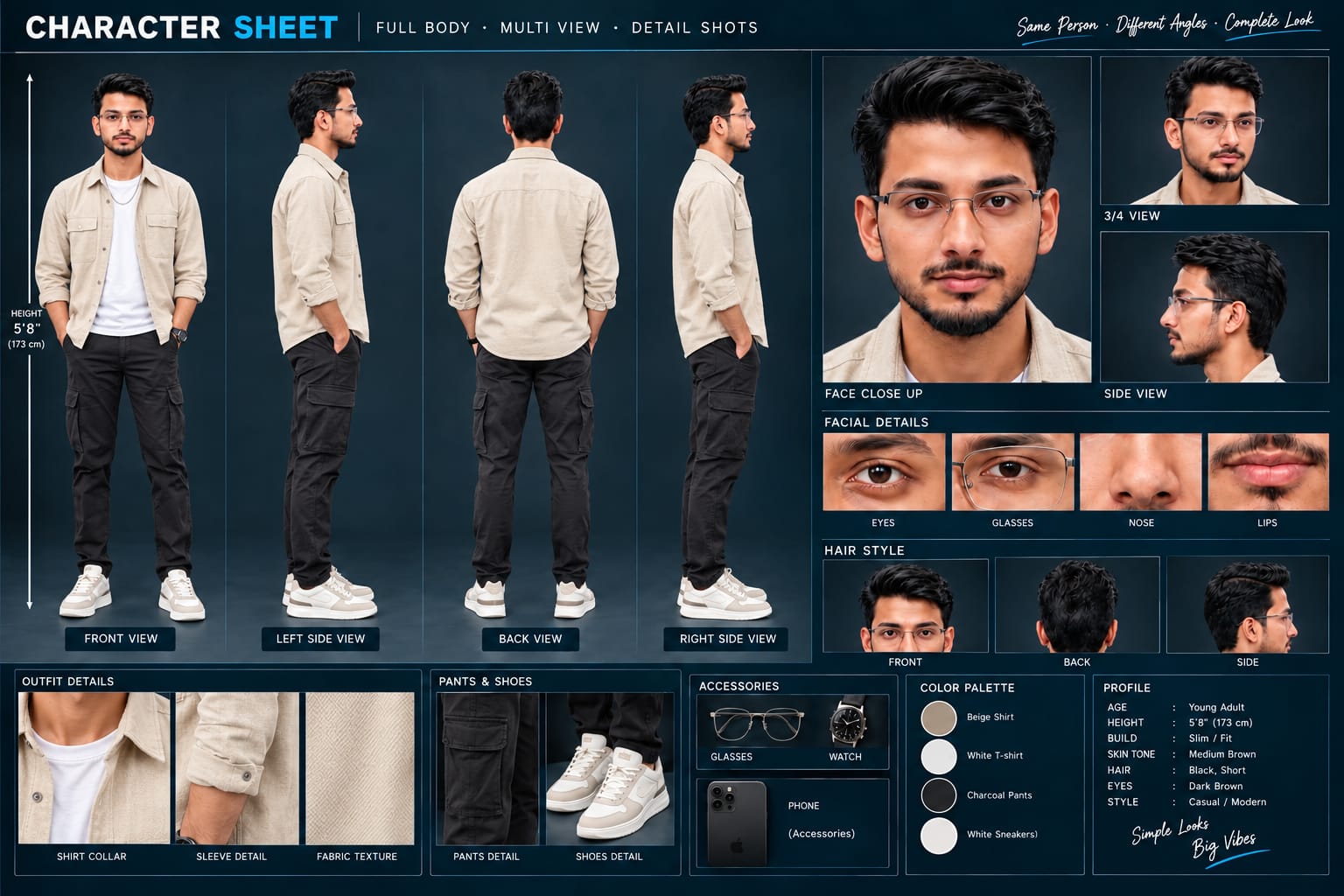
Character consistency ke liye prompt mein reference photos se exact facial appearance maintain karne ki instructions di gayi hain. Man ke outfit mein open white shirt ke saath white T-shirt aur blue jeans hain. Woman deep maroon saree with gold border pehenti hai aur uske long open hair hain. Multiple scenes ke beech same facial appearance, hairstyle aur outfit maintain karna important hai.
Riverbank environment video ko natural cinematic atmosphere deta hai. Sandy ground, calm water, green trees aur open outdoor environment ko realistic details ke saath generate kiya ja sakta hai. Soft daylight scene ko natural appearance deta hai, jabki DSLR-style depth of field characters ko background se visually separate karne mein help karti hai.
16:9 aspect ratio is concept ke liye widescreen cinematic presentation provide karta hai. Is format mein riverbank ka wide landscape, water, trees aur characters ke movements ko ek frame mein properly showcase kiya ja sakta hai. YouTube videos aur cinematic landscape content ke liye ye format particularly useful hai.
Flow AI mein detailed prompts ka use karte waqt camera angle, character movement, timing, environment aur scene transitions ko clearly define karna useful hota hai. Is prompt mein wide shot, low-angle long shot aur frontal medium shot jaise camera directions video ke visual structure ko clearly establish karte hain.
Video generate hone ke baad har scene ko carefully review karna important hai. Faces, outfits, hand positions, body movements, saree details, walking direction aur background elements ko check karein. Woman ki water movement aur spinning action natural dikh rahi hai ya nahi, ye bhi verify karein.
AI-generated video mein kabhi-kabhi character appearance ya movement mein unwanted changes aa sakte hain. Aise case mein prompt ko refine karke specific scene ko regenerate kiya ja sakta hai. Scene sequence ko same rakhte hue camera movement ya character action ko more clearly describe karna useful ho sakta hai.
NoorEditing07 watermark ko final video ke bottom corner mein minimal subtle white style mein maintain kiya ja sakta hai. Isse video mein professional branding add hoti hai bina main cinematic visuals ko distract kiye.
Sad Riverbank Love Story AI Video ko Instagram, YouTube, Facebook aur other short-video platforms ke liye creative cinematic content ke roop mein use kiya ja sakta hai. Flow AI ki help se reference photos aur detailed storytelling prompt ko combine karke ek realistic emotional riverbank cinematic video create kiya ja sakta hai.
Sabse Pehle Character Sheet Photo Banaai ChatGPT Se
A premium, professional, ultra-photorealistic full-body character reference sheet for the person identified in the uploaded photo. The sheet is presented in a clean professional studio environment with a dark, luxury background. The character's identity, facial features, skin tone, body proportions, hairstyle, and transparent-frame glasses are perfectly consistent with the reference photo. The character is wearing the exact outfit from the reference: a mustard-yellow polo shirt with white piping, black slim-fit pants, and white sneakers. The layout is an elegant grid containing: 1. Full-body front view, 2. Full-body left side view, 3. Full-body back view, 4. Full-body right side view. 5. Large face close-up, 6. 3/4 face view, 7. Side-profile face view. 8. Detailed eye, glasses, nose, and lips reference crops. 9. Hair front, back, and side reference. 10. Shirt collar, sleeve, and fabric texture details. 11. Pants and sneaker detail shots. 12. Accessories reference. All views depict the same person with high-end cinematic lighting, extremely sharp facial details, realistic skin texture, natural hair strands, realistic fabric texture, accurate clothing stitching, and physically accurate lighting with subtle shadows. The full body is completely visible in all turnaround views, including both shoes. The presentation features sophisticated typography, thin clean borders, and balanced spacing. No watermarks, cartoons, or distortions are present.
A premium, professional, ultra-photorealistic full-body character reference sheet for the person identified in the uploaded photo. The sheet is presented in a clean professional studio environment with a dark, luxury background. The character's identity, facial features, skin tone, body proportions, hairstyle, and transparent-frame glasses are perfectly consistent with the reference photo. The character is wearing the exact outfit from the reference: a mustard-yellow polo shirt with white piping, black slim-fit pants, and white sneakers. The layout is an elegant grid containing: 1. Full-body front view, 2. Full-body left side view, 3. Full-body back view, 4. Full-body right side view. 5. Large face close-up, 6. 3/4 face view, 7. Side-profile face view. 8. Detailed eye, glasses, nose, and lips reference crops. 9. Hair front, back, and side reference. 10. Shirt collar, sleeve, and fabric texture details. 11. Pants and sneaker detail shots. 12. Accessories reference. All views depict the same person with high-end cinematic lighting, extremely sharp facial details, realistic skin texture, natural hair strands, realistic fabric texture, accurate clothing stitching, and physically accurate lighting with subtle shadows. The full body is completely visible in all turnaround views, including both shoes. The presentation features sophisticated typography, thin clean borders, and balanced spacing. No watermarks, cartoons, or distortions are present.
✓
Prompt copied to clipboard!
AI Video Prompt
✦AI PHOTO PROMPT
A premium, professional, ultra-photorealistic full-body character reference sheet for the person identified in the uploaded photo. The sheet is presented in a clean professional studio environment with a dark, luxury background. The character's identity, facial features, skin tone, body proportions, hairstyle, and transparent-frame glasses are perfectly consistent with the reference photo. The character is wearing the exact outfit from the reference: a mustard-yellow polo shirt with white piping, black slim-fit pants, and white sneakers. The layout is an elegant grid containing: 1. Full-body front view, 2. Full-body left side view, 3. Full-body back view, 4. Full-body right side view. 5. Large face close-up, 6. 3/4 face view, 7. Side-profile face view. 8. Detailed eye, glasses, nose, and lips reference crops. 9. Hair front, back, and side reference. 10. Shirt collar, sleeve, and fabric texture details. 11. Pants and sneaker detail shots. 12. Accessories reference. All views depict the same person with high-end cinematic lighting, extremely sharp facial details, realistic skin texture, natural hair strands, realistic fabric texture, accurate clothing stitching, and physically accurate lighting with subtle shadows. The full body is completely visible in all turnaround views, including both shoes. The presentation features sophisticated typography, thin clean borders, and balanced spacing. No watermarks, cartoons, or distortions are present.
A premium, professional, ultra-photorealistic full-body character reference sheet for the person identified in the uploaded photo. The sheet is presented in a clean professional studio environment with a dark, luxury background. The character's identity, facial features, skin tone, body proportions, hairstyle, and transparent-frame glasses are perfectly consistent with the reference photo. The character is wearing the exact outfit from the reference: a mustard-yellow polo shirt with white piping, black slim-fit pants, and white sneakers. The layout is an elegant grid containing: 1. Full-body front view, 2. Full-body left side view, 3. Full-body back view, 4. Full-body right side view. 5. Large face close-up, 6. 3/4 face view, 7. Side-profile face view. 8. Detailed eye, glasses, nose, and lips reference crops. 9. Hair front, back, and side reference. 10. Shirt collar, sleeve, and fabric texture details. 11. Pants and sneaker detail shots. 12. Accessories reference. All views depict the same person with high-end cinematic lighting, extremely sharp facial details, realistic skin texture, natural hair strands, realistic fabric texture, accurate clothing stitching, and physically accurate lighting with subtle shadows. The full body is completely visible in all turnaround views, including both shoes. The presentation features sophisticated typography, thin clean borders, and balanced spacing. No watermarks, cartoons, or distortions are present.
Cinematic 16:9 ultra-realistic 4K film on a sandy riverbank with calm water and green trees. [IDENTITY & OUTFIT] Exact faces, natural clean smooth skin, locked from reference photos. Man: open white shirt over white tee, blue jeans. Woman: deep maroon saree with gold border, long open hair.
Cinematic 16:9 ultra-realistic 4K film on a sandy riverbank with calm water and green trees.
[IDENTITY & OUTFIT]
Exact faces, natural clean smooth skin, locked from reference photos. Man: open white shirt over white tee, blue jeans. Woman: deep maroon saree with gold border, long open hair.
[EXACT SCENE SEQUENCE]
- Scene 1: Distant wide shot; riverbank is completely empty. Man walks forward alone with back to camera, drops to his knees on the sand, pauses, and spreads both arms wide open. Exactly 1-2 seconds after his arms are fully open, the woman emerges from the far distance, slowly walking forward through shallow water.
- Scene 2: Low-angle long shot; man kneels with back turned, watching sadly as the woman turns and walks away down the sandy bank toward distant trees.
- Scene 3: Frontal medium shot; man walks forward toward the camera with a sad expression. In the background, the woman holds out her saree pallu with arms wide and spins continuously in place.
[TECHNICAL & WATERMARK]
Soft daylight, DSLR depth of field, 16:9 ratio. Minimal subtle white watermark 'NoorEditing07' in bottom corner.
✓
Prompt copied to clipboard!
AI Video Prompt Card
✦AI VIDEO PROMPT
Cinematic 16:9 ultra-realistic 4K film on a sandy riverbank with calm water and green trees. [IDENTITY & OUTFIT] Exact faces, natural clean smooth skin, locked from reference photos. Man: open white shirt over white tee, blue jeans. Woman: deep maroon saree with gold border, long open hair.
Cinematic 16:9 ultra-realistic 4K film on a sandy riverbank with calm water and green trees.
[IDENTITY & OUTFIT]
Exact faces, natural clean smooth skin, locked from reference photos. Man: open white shirt over white tee, blue jeans. Woman: deep maroon saree with gold border, long open hair.
[EXACT SCENE SEQUENCE]
- Scene 1: Distant wide shot; riverbank is completely empty. Man walks forward alone with back to camera, drops to his knees on the sand, pauses, and spreads both arms wide open. Exactly 1-2 seconds after his arms are fully open, the woman emerges from the far distance, slowly walking forward through shallow water.
- Scene 2: Low-angle long shot; man kneels with back turned, watching sadly as the woman turns and walks away down the sandy bank toward distant trees.
- Scene 3: Frontal medium shot; man walks forward toward the camera with a sad expression. In the background, the woman holds out her saree pallu with arms wide and spins continuously in place.
[TECHNICAL & WATERMARK]
Soft daylight, DSLR depth of field, 16:9 ratio. Minimal subtle white watermark 'NoorEditing07' in bottom corner.
Sabse pehle man aur woman ki clear, high-quality reference photos ready karein. Dono reference photos mein faces clearly visible hone chahiye, taki Flow AI characters ki appearance ko properly understand kar sake.
Ab Flow AI open karein aur image-to-video generation option select karein. Required reference photos upload karein. Photos upload karne ke baad Sad Riverbank Love Story AI Video Prompt ko copy karke prompt box mein paste karein.
Prompt mein man aur woman ke exact facial appearance ko reference photos ke according maintain karne ki instructions di gayi hain. Man ke white open shirt, white T-shirt aur blue jeans ko consistent rakhein. Woman ke deep maroon saree with gold border aur long open hair ko bhi scenes ke throughout maintain karein.
Ab video ka aspect ratio 16:9 select karein. Ye widescreen cinematic composition ke liye suitable rahega.
Prompt ke according pehla scene generate karein. Riverbank completely empty hona chahiye. Man distant wide shot mein back camera ki taraf walk kare, sand par kneel kare aur dono arms wide open kare. Uske arms fully open hone ke 1-2 seconds baad woman distant background se shallow water mein slowly walk karte hue appear kare.
Second scene mein low-angle long shot use karein. Man kneeling position mein woman ko dekhe aur woman sandy riverbank par distant trees ki taraf walk away kare.
Third scene mein frontal medium shot use karein. Man camera ki taraf sad expression ke saath walk kare. Background mein woman saree pallu ko arms wide karke hold kare aur continuously spin kare.
Generation ke baad video ko scene-by-scene carefully review karein. Character faces, hairstyles, outfits aur body proportions reference photos ke according consistent hone chahiye.
Camera movement aur character actions bhi check karein. Walking, kneeling, arms opening, water movement aur spinning action natural dikhni chahiye. Agar kisi scene mein unwanted movement ya appearance change ho, to prompt ko refine karke us scene ko regenerate karein.
Riverbank background mein calm water, sandy surface, green trees aur soft daylight natural dikhna chahiye. DSLR-style depth of field ko maintain karein taki characters cinematic focus mein rahein.
Final video satisfactory hone ke baad minimal white NoorEditing07 watermark ko bottom corner mein check karein. Watermark subtle hona chahiye aur main visuals ko cover nahi karna chahiye.
Finally video ko export karke 16:9 quality mein save karein. Is tarah Flow AI ki help se reference photos aur detailed scene sequence ka use karke ek cinematic Sad Riverbank Love Story AI Video create kiya ja sakta hai.
Sad Riverbank Love Story AI VideoSad Love Story AI VideoRiverbank AI VideoCinematic Couple VideoFlow AI PromptCouple AI VideoLove Story AI VideoCinematic Love StoryFlow AI VideoAI Video PromptAI Photo To Video16:9 AI VideoEmotional Couple VideoRiverbank Cinematic VideoTrending AI Video
Sad Riverbank Love Story AI VideoSad Love Story AI VideoRiverbank AI VideoCinematic Couple VideoFlow AI PromptCouple AI VideoLove Story AI VideoCinematic Love StoryFlow AI VideoAI Video PromptAI Photo To Video16:9 AI VideoEmotional Couple VideoRiverbank Cinematic VideoTrending AI Video
Dark Jungle Fairy, Mountain Thar, Royal Couple, Mountain Nature & Ajmer Sharif AI Editing Tutorial
AI photo aur video editing ke through creators reference photos ko cinematic fantasy portraits, mountain SUV photography, royal pre-wedding videos, scenic music videos aur peaceful spiritual portraits mein transform kar sakte hain. Is combined tutorial mein ChatGPT aur Flow AI ke five different concepts cover kiye gaye hain, with a focus on identity consistency, realistic environments, cinematic lighting, camera composition, smooth movement aur professional final output.
1. Dark Jungle Fairy AI Photo | Cinematic Moonlight Fantasy | ChatGPT Prompt
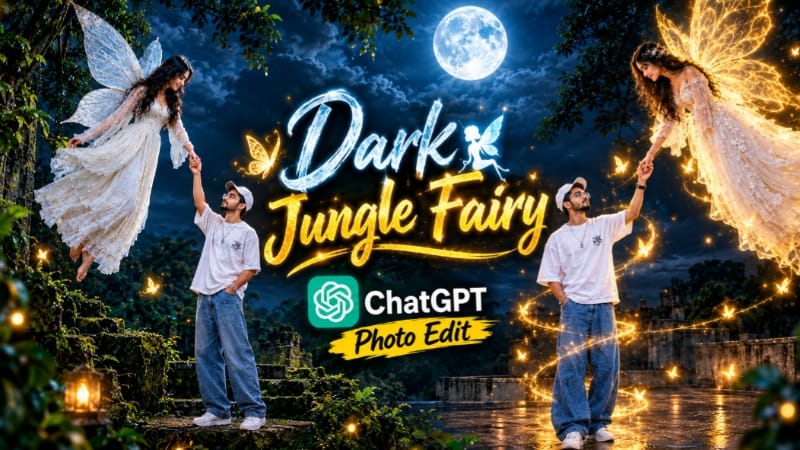
Dark Jungle Fairy AI Photo ek cinematic fantasy concept hai jisme normal reference image ko dark ancient jungle aur moonlit environment ke saath combine kiya jata hai. Scene mein rooftop platform, dense tropical foliage, moss-covered vines, ancient trees, floating fairy aur prominent full moon ko ek connected cinematic composition mein place kiya gaya hai.
Is concept ki key visual direction artificial glowing effects ko remove karke natural directional moonlight create karna hai. Fairy ke wings solid aur non-luminous rakhe jate hain, while the dark jungle, cloudy sky aur rooftop environment scene ko atmospheric depth dete hain. Recommended composition 4:5 portrait format mein hai.
Step-by-Step Workflow
Sabse pehle ek clear aur high-quality reference photo ready karein.
ChatGPT open karke reference image upload karein.
Dark Jungle Fairy AI Photo prompt copy karke paste karein.
Reference ke facial features, hairstyle, beard, outfit aur pose ko consistent rakhne ki instructions maintain karein.
Subject ko rooftop platform par standing aur upward-looking pose mein place karein.
Floating fairy ko white ethereal dress aur natural-looking solid wings ke saath position karein.
Rooftop ke around dark ancient jungle, mossy vines, large trees aur dense tropical foliage integrate karein.
Background mein dark cloudy night sky aur prominent full moon maintain karein.
Golden light trails, glowing butterflies aur artificial luminous effects ko remove rakhein.
Fairy ke wings ko opaque/non-glowing material appearance dein.
Natural directional moonlight aur dark cinematic atmosphere maintain karein.
4:5 portrait aspect ratio select karein.
Image generate karein.
Human subject ka face, hairstyle, outfit, pose aur hands check karein.
Fairy ka face, hair, dress, wings aur hand position inspect karein.
Rooftop, jungle, moon, clouds aur lighting ko carefully review karein.
Agar unwanted glow, distorted wings ya background errors appear hon, prompt refine karke regenerate karein.
Final image mein clean NoorEditing07 watermark placement check karein.
Final high-quality image export karein.
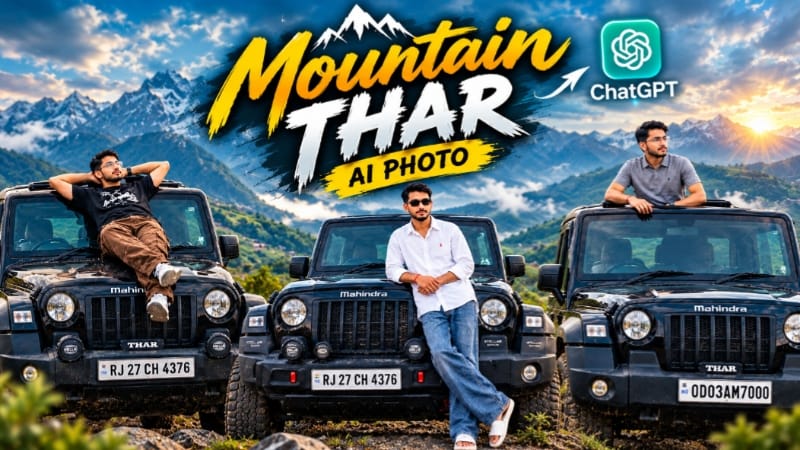
2. Mountain Thar AI Photo | Cinematic SUV Mountain Look | ChatGPT Prompt
Mountain Thar AI Photo ek cinematic automotive photography concept hai jisme reference photo ko black Mahindra Thar SUV aur scenic mountain environment ke saath combine kiya jata hai. Green rolling hills, cloudy sky, soft diffused daylight aur realistic vehicle details image ko professional outdoor photoshoot jaisa visual provide karte hain.
Concept mein different compositions use ki ja sakti hain, including SUV ke open sunroof ke through standing pose aur bonnet ke saath portrait composition. Vehicle ke visible exterior details, tyres, bumper, badges aur overall shape ko reference ke according maintain karna important hai. Recommended image format 4:5 hai.
Step-by-Step Workflow
Ek clear, high-resolution reference photo select karein.
Ensure karein ki subject, SUV aur background clearly visible ho.
ChatGPT open karke reference image upload karein.
Mountain Thar AI Photo prompt paste karein.
Subject ki recognizable facial appearance, hairstyle, outfit aur pose ko reference ke according maintain karein.
4:5 portrait aspect ratio select karein.
Black Mahindra Thar SUV ko primary automotive element ke roop mein define karein.
SUV ke visible body design, tyres, bumper, badges aur other important details ko consistent rakhein.
Background mein rolling green mountains aur dramatic cloudy sky maintain karein.
Agar face, vehicle ya background mein unwanted changes aayein, prompt ko specific instructions ke saath refine karein.
Final watermark aur image resolution check karein.
High-quality final image save/export karein.
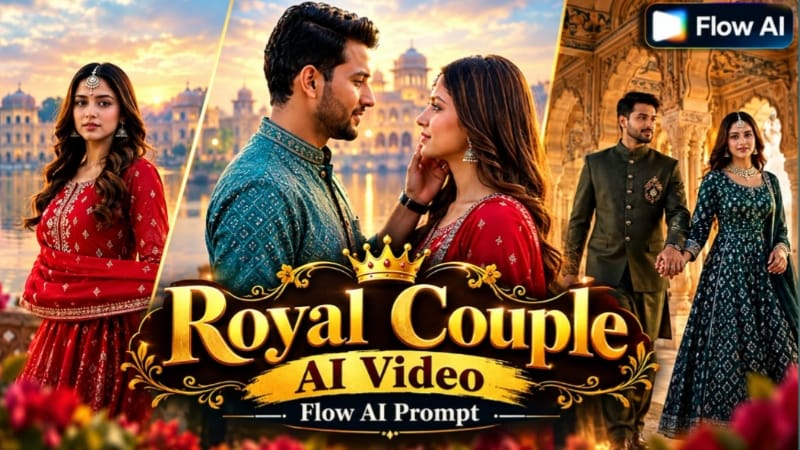
3. Royal Couple Pre-Wedding AI Video | Cinematic Palace Shoot | Flow AI Prompt
Royal Couple Pre-Wedding AI Video ek cinematic palace-shoot concept hai jisme bride aur groom ki reference photos ko royal heritage locations, misty lakes, palace courtyards, painted arches, stone architecture aur grand domes ke saath combine kiya jata hai.
Video prompt mein multiple royal styling looks aur 10 fast-paced scenes included hain. Scenes lake-side interaction se start hokar palace courtyard, red stone balustrade, heritage corridors aur grand monument-style ending tak move karte hain. Soft pastel cinematic grading, dreamy mist reflections, rich regal colours aur beat-matched cuts overall pre-wedding presentation ko cinematic structure dete hain.
Step-by-Step Workflow
Bride aur groom ki clear, high-quality reference photos ready karein.
Problematic scene ko refined prompt ke saath regenerate karein.
Final video export se pehle aspect ratio aur quality check karein.
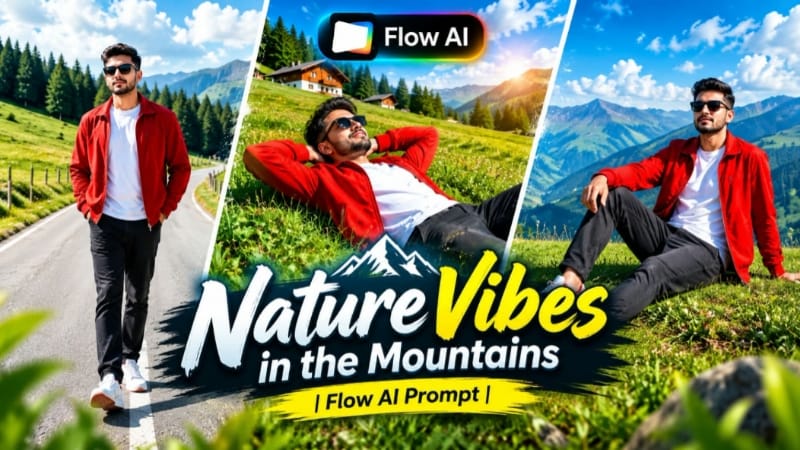
4. Mountain Nature AI Video | Cinematic Music Video | Flow AI Prompt
Mountain Nature AI Video ek scenic cinematic music-video concept hai jo single reference photo ko green mountain landscapes, scenic valleys, pine trees, clear sky aur natural daylight ke saath transform karta hai.
Flow AI ke through reference image ko identity source ke roop mein use karke mountain environment aur cinematic camera movement create kiya jata hai. Page 9:16 vertical format ko Reels aur Shorts ke liye suitable batata hai, while 16:9 widescreen cinematic videos ke liye use kiya ja sakta hai.
Step-by-Step Workflow
Ek clear, high-quality reference photo select karein.
Face clearly visible ho taaki identity reference accurate rahe.
Flow AI open karke image-to-video option select karein.
Reference photo upload karein.
Mountain Nature AI Video prompt copy karke Flow AI prompt box mein paste karein.
Mountain environment, green hills, valleys, trees aur scenic background instructions maintain karein.
Character appearance aur outfit consistency ke instructions preserve karein.
Reels/Shorts ke liye 9:16 format select karein.
Widescreen cinematic video ke liye 16:9 choose kiya ja sakta hai.
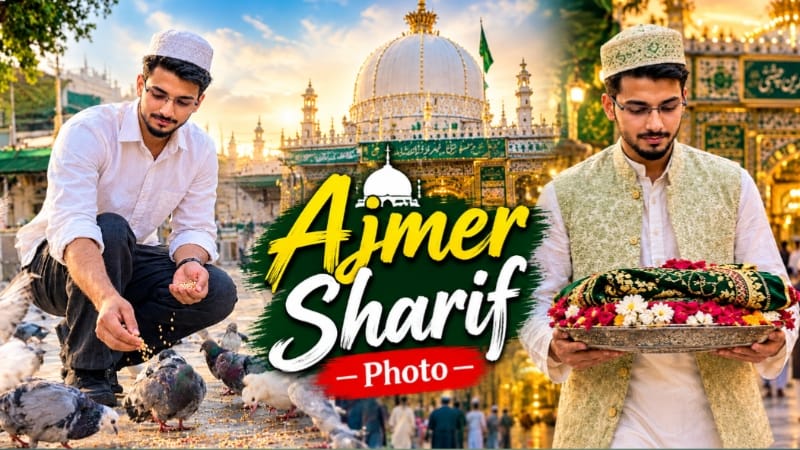
5. Ajmer Sharif AI Photo | Spiritual Dargah Look | ChatGPT AI Prompt
Ajmer Sharif AI Photo ek peaceful aur respectful dargah-inspired portrait concept hai. Reference photo ko primary identity source ke roop mein use karke realistic shrine-inspired architecture, traditional arches, decorative details, marble courtyard aur soft warm lighting ke saath cinematic portrait create kiya ja sakta hai.
Page par multiple compositions available hain, including shrine ke saamne respectful sitting pose, dargah entrance ki taraf walking scene aur courtyard mein pigeons ko grain feed karne wala candid-style photograph. 4:5 portrait composition is concept ke liye use ki gayi hai.
Step-by-Step Workflow
Ek clear reference photo select karein jisme face clearly visible ho.
ChatGPT open karke reference photo upload karein.
Ajmer Sharif AI Photo prompt paste karein.
Reference image ko primary identity source ke roop mein maintain karein.
Desired composition choose karein:
Dargah ke saamne respectful sitting scene
Shrine entrance ki taraf walking scene
Courtyard mein pigeons ke saath candid scene
4:5 portrait composition select karein.
Dargah-inspired architectural details, arches aur courtyard ko realistically define karein.
Artificial effects, unnatural expressions ya distorted details ko prompt refinement se correct karein.
Final image mein realistic photography aur respectful presentation maintain karein.
NoorEditing07 watermark placement check karein.
Final high-quality 4:5 image export karein.
Final Result
Ye five AI editing concepts different creative categories ko cover karte hain—dark fantasy photography, cinematic SUV photography, royal pre-wedding video, mountain nature music video aur spiritual dargah-inspired portrait editing.
Best results ke liye clear reference images use karein aur AI generation ke baad face identity, hairstyle, clothing, hands, natural proportions, lighting, background, camera angle, vehicle details aur scene continuity carefully check karein.
ChatGPT detailed AI photo compositions aur reference-based image editing ke liye, jabki Flow AI cinematic image-to-video workflows ke liye useful hai. Final image ya video export karne se pehle complete preview zaroor karein.