Black Kurta Pajama AI Video | Kashmiri Shawl Flow AI Prompt
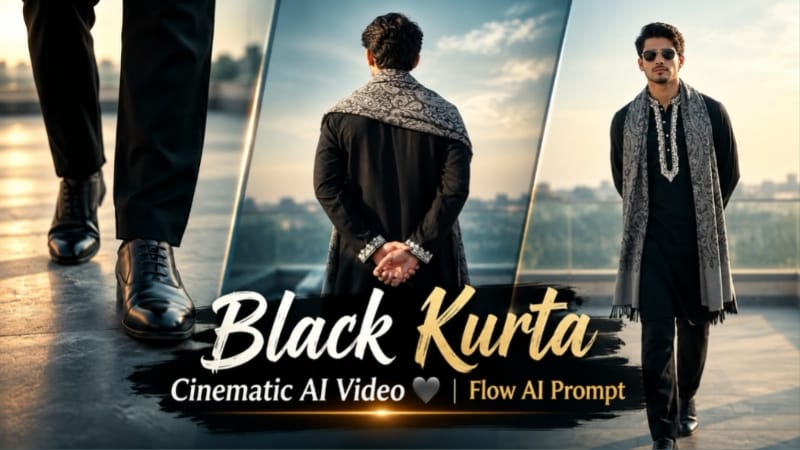
Black Kurta Pajama AI Video is a cinematic fashion-editing concept designed to transform a reference photo into a stylish traditional outfit video. The concept combines a jet-black kurta pajama with detailed white threadwork, a grey Kashmiri paisley shawl, silver-framed round sunglasses and a bright open terrace setting.
The video uses nine different cinematic shots, including walking close-ups, fabric details, profile poses and a final hand-wave gesture toward the camera. The goal is to create a consistent traditional fashion video with natural movement, detailed clothing and a realistic photographic appearance.
What Is Black Kurta Pajama AI Video Editing?
Black Kurta Pajama AI Video Editing uses an uploaded reference photo and a detailed prompt to generate a short cinematic video. The reference image guides the person's facial appearance, hairstyle, skin tone and body proportions, while the prompt defines the outfit, location, camera angles and movements.
This concept is suitable for creators who want to experiment with traditional fashion edits, AI-generated video scenes and vertical social media content.
The main visual theme remains consistent throughout the sequence: a jet-black kurta pajama, white embroidered details, a grey Kashmiri shawl and an open terrace under soft daylight.
Traditional Black Kurta Pajama Outfit
The outfit features a jet-black kurta pajama with heavy white threadwork around the neckline and cuffs. The embroidery creates a strong contrast against the dark fabric and adds detail to the traditional styling.
A grey Kashmiri paisley shawl is draped naturally over the shoulders. Black formal shoes complete the outfit, while silver-framed round sunglasses add a modern fashion element.
The prompt instructs the AI to keep the same outfit throughout all nine scenes. Maintaining consistent clothing helps the final video feel like one connected fashion shoot instead of separate clips with different styling.
Strict Face and Identity Consistency
The uploaded reference photo is intended to guide the character's facial features, hairstyle, hairline, skin tone, body build and height. The prompt asks the AI to avoid unnecessary changes to the person's appearance across all shots.
For better results, upload a clear reference photo with the face visible. The generated video should retain the person's natural proportions rather than replacing them with a generic model.
AI video generation can still produce identity drift or inconsistent details between frames. Review the generated scenes carefully, particularly the face, hairstyle, sunglasses and body proportions. If a scene looks noticeably different, regenerate or edit it when the tool allows.
Open Terrace Background
All nine scenes take place on the same open terrace under soft daylight. Keeping the location unchanged creates visual continuity and allows the traditional outfit to remain the main focus.
The lighting should look natural, with gentle shadows and clear fabric details. A clean terrace background also helps the black kurta, white embroidery and grey shawl stand out without unnecessary distractions.
The prompt requests a cool daylight colour tone with high contrast between the black fabric and white threadwork.
Nine Cinematic Scene Sequence
The first scene begins with a low-angle tracking shot of the black shoes walking across the terrace floor. The second scene focuses on the torso, highlighting the shawl and embroidered collar.
The third scene shows the character from behind, standing at the terrace edge with hands behind the back and looking toward the sky. The fourth scene moves into a macro close-up of the shawl fabric and embroidered cuff as the character adjusts the shawl.
The fifth scene uses a front-facing waist-up composition with the hands resting together. The sixth scene shows a medium side profile with one hand resting on the shawl over the chest.
The seventh scene presents a full-body walk with hands behind the back and sunglasses. The eighth scene follows the character from the front in a medium close-up while walking. Finally, the ninth scene ends with a close-up portrait and a smooth hand-wave gesture toward the camera.
These different shots provide variety while preserving the same clothing, setting and overall visual style.
Cinematic Camera and Video Quality
The prompt specifies a vertical 9:16 aspect ratio, sharp DSLR-style details and an intended 8K-quality appearance. Close-up scenes highlight the fabric texture, embroidery and facial details, while full-body scenes show the complete outfit and walking movement.
The final output resolution depends on the AI tool's available settings. The prompt's 8K description expresses the desired detail level rather than guaranteeing a specific resolution.
Natural movement is important throughout the video. Walking, turning, adjusting the shawl and waving should look smooth and physically believable without distorted hands or sudden changes in the character's appearance.
NoorEditing07 Watermark
The prompt requests a small, subtle white NoorEditing07 watermark in the bottom corner throughout the video. The watermark should remain unobtrusive and should not cover the outfit or the person's face.
If the AI tool does not render the text correctly, you can add the watermark during final editing using a video editor.
Final Result
Black Kurta Pajama AI Video combines traditional clothing, a patterned Kashmiri shawl and nine cinematic camera shots in a consistent terrace setting. It is designed for creators who want to turn a reference photo into a polished vertical fashion video.
Upload your reference image, use the complete prompt, generate the scenes and review the final result for face consistency, clothing details and natural movement. This approach can help you create a personalized traditional fashion edit for your content.
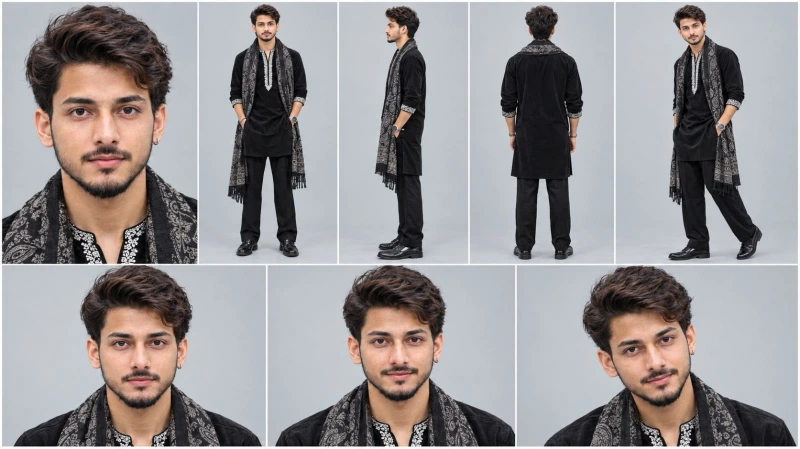
Sabse Pehle Character Sheet Photo Banaai ChatGPT Se
Create a professional character reference sheet of the SAME handsome young Indian man in one image, 16:9 landscape, plain light grey studio background, soft even lighting, photorealistic, sharp face, natural skin texture, 4K. Layout (grid with thin white dividers): Top row, 5 panels: (1) large close-up face portrait, (2) full body front view, (3) full body side view, (4) full body back view, (5) full body three-quarter view. Bottom row, 3 panels: close-up face portraits with different natural expressions (neutral, soft smile, slight smirk). Character: medium-length wavy dark brown hair with slight auburn tone, light stubble beard, wheatish skin, slim build, silver hoop earring in left ear. Outfit (identical in every panel): black velvet kurta with white chikankari embroidery on the neck placket and cuffs, black pajama trousers, black paisley Kashmiri shawl with grey and silver pattern draped over both shoulders, black leather shoes, wristwatch. Face, hair, outfit and proportions must stay perfectly consistent across all panels.
Create a professional character reference sheet of the SAME handsome young Indian man in one image, 16:9 landscape, plain light grey studio background, soft even lighting, photorealistic, sharp face, natural skin texture, 4K.
Layout (grid with thin white dividers):
Top row, 5 panels: (1) large close-up face portrait, (2) full body front view, (3) full body side view, (4) full body back view, (5) full body three-quarter view.
Bottom row, 3 panels: close-up face portraits with different natural expressions (neutral, soft smile, slight smirk).
Character: medium-length wavy dark brown hair with slight auburn tone, light stubble beard, wheatish skin, slim build, silver hoop earring in left ear.
Outfit (identical in every panel): black velvet kurta with white chikankari embroidery on the neck placket and cuffs, black pajama trousers, black paisley Kashmiri shawl with grey and silver pattern draped over both shoulders, black leather shoes, wristwatch.
Face, hair, outfit and proportions must stay perfectly consistent across all panels.
✓
Prompt copied to clipboard!
AI PHOTO PROMPT
✦AI PHOTO PROMPT
Create a professional character reference sheet of the SAME handsome young Indian man in one image, 16:9 landscape, plain light grey studio background, soft even lighting, photorealistic, sharp face, natural skin texture, 4K. Layout (grid with thin white dividers): Top row, 5 panels: (1) large close-up face portrait, (2) full body front view, (3) full body side view, (4) full body back view, (5) full body three-quarter view. Bottom row, 3 panels: close-up face portraits with different natural expressions (neutral, soft smile, slight smirk). Character: medium-length wavy dark brown hair with slight auburn tone, light stubble beard, wheatish skin, slim build, silver hoop earring in left ear. Outfit (identical in every panel): black velvet kurta with white chikankari embroidery on the neck placket and cuffs, black pajama trousers, black paisley Kashmiri shawl with grey and silver pattern draped over both shoulders, black leather shoes, wristwatch. Face, hair, outfit and proportions must stay perfectly consistent across all panels.
Create a professional character reference sheet of the SAME handsome young Indian man in one image, 16:9 landscape, plain light grey studio background, soft even lighting, photorealistic, sharp face, natural skin texture, 4K.
Layout (grid with thin white dividers):
Top row, 5 panels: (1) large close-up face portrait, (2) full body front view, (3) full body side view, (4) full body back view, (5) full body three-quarter view.
Bottom row, 3 panels: close-up face portraits with different natural expressions (neutral, soft smile, slight smirk).
Character: medium-length wavy dark brown hair with slight auburn tone, light stubble beard, wheatish skin, slim build, silver hoop earring in left ear.
Outfit (identical in every panel): black velvet kurta with white chikankari embroidery on the neck placket and cuffs, black pajama trousers, black paisley Kashmiri shawl with grey and silver pattern draped over both shoulders, black leather shoes, wristwatch.
Face, hair, outfit and proportions must stay perfectly consistent across all panels.
Cinematic 9:16 vertical 8K ultra-realistic male model video on an open terrace under soft daylight. [IDENTITY & FACE LOCK] Use the uploaded reference photo for the man's face, hairstyle, skin tone, body build and height. Keep identity exactly same as reference photo — no alteration to face, body, or hairstyle in any scene. Strictly lock 100% facial features, jawline, and skin tone from the uploaded reference photo. Clean, smooth, blemish-free skin with natural DSLR texture, zero face morphing across all shots. This must work accurately for any person of any age or body type who uploads their own reference photo — whether short, tall, slim, or heavy — the generated face and body must always match the uploaded photo exactly, never a generic or different look.
Cinematic 9:16 vertical 8K ultra-realistic male model video on an open terrace under soft daylight.
[IDENTITY & FACE LOCK]
Use the uploaded reference photo for the man's face, hairstyle, skin tone, body build and height. Keep identity exactly same as reference photo — no alteration to face, body, or hairstyle in any scene. Strictly lock 100% facial features, jawline, and skin tone from the uploaded reference photo. Clean, smooth, blemish-free skin with natural DSLR texture, zero face morphing across all shots. This must work accurately for any person of any age or body type who uploads their own reference photo — whether short, tall, slim, or heavy — the generated face and body must always match the uploaded photo exactly, never a generic or different look.
[OUTFIT & STYLING]
Jet-black kurta pajama with heavy white threadwork around the neckline and cuffs, a draped grey Kashmiri paisley shawl over the shoulders, black formal shoes, silver-framed round sunglasses. Same outfit throughout, no changes.
Location (same throughout, do not change): an open terrace under soft daylight.
[EXACT SCENE SEQUENCE]
- Scene 1: Low-angle tracking shot of his black shoes walking forward across the terrace floor.
- Scene 2: Torso shot — walking forward, shawl draped around his shoulders, white embroidered collar visible.
- Scene 3: Back-view medium shot — standing at the terrace edge, hands held behind his back, looking at the sky.
- Scene 4: Macro close-up — on the shawl fabric and embroidered kurta cuff as his hand adjusts the shawl.
- Scene 5: Waist-up shot from the front — resting his hands together in front of him.
- Scene 6: Medium profile — turning to the side, hand resting on the shawl over his chest.
- Scene 7: Full-body slow-motion walk — forward with hands behind his back, wearing sunglasses.
- Scene 8: Medium close-up tracking shot — walking forward in sunglasses, confident gaze.
- Scene 9: Close-up portrait — looks at the camera and does a smooth hand-wave gesture forward.
[COLOR & TECHNICAL]
Cool soft daylight tone, high-contrast black-and-white fabric details, sharp 8K DSLR optics, 9:16 vertical ratio.
[WATERMARK]
Clean, subtle white text watermark "NoorEditing07" in the bottom corner, low opacity, present throughout the video.
✓
Prompt copied to clipboard!
AI Video Prompt Card
✦AI VIDEO PROMPT
Cinematic 9:16 vertical 8K ultra-realistic male model video on an open terrace under soft daylight. [IDENTITY & FACE LOCK] Use the uploaded reference photo for the man's face, hairstyle, skin tone, body build and height. Keep identity exactly same as reference photo — no alteration to face, body, or hairstyle in any scene. Strictly lock 100% facial features, jawline, and skin tone from the uploaded reference photo. Clean, smooth, blemish-free skin with natural DSLR texture, zero face morphing across all shots. This must work accurately for any person of any age or body type who uploads their own reference photo — whether short, tall, slim, or heavy — the generated face and body must always match the uploaded photo exactly, never a generic or different look.
Cinematic 9:16 vertical 8K ultra-realistic male model video on an open terrace under soft daylight.
[IDENTITY & FACE LOCK]
Use the uploaded reference photo for the man's face, hairstyle, skin tone, body build and height. Keep identity exactly same as reference photo — no alteration to face, body, or hairstyle in any scene. Strictly lock 100% facial features, jawline, and skin tone from the uploaded reference photo. Clean, smooth, blemish-free skin with natural DSLR texture, zero face morphing across all shots. This must work accurately for any person of any age or body type who uploads their own reference photo — whether short, tall, slim, or heavy — the generated face and body must always match the uploaded photo exactly, never a generic or different look.
[OUTFIT & STYLING]
Jet-black kurta pajama with heavy white threadwork around the neckline and cuffs, a draped grey Kashmiri paisley shawl over the shoulders, black formal shoes, silver-framed round sunglasses. Same outfit throughout, no changes.
Location (same throughout, do not change): an open terrace under soft daylight.
[EXACT SCENE SEQUENCE]
- Scene 1: Low-angle tracking shot of his black shoes walking forward across the terrace floor.
- Scene 2: Torso shot — walking forward, shawl draped around his shoulders, white embroidered collar visible.
- Scene 3: Back-view medium shot — standing at the terrace edge, hands held behind his back, looking at the sky.
- Scene 4: Macro close-up — on the shawl fabric and embroidered kurta cuff as his hand adjusts the shawl.
- Scene 5: Waist-up shot from the front — resting his hands together in front of him.
- Scene 6: Medium profile — turning to the side, hand resting on the shawl over his chest.
- Scene 7: Full-body slow-motion walk — forward with hands behind his back, wearing sunglasses.
- Scene 8: Medium close-up tracking shot — walking forward in sunglasses, confident gaze.
- Scene 9: Close-up portrait — looks at the camera and does a smooth hand-wave gesture forward.
[COLOR & TECHNICAL]
Cool soft daylight tone, high-contrast black-and-white fabric details, sharp 8K DSLR optics, 9:16 vertical ratio.
[WATERMARK]
Clean, subtle white text watermark "NoorEditing07" in the bottom corner, low opacity, present throughout the video.
Agar aap apni photo se Black Kurta Pajama Cinematic AI Video banana chahte hain, to neeche diye gaye steps follow karein.
Step 1: Apni Reference Photo Select Karein
Sabse pehle apni ek clear photo select karein. Face clearly visible hona chahiye, taaki AI aapki appearance ko reference ke roop mein use kar sake.
Step 2: Flow AI Open Karein
Apne browser mein Flow AI open karein aur available video-generation feature select karein. Features aur settings aapke account ke according alag ho sakte hain.
Step 3: Reference Photo Upload Karein
Apni original photo upload karein. Prompt mein clearly mention karein ki face, hairstyle, skin tone aur body proportions reference photo ke close rehne chahiye.
Step 4: Master Prompt Copy Karein
Is article mein diya gaya Black Kurta Pajama AI Video prompt copy karein. Ismein black kurta pajama, white threadwork, grey Kashmiri shawl, round sunglasses aur nine-scene sequence ki details shamil hain.
Step 5: Prompt Paste Karein
Copied prompt ko AI tool ke prompt box mein paste karein. Generate karne se pehle check karein ki 9:16 vertical ratio, same terrace location aur outfit consistency ki instructions included hain.
Step 6: Video Generate Karein
Available settings mein 9:16 vertical format select karein. Uske baad Generate par click karein aur processing complete hone ka wait karein.
Agar tool ek generation mein sabhi nine scenes ko sahi tarah create nahi karta, to scenes ko alag-alag generate karke baad mein combine kar sakte hain.
Step 7: Nine Scenes Check Karein
Generated video mein ye scenes verify karein:
1. Black shoes ka low-angle walking shot.
2. Torso shot with shawl aur embroidered collar.
3. Terrace edge par back-view pose.
4. Shawl fabric aur embroidered cuff ka macro close-up.
5. Front-facing waist-up pose.
6. Shawl par hand ke saath side-profile shot.
7. Full-body walking shot.
8. Sunglasses ke saath medium close-up walking shot.
9. Camera ki taraf smooth hand-wave close-up.
Step 8: Face Aur Outfit Review Karein
Har scene mein face, hairstyle, skin tone, sunglasses aur body proportions check karein. Black kurta, white embroidery aur grey shawl consistent rehne chahiye.
Hands aur walking movements ko bhi review karein. Agar kisi shot mein visible distortion ho, to prompt refine karke us scene ko dobara generate karein.
Step 9: Final Video Edit Karein
Agar scenes alag generate kiye hain, to unhe video editor mein correct order mein arrange karein. Unnecessary effects se bachein aur transitions ko natural rakhein, taaki video ka cinematic look consistent rahe.
Step 10: Watermark Aur Export
Bottom corner mein subtle NoorEditing07 watermark add karein, agar AI ne text accurately generate nahi kiya ho. Final video ko 9:16 vertical format mein export karein aur publish karne se pehle poora playback check karein.
In steps ko follow karke aap apni reference photo se ek traditional black kurta pajama cinematic AI video create kar sakte hain.
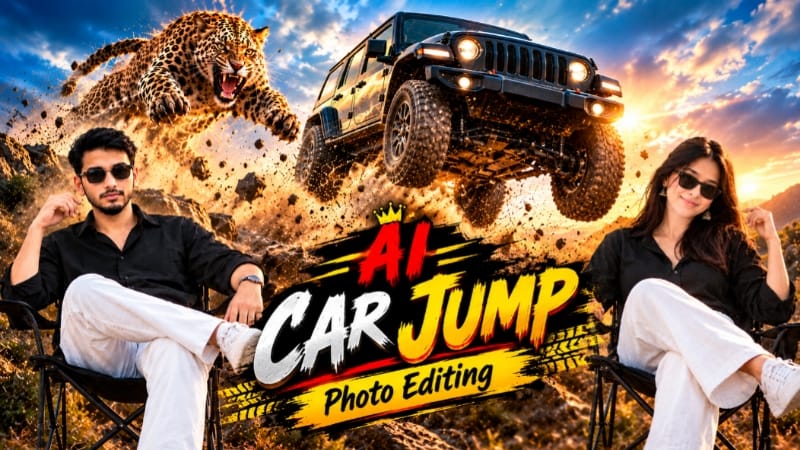
1. Car Cheetah Jump AI Photo Editing | ChatGPT Prompt
Car Cheetah Jump AI Photo Editing ek creative AI photo-editing concept hai. Is tarah ke edit mein reference photo ko use karke ek dramatic car aur cheetah-inspired visual create kiya ja sakta hai. Final result ke liye reference image, prompt aur AI-generated details ko carefully check karna zaroori hai.
Step 1: Reference Photo Select Karein
Apni clear photo aur required car ya scene ki reference image ready karein. Images sharp honi chahiye, taaki AI ko visual details samajhne mein help mile.
Step 2: ChatGPT Open Karein
ChatGPT ya kisi compatible AI image-generation tool ko open karein. Reference images upload karne ka option available ho to use karein.
Step 3: Prompt Paste Karein
Car Cheetah Jump AI Photo Editing Prompt ko copy karke prompt box mein paste karein. Prompt mein subject, car, cheetah aur desired composition ki instructions follow karein.
Step 4: Image Generate Karein
Generate option par click karein aur result ka wait karein. AI tool ke hisaab se output aur available settings alag ho sakte hain.
Step 5: Final Image Check Karein
Face, car body, cheetah ki anatomy, shadows aur proportions carefully check karein. Agar koi detail distorted ho, to prompt refine karke dobara generate karein.
Step 6: Save Aur Share Karein
Final image ko high quality mein save karein. Zarurat ho to subtle NoorEditing07 watermark add karke Instagram ya apne editing tutorial ke liye use karein.
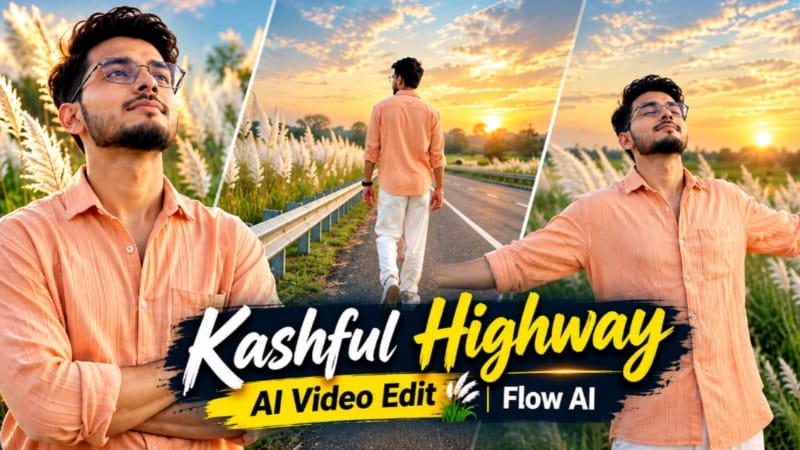
2. Kashful Highway Cinematic AI Video | Flow AI Prompt
Kashful Highway Cinematic AI Video ek photo-to-video concept hai, jisme rural highway, tall white Kashful grass aur evening sunset lighting ke saath six cinematic scenes create kiye jaate hain. Iska target 16:9 widescreen cinematic look hai. Source: NoorEditing07
Agar multiple camera angles mein same appearance chahiye, to pehle ChatGPT se character reference sheet banane ka option use kar sakte hain.
Step 3: Flow AI Open Karein
Flow AI mein video generation option open karein aur reference photo upload karein.
Step 4: Prompt Paste Karein
Kashful Highway Cinematic AI Video Prompt copy karke paste karein. Available settings mein 16:9 landscape format select karein.
Step 5: Outfit Maintain Karein
Prompt ke mutabik peach-orange button-down shirt, loose white trousers aur white casual sneakers rakhein.
Step 6: Six Scenes Generate Karein
Sequence mein roadside railing ke paas walking, metal barrier ke against arms-crossed pose, wide side-profile shot, road par arms spread karke walking, sky ki taraf dekhne wala close-up aur horizon ki taraf running shot shamil hain.
Step 7: Lighting Aur Consistency Check Karein
White Kashful grass, empty highway aur soft indigo-amber sunset lighting consistent rakhein. Face aur outfit mein changes check karein.
Step 8: Final Export Karein
Agar sabhi scenes ek generation mein sahi na banein, to separate clips generate karke editor mein arrange karein. NoorEditing07 watermark verify karke final video export karein.
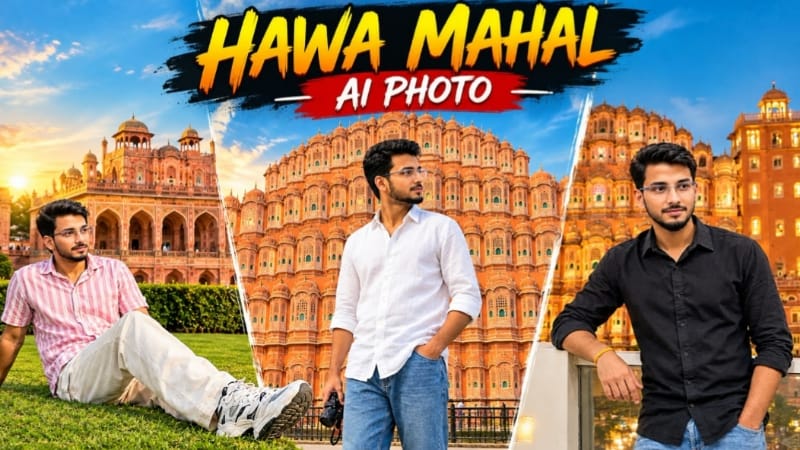
3. Hawa Mahal Jaipur AI Photo | Realistic Travel Photography | ChatGPT Prompt
Hawa Mahal Jaipur AI Photo Editing ek realistic travel-photography concept hai. Ismein reference photo ki identity aur pose ko maintain karte hue Jaipur ke iconic Hawa Mahal ke saamne portrait create karne par focus hai. Source: NoorEditing07
Step 1: Do Reference Images Ready Karein
Image 1 ko pose, outfit aur background reference ke liye use karein. Image 2 ko apne face reference ke liye select karein.
Hawa Mahal Jaipur AI Photo Prompt copy karke paste karein. Portrait composition ke liye 4:5 aspect ratio select karein.
Step 4: Pose Maintain Karein
Subject ko frame ke right side mein side-profile pose mein rakhein, Hawa Mahal ki taraf dekhte hue. Ek hand trouser pocket mein aur doosre mein small camera ho.
Step 5: Outfit Set Karein
White loose-fit linen-style shirt, rolled-up sleeves aur blue relaxed-fit jeans ka look maintain karein.
Step 6: Background Create Karein
Pink-orange sandstone facade, arched jharokha windows, carved balconies aur clear blue sky ko background mein rakhein.
Step 7: Natural Lighting Rakhein
Bright natural daylight aur realistic smartphone photography look maintain karein. Extra filters aur artificial HDR effect se bachein.
Step 8: Final Image Save Karein
Face, hands, camera accessory aur monument ki architecture inspect karein. Distortion ho to prompt refine karke regenerate karein, phir final portrait save karein.
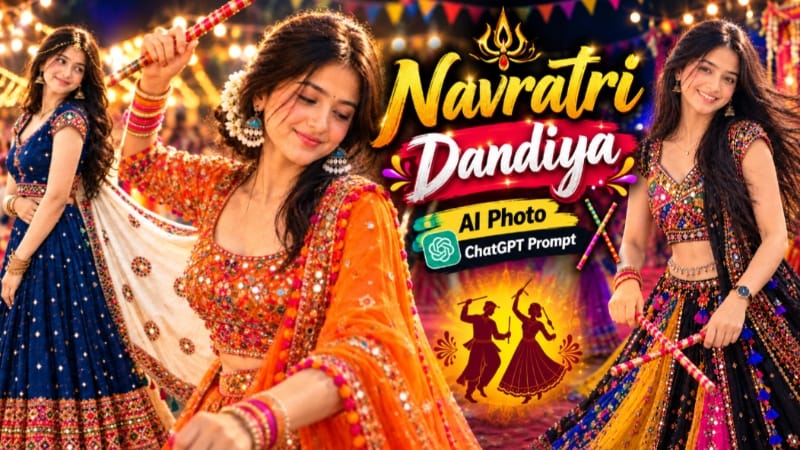
4. Navratri Dandiya AI Photo | Traditional Garba Look | ChatGPT Prompt
Navratri Dandiya AI Photo Editing traditional Gujarati fashion aur festive photography ka creative combination hai. Is concept mein colourful chaniya choli, traditional jewellery, dandiya sticks aur warm festive lighting ka use karke portrait-style image banayi ja sakti hai. Source: NoorEditing07
Step 1: Reference Photo Select Karein
Apni clear photo select karein. Agar prompt mein multiple reference images hain, to unhe correct order mein ready rakhein.
Step 2: ChatGPT Open Karein
ChatGPT ya compatible AI image-generation tool open karein aur required photos upload karein.
Step 3: Prompt Paste Karein
Navratri Dandiya AI Photo Prompt copy karke paste karein. Image ke liye 4:5 portrait ratio select karein.
Step 4: Traditional Outfit Create Karein
Prompt ke according vibrant chaniya choli, colourful embroidery, mirror work, dupatta aur traditional jewellery ki details maintain karein.
Step 5: Dandiya Pose Set Karein
Selected prompt ke hisaab se dandiya stick ke saath portrait pose ya Garba dance movement create karein. Hand position aur stick ki direction check karein.
Step 6: Background Aur Lighting
Prompt mein diye gaye scene ke according soft fabric backdrop ya festive Garba ground rakhein. Warm lighting aur soft bokeh portrait ko attractive banate hain.
Step 7: Face Aur Details Check Karein
Face identity, skin tone, jewellery, embroidery aur fingers ko carefully inspect karein. AI-generated errors ko correct karne ke liye prompt refine karein.
Step 8: Final Image Export Karein
Final result ko high quality mein save karein. Zarurat ke mutabik NoorEditing07 watermark add karein aur apne Navratri editing content mein use karein.
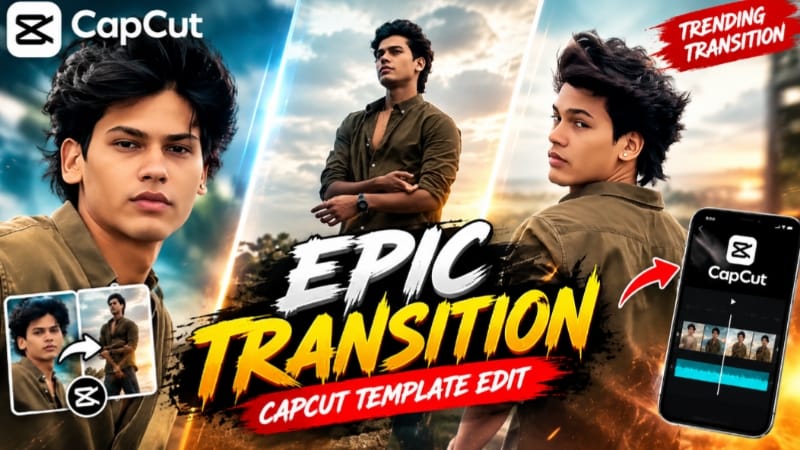
5. Epic Transition CapCut Template | Trending Transition Video Edit
Epic Transition CapCut Template ek transition-focused video-editing concept hai. CapCut template ka use karke clips ya photos ko music aur visual transitions ke saath combine kiya ja sakta hai. Template ki exact effects aur clip requirements uske available version par depend karte hain.
Agar template link available hai, to use open karein. Link agar supported hai, to CapCut app mein template khul sakta hai; warna browser se continue karna pad sakta hai.
Template ke instructions ke mutabik apni photos ya video clips select karein. Subject aur composition ko transition ke flow ke saath match karne ki koshish karein.
Step 5: Preview Dekhein
Preview play karke check karein ki transitions smooth hain aur important parts crop nahi ho rahe. Agar template beat-based hai, to music aur clip timing ko verify karein.
Step 6: Final Edit Karein
Agar zaroorat ho, to available editing options se brightness, contrast, clip duration ya music level adjust karein. Original template effect ko unnecessary changes se avoid karein.
Step 7: Video Export Karein
Final preview check karein aur platform ke according suitable resolution aur aspect ratio select karein. Video export karne ke baad use Instagram Reels, YouTube Shorts ya doosre social platforms par share kar sakte hain.
Note: Is page ka exact template preview aur specific effect details verify nahi ho sake, isliye article mein unverified transition effects ya clip count specify nahi kiye gaye.