Kashful Highway Cinematic AI Video | Flow AI Prompt
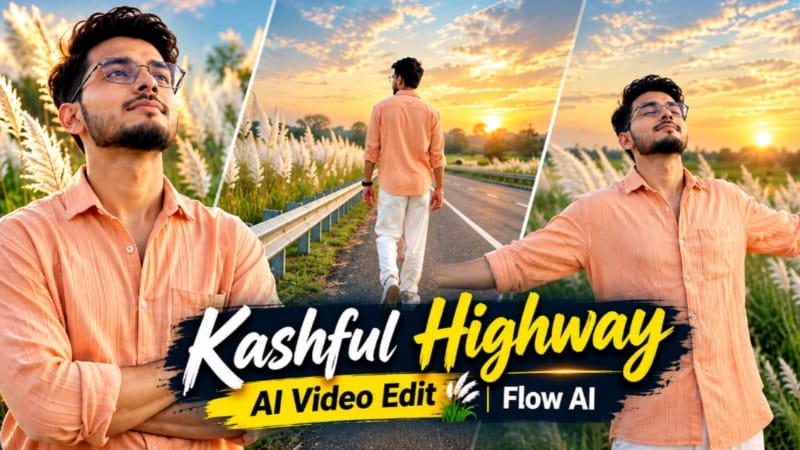
Kashful Highway Cinematic AI Video is a creative photo-to-video editing concept for anyone who wants to transform a normal portrait into an emotional cinematic film. This concept combines a scenic rural highway, tall white Kashful grass, soft evening sunset lighting and six different cinematic scenes. By using your own reference photo, you can create a personalized video with a consistent character appearance and a professional widescreen composition.
The main attraction of this AI video concept is its peaceful rural atmosphere. The highway stretches toward the distant horizon, while blooming white Kashful grass grows along the roadside. The evening sky features a balanced gradient of soft indigo and subtle amber tones. Together, these elements create a calm, reflective and cinematic mood.
What Is Kashful Highway Cinematic AI Video Editing?
Kashful Highway Cinematic AI Video Editing uses an AI video-generation tool to turn a reference photo and a detailed prompt into a sequence of cinematic shots. Instead of using only one standing pose, the concept includes six different camera angles and body positions.
The sequence begins with a back-view walking shot beside the roadside railing. It then moves to a medium shot of the subject leaning against the metal barrier with crossed arms. A wide side-profile shot follows, showing the character standing still and looking toward the distant horizon.
The fourth scene introduces a wider composition in which the character walks along the highway with both arms spread wide. In the fifth scene, a front-facing medium close-up captures the character looking toward the sky with closed eyes and relaxed arms. The final scene shows a back-view tracking shot of the character running toward the distant horizon.
These six scenes create visual variety while maintaining one consistent cinematic theme.
Outfit and Character Appearance
The outfit is an important part of this editing concept. The character wears a relaxed-fit peach-orange button-down shirt with subtle vertical texture, loose straight white trousers and clean white casual sneakers.
For a consistent result, use a clear reference photo with the face visible. The prompt should instruct the AI to preserve the reference identity, including facial structure, jawline, eyes, beard, hairstyle and natural skin tone. The clothing and rural environment should be generated according to the written prompt rather than copied from unrelated elements in the reference photo.
AI-generated results may still vary, so check the face and clothing across every scene before combining the final video.
Cinematic Lighting and Background
The background features a scenic rural highway lined with tall white Kashful grass. A metal road barrier runs along the roadside, while the empty road leads toward a distant horizon.
The lighting uses a soft evening sunset rather than harsh direct sunlight. A subtle amber glow adds warmth, while the indigo evening sky creates a balanced cinematic color palette. Natural DSLR-style tones help the skin, shirt and white trousers look realistic.
The prompt also requests a subtle static NoorEditing07 watermark in the bottom corner. If the AI does not render the text accurately, add the watermark afterward using a video editor.
Why Use a Six-Scene Sequence?
Using several distinct shots can make a video feel more like a short film than a single AI-generated portrait animation. Wide shots establish the highway and surrounding Kashful grass. Medium shots highlight the character's expressions and posture. Tracking shots introduce movement and lead the viewer toward the horizon.
For best results, keep the outfit, character reference, environment and color grading consistent. If your video generator cannot produce all six scenes reliably in one generation, create each scene separately and combine the clips in a video editor.
Final Result
The goal is a 16:9 widescreen cinematic video with realistic character details, gentle camera movement, natural grass motion and a peaceful sunset atmosphere. The combination of white Kashful grass, a long rural highway and six emotional poses gives the final edit a distinctive cinematic style.
Use this Kashful Highway Cinematic AI Video concept to experiment with personalized AI filmmaking, rural scenery and professional-looking photo-to-video edits. Remember that the final output depends on the quality of your reference image, the AI model and the prompt interpretation.
Sabse Pehle Character Sheet Photo Banaai ChatGPT Se
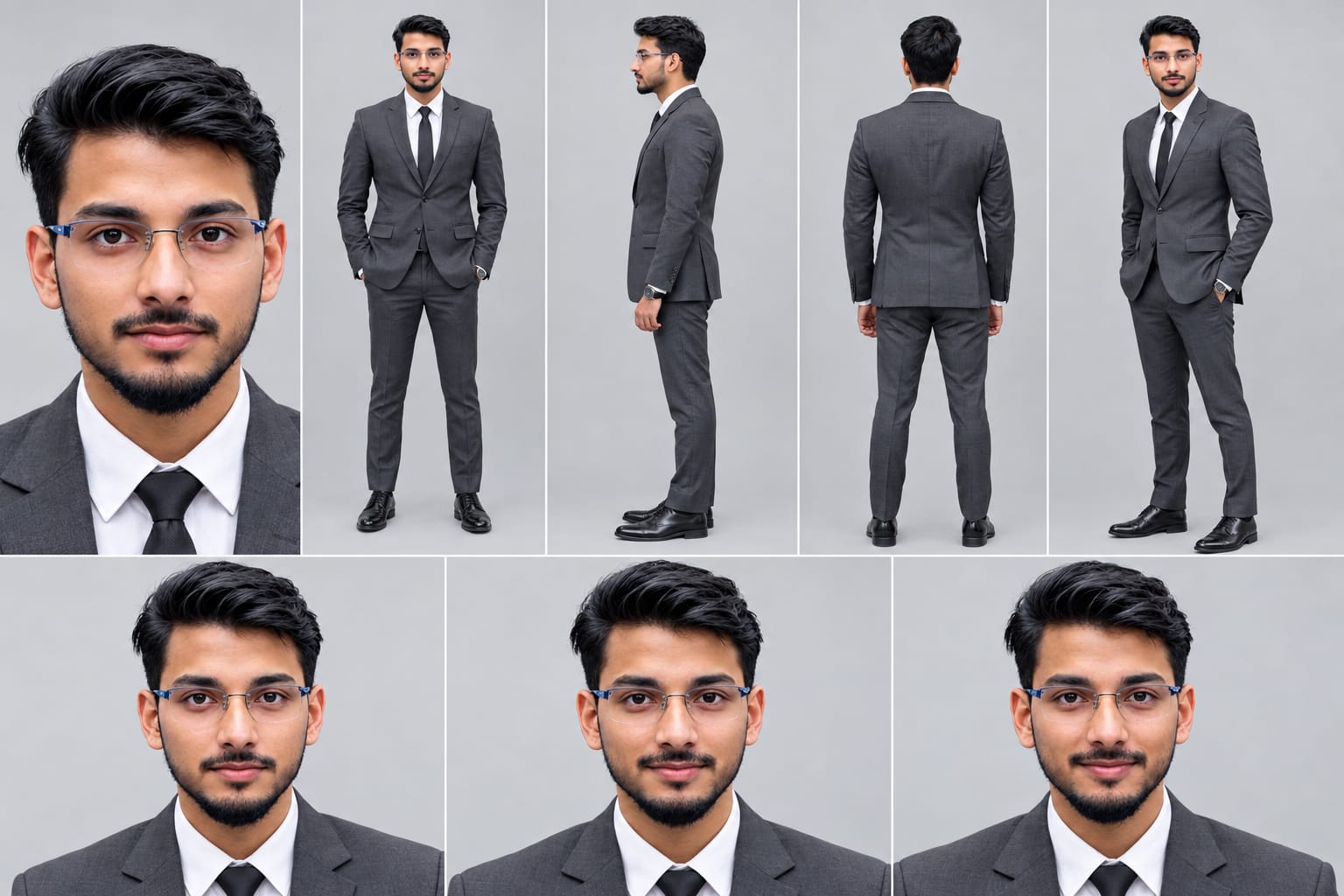
Create a professional character reference sheet of the person in the uploaded photo, on a plain light-grey studio background. IDENTITY LOCK (most important): Use the EXACT face from the uploaded photo. Same facial features, same skin tone, same hairstyle, same beard or no beard, same age, same body build and height. Do not beautify, change or replace the face. The face must be identical and clearly recognizable in every view. Layout: one wide image with 5 views of the same person, standing in a neutral relaxed pose, evenly spaced and the same size: 1. Close-up face portrait, looking straight at the camera 2. Front view, full body 3. Left side view, full body 4. Back view, full body 5. Three-quarter angle view, full body
Create a professional character reference sheet of the person in the uploaded photo, on a plain light-grey studio background.
IDENTITY LOCK (most important): Use the EXACT face from the uploaded photo. Same facial features, same skin tone, same hairstyle, same beard or no beard, same age, same body build and height. Do not beautify, change or replace the face. The face must be identical and clearly recognizable in every view.
Layout: one wide image with 5 views of the same person, standing in a neutral relaxed pose, evenly spaced and the same size:
1. Close-up face portrait, looking straight at the camera
2. Front view, full body
3. Left side view, full body
4. Back view, full body
5. Three-quarter angle view, full body
Outfit (same in every view): fitted charcoal-grey suit, white shirt, black tie, black dress shoes, wristwatch.
Extra row at the bottom: three face close-ups showing neutral, calm and slight-smile expressions.
Style: realistic photograph, soft even studio lighting, sharp detail, natural skin texture, 4K quality.
Negative: no face change, no different person, no cartoon or illustration style, no text, no labels, no logo, no watermark, no extra people, no distorted hands.
✓
Prompt copied to clipboard!
AI Character Reference Sheet Prompt Card
✦AI PHOTO PROMPT
Create a professional character reference sheet of the person in the uploaded photo, on a plain light-grey studio background. IDENTITY LOCK (most important): Use the EXACT face from the uploaded photo. Same facial features, same skin tone, same hairstyle, same beard or no beard, same age, same body build and height. Do not beautify, change or replace the face. The face must be identical and clearly recognizable in every view. Layout: one wide image with 5 views of the same person, standing in a neutral relaxed pose, evenly spaced and the same size: 1. Close-up face portrait, looking straight at the camera 2. Front view, full body 3. Left side view, full body 4. Back view, full body 5. Three-quarter angle view, full body
Create a professional character reference sheet of the person in the uploaded photo, on a plain light-grey studio background.
IDENTITY LOCK (most important): Use the EXACT face from the uploaded photo. Same facial features, same skin tone, same hairstyle, same beard or no beard, same age, same body build and height. Do not beautify, change or replace the face. The face must be identical and clearly recognizable in every view.
Layout: one wide image with 5 views of the same person, standing in a neutral relaxed pose, evenly spaced and the same size:
1. Close-up face portrait, looking straight at the camera
2. Front view, full body
3. Left side view, full body
4. Back view, full body
5. Three-quarter angle view, full body
Outfit (same in every view): fitted charcoal-grey suit, white shirt, black tie, black dress shoes, wristwatch.
Extra row at the bottom: three face close-ups showing neutral, calm and slight-smile expressions.
Style: realistic photograph, soft even studio lighting, sharp detail, natural skin texture, 4K quality.
Negative: no face change, no different person, no cartoon or illustration style, no text, no labels, no logo, no watermark, no extra people, no distorted hands.
Cinematic 16:9 ultra-realistic 8K emotional film on a scenic rural highway lined with tall blooming white kashful grass under balanced evening sunset. [STRICT FACE & IDENTITY LOCK] Lock 100% exact facial structure, jawline, eye details, beard, and authentic skin tone from the uploaded reference photo across all 6 scenes. Smooth, clean, pore-detailed DSLR skin texture without acne, blemishes, or AI facial distortion. [OUTFIT & STYLING] Relaxed-fit peach-orange button-down casual shirt with vertical texture, loose straight white trousers, white casual sneakers. [6 EXACT SCENE SEQUENCE] - Scene 1: Tracking back-shot walking along the road divider railing lined with tall blooming white kashful grass. - Scene 2: Medium shot leaning back against the metal road barrier with arms crossed, gazing thoughtfully sideways. - Scene 3: Wide side profile shot standing completely still by the highway railing, staring ahead under the twilight sky.
Cinematic 16:9 ultra-realistic 8K emotional film on a scenic rural highway lined with tall blooming white kashful grass under balanced evening sunset.
[STRICT FACE & IDENTITY LOCK]
Lock 100% exact facial structure, jawline, eye details, beard, and authentic skin tone from the uploaded reference photo across all 6 scenes[span_0](start_span)[span_0](end_span). Smooth, clean, pore-detailed DSLR skin texture without acne, blemishes, or AI facial distortion[span_1](start_span)[span_1](end_span).
[OUTFIT & STYLING]
Relaxed-fit peach-orange button-down casual shirt with vertical texture, loose straight white trousers, white casual sneakers[span_2](start_span)[span_2](end_span).
[6 EXACT SCENE SEQUENCE]
- Scene 1: Tracking back-shot walking along the road divider railing lined with tall blooming white kashful grass.
- Scene 2: Medium shot leaning back against the metal road barrier with arms crossed, gazing thoughtfully sideways.
- Scene 3: Wide side profile shot standing completely still by the highway railing, staring ahead under the twilight sky.
- Scene 4: Cinematic back-view tracking shot walking forward along the center white line of the highway with both arms spread wide.
- Scene 5: Medium close-up facing front beside the railing; head tilted back toward the sky with closed eyes and spread arms in calm surrender.
- Scene 6: Back-view wide tracking shot running forward down the straight empty highway toward the distant horizon.
[COLOR & WATERMARK]
Soft twilight sunset lighting, balanced sky gradient of soft indigo and subtle amber glow without harsh harsh glare, natural DSLR tones, 16:9 widescreen. Subtle static watermark 'NoorEditing07' in the bottom corner.
✓
Prompt copied to clipboard!
AI Video Prompt Card
✦AI VIDEO PROMPT
Cinematic 16:9 ultra-realistic 8K emotional film on a scenic rural highway lined with tall blooming white kashful grass under balanced evening sunset. [STRICT FACE & IDENTITY LOCK] Lock 100% exact facial structure, jawline, eye details, beard, and authentic skin tone from the uploaded reference photo across all 6 scenes. Smooth, clean, pore-detailed DSLR skin texture without acne, blemishes, or AI facial distortion. [OUTFIT & STYLING] Relaxed-fit peach-orange button-down casual shirt with vertical texture, loose straight white trousers, white casual sneakers. [6 EXACT SCENE SEQUENCE] - Scene 1: Tracking back-shot walking along the road divider railing lined with tall blooming white kashful grass. - Scene 2: Medium shot leaning back against the metal road barrier with arms crossed, gazing thoughtfully sideways. - Scene 3: Wide side profile shot standing completely still by the highway railing, staring ahead under the twilight sky.
Cinematic 16:9 ultra-realistic 8K emotional film on a scenic rural highway lined with tall blooming white kashful grass under balanced evening sunset.
[STRICT FACE & IDENTITY LOCK]
Lock 100% exact facial structure, jawline, eye details, beard, and authentic skin tone from the uploaded reference photo across all 6 scenes[span_0](start_span)[span_0](end_span). Smooth, clean, pore-detailed DSLR skin texture without acne, blemishes, or AI facial distortion[span_1](start_span)[span_1](end_span).
[OUTFIT & STYLING]
Relaxed-fit peach-orange button-down casual shirt with vertical texture, loose straight white trousers, white casual sneakers[span_2](start_span)[span_2](end_span).
[6 EXACT SCENE SEQUENCE]
- Scene 1: Tracking back-shot walking along the road divider railing lined with tall blooming white kashful grass.
- Scene 2: Medium shot leaning back against the metal road barrier with arms crossed, gazing thoughtfully sideways.
- Scene 3: Wide side profile shot standing completely still by the highway railing, staring ahead under the twilight sky.
- Scene 4: Cinematic back-view tracking shot walking forward along the center white line of the highway with both arms spread wide.
- Scene 5: Medium close-up facing front beside the railing; head tilted back toward the sky with closed eyes and spread arms in calm surrender.
- Scene 6: Back-view wide tracking shot running forward down the straight empty highway toward the distant horizon.
[COLOR & WATERMARK]
Soft twilight sunset lighting, balanced sky gradient of soft indigo and subtle amber glow without harsh harsh glare, natural DSLR tones, 16:9 widescreen. Subtle static watermark 'NoorEditing07' in the bottom corner.
Agar aap apni photo se Kashful Highway Cinematic AI Video banana chahte hain, to neeche diye gaye steps follow karein.
Step 1: Apni Photo Ready Karein
Sabse pehle apni ek clear photo select karein. Photo mein face achhe se visible hona chahiye, taaki AI aapke facial features aur natural skin tone ko reference ke roop mein use kar sake.
Step 2: Flow AI Open Karein
Apne browser mein Flow AI open karein aur video generate karne wala option select karein. Interface aur available features aapke account ke according alag ho sakte hain.
Step 3: Reference Photo Upload Karein
Apni selected photo upload karein. Prompt mein clearly mention karein ki reference photo ka use face aur identity consistency ke liye kiya jaye. Outfit, highway, Kashful grass aur sunset environment ko prompt ke according generate kiya jaye.
Step 4: Master Prompt Copy Karein
Is article mein diya gaya Kashful Highway Cinematic AI Video prompt copy karein. Prompt mein 16:9 widescreen format, peach-orange shirt, white trousers, white sneakers, six-scene sequence aur soft indigo-amber sunset lighting ki details shamil hain.
Step 5: Prompt Paste Karein
Flow AI ke prompt box mein copied prompt paste karein. Generate karne se pehle check karein ki scene sequence, character identity, outfit aur background ki instructions sahi hain.
Step 6: Video Generate Karein
Available settings mein 16:9 landscape format select karein. Uske baad Generate par click karein aur AI ko video create karne dein. Generation ka samay tool aur selected settings ke according vary kar sakta hai.
Step 7: Six Scenes Check Karein
Generated video mein in six scenes ko check karein:
1. Road railing ke paas back-shot walking scene.
2. Metal barrier ke against arms crossed medium shot.
3. Highway railing ke paas wide side-profile shot.
4. Road ki white line ke along arms spread karke walking shot.
5. Sky ki taraf head tilted aur eyes closed front-facing shot.
6. Distant horizon ki taraf back-view running shot.
Check karein ki har scene mein face, outfit aur lighting jitna possible ho consistent rahe.
Step 8: Clips Ko Edit Karein
Agar AI sabhi scenes ko ek video mein sahi generate nahi karta, to alag-alag clips banayein aur video editor mein arrange karein. Scene transitions smooth rakhein aur unnecessary frames trim karein.
Step 9: Watermark Aur Final Export
Agar NoorEditing07 watermark sahi render nahi hua, to editor mein bottom corner par subtle watermark add karein. Final video ko 16:9 widescreen format mein export karein aur upload karne se pehle playback check karein.
In steps ko follow karke aap apni reference photo se ek cinematic Kashful Highway AI video create kar sakte hain.
Kashful Highway AI VideoKashful Cinematic PromptFlow AI EditingAI Video PromptHighway Cinematic VideoKashful Grass EditingSunset AI VideoEmotional Cinematic EditPhoto To Video AISame Face Video PromptRural Highway Video16:9 AI VideoCinematic Walking EditWhite Grass AI VideoNoorEditing07
Kashful Highway AI VideoKashful Cinematic PromptFlow AI EditingAI Video PromptHighway Cinematic VideoKashful Grass EditingSunset AI VideoEmotional Cinematic EditPhoto To Video AISame Face Video PromptRural Highway Video16:9 AI VideoCinematic Walking EditWhite Grass AI VideoNoorEditing07
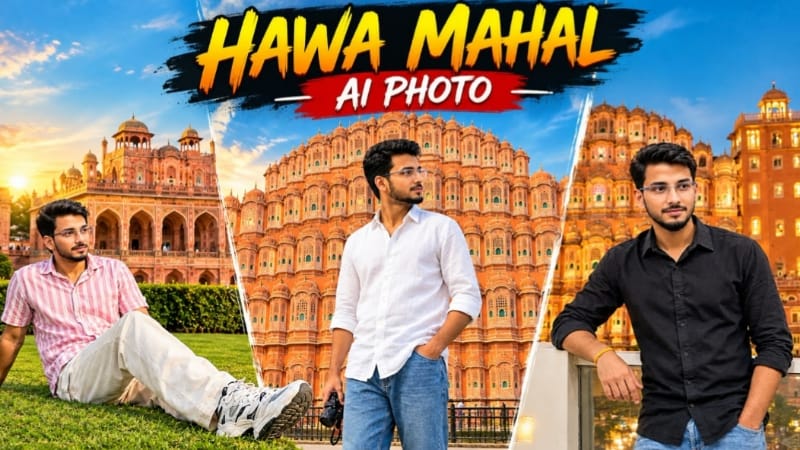
1. Hawa Mahal Jaipur AI Photo | Realistic Travel Photography | ChatGPT Prompt
Hawa Mahal Jaipur AI Photo Prompt ki help se aap apni reference photo ko Jaipur ke famous Hawa Mahal ke saamne realistic travel portrait mein transform kar sakte hain. Ismein original face, natural lighting aur monument ki architectural details par focus hai.
Step 2: Flow AI open karein aur image-to-video option select karein.
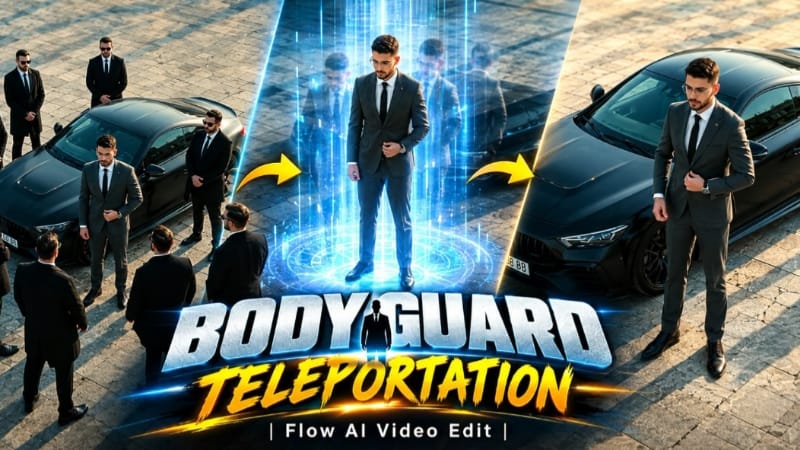
Step 3: Bodyguard Teleportation AI Video Prompt copy karke paste karein.
Step 4: Video format 9:16 vertical aur duration 9 seconds select karein.
Step 5: Character ka charcoal-grey suit, white shirt, black tie, black dress shoes aur wristwatch maintain karein.
Step 6: First 2 seconds mein character matte-black sports car ke paas suit button adjust karta hai.
Step 7: 2–4 seconds mein character car ke front ki taraf walk karte hue wristwatch dekhta hai.
Step 8: Exactly 4 seconds par six to seven bodyguards black coats aur sunglasses ke saath instantly appear hote hain.
Step 9: 4–7 seconds tak bodyguards character ke around protective circle mein still khade rehte hain.
Step 10: Exactly 7 seconds par sabhi bodyguards ek saath disappear ho jaate hain.
Step 11: Last 2 seconds mein character car ke paas akela khada rehta hai.
Step 12: Smooth overhead camera movement, face consistency aur realistic car geometry check karke video export karein.
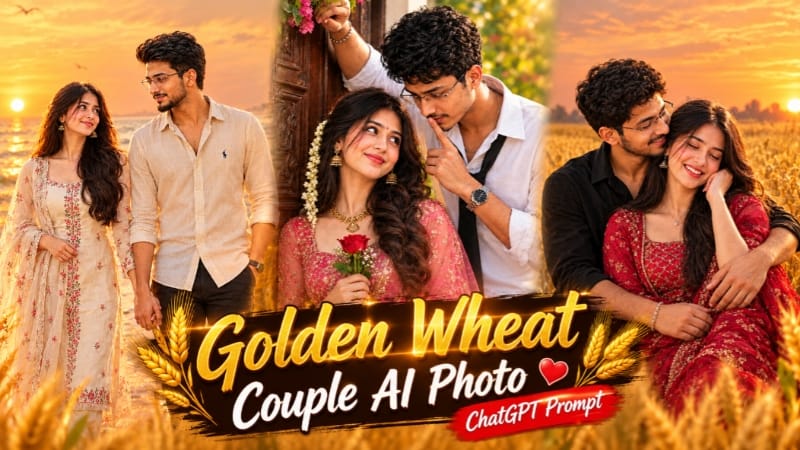
3. Golden Wheat Field Couple AI Photo | Romantic Sunset Portrait
Golden Wheat Field Couple AI Photo Prompt se aap do logon ki reference photos use karke warm sunset lighting mein romantic couple portrait create kar sakte hain.
Step 1: Teen images ready karein. Image 1 pose aur background ke liye, Image 2 woman ke face ke liye aur Image 3 man ke face ke liye use karein.
Step 2: ChatGPT open karein aur images correct order mein upload karein.
Step 3: Golden Wheat Field Couple AI Photo Prompt paste karein.
Step 4: Aspect ratio 4:5 select karein.
Step 5: Couple ko golden wheat field mein seated pose mein rakhein. Man left side aur woman right side mein ho.
Step 6: Man woman ko side aur back se hug karta hai, jabki woman naturally uski taraf lean karti hai.
Step 7: Man ke black full-sleeve shirt aur beige trousers maintain karein.
Step 8: Woman ke maroon-crimson traditional outfit, embroidered dupatta aur silver jewellery ki details preserve karein.
Step 9: Background mein golden wheat stalks, distant trees aur glowing sunset create karein.
Step 11: Dono ke faces, body proportions, hands aur outfit details check karein.
Step 12: Final image save karein. Prompt mein top-left corner par subtle NoorEditing07 watermark bhi diya gaya hai.
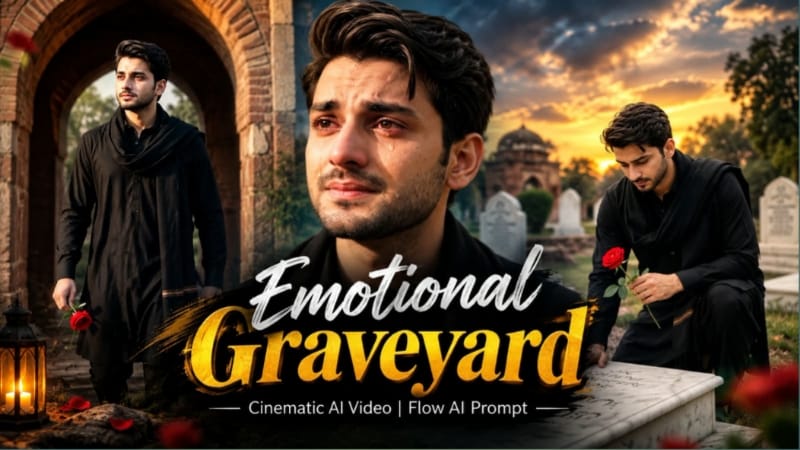
4. Emotional Graveyard Cinematic AI Video | Flow AI Prompt
Emotional Graveyard Cinematic AI Video Prompt ka focus realistic graveyard environment, emotional storytelling aur dramatic camera movements par hai. Flow AI mein reference photo use karke character consistency maintain karne ki koshish ki ja sakti hai.
Step 11: Face consistency, outfit, movement aur background details carefully check karein.
Step 12: Unwanted distortions hon to prompt refine karein, phir final video export karein.
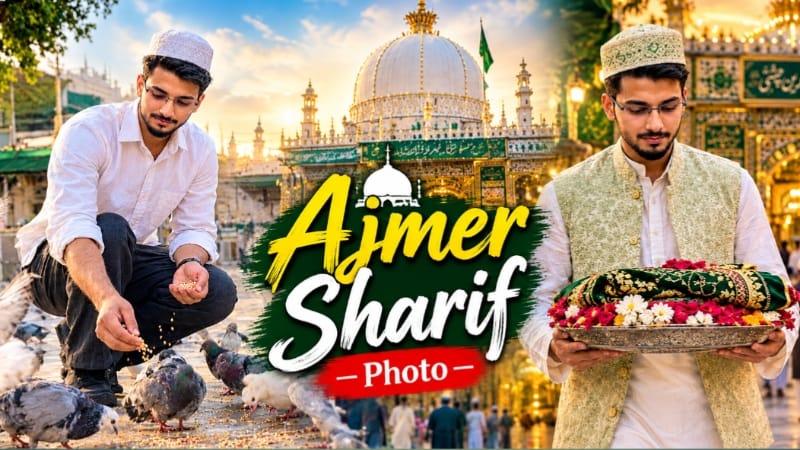
5. Ajmer Sharif AI Photo | Spiritual Dargah Look | ChatGPT AI Prompt
Ajmer Sharif AI Photo Prompt se aap apni reference photo ko peaceful aur respectful dargah-inspired portrait mein transform kar sakte hain. Is concept mein traditional clothing, golden dome aur warm cinematic lighting ka use hota hai.
Step 5: Prompt ke according person ko dargah ke saamne baithkar dua karte hue dikhayein, dono hands raised hon aur head slightly bowed ho.
Step 6: Male ke liye white kurta-pajama, light-green ya cream waistcoat aur traditional topi use karein. Female ke liye modest outfit aur head-covering dupatta rakhein.
Step 7: Background mein Ajmer Sharif Dargah ka golden dome, detailed courtyard aur softly blurred devotees show karein.
Step 8: Evening ya early-night atmosphere ke saath warm golden lighting maintain karein.