Luxury Black Car AI Video | Bodyguard Teleportation | Flow AI Prompt
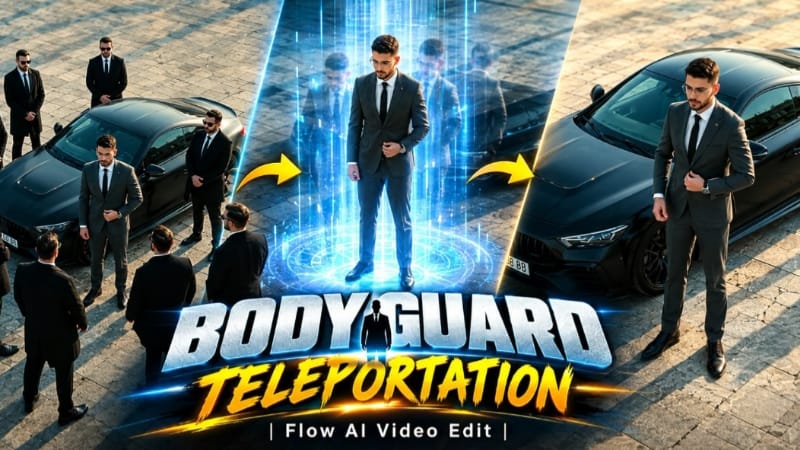
Luxury Black Car AI Video ek cinematic AI video editing concept hai jisme ek normal reference photo ko premium car scene aur dramatic bodyguard appearance effect ke saath transform karne ka idea diya gaya hai. Is video ka main focus realistic face preservation, luxury fashion styling, matte black sports car, overhead drone camera movement aur instant bodyguard teleportation effect par hai.
Is AI video ko vertical 9:16 format mein design kiya gaya hai, jo Instagram Reels, YouTube Shorts aur other vertical video platforms ke liye suitable hai. Video ki total duration 9 seconds hai aur poori sequence ko ek continuous shot mein create karne ke liye design kiya gaya hai. Ismein camera cuts nahi hain, jisse scene ek connected cinematic moment jaisa feel deta hai.
Same Face Identity Lock
Is prompt ka sabse important element main character ki identity hai. Uploaded reference photo ko character ke face, facial features, skin tone, hairstyle, beard aur natural body build ke reference ke roop mein use kiya jata hai. Face ko change, beautify ya replace na karne ki instruction di gayi hai, taki video ke har frame mein character recognizable rahe.
AI video generation ke dauran facial consistency maintain karna important hota hai, especially jab camera angle ya subject ki position change hoti hai. Isliye prompt mein exact facial appearance aur natural body proportions ko consistent rakhne par special focus diya gaya hai.
Luxury Outfit and Sports Car Look
Main character ek fitted charcoal-grey suit, white shirt, black tie, black dress shoes aur wristwatch pehenta hai. Ye formal outfit video ko premium business-class aur luxury fashion appearance deta hai.
Scene mein ek matte black sports car paved stone-tile plaza par parked hai. Car ki matte finish, subtle reflections aur geometric stone flooring overall composition ko cinematic automotive commercial jaisa look dete hain.
Character aur car ko frame mein carefully position kiya gaya hai, taki overhead drone camera se dono clearly visible rahen. Background mein unnecessary cars, extra people aur distracting elements ko avoid karne ki instructions di gayi hain.
Exact 9-Second Scene Sequence
Video ke first two seconds mein main character matte black sports car ke paas khada hota hai aur apne suit ka button adjust karta hai. Camera high-angle overhead position se plaza ko approximately 45-degree angle par capture karta hai. Is opening moment se luxury atmosphere aur character ka confident appearance establish hota hai.
Second scene, 2 se 4 seconds ke beech, character car ke front ki taraf walk karta hai aur calmly apni wristwatch ko glance karta hai. Camera smoothly frame ko follow karta hai, jabki character ka expression composed aur confident rehta hai.
Exactly 4 seconds par video ka main visual effect start hota hai. Six to seven men, jo long black coats, black ties aur dark sunglasses pehne hue hain, ek hi instant mein character aur car ke around appear hote hain. Woh walking karke frame mein enter nahi karte; unka sudden appearance teleportation-style cinematic effect create karta hai.
4 se 7 seconds tak bodyguards protective circle mein completely still khade rehte hain. Main character formation ke center mein hota hai. Is moment mein camera dheere-dheere rise karta hai aur slightly pull back karta hai, jisse overhead composition mein character, bodyguards aur car ka arrangement clearly visible hota hai.
Exactly 7 seconds par saare bodyguards ek saath vanish ho jaate hain. Woh walk away nahi karte aur na hi fade-out effect use hota hai. Sudden disappearance video ka second major visual effect hai.
Last two seconds mein main character matte black car ke paas akela khada rehta hai. Uske hands relaxed hote hain aur woh calmly camera ki taraf dekhta hai. Ye final moment video ko clean, confident cinematic ending deta hai.
Cinematic Lighting and Colour Grading
Video ka visual style cool grey aur charcoal tones par based hai, jisme slight teal tint add kiya gaya hai. Soft golden evening sunlight plaza par long shadows create karti hai. Matte black car par subtle reflections, deep contrast aur slight film grain premium cinematic appearance ko support karte hain.
Camera movement smooth aur controlled rehna chahiye. Opening mein camera steady hota hai, phir slowly rise aur slightly pull back karta hai. Single-shot composition maintain karne se sudden camera cuts ke bina complete sequence ek connected scene jaisi lagti hai.
Watermark and Final Quality
Is prompt mein watermark, text aur logo add karne ki requirement nahi hai. Isliye final video clean rehna chahiye, bina extra text ya branding ke.
Final output ke liye 4K sharp detail, realistic motion, natural body proportions aur consistent car geometry ko priority di gayi hai. Bodyguards ke appear aur vanish hone ke moments mein flickering, duplicate people aur unwanted visual artifacts ko avoid karna important hai.
Overall, Luxury Black Car AI Video ek stylish cinematic concept hai jo luxury car styling, formal fashion, overhead drone framing aur instant teleportation-style effects ko combine karta hai. Reference photo aur detailed timing instructions ki help se creators ek short, dramatic AI video create karne ki koshish kar sakte hain. Actual output AI tool ki capabilities aur reference image ke according vary kar sakta hai.
Sabse Pehle Character Sheet Photo Banaai ChatGPT Se
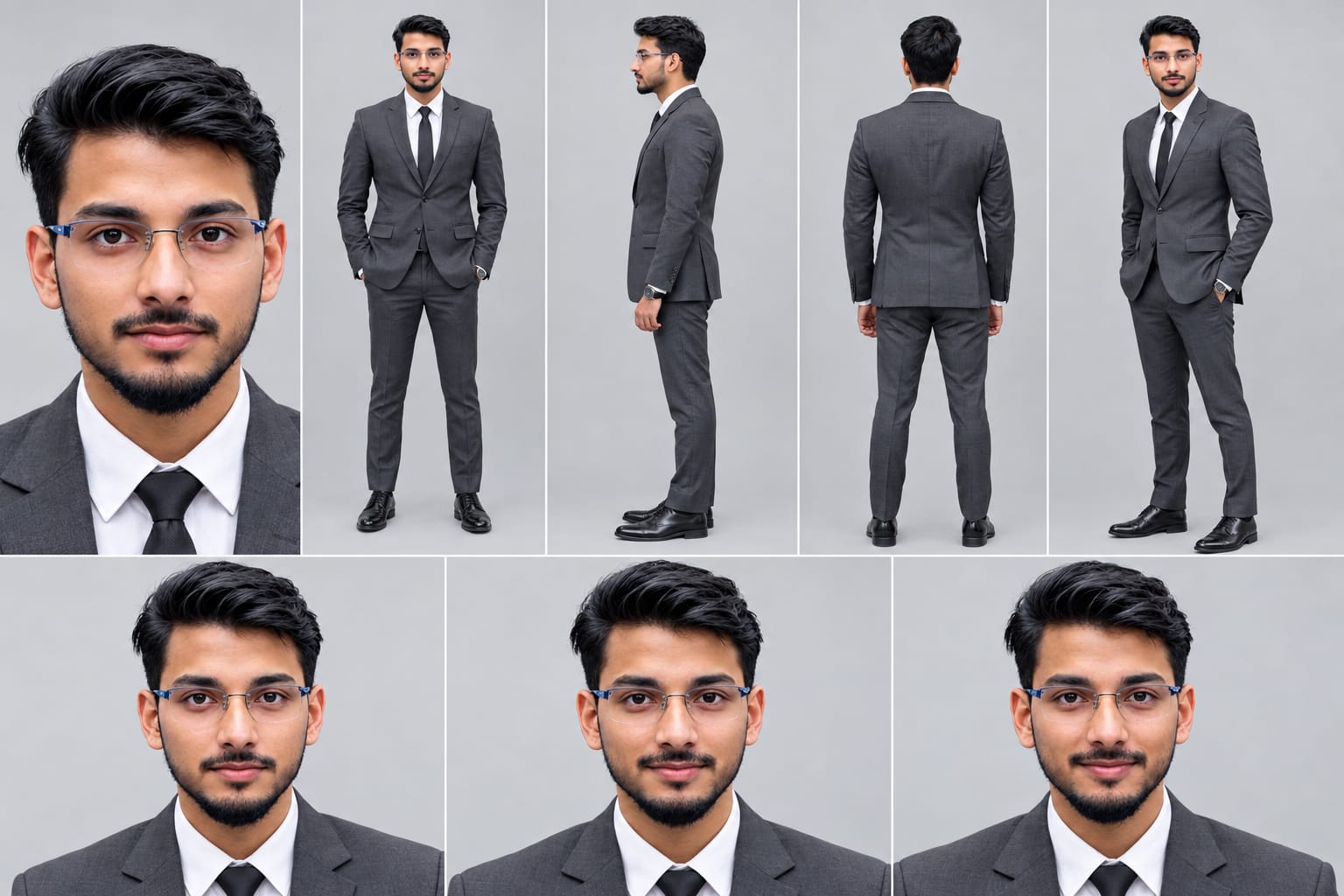
Create a professional character reference sheet of the person in the uploaded photo, on a plain light-grey studio background. IDENTITY LOCK (most important): Use the EXACT face from the uploaded photo. Same facial features, same skin tone, same hairstyle, same beard or no beard, same age, same body build and height. Do not beautify, change or replace the face. The face must be identical and clearly recognizable in every view. Layout: one wide image with 5 views of the same person, standing in a neutral relaxed pose, evenly spaced and the same size: 1. Close-up face portrait, looking straight at the camera 2. Front view, full body 3. Left side view, full body 4. Back view, full body 5. Three-quarter angle view, full body
Create a professional character reference sheet of the person in the uploaded photo, on a plain light-grey studio background.
IDENTITY LOCK (most important): Use the EXACT face from the uploaded photo. Same facial features, same skin tone, same hairstyle, same beard or no beard, same age, same body build and height. Do not beautify, change or replace the face. The face must be identical and clearly recognizable in every view.
Layout: one wide image with 5 views of the same person, standing in a neutral relaxed pose, evenly spaced and the same size:
1. Close-up face portrait, looking straight at the camera
2. Front view, full body
3. Left side view, full body
4. Back view, full body
5. Three-quarter angle view, full body
Outfit (same in every view): fitted charcoal-grey suit, white shirt, black tie, black dress shoes, wristwatch.
Extra row at the bottom: three face close-ups showing neutral, calm and slight-smile expressions.
Style: realistic photograph, soft even studio lighting, sharp detail, natural skin texture, 4K quality.
Negative: no face change, no different person, no cartoon or illustration style, no text, no labels, no logo, no watermark, no extra people, no distorted hands.
✓
Prompt copied to clipboard!
AI Character Reference Sheet Prompt Card
✦AI PHOTO PROMPT
Create a professional character reference sheet of the person in the uploaded photo, on a plain light-grey studio background. IDENTITY LOCK (most important): Use the EXACT face from the uploaded photo. Same facial features, same skin tone, same hairstyle, same beard or no beard, same age, same body build and height. Do not beautify, change or replace the face. The face must be identical and clearly recognizable in every view. Layout: one wide image with 5 views of the same person, standing in a neutral relaxed pose, evenly spaced and the same size: 1. Close-up face portrait, looking straight at the camera 2. Front view, full body 3. Left side view, full body 4. Back view, full body 5. Three-quarter angle view, full body
Create a professional character reference sheet of the person in the uploaded photo, on a plain light-grey studio background.
IDENTITY LOCK (most important): Use the EXACT face from the uploaded photo. Same facial features, same skin tone, same hairstyle, same beard or no beard, same age, same body build and height. Do not beautify, change or replace the face. The face must be identical and clearly recognizable in every view.
Layout: one wide image with 5 views of the same person, standing in a neutral relaxed pose, evenly spaced and the same size:
1. Close-up face portrait, looking straight at the camera
2. Front view, full body
3. Left side view, full body
4. Back view, full body
5. Three-quarter angle view, full body
Outfit (same in every view): fitted charcoal-grey suit, white shirt, black tie, black dress shoes, wristwatch.
Extra row at the bottom: three face close-ups showing neutral, calm and slight-smile expressions.
Style: realistic photograph, soft even studio lighting, sharp detail, natural skin texture, 4K quality.
Negative: no face change, no different person, no cartoon or illustration style, no text, no labels, no logo, no watermark, no extra people, no distorted hands.
Vertical 9:16 cinematic video, 9 seconds, one continuous shot, no cuts. MAIN CHARACTER (most important): The man in the uploaded reference photo is the main character. Use his EXACT face, same facial features, same skin tone, same hairstyle, same beard or no beard, same body build and height. Do not change, beautify or replace his face. Keep his face identical and clearly recognizable in every single frame. He is the only person with this face. Outfit: fitted charcoal-grey suit, white shirt, black tie, black dress shoes, wristwatch. Camera: high-angle overhead drone shot looking down at about 45 degrees on a paved stone-tile plaza. The camera is steady at first, then rises very slowly and pulls back slightly. Scene 1 (0-2s): A matte black sports car is parked on the plaza. He stands beside it and adjusts his jacket button. Scene 2 (2-4s): He walks to the front of the car and glances at his wristwatch with a calm, confident look. Scene 3 (at 4s): Six to seven men in long black coats, black ties and dark sunglasses suddenly appear all at once around him and the car, as if teleported in one instant.
Vertical 9:16 cinematic video, 9 seconds, one continuous shot, no cuts.
MAIN CHARACTER (most important): The man in the uploaded reference photo is the main character. Use his EXACT face, same facial features, same skin tone, same hairstyle, same beard or no beard, same body build and height. Do not change, beautify or replace his face. Keep his face identical and clearly recognizable in every single frame. He is the only person with this face.
Outfit: fitted charcoal-grey suit, white shirt, black tie, black dress shoes, wristwatch.
Camera: high-angle overhead drone shot looking down at about 45 degrees on a paved stone-tile plaza. The camera is steady at first, then rises very slowly and pulls back slightly.
Scene 1 (0-2s): A matte black sports car is parked on the plaza. He stands beside it and adjusts his jacket button.
Scene 2 (2-4s): He walks to the front of the car and glances at his wristwatch with a calm, confident look.
Scene 3 (at 4s): Six to seven men in long black coats, black ties and dark sunglasses suddenly appear all at once around him and the car, as if teleported in one instant. They do NOT walk in. They are already standing in position when they appear.
Scene 4 (4-7s): The men stand completely still for exactly 3 seconds in a protective circle around him. He stays in the center.
Scene 5 (at 7s): All the men vanish at the same instant. No walking away, no fade.
Scene 6 (7-9s): He stands alone beside the matte black car, hands relaxed, looking calmly toward the camera.
Look: cool grey and charcoal tones with a slight teal tint, soft golden evening sunlight with long shadows, deep contrast, matte car reflections, subtle film grain, realistic motion, 4K sharp detail.
NEGATIVE: no face change, no different person, no face morphing, no extra cars, no extra people besides the bodyguards, no text, no logo, no watermark, no camera cuts.
✓
Prompt copied to clipboard!
AI Video Prompt Card
✦AI VIDEO PROMPT
Vertical 9:16 cinematic video, 9 seconds, one continuous shot, no cuts. MAIN CHARACTER (most important): The man in the uploaded reference photo is the main character. Use his EXACT face, same facial features, same skin tone, same hairstyle, same beard or no beard, same body build and height. Do not change, beautify or replace his face. Keep his face identical and clearly recognizable in every single frame. He is the only person with this face. Outfit: fitted charcoal-grey suit, white shirt, black tie, black dress shoes, wristwatch. Camera: high-angle overhead drone shot looking down at about 45 degrees on a paved stone-tile plaza. The camera is steady at first, then rises very slowly and pulls back slightly. Scene 1 (0-2s): A matte black sports car is parked on the plaza. He stands beside it and adjusts his jacket button. Scene 2 (2-4s): He walks to the front of the car and glances at his wristwatch with a calm, confident look. Scene 3 (at 4s): Six to seven men in long black coats, black ties and dark sunglasses suddenly appear all at once around him and the car, as if teleported in one instant.
Vertical 9:16 cinematic video, 9 seconds, one continuous shot, no cuts.
MAIN CHARACTER (most important): The man in the uploaded reference photo is the main character. Use his EXACT face, same facial features, same skin tone, same hairstyle, same beard or no beard, same body build and height. Do not change, beautify or replace his face. Keep his face identical and clearly recognizable in every single frame. He is the only person with this face.
Outfit: fitted charcoal-grey suit, white shirt, black tie, black dress shoes, wristwatch.
Camera: high-angle overhead drone shot looking down at about 45 degrees on a paved stone-tile plaza. The camera is steady at first, then rises very slowly and pulls back slightly.
Scene 1 (0-2s): A matte black sports car is parked on the plaza. He stands beside it and adjusts his jacket button.
Scene 2 (2-4s): He walks to the front of the car and glances at his wristwatch with a calm, confident look.
Scene 3 (at 4s): Six to seven men in long black coats, black ties and dark sunglasses suddenly appear all at once around him and the car, as if teleported in one instant. They do NOT walk in. They are already standing in position when they appear.
Scene 4 (4-7s): The men stand completely still for exactly 3 seconds in a protective circle around him. He stays in the center.
Scene 5 (at 7s): All the men vanish at the same instant. No walking away, no fade.
Scene 6 (7-9s): He stands alone beside the matte black car, hands relaxed, looking calmly toward the camera.
Look: cool grey and charcoal tones with a slight teal tint, soft golden evening sunlight with long shadows, deep contrast, matte car reflections, subtle film grain, realistic motion, 4K sharp detail.
NEGATIVE: no face change, no different person, no face morphing, no extra cars, no extra people besides the bodyguards, no text, no logo, no watermark, no camera cuts.
Sabse pehle apni ek clear aur high-quality reference photo ready karein. Photo mein face clearly visible hona chahiye, taki AI tool aapke facial features, hairstyle, skin tone aur natural body build ko reference ke roop mein use kar sake.
Ab Flow AI open karein aur image-to-video generation option select karein. Apni reference photo upload karein aur Luxury Black Car AI Video ka complete prompt copy karke prompt box mein paste karein.
Prompt mein character ki identity, charcoal-grey suit, matte black sports car, overhead drone camera angle, bodyguards ke instant appearance aur disappearance, lighting aur exact 9-second timeline ki details included hain.
Agar aapke video generation tool mein duration aur aspect ratio select karne ke options available hain, to 9-second duration aur 9:16 vertical format choose karein. Single continuous shot generate karne ke liye prompt ki no-cuts instruction ko unchanged rakhein.
Ab Generate option par click karein. AI tool uploaded reference photo aur prompt instructions ke according video create karne ki koshish karega.
Generated Video Ko Check Karein
Video generate hone ke baad sabse pehle main character ka face check karein. Facial features, hairstyle, beard, skin tone aur body build reference photo ke saath consistent hone chahiye.
Uske baad outfit aur car check karein. Charcoal-grey suit, white shirt, black tie, black dress shoes, wristwatch aur matte black sports car complete video mein consistent rehne chahiye.
Ab timeline ke according scenes check karein:
- 0–2 seconds: Character car ke paas khada hokar suit button adjust karta hai.
- 2–4 seconds: Character car ke front ki taraf walk karta hai aur wristwatch dekhta hai.
- 4 seconds: Six to seven bodyguards ek saath appear hote hain.
- 4–7 seconds: Bodyguards protective circle mein still rehte hain.
- 7 seconds: Sabhi bodyguards ek instant mein vanish ho jaate hain.
- 7–9 seconds: Character car ke paas akela khada rehta hai aur camera ki taraf calmly dekhta hai.
Camera movement bhi check karein. Camera opening mein steady rehna chahiye aur phir smoothly rise karke slightly pull back karna chahiye. Poore video mein camera cuts nahi hone chahiye.
Bodyguards ke appearance aur disappearance ke moments ko carefully preview karein. Unka walking entrance, gradual fade ya extra duplicate figures prompt ke intended effect se different honge.
Final quality mein car ki shape, stone-tile plaza, long evening shadows aur cool charcoal-teal grading consistent rehni chahiye. Face distortion, flickering, unnatural body movement aur extra people jaise visual errors ko bhi check karein.
Agar result mein koi issue ho, to prompt ko refine karke regenerate karein. Complex effects ko AI tool har baar exactly follow kare, ye guaranteed nahi hai.
Sab kuch check karne ke baad final 9:16 video export karein. Ye Luxury Black Car AI Video cinematic editing tutorials, luxury-style reels aur AI video demonstrations ke liye use kiya ja sakta hai.
Luxury Black Car AI VideoBodyguard AI VideoTeleportation AI VideoBlack Sports Car VideoFlow AI PromptFlow AI VideoLuxury Cinematic VideoSame Face AI Video9:16 AI Video4K AI VideoSuit Look AI VideoAI Photo To VideoCinematic Video PromptMatte Black CarNoorEditing07
Luxury Black Car AI VideoBodyguard AI VideoTeleportation AI VideoBlack Sports Car VideoFlow AI PromptFlow AI VideoLuxury Cinematic VideoSame Face AI Video9:16 AI Video4K AI VideoSuit Look AI VideoAI Photo To VideoCinematic Video PromptMatte Black CarNoorEditing07
1. Golden Wheat Field Couple AI Photo | Romantic Sunset Portrait
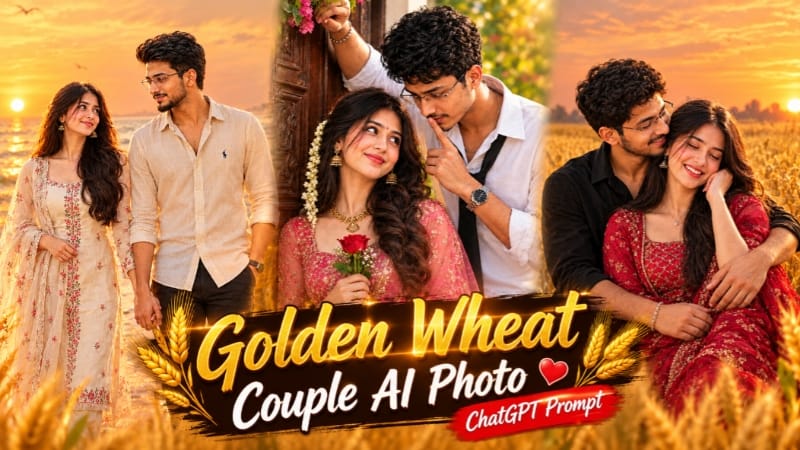
Golden Wheat Field Couple AI Photo Prompt se aap do reference photos ko use karke warm sunset lighting ke saath romantic couple portrait create kar sakte hain. Is design mein golden wheat field, traditional outfit aur natural expressions ka combination hai.
Step 1: Teen reference images ready karein: pehli image pose aur background ke liye, doosri woman ke face ke liye aur teesri man ke face ke liye.
Step 2: ChatGPT ya compatible AI image generator open karke images correct order mein upload karein.
Step 3: Golden Wheat Field Couple AI Photo Prompt copy karke paste karein.
Step 4: Image ka aspect ratio 4:5 select karein.
Step 5: Couple ko golden wheat field mein seated position mein rakhein. Man left side par ho aur woman uske saamne right side par naturally lean kare.
Step 6: Man woman ko side aur back se hug kare, dono ke expressions joyful aur natural hon.
Step 7: Man ke black shirt aur beige trousers, woman ke maroon embroidered suit aur traditional jewellery ko prompt ke according maintain karein.
Step 9: Dono ke faces, skin tones, hands aur body proportions carefully check karein.
Step 10: Top-left corner mein subtle NoorEditing07 watermark ke saath final 8K-style portrait save karein.
2. Alpine Meadow AI Video | Cinematic Mountain Flow AI Prompt
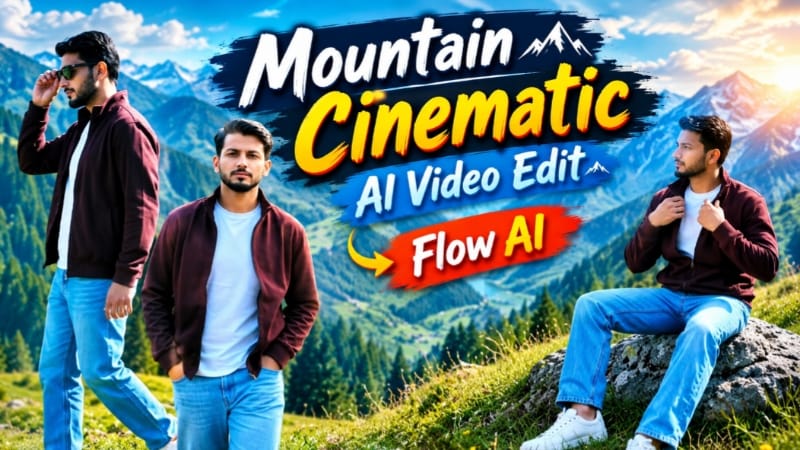
Alpine Meadow AI Video Prompt se ek reference photo ko scenic green mountain landscape mein cinematic video ke roop mein create kiya ja sakta hai. Ismein seven scenes aur consistent character styling use hoti hai.
Step 2: Flow AI open karein aur photo upload karein.
Step 3: Alpine Meadow AI Video Prompt copy karke paste karein.
Step 4: Vertical 9:16 format select karein, agar available ho.
Step 5: Outfit consistent rakhein: deep maroon zip jacket, white T-shirt, light-blue jeans, white sneakers aur dark sunglasses.
Step 6: Scene 1 mein character ko grass hill par camera ki taraf walk karte hue dikhayein.
Step 7: Scene 2 mein meadow ridge par side-walking shot create karein.
Step 8: Scene 3 mein grey rock par sitting pose aur scene 4 mein pine forest ke paas walking shot rakhein.
Step 9: Scene 5 mein sunglasses adjust karne ka movement aur scene 6 mein sunglasses haath mein lekar hero pose create karein.
Step 10: Final scene mein character ko high rock par khada karke scenic valley ki taraf dekhte hue dikhayein.
Step 11: Face consistency, outfit, smooth camera movement aur NoorEditing07 watermark check karein.
Final video ko export karke Instagram Reels aur YouTube Shorts ke liye use karein.
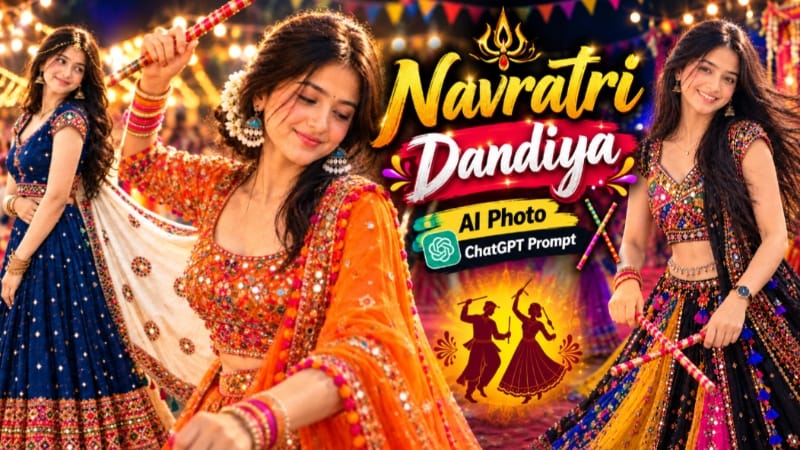
3. Navratri Dandiya AI Photo | Traditional Garba Look
Navratri Dandiya AI Photo Prompt se traditional Indian festive styling ke saath editorial-style portrait banaya ja sakta hai. Is design mein colorful chaniya choli, detailed jewellery aur golden dandiya stick prominent hain.
Step 1: Apni clear reference photo ready karein.
Step 2: ChatGPT open karein aur reference photo upload karein.
Step 11: Face, hands, jewellery aur embroidery check karke final image save karein.
Is tarah aap ek detailed Navratri-inspired portrait create kar sakte hain jo festive social media posts aur AI photo editing tutorials ke liye useful hai.
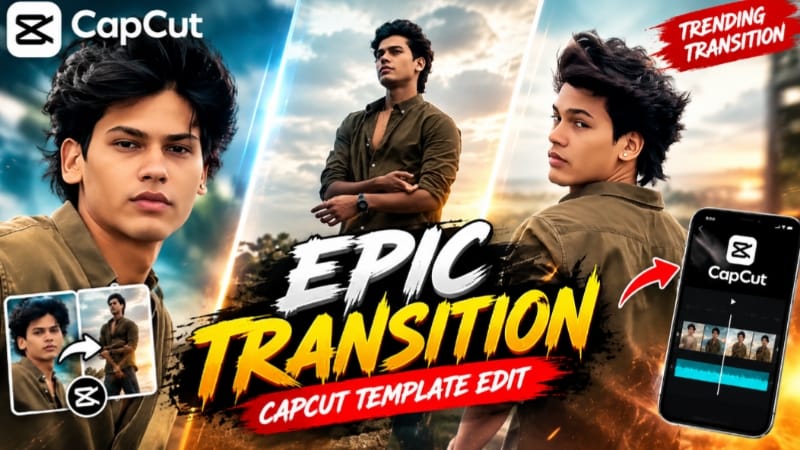
4. Epic Transition CapCut Template | Trending Transition Video Edit
Epic Transition CapCut Template ready-made editing structure provide karta hai, jisme aap apni photos aur video clips ko preset transitions ke saath combine kar sakte hain.
Step 1: Apne phone mein clear, high-quality photos ya video clips ready rakhein.
Step 2: Epic Transition CapCut Template ka link open karein.
Step 3: Website par bataye gaye method ke according zarurat ho to VPN connect karein.
Step 4: Template ko CapCut app mein open karein.
Step 5: Use Template option par click karein.
Step 6: Gallery se available media slots ke according photos ya video clips select karein.
Step 7: CapCut selected media par template ki preset timing aur transitions automatically apply karega.
Step 8: Preview option par click karke video ko beginning se end tak check karein.
Step 9: Agar kisi clip ka framing sahi nahi hai, to available Replace option se doosri photo ya clip select karein.
Step 10: Final video ki visual quality aur transitions check karein.
Step 11: Available export settings select karke video save karein aur Instagram Reels, YouTube Shorts ya Facebook Reels par share karein.
Better results ke liye clear photos aur properly framed clips use karein. Exact clip count aur export options template aur app version ke according vary kar sakte hain.
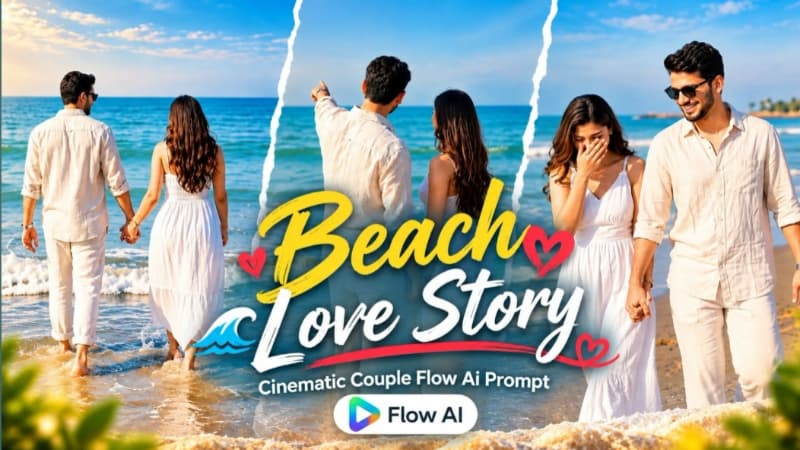
5. Romantic Beach Couple AI Video | Cinematic 9:16 Love Video
Romantic Beach Couple AI Video Prompt se male aur female ki do reference photos ko use karke cinematic beach video create kiya ja sakta hai. Is concept mein romantic interactions, sunset lighting aur smooth camera movements ka focus hai.
Step 1: Male aur female ki clear reference photos ready karein.
Step 2: Flow AI open karein aur dono photos ko reference images ke roop mein upload karein.
Step 3: Romantic Beach Couple AI Video Prompt copy karke prompt box mein paste karein.
Step 4: Video format 9:16 vertical aur resolution 1080p select karein, agar available ho.
Step 5: Prompt mein dono characters ke original faces, skin tones, hairstyles aur body proportions consistent rakhne ki instructions maintain karein.
Step 6: Male ke cream linen shirt aur white trousers, aur female ke white sleeveless maxi dress ko scene ke according preserve karein.
Step 7: Opening scene mein couple ko beach par close romantic moment share karte hue dikhayein.
Step 8: Agle scenes mein hand-holding, gentle interaction, shoreline walking aur wet sand par romantic movement create karein.
Step 9: Couple ke barefoot shallow water mein walk karne aur waves ki taraf saath jaane wale final moments ko prompt ke according maintain karein.
Step 10: Sunset lighting, blue sea tones, smooth transitions aur natural movement check karein.
Step 11: Face consistency aur hands ki anatomy review karke final video export karein.
Ye cinematic beach video Instagram Reels aur YouTube Shorts ke liye suitable hai.