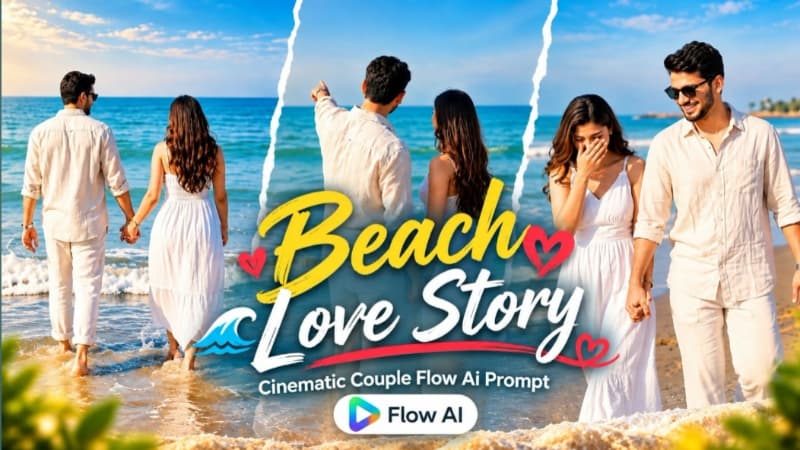
Romantic Beach Couple AI Video is a cinematic AI video concept designed to create a beautiful couple video on a sunny beach with calm ocean waves, blue horizon and a natural romantic atmosphere. This Flow AI Prompt focuses on realistic facial identity, natural body proportions, detailed outfits, smooth movements and fast-paced cinematic scenes in a vertical 9:16 format.
The main concept of this AI video is based on a couple spending a beautiful day together at the beach. The sunny environment, calm waves and blue sea create a clean and visually attractive background. The prompt is designed for users who want to transform their reference photos into a cinematic couple video while keeping the facial identity and overall appearance consistent throughout different scenes.
One of the most important parts of this prompt is the Identity & Realism section. Both individuals are generated using their uploaded reference photos, with facial features, skin texture, natural body proportions and overall build kept consistent. The prompt also focuses on realistic DSLR-style skin details instead of artificial-looking filters. This helps maintain a more natural appearance throughout the generated scenes.
The outfit styling also gives the video a premium beach-fashion look. The male character wears a relaxed off-white or cream linen button-down shirt with rolled-up sleeves, straight-fit white trousers, black sunglasses and a silver metallic wristwatch. The female character wears a white sleeveless maxi dress with a front slit and subtle lace detailing on the bodice, along with long flowing dark hair and a rose-gold watch. The light-colored outfits complement the bright beach environment and pastel cinematic color grade.
The video contains ten fast-paced scenes, giving the final result a dynamic storytelling style. Scene 1 begins with a detailed macro shot of the couple's intertwined hands and wristwatches beside the water. This close-up establishes the connection between the two characters while adding cinematic detail.
Scene 2 moves to a playful interaction where the girl gently touches the man's hair while he playfully taps her nose. Their warm silent smiles create a natural and expressive moment. Scene 3 changes to a wide shot where the girl leads the man backwards across the wet sand while smiling brightly.
Scene 4 introduces a graceful twirl. The man raises his right arm and gently twirls the girl on the shoreline with rolling waves in the background. This creates a visually appealing movement that works especially well with fast rhythmic editing.
Scene 5 uses a front tracking shot as the couple walks forward together. Their expressions remain happy and natural while the girl shyly covers her mouth with one hand. Scene 6 then moves closer to the water, where the couple holds both hands and steps playfully into shallow foam, creating natural water splashes.
Scene 7 focuses on a side tracking profile as they walk barefoot along the tide line. The scene emphasizes their expressions and eye contact while keeping the beach environment visible in the background. Scene 8 adds a simple storytelling moment where the man points toward the distant sea horizon and the girl looks in the same direction.
Scene 9 focuses on another close interaction as the girl reaches up and adjusts the open top buttons of his linen shirt. Scene 10 finishes the video with a wide rear shot of the couple walking hand-in-hand directly toward the calm blue ocean waves.
The technical styling is designed for a modern vertical video format. The 9:16 aspect ratio makes the video suitable for Instagram Reels, YouTube Shorts and other vertical video platforms. The airy pastel film color grade, vivid blue sea tones and fast rhythmic cuts help create a polished cinematic appearance.
The prompt also includes a permanent semi-transparent NoorEditing07 watermark in the bottom corner. This helps maintain creator branding throughout the generated video.
Overall, this Romantic Beach Couple AI Video Prompt combines realistic identity preservation, stylish beach outfits, natural couple interactions, cinematic camera movements and a beautiful ocean environment. It can be used as a creative starting point for generating a premium-looking AI couple video with Flow AI.
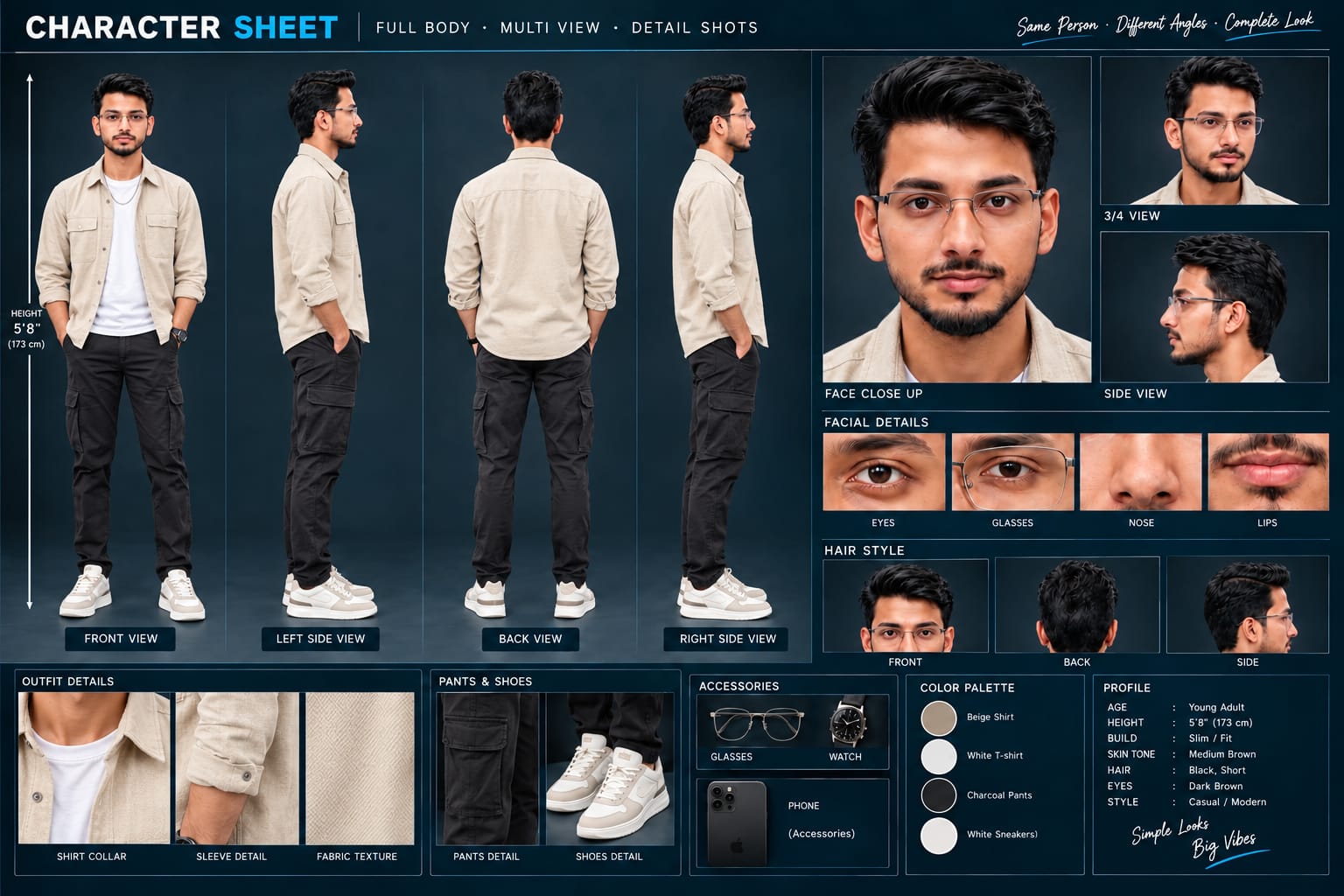
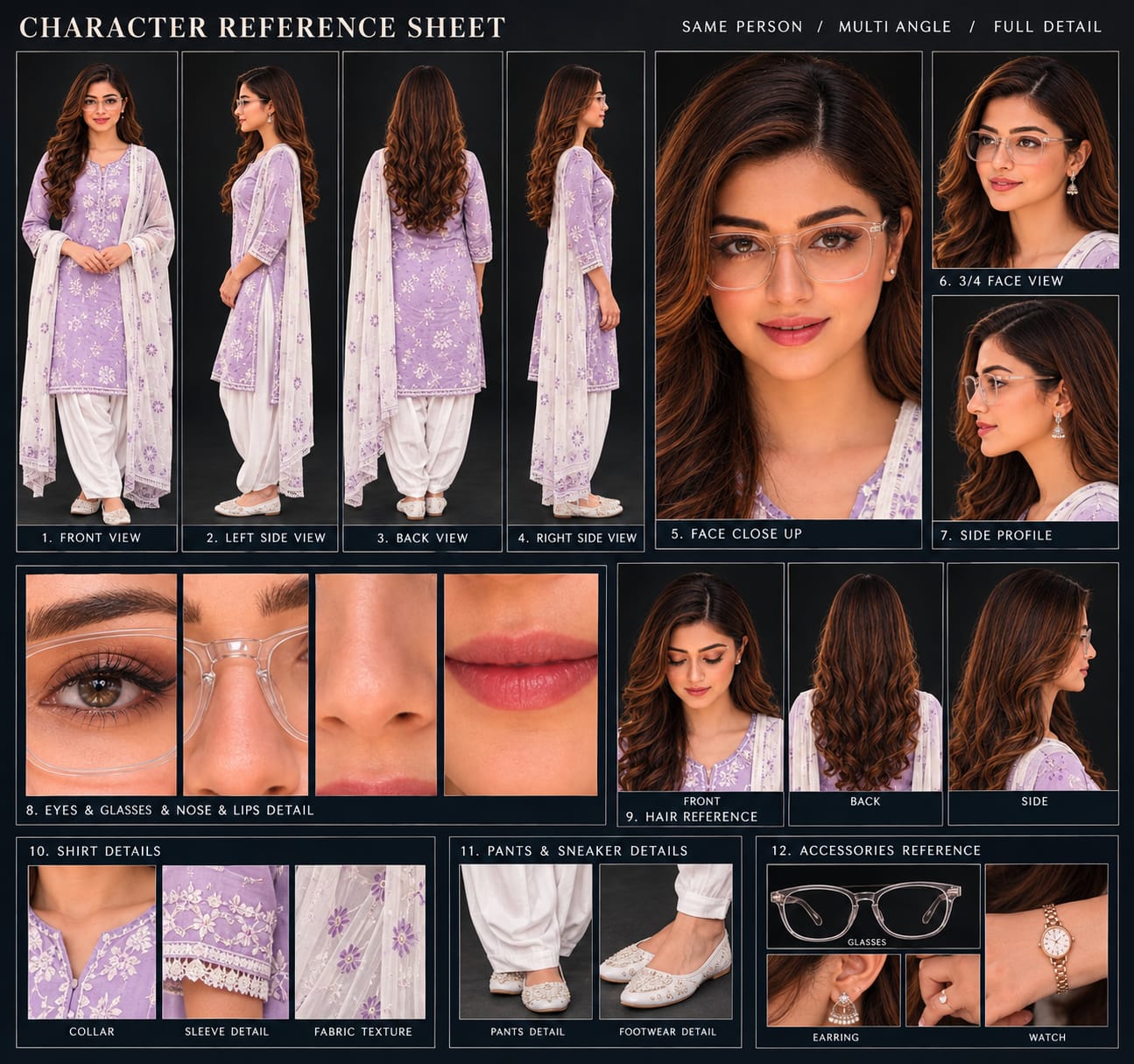
Sabse Pehle Character Sheet Photo Banaai ChatGPT Se
A premium, professional, ultra-photorealistic full-body character reference sheet for the person identified in the uploaded photo. The sheet is presented in a clean professional studio environment with a dark, luxury background. The character's identity, facial features, skin tone, body proportions, hairstyle, and transparent-frame glasses are perfectly consistent with the reference photo. The character is wearing the exact outfit from the reference: a mustard-yellow polo shirt with white piping, black slim-fit pants, and white sneakers. The layout is an elegant grid containing: 1. Full-body front view, 2. Full-body left side view, 3. Full-body back view, 4. Full-body right side view. 5. Large face close-up, 6. 3/4 face view, 7. Side-profile face view. 8. Detailed eye, glasses, nose, and lips reference crops. 9. Hair front, back, and side reference. 10. Shirt collar, sleeve, and fabric texture details. 11. Pants and sneaker detail shots. 12. Accessories reference. All views depict the same person with high-end cinematic lighting, extremely sharp facial details, realistic skin texture, natural hair strands, realistic fabric texture, accurate clothing stitching, and physically accurate lighting with subtle shadows. The full body is completely visible in all turnaround views, including both shoes. The presentation features sophisticated typography, thin clean borders, and balanced spacing. No watermarks, cartoons, or distortions are present.
A premium, professional, ultra-photorealistic full-body character reference sheet for the person identified in the uploaded photo. The sheet is presented in a clean professional studio environment with a dark, luxury background. The character's identity, facial features, skin tone, body proportions, hairstyle, and transparent-frame glasses are perfectly consistent with the reference photo. The character is wearing the exact outfit from the reference: a mustard-yellow polo shirt with white piping, black slim-fit pants, and white sneakers. The layout is an elegant grid containing: 1. Full-body front view, 2. Full-body left side view, 3. Full-body back view, 4. Full-body right side view. 5. Large face close-up, 6. 3/4 face view, 7. Side-profile face view. 8. Detailed eye, glasses, nose, and lips reference crops. 9. Hair front, back, and side reference. 10. Shirt collar, sleeve, and fabric texture details. 11. Pants and sneaker detail shots. 12. Accessories reference. All views depict the same person with high-end cinematic lighting, extremely sharp facial details, realistic skin texture, natural hair strands, realistic fabric texture, accurate clothing stitching, and physically accurate lighting with subtle shadows. The full body is completely visible in all turnaround views, including both shoes. The presentation features sophisticated typography, thin clean borders, and balanced spacing. No watermarks, cartoons, or distortions are present.
✓
Prompt copied to clipboard!
AI Video Prompt
✦AI PHOTO PROMPT
A premium, professional, ultra-photorealistic full-body character reference sheet for the person identified in the uploaded photo. The sheet is presented in a clean professional studio environment with a dark, luxury background. The character's identity, facial features, skin tone, body proportions, hairstyle, and transparent-frame glasses are perfectly consistent with the reference photo. The character is wearing the exact outfit from the reference: a mustard-yellow polo shirt with white piping, black slim-fit pants, and white sneakers. The layout is an elegant grid containing: 1. Full-body front view, 2. Full-body left side view, 3. Full-body back view, 4. Full-body right side view. 5. Large face close-up, 6. 3/4 face view, 7. Side-profile face view. 8. Detailed eye, glasses, nose, and lips reference crops. 9. Hair front, back, and side reference. 10. Shirt collar, sleeve, and fabric texture details. 11. Pants and sneaker detail shots. 12. Accessories reference. All views depict the same person with high-end cinematic lighting, extremely sharp facial details, realistic skin texture, natural hair strands, realistic fabric texture, accurate clothing stitching, and physically accurate lighting with subtle shadows. The full body is completely visible in all turnaround views, including both shoes. The presentation features sophisticated typography, thin clean borders, and balanced spacing. No watermarks, cartoons, or distortions are present.
A premium, professional, ultra-photorealistic full-body character reference sheet for the person identified in the uploaded photo. The sheet is presented in a clean professional studio environment with a dark, luxury background. The character's identity, facial features, skin tone, body proportions, hairstyle, and transparent-frame glasses are perfectly consistent with the reference photo. The character is wearing the exact outfit from the reference: a mustard-yellow polo shirt with white piping, black slim-fit pants, and white sneakers. The layout is an elegant grid containing: 1. Full-body front view, 2. Full-body left side view, 3. Full-body back view, 4. Full-body right side view. 5. Large face close-up, 6. 3/4 face view, 7. Side-profile face view. 8. Detailed eye, glasses, nose, and lips reference crops. 9. Hair front, back, and side reference. 10. Shirt collar, sleeve, and fabric texture details. 11. Pants and sneaker detail shots. 12. Accessories reference. All views depict the same person with high-end cinematic lighting, extremely sharp facial details, realistic skin texture, natural hair strands, realistic fabric texture, accurate clothing stitching, and physically accurate lighting with subtle shadows. The full body is completely visible in all turnaround views, including both shoes. The presentation features sophisticated typography, thin clean borders, and balanced spacing. No watermarks, cartoons, or distortions are present.
Cinematic 9:16 vertical 8K ultra-realistic romantic couple video on a sunny beach with calm waves and blue horizon. [IDENTITY & REALISM] Lock 100% facial features, skin texture, natural body proportions, and build directly from uploaded reference photos of both individuals. Clean, smooth, blemish-free skin with realistic DSLR pores, no alteration or fake filters.
Cinematic 9:16 vertical 8K ultra-realistic romantic couple video on a sunny beach with calm waves and blue horizon.
[IDENTITY & REALISM]
Lock 100% facial features, skin texture, natural body proportions, and build directly from uploaded reference photos of both individuals. Clean, smooth, blemish-free skin with realistic DSLR pores, no alteration or fake filters.
[EXACT OUTFIT]
- Male: Relaxed off-white/cream linen button-down shirt with rolled-up sleeves, straight-fit white trousers, black sunglasses, silver metallic wristwatch.
- Female: White sleeveless maxi dress with front slit and subtle lace bodice, long flowing dark hair, rose-gold watch.
[10 EXACT FAST-PACED SCENES]
- Scene 1 (Hand Macro): Close-up of intertwined hands and wristwatches as they hold hands beside the water.
- Scene 2 (Playful Touch): Medium close-up; girl gently touches his hair while he playful taps her nose, exchanging warm silent smiles.
- Scene 3 (Playful Pull): Wide shot; girl smiles brightly, leading the man backwards across wet sand by the hand.
- Scene 4 (Twirl): Man raises his right arm and twirls the girl gracefully on the shoreline against rolling waves.
- Scene 5 (Strolling): Front tracking shot; walking forward together laughing, girl shyly covers her mouth with one hand.
- Scene 6 (Water Splash): Wide angle; couple holds both hands, stepping playfully into shallow foam and splashing water.
- Scene 7 (Romantic Walk): Side tracking profile; walking barefoot along the tide line with deep, affectionate eye contact.
- Scene 8 (Pointing): Man points out toward the distant sea horizon while girl listens and gazes along.
- Scene 9 (Collar Fix): Girl playfully reaches up and adjusts the open top buttons of his linen shirt.
- Scene 10 (Sea Entry): Wide shot from behind; couple walks hand-in-hand directly into the calm blue ocean waves.
[COLOR & TECHNICAL]
Airy pastel film color grade, vivid blue sea tones, fast rhythmic cuts, 9:16 vertical ratio. Permanent semi-transparent watermark 'NoorEditing07' in the bottom corner.
✓
Prompt copied to clipboard!
AI Video Prompt Card
✦AI VIDEO PROMPT
Cinematic 9:16 vertical 8K ultra-realistic romantic couple video on a sunny beach with calm waves and blue horizon. [IDENTITY & REALISM] Lock 100% facial features, skin texture, natural body proportions, and build directly from uploaded reference photos of both individuals. Clean, smooth, blemish-free skin with realistic DSLR pores, no alteration or fake filters.
Cinematic 9:16 vertical 8K ultra-realistic romantic couple video on a sunny beach with calm waves and blue horizon.
[IDENTITY & REALISM]
Lock 100% facial features, skin texture, natural body proportions, and build directly from uploaded reference photos of both individuals. Clean, smooth, blemish-free skin with realistic DSLR pores, no alteration or fake filters.
[EXACT OUTFIT]
- Male: Relaxed off-white/cream linen button-down shirt with rolled-up sleeves, straight-fit white trousers, black sunglasses, silver metallic wristwatch.
- Female: White sleeveless maxi dress with front slit and subtle lace bodice, long flowing dark hair, rose-gold watch.
[10 EXACT FAST-PACED SCENES]
- Scene 1 (Hand Macro): Close-up of intertwined hands and wristwatches as they hold hands beside the water.
- Scene 2 (Playful Touch): Medium close-up; girl gently touches his hair while he playful taps her nose, exchanging warm silent smiles.
- Scene 3 (Playful Pull): Wide shot; girl smiles brightly, leading the man backwards across wet sand by the hand.
- Scene 4 (Twirl): Man raises his right arm and twirls the girl gracefully on the shoreline against rolling waves.
- Scene 5 (Strolling): Front tracking shot; walking forward together laughing, girl shyly covers her mouth with one hand.
- Scene 6 (Water Splash): Wide angle; couple holds both hands, stepping playfully into shallow foam and splashing water.
- Scene 7 (Romantic Walk): Side tracking profile; walking barefoot along the tide line with deep, affectionate eye contact.
- Scene 8 (Pointing): Man points out toward the distant sea horizon while girl listens and gazes along.
- Scene 9 (Collar Fix): Girl playfully reaches up and adjusts the open top buttons of his linen shirt.
- Scene 10 (Sea Entry): Wide shot from behind; couple walks hand-in-hand directly into the calm blue ocean waves.
[COLOR & TECHNICAL]
Airy pastel film color grade, vivid blue sea tones, fast rhythmic cuts, 9:16 vertical ratio. Permanent semi-transparent watermark 'NoorEditing07' in the bottom corner.
Romantic Beach Couple AI Video banane ke liye sabse pehle dono individuals ki clear reference photos ready karein. Photos mein face clearly visible hona chahiye, taaki AI facial features aur overall appearance ko accurately understand kar sake.
Sabse pehle Flow AI open karein aur apni reference photos upload karein. Male aur female dono ki clear photos select karein. Reference images upload karne ke baad diye gaye Romantic Beach Couple AI Video Prompt ko copy karein.
Prompt ko Flow AI mein paste karne ke baad identity aur outfit details ko carefully check karein. Is prompt mein male character ke liye cream linen shirt, white trousers, black sunglasses aur silver wristwatch diya gaya hai. Female character ke liye white sleeveless maxi dress, long dark hair aur rose-gold watch ka description diya gaya hai.
Ab video generation settings mein 9:16 vertical format select karein, agar option available ho. Iske baad prompt ke according cinematic video generate karein.
Generated video mein multiple fast-paced beach scenes create honge. Pehle scene mein couple ke hands aur wristwatches ka close-up shot hoga. Uske baad playful interaction, wet sand par walking, shoreline twirl, front tracking shot aur water splash jaise scenes generate honge.
Next scenes mein couple tide line ke along walk karega, sea horizon ki taraf point karega aur shirt collar adjust karne jaisa natural interaction hoga. Final scene mein couple hand-in-hand calm ocean waves ki taraf walk karega.
Video generate hone ke baad output ko carefully check karein. Sabse important cheez facial consistency hai, isliye dekhein ki dono characters ke faces reference photos ke according consistent hain. Outfit, hands, body proportions aur movement bhi check karein.
Agar kisi scene mein face, hands, outfit ya movement properly generate nahi hua hai, to prompt ko thoda refine karke dobara generate karein. Clear reference photos aur detailed instructions use karne se consistency improve ho sakti hai.
Final video mein airy pastel film color grade, vivid blue sea tones aur fast rhythmic cuts ka cinematic feel maintain karein. Video vertical 9:16 format mein hone ki wajah se ise Instagram Reels, YouTube Shorts aur other short-video platforms ke liye use kiya ja sakta hai.
Finally, generated video ko save/export karein aur check karein ki NoorEditing07 watermark bottom corner mein properly visible hai. Is tarah aap ek cinematic Romantic Beach Couple AI Video create kar sakte hain.
Romantic Beach Couple AI VideoBeach Couple AI VideoRomantic AI VideoCouple AI VideoFlow AI PromptFlow AI VideoBeach Love StoryCinematic Couple VideoAI Video Prompt9:16 AI Video8K AI VideoBeach Romance VideoAI Couple EditingCinematic Beach VideoNoorEditing07
Romantic Beach Couple AI VideoBeach Couple AI VideoRomantic AI VideoCouple AI VideoFlow AI PromptFlow AI VideoBeach Love StoryCinematic Couple VideoAI Video Prompt9:16 AI Video8K AI VideoBeach Romance VideoAI Couple EditingCinematic Beach VideoNoorEditing07
Black Kurta, Sad Riverbank, Mountain Nature, Pari Angel & Emotional Rose AI Video Tutorial
AI photo aur video editing ke through ek simple reference photo ko professional cinematic videos mein transform kiya ja sakta hai. Is combined tutorial mein Black Kurta traditional fashion video, Sad Riverbank cinematic couple story, Mountain Nature music video, Pari Angel fantasy story aur Emotional Rose heartbreak video ke workflows cover kiye gaye hain.
In concepts mein Flow AI ke saath reference images, detailed prompts, identity consistency, cinematic environments, camera composition, natural movement aur scene-by-scene quality checking par focus kiya gaya hai.
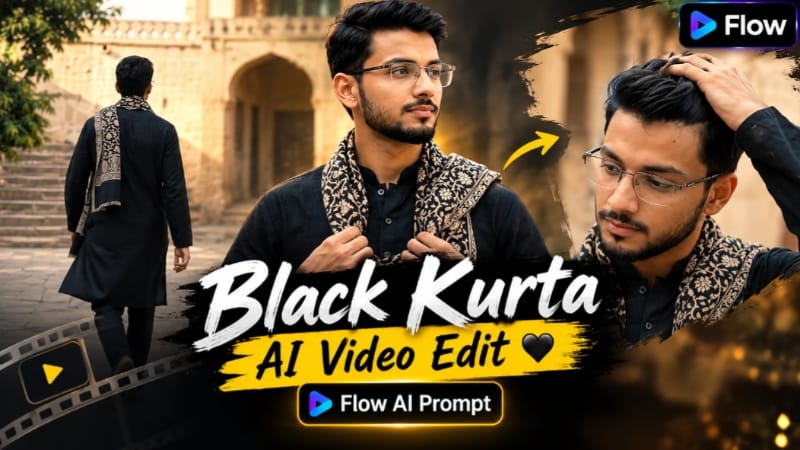
1. Black Kurta AI Video | Cinematic Indian Courtyard Look | Flow AI Prompt
Black Kurta AI Video ek traditional Indian fashion concept hai jisme reference photo ko historic Indian courtyard ke cinematic environment mein transform kiya jata hai. Pale sandstone walls, traditional arched doorways, stone paving, green trees aur warm daylight realistic live-action appearance create karte hain.
Video exactly 10 seconds, 16:9 landscape, 30fps aur normal real-time speed ke liye designed hai. Ismein four direct-cut shots hain, aur camera ko intentionally static rakha gaya hai.
Step-by-Step Workflow
Sabse pehle ek clear, high-quality reference photo ready karein.
Face clearly visible hona chahiye, kyunki isi image ko identity reference ke roop mein use kiya jayega.
Agar zarurat ho to ChatGPT mein character sheet prepare karein.
Flow AI open karke reference photo upload karein.
Black Kurta AI Video prompt copy karke Flow AI mein paste karein.
Character ki facial identity, hairstyle, natural proportions aur overall appearance ko reference ke according consistent rakhein.
Black traditional long kurta, black trousers aur black-and-beige patterned scarf ko throughout video maintain karein.
16:9 landscape format select karein.
30fps option available ho to select karein.
Duration exactly 10 seconds aur normal 1x speed rakhein.
Shot 1 — 0.00–2.17 sec: historic courtyard mein medium-long frontal shot; character calmly camera ki taraf face karke khada rahe.
Shot 2 — 2.17–4.67 sec: face aur shoulders ka close-up; character down-left dekhe aur ek hand se hair adjust kare.
Shot 3 — 4.67–7.17 sec: medium shot; character slightly right ki taraf face karke scarf ko chest par naturally adjust kare.
Shot 4 — 7.17–10.00 sec: rear three-quarter angle se stone staircase ki taraf noticeably fast but realistic walk kare.
Final walking shot mein scarf ka movement natural check karein.
Har shot mein camera static aur transitions direct cuts ke through rakhein.
Slow motion, unnecessary camera movement aur artificial effects avoid karein.
Pale sandstone, arches, stone paving aur green trees natural dikh rahe hain ya nahi check karein.
Final video silent rakhkar original visual style maintain karein.
Bottom-right mein subtle NoorEditing07 watermark verify karke final video export karein.
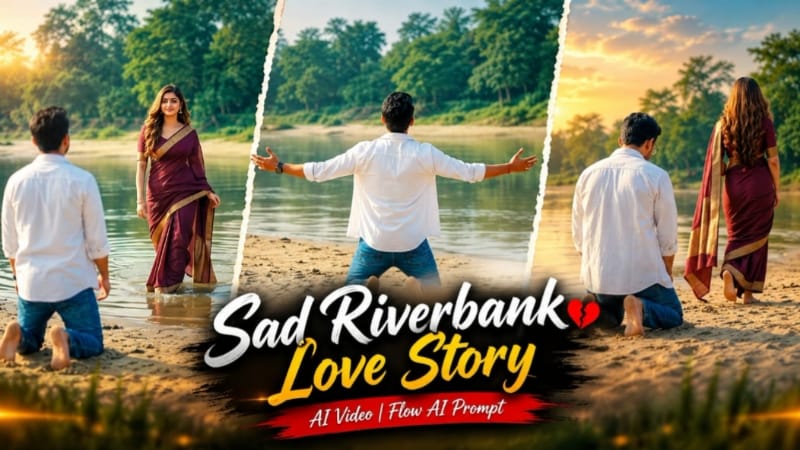
2. Sad Riverbank Love Story AI Video | Cinematic Couple Video | Flow AI Prompt
Sad Riverbank Love Story ek emotional cinematic couple concept hai jo sandy riverbank, calm water, green trees aur soft daylight ko connected film-style sequence mein combine karta hai.
Is concept ka important storytelling moment first scene mein hai: man riverbank par kneel karke dono arms wide open karta hai, aur uske arms fully open hone ke baad short delay ke saath woman distant shallow water se frame mein enter karti hai.
Step-by-Step Workflow
Man aur woman ki clear, high-quality reference photos ready karein.
Dono faces clearly visible hone chahiye.
Better identity consistency ke liye ChatGPT mein character sheets prepare ki ja sakti hain.
Flow AI open karke required reference images upload karein.
Sad Riverbank Love Story prompt paste karein.
Man ka open white shirt, white T-shirt aur blue jeans consistent rakhein.
Woman ka deep maroon saree with gold border aur long open hair throughout sequence maintain karein.
River water, sand, trees aur daylight ko same continuous environment ki tarah maintain karein.
Walking, kneeling, arm movement, water movement aur spinning action realistic hai ya nahi check karein.
Agar kisi scene mein identity ya movement distortion ho, sirf affected scene ko refine karke regenerate karein.
Final video mein subtle NoorEditing07 watermark maintain karein.
Complete preview ke baad final 16:9 video export karein.
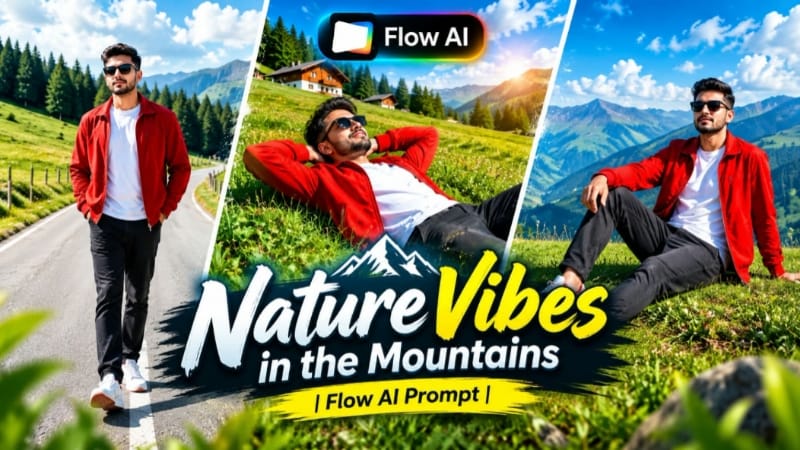
3. Mountain Nature AI Video | Cinematic Music Video | Flow AI Prompt
Mountain Nature AI Video ek scenic cinematic music-video concept hai jisme green mountain hills, valleys, pine trees, clear blue sky aur natural daylight ko character-based cinematic shots ke saath combine kiya jata hai.
Page ka detailed prompt 7 connected scenes use karta hai, while the character sheet can be prepared in ChatGPT before moving to Flow AI. 9:16 format Reels/Shorts ke liye aur 16:9 widescreen presentation ke liye suitable hai.
Step-by-Step Workflow
Ek clear, high-quality reference photo select karein.
ChatGPT mein reference photo upload karke character sheet prepare karein.
Character sheet mein front, side, back aur 3/4 views maintain karein.
Flow AI open karke reference image upload karein.
Mountain Nature AI Video prompt paste karein.
Character identity, hairstyle, outfit aur natural proportions ko consistent rakhein.
Prompt ke specified red jacket, white T-shirt, dark charcoal jeans, white sneakers aur sunglasses maintain karein.
Reels/Shorts ke liye 9:16 select karein.
Widescreen cinematic presentation ke liye 16:9 select kiya ja sakta hai.
Scene 1: lush green meadow mein walking shot aur pine forest background check karein.
Scene 2: grassy slope par relaxed composition aur blue sky-facing view verify karein.
Scene 3: elevated grass ridge par forward running movement check karein.
Scene 4: hill edge par profile composition aur distant landscape inspect karein.
Scene 5: curved mountain road par frontal tracking shot verify karein.
Scene 6: green hillside par profile walking sequence check karein.
Scene 7: raised grassy area aur distant mountains ke saath final hero composition review karein.
Face, hairstyle, outfit, hands aur movement mein consistency inspect karein.
Mountain details, pine trees, sky, lighting aur camera motion check karein.
Unwanted identity changes ya movement problems par prompt refine karke regenerate karein.
Final resolution, aspect ratio aur subtle NoorEditing07 branding verify karein.
Complete cinematic music video export karein.
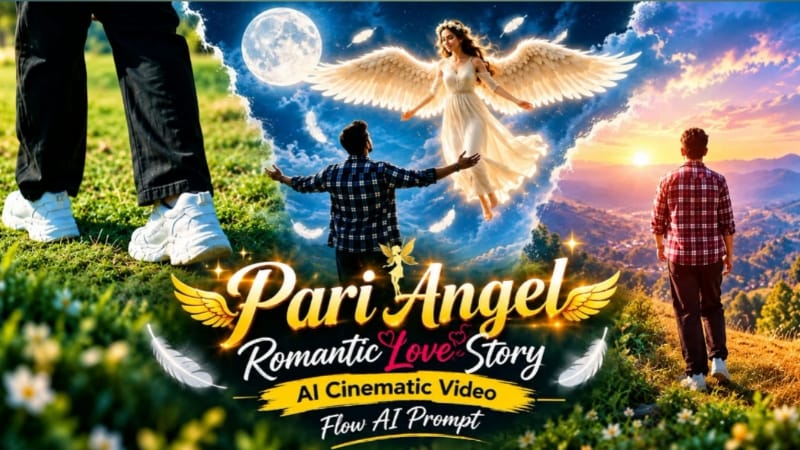
4. Pari Angel Romantic Love Story | AI Cinematic Video | Flow AI Prompt
Pari Angel Romantic Love Story ek fantasy-inspired cinematic video concept hai jisme angel-inspired character, subtle fantasy wings, dreamy landscapes, soft glowing light aur emotional storytelling ko combine kiya jata hai.
Page ka video prompt 16:9, 4K, continuous-flow presentation use karta hai. Initial shots bright daylight mein start hote hain, Shot 4 ke 2-second pause mein sky gradually magical starry night mein transform hota hai, aur uske baad sequence slow-motion style mein continue hota hai.
Step-by-Step Workflow
Main character ki clear reference photo ready karein.
ChatGPT se character sheet prepare karein taaki identity reference stronger ho.
Flow AI open karke reference image upload karein.
Pari Angel Romantic Love Story prompt paste karein.
Face, hairstyle, clothing aur natural proportions ko reference ke according consistent rakhein.
Angel wings ko character ke saath naturally integrated fantasy element ke roop mein maintain karein.
Soft fantasy environment mein flowers, clouds, mist, peaceful landscape aur magical sky elements use karein.
16:9 format select karein.
4K/high-quality generation option available ho to choose karein.
Lighting, shadows, depth of field aur background continuity inspect karein.
Unwanted face drift, clothing changes ya wing distortion hone par affected scene regenerate karein.
Final sequence ko beginning se end tak preview karein.
Subtle NoorEditing07 watermark verify karke high-quality video export karein.
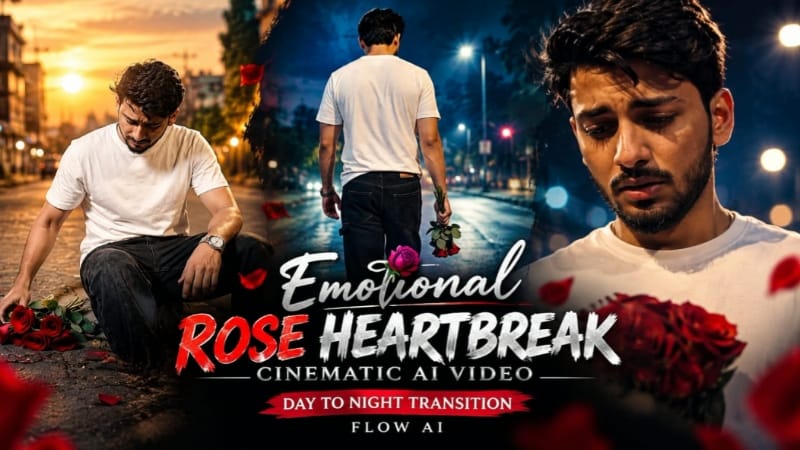
5. Emotional Rose Heartbreak Cinematic AI Video | Day-to-Night Transition | Flow AI
Emotional Rose Heartbreak AI Video ek six-scene cinematic story hai jisme red roses central visual element hain. Story warm daylight se start hoti hai aur character ke completely upright hote hi nighttime environment mein transform hoti hai.
Petrol station, roadside shops, parked auto-rickshaws aur street environment ko continuous location ke roop mein maintain kiya jata hai. Daylight mein warm natural colors aur transition ke baad deep blue aur amber tones cinematic emotional atmosphere create karte hain.
Step-by-Step Workflow
Ek clear, high-quality reference photo ready karein.
Flow AI open karke reference photo upload karein.
Emotional Rose Heartbreak AI Video prompt paste karein.
Character ki identity, facial appearance aur natural proportions ko reference ke according maintain karein.
White T-shirt, black denim jeans, red slides aur silver wristwatch throughout all six scenes consistent rakhein.
16:9 cinematic format select karein.
Scene 1: low close-up mein sirf hands aur wristwatch frame mein rakhein; scattered red roses ko one-by-one collect karte hue show karein.
Pari Angel: fantasy environment + magical day-to-night storytelling
Emotional Rose: heartbreak story + precisely timed day-to-night transition
Best result ke liye har project mein clear reference photo, consistent identity, same outfit, realistic hands and movement, controlled lighting, background continuity aur scene-by-scene quality checking ko priority dein.
Final export se pehle complete video ko individually review karein. Agar kisi particular shot mein face, hands, clothing, environment ya movement change ho raha ho, to poori video ke bajay us specific scene ko refine aur regenerate karna generally better workflow hai.