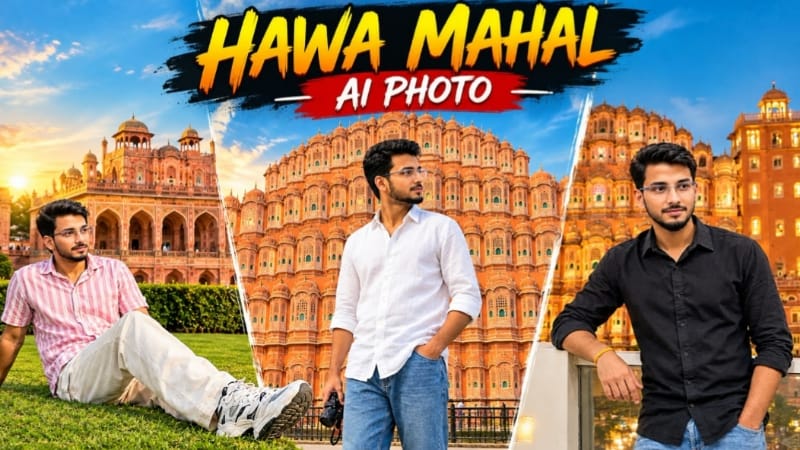
Hawa Mahal Jaipur AI Photo Editing | ChatGPT Prompt
Hawa Mahal Jaipur AI Photo Editing ek creative travel photography concept hai jisme apni reference photo ko use karke Jaipur ke famous Hawa Mahal ke saamne ek realistic travel portrait create kiya ja sakta hai. Is prompt ka main focus original face identity, same pose, same outfit, accurate monument background, natural daylight aur realistic smartphone photography look ko maintain karna hai.
Is AI photo prompt mein Image 1 ko complete visual reference ke roop mein use kiya gaya hai, jabki Image 2 ko face reference ke liye use kiya jata hai. Isse image generation tool ko samajhne mein help milti hai ki composition aur scene Image 1 se follow karna hai, lekin person ka facial identity Image 2 se maintain karna hai.
Hawa Mahal Jaipur Travel Photography
Hawa Mahal Jaipur ki iconic architectural landmarks mein se ek hai. Iski pink-orange sandstone facade, multiple arched jharokha windows, carved balconies aur dome-topped pavilions ise ek distinctive visual appearance dete hain. Is prompt mein monument ko image ke background mein prominently show kiya gaya hai, taki final photo ek authentic Jaipur travel portrait jaisi lage.
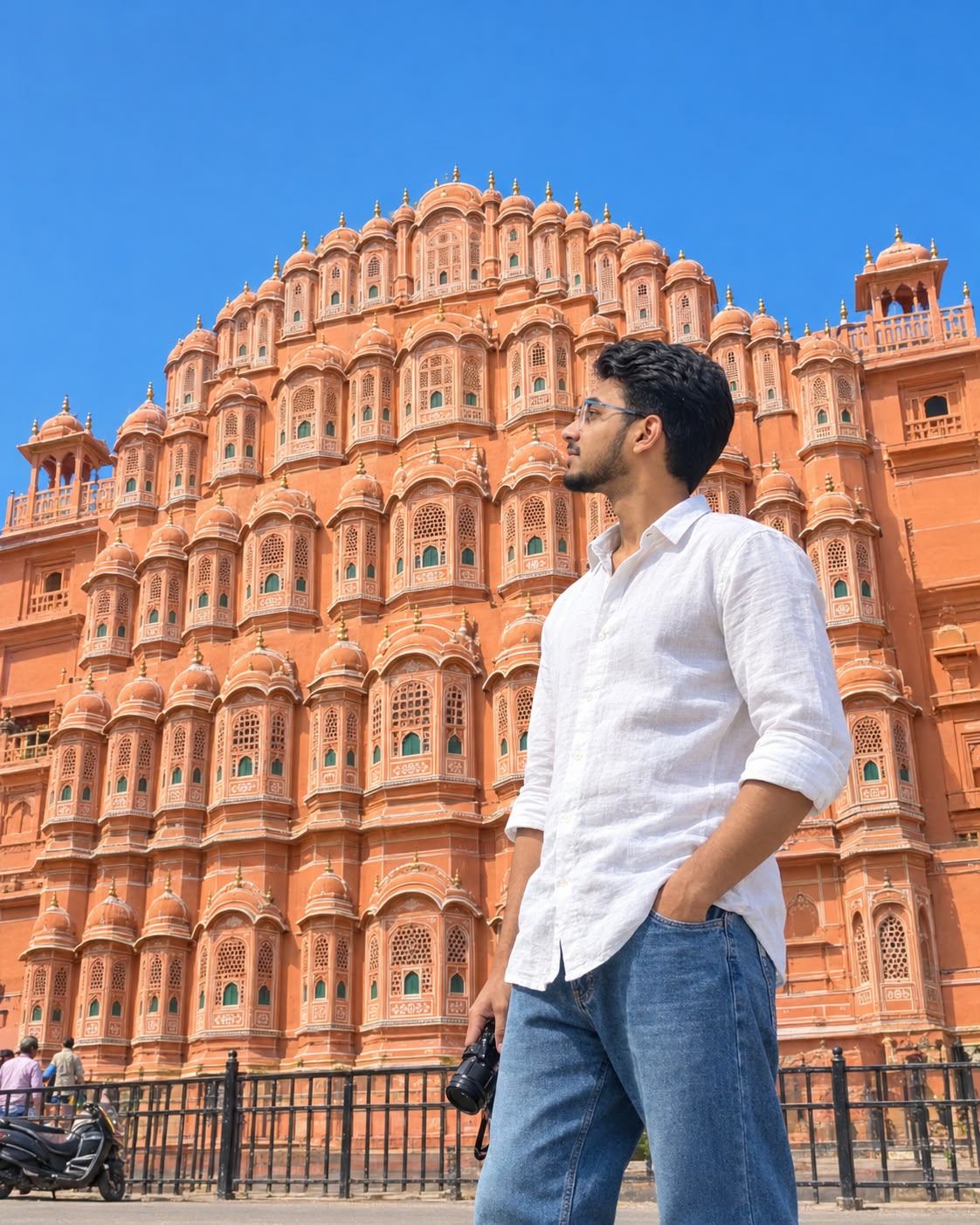
Background mein Hawa Mahal ki stepped pyramid-like silhouette, left aur right side wings aur chhatri towers ko preserve karne ki instruction di gayi hai. Monument ke base par black iron railing, bottom corners mein kuch distant people aur ek parked scooter scene ko natural street-photography atmosphere dete hain.
Sky clear aur vivid blue hai, jisme clouds nahi hain. Bright daytime lighting pink-orange sandstone ke colours ko highlight karti hai aur building ke architectural details ko clearly visible banati hai.
Face Identity Preservation
Is prompt ka sabse important feature face identity preservation hai. Image 2 ko main subject ke real face reference ke roop mein use kiya jata hai. Facial features, face shape, skin tone, natural skin texture aur overall recognizable appearance ko unchanged rakhne ki instruction di gayi hai.
Image 1 se sirf pose, outfit, location, background, lighting aur colour grading follow karne ka instruction hai. Isse reference image mein maujood person ka face ya body shape copy karne se bachne ka clear distinction establish hota hai.
Face, neck, jawline aur body ke beech natural blending bhi important hai. Final image mein skin tone mismatch, visible edges, excessive smoothing ya pasted-face appearance nahi hona chahiye. Natural pores aur consistent image sharpness realistic photography look ko support karte hain.
Pose and Camera Angle
Subject frame ke right side par positioned hai aur image ki height ka approximately two-thirds occupy karta hai. Camera slightly low angle se smartphone photography style mein monument ki taraf look karta hai. Is composition se Hawa Mahal background mein large aur visually prominent rehta hai.
Man side profile mein khada hai. Uska body monument ki taraf oriented hai, jabki head frame ke left side ki taraf turned hai aur woh building ko dekh raha hai. Right hand trouser pocket mein hai aur doosre hand mein small camera hip ke paas naturally hang karta hai.
Relaxed posture image ko candid travel photograph jaisa appearance deta hai. Prompt mein original pose aur camera angle ko preserve karne par focus hai, taki final result reference composition ke close rahe.
Outfit and Hairstyle
Subject white loose-fit linen-style shirt pehenta hai, jiske sleeves rolled up hain aur shirt untucked hai. Blue relaxed-fit denim jeans outfit ko simple travel-fashion appearance dete hain.
Shirt ka natural fabric texture, sleeves ki folds aur jeans ka relaxed fit reference photo ke according maintain karne ki instruction di gayi hai. Outfit mein unnecessary colour ya design changes nahi hone chahiye.
Hairstyle short, dark aur thick hai, jisme hair swept-back appearance aur top par natural volume hai. Short trimmed beard bhi reference styling ke according maintain ki jati hai.
Lighting and Colour Grading
Bright natural midday sunlight is image ka important visual element hai. Light front-left direction se aati hai aur face, shirt, jeans aur Hawa Mahal par natural highlights aur shadows create karti hai.
Pink-orange sandstone, vivid blue sky aur white shirt ke colours clean aur saturated appearance dete hain. Prompt mein extra filters aur artificial HDR look avoid karne ki instruction di gayi hai, taki final image natural smartphone travel photography jaisi lage.
4:5 Portrait Composition
Image ko 4:5 vertical aspect ratio mein design kiya gaya hai. Ye format Instagram posts, travel photography content aur AI photo editing tutorials ke liye suitable hai.
Composition ko reframe karte waqt subject aur monument ke proportions maintain karna important hai. Hawa Mahal background mein clearly recognizable rehna chahiye, aur subject ka side-profile pose original framing ke close hona chahiye.
Final Image Quality
Final output ke liye ultra-realistic 8K quality, tack-sharp details, natural skin texture aur realistic architectural proportions specify kiye gaye hain. Hands, fingers, camera accessory aur monument ke windows mein distortion nahi hona chahiye.
Overall, Hawa Mahal Jaipur AI Photo Editing Prompt personal face identity, heritage architecture aur realistic travel photography ko combine karta hai. Do reference images ka correct use karke creators ek personalized Jaipur travel portrait generate karne ki koshish kar sakte hain. Actual results AI tool aur reference images ki quality ke according vary kar sakte hain.
AI Photograph Prompt Card
✦AI PHOTO PROMPT
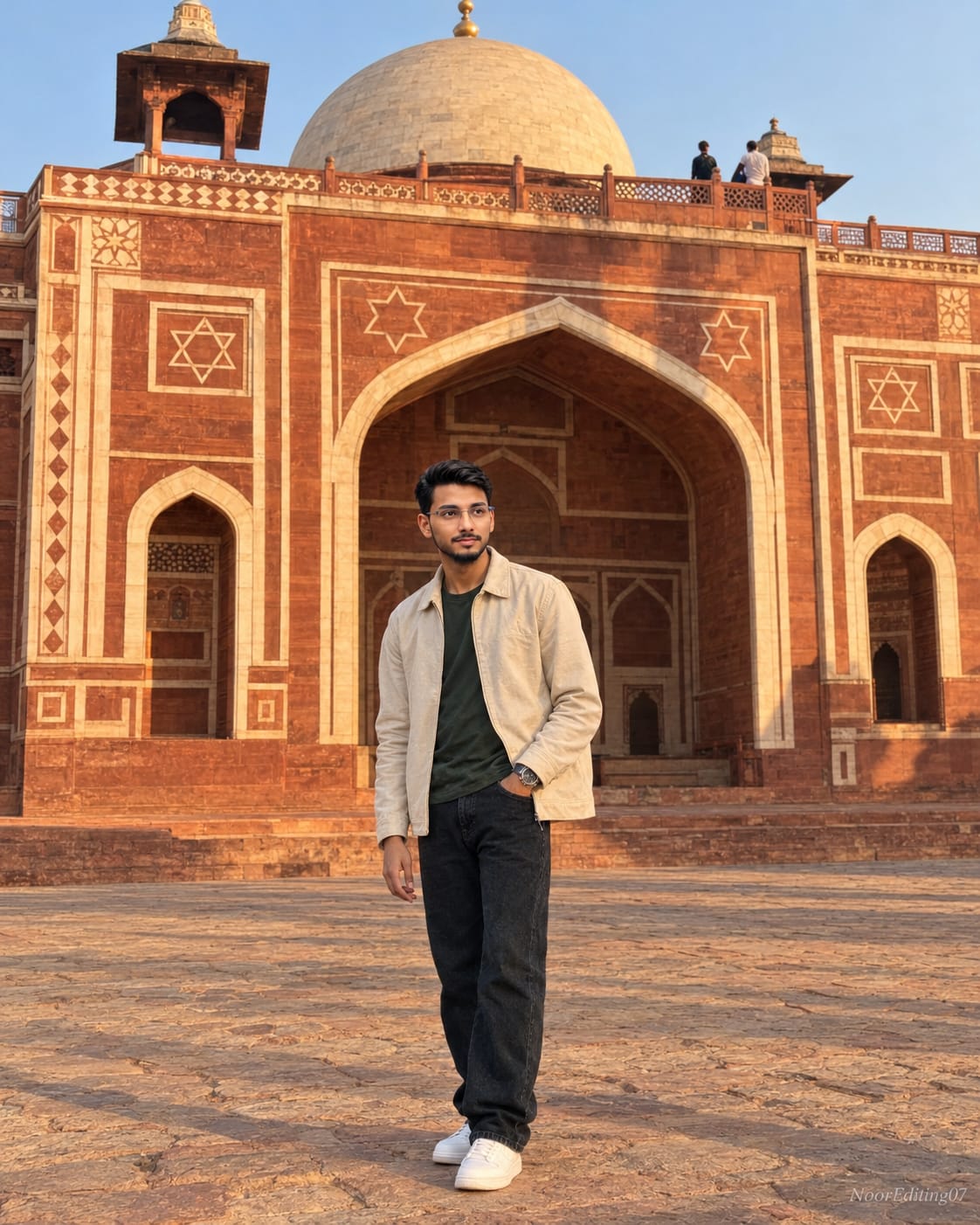
Use the uploaded photo as the ONLY face reference. Keep the same face, same skin tone, same body shape exactly as in the original photo — no beautification, no AI modification, no distortion. Pose and camera angle — keep exactly the same, 4:5 aspect ratio: a wide full-body shot taken from a distance, the person standing small within the large architectural frame, body facing slightly to the side, head turned looking off to the side into the distance, one hand resting near the pocket, standing relaxed and still on a stone-paved courtyard in front of a grand historic monument. Hand accuracy (important): the visible hand must have exactly five anatomically correct fingers, naturally proportioned and positioned, not fused, not extra, not missing, not distorted — must look fully real and anatomically correct like a genuine photograph.
Use the uploaded photo as the ONLY face reference. Keep the same face, same skin tone, same body shape exactly as in the original photo — no beautification, no AI modification, no distortion. This prompt works universally for any uploaded photo of a male or female, adult or young, keeping their real face and body identical.
POSE & CAMERA ANGLE — keep exactly the same, 4:5 aspect ratio: a wide full-body shot taken from a distance, the person standing small within the large architectural frame, body facing slightly to the side, head turned looking off to the side into the distance, one hand resting near the pocket, standing relaxed and still on a stone-paved courtyard in front of a grand historic monument.
HAND ACCURACY (important): the visible hand must have exactly five anatomically correct fingers, naturally proportioned and positioned, not fused, not extra, not missing, not distorted — must look fully real and anatomically correct like a genuine photograph.
HAIRSTYLE — keep exactly the same: short, neat dark hair.
OUTFIT — keep exactly the same: a cream/beige collared jacket worn open over a dark green round-neck t-shirt, dark loose-fit jeans, white sneakers, a wristwatch.
BACKGROUND — keep exactly the same: a grand Mughal-era red sandstone and white marble monument with an intricately carved arched doorway, geometric star-and-diamond patterned inlay work, a domed structure visible at the top with a decorative balcony, two softly blurred visitors standing on the upper terrace in the distance, a cobblestone courtyard underfoot, warm late-afternoon sunlight casting long soft shadows across the architecture, a clear sky visible at the top.
LIGHTING AND COLOR GRADING — must match exactly: warm golden late-afternoon natural sunlight falling from one side, creating soft warm highlights on the sandstone and on the person, gentle natural shadows, slightly muted warm-toned color grade with rich terracotta and cream tones, identical brightness, warmth, and color grade as the original photo, consistent lighting across the face, neck, body, and background with no mismatch.
FACE AND BODY MUST BLEND SEAMLESSLY — no pasted or cut-paste look, no visible seams or edges. Neck, jawline, and skin tone must naturally match the rest of the body. Skin texture must stay consistent throughout the entire image, with no difference in sharpness or texture between the face and the rest of the body.
PHOTOGRAPHY STYLE: shot on a smartphone camera with natural phone-camera characteristics, sharp focus throughout, natural skin texture with visible pores, realistic fabric folds and fine jacket texture, no plastic/AI-smooth skin, no waxy texture, no digital art look — must look like a real photograph, not AI generated.
ADD A SMALL SUBTLE WATERMARK TEXT "NoorEditing07" IN THE BOTTOM CORNER, semi-transparent, elegant font, not blocking the subject.
8K ultra-detailed quality, extremely high resolution so the image stays sharp and does not pixelate or break apart even when zoomed in closely, 4:5 aspect ratio, exact same pose, exact same camera angle, exact same scene, exact same outfit, exact same background and color grading as the reference photo — absolutely nothing changed except the person's face/body being replaced with the uploaded photo's subject, with fully correct, natural, and undistorted hand anatomy.
✓
Prompt copied to clipboard!
AI Photograph Prompt Card
✦AI PHOTO PROMPT
Use the uploaded photo as the ONLY face reference. Keep the same face, same skin tone, same body shape exactly as in the original photo — no beautification, no AI modification, no distortion. Pose and camera angle — keep exactly the same, 4:5 aspect ratio: a wide full-body shot taken from a distance, the person standing small within the large architectural frame, body facing slightly to the side, head turned looking off to the side into the distance, one hand resting near the pocket, standing relaxed and still on a stone-paved courtyard in front of a grand historic monument. Hand accuracy (important): the visible hand must have exactly five anatomically correct fingers, naturally proportioned and positioned, not fused, not extra, not missing, not distorted — must look fully real and anatomically correct like a genuine photograph.
Use the uploaded photo as the ONLY face reference. Keep the same face, same skin tone, same body shape exactly as in the original photo — no beautification, no AI modification, no distortion. This prompt works universally for any uploaded photo of a male or female, adult or young, keeping their real face and body identical.
POSE & CAMERA ANGLE — keep exactly the same, 4:5 aspect ratio: a wide full-body shot taken from a distance, the person standing small within the large architectural frame, body facing slightly to the side, head turned looking off to the side into the distance, one hand resting near the pocket, standing relaxed and still on a stone-paved courtyard in front of a grand historic monument.
HAND ACCURACY (important): the visible hand must have exactly five anatomically correct fingers, naturally proportioned and positioned, not fused, not extra, not missing, not distorted — must look fully real and anatomically correct like a genuine photograph.
HAIRSTYLE — keep exactly the same: short, neat dark hair.
OUTFIT — keep exactly the same: a cream/beige collared jacket worn open over a dark green round-neck t-shirt, dark loose-fit jeans, white sneakers, a wristwatch.
BACKGROUND — keep exactly the same: a grand Mughal-era red sandstone and white marble monument with an intricately carved arched doorway, geometric star-and-diamond patterned inlay work, a domed structure visible at the top with a decorative balcony, two softly blurred visitors standing on the upper terrace in the distance, a cobblestone courtyard underfoot, warm late-afternoon sunlight casting long soft shadows across the architecture, a clear sky visible at the top.
LIGHTING AND COLOR GRADING — must match exactly: warm golden late-afternoon natural sunlight falling from one side, creating soft warm highlights on the sandstone and on the person, gentle natural shadows, slightly muted warm-toned color grade with rich terracotta and cream tones, identical brightness, warmth, and color grade as the original photo, consistent lighting across the face, neck, body, and background with no mismatch.
FACE AND BODY MUST BLEND SEAMLESSLY — no pasted or cut-paste look, no visible seams or edges. Neck, jawline, and skin tone must naturally match the rest of the body. Skin texture must stay consistent throughout the entire image, with no difference in sharpness or texture between the face and the rest of the body.
PHOTOGRAPHY STYLE: shot on a smartphone camera with natural phone-camera characteristics, sharp focus throughout, natural skin texture with visible pores, realistic fabric folds and fine jacket texture, no plastic/AI-smooth skin, no waxy texture, no digital art look — must look like a real photograph, not AI generated.
ADD A SMALL SUBTLE WATERMARK TEXT "NoorEditing07" IN THE BOTTOM CORNER, semi-transparent, elegant font, not blocking the subject.
8K ultra-detailed quality, extremely high resolution so the image stays sharp and does not pixelate or break apart even when zoomed in closely, 4:5 aspect ratio, exact same pose, exact same camera angle, exact same scene, exact same outfit, exact same background and color grading as the reference photo — absolutely nothing changed except the person's face/body being replaced with the uploaded photo's subject, with fully correct, natural, and undistorted hand anatomy.
✓
Prompt copied to clipboard!
AI Photograph Prompt Card
✦AI PHOTO PROMPT
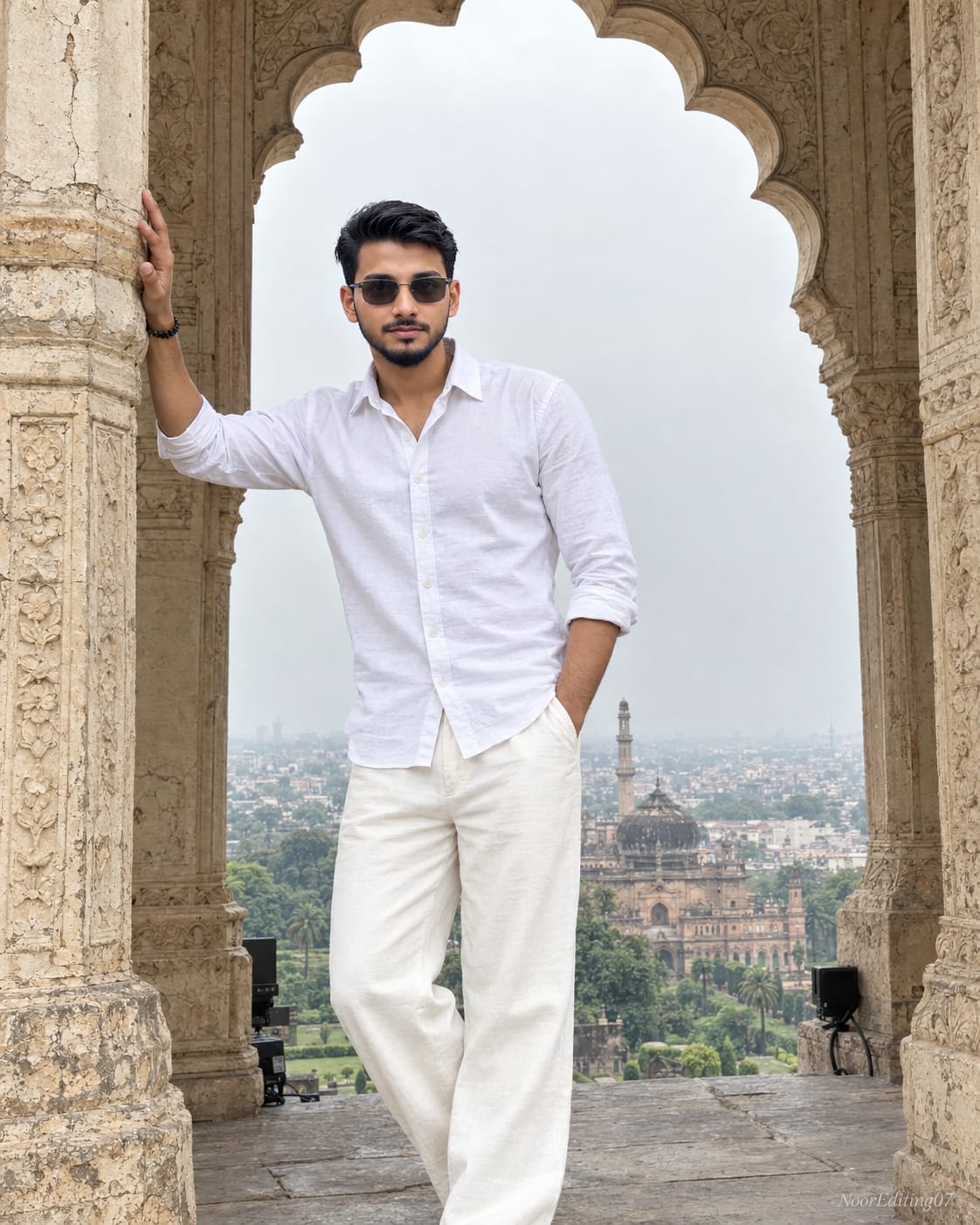
Use the uploaded photo as the ONLY face reference. Keep the same face, same skin tone, same body shape exactly as in the original photo — no beautification, no AI modification, no distortion. Pose and camera angle — keep exactly the same, 4:5 aspect ratio: a full-body shot taken from a slightly low angle looking up, the person standing beneath an ornately carved scalloped archway, body facing forward, one hand raised and resting against a carved stone pillar beside them, the other hand tucked into the trouser pocket, head tilted slightly, wearing sunglasses, calm confident expression. Hand accuracy (important): the raised hand resting on the pillar must have exactly five anatomically correct fingers, naturally proportioned and positioned, not fused, not extra, not missing, not distorted — must look fully real and anatomically correct like a genuine photograph.
Use the uploaded photo as the ONLY face reference. Keep the same face, same skin tone, same body shape exactly as in the original photo — no beautification, no AI modification, no distortion. This prompt works universally for any uploaded photo of a male or female, adult or young, keeping their real face and body identical.
POSE AND CAMERA ANGLE — keep exactly the same, 4:5 aspect ratio: a full-body shot taken from a slightly low angle looking up, the person standing beneath an ornately carved scalloped archway, body facing forward, one hand raised and resting against a carved stone pillar beside them, the other hand tucked into the trouser pocket, head tilted slightly, wearing sunglasses, calm confident expression.
HAND ACCURACY (important): the raised hand resting on the pillar must have exactly five anatomically correct fingers, naturally proportioned and positioned, not fused, not extra, not missing, not distorted — must look fully real and anatomically correct like a genuine photograph.
HAIRSTYLE — keep exactly the same: short, slightly tousled dark hair with natural volume on top.
OUTFIT — keep exactly the same: a plain white long-sleeve button-up shirt, sleeves rolled up to the forearms, collar open, white/cream loose-fit trousers, dark sunglasses, a bracelet on one wrist.
BACKGROUND — keep exactly the same: standing beneath an intricately carved scalloped stone archway of a historic Mughal/Nawabi-era monument, ornate stone pillars on either side, weathered and cracked cream-colored stone texture with aged patina, a panoramic view through the archway showing another domed monument, lush green gardens, and a sprawling cityscape in the far distance under a hazy sky, some small electronic equipment/speakers resting on the floor near the base of the pillars.
LIGHTING AND COLOR GRADING — must match exactly: soft overcast daylight, even natural lighting with minimal harsh shadows, slightly muted and hazy color tone, identical brightness, warmth, and color grade as the original photo, consistent lighting across the face, neck, arms, and background with no mismatch.
FACE AND BODY MUST BLEND SEAMLESSLY — no pasted or cut-paste look, no visible seams or edges. Neck, jawline, and skin tone must naturally match the rest of the body. Skin texture must stay consistent throughout the entire image, with no difference in sharpness or texture between the face and the rest of the body.
PHOTOGRAPHY STYLE: shot on a smartphone camera with natural phone-camera characteristics, sharp focus throughout, natural skin texture with visible pores, realistic fabric folds and fine shirt texture, no plastic/AI-smooth skin, no waxy texture, no digital art look — must look like a real photograph, not AI generated.
ADD A SMALL SUBTLE WATERMARK TEXT "NoorEditing07" IN THE BOTTOM CORNER, semi-transparent, elegant font, not blocking the subject.
8K ULTRA-DETAILED QUALITY, EXTREMELY HIGH RESOLUTION so the image stays sharp and does not pixelate or break apart even when zoomed in closely, 4:5 aspect ratio, exact same pose, exact same camera angle, exact same scene, exact same outfit, exact same background and color grading as the reference photo — absolutely nothing changed except the person's face/body being replaced with the uploaded photo's subject, with fully correct, natural, and undistorted hand anatomy.
✓
Prompt copied to clipboard!
AI Photograph Prompt Card
✦AI PHOTO PROMPT
Use the uploaded photo as the ONLY face reference. Keep the same face, same skin tone, same body shape exactly as in the original photo — no beautification, no AI modification, no distortion. Pose and camera angle — keep exactly the same, 4:5 aspect ratio: a full-body shot taken from a slightly low angle looking up, the person standing beneath an ornately carved scalloped archway, body facing forward, one hand raised and resting against a carved stone pillar beside them, the other hand tucked into the trouser pocket, head tilted slightly, wearing sunglasses, calm confident expression. Hand accuracy (important): the raised hand resting on the pillar must have exactly five anatomically correct fingers, naturally proportioned and positioned, not fused, not extra, not missing, not distorted — must look fully real and anatomically correct like a genuine photograph.
Use the uploaded photo as the ONLY face reference. Keep the same face, same skin tone, same body shape exactly as in the original photo — no beautification, no AI modification, no distortion. This prompt works universally for any uploaded photo of a male or female, adult or young, keeping their real face and body identical.
POSE AND CAMERA ANGLE — keep exactly the same, 4:5 aspect ratio: a full-body shot taken from a slightly low angle looking up, the person standing beneath an ornately carved scalloped archway, body facing forward, one hand raised and resting against a carved stone pillar beside them, the other hand tucked into the trouser pocket, head tilted slightly, wearing sunglasses, calm confident expression.
HAND ACCURACY (important): the raised hand resting on the pillar must have exactly five anatomically correct fingers, naturally proportioned and positioned, not fused, not extra, not missing, not distorted — must look fully real and anatomically correct like a genuine photograph.
HAIRSTYLE — keep exactly the same: short, slightly tousled dark hair with natural volume on top.
OUTFIT — keep exactly the same: a plain white long-sleeve button-up shirt, sleeves rolled up to the forearms, collar open, white/cream loose-fit trousers, dark sunglasses, a bracelet on one wrist.
BACKGROUND — keep exactly the same: standing beneath an intricately carved scalloped stone archway of a historic Mughal/Nawabi-era monument, ornate stone pillars on either side, weathered and cracked cream-colored stone texture with aged patina, a panoramic view through the archway showing another domed monument, lush green gardens, and a sprawling cityscape in the far distance under a hazy sky, some small electronic equipment/speakers resting on the floor near the base of the pillars.
LIGHTING AND COLOR GRADING — must match exactly: soft overcast daylight, even natural lighting with minimal harsh shadows, slightly muted and hazy color tone, identical brightness, warmth, and color grade as the original photo, consistent lighting across the face, neck, arms, and background with no mismatch.
FACE AND BODY MUST BLEND SEAMLESSLY — no pasted or cut-paste look, no visible seams or edges. Neck, jawline, and skin tone must naturally match the rest of the body. Skin texture must stay consistent throughout the entire image, with no difference in sharpness or texture between the face and the rest of the body.
PHOTOGRAPHY STYLE: shot on a smartphone camera with natural phone-camera characteristics, sharp focus throughout, natural skin texture with visible pores, realistic fabric folds and fine shirt texture, no plastic/AI-smooth skin, no waxy texture, no digital art look — must look like a real photograph, not AI generated.
ADD A SMALL SUBTLE WATERMARK TEXT "NoorEditing07" IN THE BOTTOM CORNER, semi-transparent, elegant font, not blocking the subject.
8K ULTRA-DETAILED QUALITY, EXTREMELY HIGH RESOLUTION so the image stays sharp and does not pixelate or break apart even when zoomed in closely, 4:5 aspect ratio, exact same pose, exact same camera angle, exact same scene, exact same outfit, exact same background and color grading as the reference photo — absolutely nothing changed except the person's face/body being replaced with the uploaded photo's subject, with fully correct, natural, and undistorted hand anatomy.
✓
Prompt copied to clipboard!
AI Photograph Prompt Card
✦AI PHOTO PROMPT
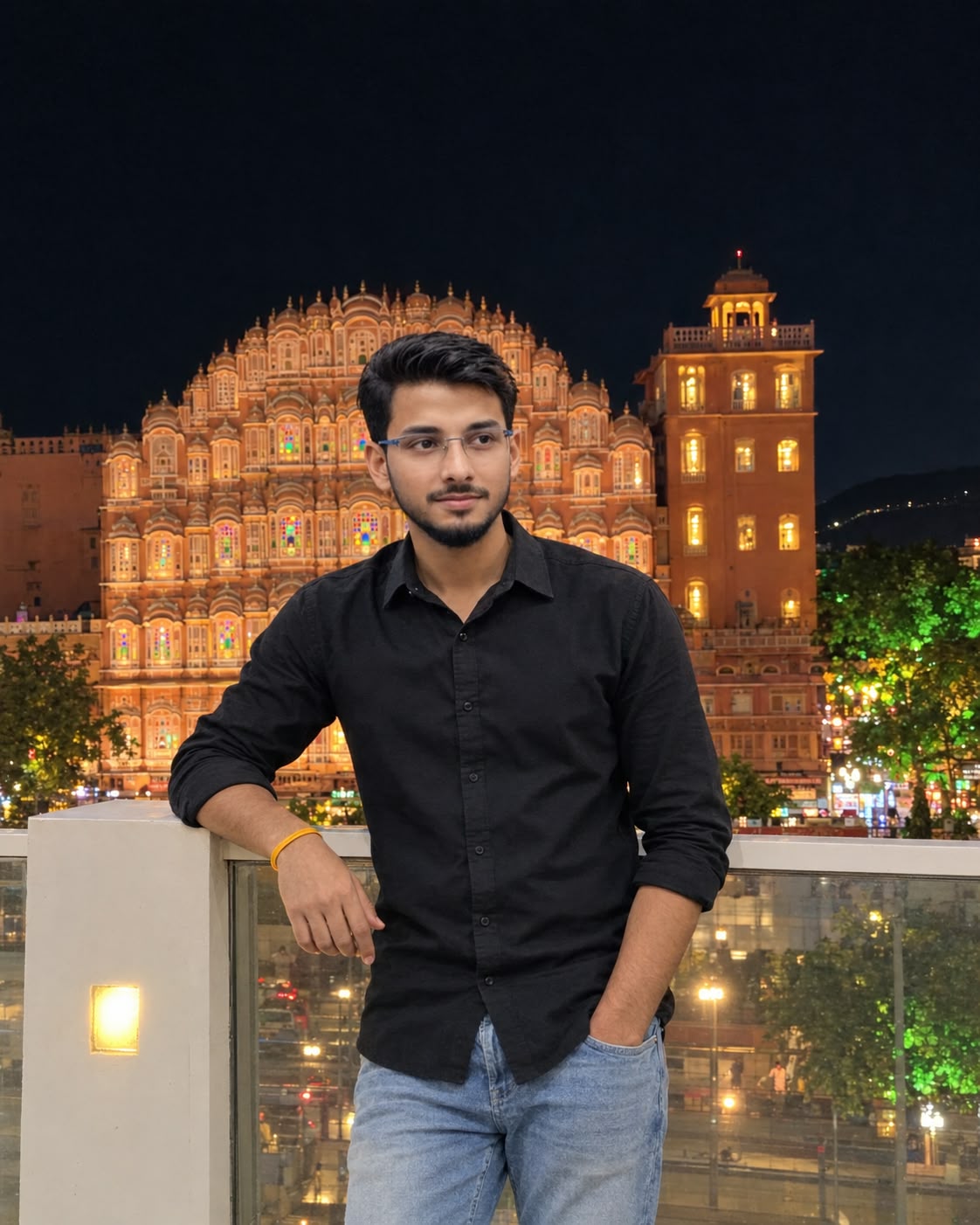
Image 1 is the reference photo. Image 2 is my face photo. Recreate Image 1 as a 100% identical copy in every way, with only the face replaced by the face from Image 2. Keep the face exactly identical to Image 2, do not beautify or alter it. Aspect ratio 4:5 (vertical), ultra-realistic 8K quality, tack-sharp even when zoomed in. SCENE: A young man standing on a rooftop terrace at night in Jaipur, with Hawa Mahal glowing in the background. The monument is a pink and cream sandstone facade with rows of small arched jharokha windows, some lit with colorful stained glass. A tall orange-brown tower with warm lit windows and a small red light on top is on the right. Dark night sky with no clouds, distant hills and green-lit trees at the right edge, and street lights below.
Image 1 is the reference photo. Image 2 is my face photo. Recreate Image 1 as a 100% identical copy in every way, with only the face replaced by the face from Image 2. Keep the face exactly identical to Image 2, do not beautify or alter it. Aspect ratio 4:5 (vertical), ultra-realistic 8K quality, tack-sharp even when zoomed in.
SCENE: A young man standing on a rooftop terrace at night in Jaipur, with Hawa Mahal glowing in the background. The monument is a pink and cream sandstone facade with rows of small arched jharokha windows, some lit with colorful stained glass. A tall orange-brown tower with warm lit windows and a small red light on top is on the right. Dark night sky with no clouds, distant hills and green-lit trees at the right edge, and street lights below.
CAMERA ANGLE: Same as Image 1. Straight-on, eye level to slightly low, vertical smartphone shot. Subject at the center of the frame, Hawa Mahal behind him in the middle, large dark night sky on top, and the white glass railing in front of him.
POSE: Same as Image 1. He stands leaning casually against the white railing post. His left arm rests on the railing with a yellow band on the wrist, his right hand is in his trouser pocket. Head turned slightly to his left (frame left), looking off-camera with a natural, relaxed smile. Candid posture.
OUTFIT: Black full-sleeve button-up shirt with sleeves rolled up, light blue faded jeans, a yellow band on the wrist. Same fit and fabric folds as Image 1.
HAIR AND BEARD: Short, dark, textured hair swept up, with a neatly trimmed short beard, same as Image 1.
LIGHTING AND COLOR: Night lighting with warm artificial light from the rooftop lamps and the glowing monument. Warm orange glow on the building, deep dark sky, soft light on the face from the warm lights. The same light direction, warmth and shadow fall on the face, body and background. Same color grading as Image 1, with a natural smartphone night-mode look. No extra filters, no HDR look.
FACE AND BODY BLENDING: Face, neck, jawline and body blend seamlessly, with no pasted or cut-paste look and no visible seam or edge. Skin tone matches across face, neck, arms and hands. Skin texture and sharpness are consistent everywhere, with natural pores and no over-smoothing.
STRICT RULES: Do not change the location, background, outfit, hairstyle, beard, pose, camera angle, style or color grading. No extra people near the subject, no text, no watermark, no distortion, no extra fingers.
✓
Prompt copied to clipboard!
AI Photograph Prompt Card
✦AI PHOTO PROMPT
Image 1 is the reference photo. Image 2 is my face photo. Recreate Image 1 as a 100% identical copy in every way, with only the face replaced by the face from Image 2. Keep the face exactly identical to Image 2, do not beautify or alter it. Aspect ratio 4:5 (vertical), ultra-realistic 8K quality, tack-sharp even when zoomed in. SCENE: A young man standing on a rooftop terrace at night in Jaipur, with Hawa Mahal glowing in the background. The monument is a pink and cream sandstone facade with rows of small arched jharokha windows, some lit with colorful stained glass. A tall orange-brown tower with warm lit windows and a small red light on top is on the right. Dark night sky with no clouds, distant hills and green-lit trees at the right edge, and street lights below.
Image 1 is the reference photo. Image 2 is my face photo. Recreate Image 1 as a 100% identical copy in every way, with only the face replaced by the face from Image 2. Keep the face exactly identical to Image 2, do not beautify or alter it. Aspect ratio 4:5 (vertical), ultra-realistic 8K quality, tack-sharp even when zoomed in.
SCENE: A young man standing on a rooftop terrace at night in Jaipur, with Hawa Mahal glowing in the background. The monument is a pink and cream sandstone facade with rows of small arched jharokha windows, some lit with colorful stained glass. A tall orange-brown tower with warm lit windows and a small red light on top is on the right. Dark night sky with no clouds, distant hills and green-lit trees at the right edge, and street lights below.
CAMERA ANGLE: Same as Image 1. Straight-on, eye level to slightly low, vertical smartphone shot. Subject at the center of the frame, Hawa Mahal behind him in the middle, large dark night sky on top, and the white glass railing in front of him.
POSE: Same as Image 1. He stands leaning casually against the white railing post. His left arm rests on the railing with a yellow band on the wrist, his right hand is in his trouser pocket. Head turned slightly to his left (frame left), looking off-camera with a natural, relaxed smile. Candid posture.
OUTFIT: Black full-sleeve button-up shirt with sleeves rolled up, light blue faded jeans, a yellow band on the wrist. Same fit and fabric folds as Image 1.
HAIR AND BEARD: Short, dark, textured hair swept up, with a neatly trimmed short beard, same as Image 1.
LIGHTING AND COLOR: Night lighting with warm artificial light from the rooftop lamps and the glowing monument. Warm orange glow on the building, deep dark sky, soft light on the face from the warm lights. The same light direction, warmth and shadow fall on the face, body and background. Same color grading as Image 1, with a natural smartphone night-mode look. No extra filters, no HDR look.
FACE AND BODY BLENDING: Face, neck, jawline and body blend seamlessly, with no pasted or cut-paste look and no visible seam or edge. Skin tone matches across face, neck, arms and hands. Skin texture and sharpness are consistent everywhere, with natural pores and no over-smoothing.
STRICT RULES: Do not change the location, background, outfit, hairstyle, beard, pose, camera angle, style or color grading. No extra people near the subject, no text, no watermark, no distortion, no extra fingers.
✓
Prompt copied to clipboard!
AI Photograph Prompt Card
✦AI PHOTO PROMPT
Image 1 is the reference photo. Image 2 is my face photo. Recreate Image 1 as a 100% identical copy in every way, with only the face replaced by the face from Image 2. Keep the face exactly identical to Image 2, do not beautify or alter it. Aspect ratio 4:5 (vertical), ultra-realistic 8K quality, tack-sharp even when zoomed in. SCENE: A young man standing in front of Hawa Mahal, Jaipur, in bright daytime. The monument is a pink-orange sandstone facade with rows of small arched jharokha windows, ornate carved balconies, dome-topped pavilions and a stepped pyramid-like silhouette. Side wings on the left and right with small chhatri towers. A black iron railing runs along the base. A few small, distant people and a parked scooter at the bottom corners. Clear vivid blue sky, no clouds.
Image 1 is the reference photo. Image 2 is my face photo. Recreate Image 1 as a 100% identical copy in every way, with only the face replaced by the face from Image 2. Keep the face exactly identical to Image 2, do not beautify or alter it. Aspect ratio 4:5 (vertical), ultra-realistic 8K quality, tack-sharp even when zoomed in.
SCENE: A young man standing in front of Hawa Mahal, Jaipur, in bright daytime. The monument is a pink-orange sandstone facade with rows of small arched jharokha windows, ornate carved balconies, dome-topped pavilions and a stepped pyramid-like silhouette. Side wings on the left and right with small chhatri towers. A black iron railing runs along the base. A few small, distant people and a parked scooter at the bottom corners. Clear vivid blue sky, no clouds.
CAMERA ANGLE: Same as Image 1. Low angle, slightly looking up at the subject, shot on a smartphone. Subject on the right side of the frame, taking up about two thirds of the height, Hawa Mahal filling the entire background behind him. Recompose to a 4:5 vertical frame while keeping the same low angle and the same proportions between the subject and the monument.
POSE: Same as Image 1. He stands in side profile, body facing the monument, head turned to frame left, looking up at the building. His right hand is in his pocket and a small camera hangs from his other hand near the hip. Relaxed, candid, travel-photo posture. Face in side profile, same direction as Image 1.
OUTFIT: White loose-fit linen-style shirt with sleeves rolled up, untucked, and blue denim jeans with a relaxed fit. Same fit and fabric folds as Image 1.
HAIR AND BEARD: Short, dark, thick hair swept back with some volume on top, and a short trimmed beard, same as Image 1.
LIGHTING AND COLOR: Bright natural midday sunlight, warm and slightly golden, falling from the front-left. The same light direction, warmth and shadow fall on the face, shirt, jeans and the monument. Rich saturated orange-pink sandstone, deep clean blue sky, crisp contrast, same vibrant color grading as Image 1. No extra filters, no HDR look.
FACE AND BODY BLENDING: Face, neck, jawline and body blend seamlessly, with no pasted or cut-paste look and no visible seam or edge. Skin tone matches across face, neck, arms and hands. Skin texture and sharpness are consistent everywhere, with natural pores and no over-smoothing.
STRICT RULES: Do not change the location, background, outfit, hairstyle, beard, pose, camera angle, style or color grading. No extra people near the subject, no text, no watermark, no distortion, no extra fingers.
✓
Prompt copied to clipboard!
AI Photograph Prompt Card
✦AI PHOTO PROMPT
Image 1 is the reference photo. Image 2 is my face photo. Recreate Image 1 as a 100% identical copy in every way, with only the face replaced by the face from Image 2. Keep the face exactly identical to Image 2, do not beautify or alter it. Aspect ratio 4:5 (vertical), ultra-realistic 8K quality, tack-sharp even when zoomed in. SCENE: A young man standing in front of Hawa Mahal, Jaipur, in bright daytime. The monument is a pink-orange sandstone facade with rows of small arched jharokha windows, ornate carved balconies, dome-topped pavilions and a stepped pyramid-like silhouette. Side wings on the left and right with small chhatri towers. A black iron railing runs along the base. A few small, distant people and a parked scooter at the bottom corners. Clear vivid blue sky, no clouds.
Image 1 is the reference photo. Image 2 is my face photo. Recreate Image 1 as a 100% identical copy in every way, with only the face replaced by the face from Image 2. Keep the face exactly identical to Image 2, do not beautify or alter it. Aspect ratio 4:5 (vertical), ultra-realistic 8K quality, tack-sharp even when zoomed in.
SCENE: A young man standing in front of Hawa Mahal, Jaipur, in bright daytime. The monument is a pink-orange sandstone facade with rows of small arched jharokha windows, ornate carved balconies, dome-topped pavilions and a stepped pyramid-like silhouette. Side wings on the left and right with small chhatri towers. A black iron railing runs along the base. A few small, distant people and a parked scooter at the bottom corners. Clear vivid blue sky, no clouds.
CAMERA ANGLE: Same as Image 1. Low angle, slightly looking up at the subject, shot on a smartphone. Subject on the right side of the frame, taking up about two thirds of the height, Hawa Mahal filling the entire background behind him. Recompose to a 4:5 vertical frame while keeping the same low angle and the same proportions between the subject and the monument.
POSE: Same as Image 1. He stands in side profile, body facing the monument, head turned to frame left, looking up at the building. His right hand is in his pocket and a small camera hangs from his other hand near the hip. Relaxed, candid, travel-photo posture. Face in side profile, same direction as Image 1.
OUTFIT: White loose-fit linen-style shirt with sleeves rolled up, untucked, and blue denim jeans with a relaxed fit. Same fit and fabric folds as Image 1.
HAIR AND BEARD: Short, dark, thick hair swept back with some volume on top, and a short trimmed beard, same as Image 1.
LIGHTING AND COLOR: Bright natural midday sunlight, warm and slightly golden, falling from the front-left. The same light direction, warmth and shadow fall on the face, shirt, jeans and the monument. Rich saturated orange-pink sandstone, deep clean blue sky, crisp contrast, same vibrant color grading as Image 1. No extra filters, no HDR look.
FACE AND BODY BLENDING: Face, neck, jawline and body blend seamlessly, with no pasted or cut-paste look and no visible seam or edge. Skin tone matches across face, neck, arms and hands. Skin texture and sharpness are consistent everywhere, with natural pores and no over-smoothing.
STRICT RULES: Do not change the location, background, outfit, hairstyle, beard, pose, camera angle, style or color grading. No extra people near the subject, no text, no watermark, no distortion, no extra fingers.
✓
Prompt copied to clipboard!
AI Photograph Prompt Card
✦AI PHOTO PROMPT
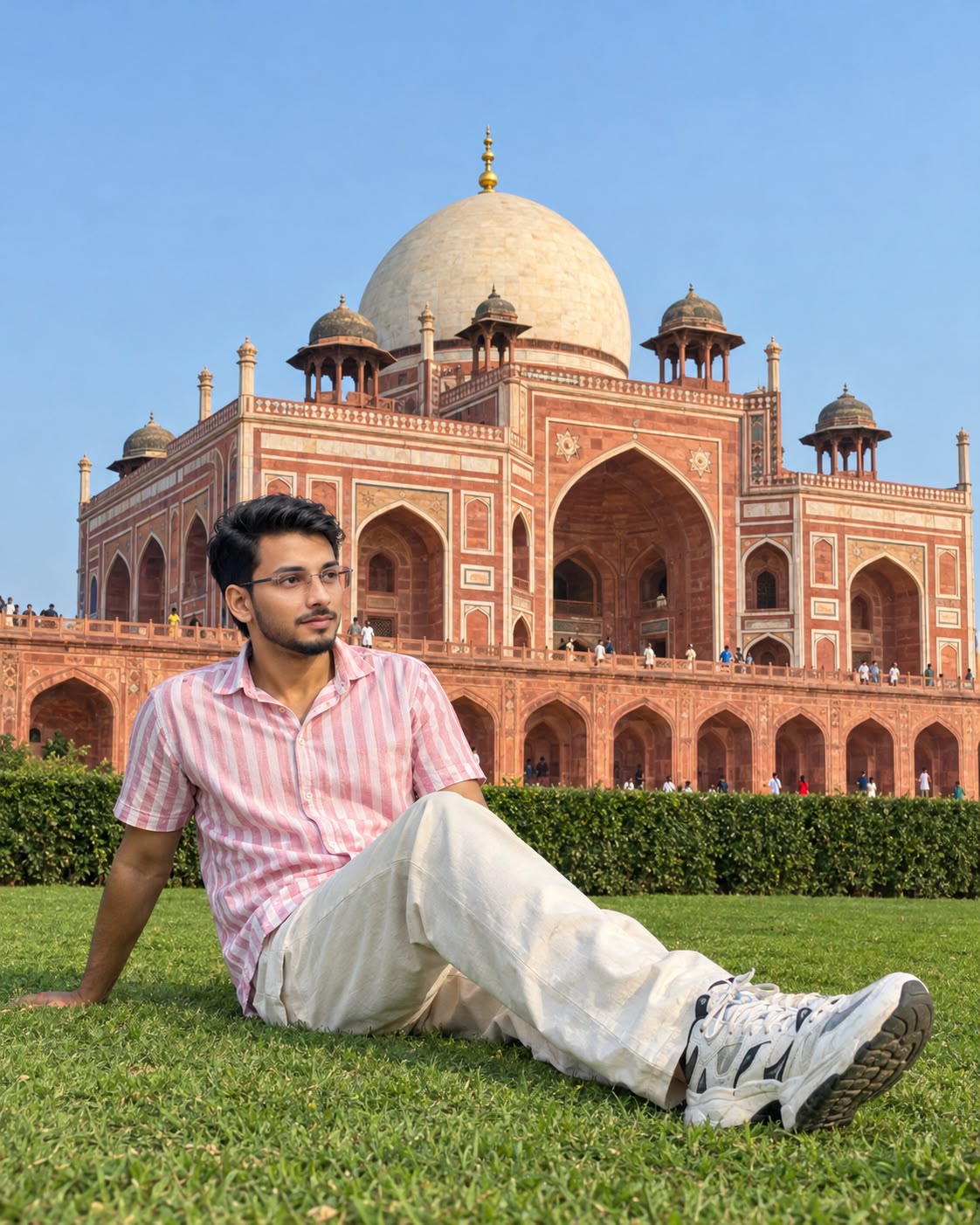
Use the uploaded reference photo as the exact template and recreate it as a 100% identical copy, with only the face replaced by the face from my second uploaded photo. Aspect ratio 4:5 (vertical), ultra-realistic 8K quality, tack-sharp even when zoomed in. SCENE: A young man sitting on a lush, evenly trimmed green lawn in front of Humayun's Tomb, Delhi. The monument is a grand red sandstone structure with white marble inlay patterns, tall pointed arches, a large cream marble dome with a golden finial, and small chhatri pavilions on the roof. A neatly trimmed dark green hedge runs along the base of the lawn. Small, distant tourists stand on the terrace and near the arches. Clear soft blue sky, no clouds. POSE: He sits on the grass, body angled slightly left, one arm stretched behind him supporting his weight, legs extended forward with knees slightly bent, head turned in profile looking away toward the right side of the frame, relaxed candid posture.
Use the uploaded reference photo as the exact template and recreate it as a 100% identical copy, with only the face replaced by the face from my second uploaded photo. Aspect ratio 4:5 (vertical), ultra-realistic 8K quality, tack-sharp even when zoomed in.
SCENE: A young man sitting on a lush, evenly trimmed green lawn in front of Humayun's Tomb, Delhi. The monument is a grand red sandstone structure with white marble inlay patterns, tall pointed arches, a large cream marble dome with a golden finial, and small chhatri pavilions on the roof. A neatly trimmed dark green hedge runs along the base of the lawn. Small, distant tourists stand on the terrace and near the arches. Clear soft blue sky, no clouds.
POSE: He sits on the grass, body angled slightly left, one arm stretched behind him supporting his weight, legs extended forward with knees slightly bent, head turned in profile looking away toward the right side of the frame, relaxed candid posture.
OUTFIT: Pink and white vertical-striped half-sleeve collared shirt, loose cream/off-white trousers, white and grey chunky sneakers with black accents. Exactly the same fit and fabric folds.
HAIR: Short, dark, thick, voluminous wavy/curly hair, same style and volume.
CAMERA: Low-angle shot from near ground level, as if taken on a smartphone, full body and the full monument visible, subject in the lower-left of the frame, monument filling the middle, sky on top. Same framing and perspective.
LIGHTING & COLOR: Soft late-afternoon natural sunlight, slightly warm, gentle shadows falling in the same direction on face, body, grass and monument. Natural color grading with rich red sandstone, vivid green grass, clean blue sky. No filters, no HDR look.
FACE & BODY BLENDING: Face, neck, jawline and body must blend seamlessly, with no pasted or cut-paste look, no visible seam or edge. Skin tone matches perfectly across face, neck, arms and hands. The exact same light direction, warmth and shadow falls on the face as on the body and background. Skin texture and sharpness are consistent everywhere, with natural pores and no over-smoothing.
STRICT RULES: Do not change the location, background, outfit, hairstyle, pose, camera angle, style or color grading. Keep the face identical to my uploaded face photo. No extra people near the subject, no text, no watermark, no distortion, no extra fingers.
✓
Prompt copied to clipboard!
AI Photograph Prompt Card
✦AI PHOTO PROMPT
Use the uploaded reference photo as the exact template and recreate it as a 100% identical copy, with only the face replaced by the face from my second uploaded photo. Aspect ratio 4:5 (vertical), ultra-realistic 8K quality, tack-sharp even when zoomed in. SCENE: A young man sitting on a lush, evenly trimmed green lawn in front of Humayun's Tomb, Delhi. The monument is a grand red sandstone structure with white marble inlay patterns, tall pointed arches, a large cream marble dome with a golden finial, and small chhatri pavilions on the roof. A neatly trimmed dark green hedge runs along the base of the lawn. Small, distant tourists stand on the terrace and near the arches. Clear soft blue sky, no clouds. POSE: He sits on the grass, body angled slightly left, one arm stretched behind him supporting his weight, legs extended forward with knees slightly bent, head turned in profile looking away toward the right side of the frame, relaxed candid posture.
Use the uploaded reference photo as the exact template and recreate it as a 100% identical copy, with only the face replaced by the face from my second uploaded photo. Aspect ratio 4:5 (vertical), ultra-realistic 8K quality, tack-sharp even when zoomed in.
SCENE: A young man sitting on a lush, evenly trimmed green lawn in front of Humayun's Tomb, Delhi. The monument is a grand red sandstone structure with white marble inlay patterns, tall pointed arches, a large cream marble dome with a golden finial, and small chhatri pavilions on the roof. A neatly trimmed dark green hedge runs along the base of the lawn. Small, distant tourists stand on the terrace and near the arches. Clear soft blue sky, no clouds.
POSE: He sits on the grass, body angled slightly left, one arm stretched behind him supporting his weight, legs extended forward with knees slightly bent, head turned in profile looking away toward the right side of the frame, relaxed candid posture.
OUTFIT: Pink and white vertical-striped half-sleeve collared shirt, loose cream/off-white trousers, white and grey chunky sneakers with black accents. Exactly the same fit and fabric folds.
HAIR: Short, dark, thick, voluminous wavy/curly hair, same style and volume.
CAMERA: Low-angle shot from near ground level, as if taken on a smartphone, full body and the full monument visible, subject in the lower-left of the frame, monument filling the middle, sky on top. Same framing and perspective.
LIGHTING & COLOR: Soft late-afternoon natural sunlight, slightly warm, gentle shadows falling in the same direction on face, body, grass and monument. Natural color grading with rich red sandstone, vivid green grass, clean blue sky. No filters, no HDR look.
FACE & BODY BLENDING: Face, neck, jawline and body must blend seamlessly, with no pasted or cut-paste look, no visible seam or edge. Skin tone matches perfectly across face, neck, arms and hands. The exact same light direction, warmth and shadow falls on the face as on the body and background. Skin texture and sharpness are consistent everywhere, with natural pores and no over-smoothing.
STRICT RULES: Do not change the location, background, outfit, hairstyle, pose, camera angle, style or color grading. Keep the face identical to my uploaded face photo. No extra people near the subject, no text, no watermark, no distortion, no extra fingers.
Image 2: Apni clear face photo, jiska facial identity final image mein preserve karna hai.
Ab ChatGPT ya kisi compatible AI image generation tool ko open karein jo multiple reference images upload karne support karta ho. Dono images ko correct order mein upload karein.
Ab complete Hawa Mahal Jaipur AI Photo Prompt copy karke prompt box mein paste karein. Prompt mein clearly bataya gaya hai ki Image 1 composition aur scene reference hai, jabki Image 2 face reference hai.
Agar tool mein aspect ratio select karne ka option available hai, to 4:5 portrait choose karein. Isse image social media portrait format ke liye suitable rahegi.
Ab Generate option par click karein. AI tool uploaded images aur prompt instructions ke according Hawa Mahal ke saamne travel portrait create karne ki koshish karega.
Generated Photo Ko Check Karein
Sabse pehle face check karein. Facial features, face shape, skin tone aur natural appearance Image 2 ke close hone chahiye. Face aur neck ke colour mein noticeable mismatch nahi hona chahiye.
Uske baad pose aur camera angle check karein. Subject frame ke right side par side profile mein khada hona chahiye, monument ki taraf dekhte hue. Right hand pocket mein aur doosre hand mein small camera hip ke paas hona chahiye.
Ab outfit check karein. White loose-fit shirt, rolled-up sleeves aur blue relaxed-fit denim jeans reference photo ke according appear hone chahiye. Hairstyle aur short trimmed beard bhi reference styling ke consistent hone chahiye.
Background Aur Lighting Check Karein
Hawa Mahal ki pink-orange facade, arched jharokha windows, carved balconies aur dome-topped pavilions clearly visible hone chahiye. Building ka structure distorted nahi hona chahiye.
Sky vivid blue aur clear hona chahiye. Monument ke base par railing aur bottom corners mein distant street details natural appear hone chahiye.
Lighting ko bhi check karein. Bright midday sunlight front-left direction se fall karni chahiye. Shirt, jeans, face aur monument par shadows natural aur consistent hone chahiye.
Final Image Save Karein
Image ko zoom karke face details, hair, beard, fingers, camera accessory aur Hawa Mahal ke architectural details check karein. Agar face identity, pose ya background mein unwanted changes hain, to prompt refine karke regenerate karein.
Finally, 4:5 composition aur image sharpness check karne ke baad final photo save karein. Is image ko Instagram travel post, AI photo editing tutorial ya website article ke featured image ke roop mein use kiya ja sakta hai.
Note: AI tool exact 100% identity ya pixel-perfect recreation guarantee nahi kar sakta. Best results ke liye clear reference images aur carefully specified instructions use karein.
Hawa Mahal AI PhotoJaipur AI PhotoHawa Mahal PromptJaipur Photo EditingChatGPT AI PhotoSame Face AI PhotoFace Reference Prompt4:5 AI Photo8K AI PhotoJaipur Travel PhotoHawa Mahal JaipurAI Photo EditingRealistic AI PortraitTravel Photography PromptNoorEditing07
Hawa Mahal AI PhotoJaipur AI PhotoHawa Mahal PromptJaipur Photo EditingChatGPT AI PhotoSame Face AI PhotoFace Reference Prompt4:5 AI Photo8K AI PhotoJaipur Travel PhotoHawa Mahal JaipurAI Photo EditingRealistic AI PortraitTravel Photography PromptNoorEditing07
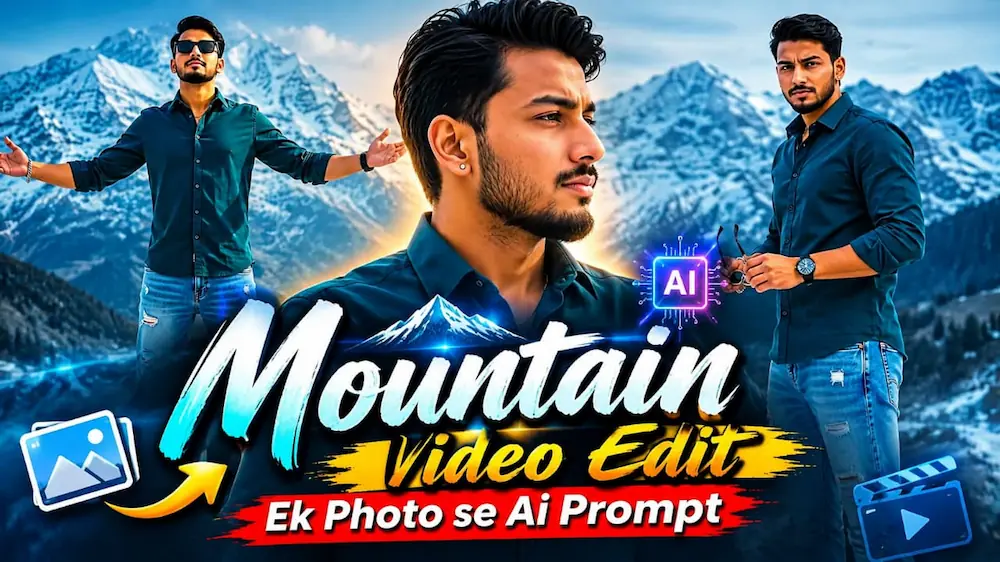
1. Mountain Video Edit – Ek Photo Se Flow AI Prompt
Mountain Video Edit Flow AI Prompt ki help se aap apni ek reference photo ko snowy mountain landscape mein cinematic video mein transform kar sakte hain. Is video mein six scenes, realistic snow aur cool cinematic colour grading ka use hota hai.
Step 6: Scene 1 mein character ko ear ya hair touch karte hue close-up shot mein dikhayein.
Step 7: Scene 2 mein shirt collar adjust karne wala side-profile shot create karein.
Step 8: Scene 3 mein sunglasses ke saath confident look aur scene 4 mein mountain background ke saamne bench par relaxed pose rakhein.
Step 9: Scene 5 mein hair adjust karne ka shot aur final scene mein arms spread karke mountain hero pose create karein.
Step 10: Face, outfit, body proportions aur snowy background ki consistency check karein.
Step 11: Final video mein smooth camera movement aur bottom-right NoorEdiz07 watermark verify karke export karein.
Is tarah aap cinematic mountain video apne social media content ke liye bana sakte hain.
2. Heartbreak Photo Burning AI Video | Flow AI Editing Tutorial
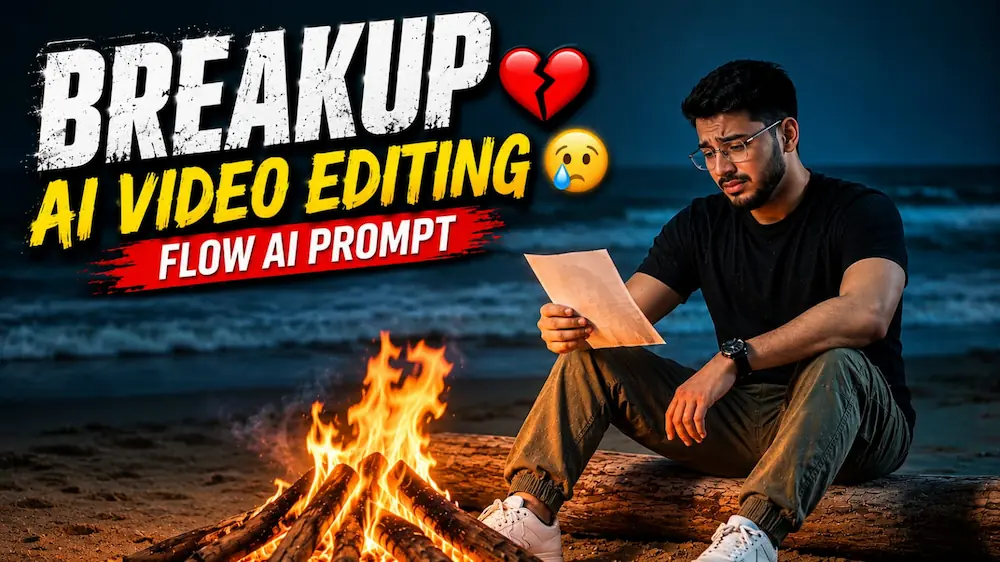
Heartbreak Photo Burning AI Video ek emotional cinematic concept hai, jisme ek person night beach par bonfire ke paas baithkar apni special memory ki printed photograph dekhta hai. Video mein sad expressions, ocean waves aur realistic fire effects ka use hota hai.
Step 1: Do reference photos ready karein. Pehli main character ke liye aur doosri printed photograph mein dikhne wali woman ke liye use karein.
Step 2: Flow AI Video Generator open karein aur reference photos upload karein.
Step 3: Heartbreak Photo Burning AI Video Prompt copy karke paste karein.
Step 4: Format 16:9 Landscape aur available highest-quality setting select karein.
Step 5: Main character ka outfit black round-neck T-shirt, olive-green cargo pants, white sneakers aur black wristwatch rakhein.
Step 6: Scene 1 mein character ko driftwood par baithkar bonfire ke paas photograph dekhte hue dikhayein.
Step 7: Scene 2 mein photograph ka close-up aur scene 3 mein emotional facial expression capture karein.
Step 8: Scene 4 mein character photograph ko slowly fire ki taraf le jata hai.
Step 9: Scene 5 mein photograph ko flames mein burn hote hue dikhayein.
Step 10: Final scene mein character ko bonfire ke paas akela, sad aur reflective expression ke saath rakhein.
Step 11: Face consistency, fire effects, ocean background aur teal-orange colour grading check karke video export karein.
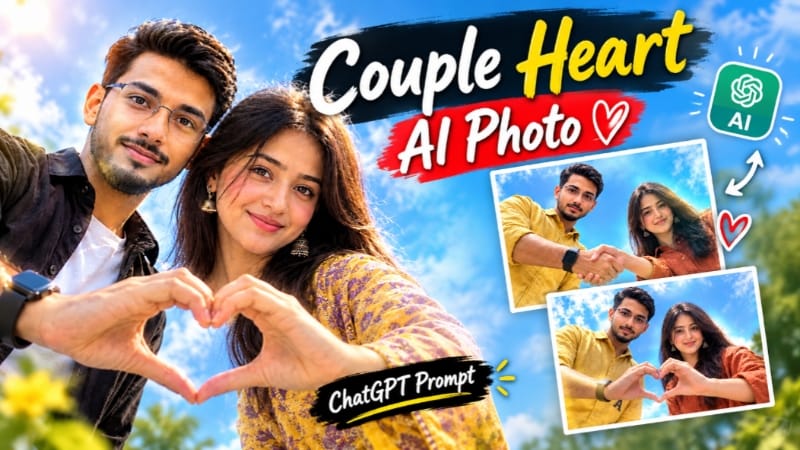
Couple Heart Shape AI Photo ek romantic editing concept hai jisme overhead sky-view camera angle aur heart-shaped composition ko main visual element banaya jata hai. ChatGPT Prompt ki help se couple portrait ko cinematic appearance diya ja sakta hai.
Step 1: Couple ki clear reference photos ready karein, taaki dono ke faces aur appearance ko reference ke according maintain kiya ja sake.
Step 11: Agar pose ya composition sahi nahi aaye, to prompt mein specific corrections add karke image regenerate karein.
Final image ko Instagram posts, romantic edits, profile creatives aur thumbnails ke liye use kar sakte hain.
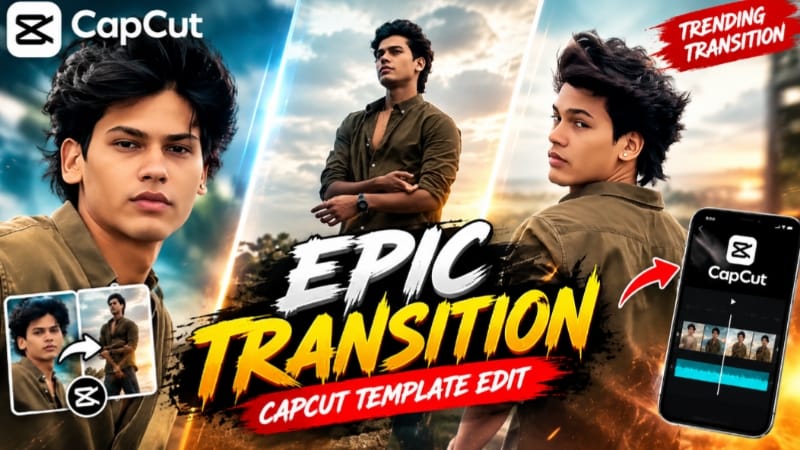
4. Epic Transition CapCut Template | Trending Transition Video Edit
Epic Transition CapCut Template ek ready-made editing option hai jisse photos aur video clips ko preset transitions aur timing ke saath stylish video mein convert kiya ja sakta hai.
Step 1: Apni gallery se high-quality photos ya video clips select karein.
Step 2: Epic Transition CapCut Template ka link open karein.
Step 3: Agar template access karne mein regional restriction aaye, to website par bataye gaye VPN method ko follow karein.
Step 4: Template ko CapCut app mein open karein.
Step 5: Use Template option par click karein.
Step 6: Gallery se available template slots ke according apni photos ya clips select karein.
Step 7: Next ya Preview option par click karein. CapCut media ko preset timing aur transitions ke according arrange karega.
Step 8: Video ko start se end tak preview karein aur check karein ki selected photos sahi framing mein hain.
Step 9: Agar koi clip suitable nahi hai, to available Replace ya Edit option ka use karein.
Step 10: Final video ki transitions, visual quality aur overall flow check karein.
Step 11: Export option par click karke video gallery mein save karein.
Step 12: Apni finished edit ko Instagram Reels, YouTube Shorts ya Facebook Reels par share karein.
Note: Exact clip count, duration aur export settings template ke available options aur CapCut version ke according vary kar sakte hain.
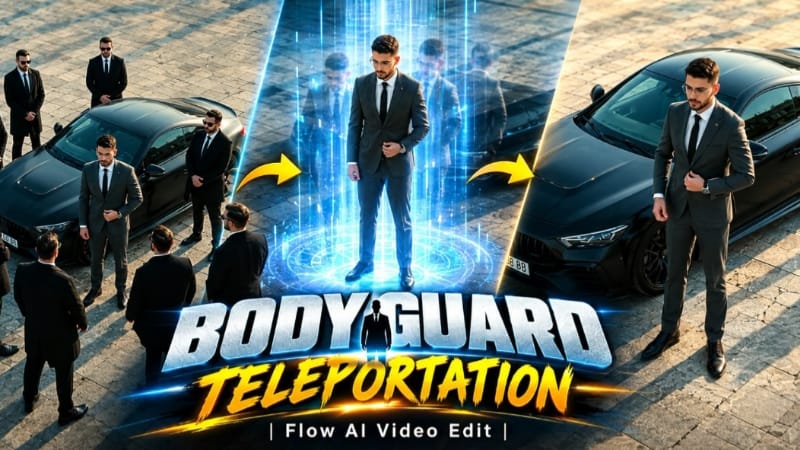
5. Bodyguard Teleportation AI Video | Luxury Car Boss Entry
Bodyguard Teleportation AI Video ek luxury cinematic concept hai jisme formal suit, matte black sports car aur instant bodyguard appearance effect ka use hota hai. Is video ko vertical 9:16 format aur 9-second continuous shot ke liye design kiya gaya hai.