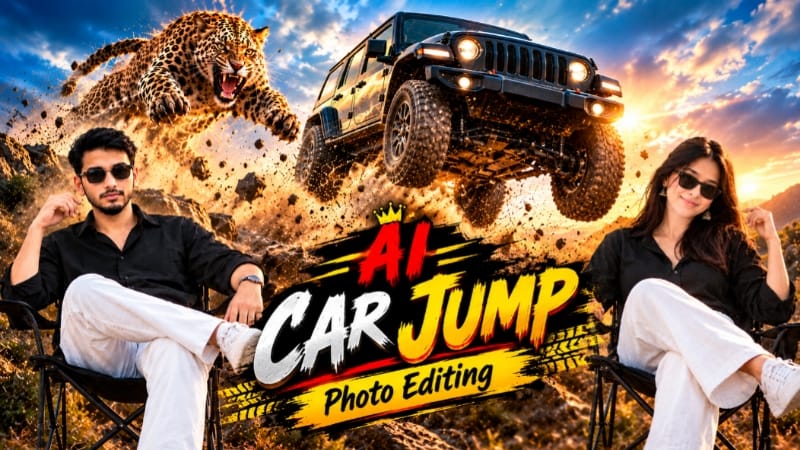
Universal Car Jump AI Photo Editing | ChatGPT Prompt
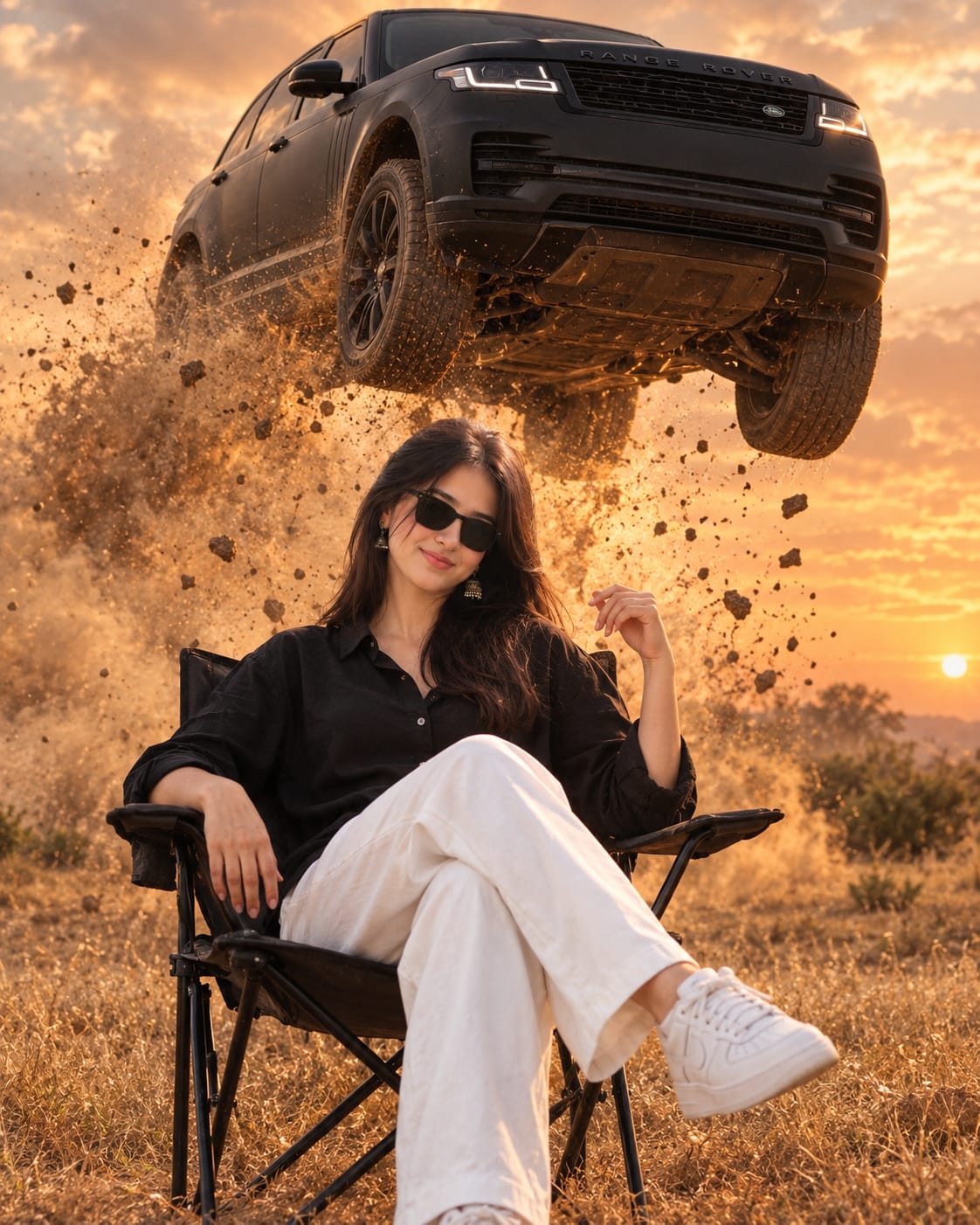
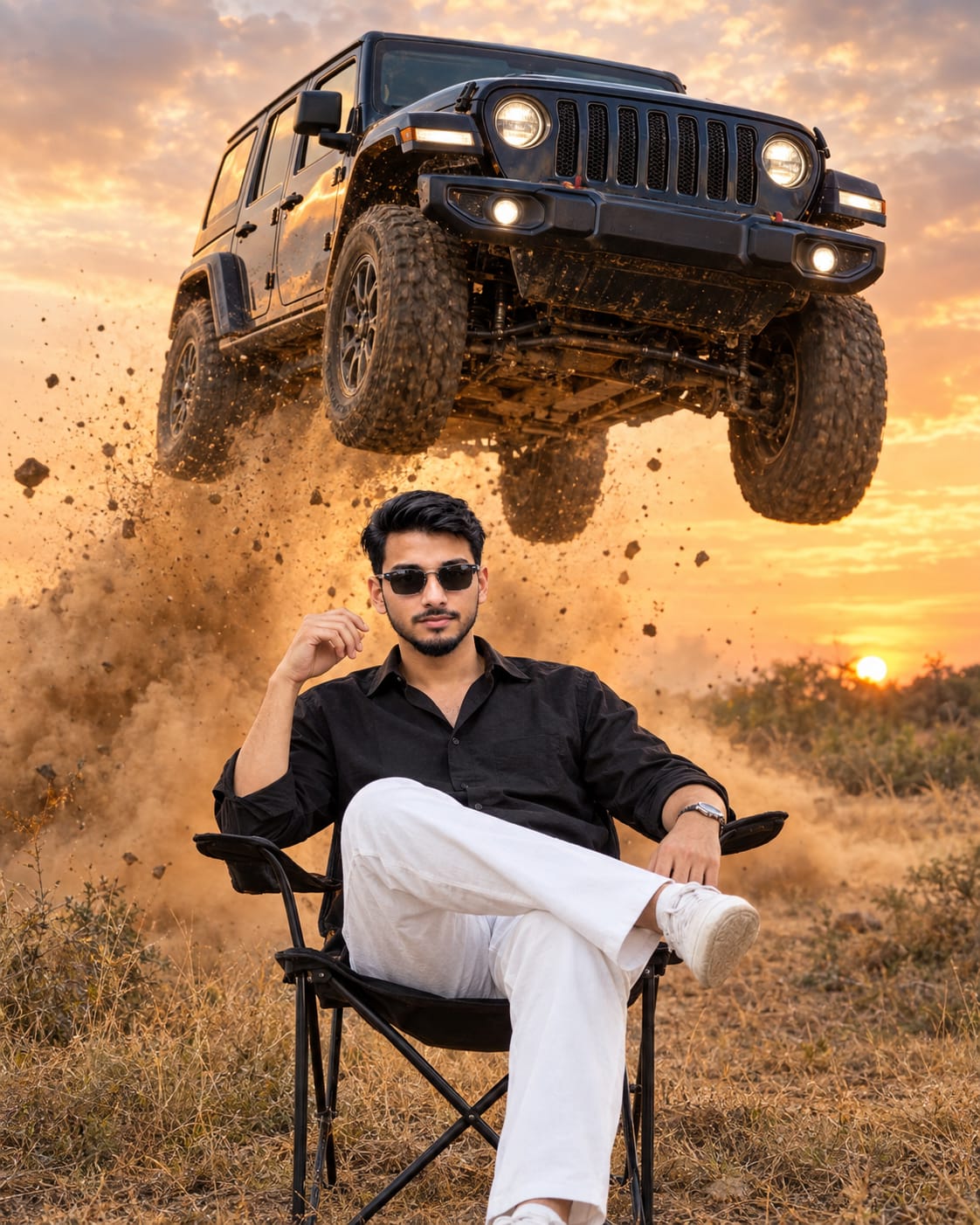
Universal Car Jump AI Photo Editing is a cinematic image-generation concept that transforms an ordinary reference photo into a dramatic automotive lifestyle portrait. The scene features a person sitting confidently on a black folding camping chair in a dry golden field while a large vehicle appears airborne in the background. Golden sunset lighting, flying dust, small rocks and a dramatic sky create the appearance of a high-impact automotive advertisement.
The main feature of this prompt is its universal vehicle customization. You can replace the vehicle brand, model and colour according to your preferred design. You can also use the same basic concept with different reference photos to create personalized versions of the composition.
What Is Universal Car Jump AI Photo Editing?
Universal Car Jump AI Photo Editing uses a detailed text prompt and an uploaded reference photo to guide an AI image generator. The reference photo provides the intended identity and appearance of the person, while the prompt describes the outfit, pose, vehicle, environment, camera angle and lighting.
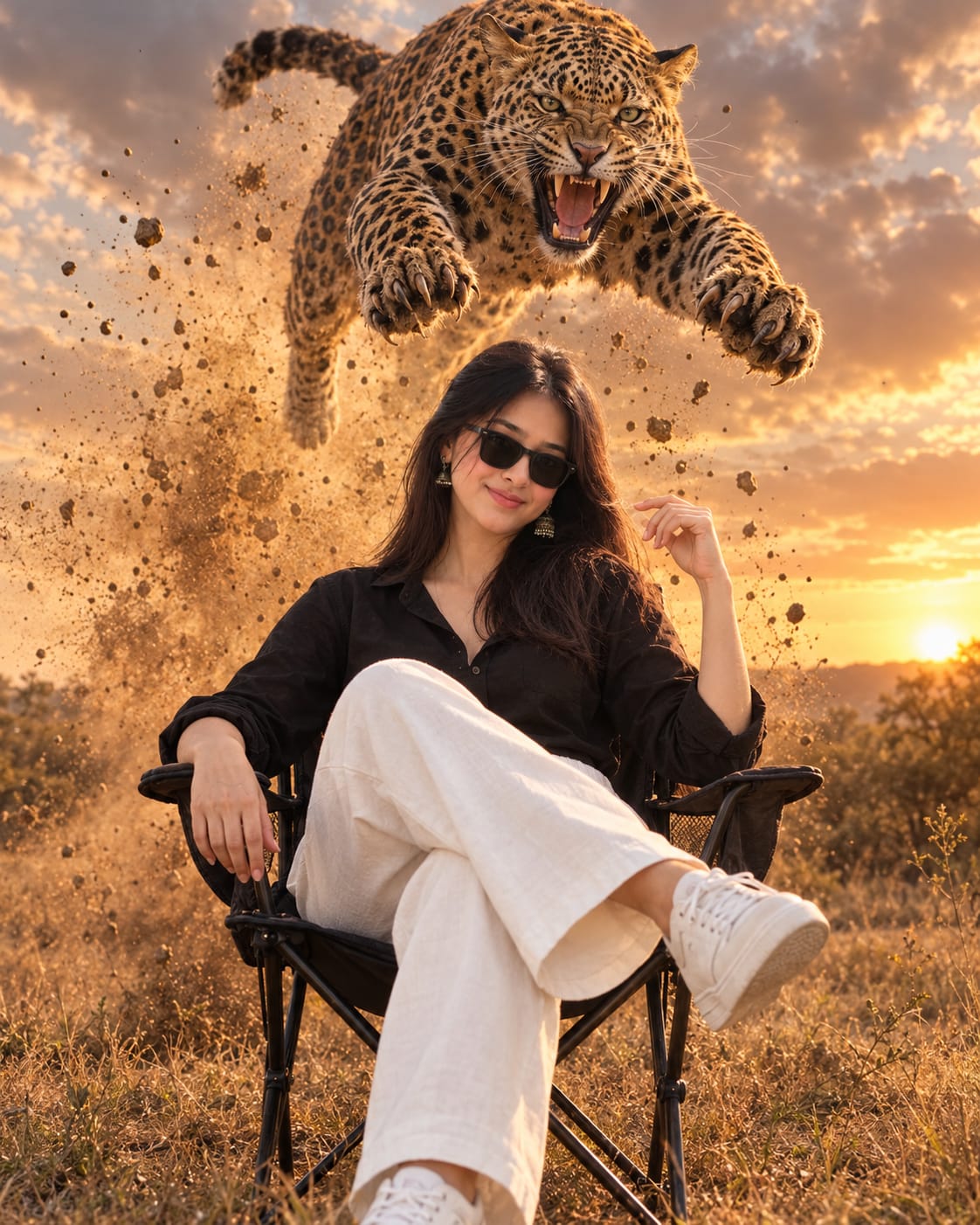
The person sits on a black folding chair with one leg crossed over the other. One arm rests naturally on the chair's armrest, while the other hand is slightly raised in a relaxed gesture. The character maintains a calm expression while a large airborne vehicle creates a dramatic visual effect behind them.
The contrast between the relaxed foreground pose and the energetic automotive background gives the composition its distinctive cinematic style.
Strict Face and Identity Preservation
One of the most important parts of this prompt is the identity reference. The instructions ask the AI to preserve the person's facial structure, eyes, nose, lips, jawline, hairstyle, hairline, natural skin tone and body proportions.
The reference photo should remain the primary guide for the person's appearance. The generated image should not copy an unrelated example model's identity or unnecessarily change the person's features.
Clear reference images can help the AI follow these instructions, but perfect identity preservation cannot be guaranteed. After generation, review the face, hair, hands and body proportions. If the result changes the person's appearance, try refining the prompt or using an available editing feature.
Outfit and Cinematic Lifestyle Pose
The suggested outfit includes a relaxed black long-sleeve button-up shirt, loose white tailored trousers, clean white sneakers and stylish sunglasses. The clothing creates a simple, coordinated appearance that contrasts with the warm golden field.
The seated pose is designed to look casual rather than overly staged. The chair sits in the lower foreground, and the subject remains clearly visible while the vehicle dominates the upper background.
The clothing and pose can be customized while retaining the main composition. The prompt also asks for natural anatomy, realistic hands and correctly connected shoulders, neck and torso.
Customizable Vehicle Brand, Model and Colour
The vehicle section is designed for customization. Replace the placeholders with the desired vehicle brand, model and colour before generating the image.
For example, you could choose a black off-road SUV, a white pickup truck or a red sports car. The prompt asks the AI to preserve the selected vehicle's defining design elements, including its body shape, grille, headlights, wheels, proportions and paint finish.
The exact vehicle design may vary depending on the AI tool and the complexity of the reference. Inspect the generated result for changes in wheel count, body shape, reflections or other details.
Golden Field, Dust and Sunset Lighting
The background features dry golden grassland, distant shrubs, a warm orange sunset sky and dramatic clouds. Golden-hour sunlight illuminates the scene, while volumetric dust and small airborne particles add visual depth.
The dust should remain concentrated beneath and around the airborne vehicle rather than obscuring the person's face. This separation helps maintain a clear subject and a readable composition.
Realistic shadows and vehicle reflections help connect the vehicle to the surrounding environment. The goal is a cohesive photograph rather than a collection of unrelated visual elements.
Camera Angle and Photography Style
The prompt uses a cinematic low-angle composition. The full seated subject and chair remain visible in the lower foreground, while the airborne vehicle occupies the upper background.
A professional 35mm photography look, detailed skin texture, realistic clothing folds and natural vehicle reflections help create a premium editorial appearance. The requested 8K detail describes the intended visual quality; actual image resolution depends on the generation tool.
The final image uses a vertical 4:5 aspect ratio, making it suitable for portrait posts, AI photo-editing showcases and automotive-themed social media content.
Final Result
Universal Car Jump AI Photo Editing combines identity-focused portrait generation with a dramatic fictional automotive scene. Its customizable vehicle fields allow you to experiment with different brands, models and colours while keeping the central composition consistent.
Upload your reference photo, complete the vehicle placeholders, paste the prompt into a compatible AI image tool and review the output carefully. The goal is a realistic-looking cinematic portrait with a clear face, natural anatomy, detailed vehicle design and warm golden-hour lighting.
The airborne vehicle is a fictional visual effect created for digital artwork. It should not be treated as a real-world stunt or attempted outside an appropriately controlled professional production.
AI Photograph Prompt Card
✦AI PHOTO PROMPT
Use the uploaded ORIGINAL SOURCE REFERENCE PHOTO as the sole identity reference for the leopard — preserve its exact fur pattern, spot markings, facial structure, eye color, and roaring expression exactly as shown. Use a separately uploaded human reference photo as the sole face and identity reference for the person. Enable MAXIMUM STRICT FACIAL CONSISTENCY/IDENTITY LOCK for the person — preserve the exact facial structure, hairstyle, hairline, eyebrows, eyes, nose, lips, jawline, facial hair (if present), skin tone, age, gender presentation, physique, and natural body proportions. No beautification, reshaping, or identity drift for either subject. Create an ultra-photorealistic vertical 4:5 cinematic action-lifestyle portrait of the exact person from the reference photo sitting confidently on a black folding camping chair in a dry golden field, while an enormous leopard (matching the exact markings and face from the reference leopard photo) performs a spectacular airborne leap directly above and behind them, jaws open in a fierce roar, mid-pounce.
Use the uploaded ORIGINAL SOURCE REFERENCE PHOTO as the sole identity reference for the leopard — preserve its exact fur pattern, spot markings, facial structure, eye color, and roaring expression exactly as shown. Use a separately uploaded human reference photo as the sole face and identity reference for the person. Enable MAXIMUM STRICT FACIAL CONSISTENCY/IDENTITY LOCK for the person — preserve the exact facial structure, hairstyle, hairline, eyebrows, eyes, nose, lips, jawline, facial hair (if present), skin tone, age, gender presentation, physique, and natural body proportions. No beautification, reshaping, or identity drift for either subject.
Create an ultra-photorealistic vertical 4:5 cinematic action-lifestyle portrait of the exact person from the reference photo sitting confidently on a black folding camping chair in a dry golden field, while an enormous leopard (matching the exact markings and face from the reference leopard photo) performs a spectacular airborne leap directly above and behind them, jaws open in a fierce roar, mid-pounce.
Clothing: A relaxed black long-sleeve button-up shirt with the collar slightly open, loose-fitting white tailored trousers, clean white sneakers, and stylish black sunglasses. Adapt the outfit naturally to the reference person's original gender presentation, physique, and proportions.
Pose: Sitting casually with one leg crossed over the other, leaning backward against the chair. One arm rests naturally on the armrest while the opposite hand is slightly raised in a relaxed, confident gesture. A calm, fearless expression; completely unfazed by the dramatic leap happening behind them.
Leopard: Highly detailed, preserving its authentic fur pattern, rosette markings, muscular body, fangs, and open-mouthed roar exactly as in the reference leopard photo. Captured from a dramatic low-angle perspective, fully airborne mid-leap with realistic muscle tension, extended claws, and flowing motion in the fur.
A spectacular explosion of golden dust, flying dirt, small rocks, and debris erupts beneath the leopard's leap, creating powerful cinematic depth while keeping the reference person's face clearly visible.
Environment: dry golden grassland, distant shrubs, warm orange sunset sky, dramatic clouds, and thick volumetric dust illuminated by golden-hour sunlight.
Camera: Cinematic low-angle composition, full-body subject visible, chair centered in the lower foreground, enormous airborne leopard dominating the upper background, realistic perspective, sharp facial details, frozen high-speed action.
Style: high-impact wildlife-meets-lifestyle advertising, cinematic luxury lifestyle photography, realistic skin pores, natural hair texture, detailed clothing, realistic fur texture and lighting, volumetric dust, dramatic lighting, professional 35mm photography, premium editorial quality, ultra-photorealistic 8K.
Avoid: identity drift for either subject, different person, changed facial features, altered hairstyle, changed age or gender presentation, artificial beauty, exaggerated physique, malformed hands, extra fingers or limbs, distorted chair, incorrect leopard anatomy, unrealistic proportions, dust obscuring the face, text, logos, or watermark.
FINAL OUTPUT: VERTICAL 4:5, ORIGINAL REFERENCE PERSON + REFERENCE LEOPARD IN MID-LEAP, MAXIMUM FACIAL AND IDENTITY PRESERVATION FOR BOTH.
✓
Prompt copied to clipboard!
AI Photograph Prompt Card
✦AI PHOTO PROMPT
Use the uploaded ORIGINAL SOURCE REFERENCE PHOTO as the sole identity reference for the leopard — preserve its exact fur pattern, spot markings, facial structure, eye color, and roaring expression exactly as shown. Use a separately uploaded human reference photo as the sole face and identity reference for the person. Enable MAXIMUM STRICT FACIAL CONSISTENCY/IDENTITY LOCK for the person — preserve the exact facial structure, hairstyle, hairline, eyebrows, eyes, nose, lips, jawline, facial hair (if present), skin tone, age, gender presentation, physique, and natural body proportions. No beautification, reshaping, or identity drift for either subject. Create an ultra-photorealistic vertical 4:5 cinematic action-lifestyle portrait of the exact person from the reference photo sitting confidently on a black folding camping chair in a dry golden field, while an enormous leopard (matching the exact markings and face from the reference leopard photo) performs a spectacular airborne leap directly above and behind them, jaws open in a fierce roar, mid-pounce.
Use the uploaded ORIGINAL SOURCE REFERENCE PHOTO as the sole identity reference for the leopard — preserve its exact fur pattern, spot markings, facial structure, eye color, and roaring expression exactly as shown. Use a separately uploaded human reference photo as the sole face and identity reference for the person. Enable MAXIMUM STRICT FACIAL CONSISTENCY/IDENTITY LOCK for the person — preserve the exact facial structure, hairstyle, hairline, eyebrows, eyes, nose, lips, jawline, facial hair (if present), skin tone, age, gender presentation, physique, and natural body proportions. No beautification, reshaping, or identity drift for either subject.
Create an ultra-photorealistic vertical 4:5 cinematic action-lifestyle portrait of the exact person from the reference photo sitting confidently on a black folding camping chair in a dry golden field, while an enormous leopard (matching the exact markings and face from the reference leopard photo) performs a spectacular airborne leap directly above and behind them, jaws open in a fierce roar, mid-pounce.
Clothing: A relaxed black long-sleeve button-up shirt with the collar slightly open, loose-fitting white tailored trousers, clean white sneakers, and stylish black sunglasses. Adapt the outfit naturally to the reference person's original gender presentation, physique, and proportions.
Pose: Sitting casually with one leg crossed over the other, leaning backward against the chair. One arm rests naturally on the armrest while the opposite hand is slightly raised in a relaxed, confident gesture. A calm, fearless expression; completely unfazed by the dramatic leap happening behind them.
Leopard: Highly detailed, preserving its authentic fur pattern, rosette markings, muscular body, fangs, and open-mouthed roar exactly as in the reference leopard photo. Captured from a dramatic low-angle perspective, fully airborne mid-leap with realistic muscle tension, extended claws, and flowing motion in the fur.
A spectacular explosion of golden dust, flying dirt, small rocks, and debris erupts beneath the leopard's leap, creating powerful cinematic depth while keeping the reference person's face clearly visible.
Environment: dry golden grassland, distant shrubs, warm orange sunset sky, dramatic clouds, and thick volumetric dust illuminated by golden-hour sunlight.
Camera: Cinematic low-angle composition, full-body subject visible, chair centered in the lower foreground, enormous airborne leopard dominating the upper background, realistic perspective, sharp facial details, frozen high-speed action.
Style: high-impact wildlife-meets-lifestyle advertising, cinematic luxury lifestyle photography, realistic skin pores, natural hair texture, detailed clothing, realistic fur texture and lighting, volumetric dust, dramatic lighting, professional 35mm photography, premium editorial quality, ultra-photorealistic 8K.
Avoid: identity drift for either subject, different person, changed facial features, altered hairstyle, changed age or gender presentation, artificial beauty, exaggerated physique, malformed hands, extra fingers or limbs, distorted chair, incorrect leopard anatomy, unrealistic proportions, dust obscuring the face, text, logos, or watermark.
FINAL OUTPUT: VERTICAL 4:5, ORIGINAL REFERENCE PERSON + REFERENCE LEOPARD IN MID-LEAP, MAXIMUM FACIAL AND IDENTITY PRESERVATION FOR BOTH.
✓
Prompt copied to clipboard!
AI Photograph Prompt Card
✦AI PHOTO PROMPT
Use the uploaded ORIGINAL SOURCE REFERENCE PHOTO as the sole face and identity reference for the person. Enable MAXIMUM STRICT FACIAL CONSISTENCY/IDENTITY LOCK. Preserve the exact facial structure, hairstyle, hairline, eyebrows, eyes, nose, lips, jawline, facial hair (if present), skin tone, age, gender presentation, physique, and natural body proportions. No beautification, reshaping, or identity drift. Do not copy the example model’s identity. Create an ultra-photorealistic vertical 4:5 cinematic action-lifestyle portrait of the exact person from the reference photo sitting confidently on a black folding camping chair in a dry golden field, while an enormous [VEHICLE BRAND / MODEL / COLOR] performs a spectacular airborne jump directly above and behind them.
Use the uploaded ORIGINAL SOURCE REFERENCE PHOTO as the sole face and identity reference for the person. Enable MAXIMUM STRICT FACIAL CONSISTENCY/IDENTITY LOCK. Preserve the exact facial structure, hairstyle, hairline, eyebrows, eyes, nose, lips, jawline, facial hair (if present), skin tone, age, gender presentation, physique, and natural body proportions. No beautification, reshaping, or identity drift. Do not copy the example model’s identity.
Create an ultra-photorealistic vertical 4:5 cinematic action-lifestyle portrait of the exact person from the reference photo sitting confidently on a black folding camping chair in a dry golden field, while an enormous [VEHICLE BRAND / MODEL / COLOR] performs a spectacular airborne jump directly above and behind them.
CLOTHING: A relaxed black long-sleeve button-up shirt with the collar slightly open, loose-fitting white tailored trousers, clean white sneakers, and stylish Nile sunglasses. Adapt the outfit naturally to the reference person’s original gender presentation, physique, and proportions.
POSE: Sitting casually with one leg crossed over the other, leaning backward against the chair. One arm rests naturally on the armrest while the opposite hand is slightly raised in a relaxed, confident gesture. A calm, fearless expression; completely unfazed by the dramatic action happening behind them.
VEHICLE: Highly detailed **[VEHICLE BRAND/MODEL/COLOR]**, preserving its authentic design, body shape, grille, headlights, wheels, proportions, and original paint finish. Capture it from a dramatic front three-quarter low-angle perspective, fully airborne with realistic suspension and undercarriage details. Adapt the action to the selected vehicle.
A spectacular explosion of **golden dust, Qying dirt, small rocks, and debris** erupts beneath the vehicle, creating powerful cinematic depth while keeping the reference person’s face clearly visible.
ENVIRONMENT: dry golden grassland, distant shrubs, warm orange sunset sky, dramatic clouds, and thick volumetric dust illuminated by golden-hour sunlight.
CAMERA: Cinematic low-angle composition, full-body subject visible, chair centered in the lower foreground, enormous airborne vehicle dominating the upper background, realistic perspective, sharp facial details, frozen high-speed action.
STYLE: high-impact automotive advertising, cinematic luxury lifestyle photography, realistic skin pores. Natural hair texture, detailed clothing, realistic vehicle reflections, volumetric dust, dramatic lighting. Professional 35mm photography, premium editorial quality, ultra-photorealistic **8K**.
AVOID: identity drift, different person, changed facial features, altered hairstyle, changed age or gender Presentation, artificial beauty, exaggerated physique, malformed hands, extra fingers or limbs, distorted chair, incorrect vehicle design, missing wheels, unrealistic vehicle proportions, dust obscuring the face, text, logos, or watermark.
FINAL OUTPUT: VERTICAL 4:5, ORIGINAL REFERENCE PERSON + REFERENCE VEHICLE IN MID-JUMP, MAXIMUM FACIAL AND IDENTITY PRESERVATION.
✓
Prompt copied to clipboard!
AI Photograph Prompt Card
✦AI PHOTO PROMPT
Use the uploaded ORIGINAL SOURCE REFERENCE PHOTO as the sole face and identity reference for the person. Enable MAXIMUM STRICT FACIAL CONSISTENCY/IDENTITY LOCK. Preserve the exact facial structure, hairstyle, hairline, eyebrows, eyes, nose, lips, jawline, facial hair (if present), skin tone, age, gender presentation, physique, and natural body proportions. No beautification, reshaping, or identity drift. Do not copy the example model’s identity. Create an ultra-photorealistic vertical 4:5 cinematic action-lifestyle portrait of the exact person from the reference photo sitting confidently on a black folding camping chair in a dry golden field, while an enormous [VEHICLE BRAND / MODEL / COLOR] performs a spectacular airborne jump directly above and behind them.
Use the uploaded ORIGINAL SOURCE REFERENCE PHOTO as the sole face and identity reference for the person. Enable MAXIMUM STRICT FACIAL CONSISTENCY/IDENTITY LOCK. Preserve the exact facial structure, hairstyle, hairline, eyebrows, eyes, nose, lips, jawline, facial hair (if present), skin tone, age, gender presentation, physique, and natural body proportions. No beautification, reshaping, or identity drift. Do not copy the example model’s identity.
Create an ultra-photorealistic vertical 4:5 cinematic action-lifestyle portrait of the exact person from the reference photo sitting confidently on a black folding camping chair in a dry golden field, while an enormous [VEHICLE BRAND / MODEL / COLOR] performs a spectacular airborne jump directly above and behind them.
CLOTHING: A relaxed black long-sleeve button-up shirt with the collar slightly open, loose-fitting white tailored trousers, clean white sneakers, and stylish Nile sunglasses. Adapt the outfit naturally to the reference person’s original gender presentation, physique, and proportions.
POSE: Sitting casually with one leg crossed over the other, leaning backward against the chair. One arm rests naturally on the armrest while the opposite hand is slightly raised in a relaxed, confident gesture. A calm, fearless expression; completely unfazed by the dramatic action happening behind them.
VEHICLE: Highly detailed **[VEHICLE BRAND/MODEL/COLOR]**, preserving its authentic design, body shape, grille, headlights, wheels, proportions, and original paint finish. Capture it from a dramatic front three-quarter low-angle perspective, fully airborne with realistic suspension and undercarriage details. Adapt the action to the selected vehicle.
A spectacular explosion of **golden dust, Qying dirt, small rocks, and debris** erupts beneath the vehicle, creating powerful cinematic depth while keeping the reference person’s face clearly visible.
ENVIRONMENT: dry golden grassland, distant shrubs, warm orange sunset sky, dramatic clouds, and thick volumetric dust illuminated by golden-hour sunlight.
CAMERA: Cinematic low-angle composition, full-body subject visible, chair centered in the lower foreground, enormous airborne vehicle dominating the upper background, realistic perspective, sharp facial details, frozen high-speed action.
STYLE: high-impact automotive advertising, cinematic luxury lifestyle photography, realistic skin pores. Natural hair texture, detailed clothing, realistic vehicle reflections, volumetric dust, dramatic lighting. Professional 35mm photography, premium editorial quality, ultra-photorealistic **8K**.
AVOID: identity drift, different person, changed facial features, altered hairstyle, changed age or gender Presentation, artificial beauty, exaggerated physique, malformed hands, extra fingers or limbs, distorted chair, incorrect vehicle design, missing wheels, unrealistic vehicle proportions, dust obscuring the face, text, logos, or watermark.
FINAL OUTPUT: VERTICAL 4:5, ORIGINAL REFERENCE PERSON + REFERENCE VEHICLE IN MID-JUMP, MAXIMUM FACIAL AND IDENTITY PRESERVATION.
✓
Prompt copied to clipboard!
AI Photograph Prompt Card
✦AI PHOTO PROMPT
Use the uploaded ORIGINAL SOURCE REFERENCE PHOTO as the sole face and identity reference for the person. Enable MAXIMUM STRICT FACIAL CONSISTENCY/IDENTITY LOCK. Preserve the exact facial structure, hairstyle, hairline, eyebrows, eyes, nose, lips, jawline, facial hair (if present), skin tone, age, gender presentation, physique, and natural body proportions. No beautification, reshaping, or identity drift. Do not copy the example model’s identity. Create an ultra-photorealistic vertical 4:5 cinematic action-lifestyle portrait of the exact person from the reference photo sitting confidently on a black folding camping chair in a dry golden field, while an enormous [VEHICLE BRAND / MODEL / COLOR] performs a spectacular airborne jump directly above and behind them.
Use the uploaded ORIGINAL SOURCE REFERENCE PHOTO as the sole face and identity reference for the person. Enable MAXIMUM STRICT FACIAL CONSISTENCY/IDENTITY LOCK. Preserve the exact facial structure, hairstyle, hairline, eyebrows, eyes, nose, lips, jawline, facial hair (if present), skin tone, age, gender presentation, physique, and natural body proportions. No beautification, reshaping, or identity drift. Do not copy the example model’s identity.
Create an ultra-photorealistic vertical 4:5 cinematic action-lifestyle portrait of the exact person from the reference photo sitting confidently on a black folding camping chair in a dry golden field, while an enormous [VEHICLE BRAND / MODEL / COLOR] performs a spectacular airborne jump directly above and behind them.
CLOTHING: A relaxed black long-sleeve button-up shirt with the collar slightly open, loose-fitting white tailored trousers, clean white sneakers, and stylish Nile sunglasses. Adapt the outfit naturally to the reference person’s original gender presentation, physique, and proportions.
POSE: Sitting casually with one leg crossed over the other, leaning backward against the chair. One arm rests naturally on the armrest while the opposite hand is slightly raised in a relaxed, confident gesture. A calm, fearless expression; completely unfazed by the dramatic action happening behind them.
VEHICLE: Highly detailed **[VEHICLE BRAND/MODEL/COLOR]**, preserving its authentic design, body shape, grille, headlights, wheels, proportions, and original paint finish. Capture it from a dramatic front three-quarter low-angle perspective, fully airborne with realistic suspension and undercarriage details. Adapt the action to the selected vehicle.
A spectacular explosion of **golden dust, Qying dirt, small rocks, and debris** erupts beneath the vehicle, creating powerful cinematic depth while keeping the reference person’s face clearly visible.
ENVIRONMENT: dry golden grassland, distant shrubs, warm orange sunset sky, dramatic clouds, and thick volumetric dust illuminated by golden-hour sunlight.
CAMERA: Cinematic low-angle composition, full-body subject visible, chair centered in the lower foreground, enormous airborne vehicle dominating the upper background, realistic perspective, sharp facial details, frozen high-speed action.
STYLE: high-impact automotive advertising, cinematic luxury lifestyle photography, realistic skin pores. Natural hair texture, detailed clothing, realistic vehicle reflections, volumetric dust, dramatic lighting. Professional 35mm photography, premium editorial quality, ultra-photorealistic **8K**.
AVOID: identity drift, different person, changed facial features, altered hairstyle, changed age or gender Presentation, artificial beauty, exaggerated physique, malformed hands, extra fingers or limbs, distorted chair, incorrect vehicle design, missing wheels, unrealistic vehicle proportions, dust obscuring the face, text, logos, or watermark.
FINAL OUTPUT: VERTICAL 4:5, ORIGINAL REFERENCE PERSON + REFERENCE VEHICLE IN MID-JUMP, MAXIMUM FACIAL AND IDENTITY PRESERVATION.
✓
Prompt copied to clipboard!
AI Photograph Prompt Card
✦AI PHOTO PROMPT
Use the uploaded ORIGINAL SOURCE REFERENCE PHOTO as the sole face and identity reference for the person. Enable MAXIMUM STRICT FACIAL CONSISTENCY/IDENTITY LOCK. Preserve the exact facial structure, hairstyle, hairline, eyebrows, eyes, nose, lips, jawline, facial hair (if present), skin tone, age, gender presentation, physique, and natural body proportions. No beautification, reshaping, or identity drift. Do not copy the example model’s identity. Create an ultra-photorealistic vertical 4:5 cinematic action-lifestyle portrait of the exact person from the reference photo sitting confidently on a black folding camping chair in a dry golden field, while an enormous [VEHICLE BRAND / MODEL / COLOR] performs a spectacular airborne jump directly above and behind them.
Use the uploaded ORIGINAL SOURCE REFERENCE PHOTO as the sole face and identity reference for the person. Enable MAXIMUM STRICT FACIAL CONSISTENCY/IDENTITY LOCK. Preserve the exact facial structure, hairstyle, hairline, eyebrows, eyes, nose, lips, jawline, facial hair (if present), skin tone, age, gender presentation, physique, and natural body proportions. No beautification, reshaping, or identity drift. Do not copy the example model’s identity.
Create an ultra-photorealistic vertical 4:5 cinematic action-lifestyle portrait of the exact person from the reference photo sitting confidently on a black folding camping chair in a dry golden field, while an enormous [VEHICLE BRAND / MODEL / COLOR] performs a spectacular airborne jump directly above and behind them.
CLOTHING: A relaxed black long-sleeve button-up shirt with the collar slightly open, loose-fitting white tailored trousers, clean white sneakers, and stylish Nile sunglasses. Adapt the outfit naturally to the reference person’s original gender presentation, physique, and proportions.
POSE: Sitting casually with one leg crossed over the other, leaning backward against the chair. One arm rests naturally on the armrest while the opposite hand is slightly raised in a relaxed, confident gesture. A calm, fearless expression; completely unfazed by the dramatic action happening behind them.
VEHICLE: Highly detailed **[VEHICLE BRAND/MODEL/COLOR]**, preserving its authentic design, body shape, grille, headlights, wheels, proportions, and original paint finish. Capture it from a dramatic front three-quarter low-angle perspective, fully airborne with realistic suspension and undercarriage details. Adapt the action to the selected vehicle.
A spectacular explosion of **golden dust, Qying dirt, small rocks, and debris** erupts beneath the vehicle, creating powerful cinematic depth while keeping the reference person’s face clearly visible.
ENVIRONMENT: dry golden grassland, distant shrubs, warm orange sunset sky, dramatic clouds, and thick volumetric dust illuminated by golden-hour sunlight.
CAMERA: Cinematic low-angle composition, full-body subject visible, chair centered in the lower foreground, enormous airborne vehicle dominating the upper background, realistic perspective, sharp facial details, frozen high-speed action.
STYLE: high-impact automotive advertising, cinematic luxury lifestyle photography, realistic skin pores. Natural hair texture, detailed clothing, realistic vehicle reflections, volumetric dust, dramatic lighting. Professional 35mm photography, premium editorial quality, ultra-photorealistic **8K**.
AVOID: identity drift, different person, changed facial features, altered hairstyle, changed age or gender Presentation, artificial beauty, exaggerated physique, malformed hands, extra fingers or limbs, distorted chair, incorrect vehicle design, missing wheels, unrealistic vehicle proportions, dust obscuring the face, text, logos, or watermark.
FINAL OUTPUT: VERTICAL 4:5, ORIGINAL REFERENCE PERSON + REFERENCE VEHICLE IN MID-JUMP, MAXIMUM FACIAL AND IDENTITY PRESERVATION.
Agar aap apni photo se cinematic Car Jump AI Photo banana chahte hain, to neeche diye gaye steps follow karein.
Step 1: Apni Reference Photo Select Karein
Sabse pehle apni ek clear photo select karein. Face clearly visible ho aur image mein achhi lighting ho, taaki AI aapki appearance ko reference ke roop mein use kar sake.
Step 2: ChatGPT Ya AI Image Tool Open Karein
Apne phone mein ChatGPT ya koi compatible AI image-generation tool open karein. Aisa tool choose karein jo reference photo upload karne aur prompt ke through image create ya edit karne ki facility deta ho.
Step 3: Reference Photo Upload Karein
Apni original photo upload karein. Prompt mein clearly mention karein ki face, hairstyle, skin tone aur natural body proportions reference photo ke close rehne chahiye.
Step 4: Vehicle Brand, Model Aur Colour Select Karein
Master prompt mein diye gaye vehicle placeholders ko apni choice ke according replace karein:
- Vehicle Brand: apni selected brand ka naam.
- Vehicle Model: apne selected model ka naam.
- Vehicle Colour: apna preferred colour.
Vehicle details fill karne ke baad prompt ko dobara check karein, taaki koi placeholder baaki na rahe.
Step 5: Master Prompt Copy Karein
Is article mein diya gaya Universal Car Jump AI Photo Editing prompt copy karein. Ismein black folding chair, black shirt, white trousers, sunglasses, golden field, airborne vehicle aur dramatic sunset lighting ki details shamil hain.
Step 6: Prompt Paste Karein
Copied prompt ko AI tool ke prompt box mein paste karein. Check karein ki identity preservation, vehicle design, natural anatomy aur vertical 4:5 aspect ratio ki instructions included hain.
Step 7: AI Image Generate Karein
Generate ya Create option par click karein aur image processing complete hone ka wait karein. Tool ke according available aspect ratio aur resolution settings select karein.
Step 8: Face Aur Vehicle Details Check Karein
Generated image mein apne face ko reference photo se compare karein. Hairline, eyes, jawline, skin tone aur body proportions check karein.
Vehicle ke wheels, grille, headlights, body shape aur paint colour bhi verify karein. Agar face ya vehicle distorted ho, to prompt refine karein aur image ko dobara generate karein.
Step 9: Lighting Aur Composition Review Karein
Check karein ki person aur chair lower foreground mein clearly visible hain aur airborne vehicle background mein hai. Dust face ko cover nahi karna chahiye. Golden sunset lighting, natural shadows aur vehicle reflections realistic dikhne chahiye.
Step 10: Final Image Save Karein
Final result ko vertical 4:5 format mein save karein. Agar image ko social media par publish karna hai, to zoom karke face, fingers, chair aur vehicle details check karein.
In steps ko follow karke aap apni reference photo aur pasand ke vehicle ke saath ek cinematic Car Jump AI Photo create kar sakte hain. Yaad rakhein, yeh AI-generated fictional scene hai; ise real-life vehicle stunt ke roop mein recreate karne ki koshish na karein.
Car Jump AI PhotoUniversal Car PromptAI Photo EditingChatGPT Photo PromptCinematic Car EditAirborne Vehicle ImageGolden Field AI PhotoAI Automotive PortraitCustom Vehicle PromptSame Face AI Editing4:5 AI PhotoGolden Hour PhotographyRealistic Car ImageViral Car Photo ConceptNoorEditing07
Car Jump AI PhotoUniversal Car PromptAI Photo EditingChatGPT Photo PromptCinematic Car EditAirborne Vehicle ImageGolden Field AI PhotoAI Automotive PortraitCustom Vehicle PromptSame Face AI Editing4:5 AI PhotoGolden Hour PhotographyRealistic Car ImageViral Car Photo ConceptNoorEditing07
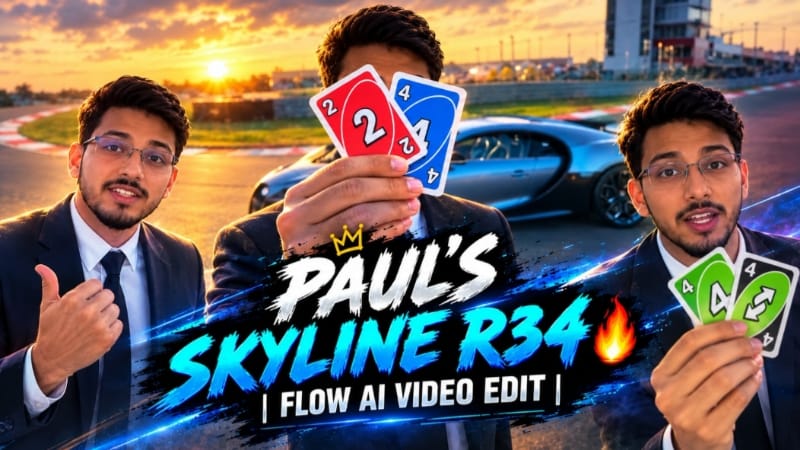
1. Paul Pulls Up in the Skyline R34 | Viral Car Edit Tutorial
Paul Pulls Up in the Skyline R34 ek cinematic car-edit concept hai, jo Nissan Skyline GT-R R34 aur Fast & Furious ki iconic automotive style se inspired hai. Is tutorial mein dramatic car reveal, stylish camera angles, smooth transitions aur cinematic lighting ka use karke engaging car video banane ka process samjhaya gaya hai. Source
Step 1: Reference Photo Select Karein
Apni clear photo ya Skyline R34 ki reference image choose karein. Specific car design chahiye, to uski clear image use karein.
Step 2: AI Video Tool Open Karein
Flow AI ya apna preferred photo-to-video tool open karein. Check karein ki reference images upload karne ka option available hai.
Step 3: Images Upload Karein
Person aur car ki reference images upload karein. Agar tool multiple references support karta hai, to dono images alag use kar sakte hain.
Step 4: Car Reveal Prompt Add Karein
Prompt mein cinematic car reveal, realistic vehicle details, dramatic camera movement aur consistent car appearance describe karein.
Step 5: Video Generate Karein
Available aspect ratio aur quality settings select karke video generate karein. Wheels, headlights aur car body mein distortion ho, to prompt refine karein.
Step 6: Transitions Aur Music Add Karein
Video editor mein establishing shot, car reveal aur close-up shots arrange karein. Transitions ko music beats ke saath sync karein.
Step 7: Final Video Export Karein
Colour grading aur playback check karein. Zarurat ho to subtle NoorEditing07 watermark add karein. Apne platform ke hisaab se 16:9 ya 9:16 format mein export karein.
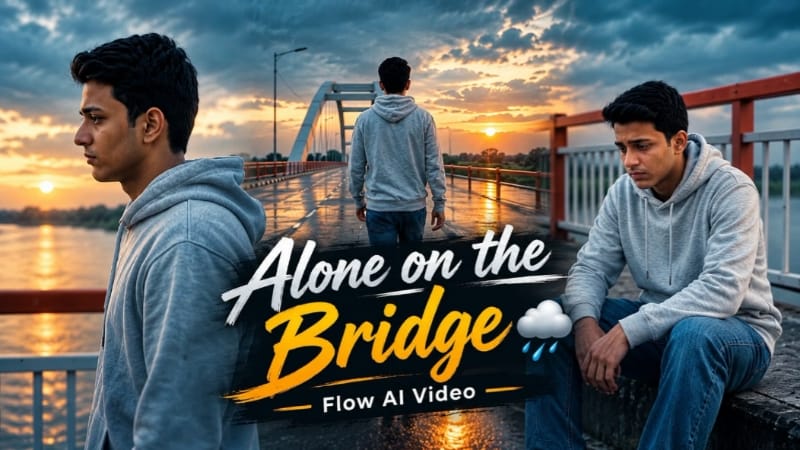
2. Bridge Sunset Cinematic AI Video | Flow AI Prompt
Bridge Sunset Cinematic AI Video ek emotional photo-to-video concept hai, jisme golden-hour sunset, concrete river bridge, orange-and-white railings aur white bridge arch ka cinematic combination hai. Is concept mein six connected camera shots use hote hain. Source
Step 1: Reference Photo Ready Karein
Apni ek clear photo select karein, jisme face aur appearance achhe se visible ho.
Step 2: Flow AI Open Karein
Flow AI mein photo-to-video generation option open karke reference photo upload karein.
Step 3: Prompt Paste Karein
Bridge Sunset Cinematic AI Video Prompt copy karke prompt box mein paste karein. Video ke liye 16:9 landscape ratio select karein, agar available ho.
Step 4: Outfit Consistent Rakhein
Character ke outfit mein light-grey zip hoodie, relaxed blue jeans aur casual sneakers maintain karein.
Step 5: Six Cinematic Scenes Banayein
Pehle scene mein low-angle walking shot rakhein. Doosre mein character bridge arch ki taraf back-view mein chale. Teesre mein orange-white railing ke paas baithe hue thoughtful pose ho.
Step 6: Remaining Shots Add Karein
Fourth scene mein side-profile walking shot, fifth mein walking ke dauran hoodie ka hood head par pull karna aur final scene mein bridge arch ki taraf back-view tracking shot rakhein.
Step 7: Lighting Check Karein
Warm amber sunset, deep twilight sky aur final lens flare ko consistent rakhein.
Step 8: Export Karein
Face, outfit aur movement check karein. Subtle NoorEditing07 watermark verify karke final video export karein.
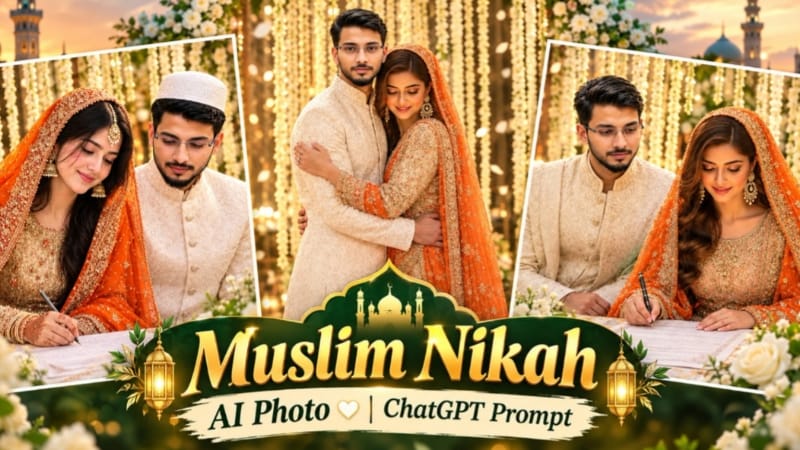
3. Muslim Nikah AI Photo Editing | Bride Groom ChatGPT Prompt
Muslim Nikah AI Photo Editing ki madad se bride aur groom ki separate reference photos ko ek realistic Nikah ceremony portrait mein combine kiya ja sakta hai. Is concept mein Nikah Nama signing, traditional wedding outfits, white mogra flowers aur warm golden lighting ka use hota hai. Source
Step 1: Dono Reference Photos Ready Karein
Bride aur groom ki clear photos select karein. Dono ke faces clearly visible hone chahiye.
Step 2: ChatGPT Open Karein
ChatGPT mein bride aur groom ki images upload karein.
Step 3: Prompt Paste Karein
Muslim Nikah AI Photo Editing Prompt copy karke paste karein aur 4:5 aspect ratio select karein.
Groom ko white embroidered sherwani mein rakhein. Prompt ke mutabik hairstyle natural aur head par cap ke bina ho.
Step 6: Nikah Scene Create Karein
Couple ko decorated table par saath baithe hue dikhayein. Bride Nikah Nama sign kar rahi ho aur groom document ki taraf dekh raha ho.
Step 7: Background Aur Lighting
Background mein hanging white jasmine (mogra) flowers, floral decoration aur warm golden cinematic lighting rakhein.
Step 8: Final Image Check Karein
Faces, skin tones, hands, pen grip aur outfit details carefully inspect karein. AI errors ko correct karne ke baad subtle NoorEditing07 watermark add karke image save karein.
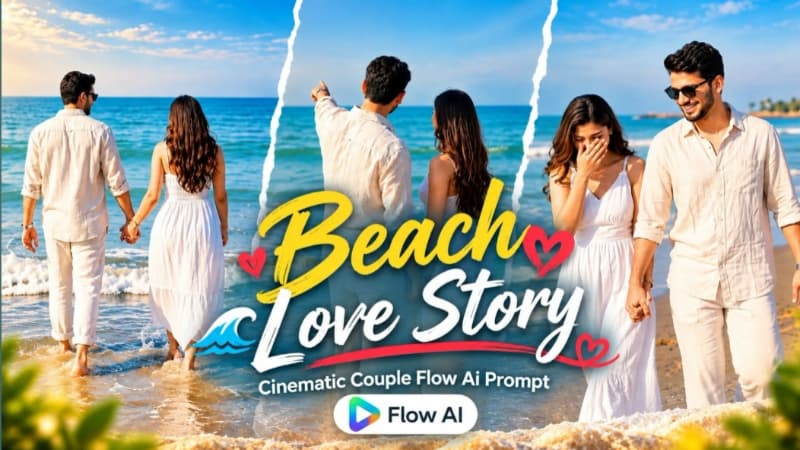
4. Romantic Beach Couple AI Video | Cinematic 9:16 Love Video | Flow AI Prompt
Romantic Beach Couple AI Video ek cinematic love-video concept hai, jisme sunny beach, calm ocean waves aur blue horizon ke saath couple ke natural romantic moments dikhaye jaate hain. Is prompt mein ten scenes, vertical 9:16 format aur consistent character appearance par focus hai. Source
Step 1: Couple Photos Upload Karein
Male aur female ki clear reference photos ready karke Flow AI mein upload karein.
Step 2: Prompt Add Karein
Romantic Beach Couple AI Video Prompt copy karke paste karein. Available settings mein 9:16 vertical format select karein.
Step 3: Outfits Maintain Karein
Male character ke liye off-white linen shirt, white trousers, black sunglasses aur silver wristwatch rakhein. Female ke liye white sleeveless maxi dress, long dark hair aur rose-gold watch maintain karein.
Step 4: First Scenes Generate Karein
Video ki shuruaat couple ke intertwined hands aur wristwatches ke close-up se karein. Uske baad playful interaction aur wet sand par walking scene rakhein.
Step 5: Romantic Movements Add Karein
Couple ka shoreline par twirl karna, saath walk karna aur shallow water mein playful splashes create karna prompt ke according generate karein.
Step 6: Remaining Scenes Complete Karein
Barefoot beach walk, sea horizon ki taraf point karna, shirt ke buttons adjust karna aur final back-view ocean walk ko sequence mein rakhein.
Step 7: Quality Check Karein
Faces, outfits, hands, walking movements aur water details inspect karein. Character consistency ke liye zarurat par scene regenerate karein.
Step 8: Export Karein
Pastel colour grading aur blue sea tones maintain karein. Bottom corner mein subtle NoorEditing07 watermark ke saath video export karein.
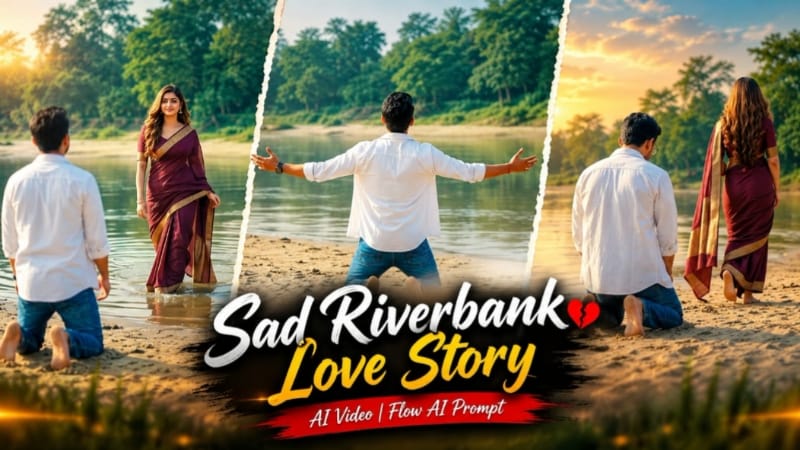
5. Sad Riverbank Love Story AI Video | Cinematic Couple Video | Flow AI Prompt
Sad Riverbank Love Story AI Video ek emotional cinematic concept hai, jisme sandy riverbank, calm water, green trees aur soft daylight ke saath ek short love-story sequence create kiya jaata hai. Is prompt mein three main scenes, emotional expressions aur planned camera movements par focus hai. Source
Step 1: Reference Photos Select Karein
Man aur woman ki clear reference photos ready karein, taaki dono ke facial features ko guide kiya ja sake.
Step 2: Flow AI Open Karein
Photo-to-video option open karke reference photos upload karein. Sad Riverbank Love Story AI Video Prompt paste karein.
Step 3: Outfit Aur Ratio Set Karein
Man ke liye open white shirt, white T-shirt aur blue jeans rakhein. Woman ke liye deep maroon saree with gold border aur long open hair maintain karein. Video ratio 16:9 select karein.
Step 4: First Scene Generate Karein
Empty riverbank ka distant wide shot banayein. Man camera ki taraf peeth karke walk kare, sand par kneel ho aur dono arms wide open kare. Uske baad 1–2 seconds ke delay se woman shallow water mein distant background se enter kare.
Step 5: Second Scene Create Karein
Low-angle long shot mein man kneeling position se woman ko dekhe, jabki woman sandy riverbank par distant trees ki taraf walk away kare.
Step 6: Third Scene Complete Karein
Frontal medium shot mein man sad expression ke saath camera ki taraf walk kare. Background mein woman saree pallu ko arms wide karke hold kare aur spin kare.
Step 7: Final Review Karein
Faces, outfits, movements, timing aur riverbank background check karein. Unnatural frames ko regenerate karein aur bottom corner mein subtle NoorEditing07 watermark ke saath video export karein.