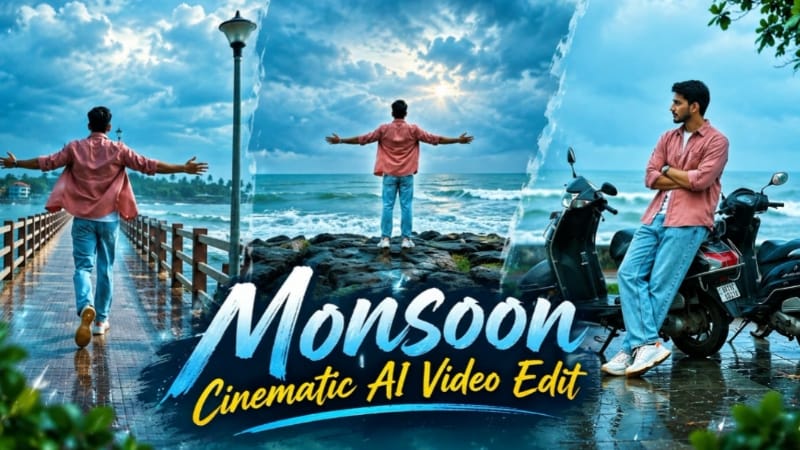
Flow AI Monsoon Cinematic Video Prompt: Create a Realistic 6-Shot Coastal Video
Creating a cinematic video with Flow AI is a creative way to turn a reference image and a detailed text prompt into a realistic video. A well-structured prompt can help guide the subject's movement, camera framing, environment, lighting, clothing, and overall visual style. This Flow AI Monsoon Cinematic Video Prompt is designed for a dramatic coastal atmosphere in India during the monsoon season.
The video concept features a man wearing a dusty rose-pink shirt, a white T-shirt, light blue jeans, and white sneakers. He appears in six different coastal locations, including a seaside pier, a wet plaza, parked scooters, a rocky viewpoint, a path beside coconut palms, and rocks near the sea.
The complete video is designed to last exactly 18 seconds in a 16:9 landscape format. Each shot has its own camera setup and location, with plain hard cuts connecting the scenes. The goal is to create a realistic, polished cinematic sequence rather than an artificial-looking video filled with unnecessary visual effects.
What Makes This Flow AI Video Prompt Special?
1. Six Clearly Defined Cinematic Shots
The prompt specifies six separate shots and assigns a precise time range to each one. The sequence begins with the man running away from the camera along a seaside pier. It then moves to a wet plaza, a scooter scene, a rocky coastal viewpoint, a coconut-palm walkway, and a final back-view scene near the sea.
Defining each shot separately helps communicate the intended sequence. The prompt also explicitly states that no shot should be skipped, repeated, merged, or replaced by an extra shot. However, AI video generation can still interpret complex instructions differently, so always review the final output.
2. Realistic Monsoon Coastal Environment
The visual setting is a tropical coastal town in India during the monsoon. Dramatic grey-blue clouds, wet reflective surfaces, rich green vegetation, and rough grey-green sea waves establish the atmosphere.
Light drizzle is limited to the background. The prompt avoids excessive fog, haze, and artificial-looking effects to keep the surroundings clear. This combination creates a dramatic rainy-season mood while preserving visible environmental details.
3. Consistent Face and Outfit
Character consistency is one of the most important requirements in this prompt. The man should resemble the uploaded reference images, with the same facial features, hairstyle, skin tone, and body shape throughout the sequence.
His outfit also remains unchanged: a dusty rose-pink cotton button-up shirt with rolled sleeves, a white T-shirt, light blue acid-wash jeans, white chunky sneakers with orange accents, and a silver wristwatch with a teal dial.
For the best chance of preserving identity, use clear reference images and avoid changing the subject's appearance between shots. Even with detailed instructions, generated videos may introduce small variations, so check every cut carefully.
4. Sharp Facial Details
The prompt gives special attention to facial clarity in shots 2, 3, and 5. It requests sharp eyes, eyebrows, hair strands, natural skin texture, and clear facial details, including in wide framing.
It also specifies bright, diffused frontal lighting and a deep-focus visual look. These instructions communicate the desired result, but the final sharpness depends on the generation model, source images, camera motion, and output settings.
5. Matching Colour Grade
All six shots are intended to share the same colour grading, exposure, white balance, contrast, and saturation. The desired look includes cool teal-blue monsoon tones, dramatic blue-white skies, saturated green vegetation, reflective wet ground, clean highlights, and detailed shadows.
Keeping the grade consistent helps the six scenes feel like parts of one continuous cinematic video. If the generated shots have visibly different colours, you can make subtle corrections during editing.
6. Natural Camera Movement
The prompt combines static camera positions with one side-tracking shot and a slow push-in near the end. Each movement serves a purpose: the opening establishes the pier, the plaza scene brings the subject toward the viewer, and the final shot creates a quiet coastal ending.
Stable movement is important because warping, flickering, tearing, and motion smear can reduce realism. Review the video at normal speed and, if needed, inspect individual frames before exporting.
Complete Flow AI Prompt
Use the following prompt as the basis for your generation. If your Flow AI interface offers reference-image and video settings, select the options that best match your project.
Cinematic 16:9 landscape video, exactly 18 seconds, photorealistic, 8K quality, true HDR, natural real-time speed (it will be slowed down later in editing). Real-life footage look, ultra sharp and clean.
SHOT COUNT LOCK (most important): this video has exactly 6 different shots, each in a different location with a different camera setup, joined by plain hard cuts. All 6 shots must appear, in the given order, each for its given time. Never skip a shot, never merge two shots, never repeat a shot, never add a 7th shot.
NO EFFECTS: no butterflies, no particles, no sparkles, no glitch, no light leaks, no lens-flare flashes, no transition effects, no overlays.
FACE SHARPNESS (very important): in every shot where the face is visible (shots 2, 3 and 5) the face is in razor-sharp focus, ultra-detailed and crystal clear, even in wide framing: sharp eyes, eyebrows, hair strands, visible skin texture and natural skin detail. Fast shutter look, deep focus (f/8) so the whole body and face are sharp. No blur, no soft focus, no motion blur on the face, no rain drops over the face, no water drops on the lens, no film grain on the face, no beauty-filter smoothing, no hair or shadow covering the face.
ONE COLOUR GRADE FOR ALL SHOTS: every shot has exactly the same colour grading, white balance, exposure, contrast and saturation. Vivid punchy HDR with a cool teal-blue monsoon tone, deep blue-white dramatic skies, rich saturated greens, wet reflective ground, bright clean highlights without clipping, detailed shadows without crushing, 10-bit colour, wide dynamic range. No haze, no fog, no washed-out look, no heavy film grain.
FACE IN HDR: the face is evenly and brightly exposed by soft diffused frontal light with a gentle fill, natural skin tone, no overexposed highlights, no dark shadow on any part of the face.
MAN LOCK: The man must look exactly like the uploaded man images in every frame: identical face, hair, skin tone and body shape. Same outfit in every shot: dusty rose pink cotton button-up shirt with a chest pocket worn open with rolled-up sleeves, white t-shirt underneath, light blue acid-wash relaxed straight jeans, white chunky sneakers with small orange accents, silver steel wristwatch with a teal dial. No other people anywhere. Never change the man's face or outfit between cuts.
WEATHER: a tropical coastal town in India in the monsoon, light drizzle only in the background, dramatic grey-blue clouds, wet reflective ground, rough grey-green sea.
CLEAN MOTION: smooth and stable, consistent from frame to frame, no warping, no tearing, no flicker, no motion smear, no whip pans, no jumps inside a shot.
THE 6 SHOTS, in this exact order, with the exact framing described:
SHOT 1 of 6 (0-3.6s), seaside pier: static low camera at the end of a long seaside pier walkway with brown-and-white railings and a tall lamp post on the right, a leafy green branch in the left foreground, the sea with crashing waves on the right, big blue-white dramatic clouds above. The man is seen from behind and RUNS down the pier away from the camera with both arms stretched wide open, getting smaller as he runs.
SHOT 2 of 6 (3.6-6.8s), wet plaza: static camera, slightly low angle, full-body wide framing on a wet reflective paved plaza. The man walks slowly toward the camera, hands relaxed, looking at the camera, face bright and sharp. Behind him: parked scooters along the back, a tall blue building, green trees.
SHOT 3 of 6 (6.8-9.9s), scooter: static camera, wide full-body framing. The man leans back against two parked black scooters with arms folded and one leg stretched out in front of him, looking down, then turning his head to look out at the grey sea in profile, face sharp and clearly lit. Wet ground, a green grass strip, the sea and waves behind, a leafy tree branch hanging at the top right.
SHOT 4 of 6 (9.9-11.4s), rocky outcrop: static wide shot. The man stands far away on a rocky outcrop with his back to the camera and both arms spread wide, looking at the sea. Green grass slope in the foreground, tree leaves at the top right, grey clouds.
SHOT 5 of 6 (11.4-14.2s), coconut palms: side tracking shot, full-body framing, the camera moves alongside him as he walks in profile toward frame-left with his hands relaxed, looking ahead, face sharp and clearly lit. Behind him a still backwater and a long row of tall coconut palms, grass and wet ground in the foreground.
SHOT 6 of 6 (14.2-18s), sea rocks: static back view. The man steps up and walks over wet rocks toward the sea, then stands still facing the sea with both arms slightly open at his sides. Waves roll in under the grey-teal overcast sky, camera very slowly pushing in.
CHECKLIST: pier run, plaza walk toward camera, scooter lean, rocky outcrop arms wide, coconut-palm side walk, sea-rocks back view. All six must be visible.
Small subtle white text watermark "NoorEditing07" at the bottom centre in every shot.
Tips for Better Results
- Use clear reference images with good lighting and visible facial features.
- Keep the reference images consistent with the requested outfit.
- Check that the generated video contains all six scenes in the correct order.
- Inspect the face in shots 2, 3, and 5 for unwanted changes or softness.
- Confirm the landscape framing and the overall 18-second duration.
- Look for unexpected people, effects, outfit changes, or inconsistent colours.
- If the tool cannot generate all six shots reliably in one pass, consider creating the scenes separately and assembling them in an editor with hard cuts.
- Add slow motion during editing only if it suits your intended result. Slowing footage can make the final runtime longer unless you adjust the clip duration.
Frequently Asked Questions
Can I use this prompt for a monsoon cinematic video?
Yes. It is written around a rainy coastal environment, wet ground, dramatic skies, sea waves, and six distinct scenes.
Will the face remain exactly the same?
The prompt requests strong identity preservation, but no text prompt can guarantee perfect identity consistency in every generated frame. Use suitable reference images and review the result.
Why are there exactly six shots?
The shot-count instruction defines the intended structure and duration of each scene. The generated result should still be checked to confirm that all six appear in order.
Can I add slow motion?
The prompt requests natural real-time movement so that you can slow the footage later in editing. Check the final duration after applying slow motion.
Conclusion
This Flow AI Monsoon Cinematic Video Prompt is designed for creators who want a realistic, dramatic coastal video featuring consistent clothing, sharp facial details, stable camera movement, and a unified teal-blue colour grade. Its six-shot structure provides a clear visual sequence from a seaside pier to the rocks beside the sea.
Use clear reference images, inspect the generated scenes carefully, and make final adjustments in your preferred editing app. For more AI photo prompts, cinematic video prompts, and editing tutorials, search for NoorEditing07 on Google.
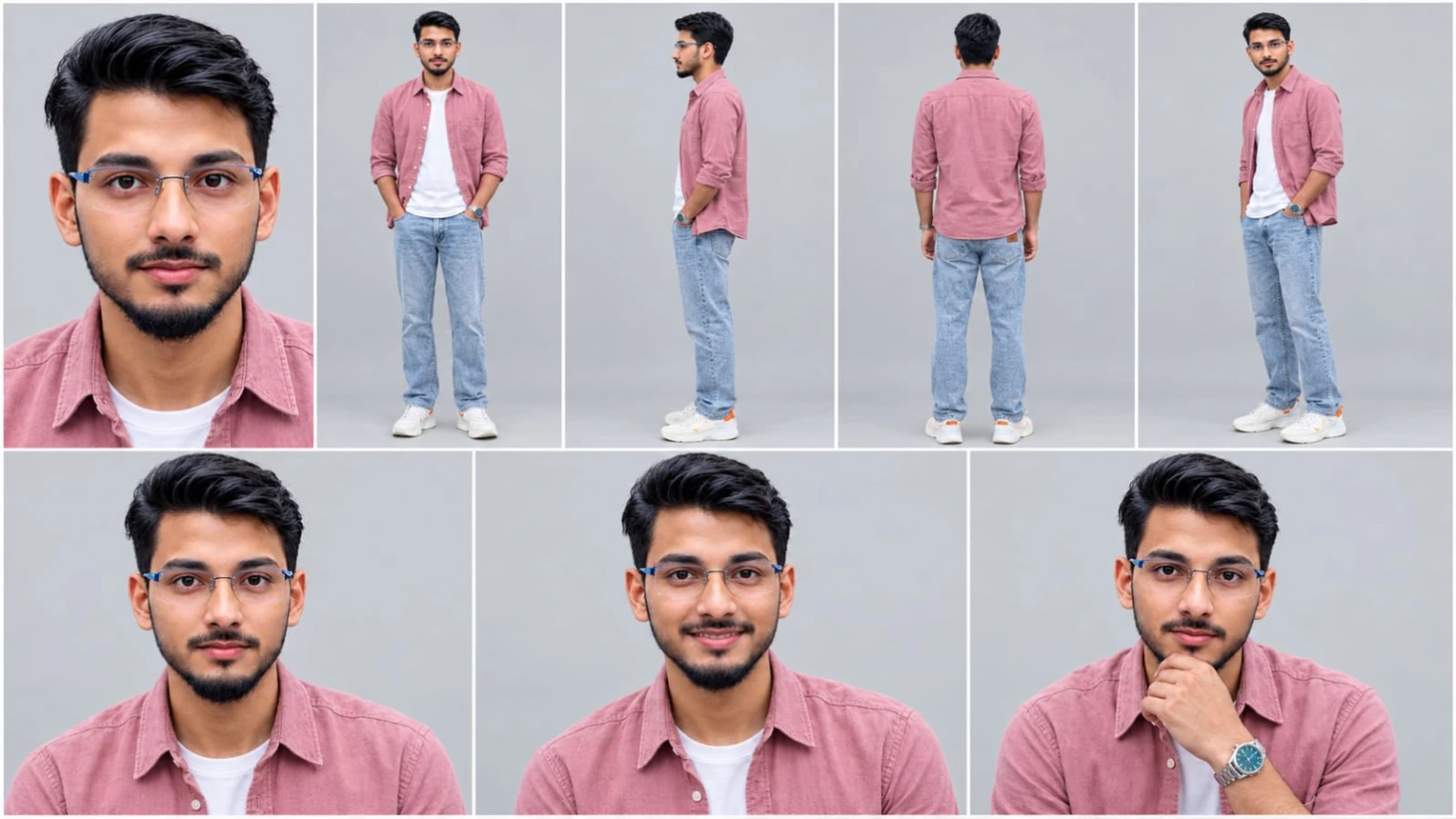
Sabse Pehle Character Sheet Photo Banaai ChatGPT Se
Use the FIRST uploaded photo as the ONLY face and body reference. Create a character reference sheet of this EXACT same real person, not a similar or new person. Keep the identical face, facial features, skin tone, skin texture, hair, hairline, beard or lack of it, age and body shape. Do not beautify, do not smooth the skin, do not change anything about the face. The face must be bright, clear and sharp with no shadow on it. Layout, 16:9, thin white dividers: top row 5 panels (close-up face, full body front, full body side, full body back, full body three-quarter), bottom row 3 close-up face panels with natural expressions. Plain light grey studio background, soft even bright daylight, realistic photo, sharp details, natural skin texture, 4K. It must look like a real photograph, not AI art.
Use the FIRST uploaded photo as the ONLY face and body reference. Create a character reference sheet of this EXACT same real person, not a similar or new person. Keep the identical face, facial features, skin tone, skin texture, hair, hairline, beard or lack of it, age and body shape. Do not beautify, do not smooth the skin, do not change anything about the face. The face must be bright, clear and sharp with no shadow on it.
Layout, 16:9, thin white dividers: top row 5 panels (close-up face, full body front, full body side, full body back, full body three-quarter), bottom row 3 close-up face panels with natural expressions. Plain light grey studio background, soft even bright daylight, realistic photo, sharp details, natural skin texture, 4K. It must look like a real photograph, not AI art.
Outfit in every panel, identical, copied from the SECOND uploaded image: dusty rose pink cotton button-up shirt with a chest pocket worn open with rolled-up sleeves, white t-shirt underneath, light blue acid-wash relaxed straight jeans with a brown leather patch at the waist, white chunky low-top sneakers with small orange accents, silver steel wristwatch with a teal dial on the left wrist.
✓
Prompt copied to clipboard!
AI Character Reference Sheet Prompt Card
✦AI PHOTO PROMPT
Use the FIRST uploaded photo as the ONLY face and body reference. Create a character reference sheet of this EXACT same real person, not a similar or new person. Keep the identical face, facial features, skin tone, skin texture, hair, hairline, beard or lack of it, age and body shape. Do not beautify, do not smooth the skin, do not change anything about the face. The face must be bright, clear and sharp with no shadow on it. Layout, 16:9, thin white dividers: top row 5 panels (close-up face, full body front, full body side, full body back, full body three-quarter), bottom row 3 close-up face panels with natural expressions. Plain light grey studio background, soft even bright daylight, realistic photo, sharp details, natural skin texture, 4K. It must look like a real photograph, not AI art.
Use the FIRST uploaded photo as the ONLY face and body reference. Create a character reference sheet of this EXACT same real person, not a similar or new person. Keep the identical face, facial features, skin tone, skin texture, hair, hairline, beard or lack of it, age and body shape. Do not beautify, do not smooth the skin, do not change anything about the face. The face must be bright, clear and sharp with no shadow on it.
Layout, 16:9, thin white dividers: top row 5 panels (close-up face, full body front, full body side, full body back, full body three-quarter), bottom row 3 close-up face panels with natural expressions. Plain light grey studio background, soft even bright daylight, realistic photo, sharp details, natural skin texture, 4K. It must look like a real photograph, not AI art.
Outfit in every panel, identical, copied from the SECOND uploaded image: dusty rose pink cotton button-up shirt with a chest pocket worn open with rolled-up sleeves, white t-shirt underneath, light blue acid-wash relaxed straight jeans with a brown leather patch at the waist, white chunky low-top sneakers with small orange accents, silver steel wristwatch with a teal dial on the left wrist.
Cinematic 16:9 landscape video, exactly 18 seconds, photorealistic, 8K quality, true HDR, natural real-time speed (it will be slowed down later in editing). Real-life footage look, ultra sharp and clean. SHOT COUNT LOCK (most important): this video has exactly 6 different shots, each in a different location with a different camera setup, joined by plain hard cuts. All 6 shots must appear, in the given order, each for its given time. Never skip a shot, never merge two shots, never repeat a shot, never add a 7th shot. NO EFFECTS: no butterflies, no particles, no sparkles, no glitch, no light leaks, no lens-flare flashes, no transition effects, no overlays. FACE SHARPNESS (very important): in every shot where the face is visible (shots 2, 3 and 5) the face is in razor-sharp focus, ultra-detailed and crystal clear, even in wide framing: sharp eyes, eyebrows, hair strands, visible skin texture and natural skin detail. Fast shutter look, deep focus (f/8) so the whole body and face are sharp.
Cinematic 16:9 landscape video, exactly 18 seconds, photorealistic, 8K quality, true HDR, natural real-time speed (it will be slowed down later in editing). Real-life footage look, ultra sharp and clean.
SHOT COUNT LOCK (most important): this video has exactly 6 different shots, each in a different location with a different camera setup, joined by plain hard cuts. All 6 shots must appear, in the given order, each for its given time. Never skip a shot, never merge two shots, never repeat a shot, never add a 7th shot.
NO EFFECTS: no butterflies, no particles, no sparkles, no glitch, no light leaks, no lens-flare flashes, no transition effects, no overlays.
FACE SHARPNESS (very important): in every shot where the face is visible (shots 2, 3 and 5) the face is in razor-sharp focus, ultra-detailed and crystal clear, even in wide framing: sharp eyes, eyebrows, hair strands, visible skin texture and natural skin detail. Fast shutter look, deep focus (f/8) so the whole body and face are sharp. No blur, no soft focus, no motion blur on the face, no rain drops over the face, no water drops on the lens, no film grain on the face, no beauty-filter smoothing, no hair or shadow covering the face.
ONE COLOUR GRADE FOR ALL SHOTS: every shot has exactly the same colour grading, white balance, exposure, contrast and saturation. Vivid punchy HDR with a cool teal-blue monsoon tone, deep blue-white dramatic skies, rich saturated greens, wet reflective ground, bright clean highlights without clipping, detailed shadows without crushing, 10-bit colour, wide dynamic range. No haze, no fog, no washed-out look, no heavy film grain.
FACE IN HDR: the face is evenly and brightly exposed by soft diffused frontal light with a gentle fill, natural skin tone, no overexposed highlights, no dark shadow on any part of the face.
MAN LOCK: The man must look exactly like the uploaded man images in every frame: identical face, hair, skin tone and body shape. Same outfit in every shot: dusty rose pink cotton button-up shirt with a chest pocket worn open with rolled-up sleeves, white t-shirt underneath, light blue acid-wash relaxed straight jeans, white chunky sneakers with small orange accents, silver steel wristwatch with a teal dial. No other people anywhere. Never change the man's face or outfit between cuts.
WEATHER: a tropical coastal town in India in the monsoon, light drizzle only in the background, dramatic grey-blue clouds, wet reflective ground, rough grey-green sea.
CLEAN MOTION: smooth and stable, consistent from frame to frame, no warping, no tearing, no flicker, no motion smear, no whip pans, no jumps inside a shot.
THE 6 SHOTS, in this exact order, with the exact framing described:
SHOT 1 of 6 (0-3.6s), seaside pier: static low camera at the end of a long seaside pier walkway with brown-and-white railings and a tall lamp post on the right, a leafy green branch in the left foreground, the sea with crashing waves on the right, big blue-white dramatic clouds above. The man is seen from behind and RUNS down the pier away from the camera with both arms stretched wide open, getting smaller as he runs.
SHOT 2 of 6 (3.6-6.8s), wet plaza: static camera, slightly low angle, full-body wide framing on a wet reflective paved plaza. The man walks slowly toward the camera, hands relaxed, looking at the camera, face bright and sharp. Behind him: parked scooters along the back, a tall blue building, green trees.
SHOT 3 of 6 (6.8-9.9s), scooter: static camera, wide full-body framing. The man leans back against two parked black scooters with arms folded and one leg stretched out in front of him, looking down, then turning his head to look out at the grey sea in profile, face sharp and clearly lit. Wet ground, a green grass strip, the sea and waves behind, a leafy tree branch hanging at the top right.
SHOT 4 of 6 (9.9-11.4s), rocky outcrop: static wide shot. The man stands far away on a rocky outcrop with his back to the camera and both arms spread wide, looking at the sea. Green grass slope in the foreground, tree leaves at the top right, grey clouds.
SHOT 5 of 6 (11.4-14.2s), coconut palms: side tracking shot, full-body framing, the camera moves alongside him as he walks in profile toward frame-left with his hands relaxed, looking ahead, face sharp and clearly lit. Behind him a still backwater and a long row of tall coconut palms, grass and wet ground in the foreground.
SHOT 6 of 6 (14.2-18s), sea rocks: static back view. The man steps up and walks over wet rocks toward the sea, then stands still facing the sea with both arms slightly open at his sides. Waves roll in under the grey-teal overcast sky, camera very slowly pushing in.
CHECKLIST: pier run, plaza walk toward camera, scooter lean, rocky outcrop arms wide, coconut-palm side walk, sea-rocks back view. All six must be visible.
Small subtle white text watermark "NoorEditing07" at the bottom centre in every shot.
✓
Prompt copied to clipboard!
AI Video Generation Prompt Card
✦AI VIDEO PROMPT
Cinematic 16:9 landscape video, exactly 18 seconds, photorealistic, 8K quality, true HDR, natural real-time speed (it will be slowed down later in editing). Real-life footage look, ultra sharp and clean. SHOT COUNT LOCK (most important): this video has exactly 6 different shots, each in a different location with a different camera setup, joined by plain hard cuts. All 6 shots must appear, in the given order, each for its given time. Never skip a shot, never merge two shots, never repeat a shot, never add a 7th shot. NO EFFECTS: no butterflies, no particles, no sparkles, no glitch, no light leaks, no lens-flare flashes, no transition effects, no overlays. FACE SHARPNESS (very important): in every shot where the face is visible (shots 2, 3 and 5) the face is in razor-sharp focus, ultra-detailed and crystal clear, even in wide framing: sharp eyes, eyebrows, hair strands, visible skin texture and natural skin detail. Fast shutter look, deep focus (f/8) so the whole body and face are sharp.
Cinematic 16:9 landscape video, exactly 18 seconds, photorealistic, 8K quality, true HDR, natural real-time speed (it will be slowed down later in editing). Real-life footage look, ultra sharp and clean.
SHOT COUNT LOCK (most important): this video has exactly 6 different shots, each in a different location with a different camera setup, joined by plain hard cuts. All 6 shots must appear, in the given order, each for its given time. Never skip a shot, never merge two shots, never repeat a shot, never add a 7th shot.
NO EFFECTS: no butterflies, no particles, no sparkles, no glitch, no light leaks, no lens-flare flashes, no transition effects, no overlays.
FACE SHARPNESS (very important): in every shot where the face is visible (shots 2, 3 and 5) the face is in razor-sharp focus, ultra-detailed and crystal clear, even in wide framing: sharp eyes, eyebrows, hair strands, visible skin texture and natural skin detail. Fast shutter look, deep focus (f/8) so the whole body and face are sharp. No blur, no soft focus, no motion blur on the face, no rain drops over the face, no water drops on the lens, no film grain on the face, no beauty-filter smoothing, no hair or shadow covering the face.
ONE COLOUR GRADE FOR ALL SHOTS: every shot has exactly the same colour grading, white balance, exposure, contrast and saturation. Vivid punchy HDR with a cool teal-blue monsoon tone, deep blue-white dramatic skies, rich saturated greens, wet reflective ground, bright clean highlights without clipping, detailed shadows without crushing, 10-bit colour, wide dynamic range. No haze, no fog, no washed-out look, no heavy film grain.
FACE IN HDR: the face is evenly and brightly exposed by soft diffused frontal light with a gentle fill, natural skin tone, no overexposed highlights, no dark shadow on any part of the face.
MAN LOCK: The man must look exactly like the uploaded man images in every frame: identical face, hair, skin tone and body shape. Same outfit in every shot: dusty rose pink cotton button-up shirt with a chest pocket worn open with rolled-up sleeves, white t-shirt underneath, light blue acid-wash relaxed straight jeans, white chunky sneakers with small orange accents, silver steel wristwatch with a teal dial. No other people anywhere. Never change the man's face or outfit between cuts.
WEATHER: a tropical coastal town in India in the monsoon, light drizzle only in the background, dramatic grey-blue clouds, wet reflective ground, rough grey-green sea.
CLEAN MOTION: smooth and stable, consistent from frame to frame, no warping, no tearing, no flicker, no motion smear, no whip pans, no jumps inside a shot.
THE 6 SHOTS, in this exact order, with the exact framing described:
SHOT 1 of 6 (0-3.6s), seaside pier: static low camera at the end of a long seaside pier walkway with brown-and-white railings and a tall lamp post on the right, a leafy green branch in the left foreground, the sea with crashing waves on the right, big blue-white dramatic clouds above. The man is seen from behind and RUNS down the pier away from the camera with both arms stretched wide open, getting smaller as he runs.
SHOT 2 of 6 (3.6-6.8s), wet plaza: static camera, slightly low angle, full-body wide framing on a wet reflective paved plaza. The man walks slowly toward the camera, hands relaxed, looking at the camera, face bright and sharp. Behind him: parked scooters along the back, a tall blue building, green trees.
SHOT 3 of 6 (6.8-9.9s), scooter: static camera, wide full-body framing. The man leans back against two parked black scooters with arms folded and one leg stretched out in front of him, looking down, then turning his head to look out at the grey sea in profile, face sharp and clearly lit. Wet ground, a green grass strip, the sea and waves behind, a leafy tree branch hanging at the top right.
SHOT 4 of 6 (9.9-11.4s), rocky outcrop: static wide shot. The man stands far away on a rocky outcrop with his back to the camera and both arms spread wide, looking at the sea. Green grass slope in the foreground, tree leaves at the top right, grey clouds.
SHOT 5 of 6 (11.4-14.2s), coconut palms: side tracking shot, full-body framing, the camera moves alongside him as he walks in profile toward frame-left with his hands relaxed, looking ahead, face sharp and clearly lit. Behind him a still backwater and a long row of tall coconut palms, grass and wet ground in the foreground.
SHOT 6 of 6 (14.2-18s), sea rocks: static back view. The man steps up and walks over wet rocks toward the sea, then stands still facing the sea with both arms slightly open at his sides. Waves roll in under the grey-teal overcast sky, camera very slowly pushing in.
CHECKLIST: pier run, plaza walk toward camera, scooter lean, rocky outcrop arms wide, coconut-palm side walk, sea-rocks back view. All six must be visible.
Small subtle white text watermark "NoorEditing07" at the bottom centre in every shot.
Sabse pehle Google par Flow AI search karein aur official website open karke apne account se sign in karein.
Step 2: Reference Photo Upload Karein
Agar aap video mein apna face rakhna chahte hain, to available image reference option mein apni clear photo upload karein. Isse AI ko aapka face aur overall appearance samajhne mein madad milegi.
Step 3: Full Prompt Copy Karein
Is article mein diya gaya complete Monsoon Cinematic Video Prompt copy karein. Is prompt mein 6 different shots, pink shirt outfit, face sharpness, camera movements, monsoon weather aur colour grading ki details di gayi hain.
Step 4: Prompt Paste Karein
Flow AI ke prompt box mein copied prompt paste karein. Generate karne se pehle check karein ki sabhi 6 shots ka order aur timing sahi mention hai.
Step 5: Video Settings Select Karein
Agar options available hain, to 16:9 landscape aspect ratio aur 18-second video duration select karein. Quality ke liye available settings mein se suitable option choose karein.
Step 6: Generate Video Par Click Karein
Ab Generate button par click karein aur video process hone tak wait karein. Generation complete hone ke baad video ko play karke check karein.
Step 7: All 6 Shots Check Karein
Video mein seaside pier running, wet plaza walking, scooter pose, rocky outcrop pose, coconut palms ke paas side walking aur sea rocks wala final shot hona chahiye. Sabhi shots correct order mein hone chahiye.
Step 8: Face Aur Outfit Check Karein
Video mein face, hairstyle aur outfit ko reference photo se compare karein. Agar kisi shot mein face change ho gaya hai, koi scene missing hai ya unwanted effects aa rahe hain, to available regeneration options se dobara try karein.
Step 9: Video Download Karein
Jab video sahi ban jaye, to Flow AI ke available download ya export option se use apne device mein save kar lein.
Is tarah aap Flow AI ki madad se apna Monsoon Cinematic Video generate kar sakte hain. Best result ke liye clear reference photo use karein aur final video mein sabhi 6 shots ko zaroor check karein.
Flow AI Monsoon Cinematic Video Prompt - Noor Editing
Flow AI Monsoon Cinematic Video PromptFlow AI Video PromptMonsoon Cinematic VideoAI Video Editing PromptFlow AI 6 Shot VideoRealistic AI Video PromptCoastal Cinematic VideoAI Monsoon Video18 Second Cinematic VideoFlow AI Photo to VideoCinematic Video Prompt for MenTeal Blue Colour GradingAI Face Consistency PromptIndian Coastal Video PromptNoorEditing07
Flow AI Monsoon Cinematic Video Prompt - Noor Editing
Flow AI Monsoon Cinematic Video PromptFlow AI Video PromptMonsoon Cinematic VideoAI Video Editing PromptFlow AI 6 Shot VideoRealistic AI Video PromptCoastal Cinematic VideoAI Monsoon Video18 Second Cinematic VideoFlow AI Photo to VideoCinematic Video Prompt for MenTeal Blue Colour GradingAI Face Consistency PromptIndian Coastal Video PromptNoorEditing07
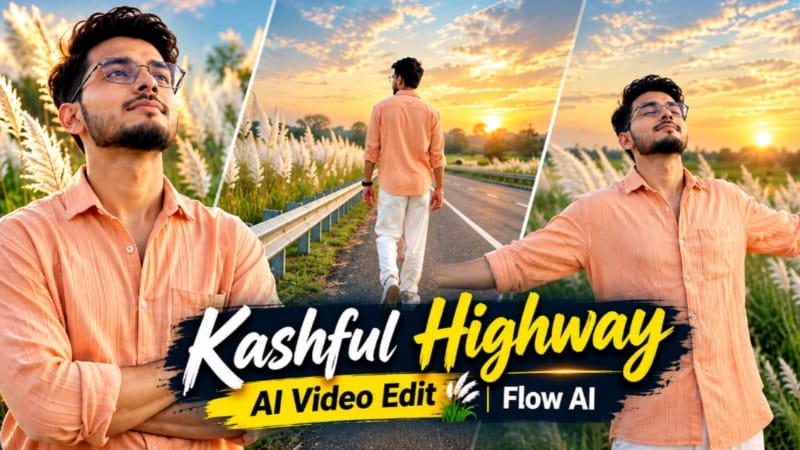
1. Kashful Highway Cinematic AI Video | Flow AI Prompt
Kashful Highway Cinematic AI Video ek emotional photo-to-video editing concept hai. Ismein rural highway, tall white Kashful grass, roadside metal railing aur sunset ki indigo-amber lighting ka use hota hai. Is prompt ka goal ek reference photo se six cinematic scenes create karna hai. Original Article
Step 1: Character Photo Ready Karein
Apni clear reference photo select karein, jisme face aur hairstyle visible hon. Identity aur natural skin tone ko preserve karne ki instruction dein.
Step 2: Character Sheet Banayein
Agar available ho, to ChatGPT se front, side, back aur three-quarter views wali character reference sheet banayein.
Step 3: Flow AI Open Karein
Flow AI open karke reference photo upload karein.
Step 4: Prompt Copy Karein
Website se Kashful Highway Cinematic AI Video Prompt copy karein. Ismein 16:9 widescreen format aur six-scene sequence ki details hain.
Step 5: Outfit Maintain Karein
Character ke outfit mein peach-orange button-down shirt, loose white trousers aur white casual sneakers hain.
Step 6: Six Scenes Generate Karein
Roadside walking, railing ke against arms-crossed pose, side-profile view, road par arms spread karke walking, sky ki taraf dekhna aur horizon ki taraf running wale scenes create karein.
Step 7: Final Video Export Karein
Face, outfit, background aur scene transitions check karein. Bottom-corner NoorEditing07 watermark verify karein aur final video export karein.
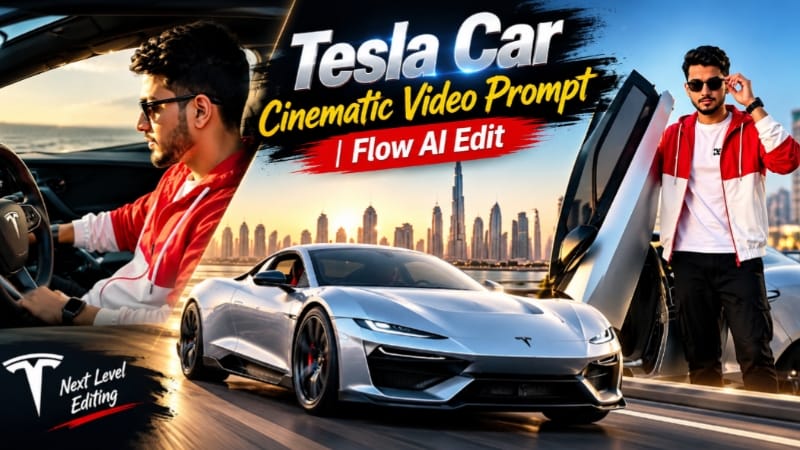
2. Tesla Car Cinematic Video Prompt | Flow AI Edit
Tesla Car Cinematic Video Prompt ek premium automotive-video concept hai, jisme Tesla car, Dubai Marina skyline, golden-hour lighting aur smooth cinematic camera movements ka use hota hai. Is concept mein driver aur vehicle ki appearance ko multiple scenes mein consistent rakhne par focus hai. Original Article
Step 1: Reference Images Ready Karein
Driver ki clear photo aur Tesla ki front, side aur rear reference images select karein. Interior shots ke liye suitable cabin reference bhi helpful ho sakta hai.
Step 2: Flow AI Open Karein
Flow AI ka video-generation feature open karein aur supported workflow ke according reference images upload karein.
Step 3: Complete Prompt Copy Karein
NoorEditing07.com se Tesla Car Cinematic Video Prompt copy karein. Ismein 15-second target duration, 16:9 landscape composition aur 21 short shots ka sequence diya gaya hai.
Step 4: Driver Outfit Maintain Karein
Driver red-and-white colour-block hooded jacket, white T-shirt, wide black cargo pants, white sneakers, black sunglasses aur black digital watch pehenta hai.
Step 5: Dubai Background Create Karein
Prompt mein Dubai Marina ke glass towers, palm-lined roads, bridges aur ek driving shot mein Burj Khalifa ka reference diya gaya hai.
Step 6: Cinematic Scenes Generate Karein
Exterior car shots, wheel close-ups, driver ke cockpit shots, elevated-road tracking shots aur final rear-view shot generate karein.
Step 7: Review Aur Export Karein
Car design, driver identity, headlights, wheels aur interior details check karein. Bottom-centre NoorEditing07 watermark ko verify karke clips combine karein aur final video export karein.
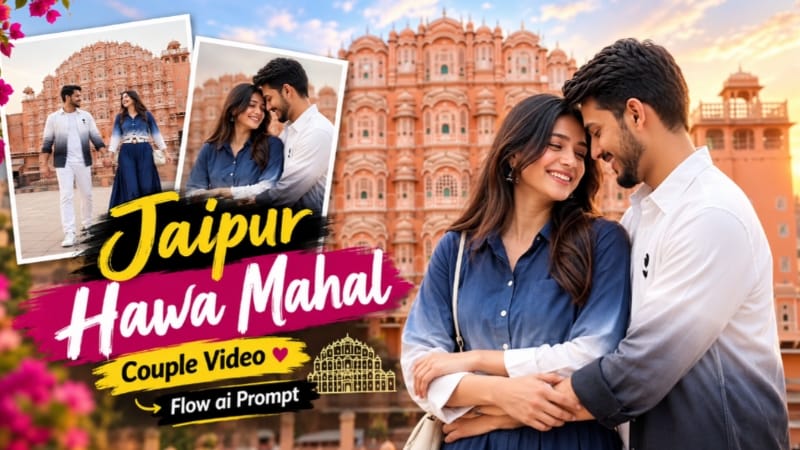
3. Jaipur Hawa Mahal Couple Video Edit | Flow AI Romantic Travel Reel
Jaipur Hawa Mahal Couple Video Edit ek romantic travel-reel concept hai, jisme Jaipur ki pink sandstone architecture aur couple ke cinematic moments ko combine kiya gaya hai. Is prompt mein nine shots, 10-second target duration aur 16:9 landscape composition di gayi hai.
Male aur female characters ki clear photos ready karein. Image 1 male aur Image 2 female character ke liye use karein.
Step 2: Flow AI Open Karein
Flow AI mein available video-generation feature open karein aur reference photos upload karein, agar workflow support karta ho.
Step 3: Prompt Copy Karein
NoorEditing07.com se complete Jaipur Hawa Mahal Couple Video Prompt copy karein.
Step 4: Video Settings Select Karein
Available settings mein 16:9 landscape format aur 10-second target duration rakhein.
Step 5: Nine Cinematic Shots Create Karein
Hawa Mahal rooftop view, hand-in-hand walking, sandstone corridor, couple dancing, romantic hug, jharokha balcony aur rooftop finale jaise shots ko prompt ke sequence ke according generate karein.
Step 6: Character Appearance Check Karein
Dono characters ke faces, outfits aur body proportions ko reference photos ke saath compare karein. Background mein Jaipur architecture consistent honi chahiye.
Step 7: Final Video Export Karein
Scene transitions aur camera movement check karein. Prompt ke according bottom-centre white NoorEditing07 watermark verify karein aur final video export karein.
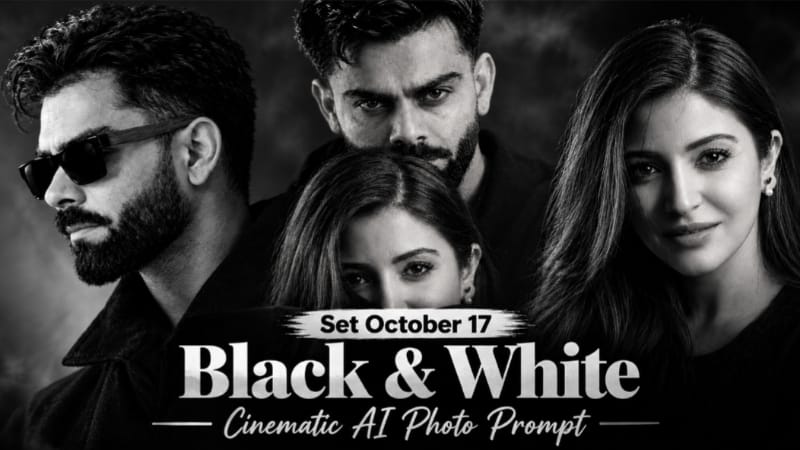
4. Black and White Cinematic AI Photo Editing Prompt with Face Reference
Black and White Cinematic AI Photo Editing Prompt ek dramatic monochrome portrait concept hai. Ismein reference face, yellow sunglasses, deep blacks, cinematic shadows aur lock-screen style date-clock overlay ka look use hota hai.
Image 1 ko pose, outfit, sunglasses aur composition ke liye use karein. Image 2 mein apni clear face photo rakhein.
Step 2: ChatGPT Open Karein
ChatGPT ka image-generation feature open karein aur dono reference images upload karein.
Step 3: Prompt Copy Karein
NoorEditing07.com se complete Black and White Cinematic AI Photo Prompt copy karein. Face aur natural facial details preserve karne ki instructions ko check karein.
Step 4: Prompt Paste Karein
Prompt paste karke vertical 9:16 composition aur 1080 × 1920 target size select karein, agar available ho.
Step 5: Cinematic Effect Generate Karein
Deep black tones, dramatic shadows aur monochrome contrast ke saath image generate karein. Yellow sunglasses ko prompt ke according maintain karein.
Step 6: Date Aur Clock Check Karein
Lock-screen style date aur clock overlay ki spelling aur placement verify karein. AI-generated text mein errors ho sakte hain.
Step 7: Final Image Save Karein
Face, hairstyle, outfit aur shadows check karein. Zarurat par text ya cropping ko editor mein correct karke final image save karein.
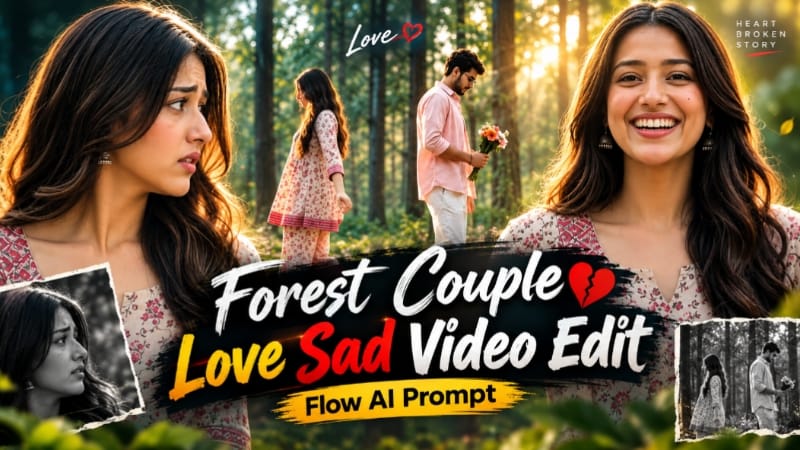
5. Forest Couple AI Video Edit | Emotional Flow AI Prompt
Forest Couple AI Video Edit ek emotional cinematic concept hai, jisme green forest, golden-hour sunlight, autumn leaves aur colourful flower bouquet ka use hota hai. Is video concept mein eight shots, 10-second target duration aur 16:9 landscape composition hai.
Male aur female characters ki clear reference photos select karein. Image 1 male aur Image 2 female character ke liye use karein.
Step 2: Flow AI Open Karein
Flow AI open karein aur supported reference-image workflow se dono photos upload karein.
Step 3: Prompt Copy Karein
Website se complete Forest Couple AI Video Prompt copy karein aur prompt box mein paste karein.
Step 4: Outfits Maintain Karein
Male character pastel-pink open shirt, white T-shirt aur white pleated trousers pehenta hai. Female character cream-beige floral kurti, matching palazzo aur tan Kolhapuri sandals mein hai.
Step 5: Eight Shots Generate Karein
Woman close-up, bouquet ke saath man, arms-open gesture, medium shot aur couple ke meeting sequence ko prompt ke according generate karein.
Step 6: Special Transition Create Karein
Central wide shot mein couple ek-doosre ki taraf aata hai aur semi-transparent ghost-style effect ke saath opposite sides cross karta hai.
Step 7: Final Video Export Karein
Faces, outfits, bouquet aur transition consistency check karein. Bottom-centre NoorEditing07 watermark verify karein. Zarurat par clips separately generate karke combine karein aur final video export karein.