Tesla Car Cinematic Video Prompt in Dubai Using Flow AI
Tesla car videos are popular among automotive enthusiasts and AI video creators because they combine modern electric vehicle design with clean styling, dramatic lighting and cinematic driving scenes. With a detailed Flow AI video prompt and suitable reference images, creators can experiment with a premium-looking Tesla-inspired car commercial set against Dubai's modern skyline.
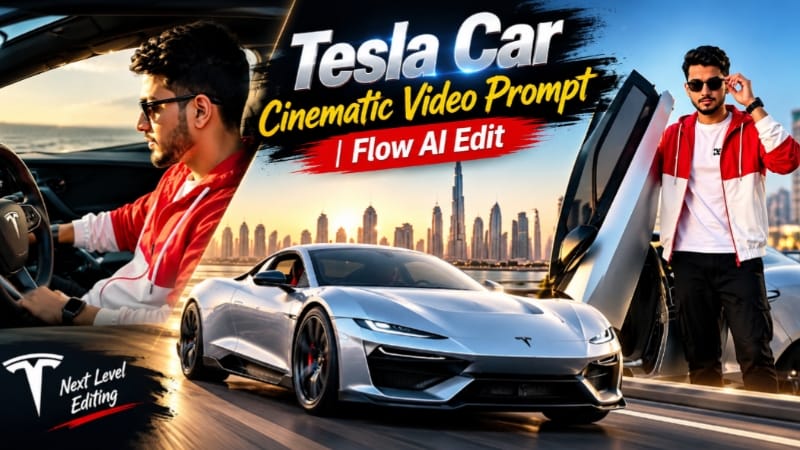
This Tesla Car Cinematic Video Prompt is designed around a 15-second landscape video featuring a driver and a car based on the supplied reference images. The planned sequence includes exterior car shots, close-ups of the wheels, interior driving scenes, dramatic sunset lighting and a final rear view against the Dubai Marina skyline.
The goal is to maintain a consistent driver and vehicle appearance throughout the video while creating a polished automotive-commercial style. This article explains the prompt's main features, how to use reference images and how to prepare the final video for editing.
What Is a Tesla Car Cinematic Video Prompt?
A Tesla Car Cinematic Video Prompt is a detailed set of instructions that describes the vehicle, driver, surroundings, lighting and camera movements for an AI-generated video.
Instead of asking a video generator to create a general car advertisement, this prompt specifies individual scenes and their intended order. The video moves between front and rear views, close-ups of the wheels, interior shots of the driver and driving scenes on elevated roads.
The Dubai setting adds modern architecture, palm-lined streets and skyline views to the commercial. The requested 16:9 landscape composition is suitable for YouTube videos, automotive edits and widescreen promotional concepts.
For accurate results, use clear reference images of the actual Tesla model you want to feature. The supplied car images should determine the vehicle's body shape, lights, wheels and other identifying design details.
Main Features of This Tesla Flow AI Video Prompt
1. Tesla Car Reference and Design Consistency
The car reference images are essential for establishing which Tesla vehicle should appear in the video. The prompt asks the generator to preserve the same vehicle design throughout the different shots.
Depending on the reference images, important details may include the body shape, front lighting, wheel design, door configuration and rear styling. These details should be based on the uploaded Tesla rather than replaced with an unrelated sports car design.
If your reference shows a modified or futuristic Tesla, describe those modifications clearly. This helps distinguish a custom design from the original production model.
AI video generators may still alter vehicle details between shots, particularly when the camera angle changes. Reviewing the output and regenerating inconsistent clips can improve continuity.
2. Consistent Driver Identity
The driver is based on the uploaded man reference image. The prompt asks the video generator to maintain his facial features, hairstyle, skin tone, body shape, clothing and accessories throughout the sequence.
This matters because the commercial alternates between exterior driving footage and close-ups inside the cockpit. Without clear identity instructions, an AI-generated face may change between cuts.
Use a clear reference photo with visible facial features. If the video workflow supports reference images for individual shots, reuse the same reference wherever the driver appears.
Identity consistency cannot be guaranteed perfectly, so inspect the generated clips before combining them into a final video.
3. Stylish Driver Outfit
The driver wears a red-and-white colour-block hooded jacket with white drawstrings, a white T-shirt, wide black cargo pants, white sneakers, black sunglasses and a black digital watch.
The prompt asks for the same outfit in every shot. Maintaining these clothing details gives the driver a consistent appearance and helps the video feel like one connected commercial.
Check the sunglasses, jacket colours and watch in the close-up shots, where small visual inconsistencies can become more noticeable.
4. Dubai Marina Skyline
Dubai Marina provides a modern urban backdrop for the Tesla commercial. The scene descriptions include tall glass towers, palm-lined streets, elevated highways and bridges.
The Burj Khalifa is requested in one of the later driving shots, adding another recognizable skyline element. The combination of modern architecture and a contemporary electric vehicle creates a polished automotive-advertising atmosphere.
AI-generated locations may not reproduce real buildings or road layouts exactly. If geographic accuracy matters, inspect the skyline and use suitable location reference images when supported.
5. Golden-Hour Cinematic Lighting
The daylight scenes use warm golden-hour tones, soft sunlight, gentle lens flare and a beige-peach skyline. These elements help highlight the vehicle's bodywork and create a premium commercial appearance.
The lighting instructions also request natural skin tones, clean highlights, soft shadows and realistic motion blur. This helps avoid excessively dark scenes or an artificial HDR appearance.
Keep the lighting instructions consistent within each scene. The transition from warm sunset shots to blue-hour scenes should feel deliberate.
6. Blue-Hour Rear Car Shots
The rear three-quarter views use a deep blue evening sky and glowing tail lights. These scenes provide a visual contrast with the warmer driving shots.
The final rear view is intended to be still and cinematic, with the Tesla positioned against the Dubai Marina skyline. This gives the commercial a clear ending instead of cutting off during a driving movement.
For better continuity, use the same rear reference image and avoid changing the vehicle's lights, wheels or body details between the opening and ending views.
7. Multiple Cinematic Camera Angles
The shot sequence includes low-angle exterior views, close-ups of the wheels, cockpit scenes, tracking shots on bridges and detailed shots of the vehicle's controls.
Each angle serves a different purpose. Wide shots establish the location, close-ups emphasize design details and cockpit shots connect the driver to the car.
The prompt requests slow, smooth camera movements without sudden jumps or distracting camera shakes. These instructions help communicate the intended premium commercial style.
8. Interior Detail and Driving Shots
The interior sequence features the driver looking ahead, close-ups of his sunglasses and a shot of his finger pressing a centre-console button.
A digital instrument display and a close-up of the rear diffuser are also included in the original sequence. These are visual details that should be reviewed after generation, as AI systems may render displays, controls and mechanical components inaccurately.
For a Tesla-specific result, make sure the interior reference images match the actual vehicle. Tesla interiors can differ significantly from those of conventional sports cars, so unrelated cockpit details should not be introduced.
9. Fifteen-Second Landscape Video
The target duration is 15 seconds with a 16:9 landscape composition. This format works well for YouTube, cinematic car edits and widescreen promotional videos.
The original concept contains 21 short shots, so generating every scene with exact timing in one pass may be challenging. Depending on the available Flow AI workflow, creating separate clips and assembling them in a video editor may provide better control.
The prompt requests 8K-style detail and HDR, but the actual output resolution and available export settings depend on the generation tool. Describing a video as 8K does not guarantee native 8K output.
10. NoorEditing07 Watermark
The prompt requests a small white “NoorEditing07” watermark at the bottom centre of every shot.
AI-generated text can sometimes become distorted or change between frames. To achieve a consistent watermark, add it as a separate overlay during video editing if needed.
Keep the watermark small enough not to distract from the Tesla or cover important details.
How to Get Better Results With Tesla Reference Images
Start with clear images of the Tesla you want to use. If possible, include front, side and rear views, along with an interior reference for cockpit scenes.
Make sure the prompt describes the same vehicle in every shot. Avoid combining references from different Tesla models unless you intentionally want a custom design.
Upload the driver's reference image separately and clearly explain its purpose. Keep the driver's outfit and identity instructions consistent throughout the prompt.
If the workflow supports individual scene generation, create the exterior driving shots, interior close-ups and blue-hour rear views separately. This can make it easier to correct vehicle design changes or facial inconsistencies without regenerating the entire commercial.
Tips for a Professional Tesla Commercial
Review the car's body shape, wheels, front lighting, rear lights and interior layout. Make sure the vehicle does not unexpectedly change into another model during a cut.
Check the driver's face, sunglasses and clothing in every close-up. Look for distorted hands, unusual wheel rotation, changing reflections or road movement that does not match the car's direction.
Use an editing application to adjust shot timing, add a soundtrack, apply consistent colour grading and place the NoorEditing07 watermark. Always preview the final video before publishing it.
If the video is intended for commercial use, ensure that you have permission to use the reference images and comply with any relevant branding or platform requirements.
Who Can Use This Prompt?
This prompt is useful for AI video creators, Tesla enthusiasts, automotive editors and social media creators who want to experiment with cinematic electric-car commercials.
It can be adapted for different Tesla models by changing the vehicle reference images and describing the relevant model-specific details. For the most convincing result, keep the vehicle description aligned with the actual reference instead of relying on generic sports-car terminology.
Final Thoughts
The Tesla Car Cinematic Video Prompt combines reference-based vehicle consistency, a recognizable driver, Dubai-inspired scenery and a mix of golden-hour and blue-hour shots.
Upload the correct Tesla images and the driver's reference photo, then use the prompt with the available Flow AI video generation workflow. Review the result for vehicle design, facial consistency, lighting and camera movement. If necessary, generate individual scenes and assemble them into the final 15-second landscape commercial.
For more AI video prompts, cinematic editing tutorials and creative projects, explore NoorEditing07.com.
Sabse Pehle Character Sheet Photo Banaai ChatGPT Se
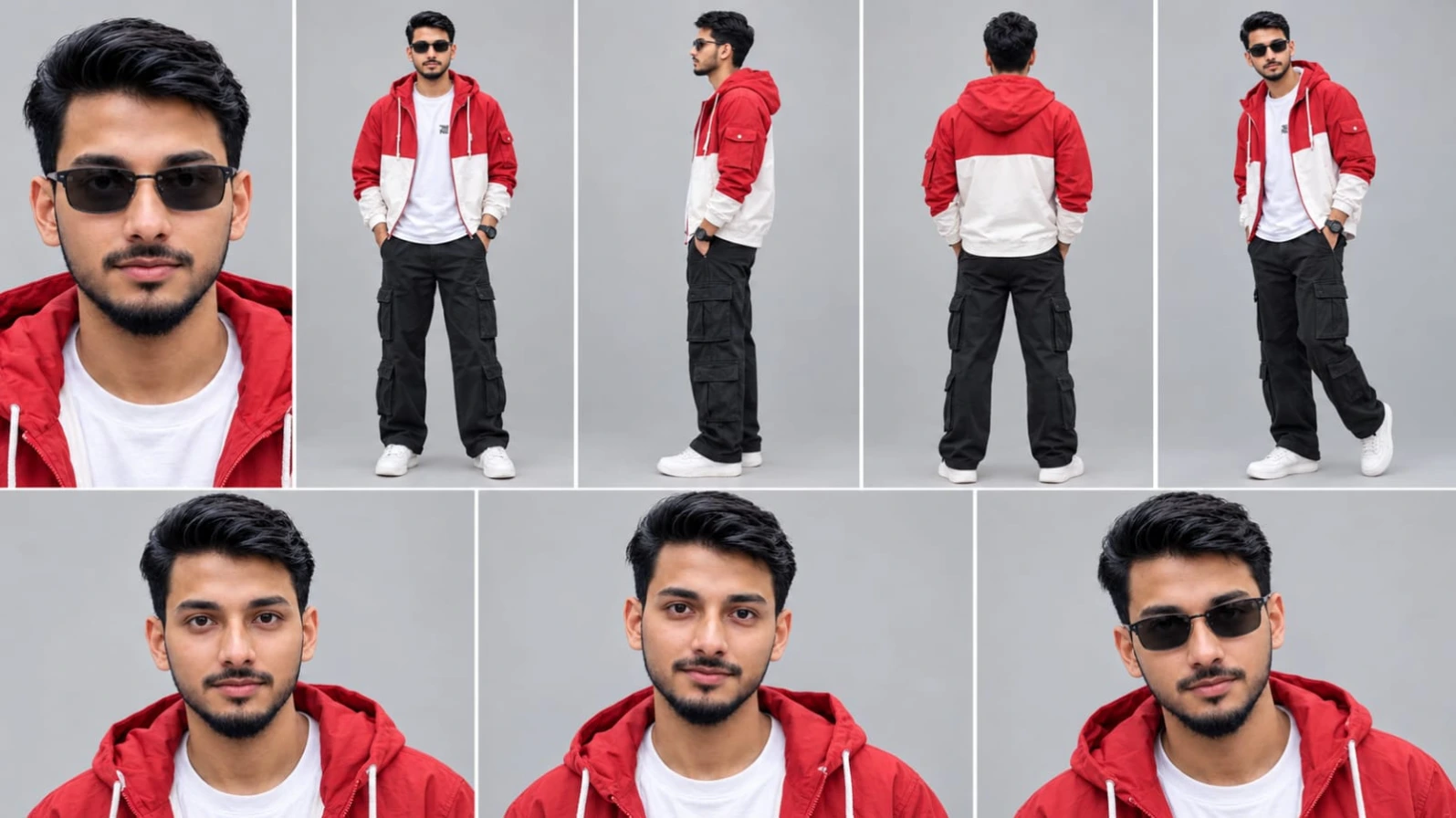
Use the FIRST uploaded photo as the ONLY face and body reference. Create a character reference sheet of this EXACT same real person, not a similar or new person. Keep the identical face, facial features, skin tone, skin texture, hair, hairline, beard or lack of it, age and body shape. Do not beautify, do not smooth the skin, do not change anything about the face. Layout, 16:9, thin white dividers: top row 5 panels (close-up face, full body front, full body side, full body back, full body three-quarter), bottom row 3 close-up face panels with natural expressions, one of them wearing the black sunglasses. Plain light grey studio background, soft even daylight, realistic photo, sharp details, natural skin texture, 4K. It must look like a real photograph, not AI art.
Use the FIRST uploaded photo as the ONLY face and body reference. Create a character reference sheet of this EXACT same real person, not a similar or new person. Keep the identical face, facial features, skin tone, skin texture, hair, hairline, beard or lack of it, age and body shape. Do not beautify, do not smooth the skin, do not change anything about the face.
Layout, 16:9, thin white dividers: top row 5 panels (close-up face, full body front, full body side, full body back, full body three-quarter), bottom row 3 close-up face panels with natural expressions, one of them wearing the black sunglasses. Plain light grey studio background, soft even daylight, realistic photo, sharp details, natural skin texture, 4K. It must look like a real photograph, not AI art.
Outfit in every panel, identical, copied from the SECOND uploaded image: red and white colour-block zip-up hooded jacket with white drawstrings and a small flap pocket on the sleeve, white t-shirt with a small chest print, wide black cargo pants, white sneakers, black sunglasses, black digital watch.
✓
Prompt copied to clipboard!
AI Character Reference Sheet Prompt Card
✦AI PHOTO PROMPT
Use the FIRST uploaded photo as the ONLY face and body reference. Create a character reference sheet of this EXACT same real person, not a similar or new person. Keep the identical face, facial features, skin tone, skin texture, hair, hairline, beard or lack of it, age and body shape. Do not beautify, do not smooth the skin, do not change anything about the face. Layout, 16:9, thin white dividers: top row 5 panels (close-up face, full body front, full body side, full body back, full body three-quarter), bottom row 3 close-up face panels with natural expressions, one of them wearing the black sunglasses. Plain light grey studio background, soft even daylight, realistic photo, sharp details, natural skin texture, 4K. It must look like a real photograph, not AI art.
Use the FIRST uploaded photo as the ONLY face and body reference. Create a character reference sheet of this EXACT same real person, not a similar or new person. Keep the identical face, facial features, skin tone, skin texture, hair, hairline, beard or lack of it, age and body shape. Do not beautify, do not smooth the skin, do not change anything about the face.
Layout, 16:9, thin white dividers: top row 5 panels (close-up face, full body front, full body side, full body back, full body three-quarter), bottom row 3 close-up face panels with natural expressions, one of them wearing the black sunglasses. Plain light grey studio background, soft even daylight, realistic photo, sharp details, natural skin texture, 4K. It must look like a real photograph, not AI art.
Outfit in every panel, identical, copied from the SECOND uploaded image: red and white colour-block zip-up hooded jacket with white drawstrings and a small flap pocket on the sleeve, white t-shirt with a small chest print, wide black cargo pants, white sneakers, black sunglasses, black digital watch.
Cinematic 16:9 landscape car commercial video, exactly 15 seconds, photorealistic, 8K quality, HDR, natural real-time speed (it will be slowed down later in editing). IDENTITY & CAR LOCK: The man must look exactly like the uploaded man image in every frame: identical face, hair, skin tone, body shape, outfit and accessories. The car must look exactly like the uploaded car images in every frame: angular wedge-shaped white-silver body, thin glowing LED light bar across the front, dark six-spoke wheels, gullwing doors that open upward, rear wing. Never change the car design or the man's face between cuts. No other people. No brand badges, no logos, no readable text anywhere. No yellow brake calipers.
Cinematic 16:9 landscape car commercial video, exactly 15 seconds, photorealistic, 8K quality, HDR, natural real-time speed (it will be slowed down later in editing).
IDENTITY & CAR LOCK: The man must look exactly like the uploaded man image in every frame: identical face, hair, skin tone, body shape, outfit and accessories. The car must look exactly like the uploaded car images in every frame: angular wedge-shaped white-silver body, thin glowing LED light bar across the front, dark six-spoke wheels, gullwing doors that open upward, rear wing. Never change the car design or the man's face between cuts. No other people. No brand badges, no logos, no readable text anywhere. No yellow brake calipers.
MAN OUTFIT (same in every shot): red and white colour-block zip-up hooded jacket with white drawstrings, white t-shirt, wide black cargo pants, white sneakers, black sunglasses, black digital watch.
LOCATION: Dubai, the Dubai Marina skyline with tall glass towers, palm-lined paved street, elevated highway and bridge, the Burj Khalifa visible in the distance in shot 20.
COLOUR & LIGHT: cinematic commercial grade. Day shots in warm golden-hour haze with soft sun flare, beige-peach skyline. Dusk shots in deep blue hour sky with warm amber tail lights. Natural skin tones, soft lifted shadows, no crushed blacks, clean highlights, HDR with high dynamic range, 10-bit colour, sharp fine detail, natural motion blur.
SMOOTH MOTION: all camera moves slow and smooth, stable and consistent from frame to frame, no warping, no tearing, no flicker, no whip pans, no sudden jumps inside a shot.
Exactly 21 shots in this order, hard cuts, no extra scenes:
1 (0-0.6s): static low-angle front view of the car parked on a palm-lined Dubai Marina street, towers behind, hazy morning light.
2 (0.6-1.1s): extreme close-up of the car's front dark alloy wheel, low angle.
3 (1.1-1.6s): inside the cockpit, the man sits in the driver seat holding the steering wheel, looking ahead, sunglasses on.
4 (1.6-2.4s): close-up of the man in the driver seat looking to the side, hair moving, golden sun flare behind him.
5 (2.4-2.9s): soft out-of-focus shot of the man stepping out and standing beside the car, focus slowly sharpening.
6 (2.9-3.8s): the man stands beside the car with one hand resting on the raised gullwing door, looking to the side, hazy golden Dubai skyline behind him, slow gentle push-in.
7 (3.8-4.8s): static rear three-quarter view of the car at blue hour, tail lights glowing, Dubai Marina skyline behind.
8 (4.8-5.15s): high wide shot of the car small in frame driving on an elevated highway at sunset, skyline silhouette, sun low.
9 (5.15-5.45s): extreme close-up of the man's eye and sunglasses with golden sun flare.
10 (5.45-6.1s): front three-quarter tracking shot of the car driving on a bridge at golden hour, skyline behind.
11 (6.1-7.47s): soft bokeh skyline with the car as a blurred shape, slowly coming into sharp focus.
12 (7.47-8.53s): low wide tracking shot of the car driving past orange traffic cones, skyline behind.
13 (8.53-9.37s): close-up of the man in the driver seat looking forward-left, serious, strong sun flare.
14 (9.37-10.17s): side tracking shot of the car driving past a guardrail, the man visible at the wheel, golden light.
15 (10.17-10.47s): close-up profile of the man driving with sunglasses, looking ahead, golden flare.
16 (10.47-10.93s): close-up of his finger pressing a button on the centre console, a small red light glowing.
17 (10.93-11.37s): close-up of the digital instrument display showing speed 0, glowing numbers, no brand logo.
18 (11.37-12.23s): close-up of the car's rear diffuser with a short burst of orange and blue glow, sunset light.
19 (12.23-12.87s): close-up of the dark alloy wheel spinning.
20 (12.87-13.53s): the man turns his head out of focus, then sharp profile of him driving with the Burj Khalifa skyline behind him.
21 (13.53-15s): static rear three-quarter view of the car at blue hour, tail lights glowing, Dubai Marina skyline behind, still and cinematic.
Small subtle white text watermark "NoorEditing07" at the bottom centre in every shot.
✓
Prompt copied to clipboard!
AI Video Generation Prompt Card
✦AI VIDEO PROMPT
Cinematic 16:9 landscape car commercial video, exactly 15 seconds, photorealistic, 8K quality, HDR, natural real-time speed (it will be slowed down later in editing). IDENTITY & CAR LOCK: The man must look exactly like the uploaded man image in every frame: identical face, hair, skin tone, body shape, outfit and accessories. The car must look exactly like the uploaded car images in every frame: angular wedge-shaped white-silver body, thin glowing LED light bar across the front, dark six-spoke wheels, gullwing doors that open upward, rear wing. Never change the car design or the man's face between cuts. No other people. No brand badges, no logos, no readable text anywhere. No yellow brake calipers.
Cinematic 16:9 landscape car commercial video, exactly 15 seconds, photorealistic, 8K quality, HDR, natural real-time speed (it will be slowed down later in editing).
IDENTITY & CAR LOCK: The man must look exactly like the uploaded man image in every frame: identical face, hair, skin tone, body shape, outfit and accessories. The car must look exactly like the uploaded car images in every frame: angular wedge-shaped white-silver body, thin glowing LED light bar across the front, dark six-spoke wheels, gullwing doors that open upward, rear wing. Never change the car design or the man's face between cuts. No other people. No brand badges, no logos, no readable text anywhere. No yellow brake calipers.
MAN OUTFIT (same in every shot): red and white colour-block zip-up hooded jacket with white drawstrings, white t-shirt, wide black cargo pants, white sneakers, black sunglasses, black digital watch.
LOCATION: Dubai, the Dubai Marina skyline with tall glass towers, palm-lined paved street, elevated highway and bridge, the Burj Khalifa visible in the distance in shot 20.
COLOUR & LIGHT: cinematic commercial grade. Day shots in warm golden-hour haze with soft sun flare, beige-peach skyline. Dusk shots in deep blue hour sky with warm amber tail lights. Natural skin tones, soft lifted shadows, no crushed blacks, clean highlights, HDR with high dynamic range, 10-bit colour, sharp fine detail, natural motion blur.
SMOOTH MOTION: all camera moves slow and smooth, stable and consistent from frame to frame, no warping, no tearing, no flicker, no whip pans, no sudden jumps inside a shot.
Exactly 21 shots in this order, hard cuts, no extra scenes:
1 (0-0.6s): static low-angle front view of the car parked on a palm-lined Dubai Marina street, towers behind, hazy morning light.
2 (0.6-1.1s): extreme close-up of the car's front dark alloy wheel, low angle.
3 (1.1-1.6s): inside the cockpit, the man sits in the driver seat holding the steering wheel, looking ahead, sunglasses on.
4 (1.6-2.4s): close-up of the man in the driver seat looking to the side, hair moving, golden sun flare behind him.
5 (2.4-2.9s): soft out-of-focus shot of the man stepping out and standing beside the car, focus slowly sharpening.
6 (2.9-3.8s): the man stands beside the car with one hand resting on the raised gullwing door, looking to the side, hazy golden Dubai skyline behind him, slow gentle push-in.
7 (3.8-4.8s): static rear three-quarter view of the car at blue hour, tail lights glowing, Dubai Marina skyline behind.
8 (4.8-5.15s): high wide shot of the car small in frame driving on an elevated highway at sunset, skyline silhouette, sun low.
9 (5.15-5.45s): extreme close-up of the man's eye and sunglasses with golden sun flare.
10 (5.45-6.1s): front three-quarter tracking shot of the car driving on a bridge at golden hour, skyline behind.
11 (6.1-7.47s): soft bokeh skyline with the car as a blurred shape, slowly coming into sharp focus.
12 (7.47-8.53s): low wide tracking shot of the car driving past orange traffic cones, skyline behind.
13 (8.53-9.37s): close-up of the man in the driver seat looking forward-left, serious, strong sun flare.
14 (9.37-10.17s): side tracking shot of the car driving past a guardrail, the man visible at the wheel, golden light.
15 (10.17-10.47s): close-up profile of the man driving with sunglasses, looking ahead, golden flare.
16 (10.47-10.93s): close-up of his finger pressing a button on the centre console, a small red light glowing.
17 (10.93-11.37s): close-up of the digital instrument display showing speed 0, glowing numbers, no brand logo.
18 (11.37-12.23s): close-up of the car's rear diffuser with a short burst of orange and blue glow, sunset light.
19 (12.23-12.87s): close-up of the dark alloy wheel spinning.
20 (12.87-13.53s): the man turns his head out of focus, then sharp profile of him driving with the Burj Khalifa skyline behind him.
21 (13.53-15s): static rear three-quarter view of the car at blue hour, tail lights glowing, Dubai Marina skyline behind, still and cinematic.
Small subtle white text watermark "NoorEditing07" at the bottom centre in every shot.
Agar aap Tesla car aur Dubai skyline ke saath cinematic commercial video banana chahte hain, toh neeche diye gaye steps follow karein.
Step 1: Google Chrome Open Karein
Apne mobile ya computer par Google Chrome open karein. Google par NoorEditing07 search karein aur website open karein. Tesla Car Cinematic Video Prompt wala article dhoondhein.
Step 2: Complete Prompt Copy Karein
Article mein diya gaya complete Flow AI prompt copy karein. Ismein driver identity lock, Tesla car reference, camera angles, Dubai locations, lighting aur shot sequence ki instructions shamil honi chahiye.
Step 3: Flow AI Open Karein
Flow AI ko uske official interface par open karein. Apne account mein sign in karein, agar zaroori ho, aur available video generation workflow select karein.
Step 4: Driver Ki Reference Photo Upload Karein
Man ki clear reference photo upload karein. Prompt mein specify karein ki driver ka face, hairstyle, outfit aur accessories har shot mein consistent rehne chahiye.
Step 5: Tesla Reference Images Upload Karein
Tesla ki front, side aur rear reference images upload karein, agar workflow multiple references support karta hai. Cockpit shots ke liye interior reference bhi use kar sakte hain.
Prompt mein clear karein ki vehicle ka design reference images ke according preserve karna hai aur kisi doosre car model mein change nahi karna hai.
Step 6: Prompt Paste Karein
Complete prompt ko video generation field mein paste karein. Target duration 15 seconds aur aspect ratio 16:9 select karein, agar ye options available hon.
Step 7: Video Generate Karein
Prompt aur reference images check karne ke baad Generate par click karein. Generation complete hone par video preview karein.
Driver ki identity, Tesla ka model, wheels, lights aur interior details ko har shot mein check karein.
Step 8: Video Ko Edit Karein
Agar koi shot inconsistent hai, toh use separately regenerate karein, agar supported ho. Video editor mein clips ko sahi order mein arrange karein, duration adjust karein aur smooth transitions add karein.
Step 9: Watermark Aur Export
Agar watermark sahi generate nahi hua, toh editing software mein “NoorEditing07” ka white text overlay add karein. Use bottom centre mein consistent position par rakhein.
Final video ko supported 16:9 landscape format mein export karein aur upload karne se pehle poori video review karein.
Pro Tip: Tesla ki clear reference images use karein. Agar aap kisi specific Tesla model ko dikhana chahte hain, toh prompt aur reference images dono usi model ke hone chahiye, taaki vehicle consistency improve ho sake.
Tesla Car Cinematic Video PromptTesla Flow AI Video PromptTesla Car AI Video EditingDubai Tesla Cinematic VideoTesla Commercial Video PromptTesla Electric Car VideoAI Tesla Car Video GeneratorDubai Marina Car Video15 Second Tesla Video Prompt16:9 Car Commercial PromptTesla Reference Image VideoCinematic Electric Vehicle VideoAI Car Advertisement PromptFlow AI Automotive VideoNoorEditing07
Tesla Car Cinematic Video PromptTesla Flow AI Video PromptTesla Car AI Video EditingDubai Tesla Cinematic VideoTesla Commercial Video PromptTesla Electric Car VideoAI Tesla Car Video GeneratorDubai Marina Car Video15 Second Tesla Video Prompt16:9 Car Commercial PromptTesla Reference Image VideoCinematic Electric Vehicle VideoAI Car Advertisement PromptFlow AI Automotive VideoNoorEditing07
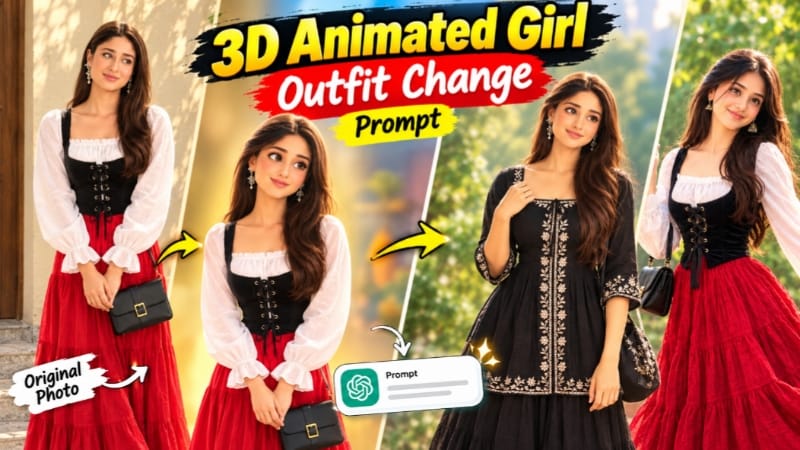
1. 3D Animated Girl Outfit Change Prompt for ChatGPT AI Photo Editing
3D Animated Girl Outfit Change AI Photo Editing ek creative concept hai, jisme AI ki help se character ke outfit ko change karke animated-style visual create kiya ja sakta hai. Is tarah ke edit mein reference image, clothing details aur character ki overall appearance ko clearly specify karna important hota hai.
Step 1: Reference Image Select Karein
Apni desired character ki clear image select karein. Agar aap kisi existing character ka outfit change karna chahte hain, to original image ko reference ke roop mein ready rakhein.
Step 2: ChatGPT Open Karein
ChatGPT ka image-generation feature open karein aur reference image upload karein.
Step 3: Outfit Details Likhein
Prompt mein new outfit ka colour, design, fabric aur accessories clearly describe karein. Agar original face aur hairstyle maintain karna hai, to unhe unchanged rakhne ki instruction dein.
Step 4: 3D Animated Style Specify Karein
Desired visual style ko clearly mention karein. Aapko 3D animated appearance chahiye ya photorealistic result, ise prompt mein specify karein.
Step 5: Image Generate Karein
Prompt submit karein aur generated image ka preview check karein. Face, outfit, hands aur character proportions mein unwanted changes ko inspect karein.
Step 6: Final Image Save Karein
Agar result satisfactory nahi hai, to prompt ko refine karke regenerate karein. Final image ko social media post ya creative project mein use kar sakte hain.
Note: Is specific page ka content verify nahi ho saka, isliye ye general workflow hai, page ke exact prompt ka summary nahi.Original Article
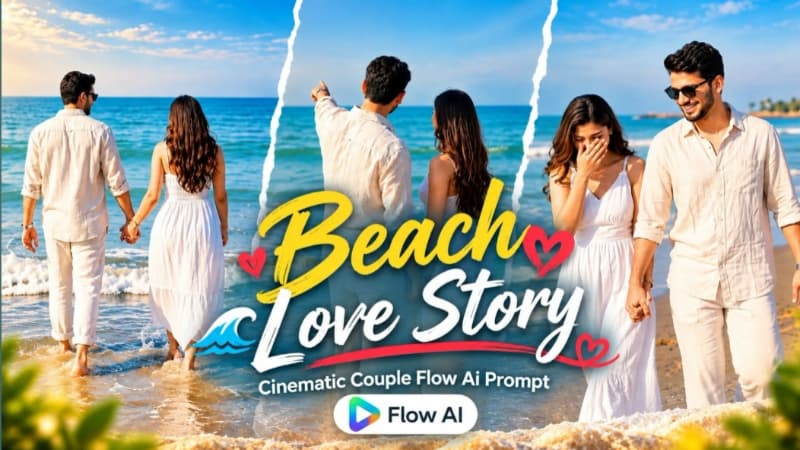
2. Romantic Beach Couple AI Video | Cinematic 9:16 Love Video | Flow AI Prompt
Romantic Beach Couple AI Video ek cinematic love-story concept hai, jisme sunny beach, calm ocean waves aur blue horizon ke saath couple ke natural romantic moments dikhaye jaate hain. Is prompt mein 10 fast-paced scenes, vertical 9:16 format aur NoorEditing07 watermark ki instructions hain. Original Article
Step 1: Dono Reference Photos Ready Karein
Male aur female ki clear photos select karein. Dono ke faces aur natural appearance reference images ke according maintain karne ki instructions dein.
Step 2: Flow AI Open Karein
Flow AI ka video-generation feature open karein aur dono reference photos upload karein, agar workflow support karta ho.
Step 3: Prompt Copy Karein
NoorEditing07.com se complete Romantic Beach Couple AI Video Prompt copy karein.
Step 4: Outfits Check Karein
Male character cream linen shirt, white trousers, black sunglasses aur silver wristwatch pehenta hai. Female character white sleeveless maxi dress, long dark hair aur rose-gold watch ke saath dikhayi gayi hai.
Step 5: 10 Scenes Generate Karein
Sequence mein joined hands ka macro shot, playful interaction, wet sand par walking, shoreline twirl, water splashes, barefoot romantic walk aur ocean ki taraf walking shamil hain.
Step 6: 9:16 Format Select Karein
Vertical 9:16 format select karein, agar available ho. Isse video Reels aur Shorts ke liye suitable rahega.
Step 7: Final Video Review Karein
Face consistency, outfits, hands, water movement aur scene transitions check karein. Bottom corner mein NoorEditing07 watermark verify karke final video export karein.
3. Mountain Video Edit – Ek Photo Se Flow AI Prompt
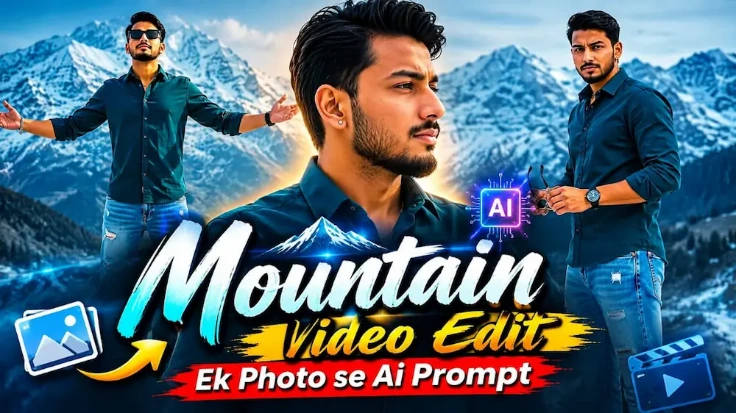
Snow Mountain Cinematic Journey ek photo-to-video concept hai, jisme ek single reference photo ko use karke snowy mountains ke background mein six cinematic scenes create kiye jaate hain. Dark rocky peaks, snow patches aur cool-toned daylight video ko moody cinematic appearance dete hain. Original Article
Step 1: Character Photo Select Karein
Apni clear reference photo ready karein. Face, hairstyle, skin tone aur body proportions ko consistent rakhne ke liye image mein face clearly visible hona chahiye.
Step 2: Flow AI Open Karein
Flow AI Video Generator open karein aur apni reference photo upload karein.
Step 3: Video Prompt Copy Karein
NoorEditing07.com se Snow Mountain Cinematic Video Prompt copy karke Flow AI mein paste karein.
Step 4: Outfit Details Maintain Karein
Prompt mein dark teal button-up shirt, light-blue ripped jeans, silver bracelet, black watch, stud earring aur thin gold necklace ka look diya gaya hai.
Step 5: Six Cinematic Scenes Generate Karein
Scenes mein hair ya ear touch close-up, shirt collar adjust karna, sunglasses ke saath confident look, bench par relaxed pose, hair adjust karna aur snowy mountains ke saamne arms-spread hero shot shamil hain.
Step 6: Video Settings Select Karein
16:9 landscape format aur 1080p resolution select karein, agar available ho.
Step 7: Result Check Karein
Face, outfit, accessories aur snowy background ki consistency verify karein. Prompt ke according bottom-right mein NoorEdiz07 watermark bhi check karein.
Step 8: Export Karein
Final video preview karein aur satisfactory hone par export karke social media par share karein.
4. Mountain Nature AI Video | Cinematic Music Video | Flow AI Prompt
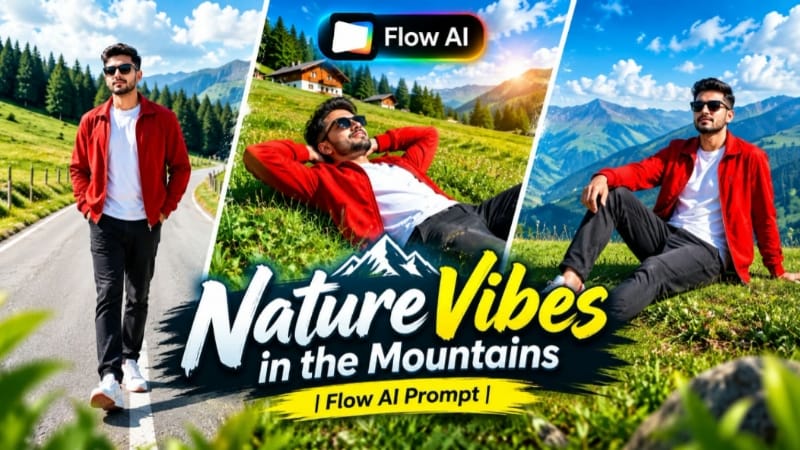
Mountain Nature AI Video ek scenic music-video concept hai, jisme green hills, pine forests, open sky aur mountain roads ko cinematic camera movements ke saath combine kiya jaata hai. Is page ka detailed prompt seven scenes use karta hai aur character ki identity aur outfit consistency par focus karta hai. Original Article
Step 1: Reference Photo Ready Karein
Apni clear photo select karein. Chahein to ChatGPT ki help se front, side, back aur three-quarter views wali character sheet bhi prepare kar sakte hain.
Step 2: Flow AI Open Karein
Flow AI ka image-to-video feature open karein aur reference image upload karein.
Step 3: Prompt Copy Karein
NoorEditing07.com se Mountain Nature AI Video Prompt copy karein aur prompt box mein paste karein.
Step 4: Outfit Maintain Karein
Prompt mein bright red zip-up jacket, white T-shirt, dark charcoal jeans, red accents wale white sneakers aur black sunglasses ka styling diya gaya hai.
Step 5: Seven Scenes Generate Karein
Scenes mein green meadow mein walking, grassy slope par relax karna, hill ridge par running, horizon ki taraf dekhna, curved mountain road par walking aur distant mountains ke saamne final hero shot shamil hain.
Step 6: Aspect Ratio Select Karein
Instagram Reels aur YouTube Shorts ke liye 9:16 vertical format select karein. Widescreen video ke liye 16:9 use kar sakte hain, agar supported ho.
Step 7: Final Video Check Karein
Character ka face, hairstyle, outfit, hands aur movement inspect karein. Mountain scenery, trees, sky aur lighting bhi consistent honi chahiye.
Step 8: Export Karein
Bottom corner mein NoorEditing07 watermark check karein aur final cinematic video save kar lein.
5. Double Role AI Video | Same Person Twin Effect | Flow AI Editing
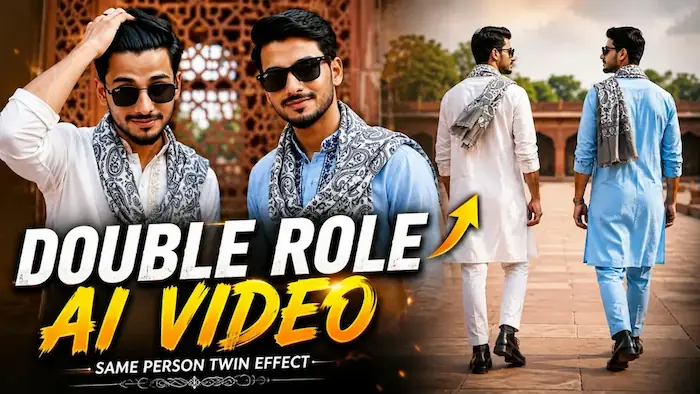
Double Role AI Video ek creative AI editing concept hai, jisme ek hi person ke do identical versions ko ek frame mein dikhaya jaata hai. Dono characters ka face aur body proportions same rehte hain, jabki outfits ki embroidery aur colour alag hote hain. Prompt mein eight scenes aur 16:9 landscape format diya gaya hai. Original Article
Flow AI Video Generator open karein aur reference image upload karein.
Step 3: Double Role Prompt Copy Karein
NoorEditing07.com se complete Double Role AI Video Prompt copy karke Flow AI mein paste karein.
Step 4: Dono Outfits Maintain Karein
First character white kurta aur light golden-beige embroidery mein hai. Second character light-blue kurta aur dark navy-blue embroidery mein hai. Dono grey-and-white paisley muffler, black watch aur matching jelly-sole boots pehente hain.
Prompt ka location red-sandstone heritage monument courtyard hai, jisme carved jaali walls, green trees aur natural daylight hai. Sabhi scenes mein same background maintain karne ki instructions dein.
Step 7: Video Settings Select Karein
16:9 landscape aur 1080p resolution select karein, agar available ho.
Step 8: Final Video Export Karein
Dono faces, outfits, hands aur synchronized movements check karein. Bottom-right mein NoorEdiz07 watermark verify karke final video export karein.