Emotional Bridge Cinematic Video Prompt | Flow AI Edit
AI video editing has become a popular way to create cinematic, emotional and realistic videos using artificial intelligence. With the right prompt, you can turn a reference photo into a cinematic video featuring beautiful lighting, realistic movements, detailed environments and professional camera angles. In this tutorial, we will explore the Emotional Bridge Cinematic Video Prompt, designed for creators who want to generate an emotional cinematic video using Flow AI.
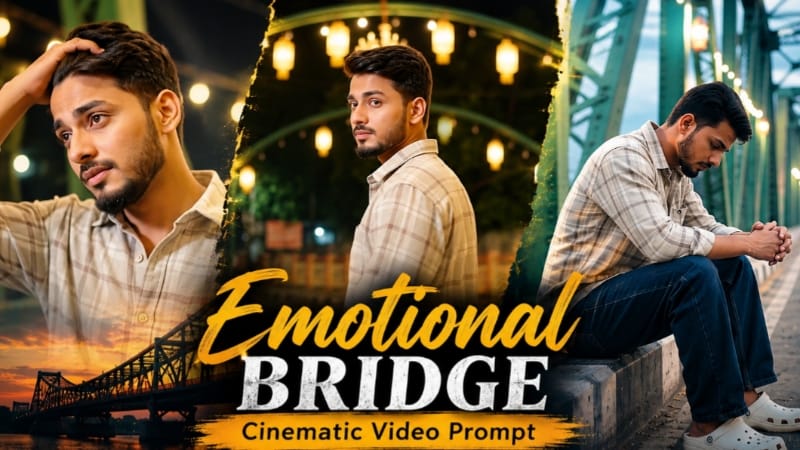
This video concept features a young man standing on a beautiful steel-truss bridge illuminated by warm golden festival lights. The bridge has colorful painted street art, geometric rangoli designs and vibrant green and yellow steel structures. The overall atmosphere combines emotional storytelling with cinematic visuals.
What Is an Emotional Bridge Cinematic Video Prompt?
An Emotional Bridge Cinematic Video Prompt is a detailed instruction that guides an AI video generator to create a specific scene, environment, character appearance and camera movement. Instead of generating a random video, the prompt describes how each scene should look and how the character should move.
This particular concept focuses on loneliness, reflection and emotional release. The main character walks through a glowing bridge surrounded by festival lights, pauses to reflect, and continues walking with expressive body language.
The combination of a colorful environment and a thoughtful character creates a cinematic contrast that can make the video visually engaging.
Why Use Flow AI for Cinematic Video Creation?
Flow AI can help creators experiment with AI-generated scenes and cinematic storytelling, depending on the features available in their account. By providing a detailed prompt and a suitable reference image, creators can guide the generation process toward a particular visual style.
A well-structured prompt should explain the character, location, lighting, camera angles, scene sequence and overall visual quality. Clear instructions can help reduce unwanted variations between shots, although the final result depends on the model and available settings.
Eight Cinematic Scenes Explained
Scene 1: Cinematic Bridge Opening
The video begins with a cinematic camera movement. The camera tilts upward from the bridge railing and gradually reveals the young man standing on the walkway. In front of him, a long tunnel of warm glowing festival lights creates a beautiful cinematic perspective.
This opening establishes the location and emotional mood of the video.
Scene 2: Emotional Sitting Shot
In the second scene, the character sits on the concrete edge beside the green metal truss. His head is bowed, and his fingers are interlocked as he sits quietly.
The medium side angle captures his body language and creates a thoughtful, lonely atmosphere without requiring exaggerated facial expressions.
Scene 3: Back-View Walking Shot
The camera follows the character from behind as he walks along the bridge toward the glowing arches. The colorful roadway artwork and steel framework remain visible around him.
A smooth tracking movement gives the shot a cinematic sense of depth and forward motion.
Scene 4: Thoughtful Over-the-Shoulder Look
The character stops among the painted pavement designs and turns his head slightly over his shoulder. He looks back thoughtfully while the warm festival lights illuminate the surrounding bridge.
This scene introduces a subtle emotional moment and provides a visual transition between the walking shots.
Scene 5: Emotional Release
The character turns away from the camera and continues walking into the illuminated tunnel. He then spreads both arms wide in an expressive gesture.
The movement represents emotional release and creates one of the most visually memorable moments in the sequence.
Scene 6: Slow Profile Walk
The character walks slowly along the painted pavement. The camera captures his profile as he pauses and looks gently downward.
The scene uses restrained movement to maintain the thoughtful mood of the video.
Scene 7: Wide Cinematic Bridge View
A wide shot reveals the full perspective of the illuminated bridge. The character walks away toward the colorful lights, while the repeating steel framework and glowing lanterns create strong visual depth.
This shot highlights the scale of the location and provides a cinematic establishing view.
Scene 8: Emotional Close-Up
The final scene follows the character as he walks slowly and looks sideways. He gently runs a hand through his hair while maintaining a thoughtful expression.
The closer framing emphasizes facial identity, natural movement and emotional storytelling.
Importance of Identity Lock
When creating a video based on a reference photograph, character consistency is especially important. The prompt should instruct the AI to preserve the person's recognizable facial features, hairstyle, beard and overall identity throughout the scenes.
Use a clear, high-quality reference image where permitted by the video tool. If the platform provides reference-image or character-consistency controls, use them to help maintain continuity.
However, text instructions alone cannot guarantee perfect identity preservation in every generated frame. Review the output and regenerate scenes that show unwanted facial changes.
Cinematic Lighting and Color Grading
The bridge environment uses warm golden lanterns, vibrant green and yellow steel structures, and colorful geometric pavement art. These visual elements create contrast and help separate the character from the background.
The requested bright exposure and high dynamic range are intended to retain detail in both illuminated areas and shadows. A balanced cinematic grade can enhance the golden glow while keeping the pavement artwork and steel framework vivid.
Avoid excessive sharpening, unnatural skin smoothing and overly dark shadows. Natural skin texture and realistic facial details are important for maintaining a believable result.
How to Make the Video More Cinematic
For the best possible result, describe each shot clearly and avoid combining several unrelated camera movements in one scene. Keep the character's outfit consistent, specify the bridge environment and explain the desired movement.
The original concept includes eight different scenes. If your video-generation tool cannot produce the entire sequence in one generation, create separate clips and combine them in a video editor.
Use clean cuts between scenes, consistent color grading and suitable background music. The final edit should preserve the emotional flow from the opening shot to the closing close-up.
Final Thoughts
The Emotional Bridge Cinematic Video Prompt is designed for creators who want to experiment with realistic AI video generation, festival lighting and emotional storytelling. Its eight-scene structure provides a clear visual sequence, from the opening bridge reveal to the final thoughtful walking shot.
Visit NoorEditing07.com for more AI photo prompts, Flow AI video prompts and editing tutorials. Search for NoorEditing07 on Google to discover more photo and video prompt ideas for your creative projects.
The final quality depends on the reference image, generation settings and the capabilities of the AI video tool you use.
Sabse Pehle Character Sheet Photo Banaai ChatGPT Se
AI Character Model Sheet Prompt Card
✦AI PHOTO PROMPT
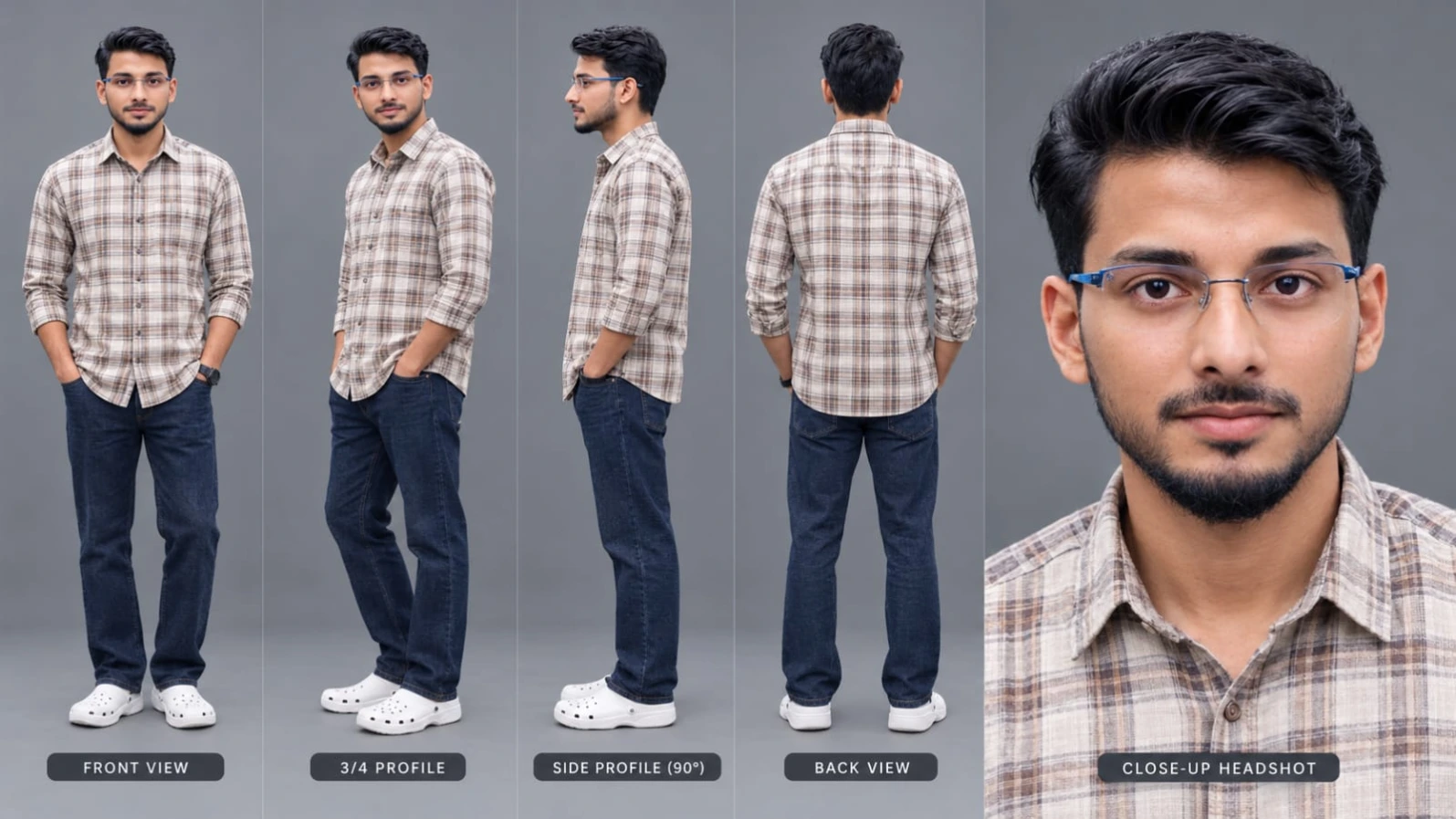
Cinematic character turn-around model sheet, ultra-realistic 8K UHD, neutral grey studio background, 16:9 aspect ratio. [STRICT IDENTITY & FACE LOCK] Lock 100% facial features, eyes, nose, lips, jawline, hair, and beard from reference photo across all views. Ultra-sharp DSLR clarity, clean skin pore texture, zero distortion, balanced studio lighting without harsh shadows. [OUTFIT & WARDROBE] - Top: Light beige/grey and brown check-patterned long-sleeve casual button-down shirt. - Bottom: Dark navy relaxed-fit straight denim jeans. - Footwear: Clean white casual clogs. - Wardrobe stays identical across all angles.
Cinematic character turn-around model sheet, ultra-realistic 8K UHD, neutral grey studio background, 16:9 aspect ratio.
[STRICT IDENTITY & FACE LOCK]
Lock 100% facial features, eyes, nose, lips, jawline, hair, and beard from reference photo across all views. Ultra-sharp DSLR clarity, clean skin pore texture, zero distortion, balanced studio lighting without harsh shadows.
[OUTFIT & WARDROBE]
- Top: Light beige/grey and brown check-patterned long-sleeve casual button-down shirt.
- Bottom: Dark navy relaxed-fit straight denim jeans.
- Footwear: Clean white casual clogs.
- Wardrobe stays identical across all angles.
[MULTI-VIEW MODEL SHEET COMPOSITION]
Full-body multi-angle character reference sheet arranged side-by-side:
1. Front View: Standing relaxed, direct camera eye contact, calm expression.
2. 3/4 Profile: Turned at 45 degrees showing jawline and shirt profile.
3. Side Profile (90°): Clean side view displaying facial profile, ear, and drape.
4. Back View: Direct rear angle displaying shirt pattern and jeans fit.
5. Close-Up Headshot: 4K detailed portrait highlighting eyes, natural skin texture, and authentic beard.
[TECHNICAL SPECS]
Fashion lookbook photography, 85mm lens, softbox studio illumination, hyper-detailed fabric weave, natural tones, 8K resolution.
✓
Prompt copied to clipboard!
AI Character Model Sheet Prompt Card
✦AI PHOTO PROMPT
Cinematic character turn-around model sheet, ultra-realistic 8K UHD, neutral grey studio background, 16:9 aspect ratio. [STRICT IDENTITY & FACE LOCK] Lock 100% facial features, eyes, nose, lips, jawline, hair, and beard from reference photo across all views. Ultra-sharp DSLR clarity, clean skin pore texture, zero distortion, balanced studio lighting without harsh shadows. [OUTFIT & WARDROBE] - Top: Light beige/grey and brown check-patterned long-sleeve casual button-down shirt. - Bottom: Dark navy relaxed-fit straight denim jeans. - Footwear: Clean white casual clogs. - Wardrobe stays identical across all angles.
Cinematic character turn-around model sheet, ultra-realistic 8K UHD, neutral grey studio background, 16:9 aspect ratio.
[STRICT IDENTITY & FACE LOCK]
Lock 100% facial features, eyes, nose, lips, jawline, hair, and beard from reference photo across all views. Ultra-sharp DSLR clarity, clean skin pore texture, zero distortion, balanced studio lighting without harsh shadows.
[OUTFIT & WARDROBE]
- Top: Light beige/grey and brown check-patterned long-sleeve casual button-down shirt.
- Bottom: Dark navy relaxed-fit straight denim jeans.
- Footwear: Clean white casual clogs.
- Wardrobe stays identical across all angles.
[MULTI-VIEW MODEL SHEET COMPOSITION]
Full-body multi-angle character reference sheet arranged side-by-side:
1. Front View: Standing relaxed, direct camera eye contact, calm expression.
2. 3/4 Profile: Turned at 45 degrees showing jawline and shirt profile.
3. Side Profile (90°): Clean side view displaying facial profile, ear, and drape.
4. Back View: Direct rear angle displaying shirt pattern and jeans fit.
5. Close-Up Headshot: 4K detailed portrait highlighting eyes, natural skin texture, and authentic beard.
[TECHNICAL SPECS]
Fashion lookbook photography, 85mm lens, softbox studio illumination, hyper-detailed fabric weave, natural tones, 8K resolution.
Cinematic 16:9 ultra-realistic 8K 120fps emotional video shot on an illuminated steel-truss river bridge decorated with warm glowing hanging festival lights and colorful painted street art (alpana/rangoli). [STRICT IDENTITY & FACE LOCK] Strictly lock 100% exact facial geometry, eyes, nose, lips, jawline, hair, and beard from the uploaded reference photo across all scenes. Flawless, smooth, clean, blemish-free skin with natural DSLR pore texture; completely avoid any AI morphing, face distortion, or artificial smoothing filters. Face must remain clearly identifiable and consistent in every scene.
Cinematic 16:9 ultra-realistic 8K 120fps emotional video shot on an illuminated steel-truss river bridge decorated with warm glowing hanging festival lights and colorful painted street art (alpana/rangoli).
[STRICT IDENTITY & FACE LOCK]
Strictly lock 100% exact facial geometry, eyes, nose, lips, jawline, hair, and beard from the uploaded reference photo across all scenes. Flawless, smooth, clean, blemish-free skin with natural DSLR pore texture; completely avoid any AI morphing, face distortion, or artificial smoothing filters. Face must remain clearly identifiable and consistent in every scene.
[OUTFIT & STYLING]
Light beige/grey and brown check-patterned long-sleeve casual shirt, dark navy relaxed-fit straight denim jeans, white clogs footwear.
[LOCATION & AMBIENCE]
A long iconic steel truss bridge painted in green and yellow steel girders, with asphalt roadway decorated with intricate white, yellow, and blue geometric floor rangoli art. Overhead arched roof adorned with numerous warm yellow glowing chandelier lantern lights. Bright ambient exposure with rich festival lighting, no dark shadows or dull underexposure.
[EXACT SCENE SEQUENCE]
- Scene 1: Cinematic rack-focus opening shot; camera tilts up from bridge railing to reveal the young man standing on the bridge walkway looking toward the glowing tunnel of lights.
- Scene 2: Medium side shot; he sits sadly on the concrete edge curb next to the green metal truss, head bowed down with interlocked fingers, reflecting in loneliness.
- Scene 3: Back-view tracking shot walking forward along the center road toward the festive glowing arches.
- Scene 4: Medium shot standing amidst painted street art; he stops, turns his head slightly over his shoulder, and looks back thoughtfully.
- Scene 5: Dynamic shot; he turns his back to the camera, walking forward into the tunnel of lights, and suddenly spreads both arms wide open in an emotional release.
- Scene 6: Medium profile shot; he walks forward slowly along the painted pavement, pauses, and looks gently downward in deep thought.
- Scene 7: Wide shot showing the full glowing bridge perspective as he walks away toward the vibrant lights.
- Scene 8: Medium close-up tracking walk; he walks slowly looking sideways, gently running a hand through his hair with an emotional expression.
[COLOR & TECHNICAL SPECS]
Master calibrated DSLR 8K film grade, crisp high dynamic range, bright warm-golden lantern glow, vibrant green metal girders and saturated pavement artwork, deep clean shadows without muddy black crush, ultra-smooth 120fps motion blur, 16:9 widescreen format. Permanent subtle semi-transparent white watermark 'NoorEditing07' fixed steadily in the bottom corner.
✓
Prompt copied to clipboard!
AI Video Generation Prompt Card
✦AI VIDEO PROMPT
Cinematic 16:9 ultra-realistic 8K 120fps emotional video shot on an illuminated steel-truss river bridge decorated with warm glowing hanging festival lights and colorful painted street art (alpana/rangoli). [STRICT IDENTITY & FACE LOCK] Strictly lock 100% exact facial geometry, eyes, nose, lips, jawline, hair, and beard from the uploaded reference photo across all scenes. Flawless, smooth, clean, blemish-free skin with natural DSLR pore texture; completely avoid any AI morphing, face distortion, or artificial smoothing filters. Face must remain clearly identifiable and consistent in every scene.
Cinematic 16:9 ultra-realistic 8K 120fps emotional video shot on an illuminated steel-truss river bridge decorated with warm glowing hanging festival lights and colorful painted street art (alpana/rangoli).
[STRICT IDENTITY & FACE LOCK]
Strictly lock 100% exact facial geometry, eyes, nose, lips, jawline, hair, and beard from the uploaded reference photo across all scenes. Flawless, smooth, clean, blemish-free skin with natural DSLR pore texture; completely avoid any AI morphing, face distortion, or artificial smoothing filters. Face must remain clearly identifiable and consistent in every scene.
[OUTFIT & STYLING]
Light beige/grey and brown check-patterned long-sleeve casual shirt, dark navy relaxed-fit straight denim jeans, white clogs footwear.
[LOCATION & AMBIENCE]
A long iconic steel truss bridge painted in green and yellow steel girders, with asphalt roadway decorated with intricate white, yellow, and blue geometric floor rangoli art. Overhead arched roof adorned with numerous warm yellow glowing chandelier lantern lights. Bright ambient exposure with rich festival lighting, no dark shadows or dull underexposure.
[EXACT SCENE SEQUENCE]
- Scene 1: Cinematic rack-focus opening shot; camera tilts up from bridge railing to reveal the young man standing on the bridge walkway looking toward the glowing tunnel of lights.
- Scene 2: Medium side shot; he sits sadly on the concrete edge curb next to the green metal truss, head bowed down with interlocked fingers, reflecting in loneliness.
- Scene 3: Back-view tracking shot walking forward along the center road toward the festive glowing arches.
- Scene 4: Medium shot standing amidst painted street art; he stops, turns his head slightly over his shoulder, and looks back thoughtfully.
- Scene 5: Dynamic shot; he turns his back to the camera, walking forward into the tunnel of lights, and suddenly spreads both arms wide open in an emotional release.
- Scene 6: Medium profile shot; he walks forward slowly along the painted pavement, pauses, and looks gently downward in deep thought.
- Scene 7: Wide shot showing the full glowing bridge perspective as he walks away toward the vibrant lights.
- Scene 8: Medium close-up tracking walk; he walks slowly looking sideways, gently running a hand through his hair with an emotional expression.
[COLOR & TECHNICAL SPECS]
Master calibrated DSLR 8K film grade, crisp high dynamic range, bright warm-golden lantern glow, vibrant green metal girders and saturated pavement artwork, deep clean shadows without muddy black crush, ultra-smooth 120fps motion blur, 16:9 widescreen format. Permanent subtle semi-transparent white watermark 'NoorEditing07' fixed steadily in the bottom corner.
Is cinematic video ko banane ke liye aapko ek clear reference photo, Flow AI access aur aapka complete video prompt chahiye.
Step 1: Reference Photo Select Karein
Sabse pehle apni ek clear photo select karein. Photo mein face clearly visible hona chahiye, taaki AI ko character ki identity samajhne mein madad mile.
Step 2: Flow AI Open Karein
Apne browser mein Flow AI open karein aur apne account mein sign in karein. Video generation ke liye available tool aur settings select karein.
Step 3: Reference Photo Upload Karein
Agar aapke selected generation mode mein image reference ka option available hai, to apni photo upload karein. Character ke face, hairstyle, beard aur outfit ko consistent rakhne ke liye prompt mein clear instructions dein.
Step 4: Complete Prompt Copy Karein
Upar diya gaya Emotional Bridge Cinematic Video Prompt copy karein. Prompt mein 8 scenes, bridge location, golden festival lights, colorful rangoli artwork aur camera movements ki details shamil hain.
Prompt ko AI video generator ke prompt box mein paste karein.
Step 5: Video Settings Select Karein
Agar settings available hon, to 16:9 landscape aspect ratio select karein. Apni requirement ke hisaab se video quality, duration aur camera movement options choose karein.
Dhyan rahe ki 8K aur 120fps output tabhi milega jab selected tool in specifications ko support karta ho. Prompt mein likhne se ye settings automatically guarantee nahi hoti hain.
Step 6: Eight Scenes Generate Karein
Agar Flow AI ek generation mein sabhi scenes ko accurately produce nahi kar raha hai, to har scene ke liye alag clip generate karein.
1. Bridge ka cinematic opening shot.
2. Concrete curb par baitha hua emotional shot.
3. Bridge par back-view walking shot.
4. Shoulder ke upar se thoughtful look.
5. Dono arms spread karne wala emotional scene.
6. Slow profile walking shot.
7. Full bridge ka wide shot.
8. Hair mein hand run karte hue close-up shot.
Har clip mein same reference image aur consistent outfit description use karein, jahan tool support karta ho.
Step 7: Video Check Karein
Generated clips ko dhyan se check karein. Face consistency, hand movements, outfit, lighting aur scene sequence dekhein. Agar kisi clip mein unwanted face distortion ho, to us clip ko dobara generate karein.
Step 8: Clips Ko Edit Karein
Sabhi clips ko apne preferred video editor mein import karein. Unhe sahi sequence mein arrange karein aur clean cuts ke saath join karein.
Background music, subtle sound effects aur consistent color grading add karein. NoorEditing07 watermark ko bottom corner mein lagayein, agar aap apni branding chahte hain.
Step 9: Final Video Export Karein
Preview dekhne ke baad apne editor ke supported resolution aur frame-rate options ke according video export karein. Agar video Instagram Reels ke liye banana hai, to 9:16 vertical format mein alag version banana zyada suitable ho sakta hai. YouTube cinematic video ke liye 16:9 format use kar sakte hain.
Is tarah aap apne reference photo aur AI-generated clips ki madad se emotional cinematic bridge video create kar sakte hain.
Emotional Bridge Cinematic Video Prompt - Noor Editing
Emotional Bridge Cinematic Video PromptFlow AI Video PromptEmotional AI Video EditingCinematic Bridge VideoFlow AI Cinematic VideoAI Video Prompt 8KRealistic AI VideoFestival Lights Cinematic VideoAI Photo to Video PromptCinematic Walking Video PromptEmotional Video EditingAI Video Creation TutorialSteel Bridge Cinematic VideoNoorEditing07Flow AI Editing Tutorial
Emotional Bridge Cinematic Video Prompt - Noor Editing
Emotional Bridge Cinematic Video PromptFlow AI Video PromptEmotional AI Video EditingCinematic Bridge VideoFlow AI Cinematic VideoAI Video Prompt 8KRealistic AI VideoFestival Lights Cinematic VideoAI Photo to Video PromptCinematic Walking Video PromptEmotional Video EditingAI Video Creation TutorialSteel Bridge Cinematic VideoNoorEditing07Flow AI Editing Tutorial
1. ChatGPT Shweta Name Poster Prompt | AI Photo Editing
ChatGPT Shweta Name Poster Prompt AI Photo Editing un users ke liye hai jo AI ki help se creative name poster banana chahte hain. Is concept mein aap apne pasand ke naam ko poster ka main focus bana sakte hain aur apni creativity ke according design taiyar kar sakte hain. ChatGPT ya kisi compatible AI image-generation tool ki madad se aap different poster ideas explore kar sakte hain.
Poster banate waqt naam ki correct spelling, text readability aur overall design par dhyan dena zaroori hai. Aap prompt mein apni preferred background style, typography aur visual appearance describe kar sakte hain. Agar AI image mein text galat generate hota hai, to aap use kisi photo-editing application mein manually correct kar sakte hain.
Sabse pehle apna design idea decide karein, phir uske according prompt likhein aur image generate karein. Final poster ko save karne se pehle spelling aur image quality check karna na bhoolein. Is tarah aap apne social media posts, status aur creative projects ke liye personalized name poster bana sakte hain.
Original page ki exact design details verify nahi ho paayi hain, isliye final result aapke prompt aur AI tool par depend karega.
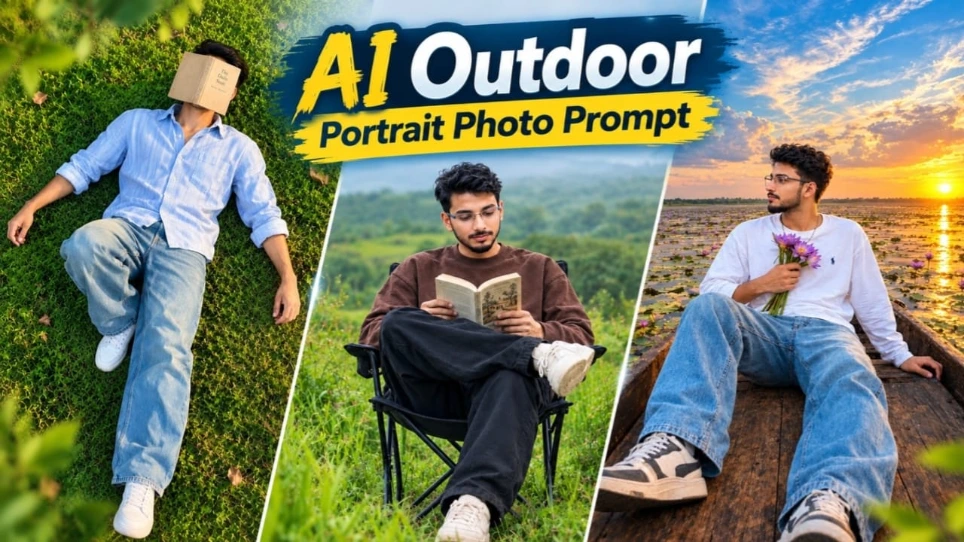
2. AI Outdoor Portrait Photo Prompt | Man Reading a Book in a Green Meadow
AI Outdoor Portrait Photo Prompt ek nature-inspired photo-editing concept hai jo green meadow aur book-reading theme par based portrait banane ke liye useful hai. Agar aap apni normal photo ko creative AI portrait mein convert karna chahte hain, to is tarah ka concept aapko ek naya photography-style look explore karne ka mauka deta hai.
Is edit ko banane ke liye sabse pehle ek clear reference photo select karein. Uske baad compatible AI image tool mein green meadow aur book-reading portrait ka idea describe karein. Agar aap apna original face preserve karna chahte hain, to prompt mein facial features, skin tone aur identity ko unchanged rakhne ki instruction add karein.
Image generate hone ke baad face, hands, book aur background ko carefully check karein. Agar image mein koi unwanted distortion ya unnatural detail nazar aaye, to prompt ko improve karke dobara generate karein. Final image ko apne preferred size mein crop karke social media post, profile picture ya creative photography collection ke liye use kar sakte hain.
Dhyan rahe ki AI ka final result selected reference image, prompt aur tool ki capabilities par depend karta hai. Original page ki exact visual details verify nahi ho paayi hain.
3. Monsoon Cinematic AI Video | Flow AI Viral Video Prompt
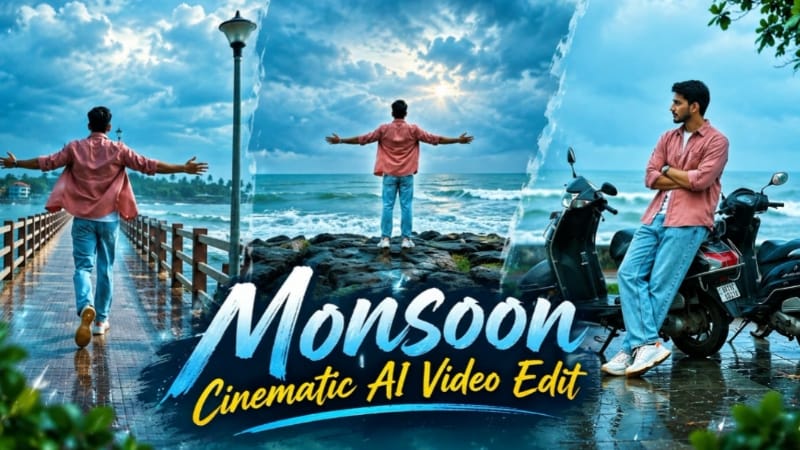
Monsoon Cinematic AI Video ek creative Flow AI video-editing concept hai jo monsoon season ke coastal environment ko cinematic style mein present karta hai. Is concept mein wet reflective ground, green vegetation, grey-blue clouds aur sea waves ke saath ek dramatic atmosphere create kiya gaya hai. Video ka planned format 16:9 landscape hai, jisme approximately 18 seconds ke liye six different shots use kiye gaye hain.
Is video ko create karne ke liye apni clear reference photo select karein aur Flow AI ke available video-generation option mein upload karein. NoorEditing07 ke original article se Monsoon Cinematic Video Prompt copy karke use karein. Character ki identity aur outfit ko sabhi scenes mein consistent rakhne ki instruction dena helpful rahega.
Video sequence mein seaside pier, wet plaza, parked scooters, rocky coastal viewpoint, coconut-palm walkway aur sea ke paas final scene shamil hain. Generation complete hone ke baad har shot ko check karein ki face, outfit aur environment natural dikh rahe hain ya nahi.
Agar AI sabhi scenes ko ek saath properly generate nahi karta, to individual clips bana kar editing application mein combine kar sakte hain. Final video mein consistent colour grading rakhein aur export se pehle poori video preview karein.
4. Kashful Highway Cinematic AI Video | Flow AI Prompt
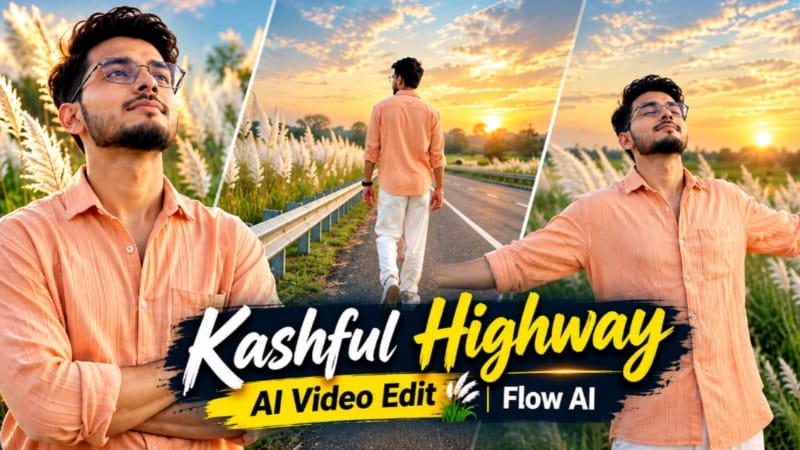
Kashful Highway Cinematic AI Video ek cinematic photo-to-video concept hai jisme rural highway, tall white Kashful grass aur sunset atmosphere ko combine kiya gaya hai. Soft indigo aur amber lighting video ko moody cinematic appearance deti hai. Is concept ka planned format 16:9 landscape hai aur ismein six different shots ka sequence use hota hai.
Video create karne ke liye apni clear reference photo ready karein aur Flow AI mein upload karein. Uske baad NoorEditing07 ke original article se Kashful Highway Cinematic AI Video Prompt copy karein. Prompt mein character ki identity, hairstyle aur outfit consistent rakhne ki instructions ko maintain karein.
Is concept mein character peach-orange button-down shirt, loose white trousers aur white casual sneakers pehenta hai. Scenes mein roadside railing ke paas walking, arms-crossed pose, side-profile highway view, arms spread karke road par walking, sky ki taraf dekhna aur distant horizon ki taraf running shamil hain.
Generation ke baad check karein ki har shot mein character ka face aur outfit consistent hai. Agar movement ya background mein koi issue ho, to affected scene ko dobara generate kar sakte hain. Zarurat padne par sabhi clips ko video editor mein combine karein aur final colour grading adjust karein.
Is tarah aap apni reference photo se inspired ek cinematic highway video create kar sakte hain.
5. Tesla Car Cinematic Video Prompt | Flow AI Edit
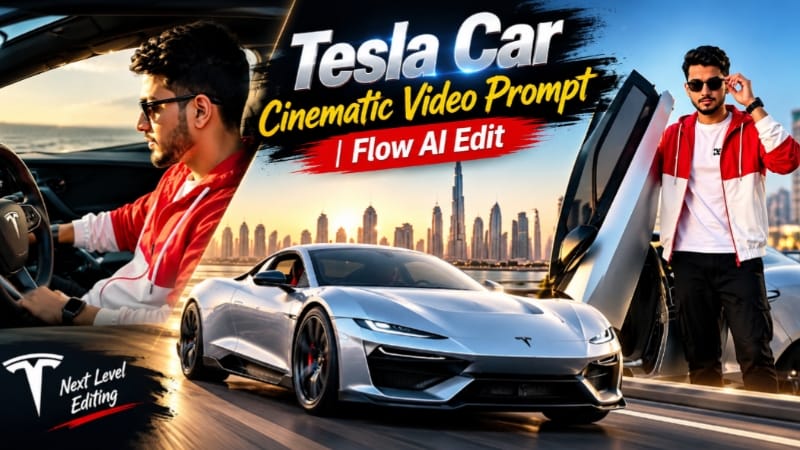
Tesla Car Cinematic Video Prompt ek AI video-editing concept hai jo premium automotive commercial jaisa visual experience create karne ke liye design kiya gaya hai. Is concept mein Tesla car ke exterior shots, wheel close-ups, interior cockpit views aur Dubai Marina skyline ko cinematic sequence mein dikhaya jata hai. Planned video 15 seconds ka hai, 16:9 landscape format mein, aur ismein 21 short shots shamil hain.
Video banane ke liye Tesla car ki clear front, side aur rear reference images select karein. Saath mein driver ki reference photo bhi ready rakhein, agar aap video mein apni appearance include karna chahte hain. Flow AI ke available video-generation option mein reference images upload karein aur NoorEditing07 ke original article se prompt copy karein.
Prompt mein car ke original design aur driver ki identity ko consistent rakhne par focus karein. Concept mein driver red-and-white hooded jacket, white T-shirt, black cargo pants, white sneakers, black sunglasses aur digital watch pehenta hai.
Generated video mein car ke angles, wheel details, cockpit shots aur Dubai skyline ko carefully review karein. Golden-hour lighting aur blue-hour rear views ko sequence mein sahi tarah maintain karna cinematic look ko improve kar sakta hai. Agar zarurat ho, clips ko editor mein combine karke final video export karein.