Pink BMW Cherry Blossom AI Video Prompt: Create a Cinematic Luxury Car Video
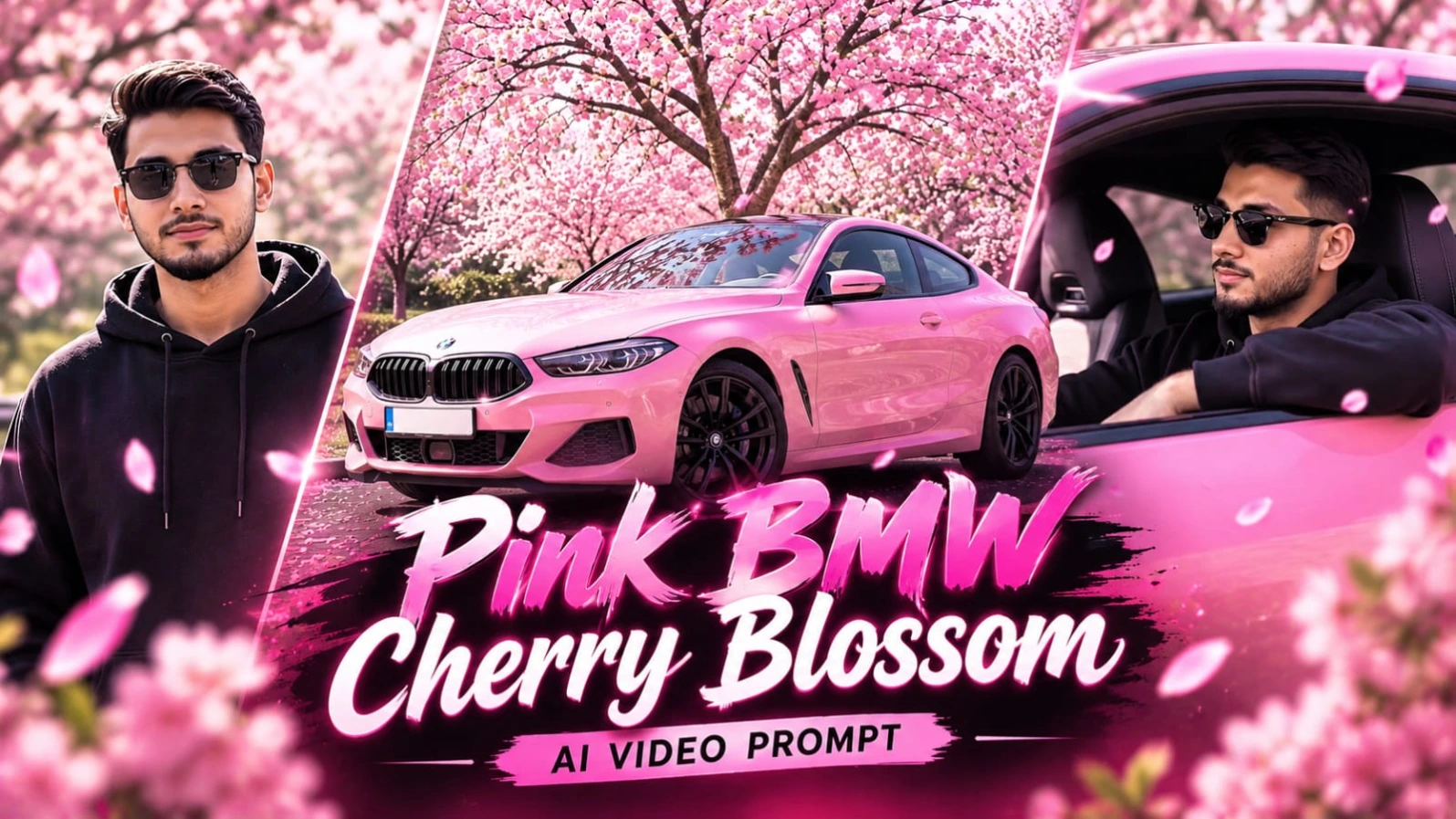
Imagine a glossy pink BMW sports car parked beneath magnificent blooming cherry blossom trees. Soft pink petals drift through the bright daylight, creating a beautiful atmosphere around the luxury vehicle. The car's polished body reflects the surrounding blossoms, while its modern headlights, elegant curves, and sporty design give every frame a premium automotive commercial look.
With this Pink BMW Cherry Blossom AI Video Prompt, you can create a cinematic video that combines luxury car photography, fashion aesthetics, and a dreamy spring environment. The concept is designed around eight carefully planned scenes, each showing a different perspective of the vehicle and the person featured in the video.
The result is a visually engaging sequence suitable for AI video experiments, automotive edits, social media reels, and cinematic creative projects.
A Beautiful Combination of Pink BMW and Cherry Blossoms
The central attraction of this video concept is a glossy pink BMW sports car surrounded by blooming pink cherry blossom trees. The bright daylight, vivid magenta tones, pastel pink colors, and falling petals create a distinctive visual style.
Unlike a conventional car video filmed on an empty road or inside a dark studio, this concept uses nature as part of the visual composition. The cherry blossom canopy provides a colorful background, while the petals add movement and depth to the scenes.
The car should remain visually consistent throughout the sequence. Its glossy pink finish, body proportions, headlights, wheels, and overall appearance should match from one scene to another.
Maintaining Face Identity Across All Scenes
A major feature of this prompt is its face identity lock instruction. The uploaded reference photo should guide the appearance of the male subject throughout the video.
The character is styled in an oversized black pullover hoodie with classic dark sunglasses and a clean modern haircut. His facial features, jawline, hairstyle, and skin tone should remain consistent with the reference image.
Clear facial illumination is important, especially in scenes where the camera captures the subject through the car window or shows him standing beside the vehicle.
The identity instructions are intended to reduce unwanted facial changes between shots. However, AI video tools may still produce variations, and an identity-lock instruction cannot guarantee a perfect match in every frame.
Understanding the Eight Cinematic Scenes
The video is structured around eight exact scenes. Each scene has a different camera position and visual purpose, helping the final sequence feel like a professionally planned automotive campaign.
The first scene introduces the vehicle through a macro close-up of the front headlight and wet hood. Fresh water droplets on the glossy pink surface create detailed reflections and an elegant opening shot.
The second scene reveals the complete visual setting. A front three-quarter wide hero shot shows the pink BMW parked beneath a massive blooming cherry blossom tree. This establishes the car, environment, and overall color palette.
The third scene moves inside the vehicle. A driver POV captures hands gripping the steering wheel, while the driver's reflection appears in the rearview mirror. This perspective makes the viewer feel part of the driving experience.
The fourth scene presents the driver from a side interior angle. The young man wears his black hoodie and sunglasses while driving with the window down. The bright outdoor environment remains visible around him.
The fifth scene moves outside the car. Through the open driver window, the camera captures the man resting his arm on the door as pink petals fall around the vehicle. This shot combines fashion, personality, and luxury automotive styling.
In the sixth scene, the subject stands beside the pink BMW and faces the camera with a confident expression. The falling petals and blooming trees create a beautiful portrait-style composition.
The seventh scene focuses on the car itself. A rear three-quarter low-angle beauty shot shows the BMW parked on a road covered with pink blossoms. This perspective highlights the vehicle's rear design and sporty proportions.
The eighth and final scene delivers a front low-angle tracking shot beneath the full cherry blossom canopy. Pink petals drift across the windshield, creating a cinematic ending with movement and visual depth.
Bright Daylight and Premium Pink Color Grading
Lighting and color are essential to this concept. The prompt specifies high-key bright daylight with vivid magenta and pastel pink tones.
The images should feel bright, clean, and detailed rather than dark or heavily shadowed. Deep contrast can help define the vehicle's body lines, but important details should remain visible in both the car and the subject's clothing.
The glossy pink paint should reflect the surrounding trees naturally. Water droplets, windshield reflections, falling petals, and the road covered with blossoms should all contribute to the overall visual quality.
The black hoodie and dark sunglasses provide a strong contrast against the pink environment. This contrast helps the subject remain visually distinct without distracting from the car.
Camera Quality and Cinematic Motion
The prompt specifies a widescreen 16:9 composition, ultra-realistic 8K visual quality, and a 120fps target. These settings describe the intended creative look.
Different camera perspectives help prevent the video from feeling repetitive. Macro details establish texture, wide shots introduce the location, interior angles provide a personal viewpoint, and low-angle shots emphasize the vehicle's design.
If the selected AI video platform offers camera movement controls, use them to create smooth tracking shots and controlled transitions. Keep movement natural and avoid unnecessary camera shaking.
The requested 120fps appearance may depend on the video generator's supported output settings. Similarly, writing 8K in a prompt does not guarantee native 8K rendering. Output resolution and frame rate should be checked in the available generation and export settings.
Watermark and Final Presentation
The prompt specifically requests the watermark "NoorEditing07" in the bottom corner. Its placement should remain consistent and should not cover the car, the subject's face, or important visual details.
For a polished final edit, keep the eight scenes in the requested order. Check that the pink BMW, black hoodie, sunglasses, cherry blossom setting, and subject identity remain consistent throughout the sequence.
Final Thoughts
This Pink BMW Cherry Blossom AI Video Prompt is a creative choice for anyone who enjoys luxury car visuals, cinematic portraits, and beautiful spring environments. Its eight-scene structure provides a complete visual journey, moving from detailed car close-ups to interior driving perspectives and impressive exterior beauty shots.
The combination of a glossy pink BMW, blooming cherry blossom trees, falling petals, bright daylight, and confident fashion styling gives the concept a distinctive appearance.
Use the prompt with a suitable AI video generation platform, upload your reference photo when supported, and review each generated scene carefully. The final result can become an eye-catching automotive video for creative portfolios, social media content, and AI filmmaking experiments.
Sabse Pehle Character Sheet Photo Banaai ChatGPT Se
AI Photo Prompt
✦AI PHOTO PROMPT
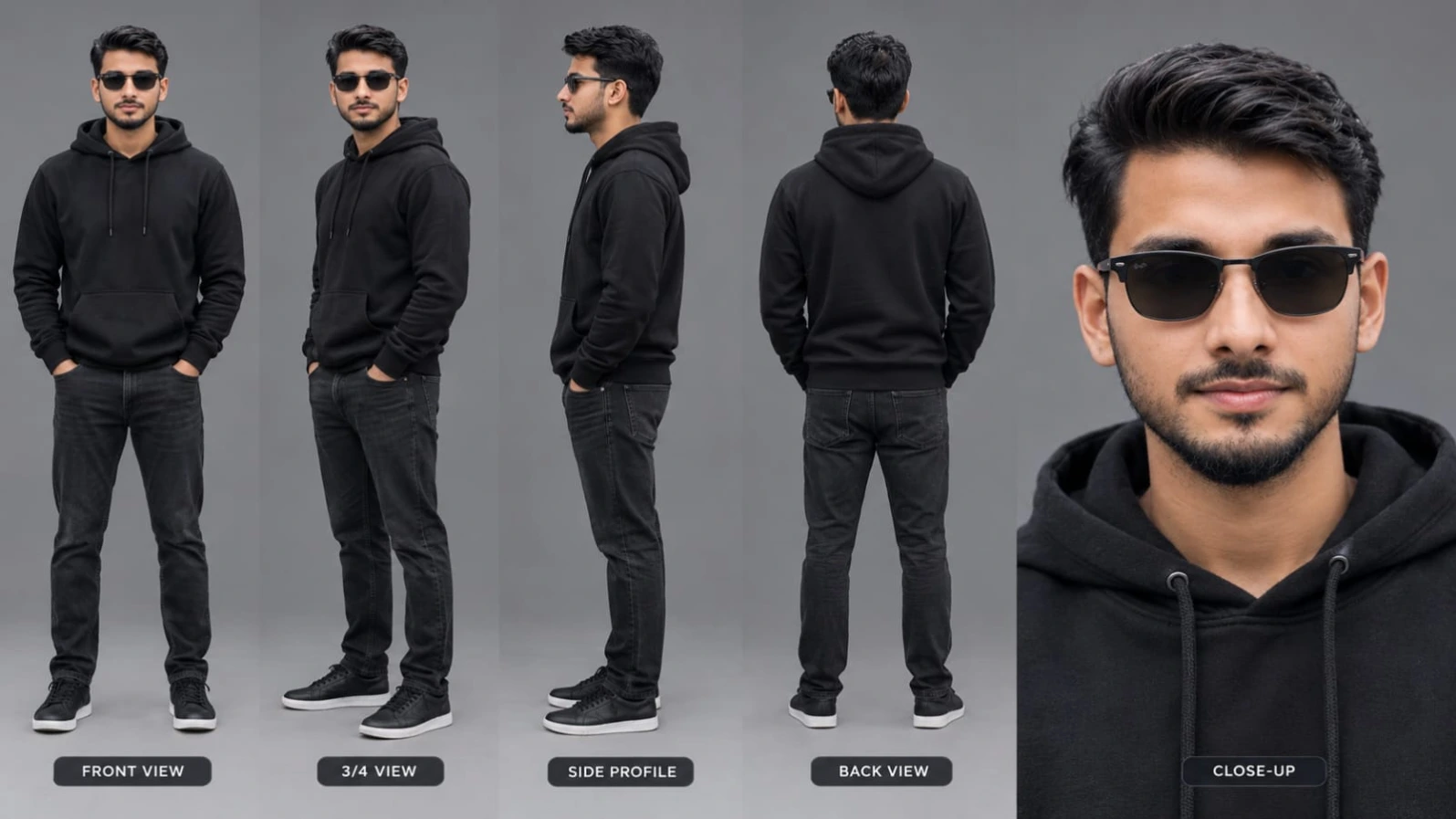
Cinematic character turn-around model sheet, ultra-realistic 8K UHD, neutral grey studio backdrop, 16:9 aspect ratio. Strict face lock and identity from reference photo with smooth clean DSLR skin texture. Outfit: solid black casual pullover hoodie, sleek black sunglasses, matching dark denim/black trousers, minimalist dark casual sneakers. Multi-view composition: Front View, 3/4 Profile, Side Profile (90°), Back View, Close-Up Headshot. Watermark: NoorEditing07.
Cinematic character turn-around model sheet, ultra-realistic 8K UHD, neutral grey studio backdrop, 16:9 aspect ratio.
[STRICT FACE LOCK & IDENTITY]
Lock 100% facial features, eyes, jawline, hair, and skin tone from uploaded reference photo across all angles. Smooth, clean DSLR skin texture, zero morphing, balanced studio fill lighting without harsh shadows.
[OUTFIT & STYLING]
- Top: Solid black casual pullover hoodie.
- Headwear/Accessories: Sleek black sunglasses, neatly styled hair.
- Bottom: Matching casual dark denim or black trousers.
- Footwear: Minimalist dark casual sneakers.
- Wardrobe stays completely consistent across all views.
[MULTI-VIEW MODEL SHEET COMPOSITION]
Full-body multi-angle character reference sheet arranged side-by-side:
1. Front View: Standing upright, hands at sides, calm confident look facing camera.
2. 3/4 Profile: 45-degree angle showing side jawline, sunglasses fit, and hoodie silhouette.
3. Side Profile (90°): Clean side-profile shot displaying ear, beard/jaw line, and hoodie drape.
4. Back View: Direct rear angle displaying back of black hoodie and hair styling.
5. Close-Up Headshot: Ultra-sharp 4K portrait showing natural skin texture, clear facial features, and stylish hair.
[TECHNICAL SPECS]
Fashion lookbook catalog, shot on 85mm f/1.4 lens, softbox studio lighting, rich fabric texture, natural tones, 8K resolution.
Watermark: A small, subtle watermark text "NoorEditing07" in the bottom corner, semi-transparent, elegant font, not blocking the subject.
✓
Prompt copied to clipboard!
AI Photo Prompt
✦AI PHOTO PROMPT
Cinematic character turn-around model sheet, ultra-realistic 8K UHD, neutral grey studio backdrop, 16:9 aspect ratio. Strict face lock and identity from reference photo with smooth clean DSLR skin texture. Outfit: solid black casual pullover hoodie, sleek black sunglasses, matching dark denim/black trousers, minimalist dark casual sneakers. Multi-view composition: Front View, 3/4 Profile, Side Profile (90°), Back View, Close-Up Headshot. Watermark: NoorEditing07.
Cinematic character turn-around model sheet, ultra-realistic 8K UHD, neutral grey studio backdrop, 16:9 aspect ratio.
[STRICT FACE LOCK & IDENTITY]
Lock 100% facial features, eyes, jawline, hair, and skin tone from uploaded reference photo across all angles. Smooth, clean DSLR skin texture, zero morphing, balanced studio fill lighting without harsh shadows.
[OUTFIT & STYLING]
- Top: Solid black casual pullover hoodie.
- Headwear/Accessories: Sleek black sunglasses, neatly styled hair.
- Bottom: Matching casual dark denim or black trousers.
- Footwear: Minimalist dark casual sneakers.
- Wardrobe stays completely consistent across all views.
[MULTI-VIEW MODEL SHEET COMPOSITION]
Full-body multi-angle character reference sheet arranged side-by-side:
1. Front View: Standing upright, hands at sides, calm confident look facing camera.
2. 3/4 Profile: 45-degree angle showing side jawline, sunglasses fit, and hoodie silhouette.
3. Side Profile (90°): Clean side-profile shot displaying ear, beard/jaw line, and hoodie drape.
4. Back View: Direct rear angle displaying back of black hoodie and hair styling.
5. Close-Up Headshot: Ultra-sharp 4K portrait showing natural skin texture, clear facial features, and stylish hair.
[TECHNICAL SPECS]
Fashion lookbook catalog, shot on 85mm f/1.4 lens, softbox studio lighting, rich fabric texture, natural tones, 8K resolution.
Watermark: A small, subtle watermark text "NoorEditing07" in the bottom corner, semi-transparent, elegant font, not blocking the subject.
Cinematic 16:9 ultra-realistic 8K 120fps video of a glossy pink BMW sports car under blooming pink cherry blossom trees with falling petals in bright daylight. Strict face and identity lock from reference photo. Outfit: oversized black pullover hoodie, classic dark sunglasses, clean modern haircut. 8-scene sequence covering macro car details, hero shots, cockpit POV, driving interior, window profile, standing portrait, rear beauty shot, and tracking canopy shot. Watermark: NoorEditing07.
Cinematic 16:9 ultra-realistic 8K 120fps video of a glossy pink BMW sports car under blooming pink cherry blossom trees with falling petals in bright daylight.
[IDENTITY & FACE LOCK]
100% facial features, jawline, hair, and skin tone locked to uploaded photo across all scenes. Smooth blemish-free DSLR skin texture, zero morphing, clearly illuminated face.
[OUTFIT & STYLING]
Oversized black pullover hoodie, classic dark sunglasses, clean modern haircut.
[8 EXACT MATCHED SCENES]
- Scene 1: Macro close-up of pink BMW front headlight and wet hood with fresh water droplets.
- Scene 2: Front three-quarter wide hero shot of pink car parked under massive blooming pink cherry blossom tree.
- Scene 3: Driver POV inside cockpit, hands gripping steering wheel, driver reflection visible in rearview mirror.
- Scene 4: Side interior angle of young man driving, wearing sunglasses and black hoodie with window down.
- Scene 5: Medium shot from outside looking through open driver window; he rests arm on the door, wearing sunglasses as pink petals fall around him.
- Scene 6: Medium portrait standing outside beside the pink car, facing camera with confident expression amidst falling petals.
- Scene 7: Rear three-quarter low-angle beauty shot of pink car parked on road covered with pink blossoms.
- Scene 8: Front low-angle tracking shot of pink car under full cherry blossom canopy, petals drifting across windshield.
[COLOR & TECHNICAL]
High-key bright daylight, vivid magenta and pastel pink tones, deep clean contrast with no dark crush, 8K DSLR optics, 120fps, 16:9 widescreen. Watermark 'NoorEditing07' in bottom corner.
✓
Prompt copied to clipboard!
AI Video Prompt
✦AI VIDEO PROMPT
Cinematic 16:9 ultra-realistic 8K 120fps video of a glossy pink BMW sports car under blooming pink cherry blossom trees with falling petals in bright daylight. Strict face and identity lock from reference photo. Outfit: oversized black pullover hoodie, classic dark sunglasses, clean modern haircut. 8-scene sequence covering macro car details, hero shots, cockpit POV, driving interior, window profile, standing portrait, rear beauty shot, and tracking canopy shot. Watermark: NoorEditing07.
Cinematic 16:9 ultra-realistic 8K 120fps video of a glossy pink BMW sports car under blooming pink cherry blossom trees with falling petals in bright daylight.
[IDENTITY & FACE LOCK]
100% facial features, jawline, hair, and skin tone locked to uploaded photo across all scenes. Smooth blemish-free DSLR skin texture, zero morphing, clearly illuminated face.
[OUTFIT & STYLING]
Oversized black pullover hoodie, classic dark sunglasses, clean modern haircut.
[8 EXACT MATCHED SCENES]
- Scene 1: Macro close-up of pink BMW front headlight and wet hood with fresh water droplets.
- Scene 2: Front three-quarter wide hero shot of pink car parked under massive blooming pink cherry blossom tree.
- Scene 3: Driver POV inside cockpit, hands gripping steering wheel, driver reflection visible in rearview mirror.
- Scene 4: Side interior angle of young man driving, wearing sunglasses and black hoodie with window down.
- Scene 5: Medium shot from outside looking through open driver window; he rests arm on the door, wearing sunglasses as pink petals fall around him.
- Scene 6: Medium portrait standing outside beside the pink car, facing camera with confident expression amidst falling petals.
- Scene 7: Rear three-quarter low-angle beauty shot of pink car parked on road covered with pink blossoms.
- Scene 8: Front low-angle tracking shot of pink car under full cherry blossom canopy, petals drifting across windshield.
[COLOR & TECHNICAL]
High-key bright daylight, vivid magenta and pastel pink tones, deep clean contrast with no dark crush, 8K DSLR optics, 120fps, 16:9 widescreen. Watermark 'NoorEditing07' in bottom corner.
Follow these steps to create a cinematic pink BMW video using an AI video generation platform. The workflow focuses on maintaining the same character, car appearance, outfit, and cherry blossom environment across all eight scenes.
Step 1: Prepare Your Reference Photo
Start by selecting a clear reference photo of the person you want to feature in the video.
Choose an image where the face is visible, well-lit, and captured from a suitable angle. Avoid heavily blurred photos or images with strong shadows covering important facial features.
Upload the reference photo if your selected AI video platform supports image references or character consistency options.
The reference image should guide the subject's facial features, jawline, hairstyle, and skin tone throughout the video. Remember that reference-based generation can improve consistency but cannot guarantee a perfect identity match in every frame.
Step 2: Select the Video Generation Platform
Open your preferred AI video generation tool. Choose a text-to-video or image-to-video workflow, depending on the options available.
If the platform supports reference images, upload your prepared photo. If it offers character reference, image guidance, or consistency settings, use the appropriate options.
Select a widescreen 16:9 aspect ratio if available. The target visual style is cinematic, ultra-realistic, and suitable for luxury automotive content.
Step 3: Establish the Character Styling
Use the same character description throughout the project.
The subject should wear an oversized black pullover hoodie, classic dark sunglasses, and a clean modern haircut.
Keep the face identity instructions consistent. Avoid changing the hairstyle, outfit, sunglasses, or facial appearance between individual scenes.
For the best visual continuity, use the same reference photo and character description whenever the platform supports them.
Step 4: Generate Scene 1 – Headlight Macro Close-Up
Begin with a detailed macro shot of the pink BMW's front headlight and wet hood.
Fresh water droplets should be visible on the glossy surface. Focus on the reflections, paint finish, and headlight details.
Use this shot as the opening visual to establish the premium automotive aesthetic.
Step 5: Generate Scene 2 – Front Three-Quarter Hero Shot
Create a wide front three-quarter view of the pink BMW parked beneath a massive blooming cherry blossom tree.
The car should be clearly visible, with pink flowers filling the background. Keep the daylight bright and the vehicle's paint glossy.
This scene establishes the main location and overall color palette.
Step 6: Generate Scene 3 – Driver POV
Move the camera inside the BMW cockpit.
Show the driver's hands gripping the steering wheel, with the driver's reflection visible in the rearview mirror.
Keep the interior perspective realistic and maintain the same character styling.
Step 7: Generate Scene 4 – Side Interior Driving Shot
Create a side interior angle showing the young man driving.
He should wear the same black hoodie and dark sunglasses, with the window down. Keep the lighting bright and natural.
Make sure the subject's face remains consistent with the uploaded reference photo.
Step 8: Generate Scene 5 – Open Window Portrait
Position the camera outside the car and look through the open driver window.
The man should rest his arm on the door while wearing his sunglasses. Pink petals should fall naturally around the car.
This scene should feel relaxed and stylish, combining a personal portrait with the luxury car environment.
Step 9: Generate Scene 6 – Standing Beside the BMW
Create a medium portrait of the subject standing beside the pink BMW.
He should face the camera with a confident expression. Keep the same outfit, hairstyle, sunglasses, and facial appearance.
Use the cherry blossom trees and falling petals as the background.
Step 10: Generate Scene 7 – Rear Three-Quarter Beauty Shot
Show the BMW from a low rear three-quarter camera angle.
The car should be parked on a road covered with pink blossoms. Highlight the rear design, glossy paint, and surrounding environment.
Keep the vehicle's appearance consistent with the earlier scenes.
Step 11: Generate Scene 8 – Front Tracking Shot
Finish with a low-angle front tracking shot of the pink BMW beneath a full cherry blossom canopy.
Pink petals should drift across the windshield as the camera follows the front of the vehicle.
Use smooth, natural movement if camera motion controls are available.
Step 12: Arrange and Edit All Eight Scenes
After generating the scenes, arrange them in the exact requested order:
1. Front headlight and wet hood macro.
2. Front three-quarter hero shot.
3. Driver POV inside the cockpit.
4. Side interior driving angle.
5. Outside view through the open driver window.
6. Standing portrait beside the car.
7. Rear three-quarter beauty shot.
8. Front low-angle tracking shot.
Review the transitions and remove any unwanted visual jumps. Check that the same pink BMW and character appearance are maintained throughout the sequence.
Step 13: Apply Color and Technical Settings
The target look is bright daylight with vivid magenta and pastel pink tones.
Avoid excessive dark shadows or crushed details. Keep the car's glossy reflections, water droplets, petals, and facial details visible.
Choose 16:9 widescreen and the highest suitable export resolution available. Use 8K and 120fps only if your selected platform genuinely supports those output settings. Prompt wording alone does not guarantee native resolution or frame rate.
Step 14: Add the Requested Watermark
Add the text "NoorEditing07" in the bottom corner of the final video.
If the AI tool supports text or watermark placement reliably, you can try that option. Otherwise, add the watermark during editing so its position and appearance remain consistent.
Step 15: Final Quality Check
Before exporting, review all eight scenes carefully.
Check the following:
- The pink BMW remains visually consistent.
- The subject's face follows the uploaded reference.
- The black hoodie and sunglasses remain unchanged.
- Cherry blossom trees and falling petals appear naturally.
- All eight scenes follow the correct order.
- The video uses the intended 16:9 widescreen composition.
- The watermark reads "NoorEditing07".
- No unwanted facial distortion, vehicle deformation, or unnatural movement appears.
Once everything looks correct, export the final video using the best quality settings available on your platform.
Your cinematic pink BMW cherry blossom video is ready for sharing.
Pink BMW AI video promptcherry blossom AI videopink sports car video promptBMW cinematic videoAI car video generatorluxury car AI video8 scene AI video prompt16:9 AI video promptultra realistic car videofalling pink petals videocherry blossom car photographyAI driving video promptblack hoodie cinematic videopink BMW cinematic editNoorEditing07 video prompt
Pink BMW AI video promptcherry blossom AI videopink sports car video promptBMW cinematic videoAI car video generatorluxury car AI video8 scene AI video prompt16:9 AI video promptultra realistic car videofalling pink petals videocherry blossom car photographyAI driving video promptblack hoodie cinematic videopink BMW cinematic editNoorEditing07 video prompt
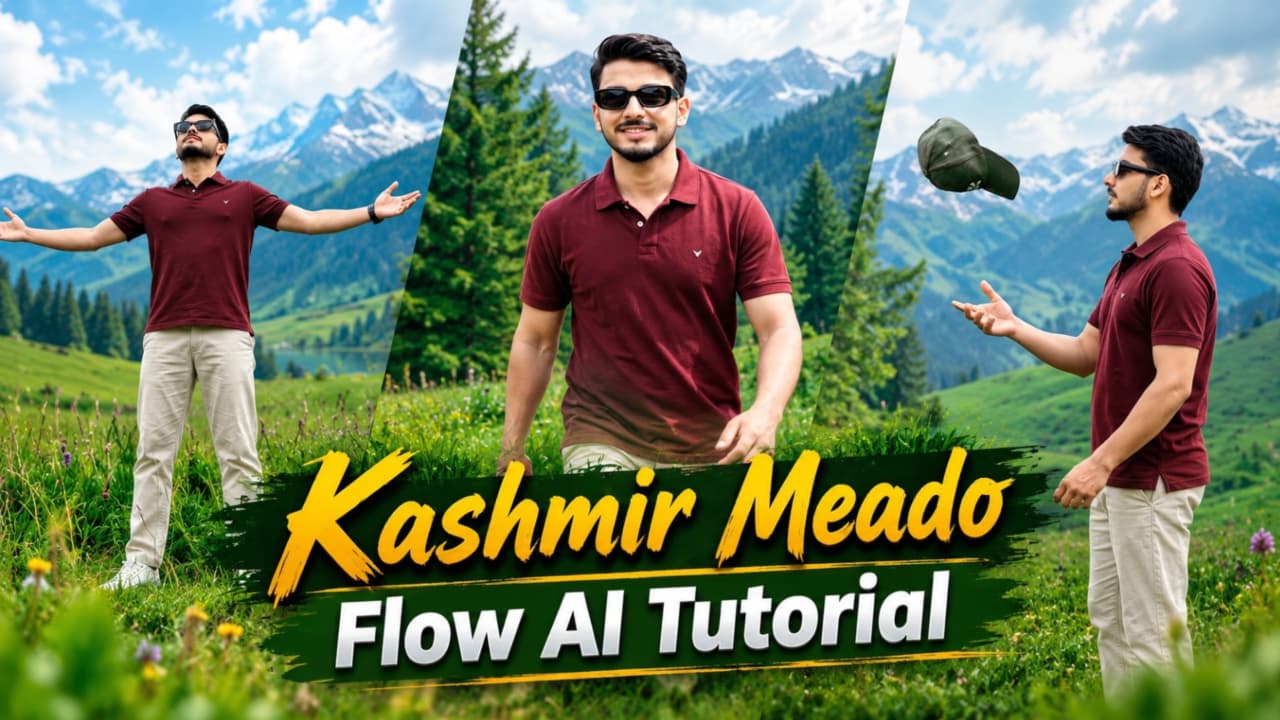
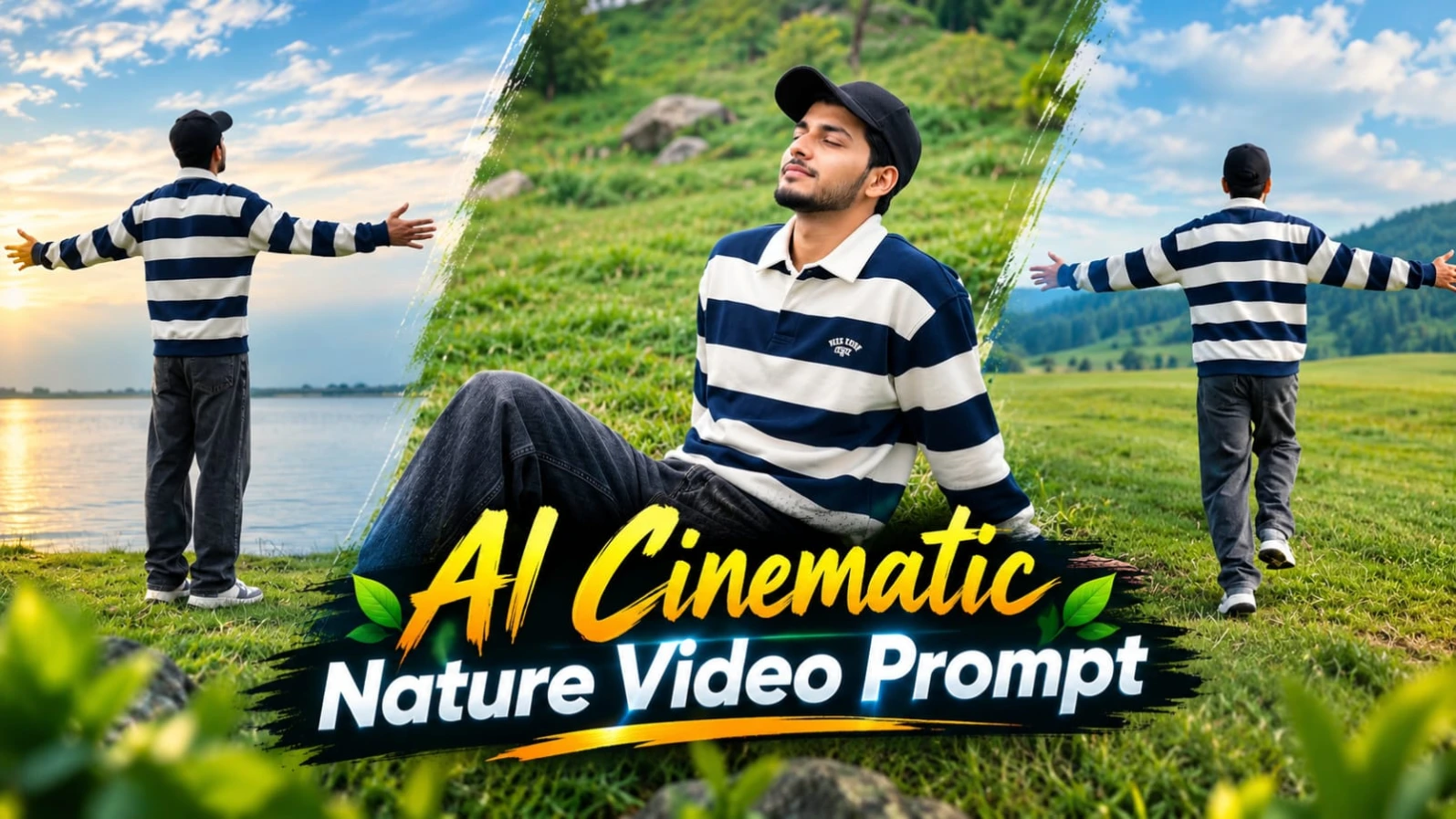
Kashmir Meadows AI Video Prompt se aap beautiful green meadows, pine forests, calm lake aur mountains ke saath cinematic travel video create kar sakte hain. Is concept mein ek man navy-blue and white striped polo sweatshirt, charcoal baggy jeans, chunky sneakers aur black cap pehenta hai.
Video mein seven scenes hain. Character green grass mein back-view running karta hai, grassy field mein walk karta hai, lake ke paas pebble throw karta hai aur hillside par relax karta hai. Aage woh horizon ki taraf arms spread karta hai aur final scene mein high cliff par khade hokar valley ka view enjoy karta hai.
Kashmir Meadows Video Kaise Banaye
Step 1: Flow AI open karein aur video-generation option select karein.
Step 2: Apni clear reference photo upload karein, agar tool reference-image feature support karta hai.
Step 3: Navy-blue striped sweatshirt, charcoal jeans, chunky sneakers aur black cap ki details add karein.
Step 4: Green field, calm lake, grassy slope aur high cliff ke seven scenes describe karein.
Step 5: Har scene ko generate karke face aur outfit consistency check karein.
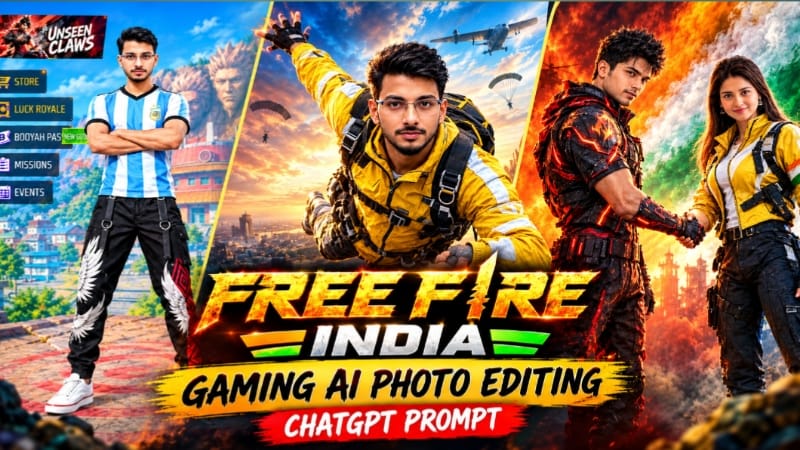
Free Fire India Gaming AI Photo Editing Prompt ki madad se aap apni normal photo ko ek colourful gaming lobby portrait mein convert kar sakte hain. Is concept mein uploaded face ko central gaming character ke roop mein use kiya jata hai.
Character sky-blue and white striped football-style jersey, black jogger pants with feather-wing graphics aur white sneakers pehenta hai. Background mein rocky mountain with giant carved faces, Japanese-inspired rooftops, blue tower, green trees aur stone plaza hai. Game-style interface mein player information, coin and diamond counters, rank icon, menu labels aur START button bhi shamil hain.
Free Fire Gaming Photo Kaise Banaye
Step 1: ChatGPT ya compatible AI image generator open karein.
Step 2: Apni clear face photo upload karein.
Step 3: Prompt mein blue-white striped jersey, black joggers aur white sneakers ki details add karein.
Step 4: Character ko arms crossed aur confident standing pose mein describe karein.
Step 5: Gaming village, carved mountain, blue tower aur stone plaza background specify karein.
Step 6: Game-style interface aur menu labels add karne ko kahein.
Step 7: Image ko 4:5 portrait format mein generate karein. Face, outfit aur interface text check karke final image export karein. Small text ko zarurat padne par editor mein correct karein.
3. AI Cinematic Nature Video Prompt – Flow AI Tutorial
AI Cinematic Nature Video Prompt se aap seven-scene outdoor cinematic film create kar sakte hain. Is concept mein ek man navy-blue and white striped long-sleeve polo sweatshirt, charcoal baggy jeans, chunky retro sneakers aur plain black cap pehenta hai.
Video ki shuruaat green grass mein back-view running shot se hoti hai. Aage character grassy field mein side-profile walk karta hai, lake ke paas pebble throw karta hai aur grassy slope par sky ki taraf dekhta hai. Phir woh lakeside par arms open karta hai aur final scene mein high cliff par khade hokar vast valley ka view enjoy karta hai.
Nature Video Kaise Banaye
Step 1: Flow AI open karein aur video-generation workflow select karein.
Step 2: Apni reference photo upload karein, agar supported ho.
Step 3: Character ka outfit aur appearance prompt mein clearly describe karein.
Step 4: Green fields, lake, grassy slope aur cliff ke seven scenes sequence mein likhein.
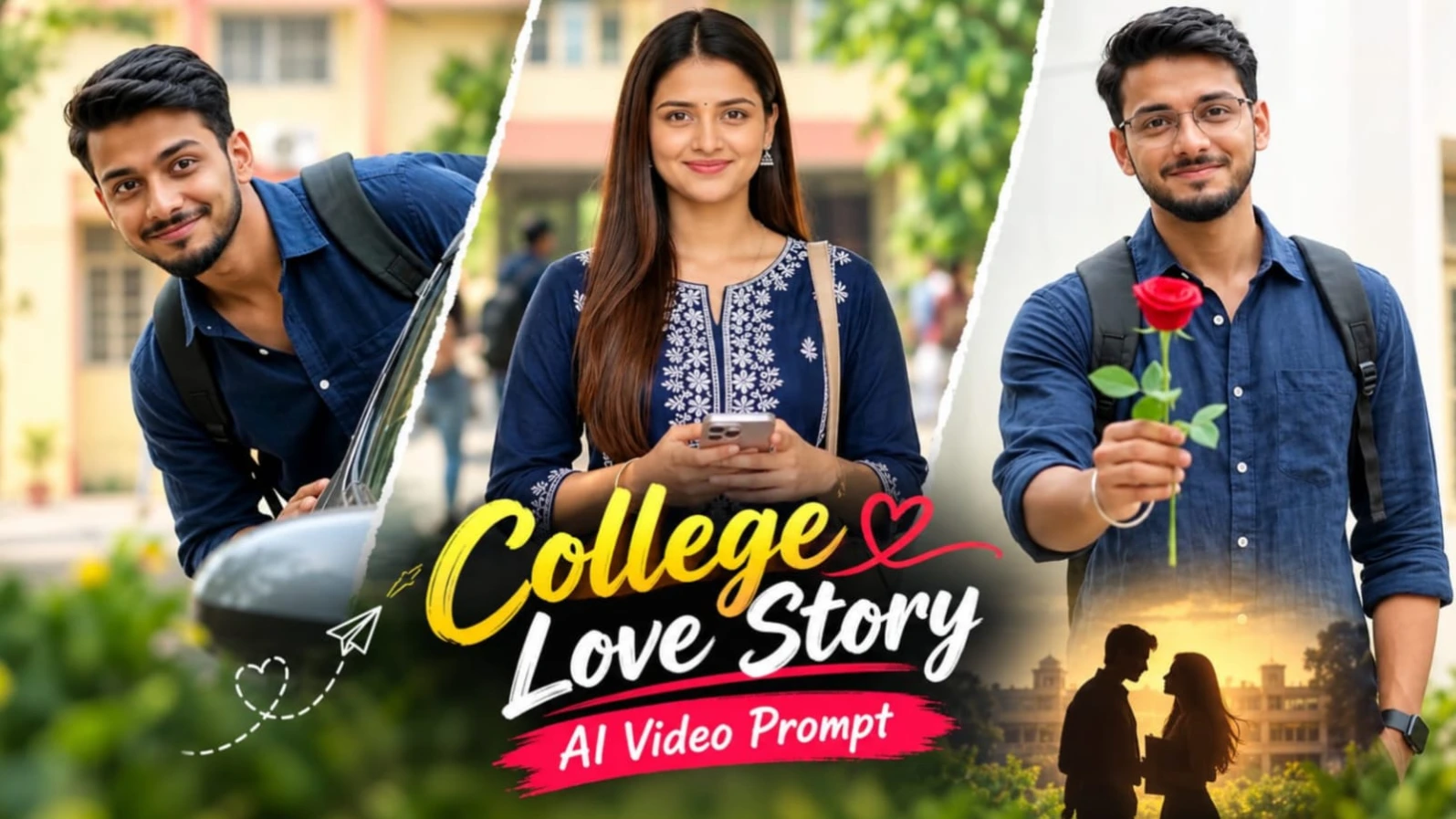
Couple College Campus AI Video Prompt se aap ek realistic romantic college love-story video create kar sakte hain. Is concept mein young man aur woman green college campus mein walking, smiling aur playful moments share karte hain.
Man navy-blue linen shirt, off-white trousers, white chunky sneakers aur black wristwatch pehenta hai. Woman navy-blue embroidered kurta, matching palazzo, embroidered dupatta, beige shoulder bag aur white sneakers mein nazar aati hai.
Video mein ten shots hain. Woman campus building ke saamne walk karti hai, man motorcycle par smile karta hai, dono ke playful moments dikhaye jaate hain aur final shot mein man camera ki taraf red rose raise karta hai.
Couple Campus Video Kaise Banaye
Step 1: Flow AI open karein aur video-generation option select karein.
Step 2: Man aur woman ki reference photos upload karein.
Step 3: Dono ke face, hairstyle aur outfits ki details consistent rakhein.
Step 4: Green campus, white buildings, yellow building, parked cars aur trees describe karein.
Step 5: Ten shots ko separately generate karein.
Step 6: Clips ko simple hard cuts ke saath arrange karein.
Step 7: Face consistency aur natural movements check karke final landscape video export karein.
5. Village Cricket Cinematic Video Edit – Flow AI Prompt
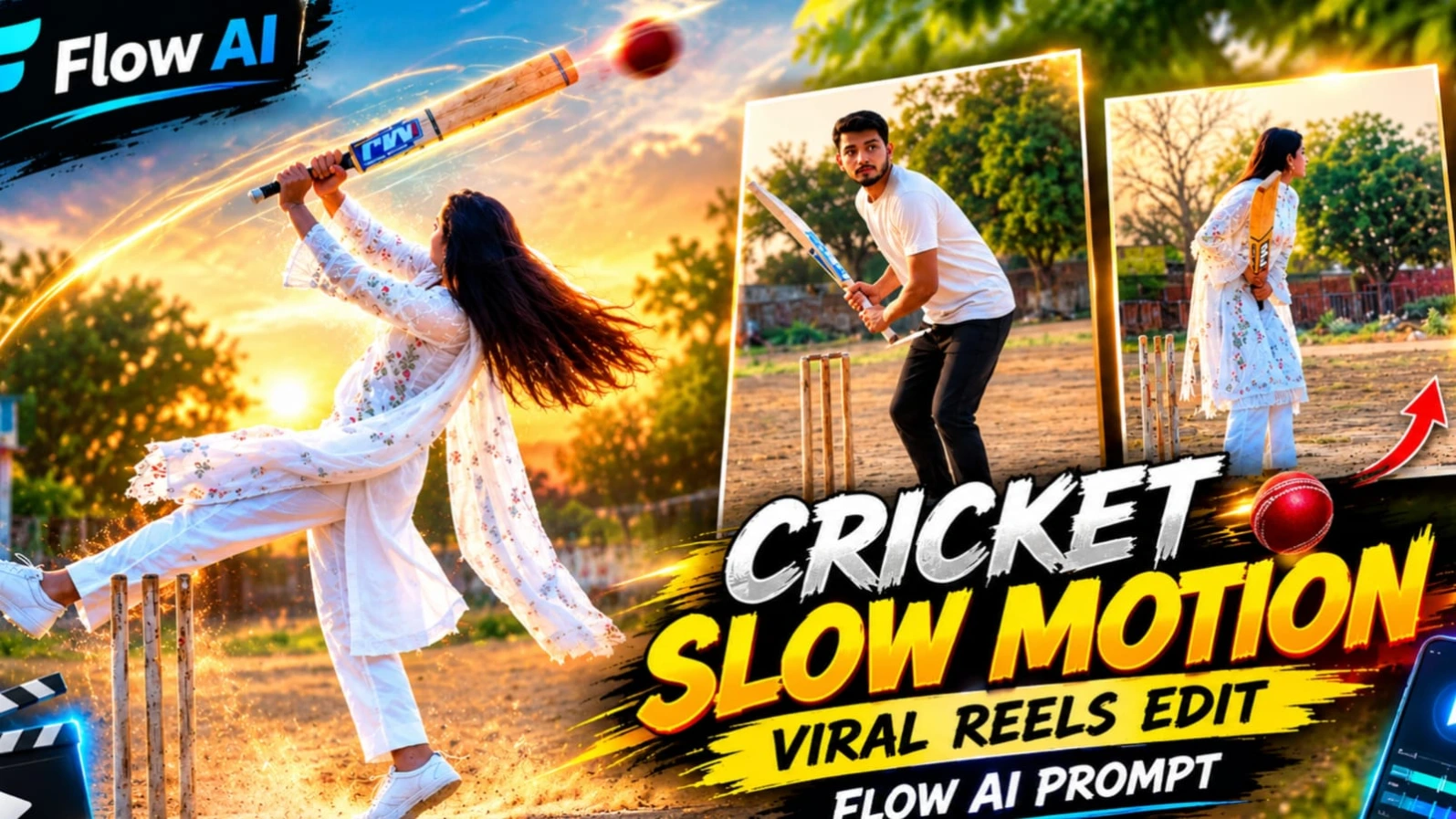
Village Cricket Cinematic Video Prompt se aap traditional white outfit aur cricket action ke saath realistic village-style video create kar sakte hain. Ismein ek woman white chikankari embroidered kurta, white straight pants, sheer dupatta aur white sneakers pehenti hai. Uske haath mein blue-and-white sticker wala light-wood cricket bat hai.
Background mein dusty village ground, concrete playing strip, three wooden stumps, trees aur small blue-and-white building hai. Camera static tripod position par rehta hai. Video mein bat raise karna, ground par tap karna, jump, turn aur walk away jaise actions shamil hain. Slow-motion section mein hair, dupatta aur bat ki movement highlight hoti hai.
Village Cricket Video Kaise Banaye
Step 1: Flow AI open karein aur video-generation option select karein.
Step 2: Woman ki clear reference photo upload karein.
Step 3: White chikankari outfit, long straight black hair aur cricket bat ki details add karein.