Couple College Campus AI Video Prompt: Create a Realistic Cinematic Love Story
Romantic campus videos are a popular style of short-form content because they combine everyday moments, natural expressions, stylish outfits, and a relatable love-story atmosphere. With AI video-generation tools, creators can develop cinematic scenes featuring a couple walking around a college campus, exchanging smiles, sharing playful moments, and ending with a memorable romantic gesture.
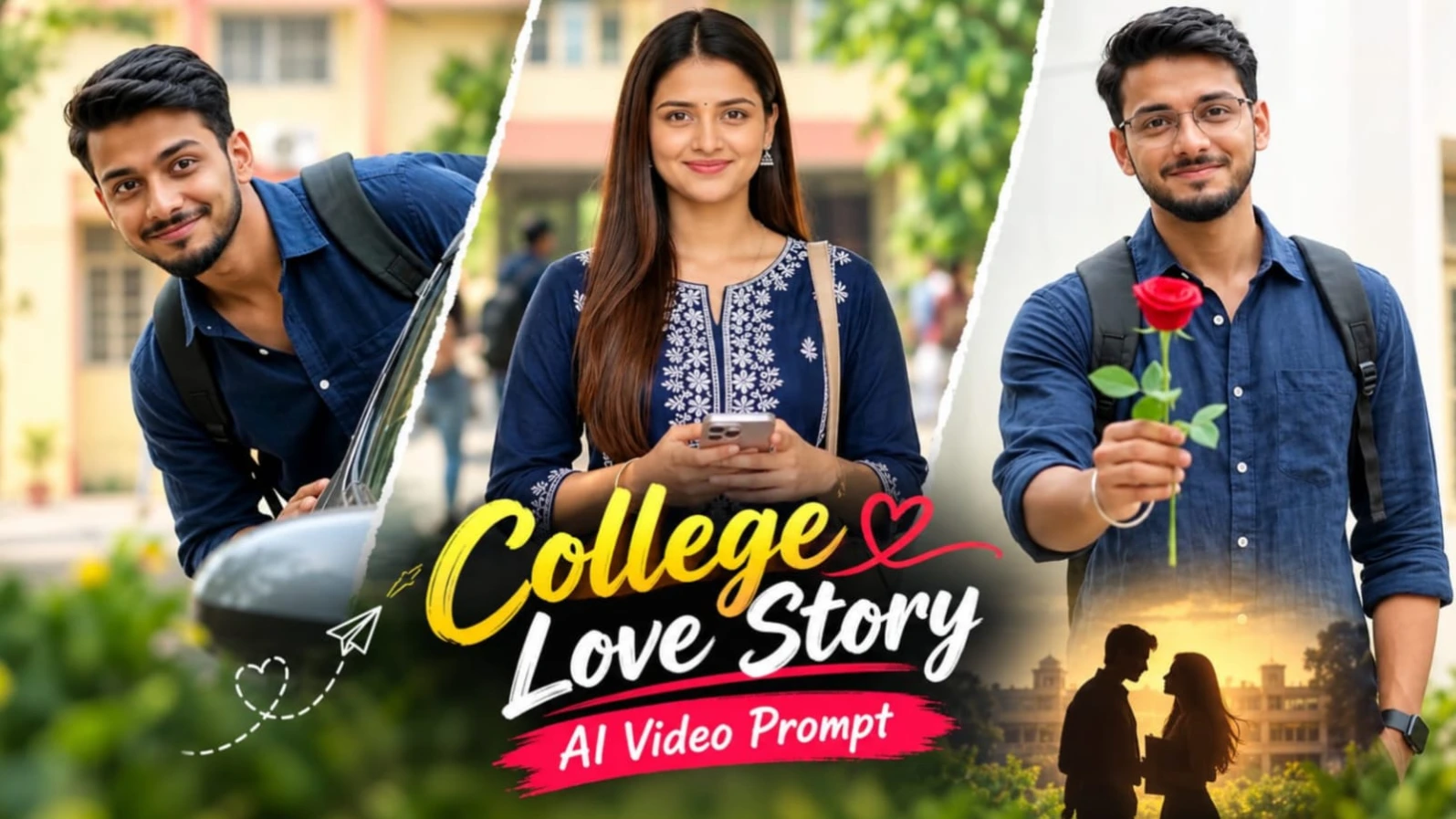
The Couple College Campus AI Video Prompt is designed to create a realistic 17-second landscape video featuring a young man and woman in a green college campus environment. The concept uses ten carefully planned shots, connected with simple hard cuts. Each shot contributes a small moment to the story, from the woman looking back at the camera to the man smiling on a motorcycle and the final scene in which he raises a red rose toward the viewer.
The overall style resembles documentary footage captured with professional DSLR cinema equipment. Bright natural daylight, realistic skin texture, natural body movements, and a consistent color palette help create an authentic atmosphere. Rather than using exaggerated cinematic effects, the concept focuses on simple gestures and believable interactions.
Consistent Couple Identity Across Every Scene
The most important element of this video concept is the identity of the two main characters. The uploaded reference image of the man should guide his appearance, while the uploaded reference image of the woman should guide hers. Both characters should retain their recognizable facial features throughout the sequence.
Facial consistency includes the face shape, eyes, nose, lips, hairstyle, skin tone, apparent age, and body proportions. The goal is to avoid unwanted facial changes when switching between different scenes, camera angles, and backgrounds.
If your selected AI video workflow supports reference-image guidance, use the appropriate reference image for each character. Keep their descriptions consistent and inspect every generated clip before assembling the final timeline. Identity consistency can be challenging in multi-scene AI videos, particularly when characters walk, turn their heads, interact with objects, or appear in different lighting conditions.
Every shot should provide a clear view of the character who is on screen. Medium shots, three-quarter views, and close-ups can help preserve facial visibility. Avoid unnecessary camera angles that completely hide the face, especially when the expression is important to the story.
Outfits That Create a Consistent Visual Identity
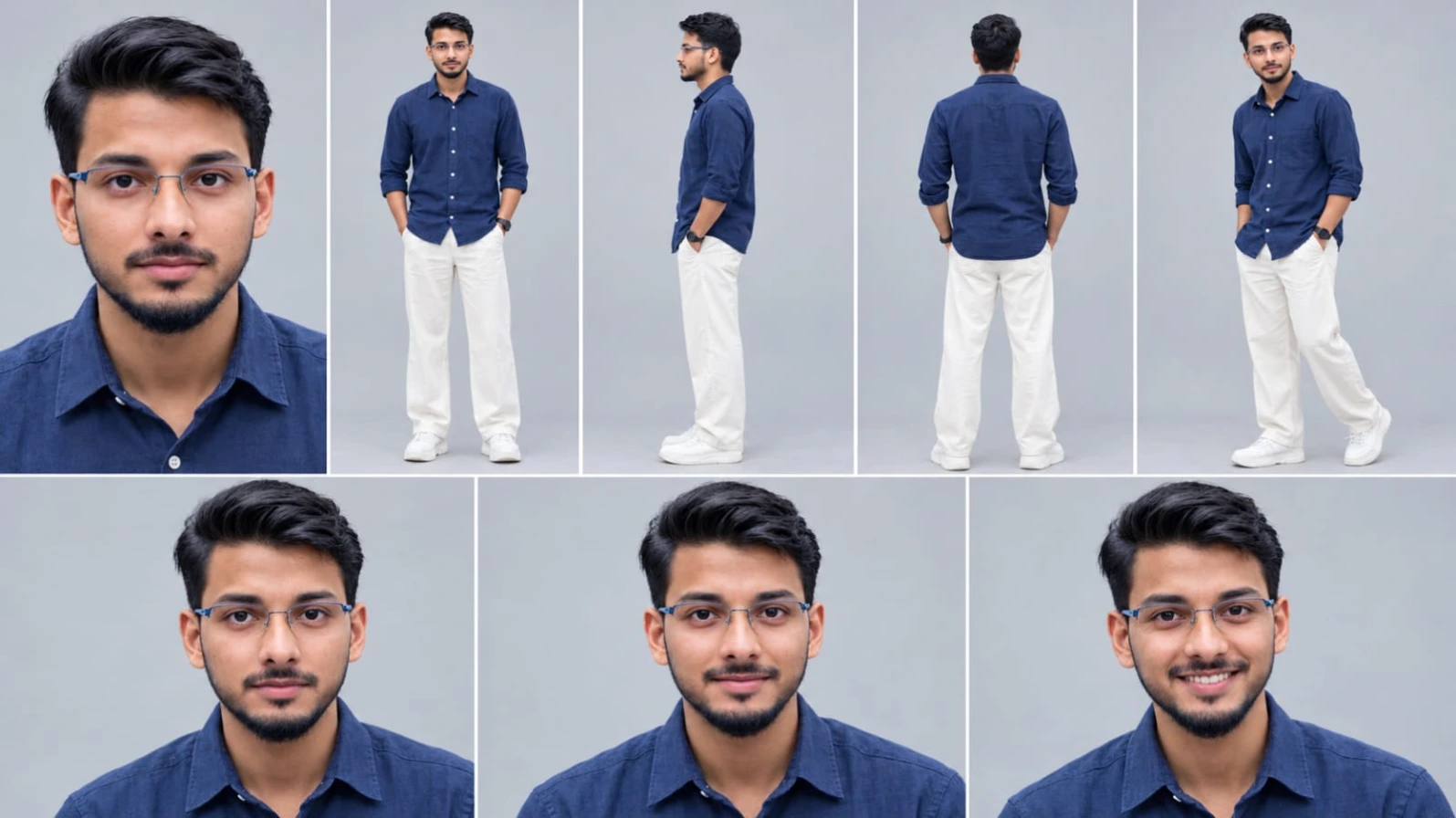
The man wears a navy blue linen button-up shirt with white buttons and a chest pocket. His sleeves are rolled to the forearms, and the shirt remains untucked. Off-white wide-leg relaxed trousers, white chunky sneakers, and a black wristwatch complete his outfit. In selected shots, he also wears a black backpack, while black sunglasses appear in the motorcycle scene.
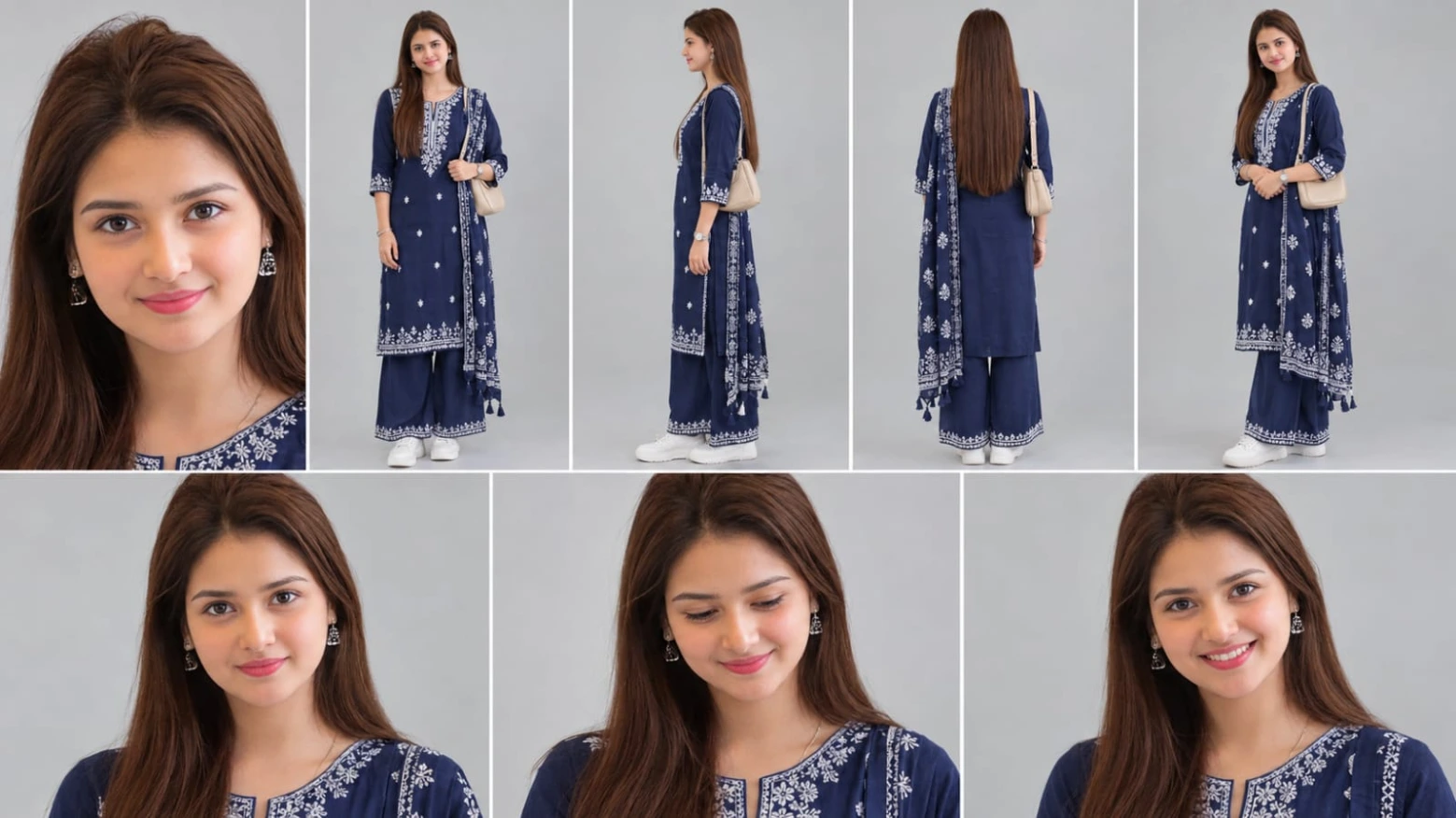
The woman wears a navy blue straight kurta with three-quarter sleeves and white chikankari embroidery along the neckline, cuffs, and hem. Matching navy palazzo pants and a long navy dupatta with white embroidery and tassels complete the traditional outfit. She also carries a beige leather shoulder bag, wears white chunky sneakers, and has a thin silver bracelet.
The coordinated navy blue outfits create visual harmony between the characters without making them look identical. White embroidery, off-white trousers, and white sneakers provide contrast against the green campus background.
Maintaining these details is essential when generating separate clips. Changes in shirt color, dupatta design, bag position, footwear, or hairstyle can make the final video feel inconsistent. Repeat the relevant outfit details in each scene description and check them before editing.
A Realistic Green College Campus
The setting is a green college campus with white multi-storey buildings, square-patterned windows, a road with parked cars, a yellow-painted building, a folding metal shutter gate, and fresh green trees.
These repeated environmental details help the sequence feel like one continuous location. The white buildings create a clean architectural background, while the yellow-painted building adds a contrasting color. Parked cars and a motorcycle introduce realistic campus activity, and distant students help establish the everyday college atmosphere.
The background extras should remain secondary. They can appear softly blurred or far from the main characters, allowing the couple to remain the visual focus. The same general campus environment should be maintained across all ten shots, even when the camera moves between different areas.
The Ten-Scene Cinematic Progression
The opening shot introduces the woman walking in front of a white multi-storey campus building. Her beige shoulder-bag strap is visible as she looks back over her shoulder with a surprised expression and then turns her face toward the camera. This quick moment creates an engaging beginning and immediately establishes the character.
In the second shot, the man sits on a parked motorcycle. The composition uses a low camera angle, with one hand on the handlebar and a round side mirror in the foreground. Wearing his black sunglasses and backpack, he turns toward the camera and breaks into a broad smile. Students moving in the distant background add depth to the scene.
The third shot returns to the woman as she walks toward the camera along a road beside a yellow-painted building. She holds her phone in both hands and looks to the side while keeping her face visible. The casual action makes the video feel like an everyday campus moment rather than a staged commercial.
The fourth shot introduces a playful moment with the man hiding behind a parked grey car. He first peeks over the car with only his head visible, then leans out with a cheeky smile. His face remains directed toward the camera, giving the scene a lighthearted tone.
The fifth shot continues the woman's walk. She glances down at her phone before looking up and smiling at the camera. The subtle change in expression creates a natural connection between her and the viewer.
In the sixth shot, the man leans out from behind the car with his backpack on and smiles toward the camera. A parked red car and a passing motorcycle appear softly blurred behind him. This shot adds background movement while preserving the main subject's visibility.
The seventh shot places the woman inside the campus entrance behind a folding metal shutter gate. The gate is softly blurred in the foreground, while she holds her phone and bag strap and smiles toward the camera. Blurred students passing behind her reinforce the campus atmosphere.
In the eighth shot, the man stands in front of a white building with his backpack straps on his shoulders. He smiles broadly as the camera performs a slow push-in. The gradual movement brings attention to his expression without requiring an exaggerated pose.
The ninth shot is a close-up of the woman's face and shoulders. She gives a shy smile, briefly glances to the side, narrows her eyes slightly in a natural expression of happiness, and then looks toward the camera. A blurred green hedge and a person wearing yellow appear in the background.
The tenth and final shot features the man alone in front of a white building with yellow-framed windows. He smiles at the camera and raises a red rose toward it at the end. Keeping him alone in this final shot gives the romantic gesture a clear visual focus and provides a memorable conclusion.
Lighting, Camera Style, and Natural Motion
The intended visual style combines the shallow depth of field associated with an 85mm f/1.8 lens for close-ups with the wider environmental perspective of a 35mm lens. The overall look is inspired by full-frame DSLR cinema footage, with a cinematic 24fps motion aesthetic.
Bright, high-key daylight should illuminate the characters evenly. Navy blue clothing should retain its rich color, white buildings and sneakers should remain clean and detailed, and skin tones should look natural. Fresh green trees and a soft teal-green background can create visual depth without making the footage look heavily filtered.
Natural movement is equally important. Walking should include believable weight shifts, the woman's hair and dupatta should move naturally, and the man's shirt and backpack should respond realistically to his movements. Hands, fingers, motorcycle controls, car edges, and the rose should remain anatomically and physically consistent.
The prompt requests a silent video with no music and no speech. Keeping the final output silent allows creators to add their own soundtrack or sound design later if desired.
The Importance of the Exact 17-Second Timeline
The video is designed to last exactly 17 seconds and contain ten distinct shots in a fixed order. The timing is important because each scene represents a different part of the story. The first shot lasts 1.4 seconds, while the final shot occupies the last 1.4 seconds. Other scenes range from brief reactions to longer expressions and close-ups.
A clear timeline makes the video easier to plan and edit. Generate the scenes separately if necessary, then arrange them according to their intended start and end times. Use plain hard cuts rather than transitions that obscure the required shot sequence.
AI video tools may not produce exact durations or perfectly preserve every action in a single generation. If your tool cannot generate the entire sequence reliably, create shorter clips and trim them in an editor. Verify the final duration and check that all ten shots appear once, in the correct order.
Adding the NoorEditing07 Watermark
The concept includes a small white sans-serif watermark reading NoorEditing07 at the bottom center of every shot. The text should retain the exact spelling, size, and position throughout the video.
For reliable placement, add the watermark during final editing rather than relying entirely on text generated inside the video. A fixed overlay can maintain consistent positioning across different scenes and reduce the risk of distorted lettering. Keep it subtle without covering the characters or important details.
Final Thoughts
This Couple College Campus AI Video Prompt combines ten short scenes into a romantic, documentary-style campus story. The woman's surprised look, the man's motorcycle smile, the playful car-peeking moment, the phone interaction, the entrance-gate scene, and the final red rose create a sequence with a clear beginning, middle, and ending.
For the best result, focus on consistent reference faces, unchanged outfits, realistic expressions, bright daylight, and accurate scene timing. Review each clip before combining it with the others, and use simple cuts to preserve the exact order. With careful generation and editing, this concept can serve as a useful starting point for a cinematic couple video in a realistic college campus setting.
Sabse Pehle Character Sheet Photo Banaai ChatGPT Se
AI Photo Prompt
✦AI PHOTO PROMPT
Use the FIRST uploaded photo as the ONLY face and body reference. Create a character reference sheet of this EXACT same real person, not a similar or new person. Keep the identical face, facial features, skin tone, skin texture, hair, hairline, beard or lack of it, age and body shape. Do not beautify, do not smooth the skin, do not change anything about the face. The face must be bright, sharp and clear with no shadow on it.
Use the FIRST uploaded photo as the ONLY face and body reference. Create a character reference sheet of this EXACT same real person, not a similar or new person. Keep the identical face, facial features, skin tone, skin texture, hair, hairline, beard or lack of it, age and body shape. Do not beautify, do not smooth the skin, do not change anything about the face. The face must be bright, sharp and clear with no shadow on it.
Layout, 16:9, thin white dividers: top row 5 panels (close-up face, full body front, full body side, full body back, full body three-quarter), bottom row 3 close-up face panels with natural expressions (neutral, soft smile, big smile). Plain light grey studio background, soft even bright daylight, realistic photo, sharp details, natural skin texture, 4K. It must look like a real photograph, not AI art.
Outfit in every panel, identical, copied ONLY from the SECOND uploaded image (ignore the faces of the models in that image): a navy blue linen button-up shirt with white buttons and a chest pocket, sleeves rolled to the forearm, worn untucked, off-white wide-leg relaxed trousers, white chunky sneakers, a black wristwatch with a black strap.
✓
Prompt copied to clipboard!
AI Photo Prompt
✦AI PHOTO PROMPT
Use the FIRST uploaded photo as the ONLY face and body reference. Create a character reference sheet of this EXACT same real person, not a similar or new person. Keep the identical face, facial features, skin tone, skin texture, hair, hairline, beard or lack of it, age and body shape. Do not beautify, do not smooth the skin, do not change anything about the face. The face must be bright, sharp and clear with no shadow on it.
Use the FIRST uploaded photo as the ONLY face and body reference. Create a character reference sheet of this EXACT same real person, not a similar or new person. Keep the identical face, facial features, skin tone, skin texture, hair, hairline, beard or lack of it, age and body shape. Do not beautify, do not smooth the skin, do not change anything about the face. The face must be bright, sharp and clear with no shadow on it.
Layout, 16:9, thin white dividers: top row 5 panels (close-up face, full body front, full body side, full body back, full body three-quarter), bottom row 3 close-up face panels with natural expressions (neutral, soft smile, big smile). Plain light grey studio background, soft even bright daylight, realistic photo, sharp details, natural skin texture, 4K. It must look like a real photograph, not AI art.
Outfit in every panel, identical, copied ONLY from the SECOND uploaded image (ignore the faces of the models in that image): a navy blue linen button-up shirt with white buttons and a chest pocket, sleeves rolled to the forearm, worn untucked, off-white wide-leg relaxed trousers, white chunky sneakers, a black wristwatch with a black strap.
✓
Prompt copied to clipboard!
AI Photo Prompt
✦AI PHOTO PROMPT
Use the FIRST uploaded photo as the ONLY face and body reference. Create a character reference sheet of this EXACT same real person, not a similar or new person. Keep the identical face, facial features, skin tone, skin texture, hair, hairline, age and body shape. Do not beautify, do not smooth the skin, do not change anything about the face. The face must be bright, sharp and clear with no shadow on it.
Use the FIRST uploaded photo as the ONLY face and body reference. Create a character reference sheet of this EXACT same real person, not a similar or new person. Keep the identical face, facial features, skin tone, skin texture, hair, hairline, age and body shape. Do not beautify, do not smooth the skin, do not change anything about the face. The face must be bright, sharp and clear with no shadow on it.
Layout, 16:9, thin white dividers: top row 5 panels (close-up face, full body front, full body side, full body back showing the hair, full body three-quarter), bottom row 3 close-up face panels with natural expressions (neutral, shy smile, big smile). Plain light grey studio background, soft even bright daylight, realistic photo, sharp details, natural skin texture, 4K. It must look like a real photograph, not AI art.
Outfit in every panel, identical, copied ONLY from the SECOND uploaded image (ignore the faces of the models in that image): a navy blue straight kurta with 3/4 sleeves, white chikankari embroidery on the neckline, cuffs, hem and small scattered motifs, matching navy palazzo pants, a long navy dupatta with white block-print embroidery and tassels draped over one shoulder, a beige leather shoulder bag, white chunky sneakers, a thin silver bracelet and a small silver wristwatch.
✓
Prompt copied to clipboard!
AI Photo Prompt
✦AI PHOTO PROMPT
Use the FIRST uploaded photo as the ONLY face and body reference. Create a character reference sheet of this EXACT same real person, not a similar or new person. Keep the identical face, facial features, skin tone, skin texture, hair, hairline, age and body shape. Do not beautify, do not smooth the skin, do not change anything about the face. The face must be bright, sharp and clear with no shadow on it.
Use the FIRST uploaded photo as the ONLY face and body reference. Create a character reference sheet of this EXACT same real person, not a similar or new person. Keep the identical face, facial features, skin tone, skin texture, hair, hairline, age and body shape. Do not beautify, do not smooth the skin, do not change anything about the face. The face must be bright, sharp and clear with no shadow on it.
Layout, 16:9, thin white dividers: top row 5 panels (close-up face, full body front, full body side, full body back showing the hair, full body three-quarter), bottom row 3 close-up face panels with natural expressions (neutral, shy smile, big smile). Plain light grey studio background, soft even bright daylight, realistic photo, sharp details, natural skin texture, 4K. It must look like a real photograph, not AI art.
Outfit in every panel, identical, copied ONLY from the SECOND uploaded image (ignore the faces of the models in that image): a navy blue straight kurta with 3/4 sleeves, white chikankari embroidery on the neckline, cuffs, hem and small scattered motifs, matching navy palazzo pants, a long navy dupatta with white block-print embroidery and tassels draped over one shoulder, a beige leather shoulder bag, white chunky sneakers, a thin silver bracelet and a small silver wristwatch.
Cinematic premium 16:9 landscape video, exactly 17 seconds, photorealistic, shot on a full-frame DSLR cinema look with an 85mm f/1.8 lens for close-ups and a 35mm lens for wide shots, 8K detail, 4K clean image, true HDR, 10-bit colour, 24 fps cinematic look with smooth natural motion. Silent video, no music and no speech. REFERENCE IMAGES: image 1 is THE MAN and image 2 is THE WOMAN. Use these uploaded images as the ONLY identity reference. They are a couple.
Cinematic premium 16:9 landscape video, exactly 17 seconds, photorealistic, shot on a full-frame DSLR cinema look with an 85mm f/1.8 lens for close-ups and a 35mm lens for wide shots, 8K detail, 4K clean image, true HDR, 10-bit colour, 24 fps cinematic look with smooth natural motion. Silent video, no music and no speech.
REFERENCE IMAGES: image 1 is THE MAN and image 2 is THE WOMAN. Use these uploaded images as the ONLY identity reference. They are a couple.
IDENTITY LOCK (most important): the man and the woman must look exactly like their uploaded images in every single frame: identical face, facial features, face shape, eyes, nose, lips, hair, skin tone, age and body shape. Never change, morph, age, beautify or swap any face. The same two faces appear in all shots. No other main people (only blurred extras walking far in the background). In EVERY shot the face of the person on screen is clearly visible, turned toward the camera or in clear three-quarter view, never hidden or turned fully away.
FACE QUALITY: every face is ultra-sharp and smooth, in razor-sharp focus, with natural skin texture and soft natural skin tones, no plastic skin, no blur, no distortion. Both eyes fully open, symmetrical and natural, sharp eyelashes, soft catchlights. Faces are evenly lit by soft bright natural daylight with a gentle fill, no dark shadow on any face, no hair or shadow covering the eyes.
OUTFITS (never change in any shot):
THE MAN: navy blue linen button-up shirt with white buttons and a chest pocket, sleeves rolled to the forearm, worn untucked, off-white wide-leg relaxed trousers, white chunky sneakers, black wristwatch with a black strap. In shots 2, 6 and 8 he also wears a black backpack, and in shot 2 black sunglasses.
THE WOMAN: navy blue straight kurta with 3/4 sleeves and white chikankari embroidery on the neckline, cuffs and hem, matching navy palazzo pants, a long navy dupatta with white embroidery and tassels draped over one shoulder, a beige leather shoulder bag, white chunky sneakers, a thin silver bracelet. Her hair is the same in all her shots.
No text, no logos and no slogans on any clothes.
LOCATION (same real place): a green college campus with white multi-storey buildings with square window patterns, a road with parked cars, a yellow-painted building, a campus entrance with a folding metal shutter gate, and fresh green trees.
FULL COLOUR GRADING AND LIGHT (already graded, no further grading needed): bright, airy, high-key natural daylight, the whole frame well exposed and full of light, no dark or muddy shadows, no crushed blacks, no dull or grey look, no haze. Fresh vivid green trees, crisp clean whites, rich deep navy blues, warm natural skin tones, soft teal-green depth in the background, creamy bokeh, bright clean highlights without clipping, rich colour depth, wide dynamic range. Exactly the same grade in every shot.
REAL-LIFE LOOK: an ultra-real, documentary-style DSLR video: natural handheld micro-movements, real fabric movement, natural hair movement, real depth of field, real walking and weight shifts. Smooth, stable and consistent from frame to frame, no warping, no tearing, no flicker, correct hands and fingers, no AI look.
WATERMARK: in every shot a small, subtle white sans-serif text "NoorEditing07" sits at the bottom centre, same size and position in all shots, spelled exactly N-o-o-r-E-d-i-t-i-n-g-0-7. No other text anywhere.
SHOT COUNT LOCK (most important): this video has exactly 10 different shots, joined by plain hard cuts, in the given order, each for its given time. Never skip a shot, never merge two shots, never repeat a shot, never add an 11th shot, never change the content of a shot.
THE 10 SHOTS, in this exact order:
SHOT 1 of 10 (0-1.4s): medium close-up, the woman walks along the campus in front of a white multi-storey building, her beige bag strap on her shoulder, and looks back over her shoulder at the camera with a surprised look, then turns her face fully to the camera.
SHOT 2 of 10 (1.4-3.0s): low-angle medium shot, the man sits on a parked motorcycle with one hand on the handlebar and a round side mirror in the foreground, wearing black sunglasses and a black backpack, turns his face to the camera and breaks into a broad smile, with students walking far behind.
SHOT 3 of 10 (3.0-4.2s): the woman walks toward the camera along a road in front of a yellow-painted building, holding her phone in both hands, looking aside with her face clearly visible.
SHOT 4 of 10 (4.2-5.6s): the man hides behind a parked grey car, peeks over it with only his head showing, then leans out from behind the car with a cheeky smile, looking at the camera.
SHOT 5 of 10 (5.6-6.5s): the woman keeps walking toward the camera, glances down at her phone, then looks up and smiles at the camera.
SHOT 6 of 10 (6.5-7.5s): the man leans out from behind the car with his backpack on, smiling at the camera, a parked red car and a motorcycle passing blurred behind him.
SHOT 7 of 10 (7.5-10.1s): the woman stands inside a campus entrance behind a folding metal shutter gate (blurred in the foreground), holding her phone and her bag strap, smiling at the camera, while blurred students walk past behind her. Her face is bright and clear.
SHOT 8 of 10 (10.1-11.7s): the man stands in front of a white building with his backpack straps on his shoulders, smiling broadly at the camera, with a slow push-in.
SHOT 9 of 10 (11.7-15.6s): close-up of the woman's face and shoulders, a shy smile, a glance to the side, her eyes narrowing in a soft smile, then looking at the camera, a blurred green hedge and a person in a yellow outfit behind her.
SHOT 10 of 10 (15.6-17s): the man alone stands in front of a white building with yellow-framed windows, smiling at the camera, and raises one red rose toward the camera at the end. He is the only person in this shot.
CHECKLIST: woman looks back, man on motorcycle, woman with phone, man peeking behind car, woman glancing at phone, man leaning from behind car, woman behind gate, man smiling, woman close-up, man alone with a rose. All ten must be visible, in this order.
✓
Prompt copied to clipboard!
AI Video Generation Prompt Card
✦AI VIDEO PROMPT
Cinematic premium 16:9 landscape video, exactly 17 seconds, photorealistic, shot on a full-frame DSLR cinema look with an 85mm f/1.8 lens for close-ups and a 35mm lens for wide shots, 8K detail, 4K clean image, true HDR, 10-bit colour, 24 fps cinematic look with smooth natural motion. Silent video, no music and no speech. REFERENCE IMAGES: image 1 is THE MAN and image 2 is THE WOMAN. Use these uploaded images as the ONLY identity reference. They are a couple.
Cinematic premium 16:9 landscape video, exactly 17 seconds, photorealistic, shot on a full-frame DSLR cinema look with an 85mm f/1.8 lens for close-ups and a 35mm lens for wide shots, 8K detail, 4K clean image, true HDR, 10-bit colour, 24 fps cinematic look with smooth natural motion. Silent video, no music and no speech.
REFERENCE IMAGES: image 1 is THE MAN and image 2 is THE WOMAN. Use these uploaded images as the ONLY identity reference. They are a couple.
IDENTITY LOCK (most important): the man and the woman must look exactly like their uploaded images in every single frame: identical face, facial features, face shape, eyes, nose, lips, hair, skin tone, age and body shape. Never change, morph, age, beautify or swap any face. The same two faces appear in all shots. No other main people (only blurred extras walking far in the background). In EVERY shot the face of the person on screen is clearly visible, turned toward the camera or in clear three-quarter view, never hidden or turned fully away.
FACE QUALITY: every face is ultra-sharp and smooth, in razor-sharp focus, with natural skin texture and soft natural skin tones, no plastic skin, no blur, no distortion. Both eyes fully open, symmetrical and natural, sharp eyelashes, soft catchlights. Faces are evenly lit by soft bright natural daylight with a gentle fill, no dark shadow on any face, no hair or shadow covering the eyes.
OUTFITS (never change in any shot):
THE MAN: navy blue linen button-up shirt with white buttons and a chest pocket, sleeves rolled to the forearm, worn untucked, off-white wide-leg relaxed trousers, white chunky sneakers, black wristwatch with a black strap. In shots 2, 6 and 8 he also wears a black backpack, and in shot 2 black sunglasses.
THE WOMAN: navy blue straight kurta with 3/4 sleeves and white chikankari embroidery on the neckline, cuffs and hem, matching navy palazzo pants, a long navy dupatta with white embroidery and tassels draped over one shoulder, a beige leather shoulder bag, white chunky sneakers, a thin silver bracelet. Her hair is the same in all her shots.
No text, no logos and no slogans on any clothes.
LOCATION (same real place): a green college campus with white multi-storey buildings with square window patterns, a road with parked cars, a yellow-painted building, a campus entrance with a folding metal shutter gate, and fresh green trees.
FULL COLOUR GRADING AND LIGHT (already graded, no further grading needed): bright, airy, high-key natural daylight, the whole frame well exposed and full of light, no dark or muddy shadows, no crushed blacks, no dull or grey look, no haze. Fresh vivid green trees, crisp clean whites, rich deep navy blues, warm natural skin tones, soft teal-green depth in the background, creamy bokeh, bright clean highlights without clipping, rich colour depth, wide dynamic range. Exactly the same grade in every shot.
REAL-LIFE LOOK: an ultra-real, documentary-style DSLR video: natural handheld micro-movements, real fabric movement, natural hair movement, real depth of field, real walking and weight shifts. Smooth, stable and consistent from frame to frame, no warping, no tearing, no flicker, correct hands and fingers, no AI look.
WATERMARK: in every shot a small, subtle white sans-serif text "NoorEditing07" sits at the bottom centre, same size and position in all shots, spelled exactly N-o-o-r-E-d-i-t-i-n-g-0-7. No other text anywhere.
SHOT COUNT LOCK (most important): this video has exactly 10 different shots, joined by plain hard cuts, in the given order, each for its given time. Never skip a shot, never merge two shots, never repeat a shot, never add an 11th shot, never change the content of a shot.
THE 10 SHOTS, in this exact order:
SHOT 1 of 10 (0-1.4s): medium close-up, the woman walks along the campus in front of a white multi-storey building, her beige bag strap on her shoulder, and looks back over her shoulder at the camera with a surprised look, then turns her face fully to the camera.
SHOT 2 of 10 (1.4-3.0s): low-angle medium shot, the man sits on a parked motorcycle with one hand on the handlebar and a round side mirror in the foreground, wearing black sunglasses and a black backpack, turns his face to the camera and breaks into a broad smile, with students walking far behind.
SHOT 3 of 10 (3.0-4.2s): the woman walks toward the camera along a road in front of a yellow-painted building, holding her phone in both hands, looking aside with her face clearly visible.
SHOT 4 of 10 (4.2-5.6s): the man hides behind a parked grey car, peeks over it with only his head showing, then leans out from behind the car with a cheeky smile, looking at the camera.
SHOT 5 of 10 (5.6-6.5s): the woman keeps walking toward the camera, glances down at her phone, then looks up and smiles at the camera.
SHOT 6 of 10 (6.5-7.5s): the man leans out from behind the car with his backpack on, smiling at the camera, a parked red car and a motorcycle passing blurred behind him.
SHOT 7 of 10 (7.5-10.1s): the woman stands inside a campus entrance behind a folding metal shutter gate (blurred in the foreground), holding her phone and her bag strap, smiling at the camera, while blurred students walk past behind her. Her face is bright and clear.
SHOT 8 of 10 (10.1-11.7s): the man stands in front of a white building with his backpack straps on his shoulders, smiling broadly at the camera, with a slow push-in.
SHOT 9 of 10 (11.7-15.6s): close-up of the woman's face and shoulders, a shy smile, a glance to the side, her eyes narrowing in a soft smile, then looking at the camera, a blurred green hedge and a person in a yellow outfit behind her.
SHOT 10 of 10 (15.6-17s): the man alone stands in front of a white building with yellow-framed windows, smiling at the camera, and raises one red rose toward the camera at the end. He is the only person in this shot.
CHECKLIST: woman looks back, man on motorcycle, woman with phone, man peeking behind car, woman glancing at phone, man leaning from behind car, woman behind gate, man smiling, woman close-up, man alone with a rose. All ten must be visible, in this order.
How to Create a 17-Second Couple College Campus AI Video Using Flow AI
Is tutorial mein aap seekhenge ki Flow AI ya kisi compatible AI video workflow ki madad se college campus mein couple ki cinematic video kaise create kar sakte hain. Video mein exactly ten shots honge, total duration 17 seconds hogi, aur final scene mein man camera ki taraf red rose raise karega.
Step 1: Dono Reference Images Ready Karein
Sabse pehle man aur woman ki reference images select karein. Man ki photo ko uski identity reference aur woman ki photo ko uski identity reference ke roop mein use karein.
Agar aapke Flow AI workflow mein reference-image guidance available hai, to har relevant scene mein correct reference image use karein. Dono characters ke face shape, eyes, nose, lips, hairstyle aur skin tone ko consistent rakhne ki instructions dein.
AI tools har frame mein exact identity preserve karne ki guarantee nahi dete, isliye har generated shot ko reference images ke saath compare karein.
Step 2: Outfits Ko Lock Karein
Man ka outfit navy blue linen button-up shirt, white buttons, chest pocket, rolled sleeves, off-white wide-leg trousers, white chunky sneakers aur black wristwatch hai. Selected shots mein black backpack aur motorcycle scene mein black sunglasses bhi honge.
Woman ka outfit navy blue chikankari kurta, matching palazzo pants, white embroidery wala navy dupatta, beige shoulder bag, white chunky sneakers aur thin silver bracelet hai.
Har shot ke prompt mein relevant outfit details repeat karein. Isse clothing changes aur color inconsistencies kam karne mein madad mil sakti hai. Woman ka hairstyle bhi uske sabhi shots mein same rehna chahiye.
Step 3: Campus Environment Describe Karein
Prompt mein green college campus, white multi-storey buildings, square-patterned windows, parked cars, yellow-painted building, folding metal shutter gate aur fresh green trees include karein.
Har scene ke background mein in environmental details ko zarurat ke mutabik use karein. Isse clips ek hi campus ke alag-alag areas mein filmed lag sakte hain.
Background students ko distant aur softly blurred rakhein. Main characters ke alawa kisi extra person ko primary subject na banayein.
Step 4: Video Format Aur Visual Style Set Karein
Agar available settings allow karti hain, to landscape 16:9 format choose karein. Video ka total duration exactly 17 seconds rakhne ke liye final editing timeline use karna practical ho sakta hai.
24fps cinematic look aur silent output specify karein. Actual resolution, frame rate aur duration aapke selected tool ki capabilities par depend karenge.
Step 5: Shot 1 Aur Shot 2 Generate Karein
Shot 1 mein woman white multi-storey building ke saamne walk kare. Beige bag strap visible ho, woh over-the-shoulder look de aur phir face camera ki taraf turn kare.
Shot 2 mein man parked motorcycle par baitha ho. Ek hand handlebar par ho, round side mirror foreground mein dikhe, aur man black sunglasses aur backpack pehne camera ki taraf turn karke smile kare.
Dono shots ko separately generate karna useful ho sakta hai, taaki expressions aur framing ko individually control kiya ja sake.
Step 6: Shot 3 Aur Shot 4 Banayein
Shot 3 mein woman yellow-painted building ke saamne road par camera ki taraf walk kare. Phone dono hands mein ho aur woh side ki taraf dekhe, lekin face clearly visible rahe.
Shot 4 mein man parked grey car ke peeche hide kare. Pehle uska head car ke upar se peek kare, phir woh car ke side se lean out karke cheeky smile de.
Car ki body shape aur character ki position carefully check karein. Agar hands ya car edges distort hon, to simpler action ke saath shot regenerate karein.
Step 7: Shot 5 Aur Shot 6 Banayein
Shot 5 mein woman walking continue kare. Pehle phone ki taraf glance kare, phir face upar karke camera ko smile de.
Shot 6 mein man backpack ke saath car ke peeche se lean out kare aur camera ko smile kare. Background mein red car aur passing motorcycle softly blurred hon.
Ensure karein ki man ka face clear ho aur background traffic main subject ko cover na kare.
Step 8: Shot 7 Aur Shot 8 Generate Karein
Shot 7 mein woman folding metal shutter gate ke andar campus entrance par khadi ho. Gate foreground mein blurred ho, woman phone aur bag strap hold kare aur camera ki taraf smile kare. Background students blurred rehne chahiye.
Shot 8 mein man white building ke saamne backpack straps shoulders par pehne khada ho. Woh broadly smile kare aur camera ka slow push-in movement ho.
Camera movement ko smooth aur controlled rakhein. Face, backpack straps aur clothing details ko shot ke start se end tak check karein.
Step 9: Shot 9 Aur Shot 10 Complete Karein
Shot 9 woman ka close-up hai. Uske face aur shoulders visible hon. Woh shy smile de, side mein glance kare, phir camera ki taraf dekhe. Background mein blurred green hedge aur yellow outfit pehna hua ek person ho.
Shot 10 mein man akela white building ke saamne khada ho, jisme windows par yellow frames hon. Woh camera ko smile kare aur ending mein ek red rose camera ki taraf raise kare.
Final shot mein woman ya koi doosra main character nahi hona chahiye. Rose natural size aur shape mein rahe, aur man ka face clearly visible ho.
Step 10: Ten Shots Ko Correct Order Mein Arrange Karein
Saare clips ko editor mein is exact order mein rakhein:
1. Woman looks back.
2. Man sits on motorcycle.
3. Woman walks with phone.
4. Man peeks behind grey car.
5. Woman looks at phone and smiles.
6. Man leans out from behind car.
7. Woman stands behind campus gate.
8. Man smiles with backpack.
9. Woman close-up.
10. Man raises a red rose.
Clips ke beech plain hard cuts use karein. Koi shot skip, repeat ya merge na karein. Final timeline ko exactly 17 seconds par set karein.
Bright, airy daylight look maintain karein. Green trees vivid hon, white buildings clean hon, navy clothing rich ho aur skin tones natural rahen.
Prompt silent video ke liye hai, isliye audio track ko remove ya mute rakhein. Agar aap baad mein music add karna chahte hain, to woh separate editing choice ho sakti hai.
Bottom center mein white sans-serif text “NoorEditing07” add karein. Watermark ko har shot mein same size aur same position par rakhein. Editing ke through add karna text consistency ke liye helpful hai.
Step 12: Final Quality Check Aur Export
Export se pehle verify karein ki video 16:9 landscape format mein hai, duration exactly 17 seconds hai aur sabhi ten shots correct order mein present hain.
Faces, hands, clothing, phone, motorcycle, car, backpack aur red rose ko frame-by-frame ya clip-by-clip review karein. Agar koi shot identity ya action requirements ko meet nahi karta, to use regenerate ya trim karein.
Highest suitable export quality choose karein. Prompt mein 8K ya 4K mention karne se native output resolution guarantee nahi hoti, isliye actual export properties verify karein.
Final Result
Is workflow se aap ek realistic campus couple video create kar sakte hain jisme ten distinct shots, consistent outfits, natural expressions aur romantic red rose ending ho. Best result ke liye reference-image consistency, clear scene instructions, accurate timing aur final editing par focus karein.
Couple College Campus AI Video Prompt - Noor Editing
Couple College Campus AI Video PromptFlow AI couple videoromantic college AI video17 second AI video promptcinematic couple videoAI video with reference imagescollege love story videorealistic couple video prompt10 shot AI videocampus romance videoman with red rose AI videoDSLR style AI video16:9 AI video promptNoorEditing07 video promptAI couple reel tutorial
Couple College Campus AI Video Prompt - Noor Editing
Couple College Campus AI Video PromptFlow AI couple videoromantic college AI video17 second AI video promptcinematic couple videoAI video with reference imagescollege love story videorealistic couple video prompt10 shot AI videocampus romance videoman with red rose AI videoDSLR style AI video16:9 AI video promptNoorEditing07 video promptAI couple reel tutorial
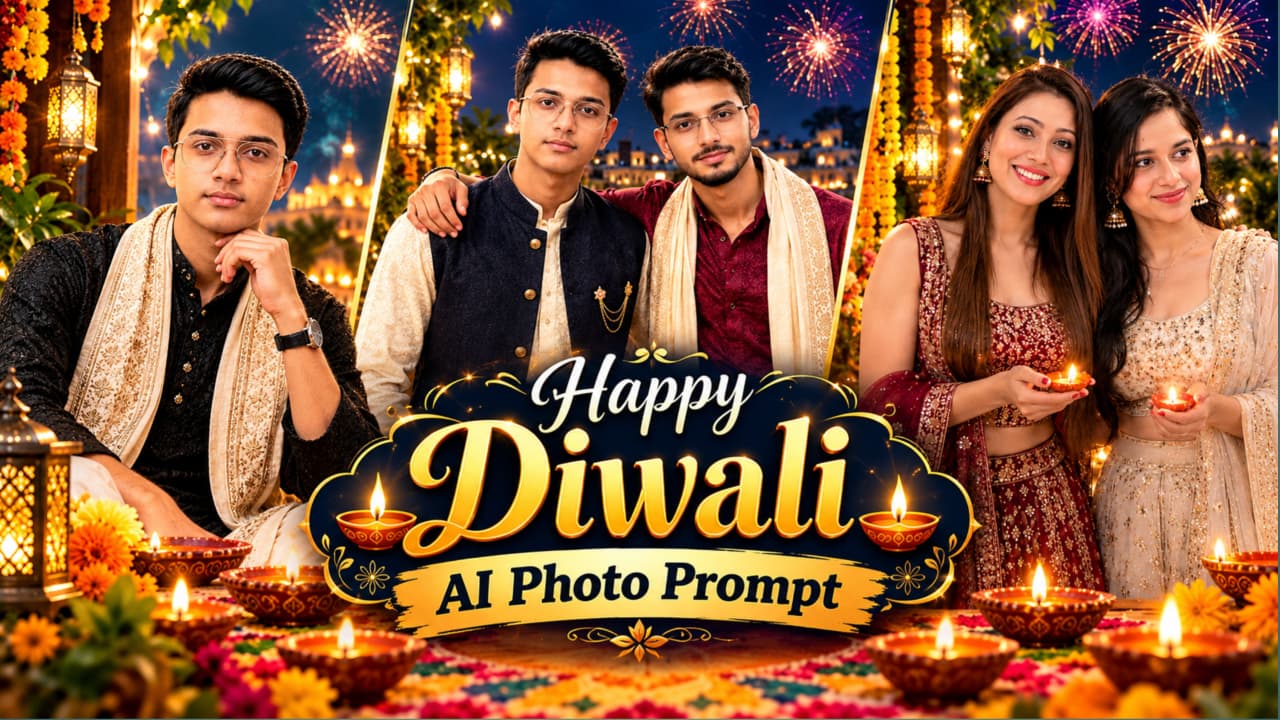
Happy Diwali AI Photo Prompt ki madad se aap apni photo ko ek beautiful, cinematic Diwali greeting portrait mein convert kar sakte hain. Is concept mein traditional black kurta, golden embroidery wala ivory shawl, glowing diyas, marigold flowers, rangoli aur fireworks ka festive combination diya gaya hai.
Portrait mein person ko cross-legged sitting pose mein dikhaya gaya hai, jahan face camera ki taraf hai aur background mein illuminated temple, river ghat aur golden lights ka atmosphere hai. Image ke upper-right area mein golden “Happy Diwali” typography aur greeting message design ka important part hain.
Reference photo use karne se aap apni appearance ko similar rakhne ki koshish kar sakte hain. Lekin AI tool har baar exact face ya text generate kare, yeh guaranteed nahi hai. Isliye final image ko check karna zaroori hai.
Happy Diwali AI Photo Kaise Banaye
Step 1: Apna AI image-generation tool open karein, jo reference photo aur text prompt support karta ho.
Step 2: Apni clear photo upload karein. Face, hairstyle aur skin tone ko reference ke according rakhne ke instructions dein.
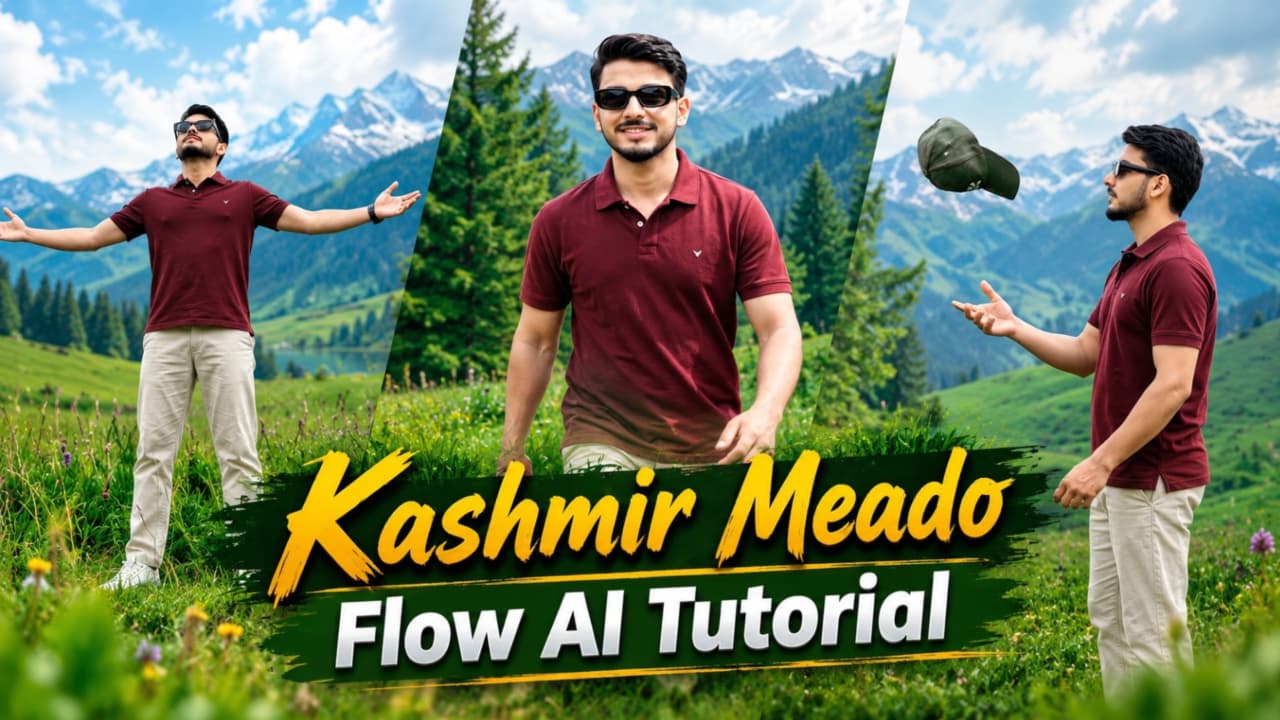
Kashmir Meadows AI Video Prompt se aap green meadows, rolling hills aur tall pine trees ke beech cinematic travel video create kar sakte hain. Is concept mein ek man maroon polo T-shirt, beige trousers, white sneakers aur black sunglasses pehenkar scenic landscape mein walk karta hai.
Video mein saat visual moments hain, jaise green meadow mein walking, wildflowers ke beech tracking shot, camping tent ke paas se guzarna aur grassy hillside par baithkar mountains ko dekhna. Bright daylight aur natural colours video ko travel-film jaisa look dene mein help karte hain.
Reference photo ko har scene mein use karna character consistency improve kar sakta hai, agar tool yeh feature support karta ho. 8K aur 120FPS desired quality targets hain; actual resolution aur frame rate selected tool par depend karte hain.
Kashmir Meadows AI Video Kaise Banaye
Step 1: Flow AI open karein aur available video-generation feature select karein.
Step 2: Apni reference photo upload karein, agar image-reference option available ho.
Step 3: Prompt mein same face, maroon polo T-shirt, beige trousers, white sneakers aur black sunglasses ka description rakhein.
Step 4: Green meadows, pine forests, purple wildflowers, blue camping tent aur hillside jaise scenes ko alag-alag describe karein.
Step 5: Har scene generate karke check karein ki face, outfit aur body proportions consistent hain.
Step 6: Clips ko video editor mein arrange karein. Smooth transitions aur suitable background music add karein.
Step 7: Final video ki quality check karke Reels ya Shorts ke liye export karein. NoorEditing07 watermark ko editing mein add kar sakte hain.
3. ChatGPT AI Cinematic LED Screen Photo Editing Prompt 8K
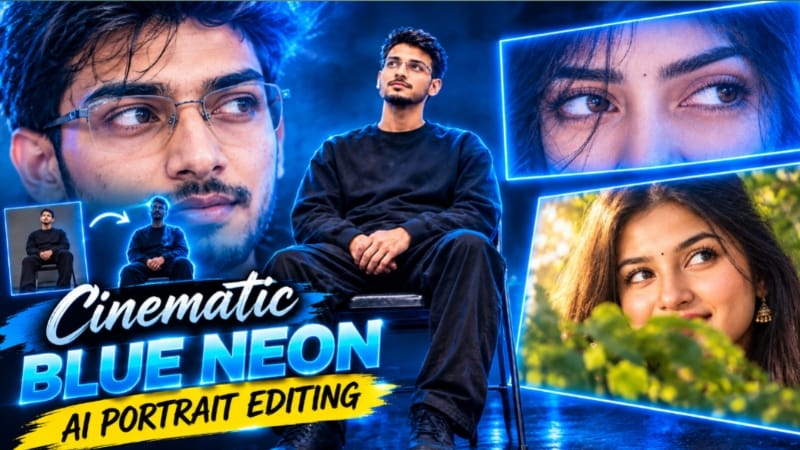
ChatGPT AI Cinematic LED Screen Photo Editing Prompt se aap ek dramatic studio-style portrait create kar sakte hain. Is concept mein ek young man black folding chair par baitha hai aur uske upar lagi giant LED screen par doosre person ki eyes ka extreme close-up dikhai deta hai.
Dark studio, electric-blue lighting, deep navy shadows aur glossy reflective floor image ko cinematic atmosphere dete hain. Main subject oversized black sweatshirt, loose black trousers aur black sneakers pehenta hai. Camera angle slightly low hai, jisse person aur large LED screen dono composition mein clearly nazar aate hain.
Is edit ke liye reference images ka use helpful ho sakta hai. Agar screen par kisi doosre person ki photo dikhani hai, to main subject aur screen image ke references ko clearly identify karein. AI-generated faces aur screen details ko final output mein verify karna zaroori hai.
LED Screen Photo Edit Kaise Banaye
Step 1: ChatGPT ya koi compatible AI image-editing tool open karein.
Step 2: Main subject ki clear reference photo upload karein. Screen ke liye doosri reference image use karni ho to use separately identify karein.
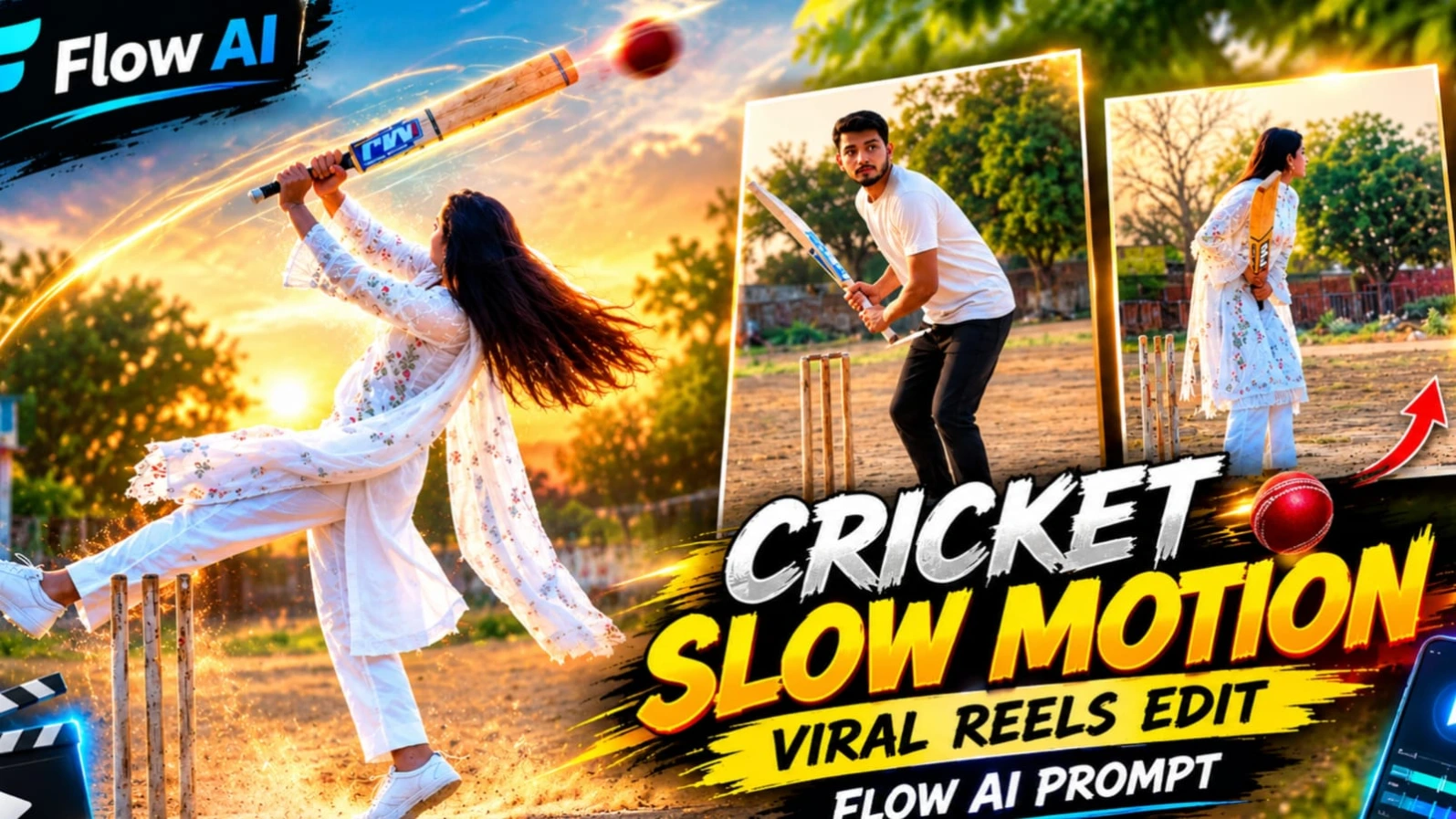
Village Cricket Cinematic Video Prompt ek unique AI video concept hai, jismein ek woman traditional white outfit mein dusty village cricket ground par cricket bat ke saath different movements karti hai. Outfit mein white chikankari kurta, straight pants, sheer dupatta aur white sneakers shamil hain.
Background mein wooden stumps, concrete playing strip, trees aur ek small blue-and-white building dikhayi deti hai. Golden-hour lighting video ko warm cinematic look deti hai. Is concept ka camera locked tripod position par rehta hai, jabki action mein bat raise karna, ground par tap karna, jump karna aur turn karke walk away karna shamil hai.
Video ka target vertical 9:16 format aur lagbhag 11.5 seconds ki duration hai. Slow-motion section mein hair, dupatta aur bat ki movement natural dikhni chahiye. Actual duration aur movement AI tool ke result par depend kar sakte hain.
Village Cricket Video Kaise Banaye
Step 1: Flow AI open karein aur video-generation workflow select karein.
Step 2: Reference photo upload karein, agar tool image reference support karta ho.
Step 3: White chikankari kurta, white pants, dupatta, sneakers aur wooden cricket bat ki details prompt mein likhein.
Step 4: Dusty village ground, wooden stumps, trees aur golden-hour lighting describe karein.
Step 5: Camera ko static full-body shot rakhne aur cricket-bat movements ko sequence mein perform karne ke instructions dein.
Step 6: Generated video mein face consistency, bat movement, hands aur slow-motion section check karein.
Step 7: Final clip ko editor mein open karein, zarurat ke hisaab se trim karein aur bottom-centre mein NoorEditing07 watermark add karein.
5. Friends Disco Dance Video AI Tutorial – Create Viral Dance Videos with AI
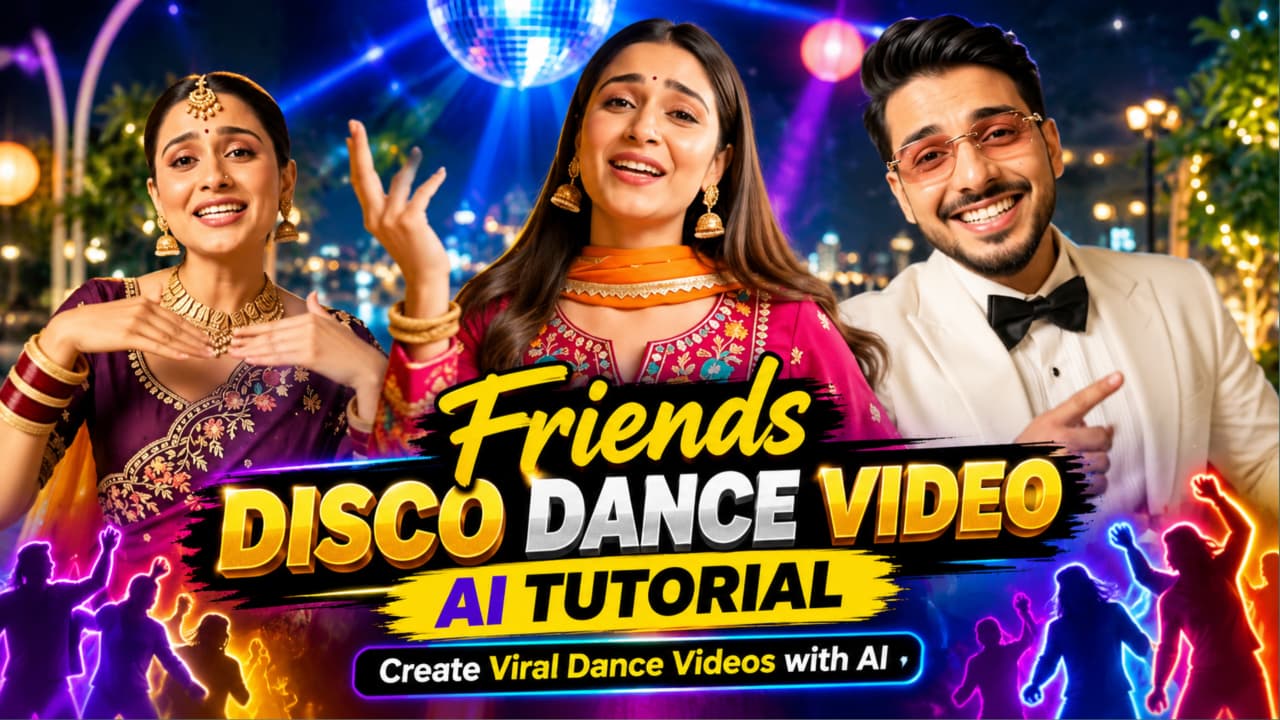
Friends Disco Dance Video AI Tutorial se aap friends ke group ke saath energetic party-style video create karne ka experiment kar sakte hain. Is concept mein colorful disco lighting, stylish party outfits, synchronized dance movements aur cinematic camera shots ka use hota hai.
AI video-generation tools mein aap text prompt ke through group appearance, clothing, location aur dance actions describe kar sakte hain. Reference images available hon to character appearance guide karne mein help mil sakti hai, lekin exact consistency guaranteed nahi hoti.
Is page ke prompt card mein ek 10-second landscape video ka concept diya gaya hai, jismein rooftop night-party setting aur four shots hain: group selfie, man ka close-up, first woman ka dance shot aur second woman ka hair-whip dance. Prompt mein NoorEditing07 watermark aur silent video ka instruction bhi hai; music editing ke waqt add kiya ja sakta hai.
Friends Disco Dance Video Kaise Banaye
Step 1: Flow AI ya apna compatible AI video tool open karein.
Step 2: Agar reference-image feature available ho, to required characters ki images upload karein.
Step 3: Prompt mein friends ke outfits, appearance, rooftop party setting aur dance movements clearly describe karein.
Step 4: Camera shots ko order mein likhein, taaki group shot aur individual dance moments alag nazar aayein.
Step 5: Video generate karke faces, outfits, body movements aur transitions check karein. Errors hon to prompt simplify karke dobara generate karein.
Step 6: Video editor mein unwanted frames trim karein aur suitable licensed music add karein.
Step 7: Final video ko review karke social media ke liye export karein. Viral hona guaranteed nahi hai, lekin clear concept aur careful editing video ko polished bana sakti hai.