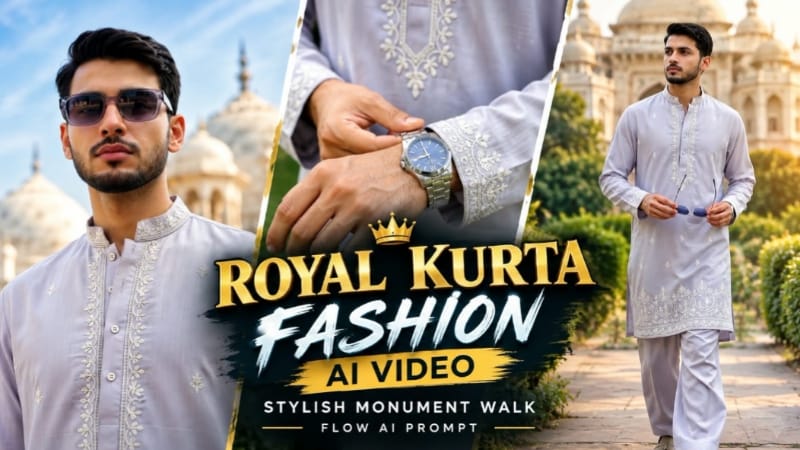
Royal Kurta Fashion AI Video | Stylish Monument Walk | Flow AI Prompt ek premium cinematic fashion AI video concept hai, jisme traditional royal kurta look ko stylish monument location ke saath combine karke ek professional fashion video create kiya ja sakta hai.
Flow AI Prompt ki help se aap apni clear reference photo ko use karke character ko royal kurta outfit mein cinematic monument environment ke andar walk karte hue show kar sakte hain. Stylish walking movement, smooth camera tracking, detailed traditional outfit, natural fabric movement aur cinematic lighting video ko premium fashion look dete hain.
Is AI fashion video ka main focus royal ethnic styling aur confident monument walk par hai. Traditional kurta ke fabric, colour, design aur overall outfit details ko consistent rakhte hue smooth movement generate karna important hai. Camera movement ko slow tracking shot, full-body framing aur cinematic perspective ke saath design kiya ja sakta hai.
Monument background video ko grand historical atmosphere deta hai, jabki premium colour grading, realistic lighting aur natural body movement overall output ko cinematic banate hain. Ye concept Instagram Reels, YouTube Shorts aur fashion-focused social media content ke liye suitable hai.
Clear reference photo aur detailed Flow AI prompt ke through creators apne photo ko ek stylish Royal Kurta Fashion AI Video mein transform kar sakte hain.
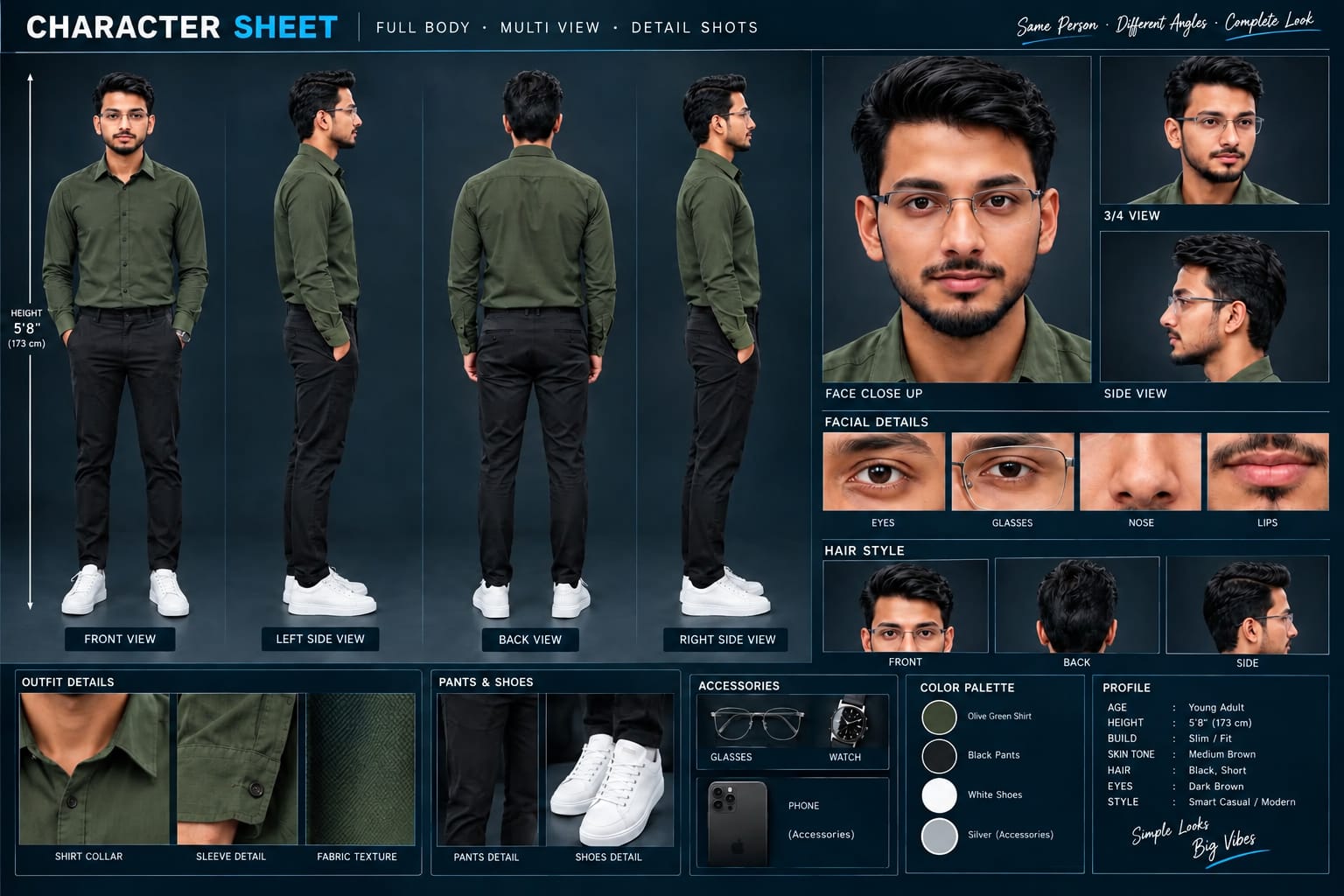
Sabse Pehle Character Sheet Photo Banaai ChatGPT Se
A premium, professional, ultra-photorealistic full-body character reference sheet for the person identified in the uploaded photo. The sheet is presented in a clean professional studio environment with a dark, luxury background. The character's identity, facial features, skin tone, body proportions, hairstyle, and transparent-frame glasses are perfectly consistent with the reference photo. The character is wearing the exact outfit from the reference: a mustard-yellow polo shirt with white piping, black slim-fit pants, and white sneakers. The layout is an elegant grid containing: 1. Full-body front view, 2. Full-body left side view, 3. Full-body back view, 4. Full-body right side view. 5. Large face close-up, 6. 3/4 face view, 7. Side-profile face view. 8. Detailed eye, glasses, nose, and lips reference crops. 9. Hair front, back, and side reference. 10. Shirt collar, sleeve, and fabric texture details. 11. Pants and sneaker detail shots. 12. Accessories reference. All views depict the same person with high-end cinematic lighting, extremely sharp facial details, realistic skin texture, natural hair strands, realistic fabric texture, accurate clothing stitching, and physically accurate lighting with subtle shadows. The full body is completely visible in all turnaround views, including both shoes. The presentation features sophisticated typography, thin clean borders, and balanced spacing. No watermarks, cartoons, or distortions are present.
A premium, professional, ultra-photorealistic full-body character reference sheet for the person identified in the uploaded photo. The sheet is presented in a clean professional studio environment with a dark, luxury background. The character's identity, facial features, skin tone, body proportions, hairstyle, and transparent-frame glasses are perfectly consistent with the reference photo. The character is wearing the exact outfit from the reference: a mustard-yellow polo shirt with white piping, black slim-fit pants, and white sneakers. The layout is an elegant grid containing: 1. Full-body front view, 2. Full-body left side view, 3. Full-body back view, 4. Full-body right side view. 5. Large face close-up, 6. 3/4 face view, 7. Side-profile face view. 8. Detailed eye, glasses, nose, and lips reference crops. 9. Hair front, back, and side reference. 10. Shirt collar, sleeve, and fabric texture details. 11. Pants and sneaker detail shots. 12. Accessories reference. All views depict the same person with high-end cinematic lighting, extremely sharp facial details, realistic skin texture, natural hair strands, realistic fabric texture, accurate clothing stitching, and physically accurate lighting with subtle shadows. The full body is completely visible in all turnaround views, including both shoes. The presentation features sophisticated typography, thin clean borders, and balanced spacing. No watermarks, cartoons, or distortions are present.
✓
Prompt copied to clipboard!
AI Video Prompt
✦AI PHOTO PROMPT
A premium, professional, ultra-photorealistic full-body character reference sheet for the person identified in the uploaded photo. The sheet is presented in a clean professional studio environment with a dark, luxury background. The character's identity, facial features, skin tone, body proportions, hairstyle, and transparent-frame glasses are perfectly consistent with the reference photo. The character is wearing the exact outfit from the reference: a mustard-yellow polo shirt with white piping, black slim-fit pants, and white sneakers. The layout is an elegant grid containing: 1. Full-body front view, 2. Full-body left side view, 3. Full-body back view, 4. Full-body right side view. 5. Large face close-up, 6. 3/4 face view, 7. Side-profile face view. 8. Detailed eye, glasses, nose, and lips reference crops. 9. Hair front, back, and side reference. 10. Shirt collar, sleeve, and fabric texture details. 11. Pants and sneaker detail shots. 12. Accessories reference. All views depict the same person with high-end cinematic lighting, extremely sharp facial details, realistic skin texture, natural hair strands, realistic fabric texture, accurate clothing stitching, and physically accurate lighting with subtle shadows. The full body is completely visible in all turnaround views, including both shoes. The presentation features sophisticated typography, thin clean borders, and balanced spacing. No watermarks, cartoons, or distortions are present.
A premium, professional, ultra-photorealistic full-body character reference sheet for the person identified in the uploaded photo. The sheet is presented in a clean professional studio environment with a dark, luxury background. The character's identity, facial features, skin tone, body proportions, hairstyle, and transparent-frame glasses are perfectly consistent with the reference photo. The character is wearing the exact outfit from the reference: a mustard-yellow polo shirt with white piping, black slim-fit pants, and white sneakers. The layout is an elegant grid containing: 1. Full-body front view, 2. Full-body left side view, 3. Full-body back view, 4. Full-body right side view. 5. Large face close-up, 6. 3/4 face view, 7. Side-profile face view. 8. Detailed eye, glasses, nose, and lips reference crops. 9. Hair front, back, and side reference. 10. Shirt collar, sleeve, and fabric texture details. 11. Pants and sneaker detail shots. 12. Accessories reference. All views depict the same person with high-end cinematic lighting, extremely sharp facial details, realistic skin texture, natural hair strands, realistic fabric texture, accurate clothing stitching, and physically accurate lighting with subtle shadows. The full body is completely visible in all turnaround views, including both shoes. The presentation features sophisticated typography, thin clean borders, and balanced spacing. No watermarks, cartoons, or distortions are present.
✓
Prompt copied to clipboard!
AI Video Prompt Card
✦AI VIDEO PROMPT
Use the uploaded reference photo for the man's face, hairstyle, skin tone, body build and height. Keep identity exactly same as reference photo — no alteration to face, body, or hairstyle in any scene. Keep his skin natural, clean, and clear exactly as shown in the reference photo — no added blemishes, spots, or texture flaws. Keep the person's body proportions natural and realistic, matching the exact build shown in the reference photo — do not add extra muscle, height, or bulk.
Use the uploaded reference photo for the man's face, hairstyle, skin tone, body build and height. Keep identity exactly same as reference photo — no alteration to face, body, or hairstyle in any scene. Keep his skin natural, clean, and clear exactly as shown in the reference photo — no added blemishes, spots, or texture flaws.
Keep the person's body proportions natural and realistic, matching the exact build shown in the reference photo — do not add extra muscle, height, or bulk. This must work accurately for any person of any age or body type who uploads their own reference photo — the generated face, skin, and body must always match the uploaded photo exactly, never a generic or different look.
Outfit (same throughout, do not change): a grey kurta-pajama set with a mandarin collar, delicate silver embroidery along the collar and the hem border, relaxed straight-fit pajama pants in matching grey, black formal slip-on shoes, holding a pair of sunglasses.
Location (same throughout all 7 scenes, do not change): an outdoor heritage monument courtyard with tall white domed structures and ornate stone archways in the background, a red sandstone railing with carved lattice (jaali) pattern in the foreground, green trees, soft natural daylight.
Color grade: rich, natural, vibrant cinematic color grading — true-to-life skin tones and fabric colors, soft daylight contrast, sharp realistic detail, not faded or desaturated, consistent across every scene.
Create 7 cinematic scenes, same outfit and same monument location throughout:
Scene 1: Close-up shot of the man's hands holding his sunglasses at waist level while walking, grey kurta with silver embroidered hem visible, blurred green garden path behind him.
Scene 2: Medium close-up shot, walking toward the camera, sunglasses held in both hands near his chest, silver embroidered collar visible, white boundary wall and greenery blurred behind him.
Scene 3: Close-up side profile shot, man putting on his sunglasses with one hand, calm composed expression, white domed monument softly blurred in the background.
Scene 4: Full body front shot, man standing confidently facing the camera, sunglasses on, white domed monument and red sandstone jaali railing clearly visible behind him.
Scene 5: Close-up back-angle shot, man looking over his shoulder toward the camera, sunglasses on, green trees blurred in the background.
Scene 6: Full body walking shot, man walking confidently toward the camera near the red sandstone railing, white monument domes and minarets framing him in the background.
Scene 7: Medium shot, man standing calm and composed, sunglasses on, soft natural daylight, monument and greenery forming a balanced cinematic backdrop behind him.
Format: 9:16 vertical, 1080p resolution, smooth cinematic pacing with natural camera movement throughout, same location and color grade maintained from Scene 1 to Scene 7.
Watermark: small semi-transparent text "NoorEditing07" in the bottom-right corner, visible consistently across all 7 scenes.
✓
Prompt copied to clipboard!
AI Video Prompt Card
✦AI VIDEO PROMPT
Use the uploaded reference photo for the man's face, hairstyle, skin tone, body build and height. Keep identity exactly same as reference photo — no alteration to face, body, or hairstyle in any scene. Keep his skin natural, clean, and clear exactly as shown in the reference photo — no added blemishes, spots, or texture flaws. Keep the person's body proportions natural and realistic, matching the exact build shown in the reference photo — do not add extra muscle, height, or bulk.
Use the uploaded reference photo for the man's face, hairstyle, skin tone, body build and height. Keep identity exactly same as reference photo — no alteration to face, body, or hairstyle in any scene. Keep his skin natural, clean, and clear exactly as shown in the reference photo — no added blemishes, spots, or texture flaws.
Keep the person's body proportions natural and realistic, matching the exact build shown in the reference photo — do not add extra muscle, height, or bulk. This must work accurately for any person of any age or body type who uploads their own reference photo — the generated face, skin, and body must always match the uploaded photo exactly, never a generic or different look.
Outfit (same throughout, do not change): a grey kurta-pajama set with a mandarin collar, delicate silver embroidery along the collar and the hem border, relaxed straight-fit pajama pants in matching grey, black formal slip-on shoes, holding a pair of sunglasses.
Location (same throughout all 7 scenes, do not change): an outdoor heritage monument courtyard with tall white domed structures and ornate stone archways in the background, a red sandstone railing with carved lattice (jaali) pattern in the foreground, green trees, soft natural daylight.
Color grade: rich, natural, vibrant cinematic color grading — true-to-life skin tones and fabric colors, soft daylight contrast, sharp realistic detail, not faded or desaturated, consistent across every scene.
Create 7 cinematic scenes, same outfit and same monument location throughout:
Scene 1: Close-up shot of the man's hands holding his sunglasses at waist level while walking, grey kurta with silver embroidered hem visible, blurred green garden path behind him.
Scene 2: Medium close-up shot, walking toward the camera, sunglasses held in both hands near his chest, silver embroidered collar visible, white boundary wall and greenery blurred behind him.
Scene 3: Close-up side profile shot, man putting on his sunglasses with one hand, calm composed expression, white domed monument softly blurred in the background.
Scene 4: Full body front shot, man standing confidently facing the camera, sunglasses on, white domed monument and red sandstone jaali railing clearly visible behind him.
Scene 5: Close-up back-angle shot, man looking over his shoulder toward the camera, sunglasses on, green trees blurred in the background.
Scene 6: Full body walking shot, man walking confidently toward the camera near the red sandstone railing, white monument domes and minarets framing him in the background.
Scene 7: Medium shot, man standing calm and composed, sunglasses on, soft natural daylight, monument and greenery forming a balanced cinematic backdrop behind him.
Format: 9:16 vertical, 1080p resolution, smooth cinematic pacing with natural camera movement throughout, same location and color grade maintained from Scene 1 to Scene 7.
Watermark: small semi-transparent text "NoorEditing07" in the bottom-right corner, visible consistently across all 7 scenes.
Sabse pehle ek clear high-quality reference photo select karein jisme face, body aur outfit clearly visible ho. Ab Flow AI open karein aur supported image-to-video option select karein.
Apni reference photo upload karein aur Royal Kurta Fashion AI Video Prompt ko copy karke prompt section mein paste karein. Prompt mein royal kurta outfit, monument location, walking style, camera movement, lighting aur cinematic look ki details properly mention karein.
AI video generate karte waqt character ka face, hairstyle, body proportions aur kurta ke important details ko consistent rakhne ke liye preservation instructions ka use karein. Walking movement natural aur smooth rakhein, taaki video realistic fashion shoot jaisa lage.
Video generate hone ke baad face, outfit, kurta design, body movement, background aur camera motion ko carefully check karein. Agar kisi scene mein outfit ya character appearance change ho jaye, to prompt ko refine karke video regenerate karein.
Final video ko 9:16 vertical format mein export karein. Iske baad aap ise Instagram Reels, YouTube Shorts aur other social media platforms ke liye use kar sakte hain.
Royal kurta fashion ai videoroyal kurta ai videokurta fashion ai videostylish monument walk ai videoflow ai promptflow ai fashion videoroyal kurta lookai fashion videotraditional fashion ai videoethnic fashion ai videocinematic kurta videoai photo to videoflow ai editingai video prompttrending ai fashion video
Royal kurta fashion ai videoroyal kurta ai videokurta fashion ai videostylish monument walk ai videoflow ai promptflow ai fashion videoroyal kurta lookai fashion videotraditional fashion ai videoethnic fashion ai videocinematic kurta videoai photo to videoflow ai editingai video prompttrending ai fashion video
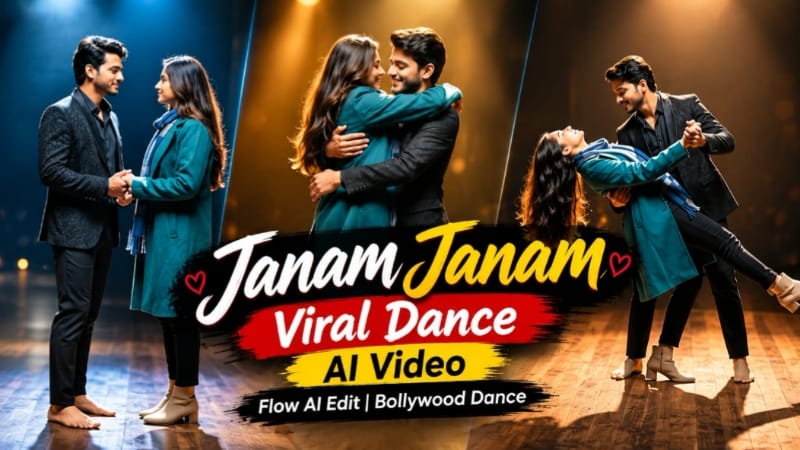
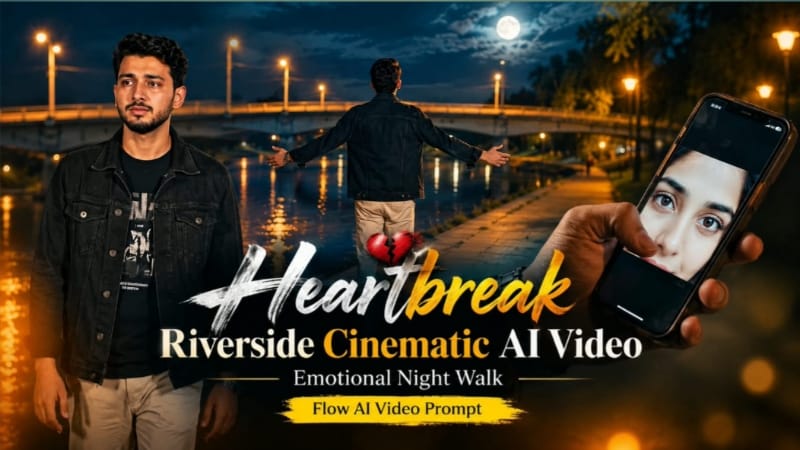
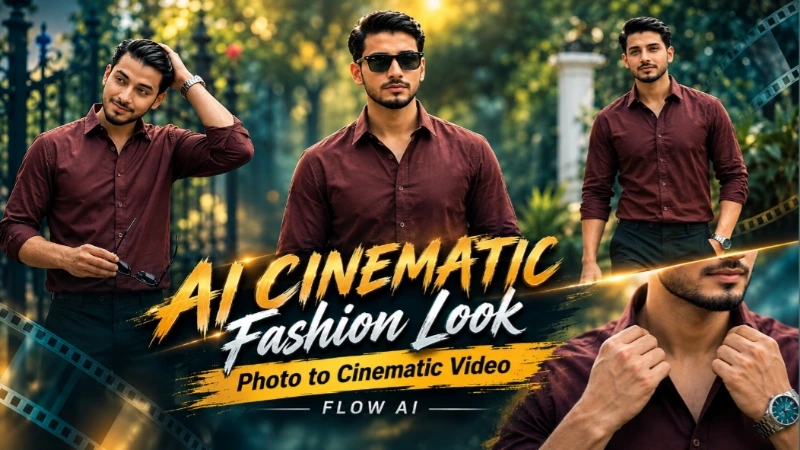
Aaj ke is complete AI editing tutorial mein hum paanch popular cinematic concepts ko ek combined workflow mein samjhenge: Emotional Ocean Music Player AI Photo, Gangster Style Mall Walk AI Video, Janam Janam Viral Dance, Heartbreak Riverside Cinematic Video aur AI Cinematic Fashion Video. In concepts mein ChatGPT aur Flow AI jaise tools ki madad se normal reference photos ko emotional, cinematic, fashion, gangster aur Bollywood-style content mein transform kiya ja sakta hai. Har project mein clear reference photo, identity consistency, realistic lighting aur natural body movement ko priority dena important hai.
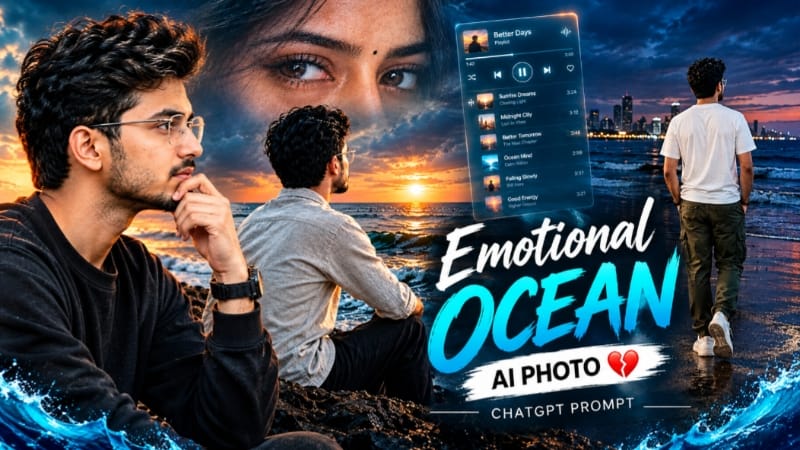
Emotional Ocean AI Photo Kaise Banaye?
Sabse pehle ChatGPT AI Image Generator mein apni clear portrait photo upload karein. Emotional Ocean Music Player concept mein subject ko ocean ya seaside environment mein cinematic emotional mood ke saath present kiya jata hai. Music-player inspired visual elements, soft atmospheric lighting, ocean background, cinematic depth of field aur moody colour grading image ko premium music-poster appearance dete hain.
Reference photo ke face, hairstyle, skin tone aur natural body proportions ko preserve karna important hai. Final image mein realistic skin texture, natural lighting, detailed clothing aur professional camera depth maintain karein.
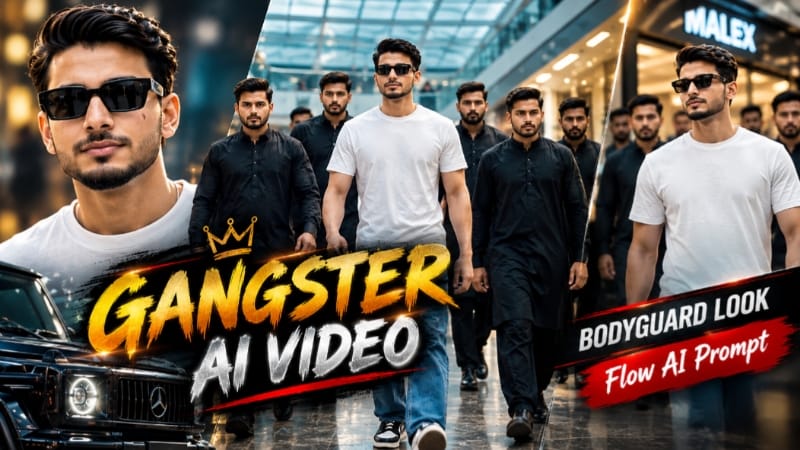
Gangster Style Mall Walk AI Video
Gangster Style Mall Walk ke liye Flow AI mein apni clear full-body reference photo upload karein. Prompt mein same face, hairstyle, body proportions aur outfit maintain karne ki instructions rakhein. Modern luxury shopping mall ko cinematic location ke roop mein use kiya jata hai, jahan subject ke around bodyguard-style entourage premium gangster atmosphere create karta hai.
Smooth walking shots, low-angle camera movement, confident expressions, mall lighting aur cinematic colour grading video ko luxury music-video look dete hain. Bodyguards ke movement ko synchronized aur natural rakhein aur unnecessary crowd ya random characters avoid karein.
Janam Janam Viral Dance AI Video
Romantic Bollywood dance ke liye male aur female reference photos Flow AI mein upload karein. Dono characters ki identities ko consistent rakhte hue cinematic wooden stage, dramatic spotlight aur deep black background create kiya jata hai. Seven connected scenes mein hand-holding, emotional eye contact, joined-hand movement, 360-degree spin, expressive poses, classic dance dip aur final romantic embrace shamil hain.
Video ko 9:16 vertical format mein generate karein, jisse Instagram Reels aur YouTube Shorts ke liye suitable output mile. Hair, clothing aur body movement ko realistic rakhna especially important hai.
Heartbreak Riverside Cinematic Video
Heartbreak concept ke liye Flow AI mein single reference photo upload karein. Story ek quiet riverside location par night atmosphere mein create hoti hai, jahan concrete bridge, dry riverbank, large trees aur warm amber streetlights emotional environment banate hain. Seven scenes mein smartphone memory, lonely walk, emotional close-up, arms-open release, tree ke neeche grief, single tear aur pendant ko heart ke paas hold karne wala final shot shamil hai.
Black denim jacket, black graphic T-shirt aur light beige trousers ko poore video mein consistent rakhein. Deep blue-black sky aur warm amber lighting ke combination se cinematic heartbreak mood create hota hai.
AI Cinematic Fashion Video
Finally, AI Cinematic Fashion Look ke liye ek strong portrait photo Flow AI mein upload karein. Photo ko cinematic fashion video mein convert karte waqt face, hairstyle, outfit aur body proportions ko same rakhein. Smooth camera movement, professional fashion poses, realistic lighting, controlled depth of field aur premium colour grading use karein. Isse static portrait ko editorial-style moving fashion video mein transform kiya ja sakta hai.
Final Result
In paanch concepts ke through aap emotional ocean portrait, luxury gangster mall video, Bollywood couple dance, heartbreak cinematic story aur fashion-style AI video create kar sakte hain. Best result ke liye high-quality reference photos use karein aur final output mein face identity, hands, body proportions, outfit, lighting, background continuity aur camera movement carefully check karein. Agar kisi scene mein identity ya anatomy distort ho, to us scene ko clearer reference aur refined prompt ke saath regenerate karein.